Top 10 Leave Management Software

Efficiently managing employee time off is crucial for maintaining productivity, compliance, and employee satisfaction in any organization. Leave management software simplifies the process by automating time off requests, tracking accruals, and ensuring compliance with company policies and labor laws. One of the best solutions on the market is Day Off, an intuitive and user-friendly app designed to streamline leave tracking for businesses of all sizes. In this article, we’ll explore Day Off and other top leave management software options to help you streamline your leave processes and enhance overall workforce management.

Day Off

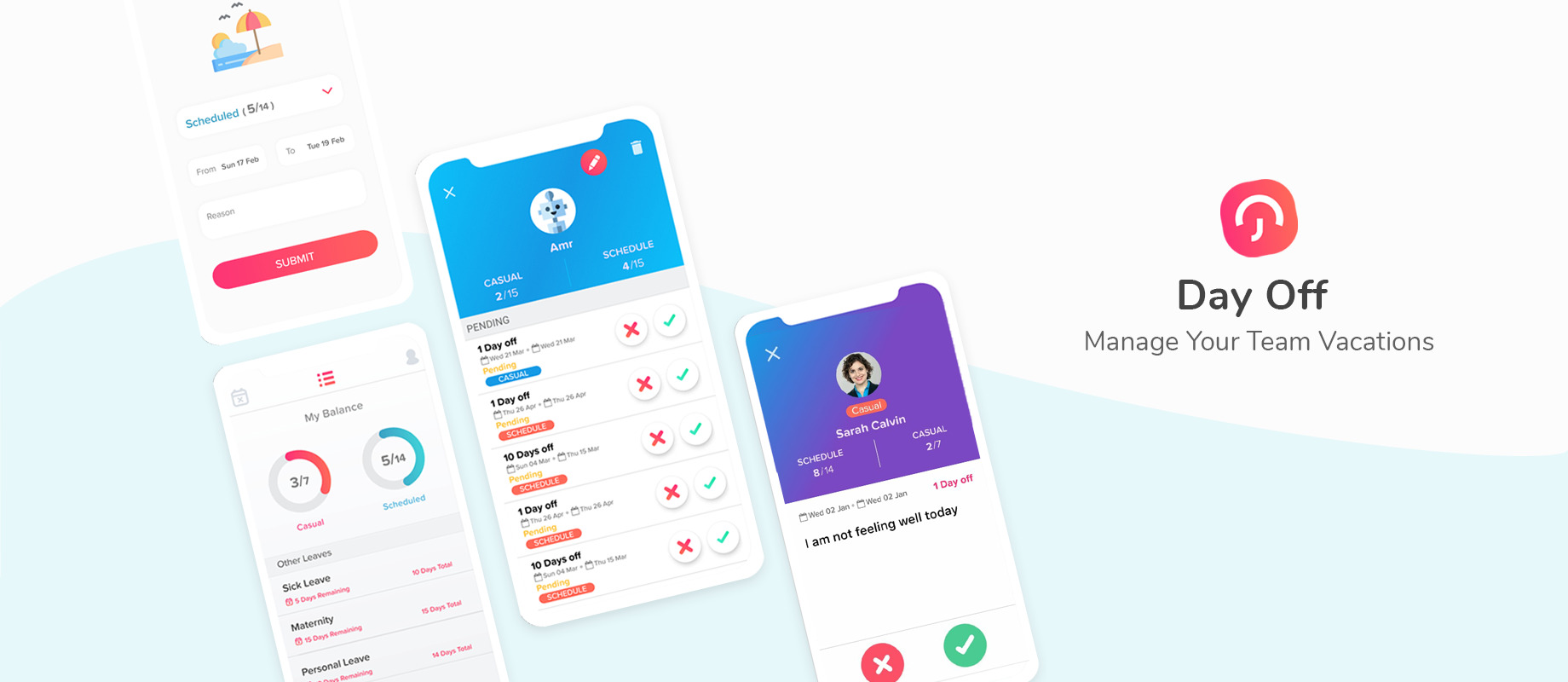
A screenshot of Day Off Vacation Tracker website

Key Features

  • Simple PTO Tracking: Allows easy management of paid time off (PTO) for employees.
  • Automated Leave Requests: Facilitates online leave requests and approvals.
  • Customizable Leave Policies: Supports setting up different leave policies for various employee groups.
  • Accrual Management: Tracks leave accruals and balances automatically.
  • Multi-Device Access: Available on both mobile and desktop devices for easy access.
  • Employee Self-Service: Allows employees to track their leave balance, apply for leave, and check their approval status.
  • Team Calendar: Displays a shared calendar showing who is on leave within the team or department.
  • Integration with HR Systems: Easily integrates with existing HR software for seamless data synchronization.
  • Notifications and Reminders: Sends email or app notifications for upcoming leave or approval requests.
  • Role-Based Access Control: Administrators can assign different levels of access to managers, employees, and HR staff.

Workflow

HR Dashboard​

best price​

$1 Employee / Month • Trial: Yes • Free Plan: Yes.​

View pros and cons

Pros

tick circle 1 Top 10 Leave Management SoftwareUser-Friendly Interface: The app is designed to be intuitive and easy to navigate.

tick circle 1 Top 10 Leave Management SoftwareCustomizable: Flexible leave policies tailored to different companies or teams.

tick circle 1 Top 10 Leave Management SoftwareEfficient Leave Management: Reduces paperwork and automates the leave approval process.

tick circle 1 Top 10 Leave Management SoftwareVisibility: Managers can see a comprehensive view of the team’s leave schedule, helping in planning.

tick circle 1 Top 10 Leave Management SoftwareMobile Access: Employees can request and view leave from anywhere using their mobile devices.

tick circle 1 Top 10 Leave Management SoftwareLeave Balance Tracking: Employees can check their remaining leave balances at any time.

tick circle 1 Top 10 Leave Management SoftwareBoosts Employee Satisfaction: Transparency in leave management enhances employee trust.

Cons

close circle Top 10 Leave Management SoftwareLimited Offline Access: Requires internet connectivity to access features and data.

close circle Top 10 Leave Management SoftwareScaling for Larger Organizations: May not be as robust for managing very large teams with complex leave structures.
factoHR

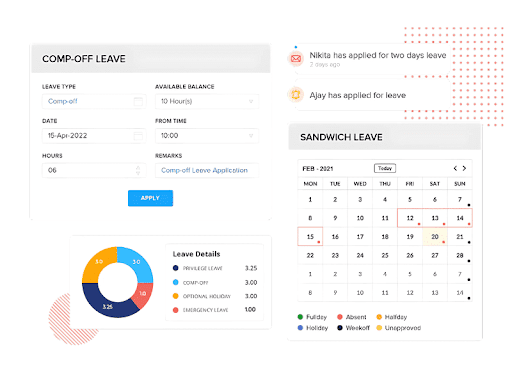
a screenshot of factoHR website

Key Features

  • Payroll Automation: Streamlines the payroll process from calculations and statutory compliance to salary disbursements minimizing manual interventions.
  • Time & Attendance: Monitors employee check-ins and check-outs with real-time tracking, biometric integrations, and geolocation support for field staff.
  • Employee Self-Service: Empowers employees to view payslips, submit leave requests, track attendance records, and update personal information independently.
  • Leave Management: Simplifies vacation and time-off tracking with customizable leave policies, automated approval workflows, and balance notifications.
  • Performance Management: It sets goals for teams. It collects 360° feedback. It runs review cycles. It keeps managers and employees on track.
  • Travel & Expense Tracking: It tracks business travel costs. It lets employees file, approve, and reimburse expenses. It stores digital receipts.
  • Compliance Management: It checks labor laws and tax rules. It updates payroll and documents to meet local rules.
  • Mobile App: It provides access to HR features on the move. Employees check attendance, request leave, and approve expenses.
  • Analytics & Reporting: It shows clear insights on workforce data. It displays dashboards and reports that guide decisions.
  • Integrations: It connects with accounting systems, ERP, and HR tools. It keeps data in sync.

Workflow

HR Dashboard​

Trial: Yes • Free Plan: No • Contact the team for accurate pricing

View pros and cons

Pros

tick circle 1 Top 10 Leave Management Software HR Suite: Combines payroll, leave, performance, and expense management on one platform.

tick circle 1 Top 10 Leave Management Software Self-Service Portal: Allows employees to complete basic tasks via the dedicated mobile app and self-service portal.

tick circle 1 Top 10 Leave Management Software Real-Time Attendance: It uses AI-facial recognition and geo-fencing data for attendance tracking.

tick circle 1 Top 10 Leave Management Software Automated Payroll: It reduces the required manual work and ensures accurate salary payments.

tick circle 1 Top 10 Leave Management Software Compliance: Will help you to adhere to the labor laws and tax rules consistently.

tick circle 1 Top 10 Leave Management Software Analytics: Provides clear insights through dashboards and reports.

tick circle 1 Top 10 Leave Management Software Mobile Access: Offers access to key HR functions on the move.

Cons

close circle Top 10 Leave Management Software Complex Initial Setup: Integration with existing systems may require technical expertise and additional time.

close circle Top 10 Leave Management Software Higher Cost for Smaller Teams: Pricing might be less competitive for startups or small organizations.

close circle Top 10 Leave Management Software Limited Niche Customization: Certain modules may offer fewer options than specialized HR tools.

close circle Top 10 Leave Management Software Internet Dependency: Uninterrupted access relies on a stable internet connection as a cloud-based solution.

close circle Top 10 Leave Management Software Learning Curve for Advanced Features: Fully leveraging the extensive functionalities may necessitate user training.
Zoho People

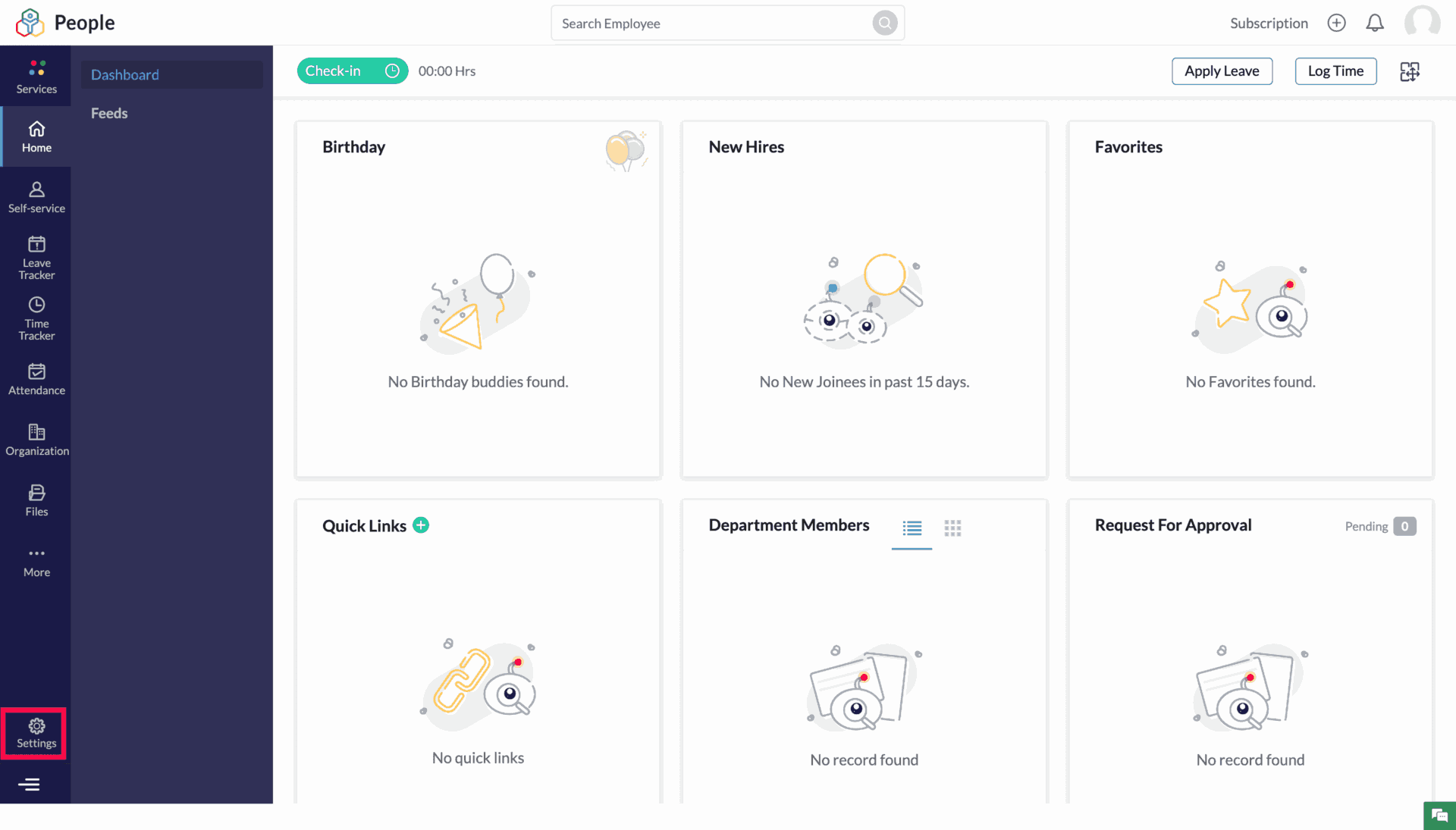
A screenshot of Zoho People website

Key Features

  • Employee Database Management: Centralized system to store and manage employee records, including personal and professional information.
  • Leave and Attendance Management: Tracks employee attendance, leave requests, approvals, and balances with customizable policies.
  • Performance Management: Facilitates goal-setting, 360-degree feedback, and performance appraisals with a user-friendly interface.
  • Time Tracking: Tracks employee work hours and project timesheets, with integration for billing and payroll.
  • Employee Self-Service: Employees can update personal details, apply for leaves, view attendance, and access their payslips through a self-service portal.
  • HR Workflows Automation: Automates HR processes like onboarding, approvals, document management, and performance reviews.
  • Customizable Forms: Allows creating custom forms to gather data or requests, which can be used for surveys, feedback, and more.
  • Mobile App: Employees and managers can access HR functionalities like leave requests, timesheets, and approvals on the go via the mobile app.
  • HR Analytics and Reporting: Provides insights into employee data through customizable reports and dashboards for better decision-making.
  • Integration with Other Zoho Apps: Seamlessly integrates with other Zoho products like Zoho Payroll, Zoho Expense, and third-party apps.

Workflow

HR Dashboard​

$1 to $4 per employee per month • Trial: Yes • Free Plan: Yes.​

View pros and cons

Pros

tick circle 1 Top 10 Leave Management SoftwareAffordable Pricing: Offers a cost-effective HR solution with flexible pricing plans suitable for small and medium-sized businesses.

tick circle 1 Top 10 Leave Management SoftwareEasy to Use: Intuitive interface and easy navigation make it accessible for HR teams and employees alike.

tick circle 1 Top 10 Leave Management SoftwareCustomizability: Highly customizable workflows, forms, and modules to adapt to the unique needs of businesses.

tick circle 1 Top 10 Leave Management SoftwareComprehensive HR Suite: Covers most HR tasks, including attendance, performance management, and time tracking in a single platform.

tick circle 1 Top 10 Leave Management SoftwareMobile Accessibility: The mobile app provides flexibility and convenience for users to manage tasks on the go.

tick circle 1 Top 10 Leave Management SoftwareSeamless Integration: Integrates with other Zoho apps and external tools, providing a connected ecosystem for businesses.

tick circle 1 Top 10 Leave Management SoftwareAutomation Capabilities: Automates repetitive HR processes, saving time and reducing manual efforts.

tick circle 1 Top 10 Leave Management SoftwareEmployee Self-Service: Empowers employees to manage their own profiles, leave requests, and time tracking, reducing the burden on HR teams.

Cons

close circle Top 10 Leave Management SoftwareLimited Advanced Features: While it covers essential HR tasks, it may lack more advanced features required by large enterprises.

close circle Top 10 Leave Management SoftwareReporting Complexity: Some users report that customizing reports and analytics can be a bit complex or limited in flexibility.

close circle Top 10 Leave Management SoftwareCustomer Support: Support response times and quality can vary, and some users have experienced slow resolutions to issues.

close circle Top 10 Leave Management SoftwareLearning Curve for Customization: Although it offers a lot of customization, setting up complex workflows or configurations may require some technical knowledge.

close circle Top 10 Leave Management SoftwareMobile App Limitations: While functional, the mobile app has fewer features compared to the desktop version, which might limit certain tasks.

close circle Top 10 Leave Management SoftwareIntegration Setup: Initial setup and integration with third-party tools can sometimes be challenging, requiring technical assistance.
Kissflow HR Cloud

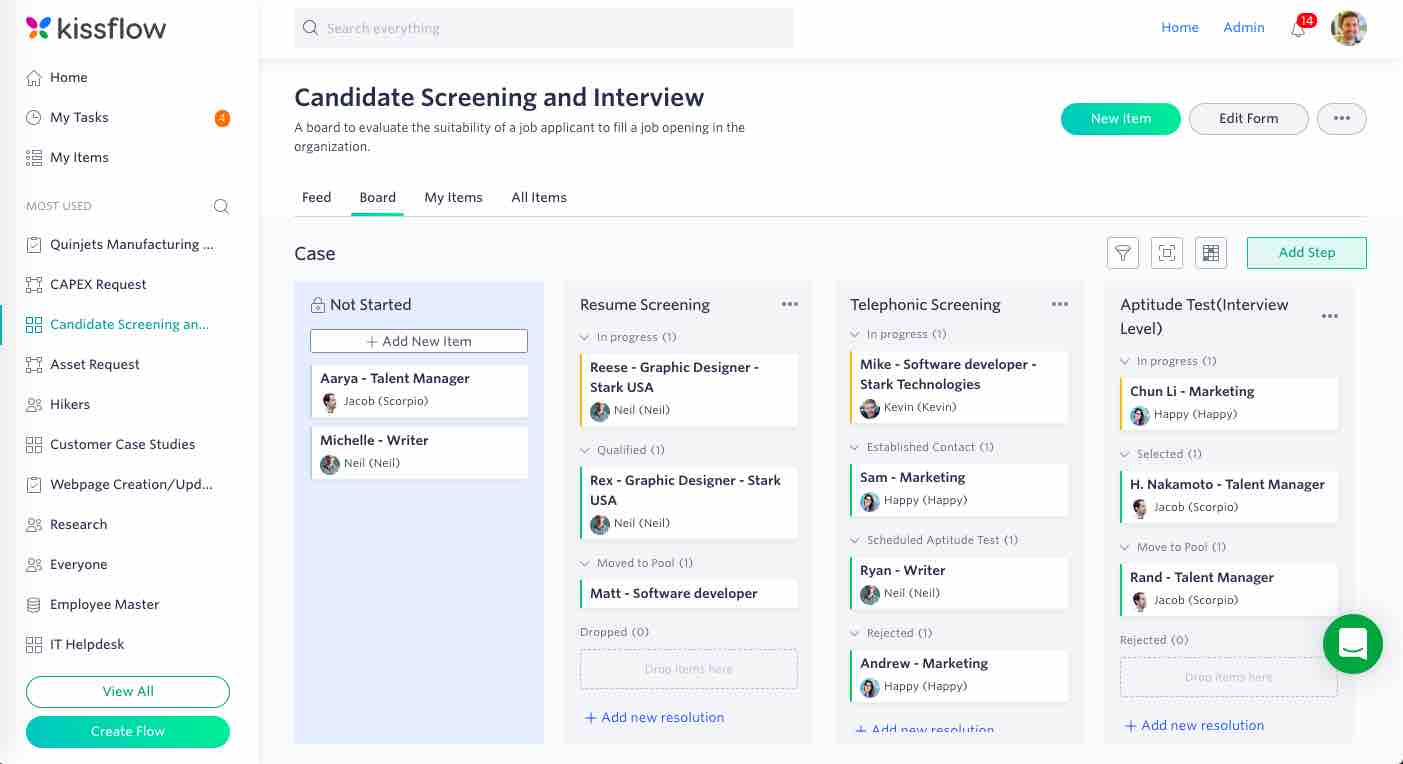
a screenshot of Kissflow HR Cloud website

Key Features

  • Employee Onboarding: Automates and streamlines the onboarding process with customizable workflows for new hires.
  • Leave Management: Enables employees to request time off, and managers can easily approve or reject leave requests with built-in workflows.
  • Performance Management: Tools for setting goals, tracking progress, conducting appraisals, and providing feedback to employees.
  • Recruitment Automation: Simplifies recruitment with job postings, candidate tracking, and interview scheduling.
  • Employee Database: Centralized repository for managing employee records, documents, and personal details.
  • Payroll Integration: Easily integrates with payroll software for seamless salary calculations and payouts.
  • Employee Self-Service: Employees can access HR services, submit requests, view payslips, and update their profiles.
  • Customizable Workflows: Flexibility to build custom workflows based on the organization’s unique HR processes.
  • Analytics and Reporting: Provides detailed reports and analytics to track HR activities and performance metrics.
  • Mobile Access: Allows users to access HR services through mobile apps for increased flexibility.

Integrations

Automation

$690 per month • Trial: Yes • Free Plan: No.

View pros and cons

Pros

tick circle 1 Top 10 Leave Management SoftwareUser-Friendly Interface: Intuitive design, making it easy for HR teams and employees to navigate and use the platform.

tick circle 1 Top 10 Leave Management SoftwareCustomizability: Highly customizable workflows that can adapt to the specific needs of different organizations.

tick circle 1 Top 10 Leave Management SoftwareAll-in-One Solution: Comprehensive suite covering the entire HR lifecycle, from hiring to offboarding.

tick circle 1 Top 10 Leave Management SoftwareSeamless Integration: Integrates with other business applications like payroll systems, ensuring smoother data flow.

tick circle 1 Top 10 Leave Management SoftwareEmployee Self-Service: Empowers employees to manage their HR requests and access information independently, reducing HR workload.

tick circle 1 Top 10 Leave Management SoftwareAutomation: Automates repetitive HR tasks like leave requests, onboarding, and performance reviews, improving efficiency.

tick circle 1 Top 10 Leave Management SoftwareCloud-Based: Accessible from anywhere, making it ideal for remote and hybrid workforces.

tick circle 1 Top 10 Leave Management SoftwareAnalytics and Reports: Provides actionable insights for decision-making through in-depth reports and analytics.

Cons

close circle Top 10 Leave Management SoftwareCost: Can be expensive for small businesses, especially with its subscription-based pricing model.

close circle Top 10 Leave Management SoftwareComplex Customization: While the platform is customizable, setting up advanced workflows may require technical expertise or additional support.

close circle Top 10 Leave Management SoftwareLimited Payroll Features: While it integrates with payroll systems, Kissflow HR Cloud itself does not offer robust payroll functionalities.

close circle Top 10 Leave Management SoftwareMobile App Limitations: Some users report that the mobile app lacks certain features available in the web version, which may limit functionality for mobile users.

close circle Top 10 Leave Management SoftwareLearning Curve: Despite its intuitive interface, advanced features and customizations may have a steep learning curve for new users or small HR teams.

close circle Top 10 Leave Management SoftwareOccasional Performance Issues: Some users have reported occasional slowdowns or glitches, particularly when handling large datasets.
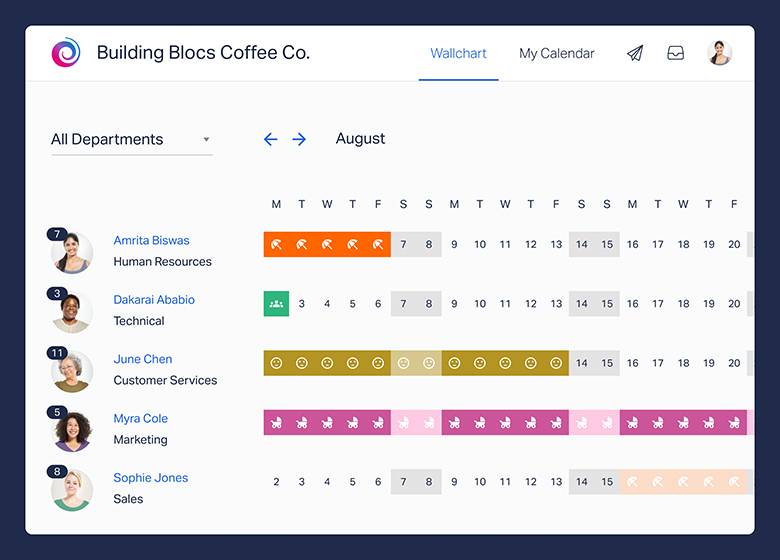
Timetastic

a screenshot of Timetastic website

Key Features

  • Leave Management: Simple and intuitive leave management system that allows employees to book time off and managers to approve or reject requests.
  • Calendar Integration: Syncs with Google Calendar, Outlook, and iCal to ensure everyone is aware of team absences.
  • Team Wallchart: Provides a visual overview of employee availability, making it easy to track who’s in and who’s out at a glance.
  • Mobile App: Offers mobile apps for both iOS and Android, enabling employees to request time off and check their balances from anywhere.
  • Notifications: Sends email and in-app notifications to keep managers and employees informed about leave requests and approvals.
  • Leave Types: Allows customization of different types of leave, including vacations, sick days, and public holidays.
  • Reporting: Provides detailed reports on employee absences, making it easy to monitor leave trends and plan accordingly.
  • Public Holidays: Automatically includes public holidays for various regions, making leave management easier for international teams.
  • Paperless System: Fully digital, replacing the need for spreadsheets or manual leave tracking.
  • Self-Service Portal: Employees can easily check their leave balances, upcoming holidays, and request new leaves without needing HR intervention.

Workflow

Integrations

HR Dashboard​

$1.30 to $2.60 per employee per month • Trial: Yes • Free Plan: Yes.​

View pros and cons

Pros

tick circle 1 Top 10 Leave Management SoftwareUser-Friendly Interface: Simple and intuitive design, making it easy for both employees and managers to use without extensive training.

tick circle 1 Top 10 Leave Management SoftwareCost-Effective: Affordable for small to medium-sized businesses, with straightforward pricing plans that scale with the number of users.

tick circle 1 Top 10 Leave Management SoftwareQuick Setup: Easy to set up and start using, with minimal configuration needed for small teams.

tick circle 1 Top 10 Leave Management SoftwareMobile-Friendly: The mobile app allows users to request and manage leave on the go, which is great for teams that work remotely or travel frequently.

tick circle 1 Top 10 Leave Management SoftwareGood Overview of Absences: The wallchart provides a clear visual of who’s on leave, helping managers plan and allocate resources effectively.

tick circle 1 Top 10 Leave Management SoftwareCustomizable Leave Types: Ability to define custom leave types ensures the system fits the specific needs of different organizations.

tick circle 1 Top 10 Leave Management SoftwareIntegration with Calendars: Seamless calendar integrations keep team schedules synchronized and make absence planning easier.

tick circle 1 Top 10 Leave Management SoftwareNo Paperwork: Helps reduce administrative work by offering a fully paperless system for leave management.

Cons

close circle Top 10 Leave Management SoftwareLimited Advanced Features: Lacks more advanced HR features like performance management, payroll integration, or recruiting tools, making it less suitable for large enterprises with complex HR needs.

close circle Top 10 Leave Management SoftwareBasic Reporting: Reporting features are useful but might be too simple for companies needing in-depth analytics on employee absences.

close circle Top 10 Leave Management SoftwareNo Multi-Language Support: Limited language options may make it challenging for companies with employees in non-English-speaking regions.

close circle Top 10 Leave Management SoftwarePublic Holidays: While it includes public holidays, customization of holiday calendars for different regions may require manual adjustment.

close circle Top 10 Leave Management SoftwareApproval Workflow: Some users report that the approval workflow is quite basic, which might be limiting for larger organizations with more complex leave approval processes.

close circle Top 10 Leave Management SoftwareNo Payroll Integration: Does not integrate with payroll systems, which can be a drawback for companies seeking an all-in-one HR solution.
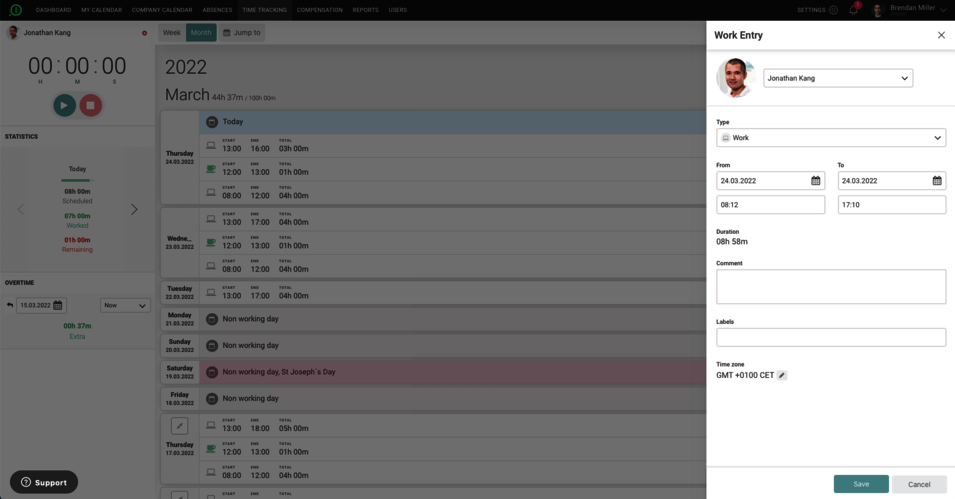
Absence.io

a screenshot of Absence.io website

Key Features

  • Leave Management: Simplifies the process of requesting, approving, and tracking time off, including vacation, sick leave, and other absence types.
  • Employee Self-Service: Employees can easily request leave, view their remaining leave balances, and track past leaves directly through the platform.
  • Time Tracking: Allows employees to log working hours, overtime, and project hours, making it useful for managing attendance and work schedules.
  • Team Calendar: Provides a shared calendar for teams to view who’s available or on leave, helping to coordinate workloads effectively.
  • Custom Absence Types: Supports customized leave types to fit the specific needs of any organization, such as remote work days or training days.
  • Mobile App: Available for iOS and Android, allowing employees to manage their absences and track time while on the go.
  • HR Dashboard: Centralized dashboard for HR teams to manage all employee leaves, see trends, and run reports for deeper insights.
  • Reporting and Analytics: Offers detailed reports on employee absences, sick days, and time-off trends for better planning and resource management.
  • Document Upload: Employees can upload medical certificates or any required documents related to their absence directly within the platform.
  • Integrations: Easily integrates with other HR tools, payroll systems, and calendar apps like Google Calendar and Outlook to sync absences and data.

HR Dashboard​

Mobile App

Integrations

$2.50 per employee per month • Trial: Yes • Free Plan: No.​

View pros and cons

Pros

tick circle 1 Top 10 Leave Management SoftwareUser-Friendly Interface: Easy to navigate, making it accessible for both employees and HR teams without extensive training.

tick circle 1 Top 10 Leave Management SoftwareCustomizable: Ability to create custom absence types and tailor the system to match the company’s specific policies and needs.

tick circle 1 Top 10 Leave Management SoftwareMobile-Friendly: The mobile app enables employees and managers to manage leave requests and approvals from anywhere.

tick circle 1 Top 10 Leave Management SoftwareCentralized HR Management: Combines leave management, time tracking, and employee records in one system, reducing administrative work.

tick circle 1 Top 10 Leave Management SoftwareTransparent Leave Tracking: Employees can see a clear breakdown of their leave history and remaining balances, reducing back-and-forth communication.

tick circle 1 Top 10 Leave Management SoftwareIntegration Capabilities: Works well with other business tools like payroll systems and calendar apps, making data synchronization seamless.

tick circle 1 Top 10 Leave Management SoftwareFlexible for Remote Work: Customizable leave types allow companies to track remote work days or other non-standard working arrangements.

tick circle 1 Top 10 Leave Management SoftwareScalable: Suitable for small, medium, and large businesses due to its flexibility and ability to handle large teams.

Cons

close circle Top 10 Leave Management SoftwarePricing: May be costly for smaller companies or startups, especially for teams that require advanced features.

close circle Top 10 Leave Management SoftwareBasic Time Tracking: The time tracking feature is not as advanced as some dedicated time-tracking tools, which might be limiting for companies with complex time-tracking needs.

close circle Top 10 Leave Management SoftwareLimited Customization in Reports: While reporting is available, some users report limitations in customizing the reports according to specific organizational needs.

close circle Top 10 Leave Management SoftwareNo Built-In Payroll: Unlike some HR software, Absence.io does not have a built-in payroll system, so users need to rely on external integrations.

close circle Top 10 Leave Management SoftwareOccasional Performance Issues: Some users report occasional slowdowns or bugs when managing large amounts of data or when used by large teams.

close circle Top 10 Leave Management SoftwareLanguage Support: While Absence.io supports multiple languages, some users report that not all aspects of the platform are fully translated, which can be a barrier for non-English-speaking teams.
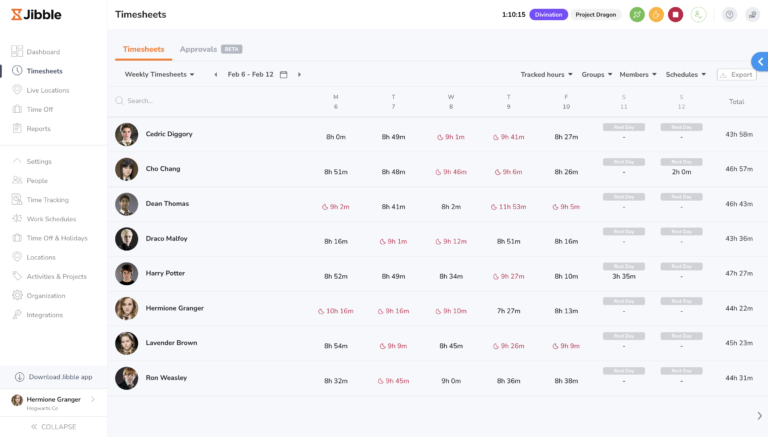
Jibble

a screenshot of Jibble website

Key Features

  • Time Tracking: Provides accurate tracking of employee work hours with clock-in/clock-out functionality.
  • Timesheets: Automatically generates timesheets based on tracked hours, which can be exported for payroll or compliance purposes.
  • Mobile App: Available on iOS and Android, allowing employees to clock in and out from anywhere, even with facial recognition or selfies.
  • Facial Recognition: Biometric clock-in feature to ensure accurate employee identification and prevent “buddy punching.”
  • Geolocation Tracking: Tracks employee locations during clock-in/out, making it ideal for remote workers or field teams.
  • Project and Task Tracking: Allows users to track time spent on specific tasks or projects, helping to manage productivity.
  • Customizable Reports: Generates detailed reports on employee hours, attendance, and productivity, which can be customized for specific needs.
  • Integrations: Integrates with popular payroll and productivity tools like Xero, QuickBooks, and Slack to streamline operations.
  • Notifications and Alerts: Provides reminders for employees to clock in/out and alerts managers when employees miss clock-ins or are late.
  • Kiosk Mode: Provides a shared device setup for office environments, allowing employees to clock in using a single device with facial recognition.

Mobile App

Integrations

$2.99 to $4.99 per employee per month • Trial: Yes • Free Plan: Yes.

View pros and cons

Pros

tick circle 1 Top 10 Leave Management SoftwareFree Plan Available: Offers a free plan with essential features, making it ideal for small teams or startups.

tick circle 1 Top 10 Leave Management SoftwareUser-Friendly Interface: Simple, intuitive design for both employees and managers, requiring little training to get started.

tick circle 1 Top 10 Leave Management SoftwareMobile and Web Flexibility: Employees can clock in from mobile devices or a web browser, making it suitable for teams in the office or working remotely.

tick circle 1 Top 10 Leave Management SoftwareFacial Recognition: Adds an extra layer of security by ensuring that only the correct employee can clock in.

tick circle 1 Top 10 Leave Management SoftwareFlexible for Industries: Works well for various industries, including retail, construction, healthcare, and office environments.

tick circle 1 Top 10 Leave Management SoftwareProject and Task Tracking: Helps monitor productivity by allowing businesses to track time spent on different tasks or projects.

tick circle 1 Top 10 Leave Management SoftwareIntegration-Friendly: Seamless integration with payroll and other business tools simplifies HR and administrative processes.

tick circle 1 Top 10 Leave Management SoftwareAutomated Reports: Automatically generates attendance reports and timesheets, saving time on manual tracking.

tick circle 1 Top 10 Leave Management SoftwareGeolocation: Ideal for businesses with mobile or remote employees, ensuring they are clocking in from the correct location.

tick circle 1 Top 10 Leave Management SoftwareAffordable Pricing: Cost-effective for small and growing businesses, with premium features available at a relatively low cost.

Cons

close circle Top 10 Leave Management SoftwareLimited Features in Free Plan: The free version is great for small teams but lacks some advanced features, such as more detailed reporting and integrations.

close circle Top 10 Leave Management SoftwareLimited Offline Functionality: Clocking in/out may require an internet connection, which can be a limitation for teams working in areas with poor connectivity.

close circle Top 10 Leave Management SoftwareCustomization Limits: While reporting is available, there may be limited options for highly customized or advanced reports.

close circle Top 10 Leave Management SoftwareKiosk Mode Issues: Some users report that Kiosk mode can occasionally be slow or glitchy when using facial recognition on shared devices.

close circle Top 10 Leave Management SoftwareLearning Curve for Advanced Features: Although the basic interface is simple, there may be a learning curve for managers when setting up more complex features like project tracking and detailed reporting.

close circle Top 10 Leave Management SoftwareNo Built-In Payroll: Jibble does not have built-in payroll features, so users need to rely on third-party integrations for payroll processing.
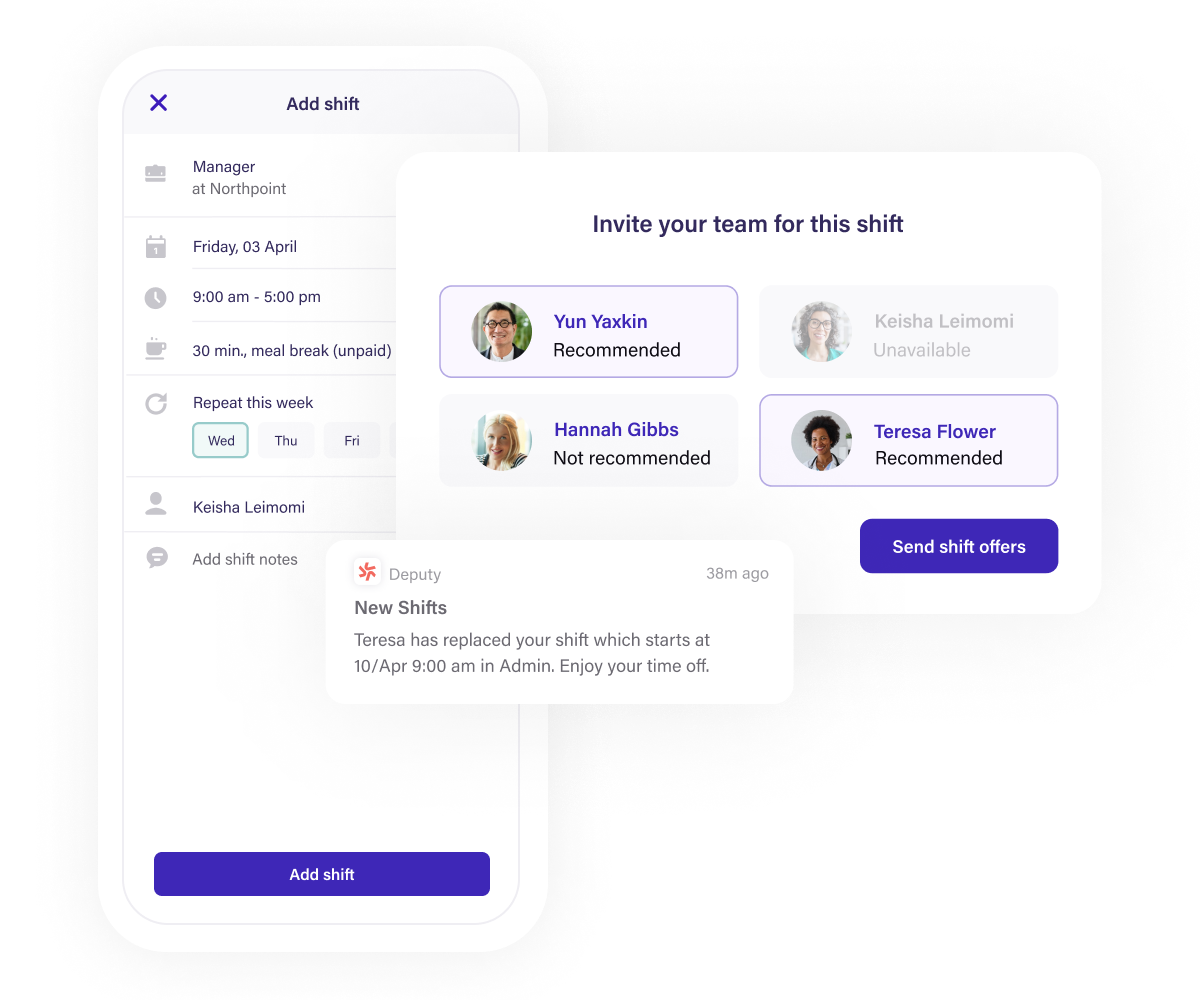
Deputy

a screenshot of Deputy website

Key Features

  • Employee Scheduling: Deputy allows managers to create, manage, and update employee schedules easily using a drag-and-drop interface, with options for recurring shifts and templates.
  • Time & Attendance Tracking: Employees can clock in and out using the app, with options for biometric (face recognition) and GPS-based attendance tracking.
  • Shift Planning & Management: Shift swapping, availability management, and shift notifications are supported, enabling flexibility for employees and ease of management for employers.
  • Payroll Integration: Deputy integrates with payroll systems like Xero, ADP, and QuickBooks, automating payroll data collection from employee attendance and timesheets.
  • Task Management: Managers can assign tasks to employees, track completion, and set deadlines through the app, improving operational efficiency.
  • Mobile Access: The mobile app allows employees to manage their schedules, submit time-off requests, and communicate with team members. Managers can also approve shifts and track attendance on the go.
  • Compliance Management: Ensures scheduling complies with local labor laws, including break rules, overtime, and other regulations.
  • Workplace Communication: A built-in communication tool allows for messaging and updates, keeping teams connected and informed.
  • Demand Forecasting: Helps businesses predict staffing needs based on historical data, ensuring optimal staff coverage without overstaffing.
  • Reports & Analytics: Detailed reporting and analytics tools for managers to track labor costs, attendance, and productivity in real time.

Mobile App

Integrations

$3.50 to $4.90 per employee per month • Trial: Yes • Free Plan: Yes.

View pros and cons

Pros

tick circle 1 Top 10 Leave Management SoftwareEasy Scheduling: The drag-and-drop schedule builder makes creating and managing employee shifts very simple and efficient.

tick circle 1 Top 10 Leave Management SoftwareAutomated Time Tracking: Features like GPS tracking and facial recognition reduce the risk of time theft and ensure accurate attendance records.

tick circle 1 Top 10 Leave Management SoftwareIntegrations with Payroll: Seamless integration with popular payroll software, reducing manual entry and the chance for errors.

tick circle 1 Top 10 Leave Management SoftwareMobile-Friendly: Employees can manage schedules, request time off, and track shifts from their smartphones, enhancing flexibility.

tick circle 1 Top 10 Leave Management SoftwareReal-Time Notifications: Both managers and employees get real-time notifications about shift changes, open shifts, and upcoming tasks, improving communication.

tick circle 1 Top 10 Leave Management SoftwareLabor Law Compliance: Deputy helps ensure compliance with local labor laws, saving businesses from potential legal issues.

tick circle 1 Top 10 Leave Management SoftwareCost-Effective for Small Businesses: Deputy is affordable and provides excellent value, especially for small to medium-sized businesses needing efficient scheduling.

tick circle 1 Top 10 Leave Management SoftwareShift Swapping & Flexibility: Employees can swap shifts with ease, reducing managerial involvement in minor shift changes.

tick circle 1 Top 10 Leave Management SoftwareDemand Forecasting: Accurate forecasting tools help businesses optimize staff levels and control labor costs.

Cons

close circle Top 10 Leave Management SoftwareLimited Advanced Features: For large businesses with complex operations, Deputy might lack some advanced HR, project management, or payroll features that bigger platforms offer.

close circle Top 10 Leave Management SoftwareLearning Curve for New Users: While intuitive, some features may have a learning curve for first-time users, especially when managing a large number of employees.

close circle Top 10 Leave Management SoftwareLack of Customization: Some users may find limitations in customizing reports and specific workflows.

close circle Top 10 Leave Management SoftwareMobile App Bugs: Some users have reported occasional bugs or performance issues with the mobile app, though these are typically resolved with updates.

close circle Top 10 Leave Management SoftwareLimited Task Management: The task management feature is basic and may not be sufficient for businesses needing comprehensive task-tracking tools.

close circle Top 10 Leave Management SoftwareOver-Reliance on Internet Connection: Deputy is cloud-based, so it requires a stable internet connection. If internet access is interrupted, it can disrupt time tracking and scheduling.

close circle Top 10 Leave Management SoftwareCost for Larger Teams: While affordable for small businesses, the cost can rise for larger teams, as it charges per user per month.
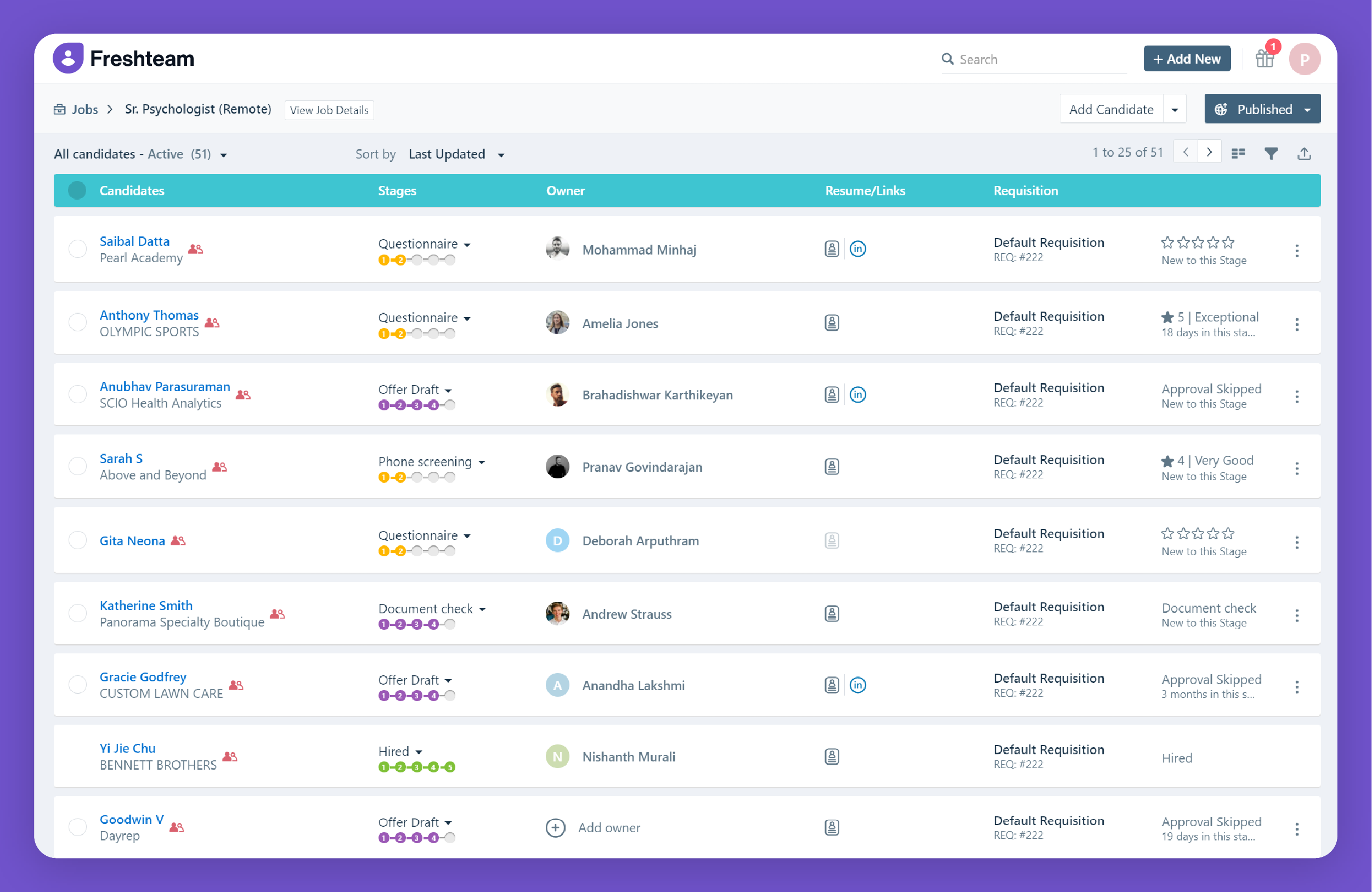
Freshteam

a screenshot of Freshteam website

Key Features

  • Applicant Tracking System (ATS): Streamlines recruitment by allowing businesses to manage job postings, track applicants, and collaborate with hiring teams.
  • Onboarding Management: Automates the onboarding process with checklists, e-signatures, and the ability to store and share documents with new hires.
  • Employee Database: Centralized storage for employee records, including personal information, documents, and work history.
  • Time-Off Management: Employees can request time off, and managers can approve/reject requests with automatic tracking of balances and leave policies.
  • Employee Self-Service: Employees can access their profiles, request time off, and update their information through the self-service portal.
  • Org Charts: Visual representation of company structure, helping managers and employees understand reporting lines and team organization.
  • HR Reports and Analytics: Provides detailed reports and analytics on hiring, employee data, time-off trends, and other HR metrics.
  • Mobile App: Available for iOS and Android, allowing HR teams and employees to manage tasks on the go.
  • Customizable Workflows: Tailors HR workflows, such as recruitment or onboarding, to meet the specific needs of the organization.
  • Integrations: Integrates with popular tools like Freshdesk, Freshservice, Slack, and Google Workspace to ensure seamless data flow between systems.

Workflow

Mobile App

Integrations

$1.20 to $4.80 per employee per month • Trial: Yes • Free Plan: Yes.

View pros and cons

Pros

tick circle 1 Top 10 Leave Management SoftwareUser-Friendly Interface: Intuitive design makes it easy for HR teams and employees to use without extensive training.

tick circle 1 Top 10 Leave Management SoftwareComprehensive HR Suite: Covers a wide range of HR tasks, from recruitment to onboarding, employee data management, and leave tracking.

tick circle 1 Top 10 Leave Management SoftwareApplicant Tracking: Simplifies recruitment by centralizing job postings, applicant tracking, and collaboration with hiring managers.

tick circle 1 Top 10 Leave Management SoftwareTime-Off Management: Automates leave requests and approvals, making it easier for HR teams to manage employee time off.

tick circle 1 Top 10 Leave Management SoftwareCustomizable Workflows: Flexibility to create custom workflows that suit the unique needs of different organizations.

tick circle 1 Top 10 Leave Management SoftwareEmployee Self-Service: Empowers employees to manage their own information, reducing the administrative burden on HR teams.

tick circle 1 Top 10 Leave Management SoftwareMobile Access: The mobile app allows HR tasks to be managed on the go, ideal for remote or mobile workforces.

tick circle 1 Top 10 Leave Management SoftwareOrg Charts: Visual representation of the company hierarchy helps employees understand reporting lines and team structures.

tick circle 1 Top 10 Leave Management SoftwareHR Reporting: Provides valuable insights into HR processes through detailed reports and analytics.

tick circle 1 Top 10 Leave Management SoftwareScalable: Works well for small businesses and scales effectively as the company grows.

Cons

close circle Top 10 Leave Management SoftwareLimited Customization for Reports: While reporting is available, the customization options for advanced analytics may be limited for some organizations.

close circle Top 10 Leave Management SoftwareCost for Advanced Features: Some advanced features, like in-depth reporting and advanced workflow customization, may require higher-tier pricing plans.

close circle Top 10 Leave Management SoftwareComplexity with Large Teams: For larger organizations with complex needs, certain processes like onboarding or applicant tracking may require more manual effort to customize.

close circle Top 10 Leave Management SoftwareLimited Payroll Features: Freshteam does not have built-in payroll features, so users may need to rely on integrations with payroll systems.

close circle Top 10 Leave Management SoftwareMobile App Limitations: While useful, some users report that the mobile app does not offer the full range of features available on the desktop version.

close circle Top 10 Leave Management SoftwareLearning Curve for Advanced Features: While the interface is user-friendly, more advanced features like custom workflows or detailed analytics may have a learning curve.
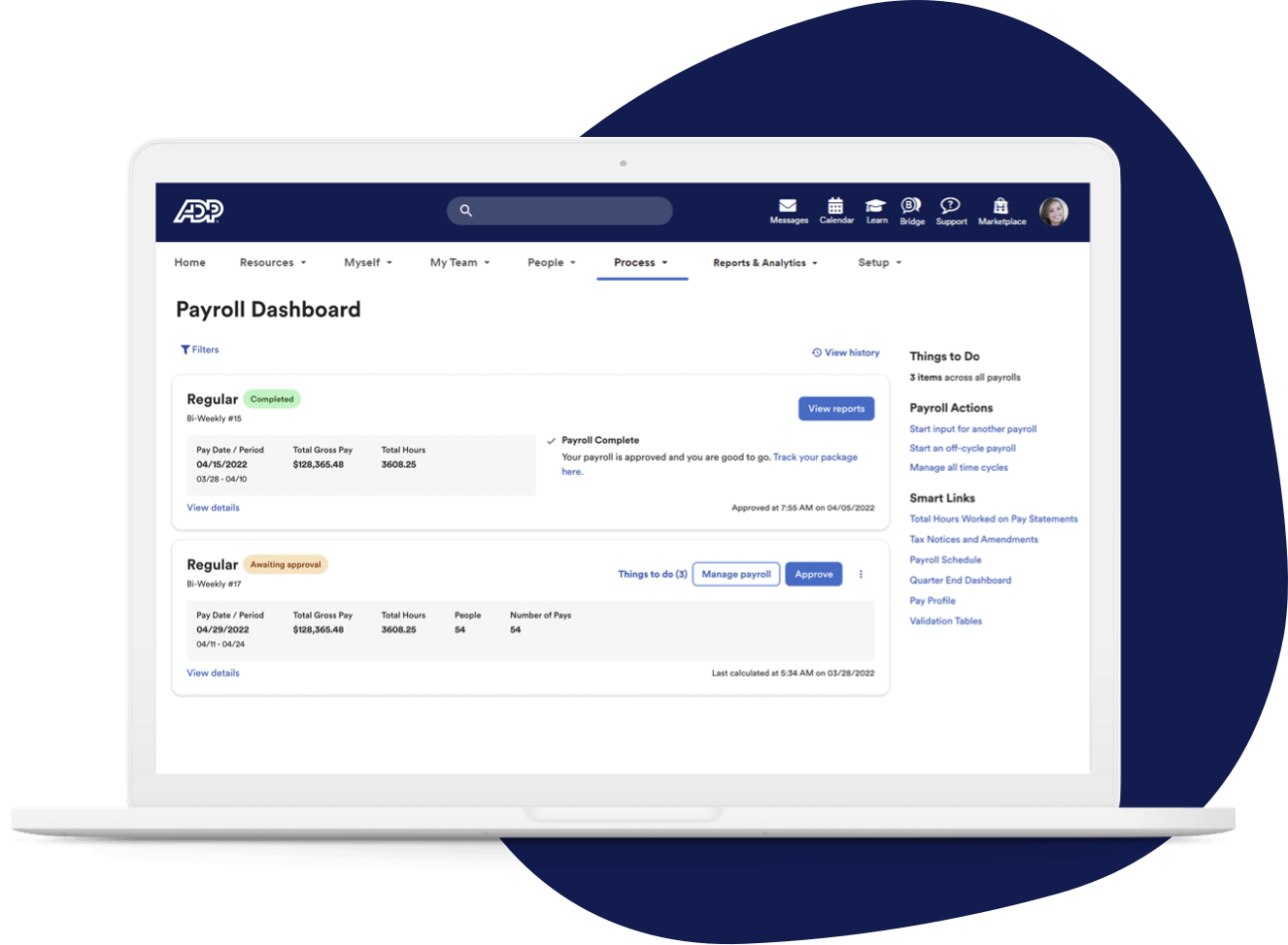
ADP Workforce Now

A screenshot for ADP Workforce Now website

Key Features

  • Payroll Management: Automates payroll processing, tax calculations, and deductions, ensuring compliance with federal and state regulations.
  • Time and Attendance Tracking: Tracks employee hours, schedules, and time-off requests with real-time updates.
  • HR Management: Provides tools for employee data management, performance tracking, and onboarding workflows.
  • Benefits Administration: Simplifies benefits enrollment and management, including health insurance, retirement plans, and more.
  • Employee Self-Service: Allows employees to view paychecks, tax forms, and request time off through a self-service portal.
  • Compliance Management: Helps maintain compliance with tax laws, labor regulations, and industry-specific standards.
  • Analytics and Reporting: Offers customizable reports and dashboards to monitor HR, payroll, and time data.
  • Mobile App: Provides mobile access for managers and employees to manage schedules, review payslips, and update personal information.
  • Talent Management: Tools for recruitment, applicant tracking, and performance management.

Mobile App

Workflow

HR Dashboard​

$20 to $25 per employee per month • Trial: Yes • Free Plan: No.​

View pros and cons

Pros

tick circle 1 Top 10 Leave Management SoftwareComprehensive HR Solution: Covers a wide range of HR tasks, from payroll to benefits, in one platform.

tick circle 1 Top 10 Leave Management SoftwareScalability: Suitable for businesses of various sizes, with customizable features for growing companies.

tick circle 1 Top 10 Leave Management SoftwareUser-Friendly: Offers a clean and intuitive interface, making it easy for HR professionals and employees to use.

tick circle 1 Top 10 Leave Management SoftwareCompliance Assistance: Automated updates help businesses stay compliant with changing regulations.

tick circle 1 Top 10 Leave Management SoftwareAdvanced Analytics: Provides in-depth reporting and analytics to assist in data-driven decision-making.

tick circle 1 Top 10 Leave Management SoftwareMobile Accessibility: The mobile app offers flexibility for users to access features on the go.

tick circle 1 Top 10 Leave Management SoftwareIntegration Capabilities: Can integrate with other software solutions like accounting and ERP systems.

tick circle 1 Top 10 Leave Management SoftwareEmployee Self-Service: Empowers employees to manage their own payroll, benefits, and HR-related tasks.

Cons

close circle Top 10 Leave Management SoftwareCost: Can be expensive, especially for small businesses, with additional fees for extra features.

close circle Top 10 Leave Management SoftwareComplex Implementation: The initial setup and implementation process can be time-consuming and complicated.

close circle Top 10 Leave Management SoftwareCustomer Support: Some users report slow response times and inconsistent support experiences.

close circle Top 10 Leave Management SoftwareLearning Curve: Due to the vast array of features, there can be a steep learning curve for new users.

close circle Top 10 Leave Management SoftwareCustomization Limitations: While scalable, customization options might not meet the needs of all organizations.

close circle Top 10 Leave Management SoftwareFrequent Updates: Regular system updates may disrupt workflows or require users to adapt to new changes quickly.