Day Off
Pros
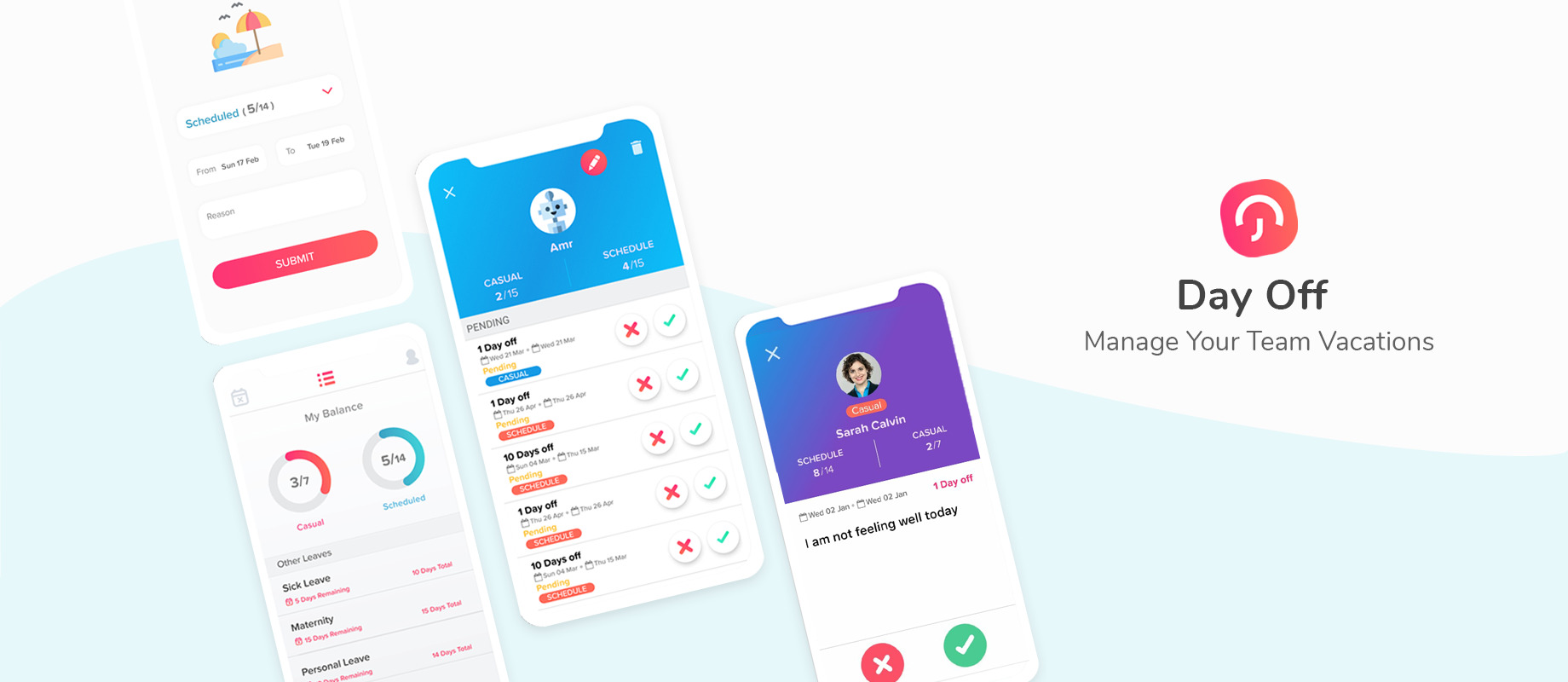
 User-Friendly Interface: The app is designed to be intuitive and easy to navigate.
Customizable: Flexible leave policies tailored to different companies or teams.
Efficient Leave Management: Reduces paperwork and automates the leave approval process.
Visibility: Managers can see a comprehensive view of the team’s leave schedule, helping in planning.
Mobile Access: Employees can request and view leave from anywhere using their mobile devices.
Leave Balance Tracking: Employees can check their remaining leave balances at any time.
Boosts Employee Satisfaction: Transparency in leave management enhances employee trust.
Cons
 Limited Offline Access: Requires internet connectivity to access features and data.
Scaling for Larger Organizations: May not be as robust for managing very large teams with complex leave structures.
Pros
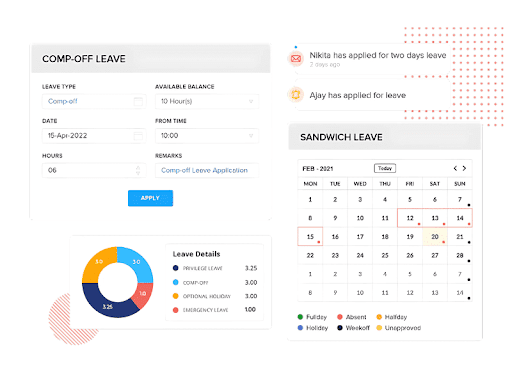
HR Suite: Combines payroll, leave, performance, and expense management on one platform.
Self-Service Portal: Allows employees to complete basic tasks via the dedicated mobile app and self-service portal.
Real-Time Attendance: It uses AI-facial recognition and geo-fencing data for attendance tracking.
Automated Payroll: It reduces the required manual work and ensures accurate salary payments.
Compliance: Will help you to adhere to the labor laws and tax rules consistently.
Analytics: Provides clear insights through dashboards and reports.
Mobile Access: Offers access to key HR functions on the move.
Cons
Complex Initial Setup: Integration with existing systems may require technical expertise and additional time.
Higher Cost for Smaller Teams: Pricing might be less competitive for startups or small organizations.
Limited Niche Customization: Certain modules may offer fewer options than specialized HR tools.
Internet Dependency: Uninterrupted access relies on a stable internet connection as a cloud-based solution.
Learning Curve for Advanced Features: Fully leveraging the extensive functionalities may necessitate user training.
Pros
Affordable Pricing: Offers a cost-effective HR solution with flexible pricing plans suitable for small and medium-sized businesses.
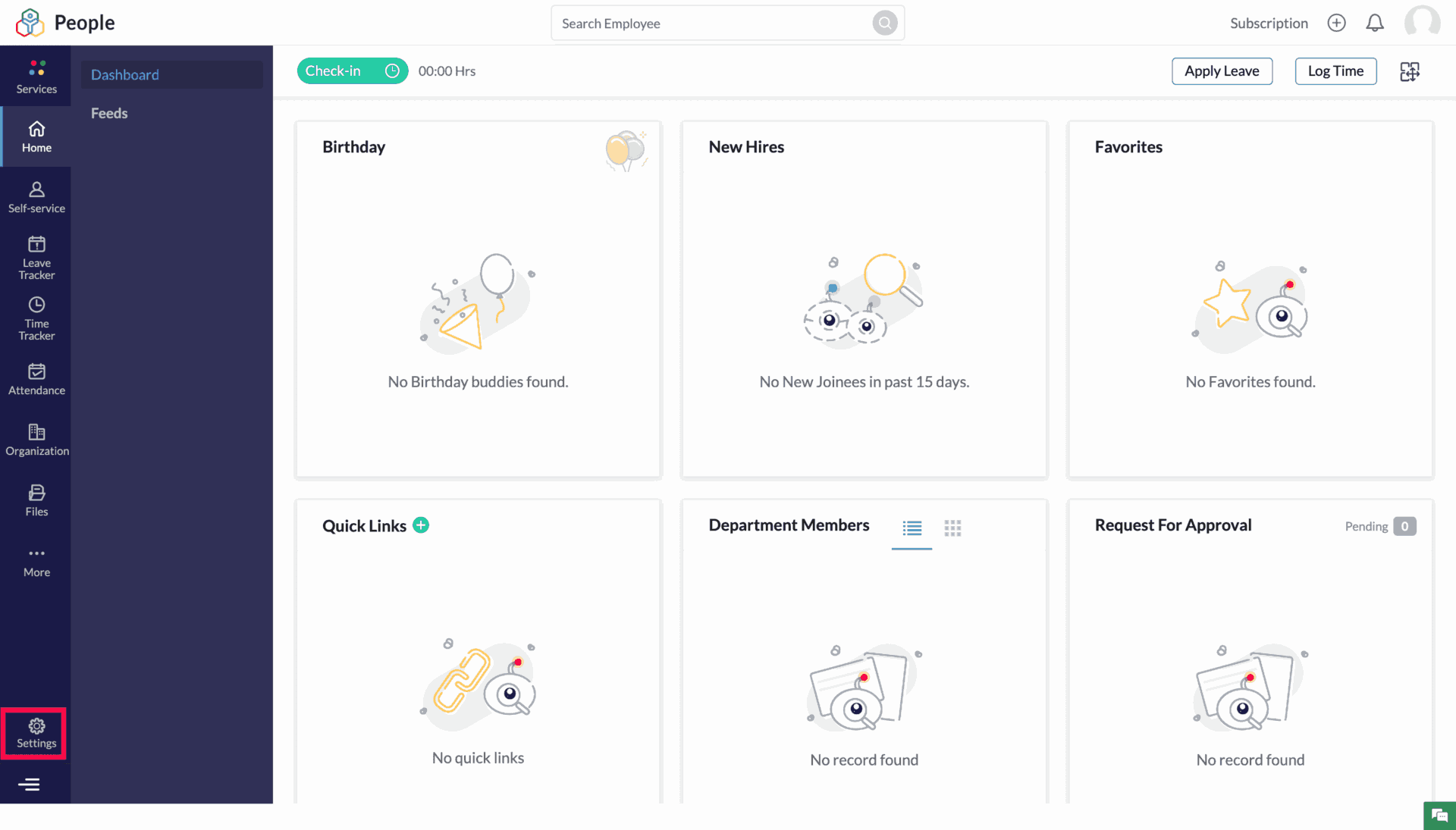
Easy to Use: Intuitive interface and easy navigation make it accessible for HR teams and employees alike.
Customizability: Highly customizable workflows, forms, and modules to adapt to the unique needs of businesses.
Comprehensive HR Suite: Covers most HR tasks, including attendance, performance management, and time tracking in a single platform.
Mobile Accessibility: The mobile app provides flexibility and convenience for users to manage tasks on the go.
Seamless Integration: Integrates with other Zoho apps and external tools, providing a connected ecosystem for businesses.
Automation Capabilities: Automates repetitive HR processes, saving time and reducing manual efforts.
Employee Self-Service: Empowers employees to manage their own profiles, leave requests, and time tracking, reducing the burden on HR teams.
Cons
Limited Advanced Features: While it covers essential HR tasks, it may lack more advanced features required by large enterprises.
Reporting Complexity: Some users report that customizing reports and analytics can be a bit complex or limited in flexibility.
Customer Support: Support response times and quality can vary, and some users have experienced slow resolutions to issues.
Learning Curve for Customization: Although it offers a lot of customization, setting up complex workflows or configurations may require some technical knowledge.
Mobile App Limitations: While functional, the mobile app has fewer features compared to the desktop version, which might limit certain tasks.
Integration Setup: Initial setup and integration with third-party tools can sometimes be challenging, requiring technical assistance.
Pros
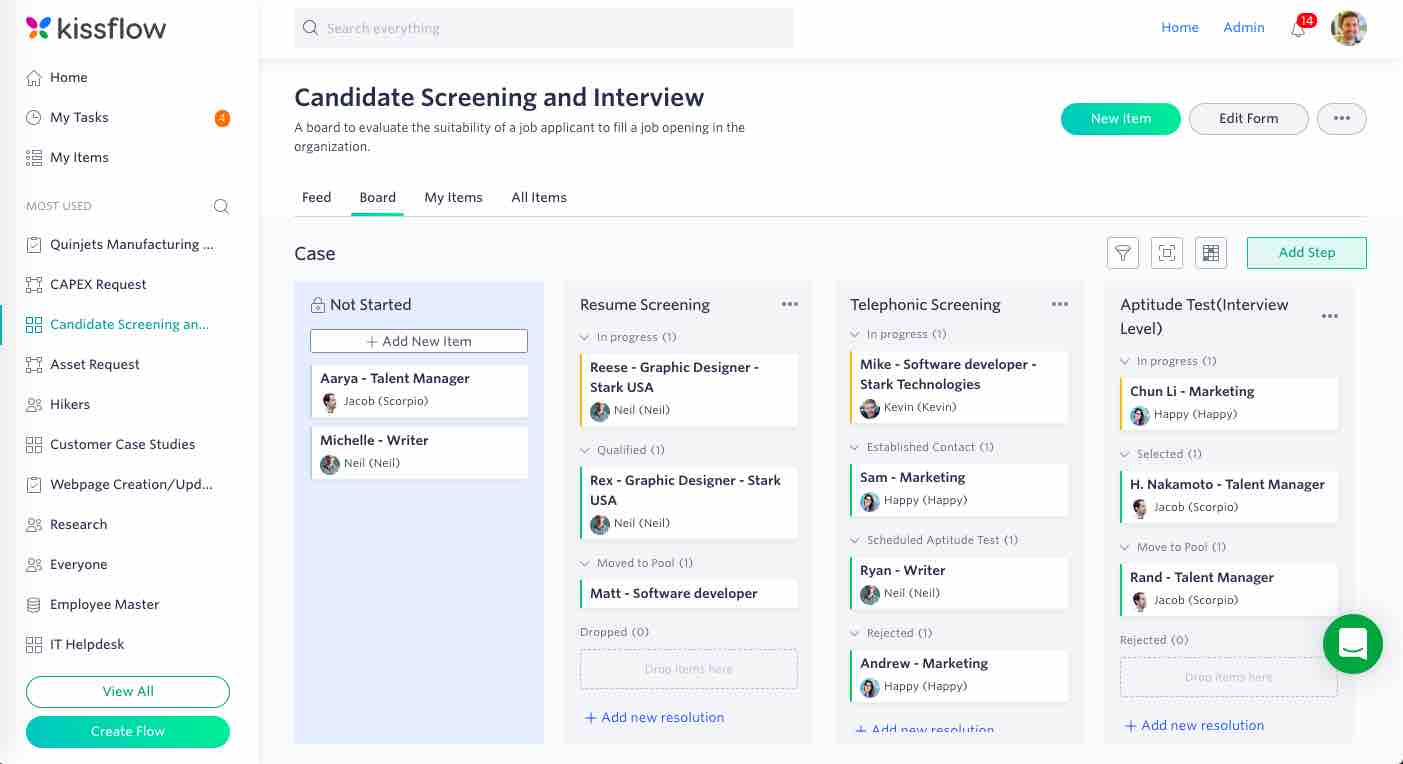
User-Friendly Interface: Intuitive design, making it easy for HR teams and employees to navigate and use the platform.
Customizability: Highly customizable workflows that can adapt to the specific needs of different organizations.
All-in-One Solution: Comprehensive suite covering the entire HR lifecycle, from hiring to offboarding.
Seamless Integration: Integrates with other business applications like payroll systems, ensuring smoother data flow.
Employee Self-Service: Empowers employees to manage their HR requests and access information independently, reducing HR workload.
Automation: Automates repetitive HR tasks like leave requests, onboarding, and performance reviews, improving efficiency.
Cloud-Based: Accessible from anywhere, making it ideal for remote and hybrid workforces.
Analytics and Reports: Provides actionable insights for decision-making through in-depth reports and analytics.
Cons
Cost: Can be expensive for small businesses, especially with its subscription-based pricing model.
Complex Customization: While the platform is customizable, setting up advanced workflows may require technical expertise or additional support.
Limited Payroll Features: While it integrates with payroll systems, Kissflow HR Cloud itself does not offer robust payroll functionalities.
Mobile App Limitations: Some users report that the mobile app lacks certain features available in the web version, which may limit functionality for mobile users.
Learning Curve: Despite its intuitive interface, advanced features and customizations may have a steep learning curve for new users or small HR teams.
Occasional Performance Issues: Some users have reported occasional slowdowns or glitches, particularly when handling large datasets.
Pros
User-Friendly Interface: Simple and intuitive design, making it easy for both employees and managers to use without extensive training.
Cost-Effective: Affordable for small to medium-sized businesses, with straightforward pricing plans that scale with the number of users.
Quick Setup: Easy to set up and start using, with minimal configuration needed for small teams.
Mobile-Friendly: The mobile app allows users to request and manage leave on the go, which is great for teams that work remotely or travel frequently.
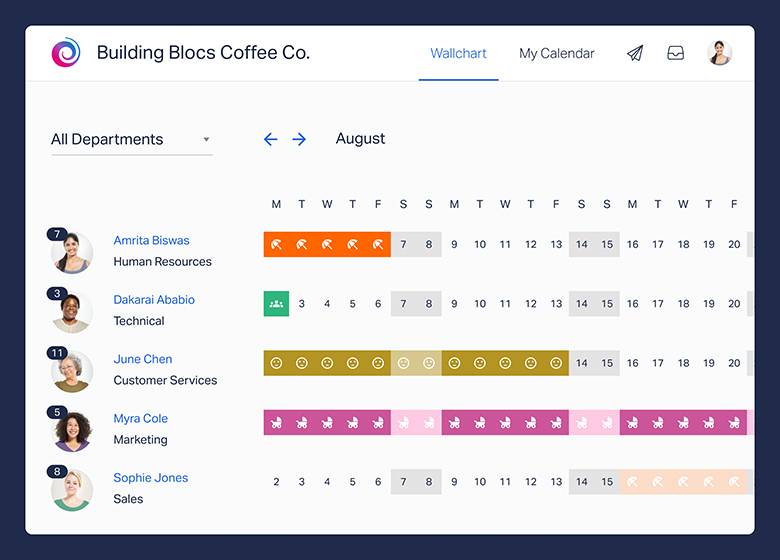
Good Overview of Absences: The wallchart provides a clear visual of who’s on leave, helping managers plan and allocate resources effectively.
Customizable Leave Types: Ability to define custom leave types ensures the system fits the specific needs of different organizations.
Integration with Calendars: Seamless calendar integrations keep team schedules synchronized and make absence planning easier.
No Paperwork: Helps reduce administrative work by offering a fully paperless system for leave management.
Cons
Limited Advanced Features: Lacks more advanced HR features like performance management, payroll integration, or recruiting tools, making it less suitable for large enterprises with complex HR needs.
Basic Reporting: Reporting features are useful but might be too simple for companies needing in-depth analytics on employee absences.
No Multi-Language Support: Limited language options may make it challenging for companies with employees in non-English-speaking regions.
Public Holidays: While it includes public holidays, customization of holiday calendars for different regions may require manual adjustment.
Approval Workflow: Some users report that the approval workflow is quite basic, which might be limiting for larger organizations with more complex leave approval processes.
No Payroll Integration: Does not integrate with payroll systems, which can be a drawback for companies seeking an all-in-one HR solution.
Pros
User-Friendly Interface: Easy to navigate, making it accessible for both employees and HR teams without extensive training.
Customizable: Ability to create custom absence types and tailor the system to match the company’s specific policies and needs.
Mobile-Friendly: The mobile app enables employees and managers to manage leave requests and approvals from anywhere.
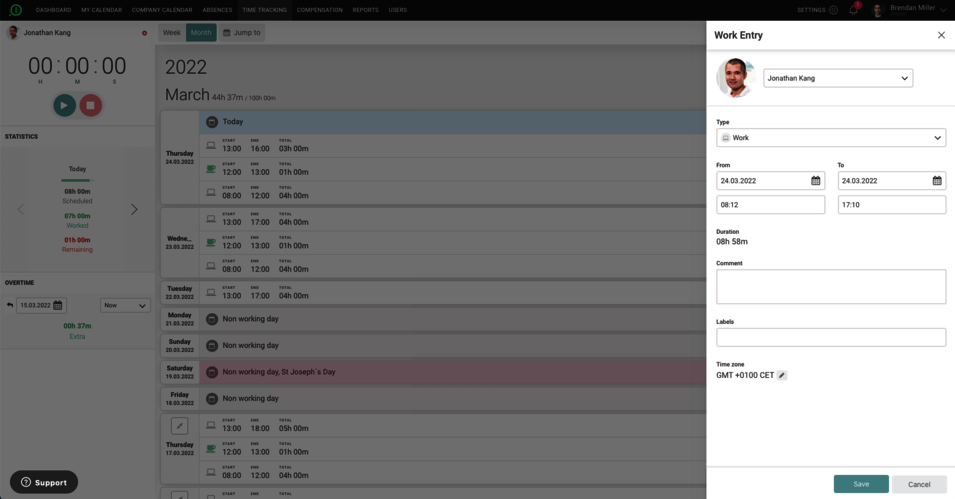
Centralized HR Management: Combines leave management, time tracking, and employee records in one system, reducing administrative work.
Transparent Leave Tracking: Employees can see a clear breakdown of their leave history and remaining balances, reducing back-and-forth communication.
Integration Capabilities: Works well with other business tools like payroll systems and calendar apps, making data synchronization seamless.
Flexible for Remote Work: Customizable leave types allow companies to track remote work days or other non-standard working arrangements.
Scalable: Suitable for small, medium, and large businesses due to its flexibility and ability to handle large teams.
Cons
Pricing: May be costly for smaller companies or startups, especially for teams that require advanced features.
Basic Time Tracking: The time tracking feature is not as advanced as some dedicated time-tracking tools, which might be limiting for companies with complex time-tracking needs.
Limited Customization in Reports: While reporting is available, some users report limitations in customizing the reports according to specific organizational needs.
No Built-In Payroll: Unlike some HR software, Absence.io does not have a built-in payroll system, so users need to rely on external integrations.
Occasional Performance Issues: Some users report occasional slowdowns or bugs when managing large amounts of data or when used by large teams.
Language Support: While Absence.io supports multiple languages, some users report that not all aspects of the platform are fully translated, which can be a barrier for non-English-speaking teams.
Pros
Free Plan Available: Offers a free plan with essential features, making it ideal for small teams or startups.
User-Friendly Interface: Simple, intuitive design for both employees and managers, requiring little training to get started.
Mobile and Web Flexibility: Employees can clock in from mobile devices or a web browser, making it suitable for teams in the office or working remotely.
Facial Recognition: Adds an extra layer of security by ensuring that only the correct employee can clock in.
Flexible for Industries: Works well for various industries, including retail, construction, healthcare, and office environments.
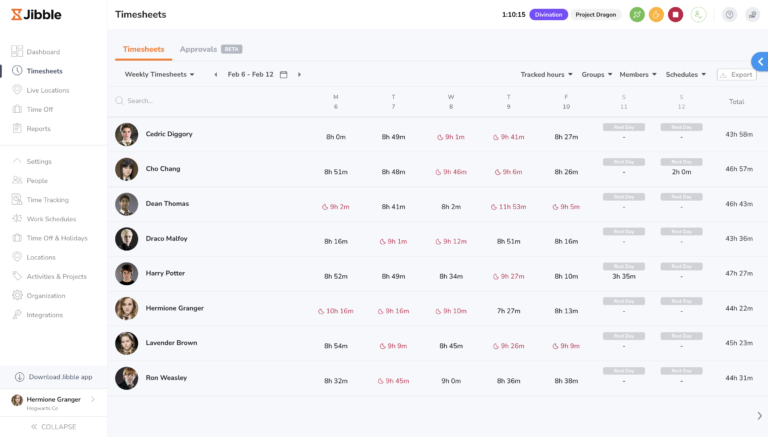
Project and Task Tracking: Helps monitor productivity by allowing businesses to track time spent on different tasks or projects.
Integration-Friendly: Seamless integration with payroll and other business tools simplifies HR and administrative processes.
Automated Reports: Automatically generates attendance reports and timesheets, saving time on manual tracking.
Geolocation: Ideal for businesses with mobile or remote employees, ensuring they are clocking in from the correct location.
Affordable Pricing: Cost-effective for small and growing businesses, with premium features available at a relatively low cost.
Cons
Limited Features in Free Plan: The free version is great for small teams but lacks some advanced features, such as more detailed reporting and integrations.
Limited Offline Functionality: Clocking in/out may require an internet connection, which can be a limitation for teams working in areas with poor connectivity.
Customization Limits: While reporting is available, there may be limited options for highly customized or advanced reports.
Kiosk Mode Issues: Some users report that Kiosk mode can occasionally be slow or glitchy when using facial recognition on shared devices.
Learning Curve for Advanced Features: Although the basic interface is simple, there may be a learning curve for managers when setting up more complex features like project tracking and detailed reporting.
No Built-In Payroll: Jibble does not have built-in payroll features, so users need to rely on third-party integrations for payroll processing.
Pros
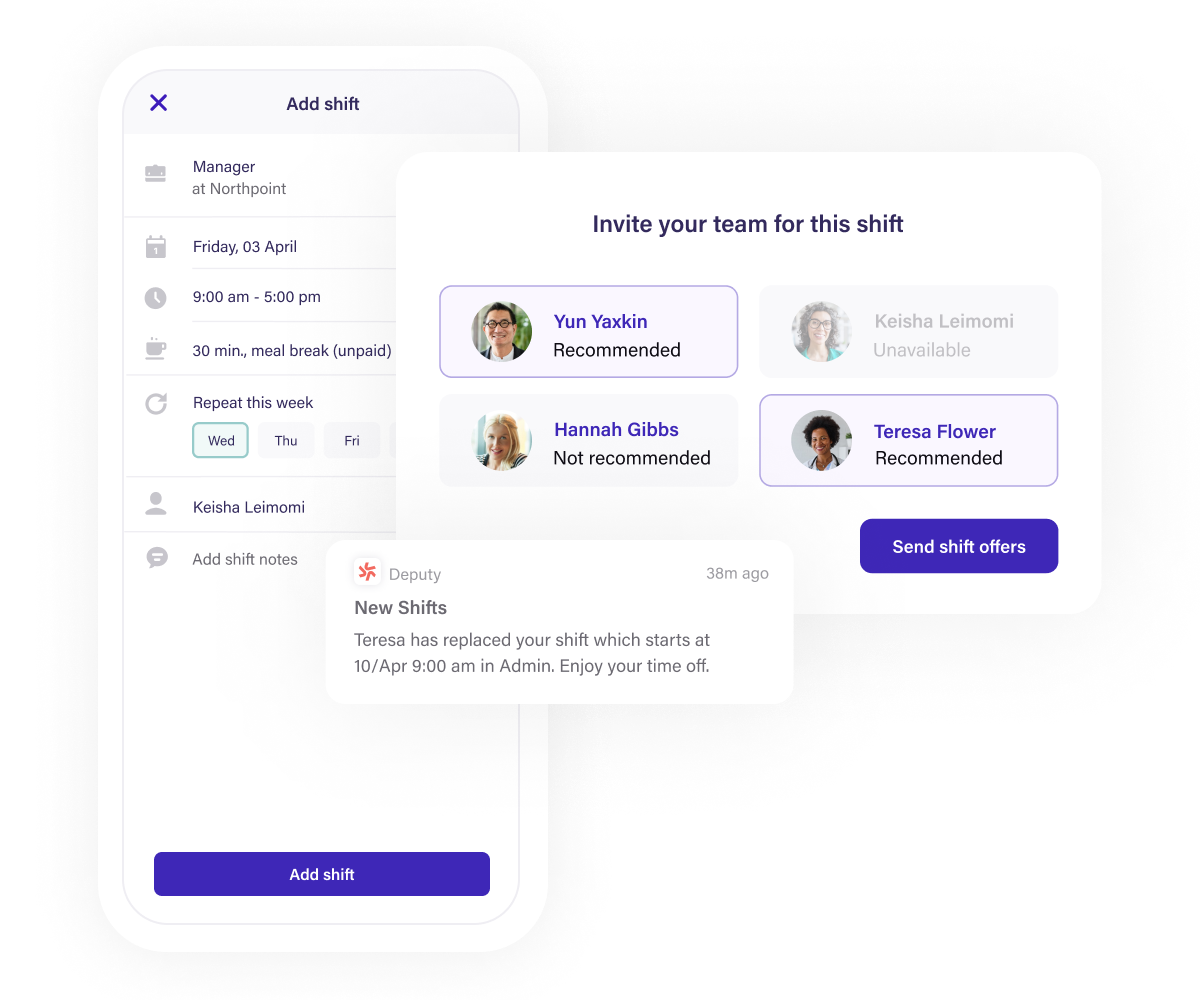
Easy Scheduling: The drag-and-drop schedule builder makes creating and managing employee shifts very simple and efficient.
Automated Time Tracking: Features like GPS tracking and facial recognition reduce the risk of time theft and ensure accurate attendance records.
Integrations with Payroll: Seamless integration with popular payroll software, reducing manual entry and the chance for errors.
Mobile-Friendly: Employees can manage schedules, request time off, and track shifts from their smartphones, enhancing flexibility.
Real-Time Notifications: Both managers and employees get real-time notifications about shift changes, open shifts, and upcoming tasks, improving communication.
Labor Law Compliance: Deputy helps ensure compliance with local labor laws, saving businesses from potential legal issues.
Cost-Effective for Small Businesses: Deputy is affordable and provides excellent value, especially for small to medium-sized businesses needing efficient scheduling.
Shift Swapping & Flexibility: Employees can swap shifts with ease, reducing managerial involvement in minor shift changes.
Demand Forecasting: Accurate forecasting tools help businesses optimize staff levels and control labor costs.
Cons
Limited Advanced Features: For large businesses with complex operations, Deputy might lack some advanced HR, project management, or payroll features that bigger platforms offer.
Learning Curve for New Users: While intuitive, some features may have a learning curve for first-time users, especially when managing a large number of employees.
Lack of Customization: Some users may find limitations in customizing reports and specific workflows.
Mobile App Bugs: Some users have reported occasional bugs or performance issues with the mobile app, though these are typically resolved with updates.
Limited Task Management: The task management feature is basic and may not be sufficient for businesses needing comprehensive task-tracking tools.
Over-Reliance on Internet Connection: Deputy is cloud-based, so it requires a stable internet connection. If internet access is interrupted, it can disrupt time tracking and scheduling.
Cost for Larger Teams: While affordable for small businesses, the cost can rise for larger teams, as it charges per user per month.
Pros
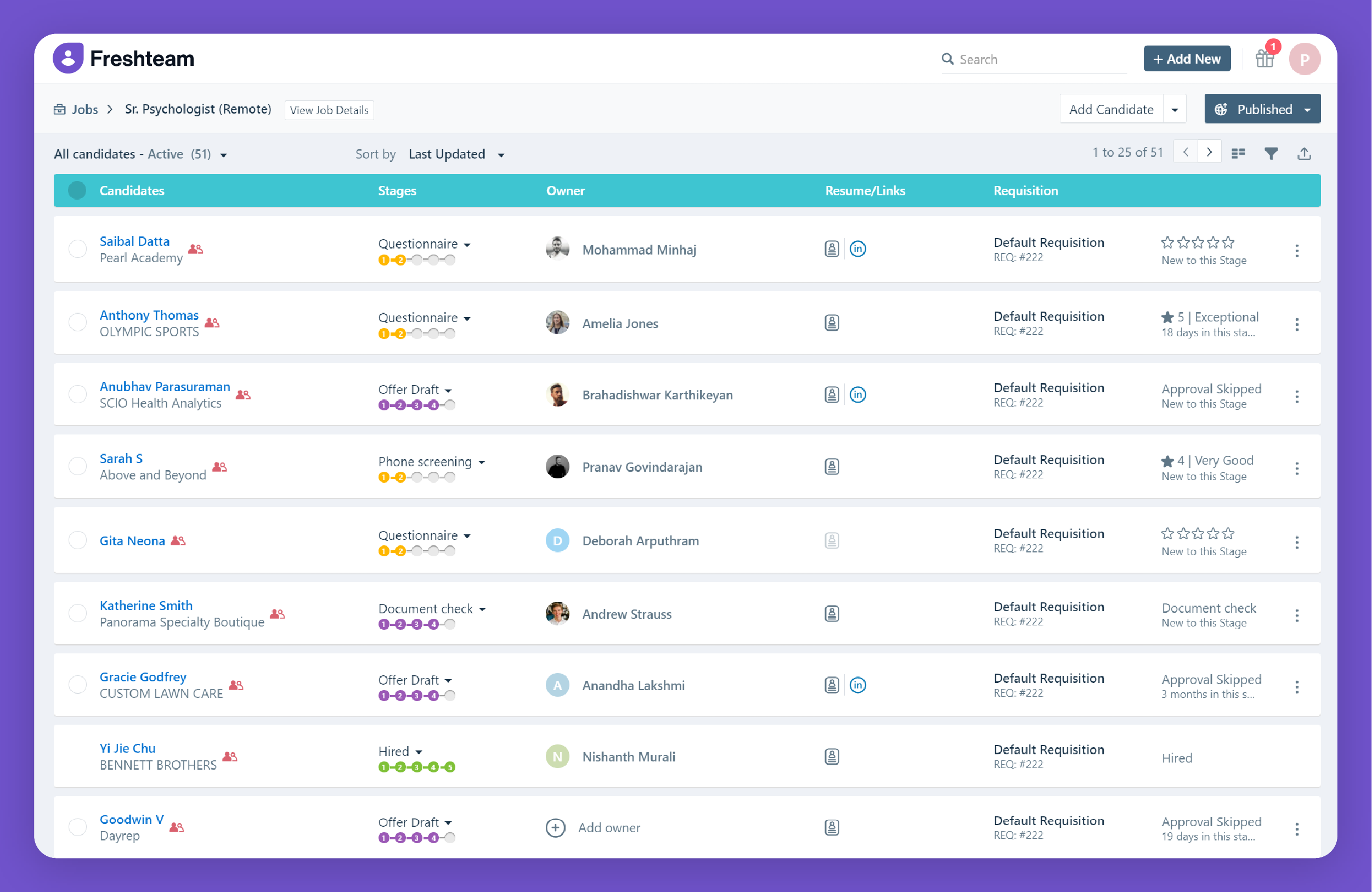
User-Friendly Interface: Intuitive design makes it easy for HR teams and employees to use without extensive training.
Comprehensive HR Suite: Covers a wide range of HR tasks, from recruitment to onboarding, employee data management, and leave tracking.
Applicant Tracking: Simplifies recruitment by centralizing job postings, applicant tracking, and collaboration with hiring managers.
Time-Off Management: Automates leave requests and approvals, making it easier for HR teams to manage employee time off.
Customizable Workflows: Flexibility to create custom workflows that suit the unique needs of different organizations.
Employee Self-Service: Empowers employees to manage their own information, reducing the administrative burden on HR teams.
Mobile Access: The mobile app allows HR tasks to be managed on the go, ideal for remote or mobile workforces.
Org Charts: Visual representation of the company hierarchy helps employees understand reporting lines and team structures.
HR Reporting: Provides valuable insights into HR processes through detailed reports and analytics.
Scalable: Works well for small businesses and scales effectively as the company grows.
Cons
Limited Customization for Reports: While reporting is available, the customization options for advanced analytics may be limited for some organizations.
Cost for Advanced Features: Some advanced features, like in-depth reporting and advanced workflow customization, may require higher-tier pricing plans.
Complexity with Large Teams: For larger organizations with complex needs, certain processes like onboarding or applicant tracking may require more manual effort to customize.
Limited Payroll Features: Freshteam does not have built-in payroll features, so users may need to rely on integrations with payroll systems.
Mobile App Limitations: While useful, some users report that the mobile app does not offer the full range of features available on the desktop version.
Learning Curve for Advanced Features: While the interface is user-friendly, more advanced features like custom workflows or detailed analytics may have a learning curve.
Pros
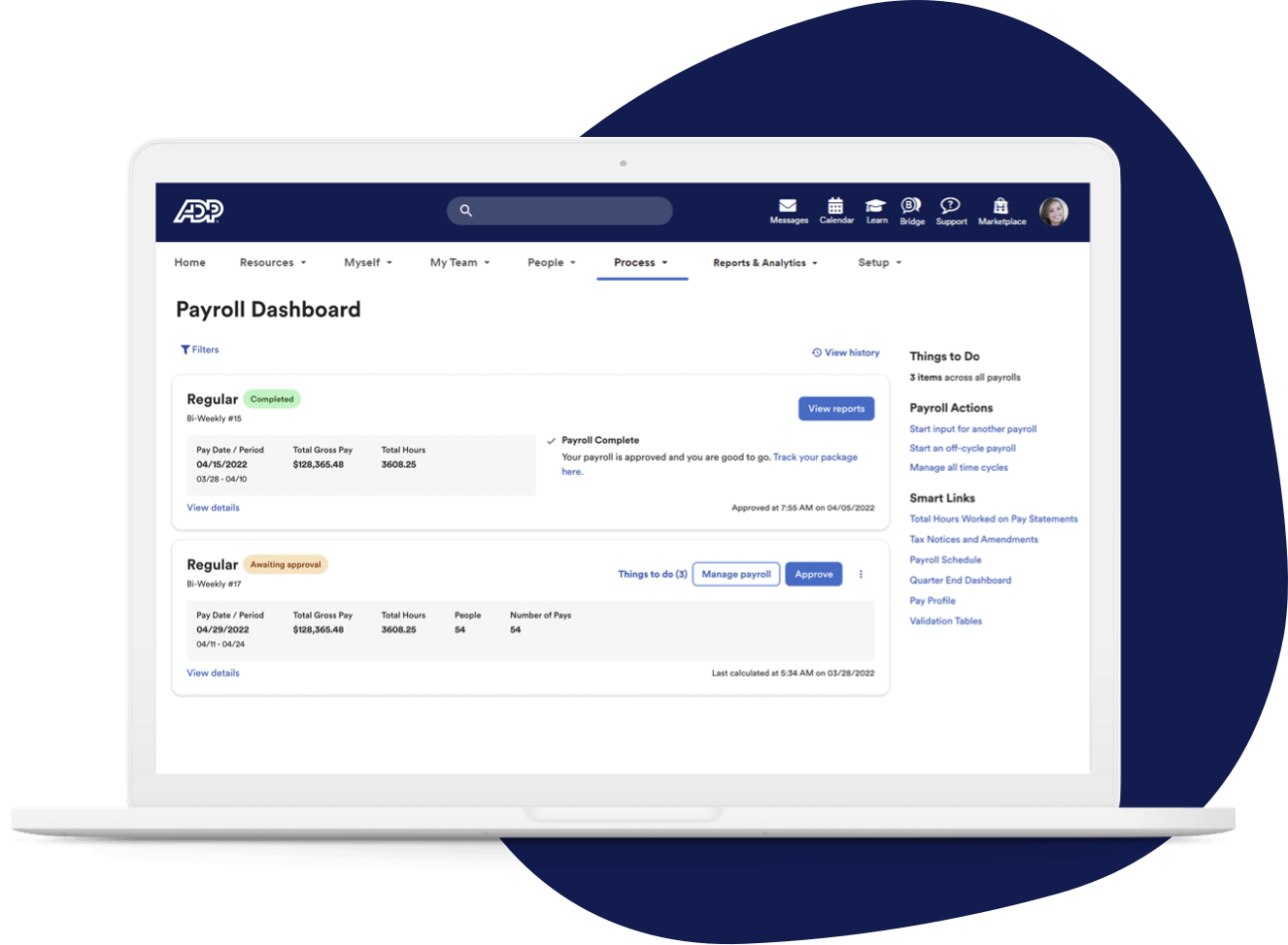
Comprehensive HR Solution: Covers a wide range of HR tasks, from payroll to benefits, in one platform.
Scalability: Suitable for businesses of various sizes, with customizable features for growing companies.
User-Friendly: Offers a clean and intuitive interface, making it easy for HR professionals and employees to use.
Compliance Assistance: Automated updates help businesses stay compliant with changing regulations.
Advanced Analytics: Provides in-depth reporting and analytics to assist in data-driven decision-making.
Mobile Accessibility: The mobile app offers flexibility for users to access features on the go.
Integration Capabilities: Can integrate with other software solutions like accounting and ERP systems.
Employee Self-Service: Empowers employees to manage their own payroll, benefits, and HR-related tasks.
Cons
Cost: Can be expensive, especially for small businesses, with additional fees for extra features.
Complex Implementation: The initial setup and implementation process can be time-consuming and complicated.
Customer Support: Some users report slow response times and inconsistent support experiences.
Learning Curve: Due to the vast array of features, there can be a steep learning curve for new users.
Customization Limitations: While scalable, customization options might not meet the needs of all organizations.
Frequent Updates: Regular system updates may disrupt workflows or require users to adapt to new changes quickly.