Category: Tips

  • How To Set Up Leave Tracker For Remote Teams

    How To Set Up Leave Tracker For Remote Teams

    Managing leave for remote teams can be a complex task, especially when employees are spread across different time zones and work schedules. Tracking absences through emails or spreadsheets often leads to confusion, errors, and inefficiencies. Without a structured system, it becomes difficult for managers to know who is on leave, HR to maintain accurate records, and employees to plan their time off confidently.


    A dedicated leave tracker brings organization, automation, and transparency to the process. It allows all employees to view and manage their leave requests in real time, ensuring that everyone is on the same page. Among the tools available today, Day Off stands out as one of the most effective and user-friendly leave tracking applications, purpose-built for distributed and hybrid teams.


    This guide explains why remote teams need a leave tracker, how to set one up effectively, and why Day Off is the best choice for managing PTO in modern workplaces.

    Why Remote Teams Need a Leave Tracker

    Remote teams face unique challenges when it comes to managing paid time off. In traditional office settings, managers can easily track attendance, see who’s absent, and coordinate coverage in person. But in remote environments, where communication happens digitally and team members work asynchronously, managing absences requires more structure and visibility.


    Without a centralized leave tracking system, remote organizations can experience several problems.

    Overlapping Leaves and Productivity Gaps

    When employees request time off through email or chat, it’s easy for managers to lose track of who will be away and when. This lack of visibility can lead to multiple employees being off at the same time, creating workflow disruptions, missed deadlines, or delayed project deliverables.

    Lack of Transparency and Miscommunication

    If leave records are maintained manually or privately, other team members may not know who is available. This often results in miscommunication, duplicated work, or scheduling confusion. A shared leave tracker promotes transparency by making team availability visible to everyone.

    Delays in Approval Processes

    Manual approval processes, such as approving leave via email chains, can cause unnecessary delays. Employees might wait days for responses, while HR and managers juggle multiple requests, especially across time zones.

    Payroll and Compliance Issues

    When PTO and unpaid leave are tracked inaccurately, payroll errors become more likely. This can lead to overpayment, underpayment, or miscalculated accruals. Additionally, global teams operating in multiple regions must comply with local labor laws, which can be difficult to manage without automation.

    A digital leave tracker solves these challenges by consolidating all leave data into one centralized system. It ensures every request, balance, and approval is recorded accurately and made visible to both managers and employees in real time.

    Step-by-Step Guide to Setting Up a Leave Tracker for Remote Teams

    Implementing a leave tracking system for a remote team requires clear planning and a structured approach. Below is a step-by-step guide to help you establish an effective, automated process.

    Step 1: Define Your Leave Policies

    Before setting up a leave tracker, your organization must first define clear leave policies that outline how time off is accrued, approved, and recorded. A well-documented policy helps prevent confusion and ensures fairness for all employees.

    Types of Leave to Track

    Your leave tracker should cover all major leave categories so that employees understand their options and HR can manage entitlements effectively. Examples include:

    • Paid Time Off (PTO): General vacation or personal days.

    • Sick Leave: For health-related absences or medical appointments.

    • Public Holidays: Adjusted based on each employee’s country or region.

    • Parental Leave: Maternity, paternity, or adoption leave.

    • Bereavement Leave: For personal loss or family emergencies.

    • Unpaid Leave: When employees exceed their paid leave balance or take additional personal days.

    Accrual and Carryover Policies

    Determine how PTO is earned (monthly, annually, or hourly) and whether unused leave can be carried over to the next year. Clear carryover policies help employees plan their vacations better and prevent end-of-year leave congestion. You should also specify how far in advance employees must request leave to allow time for scheduling adjustments.

    Global Considerations

    For remote teams operating internationally, leave tracking systems should accommodate time zone differences and regional holidays automatically. This ensures that employees across different locations have equitable leave entitlements without creating scheduling conflicts or misunderstandings.

    Step 2: Choose the Right Leave Tracking Method

    There are several methods to manage employee leave, but not all are suitable for remote teams. Choosing the right method depends on your team size, budget, and level of automation required.

    Manual Tracking (Spreadsheets)

    Some companies start with Google Sheets or Excel to track employee leave. While this can work for small teams, it quickly becomes impractical as the organization grows. Manual updates are prone to human error, and collaboration becomes cumbersome.

    • Advantages: Free and easy to set up.

    • Disadvantages: Time-consuming, lacks automation, and prone to errors or data loss.

    All-in-One HR Software

    Many HR systems like BambooHR or Zoho People include PTO tracking modules. While these are powerful tools, they often come with unnecessary features that small or remote teams might not need, and at a higher cost.

    • Advantages: Integrates with payroll and other HR functions.

    • Disadvantages: Expensive, complex setup, and less flexibility for smaller teams.

    Dedicated Leave Tracking Applications (Recommended)

    A specialized leave tracking tool like Day Off offers the best balance between affordability, ease of use, and functionality. Built specifically for leave management, it simplifies the entire process for remote and hybrid teams.

    Advantages of Using Day Off:

    • Simple and intuitive interface accessible via mobile and web.

    • Automated tracking that eliminates manual recordkeeping.

    • Multi-time zone support for global teams.

    • One-click approvals and real-time notifications.

    • Integration with Slack and Google Calendar for team visibility.

    • Scalable and cost-effective for businesses of any size.

    Day Off helps remote teams maintain full transparency and control over time-off scheduling, ensuring that absences never disrupt productivity.

    Step 3: Set Up Your Leave Tracker in Day Off

    After choosing Day Off as your leave management tool, setting it up is simple and fast. The platform is designed for minimal configuration, making it ideal for busy HR teams and managers.

    Create Your Company Account

    Begin by signing up on Day Off and setting up your organization’s profile. Enter your company name, departments, office locations, and time zones.

    Configure Leave Types and Policies

    Set up different categories such as PTO, sick leave, or unpaid leave. Define accrual methods (monthly, annual, or hourly), carryover limits, and approval rules. For global teams, you can assign country-specific public holidays automatically.

    Add Employees and Assign Teams

    Invite employees to join through email invitations. Once added, they can access their accounts through the web or mobile app. Managers can be assigned to oversee specific teams or departments.

    Enable Self-Service Leave Requests

    Employees can request leave directly through the Day Off platform. Managers receive notifications instantly and can approve or reject requests with a single click. This self-service approach reduces HR workload and speeds up the approval process.

    Automate Notifications and Approvals

    Set up automatic email and Slack alerts for pending requests, approvals, and upcoming absences. Automated notifications ensure that managers and team members are always aware of schedule changes.

    Step 4: Train Your Team to Use the Tracker

    Even the best leave tracker will only be effective if everyone knows how to use it properly. Conduct short training sessions or provide a user guide to familiarize employees with the platform.


    Employees should understand how to submit leave requests, check balances, and cancel or modify requests. Managers should know how to view team calendars, approve or deny requests, and monitor leave trends. HR personnel should be trained to generate reports and ensure data accuracy.


    Providing an internal tutorial or video demonstration can help teams adapt quickly, especially if your workforce includes members who are not tech-savvy.

    Step 5: Monitor, Optimize, and Improve

    Once the system is live, HR teams should regularly review how it’s performing. Tracking key metrics allows you to identify trends and optimize leave policies over time.

    Important metrics to monitor include:

    • Leave Utilization Rate: Are employees taking the time off they’ve earned, or is unused leave accumulating?

    • Approval Speed: How long does it take managers to respond to leave requests?

    • Team Availability: Are too many employees taking leave during critical project periods?

    Day Off provides detailed reports and insights that allow HR teams to analyze leave trends, forecast staffing needs, and ensure compliance across all regions.

    Best Practices for Leave Tracking in Remote Teams

    To maintain a well-organized and fair leave management process for remote employees, consider implementing the following best practices:


    Use a Shared Leave Calendar: Integrate your leave tracker with shared tools like Google Calendar or Slack. This gives the entire team visibility into who’s on leave at any given time.


    Encourage Work-Life Balance: Promote a culture that values rest and recovery. Encourage employees to use their PTO regularly to prevent burnout and maintain productivity.


    Plan for Coverage: Assign backup team members for critical roles to ensure that work continues smoothly during planned absences.


    Ensure Compliance: For global teams, regularly update your leave policies to stay compliant with local labor regulations and company guidelines.


    Communicate Regularly: Keep employees informed about updates to leave policies, system changes, or upcoming public holidays that may affect work schedules.

    Why Day Off is Ideal for Remote Teams

    Day Off offers all the features remote teams need to manage leave efficiently. Its web and mobile apps provide full flexibility, allowing employees and managers to access the system from anywhere. The platform supports multiple time zones, integrates with popular tools, and automates the entire process, from request submission to final approval.


    By replacing spreadsheets and emails with a centralized, transparent system, Day Off helps companies minimize confusion, prevent scheduling overlaps, and maintain team harmony. HR teams benefit from automation and reporting tools, while employees enjoy a stress-free way to request and manage their time off.

    Frequently Asked Questions (FAQ) About Leave Tracking for Remote Teams

    What is a leave tracker, and why is it important for remote teams?

    A leave tracker is a digital system that helps organizations record, manage, and monitor employee absences such as paid time off, sick leave, or personal days. For remote teams, it is particularly important because employees often work across different time zones and locations, making manual tracking inefficient. A leave tracker ensures transparency, prevents overlapping absences, and helps managers maintain productivity by knowing exactly who is available at any given time.

    How does Day Off simplify leave management for remote teams?

    Day Off automates every aspect of leave management, from submitting requests to tracking approvals and updating balances. Employees can apply for leave through the web or mobile app, and managers receive instant notifications for approval. The system automatically updates calendars and balances, ensuring that all team members have a clear view of who is on leave and when. This reduces HR workload, eliminates manual errors, and streamlines communication across remote teams.

    Can Day Off handle employees working in different time zones?

    Yes. Day Off is built with global teams in mind. It automatically adjusts leave dates and times based on each employee’s location, ensuring accuracy across multiple time zones. Additionally, managers can assign region-specific public holidays, making it easy to manage international teams with varied schedules and local labor requirements.

    Is Day Off suitable for both small teams and large organizations?

    Absolutely. Day Off is a scalable solution that works equally well for small businesses and large enterprises. Smaller teams benefit from its simplicity and affordability, while larger organizations can take advantage of its advanced features such as multi-level approvals, department-based policies, and detailed reporting. The platform’s flexibility allows it to grow alongside your company.

    Can Day Off integrate with tools like Slack and Google Calendar?

    Yes. Day Off integrates seamlessly with popular workplace tools, including Slack and Google Calendar. This allows teams to receive notifications about leave requests and approvals directly within their existing communication channels. The Google Calendar integration ensures everyone can see team availability at a glance, minimizing scheduling conflicts and improving coordination.

    How secure is employee data on Day Off?

    Day Off prioritizes data privacy and security by using advanced encryption methods to protect sensitive information. Access controls ensure that only authorized managers and HR personnel can view employee leave records. All data is stored securely in the cloud with regular backups, reducing the risk of loss or unauthorized access.

    How does Day Off help ensure payroll accuracy and compliance?

    Day Off automatically records all approved leave and unpaid absences, creating a clear audit trail that supports payroll processing. By keeping accurate records of leave accruals and usage, the system ensures employees are paid correctly and in compliance with local labor laws. This eliminates manual calculation errors and reduces the risk of payroll disputes.

    Can my team try Day Off before committing to a paid plan?

    Yes. Day Off offers a free plan suitable for small teams and a free trial for larger organizations. This allows businesses to explore the system’s features, onboard employees, and experience how automated leave tracking simplifies management before upgrading to a paid plan. The setup process is fast and intuitive, so teams can get started within minutes.

    Conclusion

    Implementing a structured leave tracking solution like Day Off helps remote and hybrid teams operate more efficiently by centralizing leave requests, approvals, and records. It minimizes errors, enhances transparency, and promotes a culture of accountability and work-life balance.

    Whether you manage a global workforce or a growing startup, Day Off delivers the automation and flexibility needed to handle leave management with ease, accuracy, and professionalism.

    Smarter time off tracking starts here.

  • Planned Leave Mail: A Complete Guide with Tips & Samples

    Planned Leave Mail: A Complete Guide with Tips & Samples

    Taking planned leave is a vital part of maintaining a healthy work-life balance. Whether you are preparing for a family event, a vacation, or personal time off, informing your employer in a professional and timely manner demonstrates responsibility and respect for workplace processes.


    A well-written planned leave mail not only ensures that your leave is approved smoothly but also helps your team organize workloads efficiently during your absence. It communicates reliability, foresight, and commitment, qualities that strengthen your professional reputation.


    In this comprehensive guide, we’ll cover:

    • Why planned leave emails are important

    • How to write one step by step

    • Essential elements of an effective leave request

    • Best practices for securing approval

    • Sample emails for different situations

    By the end of this guide, you’ll be able to write a clear, concise, and professional leave email that leaves a positive impression on your manager or HR department.

    What is a Planned Leave Mail?

    A planned leave mail is a formal communication sent to your supervisor, HR manager, or team lead to inform them of your intended absence from work. Unlike emergency or unplanned leave, planned leave is pre-scheduled and communicated in advance to ensure a smooth handover of responsibilities and minimal disruption to business operations.


    The purpose of such an email is twofold: it formally documents your leave request and helps your team prepare for your absence. It ensures transparency in scheduling and allows colleagues or managers to manage workloads effectively.


    In essence, a planned leave email is not just a request, it’s an act of professional courtesy that keeps your team informed, your manager prepared, and your workflow uninterrupted.

    Why a Planned Leave Mail is Important

    Many employees underestimate the importance of drafting a proper leave request email. However, a well-structured planned leave mail can significantly influence how your absence is perceived and handled within your organization.

    Demonstrates Professionalism

    When you notify your employer well in advance, it shows that you are organized and considerate about your work obligations. Rather than springing a sudden absence on your manager, you are providing time for them to plan resources accordingly. This reflects positively on your reliability and commitment to teamwork.

    Helps in Workload Management

    Advance notice allows your manager to redistribute tasks or reassign urgent duties to colleagues while you are away. It also gives your team members time to prepare, ensuring that important deadlines and client commitments are not affected.

    Serves as an Official Record

    Email requests create a written record that can be referred to later, especially when it comes to salary processing, attendance tracking, or performance reviews. Having formal documentation ensures that both employee and employer are protected from any misunderstandings regarding leave entitlements.

    Increases the Chances of Approval

    A well-written, transparent leave mail—complete with dates, reason, and a plan for handling pending work, makes it easier for your manager to approve the request quickly. It also signals that you’ve considered the team’s needs and planned your absence responsibly.

    Strengthens Workplace Relationships

    Clear communication fosters trust. Informing your manager and colleagues about your leave in advance shows that you value their time and workload. This kind of mutual respect helps maintain a positive team dynamic and reduces workplace friction.

    How to Write a Professional Planned Leave Mail

    A well-crafted planned leave mail is clear, respectful, and structured. It should balance professionalism with brevity, providing all necessary details without becoming overly wordy or informal.


    Here’s what makes a good leave email effective:

    • Clarity: Clearly state your leave dates, reason, and duration without ambiguity.

    • Conciseness: Keep your email brief and focused on the essential details.

    • Professionalism: Maintain a formal tone and structure throughout your message.

    • Timing: Send the request early enough for your manager to make arrangements.

    Writing a professional leave mail isn’t about formality alone, it’s about ensuring smooth communication, avoiding confusion, and maintaining productivity while you’re away.

    Key Elements of a Planned Leave Mail

    To ensure your planned leave mail is effective and well-received, include the following components:

    Subject Line: Clear and Direct

    The subject line is the first thing your manager or HR sees. It should immediately convey the purpose of your message. Avoid vague subjects like “Leave” or “Time Off” and opt for something specific and easy to identify.


    Examples:

    • “Request for Leave from March 10th to March 20th”

    • “Planned Leave Application – [Your Name]”

    • “Vacation Leave Request for [Start Date] to [End Date]”

    A clear subject line ensures your request doesn’t get overlooked among other emails and helps managers quickly prioritize responses.

    Salutation: Use a Professional Greeting

    Begin your email with a respectful salutation addressed to your manager or HR representative. Always use their proper title and name to maintain professionalism.


    Examples:

    • “Dear [Manager’s Name],”

    • “Hello [HR Representative’s Name],”

    Avoid casual greetings such as “Hey” or “Hi,” which can come across as unprofessional in a formal request.

    Mention Your Leave Dates Clearly

    Specify the exact dates of your leave, including your last working day and return date. This prevents confusion and helps your manager plan around your absence.


    Example:
    “I would like to request leave from March 10th to March 20th, and I plan to return to work on March 21st.”


    If applicable, you may also include details such as whether your leave will be full-day or partial-day leave.

    State the Reason for Your Leave

    While it’s not always mandatory to disclose your reason for taking leave, offering a brief and honest explanation helps build trust and transparency. Keep it concise and professional, avoid unnecessary personal details.


    Examples:

    • “I will be attending a family function during this period.”

    • “I am planning a vacation with my family.”

    • “I require medical rest as advised by my doctor.”

    Providing a reason also signals to your manager that your request is well-considered and legitimate.

    Outline a Work Handover Plan

    Demonstrating that you’ve prepared for your absence strengthens your request. Outline how your responsibilities will be managed while you are away. This shows accountability and makes it easier for your manager to approve your leave.


    Examples:

    • “I have briefed [Colleague’s Name] about my ongoing projects, and they have agreed to handle urgent matters in my absence.”

    • “I will complete all pending deliverables before my leave begins.”

    This section reassures your employer that your absence won’t disrupt productivity.

    Indicate Your Availability During Leave

    If you anticipate being reachable during your leave for urgent matters, mention it. However, if your leave is for personal or medical reasons, it is entirely acceptable to indicate limited availability.


    Examples:

    • “In case of urgent issues, I will be available via email.”

    • “As this is a medical leave, I may not be reachable during this period.”

    Setting clear boundaries avoids confusion and ensures that expectations are managed appropriately.

    Request for Approval

    End your email with a courteous request for approval. This signals respect and acknowledges your manager’s authority to approve or modify your leave request.


    Examples:

    • “I kindly request your approval for this leave and would appreciate your confirmation.”

    • “Please let me know if you need any additional details regarding my leave request.”

    Being polite and professional in your closing reinforces a positive tone.

    Closing Statement and Signature

    Finish your email with a thank-you note followed by your full name, job title, and contact information. This gives the message a polished and formal conclusion.


    Example:
    “Thank you for considering my request. I look forward to your approval.”

    Best regards,
    [Your Full Name]
    [Your Designation]
    [Your Contact Information]

    Best Practices for Writing an Effective Leave Mail

    To ensure that your leave request is approved promptly and without confusion, keep the following best practices in mind:

    • Send the Email Early: Ideally, submit your leave request two to four weeks before your planned absence.

    • Review Company Policy: Check your organization’s leave policy to understand procedures and documentation requirements.

    • Attach Supporting Documents: If applicable (for medical or official reasons), attach relevant certificates or documents.

    • Maintain Flexibility: If your absence overlaps with critical business needs, be open to negotiating alternative dates.

    • Follow Up Politely: If you don’t receive a response after a few days, send a courteous reminder email.

    Being proactive and considerate in your communication significantly increases your chances of approval.

    Sample Planned Leave Emails

    Simple Leave Request Email

    Subject: Request for Leave from March 10th to March 20th

    Dear [Manager’s Name],

    I am writing to formally request leave from March 10th to March 20th due to [reason]. I have ensured that my pending tasks will be completed before my leave, and I have coordinated with [Colleague’s Name] to handle urgent matters in my absence.

    Please let me know if you need any additional information. I kindly request your approval for this leave.

    Thank you for your consideration.

    Best regards,
    [Your Name]

    Vacation Leave Request

    Subject: Leave Request for Vacation from April 5th to April 15th

    Dear [Manager’s Name],

    I hope this message finds you well. I would like to request vacation leave from April 5th to April 15th. I have completed my current deliverables and briefed my team on upcoming tasks to ensure there is no disruption during my absence.

    I appreciate your consideration and look forward to your approval.

    Best regards,
    [Your Name]

    Family Function Leave Request

    Subject: Leave Application for Family Function, May 12th to May 16th

    Dear [Manager’s Name],

    I would like to request leave from May 12th to May 16th to attend a family function. I will complete all critical tasks before my departure and have informed [Colleague’s Name] about the project timelines.

    Kindly grant approval for my leave. Please let me know if you need further details.

    Thank you for your understanding.

    Best regards,
    [Your Name]

    Day Off Leave Tracker

    Day Off is a comprehensive leave and Paid Time Off (PTO) management solution designed to simplify how businesses track, approve, and organize employee absences. Built for teams of all sizes, it combines functionality, flexibility, and user-friendly design to make leave management effortless for both employees and managers.


    With intuitive mobile and web platforms, Day Off enables employees to submit leave requests instantly, while managers can review, approve, and monitor balances in real time. The system eliminates the inefficiencies of manual tracking, providing a transparent, accurate, and organized approach to managing time off.

    Key Features of Day Off

    Day Off offers a robust set of tools that make managing leave seamless and efficient across different organizational structures.

    Comprehensive Vacation and Leave Tracking

    Track and manage employee PTO balances with precision. Day Off allows HR teams and managers to monitor all types of leave, vacation days, sick leave, personal time, unpaid leave, and more, in one centralized dashboard. Employees can view their remaining balances anytime, ensuring complete transparency and eliminating misunderstandings.


    The system automatically updates leave balances after each approved request, significantly reducing administrative workload and minimizing errors that commonly occur in spreadsheet-based systems.

    Customizable Approval Workflows

    Every organization has its own internal structure, and Day Off adapts to that. The platform allows you to configure approval workflows that align perfectly with your company’s hierarchy and policies.


    You can set up single-step or multi-level approval processes based on your needs. For example, smaller teams might route requests directly to a department head, while larger organizations can define multi-stage reviews through supervisors, HR, and senior management.


    This customization ensures consistency, accountability, and efficiency throughout the approval cycle, without unnecessary bottlenecks.

    Real-Time Notifications and Alerts

    Communication is key to effective leave management. Day Off keeps all stakeholders informed through automated notifications at every step of the process.


    Employees receive instant updates when their requests are submitted, approved, or declined, while managers get real-time alerts about new requests and upcoming absences. HR teams can also use notifications for company-wide announcements, such as public holidays, office closures, or policy changes.


    This feature ensures everyone stays aligned and reduces confusion or missed communication about leave schedules.

    Sub-Team Management and Department Customization

    For companies with multiple departments, offices, or teams, Day Off provides flexible sub-team management capabilities.


    You can group employees by team, location, or department and assign distinct leave policies, accrual settings, and working days for each group. This ensures that every department operates according to its specific needs while maintaining centralized visibility and control at the organizational level.


    This feature is especially useful for companies operating across different time zones, business units, or shifts, ensuring smooth coordination across diverse teams.

    Powerful Reporting and Analytics

    Day Off offers detailed reporting and analytics tools that transform leave data into valuable workforce insights.


    Managers and HR professionals can generate reports to analyze trends such as leave utilization, absenteeism rates, and remaining balances. These insights help organizations make data-driven decisions, identify potential staffing gaps, and plan resources effectively during high-demand periods.


    Reports can also be exported for payroll integration, compliance audits, or executive reporting, simplifying documentation and improving transparency.

    Mobile Accessibility and Convenience

    In today’s mobile-first workplace, accessibility is essential. With Day Off’s dedicated mobile applications for Android and iOS, managing leave has never been easier.


    Employees can submit requests, check balances, and receive approval updates directly from their smartphones. Meanwhile, managers can review and approve requests on the go, no need to wait until they’re back at their desks.


    This flexibility enhances productivity, supports hybrid and remote teams, and ensures that leave management continues seamlessly, regardless of location.

    User Experience and Feedback

    Day Off has received consistently positive feedback from users who appreciate its simplicity, functionality, and time-saving benefits.


    Many small and mid-sized business owners commend the platform for eliminating the chaos of managing time off through spreadsheets and emails. Employees can instantly check their leave balances, reducing back-and-forth communication with HR.


    One user described Day Off as “a simple yet powerful tool that keeps our team organized and ensures everyone knows their available leave at all times.” Another review highlighted its practicality for startups and growing businesses, noting that “it keeps PTO tracking structured and prevents miscommunication.”

    Availability and Platform Access

    Day Off is designed for maximum accessibility and convenience. Businesses and employees can use it seamlessly across multiple platforms:

    • Web Application:
      Access the full suite of features through the web-based platform a day off app, including dashboards, approvals, and reporting tools.

    • Android Application:
      Available for download on the Google Play Store, the Android app offers full functionality for employees and managers who prefer mobile management.

    • iOS Application:
      The Apple App Store version ensures iPhone and iPad users can enjoy the same convenience and real-time capabilities as their desktop counterparts.

    Why Businesses Choose Day Off

    Organizations adopt Day Off not only for its intuitive interface but also for its ability to reduce administrative workload, prevent scheduling conflicts, and promote transparency across all levels of management.


    By automating leave tracking and approval workflows, Day Off helps HR teams focus on strategic tasks rather than routine administrative duties. The platform fosters a culture of accountability, empowering employees to manage their own time-off requests while ensuring managers retain full oversight of team availability.


    Day Off also supports long-term business goals by delivering accurate attendance data that supports compliance, resource planning, and performance evaluation.

    Conclusion

    Day Off transforms how organizations handle leave and PTO management. Its combination of automation, flexibility, and accessibility makes it an ideal solution for companies seeking to eliminate inefficiencies, maintain compliance, and enhance employee satisfaction.


    Whether you’re managing a small team or a global workforce, Day Off offers everything you need to keep time-off tracking simple, transparent, and reliable.


    Smarter time off tracking starts here.

  • PTO Calculator: How To Accurately Track Your Paid Time Off

    PTO Calculator: How To Accurately Track Your Paid Time Off

    Managing Paid Time Off (PTO) is one of the most important yet time-consuming responsibilities for both HR teams and employees. Manual tracking through spreadsheets or paper forms often leads to errors, confusion, and payroll inconsistencies.


    A PTO calculator eliminates these challenges by automating how leave is accrued, tracked, and managed. Whether you are an HR professional overseeing multiple employee schedules or an individual planning your next vacation, understanding how PTO calculators work is essential for accurate, transparent, and compliant leave management.


    This comprehensive guide explains how PTO calculators function, the different accrual methods, and how digital tools like Day Off can simplify PTO management for any organization.

    What Is a PTO Calculator?

    A PTO calculator is a tool designed to automatically calculate an employee’s paid time off balance based on company policies, work schedules, and time already taken. It helps ensure fairness, transparency, and compliance with labor laws.

    Key Factors in PTO Calculations

    • Company Leave Policy: Includes annual PTO entitlements, carryover limits, and payout rules.

    • Accrual Method: Defines how PTO is earned—monthly, hourly, or annually.

    • Used PTO: Subtracts approved time off from available balances.

    • Public Holidays and Unpaid Leave: Adjusts calculations based on work schedules and holidays.

    PTO calculators can be manual (using spreadsheets) or digital (integrated within HR software). Automated calculators are significantly more accurate and reduce the risk of human error.

    Why PTO Calculators Are Essential

    Accurate PTO tracking benefits both employees and employers.

    For Employees

    • Transparency: Provides clear visibility into accrued and used leave.

    • Fairness: Ensures accurate application of PTO policies.

    • Better Planning: Allows employees to schedule vacations or personal time with confidence.

    For Employers

    • Accuracy: Reduces miscalculations that can lead to payroll disputes.

    • Efficiency: Automates repetitive HR tasks, saving administrative time.

    • Compliance: Helps meet legal requirements for record-keeping and labor laws.

    • Productivity: Prevents scheduling conflicts and ensures proper staffing.

    A reliable PTO calculator builds trust within the workplace by creating a consistent and transparent approach to managing leave.

    How PTO Is Calculated: Common Accrual Methods

    Employers can choose from several methods to calculate PTO depending on company policy, employment type, and operational needs.

    Lump Sum (Annual Allotment)

    Employees receive their entire PTO allowance at the start of the year.
    Example: An employee is granted 20 days of PTO on January 1st.


    Advantages:

    • Simple to administer.

    • Employees can plan extended vacations early in the year.

    Disadvantages:

    • Some employees may use all their time off early, leading to coverage issues later.

    Periodic or Monthly Accrual

    Employees earn PTO gradually throughout the year.
    Example: If an employee earns 15 days of PTO annually, they accrue 1.25 days per month.


    Advantages:

    • Encourages consistent attendance throughout the year.

    • Reduces the risk of early-year leave exhaustion.

    Disadvantages:

    • Requires consistent tracking, which is easier with automation.

    Hourly Accrual

    PTO is earned based on hours worked, commonly used for part-time or hourly employees.
    Example: An employee accrues 0.05 hours of PTO for each hour worked.


    Advantages:

    • Ensures fairness for variable-hour employees.

    • Flexible and scalable across different roles.

    Disadvantages:

    • Complex to manage manually without a dedicated PTO system.

    How to Use a PTO Calculator Effectively

    To make the most of a PTO calculator, HR professionals and employees should follow these practices:

    • Understand Company PTO Policies: Ensure clarity on accrual methods, carryover limits, and approval procedures.

    • Track Used PTO Regularly: Keep the system updated with every approved leave to maintain accuracy.

    • Account for Public Holidays: Distinguish between public holidays and personal PTO to prevent overlap.

    • Adopt Digital Tools: Use software such as Day Off for automated, real-time PTO tracking.

    • Encourage Employee Transparency: Empower staff to review their own balances to reduce HR inquiries.

    PTO Calculation Examples

    Example 1: Monthly Accrual

    Scenario:

    • Annual PTO: 15 days

    • Accrual Rate: Monthly

    • Months Worked: 6

    Calculation:
    15 ÷ 12 = 1.25 days per month
    1.25 × 6 = 7.5 days earned
    If the employee took 3 days off, their remaining balance is 4.5 days.

    Example 2: Hourly Accrual

    Scenario:

    • Accrual Rate: 0.05 hours per hour worked

    • Hours Worked Per Week: 40

    • Weeks Worked: 4

    Calculation:
    40 × 0.05 = 2 hours per week
    2 × 4 = 8 hours (equivalent to 1 full day of PTO).

    How Day Off Simplifies PTO Management

    Day Off is a modern, intuitive leave management platform that automates every step of the PTO process—from accrual to approval. It provides an efficient, accurate, and transparent experience for both HR teams and employees.

    Key Features of Day Off

    • Automated PTO Tracking: Real-time updates to leave balances and accruals.

    • Custom Policies: Supports lump-sum, monthly, and hourly accrual methods.

    • One-Click Approvals: Simplifies request management for managers.

    • Mobile and Web Access: Enables leave tracking from any device.

    • Reporting and Analytics: Offers data-driven insights for workforce planning.

    • Calendar Integration: Syncs with Google Calendar, Outlook, and Slack for scheduling visibility.

    Day Off reduces administrative workload, eliminates errors, and ensures compliance with internal policies and labor laws.

    Best PTO Calculators and Tracking Tools

    If you’re considering automation, the following tools are widely recognized for effective PTO management:

    • Day Off: Simple, affordable, and ideal for small and mid-sized businesses.

    • BambooHR: A comprehensive HR platform with advanced PTO tracking.

    • Gusto: Integrates payroll and time-off management.

    • Zenefits: Offers robust HR automation for growing teams.

    • ADP Workforce Now: A scalable enterprise solution with advanced reporting features.

    Common PTO Management Mistakes to Avoid

    • Ignoring Local Labor Laws: Each region may have unique requirements regarding paid leave and carryover.

    • Failing to Update Leave Balances: Outdated records cause employee frustration and payroll discrepancies.

    • Overlapping Time-Off Requests: Without a centralized system, scheduling conflicts can disrupt operations.

    • Lack of Transparency: Employees should always know how much leave they have earned.

    • Outdated Policies: Regularly review and update PTO rules to reflect evolving business needs.

    Frequently Asked Questions (FAQ) About PTO Calculators

    What does a PTO calculator do?

    A PTO calculator determines the amount of paid time off an employee has earned, used, and remaining. It automates calculations that HR teams would otherwise have to perform manually, ensuring accuracy and compliance.

    How often should PTO be calculated?

    Most companies calculate PTO on a monthly or per-pay-period basis. Automated systems update balances in real time, ensuring accuracy at all times.

    Can employees access their PTO balance directly?

    Yes. Most modern PTO calculators, such as Day Off, provide employee self-service portals. Employees can view balances, submit requests, and track approvals without contacting HR.

    What is the difference between accrued and granted PTO?

    • Accrued PTO: Earned progressively over time (e.g., monthly or hourly).

    • Granted PTO: Provided in full at the start of the year.

    Do unused PTO days carry over to the next year?

    This depends on company policy. Some businesses have a “use-it-or-lose-it” rule, while others allow limited carryover. Automated systems can enforce these policies accurately.

    How do PTO calculators integrate with payroll systems?

    When an employee takes time off, the PTO calculator automatically adjusts balances and shares this data with payroll software. This ensures correct payment calculations and prevents errors.

    Can a PTO calculator handle different employee types?

    Yes. Tools like Day Off allow HR to set custom accrual rates for full-time, part-time, and hourly employees, as well as contractors and temporary staff.

    Are automated PTO systems compliant with labor laws?

    Yes, provided they are configured correctly. Automated calculators help maintain compliance by tracking accrual rates, rollover limits, and required payouts based on jurisdictional rules.

    What are the risks of managing PTO manually?

    Manual systems are prone to miscalculations, missing documentation, and payroll errors. These mistakes can lead to compliance issues, financial losses, and employee dissatisfaction.

    What’s the best PTO calculator for small businesses?

    For small and medium-sized businesses, Day Off is the most practical solution. It combines ease of use, affordability, and reliable automation without the complexity of large HR platforms.

    Conclusion

    Tracking and managing Paid Time Off is a critical part of employee satisfaction and organizational efficiency. A PTO calculator streamlines this process by automating accruals, approvals, and reporting.


    By adopting digital tools such as Day Off, companies can minimize administrative workload, ensure payroll accuracy, and maintain full compliance with labor regulations. For employees, it provides transparency and peace of mind.


    In an era where efficiency and work-life balance are both essential, implementing a reliable PTO tracking system is not just a convenience; it is a strategic investment in productivity and trust.


    Smarter time off tracking starts here.

  • Best 6 Subscription Analytics Tools for Growing Businesses

    Best 6 Subscription Analytics Tools for Growing Businesses

    Subscription-based businesses like Day Off Leave Tracker need reliable analytics tools to track revenue, monitor customer retention, and optimize financial performance. The right platform can help companies reduce churn, forecast cash flow, and make data-driven decisions for sustainable growth.

    With so many options available, it’s essential to choose a tool that fits your business size, budget, and reporting needs. This article explores the best subscription analytics platforms, their key features, pricing, and alternatives to help you make an informed decision.

    Top Subscription Analytics Platforms

    ProfitKit

    Best for: Startups and small businesses looking for an affordable, easy-to-use analytics tool.

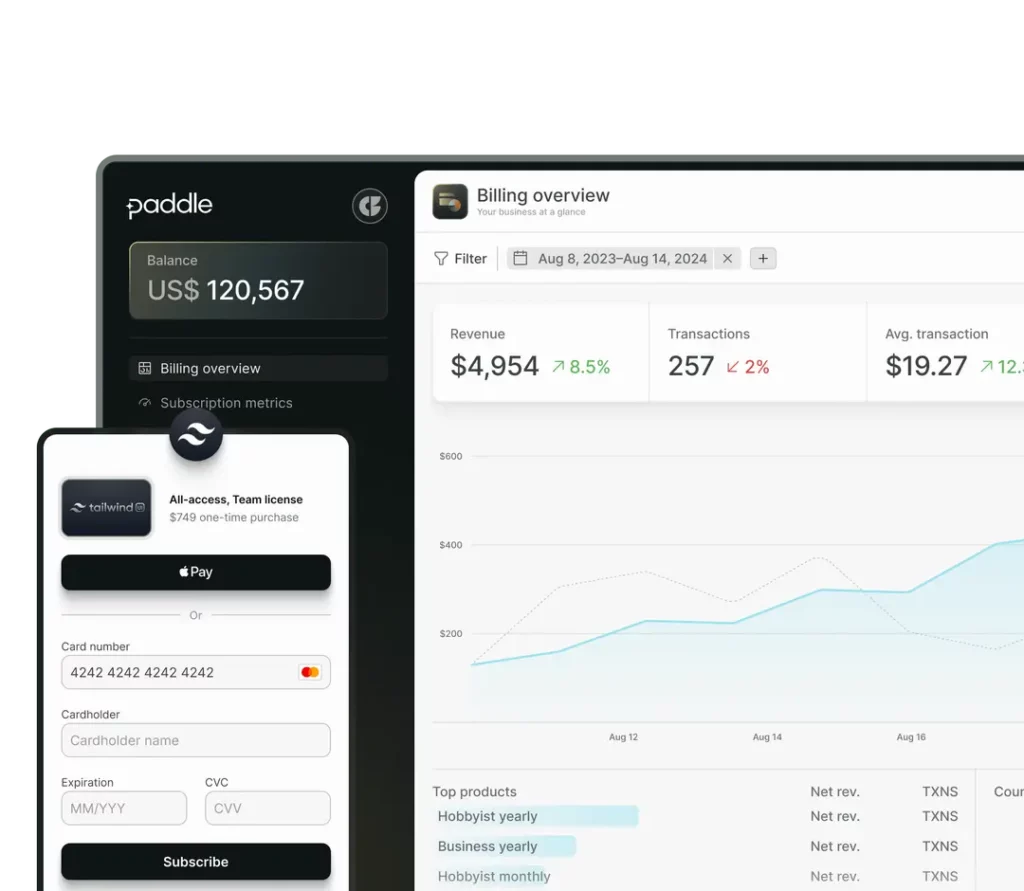
    ProfitKit is designed to help early-stage businesses manage their subscriptions efficiently. It integrates directly with Stripe, providing clear financial insights without the complexity of larger enterprise tools. With a focus on automation, it allows businesses to track recurring revenue, manage payments, and forecast cash flow seamlessly.

    Key Features:

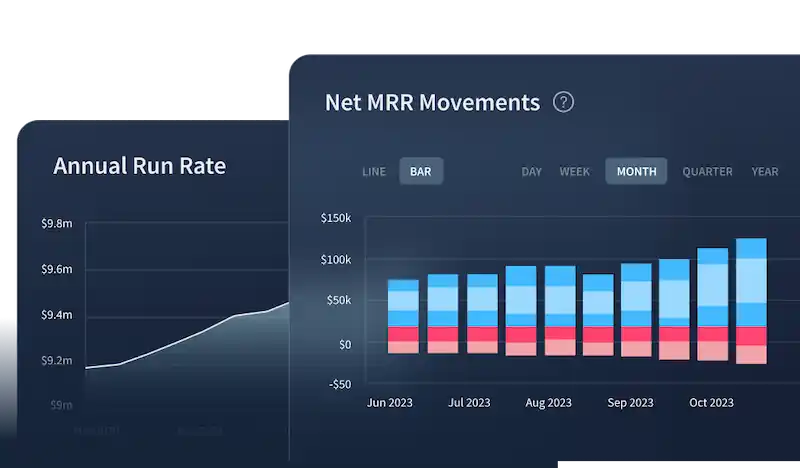
    Subscription Analytics: Track Monthly Recurring Revenue (MRR), Annual Recurring Revenue (ARR), and churn rate in real-time.
    Cash Flow Calendar: Predict future revenue and manage cash flow effortlessly.
    Automated Email Notifications: Keep customers updated on billing, failed payments, and renewals.
    Revenue Recovery Tools: Reduce involuntary churn by automating payment retries.

    Pricing: Starts at $19 per month, making it one of the most budget-friendly choices for small businesses.

    Baremetrics

    Best for: Companies needing in-depth revenue insights and customer behavior tracking.

    Baremetrics is a premium analytics platform designed for subscription-based businesses that want deep financial insights. It provides advanced revenue tracking, customer segmentation, and churn prediction, making it ideal for businesses scaling their operations.

    Key Features:

    Real-Time Revenue Metrics: Monitor MRR, ARR, churn, and customer lifetime value (LTV) in one dashboard.
    Customer Segmentation: Identify high-value customers and analyze trends in subscriber behavior.
    Churn Prediction & Recovery: Detect and reduce revenue loss with proactive retention strategies.

    Pricing: Starts at $129 per month, making it a better fit for growing businesses with higher budgets.

    ChartMogul

    Best for: Businesses that require detailed financial reporting and subscription metrics.

    ChartMogul is built for data-driven businesses that need advanced analytics to track customer retention, revenue growth, and subscription trends. It integrates with multiple payment processors, including Stripe, PayPal, and Chargebee, making it a flexible choice for growing businesses.

    Key Features:

    Cohort Analysis: Track customer retention over time and identify patterns in churn.
    Automated Revenue Reporting: Monitor MRR, ARR, and other key metrics without manual calculations.
    Multi-Source Data Import: Consolidate data from different payment processors for a complete financial picture.

    Pricing: Starts at $100 per month, making it ideal for mid-sized businesses focused on data analysis.

    ProfitWell

    Best for: Startups and small businesses looking for a free analytics tool with optional paid features.

    ProfitWell offers free subscription analytics, making it one of the most accessible options for early-stage businesses. It provides insights into revenue trends and customer behavior, with additional paid features for churn reduction and revenue recovery.

    Key Features:

    Free Subscription Analytics: Get essential revenue tracking without paying for a subscription.
    Churn Reduction Tools: Recover lost customers with automated outreach and engagement strategies.
    Industry Benchmarking: Compare your performance with similar companies to optimize pricing and retention.

    Pricing: Core analytics are free, with paid features available for businesses looking to reduce churn and optimize revenue.

    Sage Intacct

    Best for: Mid-sized to large businesses needing financial automation and advanced accounting features.

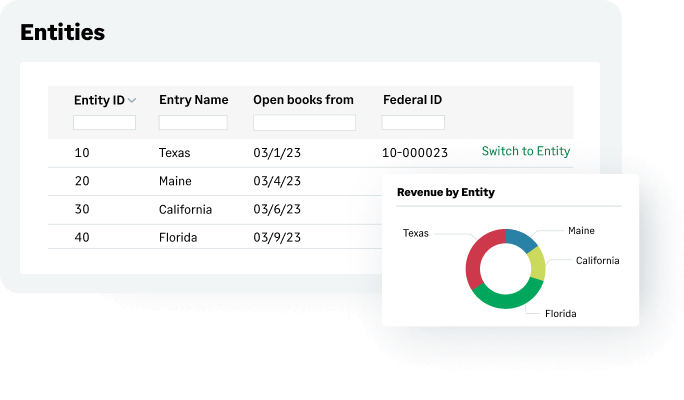
    Sage Intacct is more than just a subscription analytics tool, it’s a full-fledged financial management system. It’s best suited for businesses that require automated revenue recognition, real-time financial reporting, and compliance tracking for complex accounting needs.

    Key Features:

    Automated Accounting & Revenue Recognition: Ensures compliance with financial regulations.
    Customizable Financial Dashboards: Get real-time insights tailored to your business needs.
    Scalability for Enterprise-Level Businesses: Designed for companies managing multiple revenue streams.

    Pricing: Custom pricing based on business needs; requires a consultation for a quote.

    Microsoft Power BI

    Best for: Businesses looking for customizable business intelligence and data visualization.

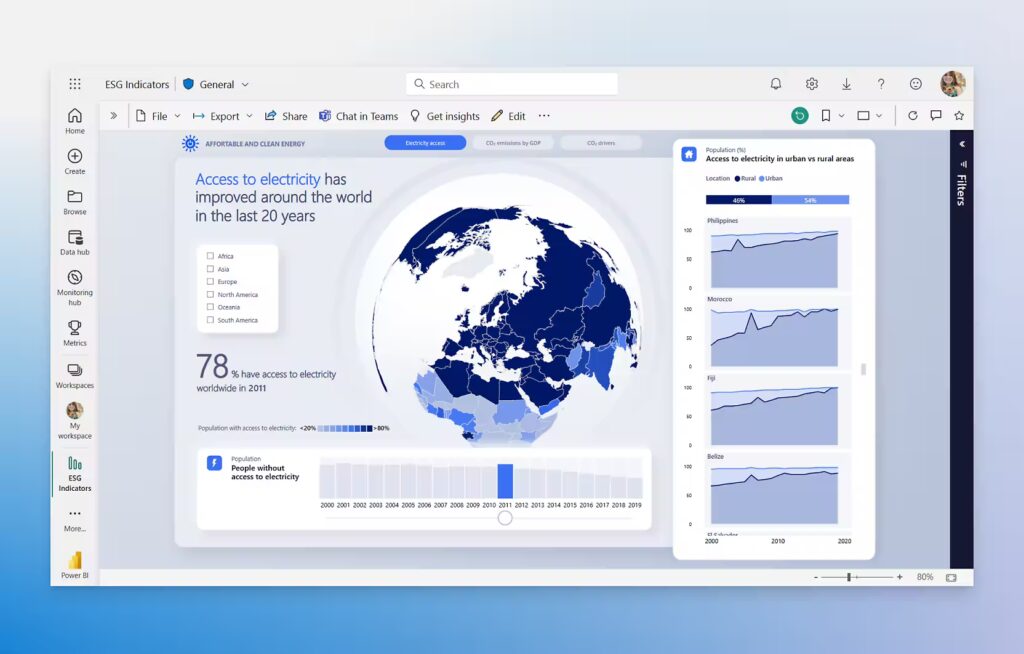
    While not a dedicated subscription analytics platform, Microsoft Power BI is a powerful business intelligence tool that can be integrated with billing systems to provide custom reports and deep financial insights. It’s ideal for companies that need fully customizable data dashboards rather than pre-built analytics.

    Key Features:

    Custom Report Creation: Drag-and-drop functionality for interactive dashboards.
    AI-Powered Analytics: Helps identify trends and make data-driven decisions.
    Integration with Various Data Sources: Works with Excel, SQL, Stripe, and third-party apps.

    Pricing: Starts at $10 per user per month, making it an affordable choice for businesses focused on reporting.

    FAQ: Subscription Analytics Tools

    What is a subscription analytics tool?

    A subscription analytics tool is a platform that helps businesses monitor key financial and customer metrics such as Monthly Recurring Revenue (MRR), Annual Recurring Revenue (ARR), churn rate, and Customer Lifetime Value (LTV). These tools provide actionable insights into revenue performance, customer retention, and overall business growth, allowing teams to make data-driven decisions.

    How do subscription analytics tools help reduce churn?

    Subscription analytics tools reduce churn by identifying patterns and taking proactive measures to retain customers. They do this by:

    • Detecting at-risk customers through behavioral and payment activity analysis.

    • Automating payment retries to recover failed transactions.

    • Highlighting churn trends so businesses can adjust pricing, communication, or product features.

    • Sending automated notifications for upcoming renewals or expiring subscriptions.

    By combining automation with actionable insights, these tools help businesses improve retention and maintain predictable revenue.

    Are subscription analytics tools only for SaaS businesses?

    No. While these tools are widely used by Software-as-a-Service (SaaS) companies, any business with a recurring revenue model can benefit from them. This includes streaming services, subscription box companies, online membership platforms, and digital publishers, essentially any organization that earns income through repeat subscriptions.

    What’s the difference between a subscription analytics tool and a billing platform?

    A subscription analytics tool focuses on data insights, helping businesses analyze metrics such as revenue growth, churn, and customer behavior.
    A billing platform (like Stripe, Chargebee, or Recurly) handles payment processing, invoicing, and subscription management.
    Some solutions, such as Baremetrics, integrate directly with billing systems, offering both financial management and advanced analytics in one place.

    Can I use a subscription analytics tool without Stripe or PayPal?

    Yes. Many subscription analytics tools support multiple data sources and integrations beyond Stripe or PayPal. Platforms like ChartMogul and ProfitWell allow users to connect custom payment gateways, import data manually, or integrate through APIs, making them flexible options for businesses using alternative billing systems.

    Are there free subscription analytics tools available?

    Yes. Some platforms, like ProfitWell, offer free access to core analytics such as MRR, ARR, and churn tracking. Others provide limited free plans or time-bound trials. However, advanced features, like revenue recovery, segmentation, and detailed forecasting, are typically included in paid plans.

    How do I choose the best subscription analytics tool for my business?

    When choosing a tool, consider:

    • Business Size and Budget: Startups may prefer affordable tools like ProfitKit, while larger organizations might need advanced analytics from Baremetrics or ChartMogul.

    • Features Needed: Determine whether you need only basic revenue tracking or advanced capabilities like churn prediction, segmentation, and benchmarking.

    • Integration Support: Ensure compatibility with your billing platform (Stripe, PayPal, Chargebee, etc.).

    • Scalability: Choose a platform that can grow with your business and handle increasing data volumes or team users.

    Do these tools require technical expertise to set up?

    Not usually. Most subscription analytics tools are designed with user-friendly dashboards and plug-and-play integrations, allowing non-technical users to get started quickly. For advanced setups, like API connections or custom reporting, a developer’s assistance may be helpful but not mandatory.

    Can subscription analytics tools help with pricing strategy?

    Yes. These tools offer valuable insights into customer behavior, engagement, and churn patterns. By analyzing customer segments and comparing pricing performance, businesses can experiment with pricing models, identify optimal price points, and improve overall profitability and retention.

    What’s the best alternative if I don’t want to pay for a subscription analytics tool?

    If you’re not ready to invest in a paid platform, consider these free or low-cost alternatives:

    • ProfitWell: Provides robust core analytics for free.

    • Google Sheets or Microsoft Excel: Useful for basic revenue and churn tracking with custom formulas.

    • Google Analytics: Helps monitor user behavior and engagement, offering insights into customer activity that can complement revenue tracking.

    While these options lack automation and depth, they can be a practical starting point for smaller businesses or early-stage startups.

    Conclusion

    ProfitKit is a powerful and affordable subscription analytics tool, making it a great choice for startups and small businesses. Its cash flow calendar, automated communications, and revenue recovery tools help businesses stay on top of their finances with ease.

    However, if your business requires more advanced analytics, deeper financial insights, or different pricing structures, alternatives like Baremetrics, ProfitWell, and ChartMogul may be worth considering.


    The best platform depends on your business needs, whether you’re focused on affordability, advanced analytics, or churn reduction. Take the time to explore these options and choose the one that fits your business best! 


    Smarter time off tracking starts here.

  • Absenteeism Policy: Managing Employee Attendance

    Absenteeism Policy: Managing Employee Attendance

    Absenteeism is a critical issue that affects organizations across all industries. While employees occasionally miss work due to legitimate reasons such as illness, family emergencies, or personal obligations, excessive or unplanned absenteeism can lead to serious operational disruptions. It impacts productivity, increases workload for other employees, and can ultimately lead to financial losses for a business. To effectively manage attendance and maintain a well-functioning workplace, companies must establish a clear and enforceable absenteeism policy.


    This policy ensures that employees understand expectations, reporting procedures, acceptable and unacceptable absences, and potential consequences for policy violations.


    With the introduction of digital workforce management tools like Day Off, businesses can further streamline attendance tracking, leave management, and overall workforce planning. In this guide, we’ll explore the importance of an absenteeism policy, its key components, best practices for implementation, and how Day Off can help organizations enhance efficiency in managing employee absences.

    Understanding Absenteeism

    Absenteeism refers to the habitual, frequent, or prolonged absence of an employee from work, often without valid reason, prior notice, or approval. While occasional absences are a normal part of any workplace, chronic or unplanned absenteeism can disrupt operations, lower morale, and affect overall business performance.

    Types of Absenteeism

    • Planned Absences:
      These are scheduled and approved in advance, such as paid time off (PTO), vacations, medical leave, or other authorized leave types. Planned absences are typically accounted for within the company’s attendance and scheduling systems.

    • Unplanned Absences:
      These occur without prior notice or approval and are often caused by unforeseen circumstances such as sudden illness, family emergencies, or personal crises. Although sometimes unavoidable, frequent unplanned absences can create workflow disruptions.

    • Chronic Absenteeism:
      This involves repeated, unjustified absences over an extended period. Chronic absenteeism can signal deeper issues, such as disengagement, workplace dissatisfaction, or personal challenges, and requires proactive management and support from HR.

    How Absenteeism Impacts Businesses

    While occasional absences are to be expected, consistent absenteeism can have a serious impact on productivity, morale, and profitability. Some of the most common effects include:

    Reduced Productivity

    When employees are frequently absent, projects slow down, deadlines are missed, and team efficiency declines. The absence of key contributors can cause bottlenecks, forcing others to pause their work or take on unfamiliar tasks.

    Increased Workload for Other Employees

    When one employee is absent, their duties often fall on their coworkers. Over time, this added workload can lead to frustration, fatigue, and eventually burnout, further compounding the absenteeism problem.

    Higher Operational Costs

    Unplanned absences often require paying overtime to cover shifts, hiring temporary staff, or delaying critical business operations. These hidden costs can quickly add up, especially in industries with tight staffing requirements.

    Lower Employee Morale

    Persistent absenteeism within a team can create resentment and lower morale. Employees who consistently show up to work may feel undervalued or overburdened, especially if absentee behavior goes unaddressed.

    Decline in Customer Service Quality

    In customer-facing industries such as retail, hospitality, or healthcare, absenteeism directly affects service quality. Fewer available staff can mean longer wait times, mistakes, and dissatisfied customers, ultimately damaging brand reputation.

    Why Every Company Needs an Absenteeism Policy

    A clear and well-enforced absenteeism policy is crucial for maintaining fairness, accountability, and operational consistency. Such a policy helps:

    • Set clear expectations for attendance and communication.

    • Distinguish between acceptable and unacceptable absences.

    • Ensure that leave requests and approvals are handled consistently.

    • Provide guidelines for managing repeated or unexcused absences.

    With modern tools like Day Off, businesses can automate attendance tracking, monitor absenteeism trends, and enforce policies consistently, all while maintaining transparency and supporting employee well-being.

    Key Components of an Effective Absenteeism Policy

    A well-crafted absenteeism policy establishes clear expectations, ensures accountability, and promotes fairness across the organization. It helps both employees and managers understand what constitutes acceptable absences, how to report them, and what actions will follow if attendance issues arise.


    Below is a detailed breakdown of the key elements every absenteeism policy should include:

    Purpose and Scope

    Begin your policy by explaining why it exists and who it applies to. This section sets the foundation for consistency and transparency across all teams.


    Example:


    “This policy outlines the attendance and absenteeism expectations for all full-time, part-time, and contract employees at [Company Name]. It applies to all departments and office locations to ensure fairness, accountability, and smooth business operations.”

    Clearly defining the scope helps avoid ambiguity and ensures every employee understands their obligations.

    Attendance Expectations

    Outline your company’s standards for attendance, punctuality, and availability. This section should clarify what “being present” means in your workplace, whether employees are in-office, hybrid, or remote.


    Key Guidelines:

    • Employees are expected to be present, ready, and prepared to work at their scheduled start time.

    • Late arrivals exceeding 15 minutes require prior notification to a manager or HR.

    • All absences must follow the company’s approved reporting procedure.

    • Repeated tardiness or leaving early without authorization may be treated as attendance violations.

    Setting clear expectations ensures fairness and consistency while giving managers a solid framework to address attendance concerns.

    Notification & Reporting Procedures

    Employees must know exactly how to report an absence. This section defines the communication protocol and timeframes for notifying supervisors or HR.


    Include Details Such As:

    • Who to Contact: Direct supervisor, HR department, or team lead.

    • How to Notify: Via phone call, email, or company HR system (e.g., Day Off).

    • When to Notify: At least one hour before the scheduled start time unless it’s an emergency.

    Example Policy Statement:


    “Employees must notify their immediate supervisor via phone or email at least one hour before their scheduled start time if they are unable to report to work. Repeated failure to follow the notification procedure may result in disciplinary action.”


    This ensures absences are recorded promptly and fairly, reducing confusion or miscommunication.

    Acceptable vs. Unacceptable Absences

    Not all absences are treated equally. It’s important to differentiate between authorized and unauthorized absences to ensure transparency and fairness.


    Acceptable Absences (with proper documentation):

    • Approved PTO (vacation days, personal leave, etc.)

    • Sick leave (doctor’s note required for absences longer than two days)

    • Bereavement leave (leave following the death of an immediate family member)

    • Jury duty or legal obligations

    Unacceptable Absences:

    • No-call, no-show (failure to notify the company of absence)

    • Leaving work early or arriving late without authorization

    • Excessive unverified sick leave or vague personal excuses

    • Absences during critical business periods without approval

    By clarifying these categories, the company sets clear expectations and minimizes the chance of disputes.

    Documentation Requirements

    To maintain accountability and compliance, employees may need to provide documentation for specific types of absences.


    Examples of Required Documentation:

    • Medical Leave: Doctor’s note for absences longer than two consecutive days.

    • Jury Duty: Official court summons or attendance certificate.

    • Bereavement Leave: Proof of loss (if required under company policy).

    This helps HR verify absences fairly while protecting both the company and employees from misunderstandings.

    Consequences of Excessive Absenteeism

    Every absenteeism policy should clearly outline the steps that will be taken if attendance issues continue. A progressive disciplinary system promotes accountability while allowing opportunities for correction.


    Suggested Disciplinary Process:

    • Verbal Warning: Initial discussion to address attendance issues.

    • Written Warning: Formal notice if absenteeism continues.

    • Performance Improvement Plan (PIP): Structured plan with specific attendance goals and timelines.

    • Final Warning / Probation: Last opportunity to correct behavior before termination.

    • Termination: If absenteeism persists despite prior warnings and interventions.

    A structured process ensures fairness, documentation, and compliance with employment laws.

    Return-to-Work Procedures

    For extended absences (especially medical-related ones), employees should follow a defined process before resuming work.


    Typical Requirements:

    • Submit a fitness-for-duty certificate from a licensed medical professional.

    • Attend a return-to-work meeting with HR or their manager to discuss any necessary accommodations.

    • Update their availability or modified duty requirements in the system (e.g., Day Off).

    These measures support both employee safety and operational continuity.

    Employee Support & Assistance

    An effective absenteeism policy doesn’t just enforce rules — it also supports employees in managing their well-being. Providing flexibility and resources can prevent absenteeism from becoming a recurring issue.


    Recommended Support Options:

    • Flexible Work Arrangements: Remote work, hybrid schedules, or flexible hours.

    • Employee Assistance Programs (EAPs): Access to counseling, stress management, or wellness services.

    • Digital Leave Management Tools: Use software like Day Off to make PTO requests, absence tracking, and approvals fast and transparent.

    Encouraging employees to use their leave responsibly promotes a healthier work-life balance and improves overall morale.

    Leveraging Day Off for Absence Tracking

    Integrating a digital attendance tool like Day Off makes absenteeism management seamless and efficient. With real-time tracking, customizable leave types, and automated notifications, companies can:

    • Accurately monitor attendance trends.

    • Approve or deny requests instantly.

    • Generate detailed reports for HR and payroll.

    • Identify early warning signs of chronic absenteeism.

    By automating tracking and compliance, Day Off helps HR teams spend less time on manual record-keeping and more time supporting employee engagement and well-being.

    Day Off: The Ultimate Workforce Attendance Management Solution

    Managing employee attendance doesn’t have to be complicated. Day Off is a powerful, intuitive, and easy-to-use digital solution that simplifies every aspect of time-off management, from PTO tracking to absence monitoring and work schedule coordination.


    Whether you’re managing a small startup or a large multi-location enterprise, Day Off helps you stay organized, boost transparency, and ensure smooth workforce operations, all from one centralized platform.

    Why Choose Day Off?

    Effortless PTO Management

    Say goodbye to endless email threads and manual approvals. With Day Off, employees can submit time-off requests in seconds, and managers can approve or decline them instantly with a single click. Automated notifications keep everyone informed, eliminating confusion and reducing administrative delays.

    Customizable Work Schedules

    Every team has different scheduling needs, and Day Off adapts to them all. Create and modify work schedules for departments, shifts, or remote teams effortlessly. This ensures precise leave tracking, better workload distribution, and more effective resource planning throughout the organization.

    Automated Absence Tracking

    Manual attendance tracking is prone to errors and takes valuable time away from HR teams. Day Off automates the process, maintaining real-time records of absences and leave balances. It also helps ensure compliance with your absenteeism policy by accurately recording each type of leave, whether it’s PTO, sick leave, or unpaid time off.

    Instant Attendance Insights

    Gain full visibility into your workforce at any moment. With Day Off’s real-time dashboard, managers can see who’s working, who’s on leave, and how absences impact team capacity. This makes shift planning and project scheduling more seamless and data-driven, helping prevent staffing gaps and last-minute disruptions.

    Compliance & Documentation Made Simple

    Keeping up with attendance records and labor law requirements can be complex, but Day Off makes it effortless. The platform automatically maintains detailed digital records of employee leave, ensuring full compliance with company policies and legal standards. HR teams can generate reports for audits, payroll processing, or performance reviews in just a few clicks.

    Best Practices for Implementing an Absenteeism Policy

    Clearly Communicate the Policy

    Make sure every employee fully understands the attendance policy from day one. Incorporate it into onboarding sessions, employee handbooks, and internal HR portals. Reinforce awareness through periodic reminders and team meetings to prevent confusion or misinterpretation.

    Enforce Consistently and Fairly

    Apply attendance rules uniformly across all teams and departments. Consistency builds trust and ensures fairness, while also protecting the company from potential legal or HR disputes. Managers should lead by example and uphold the same standards they expect from their teams.

    Leverage Technology for Efficiency

    Use modern HR tools like Day Off to automate PTO tracking, absence monitoring, and approval workflows. This eliminates manual errors, saves valuable time, and provides real-time visibility into employee availability, helping managers plan better and stay compliant effortlessly.

    Promote a Healthy Work Culture

    Encourage open dialogue about workload and well-being. Recognize employees with strong attendance records, and offer flexibility where possible, such as hybrid work options or mental health days. A supportive culture not only reduces absenteeism but also boosts morale and engagement.

    Regularly Review and Update the Policy

    Workplaces evolve, and your absenteeism policy should too. Review it periodically to ensure it aligns with changing business priorities, employee expectations, and updated labor laws. Solicit feedback from managers and staff to keep the policy practical, fair, and effective.

    (FAQ) About Absenteeism Policy & Day Off

    What is the difference between absenteeism and tardiness?

    Absenteeism occurs when an employee is completely absent from work, whether it’s a planned leave (like PTO or medical leave) or an unplanned one (such as a sick day or a no-call, no-show situation).


    Tardiness, on the other hand, refers to arriving late for work or returning late from breaks. While it might seem less serious, habitual tardiness can disrupt team workflows and decrease productivity over time.


    Both behaviors can be early indicators of disengagement or burnout, so tracking and addressing them promptly is essential.

    How can companies handle employees with chronic absenteeism?

    Consistent absenteeism can be a sensitive issue, and companies should approach it with a balance of empathy and accountability. A structured approach works best:

    • Identify the cause: Hold a private, judgment-free conversation to uncover the underlying reason, it could be personal, medical, or work-related.

    • Provide support: Offer flexible scheduling, wellness resources, or Employee Assistance Programs (EAPs) if appropriate.

    • Issue formal warnings: If absenteeism continues, implement progressive discipline, verbal warning, written notice, probation, and, if necessary, termination.

    • Leverage technology: Tools like Day Off help HR teams track attendance trends, identify early warning signs, and manage interventions more effectively.

    Can Day Off track different types of leave?

    Yes! Day Off supports multiple leave types, including:

    • Paid Time Off (PTO)

    • Sick Leave

    • Parental or Maternity Leave

    • Bereavement Leave

    • Jury Duty

    • Unpaid Leave

    Managers can fully customize leave categories to align with company policies, ensuring accurate and compliant record-keeping.

    How does Day Off handle last-minute absences?

    When an unexpected absence occurs, employees can instantly submit a last-minute leave request through the Day Off app.
    Managers receive real-time notifications so they can respond quickly, reassign tasks, and adjust schedules with minimal disruption.


    This ensures business continuity and fair communication during unplanned absences.

    What should a company do if an employee doesn’t report their absence?

    A no-call, no-show is a serious violation of attendance policy. Companies should:

    • Attempt to contact the employee immediately to check for emergencies.

    • Document the missed day in their records.

    • Issue a formal warning or follow disciplinary protocols if it happens repeatedly.

    Using Day Off helps HR teams monitor attendance patterns, document incidents, and maintain consistent enforcement across the organization.

    Can employees request half-day or shift swaps in Day Off?

    Yes. Day Off gives employees flexibility to:

    • Request half-day or partial-day leave for short absences.

    • Propose shift swaps with colleagues (depending on company policy).

    This flexibility supports both operational needs and employee convenience, especially for hybrid or shift-based teams.

    Does Day Off integrate with payroll systems?

    Absolutely. Day Off integrates seamlessly with popular payroll platforms, ensuring accurate:

    • Leave deductions

    • Overtime calculations

    • Salary adjustments based on attendance data

    This eliminates manual data entry, reduces payroll errors, and saves HR teams valuable time each pay period.

    Can companies customize Day Off to fit their attendance policies?

    Yes. Day Off is designed to adapt to each organization’s unique attendance and absenteeism rules. Businesses can:

    • Define custom leave categories and accrual rates

    • Set different schedules for departments or shifts

    • Configure approval workflows

    • Adjust notification preferences and access levels

    This flexibility ensures the platform aligns perfectly with internal policies and labor law requirements.

    How can managers prevent burnout while enforcing an absenteeism policy?

    A strong attendance policy should also promote employee well-being. Managers can prevent burnout by:

    • Allowing reasonable flexibility in scheduling.

    • Encouraging employees to use their PTO proactively.

    • Offering wellness initiatives or mental health days.

    • Monitoring workloads using Day Off analytics to identify overworked teams.

    Balancing discipline with empathy fosters a healthier and more sustainable work culture.

    How secure is employee attendance data in Day Off?

    Data privacy and security are top priorities for Day Off. The platform employs:

    • End-to-end encryption to protect sensitive employee data.

    • Access controls so only authorized users can view attendance records.

    • Cloud-based storage with automatic backups to prevent data loss.

    These measures ensure compliance with global data protection standards and give employers complete peace of mind.

    How can companies transition from manual attendance tracking to Day Off?

    Switching to Day Off is fast and simple. Companies can:

    • Import existing attendance records into the platform.

    • Set up employee profiles and custom leave policies.

    • Train staff and managers through guided onboarding sessions.

    • Start managing PTO, absences, and schedules in real time.

    Most organizations experience immediate efficiency improvements, reduced errors, faster approvals, and clearer visibility across teams.

    What if multiple employees request time off at the same time?

    Day Off helps managers handle overlapping requests efficiently by:

    • Displaying a real-time team calendar showing who’s already scheduled off.

    • Allowing managers to approve or decline requests based on availability.

    • Setting limits on simultaneous absences to ensure adequate staffing.

    This visibility ensures fair decision-making and uninterrupted operations.

    How can Day Off help ensure compliance with labor laws?

    Many labor regulations require accurate record-keeping of employee absences and leave entitlements. Day Off helps companies stay compliant by:

    • Automatically tracking accruals, entitlements, and usage.

    • Storing attendance data securely for audits and disputes.

    • Applying region-specific rules for PTO, overtime, and public holidays.

    This automation minimizes legal risks and simplifies compliance management for HR teams.

    Can Day Off generate reports for performance reviews or HR audits?

    Yes. Day Off includes advanced reporting and analytics tools that generate insights such as:

    • Attendance trends and punctuality records.

    • PTO usage and remaining balances.

    • Departmental absenteeism rates.

    • Historical data for performance appraisals and workforce planning.

    These reports help managers make informed, data-driven decisions about productivity, engagement, and performance management.

    How should companies handle employees with ongoing medical conditions?

    If an employee has a chronic illness or disability that leads to frequent absences, employers should:

    • Offer reasonable accommodations, such as flexible hours or remote work options.

    • Maintain compliance with disability and medical leave laws.

    • Use Day Off to categorize and document medical absences separately, ensuring fair and accurate record-keeping.

    By handling such cases sensitively and systematically, employers can protect both their team’s well-being and their organization’s compliance posture.

    Conclusion

    Managing absenteeism effectively requires both structure and empathy, and that’s where Day Off makes all the difference.
    The platform empowers HR teams to monitor attendance, prevent scheduling conflicts, and maintain compliance, all while promoting employee well-being and transparency.


    With its automation, customization, and seamless integrations, Day Off turns attendance management from a tedious chore into a strategic advantage.


    Ready to simplify your absenteeism management? Start using Day Off Leave Tracker today and transform the way your team handles attendance.

    Smarter time off tracking starts here.

  • How to Legally Implement and Enforce Employee Handbook Policies

    How to Legally Implement and Enforce Employee Handbook Policies

    One of the central tasks of any HR department is to develop and distribute employee handbooks, ensuring that all team members have a clear understanding of expectations and company policies. A good handbook not only ensures a higher level of buy-in and compliance, but it may also be an important legal protection for employer and employee alike.


    Creating a good handbook is one thing, but enforcing its policies can be quite another. For HR teams, it’s important to know what is and is not permitted with respect to legally executing the terms of an employee handbook.

    Why Do Employee Handbooks Matter?

    First, a quick refresher: Why do HR teams care so much about employee handbooks? There are a number of reasons why businesses benefit from having clearly-defined policies made available in an employee handbook.

    • Clear communication helps employees understand what is expected of them, and to better comprehend their role within the organization.
    • Handbooks can serve as important legal documents, keeping the organization fully compliant with relevant labor laws.
    • Handbooks ensure consistency, making it so that all employees receive the same information about company policies and procedures.
    • A handbook can be especially helpful during the orientation process, bringing new hires up to speed more quickly.

    For these reasons and many others, it’s important not only to develop a handbook, but to ensure that its policies are consistently enforced.

    What Kinds of Policies Should a Handbook Cover?

    No two handbooks are exactly the same, but there are a few types of policies that are standard to cover. These include:

    • Employment Policies (EEO, anti-discrimination, anti-harassment, employment classification)
    • Workplace Conduct Policies (attire, attendance/punctuality, code of ethics)
    • Leave Policies (sick leave, vacation leave, family medical leave)
    • Performance Policies (employee reviews, disciplinary procedures)
    • Conflict Resolution Policies (how to file complaints and address grievances)

    What are the Legal Dimensions of Enforcing Handbook Policies?

    Clearly, employee handbooks can summarize a range of important policies… the question is, what measures can HR take to implement and enforce these policies? 

    As HR teams think about the legal ramifications of their employee handbook, there are a few considerations to keep top-of-mind.

    Begin with a Legal Review

    First things first: Before you finalize and distribute your handbook, or approve of any updates to it, be sure you have it carefully reviewed by legal counsel. Your business attorney or your full legal team can verify that your handbook is completely in-line with federal, state, and local regulations.

    Ensure Legal Liability Protections

    The legal structure of your business can also have a major impact on handbook legality. For example, it’s important to choose a legal structure that has some built-in legal liability protection, just in case an issue with the handbook does arise. For many businesses, this means registering as a Limited Liability Company, or LLC. Doing so requires you to file Articles of Organization with your state, and to work with a Registered Agent. For an example, check out Northwest Registered Agent reviews.

    Confirm Receipt from Employees

    When you distribute the handbook to your employees, be sure they acknowledge receipt. This can be done with a signature page, or with some kind of digital acknowledgement. Maintain these confirmations in employee files. Should there ever be any kind of dispute, you must be ready to prove that your employees did receive a clear summary of company policies.

    Pair the Handbook with Training

    While providing written policies is important, there may also be certain policies that call for training and employee development. Simply put, you need to ensure that employees know how to comply with the expectations you’re providing them. Training sessions can be especially important for policies that pertain to harassment or to workplace safety. From a legal standpoint, providing thorough employee training is an important way to make your policies enforceable.

    Focus on Consistency

    When it comes to enforcing the policies in your handbook, nothing matters more than consistency. Be sure you’re enforcing policies in the same way across departments, teams, and levels of seniority. Any sign of favoritism can not only create friction with your employees but also undercut the legality of your handbook policies.

    Keep Documentation

    Every HR professional knows the value of ensuring thorough documentation. It’s important to keep comprehensive records of any disciplinary actions taken with respect to handbook policies, along with any complaints or resolutions your HR team deals with. Documentation is an important form of legal protection and also demonstrates full adherence to your policies.

    Review and Revise Your Handbook

    Remember that local, state, and federal laws are subject to change. Sometimes, these changes will necessitate revision to your handbook. Make sure you review it at regular intervals and make any needed edits or additions. This is a task where it is wise to involve your legal counsel.

    Outline Disciplinary Measures

    What happens when an employee is found to be non-compliant with the handbook? What options are on the table for discipline or correction? To ensure a legally sound handbook, you need to be clear and upfront about disciplinary mechanisms. And again, consistent enforcement is imperative.

    Request Feedback

    What if part of your employee handbook is unclear or seems contradictory? There may be issues that HR doesn’t spot, but other employees may have insight. Have a policy for accepting feedback for employee feedback. Make it clear that you are always open to questions, comments, or suggestions.

    Frequently Asked Questions (FAQ)

    What is the main purpose of an employee handbook?

    An employee handbook serves as a central source of information about your organization’s values, policies, and expectations. It provides employees with clear guidance on workplace conduct, benefits, and procedures while helping the company maintain compliance with employment laws. From a legal perspective, a well-drafted handbook also offers protection to both the employer and the employee by clarifying rights and responsibilities.

    Is an employee handbook a legally binding contract?

    Generally, an employee handbook is not considered a legally binding contract unless it explicitly states otherwise. However, it can serve as crucial evidence in legal or disciplinary matters. That’s why HR teams must include clear disclaimers stating that the handbook does not constitute an employment contract and that the company reserves the right to modify policies at any time.

    Why is legal review necessary before distributing a handbook?

    Employment laws vary at the federal, state, and local levels, and they frequently change. Having your employee handbook reviewed by legal counsel ensures that all policies comply with current labor laws, wage requirements, and workplace regulations. A legal review also helps minimize potential liabilities or discrimination claims.

    How often should an employee handbook be updated?

    Most HR experts recommend reviewing and updating the handbook at least once a year. However, you should also revise it immediately if there are changes in company policies, state or federal labor laws, or benefits structures such as PTO, sick leave, or remote work leave policies. Regular updates demonstrate compliance and a commitment to transparent communication.

    Should employees sign an acknowledgment form after receiving the handbook?

    Yes. Every employee should sign (physically or digitally) to confirm they’ve received, read, and understood the handbook. This acknowledgment protects both the employee and the employer by providing proof that policies were clearly communicated.

    What PTO policies should be included in an employee handbook?

    A comprehensive handbook should clearly outline your organization’s Paid Time Off (PTO) policies, including:

    • How PTO is accrued (e.g., monthly or annually).

    • Rules for carrying over unused days.

    • Whether unused PTO is paid out upon termination.

    • Procedures for requesting time off and approval timelines.

    • Any blackout periods or restrictions during busy seasons.

    Including these details helps avoid confusion, ensures fairness, and keeps your company compliant with labor regulations.

    Are employers legally required to offer PTO?

    Federal law does not require employers to provide paid vacation or sick leave. However, many states and cities have their own paid leave mandates. It’s essential that HR teams check local regulations and ensure that their PTO policies meet or exceed those legal requirements before adding them to the handbook.

    Can an employer deny a PTO request?

    Yes, employers generally have the right to deny PTO requests, especially if granting the request would negatively impact business operations or staffing levels. However, the handbook should explain how and when employees can request time off and under what conditions a request may be denied. Transparency prevents misunderstandings and ensures consistent enforcement.

    How can HR ensure fair enforcement of PTO policies?

    The key to fairness is consistency and documentation. HR should apply the same rules across all departments and levels of employees. Every approval or denial should be documented and stored. Training managers on PTO approval procedures is also crucial to avoid favoritism or bias, which can lead to employee grievances or legal complications.

    What happens if an employee handbook’s PTO policy conflicts with local labor laws?

    When conflicts arise, the local or state labor law always takes precedence. For instance, if your company handbook provides less paid sick time than what the state mandates, the law overrides the handbook. That’s why it’s essential to conduct periodic legal reviews to ensure your policies stay fully compliant.

    How should PTO policies be communicated to employees?

    In addition to including them in the handbook, HR teams should discuss PTO policies during onboarding and reinforce them through employee training or annual policy refresh sessions. Using HR software or employee portals where staff can track PTO balances and requests also increases transparency and reduces confusion.

    What should HR do if an employee abuses PTO policies?

    If an employee is suspected of misusing PTO, such as taking excessive unplanned leave, HR should follow the disciplinary procedures outlined in the handbook. This typically includes:

    • Documenting each incident.

    • Discussing concerns with the employee.

    • Applying progressive discipline if the behavior continues.

    Consistent documentation and adherence to policy protect the company from claims of unfair treatment.

    Can the PTO policy differ for full-time and part-time employees?

    Yes, many organizations design different PTO accrual structures for full-time, part-time, or contract employees. However, these distinctions must be clearly stated in the handbook to ensure transparency and compliance with wage and hour laws.

    How does consistency impact the legal enforceability of handbook policies?

    Consistency is key to legal protection. If HR enforces policies selectively, such as approving PTO for some employees but not others in identical circumstances, it can lead to claims of discrimination or unfair treatment. A consistent, well-documented approach is essential to maintain credibility and protect the company legally.

    For Employee Handbooks, Legal Issues Loom Large

    Every company benefits from having a carefully-crafted employee handbook, created by HR in conjunction with legal counsel. As you develop your handbook, make sure you’re attentive to questions of legal enforcement, with a particular focus on consistency, clear communication, and legal liability protections. And, ensure you have a rhythm in place to review and revise your employee handbook on a regular basis.

    Smarter time off tracking starts here.

  • Holiday Management Tools: Features, Benefits, and Best Solutions

    Holiday Management Tools: Features, Benefits, and Best Solutions

    Managing employee holidays and leave requests can be a complex task, especially for businesses with large teams or multiple locations. Holiday management tools simplify this process by providing automated leave tracking, real-time scheduling, compliance support, and seamless integration with HR systems. These tools ensure that workflows remain uninterrupted, employees get the time off they need, and businesses can maintain productivity without scheduling conflicts.


    This article explores everything you need to know about holiday management tools, including their key features, benefits, challenges, and the best solutions available. Whether you’re a small business or a large enterprise, the right holiday management tool can streamline your HR operations and enhance employee satisfaction.

    1. What Are Holiday Management Tools?

    Definition

    A holiday management tool is a software solution that automates and streamlines the process of managing employee leave, vacation requests, and holiday schedules. These tools provide an easy-to-use interface for employees to request time off, managers to approve or deny requests, and HR teams to track leave balances, ensure compliance, and maintain workforce efficiency.

    Who Needs Holiday Management Tools?

    Holiday management tools are essential for:

    • Small & Medium Businesses (SMBs): Simplifying time-off tracking without HR complexity.
    • Large Enterprises: Managing leave policies across multiple teams and locations.
    • Remote & Hybrid Teams: Ensuring smooth scheduling across different time zones.
    • HR & Payroll Teams: Automating compliance and payroll calculations.

    Day Off: For Employees Holiday Management

    Day Off is a comprehensive leave management solution designed to streamline the process of tracking employee vacations, paid time off (PTO), and absences. Catering to businesses of all sizes, it offers both web-based and mobile applications, ensuring that managing time-off requests is both efficient and user-friendly.

    Smart Vacation Tracking & Real-Time Leave Management:

     Keep track of all types of employee leave, including vacation days, sick leave, unpaid time off, and special absences, with a real-time vacation tracker, automated tracking system. Employees can easily check their remaining leave balance, while HR teams and managers maintain accurate, up-to-date records without manual intervention. The system helps prevent errors and ensures that time-off requests are managed smoothly without impacting business operations.

    Customizable Approval Workflows for a Seamless Request Process:

    Tailor leave approval workflows to fit your company’s organizational hierarchy and internal policies. Whether you need single-step approvals or multi-level authorization, the system allows for custom configurations to align with business requirements. Managers can approve or decline requests instantly, and HR teams can set predefined rules for auto-approval based on available balance, company leave quotas, or departmental needs. This helps create a fast, transparent, and fair approval process, eliminating the hassle of back-and-forth email chains.

    Automated Notifications for Employees and Managers:

    Improve communication and efficiency with real-time notifications and alerts. Employees receive instant updates on their leave request status, while managers get notifications about pending approvals and upcoming team absences. The system also allows companies to send company-wide holiday announcements, ensuring that all team members are informed about scheduled office closures, seasonal breaks, and other important events.

    Flexible Sub-Team Management for Large or Distributed Workforces:

    If your company operates across multiple departments, locations, or teams, managing time-off policies can become complex. With a sub-team management feature, businesses can organize employees into groups, each with its own set of leave policies, work schedules, accrual settings, and public holidays. This allows HR teams to create custom leave rules for different departments while maintaining centralized control over overall workforce availability.

    Comprehensive Reporting, Analytics & Workforce Insights:

    Gain valuable data-driven insights into leave trends, absenteeism, and workforce availability with detailed reports and analytics dashboards. Managers and HR teams can access custom reports that show patterns in employee time-off usage, helping them make data-backed workforce planning decisions. Identify peak holiday seasons, track unused leave balances, and analyze absence trends to ensure smooth operations and prevent understaffing issues. These reports can also be exported for payroll processing, compliance audits, and HR reviews.

    Seamless Mobile Access for On-the-Go Management:

    Stay connected and in control from anywhere with intuitive mobile apps available on Google Play and the App Store. Employees can submit leave requests, check balances, and receive real-time notifications right from their smartphones, while managers can approve or reject requests instantly, ensuring quick decision-making. Whether working remotely, traveling, or on-site, employees and HR teams can efficiently manage time-off requests without being tied to their desktops. The mobile-friendly experience ensures convenience, flexibility, and efficiency for businesses of all sizes.

    Benefits of Using a Holiday Management Tool

    A holiday management tool enhances efficiency, transparency, and compliance in handling employee leave. It not only simplifies administrative tasks but also helps businesses optimize scheduling, improve workforce planning, and boost employee satisfaction.

    Saves Time and Eliminates Manual Work

    Managing leave manually through spreadsheets, emails, or paper-based records is time-consuming and prone to errors. A holiday management tool automates the entire process, allowing employees to request leave in just a few clicks, while managers and HR teams can approve, track, and manage absences instantly. This reduces administrative workload, minimizes errors, and ensures that records are always up to date.

    Prevents Scheduling Conflicts and Workforce Disruptions

    Unplanned absences or overlapping leave requests can disrupt workflows and cause staff shortages. A holiday management tool provides a real-time leave calendar, enabling managers to see who is available before approving requests. By maintaining adequate staff coverage, businesses can avoid productivity gaps, ensure smooth operations, and prevent last-minute scheduling conflicts.

    Boosts Employee Satisfaction and Work-Life Balance

    A transparent and efficient leave management system allows employees to plan their time off with confidence. With clear visibility into their leave balances and approval status, employees experience less frustration and uncertainty. This improves morale, promotes a healthy work-life balance, and fosters a positive workplace culture where employees feel valued and respected.

    Ensures Compliance with Company Policies and Labor Laws

    Different industries and regions have specific labor laws governing employee leave entitlements. A holiday management tool automatically applies company policies and legal regulations, ensuring that all leave requests are processed fairly and in compliance with local labor laws. This reduces the risk of non-compliance penalties, legal disputes, and inconsistencies in leave approvals.

    Enhances Workforce Planning and Productivity

    HR teams and managers need real-time insights into employee leave trends to optimize workforce allocation and project planning. A holiday management tool provides detailed reports and analytics on employee absences, seasonal leave patterns, and department-wide availability, helping businesses plan, distribute workloads efficiently, and maintain productivity without disruptions.

    Reduces Payroll Errors and Simplifies Salary Processing

    Incorrect leave tracking can lead to payroll miscalculations, causing underpayments, overpayments, or employee disputes. A holiday management tool integrates seamlessly with payroll systems, ensuring that leave balances, deductions, and entitlements are accurately reflected in salary calculations. This reduces manual payroll adjustments, prevents financial discrepancies, and guarantees that employees receive the correct pay based on their leave status.

    Best Holiday Management Tools in 2026

    Choosing the right holiday management tool depends on your business size, workforce structure, and specific HR needs. Below is a list of the top solutions, including their strengths and weaknesses, to help you make an informed decision.

    BambooHR

    Best for: Small and medium-sized businesses (SMBs)


    Key Features:
    Automated leave tracking with employee self-service.
    Integrated HR analytics for better workforce planning.
    Seamless integration with payroll and time tracking systems.


    Cons:

    Limited customization options for leave policies.

    Not ideal for complex, multi-location businesses.

    Higher pricing compared to some SMB-focused alternatives.

    Zoho People

    Best for: Businesses needing multi-location support


    Key Features:
    AI-powered leave tracking with automated approvals.
    Advanced workforce management features for remote and hybrid teams.
    Scalable for growing companies with multiple locations.


    Cons:

    Initial setup can be complex and time-consuming.

    Some advanced features are only available in higher-tier plans.

    Customer support response times can be slow.

    Timetastic

    Best for: Startups and freelancers


    Key Features:
    Simple calendar-based leave tracking.
    User-friendly interface with minimal learning curve.
    Integrates easily with Slack, Microsoft Teams, and Google Calendar.


    Cons:

    Lacks advanced HR features like payroll integration and compliance tracking.

    Not suitable for large teams with complex approval workflows.

    Limited reporting and analytics capabilities.

    Workday

    Best for: Large enterprises needing comprehensive HR solutions


    Key Features:
    Enterprise-grade HR and leave management.
    Advanced compliance and regulatory reporting features.
    Suitable for multi-location and multinational corporations.


    Cons:

    Expensive and requires a long implementation process.

    Steep learning curve for new users.

    Overkill for small and mid-sized businesses that need only basic leave tracking.

    Factorial HR

    Best for: Fast-growing businesses


    Key Features:
    Customizable leave policies to fit different industries.
    User-friendly, mobile-friendly interface for on-the-go management.
    Affordable pricing compared to enterprise-grade solutions.


    Cons:

    Limited third-party integrations compared to competitors.

    Some reports and analytics features are less detailed.

    Customer support can be slow during peak times.

    Frequently Asked Questions (FAQ) About Holiday Management Tools

    What is a holiday management tool, and why is it important?

    A holiday management tool is software that automates and simplifies the process of managing employee leave requests, vacation schedules, and public holidays. Instead of relying on spreadsheets, email threads, or manual approvals, these tools centralize all leave-related activities in one system.


    They are important because they help businesses:

    • Prevent overlapping time-off requests and scheduling conflicts.

    • Save time by automating leave tracking and approvals.

    • Maintain compliance with company policies and local labor laws.

    • Improve transparency and employee satisfaction.

    Essentially, a holiday management tool ensures smooth operations, even when multiple employees are on leave.

    Who can benefit from using a holiday management tool?

    Holiday management tools are beneficial for businesses of all sizes and industries, including:

    • Small and medium-sized businesses (SMBs) that want to eliminate manual leave tracking without hiring a full HR department.

    • Large enterprises managing multiple teams, departments, or global locations.

    • Remote or hybrid teams needing coordination across time zones.

    • HR and payroll departments aiming to automate compliance and reduce administrative work.

    Whether your business has 10 or 10,000 employees, a holiday management tool scales to match your organizational needs.

    How does a holiday management tool work?

    A typical holiday management tool allows employees to:

    • Submit leave requests digitally (via web or mobile app).

    • View available leave balances in real time.

    • Receive instant updates on approvals or denials.

    For managers and HR teams, the tool provides:

    • A central dashboard to review and approve requests.

    • Custom approval workflows to match company hierarchy.

    • Real-time visibility into team availability and scheduling.

    • Automated notifications to avoid communication delays.

    • Reports and analytics to monitor trends and optimize staffing.

    This automation minimizes manual effort and keeps leave management consistent, fair, and transparent.

    Can holiday management tools integrate with payroll and HR systems?

    Yes — most modern holiday management platforms are designed to integrate seamlessly with HR and payroll systems. This ensures that employee absences automatically reflect in payroll calculations, reducing the risk of overpayment, underpayment, or compliance errors.


    Integrations also enable smoother data flow between departments, ensuring that HR, payroll, and management teams always work with accurate, up-to-date information.

    What features should I look for in a good holiday management tool?

    The best holiday management software should include:

    • Smart leave tracking with real-time updates.

    • Customizable approval workflows to match your organizational structure.

    • Automated notifications and alerts for employees and managers.

    • Sub-team or departmental management for large or distributed teams.

    • Comprehensive analytics and reporting for better decision-making.

    • Mobile accessibility for on-the-go management.

    • Integration capabilities with payroll, HR, and communication platforms (like Slack or Teams).

    Choosing a tool that fits your specific workflow ensures a smoother implementation and better adoption by your team.

    How can a holiday management tool improve employee satisfaction?

    Transparency and convenience are key drivers of employee satisfaction. With a digital holiday management system, employees can:

    • Check their leave balance anytime.

    • Submit requests without lengthy email chains.

    • Get instant notifications about approval or denial.

    • Plan vacations confidently without worrying about miscommunication.

    When leave policies are clear and processes are automated, employees feel more trusted, valued, and empowered, resulting in higher morale and lower burnout.

    How does a holiday management tool prevent scheduling conflicts?

    A holiday management tool includes a shared leave calendar that shows who’s off and when. This allows managers to see team availability before approving new requests, preventing overlapping absences or staff shortages.


    Some systems even use AI-based recommendations to help managers identify the best times for approving or denying requests, ensuring adequate coverage during busy periods.

    Can holiday management tools handle different leave policies for different departments or countries?

    Yes. Advanced tools like Day Off or Zoho People allow you to create custom leave policies for different teams, departments, or locations. You can define:

    • Local public holidays.

    • Department-specific accrual rates.

    • Approval hierarchies and blackout periods.

    This flexibility ensures that multinational or multi-department organizations remain compliant with regional laws while maintaining centralized control.

    Are holiday management tools compliant with labor laws?

    Most modern tools are built with labor law compliance in mind. They can automatically enforce rules regarding:

    • Minimum leave entitlements.

    • Carryover limits.

    • Paid vs. unpaid leave types.

    • Regional public holidays.

    Some systems also generate audit-ready reports for compliance checks and legal verification, helping companies stay protected from potential disputes or penalties.

    How secure are holiday management tools?

    Security is a top priority for any HR-related software. Reputable providers use:

    • End-to-end encryption for sensitive employee data.

    • Role-based access control to restrict data visibility.

    • GDPR and SOC 2 compliance for data protection and privacy.

    • Regular security audits and backups to prevent data loss.

    Before choosing a solution, always confirm the vendor’s data security and compliance standards.

    How do mobile apps improve holiday management?

    Mobile functionality allows employees and managers to handle leave requests anytime, anywhere. Through dedicated apps (like those offered by Day Off), users can:

    • Submit or approve requests on the go.

    • View real-time team calendars.

    • Receive instant push notifications.

    • Access their leave history easily.

    For remote or hybrid teams, mobile apps ensure uninterrupted communication and fast decision-making, without depending on desktops or office access.

    What are the most common mistakes companies make when managing holidays manually?

    Manual leave management often leads to:

    • Overlapping or conflicting schedules.

    • Lost or incomplete leave records.

    • Payroll miscalculations due to inaccurate data.

    • Lack of visibility into workforce availability.

    • Poor employee morale from delayed approvals or unfair denials.

    Automating leave management through a reliable tool eliminates these issues by creating a centralized, transparent, and error-free system.

    How can businesses choose the right holiday management tool?

    When evaluating holiday management tools, consider:

    • Company size and structure: Do you need a simple tracker or a full HR suite?

    • Ease of use: Can employees and managers use it without extensive training?

    • Integration capabilities: Does it connect with your payroll and HR systems?

    • Customization: Can it handle unique policies for different teams or regions?

    • Budget: Is it cost-effective for your business size?

    For small and mid-sized teams, tools like Day Off provide an affordable, intuitive option. Larger enterprises might benefit more from full-scale HR platforms like BambooHR or Workday.

    How do holiday management tools support remote or hybrid teams?

    Remote and hybrid workplaces rely heavily on digital coordination. A cloud-based holiday management system helps these teams:

    • Track leave requests across time zones.

    • Keep managers informed about employee availability.

    • Ensure fairness and consistency, regardless of location.

    • Integrate with collaboration tools like Slack, Teams, or Google Workspace.

    This level of visibility prevents miscommunication and helps distributed teams stay synchronized.

    What ROI can businesses expect from using a holiday management tool?

    Investing in a holiday management system can deliver measurable returns, including:

    • 50–70% reduction in administrative workload.

    • Fewer payroll errors, saving both time and money.

    • Improved employee engagement through transparency and flexibility.

    • Better workforce planning, reducing costly disruptions.

    In short, automation doesn’t just save time, it creates a more efficient, compliant, and motivated workplace.

    Conclusion

    Effective holiday management is essential for maintaining productivity, employee satisfaction, and compliance within any organization. Holiday management tools streamline the process by automating leave tracking, approvals, scheduling, and workforce planning, ensuring that businesses can prevent scheduling conflicts, reduce administrative workload, and eliminate payroll errors.


    By adopting a holiday management system, companies can save time, improve compliance, boost employee morale, and create a structured approach to leave management. In today’s fast-paced work environment, having an efficient system in place is no longer a luxury, it’s a necessity.

    Smarter time off tracking starts here.

  • PTO Request Form Templates (With Examples!)

    PTO Request Form Templates (With Examples!)

    Managing Paid Time Off (PTO) effectively is crucial for maintaining a balanced and productive work environment. Both employees and employers benefit from a structured system that facilitates leave requests while ensuring that business operations continue smoothly. A PTO request form template provides an organized way for employees to formally submit leave requests and for managers to review and approve them efficiently.

    In this in-depth guide, we’ll cover everything you need to know about PTO request form templates, including their purpose, key components, types, best practices, and how to create one from scratch.

    What Is a PTO Request Form?

    A PTO request form is a standardized document that employees use to formally request time off from work. It can be used for various types of leave, including vacation, sick leave, personal days, or other approved absences.

    This form serves multiple purposes:

    • Employees can document their leave request properly, reducing miscommunication.
    • Managers can track employee absences and ensure adequate staffing.
    • HR departments can maintain accurate records for payroll, compliance, and workforce planning.

    A well-structured PTO request form template ensures that the process is fair, transparent, and efficient for all parties involved.

    Why Is a PTO Request Form Important?

    A structured PTO request process ensures that time off is managed efficiently, preventing miscommunication and scheduling conflicts.

    Establishes Clear Communication

    Without a formal process, PTO requests may get lost in emails, chat messages, or verbal conversations. A PTO request form ensures that all necessary details are documented properly, reducing misunderstandings between employees and management.

    Prevents Scheduling Conflicts

    Without proper tracking, too many employees may take leave at the same time, leading to understaffing. A standardized form helps managers plan ahead and approve leave requests strategically to maintain productivity.

    Ensures Accurate Record-Keeping

    HR teams need precise records of PTO usage for:
    Payroll processing (ensuring employees are paid correctly).
    Compliance with company policies and labor laws.
    Resolving disputes regarding leave balances or approvals.

    Promotes Fairness in Leave Approvals

    A structured PTO approval process prevents favoritism and bias. All employees are treated equally, and decisions are based on policies rather than subjective preferences.

    Supports Employee Well-Being

    When PTO is well managed, employees feel encouraged to take necessary breaks. This results in:
    Reduced stress and burnout.
    Improved job satisfaction.
    Higher productivity upon return to work. 

    Key Components of a PTO Request Form Template

    A well-designed PTO request form should capture all essential details to facilitate a smooth leave request process. Below are the core sections of an effective PTO request form.

    Employee Information

    This section gathers details about the requesting employee, such as:
    Full Name: Ensures the request is correctly assigned.
    Employee ID: Helps HR track the leave balance.
    Department: Helps managers coordinate team availability.
    Job Title: Different roles may have different leave policies.
    Contact Information: Allows for follow ups if needed.

    PTO Request Details

    Employees must specify the exact leave dates and type of PTO requested:
    Type of PTO: (Vacation, Sick Leave, Personal Leave, etc.).
    Start Date & End Date: Clearly defines the leave duration.
    Total Days Requested: Helps track PTO usage.
    Full Day or Partial Day: Specifies if the request is for an entire day or just a few hours.

    Reason for Leave (Optional)

    Some companies require employees to specify a reason, while others leave it optional. This is especially useful for:
    Sick Leave (may require medical documentation).
    Emergency Leave (e.g., family emergencies, bereavement).
    Extended or Unpaid Leave (which may require additional approval).

    Manager Approval Section

    Once the request is submitted, it must be reviewed by a manager or supervisor. This section should include:
    Manager’s Name: Identifies the approving authority.
    Approval or Denial Checkbox :Clearly indicates whether leave is granted.
    Comments Section: Allows managers to provide additional notes or suggest alternative dates.
    Manager’s Signature & Date: Officially documents the decision.

    HR & Payroll Processing

    HR may need to verify PTO balances before approving the request. This section includes:
    PTO Balance Check: Ensures the employee has sufficient leave available.
    Payroll Adjustments: Necessary for unpaid leave or PTO buyouts.
    HR Approval & Signature: Confirms that HR has processed the request.

    Employee Acknowledgment

    To ensure clarity and avoid disputes, employees must acknowledge their request:
    Employee Signature: Confirms the request is official.
    Submission Date: Helps track when the request was made.

    Basic PTO Request Form (Simple Format)

    Basic PTO Request Form Template

    [Your Company Name] PTO Request Form

    Date of Request: ______________

    Employee Information:

    • Full Name: __________________________________
    • Employee ID: __________________________________
    • Department: __________________________________
    • Job Title: __________________________________
    • Contact Information: __________________________

    Time Off Details:

    • Type of PTO: (Check one)
      • ☐ Vacation
      • ☐ Sick Leave
      • ☐ Personal Leave
      • ☐ Bereavement Leave
      • ☐ Other (please specify): _____________________
    • Start Date: ______________
    • End Date: ______________
    • Total Days Requested: ______________

    Manager Approval:

    • ☐ Approved
    • ☐ Denied
    • Manager’s Name: ________________________
    • Manager’s Comments (if any): ____________________________
    • Manager’s Signature: ____________ Date: ____________

    Employee Acknowledgment:

    • Employee Signature: ____________ Date: ____________

    Detailed PTO Request Form (With HR Section)

    Detailed PTO Request Form Template

    [Your Company Name] PTO Request Form

    Date of Request: ______________

    Employee Information:

    • Full Name: __________________________________
    • Employee ID: __________________________________
    • Department: __________________________________
    • Job Title: __________________________________
    • Contact Information: __________________________

    Time Off Details:

    • Type of PTO: (Check one)
      • ☐ Vacation
      • ☐ Sick Leave
      • ☐ Personal Leave
      • ☐ Bereavement Leave
      • ☐ Maternity/Paternity Leave
      • ☐ Unpaid Leave
      • ☐ Other (please specify): _____________________
    • Start Date: ______________
    • End Date: ______________
    • Total Days Requested: ______________
    • Full-Day or Partial-Day Leave? ☐ Full ☐ Half-Day ☐ Other: ____________
    • Reason for Leave (optional): ____________________________________________________________

    Manager Approval Section:

    • ☐ Approved
    • ☐ Denied
    • Manager’s Name: ________________________
    • Manager’s Comments: ____________________________________________________________
    • Manager’s Signature: ____________ Date: ____________

    HR & Payroll Processing:

    • PTO Balance Verified: ☐ Yes ☐ No
    • Payroll Adjustments Needed? ☐ Yes ☐ No
    • HR Comments: ____________________________________________________________
    • HR Representative Name: ________________________
    • HR Representative Signature: ____________ Date: ____________

    Employee Acknowledgment:

    • Employee Signature: ____________ Date: ____________

    Emergency PTO Request Form (For Urgent Leave Needs)

    Emergency PTO Request Form Template

    [Your Company Name]  Emergency PTO Request Form

    Date of Request: ______________

    Employee Information:

    • Full Name: __________________________________
    • Employee ID: __________________________________
    • Department: __________________________________
    • Job Title: __________________________________

    Reason for Emergency Leave:
     ☐ Sudden Illness
     ☐ Family Emergency
     ☐ Other (Explain): __________________________________

    Time Off Details:

    • Start Date: ______________
    • Expected Return Date (if known): ______________
    • Total Estimated Days Off: ______________

    Manager Approval:

    • ☐ Approved
    • ☐ Denied
    • Manager’s Name: ________________________
    • Manager’s Comments: ____________________________________________________________
    • Manager’s Signature: ____________ Date: ____________

    Employee Acknowledgment:

    • Employee Signature: ____________ Date: ____________

    Types of PTO Request Form Templates

    Basic PTO Request Form

    Best for: Small businesses or companies with simple leave policies.

    A Basic PTO request form contains only the most essential fields required for submitting and approving a leave request. This form is ideal for companies that do not have complex leave management systems and prefer a straightforward, manual approval process.

    Key Features:

    Employee Information,  Name, department, and contact details.
    Leave Details, Start and end dates, total days off.
    Manager Approval, Simple approval checkbox and signature field.
    Employee Acknowledgment,  Ensures formal request submission.

    Example Use Case:
    A small retail store with 10 employees may use a basic paper-based PTO request form to handle leave requests without an HR software system.

    Detailed PTO Request Form

    Best for: Medium to large organizations with structured leave policies.

    A Detailed PTO request form expands on the basic version by including additional fields to help HR track and manage leave requests more accurately. This form is highly structured and is best for companies that enforce specific PTO policies, track accrual balances, or require detailed approval steps.

    Key Features:

    PTO Balance Section,  Confirms whether the employee has enough accrued leave.
    Leave Type Selection, Employees can specify vacation, sick leave, personal leave, or unpaid leave.
    Reason for Leave (Optional), Some organizations require justification for extended leave.
    HR & Payroll Processing, Allows HR to verify balance, make payroll adjustments, and process approvals.

    Example Use Case:
    A corporate office with 200 employees may need to track leave balances carefully, ensuring employees do not exceed their allotted PTO. A detailed form helps HR verify eligibility before approving requests.

    Digital PTO Request Form

    Best for: Remote teams, tech-savvy companies, and organizations aiming to reduce paperwork.

    A Digital PTO request form is an online version of the request process, typically created using tools like Google Forms, Microsoft Forms, or dedicated HR software. This format eliminates paper-based submissions and speeds up approvals by allowing automated tracking.

    Key Features:

    Cloud-Based Submission,  Employees submit leave requests online, accessible from any device.
    Automated Approvals,,  Requests can be sent directly to managers and HR teams for review.
    Instant Notifications,  Employees receive automatic updates on approval status.
    Data Tracking & Reports,  HR can generate reports on leave trends and manage PTO balances digitally.

    Example Use Case:
    A fully remote tech company with employees in different time zones can use a Google Form PTO request system that automatically sends notifications to managers for approval, making the process efficient and paperless.

    Employee Self Service PTO Request (HR Software Based)

    Best for: Large enterprises using HR management software like  Day Off, Workday, BambooHR, ADP, or SAP.

    An Employee Self Service (ESS) PTO request form is integrated into an HR system, allowing employees to request time off directly through an online portal. This system is fully automated, reducing manual approval delays and administrative work.

    Key Features:

    Real Time PTO Balance Access, Employees can see their remaining leave days before submitting a request.
    Seamless Manager Approvals , Managers can approve or deny leave instantly within the system.
    Payroll Integration, Automatically updates payroll for paid or unpaid leave deductions.
    Company Policy Compliance, Ensures employees follow leave regulations and blackout dates.

    Example Use Case:
    A global corporation with thousands of employees across multiple offices uses Day Off Leave Tracker to allow employees to request PTO digitally while managers approve or decline requests through an automated workflow.

    Emergency PTO Request Form

    Best for: Last minute or urgent leave requests (e.g., sudden illness, family emergencies).

    An Emergency PTO request form is designed for unexpected or urgent leave requests, such as sudden illness, bereavement, or family emergencies. Unlike standard PTO requests, which are often submitted in advance, emergency requests require immediate processing and faster managerial response.

    Key Features:

    Simplified & Quick Submission, Minimal details required to fast-track approval.
    Emergency Leave Categories, Options like sick leave, bereavement, or urgent personal matters.
    Manager & HR Prioritization, Managers review and respond faster to urgent requests.
    Return to Work Notification, Employees indicate their expected return date, if known.

    Example Use Case:
    An employee experiences a family emergency and needs immediate leave. They submit an emergency PTO request form via email, which is reviewed and approved within hours to accommodate their situation.

    How Can Day Off Help Manage PTO Requests Efficiently?

    Day Off is a PTO management tool designed to help businesses automate, track, and streamline employee time-off requests. Whether you run a small business or manage a large team, this app eliminates manual paperwork, miscommunications, and scheduling conflicts, making PTO management effortless.

    Key Features of Day Off

    Easy Digital PTO Requests & Approvals

    Employees can submit PTO requests online through a user-friendly interface.
    Managers receive instant notifications to approve or deny requests quickly.
    Reduces the need for emails, paper forms, or back-and-forth discussions.

    How It Helps: Eliminates delays and confusion, ensuring a smooth PTO approval workflow.

    Real-Time PTO Balance Tracking

    Employees can check their remaining PTO balance before requesting leave.
    Managers and HR can automatically track used and available PTO in real time.
    Customizable leave policies (vacation, sick days, personal leave, etc.).

    How It Helps: Prevents employees from exceeding their PTO limits and simplifies HR management.

    Shared PTO Calendar for Better Workforce Planning

    Team-wide calendar shows upcoming leaves, helping managers plan work schedules.
    Avoids staffing shortages by preventing too many employees from taking leave at the same time.
    Integrates with Google Calendar, Outlook, and other scheduling tools.

    How It Helps: Ensures proper staffing coverage, reducing productivity disruptions.

    Automated Notifications & Reminders

    Employees and managers receive automated email or app notifications about PTO requests and approvals.
    HR and managers are notified about overlapping or conflicting leave requests.
    Reminders for important deadlines and policy changes.

    How It Helps: Ensures no leave request is missed or forgotten, improving response times.

    Custom PTO Policies & Role-Based Access

    Businesses can set custom leave policies (e.g., accrued vs. fixed PTO, half-day requests, unpaid leave).
    Role-based access: Managers, HR, and employees see only the relevant data.
    Supports different PTO rules for teams in multiple locations or departments.

    How It Helps: Allows full customization to match company policies and local labor laws.

    Mobile Friendly & Cloud Based Access

    Employees and managers can submit and approve PTO requests from anywhere.
    Works on desktop, mobile, and tablet devices.
    Cloud based: No need for manual tracking or spreadsheets.

    How It Helps: Remote friendly and accessible for businesses with distributed teams.

    Who Can Benefit from Day Off?

    Small Businesses, Avoid manual PTO tracking with a simple, automated system.
    Mid-Size & Large Companies, Manage multiple employees and track PTO policies efficiently.
    Remote & Hybrid Teams, Employees can request and approve PTO from anywhere.
    HR & Managers, Gain insights into team availability and ensure proper workforce planning.

    Final Thoughts

    By choosing the right PTO request form, Basic, Detailed, Digital, Employee Self Service, or Emergency, companies can tailor their leave management process to their specific needs. Additionally, HR tools like Day Off can further streamline the PTO request process by offering automated approvals, real time tracking, shared calendars, and mobile friendly access.

    Whether you’re a small business looking for a simple leave request system or a large enterprise needing automated tracking, implementing a structured PTO request form will lead to better workforce planning, improved transparency, and a smoother employee experience.

    Smarter time off tracking starts here.

  • How PTO Software Is Revolutionizing HR Management

    How PTO Software Is Revolutionizing HR Management

    Managing employee time-off requests is no longer just an administrative necessity, it’s a strategic function that directly impacts productivity, compliance, and employee satisfaction. As organizations grow and adopt hybrid or remote work models, traditional manual processes for tracking leave are proving inefficient and error-prone. This has led many HR departments to embrace a smarter, technology-driven solution: PTO (Paid Time Off) software.


    PTO software has revolutionized the way companies handle employee leave by automating approval workflows, tracking accruals in real time, and maintaining full compliance with evolving labor laws. What was once a tedious task involving spreadsheets and endless email threads has become a seamless, transparent, and data-informed process.

    The Evolution of HR Management and Time-Off Tracking

    Historically, managing time off was a manual, paperwork-intensive process. HR professionals often relied on spreadsheets, paper forms, and direct communication to track leave balances, schedule time off, and reconcile conflicts. This method was not only time-consuming but also prone to human error. As organizations grew and labor regulations became more complex, the limitations of manual tracking became increasingly apparent.


    The advent of PTO software represents a pivotal shift in HR management. By automating the process, companies can now reduce errors, streamline approvals, and free up valuable time for strategic initiatives. This digital transformation has not only improved efficiency but has also paved the way for more data-driven decision-making within HR departments.

    Key Features of PTO Software

    Modern PTO software solutions come equipped with an array of features designed to tackle the unique challenges of time-off management:

    • Automated Request and Approval Workflow:
      Employees can submit leave requests online, which are automatically routed to the appropriate supervisors. Automated notifications and reminders help ensure that approvals are processed promptly, reducing delays and miscommunication.

    • Real-Time Tracking and Reporting:
      Managers have access to up-to-the-minute data on employee leave balances and upcoming absences. This visibility allows for better planning and resource allocation, particularly during peak periods.

    • Policy Integration and Compliance:
      PTO software is typically configured to align with both company policies and relevant labor laws. This ensures that all requests and accruals are handled in compliance with internal guidelines and legal requirements, reducing the risk of disputes.

    • Mobile Accessibility and Cloud-Based Solutions:
      With mobile apps and cloud-based platforms, both employees and managers can access leave information from anywhere. This flexibility is particularly valuable in today’s remote and hybrid work environments.

    • Self-Service Portals:
      Empowering employees with self-service options allows them to check their leave balances, submit requests, and review company policies independently. This transparency enhances trust and reduces the workload on HR teams.

    Benefits of Implementing PTO Software

    The advantages of PTO software extend far beyond administrative ease. Here are some of the key benefits that companies experience upon implementation:

    Enhanced Accuracy and Reduced Administrative Errors

    By automating the tracking of leave, PTO software minimizes the risk of manual errors. Accurate record-keeping is vital for both internal management and legal compliance. With reliable data at their fingertips, HR professionals can confidently manage leave balances, avoid scheduling conflicts, and ensure that employees receive their correct entitlements.

    Improved Transparency and Communication

    A centralized system provides both employees and managers with immediate access to relevant information. This transparency fosters trust, reduces the frequency of misunderstandings regarding leave policies, and promotes a culture of accountability. Open communication channels contribute to a more engaged and satisfied workforce.

    Time and Cost Savings

    Automation drastically reduces the administrative time spent on managing leave requests, approvals, and record maintenance. This efficiency translates into significant cost savings, as HR teams can redirect their efforts toward strategic tasks such as talent development and employee engagement initiatives.

    Better Workforce Planning

    Real-time analytics and reporting tools enable managers to anticipate staffing needs more accurately. By understanding trends in employee absences, organizations can proactively plan for peak vacation periods, mitigate potential staffing shortages, and ensure continuity in operations.

    Enhanced Employee Experience and Engagement

    The self-service capabilities of PTO software empower employees by providing them with immediate access to their leave information and company policies. This empowerment not only improves satisfaction but also encourages a more responsible and self-managed approach to taking time off.

    Compliance and Risk Management

    Staying compliant with ever-evolving labor laws and internal policies is a constant challenge for HR departments. PTO software is frequently updated to reflect the latest legal requirements, helping companies avoid potential legal disputes and penalties. This proactive approach to compliance safeguards the organization from unforeseen risks.

    Implementation Best Practices

    Successfully integrating PTO software into an organization requires careful planning and execution. Consider the following best practices to maximize benefits and ensure a smooth transition:

    • Conduct a Thorough Needs Assessment:
      Evaluate the specific requirements of your organization, including company size, industry-specific needs, and existing HR processes. This assessment will guide you in selecting a PTO solution that fits your unique context.

    • Engage Key Stakeholders:
      Involve HR personnel, department managers, and employees in the selection and implementation process. Early engagement helps ensure the system meets the diverse needs of all users and facilitates smoother adoption.

    • Provide Comprehensive Training:
      Invest in robust training programs and create easy-to-follow user guides. Offering hands-on training sessions can help employees and managers become comfortable with the new system, accelerating the adoption process.

    • Run a Pilot Program:
      Before rolling out the system company-wide, consider launching a pilot program with a small group of users. A pilot phase allows you to identify potential issues, gather feedback, and make necessary adjustments to the system.

    • Establish Continuous Feedback Loops:
      After full deployment, continuously monitor system performance and collect user feedback. Regular reviews and updates are essential to maintain system relevance and address evolving organizational needs.

    Advanced Considerations and Additional Details

    Data Analytics and Predictive Insights

    With the accumulation of historical leave data, many PTO systems now offer advanced analytics and predictive capabilities. By analyzing patterns and trends, HR teams can forecast peak leave periods, identify potential staffing gaps, and even predict employee burnout. These insights enable proactive decision-making and help tailor policies to meet the evolving needs of the workforce.

    Customization and Scalability

    Modern PTO software solutions are highly customizable, allowing organizations to tailor workflows, approval processes, and reporting formats according to their specific policies. Scalability is another critical factor; as a company grows, the software can easily adapt to increased user numbers and more complex organizational structures, ensuring long-term usability and value.

    Challenges and Mitigation Strategies

    While the benefits of PTO software are significant, there are challenges that organizations may face during implementation:

    • Resistance to Change:
      Some employees and managers may be hesitant to transition from familiar manual processes to a digital system. Addressing this challenge requires transparent communication, comprehensive training, and highlighting the long-term benefits of the software.

    • Ensuring Data Security and Privacy:
      With the increased digitization of HR data comes the responsibility of safeguarding sensitive information. Organizations must ensure that the PTO software complies with data protection regulations and employs robust cybersecurity measures.

    ROI and Metrics for Success

    Measuring the return on investment (ROI) for PTO software involves assessing both tangible and intangible benefits. Some key performance indicators (KPIs) include:

    • Reduction in Administrative Time:
      Quantify the decrease in hours spent on processing leave requests and managing records.

    • Improved Accuracy:
      Measure the reduction in errors related to leave tracking and payroll adjustments.

    • Employee Satisfaction:
      Use surveys and feedback tools to gauge improvements in employee satisfaction and engagement.

    • Operational Efficiency:
      Evaluate how improved leave management translates into better workforce planning and reduced disruptions during peak periods.

    Future Trends in PTO Software

    The evolution of PTO software is far from over. Here are some trends and future directions that could further transform HR management:

    • Enhanced Artificial Intelligence (AI):
      Future PTO systems may incorporate AI to provide even more predictive insights, such as identifying patterns that precede employee burnout or suggesting optimal leave times based on historical data.

    • Deeper Integration with Remote Work Tools:
      As remote and hybrid work models become the norm, PTO software will likely integrate more closely with virtual collaboration and productivity tools to ensure seamless communication and coordination across distributed teams.

    • Increased Customization Options:
      With organizations continually evolving, software providers are expected to offer more customization options that allow businesses to tailor the software precisely to their unique operational and cultural needs.

    • Blockchain for Enhanced Security:
      Emerging technologies like blockchain could be employed to enhance data security, ensuring that sensitive employee information is stored and transmitted in a tamper-proof manner.

    • Global Compliance Modules:
      As companies expand globally, PTO software will need to support multi-jurisdictional compliance, adapting to the diverse labor laws and cultural norms in different regions.

    Add Your Heading Text Here

    What is PTO software?

    PTO (Paid Time Off) software is a digital solution designed to automate the management of employee leave requests, approvals, and tracking. It centralizes all time-off information in one platform, allowing employees to request leave, managers to approve or deny requests, and HR teams to maintain accurate, real-time records. This technology replaces traditional spreadsheets and manual systems, reducing administrative workload and ensuring compliance with company policies and labor laws.

    How does PTO software benefit employees and HR teams?

    For employees, PTO software offers transparency, convenience, and control. They can easily check their available leave balance, submit requests, and track approvals without waiting for manual confirmation.
    For HR teams and managers, the software streamlines administrative work, minimizes errors, ensures compliance, and provides valuable insights into workforce trends. The result is greater efficiency, improved communication, and higher employee satisfaction across the organization.

    Is PTO software suitable for small businesses?

    Absolutely. PTO software is scalable and can be tailored to businesses of any size. Small and mid-sized organizations often benefit the most from automation since HR teams typically have fewer resources and handle multiple responsibilities. Even basic PTO systems can drastically reduce time spent on manual tracking and improve accuracy in leave management.

    Can PTO software integrate with existing HR or payroll systems?

    Yes. Most modern PTO software solutions are designed to integrate seamlessly with existing HR, payroll, and timekeeping systems. This integration ensures that approved leave automatically updates in payroll records, eliminating duplicate data entry and reducing the risk of inconsistencies or payroll errors.

    How does PTO software help with compliance?

    Compliance is a major advantage of using PTO software. The system can be configured to reflect company policies as well as local, state, and federal labor laws. It automatically calculates accruals, monitors usage, and enforces rules around vacation, sick leave, and other types of time off. Many platforms also receive regular updates to reflect legal changes, helping companies stay compliant without manual intervention.

    What data security measures should companies expect from PTO software?

    Data protection is a top priority for HR systems that store sensitive employee information. Reputable PTO software providers implement robust security measures such as data encryption, secure cloud storage, multi-factor authentication, and regular security audits. Many also comply with global data privacy regulations such as GDPR, SOC 2, and ISO 27001, ensuring that all employee data remains confidential and secure.

    How long does it take to implement PTO software?

    Implementation timelines depend on the complexity of the system and the size of the organization. For small to mid-sized businesses, setup and configuration may take just a few days, while larger enterprises with multiple departments and policy variations may require several weeks. Conducting a pilot program and providing adequate training can help ensure a smooth rollout and higher user adoption rates.

    How does PTO software handle remote or global teams?

    Cloud-based PTO software is ideal for remote and international teams. Employees and managers can access the system from any location or device, making it easy to request and approve leave regardless of time zone. Many platforms also support multi-language and multi-jurisdictional compliance, helping global organizations align with different labor laws and regional regulations.

    What are the measurable ROI benefits of PTO software?

    Return on investment (ROI) is typically seen through:

    • Reduced administrative time: Automation saves hours of manual tracking and data entry each week.

    • Improved accuracy: Fewer errors in leave calculations and payroll adjustments.

    • Better planning: Real-time analytics allow managers to forecast staffing needs.

    • Higher employee engagement: Simplified leave management increases satisfaction and retention.

    When these factors are combined, most companies experience a rapid ROI, often within the first year of implementation.

    What challenges might occur during implementation, and how can they be addressed?

    The most common challenges include resistance to change, data migration issues, and a lack of user training. These can be mitigated by:

    • Involving key stakeholders early in the process.

    • Communicating the benefits of the new system clearly.

    • Providing hands-on training sessions and user-friendly guides.

    • Running a pilot program before full deployment.
      Active engagement and clear communication are key to overcoming initial adoption hurdles.

    How does PTO software support workforce planning and productivity?

    With real-time analytics and historical data, PTO software enables HR teams and managers to identify trends in employee absences, anticipate peak vacation periods, and prevent staffing shortages. This proactive approach helps maintain productivity and ensures that business operations continue smoothly, even during high-demand seasons.

    Can PTO software track different types of leave?

    Yes. Most PTO software solutions support multiple leave categories, including vacation days, sick leave, personal days, parental leave, bereavement leave, and even custom leave types defined by the company. Each category can have its own accrual rates, approval workflows, and rules, giving HR teams flexibility to match their organization’s policies.

    How often should PTO software be updated or reviewed?

    Regular updates are critical to maintain compliance and security. Cloud-based systems typically receive automatic updates from the provider, ensuring that new legal regulations and feature enhancements are applied without disruption. However, HR teams should also conduct annual reviews of their internal PTO policies to ensure continued alignment with company goals and labor law changes.

    What trends are shaping the future of PTO software?

    The future of PTO software is being driven by artificial intelligence, predictive analytics, and deeper system integration. Emerging systems will use AI to recommend optimal leave schedules, detect burnout risks, and provide workforce forecasting. Additionally, greater integration with collaboration tools and payroll systems will make leave management more seamless than ever before.

    What should a company look for when choosing PTO software?

    When selecting a PTO solution, companies should consider:

    • Ease of use: A user-friendly interface for employees and managers.

    • Customization: Ability to tailor policies, workflows, and reporting.

    • Scalability: Capacity to grow with the organization.

    • Integration: Compatibility with HR and payroll tools.

    • Security: Strong data protection and compliance standards.

    • Support: Reliable customer service and ongoing training options.

    Selecting the right software ensures long-term success and maximizes both efficiency and employee satisfaction.

    Conclusion

    PTO software represents a significant leap forward in HR management by transforming the traditional, manual process of tracking time off into a streamlined, automated system. Its benefits ranging from enhanced accuracy and transparency to improved workforce planning and compliance, demonstrate why modern HR departments are increasingly adopting these solutions. With robust features, advanced integrations, and predictive analytics, PTO software not only simplifies administrative tasks but also empowers organizations to make smarter, data-driven decisions.


    By embracing this technology, companies can achieve a more agile, responsive, and employee-friendly workplace, paving the way for sustained growth and improved overall performance. As the technology continues to evolve, the potential for further innovation in PTO management promises to bring even greater efficiencies and benefits to organizations worldwide.


    Smarter time off tracking starts here.

  • How To Automate Time-Off Requests Using Leave Tracker

    How To Automate Time-Off Requests Using Leave Tracker

    Managing employee time-off requests manually can be one of the most time-consuming and error-prone tasks for HR teams and managers. Between handling endless email chains, reviewing spreadsheets, and ensuring compliance with company policies, mistakes and miscommunication are almost inevitable.


    Automating the process through a digital leave tracker helps businesses eliminate manual errors, streamline approvals, and create a transparent leave management system that benefits both employees and employers.


    In this guide, we’ll cover everything you need to know about automating time-off requests, including why it matters, the key features of a leave tracker, how to implement one effectively, and the major benefits it brings to your organization.

    Why Automate Time-Off Requests?

    Automating time off requests isn’t just a productivity hack, it’s a strategic move that improves efficiency, accuracy, and employee experience. Here’s why automation is essential for modern HR operations:

    Reducing HR Workload

    Manual leave management requires HR teams to record every request, verify balances, update spreadsheets, and communicate approvals. This repetitive process consumes valuable time that could be better spent on strategic HR initiatives.


    With automation, employees can submit requests directly through a self-service portal, and the system automatically routes them for approval, updates balances, and logs records. This saves hours of administrative work every week.

    Eliminating Errors and Miscommunication

    Human errors, such as miscalculating leave balances, forgetting to log approvals, or overlapping schedules, are common in manual systems. Automated leave trackers eliminate these issues by maintaining accurate, real-time records and providing instant notifications to employees and managers.

    Improving Employee Experience

    Employees appreciate clarity and convenience. An automated system lets them view available leave balances, request time off, and receive approvals without needing to email HR. Transparency builds trust and reduces frustration, improving overall employee satisfaction.

    Enforcing Company Policies

    A digital leave tracker ensures compliance with company rules by automatically enforcing policies like blackout dates, maximum leave quotas, and required notice periods. This eliminates favoritism and ensures fairness across all departments.

    Enhancing Workforce Planning

    Managers gain visibility into who’s on leave at any given time, helping them plan schedules and allocate workloads more effectively. Real-time dashboards prevent overlapping absences and ensure that teams remain adequately staffed.

    Key Features of an Automated Leave Tracker

    Not all leave trackers are created equal. A truly effective one should include the following core features to maximize efficiency and usability:

    Self-Service Employee Portal

    A self-service portal empowers employees to manage their own time-off requests without needing constant HR involvement. Through the portal, they can:

    • Submit new leave requests.

    • Check available and accrued leave balances.

    • View upcoming company holidays.

    • Review past leave history.

    This autonomy reduces HR’s workload while improving transparency for employees.

    Automated Approval Workflow

    The system automatically routes leave requests to the appropriate manager based on predefined rules. Managers can review, approve, or reject requests with a single click. Employees receive instant notifications once their requests are processed.


    If a request remains pending, it can be escalated automatically to another approver, ensuring that no request gets overlooked.

    Real-Time Leave Balance Updates

    Every approved or rejected request is instantly reflected in the employee’s leave balance. This removes the need for HR to manually adjust records and guarantees that balances are always up to date.

    Calendar Integration

    Integration with tools like Google Calendar, Outlook, or Microsoft Teams allows both managers and employees to visualize leave schedules directly in their calendars. This makes planning meetings and shifts much easier and prevents double-booking.

    Custom Leave Policies and Rules

    Every company has different policies, and a good leave tracker should accommodate that. Businesses can:

    • Define different leave types (vacation, sick leave, unpaid leave, etc.).

    • Set accrual rates based on tenure or role.

    • Enforce blackout periods.

    • Customize approval workflows by department or level.

    Notifications and Alerts

    Automated email and in-app alerts ensure that all stakeholders stay informed about pending requests, approvals, and upcoming absences. Managers receive reminders to act, and employees stay updated on request statuses.

    Mobile Accessibility

    A mobile-friendly interface allows employees to submit requests and view updates anytime, anywhere. For remote teams or field workers, this feature ensures smooth communication and real-time access.

    Detailed Leave Reports and Analytics

    Advanced reporting tools allow HR teams to monitor leave trends, identify absenteeism patterns, and forecast workforce availability. Reports may include:

    • Total leave taken per employee.

    • Leave frequency by department.

    • Seasonal or peak leave trends.

    • Overtime and staffing forecasts.

    These insights support better workforce planning and decision-making.

    How to Implement an Automated Leave Tracker

    Transitioning from a manual to an automated system is straightforward when approached systematically.

    Step 1: Choose the Right Leave Tracker Software

    When selecting a system, consider:

    • Cloud-based vs. on-premise: Cloud solutions offer remote access and regular updates.

    • Integration: Ensure compatibility with payroll, HR, and communication tools.

    • Ease of use: Choose an intuitive platform that requires minimal training.

    Step 2: Configure Leave Policies

    Once implemented, HR should tailor the system to match company policies. This includes defining leave types, setting accrual rates, creating approval workflows, and entering public holidays or restricted periods.

    Step 3: Train Employees and Managers

    Host short training sessions or provide video tutorials to help staff understand how to use the tracker effectively. This ensures quick adoption and reduces support queries.

    Step 4: Monitor Usage and Optimize

    After launch, track system performance and gather feedback from employees and managers. Use analytics to refine workflows and improve user experience.

    Benefits of Using an Automated Leave Tracker

    • Increases efficiency by automating the leave management process, minimizing manual paperwork, and reducing approval delays.

    • Improves transparency by allowing employees to view their leave balances, request status, and approvals in real time.

    • Ensures compliance by automatically applying company-specific leave policies and labor law regulations.

    • Reduces errors by eliminating manual miscalculations and preventing overlapping or conflicting schedules.

    • Enhances employee satisfaction by creating a faster, fairer, and more consistent time-off experience.

    • Supports remote and hybrid teams through cloud-based access, allowing leave requests and approvals from anywhere at any time.

    Choosing the Right Leave Tracker for Your Business

    When evaluating options, look for these qualities:

    • Scalability: Can the system support future company growth?

    • Customization: Does it allow flexible leave policies and approval flows?

    • Security: Is employee data protected with encryption and compliance standards?

    • User Experience: Is the interface intuitive for both employees and managers?

    Recommended Option: Day Off

    One excellent solution is Day Off, a user-friendly leave tracker designed to automate time-off management effortlessly. It features:

    • Simple employee dashboards.

    • Automated workflows for approvals.

    • Seamless integration with payroll and calendars.

    • Real-time leave balance tracking.

    Whether you manage a small business or a large enterprise, Day Off provides the flexibility and scalability to streamline your entire leave management process.

    Frequently Asked Questions (FAQ)

    What is a leave tracker?

    A leave tracker is a digital system that automates how organizations handle employee time-off requests. It replaces spreadsheets and emails with a centralized platform where employees can request leave, managers can approve or reject requests, and HR can monitor balances in real time. This ensures accuracy, compliance, and transparency across the entire process.

    Can a leave tracker integrate with payroll systems?

    Yes. Most modern leave trackers integrate seamlessly with payroll and HR software. This integration ensures that all approved leaves are automatically reflected in payroll calculations, reducing the risk of errors and ensuring accurate salary processing. It also saves HR teams hours of manual data entry every month.

    How does a leave tracker improve employee satisfaction?

    A leave tracker gives employees control and clarity over their leave management. They can view their available balance, submit requests, and get instant notifications about approvals or rejections, all from one place. This level of transparency eliminates confusion and delays, creating a smoother, more positive employee experience.

    Is a cloud-based leave tracker better than an on-premise system?

    In most cases, yes. Cloud-based leave trackers offer greater flexibility and accessibility. Employees and managers can log in from anywhere, making it ideal for hybrid or remote teams. They also come with automatic updates, data backups, and lower setup costs compared to traditional on-premise solutions.

    How secure is employee data in a leave tracker?

    Reputable leave tracking systems use strong encryption, secure hosting, and role-based access controls to protect sensitive data. Many also comply with data privacy standards such as GDPR, SOC 2, or ISO 27001, ensuring that all employee information remains safe and confidential.

    Can remote teams use a leave tracker?

    Absolutely. Cloud-based and mobile-friendly leave trackers are designed for remote and distributed teams. Employees can submit leave requests from anywhere, and managers can approve them in real time. This ensures smooth coordination, even across different time zones.

    How long does it take to implement a leave tracker?

    Implementation time depends on your organization’s size and policies, but most cloud-based systems can be set up within a few days. Once configured with your company’s leave types, approval workflows, and user access, employees can begin using it almost immediately.

    What should I look for when choosing a leave tracker?

    When selecting a leave tracker, focus on scalability, ease of use, customization, and integration. The best tools allow you to define custom leave policies, integrate with payroll systems, generate analytics reports, and offer mobile access. Security and compliance should also be top priorities.

    Can a leave tracker help with compliance?

    Yes. A digital leave tracker automatically enforces company policies and records all leave data accurately. This helps businesses comply with labor laws, track mandatory rest days, and maintain proper documentation for audits or legal reviews.

    What are the biggest benefits of automating leave management?

    Automation saves time, eliminates human error, and provides visibility into team availability. It improves planning, ensures fair application of policies, enhances data accuracy, and ultimately leads to happier, more productive employees.

    Conclusion

    Managing time-off requests manually is no longer practical. Paper forms, endless email threads, and spreadsheet tracking create unnecessary complexity and leave room for human error. An automated leave tracker eliminates these challenges by simplifying the process from start to finish, allowing employees to submit requests seamlessly, managers to approve them instantly, and HR teams to maintain accurate, up-to-date records without extra effort.


    Beyond improving efficiency, automation brings transparency, compliance, and consistency to your organization’s time-off management. It empowers employees with self-service access, ensures fair policy enforcement, and gives managers valuable insights for better workforce planning.


    Whether you’re running a small business or managing a global workforce, adopting a modern leave tracker isn’t just a convenience, it’s a strategic investment in smoother operations, happier employees, and a more productive workplace. By automating your time-off requests today, you’re not just saving time, you’re building a foundation for smarter, more efficient HR management in the future.


    Smarter time off tracking starts here.

  • Time Duration Calculator: What It Is and How It Works

    Time Duration Calculator: What It Is and How It Works

    Time plays a fundamental role in our daily lives, influencing everything from work schedules and event planning to study sessions and exercise routines. However, calculating the exact duration between two points in time can sometimes be tricky, especially when dealing with different time formats, time zones, or extended durations spanning multiple days. A time duration calculator is a powerful tool that simplifies these calculations, ensuring precision, efficiency, and ease of use.


    Beyond personal use, time duration calculators have become invaluable in professional environments, particularly in HR and workforce management. They are often integrated into PTO (Paid Time Off) tracking systems to calculate leave durations accurately, verify work hours, and ensure compliance with company policies. This automation helps HR teams manage employee schedules seamlessly, reducing manual errors and promoting transparency.


    Whether you need to determine work hours, event durations, project timelines, medication intervals, or PTO balances, a time duration calculator eliminates manual errors and provides instant results.

    In this in-depth guide, we’ll explore:

    • What a time duration calculator is and how it works.

    • Practical applications across different industries and daily life.

    • Why using one is beneficial compared to manual calculations.

    By the end of this article, you’ll have a clear understanding of how a time duration calculator can save time, improve accuracy, and enhance productivity in various scenarios, from everyday planning to efficient PTO and workforce management.

    What Is a Time Duration Calculator?

    A time duration calculator is a digital tool designed to compute the exact difference between two time points, which can be expressed in hours, minutes, seconds, days, or even weeks and months for longer durations. It eliminates the need for manual counting, ensuring that time calculations are done with absolute accuracy.

    Key features of a time duration calculator:

    • Supports 12-hour (AM/PM) and 24-hour military time formats.

    • Handles date-to-date calculations across multiple days, weeks, or months.

    • Accounts for time zone differences and daylight saving time adjustments.

    • Allows inclusion or exclusion of start and end times in the total duration.

    • Enables users to subtract breaks or pauses, making it useful for work shifts.

    • Displays results in multiple formats, such as total hours, minutes, and seconds, or as days, weeks, and months.

    Example:

    Imagine you need to determine how long a seminar lasted. If the seminar started at 9:30 AM and ended at 3:45 PM, a time duration calculator would instantly show the result:

    6 hours and 15 minutes

    This eliminates the need to manually count each hour and minute, reducing the chance of errors.

    How Does a Time Duration Calculator Work?

    A time duration calculator follows a step-by-step process to compute the exact time difference between two points.

    Step 1: Enter the Start and End Time

    Users first input the time duration they want to calculate. This can be:

    • A single-day calculation (e.g., 8:00 AM – 5:30 PM)

    • A multi-day calculation (e.g., March 1, 2025, at 2:00 PM to March 3, 2025, at 9:15 AM)

    • A time zone–adjusted calculation for international users

    Step 2: Customize Settings (If Needed)

    Depending on the use case, additional settings may be applied, such as:

    • Including or excluding the start and end time from the final result

    • Subtracting break times (e.g., removing a 1-hour lunch break from total work hours)

    • Converting results into different units (e.g., total hours vs. total minutes)

    Step 3: Generate the Time Duration

    The calculator then processes the inputs and provides the exact duration in multiple formats:

    • Hours and Minutes: 5 hours, 45 minutes

    • Seconds Only: 20,700 seconds

    • Days, Hours, and Minutes: 2 days, 6 hours, 30 minutes

    •  

    Example:

    If a person starts a flight at 11:15 PM on January 10 and lands at 7:45 AM on January 11, the calculator determines that the flight lasted:

    8 hours and 30 minutes

    This is particularly useful for tracking travel durations, layovers, or work shift calculations

    Common Uses of a Time Duration Calculator

    A time duration calculator is widely used across different professions, industries, and personal time management tasks. Let’s explore some real-world applications:

    Work Hours and Payroll Management

    Employers and employees use time duration calculators to track:

    • Total work hours per day/week

    • Overtime hours for payroll processing

    • Break deductions to ensure accurate time tracking

    Example:

    If an employee works from 8:00 AM to 5:30 PM, but takes a 1-hour lunch break, the calculator will show:
    8 hours and 30 minutes of payable work time
    This prevents payroll errors and ensures fair compensation.

    Event Planning and Scheduling

    Time duration calculators help event organizers:

    • Determine event durations (e.g., a workshop lasting 3 hours and 45 minutes)

    • Plan back-to-back sessions without overlaps

    • Adjust for different time zones in international events

    Example:

    A virtual conference starts at 2:00 PM GMT and ends at 7:30 PM GMT. The calculator quickly determines:
    5 hours and 30 minutes
    This helps organizers schedule breaks and manage participant engagement effectively.

    Fitness and Training Sessions

    Athletes and trainers use time calculators to:

    • Track total workout time

    • Monitor rest periods between exercises

    • Ensure accurate timing for interval training

    Example:

    A runner logs morning and evening sessions:
    Morning Run: 6:30 AM – 7:15 AM
    Evening Run: 5:45 PM – 6:30 PM
    Total workout time: 1 hour and 30 minutes
    This helps in tracking progress over weeks and months.

    Study and Productivity Tracking

    Students and professionals use these calculators to:

    • Measure study session durations

    • Track Pomodoro sessions (e.g., 25-minute study cycles)

    • Compare time spent on different subjects or tasks

    Example:

    A student studies from 4:00 PM to 7:30 PM with a 20-minute break. The calculator confirms:
    3 hours and 10 minutes of effective study time
    This helps in time management and optimizing study schedules.

    Why Use a Time Duration Calculator?

    A time duration calculator is not just a convenience; it’s an essential tool that helps people and businesses manage time effectively. Whether you’re an HR professional tracking employee hours, a student managing study sessions, or an event planner scheduling meetings, accuracy and efficiency in time management are crucial.


    Here’s a deeper look at why using a time duration calculator is far superior to manual time calculations and why it is widely used across multiple industries.

    Ensures Accuracy and Eliminates Human Errors

    When calculating time manually, even a small mistake can lead to incorrect results. A miscalculation of just a few minutes per day can add up significantly over time, especially in payroll, scheduling, or financial planning.


    Common errors in manual time calculations:

    • Forgetting to carry over hours and minutes correctly when crossing the 60-minute mark

    • Misinterpreting AM/PM and mistakenly subtracting or adding hours incorrectly

    • Forgetting to account for breaks or pauses, leading to inaccurate work hours

    • Confusion when calculating across multiple days or months

    A time duration calculator eliminates these risks by performing precise, automated calculations in seconds. There’s no need to double-check or worry about human errors, it ensures every result is 100% accurate.


    Example:
    If a manager needs to calculate the hours worked by an employee from 8:45 AM to 5:15 PM with a 30-minute lunch break, manually adding up the hours could lead to errors. A time calculator instantly provides the correct answer: 8 hours.

    Saves Time and Improves Efficiency

    Manually calculating the duration between two times, especially for multiple entries, is time-consuming. You need to count hours, convert minutes, and account for breaks, and if you make a mistake, you have to start over.


    A time duration calculator eliminates this hassle by providing instant results. With just a few inputs, you get the exact time difference without spending extra minutes (or even hours) verifying the math.


    Where this saves time the most:

    • Payroll and HR departments: Quickly generate reports of employee hours instead of adding shifts manually.

    • Event planning: Calculate precise event schedules and durations in seconds.

    • Students and professionals: Track study or work hours accurately without manual logs.

    Example:
    A payroll manager needs to calculate shift durations for 30 employees. Doing this manually could take several hours with a high chance of mistakes. A time duration calculator completes it in minutes, saving time and ensuring error-free payroll processing.

    Supports Different Time Formats

    One of the biggest challenges in time calculations is handling different formats, such as:

    • 12-hour AM/PM vs. 24-hour military time

    • Crossing over midnight for night shifts or extended work hours

    • Accounting for multiple days, weeks, or months in long-duration calculations

    A time duration calculator removes this confusion by allowing users to:

    • Enter time in both 12-hour and 24-hour formats

    • Calculate time differences that span multiple days

    • Handle overnight shifts without manual adjustments

    Example:
    A nurse works from 10:30 PM to 6:45 AM the next day. Calculating this manually is tricky because it crosses over midnight. A time calculator quickly computes:


    8 hours and 15 minutes.
    This ensures night shift workers receive accurate payroll calculations without errors.

    Flexible for Multiple Use Cases

    A time duration calculator isn’t just for one industry, it adapts to various needs, from personal time tracking to business operations.

    Business and Work:

    • Payroll calculations: Accurately determine employee work hours and overtime.

    • Time tracking for freelancers: Calculate billable hours effortlessly.

    • Shift management: Organize schedules and ensure fair distribution.

    Education and Study:

    • Tracking study hours: Measure time spent on subjects.

    • Pomodoro technique: Calculate work and break intervals.

    • Assignment planning: Estimate time needed to complete tasks.

    Fitness and Lifestyle:

    • Workout tracking: Measure exercise durations and rest periods.

    • Meal planning: Time intervals between meals.

    • Sleep tracking: Calculate total sleep duration for better health.

    Example:
    A freelancer logs the following work hours:

    • Monday: 9:00 AM – 12:30 PM & 2:00 PM – 6:00 PM

    • Tuesday: 10:15 AM – 1:45 PM & 3:00 PM – 5:30 PM

    Instead of manually adding hours, a time calculator quickly determines the total work hours for accurate invoicing.

    Works Across Multiple Industries

    HR and Payroll Management

    Human resource departments rely on time duration calculators to ensure employees are paid accurately for their hours worked. This is crucial for companies managing shift workers, freelancers, or remote teams.

    Uses:

    • Calculate regular and overtime pay

    • Track hours for part-time and full-time employees

    • Deduct unpaid breaks automatically

    Example:
    A company pays overtime for work exceeding 40 hours per week. A time calculator automatically identifies overtime hours, simplifying payroll processing.

    Education and Learning

    Students and teachers use time duration calculators to:

    • Track study time for each subject

    • Plan efficient study schedules

    • Monitor class durations and lesson planning

    Example:
    A student studies:

    • Monday: 2 hours

    • Wednesday: 3.5 hours

    • Friday: 2 hours, 45 minutes

    Instead of manually adding times, the calculator instantly shows:
    8 hours, 15 minutes.

    Healthcare and Medication Management

    Doctors and nurses use time duration calculators for:

    • Scheduling medication doses at precise intervals

    • Monitoring patient care durations

    • Managing staff shift rotations

    Example:
    A patient takes medication every 6 hours starting at 8:00 AM. The calculator determines:
    Next doses at 2:00 PM, 8:00 PM, 2:00 AM, and 8:00 AM.
    This ensures accurate and timely medication administration.

    Event Planning and Management

    Event coordinators and professionals depend on time calculators for:

    • Scheduling conferences, weddings, and corporate events

    • Avoiding time conflicts between sessions

    • Managing travel or logistics with accurate timing

    Example:
    A corporate seminar runs from 9:00 AM to 4:30 PM, with a 1-hour lunch break and two 15-minute coffee breaks. The total event duration, excluding breaks, is:
    6 hours.
    This helps plan sessions, guest speakers, and closing remarks efficiently.

    Using a time duration calculator ensures accuracy, saves time, and enhances productivity, making it an indispensable tool for both personal and professional time management.

    FAQ: Time Duration Calculator

    Can a time duration calculator handle different time zones?

    Yes! Many advanced time duration calculators allow you to account for time zone differences, ensuring accurate calculations regardless of location. Some even adjust automatically for daylight saving time, preventing errors in international scheduling.

    Can I calculate time durations that span multiple days, weeks, or months?

    Absolutely! A time duration calculator is designed to handle extended timeframes. Whether you’re calculating the hours between two days or measuring time differences over weeks or months, the tool ensures accuracy without the hassle of manual counting.

    Does a time duration calculator work with both 12-hour and 24-hour formats?

    Yes, most calculators support both formats. You can choose between the 12-hour AM/PM system or the 24-hour military time format based on your preference or industry requirements.

    Can I subtract breaks or pauses from the total time?

    Definitely! Many calculators include options to deduct breaks, such as lunch or rest periods. This is especially useful for payroll processing, productivity tracking, and fitness training, where only active time needs to be counted.

    How accurate is a time duration calculator?

    Time duration calculators provide precise results down to the second. They eliminate human errors in manual calculations, ensuring that the total time difference is always correct, especially useful in payroll, event planning, and study tracking.

    Is there a way to calculate only working hours while excluding weekends?

    Yes! Some calculators allow you to exclude weekends and non-working hours, making them ideal for tracking business hours, project deadlines, and payroll calculations.

    Can I use a time duration calculator for event planning?

    Absolutely! Event organizers can use it to determine session durations, plan back-to-back schedules without overlaps, and even adjust for different time zones in virtual events.

    How does a time duration calculator handle overnight shifts?

    Since the tool calculates time across multiple days, it seamlessly handles overnight shifts. For example, if a night shift starts at 10:00 PM and ends at 6:00 AM, the calculator correctly accounts for the transition past midnight without any confusion.

    Can I get results in different time units (hours, minutes, days)?

    Yes! Many calculators provide results in multiple formats, allowing you to see the total duration in hours, minutes, seconds, or even as a combination of days, hours, and minutes, making it flexible for different use cases.

    Is a time duration calculator useful for freelancers?

    Absolutely! Freelancers can use it to track billable hours accurately, ensuring they invoice clients correctly for the exact amount of time worked. This removes guesswork and prevents undercharging or overcharging for services.

    Can I use a time duration calculator to track medication schedules?

    Yes! It’s a great tool for setting precise time intervals between medication doses. For example, if a medicine needs to be taken every 6 hours, the calculator will instantly determine the exact times for each dose throughout the day.

    Is there a way to compare different time durations?

    Yes! Some advanced calculators allow users to input multiple time durations and compare them side by side, which is helpful for scheduling, productivity tracking, and efficiency analysis.

    Do I need an internet connection to use a time duration calculator?

    It depends on the tool. Some web-based calculators require an internet connection, but many mobile apps and built-in device features can function offline, making them accessible anytime.

    Can I calculate the total duration of multiple time entries?

    Yes! Many time duration calculators allow you to enter multiple periods and sum them up automatically. This is useful for tracking total work hours, study sessions, or project timelines.

    Are there mobile apps available for time duration calculations?

    Yes! Many mobile apps offer time duration calculations, making it easy to track and manage time from your phone. Some apps even include extra features like alarms, reminders, and detailed reports for better time management.

    Final Thoughts

    A time duration calculator is an indispensable tool that enhances accuracy, efficiency, and time management across multiple industries and personal activities. Whether you’re managing work hours, planning events, tracking workouts, or scheduling study sessions, this tool eliminates guesswork and ensures error-free time tracking.


    By automating complex calculations and adapting to different time formats, a time duration calculator is a must-have tool for professionals and individuals alike.

    Smarter time off tracking starts here.

  • Comprehensive Guide to Leave of Absence Management

    Comprehensive Guide to Leave of Absence Management

    Employees require time off for various reasons, including health concerns, personal obligations, family matters, and professional development. At the same time, organizations must ensure business continuity, legal compliance, and employee satisfaction. An effective leave of absence management system helps balance these needs by providing employees with necessary time off while maintaining operational efficiency. A well-structured approach prevents staffing shortages, enhances transparency, and fosters a positive work culture.


    This detailed guide will explore all aspects of leave of absence management, including its importance, the different types of leaves, legal considerations, challenges, best practices, and how modern leave management software, such as Day Off, can help streamline the process.

    Leave of absence management refers to the structured system through which companies track, approve, and oversee employee time off. This system includes defining policies, monitoring absenteeism, handling compliance issues, and ensuring that employee absences do not negatively impact productivity.

    Why Effective Leave Management is Important

    Many organizations underestimate the significance of a well-managed leave of absence management. However, a poorly handled leave structure can result in:

    • Decreased Employee Morale: If employees struggle to take time off when needed, they may feel undervalued or overworked.

    • Operational Disruptions: Frequent or unplanned absences without a proper tracking system can cause workflow inefficiencies.

    • Legal Non-Compliance: Labor laws mandate specific leave entitlements and failure to comply can lead to legal penalties.

    • Burnout and Reduced Productivity: Employees who do not receive adequate rest or personal time may experience burnout, which can decrease their efficiency.

    By implementing an organized leave management system, businesses create a structured and fair approach that benefits both employees and the organization as a whole.

    Different Types of Leaves of Absence

    Organizations must establish policies that cover various types of employee leave. Below are some of the most common types:

    Paid Leave

    Paid leave allows employees to take time off while still receiving their salary. It is a critical part of employee benefits and varies from company to company.

    • Vacation Leave: Employees use this leave for personal travel, relaxation, or leisure. Organizations typically offer a fixed number of vacation days annually. Some companies allow employees to accumulate vacation days, while others operate on a “use-it-or-lose-it” basis.

    • Paid Time Off (PTO): A flexible leave policy that combines vacation, sick leave, and personal leave into a single pool, allowing employees to use it as needed.

    • Sick Leave: Employees use this leave when they are ill or recovering from medical treatment. Some companies require medical documentation for extended sick leaves.

    • Parental Leave: This includes maternity leave, paternity leave, and adoption leave, allowing new parents to spend time with their children. Some countries mandate paid parental leave, while others offer it as an additional benefit.

    Unpaid Leave

    Unpaid leave is when an employee takes time off without receiving their salary. It is often used when an employee has exhausted their paid leave entitlement but still needs time off.

    • Extended Personal Leave: This allows employees to take additional time off for personal reasons, such as caring for a family member or dealing with unforeseen circumstances.

    • Leave Without Pay (LWOP): Some employees request LWOP when they need time off but have no remaining leave balance. Approval depends on company policies and business needs.

    • Sabbatical Leave: A long-term leave, usually unpaid, for professional development, academic research, or personal growth. Some companies offer paid sabbaticals to long-tenured employees.

    Medical Leave

    Medical leave is granted when an employee needs extended time off due to a health condition. This includes:

    • Family and Medical Leave Act (FMLA) Leave (U.S.): This provides up to 12 weeks of unpaid, job-protected leave for medical or family-related reasons.

    • Disability Leave: For employees recovering from injuries, surgeries, or long-term illnesses. Some companies provide disability benefits to compensate employees during their leave.

    Bereavement Leave

    Organizations grant bereavement leave when an employee loses a loved one. The duration varies, but it typically ranges from a few days to a week, depending on company policies and cultural practices.

    Military Leave

    Employees who serve in the armed forces may require time off for training, deployment, or emergency service. Many countries have legal protections ensuring job security during military leave.

    Jury Duty Leave

    Employees may need leave to fulfill their civic duty as jurors. Many countries mandate that employers grant jury duty leave, and some even require companies to continue paying employees during this time.

    Legal and Compliance Considerations

    Laws governing employee leave vary by country and industry. Organizations must ensure that their leave policies comply with applicable labor laws.

    Key Compliance Factors

    Employment Laws

    • The U.S. enforces the FMLA, providing job-protected unpaid leave.

    • The UK’s employment laws mandate a minimum of 28 paid holiday days annually.

    • European Union regulations ensure workers receive paid sick leave and vacation days.

    Equal Treatment and Non-Discrimination

    • Employers must ensure that leave policies are applied fairly to all employees, avoiding favoritism or discrimination based on gender, disability, or other factors.

    Confidentiality and Privacy

    • Employees’ medical leave and personal leave requests must be handled with discretion, ensuring compliance with data protection laws such as GDPR (Europe) or HIPAA (U.S.).

    Job Security Obligations

    • Many countries require that employees returning from certain types of leave (e.g., medical or parental leave) be reinstated to their previous position or a similar one.

    Best Practices for Leave Management

    To ensure a smooth leave of absence management process, organizations should adopt best practices that promote fairness, transparency, compliance, and efficiency. The following strategies help create a balanced system that meets both employee needs and business requirements.

    Establish Clear and Transparent Leave Policies

    A well-defined leave policy is the foundation of effective leave management. Employees should have access to a comprehensive leave policy document that outlines:

    • Types of leave available (e.g., vacation, sick leave, parental leave, unpaid leave).

    • Eligibility criteria for each type of leave.

    • Application and approval procedures, including notice periods and required documentation.

    • Leave accrual and carryover rules, ensuring employees understand how their leave balances are calculated.

    A transparent leave policy prevents confusion and ensures fairness by setting clear expectations. When employees understand the process, they are less likely to feel frustrated, and managers can handle requests consistently, minimizing disputes and misunderstandings.

    Utilize Leave Management Software for Automation

    Manual leave tracking through spreadsheets or paper-based systems can be inefficient, error-prone, and time-consuming. Instead, organizations should leverage modern leave management software like Day Off to streamline the entire process.


    Key Benefits of Leave Management Software:

    • Easy Leave Requests: Employees can apply for leave through an intuitive digital platform instead of submitting paper forms or sending emails.

    • Automated Approvals: Managers receive instant notifications and can approve or decline requests with just one click, reducing response time.

    • Accurate Tracking & Real-Time Data: The system maintains an up-to-date record of leave balances, preventing overuse or discrepancies.

    • Custom Leave Policies: HR teams can configure the system to align with company-specific leave policies, ensuring compliance.

    • Seamless Integration: Many leave management tools integrate with payroll, attendance, and workforce management systems to ensure smooth operations.

    • Reports & Analytics: The software provides insights into leave trends, absenteeism patterns, and workforce availability.

    By automating leave tracking, companies eliminate administrative burdens, reduce errors, and improve overall efficiency.

    Implement a Fair and Consistent Approval Process

    An unbiased and structured leave approval process is critical for fostering trust and fairness within an organization. Employees should feel confident that their leave requests are evaluated objectively, without favoritism or unnecessary delays.


    Key Principles for a Fair Approval Process:

    • Standardized Evaluation Criteria: All leave requests should be assessed based on the same set of rules, ensuring that no employee is given preferential treatment.

    • Clear Communication: If a leave request is denied, the employee should receive a valid explanation along with alternative options if applicable.

    • Balanced Workload Distribution: Managers should ensure that granting leave does not negatively impact the rest of the team. They should plan for adequate staffing coverage before approving leave.

    • Advance Planning: Employees should be encouraged to request leave well in advance whenever possible, allowing time for proper scheduling adjustments.

    • Transparency in Decision-Making: The leave approval workflow should be documented and visible to employees, so they understand how decisions are made.

    Using leave management software like Day Off can help managers handle approvals more efficiently by providing visibility into team availability and preventing overlapping leaves.

    Promote Work-Life Balance to Boost Employee Well-Being

    A strong leave policy should support employees in maintaining a healthy work-life balance. Organizations that encourage employees to take their allocated leave contribute to higher job satisfaction, reduced stress, and increased productivity.


    How to Encourage Work-Life Balance Through Leave Policies:

    • Promote a Culture That Supports Taking Leave: Some employees hesitate to use their leave because they fear it may be seen as a lack of commitment. Employers should actively encourage employees to take time off when needed.

    • Ensure Workload Coverage: Employees should not feel burdened with unfinished work when they return from leave. Proper delegation and planning can ensure smooth transitions.

    • Introduce Flexible Leave Options: Offering flexible PTO policies, half-day leave options, or remote work alternatives can provide employees with greater flexibility in managing personal responsibilities.

    • Recognize the Importance of Mental Health: Companies should promote awareness about the benefits of leave, including how time off contributes to mental well-being and long-term job performance.

    • Monitor Employee Leave Usage: HR should track whether employees are using their entitled leave days. If employees are consistently not taking time off, it may indicate an overburdened or toxic work culture.

    A company that prioritizes work-life balance not only improves employee retention and engagement but also enhances overall workplace morale.

    Implement Cross-Training to Prevent Work Disruptions

    One of the biggest challenges in leave management is ensuring that an employee’s absence does not disrupt daily operations. Cross-training employees in multiple roles helps organizations maintain continuity even when key team members are on leave.


    Benefits of Cross-Training Employees:

    • Prevents Workflow Bottleneck: Work does not come to a halt when a particular employee is on leave, as others are trained to step in when needed.

    • Reduces Dependency on Key Employees: If only one person knows how to handle a critical task, their absence can create significant issues. Cross-training minimizes such risks.

    • Boosts Employee Development: Employees who are trained in multiple roles gain new skills, making them more versatile and valuable to the company.

    • Enhances Team Collaboration: Cross-training fosters teamwork and collaboration, as employees understand each other’s roles and responsibilities better.

    • Improves Emergency Preparedness: In cases of sudden, unplanned leave, cross-trained employees can fill in without major disruptions.

    How to Implement Cross-Training Effectively:

    • Identify critical tasks and ensure multiple team members are trained to handle them.

    • Rotate employees across different roles periodically to increase their exposure to various functions.

    • Document standard operating procedures (SOPs) to help cross-trained employees quickly adapt to new roles when needed.

    • Use leave management software like Day Off to monitor absences and proactively assign backup staff when someone is on leave.

    By integrating cross-training into workforce planning, companies can ensure smooth business operations and minimize the negative impact of employee absences.

    Challenges in Leave Management

    While having a structured leave management system is essential, organizations often face challenges that can disrupt workflow, impact employee morale, and create administrative burdens. Below are some of the most common challenges in leave management and how companies can effectively address them.

    Excessive Absenteeism: The Impact of Frequent and Unplanned Leaves

    What is the Issue?
    Excessive absenteeism occurs when employees take frequent, unplanned leaves, leading to understaffing and operational inefficiencies. While occasional absences are normal, a high rate of absenteeism can indicate deeper issues such as workplace dissatisfaction, health concerns, or lack of engagement.


    Why It’s a Problem:

    • Disrupts Workflow: If key employees are frequently absent, project deadlines may be missed, and service quality may decline.

    • Increases Workload on Others: When one employee is absent, their workload often falls on their colleagues, leading to stress and burnout.

    • Reduces Productivity: Unplanned absences can slow down business operations, especially in teams that rely on collaboration.

    • Leads to Higher Turnover: If employees feel overburdened due to frequent absenteeism in their teams, they may consider leaving the organization.

    How to Address It:

    • Monitor Absence Trends: Use leave management software like Day Off to track patterns of absenteeism and identify employees who frequently take unplanned leave.

    • Encourage Transparent Communication: Employees should feel comfortable discussing personal issues that may be affecting their attendance.

    • Implement Flexible Work Options: If absenteeism is linked to work-life balance issues, consider offering flexible work arrangements, remote work options, or wellness programs.

    • Introduce Incentives for Good Attendance: Recognizing and rewarding employees with consistent attendance can encourage responsible leave-taking.

    • Address Underlying Workplace Issues: If absenteeism is linked to stress, workplace culture, or leadership problems, HR should take proactive steps to improve working conditions.

    By understanding the root causes of absenteeism, organizations can implement strategies to minimize its impact and create a more balanced work environment.

    Policy Abuse: Preventing the Misuse of Leave Benefits

    What is the Issue?
    While companies provide leave benefits to support employee well-being, some employees may take advantage of these policies by:

    • Taking leave when they are not genuinely sick or in need.

    • Repeatedly calling in sick on Mondays or Fridays (patterned absenteeism).

    • Using leave entitlements irresponsibly, affecting productivity and team collaboration.

    Why It’s a Problem:

    • Creates an Unfair Work Environment: When some employees misuse leave policies, it places an unfair burden on their colleagues who follow the rules.

    • Leads to Increased Costs: Companies may need to hire temporary staff or pay overtime to cover for absent employees.

    • Reduces Trust in the System: If leave abuse is common, organizations may tighten leave policies in a way that negatively affects employees who genuinely need time off.

    How to Address It:

    • Implement a Robust Leave Tracking System: With Day Off, HR can monitor leave usage and detect suspicious patterns in absenteeism.

    • Require Proper Documentation for Certain Leaves: For extended sick leave, companies can request medical certificates to ensure legitimacy.

    • Conduct Regular Audits: Reviewing leave records periodically helps HR identify employees who may be misusing leave benefits.

    • Educate Employees About Responsible Leave Usage: Many employees may not fully understand the impact of frequent absenteeism. Conducting awareness programs can promote fair leave usage.

    • Set Clear Consequences for Leave Policy Violations: If an employee is found misusing leave policies repeatedly, HR should have a disciplinary procedure in place to address the issue.

    By striking a balance between employee rights and policy enforcement, companies can prevent leave abuse while maintaining a fair and supportive work culture.

    Managerial Resistance: Overcoming Hesitation to Approve Leave Requests

    What is the Issue?
    In many workplaces, managers hesitate to approve leave requests due to concerns about workload distribution, team availability, and meeting deadlines. Some managers may have an unspoken bias that employees taking leave affects productivity negatively, making them reluctant to grant time off.


    Why It’s a Problem:

    • Creates Employee Dissatisfaction: If employees feel they can’t take leave without facing resistance, they may become disengaged and unhappy.

    • Increases Burnout and Stress: Employees who are unable to take time off when needed may experience stress, reduced motivation, and lower performance.

    • Reduces Employee Retention: Employees who consistently struggle to get leave approved may eventually look for jobs with better work-life balance.

    • Promotes an Unhealthy Work Culture: A workplace where employees feel guilty about taking leave leads to burnout, mental health issues, and long-term disengagement.

    How to Address It:

    • Educate Managers on the Importance of Leave: Companies should train managers to understand that time off is essential for employee well-being and long-term productivity.

    • Use Workforce Planning Tools: Day Off helps managers plan ahead by showing who is on leave, making it easier to balance workload distribution.

    • Encourage Delegation and Cross-Training: When employees are trained in multiple roles, managers are more likely to approve leave since they know others can fill in if needed.

    • Set a Positive Example from Leadership: If company leaders take time off and promote a healthy work-life balance, managers are more likely to support employee leave requests.

    • Make the Leave Approval Process Transparent: Employees should know the exact process for requesting leave and what criteria managers use when approving or rejecting requests.

    By training managers to see leave as an essential part of employee engagement, rather than an inconvenience, organizations can create a supportive work culture where employees feel comfortable taking time off.

    Frequently Asked Questions (FAQs) About Leave of Absence Management

    What is a leave of absence management system?

    A leave of absence management system is a structured process or digital platform that allows organizations to handle employee leave requests efficiently. It helps HR teams define policies, track time off, approve requests, and maintain compliance with labor laws while ensuring minimal disruption to business operations.

    Why is leave management important for businesses?

    Effective leave management ensures a balance between employee well-being and business continuity. It helps maintain productivity, supports compliance with labor laws, prevents staffing shortages, and promotes a positive workplace culture. Poor leave management, on the other hand, can lead to burnout, low morale, and legal complications.

    What are the most common types of leaves offered by companies?

    The most common types of leave include:

    • Paid leave (vacation, sick, and parental leave)

    • Unpaid leave (personal or sabbatical leave)

    • Medical or disability leave

    • Bereavement leave

    • Military leave

    • Jury duty leave

    These categories may vary based on company policy and national labor laws.

    How can companies ensure fairness in leave approvals?

    Organizations can ensure fairness by establishing standardized approval criteria, maintaining transparency in decision-making, and using automated leave management software to avoid bias or inconsistency. Clear communication between managers and employees is also key to a fair process.

    What are some common challenges in managing employee leaves?

    Typical challenges include:

    • Excessive absenteeism

    • Policy abuse or misuse of leave benefits

    • Managerial resistance to approving leaves

    • Manual tracking errors

    • Compliance with varying labor laws

    Implementing a centralized system like Day Off can help overcome these issues.

    How can leave management software improve HR efficiency?

    Modern leave management tools automate leave tracking, streamline approval workflows, and integrate with payroll and attendance systems. This reduces administrative work, ensures accuracy in leave records, and provides valuable insights through analytics and reporting features.

    What should a company include in its leave policy?

    A clear leave policy should include:

    • Types of leaves available and their eligibility

    • Application and approval procedures

    • Documentation requirements (if any)

    • Leave accrual and carryover rules

    • Consequences for misuse or policy violations

    Transparency in these elements promotes trust and compliance across the organization.

    How can organizations prevent leave abuse?

    Preventing leave abuse requires a mix of technology, policy, and communication. Companies can:

    • Use tracking software to monitor leave patterns

    • Require documentation for extended or suspicious leave requests

    • Conduct periodic audits

    • Set clear disciplinary procedures for violations

    • Educate employees about responsible leave usage

    How does leave management contribute to employee satisfaction?

    Employees who can take leave easily and without bias feel more valued and supported. Effective leave management promotes work-life balance, prevents burnout, and fosters a healthier, more motivated workforce.

    What is the role of cross-training in managing leaves of absence?

    Cross-training prepares employees to handle multiple roles, ensuring that business operations continue smoothly when someone is on leave. It reduces dependency on specific individuals, prevents workflow interruptions, and enhances teamwork and skill development within the organization.

    Conclusion

    Addressing these leave management challenges requires a combination of clear policies, proper monitoring, and a positive workplace culture. Excessive absenteeism, policy abuse, and managerial resistance can all be mitigated by using data-driven leave tracking systems like Day Off, promoting work-life balance, and ensuring fair policy enforcement.


    By overcoming these challenges, organizations can improve productivity, enhance employee satisfaction, and create a more structured and transparent leave of absence management system.


    Smarter time off tracking starts here.