







Managing employee vacations manually becomes unmanageable as soon as your team starts to grow which is exactly why a vacation tracker quickly becomes essential. What begins as a simple calendar note can spiral into a maze of scattered messages, outdated spreadsheets, unclear balances, and forgotten approvals. Before long, managers are double checking dates, employees aren’t sure how many days they have left, and teams experience overlapping vacations that disrupt workflows, delay projects, and add unnecessary stress for everyone involved.

The impact goes beyond simple scheduling issues inefficient leave management can reduce productivity, create staffing gaps, and complicate planning across departments. For remote and hybrid teams, the challenge intensifies as different time zones, varied work schedules, and regional holiday calendars add even more layers of complexity.
The solution?
A modern vacation tracker centralizes all time off processes into one organized, automated system requests, approvals, balances, public holidays, and team visibility. No guesswork, no manual calculations, no back and forth messages. And the best part is that with the right tool, you can set up a complete vacation tracking system in under 5 minutes and instantly improve the way your team manages time off.
Step by Step: How to Set Up a Vacation Tracker in 5 Minutes
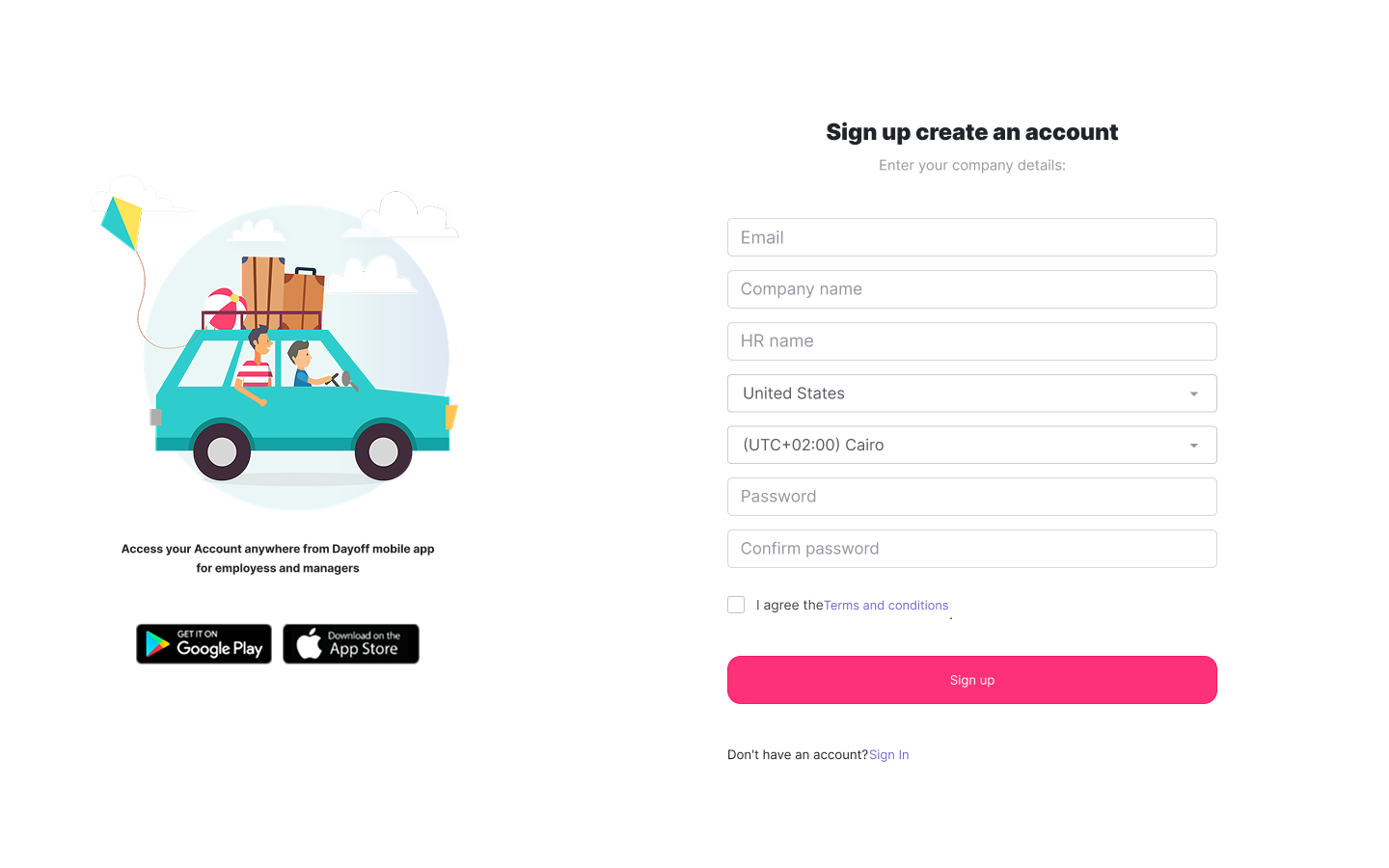
Step 1: Sign Up & Add Company Information
This includes:
Company name
Time zone
Working days
Locations (optional)
Departments (optional)
Tip: If you have global teams, assign each location its own holiday calendar.
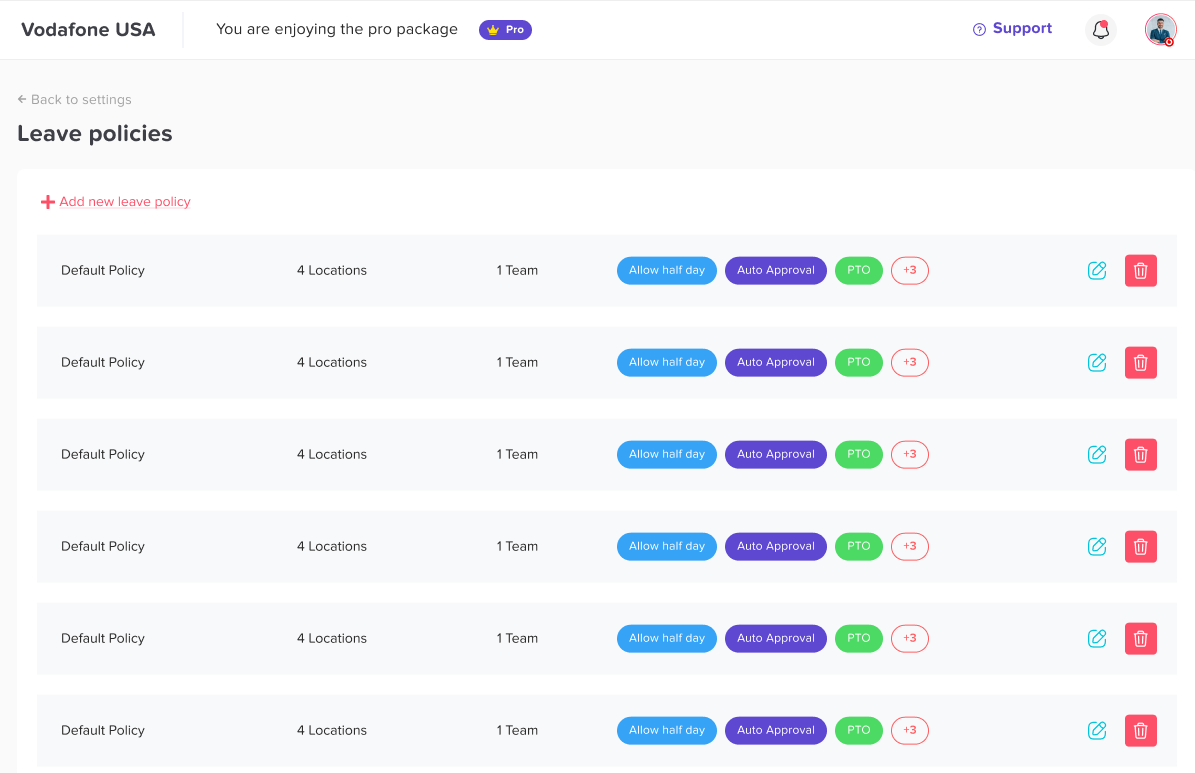
Step 2: Configure Leave Policies
You may have multiple groups:
Full time
Part time
Remote only
Field employees
Contractors
For each policy, define:
Annual balance
Accrual rules (monthly, yearly, custom)
Carry over rules
Approval steps
Leave types included
Day Off lets you build unlimited custom policies.
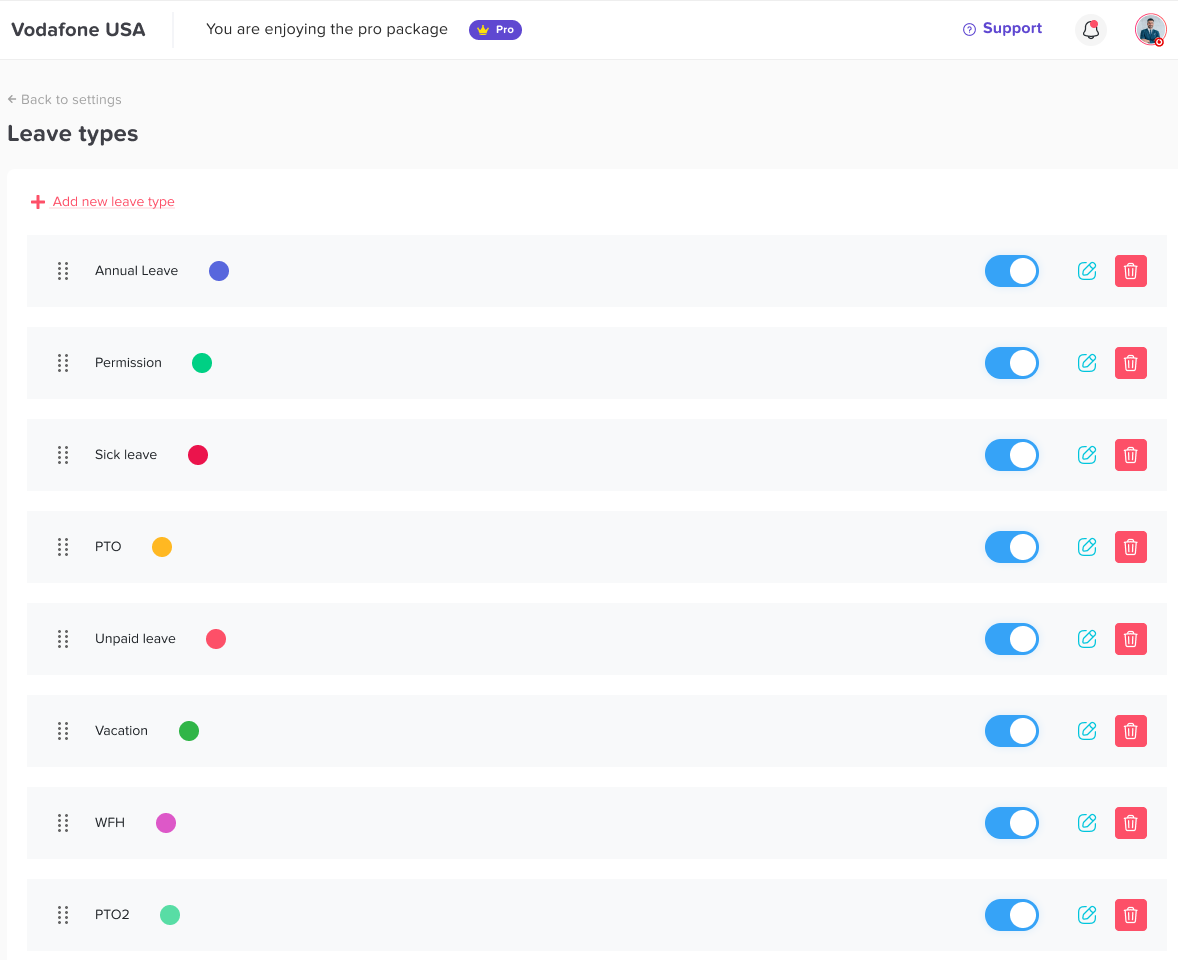
Step 3: Create Leave Types
Examples include:
Paid Leave Types
Vacation
Personal days
Sick leave
PTO bank
Birthday leave
Mental health days
Unpaid Leave Types
Unpaid leave
Emergency leave
School leave
Special Leave Types
Remote work
Parental leave
Study leave
Jury duty
Day Off allows color coding every leave type for easy calendar visibility.
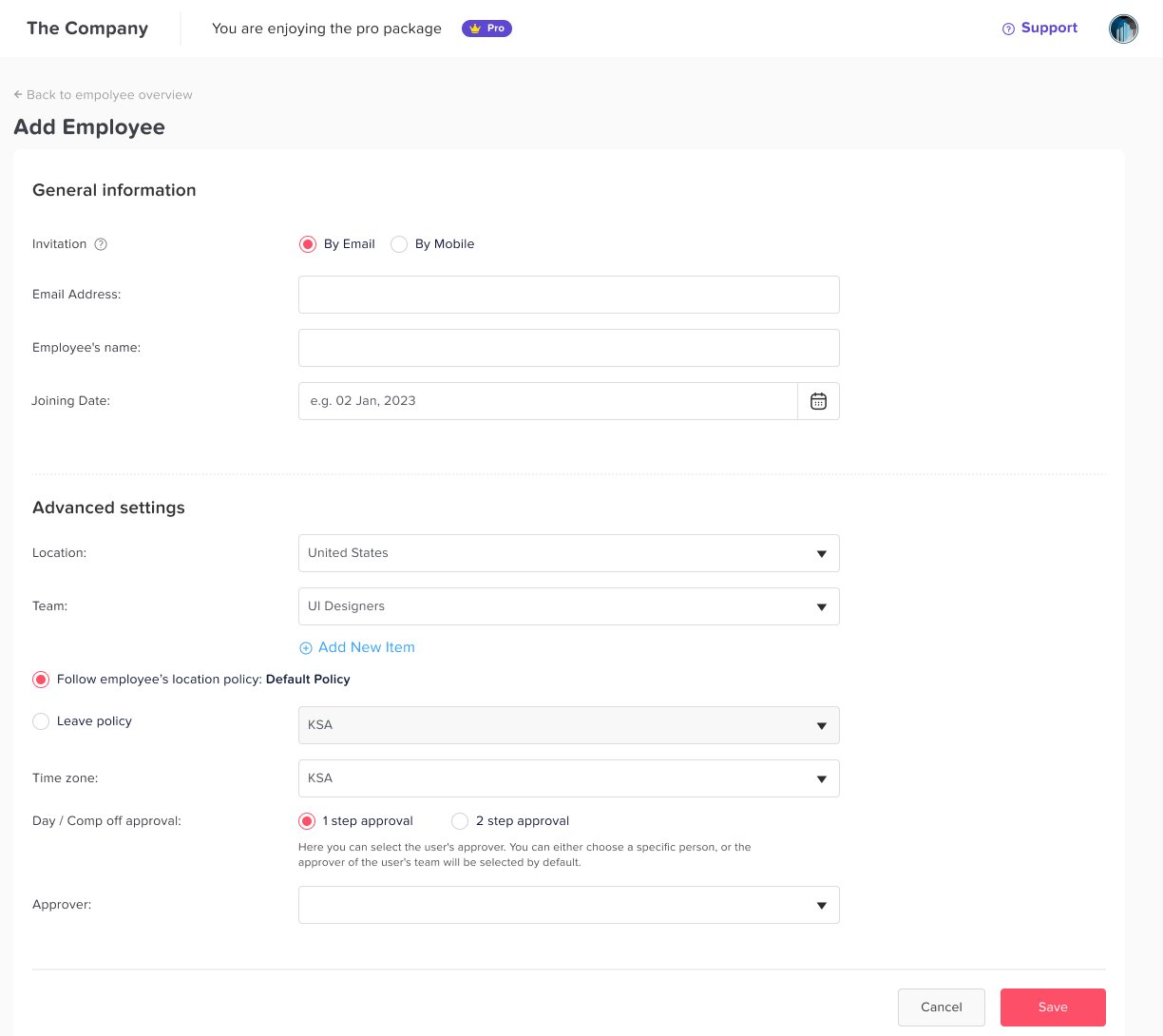
Step 4: Add Employees
You can either:
Add employees individually
Enter:
Name
Email
Role
Department
Location
Policy
Approver
Use Bulk Import
Upload an Excel sheet with employee details:
Name
Email
Leave policy
Manager
Role
Location
All employees will be created automatically in seconds.
Step 5: Set Approval Workflows
Depending on your structure:
Single approval: Employee → Manager
Two level approval: Employee → Manager → HR
Auto approve: For specific leave types
Multi department approvals: For matrix teams
Day Off supports all workflow styles.
Step 6: Enable Notifications & Integrations
Slack
The Slack integration brings vacation tracking directly into your communication hub.
What it does:
Sends real time notifications for leave requests, approvals, and status updates
Allows managers to approve or decline requests directly from Slack
Posts automated daily or weekly leave summaries to chosen channels
Improves visibility by notifying teams when someone is off today or tomorrow
Benefit: Your team stays informed without switching apps, reducing delays and boosting transparency.
Microsoft Teams
Perfect for organizations that rely on Teams for communication and collaboration.
What it does:
Sends approval notifications to managers within Teams
Alerts employees when requests are approved or declined
Shares daily summaries of who’s off in your team
Adds visibility for remote and hybrid workers
Benefit: Keeps HR operations aligned with your internal communication flow, making PTO updates part of your everyday workflow.
Outlook Calendar
Syncing with Outlook ensures that all approved time off appears automatically in employees’ and managers’ calendars.
What it does:
Automatically adds approved leave events to Outlook calendars
Blocks time during vacations, preventing meeting conflicts
Updates and removes entries if a request changes
Supports different departments and multiple locations
Benefit: Reduces scheduling conflicts and gives everyone a real time view of availability directly in Outlook.
Google Calendar
Ideal for teams using Google Workspace for scheduling and productivity.
What it does:
Automatically creates calendar events for approved PTO
Shows who’s on vacation across teams and departments
Updates events in real time if requests are modified
Helps managers plan meetings with accurate availability
Benefit: Ensures your entire organization stays aligned with updated schedules, making planning and collaboration easier.
Step 7: Invite Employees
Send invites to everyone.
They can:
Request leave
View balances
See who’s off
Receive updates
Approve requests (if they are managers)
This completes the setup.
Total Time: 3-5 minutes.
Advanced Features You Can Add Later
Auto Accruals
Automatically add hours/days Weekly, Bi weekly, Monthly or Semi monthly
Carry Over Rules
Define how many unused days transfer to the next year.
Overtime Compensation
Convert overtime hours into days off.
Probation Period Rules
Restrict leave requests during probation periods.
Custom Work Schedules
Different shifts, summer hours, or compressed weeks.
HR Reporting
Generate records for:
Payroll
Audits
Compliance reports
Team performance
Benefits of Using Day Off for Vacation Tracking
- Eliminates manual calculations
- Prevents overlapping team vacations
- Removes manager confusion
- Gives HR accurate reports
- Simplifies onboarding for new employees
- Saves time for admins
- Improves team productivity
Day Off is built to solve real workplace challenges without overcomplicating things.
FAQ
How long does it really take to set up a vacation tracker?
With a tool like Day Off, you can complete the setup in 3-5 minutes, even if your company has multiple departments or locations.
Is Day Off suitable for both small teams and large companies?
Yes. Day Off is used by teams ranging from 3 employees to large enterprises, offering flexibility, multiple policies, and advanced management features.
Can employees request time off using mobile apps?
Absolutely. Day Off has iOS and Android apps, allowing employees to request leave, check balances, and receive notifications instantly.
Does Day Off support multiple leave policies?
Yes. You can create unlimited custom leave policies for different roles, locations, or employment types. Perfect for remote, hybrid, and multi country teams.
Can we track different types of leave such as sick, vacation, and unpaid?
Yes. Day Off allows fully customizable leave types such as vacation, sick leave, unpaid leave, remote work, maternity leave, half days, and more.
Does the system support multi location or international teams?
Yes. You can assign employees to different time zones, countries, holiday calendars, and schedules, making it ideal for global teams.
Can managers see who is off at the same time?
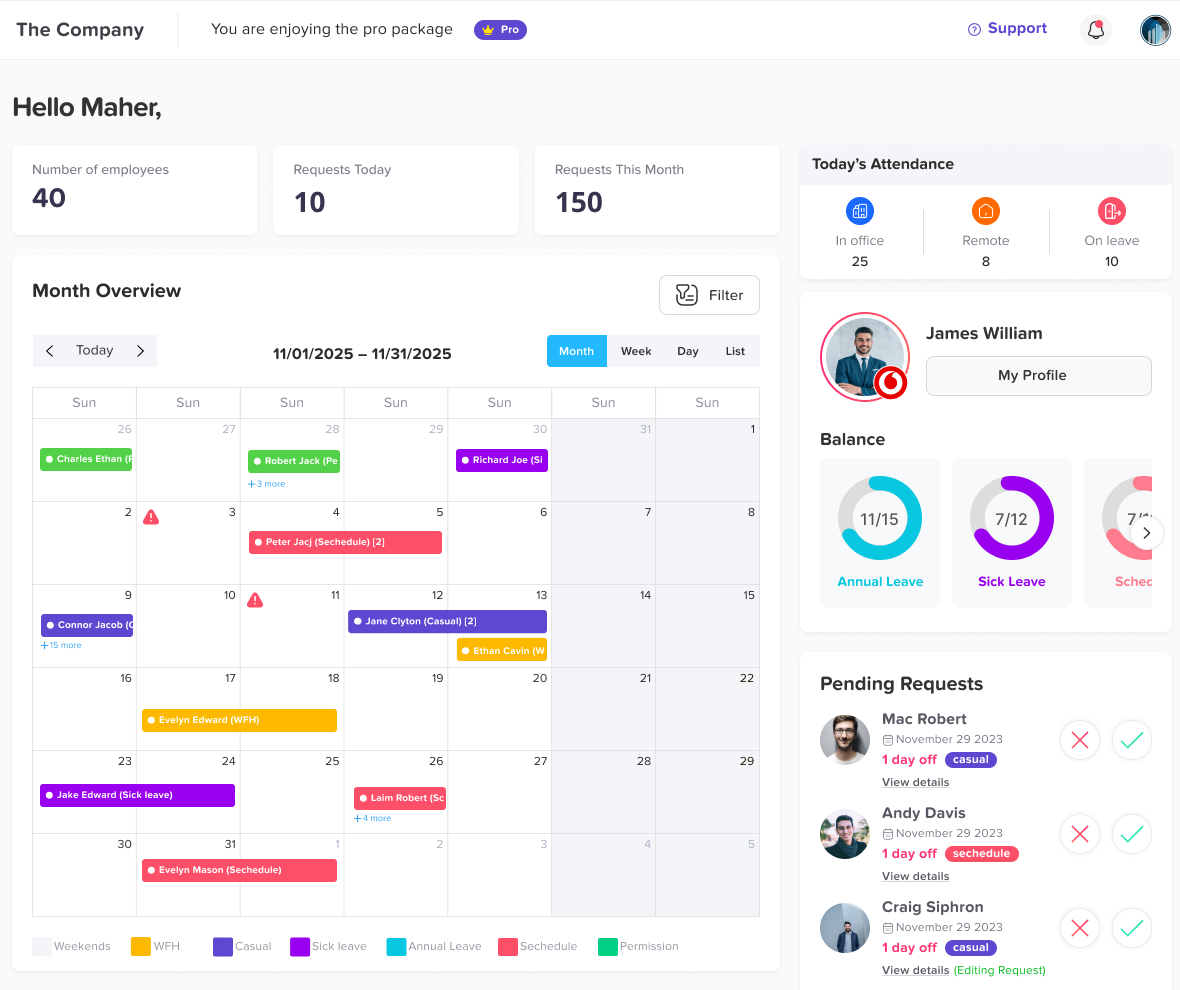
Yes. Day Off includes a team calendar that clearly shows all approved and pending leave requests to prevent overlapping vacations.
Does the vacation tracker integrate with other tools?
Day Off integrates with Slack, Microsoft Teams, Google Calendar, and Outlook, sending notifications and syncing scheduled leaves automatically.
Is it better to use a vacation tracker instead of spreadsheets?
Yes. Spreadsheets lead to mistakes, outdated data, and approval delays. A vacation tracker automates everything, improves accuracy, and saves managers hours every month.
Can I generate reports for payroll or attendance?
Yes. Day Off provides exportable reports that help HR and payroll teams track PTO usage, balances, carry over, and more.
Is Day Off more affordable than other PTO tracking apps?
Yes. Compared to large HR systems like BambooHR or Absence.io, it offers advanced features at a much more accessible price, making it ideal for businesses of all sizes.
Conclusion
Setting up a vacation tracker is one of the fastest and most impactful improvements you can make to your team’s workflow. Instead of spending hours managing spreadsheets, replying to scattered messages, or resolving scheduling conflicts, you give your organization a streamlined system that works effortlessly in the background. With the right tool, you can eliminate errors, improve communication, ensure fairness across teams, and make time off management smooth and transparent for everyone. A well implemented vacation tracker doesn’t just save time it strengthens team organization, boosts employee confidence, and creates a healthier, more predictable work environment. It’s a small change that leads to a significant upgrade in how your company operates every day.