Top 10 Payroll Software

Managing payroll is one of the most critical yet complex tasks for businesses of all sizes. From ensuring employees are paid accurately and on time to staying compliant with ever-changing tax laws, a reliable payroll Software is essential. Gone are the days when payroll was manually processed with spreadsheets and paper checks. Today’s payroll software automates these processes, reducing errors, saving time, and helping businesses stay compliant with federal, state, and local tax regulations.

In addition to payroll management, tools like Day Off can be seamlessly integrated to manage employee leave, PTO tracking, and time off requests, making it a comprehensive solution for businesses. Payroll software not only handles salary disbursement but also manages benefits, tracks work hours, handles tax deductions, and even integrates with other business systems like accounting and HR platforms.

Gusto

A screenshot for gusto website

Key Features

  • Payroll Processing: Automates payroll calculations, tax filings, and direct deposits for employees. Supports multi-state payroll and automatic tax payments.
  • Benefits Management: Offers employee benefits such as health insurance, 401(k) retirement plans, commuter benefits, and more, with integration for easy enrollment and management.
  • Time Tracking: Integrated time tracking for employees to clock in/out, sync time with payroll, and manage paid time off (PTO).
  • HR Tools: Provides onboarding tools, employee self-service, performance reviews, and employee directories.
  • Compliance Assistance: Ensures compliance with federal, state, and local labor laws, including automatic updates for tax law changes.
  • Employee Self-Service: Employees can access payslips, tax documents (W-2s, 1099s), and benefits information via the self-service portal.
  • Contractor Payments: Supports payments for contractors, with automatic 1099 filings.
  • Automated Tax Filing: Handles payroll taxes, including federal, state, and local taxes, and files forms automatically on behalf of the business.
  • Mobile-Friendly: Offers mobile access for employees and employers to manage payroll and HR tasks on the go.
  • Customizable Reports: Allows businesses to generate customized reports related to payroll, benefits, and taxes for better insights.

Mobile App

Workflow

HR Dashboard​

$6 to $12 per employee per month • Trial: Yes • Free Plan: No.​

View pros and cons

Pros

tick circle 1 Top 10 Payroll SoftwareUser-Friendly Interface: Known for its clean and intuitive design, making payroll and HR management simple, even for small business owners without an HR background.

tick circle 1 Top 10 Payroll SoftwareAffordable for Small Businesses: Gusto is cost-effective, particularly for startups and small businesses, offering transparent pricing with no hidden fees.

tick circle 1 Top 10 Payroll SoftwareComprehensive Payroll and Benefits: Covers both payroll and benefits management in a single platform, reducing the need for multiple systems.

tick circle 1 Top 10 Payroll SoftwareAutomated Compliance: Automates tax filings and compliance updates, ensuring that businesses stay up-to-date with federal and state regulations.

tick circle 1 Top 10 Payroll SoftwareGreat Customer Support: Offers responsive customer service and detailed guides to help users with setup and ongoing management.

tick circle 1 Top 10 Payroll SoftwareScalability: Gusto can grow with your business, supporting both W-2 employees and 1099 contractors.

tick circle 1 Top 10 Payroll SoftwareEmployee Self-Service: Employees can manage their own data, reducing the burden on HR departments.

tick circle 1 Top 10 Payroll SoftwarePaperless Onboarding: Simplifies onboarding for new employees with digital documents, forms, and direct deposit setup.

tick circle 1 Top 10 Payroll SoftwareFree Health Benefits Setup: Provides free benefits setup, helping businesses offer health insurance and other perks to their employees.

Cons

close circle Top 10 Payroll SoftwareLimited for Larger Businesses: While perfect for small and mid-sized businesses, it may lack the advanced HR features and customization options required by larger enterprises.

close circle Top 10 Payroll SoftwareState-Specific Limitations: Certain features, like health insurance and workers’ comp, are only available in specific states, limiting options for businesses in other regions.

close circle Top 10 Payroll SoftwarePricing Increases with Features: Gusto’s pricing can become expensive as you add more features, particularly if you require advanced HR tools or support for a larger number of employees.

close circle Top 10 Payroll SoftwareLimited Customization: Some users report that while Gusto is easy to use, it lacks in-depth customization for more complex payroll and HR needs.

close circle Top 10 Payroll SoftwareNo Mobile App for Employers: Gusto does not offer a dedicated mobile app for employers to run payroll or access other features on the go, although employees can access the platform through their mobile browsers.

close circle Top 10 Payroll SoftwarePayroll Only Available in the U.S.: Gusto only supports payroll and tax filings within the U.S., so it’s not suitable for businesses with global payroll needs.
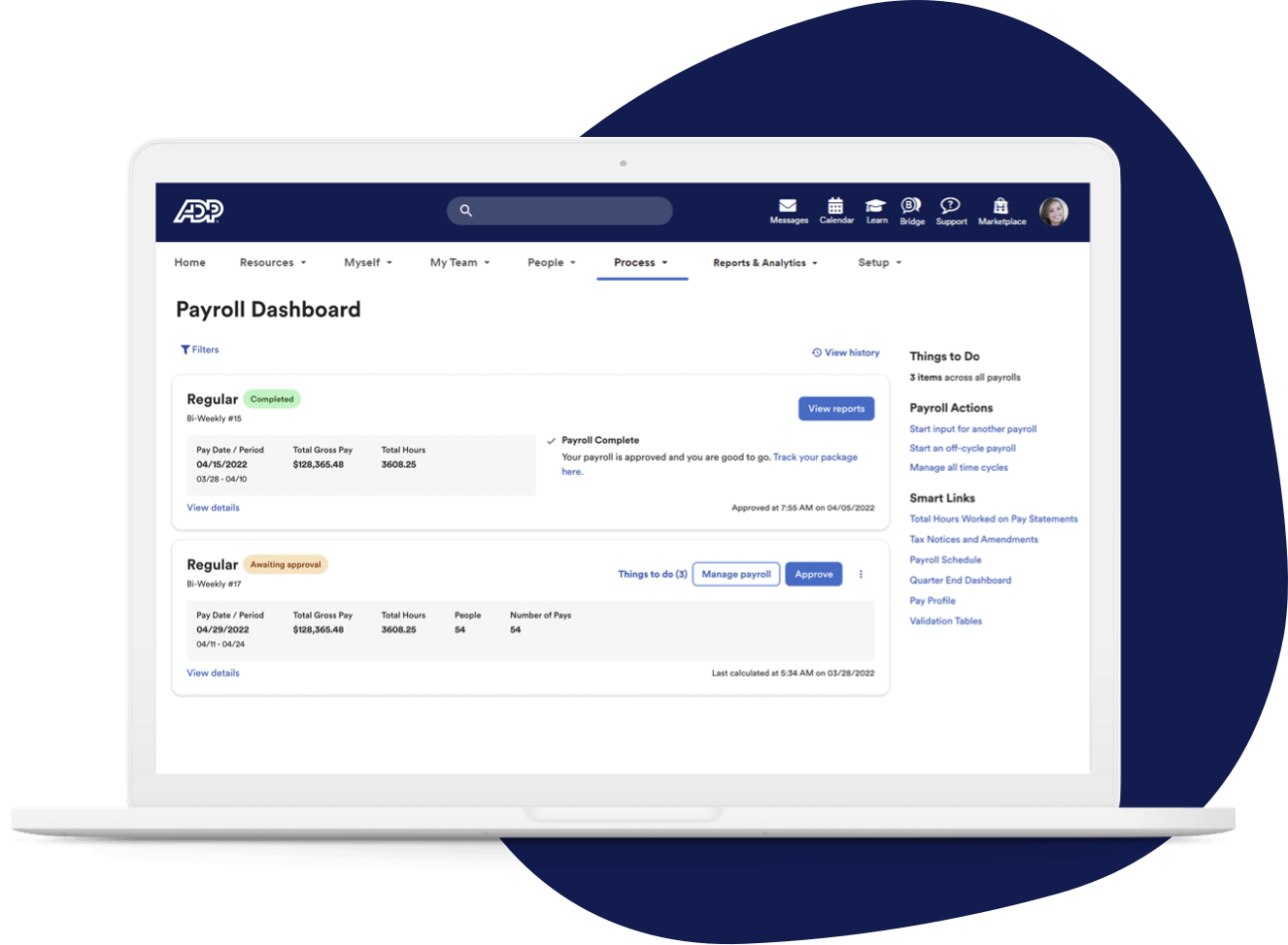
ADP Workforce Now

A screenshot for ADP Workforce Now website

Key Features

  • Payroll Management: Automates payroll processing, tax calculations, and deductions, ensuring compliance with federal and state regulations.
  • Time and Attendance Tracking: Tracks employee hours, schedules, and time-off requests with real-time updates.
  • HR Management: Provides tools for employee data management, performance tracking, and onboarding workflows.
  • Benefits Administration: Simplifies benefits enrollment and management, including health insurance, retirement plans, and more.
  • Employee Self-Service: Allows employees to view paychecks, tax forms, and request time off through a self-service portal.
  • Compliance Management: Helps maintain compliance with tax laws, labor regulations, and industry-specific standards.
  • Analytics and Reporting: Offers customizable reports and dashboards to monitor HR, payroll, and time data.
  • Mobile App: Provides mobile access for managers and employees to manage schedules, review payslips, and update personal information.
  • Talent Management: Tools for recruitment, applicant tracking, and performance management.

Mobile App

Workflow

HR Dashboard​

$20 to $25 per employee per month • Trial: Yes • Free Plan: No.​

View pros and cons

Pros

tick circle 1 Top 10 Payroll SoftwareComprehensive HR Solution: Covers a wide range of HR tasks, from payroll to benefits, in one platform.

tick circle 1 Top 10 Payroll SoftwareScalability: Suitable for businesses of various sizes, with customizable features for growing companies.

tick circle 1 Top 10 Payroll SoftwareUser-Friendly: Offers a clean and intuitive interface, making it easy for HR professionals and employees to use.

tick circle 1 Top 10 Payroll SoftwareCompliance Assistance: Automated updates help businesses stay compliant with changing regulations.

tick circle 1 Top 10 Payroll SoftwareAdvanced Analytics: Provides in-depth reporting and analytics to assist in data-driven decision-making.

tick circle 1 Top 10 Payroll SoftwareMobile Accessibility: The mobile app offers flexibility for users to access features on the go.

tick circle 1 Top 10 Payroll SoftwareIntegration Capabilities: Can integrate with other software solutions like accounting and ERP systems.

tick circle 1 Top 10 Payroll SoftwareEmployee Self-Service: Empowers employees to manage their own payroll, benefits, and HR-related tasks.

Cons

close circle Top 10 Payroll SoftwareCost: Can be expensive, especially for small businesses, with additional fees for extra features.

close circle Top 10 Payroll SoftwareComplex Implementation: The initial setup and implementation process can be time-consuming and complicated.

close circle Top 10 Payroll SoftwareCustomer Support: Some users report slow response times and inconsistent support experiences.

close circle Top 10 Payroll SoftwareLearning Curve: Due to the vast array of features, there can be a steep learning curve for new users.

close circle Top 10 Payroll SoftwareCustomization Limitations: While scalable, customization options might not meet the needs of all organizations.

close circle Top 10 Payroll SoftwareFrequent Updates: Regular system updates may disrupt workflows or require users to adapt to new changes quickly.
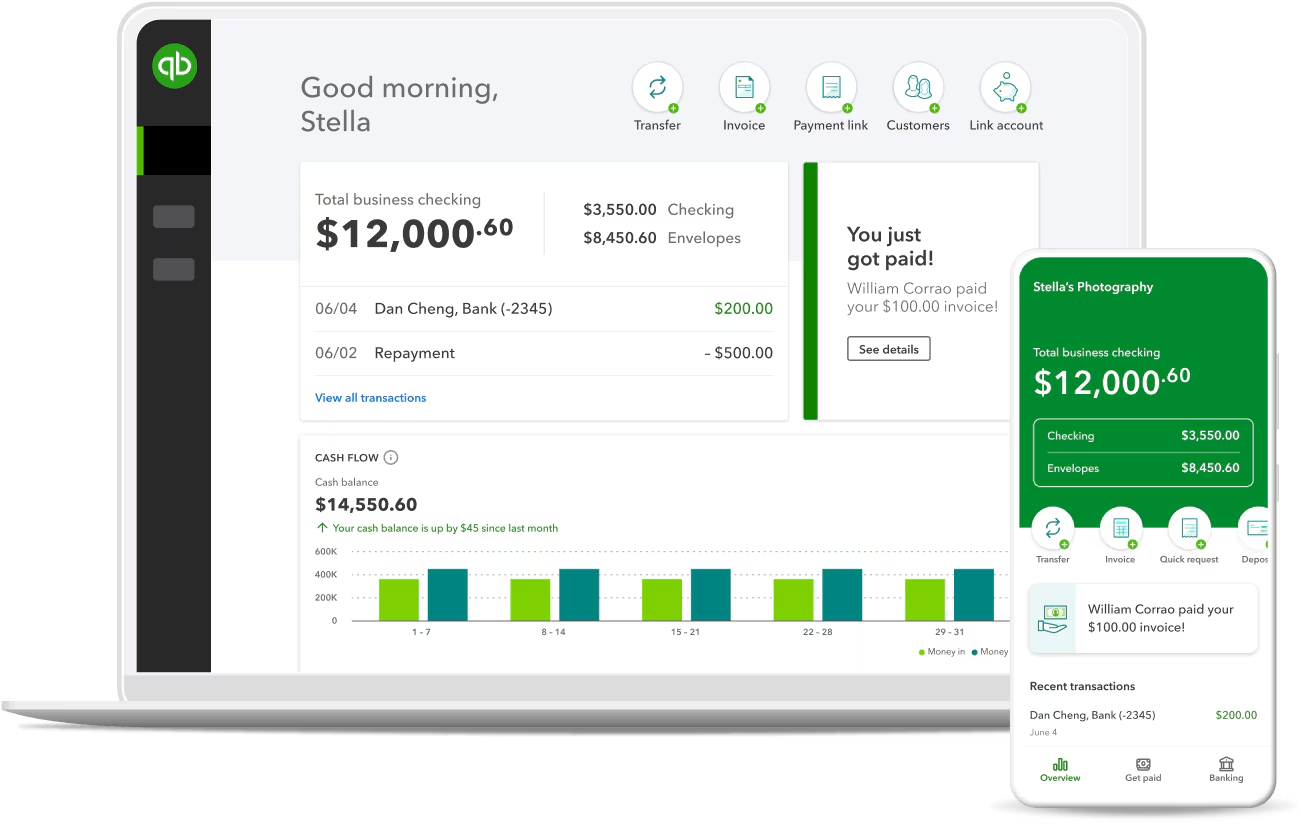
QuickBooks Online

a screenshot for QuickBooks Online website

Key Features

  • Cloud-Based Accounting: Allows businesses to manage finances from anywhere with an internet connection, offering real-time data access.
  • Invoicing and Payments: Create and send customizable invoices, track payments, and set up automated reminders for overdue invoices.
  • Expense Tracking: Automatically track and categorize expenses by connecting bank accounts and credit cards.
  • Bank Reconciliation: Automatically import and reconcile bank transactions, simplifying bookkeeping.
  • Payroll Integration: Offers payroll processing with tax calculations and filing, seamlessly integrated into the platform (available as an add-on).
  • Financial Reporting: Provides a wide range of standard and customizable financial reports, such as profit & loss, balance sheet, and cash flow.
  • Multi-Currency Support: Handles transactions in different currencies, useful for businesses with international clients or suppliers.
  • Tax Management: Tracks sales tax and automates tax calculations, including preparing and filing taxes.
  • Inventory Management: Helps manage and track inventory levels, with alerts for stock reordering.
  • Integration with Third-Party Apps: Supports integration with various third-party tools, including payment gateways, CRMs, and e-commerce platforms.

Reports

Integrations

$30 to $200 Per month • Trial: Yes • Free Plan: No.

View pros and cons

Pros

tick circle 1 Top 10 Payroll SoftwareEase of Use: User-friendly interface that is easy to navigate, even for non-accountants, with helpful tutorials and support.

tick circle 1 Top 10 Payroll SoftwareAccessibility: Being cloud-based, it offers flexibility with access from any device, anytime.

tick circle 1 Top 10 Payroll SoftwareAutomation: Automates many tasks like invoicing, recurring payments, and bank reconciliation, saving time and effort.

tick circle 1 Top 10 Payroll SoftwareScalability: Offers different pricing tiers to suit businesses of varying sizes, making it flexible for growth.

tick circle 1 Top 10 Payroll SoftwareCustomizable Reports: Provides useful financial insights through standard and customizable reporting tools.

tick circle 1 Top 10 Payroll SoftwareWide Range of Integrations: Connects with hundreds of third-party applications, such as PayPal, Shopify, and Stripe, to extend functionality.

tick circle 1 Top 10 Payroll SoftwareMobile App: Offers a mobile app that allows users to manage key features like invoicing, expenses, and bank reconciliation on the go.

tick circle 1 Top 10 Payroll SoftwareReal-Time Collaboration: Allows multiple users to access the system simultaneously, improving collaboration between business owners and accountants.

Cons

close circle Top 10 Payroll SoftwareLimited Features for Advanced Accounting: While great for small to mid-sized businesses, it may lack the advanced features needed by larger enterprises.
close circle Top 10 Payroll SoftwareCostly Add-Ons: Adding features like payroll, advanced reporting, or third-party app integrations can increase the overall cost.

close circle Top 10 Payroll SoftwareCustomer Support: Some users report inconsistent or slow customer service response times, especially for complex issues.

close circle Top 10 Payroll SoftwareTransaction Limits: For larger businesses with high transaction volumes, QuickBooks may run into limitations with data processing or performance.

close circle Top 10 Payroll SoftwareLearning Curve for Advanced Features: While basic tasks are simple, some advanced accounting features may have a steeper learning curve.

close circle Top 10 Payroll SoftwareMobile App Limitations: The mobile app, while convenient, has limited functionality compared to the desktop version.

close circle Top 10 Payroll SoftwareOccasional Syncing Issues: Users have reported occasional syncing issues with bank accounts and third-party integrations, requiring manual corrections.


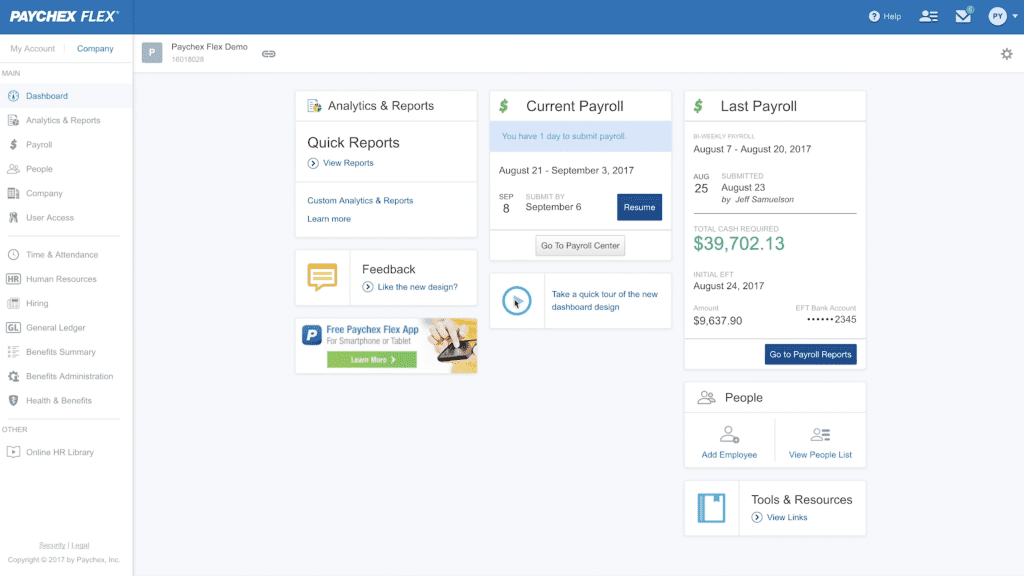
Paychex Flex

a screenshot for Paychex Flex website

Key Features

  • Payroll Processing: Paychex Flex automates payroll processing for businesses of all sizes, including payroll tax calculations and filings.
  • HR Management: Offers a range of HR tools for tracking employee information, managing hiring, onboarding, and performance evaluations.
  • Benefits Administration: Manages health insurance, 401(k) retirement plans, and other employee benefits, integrating them with payroll.
  • Time and Attendance: Provides tools for tracking employee time, managing PTO, and monitoring overtime, all synced with payroll.
  • Mobile App: Allows employees and employers to access payroll, HR, and benefits information through a mobile app.
  • Compliance Support: Assists with staying compliant with federal, state, and local tax laws, including filing payroll taxes automatically.
  • Employee Self-Service: Enables employees to view pay stubs, benefits, update personal details, and manage direct deposits through a self-service portal.
  • Reporting and Analytics: Offers customizable reports on payroll, taxes, and HR data, with analytics to help businesses make data-driven decisions.

Workflow

Automation

Reports

$39 per month • Trial: Yes • Free Plan: No.

View pros and cons

Pros

tick circle 1 Top 10 Payroll SoftwareComprehensive Payroll and HR Solution: Covers a wide range of payroll, benefits, and HR needs in a single platform.

tick circle 1 Top 10 Payroll SoftwareScalability: Suitable for businesses of all sizes, from small startups to large enterprises, offering scalable plans and services.

tick circle 1 Top 10 Payroll SoftwareGood Customer Support: Provides 24/7 customer service with dedicated support reps, as well as access to compliance experts.

tick circle 1 Top 10 Payroll SoftwareMobile Functionality: Strong mobile app capabilities for both employees and employers, enabling access to key information on the go.

tick circle 1 Top 10 Payroll SoftwareCompliance and Tax Expertise: Paychex Flex’s focus on payroll tax and legal compliance helps reduce the risk of errors and fines.

tick circle 1 Top 10 Payroll SoftwareIntegration Options: Integrates with various third-party tools, including accounting, time tracking, and business software like QuickBooks.

tick circle 1 Top 10 Payroll SoftwareEmployee Benefits Integration: Offers seamless integration between benefits administration and payroll, simplifying the management of employee benefits.

Cons

close circle Top 10 Payroll SoftwareComplexity for Smaller Businesses: The platform’s vast features may be overwhelming for very small businesses or those with limited HR needs.

close circle Top 10 Payroll SoftwareHigher Pricing: Paychex Flex can be more expensive compared to smaller, more budget-friendly payroll solutions, especially when adding advanced features.

close circle Top 10 Payroll SoftwareSteep Learning Curve: While feature-rich, Paychex Flex may require more training and onboarding time for new users to fully understand and use all features effectively.

close circle Top 10 Payroll SoftwareAdd-Ons Increase Costs: Many features, such as HR support or benefits administration, come as additional costs or higher-tier plans, making the total price higher.

close circle Top 10 Payroll SoftwareOccasional Mobile App Limitations: Although generally well-received, some users have noted limitations or bugs with the mobile app, particularly for employers managing multiple employees.
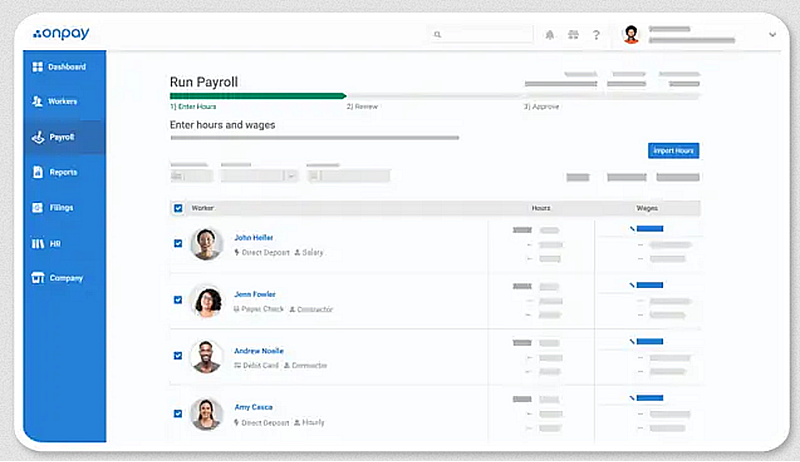
OnPay

a screenshot for OnPay website

Key Features

  • Payroll Processing: OnPay automates payroll for employees and contractors, handling direct deposits, tax filings, and compliance with federal, state, and local laws.
  • Benefits Management: Provides integrated benefits administration, including health insurance, retirement plans, and workers’ compensation.
  • Time Tracking Integration: Integrates with popular time tracking tools, making it easier to manage attendance, overtime, and PTO directly within payroll.
  • HR Tools: Offers basic HR features like employee onboarding, document management, and performance tracking.
  • Employee Self-Service: Employees can access their pay stubs, tax forms, and benefits information through a self-service portal.
  • Tax Filing: OnPay automatically calculates and files federal, state, and local payroll taxes, reducing errors and ensuring compliance.
  • Customizable Permissions: Allows employers to set custom permissions for different team members, so they can manage payroll and HR without giving full access to sensitive data.
  • Mobile Access: OnPay is fully accessible from mobile devices, making it convenient for on-the-go management.

Integrations

Reports

Self-Service

$40 per month • Trial: Yes • Free Plan: No.

View pros and cons

Pros

tick circle 1 Top 10 Payroll SoftwareAffordable Pricing: OnPay offers a flat pricing model that is competitive, especially for small businesses, with a base fee and a per-employee cost.

tick circle 1 Top 10 Payroll SoftwareEasy to Use: Simple and intuitive user interface, making payroll and benefits management straightforward, even for those without prior experience.

tick circle 1 Top 10 Payroll SoftwareComprehensive Payroll Features: Covers all payroll needs, including tax filing, direct deposit, and compliance across all 50 U.S. states.

tick circle 1 Top 10 Payroll SoftwareGreat for Small Businesses: Its features are well-suited to small and medium-sized businesses, offering flexibility and scalability without overwhelming users with complexity.

tick circle 1 Top 10 Payroll SoftwareCustomer Support: Highly rated customer support with personalized help available, including live chat, phone, and email support.

tick circle 1 Top 10 Payroll SoftwareNo Extra Fees for Tax Filing: Unlike some competitors, OnPay includes tax filing services at no extra charge, even for complex filings.

tick circle 1 Top 10 Payroll SoftwareIntegration with Popular Tools: Easily integrates with QuickBooks, Xero, and time-tracking tools, allowing for smooth workflow management.

Cons

close circle Top 10 Payroll SoftwareLimited Advanced HR Features: While it offers basic HR tools, it lacks more advanced HR features like performance reviews and advanced employee management found in more comprehensive HR software.

close circle Top 10 Payroll SoftwareNo Mobile App: Although OnPay can be accessed via mobile browser, it does not have a dedicated mobile app, which may be inconvenient for some users.

close circle Top 10 Payroll SoftwareNot Ideal for Large Enterprises: OnPay is designed with small and medium businesses in mind, so it may not have the advanced features required by larger companies.

close circle Top 10 Payroll SoftwareNo International Payroll Support: OnPay focuses exclusively on U.S. payroll and does not support international payroll, limiting its usefulness for global businesses.

close circle Top 10 Payroll SoftwareLimited Customization: Customization options are more limited compared to some larger payroll systems, especially when it comes to reporting or specific industry needs.
Rippling

a screenshot for Rippling website

Key Features

  • Payroll Management: Automates payroll processing, tax calculations, and deductions across all 50 states and international payroll in multiple countries.
  • HR Management: Manages employee data, onboarding, compliance, and performance reviews through an integrated HR platform.
  • Benefits Administration: Offers health insurance, 401(k) plans, and other benefits management tools with easy employee enrollment and administration.
  • Time and Attendance Tracking: Tracks employee work hours, time-off requests, overtime, and integrates directly with payroll for accurate payments.
  • IT Management: Unique feature that manages employee devices, apps, and permissions by integrating HR with IT systems (e.g., setting up accounts, managing access to tools).
  • Employee Onboarding/Offboarding: Automates the onboarding process, setting up payroll, benefits, and software accounts for new hires. Offboarding includes revoking software access and collecting equipment.
  • Employee Self-Service: Employees can access their payslips, manage personal information, request PTO, and sign up for benefits via a self-service portal.
  • App Management: Integrates with over 500 apps (like Slack, Google Workspace, Office 365), making it easy to manage employee access and permissions from one platform.
  • Global Workforce Management: Supports both domestic and international employee management, including compliance and payroll for global teams.
  • Customizable Reports and Analytics: Offers detailed reports and analytics on payroll, HR, and employee data to help businesses make informed decisions.

Mobile App

Workflow

HR Dashboard​

$8 per employee per month • Trial: No • Free Plan: No.​

View pros and cons

Pros

tick circle 1 Top 10 Payroll SoftwareAll-in-One Platform: Combines HR, IT, and payroll in one integrated platform, making it easy to manage employees and their tools from a single system.

tick circle 1 Top 10 Payroll SoftwareScalable for Any Size Business: Rippling works well for small businesses and scales to handle the needs of larger enterprises, making it versatile.

tick circle 1 Top 10 Payroll SoftwareSeamless Onboarding: Automates the entire employee lifecycle, from onboarding (payroll, benefits, and software access) to offboarding, saving time and ensuring compliance.

tick circle 1 Top 10 Payroll SoftwareStrong App Integration: Integrates with a wide range of third-party applications, allowing businesses to connect their existing tools with Rippling for streamlined management.

tick circle 1 Top 10 Payroll SoftwareIT and Device Management: Offers unique IT management features that are uncommon in other HR platforms, allowing businesses to manage devices and software accounts directly through Rippling.

tick circle 1 Top 10 Payroll SoftwareEmployee Self-Service: Empowers employees to manage their own payroll, benefits, and personal data through an easy-to-use interface.

tick circle 1 Top 10 Payroll SoftwareGlobal Capabilities: Handles payroll and compliance for international employees, making it suitable for businesses with a global workforce.

tick circle 1 Top 10 Payroll SoftwareMobile-Friendly: Provides mobile accessibility for employees and managers to handle tasks on the go, such as approving time-off requests or managing payroll.

Cons

close circle Top 10 Payroll SoftwareCost: Rippling can be more expensive than other payroll or HR platforms, especially for small businesses, as costs increase with added features and integrations.

close circle Top 10 Payroll SoftwareComplex Setup: Although Rippling offers powerful customization, the setup process can be complex and time-consuming, especially for companies with specific needs or extensive integrations.

close circle Top 10 Payroll SoftwareLearning Curve: The platform’s wide range of features can present a learning curve for new users, particularly smaller businesses that don’t need the full suite of tools.

close circle Top 10 Payroll SoftwareCustomer Support: Some users report slow customer support response times and challenges when dealing with technical issues or billing questions.

close circle Top 10 Payroll SoftwareAdditional Costs for IT Features: While the basic HR and payroll functions are competitively priced, the IT management features (such as device and app management) come with additional fees.

close circle Top 10 Payroll SoftwareLimited Reporting Customization: While Rippling offers reporting tools, some users find that the custom reporting options are not as flexible or robust as they would like.
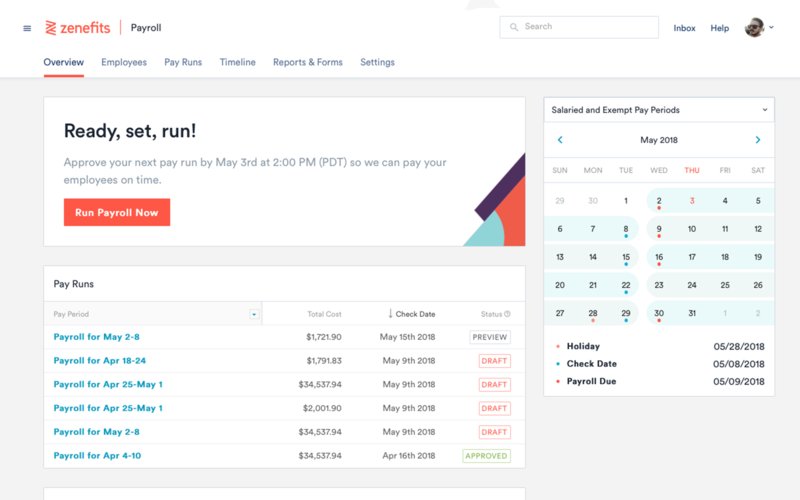
Zenefits

a screenshot for Zenefits website

Key Features

  • Payroll Processing: Zenefits offers seamless payroll processing, handling employee and contractor payments, tax calculations, and filings.
  • Benefits Management: Manages health insurance, retirement plans, and other employee benefits, with easy integration into payroll.
  • HR Tools: Provides features like employee onboarding, performance management, compliance tracking, and document management.
  • Time and Attendance: Tracks employee hours, PTO, and overtime, with features for scheduling and automatic sync with payroll.
  • Employee Self-Service: Employees can access pay stubs, tax documents, benefits information, and update personal details through an intuitive self-service portal.
  • Compliance Management: Helps businesses stay compliant with labor laws, ACA reporting, and tax regulations through automatic updates and notifications.
  • Mobile App: Offers full access to payroll, benefits, and HR tools on mobile devices, allowing both employers and employees to manage tasks on the go.
  • Integrations: Zenefits integrates with popular business tools like QuickBooks, Slack, Salesforce, and other payroll and accounting systems.
  • Wellness Benefits: Offers wellness programs and perks that allow businesses to promote employee health and well-being.

Mobile App

Integrations

Automation

$10 to $27 per employee per month • Trial: No • Free Plan: No.

View pros and cons

Pros

tick circle 1 Top 10 Payroll SoftwareAll-in-One HR Solution: Zenefits combines payroll, benefits, and HR management in a single platform, making it convenient for small and medium-sized businesses.

tick circle 1 Top 10 Payroll SoftwareEmployee Self-Service: Empowering employees to manage their own information reduces the burden on HR staff and improves transparency.

tick circle 1 Top 10 Payroll SoftwareEasy Integration: Integrates seamlessly with other software such as accounting tools, time tracking systems, and business management software.

tick circle 1 Top 10 Payroll SoftwareComprehensive Benefits Management: Manages a wide range of employee benefits, including health insurance and retirement plans, with easy integration into payroll.

tick circle 1 Top 10 Payroll SoftwareMobile-Friendly: The mobile app allows businesses to manage HR tasks from anywhere, which is a big plus for remote teams.

tick circle 1 Top 10 Payroll SoftwareAffordable for HR Features: Compared to some other full-service HR platforms, Zenefits offers a relatively affordable option for small to mid-sized businesses.

tick circle 1 Top 10 Payroll SoftwareCompliance Support: Zenefits helps businesses stay compliant with federal, state, and local labor laws, including ACA reporting and tax compliance.

Cons

close circle Top 10 Payroll SoftwarePayroll as an Add-On: Payroll services are not included in the base plan and require an additional fee, which may increase costs for businesses needing integrated payroll.

close circle Top 10 Payroll SoftwareLimited Customer Support: Some users report that customer support can be slow or not as helpful as they would expect, especially during critical issues.

close circle Top 10 Payroll SoftwareLearning Curve: While feature-rich, the platform may have a steeper learning curve for businesses new to HR software, especially when managing multiple features.

close circle Top 10 Payroll SoftwareNot Ideal for Larger Enterprises: Zenefits is best suited for small to mid-sized businesses and may lack some advanced features or scalability for larger enterprises.

close circle Top 10 Payroll SoftwarePricing Increases with Advanced Features: While affordable for basic HR needs, costs can rise quickly when opting for more advanced features like payroll and compliance add-ons.
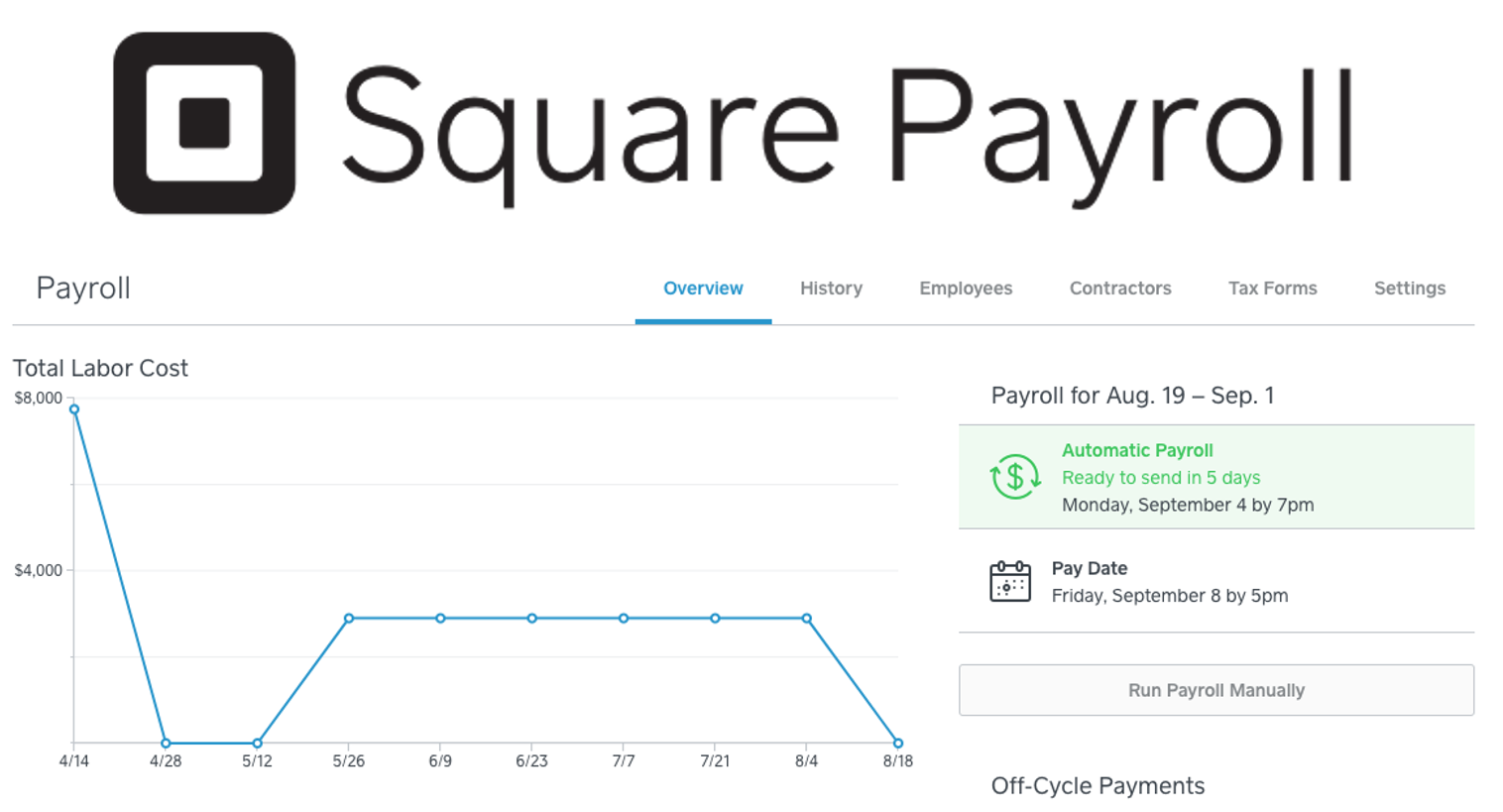
Square Payroll

a screenshot for Square Payroll website

Key Features

  • Payroll Processing: Automates payroll for both employees and contractors, including tax filings, direct deposits, and automatic paycheck calculations.
  • Tax Filing: Square Payroll handles federal, state, and local tax filings, W-2 and 1099 form generation, and ensures compliance with tax regulations.
  • Employee Benefits: Offers benefits administration, including health insurance, retirement plans, and workers’ compensation, with easy integration into payroll.
  • Time and Attendance Integration: Syncs with Square’s time-tracking tools, enabling automatic import of employee hours and ensuring accurate payroll calculations.
  • Employee Self-Service: Provides employees access to their pay stubs, tax documents, and the ability to update personal information via a self-service portal.
  • Contractor Payments: Easily manages payments to contractors and generates 1099 forms at year-end, making it a flexible solution for businesses with both employees and contractors.
  • Mobile App: Employers can run payroll, manage employee hours, and handle tax filings from a mobile app, providing flexibility for businesses on the go.
  • Integrations: Integrates seamlessly with Square’s POS (Point of Sale) system and other business tools, ensuring smooth payroll and HR management for retail or service-based businesses.

Mobile App

Reports

Automation

$35 per month • Trial: Yes • Free Plan: No.

View pros and cons

Pros

tick circle 1 Top 10 Payroll SoftwareSimple and User-Friendly: The interface is intuitive and easy to use, even for business owners with no prior payroll experience, making payroll processing fast and straightforward.

tick circle 1 Top 10 Payroll SoftwareAffordable for Small Businesses: Square Payroll is competitively priced, making it a good option for small businesses, especially those already using Square’s POS system.

tick circle 1 Top 10 Payroll SoftwareContractor Support: Ideal for businesses that employ a mix of employees and contractors, as it handles both W-2 and 1099 payments efficiently.

tick circle 1 Top 10 Payroll SoftwareTime Tracking Integration: Integrates seamlessly with Square’s time-tracking tools, ensuring payroll accuracy without manual data entry.

tick circle 1 Top 10 Payroll SoftwareMobile-Friendly: The mobile app allows for payroll management on the go, a great benefit for business owners who need flexibility.

tick circle 1 Top 10 Payroll SoftwareAutomatic Tax Filing: Square Payroll handles all payroll tax calculations and filings, reducing the burden on small business owners and ensuring compliance.

tick circle 1 Top 10 Payroll SoftwareNo Extra Fees for Tax Filings: Unlike some other payroll services, Square Payroll does not charge extra for tax filings and year-end W-2 or 1099 forms, making it a cost-effective solution.

Cons

close circle Top 10 Payroll SoftwareLimited to the U.S.: Square Payroll is only available in the U.S., making it unsuitable for businesses with international payroll needs.

close circle Top 10 Payroll SoftwareLimited Advanced HR Features: While it handles payroll and benefits, Square Payroll lacks more advanced HR tools such as performance management, recruiting, or onboarding.

close circle Top 10 Payroll SoftwareNot Ideal for Larger Businesses: Best suited for small to medium-sized businesses, especially those using Square’s POS system. Larger companies with more complex payroll or HR needs may find it lacking in advanced features.

close circle Top 10 Payroll SoftwareIntegration Limitations: While it integrates well with Square’s ecosystem, it may not integrate as easily with third-party accounting or HR systems, limiting flexibility for businesses not using Square’s other tools.

close circle Top 10 Payroll SoftwareNo Comprehensive Benefits Management: While it offers some benefits administration, the options are more limited compared to other dedicated HR and payroll platforms.
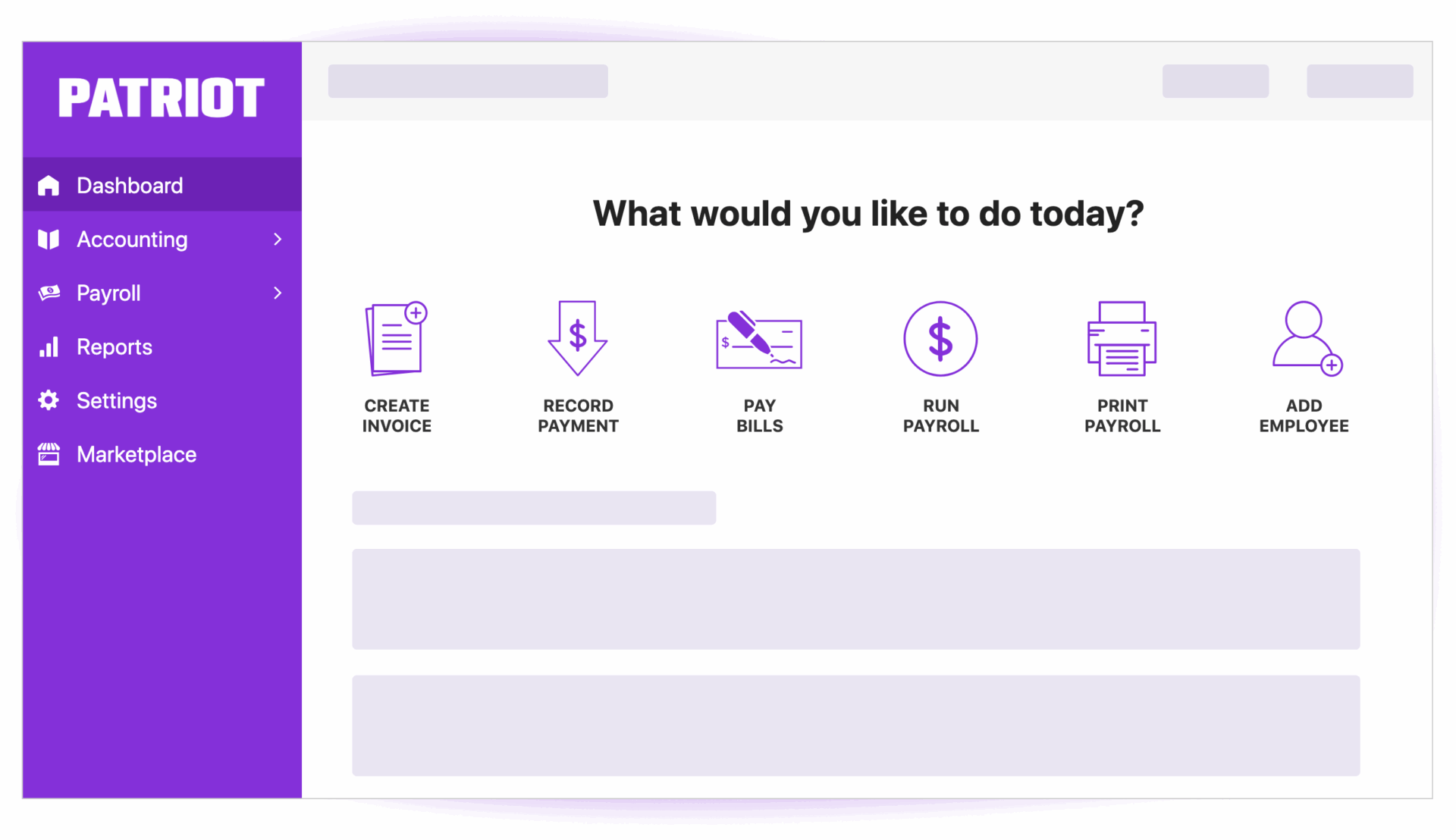
Patriot Payroll

a screenshot for Patriot Payroll website

Key Features

  • Payroll Processing: Patriot Payroll offers easy-to-use payroll software that handles direct deposits, paycheck calculations, and tax deductions.
  • Tax Filing: It offers automatic tax filings with the Full-Service Payroll option, covering federal, state, and local payroll tax filings, along with year-end W-2 and 1099 form generation.
  • Employee Portal: Employees can view their pay stubs, W-2 forms, and update personal information through a secure employee self-service portal.
  • Time and Attendance: Patriot Payroll integrates with time-tracking tools, ensuring accurate recording of employee hours and syncing with payroll processing.
  • Customizable Payroll: Supports customizable payroll frequencies, payment methods, and pay types, allowing flexibility for different business needs.
  • Mobile-Friendly: The platform can be accessed from any mobile device or computer, enabling business owners to run payroll on the go.
  • HR Add-Ons: Patriot Payroll offers HR features as add-ons, like employee onboarding, HR reporting, and managing employee records.
  • Compliance Assistance: Helps ensure compliance with tax and labor laws through timely updates and automatic alerts for due dates and filing requirements.
  • Reporting: Offers customizable reports for payroll, tax summaries, and employee information, allowing businesses to track finances and meet compliance needs.

Mobile App

Integartion

Reports

Automation

$17 to $37 per month • Trial: Yes • Free Plan: No.

View pros and cons

Pros

tick circle 1 Top 10 Payroll SoftwareAffordable Pricing: Patriot Payroll offers very competitive pricing, making it one of the most cost-effective payroll solutions for small businesses.

tick circle 1 Top 10 Payroll SoftwareSimple and User-Friendly: The platform has an intuitive and easy-to-navigate interface, allowing users to set up and run payroll without prior experience.

tick circle 1 Top 10 Payroll SoftwareTax Filing Options: Businesses can choose between the Basic Payroll (self-service) or Full-Service Payroll (automatic tax filing) options depending on their needs and budget.

tick circle 1 Top 10 Payroll SoftwareComprehensive Payroll Features: Handles all payroll needs, including automatic deductions, wage calculations, and employee compensation management.

tick circle 1 Top 10 Payroll SoftwareCustomizable Pay Runs: Allows flexibility in scheduling payrolls, making it easy to run weekly, biweekly, or monthly payrolls.

tick circle 1 Top 10 Payroll SoftwareFree Setup and Support: Offers free setup for new users and ongoing customer support, making it easier for businesses to switch to the platform.

tick circle 1 Top 10 Payroll SoftwareScalability: Works well for small to medium-sized businesses and can easily scale as the business grows.

Cons

close circle Top 10 Payroll SoftwareLimited HR Features: While it offers HR add-ons, the platform’s HR capabilities are more basic compared to full-service HR and payroll platforms.

close circle Top 10 Payroll SoftwareNo Mobile App: While accessible via mobile browser, Patriot Payroll does not have a dedicated mobile app, which could limit convenience for some users.

close circle Top 10 Payroll SoftwareLimited Integrations: The platform has fewer integrations with third-party tools compared to some competitors, which may be a drawback for businesses with more complex needs.

close circle Top 10 Payroll SoftwarePayroll Only Available in the U.S.: Patriot Payroll is only available to businesses operating within the United States, limiting its usefulness for global businesses.

close circle Top 10 Payroll SoftwareNo Advanced Employee Benefits Management: While it offers basic benefits management, it lacks the more advanced options for benefits administration found in higher-tier payroll solutions.
Xero

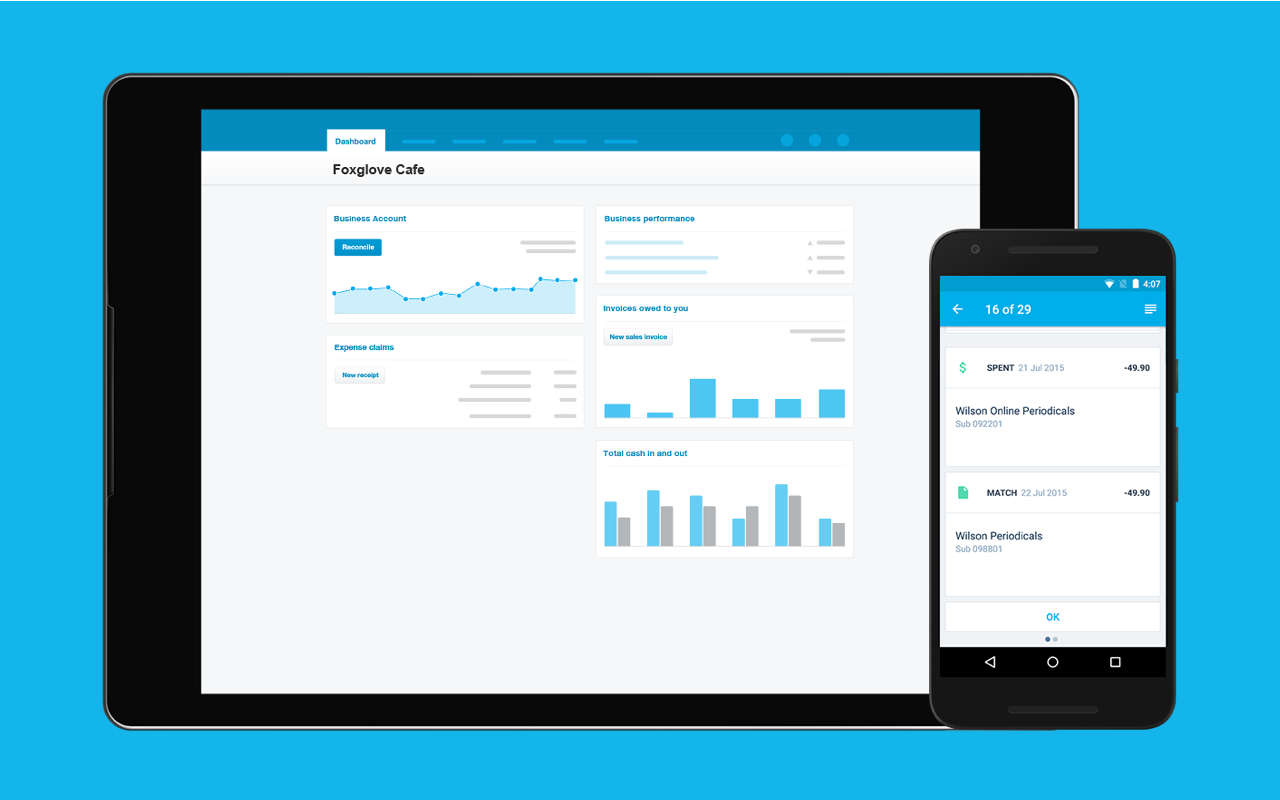
a screenshot for Xero website

Key Features

  • Cloud-Based Accounting: Accessible from anywhere with internet access, offering real-time updates.
  • Bank Reconciliation: Automatically imports and categorizes bank transactions, making reconciliation faster.
  • Invoicing: Customizable invoicing templates, with automatic reminders for overdue payments.
  • Expense Tracking: Allows easy tracking of business expenses, with the ability to attach receipts to transactions.
  • Inventory Management: Helps track stock levels, sales, and purchases in real-time.
  • Multi-Currency Support: Automatically calculates exchange rates for international transactions.
  • Payroll: Integrated payroll processing with tax calculations and employee management tools.
  • Financial Reporting: Provides a wide range of customizable reports including profit and loss, balance sheets, and more.
  • Integration with Third-Party Apps: Connects with over 800 apps, including CRM systems, payment gateways, and more.
  • Mobile App: Offers a mobile app for on-the-go access to key features like invoicing, expenses, and reports.

Mobile App

Workflow

$13 to $70 per month • Trial: Yes • Free Plan: No.

View pros and cons

Pros

tick circle 1 Top 10 Payroll SoftwareUser-Friendly Interface: Simple and intuitive dashboard for easy navigation, even for non-accountants.

tick circle 1 Top 10 Payroll SoftwareScalability: Suitable for both small and medium-sized businesses, with features that grow alongside your business needs.

tick circle 1 Top 10 Payroll SoftwareAutomation: Automates many manual tasks like invoicing and reconciliation, saving time.

tick circle 1 Top 10 Payroll SoftwareCollaboration: Multiple users can access the platform simultaneously, making it easy for teams and accountants to collaborate.

tick circle 1 Top 10 Payroll SoftwareSecurity: Uses strong encryption and multi-factor authentication for secure access.

tick circle 1 Top 10 Payroll SoftwareMulti-Currency Capabilities: Great for businesses dealing with international clients or suppliers.

tick circle 1 Top 10 Payroll SoftwareRegular Updates: Xero frequently updates and improves its platform with new features.

tick circle 1 Top 10 Payroll SoftwareExtensive Integration Options: Seamless integration with numerous third-party applications to enhance functionality.

Cons

close circle Top 10 Payroll SoftwareSteep Learning Curve for Advanced Features: While the basics are simple, more advanced features might require a learning curve for new users.

close circle Top 10 Payroll SoftwareLimited Customer Support: No phone support is available, and customer support is primarily through email or online chat, which can be slow at times.

close circle Top 10 Payroll SoftwareCost: Can become expensive, especially when using multiple add-ons or premium features.

close circle Top 10 Payroll SoftwarePayroll Limitations: Payroll is limited to certain countries, requiring additional third-party apps for global payroll management.

close circle Top 10 Payroll SoftwareNo Native Project Management: Lacks built-in project management tools, requiring integration with other apps for this functionality.

close circle Top 10 Payroll SoftwareCustom Reporting: While the reports are useful, custom reporting features are limited compared to other platforms.