




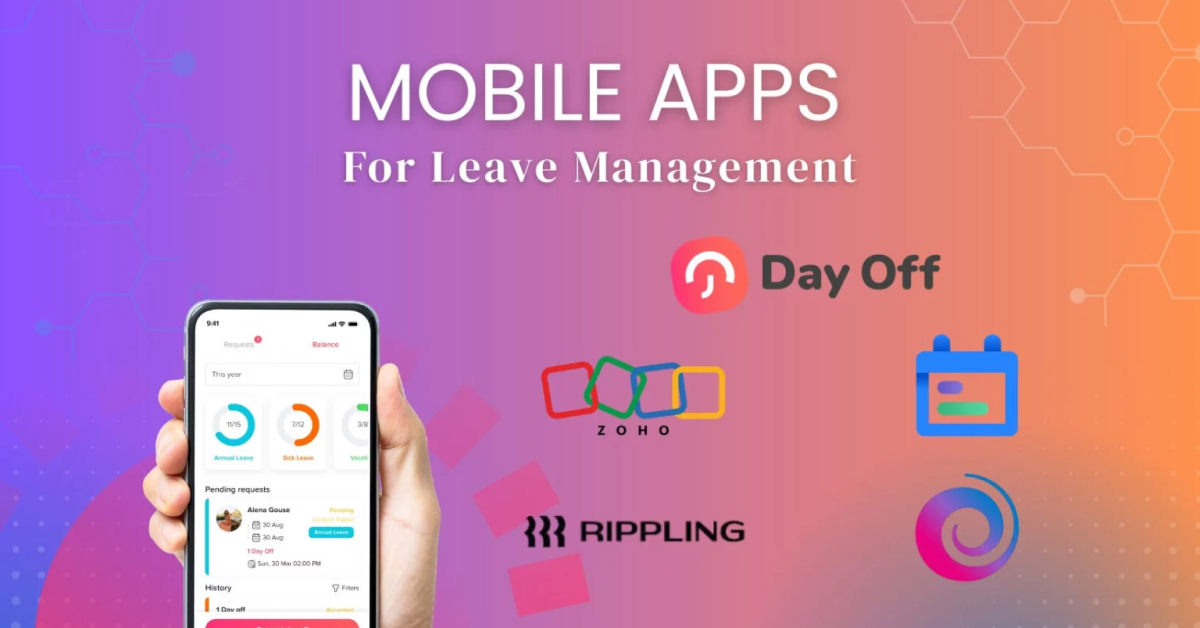
Employee leave management today is far more complex than simply noting dates on a spreadsheet. Modern teams operate across different time zones, schedules, locations, and policy structures. Remote work has increased the need for real time visibility, while employees expect fast, mobile friendly tools that eliminate delays and confusion.

Fortunately, mobile leave management apps have transformed how companies handle PTO, sick leave, vacations, and other time off requests. These tools help HR teams improve accuracy, streamline communication, and maintain transparency all while giving employees an effortless way to manage their leave.
Below are 5 of the best mobile apps for leave management, each ideal for different types of organizations and workflows.
Day Off: Best Overall Mobile Leave Tracker for All Team Sizes
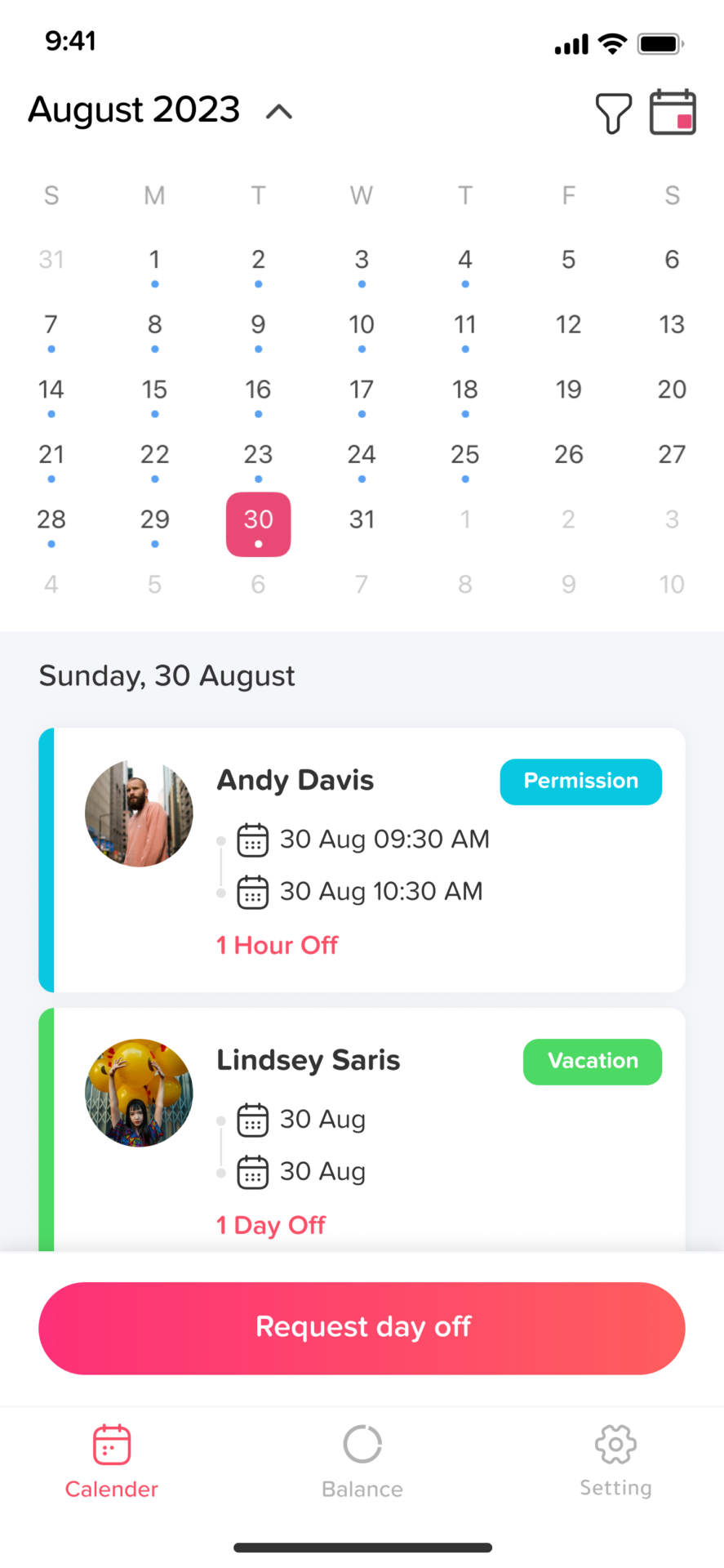
Day Off stands as one of the most user friendly and flexible PTO tracking apps on the market. Available on iOS, Android, and Web, it allows teams to manage every aspect of leave without traditional HR complexity.
Key Features
Intuitive mobile first interface for quick requests and approvals
Custom leave types (annual, sick, maternity, unpaid, remote day, compensatory, study leave…)
Multiple leave policies for global or diverse teams
Multi location and multi work schedule support
Automated leave accruals (monthly, annually, custom rules)
In app notifications and reminders for both employees and managers
Real time balance calculation with no manual intervention
Approval hierarchies with single or multi level workflows
Team calendars showing who’s off each day
CSV bulk import & bulk actions for large teams
Integrations
Slack & Microsoft Teams, submit leave, manage approvals, and get daily summaries
Google Calendar & Outlook, auto sync approved leaves
API for advanced integrations
Who It’s Best For
Startups, remote teams, hybrid organizations, and global companies looking for a simple yet powerful mobile tool.
Why It Stands Out
Day Off combines simplicity with enterprise flexibility, making it suitable for both small teams and organizations with thousands of employees.
Zoho People: Best for Complex and Multi Regional HR Policies
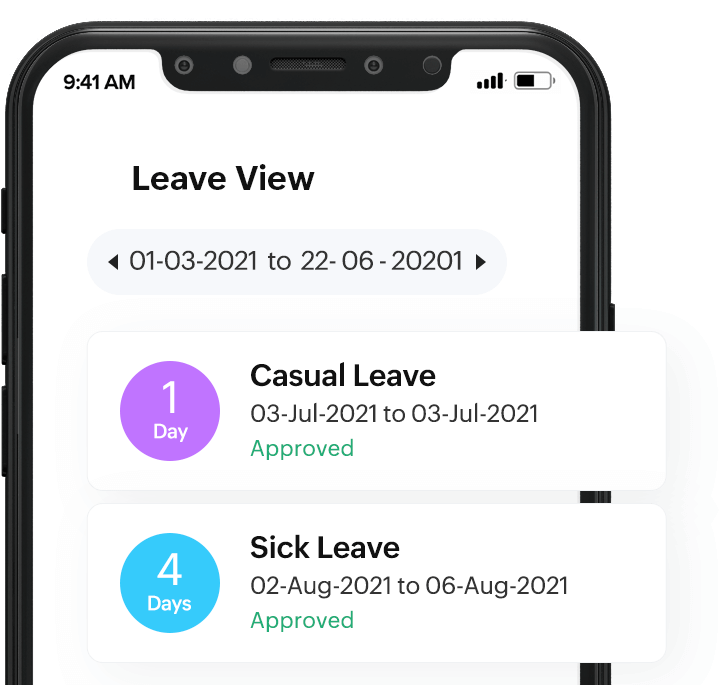
Zoho People is a powerful HR system known for its advanced customization capabilities. Its mobile app brings many of its robust features directly to employees and managers.
Key Features
Highly customizable leave policies (carryover, encashment, half day rules, short leaves)
Attendance tracking with GPS, geofencing, and IP restrictions
Shift scheduling and flexible working hours
Multi country leave rule compliance
Document storage and employee self service
Extensive reports and analytics
Benefits
Ideal for companies with detailed policy requirements
Offers deep automation across HR functions
Supports regional labor rules for global teams
Who It’s Best For
Large organizations or teams operating in multiple regions with complex leave structures.
Rippling: Best for Automated Payroll Connected Leave Tracking
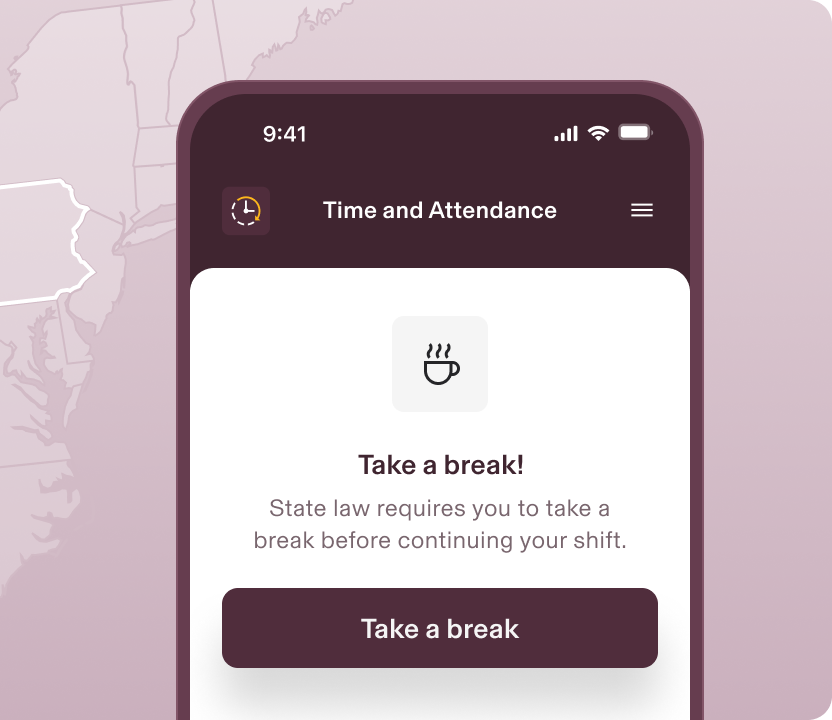
Rippling is a full HRIS platform reinvented for automation. It connects PTO policies directly to payroll, employee roles, and company structure.
Key Features
Automatic policy assignment based on role, department, or location
PTO syncing with payroll to calculate payouts and deductions
Automation workflows (auto approve, route to next manager, lock balances before payroll)
Integrated HR, IT, and finance tools
Mobile friendly dashboard for employees and admins
Benefits
Eliminates payroll errors by keeping leave management data synchronized
Perfect for scaling companies that want deep automation
Reduces repetitive HR tasks
Who It’s Best For
Fast growing companies and enterprises using integrated systems for HR and IT.
Timetastic: Best Simple Mobile App for Quick PTO Workflows
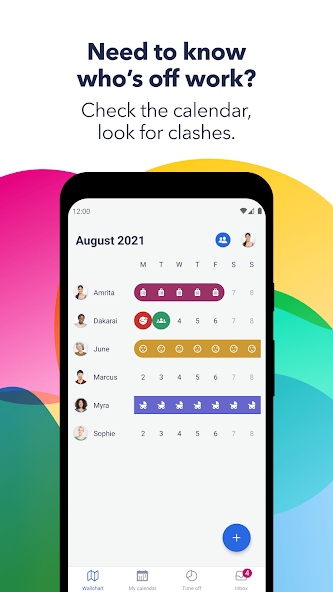
Timetastic offers a minimalistic approach to leave management. It’s lightweight, clean, and extremely easy for teams to adopt.
Key Features
One tap PTO requests
Manager approvals via mobile app or email
“Wall chart” team calendar
Daily and weekly absence summaries
Calendar syncing
Automatic reminders for annual leave usage
Benefits
Gets teams up and running in minutes
Ideal for managers who want easy visibility
No training or setup complexity
Who It’s Best For
Small businesses, agencies, and teams looking for a lightweight, easy solution.
LeaveTracker Mobile: Best for Quick Deployment Across Teams
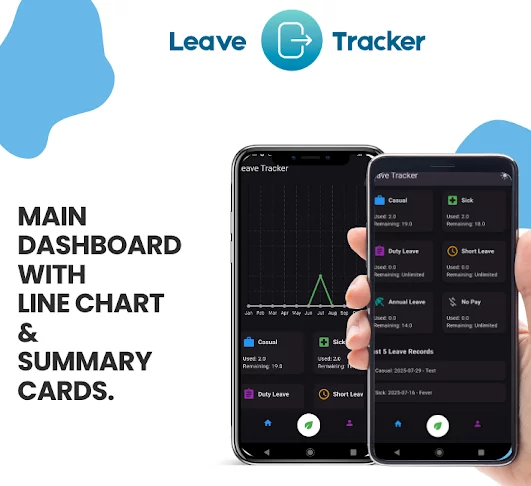
LeaveTracker is known for its speed and simplicity making it easy for teams to deploy without technical help.
Key Features
Quick setup with predefined leave policies
Mobile requests & approvals
Overtime and compensatory leave management
Team availability view
Admin reports for trends and usage
Optional camera check in/out
Benefits
Easy adoption across non technical teams
Offers PTO + attendance features
Great for distributed teams needing visibility
Who It’s Best For
Companies wanting a clean, straightforward mobile app with fast implementation.
How to Choose the Right Leave Management Mobile App
Selecting the right leave management app is not just about picking a tool that tracks time off.
It’s about finding a solution that matches your team size, HR processes, policy rules, integrations, budget, and long term scalability.
A well chosen tool should simplify operations, reduce administrative burden, and deliver accuracy without creating extra work for HR teams or managers.
Team Size & Organizational Structure.
Your team’s size and complexity heavily influence the type of leave management system you need.
Small Teams (1-20 employees)
Look for:
Quick setup with minimal configuration
Simple policies (annual leave, sick leave, unpaid leave)
Affordable or free plans
Easy to understand mobile interfaces
Best fits: Day Off, Timetastic, LeaveBoard
Medium Teams (20-150 employees)
Look for:
Multi level approval workflows
Multiple leave types and policies
Team calendars & visibility
Integrations with Slack, Teams, or calendars
Reporting and analytics
Best fits: Day Off, Zoho People, LeaveBoard
Large Companies (150+ employees or multi location)
Look for:
Multi location, multi schedule, multi policy support
Automated accrual rules
Integration with payroll systems
Complex approval rules
Advanced reporting and compliance tools
Best fits: Day Off, Rippling, Zoho People, LeaveTracker
Mobile Experience & Usability
The mobile app must be simple enough for every employee including those who are not tech savvy.
Key Mobile Features to Look For
Quick leave request submission
Instant push notifications
Real time balance visibility
Offline access (optional but useful)
Clear manager dashboard for approvals
Multi language support
Fast loading times
Clean, intuitive UI
Day Off is especially strong in mobile usability, offering the fastest workflow for requests and approvals.
Budget, Pricing & Scalability
Your budget should align with the tool’s capabilities but also consider long term scalability.
For tight budgets:
Look for:
Free or low cost plans
Unlimited users on free plans (if possible)
Essential features without paywalls
Best choices: Day Off, Timetastic
For growing teams:
Look for:
Flexible per user pricing
Ability to add more features as you scale
No hidden setup fees
Best choices: Day Off, LeaveBoard
For enterprise level teams:
Look for:
Transparent pricing
Tiered access for departments
Enterprise level onboarding
Compliance and security standards
Best choices: Rippling, Zoho People
Customer Support & Onboarding Experience
Support can greatly influence your experience especially during setup.
Look for:
Fast response time
Clear documentation
Live chat or email support
Onboarding assistance
Video tutorials
Knowledge base guides
A well supported app reduces implementation time and minimizes training needs.
Best support experience: Day Off, LeaveBoard
Picking the Right App Comes Down to Your Needs
| Need | Best App |
|---|---|
| Simple, mobile friendly leave management | Day Off, Timetastic |
| Multiple teams, policies & schedules | Day Off, Zoho People |
| Automation tied to payroll | Rippling |
| Affordable for SMEs | Day Off LeaveBoard |
| Fast, lightweight deployment | LeaveTracker, Timetastic |
FAQ
What is a mobile leave management app?
A mobile leave management app is a digital tool that allows employees and managers to request, track, approve, and manage time off directly from their phones. These apps replace spreadsheets, manual calculations, emails, and paper forms with automated workflows, real time balance updates, and centralized absence tracking. They make PTO management faster, more accurate, and accessible from anywhere.
Why should companies use a mobile app instead of spreadsheets for leave management?
Spreadsheets often lead to errors, outdated balances, missed approvals, and scheduling conflicts. A mobile leave management app:
Automates balance calculations
Prevents overlapping requests
Sends instant notifications
Creates transparency across teams
Syncs with calendars and communication tools
Provides accurate data for managers and HR
This saves time, reduces confusion, and improves planning especially for remote or hybrid workplaces.
Which is the best mobile leave management app for small teams?
Day Off is one of the best options for small teams because it is simple, intuitive, affordable, and offers powerful features without HR system complexity. It supports custom leave policies, mobile approvals, calendar syncing, and integrations with Slack and Teams, making it ideal for startups, agencies, and small businesses.
Which mobile leave management app is best for large or global companies?
Large organizations with multiple locations, schedules, and policy requirements benefit most from highly customizable tools like Day Off, Zoho People, and Rippling. These apps offer multi policy support, advanced automation, multiple approval workflows, and integration options suitable for enterprise level HR operations.
Can employees request leave directly through mobile apps?
Yes. All major leave management apps including Day Off, LeaveBoard, Timetastic, Rippling, and Zoho People allow employees to submit leave requests directly through their mobile apps. Managers receive instant notifications and can approve or decline requests with one tap.
Do leave management apps support custom leave types?
Most leave apps support multiple leave categories such as annual leave, sick leave, unpaid leave, maternity/paternity leave, remote days, half days, and compensatory leave. Day Off offers some of the most flexible customization options, making it easy to create leave types that fit any organization’s structure.
Can leave apps integrate with calendar tools like Google Calendar and Outlook?
Yes. Many apps sync approved leave automatically to calendar tools. Day Off, Timetastic, and Zoho People all offer smooth integrations with Google Calendar, Outlook, and iCal. This ensures team members never miss important dates or accidentally schedule overlapping tasks.
Do mobile leave apps integrate with communication tools like Slack or Teams?
Several leave apps integrate with communication platforms to streamline workflow.
Day Off has native integrations with Slack and Microsoft Teams, allowing employees to submit leave requests, check balances, and receive notifications without leaving the chat platform.
LeaveBoard also supports Slack.
This helps teams stay aligned and reduces repetitive communication.
Are leave management apps secure for storing employee data?
Yes. Reputable leave management apps use encrypted cloud hosting, secure authentication, role based access, and GDPR compliant practices to protect user data. Apps like Day Off, Zoho People, and Rippling are built to meet high security and privacy standards expected by modern organizations.
How much do mobile leave management apps cost?
Prices vary depending on features and team size.
Day Off and Timetastic offer affordable plans ideal for small and midsize teams.
LeaveBoard provides budget friendly automation for SMEs.
Zoho People and Rippling offer more advanced features at higher price points suitable for mid size and enterprise teams.
Some apps offer free tiers or trials so teams can test them before subscribing.
Can these apps handle complex leave policies?
Yes, especially tools like Day Off, Zoho People, and Rippling. These platforms support:
Multi policy setups
Location based regulations
Accrual rules
Carryover & encashment
Probation rules
Seniority based entitlements
Multi level approvals
This makes them suitable even for multinational teams with diverse labor requirements.
Do leave apps work well for remote and hybrid teams?
Absolutely. Mobile accessibility makes these apps perfect for remote or hybrid teams spread across different locations or time zones. Employees can submit requests anytime, managers get instant notifications, and team availability remains transparent through shared calendars and dashboards.
Is it difficult to set up a leave management app?
Most modern leave apps are easy to set up, especially Day Off, LeaveBoard, and Timetastic. Companies can:
Create leave types
Set policies and accruals
Add employees
Invite managers
These steps often take less than 10 minutes, and teams can begin submitting requests immediately.
What is the most feature rich mobile leave app?
If you want the best balance of functionality, ease of use, mobile experience, integrations, and scalability, Day Off is the most complete solution. It supports:
Multiple policies
Flexible leave types
Approval workflows
Calendar syncing
Slack/Teams integrations
Mobile-first design
Global teams and hybrid setups
It is powerful enough for large organizations yet simple enough for small teams.
Conclusion
Choosing the right mobile leave management app can transform the way your team handles time off. Instead of relying on spreadsheets, email threads, or outdated manual processes, modern PTO tools offer automation, real time visibility, and a smooth mobile experience that keeps everyone aligned whether your team is in office, hybrid, or fully remote.