







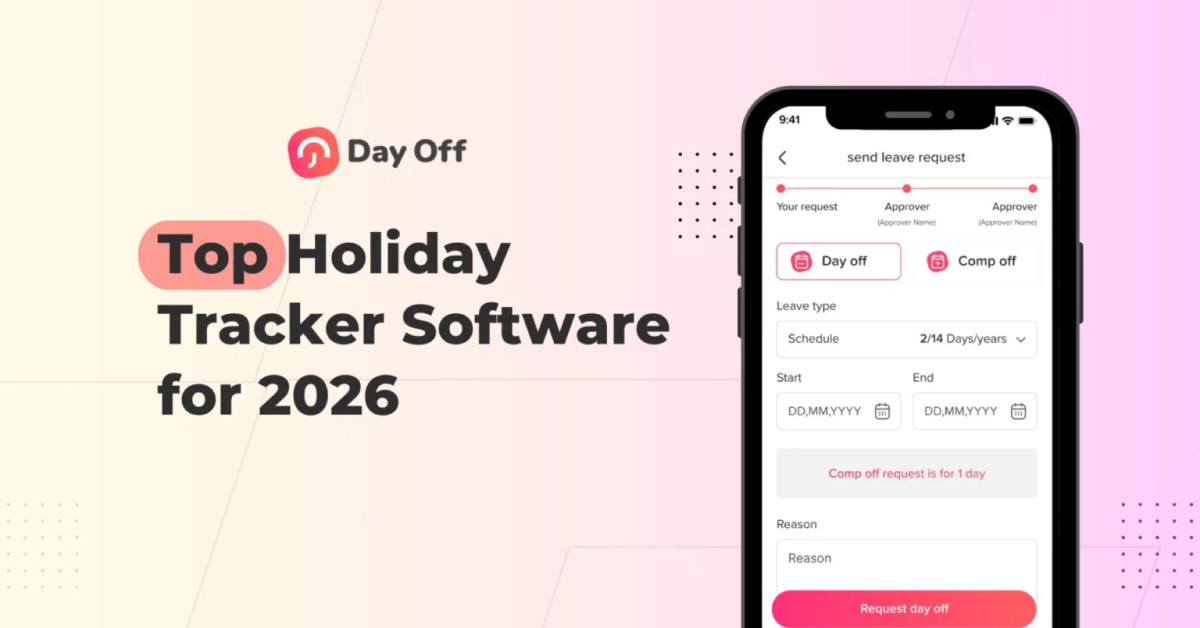
Managing holidays, vacations, sick days, and every other kind of time off has become more important than ever in 2026. Teams are now spread across different cities, countries, and even time zones, and many companies are growing so quickly that keeping track of employees’ schedules can feel overwhelming. At the same time, people expect their workplace tools to be simple, clear, and helpful, not something that adds more stress to their day.
That’s exactly why Day Off has gained so much attention this year. It offers a clean, easy to use solution that works for both small teams and large organizations. Instead of complicated systems and confusing processes, Day Off helps everyone stay organized, plan ahead, and manage time off without any frustration. It’s a tool built for modern teams, and it makes the whole experience smoother for managers and employees alike.

Day Off combines friendly design with strong features, which makes it both easy to use and dependable for businesses of all sizes. Let’s go through every main feature one by one, explained in clear language and expanded so you can fully understand how each part helps your team.
A Simple, Clean, and Extremely User-Friendly Interface
What makes Day Off stand out immediately is how comfortable and natural it feels to use. Many HR management tools overwhelm people with complicated dashboards, too many buttons, or confusing settings. But Day Off takes the opposite approach by giving you a calm, clean design that makes everything feel effortless.
Here’s what makes the interface so effective:
-
Everything is right in front of you: When employees open the app, they can instantly see how many vacation days they still have, what holidays are coming up, and whether any time off requests are waiting for approval. They don’t have to dig through multiple pages.
-
Requesting time off is extremely simple: Just choose your dates, pick a leave type, add an optional note, and submit. The entire process takes less than a minute.
-
Clear status updates: Employees can easily track if their request is pending, approved, or rejected. This avoids confusion and stops unnecessary messages to HR.
-
The design is friendly and modern: Soft colors, clean shapes, and clear text make the app comfortable to use every day.
Why this matters:
A simple interface means fewer mistakes, happier employees, and almost no learning curve. Even people who aren’t tech-savvy can use Day Off like they’ve been using it for years.
Fully Customizable Leave Types and Holiday Calendars
Every company manages time off in its own way. Some use the classic vacation and sick leave system, others offer personal days or mental health days, and global teams often follow different public holidays based on location. Day Off is designed to support all these variations without forcing you to change how your company already works.
Custom Leave Types You Can Create
With Day Off, you can set up and personalize any leave type your team needs, including:
-
Paid vacation
-
Sick leave
-
Unpaid leave
-
Emergency leave
-
Personal days
-
Public holidays
-
Maternity and paternity leave
-
Study leave
-
Work-from-home days
-
Any other custom leave type your company uses
Each leave type can have its own rules, such as accrual limits, approval requirements, required attachments, rollover options, and more, so the system fits your exact policies.
Flexible Holiday Calendars
Day Off also makes it easy to build holiday calendars tailored to your organization. You can create calendars for:
-
Specific countries
-
Different offices or branches
-
Teams or regions with unique holidays
-
Fully custom company-wide holidays
This flexibility helps teams stay aligned, regardless of their location.
Instead of forcing companies to follow a single rigid structure, Day Off adapts to your real workflows. You can keep using the policies you already trust. Day Off helps you manage them more smoothly and efficiently.
Smart Approval Workflows That Save Time and Reduce Confusion
Approving time off should be straightforward, not a messy chain of emails, messages, or back-and-forth questions. Day Off streamlines the entire approval process so employees can submit requests easily and managers can review them without delays.
What the Approval System Can Do
-
Multi-step approvals: If a request needs sign-off from several managers or different levels, Day Off routes it automatically. No one has to manually forward anything.
-
Real-time alerts: Everyone involved gets notified the moment a request is submitted, approved, or declined, keeping the whole team in the loop.
-
Automatic balance checks: Employees can only request days they actually have available, unless your company allows going into a negative balance.
-
Notes and attachments: Employees can add documents like doctor’s notes when needed, making the process clear and complete.
Why This Matters
Day Off removes unnecessary confusion and repetitive work. Managers stay organized, employees know exactly where their requests stand, and the whole approval workflow runs smoothly without anyone having to chase information manually.
A Beautiful and Helpful Team Calendar for Better Planning
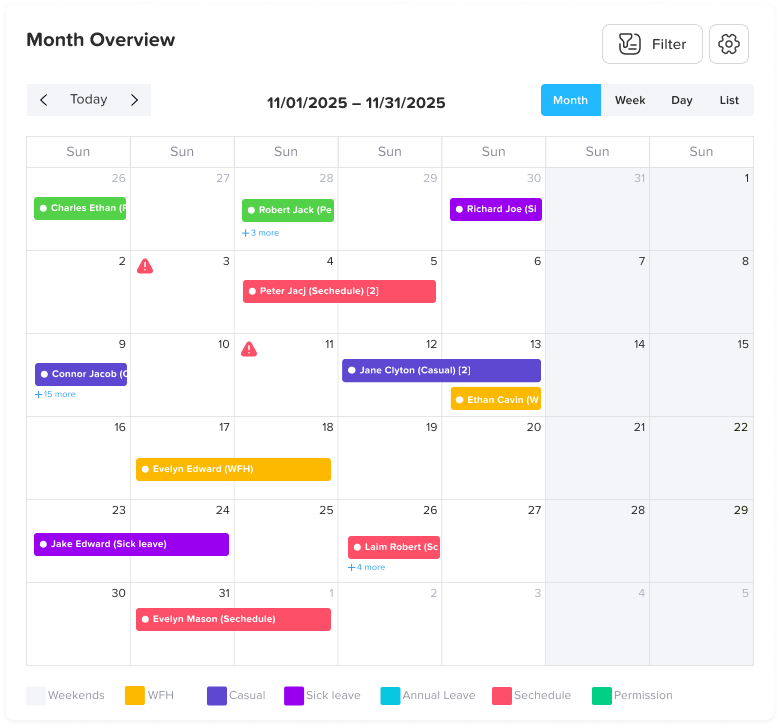
One of the biggest challenges for any team is keeping track of who will be out and when. Without a shared view, schedules overlap, projects get delayed, and teams can feel unprepared. Day Off solves this with a clean, easy to read calendar that helps everyone stay aligned.
What the Team Calendar Makes Easy
-
See who’s off today, this week, this month, or anytime at a glance.
-
View different leave types in distinct colors, making it simple to understand the schedule.
-
Filter by team, department, location, or leave type so managers and employees only see what’s relevant.
-
Spot busy days and avoid conflicts when planning workloads or deadlines.
-
Understand overlapping time off during holidays, helping teams prepare in advance.
Admin Controls for Privacy
Day Off also gives administrators full control over what employees can see. You can:
-
Choose whether employees can view their coworkers’ time off or only their own.
-
Hide leave type names for privacy, so others only see that someone is “off” without knowing the reason.
-
Customize visibility settings for different teams, departments, or locations.
These options make the calendar useful while still protecting sensitive information.
Why This Matters
A clear team calendar improves planning, communication, and daily operations. Managers can schedule work more effectively, employees understand team availability, and the entire organization avoids unexpected staffing gaps, especially during busy seasons or holidays.
A Mobile App Designed for Modern, On-the-Go Teams
Day Off’s mobile app isn’t just a smaller version of the website, it’s a complete, powerful tool built for people who need to manage their work from anywhere. Whether you’re at the office, at home, traveling, or in the middle of a busy day, the app helps you handle everything quickly and easily.
What You Can Do Right From Your Phone
-
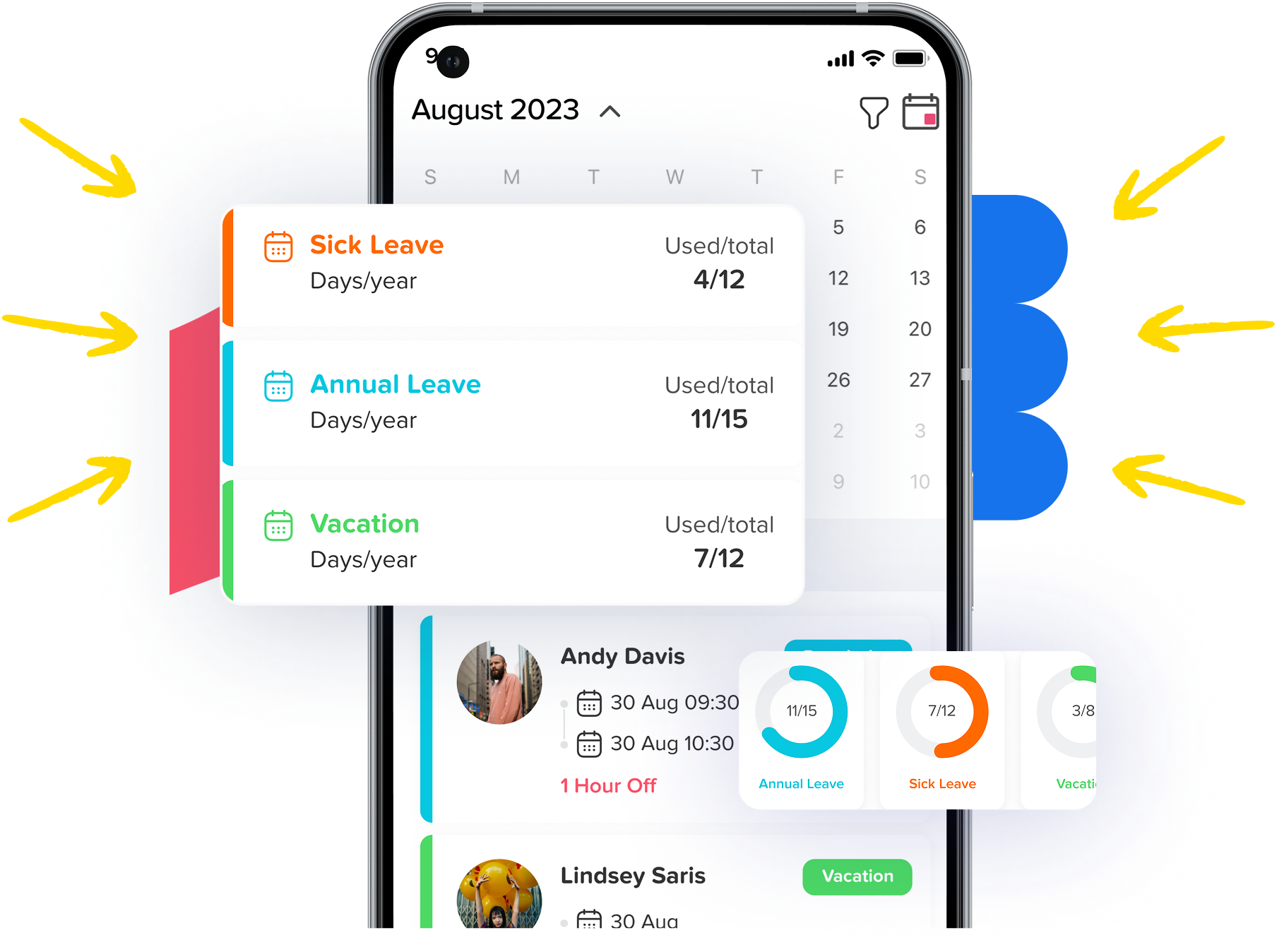
Request time off: Employees can submit any type of leave request in just a few taps. The app shows all available options, required details, and your remaining balance, making the process fast and easy.
-
Approve requests if you’re a manager: Managers can review, approve, or decline requests instantly. No need to search through emails or wait until they’re back at their desks, decisions can be made in seconds.
-
Check your balance: Your updated time off balance is always visible. Employees don’t need to ask HR or guess how many days they have left; the information is always up to date and easy to find.
-
Look at upcoming holidays: The app lists all public and company holidays based on your assigned calendar. This makes planning vacations and personal schedules much easier.
-
See who’s out of the office: A quick calendar view shows who is off today or in the coming days. This helps teams coordinate tasks, plan meetings, and avoid surprises.
-
Receive instant notifications: Whether it’s a request waiting for approval, an update on your own request, or a schedule change, the app sends real-time alerts so no one misses important updates.


Why This Matters
With the mobile app, employees aren’t tied to a computer to manage their time off. They can request leave whenever they need to, and managers can keep things moving, even while traveling, attending meetings, or working remotely. This makes the entire process faster, smoother, and more convenient for everyone, helping teams stay organized no matter where they are.
Work Schedule Management Keeping Everyone Aligned and Organized
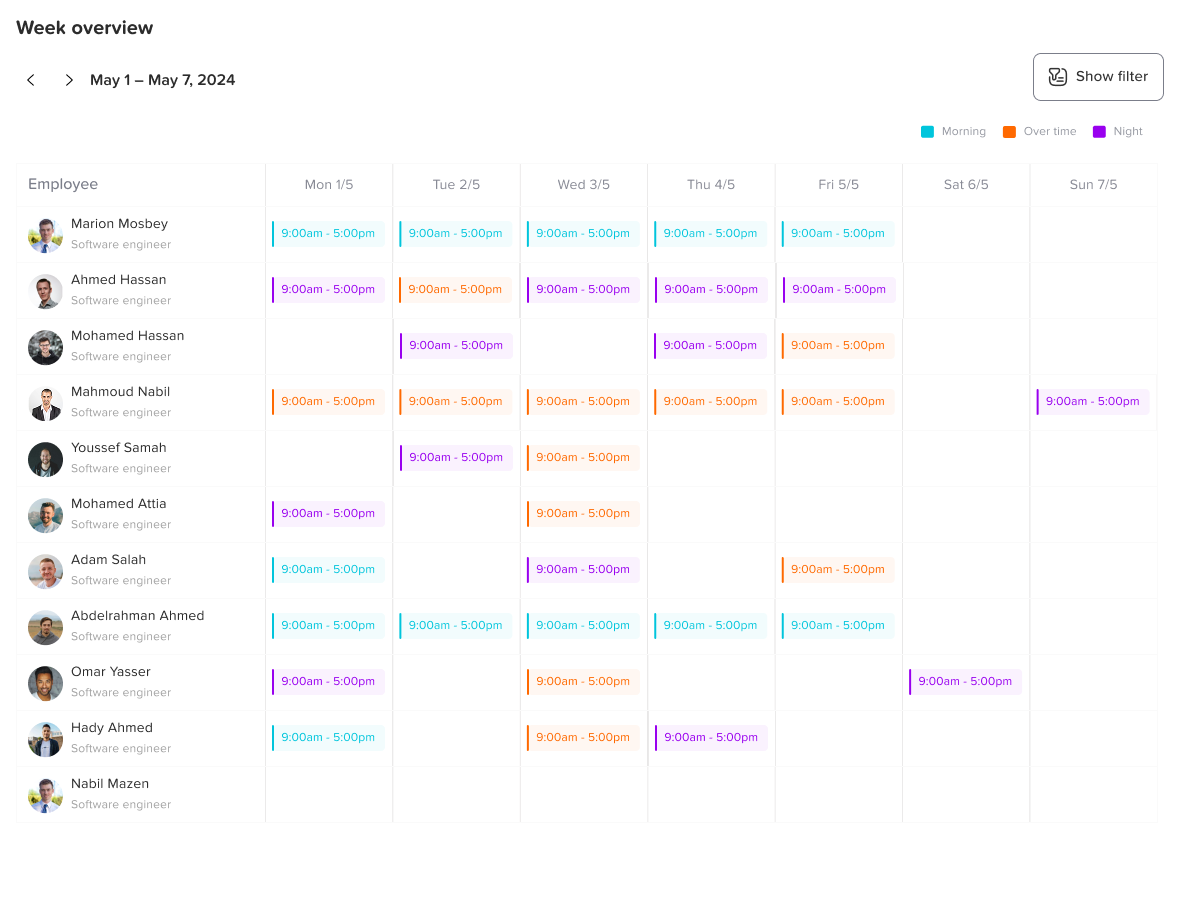
One of the most valuable features inside Day Off is its Work Schedule system, which gives companies a clear and structured way to manage when employees are expected to work. It takes all the guesswork out of scheduling, especially for businesses with multiple shifts, flexible hours, or teams working across different regions.
What the Work Schedule Feature Allows You to Do:
-
Create different schedules for different teams: If your company has morning shifts, night shifts, part-time employees, or weekend workers, Day Off lets you assign unique schedules to each group without confusion.
-
Set official working days and non-working days: You can define which days employees work, which days they rest, and how many hours are expected each day.
-
Align leave calculations with the actual schedule: Day Off automatically understands your workdays. If someone requests time off on a day they don’t normally work, the system won’t count it against their leave balance.
-
Support for global and hybrid teams: Employees in different countries or time zones can each have a personalized schedule that reflects their own workweek.
-
Improve planning and productivity: Managers can see who is available on any given day, which helps with shift planning, meeting scheduling, and workload distribution.
Why This Feature Matters:
A clear work schedule removes confusion and ensures that time off requests are applied correctly. It prevents situations where employees accidentally request leave on weekends, rest days, or holidays. It also supports better operational planning, especially for companies that rely on coverage at all times.
Blockout Days Protecting Important Business Periods
Every company has moments during the year when having enough staff is essential. Whether it’s a big project deadline, a seasonal rush, month-end operations, or a major event, businesses often need tighter control over time-off requests. Day Off solves this challenge beautifully with its Blockout Days feature, and even goes a step further by letting you limit how many people can request leave on busy days instead of blocking the day entirely.
What Blockout Days Allow You to Do
Block days completely
You can mark specific days or periods as no-leave allowed, ensuring that critical business operations stay fully staffed. When employees try to choose these dates, the app clearly tells them that leave isn’t permitted.
Limit the number of requests allowed per day
This powerful option gives you more control than a full blockout. Instead of banning leave entirely, you can set a maximum number of employees who are allowed to take the day off.
For example:
-
Only 2 people can take leave on December 20.
-
Limit sick or vacation leave to 1 person per team during audit week.
-
Allow only 3 employees company-wide to be off each Friday during peak season.
Once the limit is reached, the system automatically prevents more requests from being submitted on that date.
Apply blockouts to specific teams or to the whole company
Sometimes only one department is affected, for example, support, accounting, or retail staff. Day Off lets you choose exactly who the rules apply to.
Set single days or long ranges
Use it for one important day or an entire week, month, or seasonal period.
Integrations Connecting Day Off Seamlessly With Your Daily Tools
Day Off makes time off management even smoother by integrating directly with the tools your team already uses every day. Instead of forcing people to constantly open the app, Day Off quietly syncs information in the background so everyone stays updated without extra effort.
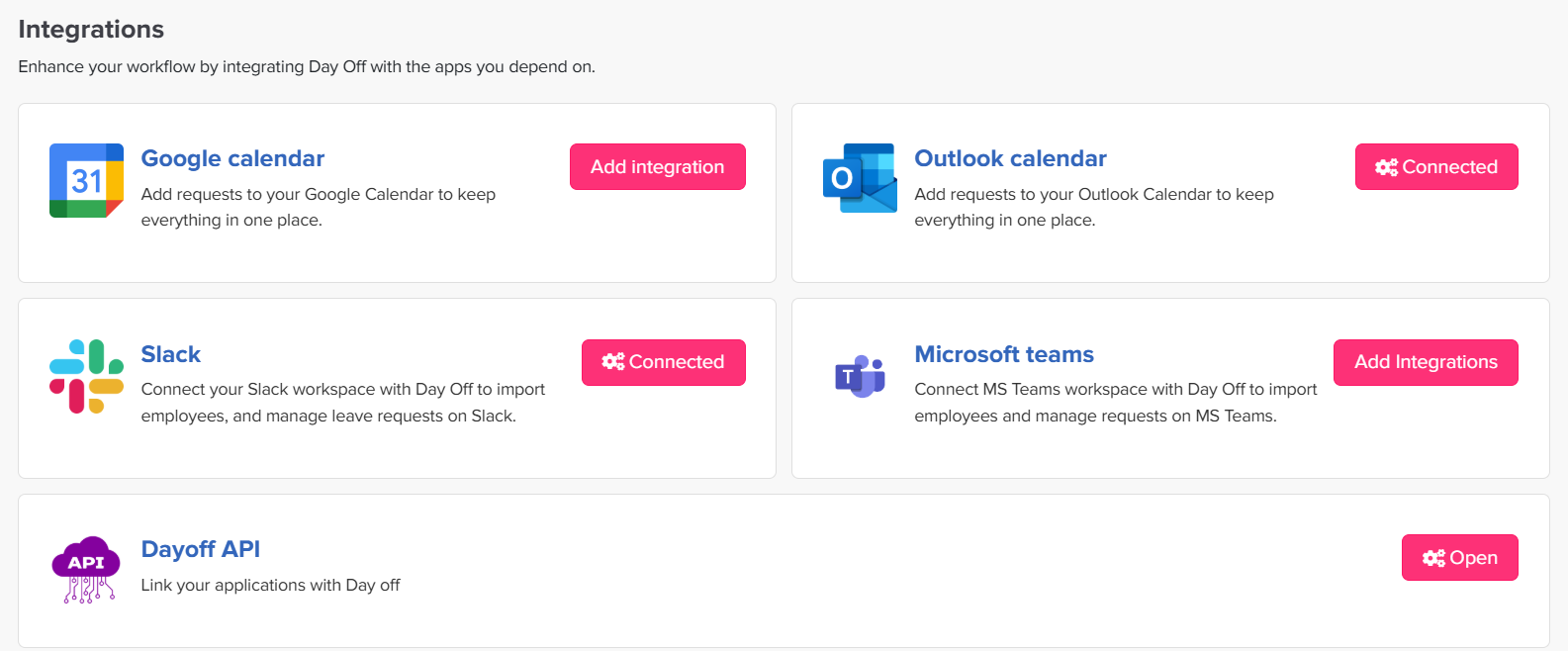
With its integrations, approved time off can automatically appear in your Google Calendar or Outlook Calendar, helping employees and managers instantly see availability when planning their schedules or booking meetings. The Slack and Teams integration ensures that leave requests, approvals, and important updates are delivered right inside your team’s main communication channel, keeping everyone informed in real time. Even if your team doesn’t use these tools heavily, Day Off also sends email notifications, making sure no request or approval is ever missed.
Strong Reporting and Analytics That Support HR and Management
Day Off makes it easy for companies to understand how time off is being used by turning raw data into clear, useful insights. HR and managers can quickly see how much leave employees are taking, which teams have the most absences, what months are the busiest, and how individual employees are using their time off. This helps teams plan better, avoid staffing issues, and spot early signs of burnout or scheduling pressure.
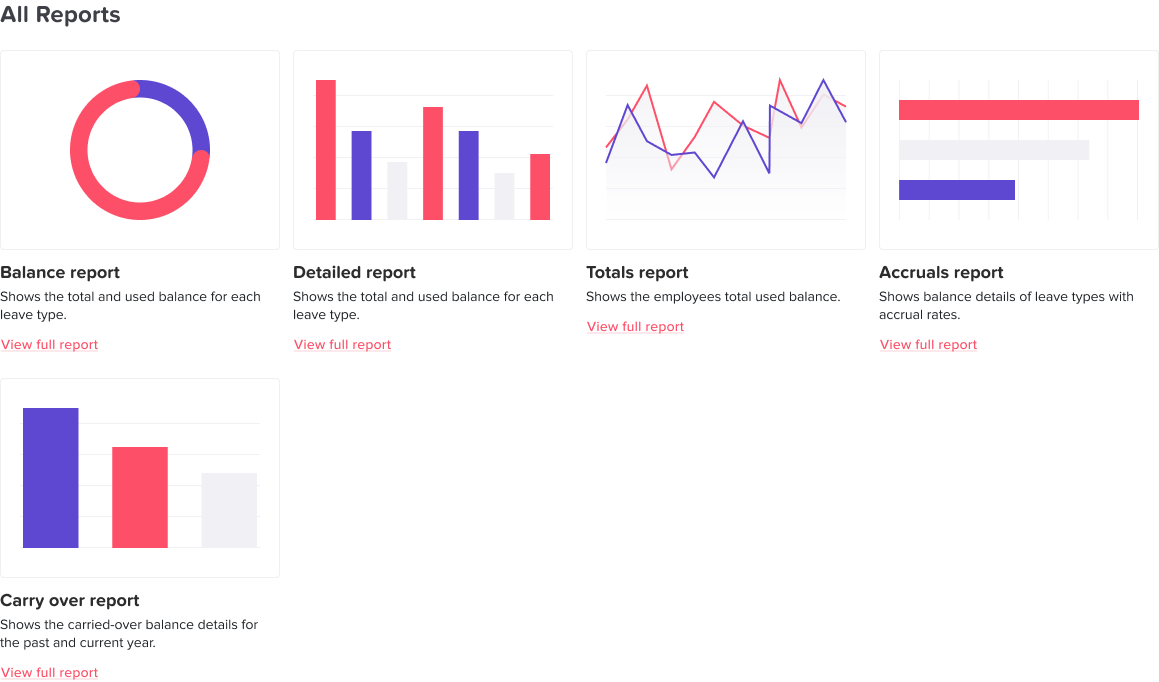
Day Off also includes several important HR focused reports, such as the balance report, detailed report, total report, accrual report, and carryover report. Each one gives a different level of visibility into how leave is earned, used, and carried forward. All these reports can be exported to Excel or printed, making them easy to share with payroll, management, or auditors.
Why this matters: Instead of guessing or relying on scattered spreadsheets, companies can make decisions based on real data, ensuring smoother scheduling and more reliable workforce planning.
Smart Permission Controls for Better Security and Organization
Day Off makes it simple to control who can see, manage, and approve different parts of the system. With flexible permissions, each person gets access only to what they need, nothing more, nothing less.
What Permissions Let You Control
-
Who can approve leave requests: Assign managers or team leads as approvers so requests always go to the right person.
-
Who can view team calendars and leave details: Choose whether employees see the full team calendar, partial visibility, or only their own schedule.
-
Who can adjust leave balances: Give HR or selected managers the ability to edit or correct balances when needed.
-
Who can edit leave types and holiday calendars: Limit these settings to admins to keep policies consistent.
-
Who can manage employees and access reports: Decide who can add staff, update profiles, or view company-wide reports.
Why This Matters
Clear permission settings prevent mistakes, protect sensitive information, and keep the whole system running smoothly, no matter the size of your team.
Additional Features That Make Day Off Even More Complete
Beyond the main features, Day Off includes a wide range of powerful extras that give companies more control, more flexibility, and a smoother management experience. These features help HR shape the system exactly around their policies, while giving employees a clear understanding of how everything works.
Accrual Calculations
Day Off makes it incredibly easy to manage how employees earn their leave. You can set accruals to build monthly, weekly, yearly, or on any schedule your company follows, like bi-weekly, or semi-monthly. The system automatically adds new leave based on your rules, keeps balances updated, and applies carryover limits without any manual work. This removes the need for spreadsheets and ensures every employee’s balance is always accurate and fair.
Carryover Settings
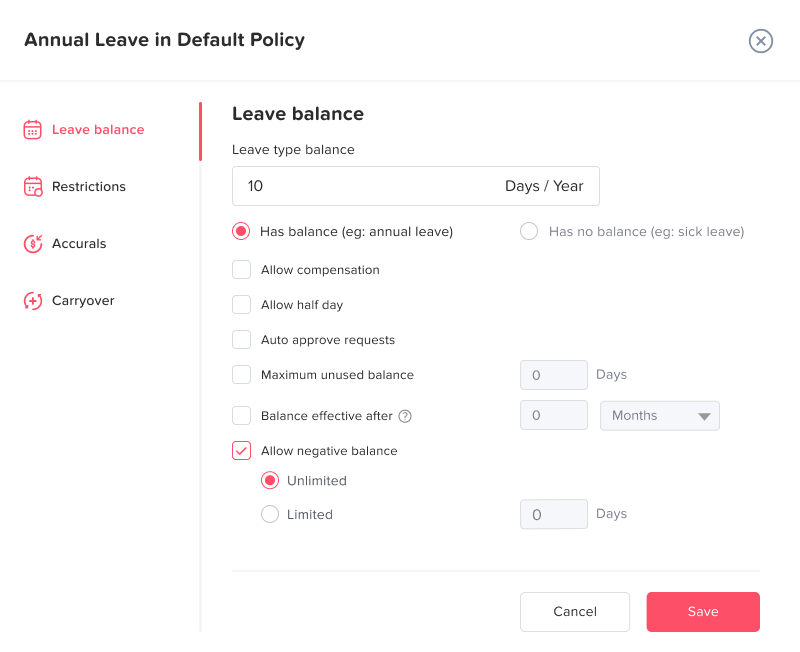
Every company handles unused leave differently, and Day Off gives you full control. You can allow employees to carry over all, some, or none of their remaining balance into the next year. You can also set limits, for example, allowing a maximum of 5 unused days. The system applies these rules automatically, keeping balances consistent and fair.
Negative Balance Rules
Many companies allow employees to take leave in advance, and Day Off supports this with customizable negative balance settings. You can choose whether employees can go below zero, how much negative balance is allowed, and for which types of leave. This creates flexibility without losing control of the employee’s total usage.
Probation Period Controls
For new hires, you can restrict access to certain leave types until they complete their probation period. Day Off lets you set these rules automatically, so employees can still see upcoming leave types but can’t request them until the probation period ends. This keeps policies consistent without HR needing to manually monitor eligibility.
Notice Period for Requests
Last minute leave can cause major scheduling issues, and this feature prevents that. Day Off allows you to set a required notice period, such as requesting leave at least 2, 3, or 7 days in advance. If an employee tries to submit a request too close to the date, the system will block it. This gives managers the time they need to prepare and keeps operations running smoothly.
Attachments and Notes
Some leave requests need documentation, and Day Off makes that simple. Employees can attach files, like medical certificates, travel confirmations, or internal forms, or include notes explaining their request. This saves HR time and keeps all relevant information in one place, removing the need for separate emails or messages.
Languages and Localization
If your team operates across different regions or includes multilingual employees, Day Off can adapt. It supports multiple languages and localized settings, making the platform easy to understand for everyone regardless of their location. This improves clarity and reduces misunderstandings across global teams.,
Frequently Asked Questions (FAQ)
What is holiday tracker software?
Holiday tracker software is a digital tool that helps businesses manage employee vacation days, public holidays, sick leave, and other types of PTO. It replaces manual spreadsheets and email threads with automated tracking, clear calendars, and accurate leave balances.
Why do companies use PTO and holiday tracking tools?
Companies use these tools to save time, reduce errors, prevent schedule conflicts, and maintain clear communication between HR, managers, and employees. Good PTO software helps organizations stay organized, improves planning, and ensures fairness and transparency.
Who benefits from holiday tracker software?
Everyone.
-
Employees get an easy way to request time off and see their balances.
-
Managers gain instant visibility into team availability.
-
HR receives accurate reporting and fewer manual tasks.
Small teams, remote companies, large organizations, and multi-location businesses all benefit equally.
Can these tools handle different leave types and policies?
Yes. Most PTO software allows full customization of leave categories such as vacation, sick leave, personal days, maternity/paternity leave, unpaid leave, and more. They also support accrual systems, carryover rules, probation restrictions, and company-specific policies.
Do holiday trackers support multiple teams or international offices?
Modern PTO tools support multi-team structures and global operations. You can assign different holiday calendars, work schedules, languages, and leave policies to each location or department, making the system flexible enough for international organizations.
How do approval workflows work?
Employees submit requests digitally, and managers receive instant notifications to approve or reject them. Many tools support multi-step approvals, automatic balance checks, conflict alerts, and transparent status updates for employees.
Do employees get access to a shared calendar?
Most PTO platforms offer a team or company-wide calendar showing who is off and when. This helps with scheduling, prevents understaffing, and improves teamwork by giving everyone an overview of availability.
What are blockout or blackout dates?
Blockout dates are specific days when companies limit or prevent leave requests, often during busy seasons, major events, or critical operations. Some tools also allow setting a maximum number of employees allowed off on the same day.
What reports can HR generate with PTO software?
Reporting features typically include:
-
Leave balances
-
Detailed request histories
-
Accrual and carryover summaries
-
Team and company leave usage
-
Monthly and yearly patterns
-
Exportable Excel or PDF reports
These insights help HR make informed decisions, plan staffing, and support payroll or compliance needs.
Do holiday tracker tools integrate with other platforms?
Yes. Many PTO systems integrate with Google Calendar, Outlook, Slack, email services, and sometimes HRIS or payroll platforms. These integrations help automate updates and keep everyone informed without extra manual work.
Are holiday tracker apps easy to use?
Most modern PTO tools are designed with simplicity in mind. Employees can submit requests in seconds, managers can approve on the go, and HR can manage settings without technical knowledge. Many also offer user-friendly mobile apps.
How long does it take to set up PTO software?
Setup is typically quick, often just minutes. Companies add employees, customize leave types, set up holidays, define work schedules, and invite users. Even larger organizations can onboard smoothly thanks to automated tools and import options.
Conclusion
Holiday tracker and PTO management software have become essential tools for modern businesses. With teams working across different locations, schedules, and time zones, organizations need clear, automated systems to manage leave fairly and efficiently. These platforms simplify everything, from submitting requests and tracking balances to scheduling teams and preventing staffing gaps.
By offering features like customizable leave types, automated approvals, shared calendars, blockout rules, detailed reporting, and helpful integrations, holiday tracker software gives companies a reliable foundation for better planning and smoother operations. Employees enjoy transparency and convenience, managers gain clarity and control, and HR teams save hours of manual work.
Whether your organization is small and growing or large and distributed, investing in a strong PTO solution leads to better communication, happier teams, and a more organized workflow overall. Holiday tracker software isn’t just a nice to have, it’s a modern workplace essential.