







Managing employee leave is one of those operational tasks that seems simple on the surface but quickly becomes complicated as a business grows. What starts as a few vacation requests exchanged over email can turn into confusion around approvals, overlapping absences, inaccurate leave balances, payroll mistakes, and frustrated employees who don’t know where they stand.
For small businesses and startups, where every person plays a critical role, poor leave management can directly impact productivity, morale, and trust. That’s why investing in a proper leave management tool is no longer optional. It’s a foundational system that supports transparency, fairness, and operational stability.
This in-depth guide explores the best leave management tools for small businesses and startups, starting with Day Off, and explains in detail what makes each tool valuable, who it’s best for, and how it fits into different stages of company growth.

Why Leave Management Is a Bigger Deal Than Most Teams Realize
In early-stage companies, leave management is often handled informally, through spreadsheets, shared calendars, or direct messages. While this may work temporarily, it creates long-term problems:
Employees are unsure how much leave they have left and hesitate to ask
Managers approve time off without visibility into team availability
HR or founders waste time answering repetitive PTO questions
Leave records are incomplete or inconsistent
Payroll errors occur due to missing or incorrect leave data
There is no reliable history for audits or disputes
A leave management tool eliminates these problems by creating structure without bureaucracy. It gives everyone, employees, managers, and leadership, clarity and confidence.
Core Capabilities Every Leave Management Tool Must Have
A strong leave management system should remove friction from the entire time off process, replacing spreadsheets, email chains, and manual approvals with clarity and automation.
Simple and intuitive leave requests
Employees should be able to submit a leave request in seconds, whether from desktop or mobile, without filling out long forms or sending follow up emails. A clean interface and clear options reduce errors and increase adoption.
Clear, fast approval workflows
Managers need instant visibility into pending requests, team availability, and potential conflicts. Approving or rejecting leave should take just one click, with optional comments for transparency and communication.
Always-accurate leave balances
Employees should never have to guess how much time off they have left. A great tool updates balances in real time, factoring in accruals, approved requests, carryovers, and policy rules automatically.
Support for multiple leave types
Vacation, sick leave, unpaid leave, parental leave, compassionate leave, and custom leave types should all be easy to configure. Each leave type may have different rules, and the system should handle them without manual intervention.
Shared team calendars
Visibility is critical. Team-wide calendars help employees plan time off responsibly and allow managers to avoid coverage gaps or overlapping absences during critical periods.
Automated calculations and policy enforcement
Accrual rates, carryover limits, probation periods, and deductions should all be handled automatically. This eliminates manual tracking, reduces human error, and ensures policies are applied consistently across the organization.
Complete audit trail and history
Every request, approval, edit, and cancellation should be logged. A detailed audit history is essential for compliance, internal reviews, and resolving disputes quickly and fairly.
Advanced Features That Matter as You Grow
As companies scale, hire across regions, or adopt remote and hybrid work models, leave management becomes more complex. A truly great tool grows with the organization rather than becoming a bottleneck.
Location-based public holidays
Global teams require accurate holiday calendars by country, state, or region. The system should automatically apply relevant public holidays without manual configuration for each employee.
Real-time notifications and integrations
Slack or Microsoft Teams notifications keep everyone informed without forcing them to log into another tool. Managers are alerted to new requests, and employees receive instant updates on approvals or changes.
Flexible leave units (half-days and hours)
Modern work environments demand flexibility. Support for half-day and hourly leave allows employees to take time off without using an entire day, improving fairness and satisfaction.
Department- and company-level reporting
HR teams need insights into leave trends, absenteeism patterns, and policy usage. Customizable reports help with workforce planning, compliance, and leadership decision-making.
Payroll and HR system integrations
Seamless integration with payroll, HRIS, and time tracking tools ensures that approved leave is reflected correctly in payroll calculations and employee records, without duplicate data entry.
Support for remote and hybrid teams
Time zone awareness, flexible schedules, and distributed team visibility are essential for modern workplaces. A great leave tool supports these realities instead of forcing rigid, outdated workflows.
Day Off Vacation Tracker
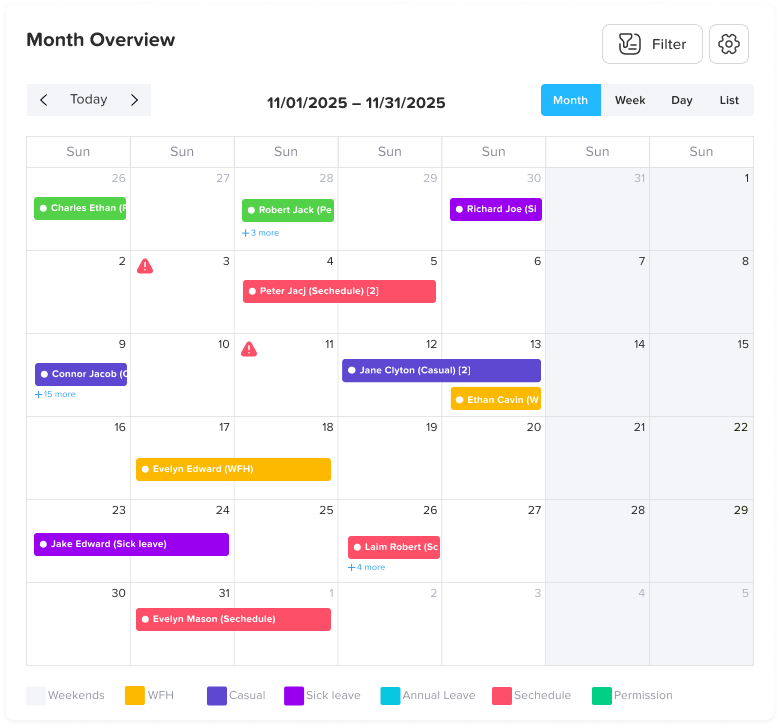
A Focused, Modern Leave Management Tool Built for Small Businesses
Purpose and Philosophy
Day Off is designed with a very clear philosophy: leave management should be simple, transparent, and frictionless. Unlike large HR platforms that bundle dozens of features into a single system, Day Off focuses exclusively on time-off management. This narrow focus allows it to deliver an experience that feels lightweight, intuitive, and fast, qualities that matter deeply to small teams and startups.
Instead of forcing companies to adapt their workflows to the software, Day Off adapts to how modern teams actually work. The result is a tool that feels natural to use from day one.
Employee Experience
From an employee perspective, Day Off removes uncertainty and guesswork. Team members always know how much leave they have, which leave types are available to them, and whether a request has been approved. Submitting a request is straightforward, and employees can see upcoming team absences before choosing dates, which reduces accidental overlaps and internal friction.
This transparency empowers employees to manage their own time responsibly without relying on constant HR intervention.
Manager and Admin Experience
For managers, Day Off provides immediate visibility into team availability. Requests arrive in a clean, centralized view, making it easy to evaluate coverage before approving time off. Because accruals, deductions, and carryover rules are automated, managers don’t need to calculate balances or double-check spreadsheets manually.
Administrators benefit from quick setup and minimal maintenance. Policies can be adjusted without technical expertise, and the system automatically applies those rules going forward.
Why Day Off Is Ideal for Startups
Startups typically need tools that can be implemented quickly and adopted easily. Day Off excels here because it requires almost no training and can be rolled out across a company in minutes. It provides sufficient flexibility to support growth while avoiding the complexity that often hinders team productivity.
Best suited for: small businesses and startups that want a dedicated, easy-to-use leave management system without committing to a full HR platform.
Structured Leave Management Within a Full HR System
Overall Approach
BambooHR is a comprehensive HR information system that includes leave management as part of a broader employee lifecycle platform. It is designed for companies that are moving away from informal processes and toward standardized HR operations.
Rather than focusing solely on leave, BambooHR positions time off tracking as one component of a complete people management system.
Leave Management Capabilities
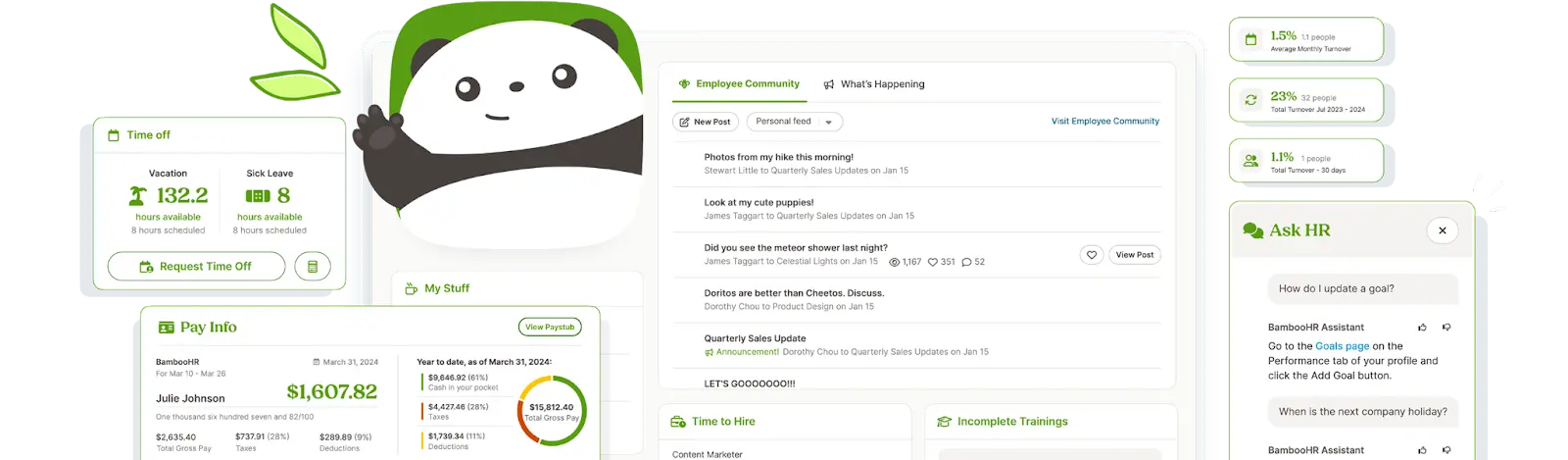
BambooHR allows companies to define structured leave policies with detailed accrual rules, eligibility timelines, and carryover limits. Employees submit requests through a self-service portal, while managers approve them through clearly defined workflows. Leave balances update automatically and remain tied to employee records.
The platform also provides reporting tools that help HR teams understand absence trends and usage patterns across departments.
Strengths and Trade-Offs
The biggest strength of BambooHR is consistency. Everything related to employees, personal data, performance, onboarding, and leave, lives in one system. However, this also means more setup, higher costs, and more features than some small teams need.
Best suited for: growing companies that want formal HR processes and expect to scale beyond basic leave tracking.
Leave Management That Works Hand-in-Hand With Payroll
Core Value Proposition
Gusto’s strength lies in its payroll-first approach. Leave management is tightly integrated with payroll processing, which significantly reduces the risk of errors when employees take time off. This makes Gusto especially appealing to small businesses that want accuracy without complexity.
How Leave Management Works in Gusto
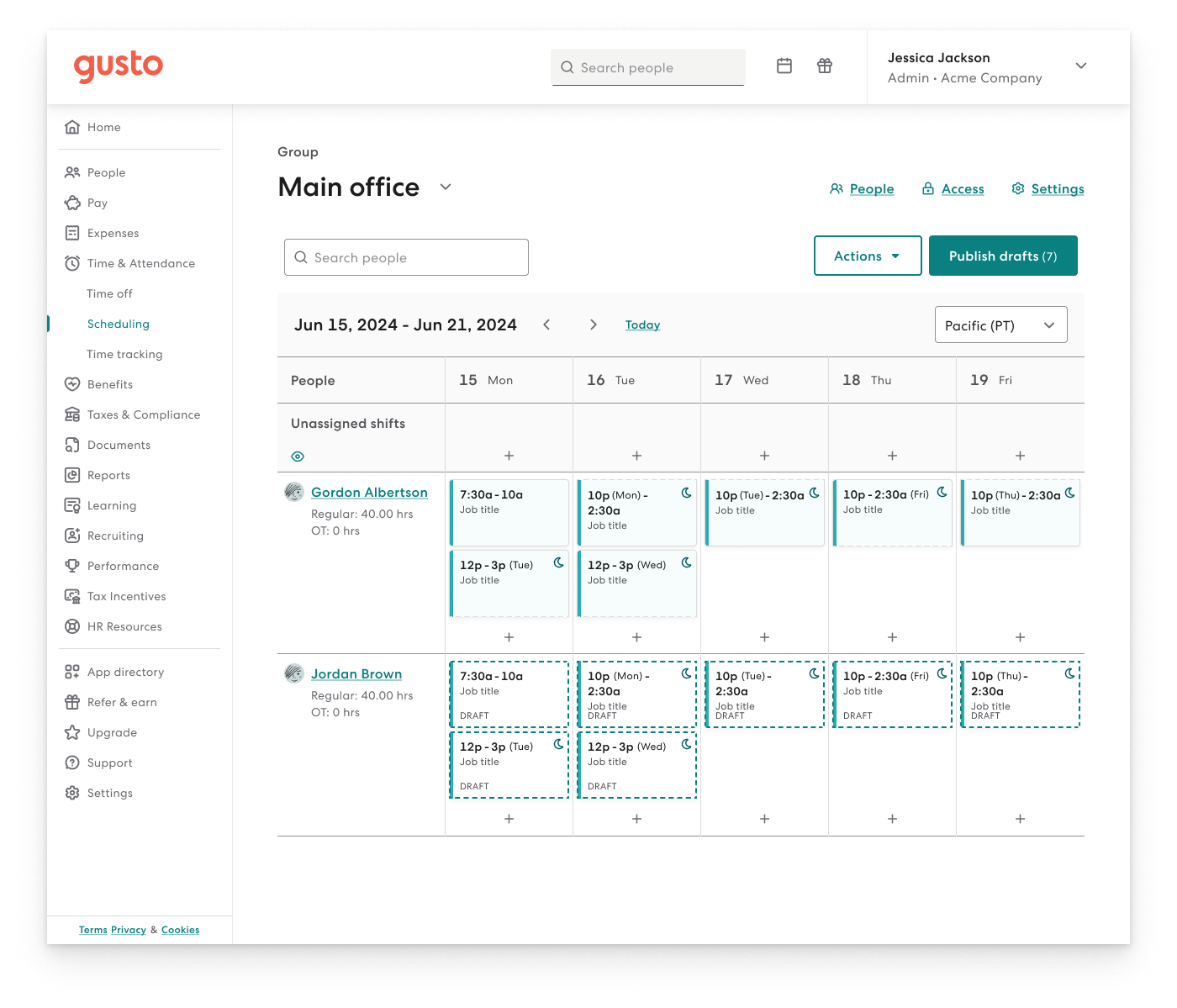
Employees request time off through their Gusto accounts, and approved leave is automatically reflected in payroll calculations. Accrual rules are applied consistently, and balances adjust as payroll runs occur. This tight integration minimizes manual adjustments and ensures employees are paid correctly.
Where Gusto Fits Best
While Gusto’s leave features are reliable, they are intentionally straightforward. The system is not designed for highly complex policies or international compliance scenarios. Instead, it focuses on doing the basics extremely well.
Best suited for: US-based small businesses already using Gusto for payroll and looking for a simple, integrated leave solution.
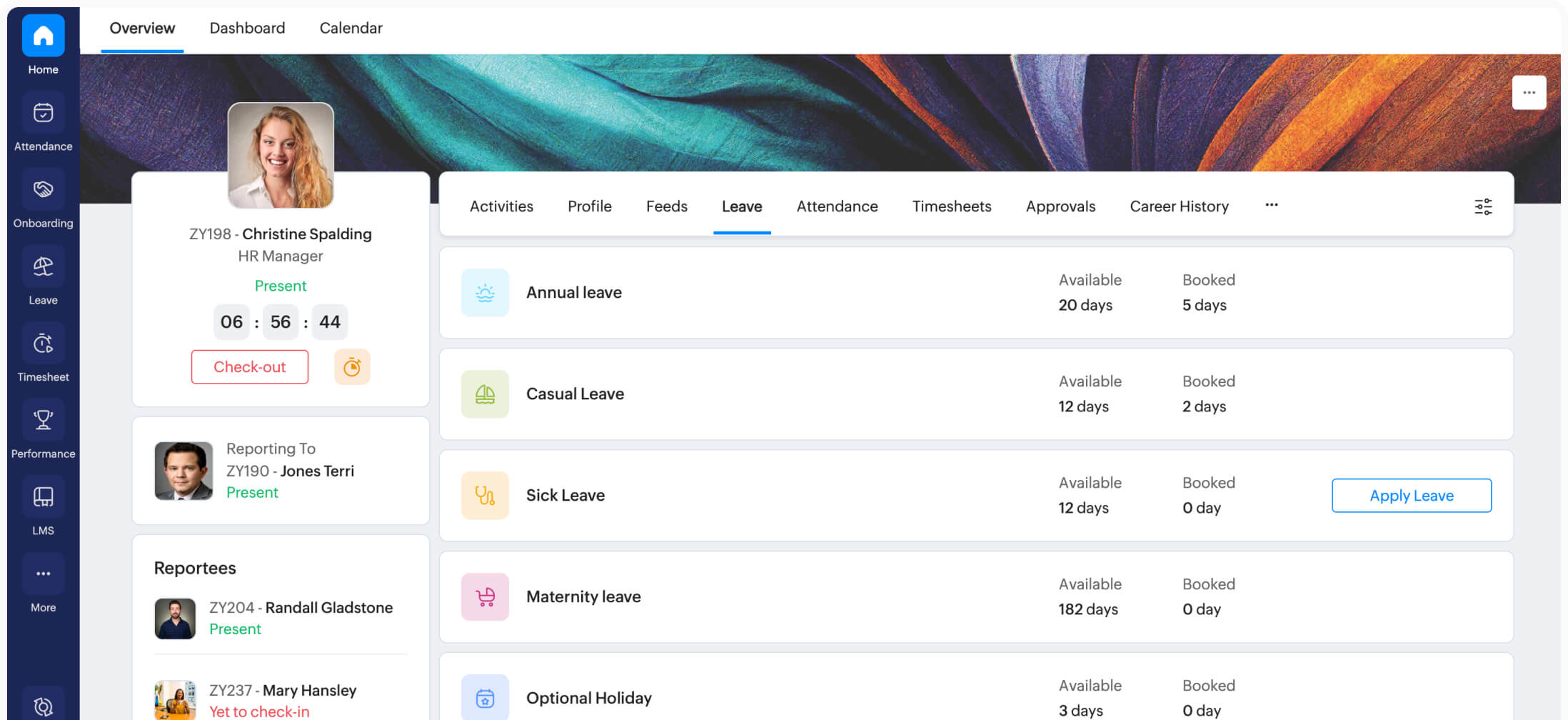
Flexible and Cost Effective Leave Management in an HR Suite
Positioning and Use Case
Zoho People offers a broad HR platform at a relatively affordable price point. Leave management is one of its core modules, supported by attendance tracking, employee records, and workflow automation.
The tool is especially appealing to startups that want flexibility without enterprise pricing.
Leave Policy Customization
Zoho People allows organizations to create detailed leave policies, including different accrual cycles, eligibility rules, approval chains, and public holiday calendars. This level of configurability makes it suitable for teams with diverse schedules or regional requirements.
Considerations
The trade off for flexibility is complexity. Zoho People often requires more initial setup and configuration than simpler tools. For teams without dedicated HR resources, this can feel overwhelming at first.
Best suited for: budget conscious startups that want a flexible HR system and are willing to invest time in setup.
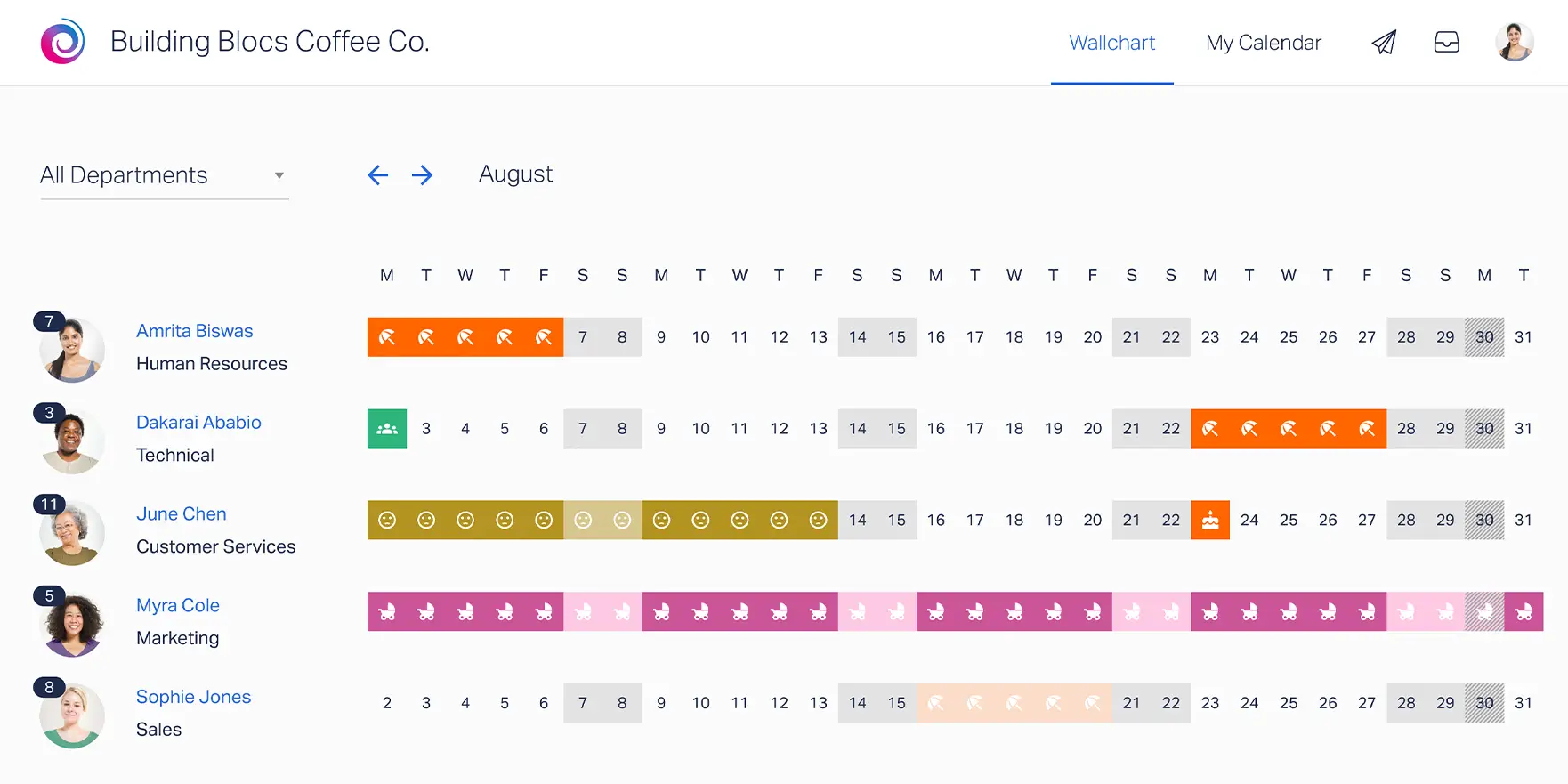
Straightforward Leave Tracking With Minimal Overhead
Design Philosophy
Timetastic is built around a simple but powerful idea: leave management should be immediately understandable. The product prioritizes clarity over complexity, using a clean, calendar-first interface that lets users grasp team availability at a glance. There’s very little setup required, and the learning curve is minimal, even for non-technical users.
Day-to-Day Usage
In practice, Timetastic does exactly what most small teams need. Employees submit leave requests in a few clicks, managers approve them just as quickly, and everyone gains instant visibility into who’s off and when. By replacing spreadsheets and email threads with a single shared system, Timetastic reduces administrative overhead without introducing unnecessary process.
Strengths and Trade-offs
Timetastic focuses on doing a narrow job well. It avoids complex workflows, deep HR functionality, or heavy customization, which makes it fast and reliable, but also limits how far it can scale with more complex organizational needs.
Best suited for:
Small teams and growing companies that want a simple, dependable alternative to spreadsheets without adopting a full HR platform.
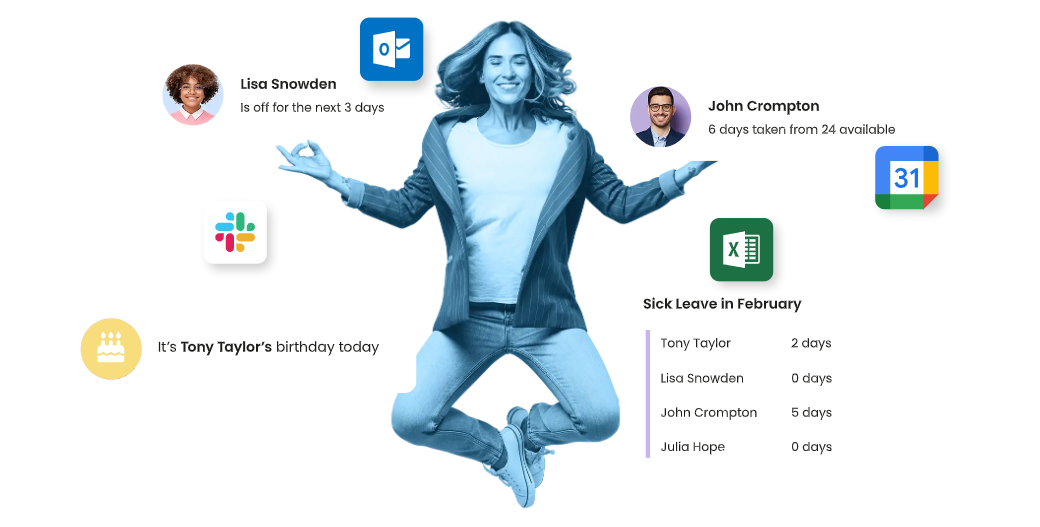
Visual Leave Planning for Better Team Coordination
Focus on Visibility
Leave Dates is designed with visibility as its primary strength. The platform emphasizes shared calendars and visual planning, allowing teams to quickly see availability, overlaps, and potential conflicts without digging through data or reports.
Practical Benefits
This visual-first approach makes Leave Dates particularly useful for teams where coverage and scheduling matter. Managers can spot issues early, while employees can plan time off with greater awareness of team availability. The interface is intuitive enough that most teams can start using it immediately, without training or documentation.
Where It Falls Short
While Leave Dates excels at transparency and coordination, it offers limited automation, reporting, and system integrations. For organizations with complex accrual rules, compliance requirements, or payroll needs, it may feel restrictive over time.
Best suited for:
Small businesses and teams that prioritize clear, visual leave planning and team coordination over advanced automation or HR integrations.
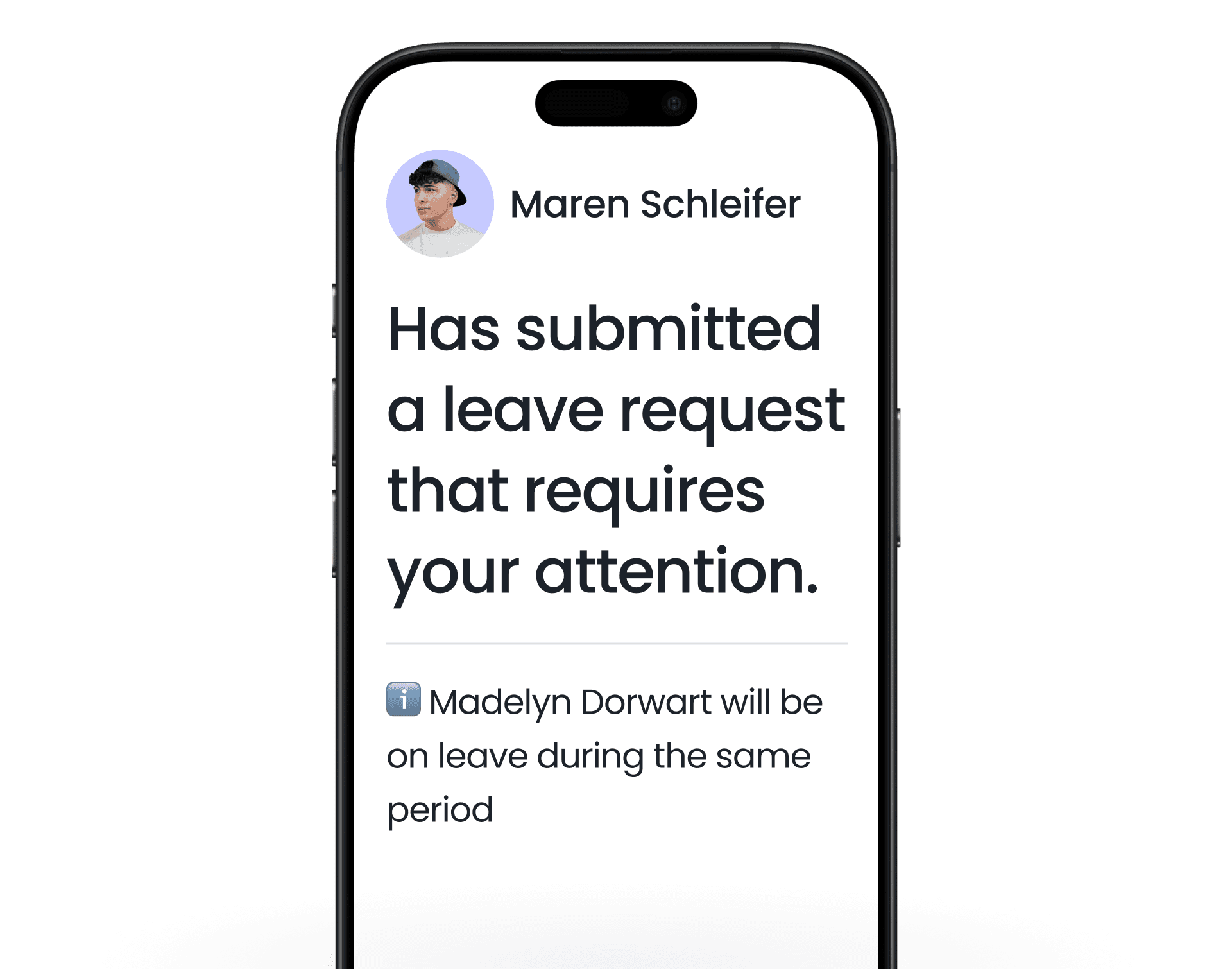
Leave Management Embedded Directly in Slack and Microsoft Teams
Chat-First Approach
Vacation Tracker takes a fundamentally different approach by embedding leave management directly into Slack and Microsoft Teams. Instead of introducing a separate platform, it meets employees where they already work, inside their daily communication tools.
How It Improves Adoption
By allowing employees to request leave and managers to approve it directly from chat, Vacation Tracker significantly reduces friction. Requests are seen and acted on faster, reminders feel natural, and adoption tends to be high, especially in remote or distributed teams that live in chat throughout the day.
Strengths and Constraints
This chat-centric model is excellent for speed and convenience, but it comes with trade-offs. Vacation Tracker is not designed to handle complex HR policies, detailed reporting, or compliance-heavy environments. Its value lies in simplicity and immediacy rather than depth.
Best suited for:
Remote-first, startup, or chat-centric teams that value fast responses, high adoption, and minimal disruption to existing workflows.
Frequently Asked Questions (FAQ)
What is a leave management tool?
A leave management tool is a digital system used to track, manage, and approve employee time off in a structured and centralized way. Instead of relying on emails, spreadsheets, or informal messages, these tools provide a single source of truth for leave balances, policies, approvals, and team availability. For small businesses and startups, a leave management tool helps ensure fairness, transparency, and consistency while significantly reducing administrative effort.
Why can’t small businesses just use spreadsheets or shared calendars?
Spreadsheets and shared calendars may work temporarily, but they don’t scale. As soon as multiple leave types, accrual rules, approvals, or overlapping absences come into play, manual systems start to fail. They don’t update balances automatically, they lack approval history, and they offer no protection against human error. Over time, this leads to confusion, payroll mistakes, and employee frustration. A leave management tool eliminates these risks by automating calculations and maintaining accurate, real-time records.
When should a startup start using a leave management tool?
A startup should consider implementing a leave management tool as soon as it hires its first few employees. Once time off is no longer tracked informally between two or three people, clarity becomes critical. Introducing a tool early establishes good habits, prevents future confusion, and avoids the painful transition from messy spreadsheets to structured systems later on. Early adoption also signals professionalism and respect for employees’ time and benefits.
How does a leave management system improve employee experience?
A well-designed leave management system gives employees visibility and control. They can see their remaining leave balance at any time, understand which leave types are available, and track the status of their requests without chasing managers or HR. This transparency builds trust, reduces anxiety around taking time off, and encourages a healthier work life balance. When employees feel confident about how leave is handled, satisfaction and engagement tend to increase.
How does leave management software help managers?
For managers, leave management software provides instant visibility into team availability and upcoming absences. This makes it easier to approve requests responsibly, avoid coverage gaps, and plan work realistically. Automated rules remove the need for manual calculations, while centralized requests eliminate scattered communication. Overall, managers spend less time managing logistics and more time focusing on leadership and delivery.
What’s the difference between a standalone leave management tool and a full HR system?
A standalone leave management tool focuses exclusively on time off tracking, approvals, and visibility. It is typically faster to set up, easier to use, and more affordable. A full HR system, on the other hand, includes leave management alongside payroll, onboarding, performance management, and employee records. While HR systems are powerful, they often require more setup and ongoing administration. Small businesses often start with a standalone tool and move to a full HR system as complexity increases.
Is it better to choose a payroll-integrated leave tool?
Payroll-integrated leave tools are particularly valuable when accuracy and automation are priorities. When approved leave flows directly into payroll calculations, the risk of underpaying or overpaying employees is significantly reduced. This is especially helpful for hourly workers or teams with frequent leave. However, payroll-first tools may offer less flexibility in policy design, so the best choice depends on how complex your leave rules are.
Can leave management tools handle different leave policies and countries?
Many modern leave management tools are designed to support multiple leave policies, locations, and public holiday calendars. This is essential for companies with remote or distributed teams. The best tools allow you to assign policies by location or employee type and automatically apply local holidays. However, not all tools support international compliance equally, so global teams should evaluate this carefully.
Are leave management tools difficult to implement?
Most modern leave management tools are designed for quick and straightforward implementation, especially those built for small businesses. Setup typically involves adding employees, defining leave policies, and assigning approval roles. Tools like Day Off can often be deployed in minutes with minimal training. More complex HR platforms may take longer, but even then, implementation is usually far easier than maintaining manual systems.
How do leave management tools support compliance and audits?
Leave management software maintains a complete history of requests, approvals, changes, and cancellations. This audit trail is invaluable during internal reviews, payroll reconciliation, or legal disputes. It ensures that leave policies are applied consistently and that decisions are documented. For growing companies, this level of record-keeping becomes increasingly important as regulations, headcount, and operational risk increase.
What is the best leave management tool for small businesses?
The best leave management tool depends on a company’s size, complexity, and priorities. For most small businesses and startups, a focused and easy-to-use solution like Day Off offers the best balance of simplicity, flexibility, and speed of adoption. Companies with more complex HR needs may prefer tools like BambooHR or Zoho People, while payroll-centric teams may benefit most from Gusto.
Can leave management software support remote and hybrid teams?
Yes. In fact, leave management software is especially valuable for remote and hybrid teams. These tools provide shared visibility across time zones, support flexible leave units like half-days or hours, and integrate with communication platforms like Slack or Microsoft Teams. This ensures that time off is clearly communicated, regardless of where employees are working from.
Is leave management software worth the cost?
For most small businesses, the return on investment is clear. The time saved by HR, managers, and employees, combined with reduced payroll errors and improved transparency, often outweighs the cost of the software. Additionally, better leave management contributes to employee satisfaction, trust, and retention, which are far more expensive to lose.
Final Thoughts
Managing employee leave might seem like a small part of running a business, but as teams grow, it quickly becomes more important than many people expect. Relying on emails, spreadsheets, or informal messages often leads to confusion, mistakes, and unnecessary stress for both employees and managers. When people don’t know how much leave they have left or who approved what, trust and productivity can suffer.
A good leave management tool helps avoid these problems. It gives employees clear visibility into their time off, makes approvals simple for managers, and keeps everything organized in one place. By automating calculations and showing who is off and when, these tools make it easier to plan work and keep teams running smoothly.
As you’ve seen in this guide, different tools work best for different needs. Day Off is a great choice for small businesses and startups that want something simple, fast, and easy to use without extra complexity. Other tools like BambooHR, Zoho People, or Gusto can be a better fit for companies that need broader HR features or tight payroll integration.
In the end, the right leave management tool is the one that fits your team today and can grow with you tomorrow. Choosing the right solution early saves time, reduces frustration, and helps create a healthier, more transparent workplace for everyone.