




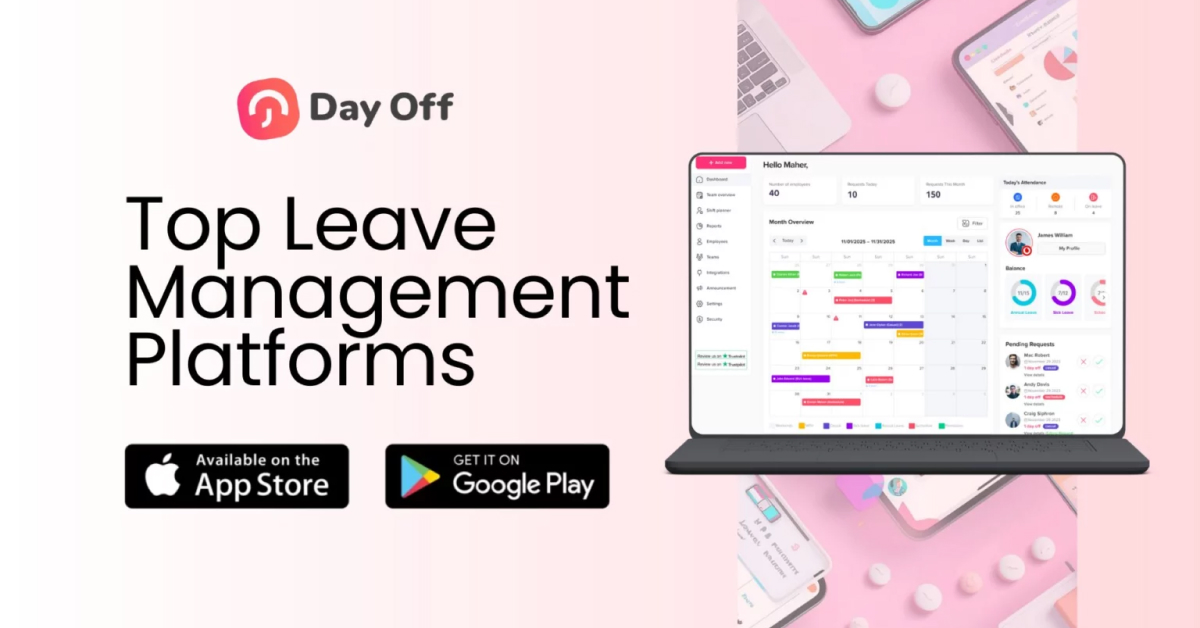
Employee leave management has become more complex in today’s remote and fast paced work environment. Spreadsheets and email based approvals often lead to errors, lack of visibility, and unnecessary administrative work. Modern leave management platforms solve these challenges by automating time off requests, enforcing policies, and giving both employees and managers real time clarity.

With many tools available each designed for different company sizes and needs choosing the right platform is essential. This article reviews five additional leave management platforms, starting with Day Off, and compares their features, pros, cons, and best use cases to help you make an informed decision.
Day Off
Overview
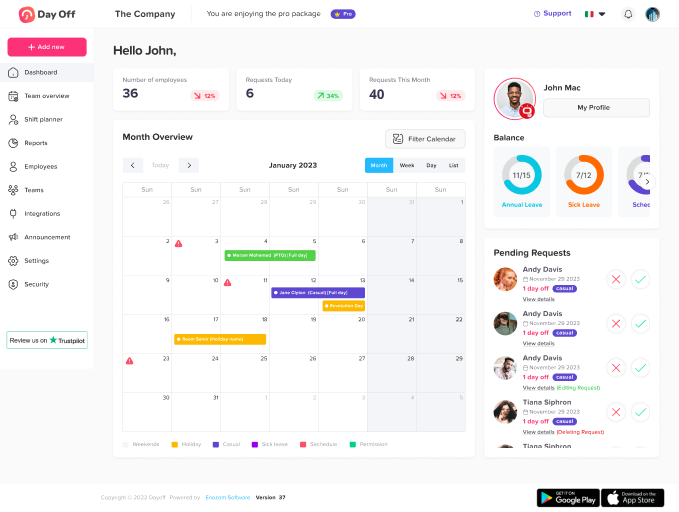
Day Off is a modern, lightweight leave management platform built on simplicity and accessibility. It’s designed especially for small and mid sized teams that want fast deployment, clarity, and no unnecessary clutter. Unlike heavy HR systems, Day Off focuses primarily on efficient leave tracking and approvals, minimizing friction for employees and managers.
Key Features
Simple Leave Request Interface: Employees can request time off in a few clicks via web or mobile.
Real Time Leave Balances: Displays up to date leave balances for all team members.
Team Availability Calendar: Shows team members’ planned absences to avoid scheduling conflicts.
Custom Leave Types: Define PTO, sick leave, parental leave, bereavement, and more.
Calendar Integration: Sync leave data with Google/Outlook Calendar and Slack, Microsoft teams.
Why It’s Valuable
Day Off stands out for its ease of use reducing training time and eliminating confusion over leave policies. It’s ideal for organizations prioritizing immediate clarity and low administrative overhead.
Pros
- Extremely fast to set up usually no longer than a few hours
- Very intuitive UI for both employees and managers
- Affordable lower cost compared with full HR suites
- Built in team calendar helps with resource planning
Cons
- Focused primarily on leave not a full HRIS
- Fewer advanced policy configurations
- Limited integrations with payroll systems
Best Use Cases
- Small, mid sized or an enterpirse.
- Companies with remote or distributed teams needing shared visibility
- Organizations without existing HR software
Calamari
Overview
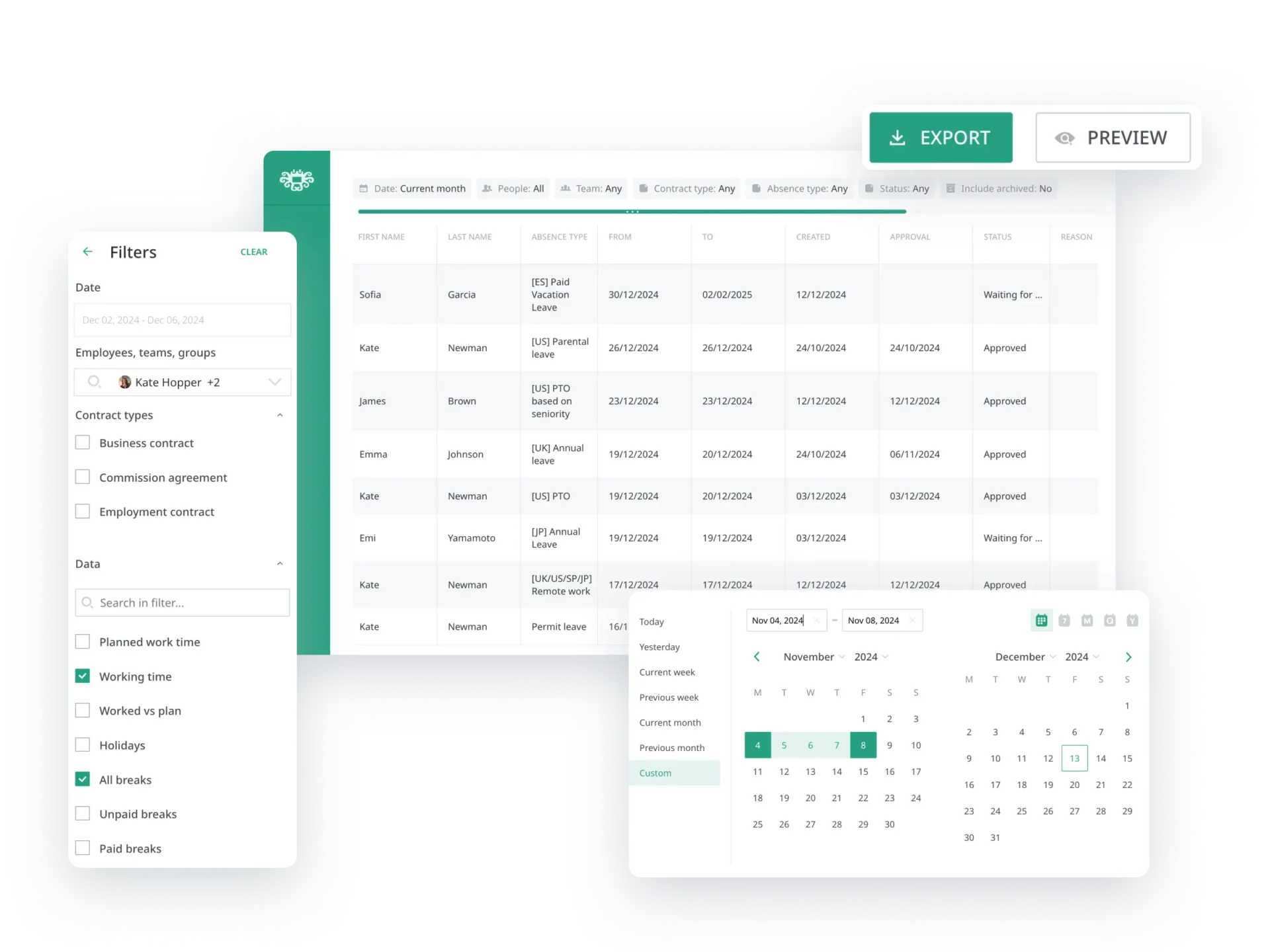
Calamari is a flexible leave and time off management platform often chosen by businesses that are growing or have complex leave structures. It’s designed not only to manage time off but also to streamline absence workflows, compliance requirements, and reporting across multiple locations.
Key Features
Customizable Leave Policies: Set different policies for departments, locations, and employee types.
Accrual Rules: Automatically calculate accruals based on tenure, work hours, and organizational policy.
Multi Holiday Support: Built in public holidays by country and region.
Team and Global Calendars: Visualize time off at individual, team, or company levels.
Mobile Access: Employees can request leave and view balances on the go.
Why It’s Valuable
Calamari is particularly powerful for companies that operate across regions because it supports custom policies by jurisdiction and contract type a necessity for global teams.
Pros
- Highly configurable policies and accrual settings
- Excellent visibility with shared calendars
- Useful notifications keep teams aligned
- Supports large teams and multiple locations
Cons
- More features than small businesses need initial complexity
- Some users report the interface feels less modern than competitors
Best Use Cases
- Mid sized companies with diverse leave rules
- Organizations with teams across different countries or time zones
- Companies needing robust leave reporting
Vacation Tracker
Overview
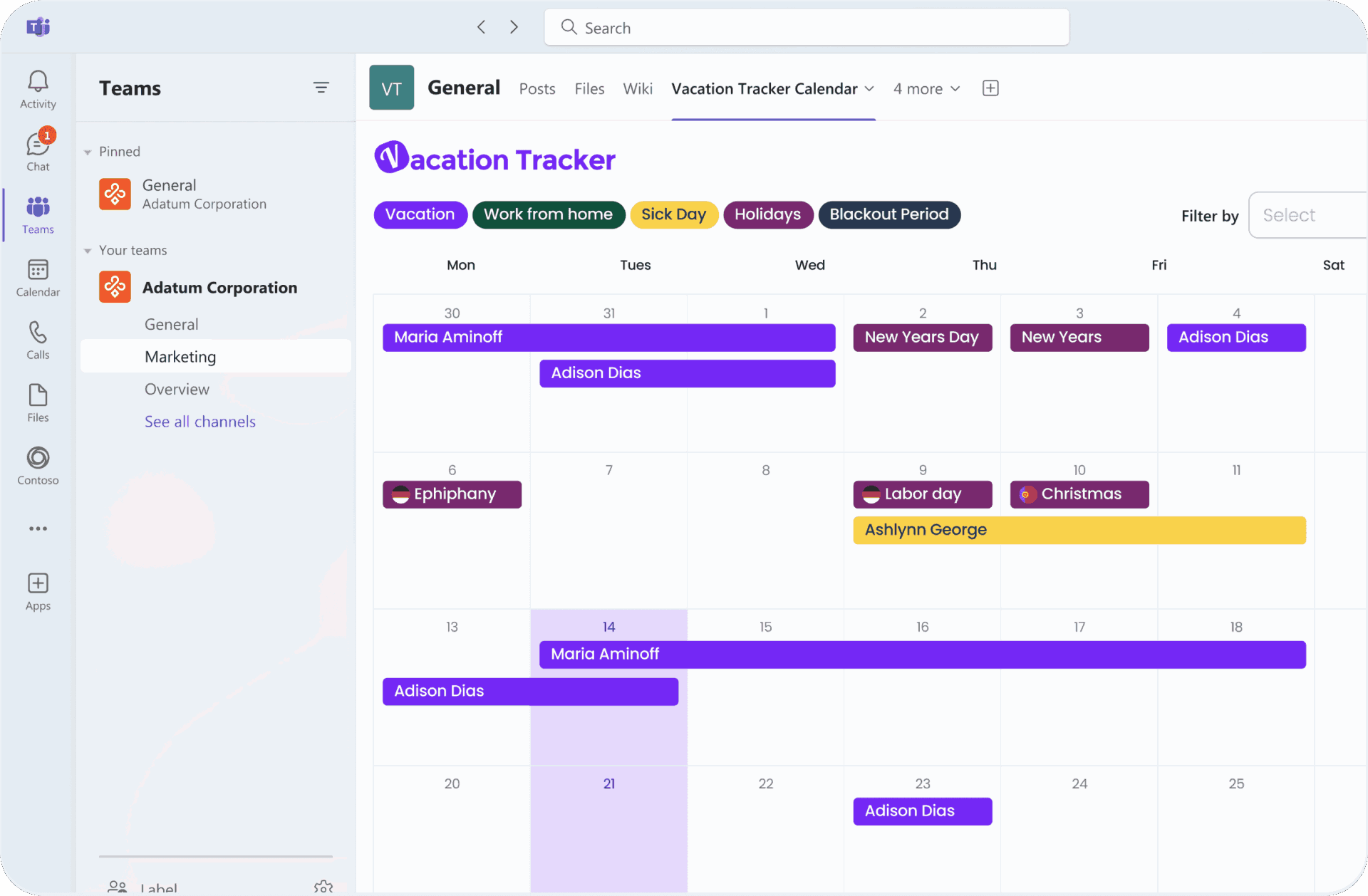
Vacation Tracker emphasizes automation and integration. Rather than operating as a standalone web portal, it connects directly with communication platforms like Slack and Microsoft Teams, allowing employees to request leave where they already work in their chat tools.
Key Features
Chat based Leave Requests: Employees can submit requests directly inside Slack or Teams.
Automated Approval Workflows: Configurable multi step approval flows streamline the process.
Accrual Tracking: Automatically tracks balances and accrual rules.
Reporting and Exporting: Export leave data for payroll and compliance.
Mobile Accessibility: Use via chat apps or its web dashboard.
Why It’s Valuable
Vacation Tracker’s integration with chat platforms removes friction: employees don’t have to open a separate system to request time off they do it from tools they use every day.
Pros
- Seamless integration with productivity tools
- Easy approval routing and reminders
- Reduces context switching for employees
- Great choice for hybrid and digital teams
Cons
- Best value only for teams already using Slack or Teams
- Standalone portal less powerful than dedicated HR suites
- Limited custom reporting options without exporting data
Best Use Cases
- Teams heavily reliant on Slack or Microsoft Teams
- Smaller companies looking for minimal setup
- Organizations that want quick, chat based leave interactions
AbsenceSoft
Overview
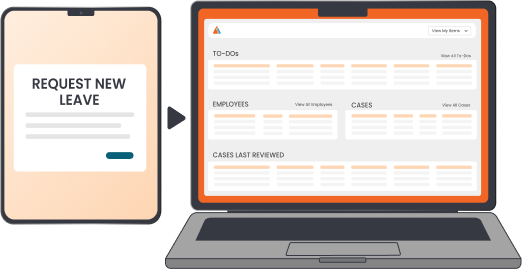
AbsenceSoft positions itself as a powerful, compliance oriented leave management solution. It’s not just a PTO tracker it also helps companies navigate complex statutory leave obligations, especially in regions like the U.S., where federal and state laws (e.g., FMLA) create intricate requirements.
Key Features
Compliance Engine: Applies federal, state, and local statutory rules to leave decisions.
Automated Calculations: Determines eligibility and leave entitlement automatically.
Detailed Case Management: Tracks documentation and leave reasons.
Employee Self Service: Employees can submit information and review their eligibility status.
Audit Trail: All actions documented for HR audits and compliance reviews.
Why It’s Valuable
Where simple PTO trackers fall short is legal compliance. AbsenceSoft helps minimize legal risk by automating eligibility calculations for complex absences a frequent pain point for HR departments.
Pros
- Extremely strong compliance support
- Reduces legal risk and manual manual tracking errors
- Excellent for regulated industries or legal teams
- Helpful for large organizations with HR complexity
Cons
- Higher price point than simpler systems
- Requires training to use advanced features
- Some small businesses may never use its full capabilities
Best Use Cases
- Corporations with legal leave obligations (e.g., FMLA)
- HR teams needing documentation and audit logs
- Organizations in heavily regulated sectors
HR Leave Hub
Overview
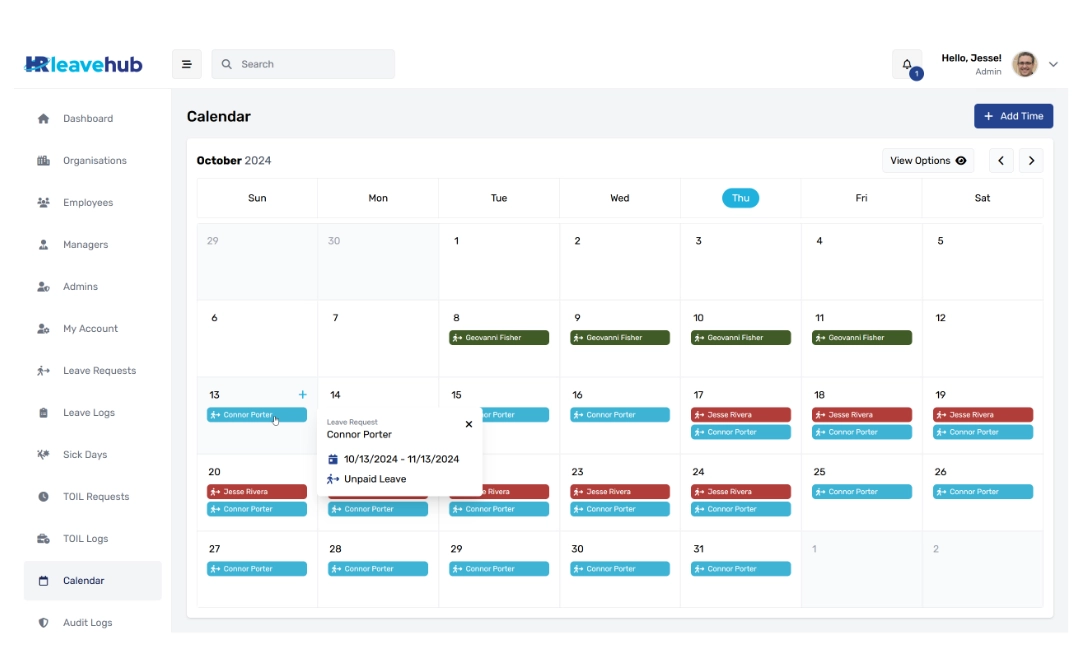
HR Leave Hub is a purpose built leave management platform created by HR professionals with simplicity and core functionality in mind. It may not have all the bells and whistles of larger HR suites, but it focuses on the essentials transparent tracking, accurate balances, and easy approvals.
Key Features
Clear Leave Dashboard: Employees and managers see all leave requests and balances at a glance.
Multiple Leave Types: Including PTO, sick leave, special leaves, and unpaid time off.
Approval Workflows: Simple routing to supervisors.
Compliance Checks: Ensures leave policies are followed.
Export & Reporting: Basic export functions for payroll and record keeping.
Why It’s Valuable
HR Leave Hub is built for organizations that want functional simplicity without complexity a solution that works reliably without requiring a full HRIS overhaul.
Pros
- Easy to learn and administer
- Provides the core features most teams need
- Affordable and accessible
- Clean, uncluttered interface
Cons
- Fewer third party integrations
- Not as robust for complex leave rules
- Reporting tools are basic
Best Use Cases
- Small to medium teams with standard leave structures
- Companies that prioritize simplicity
- Teams transitioning from spreadsheets to a leave system
Detailed Feature Comparison
| Platform | Best For | Core Strength | Integrations | Complexity Level | Compliance Focus |
|---|---|---|---|---|---|
| Day Off | Simple leave tracking | Ultra-easy UX | Basic | Low | Standard |
| Calamari | Scalable workforce | Custom policies | Moderate | Medium | Moderate |
| Vacation Tracker | Chat-based workflows | Chat integrations | Slack / Teams | Low–Medium | Standard |
| AbsenceSoft | Compliance heavy needs | Legal automation | Moderate–High | High | High |
| HR Leave Hub | Essential leave tracking | Core HR focus | Basic | Low | Standard |
FAQ
What is a leave management platform?
A leave management platform is software that helps organizations track, manage, and approve employee time off such as paid leave, sick days, and statutory absences. It replaces manual tracking methods like spreadsheets and emails, reducing errors and administrative workload.
Why should companies use leave management software instead of spreadsheets?
Spreadsheets are prone to mistakes, lack real time updates, and don’t scale well as teams grow. Leave management software automates calculations, enforces policies, improves transparency, and provides a better experience for both employees and managers.
What platform is best for companies with complex or legal leave requirements?
Organizations with complex compliance needs, such as statutory or regulated leave, benefit most from AbsenceSoft. It automates eligibility checks, documentation, and compliance rules, helping reduce legal risk.
Can leave management software integrate with other tools?
Yes. Many platforms integrate with calendars, payroll systems, and communication tools. For example, Vacation Tracker integrates with Slack and Microsoft Teams, while others offer calendar syncing and reporting exports.
How does leave management software improve employee experience?
Employees gain real time visibility into their leave balances, can submit requests easily, and receive faster approvals. This transparency reduces confusion, builds trust, and improves overall workplace satisfaction.
Is leave management software suitable for remote or hybrid teams?
Absolutely. Leave management platforms are especially useful for remote and hybrid teams because they provide shared visibility into team availability and prevent scheduling conflicts across time zones.
How do I choose the right leave management platform?
Start by evaluating your company size, policy complexity, compliance requirements, and integration needs. Small teams may prioritize simplicity, while larger organizations may need scalability and legal automation.
Conclusion
Leave management platforms span a spectrum from light, employee friendly tools that eliminate manual spreadsheets, to powerful compliance engines that protect businesses from legal risk. The right choice depends on your organization’s size, complexity, workflow environment, and compliance needs.