







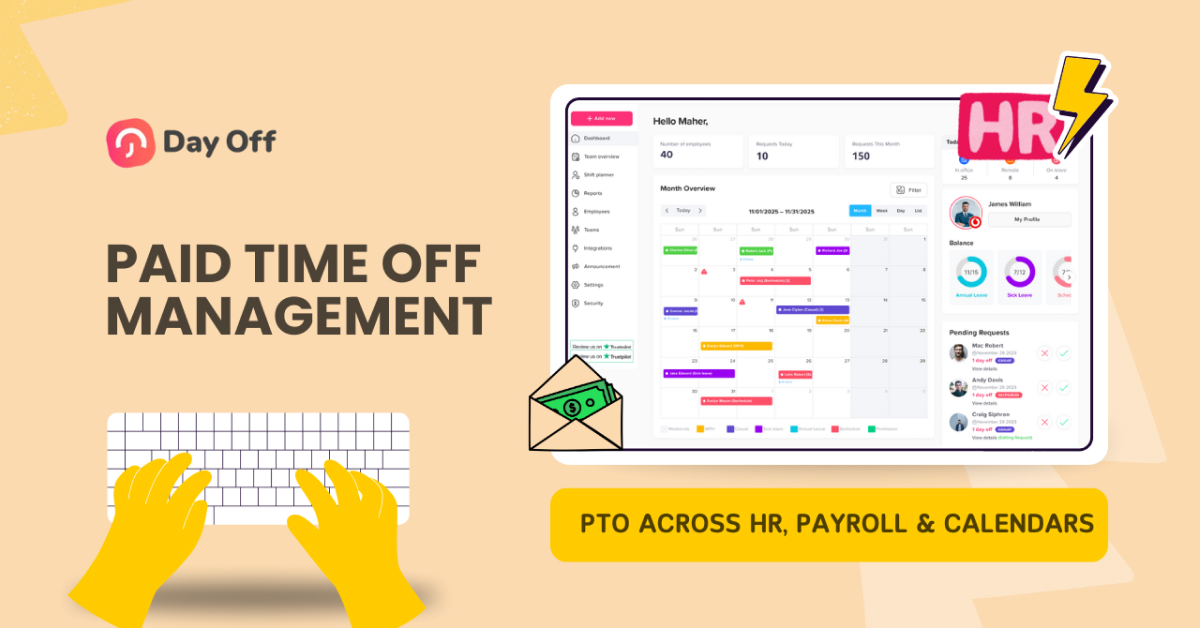
Paid Time Off (PTO) is far more than a simple HR benefit. It directly affects employee morale, payroll accuracy, legal compliance, and day to day workforce planning. When PTO tracking operates separately from payroll, HRIS, and calendar tools, organizations often experience inconsistencies, manual workarounds, and costly errors. Employees lose trust in their balances, managers struggle with scheduling, and payroll teams spend hours reconciling discrepancies.
Integrating PTO tracking with payroll, HRIS, and calendar tools solves these problems by creating a single, connected flow of information. This article provides a detailed, reader friendly explanation of how such integrations work, why they matter, and how organizations can implement them successfully, without overwhelming technical jargon or fragmented bullet points.

Understanding PTO Integration in Practical Terms
PTO integration means that time off data moves automatically and accurately between systems, without repeated manual entry. When an employee submits a PTO request, the approval triggers a chain of updates: balances are recalculated, payroll records are adjusted if necessary, and calendars reflect the absence for planning purposes. Each system plays its role, but no system works in isolation.
This integration is essential because PTO sits at the intersection of HR policy and financial reality. A single mistake, such as an unpaid leave recorded as paid, can result in incorrect wages, employee dissatisfaction, and compliance risks. Integration ensures that PTO policies are not just documented but consistently enforced across the organization.
The Systems Involved and Why Each One Matters
Effective PTO integration depends on multiple systems working together seamlessly. Each system plays a distinct role, and breakdowns in any one of them can lead to confusion, errors, or poor employee experience. Understanding these roles is essential to designing a reliable PTO ecosystem.
PTO Tracking System: The Employee Experience Layer
The PTO tracking system is the employee facing layer of the ecosystem. Tools like Day Off are where employees request time off, check leave balances, and view upcoming absences.
A well-designed PTO system provides real time visibility into accruals and remaining leave, reducing uncertainty and eliminating the need for employees to contact HR for routine questions. For managers, it streamlines approvals and ensures that leave policies are applied consistently across teams. Because this system is used daily by employees, it has a major impact on overall trust and satisfaction.
HRIS: The System of Record
The HR Information System (HRIS) serves as the authoritative source of employee data. It stores core information such as employment status, job role, department, location, and eligibility for specific leave policies.
Organizations often rely on platforms like Workday, BambooHR, or ADP to maintain this data. PTO tools like Day Off depend on the HRIS to determine which policies apply to which employees. If HRIS data is outdated or inconsistent, those inaccuracies will propagate into every connected system, leading to incorrect balances, approvals, or eligibility rules.
Payroll Systems: Turning Time Off into Pay Accuracy
Payroll systems translate PTO data into financial outcomes. They determine whether time off is paid, partially paid, or unpaid, and ensure wages are calculated correctly for each pay period.
When PTO systems like Day Off integrate properly with payroll, approved leave data flows automatically, reducing manual entry and reconciliation. Because payroll errors directly affect employees’ paychecks, accuracy at this stage is critical, not only for compliance, but also for employee trust.
Calendar Tools: Operational Visibility for Teams
Calendar tools provide visibility into who is available and when. When approved PTO from systems like Day Off appears in shared calendars such as Google Calendar or Microsoft Outlook, teams can plan meetings, deadlines, and coverage with confidence.
This integration turns PTO from a private HR record into a practical planning tool for the organization. At the same time, it maintains appropriate privacy by sharing availability without exposing sensitive leave details.
Designing the Right Integration Architecture
No two organizations have identical needs, so PTO integration must be designed with context in mind. Some companies centralize PTO entirely within the HRIS, allowing payroll and calendars to consume that data. This approach works well when leave policies are relatively simple and the HRIS offers strong native functionality.
Other organizations adopt a best of breed approach, using a specialized PTO tool that integrates with both HRIS and payroll. This model offers greater flexibility, especially for companies with complex accrual rules, global workforces, or multiple leave categories governed by local laws.
In payroll driven environments, such as hourly, shift-based, or unionized workforces, PTO data often flows primarily through payroll systems. While this ensures financial accuracy, it may require additional effort to provide employees with clear self-service access to balances and policies.
The most successful integrations clearly define which system owns which data and ensure that no two systems attempt to calculate the same values independently.
Integrating PTO with HRIS: Building a Reliable Foundation
Integration should always begin with policy clarity. PTO rules must be thoroughly defined before automation begins. This includes accrual rates, eligibility criteria, carryover limits, and expiration rules. Automation amplifies clarity, but it also amplifies confusion if policies are poorly defined.
Once policies are established, employee data must be aligned. Employee identifiers, job classifications, and employment statuses should match exactly between systems. Even minor inconsistencies, such as different definitions of full-time status, can cause significant issues once systems are synchronized.
A critical design decision involves where accrual calculations take place. Accruals should be calculated in one system only, then shared with others. Dual calculations almost always lead to balance discrepancies over time. Testing should include real-world scenarios such as mid-cycle hires, promotions, and employees transitioning between leave types.
Integrating PTO with Payroll: Where Accuracy Is Non-Negotiable
Payroll integration demands meticulous attention to detail. PTO data must align precisely with payroll cycles so that paid and unpaid leave is reflected correctly in wages. This includes ensuring that leave taken across pay periods is split accurately and that retroactive changes are handled transparently.
Locking rules are essential. Once payroll reaches its cutoff date, PTO records for that period should be frozen to prevent unintended changes. Any necessary adjustments should follow a controlled approval process and leave a clear audit trail.
From a compliance perspective, integrated systems play a crucial role in enforcing statutory leave requirements. Sick leave laws, regional accrual mandates, and reporting obligations can all be managed more effectively when PTO and payroll systems are connected and synchronized.
Calendar Integration: Turning PTO into Operational Insight
Calendar integration is often underestimated, yet it delivers immediate value across teams. When approved PTO automatically appears on shared calendars, managers gain a clear view of availability and can plan workloads more effectively.
The key to successful calendar integration is balance. Calendars should show that an employee is unavailable without revealing sensitive details such as leave type or reason. Most organizations achieve this by displaying neutral “Out of Office” entries that respect privacy while still supporting coordination.
One-way synchronization, from the PTO system to calendars, is usually sufficient and avoids the complexity and risk of conflicting updates.
How Day Off Simplifies PTO Management with Calendar & API Integrations
Modern organizations increasingly expect their time off systems to work seamlessly with the tools employees already use every day. Day Off was built with this expectation in mind, rather than treating PTO as an isolated HR process, Day Off positions time off as a connected experience, integrating directly with calendar platforms and offering flexible API access for deeper system integrations.
By combining Google Calendar integration, Microsoft Outlook Calendar integration, and a robust API, Day Off enables companies to connect PTO tracking with daily workflows, payroll systems, HR platforms, and internal tools without friction.
Day Off as a Central PTO Hub
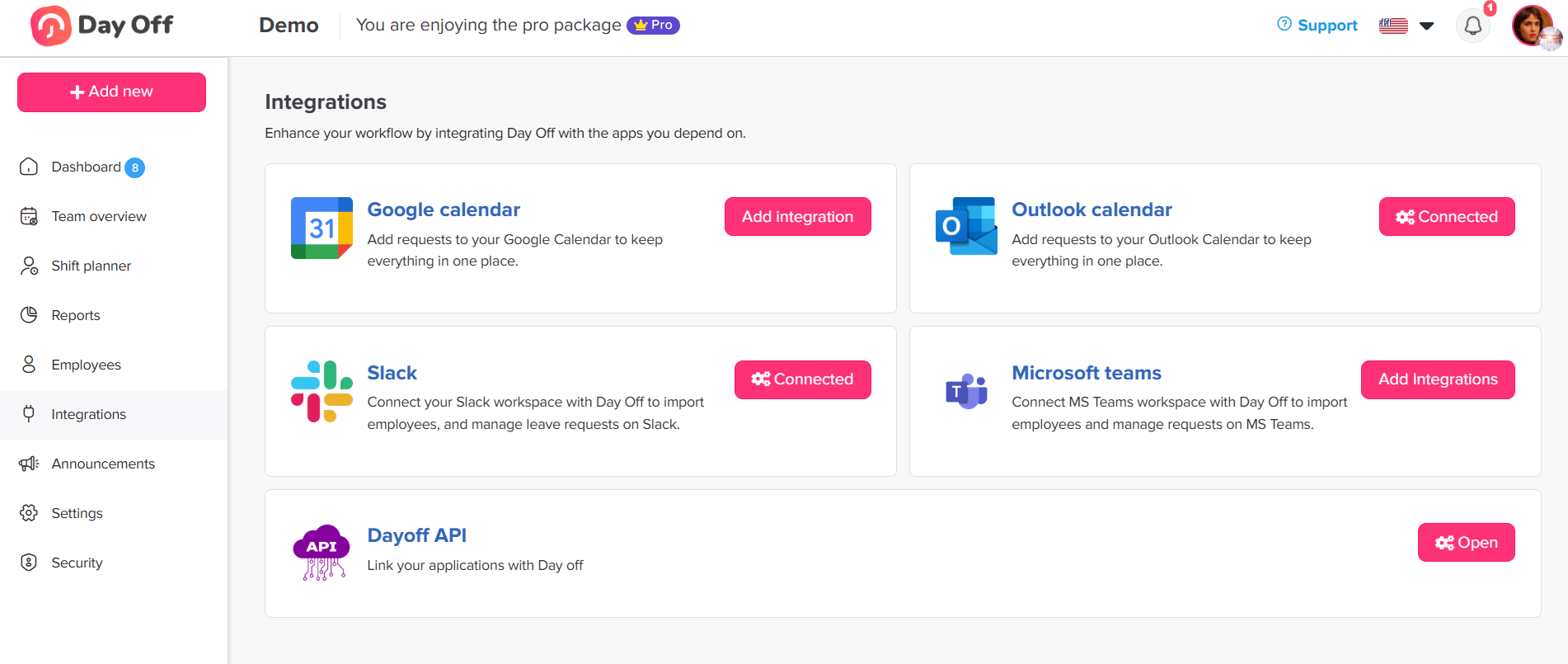
Day Off functions as a centralized system, where employees request time off, managers approve it, and balances are automatically updated in accordance with company policies. What makes Day Off especially valuable is not just its PTO tracking capabilities, but how easily that data flows into other systems.
Instead of duplicating information across platforms, Day Off acts as a single source of truth for time off data. Once a request is approved, the information becomes immediately useful across calendars, planning tools, and integrated systems, without additional manual steps from HR or managers.
Google Calendar Integration: Real-Time Visibility for Teams
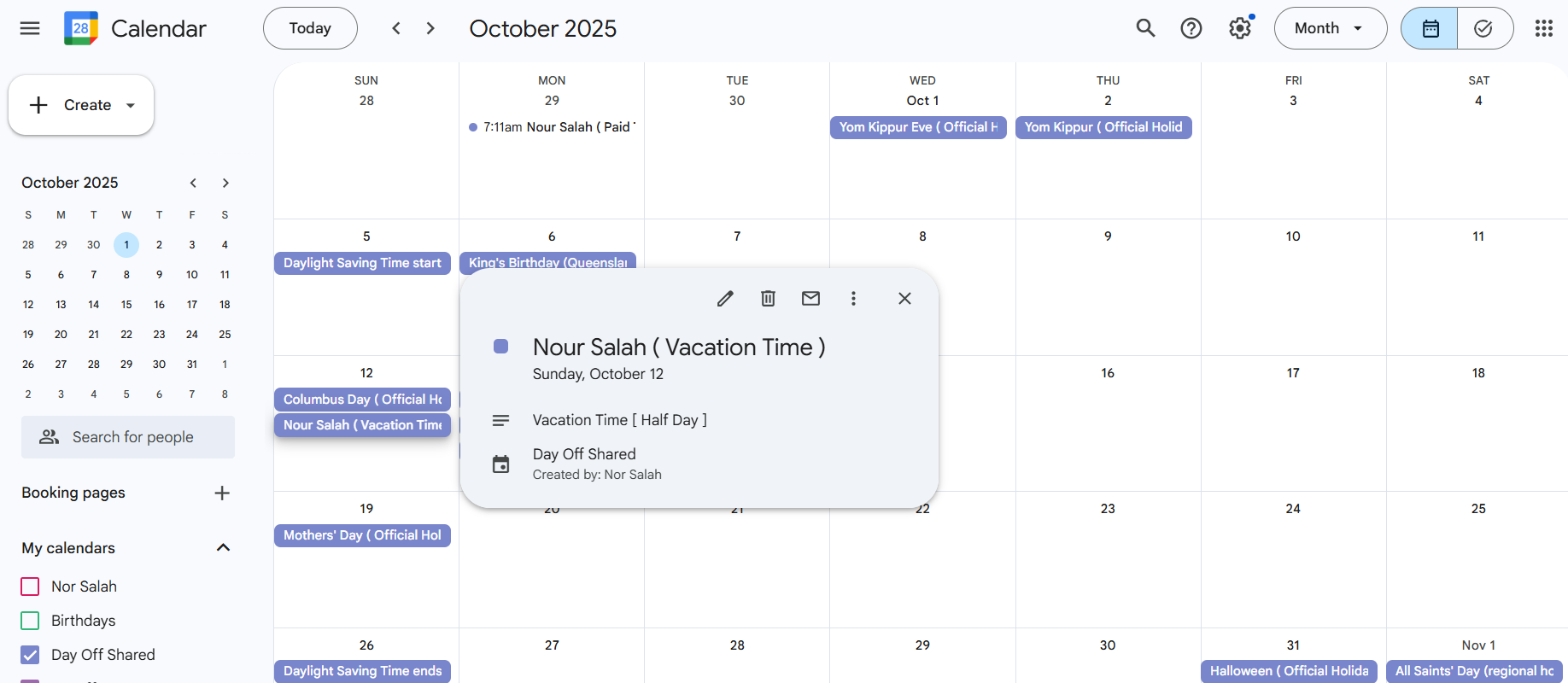
The integration between Day Off and Google Calendar ensures that approved time off is reflected directly in employees’ calendars. This creates instant visibility into availability, helping teams avoid scheduling conflicts and last-minute surprises.
When PTO is approved in Day Off, an “Out of Office” or time off event automatically appears in the employee’s Google Calendar. Colleagues can immediately see availability at a glance, while managers can plan workloads and deadlines with greater confidence. Importantly, the integration is designed with privacy in mind, calendars show that someone is unavailable without exposing the reason or type of leave.
This real time synchronization removes the need for employees to manually block calendars or remember to update availability, making PTO both accurate and effortless.
Outlook Calendar Integration: Seamless for Microsoft-Based Workflows
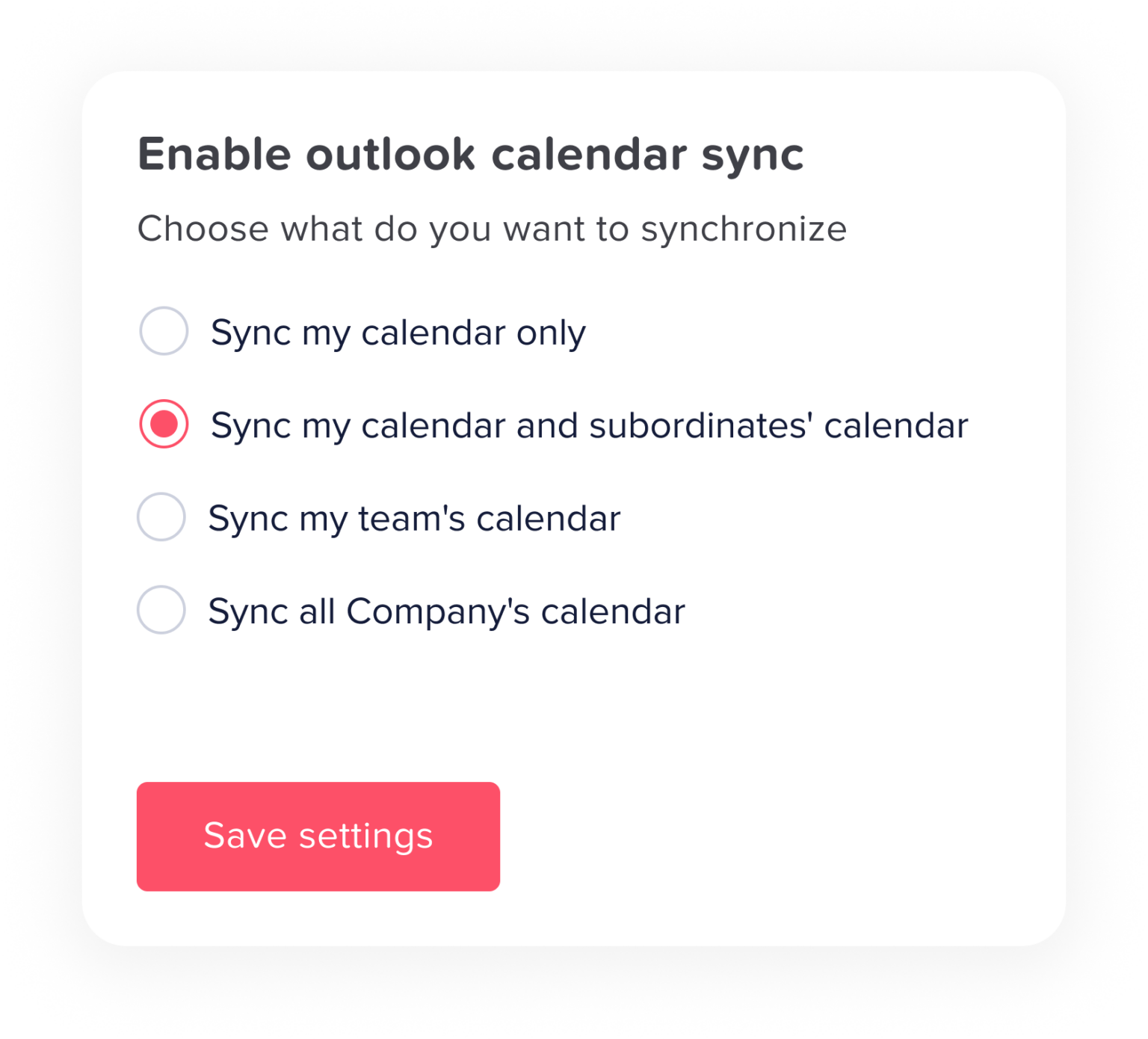
For organizations that rely on Microsoft tools, Day Off integrates smoothly with Microsoft Outlook calendars. Approved leave in Day Off automatically syncs to Outlook, ensuring consistency across email, scheduling, and collaboration workflows.
This integration is especially valuable in corporate environments where Outlook calendars drive meeting scheduling and resource planning. By keeping PTO data synchronized, Day Off prevents meetings from being scheduled during approved absences and reduces the back-and-forth often caused by outdated availability information.
As with Google Calendar, Outlook entries remain neutral and professional, focusing on availability rather than personal details.
API Integration: Flexibility for Custom and Advanced Use Cases
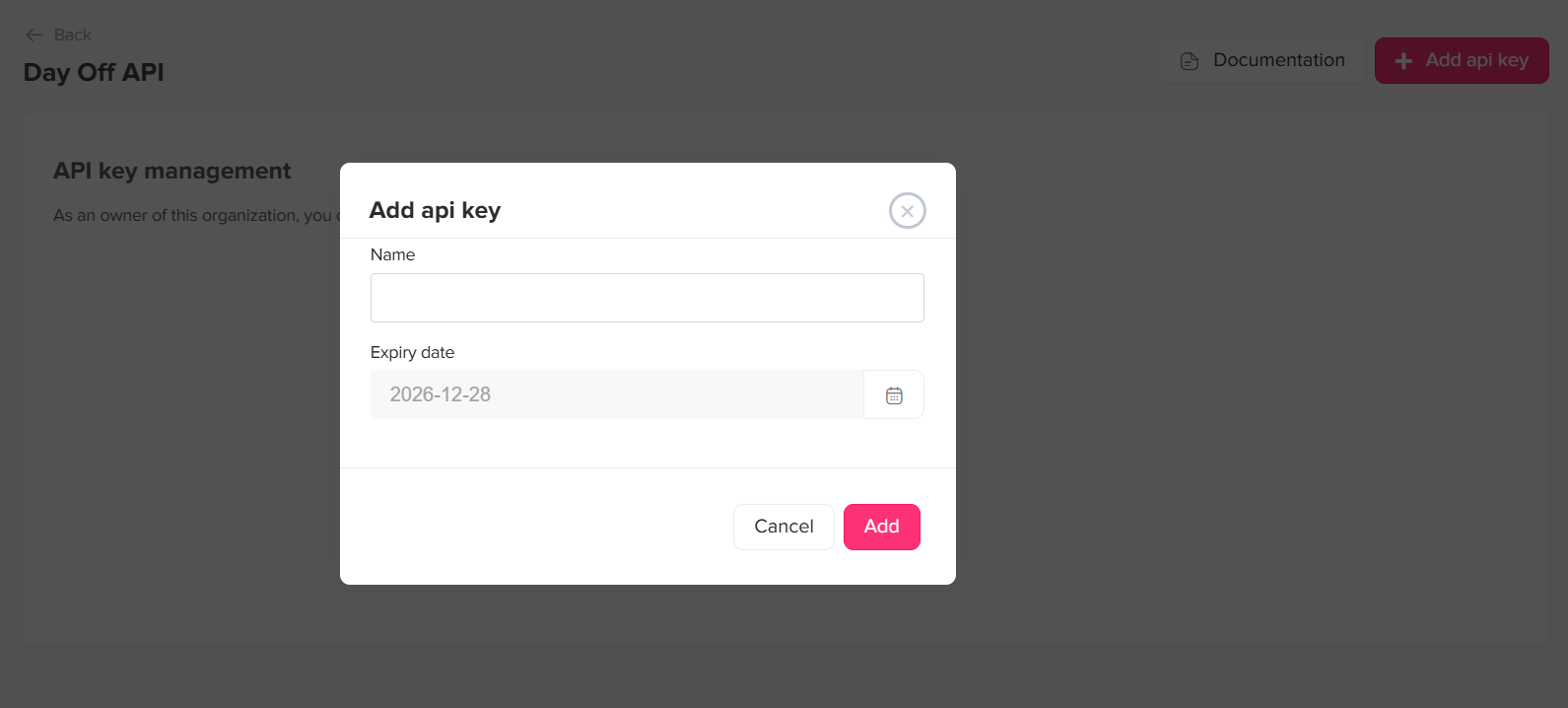
Beyond calendar integrations, Day Off offers a powerful API that allows organizations to connect PTO data with virtually any system they use. This makes Day Off suitable not only for small teams, but also for growing companies and enterprises with custom workflows.
Through the API, organizations can:
Sync PTO data with payroll systems to ensure accurate pay calculations
Connect Day Off to HRIS platforms for unified employee records
Build internal dashboards that reflect real-time availability
Automate reporting for compliance or leadership insights
The API-first approach gives technical teams the freedom to integrate Day Off into their existing ecosystem rather than forcing changes to established processes. Whether the goal is automation, reporting, or deeper analytics, the API ensures PTO data is accessible, secure, and reliable.
Day Off: A Complete PTO Management Platform Built for Modern Teams
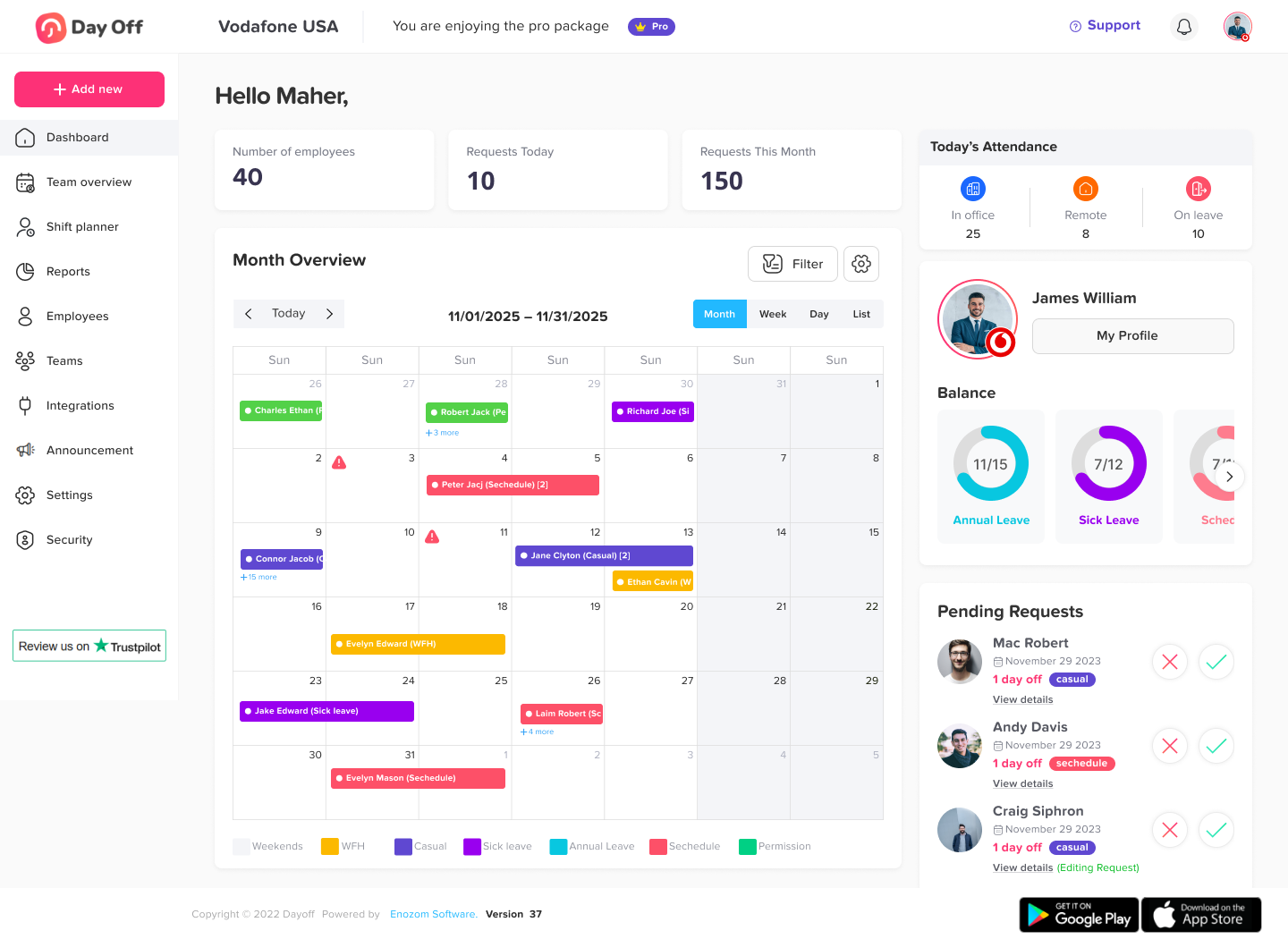
Day Off is designed to handle the full lifecycle of Paid Time Off, from policy definition to daily visibility, while integrating seamlessly into the tools organizations already rely on. Rather than focusing on a single aspect of PTO, Day Off provides a complete, centralized solution that supports employees, managers, HR, and payroll teams alike.
Employee Self-Service and Balance Transparency
Day Off gives employees a clear, self-service experience. Employees can submit PTO requests, view real-time balances, track accruals, and see their upcoming approved time off. This transparency reduces confusion and helps employees plan time away with confidence, without relying on HR for routine questions.
Flexible PTO Policies and Accrual Management
Organizations can configure multiple PTO types, such as vacation, sick leave, personal leave, and unpaid time off. Accrual rules support different employment types, tenure-based policies, and regional requirements. Carryover limits, accrual caps, and expiration rules are enforced automatically, ensuring policies are applied consistently.
Multi-Level Approval Workflows
Day Off supports multi-approver workflows, allowing organizations to require more than one level of approval for PTO requests. This is especially useful for teams that need manager and department-level oversight, project-based approval, or additional compliance checks. Approval chains can be configured to match internal processes without slowing down decision-making.
Blockout Dates for Business-Critical Periods
The blockout dates feature allows organizations to restrict PTO during critical periods, such as peak business seasons, product launches, audits, or high-demand operational windows. Employees can still view these dates in advance, setting clear expectations while preventing scheduling conflicts that could impact business continuity.
Work Schedules and Non-Standard Working Patterns
Day Off supports custom work schedules, including part-time roles, shift-based employees, and non-standard working weeks. PTO calculations respect each employee’s assigned schedule, ensuring accurate deductions and balances for organizations with diverse working arrangements.
Manager Visibility and Team Planning
Managers have access to a clear team-level view of upcoming absences, pending requests, and approved time off. This visibility supports better workload planning and helps avoid overlap or understaffing without exposing sensitive leave details.
Built-In Holiday Management
Organizations can define company holidays and assign them by country, region, or location. Holidays are reflected automatically in PTO calculations, ensuring employees receive accurate balances and consistent treatment regardless of where they work.
Role-Based Access and Single Sign-On (SSO)
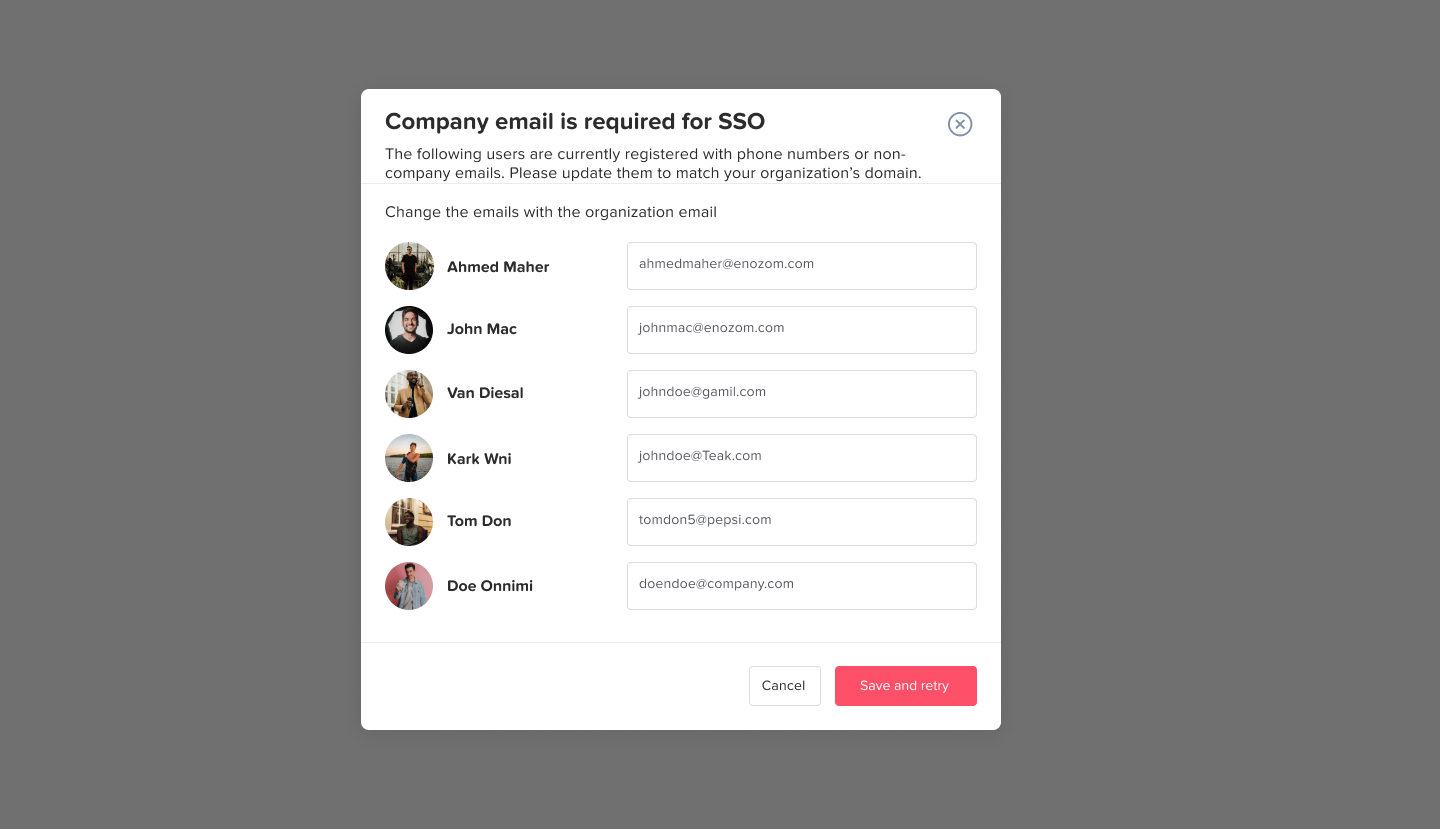
Day Off includes role-based permissions so employees, managers, and administrators only access information relevant to their responsibilities. For added security and ease of access, Day Off supports Single Sign On (SSO), allowing employees to authenticate using their existing corporate identity provider.
Why These Integrations Matter for Everyday Work
Calendar and API integrations turn PTO from a passive HR record into an active operational signal. Employees no longer need to manage calendars manually. Managers gain immediate insight into team availability. HR teams spend less time answering questions and fixing discrepancies. Payroll teams benefit from cleaner, more reliable data.
Most importantly, integrations reduce friction. PTO becomes something that “just works” in the background, instead of another task employees must remember to manage.
A Unified, Connected PTO Experience
Day Off’s integrations with Google Calendar, Outlook Calendar, and its open API reflect a broader philosophy: PTO should fit naturally into how people work, not disrupt it. By embedding time-off information directly into calendars and making it accessible through APIs, Day Off creates a PTO experience that is transparent, accurate, and easy to trust.
For organizations looking to modernize their time off management without adding complexity, Day Off offers a practical and scalable solution, one that connects people, systems, and schedules through thoughtful integration.
Frequently Asked Questions (FAQ) About PTO Integration
What does PTO integration actually mean?
PTO integration means that time off data flows automatically between systems such as the PTO tracking tool, HRIS, payroll, and calendars. When an employee requests and receives approval for time off, balances are updated, payroll records are adjusted if needed, and calendars reflect the absence, without manual data entry or duplication.
Why is PTO integration important beyond convenience?
While convenience is a major benefit, the real value of PTO integration lies in accuracy, compliance, and trust. Integrated systems reduce payroll errors, enforce leave policies consistently, support legal compliance, and give employees confidence that their balances and pay are correct.
Which system should be the source of truth for PTO data?
There is no universal answer, as it depends on organizational structure and policy complexity. Some organizations use the HRIS as the system of record, while others rely on a specialized PTO tool like Day Off. What matters most is that only one system owns accrual and balance calculations, and all others consume that data without recalculating it.
Can PTO integration work with complex or custom leave policies?
Yes. Modern PTO platforms and APIs are designed to support complex accrual rules, multiple leave types, regional policies, and eligibility criteria. The key is to clearly define policies upfront and ensure integrations are tested against real world scenarios such as policy changes, role transitions, and retroactive adjustments.
How does PTO integration affect payroll accuracy?
Integrated PTO systems ensure that paid, unpaid, and partially paid leave is reflected correctly in payroll calculations. Approved leave data flows automatically into payroll systems, reducing manual entry and minimizing the risk of underpayment or overpayment. This is especially critical for organizations with hourly employees or multiple pay cycles.
What information is shared with calendar tools?
Calendar integrations typically share only availability information, not sensitive leave details. Employees appear as unavailable or out of office during approved PTO, while the type or reason for leave remains private. This balance supports planning without compromising employee privacy.
Is PTO integration secure?
When implemented correctly, PTO integration is secure. Data sharing should follow the principle of least privilege, with role based access controls and encrypted connections. Audit logs further enhance security by recording when PTO data is created, modified, or synchronized across systems.
How long does it take to implement PTO integration?
Implementation timelines vary based on system complexity and organizational size. Simple integrations with standard calendars may take only a few hours, while full HRIS and payroll integrations can take several weeks. Clear policy definitions and clean employee data significantly reduce implementation time.
What happens if PTO data changes after payroll is processed?
Most organizations implement locking rules after payroll cutoffs. If a PTO record needs to be adjusted after processing, the change is handled through a controlled correction or retroactive adjustment in the next payroll cycle, ensuring transparency and auditability.
Who benefits most from PTO integration?
Everyone. Employees gain clarity and trust, managers gain visibility and planning confidence, HR teams reduce administrative workload, and payroll teams benefit from cleaner, more reliable data. PTO integration improves both operational efficiency and employee experience.
Is PTO integration worth the investment for small teams?
Yes. Even small teams benefit from reduced manual work, fewer errors, and better visibility. As teams grow, integrated PTO systems scale naturally, preventing the need for disruptive process changes later.
Conclusion
Effective time off management is no longer just an HR requirement, it is a core part of how modern organizations operate day to day. When PTO data is disconnected from calendars, payroll, and internal systems, it creates unnecessary friction for employees, managers, and HR teams alike. Integration is what transforms PTO from a static record into a living, reliable part of the work ecosystem.
By offering seamless integrations with Google Calendar, Outlook Calendar, and a flexible API, Day Off demonstrates how PTO can be embedded directly into the tools people already use. Calendar integrations ensure immediate visibility and better planning, while API access allows organizations to connect time-off data to payroll, HRIS, and custom workflows without compromising accuracy or control.
The result is a PTO experience that feels natural rather than administrative. Employees trust their balances and availability, managers plan with confidence, and HR teams reclaim time once spent on manual corrections and follow-ups. As workplaces continue to evolve toward greater flexibility and automation, solutions like Day Off show that well-integrated PTO systems are not just convenient, they are essential for building clarity, efficiency, and trust across the organization.
