







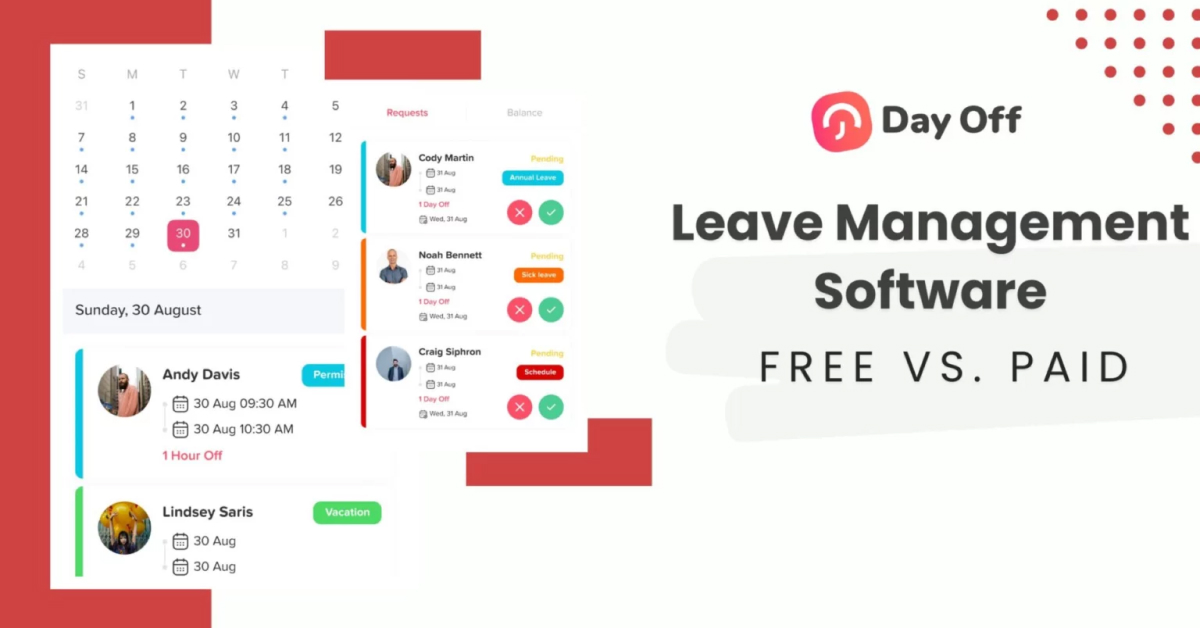
Managing employee time off seems simple until your team starts growing.
What begins as a shared spreadsheet quickly turns into missed updates, overlapping vacations, payroll errors, and constant HR questions about leave balances. That’s when businesses start searching for reliable leave management software.
But here’s the big question: Should you choose a forever-free leave management tool, or invest in a paid solution?
The right choice depends on your team size, policy complexity, and growth plans. In this guide, we’ll compare free vs. paid leave management software and highlight the best tools available today, starting with the top overall option for growing teams.

Day Off: Powerful, Flexible Leave & PTO Management for Every Team
Day Off is a cloud-based PTO, vacation, and leave tracking platform designed to simplify and automate every aspect of time off management for teams of all sizes, from small startups to global enterprises. It brings clarity, fairness, and efficiency to what was once a chaotic mix of emails, spreadsheets, and calendars.
Comprehensive Time Off Tracking
Day Off helps you track every type of leave in one place, including:
PTO and vacation days
Sick leave
Personal days
Public holidays
Custom leave types you define
You can also configure how leave accrues, carries over, and resets, giving companies full control over their policies.
Flexible Approval Workflows
Not all leave requests follow the same path. Day Off lets you tailor approval workflows to match your organization’s structure:
Multi-level approvals
Multiple approvers per employee
Auto-approval options for certain requests
Team-specific or role-based approval rules
This flexibility ensures requests are processed smoothly and consistently.
Real-Time Balance Tracking & Reporting
Both employees and managers can instantly see:
Current leave balances
Pending and approved requests
Organizational leave trends
Detailed reports on usage and patterns
This real-time visibility eliminates confusion and helps with planning resources effectively.
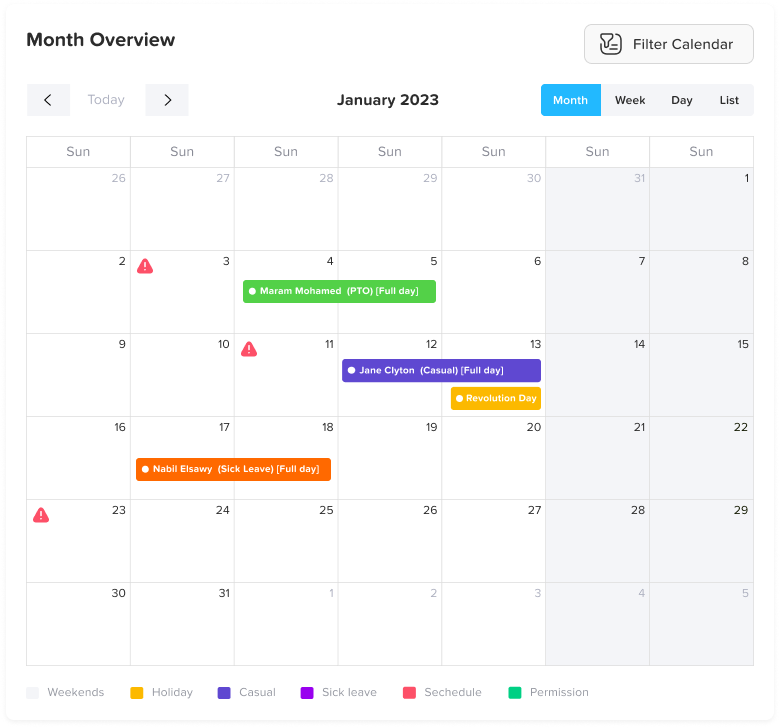
Team Calendar & Shared Visibility
Day Off includes a centralized calendar that shows:
Who’s off and when
Overlapping leave alerts
Official holidays by location
Team-specific views
This shared visibility ensures smooth scheduling and reduces operational surprises.
Mobile & Desktop Access
Day Off is accessible from both web and mobile devices, letting users:
Submit leave requests on the go
Approve time off from anywhere
Get push and email notifications
Sync status with personal calendars
Mobile availability is especially valuable for remote and hybrid teams.


Seamless Integrations
Day Off connects with tools many teams already use, including:
Google Calendar
Outlook Calendar
Slack
Microsoft Teams
These integrations make leave tracking part of your everyday workflow, so notifications and updates happen where your team already collaborates.
Free Forever Plan + Scalable Paid Options
One of the biggest advantages of Day Off is that its free plan isn’t a teaser, it’s a fully functional solution.
The Forever Free plan includes:
Unlimited employees
Core leave and PTO tracking
Real-time balance visibility
Leave requests and manager approvals
Shared team calendar
Basic reporting
This allows small teams to completely eliminate spreadsheets and manual tracking without committing to a paid subscription. There are no artificial caps that force an early upgrade, and no stripped-down demo limitations.
As your organization evolves, the platform evolves with you.
Startup
- 25 Employees
- Single Approver
- Three Policies
- Unlimited Team
- Unlimited Locations
Paid plans unlock more advanced capabilities such as:
Custom accrual rules and automated calculations
Team- and department-specific leave policies
Multi-location and multi-country support
Role-based permissions and approval chains
Advanced reporting and insights
The result? You can start simple, stay organized, and scale only when your operational complexity actually requires it, not because the software restricts you.
Lorem ipsum dolor sit amet, consectetur adipiscing elit. Ut elit tellus, luctus nec ullamcorper mattis, pulvinar dapibus leo.
Designed for Teams of All Sizes
Day Off is built to adapt, whether you’re just hiring your first employees or managing teams across multiple regions.
For startups, it provides structure from day one. Instead of building leave processes from scratch, founders can implement a clean, professional system immediately.
For growing mid-sized businesses, it helps standardize policies across departments while maintaining flexibility for different teams or locations.
For larger organizations and enterprises, Day Off supports more complex governance needs, including multi-level approvals, location-based policies, and detailed reporting across divisions.
What makes it effective across all sizes is its balance:
It’s intuitive enough for everyday use, yet robust enough to support layered workflows and expanding teams.
Why Day Off Matters for Modern PTO Culture
In 2026, simply having a PTO policy isn’t enough. What matters is how easy it is to use, and how confidently managers can support it.
That’s where Day Off makes the difference.
Day Off gives employees real-time visibility into their leave balances and team calendars, eliminating guesswork and back-and-forth messages. Managers can approve requests in seconds with clear workflows and instant notifications. Everything lives in one centralized system, improving transparency, consistency, and fairness across the organization.
Instead of chasing emails or updating spreadsheets, managers focus on planning and supporting their teams. HR gains accurate data for smarter workforce planning, compliance tracking, and burnout prevention.
Most importantly, Day Off helps build a culture where time off isn’t complicated or discouraged, it’s organized, respected, and easy to access.
BambooHR: Best for Companies That Want a Full HR Ecosystem
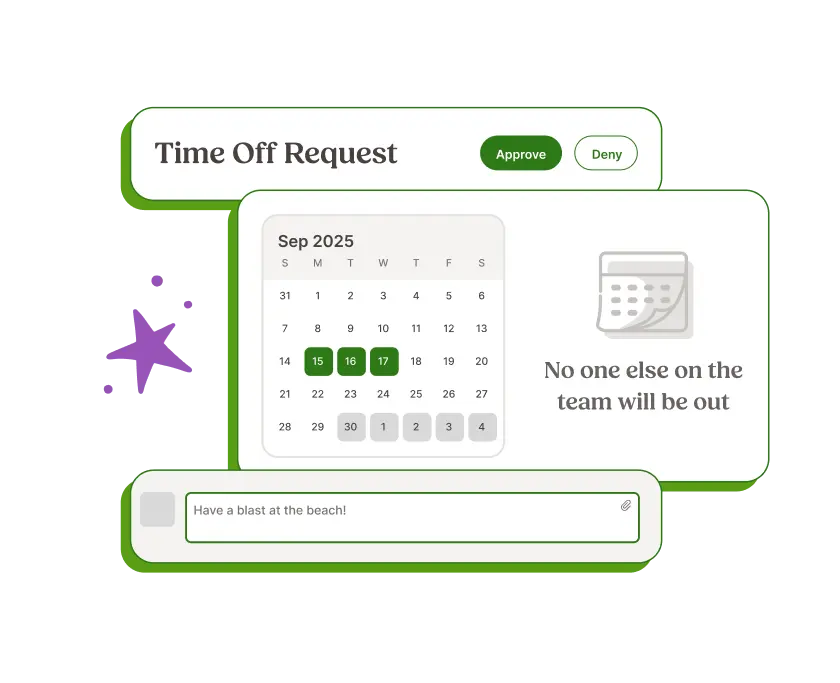
If you’re looking beyond PTO tracking and want a complete HR infrastructure, BambooHR is one of the most established names in the space.
Rather than functioning as a standalone leave management tool, BambooHR operates as an all-in-one HR platform.
It includes:
Applicant tracking (ATS)
Onboarding workflows
Employee record management
Performance management tools
Time-off and PTO tracking
Reporting and analytics
Where It Shines
BambooHR’s biggest advantage is centralization.
Leave management is fully integrated into employee profiles, roles, compensation data, and performance records. That means HR teams don’t need to switch between systems. Everything, from hiring to leave balances, lives in one unified ecosystem.
For mid-sized or fast-scaling companies, this integration significantly reduces administrative friction and data silos. Reporting is also stronger because PTO data connects directly to workforce insights.
Where It Falls Short
There is no forever free plan, and pricing scales with both employee count and feature access.
For small teams that only need leave tracking, BambooHR can feel excessive, like purchasing a full HR department when all you needed was structured PTO management.
Best For
Companies that:
Have 50+ employees
Are building or formalizing HR infrastructure
Want recruiting, onboarding, performance, and leave management in one system
If you need a complete HR backbone, BambooHR is a strong contender. If your primary need is PTO tracking, it may be more platform than necessary.
LeaveBoard: A Solid Free Entry Point
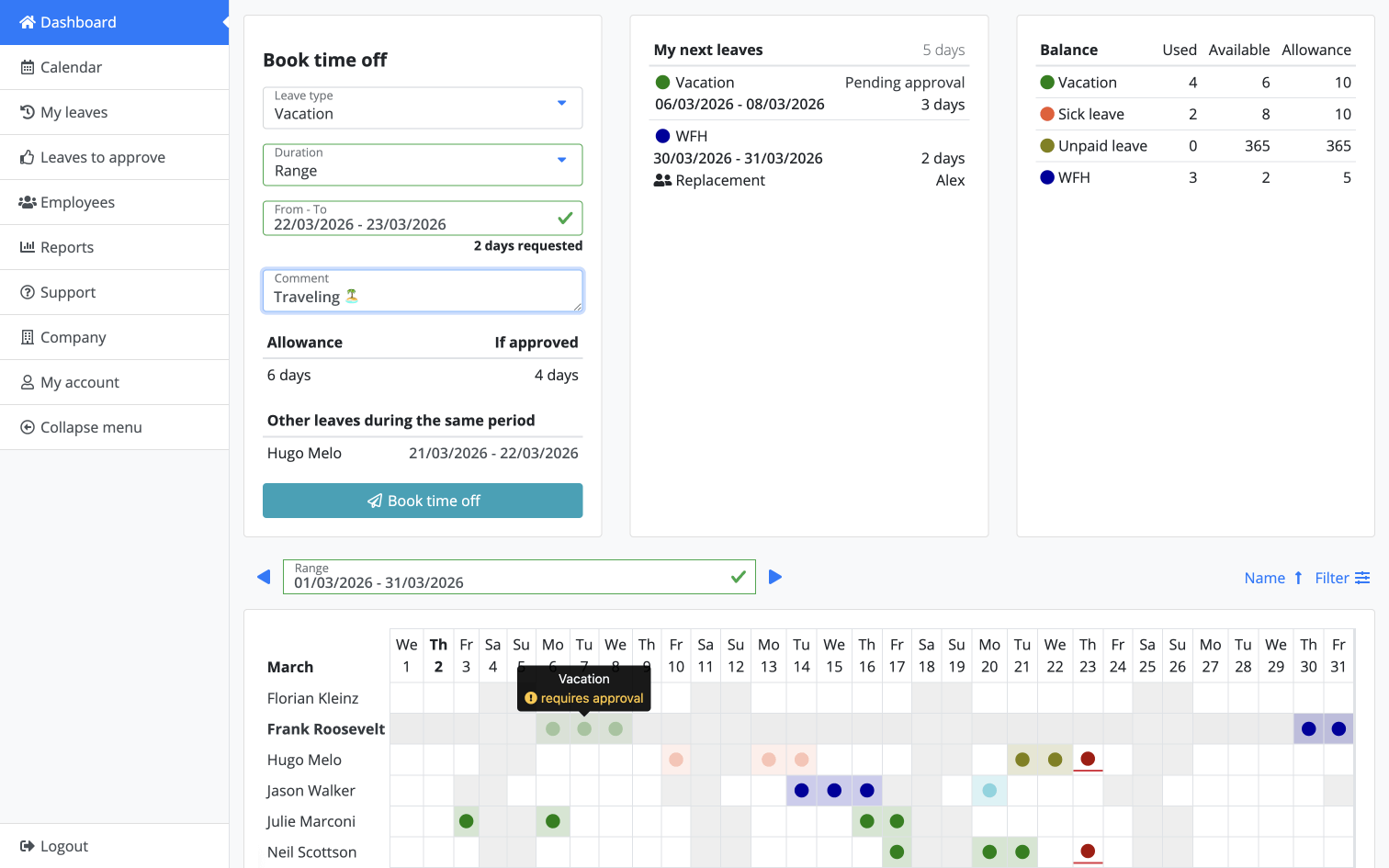
LeaveBoard is a lightweight leave management solution that offers a free plan for small teams, making it an accessible entry point for organizations transitioning away from spreadsheets.
What It Does Well
LeaveBoard covers the fundamentals effectively:
PTO balance tracking
Team calendar visibility
Basic accrual policies
Simple reporting
Public holiday management
It provides enough structure for teams that primarily need clarity around who is off and how many days remain.
For small organizations with straightforward leave policies, it can be a practical first step into digital leave management.
Where It Feels Limited
As teams grow, customization and automation needs tend to increase. Some advanced features require upgrading, and the interface may feel less modern compared to newer competitors.
For organizations managing multiple departments or more complex policies, scalability can become a challenge.
Best For
Small teams that:
Need a clear alternative to spreadsheets
Have simple leave policies
Want a low-cost starting point
It’s a practical solution, especially at the early stages, but may require reevaluation as complexity grows.
Zoho People: Ideal for Teams Already Using Zoho
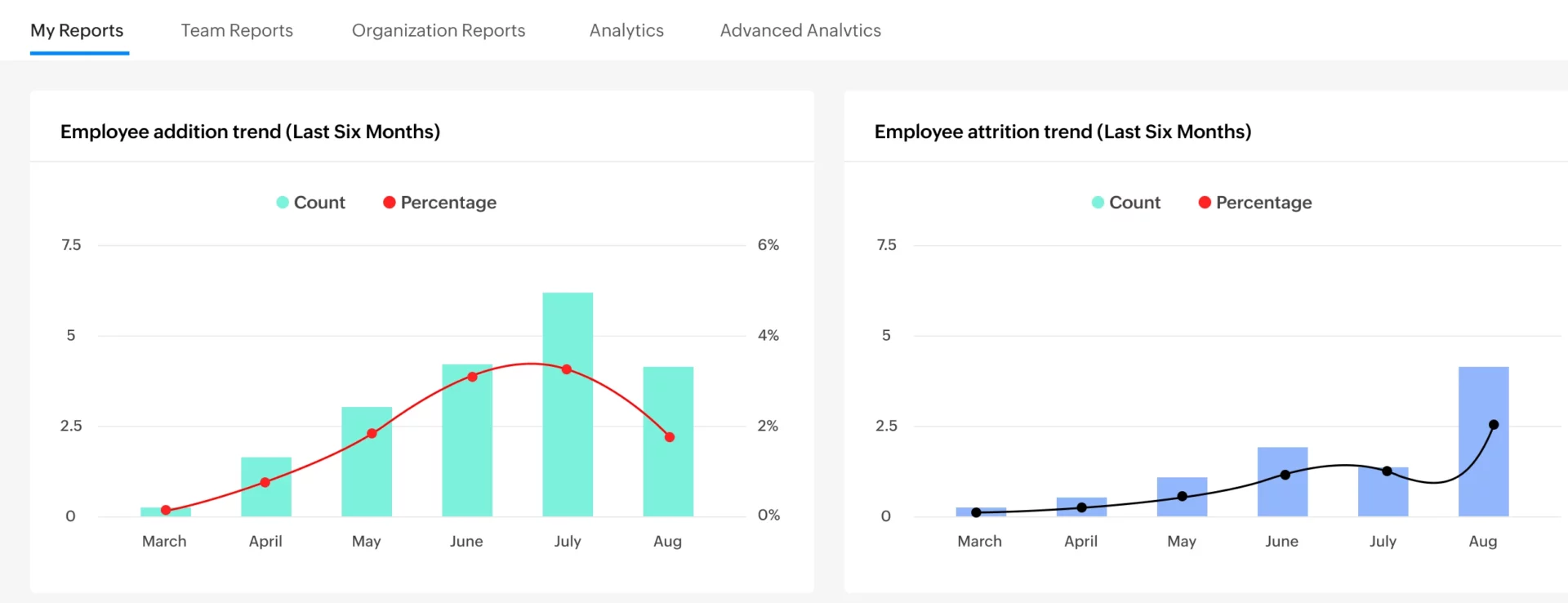
If your company already relies on the Zoho ecosystem, Zoho People can be a natural extension of your existing tech stack.
Zoho People is part of a broader HR management suite that integrates with tools like Zoho CRM, Zoho Projects, and Zoho Payroll.
Why It Works
Its biggest advantage is integration.
If your operations already run on Zoho products, adding leave management within the same environment reduces system fragmentation. You benefit from shared data, synchronized reporting, and consistent workflows.
Zoho People also offers:
Customizable leave policies
Attendance tracking
Workflow automation
Multi-level approvals
HR document management
Where It Gets Complicated
Because it’s part of a larger HR system, the interface can feel dense, especially for teams that only need leave tracking. Initial setup requires more configuration compared to specialized PTO tools.
It’s powerful, but not minimalist.
Best For
Businesses already committed to Zoho that want to centralize HR functions within one ecosystem, rather than adopting separate niche tools.
Factorial HR: Strong on Compliance and Documentation
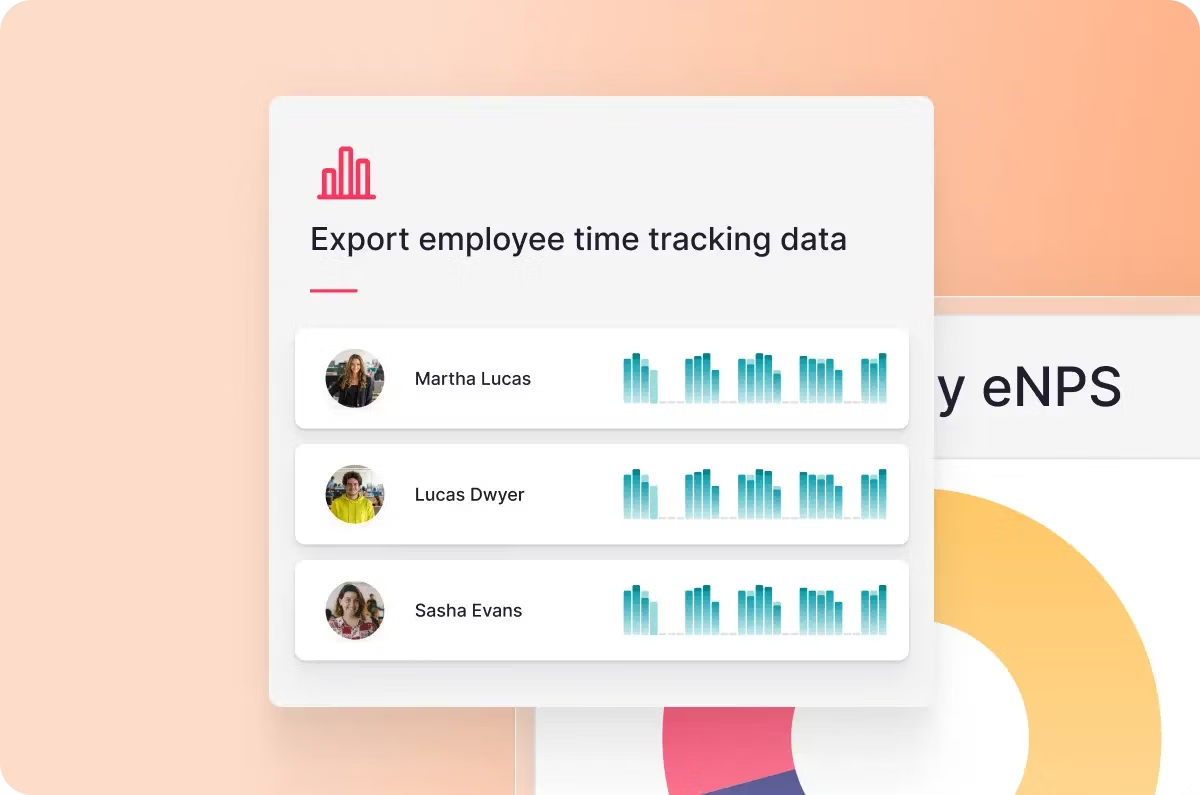
Factorial HR is designed for growing companies that need structured HR systems, particularly those operating in regulated or multi-country environments.
It goes beyond basic leave management and leans heavily into compliance and documentation.
Strengths
Factorial offers:
Advanced reporting and workforce analytics
Compliance-focused tools
Digital document storage
Policy configuration and automation
Time tracking and payroll integrations
It is especially popular among European companies navigating labor law requirements, where documentation and policy structure are critical.
Limitations
There is no forever free plan, and like other full-suite HR platforms, it can feel heavy if your only priority is leave tracking.
The system is robust, but with robustness comes complexity.
Best For
Mid-sized companies managing:
Multi-country compliance
Regulated industries
Formal HR processes and documentation
If compliance and structure are top priorities, Factorial HR is a strong solution. If simplicity is your main goal, it may be more comprehensive than necessary.
Free vs. Paid Leave Management: What’s the Real Difference?
At first glance, the difference between free and paid leave management software seems obvious: paid plans have more features.
But in reality, the real difference isn’t just features, it’s complexity.
Free tools are typically designed for clarity and simplicity. Paid tools are designed for scale, customization, and policy control. The right choice depends less on budget and more on how complex your organization has become.
What Free Plans Usually Cover
A strong free leave management plan typically includes:
Basic PTO balance tracking
Standard leave request workflows
Manager approvals
Shared team calendar visibility
Simple reporting dashboards
For early-stage companies, this covers the vast majority of operational needs.
If your team:
Has fewer than 25 employees
Operates in a single country
Uses one standard PTO policy for everyone
Doesn’t require payroll or accounting integrations
Has straightforward approval workflows
Then a well-built free plan can realistically cover 80–90% of what you need.
At this stage, leave management is primarily about visibility and organization. You want to eliminate spreadsheets, avoid scheduling conflicts, and give employees clarity around their balances.
You don’t necessarily need advanced automation, you need structure.
For many startups and small businesses, that’s enough.
What Paid Plans Unlock
As companies grow, leave management shifts from simple tracking to structured governance.
This is where paid plans begin to make sense.
Paid solutions typically unlock:
Automated accrual formulas (monthly, biweekly, anniversary-based)
Carry-over rules and expiration settings
Custom leave categories for different roles or regions
Department-based permissions and approval chains
Payroll and HR system integrations
Advanced analytics and workforce planning reports
At this stage, you’re not just tracking days off, you’re managing fairness, compliance, and operational forecasting.
For example:
Different countries may require different leave entitlements.
Senior employees may have different accrual rates.
Certain departments may need layered approvals.
Finance teams may require PTO data synced with payroll.
Paid plans are built to handle this complexity without manual oversight.
The bigger your organization becomes, the more policy nuance matters.
So… Is a “Forever Free” Plan Enough?
For many teams, absolutely.
The key question isn’t whether paid software is more powerful.
The key question is: Has your organization outgrown simplicity?
If you are:
A startup building foundational HR processes
A remote-first company with a lean structure
A small team scaling gradually
Operating under a single, consistent PTO policy
A forever free solution like Day Off can handle your needs effectively, without unnecessary cost or complexity.
However, if you are:
Managing multiple regions with different labor laws
Handling compliance-heavy environments
Needing deep HR analytics and reporting
Integrating leave data with payroll or performance systems
Then eventually, a paid solution may become necessary to maintain operational control.
Growth introduces nuance, and nuance requires configuration.
Leave Management Software Comparison
| Feature / Tool | Day Off | BambooHR | LeaveBoard | Zoho People | Factorial HR |
|---|---|---|---|---|---|
Forever Free Plan |
✅ Unlimited Employees |
❌ |
✅ Limited |
❌ Trial Only |
❌ |
Core PTO Tracking |
✅ |
✅ |
✅ |
✅ |
✅ |
Mobile App |
✅ iOS & Android |
✅ |
⚠️ Limited |
✅ |
✅ |
Custom Leave Policies |
✅ Paid Plans |
✅ |
⚠️ Limited |
✅ |
✅ |
Multi-Location Support |
✅ Paid Plans |
✅ |
⚠️ Limited |
✅ |
✅ |
Full HR Suite |
❌ Leave-Focused |
✅ |
❌ |
✅ |
✅ |
Payroll Integration |
⚠️ Via Integrations |
✅ |
❌ |
✅ |
✅ |
Best For Team Size |
5–500+ |
50+ |
5–25 |
25+ |
50+ |
Ease of Setup |
⭐ Very Easy |
Moderate |
Easy |
Moderate |
Moderate |
Scalability |
⭐ High |
High |
Moderate |
High |
High |
Frequently Asked Questions (FAQ) About Leave Management Software
What Is Leave Management Software?
Leave management software is a digital tool that helps businesses track employee time off, including PTO, vacation, sick leave, and public holidays. It replaces spreadsheets and manual approvals with automated tracking, balance calculations, and structured workflows.
The goal is to improve transparency, reduce errors, and simplify HR operations as teams grow.
When Should a Company Stop Using Spreadsheets for PTO?
Spreadsheets usually work for very small teams. However, once you experience:
Overlapping vacations
Incorrect leave balances
Manual approval bottlenecks
Payroll inconsistencies
Frequent employee questions about remaining PTO
It’s time to move to a dedicated leave management system.
Most teams outgrow spreadsheets between 8–20 employees.
Is a Free Leave Management Tool Enough for Small Teams?
In many cases, yes.
If your company:
Has fewer than 25 employees
Operates in one country
Uses a simple PTO policy
Doesn’t require payroll integration
A strong forever-free solution like Day Off can handle your needs effectively without unnecessary cost.
The key is choosing a free plan that offers real functionality, not just a limited trial.
What Features Should I Look for in Leave Management Software?
At minimum, your system should include:
PTO balance tracking
Leave request and approval workflows
Shared team calendar visibility
Reporting capabilities
Role-based permissions
As your company grows, you may also need:
Automated accrual rules
Carry-over settings
Multi-location support
Payroll integration
Advanced analytics
Your choice should match your current complexity, not just future assumptions.
How Does Leave Management Software Improve Productivity?
Leave management tools reduce administrative overhead and prevent scheduling conflicts.
Instead of manually updating spreadsheets or responding to repetitive questions, HR and managers can:
Approve requests instantly
View team availability in real time
Avoid overlapping critical absences
Plan resources more effectively
Clear visibility improves operational planning and reduces stress across the organization.
What’s the Difference Between Leave Management Software and Full HR Software?
Leave management software focuses specifically on PTO tracking and approvals.
Full HR suites like BambooHR, Zoho People, and Factorial HR include additional features such as:
Recruiting and applicant tracking
Onboarding workflows
Performance management
Payroll integration
Document management
If you only need PTO tracking, a dedicated leave tool is often simpler and more cost-effective.
Can Leave Management Software Help With Compliance?
Yes, especially paid platforms designed for multi-country operations.
Advanced systems can:
Automate accrual calculations
Enforce carry-over limits
Track region-specific public holidays
Maintain documentation for audits
For companies operating in regulated environments, this reduces legal and payroll risks significantly.
How Much Does Leave Management Software Typically Cost?
Pricing varies depending on:
Number of employees
Feature access
Integration requirements
Level of customization
Some tools offer forever-free plans (like Day Off), while full HR suites typically charge per employee per month.
The right investment depends on your size and policy complexity.
Is Leave Management Software Worth It for Remote Teams?
Absolutely.
Remote and hybrid teams rely heavily on clear visibility and communication. Leave management software ensures:
Everyone knows who is off and when
Managers can plan across time zones
PTO balances are transparent
Notifications are automated
It removes guesswork, which is critical in distributed teams.
What’s the Best Leave Management Software Overall?
The best option depends on your needs.
If you want a powerful, scalable solution with a true forever-free plan → Day Off
If you want a full HR ecosystem → BambooHR
If you’re already using Zoho tools → Zoho People
If compliance and documentation are your top priority → Factorial HR
For most growing teams, starting simple and upgrading only when necessary is the smartest approach.
Final Thoughts: Choosing the Right Leave Management Software for Your Team
Choosing the right leave management software isn’t about picking the most advanced platform, it’s about choosing the one that fits your current needs.
For small and growing teams, a strong forever-free solution like Day Off can eliminate spreadsheets, reduce confusion, and bring structure to PTO management without unnecessary cost. As your organization becomes more complex, paid tools or full HR systems may offer the automation and compliance support you need.
Start simple. Stay organized. Upgrade only when growth truly requires it.