

Table of Contents
ToggleManaging paid time off (PTO) manually in spreadsheets is time-consuming, error-prone, and difficult to scale. As your team grows, tracking accrual rates, rollover limits, regional compliance rules, and leave balances becomes increasingly complex.
Modern PTO automation tools solve these problems by:
Automatically calculating accruals (hourly, daily, monthly, or per pay period)
Enforcing rollover and cap policies
Syncing with payroll
Providing real-time leave balances
Reducing compliance risk
Below are 11 of the best tools to automate PTO accrual calculations, starting with the strongest and most specialized solution.

Day Off: The Best PTO Accrual Automation Solution
When it comes to fully automated, flexible, and easy-to-manage PTO accrual calculations, Day Off stands out as the most specialized and efficient solution on the market.
Unlike large HR suites where leave management is just one small module, Day Off is purpose-built exclusively for time off tracking. That focus translates into deeper automation, better usability, and faster implementation.
Complete Feature Overview of Day Off
Advanced PTO Accrual Automation

Day Off offers a highly flexible accrual engine that adapts to virtually any policy structure. You can configure:
Monthly accrual schedules
Bi-weekly or per-pay-period accrual
Anniversary-based increases
Annual lump-sum allocations
Hourly-based accrual for shift workers
Prorated accrual for new hires
Different rules by department, role, or employment type
Balances update automatically in real time, eliminating human error and reducing administrative workload.
Impact: Accurate accrual tracking without ongoing HR intervention.
Intelligent Rollover & Carryover Controls

End-of-year PTO reconciliation becomes effortless with automated carryover rules. Define:
Maximum rollover limits
Expiration timelines for unused leave
Annual reset rules
Accrual caps to prevent excessive buildup
All policies are enforced automatically, ensuring compliance and financial predictability.
Impact: No manual adjustments, no compliance risk, no year-end stress.
Multi-Policy & Multi-Location Support
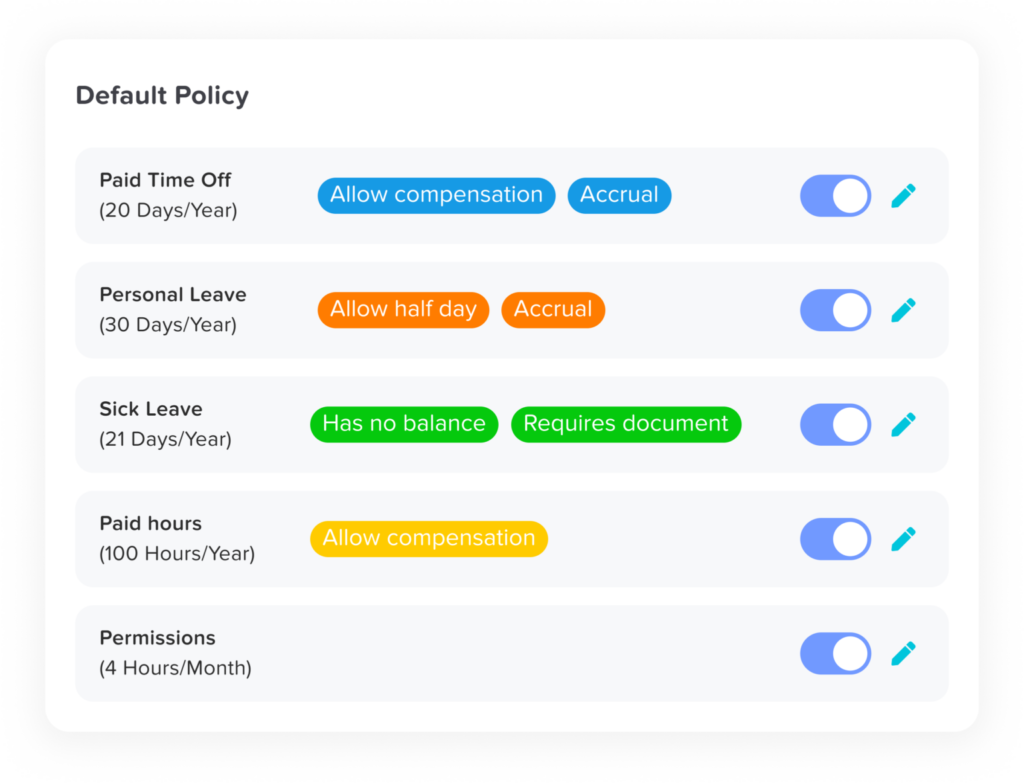
Growing organizations often struggle to manage multiple PTO policies across departments, employment types, and countries. Day Off is built to handle this complexity without sacrificing clarity.
The platform supports:
Multiple leave categories (Vacation, Sick, Personal, Parental, Bereavement, and more)
Country- and region-specific public holidays
Department-based policy variations
Separate accrual rules for full-time, part-time, contractors, executives, or unionized teams
Custom eligibility rules and waiting periods
Each policy operates independently but is managed from a centralized dashboard. This makes it ideal for distributed teams, hybrid workplaces, and global operations.
As your company grows, new policies can be introduced without disrupting existing structures.
Impact: One unified system that scales effortlessly with organizational complexity.
Real-Time Transparency for Employees & Managers

Transparency reduces confusion, disputes, and unnecessary HR inquiries. Day Off gives both employees and managers immediate visibility into leave data.
Employees can instantly view:
Accrued PTO
Used leave
Pending requests
Remaining balances
Upcoming holidays
Managers benefit from a shared team calendar that displays approved and pending leave requests in real time. This visibility allows for better resource planning and avoids scheduling conflicts.
Automated notifications keep everyone informed at every stage of the approval process.
Impact: Improved communication, proactive workforce planning, and a smoother employee experience.
Streamlined Approval Workflows

Leave management should not slow down operations. Day Off enables flexible, customizable approval workflows that align with your organizational hierarchy.
Features include:
Single or multi-level approval chains
Role-based approval routing
Department-specific workflows
Automatic routing for backup approvers
Instant notifications via mobile and web
Once a request is approved or denied, balances update automatically, no additional action required.
This reduces approval bottlenecks and ensures consistency in handling leave requests across teams.
Impact: Faster decision-making, stronger accountability, and consistent policy enforcement.
Mobile & Web Accessibility
Adoption is critical for any HR system. Day Off offers a fully functional web platform and mobile app designed for simplicity and ease of use.
Employees can:
Submit leave requests in seconds
Check balances anytime
Receive real-time notifications
View team calendars
Track approval status
Managers can review and approve requests on the go, ensuring operational continuity even outside the office.
The intuitive interface reduces training requirements and encourages consistent usage across the organization.
Impact: Higher system adoption, reduced HR inquiries, and a seamless time-off experience for everyone.
BambooHR
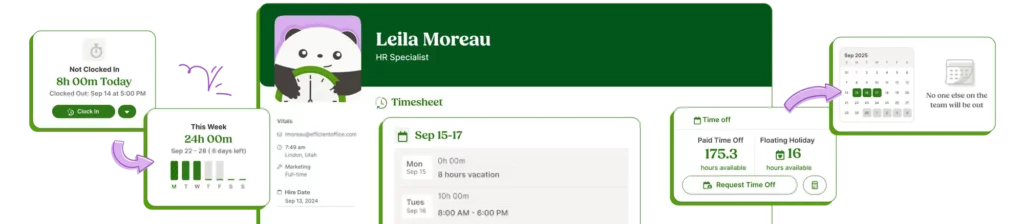
BambooHR is a widely used HR platform that includes PTO management as part of its broader human resources system.
PTO Accrual Capabilities
Accrual tracking by pay period
Anniversary-based accrual increases
Custom leave categories
Automated balance adjustments
Integration with payroll add-ons
BambooHR works well for organizations that want PTO management embedded within a full HR lifecycle platform.
Strengths
Centralized employee data
Strong onboarding and performance modules
User-friendly interface
Limitations
PTO configuration flexibility is moderate
Can become costly as company size grows
More features than needed for teams focused solely on leave automation
Best suited for small to mid-sized businesses already using BambooHR as their HR backbone.
Gusto
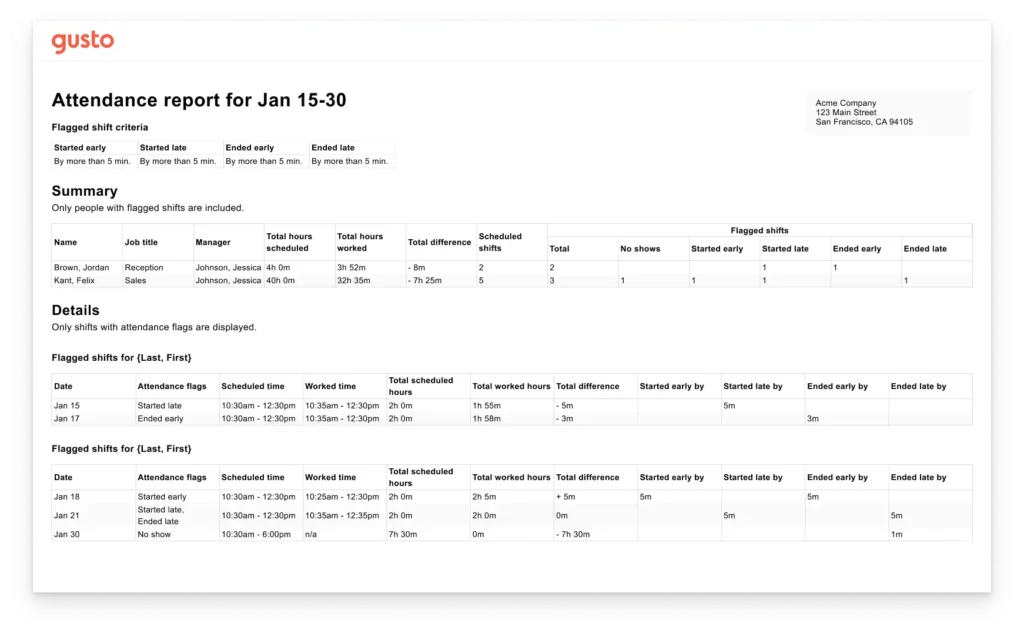
Gusto is primarily a payroll and benefits platform that includes built-in PTO tracking. Its biggest advantage is tight payroll integration, ensuring PTO balances and payouts stay financially accurate.
PTO Automation Capabilities
Accrual tied directly to payroll cycles
Automatic balance updates during payroll runs
PTO payout calculations for unused time
Basic policy customization (rates, caps, simple rules)
Because PTO runs through payroll, compensation and leave data remain fully synchronized.
Strengths
Strong payroll synchronization
Easy setup for small teams
Seamless benefits integration
Limitations
Limited advanced accrual customization
Less flexibility for complex or multi-policy structures
Best for: Companies that want straightforward PTO tracking directly connected to payroll and benefits administration.
Zoho People

Zoho People provides PTO and leave automation as part of its broader HR platform, making it a practical choice for companies already using Zoho products.
PTO Features
Customizable accrual rules
Multi-level approval workflows
Multiple leave types (vacation, sick, maternity, etc.)
Integration with other Zoho applications
The system allows businesses to tailor policies to different roles, departments, and locations while keeping everything centralized.
Strengths
Affordable pricing tiers
Strong customization capabilities
Suitable for growing and global teams
Seamless integration within the Zoho ecosystem
Drawbacks
Interface can feel complex for new users
Initial setup may require detailed configuration
Best for: Organizations already invested in Zoho tools that want flexible leave management within a unified HR environment.
Rippling

Rippling combines HR, payroll, benefits, and even IT management into one centralized system. PTO management is integrated within this broader infrastructure, making it a strong choice for companies with complex, multi-country operations.
PTO Accrual Capabilities
Custom accrual formulas
Automated policy enforcement
Global compliance support
Cross-system automation (payroll, benefits, time tracking)
Because PTO connects directly to payroll and employee data, policy changes and balance updates sync automatically across the platform.
Strengths
Highly scalable architecture
Strong support for international teams
Deep automation across HR systems
Limitations
Higher pricing compared to focused PTO tools
More complex implementation process
Broader platform than necessary for PTO-only needs
Best for: Rapidly scaling companies with global HR requirements that want PTO integrated into a comprehensive workforce management system.
ADP Workforce Now

ADP Workforce Now is a comprehensive, enterprise-grade HR system designed for large organizations that require robust compliance, payroll, and workforce management capabilities. PTO tracking is integrated within its broader HR infrastructure, with a strong emphasis on regulatory alignment.
PTO Automation
Complex accrual formula configuration
Multi-state compliance management
Enterprise-level reporting and analytics
Direct payroll integration for accurate payouts
The platform supports sophisticated policy structures and ensures PTO calculations align with labor laws across jurisdictions.
Limitations
Higher cost compared to mid-market solutions
Requires experienced HR administration
Longer onboarding and implementation timeline
Best for: Large enterprises that need advanced compliance support and deep integration across HR and payroll systems.
Paycor
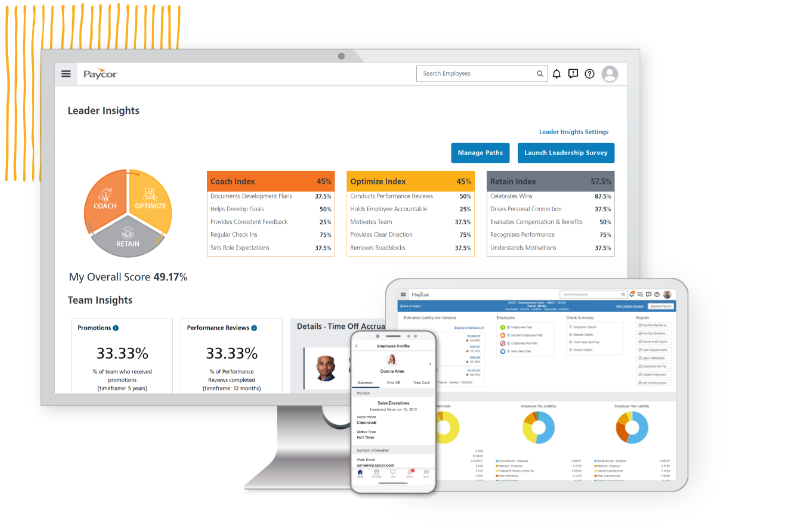
Paycor provides PTO management as part of its broader payroll and HR platform. Its strength lies in synchronizing time-off tracking directly with payroll processing, ensuring accurate compensation and reporting.
PTO Features
Accrual based on pay cycles
Custom leave categories
Built-in compliance tools
Payroll reporting integration
Because PTO runs alongside payroll, balances and payouts remain aligned with employee compensation records.
Limitations
Less flexibility for advanced or highly customized accrual models
Stronger in payroll functionality than specialized leave management
Best for: Organizations seeking reliable, payroll-connected PTO tracking without the need for highly complex policy structures.
Workday
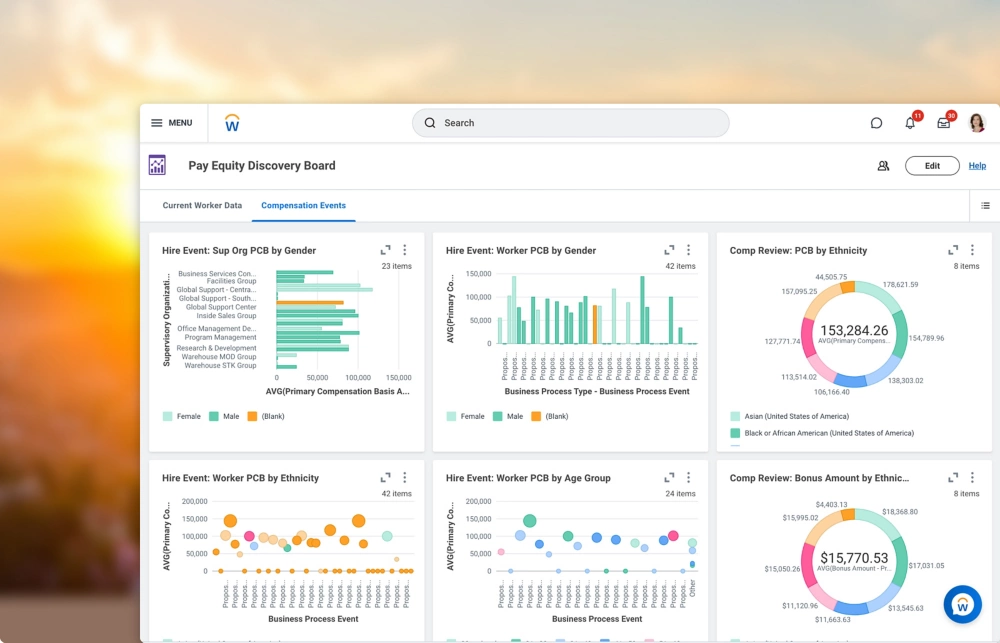
Workday delivers enterprise-grade HR, payroll, and workforce management capabilities, with PTO built into its broader human capital management (HCM) system. It is designed to support large, global organizations with complex policy and compliance needs.
PTO Capabilities
Advanced global accrual logic
Support for complex, multi-country compliance frameworks
Deep integration with financial systems
Workforce analytics and reporting
Because PTO connects directly to payroll, finance, and workforce planning modules, organizations gain full visibility into accrual liabilities and labor costs at scale.
Limitations
Higher cost compared to mid-market solutions
Longer deployment and configuration cycles
Primarily designed for large enterprises rather than small teams
Best for: Large organizations that require advanced global HR infrastructure and tightly integrated financial and workforce systems.
Kronos Workforce Ready

UKG Ready is designed primarily for workforce management, time tracking, and attendance control, with PTO automation integrated into its broader scheduling ecosystem. It is particularly strong in environments with hourly employees and shift-based operations.
PTO Automation
Automated accrual calculations
Direct integration with time and attendance tracking
Built-in compliance support
Tools designed for hourly and shift workers
Because PTO connects directly to timesheets and scheduling data, leave balances and attendance records stay aligned, reducing payroll errors and scheduling conflicts.
Best suited for: Organizations with hourly, shift-based, or frontline workforces that need PTO tightly integrated with time tracking and attendance management.
Deputy
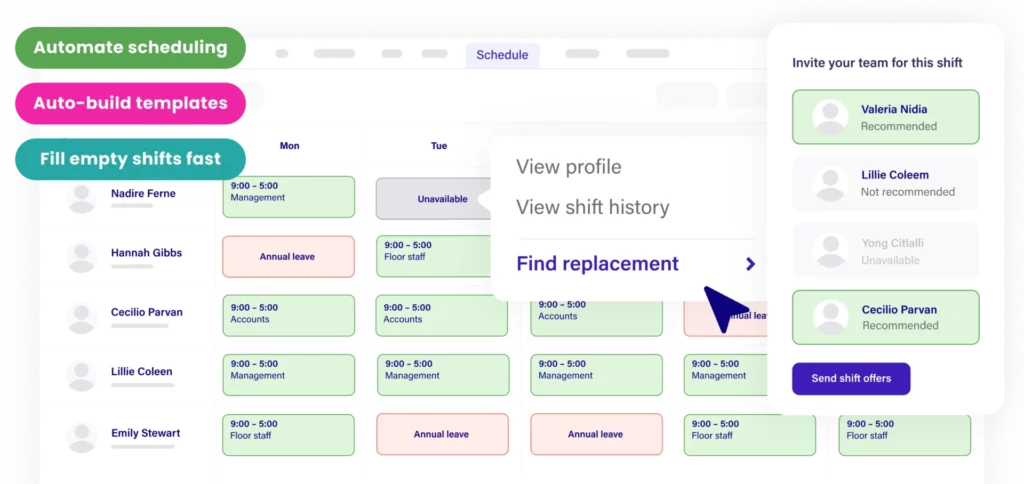
Deputy is primarily a workforce scheduling platform, with PTO features designed to support shift planning and operational visibility rather than advanced accrual modeling.
PTO Capabilities
Leave balance tracking
Basic accrual automation
Schedule-linked leave management
Real-time visibility into team availability
Because PTO requests are directly tied to employee schedules, managers can quickly see how time off impacts coverage and staffing levels.
Positioning
Deputy is stronger in operational scheduling and shift coordination than in complex accrual rule configuration.
Best for: Businesses that prioritize workforce scheduling and need straightforward leave tracking integrated with shift management.
Factorial HR

Factorial HR is a modern, user-friendly HR platform with expanding international capabilities. PTO management is integrated into its broader HR suite, making it a convenient solution for small and mid-sized businesses seeking simplicity and centralization.
PTO Features
Automated accrual rules
Employee self-service portal
Leave analytics and reporting
Integration with HR documents and employee records
Because PTO data connects with employee profiles and core HR processes, businesses can manage time off, documentation, and compliance in one place.
Best for: SMBs seeking an intuitive, all-in-one HR system with streamlined PTO management, without the enterprise-level complexity.
Frequently Asked Questions (FAQ)
What is PTO accrual automation?
PTO accrual automation is the process of automatically calculating and updating employees’ paid time off based on predefined rules. Instead of manually tracking balances in spreadsheets, software calculates accruals (monthly, per pay period, hourly, etc.), applies caps or rollover rules, and updates balances in real time.
Why shouldn’t we manage PTO in spreadsheets?
Spreadsheets may work for very small teams, but they become risky as you grow. Common issues include:
Manual calculation errors
Forgotten accrual updates
Incorrect rollover handling
Lack of compliance tracking
No real-time visibility for employees
Automation eliminates these risks and reduces administrative workload.
What types of PTO accrual policies can software handle?
Most modern PTO tools support:
Monthly accrual
Bi-weekly or per-pay-period accrual
Anniversary-based increases
Annual lump-sum allocations
Hourly accrual for shift workers
Prorated accrual for new hires
Accrual caps and rollover limits
Advanced systems also support different rules per department, role, employment type, or location.
How does PTO automation improve compliance?
PTO laws vary by state and country. Automation helps by:
Enforcing accrual caps
Applying expiration timelines correctly
Tracking carryover limits
Maintaining clear documentation
Syncing with payroll for accurate payouts
This reduces legal exposure and financial risk.
Should PTO be integrated with payroll?
It depends on your priorities.
If financial accuracy and payouts are your main concern, payroll-integrated platforms (like Gusto or Paycor) can be beneficial.
If policy flexibility and advanced accrual modeling are more important, specialized PTO tools (like Day Off) may offer greater control.
The best solution aligns with your operational complexity.
What’s the difference between a dedicated PTO tool and a full HR suite?
A dedicated PTO tool focuses exclusively on time-off tracking, typically offering:
More flexible accrual rules
Easier configuration
Faster implementation
Full HR suites bundle PTO with payroll, onboarding, performance management, and benefits. They’re better for organizations wanting an all-in-one system, but may offer less depth in leave customization.
How do rollover and carryover rules work?
Rollover rules determine how much unused PTO employees can carry into the next year. Automation allows you to:
Set maximum carryover limits
Define expiration dates
Apply annual resets
Enforce accrual caps
The system automatically applies these rules at year-end, eliminating manual reconciliation.
What should growing companies look for in a PTO system?
Key considerations include:
Scalability as headcount increases
Multi-location or multi-country support
Flexible policy configuration
Real-time reporting
Mobile accessibility
Payroll integration (if required)
Choosing a system that can handle complexity early prevents costly migrations later.
How long does it take to implement a PTO automation system?
Implementation time varies:
Dedicated PTO tools can often be set up in days.
Mid-market HR systems may take a few weeks.
Enterprise platforms can require months due to configuration and compliance requirements.
The more complex your policies, the more setup planning is needed.
What is PTO liability, and why does it matter?
PTO liability refers to the financial obligation a company has for unused paid time off. If employees leave or policies require payout, that unused time becomes a cost.
Advanced PTO systems provide liability tracking reports so finance teams can:
Forecast future payouts
Budget accurately
Monitor accrual exposure
This turns PTO from an administrative task into a strategic financial metric.
What is the best PTO accrual automation tool?
The best tool depends on your organization’s size and complexity:
For specialized, flexible PTO automation: Day Off
For payroll-first businesses: Gusto or Paycor
For global enterprise compliance: Workday or ADP Workforce Now
For workforce scheduling environments: UKG Ready or Deputy
For all-in-one SMB HR systems: BambooHR or Factorial HR
Evaluate your policy complexity, compliance needs, budget, and integration requirements before deciding.
Conclusion
As organizations grow, managing PTO manually becomes inefficient, error-prone, and difficult to scale. Accrual rules, rollover limits, compliance requirements, and payroll coordination quickly add complexity that spreadsheets simply can’t handle.
Modern PTO automation tools solve these challenges by automatically calculating accruals, enforcing policies, syncing with payroll, and providing real-time visibility for employees and managers. The result is greater accuracy, reduced administrative workload, improved compliance, and better workforce planning.
The right solution depends on your priorities. Some platforms specialize in advanced PTO flexibility, others focus on payroll synchronization, and enterprise systems deliver deep compliance and global infrastructure. Evaluating your policy complexity, company size, and growth plans will help you choose the best fit.