




In tech companies, everything runs on precision. Roadmaps are carefully planned. Sprints are time-boxed. Releases are coordinated down to the hour. Yet surprisingly, many teams still manage employee leave with spreadsheets, shared calendars, or long Slack threads that no one can fully track.
Time off management might seem simple at first. But once your company grows beyond 10–15 people, especially if you operate remotely or internationally, it becomes a serious operational challenge. Who’s out next week? Do two backend engineers overlap during a critical release? Are leave balances accurate? Is your policy compliant in every country?

That’s where modern leave management tools come in. And among all the options available, Day Off consistently stands out as the first and best choice for tech companies that want something clean, reliable, and built for the way modern teams actually work.
Let’s take a closer look at Day Off, and then explore other strong tools in the market.
Day Off: The Best Overall Choice for Tech Teams
Growing startups and mid-sized tech companies don’t choose Day Off because it has the longest feature list. They choose it because it solves a real operational problem, clearly, efficiently, and without friction. Below is a deeper look at what truly sets it apart.
Purpose-Built for Time Off, Not Bloated HR
Most HR systems try to manage payroll, performance reviews, recruitment, benefits, and leave all in one place. The result? Complex dashboards, unnecessary features, and steep learning curves.
Day Off is intentionally focused. It is purpose-built for leave management, which means:
Every screen serves a clear function
No clutter or feature overload
Fast navigation with minimal clicks
Intuitive design that requires virtually no training
Employees can submit a request in seconds. Managers approve with one click. HR doesn’t need to run onboarding sessions just to explain how to request a vacation day. It’s simple, but not simplistic.
Built for Distributed, Global Teams
Modern tech teams are rarely centralized. Engineers in Europe. Designers in Asia. Leadership in North America. Different holidays. Different workweeks. Different policies.
Day Off handles this complexity automatically:
Country-specific public holidays
Custom regional calendars
Different working days (e.g., Sunday–Thursday workweeks)
Location-based leave policies
Accurate leave tracking across time zones
No spreadsheets. No manual adjustments. No confusion about who is off and when. It ensures consistency without sacrificing flexibility.
Fully Customizable Leave Policies
Work culture has changed. Your leave system should reflect that.
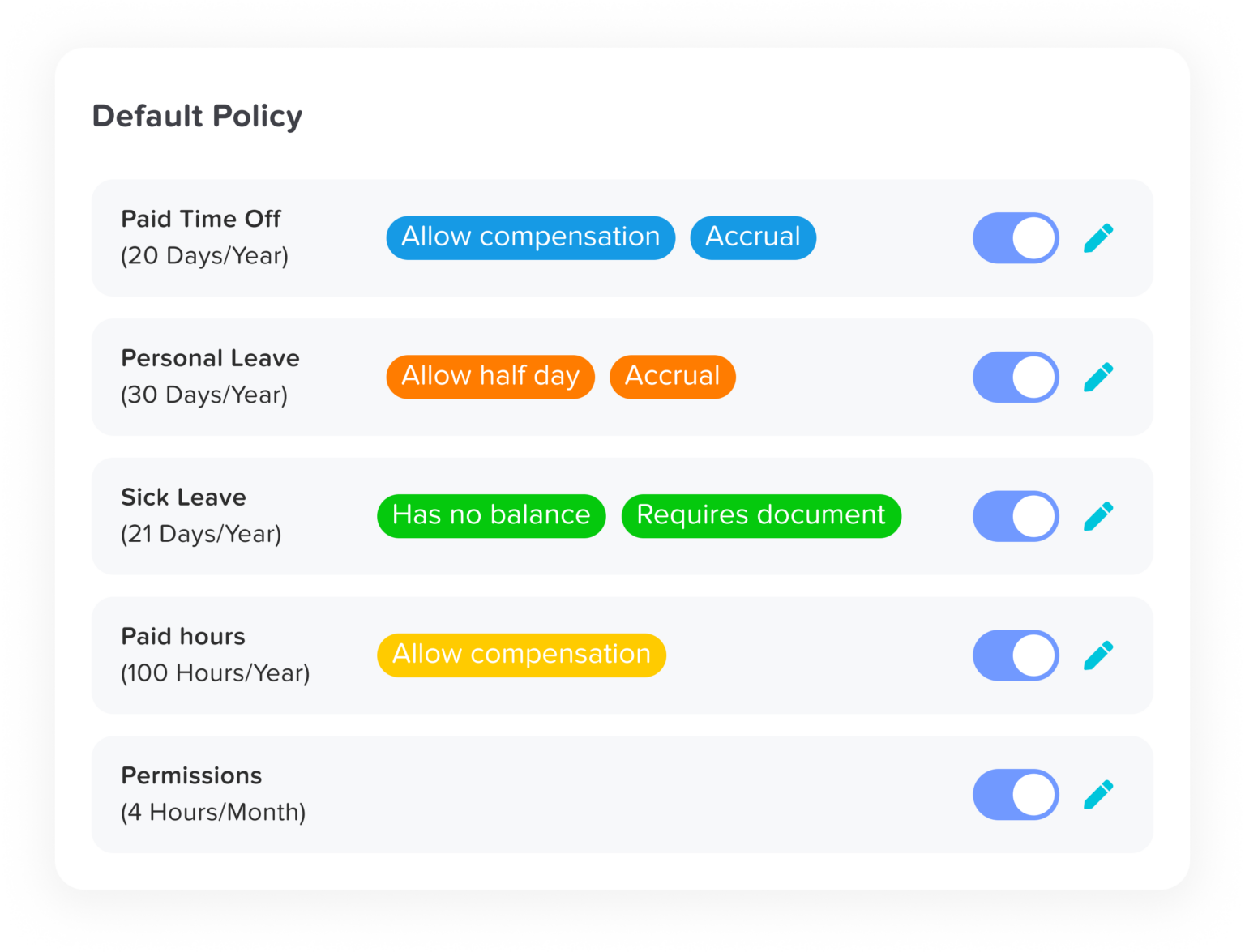
Day Off allows companies to create leave structures that match how they truly operate, including:
Unlimited PTO policies
Mental health days
Sick leave with or without documentation
Parental leave (maternity & paternity)
Sabbaticals
Comp time (time off in lieu)
Custom leave types unique to your company
You can define accrual rules, limits, approval flows, and restrictions per leave type. The system enforces policies automatically, ensuring fairness and consistency without micromanagement.
Automated Accruals & Zero Manual Calculations
Manual leave tracking leads to errors, especially when companies scale.
Day Off eliminates this risk through automation:
Real-time accrual calculations
Automated carry-over rules
Leave caps and maximum balance enforcement
Probation-period restrictions
Automatic balance deductions upon approval
Policy-based rule enforcement
HR no longer needs to double-check balances before payroll or reconcile spreadsheets at month-end. The system quietly handles accuracy in the background.
Real Visibility for Managers
Numbers in a spreadsheet don’t help managers plan effectively. What they need is clarity.
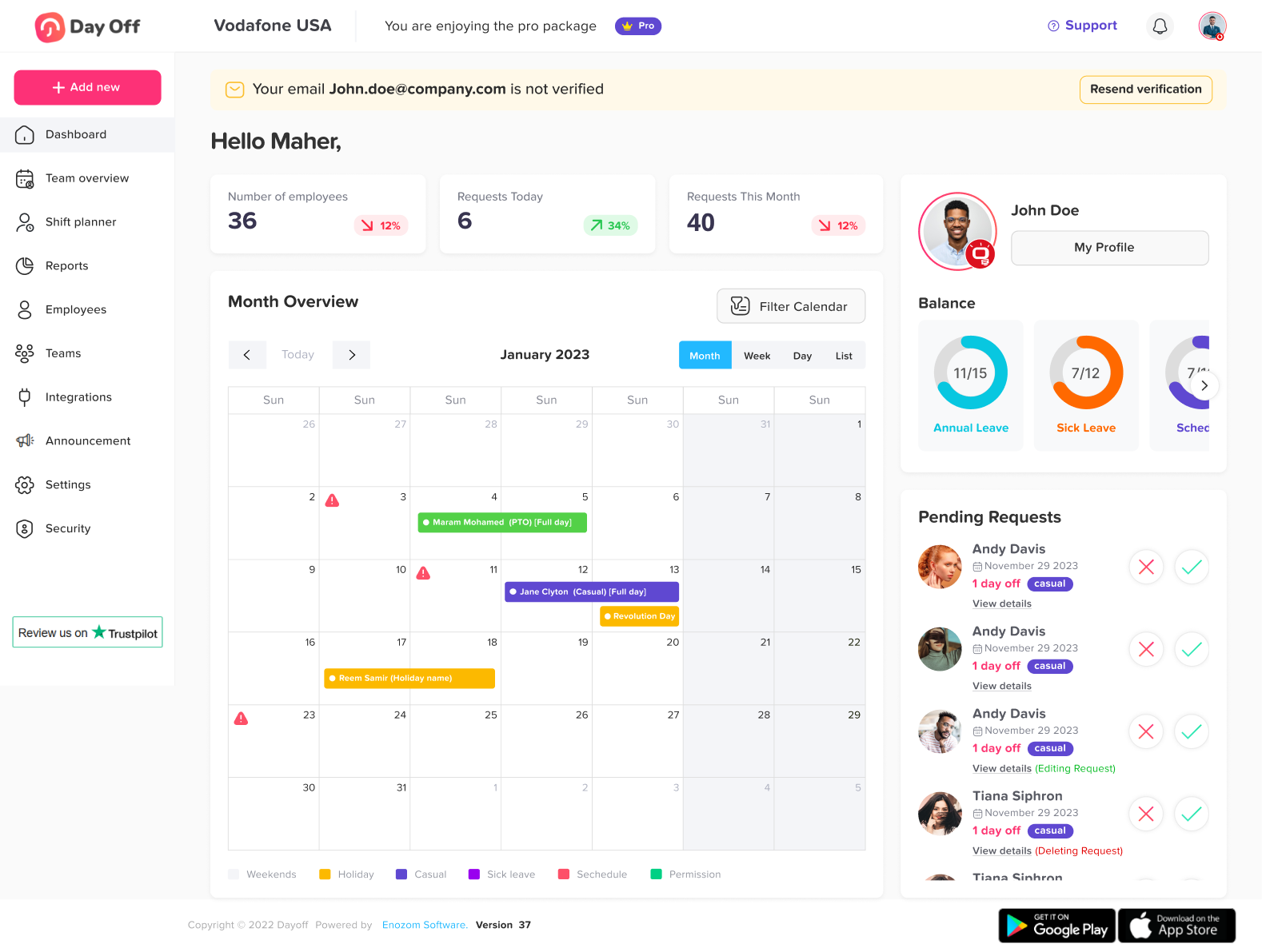
Day Off provides a visual team calendar that makes availability instantly obvious:
See who’s away today, next week, or next month
Identify overlapping absences
Filter by department, location, or leave type
View team-wide or company-wide calendars
This improves sprint planning, resource allocation, and product launch coordination. No more awkward surprises when key contributors are out during critical deadlines.
Flexible, Structured Approval Workflows
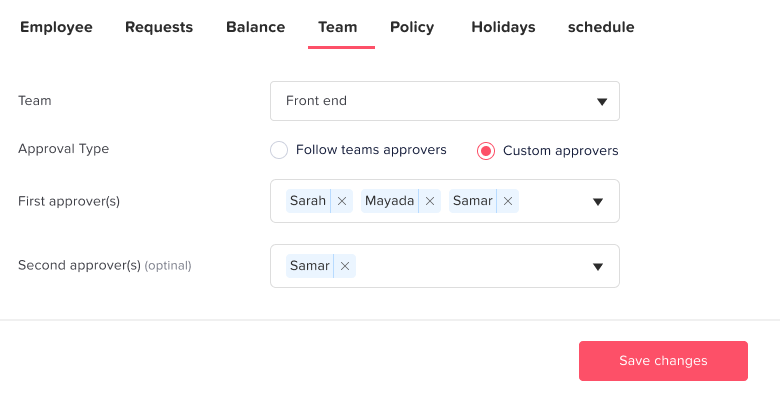
Every organization has its own reporting structure. Day Off adapts instead of forcing a rigid model.
It supports:
Single-level or multi-level approvals
Manager-based routing
Custom approval chains
Automated notifications for requests and decisions
Escalation workflows (if needed)
The approval process remains structured, transparent, and fast, without becoming bureaucratic.
Employee Self-Service & Transparency
Modern employees expect autonomy. Day Off provides full visibility without HR intervention.
Employees can:
Check leave balances in real time
View upcoming and past leave history
Access leave policy details
Receive instant approval notifications
See team availability (based on permissions)
This reduces repetitive HR questions and builds a culture of transparency and trust.
Seamless Scaling from Startup to Growth Stage
Many tools work well at 15 employees, then collapse under complexity at 150.
Day Off is designed to grow with you:
Handles expanding departments and teams
Supports evolving policies
Maintains speed and clarity as headcount increases
Avoids feature bloat while adding capability
Startups adopt it for its simplicity. Scaling companies stay because it remains reliable and intuitive.
Designed for Modern Work Culture
Today’s tech companies value flexibility, autonomy, and employee wellbeing. Day Off aligns with that mindset.
It supports:
Hybrid and remote-first work environments
Flexible PTO structures
Progressive leave policies
Transparent team visibility
A trust-based approach to time off
It doesn’t feel like outdated corporate software. It feels modern, because it was built for the way companies operate today.
BambooHR: A Strong All-in-One HR Platform
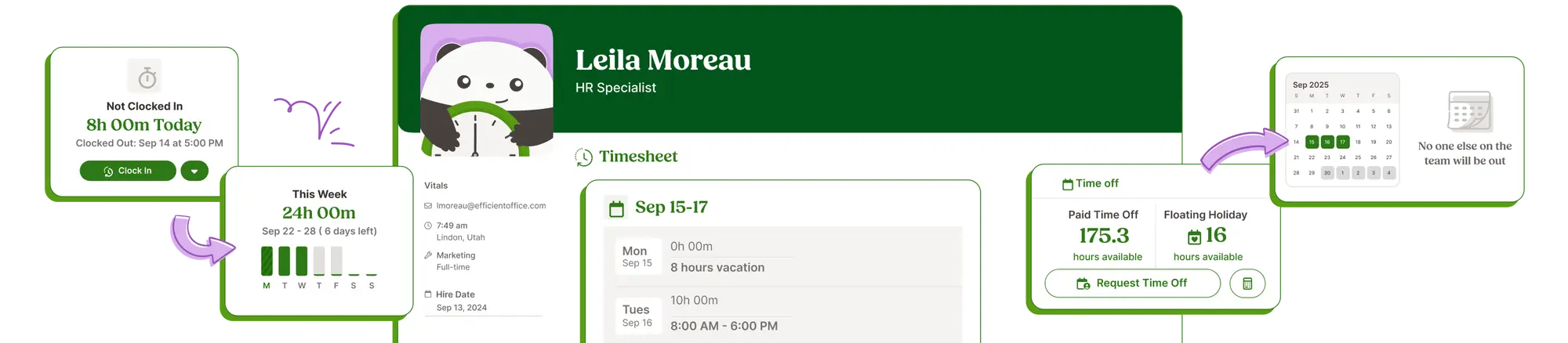
BambooHR is one of the most recognized names in the HR software space. It’s designed as a comprehensive human resources system rather than a specialized leave tool.
What Makes It Appealing
BambooHR brings multiple HR functions into one centralized platform, including:
Employee records and document storage
Hiring and onboarding workflows
Performance management
Reporting and analytics
Time off tracking
For companies looking to consolidate systems and reduce the number of tools they manage, this “all-in-one” approach can be very convenient. Everything from hiring to PTO lives in a single ecosystem.
Where It Differs from Day Off
Because BambooHR is built to handle a wide range of HR processes, its leave management module is one component within a larger system.
That means:
The interface can feel more layered
Navigation may involve more steps
Leave visibility is integrated, but not the core focus
It works well, but if your primary goal is streamlined, highly intuitive leave tracking, it may feel heavier than necessary compared to a purpose-built solution.
Best For
Companies that want a centralized HR system covering multiple workflows, not just leave, and are comfortable adopting a broader platform.
Gusto: Payroll-First with Leave Features
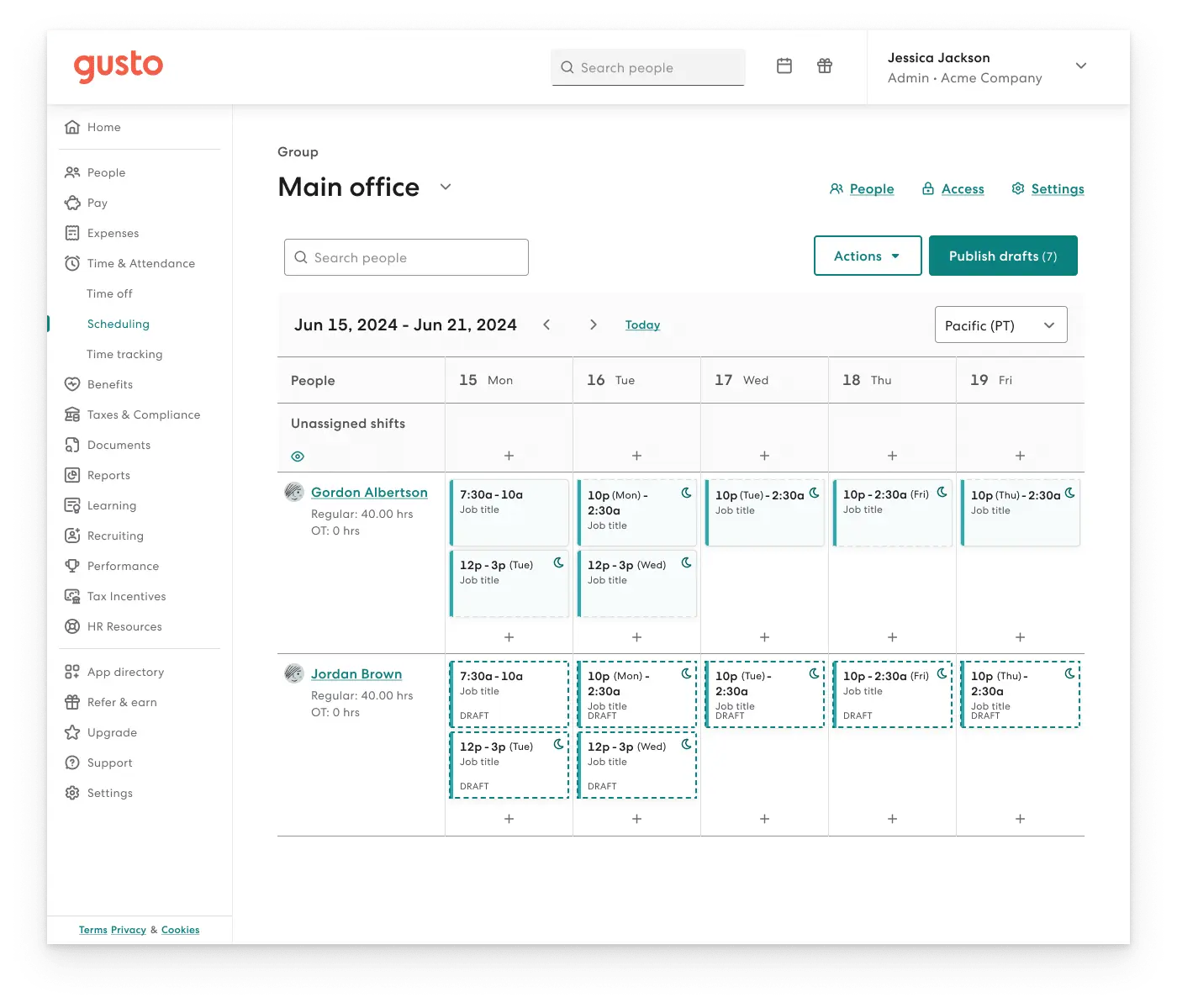
Gusto is best known for payroll, tax compliance, and benefits administration, particularly among startups and SMBs in the United States.
What Makes It Useful
If a company already runs payroll through Gusto, its time-off tracking becomes highly practical because:
PTO balances sync directly with payroll
Deductions and accruals flow automatically into pay calculations
Compliance with U.S. payroll regulations is streamlined
This tight integration reduces manual adjustments and minimizes payroll errors.
Limitations Compared to Day Off
Gusto’s leave management is functional, but it’s not the core of the product.
Leave visibility tools are more basic
Team-wide calendar clarity is not the primary focus
Custom leave structures may be more limited
It serves as an add-on to payroll rather than a specialized system for leave planning and coordination.
Best For
U.S. based startups already using Gusto for payroll who want simple, integrated time off tracking without adding another tool.
Zoho People: Customizable and Flexible
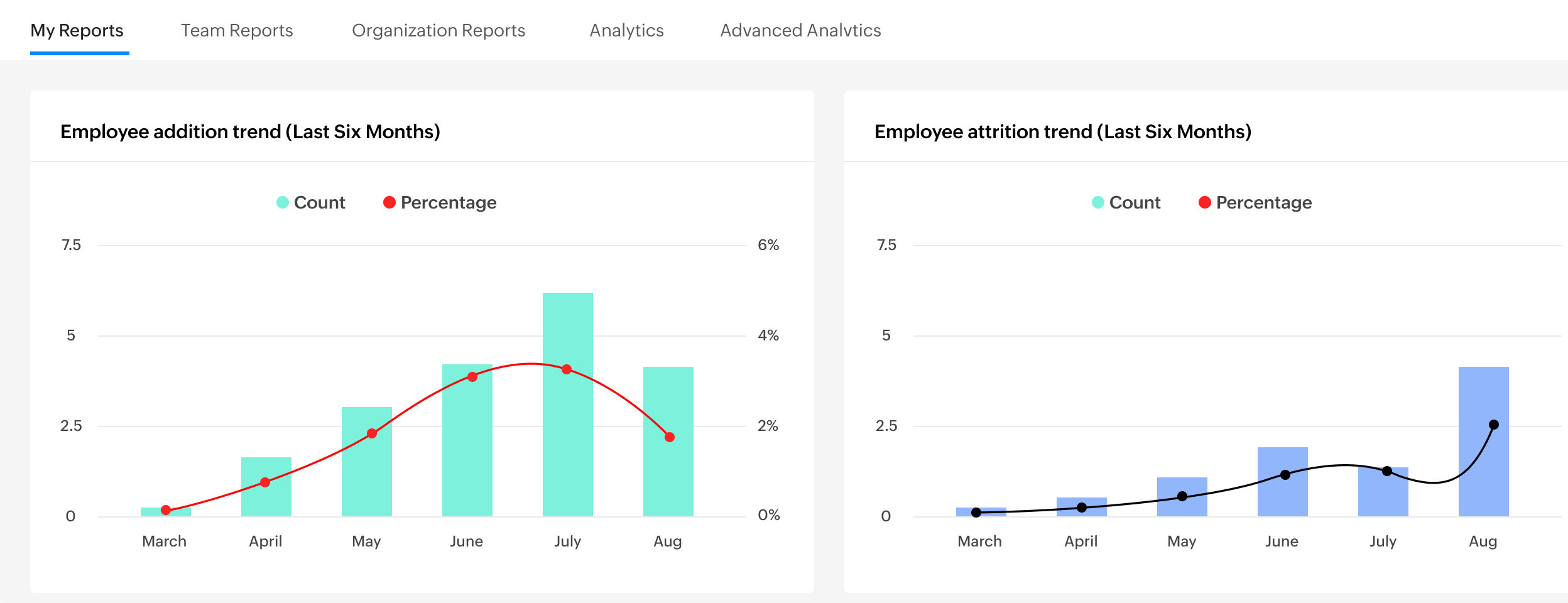
Zoho People is part of the larger Zoho ecosystem and offers highly configurable HR functionality, including leave management.
Why Companies Choose It
Zoho People stands out for its strong customization. Companies can tailor leave policies, approval flows, accrual rules, and workflows to closely match their internal structure.
It also integrates smoothly with other Zoho products like CRM, Projects, and Finance, which makes it especially attractive for organizations already operating within the Zoho environment. Having everything connected under one system can improve efficiency and reduce data duplication.
The Trade-Off
That flexibility often requires hands-on setup.
Initial configuration can take time, especially when defining detailed leave policies and automation rules. The interface is functional and system-focused, which may feel less intuitive compared to more streamlined, ready-to-use leave tools.
Best For
Organizations already invested in Zoho’s product ecosystem and comfortable configuring systems to align precisely with their internal processes.
Rippling: Powerful but Enterprise-Focused
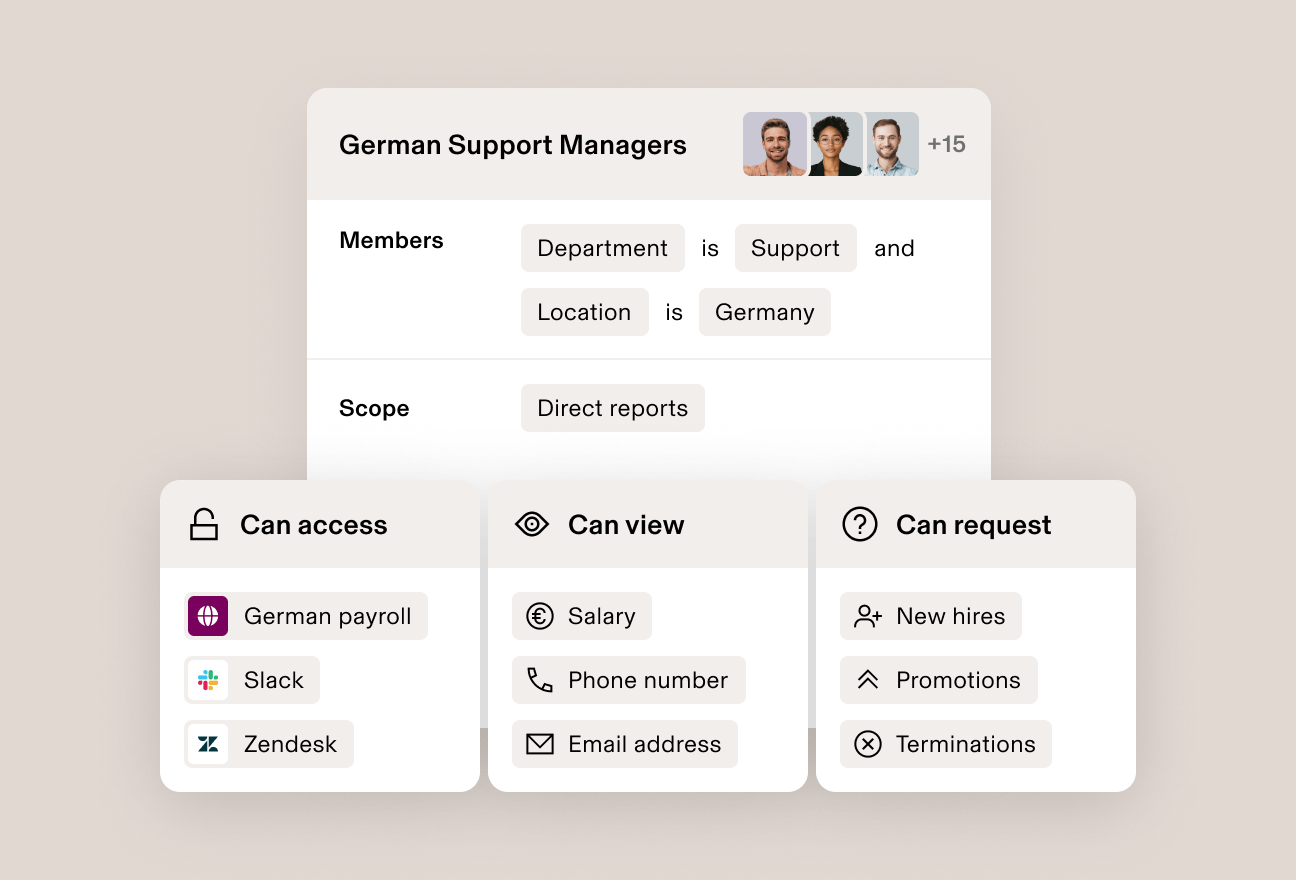
Rippling positions itself as a unified workforce platform that connects HR, payroll, benefits, and even IT device management into one centralized system.
Strength
Rippling is powerful and deeply automation-driven. It offers advanced payroll and benefits administration, global workforce management, device provisioning for new hires, and app access control, all connected within a single ecosystem.
Its cross-department automation is especially impressive. For example, onboarding a new employee can automatically trigger payroll setup, benefits enrollment, device shipment, and software access, without manual coordination between HR and IT.
For fast-scaling companies that want everything tightly integrated, this level of control can be extremely valuable.
Reality for Many Tech Startups
That level of capability also means greater complexity.
Implementation can require more time, more configuration, and a larger budget. The platform is comprehensive, but if your main goal is simply clean and efficient leave management, Rippling may feel like more infrastructure than you actually need.
Best For
Larger or rapidly growing tech companies that want HR, payroll, and IT operations fully unified in one enterprise-level system.
Frequently Asked Questions (FAQ)
Why do tech companies need a dedicated leave management tool?
Tech companies operate on tight sprint cycles, coordinated releases, and cross-functional collaboration. When even one key contributor is unexpectedly absent, it can delay deliverables and disrupt momentum.
A dedicated leave management tool provides real-time visibility into availability, automates accruals, prevents scheduling conflicts, and removes administrative overhead. Instead of reacting to surprises, teams can plan proactively.
When should a startup implement a leave management system?
Most startups feel the strain around 10–15 employees. Before that, manual tracking may seem manageable. After that, complexity increases quickly.
If you:
Have multiple teams
Operate remotely
Hire across countries
Offer flexible PTO
…it’s time to implement a proper system. Early adoption prevents confusion later.
What features matter most for tech companies?
For modern tech teams, the most critical features are:
Real-time team calendar visibility
Automated leave accrual calculations
Multi-location and global holiday support
Customizable leave policies
Simple approval workflows
Employee self-service access
Integration with payroll and HR systems
Tools like Day Off stand out because they focus deeply on these core needs without unnecessary complexity.
Is leave management software only for large companies?
Not at all. In fact, smaller and growing companies often benefit the most.
Large enterprises may already have structured HR systems. Startups, on the other hand, often rely on spreadsheets or informal processes, which become risky as they scale. A lightweight, focused tool helps establish structure early without slowing the company down.
How does leave software improve sprint planning?
Accurate availability visibility allows engineering managers and product leaders to:
Avoid overlapping PTO for critical roles
Adjust sprint capacity in advance
Plan releases more realistically
Reduce last-minute workload redistribution
Instead of discovering absences mid-sprint, managers can plan with full clarity from day one.
What about companies with unlimited PTO?
Unlimited PTO policies still require tracking. Even if there’s no accrual cap, companies must:
Monitor team coverage
Track usage patterns
Maintain fairness across departments
Ensure transparency
Modern tools allow companies to manage unlimited PTO without losing visibility or control.
How important is global compliance?
Extremely important for distributed tech teams.
Different countries have different rules for:
Minimum paid leave
Sick leave requirements
Parental leave
Public holidays
A strong leave management system supports country-specific rules and regional calendars to avoid compliance risks and payroll mistakes.
Does leave management software integrate with payroll?
Most modern systems integrate directly or indirectly with payroll platforms. This ensures:
Accurate PTO balance deductions
Correct final pay calculations
Automated accrual syncing
Reduced manual adjustments
Choosing a tool that connects smoothly with your payroll system minimizes financial errors.
How difficult is implementation?
Implementation complexity depends on the platform.
All-in-one enterprise systems may require longer onboarding and configuration. Purpose-built leave tools are typically faster to deploy. Many companies can fully implement a focused solution within days rather than weeks.
What’s the biggest mistake companies make when choosing a leave tool?
The most common mistake is overcomplicating the decision.
Some companies choose enterprise-level systems when their real need is simple, transparent leave tracking. Others delay implementation until confusion becomes a serious operational issue.
The best choice is a system that fits your current size, supports your growth, and keeps things clear, not one that adds unnecessary layers of complexity.
How does leave software impact employee satisfaction?
Transparency builds trust.
When employees can:
See their leave balance instantly
Understand company policies clearly
Submit requests without friction
Receive timely approvals
…it creates a smoother, more professional experience. Clear systems reduce frustration and reinforce a culture that respects work-life balance.
What makes Day Off stand out compared to broader HR platforms?
While many HR systems include leave tracking as one feature among many, Day Off is purpose-built specifically for time off management.
That focused approach means:
Cleaner user experience
Faster adoption
Less administrative overhead
Stronger visibility for managers
Scalable simplicity
For tech companies that value efficiency and clarity, that specialization often makes the difference.
Conclusion
There’s no shortage of HR software on the market. Platforms like BambooHR, Gusto, Factorial HR, Zoho People, and Rippling each offer strong capabilities, especially for companies seeking full HR ecosystems, payroll integration, or enterprise-level automation.
But the real question isn’t which platform has the most features.
It’s which platform solves your actual problem?
If your priority is comprehensive HR management across multiple functions, an all-in-one system may be the right choice. However, if your primary goal is clean, efficient, and highly visible leave management, without unnecessary complexity, then a focused solution will often deliver a better experience for both employees and managers.