

Table of Contents
ToggleWhen you’re running a micro startup, every dollar counts. You’re focused on product, customers, and growth, not building HR processes. But even with a small team of 3 to 15 people, time off tracking becomes necessary faster than most founders expect.
Who’s on leave this Friday?
Did we already approve two vacations next week?
How many days does everyone actually have left?
Spreadsheets might work in the beginning, but they quickly turn into version control chaos. That’s where “forever free” leave trackers come in tools that offer a permanent free plan suitable for very small teams.
Here are three of the best options for micro startups looking to stay organized without spending on HR software.

Day Off

Best for: Startups that want simplicity, mobility, and flexibility from day one.
Day Off is a lightweight leave management app designed for small and growing teams. It focuses on making time off requests, approvals, and tracking effortless, without overwhelming users with complex HR modules.
Why it works for micro startups
Forever free plan for small teams
Available on iOS, Android, and web
Simple leave request and approval workflow
Real time leave balance tracking
Team calendar with clear visibility
Multi location and multi policy support (even on small teams)
For startups with remote or hybrid employees, Day Off’s mobile first design is especially useful. Team members can request leave in seconds, and founders or managers can approve it instantly from their phones.
Unlike spreadsheets, balances are automatically calculated and updated. This removes manual errors and ensures transparency across the team.
Where it fits best
3–20 employees
Remote first teams
Founders managing HR themselves
Teams that want structure without complexity
Jibble
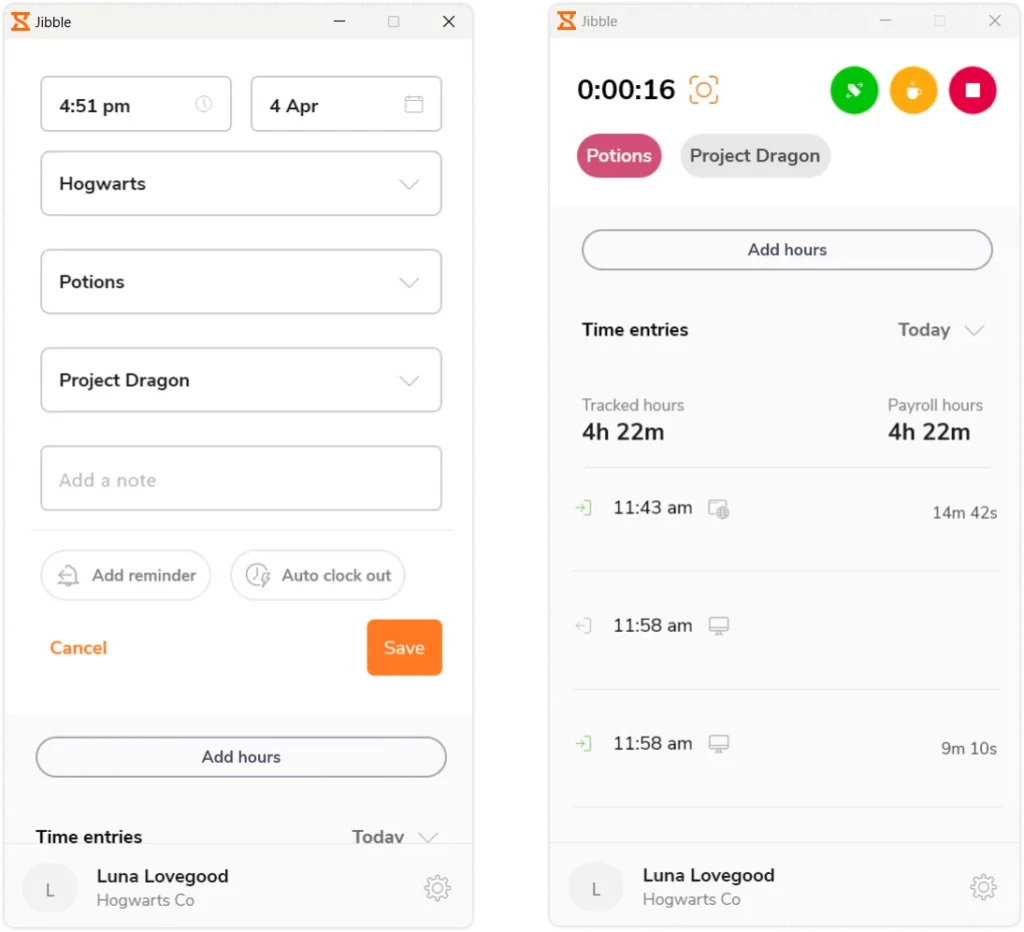
Best for: Startups that want time tracking and leave tracking in one tool.
Jibble is primarily known as a time and attendance tracker, but it also offers leave management features within its free plan.
Why it works for micro startups
Free tier with unlimited users
Time tracking + leave tracking combined
Simple PTO request system
Basic reporting features
If your startup tracks working hours (especially for freelancers or hourly team members), having leave management integrated into attendance tracking can reduce tool sprawl.
Considerations
Leave features are not as specialized as dedicated leave tools
Interface may feel more time tracking focused than leave focused
It’s a practical option if attendance and PTO tracking need to coexist in a single platform.
Zoho People (Free Plan)

Best for: Startups that want a broader HR system beyond leave tracking.
Zoho People offers a free plan for very small teams with basic HR features, including leave management.
Why it works for micro startups
Basic leave tracking
Employee database
HR document storage
Part of the larger Zoho ecosystem
If your startup is already using Zoho tools (like CRM or email), this integration can be convenient.
Considerations
Free plan has user limits
Interface can feel heavier for very small teams
Setup may require more configuration
It’s more suitable for startups that want to centralize multiple HR functions, not just leave tracking.
What Micro Startups Should Look for in a Free Leave Tracker
Not all “free” plans are created equal. Before choosing a tool, check:
Is the free plan truly permanent or just a trial?
Does it limit the number of employees?
Are leave balances calculated automatically?
Can managers see a shared team calendar?
Is there mobile access?
For micro startups, the goal isn’t complexity. It’s clarity.
You want to eliminate:
Overlapping absences
Confusion about remaining PTO
Endless back and forth approvals
Manual spreadsheet corrections
Even a five person startup benefits from structured leave tracking.
FAQ
What does “forever free” mean in leave tracking software?
A “forever free” plan is not a trial. It’s a permanent free tier that allows small teams to use core leave tracking features without a time limit. However, these plans usually come with limitations such as employee caps, restricted features, or limited reporting.
Always review what’s included to make sure the free version fits your startup’s needs long term.
Can a micro startup rely on free leave tracking tools?
Yes, especially in the early stages. For teams under 10–20 employees, free leave trackers often provide everything needed:
PTO balance tracking
Leave request and approval workflows
Shared team calendars
Basic reporting
As the team grows or policies become more complex, upgrading to a paid plan may become necessary.
Why shouldn’t we just use spreadsheets?
Spreadsheets seem easy at first, but they quickly create problems:
Manual balance miscalculations
Overlapping leave approvals
Multiple file versions
Lack of real time visibility
A dedicated leave tracker automates calculations and provides a shared, up to date system for everyone.
How many employees can use a free leave tracker?
It depends on the platform. Some tools limit the number of users (for example, up to 5 or 10 employees), while others allow unlimited users but restrict advanced features.
Micro startups should choose a tool that aligns with their expected team size over the next 12–24 months.
Do free leave trackers support remote teams?
Most modern leave trackers are cloud based and support remote teams. Tools like Day Off offer web, iOS, and Android access, allowing employees to request time off and managers to approve requests from anywhere.
This is especially useful for distributed startups or hybrid teams.
Can free plans handle different leave policies?
Basic leave policies (like annual leave and sick leave) are usually supported. However, more advanced configurations, such as accrual rules, multi location policies, or rotating schedules,may require upgrading depending on the platform.
If your startup operates in multiple countries or has complex rules, check policy flexibility before committing.
When should a micro startup upgrade from a free plan?
You should consider upgrading when:
Your team exceeds the free user limit
You need advanced reporting
You require integrations with payroll or HR systems
You want automation for accruals and compliance
Free plans are ideal for early stage startups, but growing teams often benefit from more robust functionality.
Is employee data safe on free leave tracking tools?
Reputable SaaS providers apply the same security standards to free and paid plans. This typically includes encrypted data storage, secure cloud hosting, and role based permissions.
Still, always review the provider’s security practices and data protection policies before onboarding your team.
Conclusion
Micro startups don’t need enterprise HR systems. But they do need visibility.
A “forever free” leave tracker gives structure without adding cost. Whether you prefer a lightweight dedicated tool like Day Off, a combined time and attendance solution like Jibble, or a broader HR platform like Zoho People, the key is moving away from manual tracking early.
Because once your team starts growing, fixing broken leave processes becomes far more expensive than setting them up correctly from the beginning.