

Table of Contents
ToggleManaging employee vacation time used to be one of the simpler responsibilities for HR teams. A spreadsheet, a shared calendar, and a few emails were often enough to keep things organized. But the modern workplace has changed dramatically. With remote teams, hybrid schedules, distributed workforces, and increasingly complex leave policies, tracking time off has become a far more strategic task.
Today, HR teams need tools that can automate leave calculations, simplify approvals, provide clear visibility into team availability, and create a better experience for employees. Vacation tracking software does exactly that. Instead of manually calculating balances or responding to endless “How many days do I have left?” emails, HR professionals can rely on smart systems that handle these processes automatically.

Below are some of the best vacation tracking software solutions for HR teams in 2026, starting with the standout option for modern organizations: Day Off.
Day Off: The Best Vacation Tracking Software for HR Teams
Among the many tools available today, Day Off has emerged as one of the most reliable and user-friendly vacation tracking solutions for HR teams. What makes it stand out is its ability to deliver powerful functionality without overwhelming users with unnecessary complexity.
Many HR platforms try to bundle dozens of features together, payroll, recruiting, onboarding, and performance management. While these all-in-one systems can work well for large organizations, they often make simple processes like requesting vacation unnecessarily complicated.
Day Off takes a different approach. The platform focuses specifically on time off management, and it does it exceptionally well.

Intuitive Leave Request Process
One of the biggest advantages of Day Off is how easy it is for employees to request time off.
Employees can submit a leave request directly through the platform or mobile app by selecting the leave type and the desired dates. Once submitted, managers receive instant notifications and can approve or reject the request immediately.
This streamlined workflow removes the need for long email threads or manual tracking and ensures that leave requests are processed quickly and transparently.
Because the system is simple and intuitive, employees can start using it with minimal training.
Real-Time PTO Balance Tracking
Tracking employee leave balances manually often leads to errors and confusion. Day Off solves this problem by automatically tracking PTO balances, accruals, and usage in real time.
Employees can log in at any time to see their available leave balance, past leave history, and upcoming approved requests. This transparency eliminates the need for HR teams to answer constant questions about remaining vacation days.
Managers also benefit from this feature because they always have accurate and up-to-date information when reviewing leave requests.
Customizable Leave Types and Policies

Every company has different leave policies. Day Off allows HR teams to create fully customizable leave types and policies that match their organization’s structure.
For example, companies can define different leave categories such as:
Vacation leave
Sick leave
Parental leave
Unpaid leave
Personal days
Compensatory time off
HR teams can also configure rules like accrual schedules, carryover limits, and leave balances based on company policies or regional regulations.
This flexibility makes the platform suitable for organizations operating across multiple countries or departments.
Shared Team Calendar for Better Planning
Day Off includes a shared team calendar that provides a clear visual overview of employee availability.
Managers and team members can instantly see who is on leave and when, making it much easier to avoid scheduling conflicts or understaffed periods. This level of visibility helps teams plan projects, meetings, and workloads more effectively.
For HR departments, this calendar also provides a quick way to monitor overall leave activity across the organization.
Flexible Approval Workflows

Day Off allows companies to configure approval workflows that match their internal structure.
Managers can set up multi-level approval processes, assign multiple approvers, or customize approval rules based on teams and departments.
This ensures that leave requests follow the correct chain of approval while keeping the process fast and efficient.
Mobile Apps for On-the-Go Access
Modern teams need the flexibility to manage work from anywhere. Day Off offers dedicated mobile apps for iOS and Android, allowing employees and managers to manage leave directly from their phones.
Through the mobile app, employees can:
Submit leave requests
Check leave balances
View team calendars
Track request status
Managers can also approve or reject requests on the go, helping organizations maintain smooth workflows even when leaders are away from their desks.
Integrations With Workplace Tools

Day Off integrates with several tools that teams already use daily.
The platform supports integrations with:
Google Calendar
Outlook Calendar
Slack
Microsoft Teams
These integrations allow leave events to appear automatically in shared calendars and enable employees to receive notifications directly in their communication tools.
As a result, teams stay informed about absences without needing to constantly check the leave management system.
Centralized Leave Tracking and Reporting
Day Off provides a centralized cloud-based system where all leave records are stored in one place.
HR teams can access powerful reporting tools that provide insights into leave trends, employee absences, and overall workforce availability.
These reports help organizations:
Monitor leave usage across departments
Identify absence patterns
Improve workforce planning
Maintain accurate leave records
Having a single source of truth for leave data eliminates the inconsistencies that often occur when companies rely on spreadsheets or manual tracking.
Designed for Teams of All Sizes
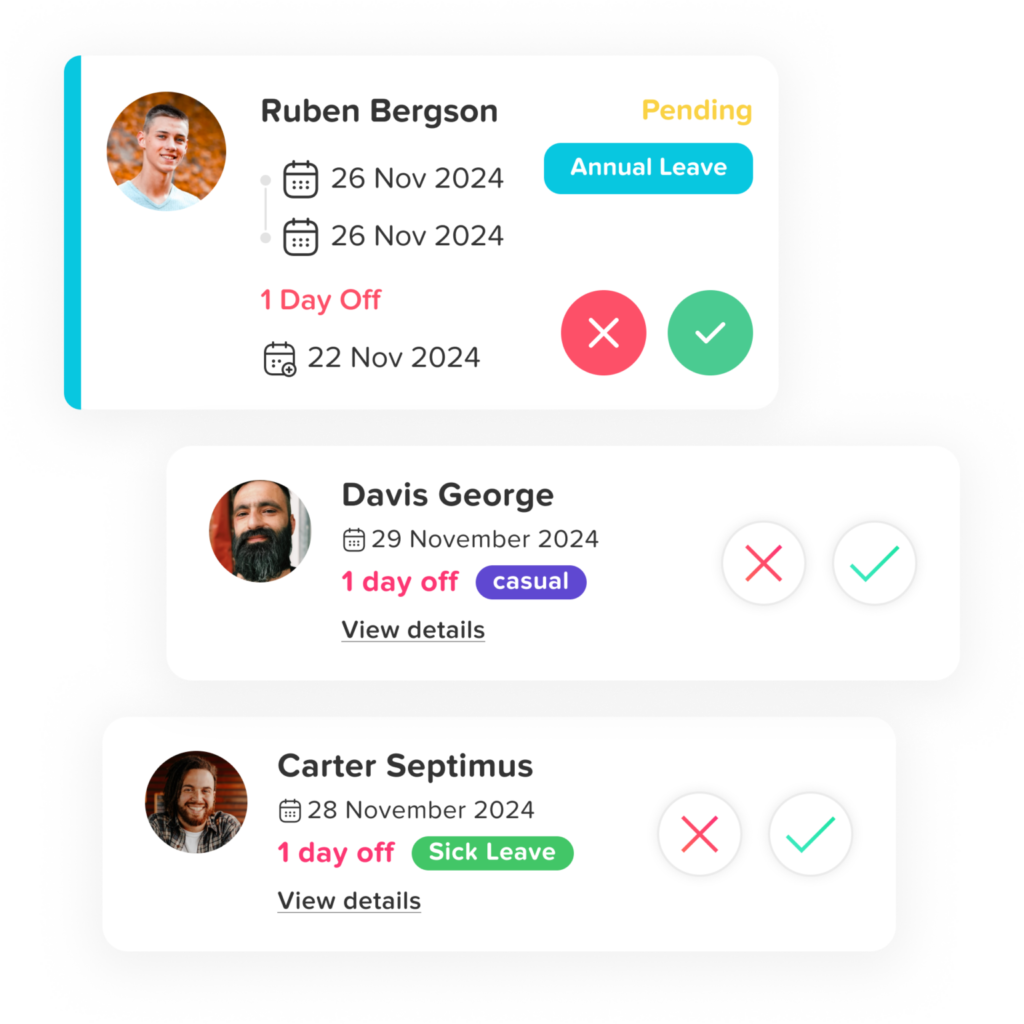
Day Off is designed to support organizations ranging from small startups to larger companies.
The platform is trusted by thousands of teams worldwide and helps businesses track vacation days, sick leave, and other absences in a simple and centralized system.
Because of its lightweight design and easy setup, companies can start managing leave more efficiently without implementing a complex HR system.
Why HR Teams Choose Day Off
Day Off combines simplicity, automation, and flexibility in a single platform designed specifically for managing employee leave.
Instead of forcing teams to adopt complicated HR systems, Day Off delivers the exact features organizations need to manage PTO, vacation requests, and employee availability efficiently.
For startups, growing companies, and modern teams looking for a reliable leave management solution, Day Off offers one of the most practical and accessible tools available today.
Factorial HR: A Comprehensive HR Platform with Strong Leave Management
Factorial HR is an all-in-one HR management platform designed primarily for small and mid-sized companies that want to centralize their HR operations. In addition to leave tracking, the platform includes features for employee records management, onboarding, document storage, performance reviews, and HR reporting.
Because everything is built into one system, HR teams can manage multiple processes without switching between different tools or spreadsheets.
Centralized HR Management Platform
One of Factorial HR’s biggest strengths is its ability to consolidate various HR processes into a single platform.
Instead of managing employee documents in one system, time off requests in another, and HR reports in spreadsheets, companies can access everything from one unified dashboard. This centralization improves efficiency and ensures HR teams always have access to accurate employee information.
Custom Leave Policies and Accrual Rules
Factorial allows HR teams to create custom leave policies that align with company policies and regional labor regulations.
Organizations can configure rules such as:
Leave accrual schedules
Probation periods before leave can be used
Maximum carryover limits
Custom approval workflows
For companies operating internationally, Factorial also supports location-based leave policies, making it easier to comply with different labor laws across regions.
Employee Self-Service Portal
Factorial includes a self-service portal that allows employees to manage their own time off requests.
Through the portal, employees can:
Check remaining leave balances
Submit vacation requests
View their leave history
See upcoming team absences
This self-service functionality reduces administrative work for HR teams and gives employees greater visibility into their leave information.
Manager Approval Workflows and Team Visibility
Managers can review leave requests through structured approval workflows.
Before approving a request, they can check the team calendar to see if other employees are already scheduled to be away during the same time period. This visibility helps prevent operational disruptions caused by overlapping absences.
HR Analytics and Absence Insights
Factorial also includes built-in analytics that help HR leaders track absence trends across departments or teams.
These insights allow organizations to:
Identify patterns in employee absences
Monitor leave usage across teams
Improve workforce planning
Detect potential burnout or staffing issues
Because of its broad HR capabilities, Factorial is particularly suitable for companies that want a full HR management platform with leave tracking included.
Sage HR: Flexible Leave Management for SMEs

Sage HR is an HR management platform designed specifically for small and medium-sized businesses (SMEs) that want to manage their workforce through a simple and flexible system. The platform includes several HR modules such as employee management, performance tracking, shift scheduling, and leave management, allowing companies to handle core HR processes from one centralized platform.
For many organizations, Sage HR serves as a practical solution that balances ease of use with powerful HR functionality.
Customizable Leave Policies
Sage HR allows companies to create custom leave policies tailored to their internal rules and regional requirements.
HR teams can define different leave categories such as vacation leave, sick leave, parental leave, or unpaid leave. The platform also supports configurable rules like accrual schedules, carryover limits, and eligibility requirements, ensuring that policies match company guidelines.
This flexibility makes it easier for businesses with different teams, departments, or locations to manage leave consistently.
Automated Leave Balance Tracking
One of Sage HR’s key advantages is its ability to automatically track employee leave balances.
The system updates leave balances whenever requests are approved and calculates accruals according to company policies. This reduces the need for manual calculations and helps ensure that leave data remains accurate.
Employees can also check their remaining leave days directly through the platform, which improves transparency and reduces HR inquiries.
Self-Service Leave Requests
Sage HR includes an employee self-service portal that allows employees to manage their own leave requests.
Through the portal, employees can:
Submit time-off requests
Check their leave balances
View leave history
Track the status of pending requests
This self-service functionality simplifies the process for employees while reducing administrative tasks for HR teams.
Shared Calendar for Team Visibility
The platform includes a shared leave calendar that helps teams visualize employee availability.
Managers can quickly see upcoming absences across their teams before approving leave requests. This visibility helps avoid scheduling conflicts and ensures that departments maintain adequate coverage during busy periods.
HR Reporting and Workforce Insights
Sage HR also provides reporting tools that help HR teams analyze leave usage across the organization.
These reports allow HR leaders to:
Monitor absence trends
Track leave balances across departments
Understand workforce availability
Improve planning and staffing decisions
By providing both operational tools and useful analytics, Sage HR helps SMEs manage employee leave in a more organized and data-driven way.
Workday: Enterprise-Level Leave Management
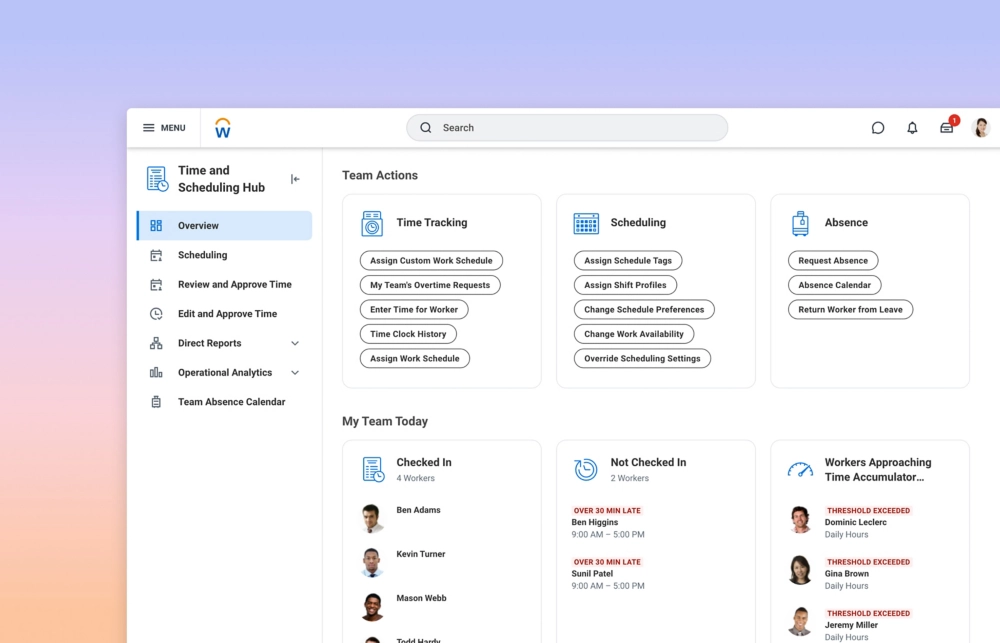
Workday is a comprehensive enterprise HR platform used by large organizations to manage a wide range of workforce operations. The platform offers an integrated ecosystem that includes payroll, workforce planning, recruiting, performance management, and leave management.
Because all these functions are connected within a single system, organizations can manage employee data, HR processes, and workforce analytics from one centralized platform.
Enterprise-Grade HR Platform
Workday is designed primarily for large enterprises and multinational organizations that require advanced HR capabilities.
The platform allows companies to manage thousands of employees while maintaining consistent HR processes across departments, business units, and geographic regions. Its unified architecture ensures that employee information, payroll data, and absence records remain synchronized across the entire HR system.
Global Leave Policy Management
One of Workday’s key strengths is its ability to manage complex global leave policies.
Large organizations often operate across multiple countries, each with different labor laws and leave requirements. Workday allows HR teams to configure policies that account for regional regulations, employee contracts, and company-specific rules.
This makes it easier for global organizations to maintain compliance while ensuring that employees receive the correct leave entitlements.
Absence Tracking and Workforce Visibility
Workday provides tools that allow HR teams and managers to track employee absences across the entire organization.
Managers can view upcoming absences, review leave requests, and monitor workforce availability through dashboards and reporting tools. This visibility helps teams plan staffing levels, allocate resources, and avoid disruptions caused by overlapping absences.
Advanced HR Analytics
Another major advantage of Workday is its advanced analytics and reporting capabilities.
The platform enables HR leaders to analyze absence trends, monitor leave usage across departments, and identify workforce patterns that may affect productivity. These insights help organizations make more informed decisions about staffing, employee well-being, and operational planning.
Best Suited for Large Enterprises
Although Workday is one of the most powerful HR platforms available, it is generally best suited for large enterprises.
Implementing the system often requires significant configuration, integration, and onboarding, which may be more than what smaller organizations need. However, for companies managing large and complex workforces, Workday provides a robust and scalable solution for managing HR operations, including employee leave.
Calamari: A Flexible Leave Management Tool for Remote Teams

Calamari is a leave management platform designed to simplify absence tracking while supporting modern distributed teams. The tool is especially popular among remote companies because it integrates seamlessly with the collaboration tools teams use every day.
Built for Remote and Distributed Teams
Calamari focuses on making leave management easy for organizations that operate across multiple locations or time zones.
Its cloud-based system ensures that employees and managers can access the platform from anywhere, making it ideal for remote-first organizations and globally distributed teams.
Automatic Calendar Synchronization
One of Calamari’s most useful features is its calendar synchronization capability.
When a leave request is approved, the absence automatically appears in shared calendars such as Google Calendar or Outlook. This ensures that everyone on the team can quickly see who is available and who is away without needing to check a separate system.
This feature greatly improves team coordination and scheduling.
Custom Leave Policies and Leave Types
Calamari allows HR teams to configure multiple leave types and flexible policy structures.
Companies can track categories such as:
Vacation leave
Sick leave
Maternity or parental leave
Unpaid leave
Personal time off
Policies can be customized to match company rules and employee contracts.
Integrations With Workplace Tools
The platform integrates with collaboration tools like:
Slack
Microsoft Teams
Google Workspace
Employees can receive notifications or submit leave requests directly from these tools, which helps embed leave management into daily workflows.
Global Leave Policy Flexibility
For organizations with international teams, Calamari offers flexible policy settings that allow HR teams to configure leave rules based on country-specific regulations.
This makes the platform particularly useful for companies managing employees across multiple regions.
Deputy: Workforce Scheduling with Leave Management
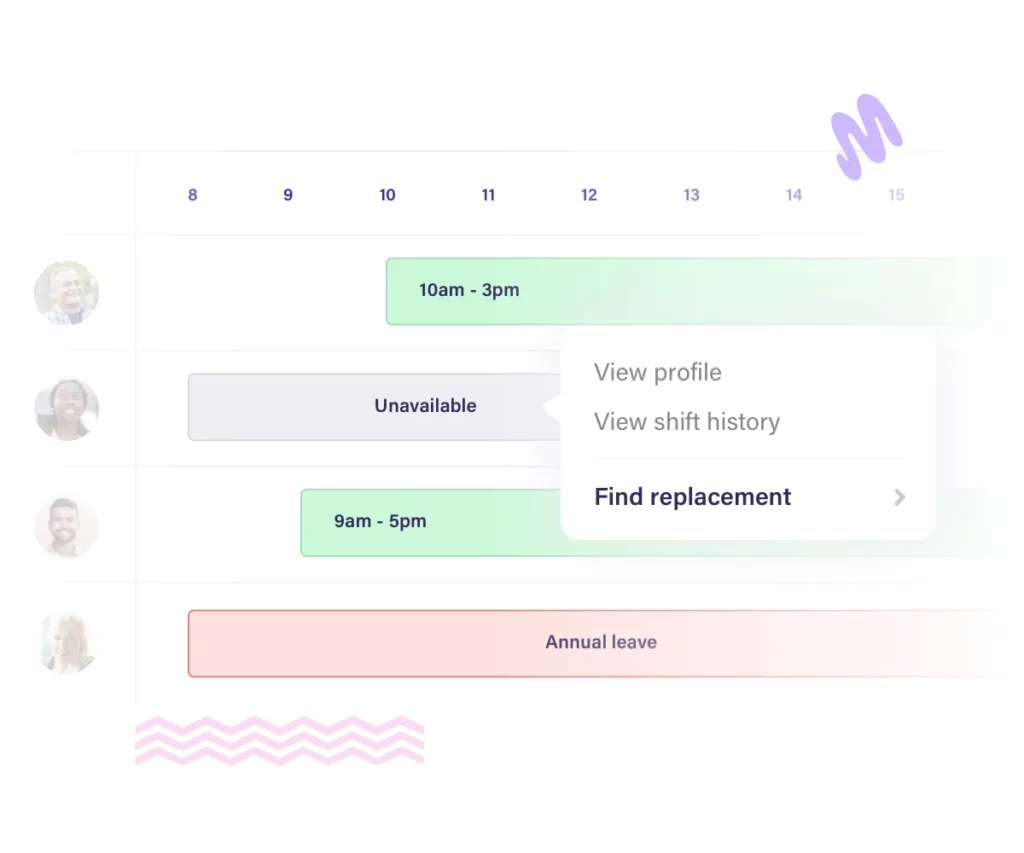
Deputy is widely recognized as a workforce scheduling and staff management platform, but it also includes built-in leave management features that help businesses track employee absences alongside work schedules. By combining scheduling and time off management in one system, Deputy allows managers to plan shifts more effectively and avoid disruptions caused by unexpected absences.
The platform is especially popular among businesses that rely heavily on shift work and hourly employees.
Integrated Scheduling and Leave Tracking
One of Deputy’s biggest strengths is the way it connects employee scheduling with leave management.
Managers can see employee availability directly within the scheduling interface. When an employee submits a time off request and it gets approved, the system automatically reflects that absence in the schedule.
This integration helps managers avoid assigning shifts to employees who are on vacation or unavailable, making workforce planning much easier.
Easy Time Off Requests and Approvals
Deputy allows employees to request time off through the platform or mobile app.
Once a request is submitted, managers receive a notification and can review the request alongside the existing schedule. This makes it easy to determine whether approving the request will impact staffing levels.
Managers can approve or decline requests quickly, keeping the process efficient for both employees and supervisors.
Real-Time Workforce Visibility
Deputy provides managers with a clear view of employee availability and upcoming absences.
Through the platform’s dashboards and scheduling tools, managers can see which team members are working, who is on leave, and where coverage may be needed. This visibility helps organizations maintain proper staffing levels, especially during busy periods.
Ideal for Shift-Based Industries
Deputy is particularly popular in industries where employee scheduling and leave management must work together closely, such as:
Retail
Hospitality
Healthcare
Food service
Logistics
In these sectors, even a few unexpected absences can disrupt operations. Deputy helps prevent these issues by allowing managers to plan schedules while keeping employee leave requests in mind.
Mobile Access for Managers and Staff
Deputy also offers mobile apps that allow employees and managers to manage schedules and leave requests from anywhere.
Employees can check their schedules, request time off, and receive updates directly from their phones, while managers can review requests and adjust schedules on the go.
Paycor: HR Platform with Integrated PTO Tracking
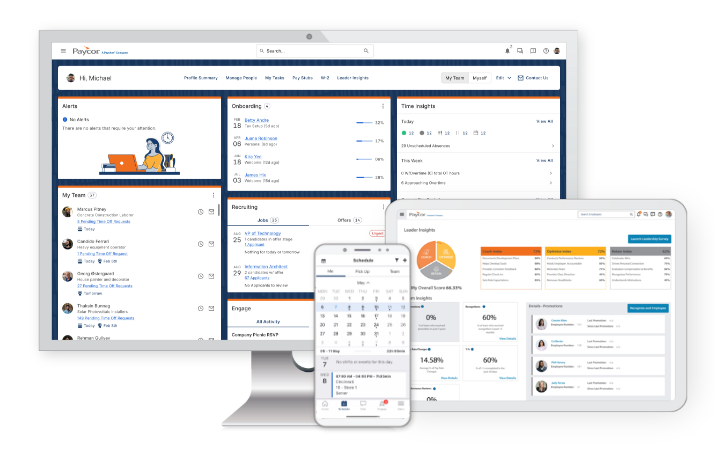
Paycor is a comprehensive HR and payroll platform that includes vacation and PTO tracking as part of its broader workforce management system. The platform is designed to help businesses manage employee data, payroll, benefits, and time off policies within a single integrated environment.
By combining leave management with payroll and HR records, Paycor allows organizations to streamline administrative processes and maintain consistent employee data across different HR functions.
Integrated HR and Payroll System
One of Paycor’s main advantages is the way it connects leave management with payroll and employee records.
When employees take time off, their PTO balances and payroll information remain synchronized within the system. This integration helps HR teams avoid manual adjustments and ensures that payroll calculations accurately reflect employee absences.
By centralizing these processes, companies can reduce administrative work and maintain more accurate records.
Custom PTO Policies and Accrual Rules
Paycor allows HR teams to create custom PTO policies tailored to their organization’s requirements.
Companies can configure rules such as:
PTO accrual schedules
Carryover limits
Waiting periods for new employees
Different policies for departments or employee groups
This flexibility makes it easier for businesses to implement leave policies that align with company guidelines and workforce structures.
Structured Approval Workflows
The platform includes structured approval workflows that help managers review and process leave requests efficiently.
When employees submit a PTO request, managers receive notifications and can approve or decline the request directly through the system. These workflows help ensure that requests follow the correct approval process while keeping HR teams informed about leave activity.
Team Availability Dashboards
Paycor also provides visual dashboards that help managers monitor team availability and upcoming absences.
These dashboards give supervisors a quick overview of who is scheduled to be away, making it easier to plan workloads and maintain adequate staffing levels. This visibility helps prevent scheduling conflicts and ensures that teams remain productive even when employees take time off.
Ideal for Companies Seeking an All-in-One HR Solution
Because Paycor includes multiple HR modules, such as payroll, benefits administration, employee management, and time off tracking, it is particularly useful for organizations that want a single platform to manage their core HR operations.
For companies looking to combine payroll processing with PTO tracking and workforce management, Paycor provides a comprehensive and integrated solution.
Connecteam: Leave Management for Mobile Workforces
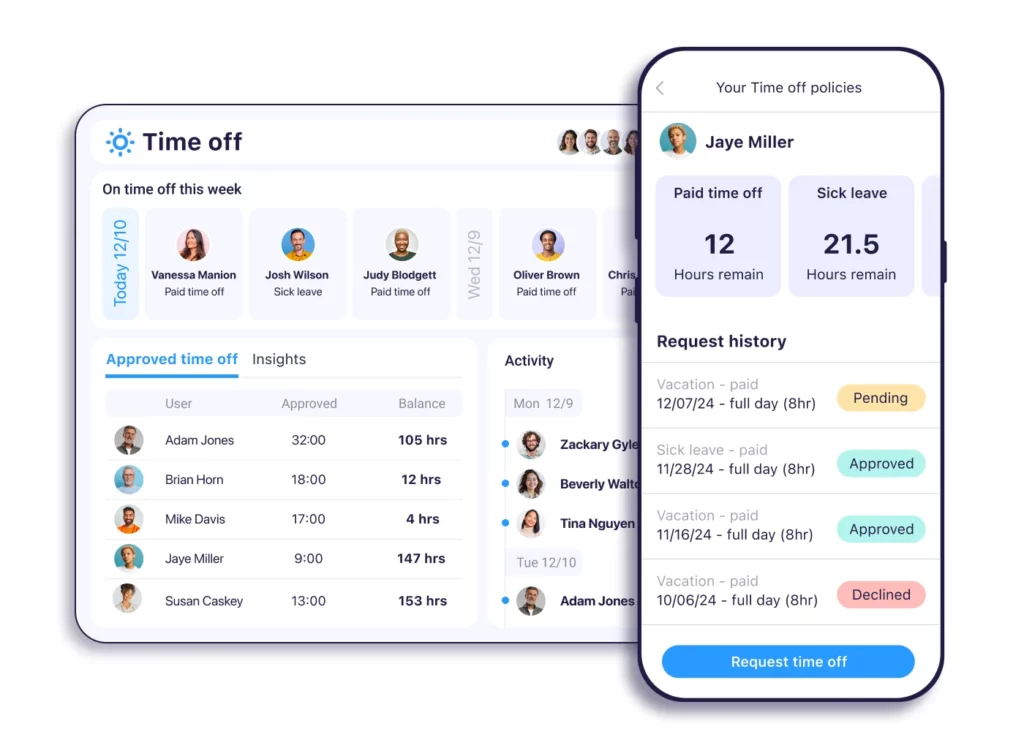
Connecteam is a workforce management platform designed specifically for companies with deskless or mobile employees, such as construction crews, retail staff, field service teams, and hospitality workers. The platform focuses on providing mobile-friendly tools that help businesses manage employees who are rarely working from a traditional office environment.
Alongside scheduling and communication tools, Connecteam includes leave management features that make it easier for companies to track employee time off and maintain clear visibility into workforce availability.
Mobile-First Employee Experience
One of Connecteam’s defining features is its mobile-first design.
Employees can use the mobile app to manage their work-related tasks directly from their smartphones. Through the app, employees can:
Submit leave requests
Check remaining leave balances
View upcoming schedules
Track the status of their requests
This approach is especially valuable for mobile workforces where employees may not have regular access to computers during the workday.
Simple Leave Requests and Approvals
Connecteam allows employees to request time off directly from the mobile app or web platform.
Once a request is submitted, managers receive notifications and can review the request through a centralized dashboard. Managers can quickly approve or decline requests while viewing team availability to ensure that approving the leave will not disrupt operations.
This process helps streamline communication between employees and supervisors.
Centralized Workforce Visibility
Managers can monitor employee availability through a centralized dashboard that provides an overview of upcoming absences and staffing levels.
This visibility helps supervisors plan schedules more effectively and avoid situations where multiple team members are absent at the same time. It also ensures that businesses maintain sufficient staffing during busy periods.
Integrated Workforce Management Tools
In addition to leave management, Connecteam includes several workforce management features that help organizations manage mobile teams more efficiently.
These tools include:
Employee scheduling
Time tracking and digital timesheets
Task management
Internal team communication
Employee training and onboarding tools
Because these features are integrated within a single platform, managers can coordinate scheduling, communication, and time off management from one system.
Ideal for Deskless and Field-Based Teams
Connecteam is particularly well suited for organizations with mobile or field-based employees who may not work in a traditional office setting.
Industries that commonly use Connecteam include:
Construction
Retail
Field services
Hospitality
Cleaning and maintenance services
For businesses that rely on mobile teams, Connecteam provides a flexible and accessible solution for managing employee leave while keeping the workforce connected and organized.
Flamingo: A Slack-Based Leave Management Tool
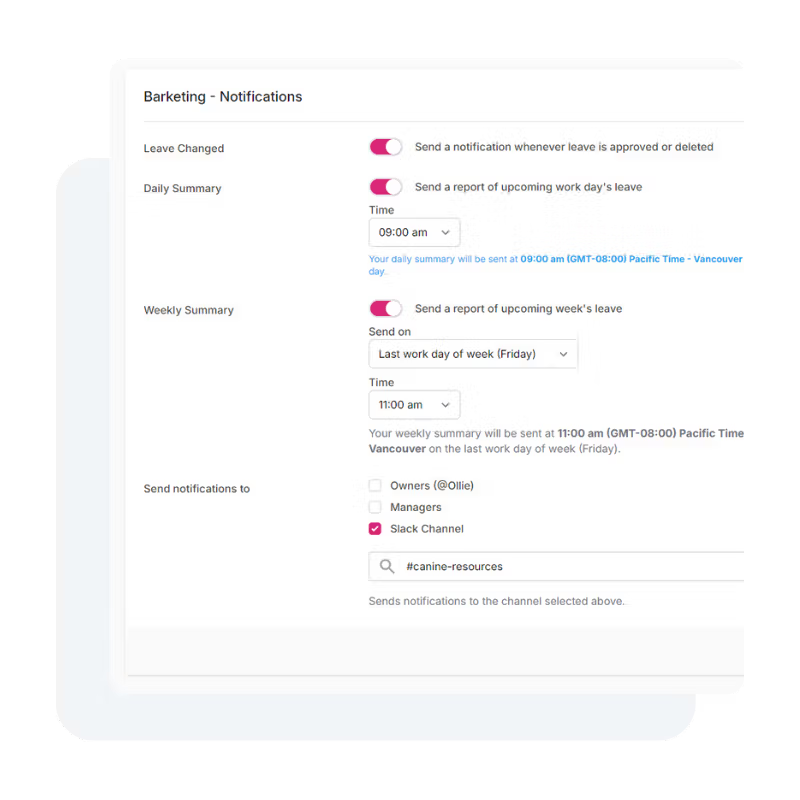
Flamingo is a leave management tool designed specifically for companies that rely heavily on Slack as their primary workplace communication platform. Instead of requiring employees to log into a separate HR system, Flamingo allows teams to manage vacation requests and leave tracking directly inside Slack.
By embedding leave management into a tool employees already use daily, Flamingo helps companies simplify the time-off process and reduce the need for additional software platforms.
Built for Slack-First Teams
Flamingo is designed for organizations where most communication and collaboration already happens in Slack.
Employees can interact with the system through simple Slack commands and messages, allowing them to request time off, check leave balances, and review upcoming absences without leaving the platform.
This approach makes leave management feel like a natural part of daily team communication.
Quick and Simple Leave Requests
Employees can submit vacation requests directly from Slack in just a few steps.
Once a request is submitted, the system automatically notifies the appropriate manager. Managers can review the request and approve or reject it directly within Slack, making the approval process quick and convenient.
This eliminates the need for long email threads or switching between multiple systems.
Fast Implementation and Easy Adoption
One of Flamingo’s biggest advantages is how quickly companies can implement it.
Because the platform is built around Slack, employees usually require little to no training to begin using it. Teams already familiar with Slack’s interface can start managing leave requests almost immediately.
This makes Flamingo a practical option for companies that want a lightweight solution without complex onboarding.
Shared Team Absence Calendar
Flamingo includes a shared team calendar that allows employees and managers to see who will be away and when.
This visibility helps teams avoid scheduling conflicts and plan projects more effectively. Before approving a request, managers can quickly check whether multiple employees are planning to be absent during the same period.
Custom Leave Types and Policies
The platform supports custom leave categories, allowing companies to configure leave policies that match their internal rules.
Organizations can track different types of leave, including:
Vacation days
Sick leave
Personal leave
Unpaid leave
Other custom leave categories
This flexibility allows Flamingo to adapt to a variety of company policies and workforce structures.
Transparent Leave Balance Tracking
Flamingo makes it easy for employees to check their remaining leave balances at any time.
Through Slack commands, employees can quickly view how many days off they have left without needing to contact HR. This transparency helps reduce administrative workload for HR teams while giving employees better visibility into their leave usage.
Key Features of Flamingo
Some of the most useful features of Flamingo include:
Slack-based leave request system
Quick leave balance checks through Slack
Automated approval notifications
Shared team absence calendar
Custom leave types and policies
Simple and fast implementation
Employee self-service leave tracking
Ideal for Slack-Centric Organizations
Flamingo works best in companies where Slack is already the central hub for communication and workflow.
For teams that want a lightweight leave management solution integrated directly into Slack, Flamingo provides a convenient and easy-to-use option that fits naturally into existing work processes.
Vacation Tracking Software Comparison (2026)
| Software | Best For | Key Features | Integrations | Ideal Company Size |
|---|---|---|---|---|
| Day Off | Dedicated PTO & vacation tracking | Leave requests, PTO balance tracking, shared team calendar, custom leave policies, approval workflows, mobile apps | Slack, Google Calendar, Outlook, Microsoft Teams | Startups, SMBs, growing companies |
| Factorial HR | All-in-one HR management | Employee records, onboarding, leave tracking, HR analytics, document management | Slack, Google Workspace, payroll integrations | Small to mid-sized companies |
| Sage HR | Flexible HR platform for SMEs | Custom leave policies, employee self-service portal, leave tracking, HR reporting | Slack, Google Calendar, payroll tools | Small & medium businesses |
| Workday | Enterprise HR systems | Global leave policy management, workforce analytics, payroll, recruiting | Enterprise integrations & ERP systems | Large enterprises |
| Calamari | Remote teams & distributed companies | PTO tracking, calendar sync, Slack & Teams integration, customizable policies | Slack, Microsoft Teams, Google Workspace | Remote-first companies |
| Deputy | Shift-based teams | Employee scheduling, availability tracking, leave requests, mobile scheduling | POS systems, payroll tools | Retail, hospitality, healthcare |
| Paycor | HR + payroll combined | PTO tracking, payroll integration, HR dashboards, approval workflows | Payroll & HR integrations | Mid-sized companies |
| Connecteam | Deskless and mobile workers | Mobile leave requests, scheduling, time tracking, internal communication | Payroll & workforce tools | Construction, retail, field teams |
| Flamingo | Slack-based teams | Slack leave requests, automated approvals, absence calendar, leave balance tracking | Slack | Small teams using Slack |
Conclusion
Managing employee leave efficiently is essential for keeping teams organized, maintaining productivity, and ensuring a positive employee experience. As workplaces become more flexible and distributed, relying on manual methods like spreadsheets or email approvals can quickly become time-consuming and difficult to manage.
Modern vacation tracking software helps simplify this process by automating leave requests, accurately tracking balances, and giving teams clear visibility into employee availability. It also reduces administrative workload for HR teams while providing employees with a transparent and easy way to manage their time off.
By choosing a solution that offers intuitive workflows, flexible policy management, and strong reporting capabilities, organizations can streamline leave management and create a smoother experience for both managers and employees. Ultimately, the right system helps companies stay organized while supporting a healthy work-life balance across the team.