
Features · Employees Management

Employees List

Day Off’s Employee List makes it simple to keep track of your team with easy-to-use filters, and you can manage multiple employees at once using bulk actions to save time.

Trusted by 60,000+ companies in 100+ countries

Employees List in the Day Off app
1

Employees list

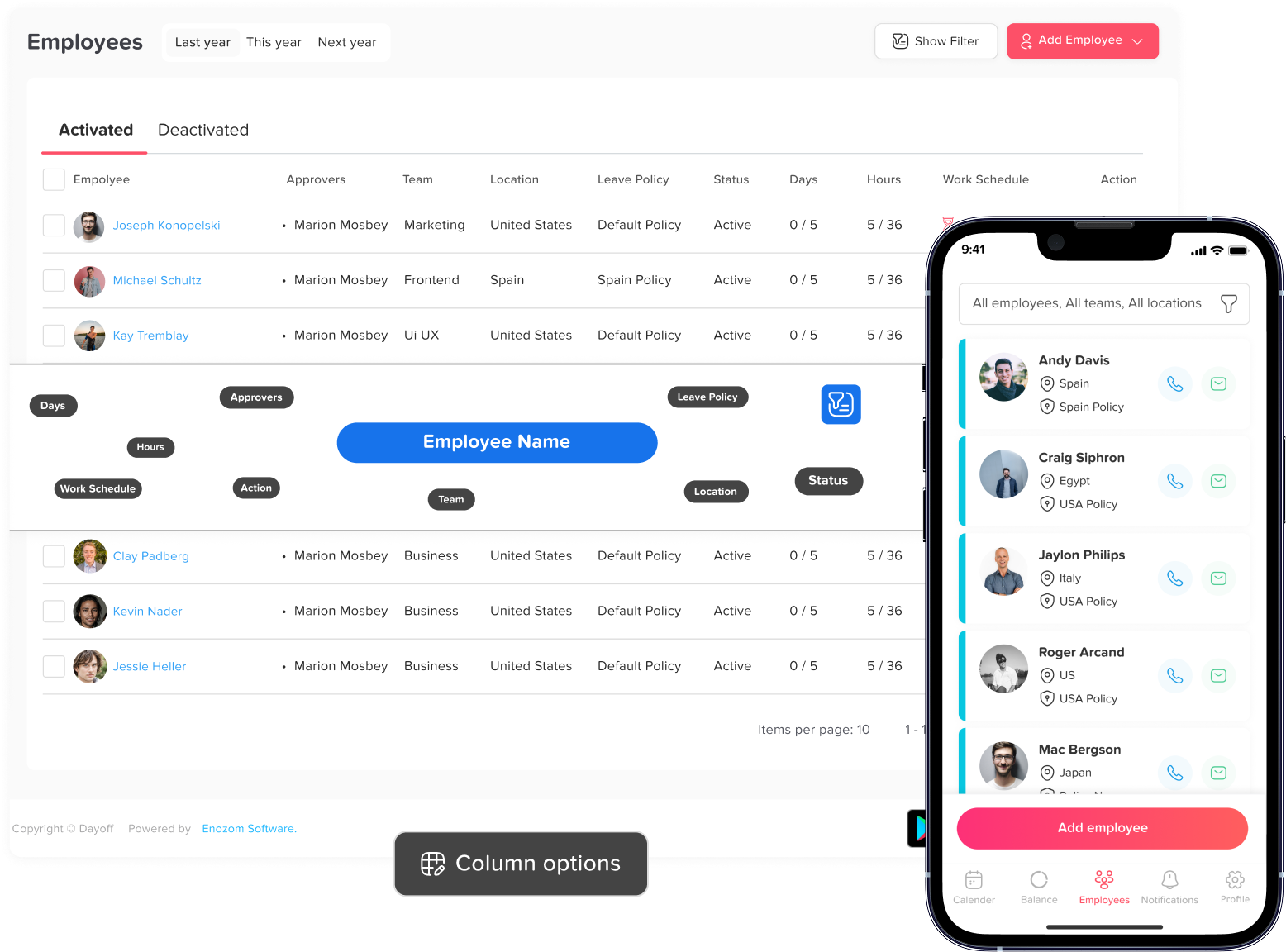
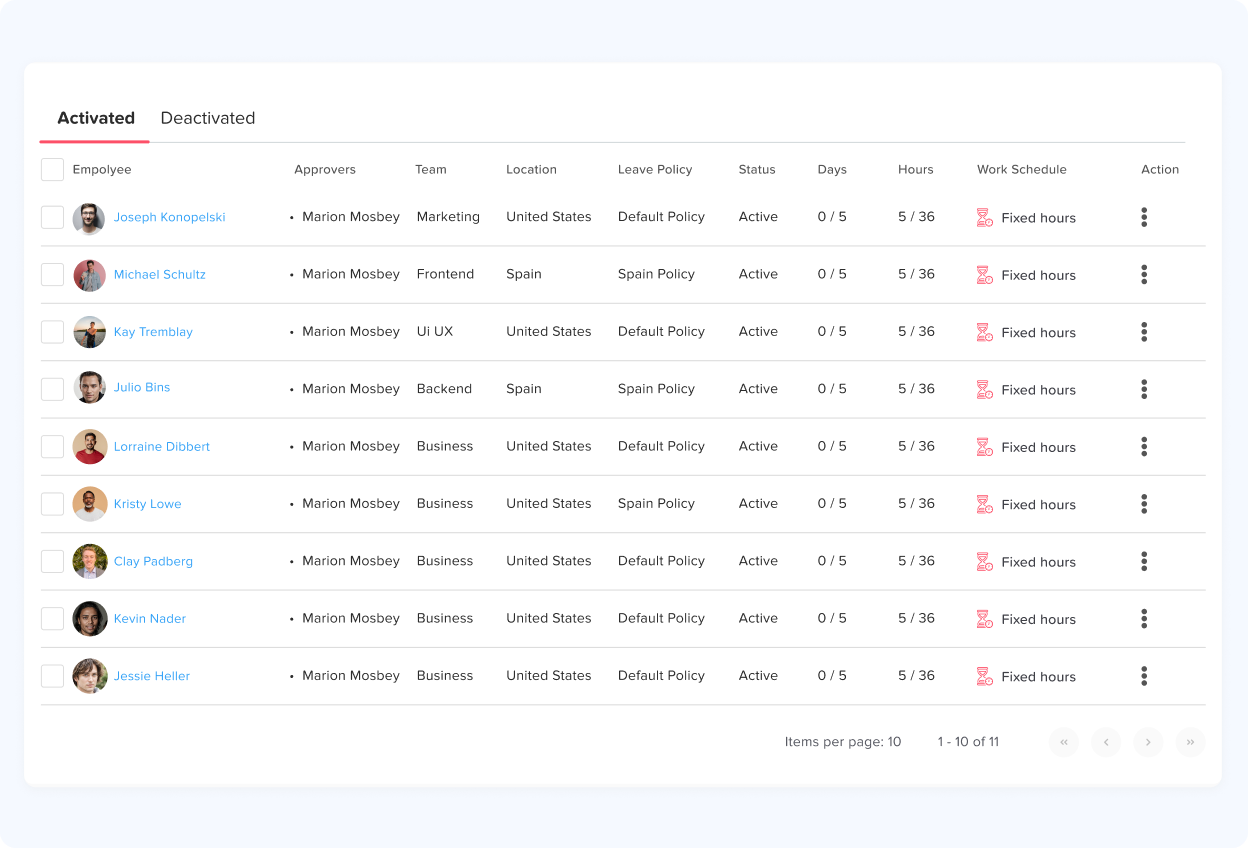
You’ll have a clear overview of your employees, including their photo, name, work year dates, approver, assigned location, work schedule, and team, and the leave policy they follow, all in one place for easy management.
Employees list: Employees List in Day Off
2

Filters

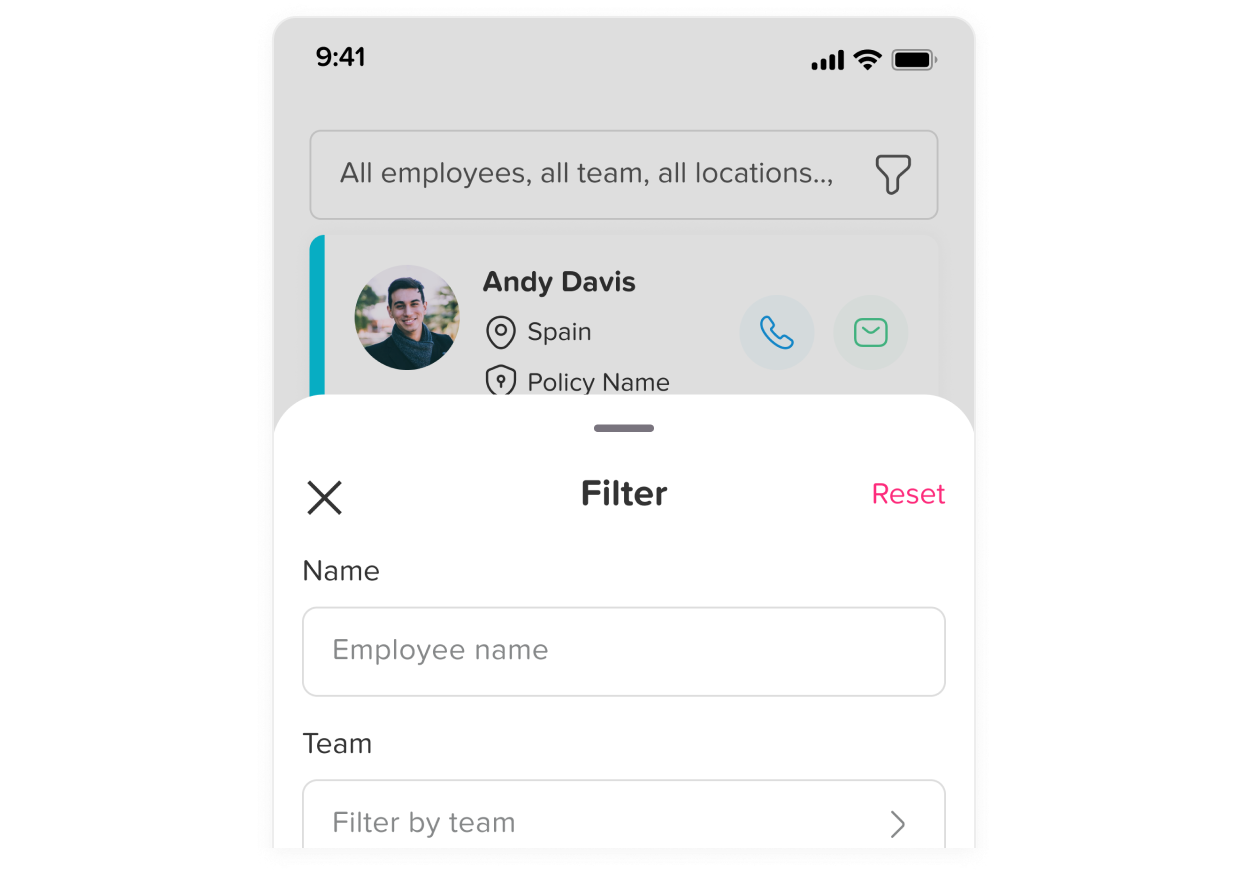
You have the option to filter this list for more detailed information. You can narrow it down by selecting a particular employee’s name to save time. Alternatively, you can choose a specific team, and all the team members will be displayed.

Filters: Employees List in Day Off
3

Actions

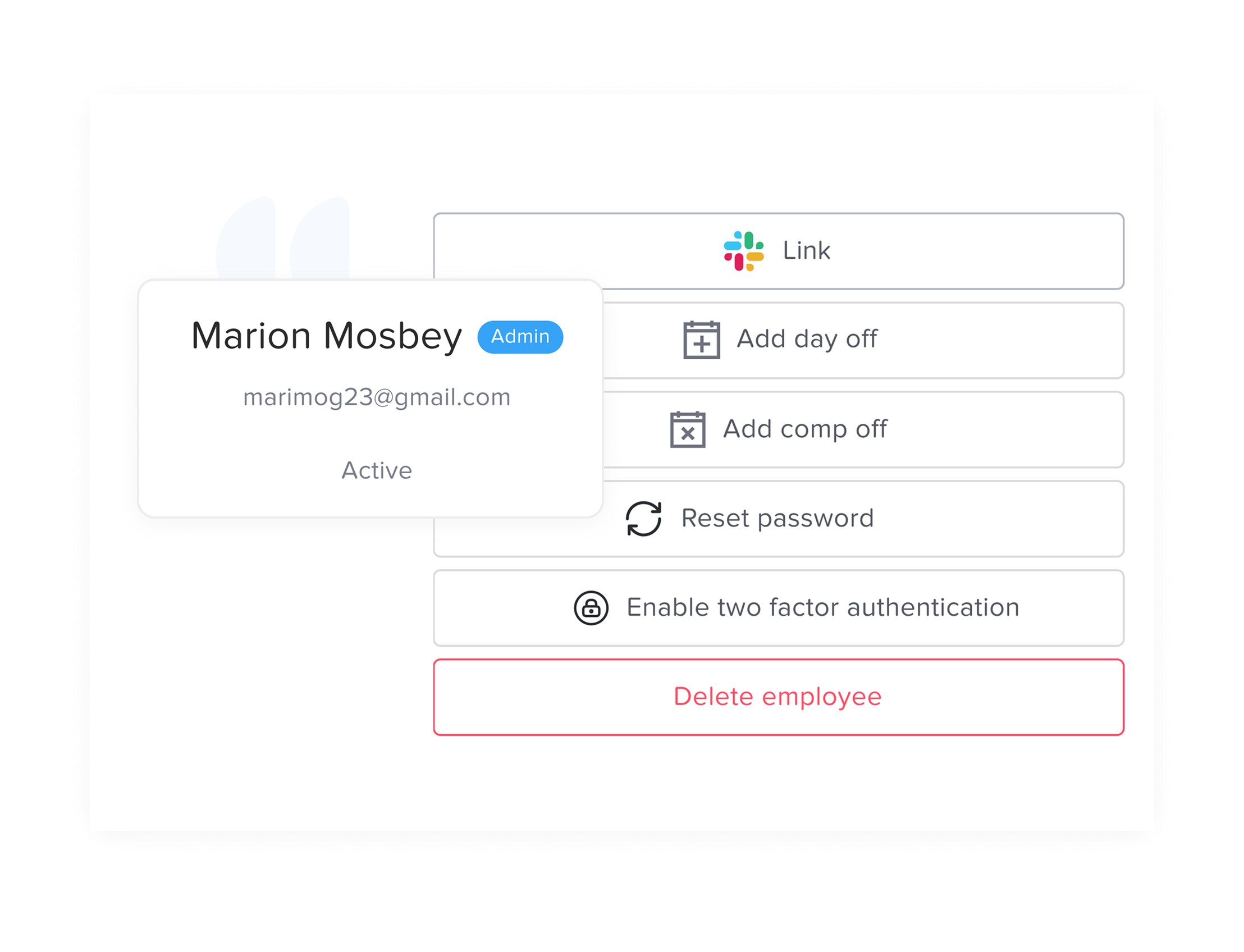
These actions can be performed directly from the employees list, allowing you to quickly manage employee accounts, such as adding time off, resetting passwords, enabling two-factor authentication, or deleting an employee, without needing to open each profile individually.

Actions: Employees List in Day Off

Make time off the easy part of your week

Join 60,000+ companies that track leave, PTO, attendance and work hours with Day Off. Free to start, no credit card needed.