Author: Nour Salah

  • Employee Time Off Calculator

    Employee Time Off Calculator

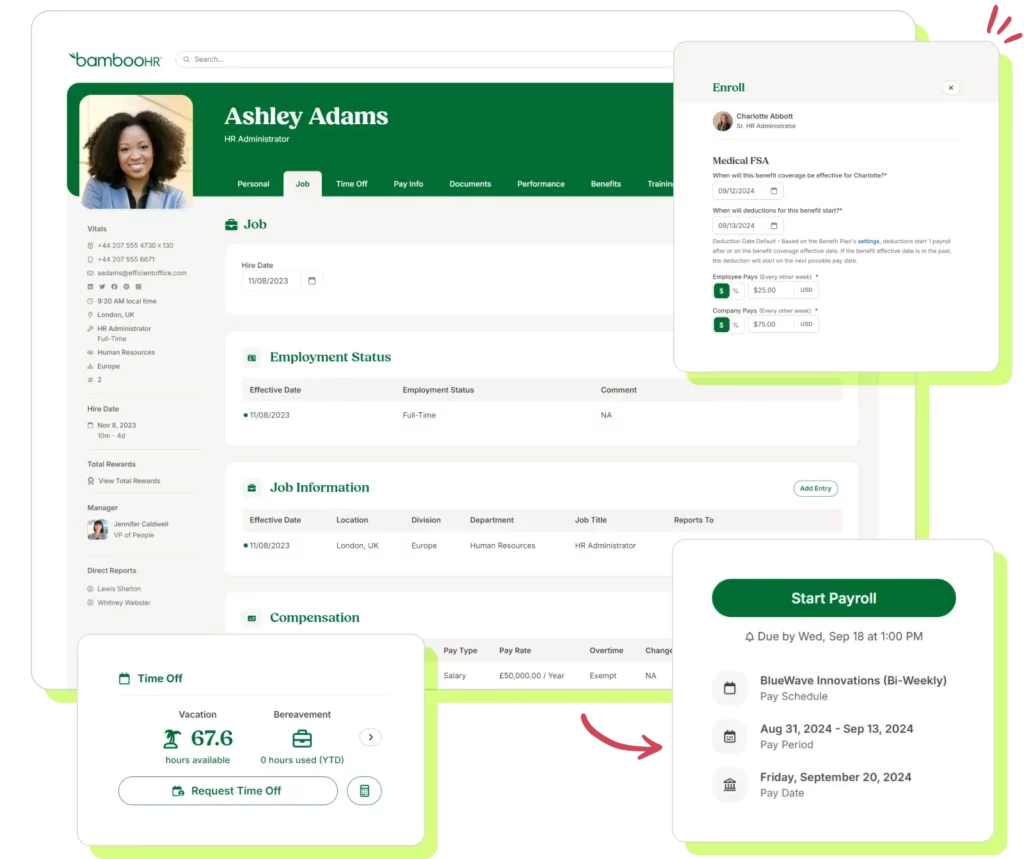
    An employee time off calculator is more than just a convenience, it is an essential tool for modern businesses striving to streamline HR processes and support employee well-being. Managing paid time off (PTO), vacation days, sick leave, and other types of absences can quickly become complex, especially in organizations with large or distributed teams. Without a reliable system, tracking leave can lead to errors, scheduling conflicts, and even employee dissatisfaction.


    Time off calculators simplify this process by automating leave accrual, tracking balances in real time, and providing employees and managers with clear visibility into their schedules. By reducing administrative burden, ensuring accuracy, and fostering transparency, these tools not only improve operational efficiency but also contribute significantly to employee satisfaction and engagement.


    In this comprehensive guide, we will explore how employee time off calculators work, the key features to look for, and the benefits they bring to both HR teams and staff. We’ll also provide insights on how to select the right solution for your organization and integrate it seamlessly into your existing operations, helping your business maintain productivity while supporting a healthy work-life balance for employees.

    What is an Employee Time Off Calculator?

    An employee time off calculator is a digital tool or software feature that helps organizations track the amount of leave an employee has earned, used, or has remaining. Whether implemented as part of a broader HR software suite or as a standalone tool, its primary purpose is to ensure accurate tracking and compliance with labor laws while providing transparency for both employees and employers.

    Key Features of an Employee Time-Off Calculator

    Customizable Leave Policies

    Every organization has unique leave policies that can differ based on the type of business, employee seniority, or contractual agreements. A robust time-off calculator allows businesses to tailor these policies so they align perfectly with their rules and practices. For example, accrual-based systems let employees earn time off incrementally, either monthly or yearly, based on their tenure or hours worked. 


    Some organizations allow unused leave to carry over to the next year, while others enforce a “use-it-or-lose-it” approach. Employers can also set caps on the maximum number of hours or days an employee can accumulate. Customization ensures the tool adapts to the specific needs of the business and supports fair, consistent implementation.

    Real-Time Calculations

    One of the biggest advantages of a time-off calculator is real-time tracking. Both employees and managers can instantly access up-to-date information about leave balances, pending time-off requests, and approved or denied leave histories. 


    This transparency reduces misunderstandings, helps employees plan their time off more effectively, and allows managers to oversee team schedules without delays or confusion.

    User-Friendly Interfaces

    A good time off calculator is intuitive and easy to navigate. Employees should be able to see their leave balances at a glance, submit time off requests quickly, and track the approval status of those requests. 


    For managers, the interface should provide tools to review requests efficiently, approve or deny leave, and analyze patterns across the team to better plan resources and workloads. A simple, clear interface ensures that both employees and managers can use the system without frustration or extra training.

    Compliance with Labor Laws

    Labor laws regarding time off can vary widely depending on the country, state, or region. A time off calculator helps businesses remain compliant by automatically applying rules for sick leave, maternity or paternity leave, and public holidays. 


    It ensures employees receive their entitled benefits and generates reports that demonstrate compliance, which can be especially helpful during audits. By automating these processes, the calculator reduces the risk of legal issues and helps maintain a fair, transparent workplace.

    Efficiently managing employee leave is essential for keeping teams productive and ensuring staff feel valued. Day Off is a powerful leave management solution that makes this process simple and stress-free for businesses of all sizes. With its intuitive, user-friendly platform, Day Off helps track and manage all types of employee absences, whether it’s vacation days, paid time off (PTO), sick leave, or custom leave types. By centralizing leave management, the platform not only saves time for HR teams but also provides employees with clear visibility into their balances, making planning and scheduling easier for everyone.

    Key Features of Day Off

    Day Off is a smart tool that makes managing employee time off simple and stress-free. It helps both employees and managers keep track of vacation days, sick leave, and other types of absences. Here’s a detailed look at what it can do:

    Vacation & Leave Tracking

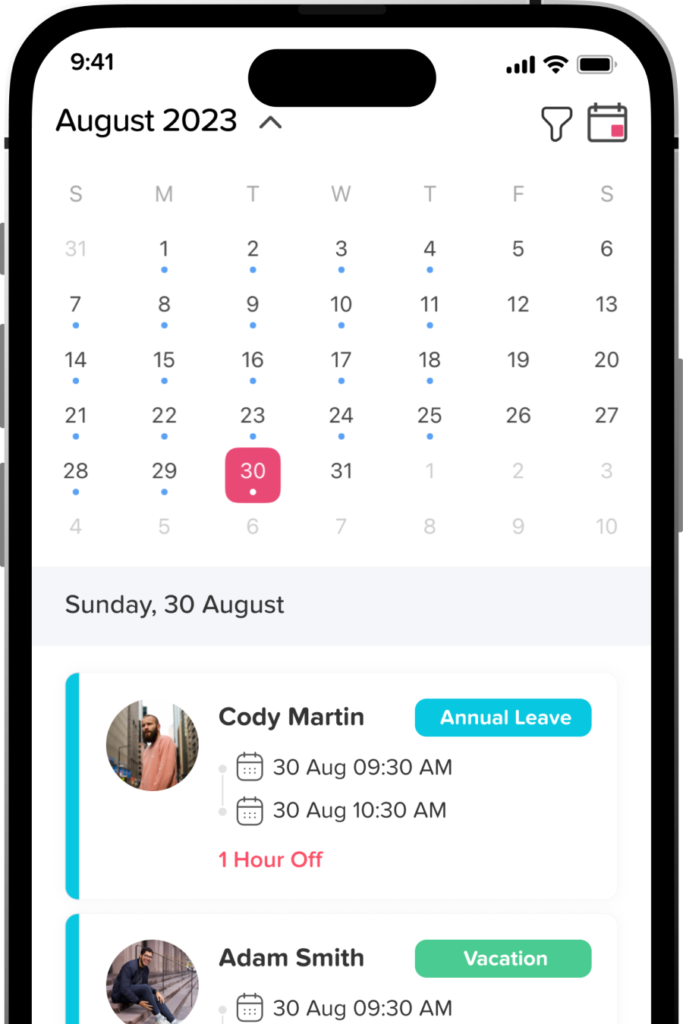
    With Day Off, employees can see exactly how many days off they have left, how many they’ve used, and what’s coming up. Managers get a clear overview of the whole team’s schedule, which makes planning easier and avoids conflicts. It’s all automatic, so there’s no need for messy spreadsheets or manual tracking.

    Customizable Leave Policies

    Every company has its own rules for leave. Day Off lets you create your own leave types, set how time off is earned, and decide if unused days can carry over. You can also adjust holidays, working days, and rules for different locations or teams. This way, the system matches your company’s policies perfectly.

    Approval Workflows

    Managers can approve or deny leave requests quickly and easily, following your company’s hierarchy. Everything is tracked in the system, so there’s a clear record, and no requests get lost or forgotten.

    Notifications & Announcements

    Day Off automatically notifies employees when their requests are approved or rejected. Managers also get alerts for pending approvals. You can even send announcements to the whole team, keeping everyone informed and preventing scheduling issues.

    Sub-Teams, Work Schedules & Multi-Location Support

    You can set up different teams with their own leave rules, balances, and schedules. Assign flexible, fixed, or rotating shifts, and even adjust for different countries or time zones. This makes managing leave easy for large or global teams.

    Dashboard Calendar & Blockout Dates

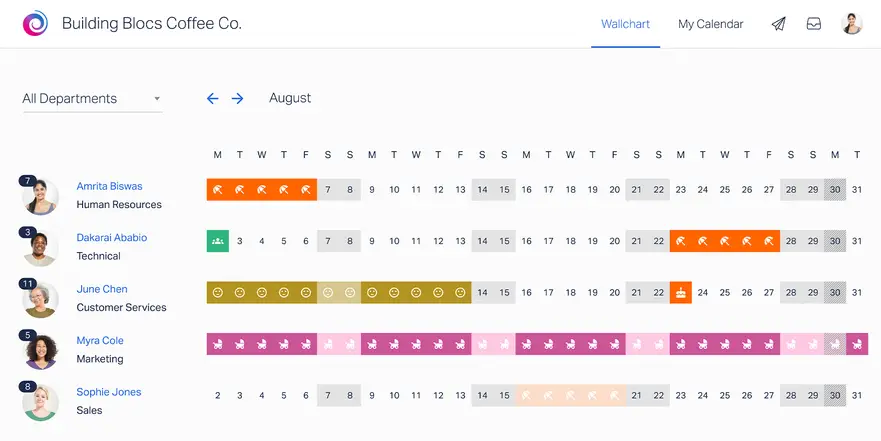
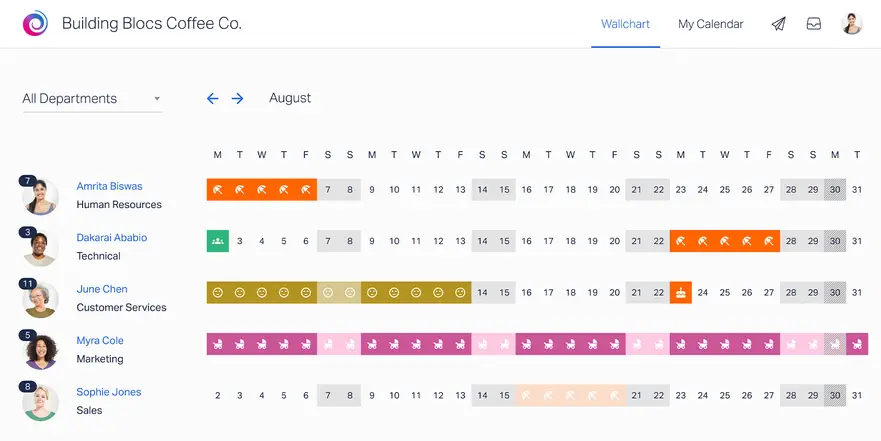
    The central calendar shows all approved and pending leave, along with company holidays. Managers can filter by team or location and set blockout dates when leave isn’t allowed. This helps plan projects and keeps the business running smoothly.

    Reporting & Analytics

    Day Off gives detailed reports on leave usage, balances, trends, and team availability. HR can use these reports to spot patterns, plan resources, and make better decisions. You can also export the data for payroll or compliance purposes.

    Mobile & Employee Self-Service

    Employees can request time off, check balances, and see team schedules right from their phone or computer. Managers can approve requests on the go. This saves time for HR and makes life easier for employees, especially for remote or hybrid teams.

    Integrations with Calendars & Communication Tools

    Day Off works with Google Calendar, Outlook, Slack, and Microsoft Teams. Approved leave is automatically synced, so everyone knows who’s off and when. This helps teams stay coordinated without extra effort.

    Single Sign-On (SSO)

    Day Off supports SSO, which means employees can log in using their company credentials. It’s safer, faster, and makes it easier for everyone to access the platform.

    Security & Compliance

    Day Off keeps all data safe with encryption, role-based access, and secure hosting. It also follows global privacy standards like GDPR, so your employee information is protected at all times.

    Benefits of Using Day Off

    Enhanced Efficiency

    Day Off automates leave tracking and approvals, reducing HR’s administrative workload. This frees up time for strategic tasks like workforce planning and ensures faster responses to leave requests, minimizing disruptions to productivity.

    Improved Accuracy

    The platform eliminates manual errors in leave tracking, ensuring accurate calculations of balances and accruals. This improves data reliability and builds trust with employees while simplifying audits and reporting.

    Increased Employee Satisfaction

    By providing an easy-to-use, transparent system, Day Off empowers employees to check balances and submit requests effortlessly. This clarity enhances trust, reduces frustrations, and boosts morale.

    Better Compliance

    Day Off ensures compliance with labor laws and company policies by automatically applying rules to each leave request. It prevents policy breaches, flags inconsistencies, and keeps detailed records for audits.

    Cost Savings

    Automation reduces the time and resources spent on manual leave management, cutting administrative costs. Streamlined processes also improve operational efficiency, saving money for the organization.

    Types of Leave Managed by Time-Off Calculators

    Paid Time Off (PTO)

    PTO covers vacation days, personal days, and other discretionary leave types. Calculators track accruals and balances in real-time, allowing employees to understand exactly how much PTO they have available. This ensures accurate usage and better planning for time off.

    Sick Leave

    Sick leave is often subject to strict legal or contractual requirements. Leave calculators help organizations comply with these regulations by precisely tracking entitlements and usage, ensuring employees get their rightful leave while preventing overuse.

    Public Holidays

    Most leave calculators automatically account for public holidays, ensuring these days are not mistakenly deducted from an employee’s PTO balance. This prevents confusion and maintains accurate leave records.

    Unpaid Leave

    For employees taking time off beyond their entitled balance, calculators log unpaid leave and adjust payroll accordingly. This ensures transparency and accuracy in salary deductions, reducing administrative errors.

    Special Leave Categories

    Special leave types such as bereavement, jury duty, or military leave can be customized within calculators. This allows organizations to handle unique leave scenarios effectively while maintaining consistent records and compliance.

    How to Choose the Right Time-Off Calculator

    Scalability

    Select a time-off calculator that can adapt as your business grows. As your team expands, you may need features like handling diverse leave policies, managing multiple locations, or tracking various employee classifications. A scalable solution ensures you won’t need frequent upgrades or replacements as your needs evolve.

    Integration Capabilities

    A good time-off calculator should integrate smoothly with your existing payroll and HR systems, enabling seamless data flow. This reduces manual data entry, prevents errors, and saves time by automating processes like payroll adjustments and compliance tracking.

    Customizability

    Every organization has unique leave policies and regulations. Ensure the calculator allows you to customize features like accrual methods, leave types, and approval workflows. This flexibility ensures the tool aligns with your company’s specific requirements and minimizes discrepancies.

    User Experience

    Both employees and managers will interact with the tool, so it should be intuitive and straightforward. Look for software with positive reviews regarding usability, a clean interface, and self-explanatory features. An easy-to-use calculator minimizes training needs and enhances overall efficiency.

    Cost-Effectiveness

    Consider the cost concerning your business size and needs. Advanced tools with comprehensive features may be worth the investment for larger organizations, while simpler, budget-friendly solutions may suit small businesses. Weigh the potential efficiency gains and compliance benefits against the upfront and ongoing costs.

    Customer Support

    Strong customer support is crucial for addressing technical issues or clarifying usage. Choose a provider with responsive and knowledgeable support, as this ensures that any challenges are quickly resolved, minimizing disruptions to your operations. Look for options like live chat, phone support, or detailed online resources.

    Frequently Asked Questions About Employee Time-Off Calculators

    Can an employee time-off calculator track half-days or hourly leave?

    Yes. Many advanced time-off calculators allow organizations to track leave not only in full days but also in half-days or even hourly increments. This flexibility ensures accurate tracking for part-time employees, flexible schedules, or situations where employees need just a few hours off. It also helps managers plan workloads more precisely and maintain productivity.

    Is it possible to limit how far in advance employees can request time off?

    Absolutely. Most time-off calculators allow administrators to set rules for when requests can be submitted. For example, you can require requests to be made at least two weeks in advance, or restrict submissions to within the current calendar year. This ensures proper scheduling, reduces last-minute disruptions, and helps managers plan resources effectively.

    How does a time-off calculator help reduce scheduling conflicts?

    Time-off calculators provide managers with a centralized view of team schedules, making it easier to identify overlapping absences. Many systems also include automated alerts or conflict warnings, helping managers ensure adequate coverage and prevent productivity dips during busy periods.

    Can employees carry over unused leave automatically?

    Yes. Most calculators can be configured to handle carryover rules, whether it’s full rollover, partial rollover, or a “use-it-or-lose-it” policy. These rules can be customized to align with company policies, ensuring accurate tracking and fair leave management year after year.

    Do time-off calculators work for remote or international teams?

    Yes. Cloud-based time-off calculators are ideal for distributed teams. They can accommodate multiple time zones, regional holiday calendars, and country-specific leave laws, ensuring consistency and compliance across global workforces.

    Can managers approve or deny leave requests from their phones?

    Yes. Many modern calculators offer mobile apps or responsive web platforms that allow managers to approve or deny requests instantly. This speeds up the approval process, keeps employees informed in real time, and reduces administrative delays.

    How secure is employee data in a time-off calculator?

    Reputable providers use robust security measures such as encryption, role-based access controls, secure cloud storage, and compliance with regulations like GDPR or HIPAA. These safeguards protect sensitive employee data from unauthorized access, breaches, or misuse.

    What happens if the company changes its PTO policy mid-year?

    Time-off calculators can be updated to reflect new rules, including accrual rates, carryover limits, or eligibility requirements. The system automatically recalculates balances according to the revised policy, ensuring fairness, compliance, and accurate records.

    Can a time-off calculator integrate with performance management tools?

    Yes. Many advanced HR platforms combine leave tracking with performance management, allowing organizations to monitor attendance alongside productivity, engagement, and performance metrics. This helps managers make more informed decisions about resource planning and employee development.

    Can time-off calculators track unpaid leave or special leave types?

    Yes. Most systems support various leave types beyond standard PTO, including unpaid leave, sabbaticals, parental leave, bereavement leave, and company-specific custom leave policies.

    Can employees view their remaining leave balances in real time?

    Absolutely. Employees can instantly see how many days they have available, how much they’ve used, and what’s coming up. This transparency helps them plan vacations, personal time, or sick leave without needing to contact HR for updates. It reduces confusion and gives employees more control over their schedules, which can improve satisfaction and work-life balance.

    How does a time-off calculator help HR teams save time?

    Time-off calculators automate the entire leave management process, from accruals to approvals and tracking. This eliminates the need for manual spreadsheets or repetitive record-keeping. HR teams spend less time calculating balances, resolving disputes, or chasing approvals, freeing them to focus on strategic initiatives like employee engagement, talent development, or workforce planning.

    Can time-off calculators generate reports and analytics?

    Yes. Most modern platforms include detailed reporting tools that track leave trends, absenteeism, team coverage, and compliance metrics. These insights allow managers to identify patterns, forecast staffing needs, and make data-driven decisions. With these analytics, organizations can spot potential issues early, improve resource allocation, and optimize team productivity.

    Can the system handle multiple policies for different employee groups?

    Absolutely. Advanced calculators let organizations set up different leave policies for departments, locations, or employee types. Whether it’s part-time staff, full-time employees, or international teams, the system ensures that accruals, carryover rules, and leave entitlements are applied accurately. This flexibility reduces errors and makes leave management fair for everyone.

    Does the software notify employees when their leave requests are approved or rejected?

    Yes. Automated notifications keep employees informed the moment a decision is made. Whether a request is approved, rejected, or pending, the system sends real-time alerts via email or app notifications. This reduces uncertainty, prevents miscommunication, and ensures everyone stays aligned with team schedules.

    Can managers forecast team availability using the calculator?

    Yes. Many platforms provide dashboards and visual calendars that show upcoming leave for the entire team. Managers can quickly see who will be off and when, helping them avoid staffing gaps, prevent overlapping absences, and plan projects more effectively. This makes scheduling easier and ensures smooth operations, even during peak times.

    Conclusion

    An Employee Time-Off Calculator is far more than a simple tool, it’s a strategic investment that benefits both employees and organizations. By automating leave tracking and management, it ensures accurate records, keeps companies compliant with labor laws, and reduces the administrative burden on HR teams. At the same time, employees gain clarity and control over their time off, which boosts satisfaction, engagement, and overall well-being.


    Whether you run a small business or manage a large enterprise, implementing the right time-off calculator can save time, cut costs, and foster a workplace culture built on transparency, fairness, and trust. As businesses continue to focus on employee experience and operational efficiency, these tools are becoming essential. Choosing and integrating a solution that fits your company’s needs is a smart step toward long-term success, happier employees, and a more productive, organized workplace.


    Smarter time off tracking starts here.

  • Top 5 Employee Communication Apps

    Top 5 Employee Communication Apps

    Effective communication is the backbone of any successful organization. With the increasing shift towards remote work, hybrid models, and global teams, maintaining clear, consistent, and effective communication has become a pressing challenge for businesses. Employee communication apps have emerged as powerful tools to bridge these gaps, fostering collaboration, boosting productivity, and ensuring that everyone in an organization stays informed and engaged. Here’s a detailed exploration of the benefits and key features of employee communication apps, along with how they transform workplace interactions.

    Streamlined Communication Across Teams

    One of the primary benefits of an employee communication app is its ability to streamline communication across diverse teams. In large organizations, employees often work in different departments, time zones, or even countries. This can lead to miscommunication or delays in relaying important information.

    • How It Works: These apps centralize communication by offering dedicated channels for different teams or projects. Instead of relying on scattered emails, which can easily get lost in crowded inboxes, team members can have focused discussions in organized channels.
    • Detailed Benefit: Imagine a marketing team working on a campaign with input from the design and sales teams. With an app, they can create a dedicated channel where all updates, feedback, and resources are shared. This ensures that everyone is on the same page and reduces the need for endless back and forth emails.

    Improved Employee Engagement

    Engaged employees are more productive and committed to their work schedules. Communication apps foster a sense of belonging and inclusion, which is essential for engagement.

    • How It Works: Apps often feature tools like polls, surveys, and feedback mechanisms to involve employees in decision making processes. Recognizing employees through announcements or shoutouts is another way these platforms help.
    • Detailed Benefit: For instance, a company can use the app to celebrate milestones, such as an employee’s work anniversary or the completion of a major project. These small gestures make employees feel valued and appreciated, leading to higher morale and job satisfaction. Additionally, regular pulse surveys via the app can gauge employee sentiment and provide actionable insights to leadership.

    Seamless Integration with Other Tools

    Modern workplaces rely on a suite of tools for project management, file sharing, and customer relationship management (CRM). Employee communication apps often integrate seamlessly with these tools, creating a cohesive digital workspace.

    • How It Works: Integrations with platforms like Slack, Microsoft Teams, or Trello allow employees to access project updates, share documents, and track tasks without switching between multiple applications.
    • Detailed Benefit: For example, an HR manager can integrate a communication app with their HR management system to send automated reminders about training sessions or upcoming deadlines. Similarly, team members can attach files directly from cloud storage services like Google Drive, eliminating the need for repetitive downloads and uploads.

    Facilitating Remote Work

    The rise of remote work has highlighted the need for effective communication tools. Employee communication apps cater to the unique challenges of remote teams by enabling real time and asynchronous communication.

    • How It Works: Features such as instant messaging, video conferencing, and status updates help remote employees stay connected. Notifications ensure that no one misses important updates, regardless of time zone differences.
    • Detailed Benefit: A remote worker in Australia can share updates on their progress at the end of their day, which will be available for their US based colleagues to review when they start their day. This seamless handoff minimizes delays and keeps projects on track. Video conferencing capabilities also make virtual meetings more accessible, helping remote teams build rapport.

    Centralized Information Hub

    Employee communication apps often act as a one stop shop for all company related information. Whether it’s HR policies, training materials, or company announcements, employees can access everything they need in one place.

    • How It Works: Apps typically include features like searchable archives, document repositories, and pinned posts for easy access to important information.
    • Detailed Benefit: For instance, if a new employee needs to review the company’s code of conduct or find onboarding materials, they can quickly locate these documents through the app. This reduces the dependency on HR or team leads for basic information, saving time for everyone involved.

    Enhanced Collaboration on Projects

    Collaboration is critical for project success. Communication apps offer tools to facilitate teamwork, such as shared calendars, group chats, and collaborative editing.

    • How It Works: Team members can work together in real time or asynchronously, depending on their schedules. Notifications and alerts ensure that collaborators stay updated on changes.
    • Detailed Benefit: Imagine a product development team working on a tight deadline. Through the app, designers, developers, and marketers can share progress updates, provide feedback, and troubleshoot issues in real time. This reduces the likelihood of errors or misunderstandings and keeps the project moving forward smoothly.

    Strengthened Internal Branding

    Employee communication apps can also serve as a platform for reinforcing company culture and values. By sharing regular updates, stories, and achievements, organizations can create a strong sense of identity.

    • How It Works: Companies can use these apps to broadcast mission statements, share success stories, or highlight community involvement.
    • Detailed Benefit: For example, a sustainability focused company can share updates on its green initiatives or spotlight employees who have contributed to environmental causes. This strengthens employees’ connection to the organization’s mission, fostering pride and loyalty.

    Improved Crisis Management

    In times of crisis, such as natural disasters, cyberattacks, or global pandemics, quick and clear communication is essential. Employee communication apps can serve as an emergency communication tool.

    • How It Works: Through features like mass notifications, leadership can instantly disseminate critical updates to all employees. Apps can also provide a platform for employees to ask questions or report issues.
    • Detailed Benefit: During the COVID-19 pandemic, many companies used communication apps to update employees on health protocols, remote work policies, and resources for mental health support. These timely updates helped organizations maintain stability and support their workforce during challenging times.

    Cost Effectiveness and Scalability

    Investing in an employee communication app is often more cost effective than traditional methods, such as physical newsletters or face to face meetings, especially for growing organizations.

    • How It Works: Apps are typically subscription based and offer scalable pricing models that accommodate companies of all sizes. They also eliminate the need for frequent printing, postage, or travel costs.
    • Detailed Benefit: A small startup can start with a basic plan that supports a small team and upgrade as they grow. Large enterprises, on the other hand, can customize their plans to include advanced features like analytics and AI driven insights.

    Top 5 Employees Communication Apps

    Connecteam is an all in one employee app designed for deskless workers, offering features like team communication, employee scheduling, time tracking, task management, and employee engagement. Its mobile first approach ensures seamless connectivity for field based employees.

    Pros:

    • Mobile First Design: Tailored for deskless workers, making it ideal for industries like retail, logistics, and construction.
    • All in One Platform: Combines communication, task management, scheduling, and time tracking, reducing the need for multiple apps.
    • Easy Onboarding: User friendly interface ensures quick adoption among non tech savvy employees.
    • Customizable Features: Allows businesses to tailor features according to their needs, such as setting up training modules or feedback surveys.

    Cons:

    • Limited Free Tier: Most advanced features are locked behind the premium plans, which might not suit smaller businesses.
    • Internet Dependency: Requires consistent internet connectivity, which can be a challenge for remote or field workers in low signal areas.

    Slack provides persistent chat rooms organized by topic, private groups, and direct messaging functionalities. It integrates with numerous third party services, including Google Drive and Trello, and supports custom chatbots, enhancing team collaboration and workflow automation.

    Pros:

    • Seamless Integration: Connects with over 2,400 third party tools, including Google Workspace, Trello, and Asana, to streamline workflows.
    • Advanced Search: Enables users to find past conversations, files, or links quickly, making it great for referencing historical data.
    • Customizable Channels: Allows teams to create dedicated channels for specific topics, projects, or departments.
    • Extensive App Support: Offers desktop, web, and mobile apps for on the go communication.

    Cons:

    • Overwhelming Notifications: Without careful management, users can be bombarded with messages from multiple channels, leading to distractions.
    • Pricing for Larger Teams: Costs increase significantly as team size grows, especially when additional integrations are needed.
    Workvivo

    Workvivo is a comprehensive employee communication platform that enhances engagement, collaboration, and community within organizations. It integrates social media features like activity feeds and shout outs, fostering a connected company culture.
    Pros:

    • Employee Engagement Focus: Blends internal communication with features like shout outs, kudos, and activity feeds to boost morale and recognition.
    • Social Media Like Experience: Familiar interface makes it easy to use and encourages employee participation.
    • Customizable Branding: Allows organizations to customize the app to reflect their brand identity, fostering a sense of belonging.
    • Comprehensive Analytics: Provides insights into employee engagement and communication effectiveness.

    Cons:

    • Learning Curve for Non Tech Savvy Users: Social media like features may not appeal to less tech savvy employees or older demographics.
    • Cost: Pricing can be on the higher side, especially for small to mid sized businesses with tight budgets.
    Flock website

    Flock is a messaging service that comes pre installed with business apps such as polls, shared to dos, and reminders. It provides a platform for developers to build apps, bots, and custom integrations, facilitating seamless team communication and collaboration.

    Pros:

    • Built in Productivity Tools: Includes features like shared to dos, polls, and reminders, eliminating the need for additional apps.
    • Developer Friendly: Supports the creation of custom integrations, bots, and apps to cater to unique business needs.
    • Affordable: Offers competitive pricing compared to other communication apps, making it a cost effective option.
    • Multi Platform Support: Available on desktop, mobile, and web, ensuring accessibility for all users.

    Cons:

    • Limited Scalability: May not be as robust as larger platforms like Slack for enterprises with complex communication needs.
    • Occasional Performance Issues: Some users report lag and connectivity problems, particularly during high volume usage.

    Developed by Alibaba Group, DingTalk is an enterprise communication and collaboration platform offering messaging, voice and video calls, and SmartWork OA for managing internal workflows. It’s designed to optimize corporate communication, especially for businesses with a significant presence in China.

    Pros:

    • Comprehensive Workflow Management: Offers features like attendance tracking, task management, and online approval workflows.
    • Scalable for Large Teams: Handles communication and collaboration effectively for teams of all sizes.
    • Video Conferencing: Supports high quality voice and video calls, ideal for remote meetings.
    • Secure: Developed by Alibaba, it emphasizes strong security features to protect corporate data.

    Cons:

    • Complex Interface: Some users find the interface cluttered and challenging to navigate.
    • Limited Appeal Outside Asia: While popular in China and other parts of Asia, it lacks widespread adoption in Western markets.
    • Language Barriers: Limited language options may pose a challenge for multinational teams.

    Choosing the Right App Based on Your Organization’s Needs

    For Deskless Workers: Connecteam

    Deskless workers, such as delivery drivers, retail staff, or construction crews, often lack access to traditional communication tools like desktops. Connecteam caters to this workforce with features that are accessible via mobile devices.

    Perfect for industries like: Retail, hospitality, logistics, healthcare, and construction.

    • Mobile Centric: Works seamlessly on smartphones, ensuring connectivity for field based or on the go employees.
    • Task Management: Allows managers to assign tasks, monitor progress, and provide updates in real time.
    • Compliance Tools: Includes features like digital forms and checklists, helping industries with strict regulatory requirements.
    • Multi Functionality: Combines scheduling, time tracking, and communication in one app.

    For Integration Heavy Workflows: Slack

    Slack is ideal for organizations that rely on multiple tools to streamline their workflows. Its extensive integration capabilities make it a hub for team communication and productivity.

    Perfect for industries like: Tech companies, startups, marketing agencies, and any business with complex workflows.

    • App Ecosystem: Integrates with tools like Google Drive, Trello, Jira, and Salesforce, allowing teams to work from a single platform.
    • Custom Workflows: Supports automation and bots that can handle routine tasks like scheduling meetings or sending reminders.
    • Searchable Archives: Advanced search functionality ensures no information gets lost, even in a sea of messages.
    • Cross Team Collaboration: Channels enable targeted communication for projects, departments, or company wide announcements.

    To Boost Engagement: Workvivo

    Employee engagement is critical for organizations that value strong company culture and high morale. Workvivo stands out by integrating communication with social and recognition features.

    Perfect for industries like: Media, education, creative industries, and companies with a strong focus on internal culture.
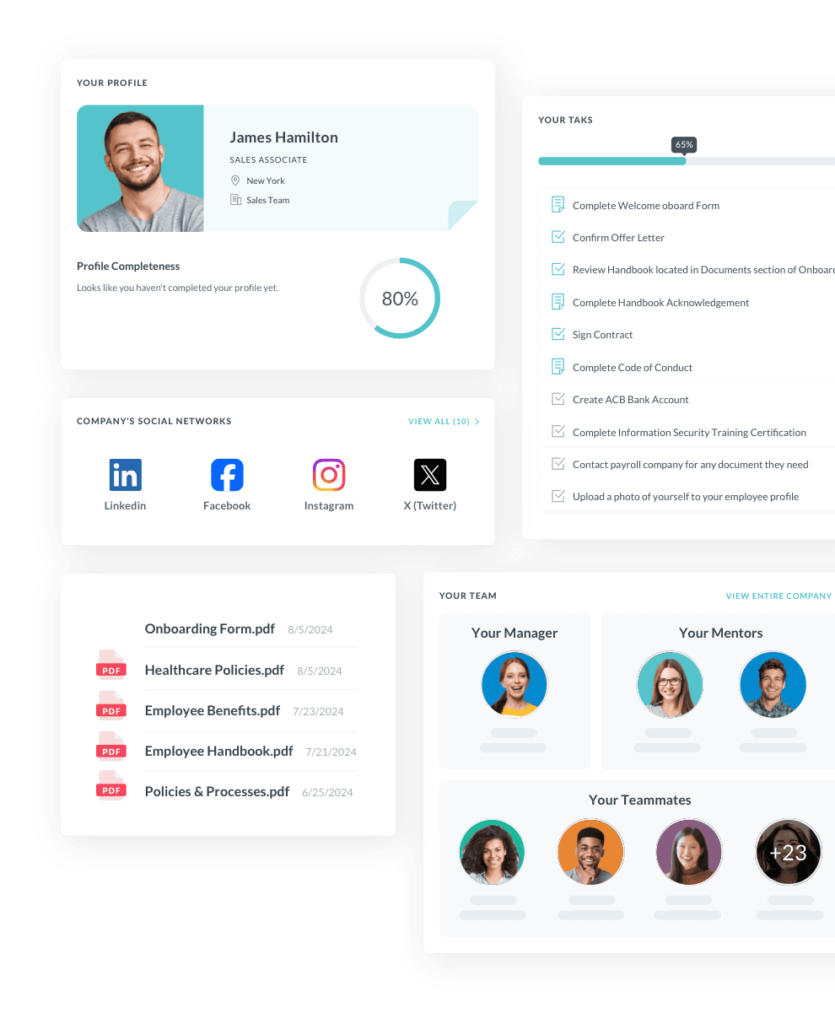
    • Engagement Features: Allows employees to give and receive shout outs, post updates, and celebrate milestones, fostering a sense of community.
    • Cultural Alignment: Organizations can use the platform to share company values, goals, and news, keeping employees aligned and motivated.
    • Employee Centric: Features like feedback surveys and polls ensure employees feel heard and valued.
    • Analytics: Tracks engagement metrics, providing actionable insights to HR and leadership teams.

    For Budget Conscious Teams: Flock

    Small businesses and startups often operate with limited budgets and require cost effective solutions. Flock offers robust communication tools without the high price tag of competitors.

    Perfect for industries like: Small businesses, startups, and non profits.

    • Affordable Plans: Provides powerful features at a fraction of the cost compared to apps like Slack.
    • Productivity Tools: Built in to do lists, reminders, and polls help teams stay organized without needing additional software.
    • Ease of Use: A simple interface ensures quick adoption, even for teams with limited tech expertise.
    • Flexible Integrations: While not as extensive as Slack, it supports key integrations like Google Workspace and Trello.

    For Asia Focused Businesses: DingTalk

    DingTalk is tailored for businesses operating in Asia, especially China, where local compliance, language support, and market understanding are crucial.

    Perfect for industries like: Manufacturing, education, and large enterprises with operations in Asia.

    • Regional Relevance: Developed by Alibaba, it aligns well with the needs of Asian markets, including local language support.
    • Workflow Automation: Includes features like attendance tracking, leave applications, and approval workflows, streamlining internal processes.
    • Video and Voice Calls: High quality conferencing capabilities make it a reliable tool for remote communication.
    • Cost Effective: Offers powerful features for free or at low cost, making it attractive for businesses in cost sensitive markets.

    FAQ

    How secure are employee communication apps?

    Most leading communication apps use robust security measures such as end to end encryption, multi factor authentication, and compliance with industry standards like GDPR and HIPAA. However, it’s important to review each app’s security features and policies to ensure they meet your organization’s requirements.

    Can employee communication apps support multilingual teams?

    Many apps offer multilingual support or allow users to customize language settings, making it easier for global teams to communicate effectively. If you have a diverse workforce, check for language options before choosing an app.

    Are these apps suitable for highly regulated industries?

    Yes, some employee communication apps include compliance tools and audit trails specifically designed for industries like healthcare, finance, and manufacturing. Look for features such as data retention policies, user permissions, and secure file sharing.

    How do employee communication apps handle data privacy?

    Reputable apps have clear data privacy policies and give organizations control over user data. They often allow administrators to manage data access and retention, ensuring compliance with privacy laws.

    Can these apps be used on both desktop and mobile devices?

    Almost all modern communication apps provide cross platform support, including desktop (Windows, Mac), web browsers, and mobile apps (iOS, Android). This ensures employees can stay connected regardless of their device.

    What kind of customer support is typically available?

    Most platforms offer various support options, including live chat, email support, extensive knowledge bases, and community forums. Premium plans often include dedicated account managers or 24/7 support.

    Can these apps integrate with existing HR or project management tools?

    Yes, integration capabilities vary, but many communication apps support seamless connections with popular HR, CRM, project management, and calendar tools to create unified workflows.

    How scalable are employee communication apps?

    Employee communication apps are designed to scale with your organization, supporting everything from small teams to thousands of users. Pricing plans and features often adjust based on team size and requirements.

    Are there options for offline access or low connectivity environments?

    Some apps offer limited offline functionality, such as reading messages or drafting replies that sync once connectivity is restored. For remote or field teams, mobile first apps often perform better under spotty internet conditions.

    How do these apps support employee well being?

    Beyond communication, many apps incorporate features to promote well being, such as mental health resources, social recognition, and tools for feedback and engagement surveys.

    Conclusion

    Employee communication apps are no longer a luxury but a necessity in today’s fast paced and increasingly digital work environment. By streamlining communication, enhancing engagement, and promoting collaboration, these tools empower organizations to operate more efficiently and effectively. Whether you’re managing a small team or overseeing a global workforce, adopting an employee communication app can significantly improve the way your organization communicates and collaborates.

    Smarter time off tracking starts here.

  • Leave Tracker Software: Features, Benefits, and Best Practices

    Leave Tracker Software: Features, Benefits, and Best Practices

    Managing employee leave is a critical task for organizations of all sizes. Leave tracking ensures compliance with labor laws, optimizes workforce management, and fosters employee satisfaction. However, manual processes or outdated methods can lead to inefficiencies, errors, and dissatisfaction. Leave tracker software offers a modern solution to these challenges. This detailed guide explores what leave tracker software is, its features, benefits, types, and best practices for implementation.

    What is Leave Tracker Software?

    Leave tracker software is a powerful digital solution designed to automate and simplify the management of employee leave. By replacing outdated spreadsheets and paper forms, it provides a centralized platform where employees and HR teams can easily submit, review, approve, and monitor leave requests and balances in real time.

    This software often integrates seamlessly with other HR tools like payroll and time tracking systems, creating a unified workflow that boosts organizational efficiency and accuracy.

    Key Features of Leave Tracker Software

    • Automated Leave Management
      Streamlines the entire leave process by automating requests, approvals, and record keeping, reducing administrative burden and human error.

    • Real Time Leave Balances
      Gives employees and managers instant access to accurate leave entitlements and current balances, promoting transparency and better planning.

    • Customizable Leave Policies
      Tailors leave types, accrual rules, and approval workflows to match your organization’s unique policies and regulatory requirements.

    • Calendar Integration
      Synchronizes employee leave schedules with shared calendars, enhancing visibility and preventing staffing conflicts.

    • Notifications and Alerts
      Sends timely reminders for pending approvals, upcoming leave, and low leave balances to keep everyone informed and proactive.

    • Analytics and Reporting
      Provides valuable insights into absenteeism patterns, leave usage trends, and compliance metrics, enabling data driven decision making.

    Benefits of Using Leave Tracker Software

    Enhanced Efficiency and Automation

    Manual leave tracking is often time consuming and prone to errors, especially as organizations grow. Leave tracker software automates leave calculations, updates balances in real time, and significantly reduces the administrative workload for HR teams and managers. For example, when an employee submits a leave request, the system automatically verifies eligibility, notifies the appropriate approver, and updates shared calendars once approved, all without any manual steps.

    Improved Accuracy

    Inaccurate leave tracking can lead to payroll mistakes, employee dissatisfaction, and legal compliance risks. By automating calculations and maintaining a centralized, up to date record of all leave data, leave tracker software minimizes human error and provides a reliable source of truth for both employees and management.

    Legal Compliance

    Labor regulations often require detailed record keeping of employee leave. Leave tracker software ensures compliance by keeping precise, time stamped logs of all leave activity. It also supports adherence to specific mandates, such as accrual schedules and family leave entitlements, helping organizations avoid costly penalties.

    Increased Transparency and Employee Satisfaction

    Employees appreciate having clear visibility into their leave balances and request statuses. Leave tracker software empowers employees to view their available leave, submit requests, and track approvals in real time. This level of transparency fosters trust, enhances satisfaction, and encourages the timely use of leave.

    Scalability

    As organizations expand, manually managing leave becomes more complex and error prone. Leave tracker software scales effortlessly to accommodate a growing workforce and evolving leave policies, eliminating the need for increased manual oversight.

    Data Driven Decision Making

    With powerful analytics and reporting features, leave tracker software uncovers patterns such as high absenteeism in certain teams or peak leave periods. These insights enable HR and leadership to make informed decisions about staffing, policy adjustments, and employee engagement initiatives.

    Day Off Leave Tracker Software

    Day Off Leave Tracker is a comprehensive leave management solution designed to streamline the process of tracking and managing employee time off, including vacations, paid time off (PTO), and absences. It caters to businesses of all sizes, offering a user friendly interface accessible via both web and mobile platforms. The application provides a suite of features aimed at enhancing efficiency for HR managers and employees alike.

    Key Features of Day Off:

    Employee Management:

    Employee Directory
    Maintain a centralized and easily accessible directory of all employees. This feature provides quick access to individual profiles, including leave balances and request histories, enabling HR and managers to manage workforce information efficiently and make informed decisions.

    Bulk Actions
    Streamline administrative workflows by performing mass updates effortlessly. Whether adding time off, assigning employees to teams or locations, or deleting multiple records at once, bulk actions save valuable time and reduce manual errors across your leave management processes.

    Leave Policies:

    Day Off app lets you create and manage leave policies that perfectly match your organization’s unique needs. Whether your company follows standard vacation rules or has complex accruals, carryovers, and eligibility criteria, Day Off gives you the tools to set it all up effortlessly.

    Custom Leave Types: Define unlimited leave categories, such as vacation, sick leave, maternity/paternity leave, personal days, or any other type your organization requires.

    Accrual Rules: Configure how leave is earned, whether it’s a fixed number of days per month, based on hours worked, or tiered by employee tenure.

    Carryover Settings: Set clear rules for unused leave, allow carryovers with customizable caps, or implement use it or lose it policies to align with your business needs.

    Eligibility & Proration: Automatically apply eligibility criteria and prorate leave for new hires or employees leaving mid year, ensuring fairness and compliance.

    Regional & Legal Compliance: Adapt policies to meet local labor laws and regulations effortlessly, with built in options to import public holidays and national leave standards.

    Calendar Integration:

    Dashboard Calendar
    Get a clear, comprehensive view of your team’s availability with the Dashboard Calendar. Easily switch between monthly, weekly, or list views to see official public holidays alongside all approved leave requests. This visual overview helps managers plan effectively and ensures teams stay coordinated without overlaps or staffing gaps.

    Blockout Dates
    Maintain smooth operations during crucial periods by setting Blockout Dates, specific times when leave requests are restricted or limited. Whether it’s peak season, important deadlines, or company wide events, this feature helps you manage staffing levels and prevent disruptions by controlling when employees can take time off.

    Leave Requests and Approvals:

    Streamlined Request Process
    Employees can effortlessly submit leave requests by choosing the leave type, specifying start and end dates, and optionally providing a reason, all through an intuitive and user friendly interface. This simplicity encourages timely requests and reduces errors.

    Approval Workflow
    Facilitate a clear and efficient approval process by assigning up to two approvers per employee. Instant notifications alert approvers as soon as a request is submitted, enabling quick decisions and minimizing delays.

    Notifications
    Stay connected with automated alerts that notify employees and managers about every step of the leave process, from submission to approval or rejection—as well as important announcements. This keeps everyone informed and aligned without manual follow ups.

    International Team Support:

    Multiple Locations
    Easily manage teams spread across multiple locations by customizing working days, weekends, and official holidays for each site. This ensures leave tracking is accurate and compliant with regional practices, providing a seamless experience for global organizations.

    Teams and Departments
    Organize your workforce efficiently by grouping employees into teams or departments. Assign tailored leave policies and designated approvers for each group, enabling structured and streamlined management that aligns with your company’s hierarchy and operational needs.

    Reporting and Analytics:

    Balance Reports
    Quickly access detailed summaries of each employee’s leave balances, including total entitlements and amounts already used across various leave types. This transparency helps managers and employees stay informed about available time off.

    Detailed Reports
    Generate comprehensive reports listing all leave requests, complete with details such as leave type, duration, specific dates, reasons for leave, and current approval status. These reports offer valuable insights for HR and management oversight.

    Total Reports
    View aggregated data showing how many days or hours each employee has taken within any selected period. Utilize multiple filtering options to analyze leave usage by categories like department, leave type, or time frame.

    Accruals and Carryover Reports
    Monitor leave accruals and track carryover balances, including expiration dates, to ensure leave policies are accurately enforced and leave usage is properly managed.

    Integrations:

    Calendar Sync
    Seamlessly integrate Day Off with Google Calendar and Outlook Calendar to automatically update approved time off requests. This synchronization keeps personal and team schedules current, reducing conflicts and improving planning across the organization.

    Communication Tools
    Stay connected by linking Day Off with popular collaboration platforms like Slack and Microsoft Teams. Manage leave requests, check leave balances, submit time off, and receive daily notifications about team availability, all without leaving your preferred communication tools.

    Announcements:

    Company Wide Messaging
    Effortlessly send announcements and updates to the entire company, select teams, or specific locations. Employees receive notifications directly through the mobile app and email, ensuring timely communication and keeping everyone informed and engaged.

    Mobile Accessibility:

    Mobile App
    Available on both Android and iOS, the Day Off mobile app empowers employees and managers to submit leave requests, approve time off, and check leave balances anytime, anywhere. This flexibility ensures seamless leave management on the go.

    Download The App

    Features of Modern Leave Tracker Software

    Comprehensive Leave Management

    Modern leave tracker software provides robust functionality to handle various types of leave, including but not limited to:

    • Annual Leave: Scheduled vacations or personal time off.
    • Sick Leave: Time off for health related issues.
    • Maternity/Paternity Leave: Parental leave for the birth or adoption of a child.
    • Unpaid Leave: Days off without pay, often for personal reasons.
    • Custom Leave Types: Options like bereavement leave, study leave, or jury duty tailored to specific needs.

    How it Works:

    • Employees can easily apply for leave by selecting the type, specifying start and end dates, and providing additional details like reasons or documents (e.g., medical certificates).
    • Managers are notified instantly about pending requests and can approve or reject them with just a click. This ensures a seamless and transparent leave request process, enhancing efficiency for both employees and administrators.

    Mobile Accessibility

    In today’s mobile driven world, flexibility is key. Modern leave tracker software often includes mobile apps that enable employees and managers to access the platform on the go.

    • Employees can check leave balances, submit requests, and monitor approvals from their smartphones.
    • Managers can review and approve leave requests quickly, even when they’re away from the office.

    Why It Matters:

    This feature is particularly valuable for remote, hybrid, or geographically dispersed teams, where employees may not always have access to desktop systems but still need to manage their leave effectively.

    Integration Capabilities

    A modern leave tracker doesn’t operate in isolation. Instead, it integrates seamlessly with other key systems such as:

    • Payroll Software: Automatically syncs approved leaves to adjust pay or benefits accurately.
    • HR Management Systems (HRMS): Ensures leave data contributes to comprehensive employee records.
    • Project Management Tools: Helps managers plan workloads and deadlines effectively by accounting for team availability.

    Benefits:

    This interconnectedness reduces redundancy, minimizes data entry errors, and ensures consistency across organizational tools, improving overall efficiency.

    Role Based Access Control

    Role based access ensures that users only see the information relevant to their role:

    • Employees: Can view their leave balances, track leave history, and submit requests.
    • Managers: Gain visibility into their team’s leave calendar, allowing them to approve or reject requests and plan resources effectively.
    • HR Teams: Access organization wide data for generating reports, auditing records, and enforcing compliance with policies.

    Key Advantage:

    This hierarchical structure ensures data security while maintaining transparency at all levels of the organization.

    Customizable Policies

    No two organizations are the same, and leave tracker software acknowledges this by offering customization options for:

    • Accrual Rules: Specify how leave balances accrue (e.g., monthly, annually, or based on an employee’s work anniversary).
    • Carryover Limits: Allow employees to roll over unused leave to the next period with predefined caps or expiration dates.
    • Leave Encashment: Facilitate converting unused leave into monetary compensation as per company policy.

    Significance:

    This flexibility ensures the software aligns with both legal requirements and internal company policies, making it a perfect fit for diverse organizational needs.

    Day Off dachboard

    Types of Leave Tracker Software

    Standalone Leave Management Tools

    These are dedicated tools that focus solely on leave tracking and management.

    • Ideal For: Small businesses looking for an affordable, user friendly solution without additional HR features.
    • Examples: LeaveBoard, Calamari.
    • Strengths: Simple, cost effective, and easy to implement.

    Integrated HRMS Solutions

    Many HRMS platforms include leave tracking as part of a broader suite of HR tools.

    • Ideal For: Medium to large organizations that need a comprehensive system to manage all HR functions.
    • Examples: BambooHR, SAP SuccessFactors.
    • Strengths: Unified platform for leave tracking, payroll, performance management, and more.

    Cloud Based Leave Trackers

    These tools are accessible via the internet, offering unparalleled flexibility.

    • Ideal For: Organizations with remote, hybrid, or global teams.
    • Examples: Zoho People, Kissflow HR Cloud.
    • Strengths: Scalability, easy accessibility, and real time updates across locations.

    Best Practices for Implementing Leave Tracker Software

    Evaluate Organizational Needs

    Assess your organization’s size, leave policies, and current systems to choose software that aligns with your specific requirements. Consider factors like the number of employees, types of leave policies, and whether you need integration with existing tools.

    Ensure Employee Buy In

    Introduce the software to employees with a clear explanation of its benefits, such as simplified leave requests and real time balance updates. Provide training sessions and easy to follow guides to familiarize employees with the platform.

    Test Before Deployment

    Run a pilot program with a small group to identify potential issues or areas for improvement. Collect feedback and address concerns to ensure a smoother company wide rollout.

    Integrate with Existing Systems

    Maximize the software’s efficiency by integrating it with payroll, time tracking, and project management systems. Ensure seamless data flow to reduce manual entry and potential errors.

    Monitor and Optimize Usage

    Regularly review software usage patterns and employee feedback to identify any gaps or areas for improvement. Work with the software provider to implement updates or address challenges as they arise.

    Frequently Asked Questions About Leave Tracker Software

    What types of leave can leave tracker software manage?

    Leave tracker software typically supports a wide variety of leave types including paid time off (PTO), sick leave, vacation, maternity/paternity leave, bereavement, jury duty, unpaid leave, and custom leave categories. This flexibility allows organizations to manage all employee absences within a single system.

    How does leave tracker software integrate with payroll and HR systems?

    Most modern leave trackers seamlessly integrate with payroll and HR management systems. This integration ensures that leave balances and approvals automatically reflect in payroll calculations and employee records, reducing manual errors and saving administrative time.

    Can leave tracker software accommodate different work schedules?

    Yes. Advanced leave tracking solutions support diverse work schedules such as part time, shift work, and flexible hours. They calculate accruals and entitlements based on actual hours worked or scheduled shifts, ensuring fairness for all employee types.

    How secure is employee data in leave tracker software?

    Reputable leave tracker providers implement strong security measures including data encryption, access controls, regular security audits, and compliance with regulations like GDPR. These protocols safeguard sensitive employee information from unauthorized access.

    Can employees access leave trackers on mobile devices?

    Most leave tracker software offers mobile apps or responsive web platforms. This allows employees and managers to request, approve, and view leave balances anytime, anywhere, supporting remote, hybrid, and on the go workforces.

    How customizable are leave tracker systems?

    Leave trackers are highly customizable, allowing companies to tailor accrual rules, leave types, carryover policies, approval workflows, and regional holiday calendars to meet specific business needs and comply with local laws.

    What reporting and analytics capabilities do leave trackers provide?

    Leave tracker software typically includes robust reporting features that provide insights into leave usage, absenteeism trends, accrual patterns, and compliance metrics. These reports help HR and management make informed staffing and policy decisions.

    How easy is it to implement leave tracker software?

    Implementation time varies depending on company size and complexity but cloud based leave trackers often deploy quickly, sometimes within days. Providers generally offer onboarding support, training materials, and customer service to ensure smooth adoption.

    Can leave trackers support international teams with varying leave policies?

    Yes, many leave trackers are designed for global businesses. They accommodate different regional labor laws, public holidays, and time zones to provide accurate leave tracking for international employees.

    What happens if company leave policies change?

    Leave trackers allow administrators to update policies, such as accrual rates or carryover rules, at any time. The system recalculates leave balances automatically to reflect these changes, ensuring continued accuracy and compliance.

    Conclusion

    In the modern workplace, efficient leave management is essential for maintaining productivity, ensuring compliance, and fostering employee satisfaction. Leave tracker software offers a comprehensive solution to the complexities of tracking and managing various types of leave. From streamlining leave requests and approvals to providing valuable insights through analytics, these tools empower organizations to operate with precision and transparency. By selecting the right type of software, integrating it seamlessly with existing systems, and following best practices for implementation, businesses can reap the full benefits of this technology. Investing in a robust leave tracker not only optimizes operational efficiency but also enhances employee trust and engagement, creating a win win for all stakeholders.

    Smarter time off tracking starts here.

  • PTO Calculator: Why Your Business Needs It

    PTO Calculator: Why Your Business Needs It

    Paid Time Off (PTO) policies are a cornerstone of modern workplace benefits, giving employees the flexibility to take time off for vacations, personal matters, or health needs while ensuring they continue to receive their salaries. However, managing PTO effectively can be a complex task, especially for businesses with varying accrual rates, policies, and employee roles. A PTO calculator is a tool designed to simplify this process. Whether you’re a business owner, HR manager, or an employee, understanding how PTO calculators work can help streamline leave management and improve transparency. In this article, we’ll dive into what a PTO calculator is, how it functions, and the key benefits of using one. We’ll also explore detailed steps to create a PTO calculator tailored to your business needs.

    What Is a PTO Calculator?

    A PTO calculator is a software or spreadsheet based tool designed to track and calculate the paid time off (PTO) an employee has accrued over time. It simplifies the process for both employees and employers by providing an accurate record of available leave balances.

    Key Features of a PTO Calculator:

    • Accrual Tracking: Automatically calculates PTO earned based on hours worked, days worked, or custom metrics.
    • Real Time Updates: Instantly reflects changes when PTO is accrued or used.
    • Customizable Policies: Adapts to various PTO policies, ensuring alignment with different roles or employee levels.
    • Integration Capabilities: Integrates seamlessly with payroll systems, HR software, and time tracking tools for efficient operations.

    By automating PTO management, businesses can minimize errors, ensure policy compliance, and enhance employee satisfaction through increased transparency.

    How a PTO Calculator Works

    The functionality of a PTO calculator revolves around accrual methods, tracking usage, and generating reports. Let’s break these aspects down:

    Accrual Methods

    PTO calculators determine how employees earn their time off, and the setup can be tailored to match your company’s policies. Some organizations use hourly accrual, where employees earn PTO based on the hours they work, for example, one hour of PTO for every forty hours worked. This method works well for hourly or part time staff because it reflects their actual work hours. Others prefer a per pay period accrual, giving employees a set amount of PTO each pay cycle, such as four hours every two weeks. This approach provides steady and predictable accrual, making it ideal for salaried employees. A third option is the annual lump sum, where the full allowance, say, one hundred twenty hours, is granted at the start of the year. While convenient for employees, this method requires careful monitoring to ensure balances last throughout the year.

    Usage Tracking

    Once PTO is accrued, tracking how and when it is used is just as important. A PTO calculator maintains a detailed record of leave requests and approvals, automatically deducting the time taken from each employee’s balance. This system benefits employees by giving them real time access to their PTO balances, reducing the need to contact HR for updates. Employers benefit as well, since accurate tracking helps prevent overuse or misuse of PTO and ensures smooth payroll and scheduling operations.

    Reporting and Analysis

    In addition to accrual and usage tracking, PTO calculators provide valuable reporting and analysis. They generate detailed records showing how much PTO each employee has accrued, how much has been used, and what remains available. These tools also identify patterns in PTO usage, such as peak vacation seasons or common leave periods. Such insights are essential for effective resource planning, allowing managers to prepare for staffing shortages and maintain compliance with workplace regulations.

    Day Off Leave Tracker

    Day Off is a comprehensive leave management solution designed to streamline the process of tracking and managing employee time off, including vacations, sick leave, and other absences. It offers a range of features tailored to meet the needs of both managers and employees, enhancing efficiency and transparency within organizations.

    Key Features of Day Off:

    Employee Management

    The system allows you to maintain detailed profiles for every employee, including their contact information, leave balances, and complete leave history. Administrators can also save time with bulk actions, such as updating leave policies or processing multiple time off requests at once, making large scale management more efficient.

    Leave Policies

    Leave policies are fully customizable to match your organization’s needs. You can define different types of leave, such as vacation, sick leave, or personal time, and assign them to specific policies. Accrual settings can be configured based on fiscal or anniversary years, with flexible options for weekly, biweekly, semimonthly, or monthly accruals. To ensure compliance, carryover rules can be set with clear limits and expiration dates, preventing confusion about unused leave.

    Approval Workflow

    The approval process is designed for both flexibility and accountability. Each employee can be assigned up to two approvers, ensuring a thorough review before leave is confirmed. Real time notifications keep both employees and managers informed throughout the request and approval process, enabling prompt and transparent communication.

    Calendar Integration

    A built in calendar provides an at a glance view of official holidays and approved leave requests, available in monthly, weekly, or list formats. To maintain operational efficiency during critical periods, blockout dates can also be defined, restricting or limiting leave requests when necessary.

    Teams and Departments

    The platform makes it easy to manage organizational structures. You can create multiple teams or departments, assign different leave policies to each, and designate approvers specific to their groups. This ensures that leave management is tailored to the needs of different parts of the organization.

    International Support

    For companies operating across multiple locations, the system supports local customization. Each office can define its own working days, weekends, and official holidays, accommodating regional requirements and ensuring smooth coordination across time zones.

    Reporting and Analytics

    Comprehensive reporting tools provide clear insights into leave usage. Balance reports show how much leave employees have accrued, used, and have remaining, while detailed reports track each leave request with type, duration, dates, and status. Additional reports on accruals and carryovers help ensure accurate tracking and prevent discrepancies.

    Integrations

    To streamline workflows, the platform integrates with popular tools. Approved time off requests can be synced directly with Google Calendar or Outlook Calendar, keeping schedules aligned. It also connects with communication platforms like Slack and Microsoft Teams, allowing managers and employees to handle requests and track balances without leaving their messaging apps.

    Employee Self Service

    Employees can take control of their leave management by submitting requests directly through the system, specifying the type of leave, dates, and reasons. They receive instant notifications on approvals or rejections and can check their balances and upcoming holidays at any time, promoting transparency and reducing dependency on HR.

    Announcements

    Important updates are easy to share with company wide announcements delivered via email and the mobile app. This ensures all employees stay informed about organizational news, policy changes, or upcoming events.

    Accessible via both web and mobile applications, the system offers flexibility for employees and managers alike. Its intuitive interface, combined with powerful features, makes it a valuable tool for organizations looking to simplify and optimize their leave management processes.

    Why Your Business Needs a PTO Calculator

    Using a PTO calculator can bring numerous advantages to your organization. Here’s why it’s a must have tool:

    Improved Accuracy

    Manual PTO tracking is prone to errors, whether it’s miscalculating accruals or overlooking leave requests. A PTO calculator eliminates such risks by automating calculations based on pre defined rules. This accuracy ensures employees receive their correct entitlements, fostering trust in your leave management system.

    Time Savings

    Manually managing PTO is time consuming, especially for HR teams handling large workforces. A PTO calculator streamlines this process, reducing the administrative burden and allowing HR professionals to focus on more strategic tasks.

    Policy Compliance

    PTO policies often vary by state, country, or industry. A PTO calculator helps ensure compliance with these regulations by automating adherence to legal requirements, such as minimum accrual rates or carryover limits.

    Enhanced Employee Experience

    Employees value transparency, and a PTO calculator provides them with real time access to their leave balances. This clarity reduces confusion and improves satisfaction, leading to a more engaged workforce.

    Scalability

    For growing businesses, scaling manual PTO tracking systems can be challenging. PTO calculators are designed to handle growth effortlessly, accommodating additional employees, updated policies, or complex accrual methods without extra effort.

    Top 4 Alternatives to Day Off for Leave Management

    Rippling: All in One Workforce Management

    A screenshot for Rippling website

    Rippling is a powerful platform that integrates HR, IT, and payroll functionalities, making it much more than just a leave management tool.

    Features:

    • Automated tracking of employee absences and leave balances.
    • Policy compliance tailored to legal and organizational standards.
    • Integration with payroll systems ensures leave is accounted for during salary processing.

    Why Choose Rippling:
    This platform is ideal for businesses looking for a single solution to manage various workforce operations efficiently while maintaining robust leave management capabilities.

    HROne: Complete HRMS Solution

    HROne provides an all encompassing Human Resource Management System (HRMS), with a dedicated focus on leave and attendance management.

    Features:

    • Fully customizable leave policies to suit your company’s requirements.
    • Streamlined workflows for requesting, approving, and tracking leave.
    • Real-time visibility into leave balances, ensuring transparency for employees and HR teams.

    Why Choose HROne:
    If you’re looking to simplify your HR processes while empowering employees with self service tools, HROne offers a complete package that enhances efficiency and employee satisfaction.

    Hubstaff: Time Tracking with Leave Management

    Hubstaff is a productivity focused platform that seamlessly blends time tracking and leave management.

    Features:

    • Simple tools for submitting and approving time off requests.
    • Attendance tracking integrated with project management workflows.
    • Detailed reporting for both time off and overall employee productivity.

    Why Choose Hubstaff:
    Hubstaff is perfect for teams that prioritize accountability and productivity, as it combines robust leave tracking with advanced time tracking capabilities.

    Keka: User Friendly HR and Payroll Automation

    Keka stands out for its intuitive interface and focus on simplifying HR operations. Its leave management system is comprehensive and adaptable.

    Features:

    • Multi policy support for creating diverse leave rules.
    • Automated leave accruals and carryover handling.
    • Transparent processes for applying, approving, and tracking leaves.

    Why Choose Keka:
    With its emphasis on user experience and seamless automation, Keka is a great option for organizations looking to streamline HR processes without sacrificing functionality or transparency.

    FAQ: PTO Calculators

    Can a PTO calculator handle unpaid time off?

    Yes. Most PTO calculators can track unpaid time off in addition to paid leave. By creating a separate category for unpaid leave, you can maintain accurate records without impacting employees’ PTO balances.

    How often should PTO balances be updated?

    The best practice is to update PTO balances in real time, especially when the system integrates with payroll or time tracking software. If updates are done manually, they should occur at least once per pay period to prevent discrepancies.

    Can PTO calculators handle part time employees?

    Absolutely. PTO calculators can be configured to apply pro rated accrual rates for part time employees, ensuring they earn time off fairly and in line with company policies.

    What happens if an employee takes more PTO than accrued?

    Most PTO calculators can track negative balances when an employee takes time off in advance. This helps HR and managers decide whether to adjust future accruals or deduct the excess leave from final pay if the employee leaves the company.

    How do PTO calculators handle holidays?

    Holidays are generally excluded from PTO accrual calculations unless company policy specifies otherwise. Many calculators allow holidays to be entered separately, so they don’t reduce employees’ PTO balances.

    Can employees view their PTO balances directly?

    Yes. Modern PTO calculators often include employee self service dashboards or portals where staff can view their current balances, accrual history, and approved leave requests instantly.

    Are PTO calculators compliant with labor laws?

    They can be, provided they are configured correctly. It’s essential to align accrual rules, carryover limits, and usage policies with local, state, and federal labor regulations to ensure full compliance.

    Can PTO calculators integrate with remote work or flexible schedules?

    Yes. Many systems can track PTO based on actual hours worked instead of a standard workweek, making them adaptable to remote work arrangements and flexible scheduling.

    How do PTO calculators handle policy changes?

    Most systems allow policy updates without affecting historical data. When policies change, new rules can be applied going forward, ensuring a smooth transition while preserving past records.

    Is there a way to track PTO for contractors or freelancers?

    While PTO is not typically provided to contractors or freelancers, calculators can be customized to track it if your business offers such benefits as part of an agreement.

    Can a PTO calculator account for sabbaticals or extended leaves?

    Yes. Separate categories can be created for sabbaticals or extended leaves, allowing these to be tracked independently of standard PTO balances.

    Do PTO calculators support mobile access?

    Many PTO calculators provide mobile apps or responsive web platforms, enabling employees and managers to submit, approve, or review leave requests anytime and anywhere.

    How secure are PTO calculators?

    Security is a top priority for modern PTO calculators. Most use encryption, role based access controls, and secure integrations to safeguard sensitive employee data.

    Conclusion

    Effectively managing PTO is critical for both employee satisfaction and operational efficiency. A PTO calculator simplifies this task, providing accurate tracking, policy compliance, and real time transparency for all stakeholders. Whether you choose a basic spreadsheet based tool or an advanced software solution like Day Off, Rippling, or Keka, investing in a PTO calculator can save time, reduce errors, and enhance your workplace culture. With the steps and insights shared in this guide, you’re now equipped to choose or create a PTO calculator tailored to your business needs. Start optimizing your PTO management today to benefit both your team and your bottom line.

    Smarter time off tracking starts here.

  • Employee Vacation Tracker: Simplified Time Off

    Employee Vacation Tracker: Simplified Time Off

    Managing employee vacation requests is more crucial than ever. Companies need a systematic and effective way to track employee time off, ensuring both smooth operations and employee satisfaction. An Employee Vacation Tracker is a tool designed to help organizations efficiently manage vacation and leave requests, track time off balances, and streamline approval processes.

    This article explores the importance of an employee vacation tracker, the different types available, their features, and how organizations can implement and use them effectively.

    What is an Employee Vacation Tracker?

    An Employee Vacation Tracker is a digital or software tool that helps businesses monitor and manage employee time off requests, including vacations, sick days, holidays, personal days, and other types of leave. It allows HR managers and supervisors to track employees’ leave balances, schedule time off, and ensure that there are no staffing shortages or compliance issues when employees are absent.

    Beyond just tracking time off, an effective vacation tracker system also streamlines the approval process, helps with payroll calculations, and provides visibility into overall leave usage. The main goal of an employee vacation tracker is to automate manual processes, reduce human error, improve transparency, and ensure compliance with organizational policies.

    Why Is an Employee Vacation Tracker Important?

    Streamlining Time Off Requests

    Traditional vacation request methods often involve paper forms, emails, or spreadsheets, which can be disorganized and error prone. An automated tracker simplifies the process, enabling employees to submit leave requests digitally, which can be easily reviewed and approved by managers.

    Ensuring Fairness and Transparency

    A vacation tracker ensures that all employees have access to the same leave policies and procedures. By providing real time data on leave balances, employees can easily see how much vacation time they have left, eliminating confusion and potential conflicts. It also helps managers distribute time off fairly across teams to avoid scheduling issues.

    Improving HR Efficiency

    HR departments typically deal with a high volume of time off requests, payroll calculations, and employee inquiries regarding leave balances. A tracker reduces manual work and provides HR professionals with the tools they need to handle these tasks more efficiently. This can free up time to focus on other core HR functions.

    Reducing Overlaps and Scheduling Issues

    One of the most significant challenges of manual vacation management is ensuring that too many employees do not request time off simultaneously, which can disrupt team productivity. Vacation tracking software allows managers to visualize leave requests, helping them make data driven decisions when approving vacations.

    Compliance and Legal Protection

    Certain regions and industries have strict regulations regarding vacation time, sick days, and other employee leaves. An employee vacation tracker helps ensure compliance with legal requirements and company policies, preventing potential legal issues related to employee leave and ensuring workers receive the correct amount of time off.

    Boosting Employee Satisfaction

    When vacation requests are handled efficiently and transparently, it contributes to higher employee satisfaction. When employees have an easy way to submit, track, and manage their time off, they are more likely to feel valued and respected by the organization.

    Day Off dachboard

    Day Off is an intuitive and user friendly platform designed to streamline the process of tracking and managing employee time off, including vacations, paid time off (PTO), sick leave, and other types of absences. It caters to businesses of all sizes, offering a simplified approach to leave management through an easy to navigate web application. Below is a detailed breakdown of the key features and benefits of Day Off.

    Key Features of Day Off

    Leave Request Management

    The core functionality of Day Off revolves around leave request management. Employees can easily submit requests for time off directly through the platform, which streamlines the traditional manual processes. The system automatically tracks and updates leave balances for each employee, showing their available vacation days, sick leave, and other time off types.

    Managers receive real time notifications when a leave request is submitted, making it easy for them to review and approve or reject time off requests. This automated workflow reduces administrative overhead and ensures that no leave requests are overlooked.

    Customizable Leave Policies

    Day Off allows businesses to set up customized leave policies that align with company guidelines. You can define different types of leave (e.g., vacation, sick leave, personal days) and specify accrual rules, such as how much leave employees accrue per month, year, or pay period.

    Customization extends to the approval workflow as well. Businesses can set permissions for managers, HR personnel, or supervisors to approve time off requests, ensuring that the right people are involved in decision making.

    Multiple Leave Types and Categories

    One of the advantages of Day Off is its flexibility in categorizing leave types. Companies can create distinct categories for different types of leave (e.g., sick days, paid vacation, unpaid leave, public holidays), which helps manage the complexities of various absence types.

    Employees can easily request time off for any of the leave categories defined by the company. The system tracks each type separately, ensuring that time off balances are maintained for each leave type, making it easier for HR to manage employee absences.

    Team and Sub Team Management

    For businesses that operate with multiple departments or teams, Day Off provides the ability to create sub teams within the system. This feature is useful for large organizations where teams may have different vacation policies, schedules, or approval workflows. By segmenting employees into sub teams, managers can review and approve time off requests specific to their teams.

    Additionally, the platform allows HR to have a holistic view of leave across the entire organization while giving team leaders a more granular view of their respective teams’ leave statuses.

    Real Time Calendar View

    Day Off includes a visual calendar view that shows who is out on leave and when, across all teams. This helps managers and HR teams avoid scheduling conflicts and ensures that enough staff are available to maintain business operations.

    The calendar can be filtered by different leave types, so managers can quickly see if anyone in their team is on vacation, on sick leave, or out for another reason. This feature helps with planning and minimizes operational disruptions caused by absenteeism.

    Detailed Reports and Analytics

    To help HR teams and managers gain insights into employee absences, Day Off offers detailed reporting and analytics features. Businesses can generate reports on various leave related data, such as:

    • Leave balances by employee or team
    • Frequency of time off requests
    • Total days off taken within a specific period
    • Accrual and Carryover reports

    These reports help businesses identify patterns in employee leave, track attendance, and ensure compliance with company policies. The analytics can also help managers make informed decisions regarding staffing and workload distribution.

    Mobile Access

    Day Off provides a mobile friendly interface that allows employees and managers to access the system from their smartphones or tablets. This is particularly useful for businesses with remote workers, mobile teams, or employees who are always on the go.

    Employees can submit leave requests, check their leave balances, and view their approval statuses directly from their mobile devices. Managers can also approve or deny leave requests on the go, making the entire process more efficient and less reliant on desktop access.

    Automatic Notifications and Reminders

    The platform includes automatic notifications for both employees and managers. Employees are notified when their leave requests are approved or rejected, and managers are reminded of pending requests. This ensures that nothing is overlooked and the approval process moves smoothly.

    Notifications are sent via email, and reminders can be customized based on specific company needs. This reduces the back and forth communication typically associated with leave requests.

    Top 4 Alternative for Day Off

    Deputy is an employee scheduling and workforce management platform that includes robust leave management features. It is designed for businesses that need to manage not only leave but also employee schedules, attendance, and shift planning. It’s particularly popular with companies in the retail, hospitality, and healthcare industries.

    Key Features:

    • Leave Requests & Approvals: Employees can request leave through the platform, and managers can approve or deny requests directly from their dashboard.
    • Custom Leave Policies: Set up different leave types (sick leave, vacation, unpaid leave) with customized accrual rules.
    • Real Time Leave Balances: Automatically updates leave balances for each employee based on your policies and accrual settings.
    • Scheduling Integration: Leave requests are integrated with the scheduling system to ensure there are no scheduling conflicts.
    • Mobile App: Employees and managers can access the platform via mobile, making it easy to request leave, approve requests, and manage schedules from anywhere.
    • Reports: Generate detailed reports to analyze employee leave patterns and optimize staffing.

    Pros:

    • Great for businesses that need both leave management and employee scheduling.
    • Intuitive mobile app for managing leave requests on the go.
    • Allows managers to see team availability in real time, which is useful for shift based businesses.

    Cons:

    • Not specifically focused on leave management, so more complex leave policies might require additional customization.
    • Features like advanced reporting and scheduling are only available in higher tier plans.

    AbsenceSoft is a dedicated absence and leave management software solution aimed at simplifying the entire leave tracking process. It provides a comprehensive system for managing employee absences, PTO, sick leave, and other types of time off, and can be tailored to fit the needs of small businesses as well as large enterprises.

    Key Features:

    • Employee Self Service Portal: Employees can request time off directly from the portal, and managers can approve or deny requests with just a click.
    • Custom Leave Types: Companies can create a variety of leave types, such as vacation, sick leave, parental leave, and others.
    • Accrual Tracking: Tracks leave accruals automatically based on company policies, such as PTO days earned per month or per year.
    • Reports & Analytics: Generates leave reports to help track absenteeism trends, leave balances, and departmental absences.
    • Mobile Access: Employees and managers can manage leave requests and approvals via mobile devices.
    • Compliance Tracking: Helps ensure your leave policies comply with federal, state, and local regulations, such as FMLA and ADA.

    Pros:

    • Comprehensive absence management with powerful reporting and analytics tools.
    • Focuses entirely on absence and leave tracking, with advanced features for compliance and accrual tracking.
    • Scalable solution suitable for both small businesses and large organizations.

    Cons:

    • May be too feature rich or complex for small businesses that only need basic leave tracking.
    • Higher tier plans with more advanced features can be relatively expensive.

    Paycor HCM is an HR and payroll management platform that includes leave and time off tracking as part of its broader suite of features. It’s designed for small to medium sized businesses and offers easy to use tools for leave tracking, payroll, employee scheduling, and more.

    Key Features:

    • Leave and PTO Management: Allows employees to request vacation, sick leave, and other time off, which can be tracked through the system.
    • Self Service Portal: Employees can check their leave balances, submit requests, and review approval statuses from the platform’s self service portal.
    • Leave Balance Tracking: Automatically calculates and updates leave balances based on company policies, including accrual rates and carryover limits.
    • Integration with Payroll: Seamlessly integrates with payroll to ensure time off is reflected in employee paychecks.
    • Mobile App: Employees and managers can manage leave requests, view schedules, and track time off via mobile devices.
    • Reporting: Provides customizable reports on leave balances, trends, and attendance, which can be useful for HR and payroll processing.

    Pros:

    • Comprehensive HRMS with leave management integrated into payroll and other HR functions.
    • Good for small to mid sized businesses seeking a unified solution.
    • Mobile access and self service portal streamline the leave management process.

    Cons:

    • Can be more expensive for small companies, especially if only leave tracking is needed.
    • Some features might require a full HR suite, which could be more complex than needed for businesses that only want to track leave.

    HR Cloud offers a robust leave management module as part of its full suite of HR tools, including onboarding, employee engagement, and performance management. The leave management system is designed to help businesses automate leave tracking and simplify the approval process.

    Key Features:

    • Leave Requests and Approvals: Employees can easily request time off through the system, and managers can approve or deny requests with one click.
    • Customizable Leave Types: Create unlimited leave types (vacation, sick days, personal days, etc.), and set specific accrual and usage rules.
    • Leave Balances & Accruals: Tracks and updates leave balances automatically, based on customizable accrual policies.
    • Mobile Access: Allows employees to submit leave requests and check leave balances from mobile devices.
    • Reports & Dashboards: Provides real time dashboards and detailed reports to monitor employee leave patterns, absenteeism, and team availability.
    • Notifications: Automated notifications and reminders help ensure that employees and managers stay informed about leave approvals, balances, and upcoming absences.

    Pros:

    • Comprehensive HR suite with additional tools for employee engagement, performance management, and onboarding.
    • Highly customizable leave policies and accrual rules.
    • Mobile friendly and user friendly interface for both employees and managers.

    Cons:

    • The full suite can be complex for companies that only need basic leave management tools.
    • Pricing may be more expensive for small businesses that only need leave tracking.

    Frequently Asked Questions

    What is the main purpose of an Employee Vacation Tracker?

    An Employee Vacation Tracker is designed to automate and simplify the management of employee time off requests. It helps HR teams and managers track leave balances, avoid scheduling conflicts, streamline approvals, and ensure compliance with company policies and labor laws.

    Can an Employee Vacation Tracker handle different types of leave?

    Yes. Modern vacation trackers support multiple leave categories, including vacation days, sick leave, personal time, maternity or paternity leave, and even unpaid leave. Each type can be customized with its own accrual rules and policies.

    How does a vacation tracker improve HR efficiency?

    By automating leave requests, approvals, and balance tracking, vacation trackers eliminate the need for spreadsheets and manual paperwork. This saves HR professionals hours of administrative work, reduces errors, and provides instant visibility into leave data.

    Does a vacation tracker help prevent scheduling conflicts?

    Absolutely. Most systems include a real time calendar view that shows when employees are scheduled to be out. This helps managers avoid approving overlapping requests that could leave teams understaffed and disrupt productivity.

    Can the Day Off app be used by businesses of all sizes?

    Yes. Day Off is designed to scale with your organization. Whether you’re a small startup with just a few employees or a large enterprise with multiple departments, the platform can accommodate unlimited users and tailored leave policies.

    How customizable are leave policies in Day Off?

    Day Off allows businesses to create fully customized leave policies. You can set accrual rules based on pay periods, months, or years, define carryover limits, and establish approval workflows that fit your organizational structure.

    Does Day Off support mobile access?

    Yes. Day Off provides a mobile friendly platform that allows both employees and managers to submit, approve, and track leave requests directly from their smartphones or tablets, making the process accessible from anywhere.

    What kind of reports can I generate with Day Off?

    The platform offers detailed reporting and analytics, including employee leave balances, frequency of requests, total time off taken, and accrual and carryover reports. These insights help HR teams identify patterns, ensure compliance, and plan staffing more effectively.

    How does Day Off compare to other vacation tracker tools?

    While alternatives like Deputy, AbsenceSoft, Paycor HCM, and HR Cloud offer robust features, Day Off stands out for its simplicity, intuitive design, and affordability. It supports unlimited free users, making it especially appealing to small and growing businesses, while still offering advanced features for larger organizations.

    Conclusion

    Day Off is an excellent solution for businesses looking for a simple, efficient, and cost effective way to manage employee time off. The platform’s intuitive interface, customizable leave policies, and detailed reporting make it an attractive option for companies of all sizes. The fact that the free version supports unlimited users is a major draw for smaller businesses, while larger organizations can take advantage of the additional features offered by the Pro version.

    Whether you’re a small startup or a growing enterprise, Day Off provides all the tools you need to manage employee leave effectively, improve workflow efficiency, and ensure fairness in time off management. With features like mobile access, team management, and a visual calendar, Day Off is a comprehensive tool that makes time off tracking simple and accessible.

    Smarter time off tracking starts here.

  • Peer Review Feedback: Tips for Growth & Collaboration

    Peer Review Feedback: Tips for Growth & Collaboration

    Peer review feedback is a powerful mechanism for fostering professional growth, improving workplace dynamics, and building a culture of continuous improvement. Through structured and thoughtful feedback, team members gain insights into their strengths and areas where they can grow. However, the effectiveness of peer reviews lies not just in providing feedback but in delivering it in a way that inspires change and enhances mutual respect.

    In this comprehensive guide, we’ll cover peer review feedback examples, practical strategies for giving and receiving feedback, and the transformative impact of tools like Deel Engage on streamlining this essential process.

    Positive Peer Review Feedback Examples

    Positive peer review feedback is essential for reinforcing effective behaviors and motivating team members to excel. Here are examples categorized by competency areas:

    Communication Skills

    • Your ability to convey complex ideas in simple terms during team meetings ensures everyone is on the same page. This skill has greatly improved our project coordination.
    • Tom is exceptional at sharing progress updates clearly and consistently, which helps keep the team aligned.
    • You excel at offering constructive feedback. Your comments are always thoughtful, actionable, and delivered in a way that encourages learning.

    Teamwork and Collaboration

    • Your collaborative spirit and proactive engagement in cross departmental projects have made problem solving much smoother.
    • Sarah consistently supports her colleagues, ensuring everyone has the resources they need to succeed.
    • Bob’s willingness to share insights and help others succeed is a key factor in our team’s success.

    Mentoring and Support

    • You’re always available to provide guidance and support, making newer team members feel comfortable and valued.
    • Julie’s mentoring skills are exceptional; she shares her expertise generously and creates an environment where others feel confident asking for help.

    Positivity and Attitude

    • Your enthusiasm and optimism set a positive tone for the team, especially during challenging times.
    • Maria has a natural ability to build connections and foster trust within the team, making collaboration more enjoyable.

    Professionalism and Work Ethics

    • Your commitment to upholding the company’s values, particularly in promoting diversity and inclusion, sets an excellent example.
    • John’s thoughtful approach to handling client relationships enhances our credibility and trust with key stakeholders.

    Quality of Work

    • Your meticulous attention to detail has significantly improved the quality of our deliverables.
    • Karen’s proactive approach to streamlining processes has saved the team time and enhanced efficiency.

    Innovation and Initiative

    • Your ability to bring fresh ideas and unique solutions to the table consistently drives innovation.
    • Jane’s creative problem solving skills have been instrumental in overcoming complex challenges.

    Leadership Skills

    • Your ability to delegate tasks effectively and support the team during high pressure projects has been remarkable.
    • You model resilience and focus, especially in times of uncertainty, which motivates the entire team.

    Constructive Negative Feedback for Peer Performance Reviews

    Communication Skills

    Example 1: Improving Clarity

    Your ideas are creative, but they sometimes lack clarity during team meetings, leading to confusion. Practicing how to structure and present your thoughts more concisely could make your contributions even more impactful.

    Why This Works: The feedback identifies a specific issue, or lack of clarity while providing a constructive solution (practicing structure and conciseness).

    Example 2: Addressing Tone

    At times, your written communication can come across as abrupt, which may unintentionally upset colleagues. Consider using a more positive and empathetic tone to foster better collaboration.

    Why This Works: This feedback avoids making personal judgments and focuses on actionable advice, such as adjusting tone for improved relationships.

    Time Management

    Example 1: Meeting Deadlines

    I’ve noticed you’ve been struggling to meet deadlines on several projects. Breaking your workload into smaller tasks and prioritizing critical items could help you stay on track.

    Why This Works: This feedback is specific about the problem (missed deadlines) and suggests a concrete solution (breaking tasks into smaller parts).

    Example 2: Overcommitting

    You often take on multiple responsibilities, which can result in delays. It might be helpful to assess your capacity more realistically and communicate when additional support is needed.

    Why This Works: The feedback encourages better workload management without discouraging the employee’s willingness to contribute.

    Collaboration and Teamwork

    Example 1: Encouraging Openness

    While your work is strong, there are times when it seems you’re hesitant to accept feedback from team members. Being more open to others’ perspectives could lead to more balanced and innovative solutions.

    Why This Works: The feedback is framed as an opportunity for collaboration and innovation rather than a critique of personality.

    Example 2: Prioritizing Team Goals

    Sometimes it feels like personal objectives are prioritized over team goals, which can create tension. Aligning more closely with team objectives could improve cohesion and productivity.

    Why This Works: This feedback focuses on specific behavior (prioritizing personal goals) and offers a path for alignment with the team.

    Task Execution and Quality

    Example 1: Improving Attention to Detail

    Your ability to complete tasks quickly is commendable, but I’ve noticed occasional errors in your work. Implementing a checklist or double checking your work before submission could help maintain quality.

    Why This Works: The feedback acknowledges a strength (speed) while offering a practical solution (checklists) to address errors.

    Example 2: Following Processes

    Occasionally, it seems like steps in the process are skipped, which can lead to inconsistencies. Adhering to established workflows could ensure more reliable results.

    Why This Works: The feedback targets a specific issue (skipping steps) and links it to a tangible improvement (adhering to workflows).

    Adaptability and Mindset

    Example 1: Embracing Change

    There have been times when new initiatives were met with resistance, which slowed implementation. Being more open to change and exploring its potential benefits could help the team adapt more efficiently.

    Why This Works: The feedback highlights resistance to change but reframes it as an opportunity to explore benefits.

    Example 2: Accepting Feedback

    During feedback sessions, I’ve noticed a tendency to become defensive. Viewing feedback as a tool for growth rather than criticism could help you make the most of these discussions.

    Why This Works: This feedback addresses defensiveness but positions feedback as a positive opportunity for growth.

    Leadership Skills

    Example 1: Supporting Team Input

    While you excel at decision making, there are moments when quieter team members feel overlooked in discussions. Encouraging input from everyone could lead to more inclusive decision making.

    Why This Works: This feedback focuses on the leader’s impact on the team and offers a practical suggestion (encouraging quieter voices).

    Example 2: Delivering Feedback Privately

    Giving critical feedback in group settings can make some team members uncomfortable. Delivering such feedback in one on one conversations might be more effective.

    Why This Works: The feedback addresses a sensitive issue (public criticism) and provides a clear alternative (private discussions).

    Professionalism and Attitude

    Example 1: Handling Stress

    During high pressure situations, your frustration can sometimes affect the team’s morale. Practicing stress management techniques could help maintain a positive atmosphere.

    Why This Works: This feedback addresses a behavior (showing frustration) and provides a constructive solution (stress management techniques).

    Example 2: Cultivating Positivity

    Occasionally, your comments during team discussions seem overly critical, which may discourage others from sharing their ideas. Focusing on constructive suggestions could foster a more supportive environment.

    Why This Works: The feedback identifies a behavior (critical comments) and offers a pathway to improvement (constructive suggestions).

    How to Give Feedback in a Peer Review: Tips and Mistakes to Avoid

    Here’s a guide to the dos and don’ts of writing peer review feedback, with practical advice and examples to ensure your feedback is both constructive and impactful.

    Dos of Writing Peer Reviews

    Be Specific and Focused

    When providing feedback, focus on specific behaviors, actions, or results. Vague feedback like “You did well” or “You need to improve” isn’t actionable and doesn’t provide value.

    • Do: Your presentation during the project meeting was clear and engaging, and it helped the team understand the challenges ahead.
    • Don’t: Your presentations are good.

    Why It Works: Specific feedback highlights what worked (or didn’t), giving the recipient a clear idea of what to continue or change.

    Balance Positives with Constructive Feedback

    Effective feedback highlights strengths while addressing areas for improvement. This balance ensures the recipient feels motivated rather than discouraged.

    • Do: Your ability to organize tasks and meet deadlines is impressive. One thing to consider is sharing your workload with the team to avoid burnout.
    • Don’t: You take on too much and need to stop.

    Why It Works: Balancing positive and constructive feedback encourages growth without diminishing confidence.

    Tie Feedback to Goals and Outcomes

    Frame your feedback in the context of organizational or team goals. This approach shows how the individual’s actions affect broader objectives.

    • Do: Your detailed reports help the team make informed decisions, which is essential for meeting our project goals.
    • Don’t: Your reports are fine.

    Why It Works: Feedback linked to goals reinforces the importance of the recipient’s work and provides context for improvement.

    Be Empathetic and Professional

    Recognize that receiving feedback can be sensitive. Approach the review with empathy, and frame suggestions in a supportive way.

    • Do: I understand tight deadlines can be stressful. Perhaps planning tasks earlier could reduce last minute pressure.
    • Don’t: You always procrastinate.

    Why It Works: Empathetic feedback builds trust and encourages open communication.

    Provide Actionable Suggestions

    Constructive feedback should offer specific steps the recipient can take to improve. Avoid leaving the recipient unsure of how to act.

    • Do: Practicing active listening during meetings, like summarizing others’ points before responding, could improve team discussions.
    • Don’t: You need to listen better.

    Why It Works: Actionable feedback helps the recipient clearly understand how to implement changes.

    Be Honest and Objective

    Your feedback should reflect your honest observations, free of bias or personal judgments. Base your comments on evidence and examples.

    • Do: In the last two projects, your attention to detail helped us avoid critical errors.
    • Don’t: You always do a great job.

    Why It Works: Objective feedback ensures credibility and fairness, making it easier for the recipient to trust and act on your input.

    Follow Up on Feedback

    If possible, check in after delivering feedback to see how the individual has progressed. This shows your investment in their growth.

    • Do: I noticed you implemented the feedback about structuring your emails. They’re much clearer now. Great work!
    • Don’t: Ignore the changes your colleague has made after your feedback.

    Why It Works: Following up reinforces the importance of feedback and demonstrates your support.

    Don’ts of Writing Peer Reviews

    Don’t Make It Personal

    Avoid focusing on personality traits or personal preferences. Feedback should address professional behaviors and outcomes.

    • Don’t: I don’t like the way you interact with clients.
    • Do: Your tone in client meetings sometimes comes across as rushed. Slowing down could make your messages more impactful.

    Why It Matters: Personal comments can feel like attacks and detract from the constructive purpose of feedback.

    Don’t Be Overly Critical

    Criticism without balance or empathy can demoralize your colleague. Avoid phrasing feedback in a way that feels overly harsh or dismissive.

    • Don’t: Your reports are full of mistakes.
    • Do: I’ve noticed some errors in your reports. Reviewing them with a checklist might help ensure accuracy.

    Why It Matters: Balanced feedback promotes growth while maintaining morale.

    Don’t Use Vague Language

    Avoid generalities or unclear statements that leave the recipient guessing what you mean.

    • Don’t: You’re not pulling your weight.
    • Do: During the last project, it seemed like you were struggling to complete tasks on time. Let’s discuss how we can better allocate workload.

    Why It Matters: Clarity ensures that feedback is actionable and not open to misinterpretation.

    Don’t Focus Only on Negatives

    If your review is solely critical, it may demotivate the recipient and make them less receptive to future feedback.

    • Don’t: You never meet deadlines.
    • Do: While there have been some delays in past deadlines, I appreciate your effort to catch up. Let’s discuss strategies to manage timelines better.

    Why It Matters: Balancing negatives with positives creates a supportive tone and encourages improvement.

    Don’t Compare to Others

    Avoid comparing one coworker to another, as this can create resentment and unnecessary competition.

    • Don’t: You should try to be more like Alex.
    • Do: Focusing on timely updates to your progress could help the team align better.

    Why It Matters: Comparisons can feel unfair and demotivating, detracting from the purpose of the feedback.

    Don’t Generalize or Assume

    Base your feedback on observed behaviors, not assumptions about intent or ability.

    • Don’t: You don’t care about teamwork.
    • Do: During our last project, it seemed like you preferred working independently. Collaborating more with the team might lead to even better results.

    Why It Matters: Generalizations can feel accusatory, while specific observations open the door for constructive dialogue.

    Don’t Rush the Process

    Avoid writing a peer review hastily or without sufficient thought. Feedback should be well considered and meaningful.

    • Don’t: Provide brief, unhelpful comments like “Good work.”
    • Do: Take time to reflect on their contributions and provide detailed, actionable feedback.

    Why It Matters: Thoughtful feedback demonstrates respect and care for your colleague’s growth.

    FAQ: Peer Review Feedback

    What should I do if I’m unsure about how to give feedback to a peer?

    Start by observing specific behaviors or outcomes that stood out to you. Frame your feedback around those observations rather than personal opinions. If you’re unsure, focus on constructive suggestions and balance positives with areas for improvement. Practice empathy and professionalism to ensure your feedback is received positively.

    How do I handle situations where a peer becomes defensive during feedback discussions?

    Stay calm and focused on the specific behavior or outcome you’re addressing. Avoid making the feedback feel personal and emphasize your intent to support their growth. If the conversation becomes too emotional, suggest taking a break and revisiting the discussion later in a neutral setting.

    How can I encourage peers who are reluctant to give feedback?

    Create a safe and supportive environment where feedback is seen as an opportunity for growth rather than criticism. Share examples of constructive feedback you’ve received and how it helped you improve. Highlight the importance of mutual respect and collaboration in fostering a feedback culture.

    What should I do if I receive vague or unhelpful feedback during a peer review?

    Ask clarifying questions to better understand the feedback. For example, “Could you provide an example of what you mean?” or “Can you suggest specific ways I can improve in this area?” This shows your willingness to improve and encourages your peer to provide more actionable insights.

    How often should peer reviews be conducted?

    The frequency of peer reviews depends on your organization’s culture and goals. Quarterly or biannual peer reviews are common in workplaces aiming to foster continuous improvement. However, informal feedback can be given more frequently to address issues or celebrate successes in real time.

    What should I do if a peer review highlights conflicting opinions about my performance?

    Consider the context of each piece of feedback and look for patterns or recurring themes. If opinions conflict, seek additional input from a manager or trusted colleague to gain a clearer understanding of your performance. Use this as an opportunity to reflect and identify areas for growth.

    Can peer reviews affect performance evaluations or promotions?

    In many organizations, peer reviews are used as supplemental feedback in performance evaluations. While they may not directly determine promotions, they provide valuable insights into collaboration, communication, and team dynamics that can influence managerial decisions.

    How do I give feedback to someone who outranks me in the organization?

    When providing feedback to someone senior, focus on facts and specific behaviors rather than making personal judgments. Use a respectful tone and frame your suggestions as opportunities for growth or improved team dynamics. For example: “I noticed during the last meeting that some team members seemed unsure about the next steps. Clarifying action items could help everyone stay aligned.”

    What if I notice recurring issues in peer reviews but no action is taken?

    Bring your concerns to a manager or HR manager representative if recurring issues are not being addressed. Present specific examples from the peer reviews and suggest solutions that could improve the situation. Constructive dialogue can help escalate important matters effectively.

    Are peer reviews confidential?

    Confidentiality depends on your organization’s policies. In many cases, peer reviews are anonymized to encourage honest feedback. However, it’s important to clarify the confidentiality policy with your HR team or manager before participating in a review.

    How can I balance giving constructive feedback while maintaining a positive relationship with my peers?

    Focus on shared goals and mutual respect. When giving constructive feedback, emphasize your intention to help them succeed. Frame suggestions in a supportive tone and include positive observations to create a balanced review. Consistently show appreciation for their contributions to reinforce a positive relationship.

    What tools can help streamline the peer review process?

    You might also consider using easy access formats like QR codes to gather feedback on the go, especially useful during offsite meetings or employee events. With the best QR code Generator
    , you can quickly link to digital surveys or peer review forms, making participation seamless for everyone.. Explore options that suit your team’s needs and encourage participation.

    What’s the best way to follow up after a peer review?

    After the peer review feedback, thank your colleagues for their feedback and outline the steps you plan to take for improvement. Checking in after a few weeks to share your progress and seek additional input can demonstrate your commitment to growth and strengthen professional relationships.

    Conclusion

    Writing effective peer review feedback requires a balance of empathy, objectivity, and clarity. By focusing on specific behaviors, offering actionable suggestions, and balancing positives with constructive criticism, you can ensure your feedback is valuable and supportive.

    Avoid common pitfalls, such as making feedback personal, vague, or overly critical, and remember to approach the process with professionalism and respect. Done thoughtfully, peer reviews can inspire growth, strengthen collaboration, and contribute to a more dynamic and successful workplace.

    Smarter time off tracking starts here.

  • Leave Tracker: Essential Tool for Workforce Management

    Leave Tracker: Essential Tool for Workforce Management

    Efficient leave management is essential for ensuring smooth operations and fostering employee satisfaction. A leave tracker is a systematic tool designed to monitor, manage, and organize employees’ leave requests and records. Whether you’re managing a small business or a large enterprise, having a leave tracking system can streamline HR processes and foster a balanced workplace environment.

    This article dives deep into the concept of leave trackers, their benefits, features, implementation strategies, and how they align with organizational goals.

    What is a Leave Tracker?

    A leave tracker is a practical and systematic tool, available in manual formats, digital platforms, or dedicated software, that organizations use to monitor and manage employees’ leave. It streamlines the process of recording, approving, and organizing time off requests, ensuring transparency and operational efficiency. A leave tracker is versatile, covering various leave types essential for diverse workplace needs:

    Types of Leave Tracked

    Paid Time Off (PTO):

    This includes vacation days and personal leave, allowing employees to step away from work for rest, leisure, or personal matters while still receiving their regular pay. PTO promotes work life balance and boosts employee morale by giving them time to recharge without financial stress.

    Sick Leave:

    Sick leave, specifically designed for health related absences, provides employees with the necessary time to recover from illnesses or medical procedures. By ensuring job security during health crises, sick leave policies foster employee well being and reduce workplace contagion risks.

    Unpaid Leave:

    This type of leave accommodates situations where employees need time off but have exhausted their paid leave entitlements or do not qualify for paid leave. It offers flexibility for unforeseen personal circumstances while maintaining employment continuity.

    Maternity/Paternity Leave:

    Essential for new parents, maternity and paternity leave ensures they have dedicated time to care for their newborn or adopted child. This leave type recognizes the importance of family bonding and supports employees during critical life transitions, aligning with modern workplace values of inclusivity and support.

    Compensatory Offs (Comp offs):

    These are days off granted to employees as compensation for working extra hours or during holidays. They acknowledge and reward additional effort, ensuring fairness and preventing burnout.

    Day Off The #1 Leave Tracker for Your Team’s PTO, Vacations and Absences

    Key Features of Day Off leave Tracker:

    Employee Management:

    Efficient employee management is at the core of the Day Off.

    • User Profiles: The platform enables organizations to maintain detailed profiles for each employee. These profiles include personal information, leave history, team assignments, and current leave balances.
    • Team and Location Customization: Employees can be organized into teams or assigned to specific locations, allowing for tailored leave policies that suit each group’s operational requirements.
    • Dual Approval System: To streamline workflows, each employee can have up to two designated approvers, ensuring requests are processed without delays.
    • Easy Onboarding: Adding employees is straightforward with bulk imports through email or phone numbers.

    Advanced Leave Policy Management

    Day Off provides the flexibility to design and manage leave policies tailored to an organization’s unique needs.

    • Custom Policies: Businesses can create multiple leave policies with specific parameters like leave type (e.g., vacation, sick leave), balances, and restrictions.
    • Policy Features: The app supports detailed customizations, such as auto approval of certain leave types, enabling half day requests, setting negative balances, and requiring documentation for specific requests.
    • Accrual and Carryover Rules: Adjust how leave balances accrue over time and determine the extent of carryover balances to align with company guidelines.

    Flexible Accrual Management

    Day Off automates the calculation and allocation of leave balances.

    • Accrual Configurations: Choose from accrual schedules such as weekly, biweekly, semimonthly, or monthly. These settings allow businesses to provide employees with real time updates on their leave balances.
    • Anniversary or Fiscal Year: Whether tracking leave based on the calendar year or an employee’s anniversary date, the system adjusts to match company preferences.

    Seamless Approval Workflow

    Day Off offers a clear and efficient leave request approval process.

    • Customizable Approval Paths: Tailor approval processes to suit the organizational hierarchy or specific team needs.
    • Real Time Notifications: Managers and employees receive instant notifications for pending or processed requests, reducing delays.
    • One Click Actions: Approve, reject, or modify leave requests with a single click for maximum efficiency.

    Detailed Reporting and Analytics

    • Leave Balance Summaries: Access individual or team wide summaries showing total, used, and remaining leave balances, providing a clear snapshot of leave allocation and usage at a glance.
    • Detailed Leave Requests: Each leave request is logged with essential details, such as the leave type, start and end dates, approval status, and the reason for the request. This creates a complete audit trail for compliance and managerial review.
    • Accrual Tracking: Comprehensive reports on accruals allow managers to track how leave balances accumulate over time. These reports ensure that accrual policies are consistently applied and help monitor utilization rates.
    • Carryover Reports: Detailed insights into carryover balances at the end of leave cycles, showing how much unused leave is rolled over into the next period. .

    Integrated Calendar Views

    Day Off dachboard

    The application’s built in calendar provides a centralized view of leave activities, enhancing visibility and coordination for managers and employees alike.

    • Official Holidays: Automatically integrates national and regional holidays, preventing scheduling conflicts with recognized non working days and ensuring clarity across locations.
    • Leave Display: Accepted and pending requests are shown in daily, weekly, or monthly views, offering managers a comprehensive overview of current and upcoming leaves to better balance workloads and plan resources.
    • Blockout Periods: Enables organizations to define restricted dates during critical business times, ensuring staffing levels remain sufficient during peak periods.

    Integration with Popular Tools

    To enhance usability and productivity, Day Off integrates seamlessly with commonly used tools.

    • Calendar Integrations: Accepted leave requests are synced with Google Calendar and Outlook, ensuring schedules are updated automatically.
    • Messaging Platforms: Integrate with Slack and Microsoft Teams to allow employees to request leaves, check balances, and receive updates directly within these platforms.

    Employee Self Service Portal

    A standout feature of Day Off is its empowerment of employees through self service capabilities.

    • Submit Requests: Employees can submit time off requests directly within the app, with visibility into their available balances and pending requests.
    • Real Time Status Updates: Notifications keep employees informed about the status of their requests.
    • Transparency and Access: Employees have full access to their leave history, ensuring transparency and fostering trust.

    Mobile App Accessibility

    The Day Off mobile app ensures accessibility for both employees and managers.

    • On the Go Management: Submit, review, and approve requests directly from a smartphone, making it ideal for distributed or remote teams.
    • User Friendly Interface: The app is designed with simplicity in mind, ensuring a seamless experience across all devices.

    Top Alternatives to Day Off for Leave Management

    BambooHR is a popular HR software platform designed for small to medium sized businesses. It provides tools to manage employee information, streamline HR processes, and improve the employee experience.

    Key Features:

    • Time Off Tracking: Employees can request leave directly from their dashboard, while managers approve or decline requests with a click.
    • Customizable Leave Policies: Set up specific leave types, accrual rates, and carryover rules.
    • Integrated Calendar: Displays upcoming leaves, holidays, and events, helping managers stay on top of workforce availability.
    • Performance Management: Offers tools for conducting employee reviews, tracking goals, and gathering feedback.
    • Mobile App: Employees and managers can access HR tools and track time off on the go.

    BambooHR’s all in one solution is ideal for businesses looking for a broader HR management platform that includes leave tracking.

    Zoho People

    Zoho People is an affordable and scalable HR solution catering to organizations of various sizes. It focuses on streamlining workforce management with a suite of features.

    Key Features:

    • Leave Management: Offers a customizable leave management system with options for automated accruals, carryovers, and holiday calendars.
    • Employee Self Service: Employees can apply for leave, view balances, and track approval statuses in real time.
    • Shift Scheduling: Integrates leave tracking with shift scheduling to optimize workforce allocation.
    • Performance Appraisals: Tools for goal setting, skill tracking, and employee assessments.
    • Integration: Works seamlessly with other Zoho products and third party tools like Slack and Microsoft Teams.

    Zoho People is especially suited for businesses already using the Zoho suite or looking for an affordable HR solution.

    LeaveBoard

    LeaveBoard is a cloud based leave management system designed to simplify time off tracking and improve team collaboration.

    Key Features:

    • Simple Leave Requests: Employees can submit time off requests in seconds, while managers review and approve them with ease.
    • Team Calendars: Displays all team leave schedules, helping managers plan around absences.
    • Automated Accruals: Tracks leave balances and accruals automatically based on company policies.
    • Reports and Analytics: Provides detailed insights into leave trends, balances, and utilization.
    • Integration: Integrates with Google Calendar and Outlook to keep schedules synchronized.

    LeaveBoard’s intuitive design makes it an excellent choice for small businesses looking for a straightforward leave tracking solution.

    The Importance of a Leave Tracker

    A leave tracker is a vital tool for businesses, ensuring smooth operations, satisfied employees, legal compliance, and cost efficiency. Here’s how it makes a difference:

    Enhancing Operational Efficiency

    By providing real time visibility into employee availability, a leave tracker helps managers allocate resources effectively and plan for absences in advance. This proactive approach prevents staffing shortages, ensuring business continuity and reducing disruptions to workflow.

    Boosting Employee Satisfaction

    Transparent leave policies, supported by accurate records, eliminate confusion and build trust among employees. With a well maintained system, misunderstandings over leave entitlements are minimized, fostering a fair and harmonious work environment where employees feel valued.

    Ensuring Legal Compliance

    Leave trackers play a crucial role in maintaining compliance with labor laws. By accurately documenting leave data, they ensure organizations meet regulatory standards and are prepared for audits or disputes, protecting the business from legal risks.

    Optimizing Costs and Productivity

    Tracking leave patterns allows organizations to identify trends like excessive absenteeism or peak absence periods. This insight enables better resource allocation and minimizes productivity losses, ultimately improving cost management and operational effectiveness.

    In summary, a leave tracker is more than an administrative tool, it is a strategic asset that helps organizations balance workforce needs with business objectives.

    FAQ Section

    What is the ideal size of a business to use a leave tracker?

    Leave trackers are valuable for businesses of all sizes. For small companies, they simplify manual processes and reduce errors, while larger enterprises benefit from advanced features such as automated leave policies, comprehensive reporting, and seamless integrations with HR and payroll systems.

    Can a leave tracker integrate with payroll systems?

    Yes. Many modern leave trackers integrate directly with payroll systems to ensure accurate compensation. These integrations automatically account for paid leave, unpaid absences, and even overtime, reducing manual calculations and minimizing payroll discrepancies.

    How secure is employee data in a leave tracker?

    Security is a top priority for most leave trackers. They typically use secure, cloud based platforms with advanced encryption protocols, role based access controls, and compliance with international privacy regulations such as GDPR, ensuring sensitive employee information remains protected.

    Can leave trackers handle international teams and policies?

    Absolutely. Advanced leave trackers like Day Off are designed for global organizations. They allow customization of holiday calendars, leave types, and accrual policies for different regions, ensuring compliance with diverse labor laws while keeping everything centralized.

    What support is available for implementing a leave tracker?

    Most providers offer comprehensive support to ensure smooth implementation. This may include step by step onboarding guides, video tutorials, knowledge bases, and dedicated customer support teams to assist HR staff and managers throughout the setup and usage process.

    Conclusion

    Effective leave management is essential for ensuring a well organized, balanced, and productive workplace. By utilizing a leave tracker, businesses can simplify administrative tasks, enhance employee satisfaction, and ensure compliance with labor laws. Tools like Day Off, BambooHR, Zoho People, and LeaveBoard offer scalable, feature rich solutions tailored to diverse organizational needs. Whether you’re a small business or a global enterprise, investing in a robust leave tracking system is a step toward streamlined HR processes and long term success.

    Smarter time off tracking starts here.

  • Self Evaluation Examples: 70+ Sample Answers

    Self Evaluation Examples: 70+ Sample Answers

    Self evaluation is a cornerstone of personal and professional development, offering employees the opportunity to assess their contributions, articulate their accomplishments, and identify areas for improvement. For organizations, it provides a unique perspective on employee performance, enabling better alignment between individual and organizational goals. This guide offers over 70 self evaluation examples across various categories to help you craft thoughtful, impactful self evaluations.

    The Value of Self Evaluation

    Self evaluation examples are more than a workplace requirement, they are a critical tool for career advancement, fostering introspection, and enhancing communication. Here are the key reasons why self evaluation examples are invaluable:

    Promotes Self Awareness

    Self assessments encourage employees to reflect deeply on their strengths, areas for improvement, and unique contributions. This process fosters personal growth by identifying patterns of success and areas that require targeted development.

    • Example: Reflecting on communication skills can reveal a need to improve feedback delivery, which can then be addressed through training or mentorship.

    Builds Stronger Employer Employee Connections

    Sharing honest reflections builds trust and fosters open communication between employees and managers. This transparency creates an environment where both parties feel heard and understood, leading to stronger professional relationships.

    • Example: Acknowledging a challenge, such as adjusting to a new workflow, opens a dialogue for additional support or resources from management.

    Bridges Personal Goals and Organizational Objectives

    Self evaluations align personal ambitions with the company’s mission, fostering mutual success. Employees who align their objectives with organizational priorities are better positioned to contribute meaningfully.

    • Example: An employee focused on leadership development might take on initiatives that align with company goals, such as leading cross departmental projects.

    Fuels Targeted Professional Growth

    By identifying specific skill gaps or challenges, employees can create a roadmap for professional development. This clarity helps in choosing appropriate training programs, mentorship opportunities, or new challenges.

    • Example: Highlighting a need to improve technical skills can lead to training opportunities that enhance both the employee’s and the team’s productivity.

    Highlights Individual Contributions

    Self evaluations provide a platform for employees to showcase their efforts and achievements that might not have been otherwise visible.

    • Example: Employees can articulate how their contributions, such as process improvements or innovative ideas, have positively impacted the team.

    How to Write an Effective Self Evaluation

    A strong self evaluation balances self promotion with humility and is rooted in honesty. Here are strategies to craft an effective assessment:

    Be Honest and Authentic

    Honesty builds trust and credibility. Recognize your accomplishments without exaggeration and address challenges constructively.

    • Example (Accomplishment): I successfully implemented a client feedback system that increased customer satisfaction scores by 20%.
    • Example (Challenge): I sometimes struggled with balancing competing priorities, but I’ve started using a prioritization matrix to better manage my time.

    Use Specific Examples

    Specific examples make your evaluation more relatable and impactful. Instead of general statements, detail your actions and their results.

    • Weak Statement: I improved productivity.
    • Stronger Statement: By automating repetitive tasks, I reduced my team’s average project turnaround time by 15%, enabling us to take on additional projects.

    Quantify Your Achievements

    Metrics provide tangible evidence of success. Whenever possible, include measurable outcomes.

    • Example: I closed 25% more sales compared to the previous quarter, contributing $50,000 in additional revenue.

    Maintain a Positive Tone

    Discuss challenges as opportunities for growth. Acknowledge areas of improvement without being overly critical or defensive.

    • Example: While I initially struggled with adapting to new software, I committed extra time to training and have since improved my proficiency.

    Emphasize Results and Impact

    Highlight how your actions benefited your team, clients, or the organization.

    • Example: By mentoring new hires, I contributed to a 30% reduction in onboarding time, which allowed the team to achieve full productivity faster.

    Smarter time off tracking starts here.

    Self Evaluation Examples for Common Performance Metrics

    To make your self assessment truly comprehensive, you should address key performance areas relevant to your role. Here, we’ve categorized over 70 sample answers by themes commonly discussed in performance reviews.

    Achievement and Job Performance

    Strengths

    • This year, I successfully led a cross functional team in delivering a product launch that generated $2 million in revenue within the first quarter.
    • I consistently exceeded my monthly sales targets by an average of 25%, demonstrating my ability to identify and capitalize on client needs.
    • I completed all assigned projects ahead of schedule, maintaining high quality standards and meeting stakeholder expectations.

    Challenges and Improvements

    • While I excel at meeting deadlines, I sometimes find myself working overtime. I plan to enhance my time management skills to maintain a healthier work life balance.
    • I faced challenges balancing multiple competing priorities, but I have started using project management tools to streamline my workflow.

    Communication Skills

    Strengths

    • I actively foster open communication within my team, ensuring all members feel heard and valued. This contributed to a 20% increase in team satisfaction scores.
    • By providing clear and concise client updates, I maintained a 95% client retention rate.
    • I excel at presenting complex ideas in a simplified manner, enabling non technical stakeholders to understand project requirements.

    Challenges and Improvements

    • At times, I struggled with giving constructive feedback effectively. I have attended a feedback workshop and now feel more confident in this area.
    • I found it difficult to navigate tough conversations with team members, but I am improving by using conflict resolution strategies.

    Teamwork and Collaboration

    Strengths

    • I worked closely with colleagues across departments to ensure the successful rollout of a company wide initiative, meeting all deadlines and budget constraints.
    • My efforts in organizing team building activities fostered a positive and collaborative team environment, reflected in improved performance metrics.
    • I consistently contributed to brainstorming sessions, helping generate innovative solutions to complex challenges.

    Challenges and Improvements

    • While I value independence, I recognize the importance of delegation and collaboration. I am actively working on assigning tasks to team members more effectively.
    • I occasionally prioritized my tasks over team objectives. I am focusing on aligning my efforts with the overall team goals.

    Leadership and Management

    Strengths

    • As a team leader, I successfully mentored three junior employees, all of whom achieved significant career milestones this year.
    • I initiated a weekly check in system that improved team communication and reduced project delays by 30%.
    • I led my team in implementing a new software system, resulting in a 25% increase in efficiency across departments.

    Challenges and Improvements

    • I sometimes hesitated to make quick decisions in high pressure situations. To improve, I have enrolled in a decision making workshop.
    • Providing consistent and actionable feedback has been a challenge, but I’ve introduced structured one on one meetings to address this.

    Problem Solving Skills

    Strengths

    • I identified inefficiencies in our inventory management system and proposed a new strategy that reduced waste by 15%.
    • When faced with a critical project setback, I developed a contingency plan that ensured on time delivery.
    • I resolved a recurring issue in our customer service process, leading to a 20% decrease in complaints.

    Challenges and Improvements

    • I occasionally spent too much time analyzing problems. I am now focusing on balancing thorough analysis with swift action.
    • While I excel in resolving technical issues, I aim to improve my problem solving approach to include more innovative solutions.

    Adaptability and Flexibility

    Strengths

    • When our team underwent significant restructuring, I quickly adapted to my new responsibilities and ensured a smooth transition.
    • I demonstrated flexibility by stepping in to cover for colleagues during unexpected absences without compromising my deliverables.
    • I embraced changes in project scope, adjusting timelines and deliverables to meet client needs effectively.

    Challenges and Improvements

    • I found it challenging to pivot quickly when priorities shifted. To improve, I have adopted more dynamic planning techniques.
    • Adjusting to new software systems took longer than expected, but I’ve since attended training sessions to enhance my proficiency.

    Creativity and Innovation

    Strengths

    • I spearheaded a new marketing strategy that boosted social media engagement by 50% in just three months.
    • I proposed and implemented an automated workflow system that saved the team 10 hours per week.
    • My creative approach to customer onboarding reduced churn rates by 20%.

    Challenges and Improvements

    • I sometimes hesitated to share unconventional ideas. To overcome this, I’ve started participating in creative workshops.
    • Balancing creativity with practicality has been challenging. I am working on developing solutions that are both innovative and feasible.

    Technical Skills

    Strengths

    • I enhanced my proficiency in [specific software], enabling me to automate routine tasks and increase productivity.
    • I developed a custom dashboard that improved data visibility, allowing the team to make informed decisions faster.
    • By mastering [specific programming language], I contributed to the successful development of a key feature for our product.

    Challenges and Improvements

    • I recognized the need to strengthen my coding efficiency, and I’ve started attending advanced programming courses.
    • Familiarizing myself with new tools has been a slower process. I plan to allocate more time for hands on learning.

    Time Hr Management

    Strengths

    • I successfully implemented time blocking techniques, which allowed me to complete all tasks ahead of deadlines.
    • By prioritizing high impact projects, I was able to focus on delivering quality results efficiently.
    • I introduced a project management system that improved the team’s ability to meet deadlines by 20%.

    Challenges and Improvements

    • I occasionally underestimated the time required for complex tasks. To address this, I am refining my planning processes.
    • Balancing overlapping deadlines was challenging, but I have adopted Gantt charts to better manage my workload.

    FAQ

    What Should I Do If I Don’t Have Major Achievements to Highlight?

    It’s natural to feel that your accomplishments might not be significant enough, but remember that even small contributions can have a cumulative impact.

    • Focus on Effort and Growth: Highlight consistent efforts, such as learning new tools, improving processes, or supporting team members.

    • Example: “While I didn’t have individual milestones this year, I played a crucial role in ensuring my team met its targets by assisting with task prioritization and troubleshooting challenges.”

    • Showcase Your Potential: Reflect on what you’ve learned and how you intend to apply it moving forward.

    • Example: I’ve spent this year mastering the fundamentals of [specific skill], and I’m ready to take on more complex projects to demonstrate my expertise.

    How Do I Address Failures in My Self Evaluation?

    Failures are an opportunity to show your resilience and willingness to learn. Addressing them honestly and positively can leave a strong impression.

    • Acknowledge the Situation: Be transparent about what happened without placing blame.

    • Example: I missed a key deadline due to underestimating the complexity of a task. I’ve since started using detailed project planning tools to prevent similar issues.

    • Focus on Lessons Learned: Explain what you’ve done to improve and how you’ve applied those lessons.

    • Example: Although I struggled with time management earlier this year, I now use time blocking techniques to stay on track.

    Should I Include Personal Goals in My Self Evaluation?

    Yes, including personal goals is a great way to show alignment between your development and the organization’s objectives.

    • Relate to Professional Growth: Frame personal goals in a way that ties them to your work.

    • Example: One of my personal goals is to improve my public speaking skills, which I’ve been developing through presentations at team meetings.

    • Discuss Long Term Aspirations: Share how your personal ambitions align with the company’s vision.

    • Example: I aim to take on a leadership role in the future, and I’m preparing by learning about strategic decision making and team dynamics.

    How Can I Write a Self Evaluation If My Role Is Highly Collaborative?

    In a collaborative role, your contributions may not always be easy to distinguish, but you can still highlight your unique impact.

    • Emphasize Your Role in Team Success: Explain how your efforts supported the team’s objectives.

    • Example: I facilitated effective communication between departments, ensuring all stakeholders were informed, which contributed to the project’s success.

    • Highlight Soft Skills: Focus on skills like communication, problem solving, and teamwork that are critical in collaborative environments.

    • Example: By mediating conflicts within the team, I helped maintain a positive and productive working atmosphere.

    Can I Include Feedback from Others in My Self Evaluation?

    Yes, referencing feedback can add credibility and provide a balanced perspective.

    • Use Positive Feedback to Support Your Claims: Mention compliments or recognition you’ve received.

    • Example: My manager highlighted my ability to stay calm under pressure during a critical project deadline, which helped the team stay focused.

    • Incorporate Constructive Feedback: Show how you’ve acted on feedback to improve.

    • Example: After receiving feedback about the clarity of my reports, I started using a new reporting template, which has been well received by the team.

    What If My Manager and I Disagree About My Performance?

    Disagreements can happen, but a self evaluation is your opportunity to present your perspective professionally.

    • Back Up Your Points with Evidence: Use specific examples and metrics to support your claims.

    • Example: While there’s been feedback about my productivity, I successfully completed all assigned tasks on time and even assisted colleagues with their workloads.

    • Keep the Tone Respectful: Acknowledge differing perspectives and express your willingness to discuss further.

    • Example: I understand there might be differences in how my contributions are perceived, and I’m open to discussing ways I can align more closely with expectations.

    How Long Should a Self Evaluation Be?

    The length of your self evaluation depends on the format and purpose, but here are some general guidelines:

    • Keep It Concise but Comprehensive: Aim for 1–2 pages or 3–5 paragraphs for most standard self evaluations.
    • Include Key Categories: Focus on strengths, challenges, and future goals without going into excessive detail.
    • Follow Any Organizational Guidelines: If your company provides a specific form or template, stick to the format provided.

    Can I Include Non Work Achievements?

    Including non work achievements can be appropriate if they are relevant to your professional growth.

    • Tie Them to Work Skills: Emphasize how these achievements enhance your abilities at work.

    • Example: Completing a marathon taught me discipline and perseverance, which I’ve applied to long term projects at work.

    • Focus on Transferable Skills: Highlight any skills or experiences that directly relate to your role.

    • Example: Volunteering as a mentor for local students has improved my ability to guide and inspire team members at work.

    How Do I Discuss My Future Goals Without Sounding Overly Ambitious?

    Future goals should be realistic and aligned with your current role and organizational objectives.

    • Set Incremental Goals: Break down your aspirations into achievable steps.

    • Example: I hope to transition into a senior role within the next two years by continuing to build my leadership and strategic planning skills.

    • Align Goals with Company Vision: Show how your ambitions benefit the organization.

    • Example: I aim to deepen my expertise in [specific area] to help the company stay competitive in emerging markets.

    What If My Role Has Changed During the Review Period?

    If your responsibilities have shifted, use your self evaluation examples to reflect on your adaptability and how you’ve handled the transition.

    • Highlight New Skills or Responsibilities: Showcase your ability to adapt to change.

    • Example: After my role shifted to include client onboarding, I quickly learned the new processes and helped streamline them, improving client satisfaction by 15%.

    • Discuss Your Learning Curve: Be transparent about challenges and how you overcame them.

    • Example: Transitioning to a more technical role required additional training, which I proactively sought through online courses and peer mentorship.

    Conclusion

    Self evaluation examples are more than a workplace requirement it’s a valuable opportunity for personal and professional growth. By reflecting on your achievements, challenges, and areas for improvement, you demonstrate self  awareness and a commitment to progress. With a thoughtful approach, using self evaluation examples and best practices outlined in this guide, you can craft a self assessment that showcases your contributions and sets the stage for meaningful conversations with your manager. Whether you’re aiming to advance your career, enhance your skills, or align with organizational goals, well prepared self evaluation examples are key tools in achieving those objectives.

  • Time Off Calculator: Simplifying Employee Leave Management

    Time Off Calculator: Simplifying Employee Leave Management

    Managing time off effectively is crucial for maintaining employee satisfaction, compliance with labor laws, and operational efficiency. A time off calculator is an invaluable tool that aids employers and employees in tracking, planning, and utilizing leave efficiently. This article thoroughly explores the concept of a time off calculator, highlighting its benefits, functionality, implementation, and future potential.

    What Is a Time Off Calculator?

    A time off calculator is a tool, digital or manual, that calculates the leave balance of employees based on various factors like company policies, employment type, and the accrual system in place. It helps streamline the otherwise complex process of tracking leave and provides clear, up to date information to employees and managers.

    How it Fits in the Modern Workplace

    As workplaces adopt hybrid and remote models, tracking attendance and leave has become more intricate. Time off calculators simplify this by providing centralized data, ensuring accuracy, and offering easy access for employees, regardless of their location.

    Examples of Time Off Calculators

    Time off calculators come in various forms, from standalone tools to features within larger HR software platforms. These tools are designed to simplify the process of tracking and managing employee leave. Below are some of the best examples of time off calculators, starting with Day Off Leave Tracker, a standout in the category.

    Day Off is a sleek and intuitive time off calculator designed to simplify leave management for businesses of all sizes. With a focus on usability and efficiency, it caters to both employees and managers, making leave tracking, approvals, and planning effortless. Whether you’re managing a small team or overseeing a hybrid workforce, Day Off offers the tools you need to ensure seamless operations while keeping employees informed and empowered.

    Key Features of Day Off

    Real Time Calculations

    Day Off keeps leave balances accurate and up to date, automatically tracking accruals, carryovers, and deductions as employees use their PTO. This eliminates manual errors and provides both employees and managers with a clear picture of available leave at any moment.

    Customizable Policies

    No two businesses are alike, and Day Off understands that. It supports diverse PTO policies, including:

    • Annual leave allotments for full time employees.
    • Incremental accrual systems for part time or hourly staff.
    • Carryover rules to handle unused PTO at the end of the year.
    • Specialized leave types, such as maternity leave, sabbaticals, or unpaid time off.

    Self Service Portal for Employees

    Empower your team with a user friendly portal where employees can:

    • Check their remaining leave balance.
    • Forecast future leave based on upcoming accruals.
    • Submit requests for vacation, sick leave, or personal days.
    • Track the status of pending or approved requests in real time.

    Manager Friendly Dashboard

    Supervisors benefit from tools designed to streamline leave management, including:

    • A comprehensive view of team schedules to prevent overlapping leaves.
    • Quick approval or denial of requests, with detailed leave history at a glance.
    • Alerts and insights to plan staffing during high demand periods or peak vacation seasons.

    Seamless Integrations

    Day Off fits effortlessly into your existing workflows by integrating with popular platforms like:

    • Slack and Email: Receive instant notifications for leave requests and approvals.
    • Calendars (Google or Outlook): Sync approved time off directly with team calendars to ensure visibility.

    Example Use Case

    Scenario: A growing startup with a hybrid workforce uses Day Off to manage PTO across multiple teams and locations.

    • For Employees: Sarah, a marketing team member, logs into Day Off to check her PTO balance. She sees she has 5 vacation days remaining and submits a request for two days off to attend a family event. Within minutes, she receives approval from her manager, and her calendar updates automatically.
    • For Managers: Alex, her manager, views the dashboard and notices that another team member is also on leave during the same period. To avoid coverage gaps, Alex discusses alternative dates with the other employee before approving Sarah’s request.
    • For HR: The HR team uses Day Off to generate a report on unused leave balances at the end of the quarter, ensuring compliance with company policies on PTO carryover.

    Gusto is a comprehensive HR software solution that includes a robust time off calculator as part of its suite of features. It’s ideal for businesses looking for a centralized HR management tool.

    Key Features:

    • PTO Tracking Integration: Syncs PTO with payroll to calculate payouts for unused days or deductions for unpaid leave.
    • Employee Dashboard: Employees can check their balances and submit requests without needing HR intervention.
    • Custom Policies: Allows businesses to set their own PTO policies, including accrual rates and carryover limits.
    • Compliance Features: Ensures adherence to labor laws regarding leave, including FMLA and state mandated sick leave.

    Example Use Case:
    A mid sized business uses Gusto to integrate PTO tracking with payroll, ensuring employees are compensated accurately for unused vacation days at the end of the year. The HR team relies on Gusto’s compliance tools to manage state specific sick leave policies.

    BambooHR is a popular HR management platform with advanced time off tracking capabilities. It’s particularly well suited for companies that need detailed reporting and analytics.

    Key Features:

    • Automated Calculations: Tracks PTO balances in real time, considering accrual rules and usage.
    • Mobile Access: Employees and managers can manage time off on the go through a mobile app.
    • Leave Forecasting: Helps employees plan future vacations by forecasting their PTO balance on specific dates.
    • Detailed Reporting: Provides analytics on leave trends, helping HR identify patterns that may affect productivity or morale.

    Example Use Case:
    An HR team at a large corporation uses BambooHR to analyze leave trends and ensure proper coverage during busy periods. Employees use the forecasting tool to determine if they’ll have enough accrued PTO for a long vacation later in the year.

    TimeCamp is a versatile platform that combines time tracking with PTO management. It’s an excellent choice for businesses that need detailed insights into employee productivity and time off.

    Key Features:

    • Accrual Tracking: Calculates PTO balances based on custom accrual rules.
    • Attendance Integration: Tracks employee attendance to ensure PTO calculations align with actual hours worked.
    • Reports and Analytics: Provides detailed insights into PTO usage and its impact on project timelines.
    • Custom Leave Types: Allows businesses to define and track unique leave categories, such as training days or volunteer leave.

    Example Use Case:
    A marketing agency uses TimeCamp to monitor employee PTO and ensure that major projects remain on schedule despite team members taking leave. The analytics feature helps managers identify peak vacation periods and plan accordingly.

    Key Features of a Time Off Calculator

    A time off calculator is more than just a tool for tracking leave balances, it’s a comprehensive solution that simplifies leave management for employees and employers alike. Below, we delve deeper into the critical features that make a time off calculator an indispensable resource for modern businesses.

    Versatility in Leave Types

    Time off calculators are equipped to handle a wide range of leave types, ensuring that every kind of absence is accurately tracked and recorded. This flexibility is essential for businesses with diverse workforces and unique leave policies.

    Paid Time Off (PTO):

    PTO combines vacation days, sick leave, and personal days into a single system. This unified approach simplifies tracking and gives employees greater flexibility in how they use their time. Employees can take time off without needing to specify the reason, while employers benefit from a straightforward way to monitor usage.

    Unpaid Leave:

    For employees who exhaust their PTO or take specific types of unpaid leave, such as extended medical leave, a time off calculator ensures their absences are recorded without impacting payroll unnecessarily. This feature helps businesses maintain accurate attendance records and monitor patterns in absenteeism.

    FMLA Leave:

    In the United States, the Family and Medical Leave Act (FMLA) provides job protected leave for qualifying events, such as childbirth, adoption, or caring for a sick family member. Time off calculators track FMLA leave separately to ensure compliance with federal regulations. This prevents employees from exceeding their FMLA entitlement while ensuring businesses meet legal requirements.

    Sabbaticals and Extended Leaves:

    Academic institutions, nonprofits, and some corporations offer sabbaticals or extended leaves for employees who meet specific tenure or performance criteria. Time off calculators can manage these long term absences, helping organizations plan for temporary replacements or workload redistribution.

    Other Leaves:

    Modern time off calculators are built to handle specialized leave types, including:

    • Maternity/Paternity Leave: Tracks the duration of parental leave, ensuring compliance with state or company policies.
    • Military Leave: Accounts for employees serving in the armed forces, including both paid and unpaid leave options.
    • Jury Duty: Manages absences related to civic responsibilities without penalizing employees or creating scheduling conflicts.

    By accommodating these diverse leave types, a time off calculator ensures that businesses remain compliant with legal obligations while offering employees clarity and consistency in leave management.

    Real Time Updates

    One of the standout features of modern time off calculators is the ability to provide real time updates on leave balances. This capability eliminates the guesswork for employees and managers, ensuring that everyone has the most accurate information available.

    For Employees:

    Employees no longer need to email HR or sift through paperwork to determine their remaining leave balance. A time off calculator updates automatically as PTO is accrued or used, providing an instant snapshot of their available time. This transparency helps employees plan vacations, sick days, or personal leave without fear of exceeding their entitlement.

    For Managers:

    Real time updates are equally beneficial for supervisors and HR teams. When an employee submits a leave request, the manager can immediately check the team’s overall availability, ensuring there are no scheduling conflicts before approving the request.

    For Payroll:

    For businesses that integrate their time off calculator with payroll systems, real time updates ensure accurate processing of payouts for unused leave or deductions for unpaid leave. This reduces errors and ensures employees are compensated correctly.

    Real time functionality not only saves time but also minimizes misunderstandings, fostering trust and transparency within the organization.

    Self Service Access

    Empowering employees to manage their leave requests is a game changer for workplace efficiency. Time off calculators typically include a self service portal, which puts essential information and tools directly into the hands of employees.

    Employee Benefits:

    • Access Leave Balances: Employees can log in to view their remaining leave, upcoming accruals, and historical usage. This transparency allows them to plan vacations or personal time with confidence.
    • Submit Requests: Instead of emailing managers or filling out paper forms, employees can submit leave requests directly through the portal. They can also track the status of their requests, reducing the need for follow ups.
    • Forecast Leave Accruals: Many tools include forecasting features that show employees how much leave they’ll have accrued by a specific date. This is especially useful for planning extended vacations.

    Manager Benefits:

    Managers can view and approve leave requests without needing to consult HR. The self service portal allows them to:

    • Review employee leave balances and history.
    • Check team schedules to avoid overlapping or understaffed periods.
    • Approve or deny requests with a single click, often with automated notifications sent to the employee.

    HR Benefits:

    The self service model significantly reduces the administrative burden on HR teams. Instead of fielding questions about leave balances or manually processing requests, HR can focus on higher value tasks, like policy development or employee engagement initiatives.

    Why These Features Matter

    By combining versatility, real time updates, and self service access, a time off calculator enhances efficiency, accuracy, and employee satisfaction. These features ensure that:

    • Employees feel informed and in control of their leave.
    • Managers can make data driven staffing decisions.
    • HR teams save time and resources, redirecting their focus to strategic priorities.

    A modern time off calculator isn’t just a convenience, it’s a strategic tool for creating a well organized, transparent, and employee friendly workplace.

    Frequently Asked Questions (FAQ)

    How does a time off calculator differ from a regular spreadsheet?

    While spreadsheets can track leave manually, they often require constant updates and are prone to errors. A time off calculator automates accruals, carryovers, and deductions, providing real time accuracy and reducing the administrative burden on HR and managers.

    Can a time off calculator handle multiple types of leave?

    Yes. Modern calculators, like Day Off Vacation Tracker, are built to handle various leave types, including PTO, sick leave, maternity or paternity leave, sabbaticals, unpaid leave, and even custom categories such as volunteer days or training leave.

    Is a time off calculator useful for small businesses?

    Absolutely. Small businesses benefit from the clarity and efficiency that a time off calculator provides. It reduces manual work for HR, ensures compliance, and makes it easy for employees to track and request leave without the need for a large HR department.

    How does a time off calculator ensure compliance with labor laws?

    The calculator can be customized with location specific rules, ensuring employees automatically receive entitlements based on their region. This helps businesses stay compliant with varying local, state, and federal labor regulations without manual oversight.

    Can employees access their leave balances directly?

    Yes. Most time off calculators include a self service portal where employees can check their leave balances, forecast future accruals, submit requests, and monitor approvals, all without contacting HR.

    Does a time off calculator integrate with payroll systems?

    Many advanced calculators integrate directly with payroll software. This ensures accurate payouts for unused leave, proper deductions for unpaid leave, and seamless reporting for finance and HR teams.

    How secure is the data in a time off calculator?

    Reputable platforms use industry standard encryption and strict access controls to protect sensitive employee data. For example, Day Off Vacation Tracker prioritizes data security to ensure information remains safe and accessible only to authorized users.

    How quickly can a company implement a time off calculator?

    Implementation time varies, but tools like Day Off Vacation Tracker are designed for quick setup. Most companies can get started within hours by uploading employee data, setting policies, and activating the self service portal.

    Can managers see who’s on leave to avoid scheduling conflicts?

    Yes. Time off calculators typically include a shared calendar that shows approved leave requests across teams. This helps managers plan schedules, prevent overlapping absences, and ensure adequate coverage during busy periods.

    What makes Day Off Vacation Tracker stand out from other time off calculators?

    Day Off combines ease of use with powerful functionality. It automates calculations, supports multiple leave types, offers real time updates, integrates with Slack, Teams, and calendars, and provides instant reporting, all while scaling easily for both small and large teams.

    Conclusion

    Effectively managing employee leave is essential for fostering a productive, compliant, and satisfied workplace. Time off calculators, like Day Off and others, provide the perfect balance of simplicity and functionality to streamline this critical process. From tracking diverse leave types to offering real time updates and self service access, these tools empower employees, simplify management for supervisors, and reduce administrative burdens on HR teams.

    By adopting a time off calculator, businesses can ensure transparency, compliance with labor laws, and better operational efficiency, all while enhancing employee satisfaction. Whether your organization is a small startup or a large corporation, leveraging a reliable time off calculator is a strategic step toward a more organized and employee friendly work environment.

    Smarter time off tracking starts here.

  • Free HR Leave Management Software

    Free HR Leave Management Software

    Managing employee leave is one of the most essential, yet complex, tasks for any HR department. Without proper tools, tracking leave balances, processing requests, and ensuring compliance with company policies can quickly become overwhelming. Free HR leave management software offers a solution to streamline these processes without adding to the company’s expenses.

    This guide dives into the importance, benefits, and key features of free HR management tools, and provides a detailed review of the top 5 free software options.

    What Is HR Leave Management Software?

    HR leave management software automates the entire employee leave process, from submitting requests to tracking balances and generating reports. By eliminating manual processes, this software helps HR departments ensure accuracy and compliance while reducing the administrative burden.

    For small businesses, free HR leave management software is an excellent starting point to maintain professionalism without incurring additional costs.

    Why Free HR Leave Management Software Is Important

    Free HR leave management tools are designed to simplify the otherwise cumbersome process of leave tracking and approval, ensuring smooth operations and boosting employee satisfaction. They also help companies allocate resources effectively and prevent productivity dips caused by unplanned absences.

    Key areas where free software makes an impact include:

    Automation of Leave Requests and Approvals

    Manual leave tracking often involves spreadsheets or physical forms, which can be tedious and error prone. With HR leave management software, employees can submit requests online, and managers can approve or reject them instantly. This ensures faster turnaround times and eliminates paperwork.

    For example, Day Off allows employees to submit leave requests with just a few clicks. Managers can review the request, check leave balances, and approve it all from a single dashboard. This streamlined process improves efficiency across the board.

    Centralized Leave Tracking and Record Management

    Maintaining accurate leave records is critical for compliance and internal reporting. Free HR leave management tools provide a centralized system where leave histories, balances, and usage trends are tracked in real time.

    This feature is especially helpful for growing businesses that need visibility into employee attendance without creating complex manual reports. For instance, Day Off provides a detailed leave summary for each employee, helping managers stay informed about overall team availability.

    Policy Compliance and Flexibility

    Many free tools allow you to customize leave policies based on your company’s requirements. They ensure compliance with labor laws, such as regulations around sick leave, paid time off (PTO), and maternity leave, which can vary by location.

    For example, in Day Off, you can configure leave policies for different departments or employee tiers. The software ensures that requests align with these policies automatically, reducing the risk of errors or disputes.

    Employee Self Service Portals

    Free HR leave management tools often come with self service portals where employees can:

    • Check their available leave balances.
    • View their leave history.
    • Submit and track requests.

    This empowers employees to take ownership of their leave management without relying on HR for every query. For instance, Day Off allows employees to log in and access all relevant information about their leave entitlements.

    Real Time Reporting and Insights

    Accurate reporting is essential for identifying trends in employee attendance and planning resource allocation. Many free tools provide real time dashboards and downloadable reports, making it easier for managers to spot patterns, such as frequent absences or peak vacation periods.

    For instance, Day Off generates automatic leave reports that HR teams can use to improve workforce planning and ensure adequate staffing during critical periods.

    Key Features of Free HR Leave Management Software

    Leave Requests and Approvals

    This feature allows employees to submit leave requests digitally through a user friendly interface, reducing the need for manual processes like emails or paperwork. Managers can review requests, check leave balances, and approve or reject them instantly, streamlining the workflow. The system also sends automatic notifications to keep both employees and managers informed.

    Customizable Leave Policies

    Free HR leave management tools should support the creation of custom leave policies tailored to your organization’s needs. You can define leave types such as sick leave, vacation leave, or unpaid leave, and set eligibility criteria for each. This ensures that the software aligns with your internal policies and supports fair application.

    Centralized Recordkeeping

    A centralized database for tracking employee leave balances, histories, and trends is essential for accurate record management. This feature consolidates all leave data in one place, making it easy for HR teams to access and update records. It also minimizes the risk of data loss or duplication, ensuring consistency.

    Policy Compliance

    The software should include built in mechanisms to support compliance with local labor laws and regulations. This helps ensure that leave policies meet legal requirements, such as mandatory sick leave or vacation entitlements. Customizable settings also allow businesses to implement company specific rules while adhering to legal standards.

    Holiday Calendars

    Preloaded holiday schedules specific to regions or industries save time and reduce manual errors. The software should also allow customization to add company specific holidays or unique schedules. This ensures leave requests are accurately calculated around holidays and prevents conflicts.

    Reporting and Analytics

    HR tools with reporting features generate detailed insights into leave trends, such as frequent absences or peak vacation periods. These reports help HR managers analyze data for better resource allocation and workforce planning. Automated analytics reduce the workload and provide actionable insights in real time.

    Integrations

    The ability to integrate with existing HR or payroll systems ensures smooth operations across platforms. For instance, syncing leave data with payroll systems ensures accurate payment calculations. Integration also reduces duplication of data entry, saving time and increasing overall efficiency.

    Mobile Access

    User friendly mobile apps enable employees and managers to manage leave requests on the go, improving accessibility and convenience. Employees can check leave balances, submit requests, and receive updates directly on their smartphones. Managers can approve or reject requests from anywhere, ensuring continuity of operations.

    Top 5 Free HR Leave Management Software

    Day Off is a top tier leave management solution for small and medium sized businesses. Known for its simplicity and user friendly design, the tool focuses on making leave management seamless for both employees and managers. It automates time off requests and offers powerful self service features, enabling efficient leave tracking and approvals with minimal effort.

    Key Features:

    • Leave Request Automation: Employees can submit leave requests effortlessly, and managers can approve or reject them instantly. The tool also sends notifications for transparency.
    • Customizable Policies: Businesses can tailor leave policies based on roles, departments, or seniority levels, ensuring compliance with internal HR guidelines.
    • Holiday Calendars: Public holidays can be preloaded or customized for each region, helping organizations avoid scheduling conflicts.
    • Employee Self Service: Employees can log in to check leave balances, view their leave history, and manage requests without involving HR teams.
    • Mobile Access: A dedicated mobile app keeps employees and managers connected, allowing leave requests and approvals on the go.
    • Reports and Insights: Provides detailed analytics on leave trends, making workforce planning more effective.

    Ideal For:

    Small and medium sized businesses seeking a free, reliable, and easy to use leave management system with mobile functionality and automation.

    LeaveBoard is another excellent free HR leave management software designed specifically for small to medium sized businesses. Its intuitive interface and focus on automation simplify leave tracking and management, helping teams stay organized.

    Key Features:

    • Leave Tracking and Approvals: Employees can submit leave requests, while managers can approve or deny them with just a few clicks.
    • Real Time Balance Updates: Employees always have access to up to date information about their leave balances, reducing HR inquiries.
    • Integration with HR Tools: LeaveBoard integrates easily with existing HR systems to create a seamless workflow.
    • Automated Leave Reports: Generate detailed reports that provide insights into employee leave trends and team availability.

    Ideal For:

    Small teams and startups that need a lightweight, intuitive solution to manage leave requests and track employee absences.

    OrangeHRM is a powerful, open source HR software that includes a robust leave management module in its free Community Edition. While it requires technical expertise to install and maintain, it’s highly customizable and perfect for organizations with unique needs.

    Key Features:

    • Leave Policy Customization: Allows businesses to configure leave policies to suit their requirements, including custom leave types and accrual rules.
    • Detailed Leave Reports: Offers extensive reporting features to track leave utilization, trends, and compliance.
    • Integration with Payroll and Attendance Systems: Sync leave data with payroll to ensure accurate calculations for paid time off.

    Ideal For:

    Organizations with IT resources capable of handling the installation and customization of open source software. Ideal for teams that require complete flexibility.

    Zoho People is a great choice for small businesses, offering a free plan that supports up to 5 employees. While the free version has limited features compared to its paid tiers, it provides all the essentials for leave management and integrates seamlessly with other Zoho apps.

    Key Features:

    • Leave Tracking and Balance Updates: Employees can view and manage their leave balances and submit time off requests easily.
    • Integration with Zoho Suite: Syncs with other Zoho applications like CRM and payroll for a more unified HR experience.
    • Employee Self Service Portal: Employees can manage their leave information, minimizing HR intervention.

    Ideal For:

    Small startups or businesses already using other Zoho tools that need an affordable and integrated leave management solution.

    Timetastic is a modern, cloud based leave management software designed to help small and medium sized businesses streamline their time off tracking processes. With its clean and intuitive interface, Timetastic focuses on simplicity while still offering a range of essential features to make leave management hassle free.

    Key Features:

    • Calendar Integration: Timetastic syncs with popular calendar apps like Google Calendar, Outlook, and iCal, providing a clear view of employee availability.
    • Leave Requests and Approvals: Employees can submit time off requests digitally, and managers can review and approve them instantly from the web or mobile app.
    • Automatic Notifications: The system sends automated email and app notifications to keep everyone updated on leave status and team schedules.
    • Team Leave Wall Chart: A shared wall chart displays the leave schedules of all team members, making it easier for managers to plan resources effectively.
    • Mobile Access: A user friendly mobile app allows employees and managers to manage leave on the go.

    Ideal For:

    Small and medium sized businesses looking for a simple, visually appealing, and highly functional leave management solution with strong calendar integration.

    Timetastic is perfect for teams that rely heavily on shared calendars for scheduling and want a tool that seamlessly integrates leave management into their daily workflows.

    How to Choose the Right Free HR Leave Management Software

    Choosing the right free HR leave management software is crucial for efficiently managing your organization’s leave processes while minimizing administrative overhead. Here’s a detailed guide to help you make the best choice:

    Understand Your Business Size and Needs

    The first step is to assess the size of your workforce and the complexity of your leave management requirements. Small businesses may benefit from simpler tools, while larger organizations need scalable solutions capable of handling a higher volume of users and intricate leave policies. Choose software that can accommodate your growth and adapt to your evolving needs.

    Evaluate Customization Capabilities

    Every organization has unique leave policies and workflows. The software you choose should allow you to customize leave types (e.g., sick leave, vacation, maternity leave), approval workflows, and accrual rules. Flexibility in tailoring the system ensures compliance with your internal policies and any relevant labor laws, providing a seamless experience for both HR and employees.

    Prioritize Ease of Use

    Adoption is often a challenge with new software. Look for an intuitive, user friendly interface that makes it easy for employees to submit leave requests and for managers to approve them. A clean, simple design reduces training time and increases user satisfaction, ensuring smooth integration into daily operations.

    Assess Reporting and Analytics Features

    The best leave management tools go beyond simple tracking by offering robust reporting and analytics. Insights into leave patterns, absenteeism, and trends can help HR managers make informed staffing decisions, identify potential issues, and improve workforce planning. Ensure the software provides clear, actionable reports that align with your business goals.

    Check Integration Options

    For maximum efficiency, the leave management software should integrate seamlessly with your existing HR, payroll, and time tracking systems. This prevents data silos and ensures that leave information is automatically updated across platforms, reducing manual errors and administrative effort.

    Verify Mobile Accessibility

    In today’s fast paced work environment, mobile access is a must. Employees should be able to submit and track leave requests, and managers should be able to approve or decline them on the go. A mobile friendly or app based system improves accessibility and responsiveness.

    Explore Scalability and Long Term Viability

    Even if the software is free, it’s important to evaluate its scalability and support options. Ensure that the vendor provides regular updates, security patches, and customer support to address potential issues. A scalable solution allows you to upgrade to paid plans with advanced features as your organization grows.

    Seek Peer Reviews and Recommendations

    Research feedback from other users in similar industries or businesses of your size. Peer reviews provide valuable insights into the software’s performance, reliability, and any limitations that may not be immediately obvious.

    Test the Software

    Finally, take advantage of free trials or demo versions to test the software with your team. This hands on experience can reveal potential challenges and help you determine whether the tool meets your specific requirements.

    By carefully considering these factors, you can select free HR leave management software that not only streamlines your leave management processes but also supports your organization’s broader HR goals.

    A screenshor from Day Off to show some pending requests

    Frequently Asked Questions (FAQ)

    Is free HR leave management software really reliable?

    Yes. Many free HR leave management tools, like Day Off or LeaveBoard, provide reliable features such as automated leave requests, policy customization, and employee self service. However, free versions may come with limitations compared to paid plans, such as fewer integrations or user caps.

    Can I upgrade from a free plan if my business grows?

    Most free HR leave management platforms offer paid plans that unlock additional features like advanced reporting, unlimited users, payroll integration, and priority support. This makes it easy to start small and scale up as your organization expands.

    Does free leave management software support compliance with labor laws?

    Yes, most platforms allow you to set up policies according to your region’s labor laws, including sick leave, maternity leave, and PTO rollover. Tools like Day Off ensure your policies stay compliant and reduce the risk of disputes or fines.

    How secure is employee data in free HR leave management software?

    Reputable software providers use industry standard encryption, regular security updates, and strict access controls to keep sensitive employee information safe. Always choose platforms with clear privacy and security policies.

    Can employees access their leave balances on their own?

    Absolutely. Most free tools come with an employee self service portal where staff can log in to view their leave balances, check their history, and submit requests without needing to contact HR.

    Do free leave management tools integrate with payroll systems?

    Some free tools include basic integrations, but advanced payroll syncing is usually offered in paid plans. For example, OrangeHRM Community Edition allows integrations with payroll modules if configured.

    Are mobile apps available with free HR leave management tools?

    Yes. Many modern platforms, like Day Off and Timetastic, offer mobile apps that allow employees to request leave and managers to approve or deny requests from anywhere. This is especially useful for remote or hybrid teams.

    What is the main limitation of free HR leave management software?

    The most common limitations are user caps (such as Zoho People’s 5 employee free plan), fewer integrations, and limited reporting or analytics. Businesses with larger teams or complex needs may eventually need to switch to a paid plan.

    Can free HR leave management software handle multiple locations or departments?

    Yes. Many free solutions let you create policies for different departments, teams, or locations. For instance, Day Off allows you to configure location specific policies and holiday calendars even in its free version.

    How do I know which free HR leave management software is right for my business?

    The best way is to assess your company’s size, leave policy complexity, and future growth plans. Start by testing free trials of top tools like Day Off, LeaveBoard, and Timetastic to see which fits your workflow best.

    Conclusion

    Free HR leave management software is a practical solution for small to medium sized businesses looking to streamline leave tracking and approvals without incurring extra costs. Among the top contenders, Day Off Leave Tracker stands out for its simplicity, automation, and mobile functionality, making it the ideal choice for businesses seeking an easy-to-use tool.

    Whether you prefer the flexibility of open source platforms like OrangeHRM and Jorani or the intuitive interfaces of tools like LeaveBoard and Zoho People, these solutions provide all the features you need to manage employee leave efficiently. By adopting the right software, your business can reduce administrative burdens, improve compliance, and enhance the overall employee experience.

    Smarter time off tracking starts here.

  •  Top 5 Holiday Management Software

     Top 5 Holiday Management Software

    Managing employee holidays is no longer a straightforward task. With diverse teams, flexible work schedules, and a focus on employee well being, organizations are realizing the importance of streamlined holiday management. Enter holiday management software, a technology solution designed to simplify leave tracking, reduce administrative burdens, and enhance workforce productivity. In this article, we delve deep into what holiday management software is, its features, benefits, and how to choose the right tool for your business.

    What is Holiday Management Software?

    Holiday management software is a digital tool that automates the process of tracking, managing, and approving employee leave requests. It provides employees with self service options to request time off while giving managers a centralized platform to oversee and plan team availability. The software is designed to minimize errors, improve transparency, and ensure compliance with company policies and labor laws.

    Whether it’s a small business managing a handful of employees or a multinational corporation with a diverse workforce, holiday management software adapts to meet the unique demands of the organization.

    Key Features of Holiday Management Software

    Day Off dachboard

    Modern holiday management tools come equipped with a wide range of features to address various aspects of leave management. Here are some of the most common functionalities:

    • Leave Request and Approval Workflow
      Employees can submit holiday requests digitally, and managers can approve or decline them with just a few clicks. Customizable workflows ensure that approvals are routed to the right person or department.

    • Real Time Leave Balances
      Employees and managers can view up to date leave balances, including annual leave, sick leave, or other types of paid time off (PTO). This prevents overbooking and ensures transparency.

    • Calendar Integration
      Seamless integration with calendars like Google Calendar, Outlook, or iCal allows teams to view who’s on leave, ensuring better planning and resource allocation.

    • Team Availability Dashboard
      Visual dashboards provide an overview of who’s in and out on any given day, helping managers avoid scheduling conflicts or understaffing.

    • Compliance and Policy Management
      The software can enforce company specific leave policies, track statutory leave requirements, and ensure compliance with labor laws in different regions.

    • Customizable Leave Types
      Organizations can define various leave categories, such as vacation days, sick leave, parental leave, or unpaid leave, and tailor them to their policies.

    • Mobile Accessibility
      Many tools offer mobile apps, allowing employees and managers to handle holiday requests on the go.

    • Reporting and Analytics
      Advanced reporting tools provide insights into leave trends, absenteeism rates, and workforce productivity, enabling data driven decision making.

    • Integration with HR Systems
      Holiday management software often integrates with human resource management systems (HRMS), payroll software, and time tracking tools for a seamless workflow.

    Leading Holiday Management Software Solutions

    Below is a detailed exploration of the best holiday management software solutions in the market. Each tool brings unique features and capabilities to meet different organizational needs.

    Day Off is an intuitive and user friendly holiday management software designed to simplify the leave management process for businesses of all sizes. Its focus on accessibility and functionality ensures a seamless experience for both employees and managers.

    Features:

    • Streamlined Leave Requests and Approvals: Employees can easily submit leave requests, while managers have the tools to quickly review and approve or decline them, minimizing delays and confusion.
    • Integrated Team Calendars: The tool offers a shared calendar that displays real time updates of team availability, helping managers plan projects and avoid overlapping leaves.
    • Mobile Accessibility: With its mobile first approach, Day Off ensures employees and managers can manage leave requests, check balances, and approve leaves on the go.
    • Customizable Leave Policies: Businesses can tailor leave types and policies to their unique requirements, whether it’s annual leave, sick days, or special categories like bereavement leave.
    • Notifications and Reminders: Automatic alerts keep both employees and managers informed about pending actions, upcoming leaves, or conflicts in scheduling.

    Why Day Off Stands Out:

    Day Off strikes a perfect balance between simplicity and robust functionality, making it an excellent choice for businesses seeking an affordable and efficient solution. Its mobile first design caters to modern, tech savvy workplaces, while its versatility makes it suitable for organizations with varying levels of complexity. Whether you’re a startup or a large enterprise, Day Off adapts to your needs without overwhelming users with unnecessary features.

    BambooHR is a widely acclaimed human resources software that integrates holiday management into a broader suite of HR functionalities. It’s designed to serve medium and large organizations, providing tools to manage the entire employee lifecycle, from hiring to leave tracking.

    Features:

    • Automated PTO Tracking: BambooHR automatically tracks employee paid time off (PTO), ensuring leave balances are always accurate and updated without manual intervention.
    • Integrated HR Capabilities: Beyond leave management, BambooHR includes tools for performance reviews, applicant tracking, and employee records, making it a comprehensive HR solution.
    • Self Service Portals: Employees can log in to check leave balances, submit requests, and view their approval status, reducing the burden on HR teams.
    • Advanced Reporting and Analytics: The platform offers detailed reports on leave trends, employee absenteeism, and workforce productivity, providing actionable insights for HR teams and management.

    Best For:

    BambooHR is an excellent choice for medium to large businesses that require a complete HR management solution. Its leave tracking is tightly integrated with other HR functions, making it a powerful tool for organizations seeking a holistic approach to employee management.

    Zoho People is part of the Zoho suite, offering a highly customizable and scalable leave management system. It is particularly beneficial for organizations with remote or hybrid teams, as it seamlessly integrates with other tools in the Zoho ecosystem.

    Features:

    • Custom Leave Policies: Zoho People allows businesses to define various leave types, set accrual rules, and enforce regional compliance, making it adaptable to companies operating across multiple locations.
    • Automated Notifications: Managers and employees receive alerts for leave requests, approvals, and policy updates, ensuring no action is overlooked.
    • Integration with Payroll and HR Systems: Zoho People works seamlessly with payroll systems to calculate payouts for unused leave and synchronize attendance data.
    • Support for Hybrid Work: The software accommodates remote work arrangements by providing visibility into team schedules and ensuring transparent leave management for distributed teams.

    Best For:

    Zoho People is ideal for businesses already using the Zoho suite, as its integrations enhance workflow efficiency. Additionally, companies with remote or hybrid teams will find its robust features particularly useful for maintaining team coordination and productivity.

    Timetastic is designed for simplicity and is tailored for small businesses and startups. Its straightforward approach to leave management ensures that even teams with minimal HR expertise can use it effectively.

    Features:

    • Clear, Color Coded Leave Calendars: Timetastic’s visually appealing calendars make it easy to see who’s off and when, reducing scheduling conflicts at a glance.
    • Email and Slack Notifications: Managers and employees are kept informed with notifications sent directly to their inbox or Slack, streamlining communication.
    • Mobile Friendly Interface: With an intuitive interface accessible on mobile devices, Timetastic ensures leave management is simple and accessible anywhere.

    Best For:

    Startups and small teams seeking an affordable, no frills solution will find Timetastic a perfect fit. It is especially suited for businesses that prioritize ease of use and quick implementation without sacrificing essential features.

    ADP Workforce Now is a robust enterprise level software that goes beyond leave management to include advanced HR and payroll functionalities. Designed for large organizations, it is a versatile tool capable of handling complex compliance and multi location workforce management.

    Features:

    • Integrated Payroll and HR Systems: ADP Workforce Now connects leave tracking with payroll processing, ensuring accurate calculations for leave payouts and deductions.
    • Advanced Reporting Tools: The platform provides powerful reporting capabilities, offering insights into leave usage, absenteeism patterns, and compliance with regional labor laws.
    • Multi Location Compliance Support: ADP ensures compliance with labor regulations across different jurisdictions, making it ideal for global organizations.

    Best For:

    ADP Workforce Now is best suited for large corporations with extensive HR needs, including compliance tracking, workforce planning, and integration with payroll systems. Its advanced features justify its cost for businesses requiring a high level of customization and scalability.

    How to Choose the Right Holiday Management Software

    Selecting the perfect holiday management software is essential for streamlining leave management while addressing your organization’s unique needs. Here’s a detailed guide to the key factors to consider when making your choice:

    Ease of Use

    The software should feature an intuitive and user friendly interface for both employees and administrators. Employees should be able to request leave effortlessly, while managers should have a seamless experience approving or declining requests.

    • Look for Mobile Accessibility: Mobile friendly software ensures that users can manage leave on the go, a vital feature for remote or hybrid teams.
    • Quick Onboarding: A solution with simple onboarding and minimal training requirements will save time and enhance adoption rates.

    Customization Options

    Every organization has unique leave policies and requirements. The software you choose should allow for:

    • Tailored Leave Categories: Options to define specific leave types such as vacation, sick leave, maternity/paternity leave, and unpaid leave.
    • Custom Workflows: Flexible approval workflows to match your organization’s hierarchy and internal processes.
    • Policy Enforcement: The ability to configure accrual rules, rollover limits, and regional holidays ensures compliance and fairness.

    Scalability

    As your business grows, so will your leave management needs. The right software should:

    • Accommodate Additional Users: Whether you’re hiring new employees or expanding departments, the software should scale without a hitch.
    • Support Multiple Locations: For businesses operating across regions, the tool should handle local holidays and compliance requirements seamlessly.
    • Adapt to Changing Policies: Ensure the solution can accommodate changes in leave policies or additional leave categories as your organization evolves.

    Integration Capabilities

    The software should integrate smoothly with your existing tech stack to enhance efficiency and reduce redundancy. Look for:

    • HRMS Integration: Sync with human resource management systems to ensure accurate employee data and seamless workflows.
    • Payroll Integration: Automate payouts for unused leave or track leave deductions for better payroll accuracy.
    • Collaboration Tools: Integration with communication platforms like Slack, Microsoft Teams, or Google Workspace can improve team visibility and coordination.

    Compliance Features

    Compliance is non negotiable, especially for organizations operating in multiple regions. Choose software that:

    • Tracks Local Labor Laws: Ensure it supports region specific holiday entitlements and statutory leave requirements.
    • Automates Compliance Alerts: Tools that notify you of policy violations or regional updates help avoid penalties or disputes.
    • Provides Audit Trails: A comprehensive log of leave activity is essential for audits or resolving employee queries.

    Pricing and Budget

    Pricing structures vary widely among software solutions. Evaluate your organization’s needs to find a cost effective option:

    • Subscription Models: Most tools are subscription based, charged per user or per month. Ensure the pricing aligns with your team size and budget.
    • Tiered Plans: Some vendors offer feature based plans. Start with a basic package and upgrade as your needs grow.
    • Hidden Costs: Check for additional fees related to onboarding, customizations, or integrations.

    Customer Support

    Reliable customer support ensures a smooth implementation process and minimizes downtime in case of issues. Look for:

    • Availability: Support should be accessible through multiple channels like chat, email, or phone.
    • Onboarding Assistance: A vendor that provides training resources or guided setup will help your team adapt quickly.
    • Ongoing Updates: Ensure the software provider regularly updates the tool to introduce new features and enhance functionality.

    Benefits of Using Holiday Management Software

    Time Savings

    Manual processes like maintaining spreadsheets or processing paper based leave requests can consume hours of valuable time for HR teams and managers. Holiday management software automates these workflows, allowing employees to request leave and managers to approve it with just a few clicks. This streamlined process frees up time for HR teams to focus on strategic priorities, such as employee engagement and workforce development.

    Enhanced Accuracy

    Human error in manual leave tracking can lead to discrepancies, such as incorrect leave balances or policy violations. Holiday management software eliminates these errors by automating calculations, enforcing policy rules, and maintaining real time data accuracy. This ensures that employees receive the leave entitlements they’re owed, and organizations stay compliant with labor laws and internal policies.

    Improved Employee Satisfaction

    A user friendly leave management system boosts employee confidence and trust. Employees value the transparency of being able to see their leave balances, track pending requests, and understand company policies at a glance. With a clear and efficient process, employees feel empowered to plan their time off without unnecessary delays or uncertainty. This contributes to a positive work culture and enhances overall job satisfaction.

    Better Workforce Planning

    Holiday management software provides managers with a clear view of team schedules and availability through shared calendars and dashboards. This visibility helps managers plan workloads effectively, ensuring critical tasks are covered even during peak vacation periods. By avoiding understaffing or project delays, businesses maintain productivity and operational efficiency.

    Cost Efficiency

    Errors in leave tracking can lead to financial losses, such as paying for untracked absences or miscalculating payouts for unused leave. Additionally, poor leave planning can result in overstaffing or understaffing, which affects productivity and costs. Holiday management software mitigates these risks by providing accurate data and optimizing resource allocation, saving costs in both administration and operations.

    Scalability

    As businesses grow, so do the complexities of managing leave. Whether you’re onboarding new employees, introducing new leave policies, or expanding to multiple locations, holiday management software scales effortlessly to meet your needs. These tools accommodate additional users, diverse leave types, and multi location setups without requiring extensive customization or additional resources.

    Frequently Asked Questions (FAQ)

    What is the main purpose of holiday management software?

    The primary purpose of holiday management software is to automate and simplify the process of requesting, approving, and tracking employee leave. It reduces manual work for HR teams, improves transparency for employees, and ensures compliance with company policies and labor laws.

    Is holiday management software suitable for small businesses?

    Yes. Many holiday management tools, including options like Day Off and Timetastic, are designed with small to medium sized businesses in mind. They provide essential features like leave requests, approvals, and team calendars without overwhelming users with complex functionality.

    Can holiday management software handle multiple leave types?

    Absolutely. Most solutions support a wide range of leave types, including vacation, sick leave, maternity/paternity leave, bereavement leave, and unpaid leave. Many also allow businesses to create custom leave categories to match their unique policies.

    How does holiday management software help with compliance?

    The software enforces company leave policies and supports region specific labor law requirements. It automatically tracks entitlements, accruals, and rollovers to ensure compliance, reducing the risk of disputes, penalties, or payroll errors.

    Does holiday management software integrate with calendars and HR tools?

    Yes. Many platforms integrate seamlessly with calendars like Google Calendar, Outlook, or iCal, and with HR and payroll systems. These integrations make it easier to sync leave schedules, process payroll accurately, and maintain smooth workflows.

    Is mobile access available with holiday management software?

    Most modern platforms provide mobile apps or mobile friendly versions, allowing employees to submit leave requests and managers to approve or decline them from anywhere. This is especially useful for businesses with remote or hybrid teams.

    How secure is employee data in holiday management software?

    Reputable software providers use strong security measures such as encryption, regular security updates, and strict access controls to protect sensitive employee information. Always check a vendor’s security policy before adopting a tool.

    How quickly can holiday management software be implemented?

    Implementation time varies by tool, but many platforms are designed for fast onboarding. For example, businesses can usually set up systems like Day Off or Zoho People within a few hours by uploading employee data and configuring leave policies.

    What are the cost considerations for holiday management software?

    While some tools offer free or low cost plans, pricing often depends on the number of users and available features. Free plans are ideal for small teams, while larger businesses may need paid plans for advanced features such as reporting, payroll integration, or multi location compliance.

    How does holiday management software improve employee satisfaction?

    By providing real time transparency, self service portals, and faster approval processes, the software gives employees more control over their leave. This reduces stress, promotes fairness, and contributes to a healthier work life balance.

    Conclusion

    Selecting the right holiday management software is a critical step in optimizing your organization’s leave management process. By focusing on essential factors such as ease of use, customization, scalability, integration, compliance, and support, you can choose a solution that aligns with your current needs and future growth. Investing in the right tool not only simplifies leave tracking but also enhances workforce planning, improves employee satisfaction, and saves valuable time. Take the time to explore your options, involve your team in the decision making process, and prioritize solutions that offer both flexibility and efficiency. The right software can transform leave management from a tedious task into a strategic advantage.

    Smarter time off tracking starts here.

  • US Holidays in 2026: Month by Month Breakdown

    US Holidays in 2026: Month by Month Breakdown

    Holidays in the United States serve as markers of history, cultural celebration, and personal reflection. From solemn national commemorations to vibrant cultural festivities, these days bring people together and offer opportunities to pause, reflect, and rejoice. In 2026, the calendar is packed with federal, cultural, and religious holidays that highlight the nation’s diversity. This guide will provide an overview of US  holidays in 2026, followed by an in depth look at each month and its special occasions.

    Federal Holidays in 2026

    Federal holidays often create built in long weekends, and with smart planning, you can turn other holidays into extended breaks. Here’s the list of federal holidays and their long weekend potential in 2026:

    • New Year’s Day: Wednesday, January 1 (Short week, no long weekend unless leave is taken)
    • Martin Luther King Jr. Day: Monday, January 20 (Three day weekend)
    • Presidents’ Day: Monday, February 17 (Three day weekend)
    • Memorial Day: Monday, May 26 (Threeday weekend)
    • Independence Day: Friday, July 4 (Three day weekend)
    • Labor Day: Monday, September 1 (Three day weekend)
    • Columbus Day/Indigenous Peoples’ Day: Monday, October 13 (Three day weekend)
    • Veterans Day: Tuesday, November 11 (Four day weekend with one day of leave)
    • Thanksgiving Day: Thursday, November 27 (Four day weekend for most)
    • Christmas Day: Thursday, December 25 (Potential four day weekend)

    Holidays by Month: A Detailed Breakdown

    January: New Beginnings and Reflections

    New Year’s Day (Wednesday, January 1): While this holiday doesn’t naturally create a long weekend, taking leave on Thursday and Friday can create a five day break. New Year’s traditions include fireworks, resolutions, and family gatherings.

    Martin Luther King Jr. Day (Monday, January 20): The year’s first official long weekend honors Dr. King’s legacy with educational programs, marches, and community service. It’s a great time for reflection or a short winter getaway.

    February: Love and Leadership

    Presidents’ Day (Monday, February 17): A classic three day weekend, this holiday celebrates the contributions of U.S. presidents, particularly George Washington and Abraham Lincoln. Many families use this time for winter activities like skiing or visiting museums.

    Valentine’s Day (Friday, February 14): Not a federal holiday but widely celebrated, this day pairs perfectly with Presidents’ Day for a romantic long weekend.

    March: Early Signs of Spring

    St. Patrick’s Day (Monday, March 17): Though not a federal holiday, St. Patrick’s Day is widely observed with parades, festivals, and Irish themed celebrations. The weekend before is often packed with events, creating an opportunity for local exploration.

    April: A Month of Renewal

    Easter Sunday (April 20, 2026): While Easter isn’t a federal holiday, Good Friday (April 18) is observed in some industries, creating a potential long weekend. Easter traditions include church services, egg hunts, and family feasts.

    May: Honoring Sacrifice

    Memorial Day (Monday, May 26): One of the most cherished long weekends in the U.S., Memorial Day honors fallen military heroes and unofficially kicks off summer. Families often host barbecues, visit cemeteries, or embark on road trips.

    June: Celebrating Freedom

    Juneteenth (Thursday, June 19): Marking the emancipation of enslaved African Americans, this holiday creates an opportunity for a long weekend with Friday off. Celebrations often include parades, storytelling, music, and food reflecting African American culture.

    July: A Month of Patriotism

    Independence Day (Friday, July 4): Falling on a Friday in 2026, the Fourth of July creates an automatic three day weekend. Fireworks, parades, and backyard cookouts are hallmarks of this beloved summer holiday.

    August: A Summer of Leisure

    While August has no federal holidays, it’s a time for summer vacations and state fairs. Many families use this month to travel before the start of the school year, creating self made long weekends.

    September: Honoring Workers

    Labor Day (Monday, September 1): A classic three day weekend that honors the American workforce. It’s also a time to bid farewell to summer, with activities like picnics, hiking, or visiting the beach.

    October: Cultural and Historical Awareness

    Columbus Day/Indigenous Peoples’ Day (Monday, October 13): A three day weekend that provides a chance to explore fall activities like apple picking, leaf peeping, or visiting harvest festivals. Some celebrate Columbus’s voyage, while others honor Indigenous cultures and histories.

    Halloween (Friday, October 31): Though not a federal holiday, Halloween is widely celebrated with costume parties, trick or treating, and spooky festivities. Falling on a Friday in 2026, it naturally creates a festive weekend.

    November: Gratitude and Remembrance

    Veterans Day (Tuesday, November 11): Falling on a Tuesday, this holiday can be extended into a four day weekend by taking Monday off. Communities honor veterans with parades, ceremonies, and flags at memorials.

    Thanksgiving Day (Thursday, November 27): Thanksgiving often creates a four day weekend as many businesses close on Friday. Families gather for feasts, watch football, and participate in Black Friday shopping.

    December: Joyful Celebrations

    Christmas Day (Thursday, December 25): Falling on a Thursday, Christmas creates the potential for a four day weekend if Friday is taken off. This beloved holiday is marked by gift exchanges, decorations, and family traditions.

    New Year’s Eve (Wednesday, December 31): As the year winds down, many celebrations blend into New Year’s Day, offering another chance for an extended break.

    Public Sector Observance (Government Employees)

    Paid Holidays:

    In the public sector, all 11 federal holidays are guaranteed paid days off for government employees. These include widely recognized holidays such as Independence Day, Thanksgiving, and Christmas Day, as well as others like Martin Luther King Jr. Day and Veterans Day.

    Employees do not need to request these days off; they are automatically included in the federal calendar, ensuring work life balance and uniformity across government operations.

    State Specific Holidays:

    While federal employees observe a standardized list of holidays, state and local government employees may also observe state specific holidays, depending on where they work.

    For example, César Chávez Day in California celebrates the labor leader’s contributions, while Patriots’ Day in Massachusetts honors Revolutionary War events.

    These additional holidays reflect regional significance and culture, providing employees with time to celebrate local traditions or historical events.

    Essential Services:

    Critical public services, such as law enforcement, fire departments, emergency medical services, and public transportation, must continue operating, even on holidays.

    Employees in these roles are often compensated with extra pay, such as holiday pay (e.g., double pay) or time off in lieu, where they can take additional leave on non holiday days.

    This ensures public safety and uninterrupted services while recognizing the sacrifices of essential workers.

    Private Sector (Corporate and Non Government Employers)

    Commonly Observed Holidays:

    Private employers are not legally required to provide paid time off for holidays. However, many voluntarily observe 6-8 major holidays like New Year’s Day, Memorial Day, Independence Day, Labor Day, Thanksgiving, and Christmas.

    For employees in industries like retail, healthcare, and hospitality, operations often continue on these holidays to meet consumer demand. In such cases, employees working on these days are typically offered time and a half pay or bonuses to compensate for their availability.

    Optional Holidays:

    Holidays such as Martin Luther King Jr. Day, Juneteenth, Presidents’ Day, and Columbus Day are not as widely recognized in the private sector.

    However, with a growing emphasis on diversity, equity, and inclusion (DEI), many companies are now adding holidays like Juneteenth and MLK Day to their paid holiday schedules. This reflects a broader commitment to honoring cultural and historical significance while fostering an inclusive workplace.

    Holiday Pay:

    In the private sector, policies on holiday pay vary widely. Employees working on holidays often receive higher wages, such as time and a half or double pay, as a reward for working on traditional days of rest.

    Additionally, some companies offer extra paid time off (PTO), allowing employees to take leave at a later date. These policies are especially common in industries where operations cannot pause, like healthcare and logistics.

    Key Differences Between Public and Private Sectors

    Aspect Public Sector Private Sector
    Holidays Observed
    All 11 federal holidays
    Typically 6-8 major holidays, varies by employer
    Paid Time Off
    Guaranteed for all federal holidays
    Based on company policy
    Additional Holidays
    State specific holidays may be included
    Optional, at employer discretion
    Holiday Pay
    Extra pay for essential workers
    Time and a half for working holidays

    How Day Off Can Help Manage Holiday and Leave Policies

    Day Off is an innovative platform designed to streamline how organizations handle employee holidays and leave. By providing centralized tools for scheduling, tracking, and managing time off, it enhances transparency, efficiency, and flexibility for both employees and managers. Here’s a detailed look at how Day Off transforms leave management.

    Centralized Holiday Management

    Day Off eliminates confusion by allowing organizations to create customized holiday calendars tailored to their specific needs. The platform can automatically include all federal holidays like Independence Day, Thanksgiving, and Christmas. It also supports adding state specific holidays, such as César Chávez Day in California or Patriots’ Day in Massachusetts, ensuring compliance with regional requirements.


    Moreover, the platform accommodates optional and floating holidays, giving employees the flexibility to observe personal, cultural, or religious occasions. This feature helps organizations foster inclusivity and respect for diverse backgrounds.


    For companies operating in multiple locations, Day Off offers localized calendars that align with regional or international holiday schedules. This ensures employees in different states or countries have accurate, location specific holiday information, making it easier to manage a geographically diverse workforce.

    Seamless Leave Tracking

    Day Off makes requesting and tracking leave straightforward for both employees and managers. Employees can submit leave requests directly through the platform, which sends instant notifications to managers for approval. This eliminates the need for back and forth communication, saving time and reducing administrative burdens.


    The platform also provides employees with a clear view of their leave balances, including categories like Paid Time Off (PTO), sick leave, and compensatory leave for working during holidays. This transparency helps employees plan their time off more effectively, while managers can easily track team availability and avoid scheduling conflicts.

    Flexible Leave Policies

    Day Off is designed to adapt to the unique needs of every organization. It supports floating holidays, allowing employees to observe personal or cultural holidays not included in the company’s official calendar. Managers can oversee and approve these requests to ensure balanced team schedules.


    The platform also accommodates a variety of leave types, including:

    • Maternity or paternity leave
    • Bereavement leave
    • Emergency leave
    • Unpaid leave
    • Sick leave

    This level of customization ensures that organizations can meet the diverse needs of their workforce while maintaining compliance with policies and labor laws.

    Why Choose Day Off?

    Day Off is more than a leave management tool, it’s a comprehensive solution that simplifies how organizations handle time off. By centralizing holiday calendars, automating leave tracking, and offering flexible policies, it ensures transparency, reduces administrative work, and improves employee satisfaction. Whether your organization is small or large, Day Off is the ideal platform for optimizing leave and holiday management.

    Frequently Asked Questions (FAQ)

    How many federal holidays are there in the United States in 2026?

    There are 11 official federal holidays in 2026, including New Year’s Day, Independence Day, Veterans Day, and Christmas Day. These are observed nationwide, with most government offices and many businesses closing on these dates.

    Do all employees in the U.S. get federal holidays off?

    Not necessarily. While all federal employees receive federal holidays as paid days off, private sector employees do not have a legal guarantee. Many private companies observe 6 to 8 of the major holidays, but policies vary by employer and industry.

    Will employees get a long weekend for every holiday in 2026?

    No. Some holidays, like Independence Day (Friday, July 4, 2026), naturally create a long weekend, while others, like Veterans Day (Tuesday, November 11), may require employees to take additional leave to enjoy an extended break.

    What are floating holidays, and how do they work?

    Floating holidays are additional paid days off that employees can use for personal, cultural, or religious observances not included in the company’s official holiday calendar. Tools like Day Off allow businesses to manage and approve these flexibly, promoting inclusivity.

    Are private companies required to pay extra for employees working on holidays?

    No, private companies are not legally required to pay extra for holiday shifts, but many do. Common practices include time and a half pay or offering compensatory time off for employees who work on major holidays.

    How do state specific holidays affect employees?

    In addition to federal holidays, some states observe their own holidays, such as César Chávez Day in California or Patriots’ Day in Massachusetts. Whether employees receive these days off depends on state laws and employer policies.

    How can I maximize long weekends in 2026?

    Strategic use of vacation days around federal holidays can create extended breaks. For example, taking leave on Monday, January 2, after New Year’s Day (Wednesday, January 1), can turn the holiday into a five day weekend.

    How does Day Off help companies manage holidays and time off?

    Day Off simplifies holiday and leave management by providing centralized calendars, seamless leave request workflows, and customizable policies. It supports both federal and state specific holidays, integrates floating holidays, and ensures transparency for employees and managers.

    Is Juneteenth a federal holiday in 2026?

    Yes, Juneteenth (Thursday, June 19, 2026) is a recognized federal holiday. While all federal employees observe it, private sector participation varies, though more companies are adding it to their holiday calendars.

    How do essential services handle holidays?

    Essential services such as law enforcement, emergency medical teams, and public transportation continue operating during holidays. Employees often receive additional pay (holiday pay) or compensatory time off for working these days.

    Conclusion

    Holidays in the United States reflect the nation’s history, cultural diversity, and values. Whether it’s celebrating Independence Day with fireworks, honoring veterans with ceremonies, or embracing cultural observances like Juneteenth, these days foster reflection, community, and gratitude. Understanding how holidays are observed in both the public and private sectors, alongside tools like Day Off, helps organizations and employees navigate time off more efficiently. By simplifying leave management, fostering inclusivity, and streamlining scheduling, Day Off ensures that holidays and leave policies enhance work life balance while maintaining productivity. Embrace the opportunities of 2026 to plan your holidays, celebrate traditions, and create meaningful experiences.

    Smarter time off tracking starts here.