Category: News

  • What Is Time Off By Hour And How Does It Work?

    What Is Time Off By Hour And How Does It Work?

    As workplaces evolve and employees seek greater flexibility, traditional leave systems, where time off is taken only in full or half-day increments, are beginning to feel restrictive. Today’s workforce values control, balance, and precision in how they manage their time. One of the most practical and employee-friendly solutions to emerge from this shift is Time Off by Hour, a leave system that allows employees to take time off in hourly segments instead of full days.


    This approach benefits both sides. Employees can manage personal appointments or commitments without sacrificing an entire day’s leave, while employers enjoy improved scheduling, fewer disruptions, and more accurate time tracking. Let’s take a closer look at what Time Off by Hour means, how it works, and why it’s becoming an essential part of modern workplace flexibility.

    What Is Time Off by Hour?

    Time Off by Hour is a flexible leave policy that lets employees take paid or unpaid time off in smaller, hourly portions instead of traditional full-day or half-day increments.


    In a typical leave system, if an employee needs only a few hours off, for example, to visit the doctor or pick up a family member, they might still have to use an entire half or full day of paid time off (PTO). With hourly leave, they can request only the time they truly need, such as two or three hours, and save the rest for later.


    This system gives employees more freedom and accuracy in managing their time while helping companies maintain productivity. It’s especially useful for workplaces that value flexibility, remote collaboration, or roles with varied schedules, such as tech teams, customer service, and creative departments.

    Example:


    If an employee has a dentist appointment from 10:00 AM to 12:00 PM, they can simply request two hours of leave instead of taking the entire day off. They can return to work afterward, and the system will automatically deduct just those two hours from their total balance.


    This small change makes a big difference, it’s practical, fair, and designed for how people actually live and work today.


    For example, if someone has a dentist appointment from 10 AM to 12 PM, they can submit a 2-hour time-off request without losing a full day’s PTO. This makes the leave process more precise, employee-friendly, and adaptive to real-life schedules.

    How Does Time Off by Hour Work?

    Here’s a breakdown of how this policy typically operates within an organization:

    Policy Setup by HR or Admin

    Before employees can start using hourly leave, the HR or administrative team needs to define the rules that govern how it will be used. This ensures the system stays fair, consistent, and aligned with company needs.


    Here’s what usually gets decided at this stage:

    • Eligibility: HR defines who can use hourly leave, for example, whether it applies only to full-time employees or also includes part-time workers and freelancers. Some companies might limit hourly leave to certain departments or job roles that have flexible schedules.

    • Minimum Time Units: The company decides the smallest time block an employee can request. Some businesses allow time off in 15- or 30-minute increments, while others prefer to round to the nearest hour to keep scheduling simple.

    • Leave Types: Not all types of leave may qualify for hourly use. For instance, companies might allow hourly tracking for personal or vacation leave but keep sick leave or parental leave in full-day increments for administrative simplicity.

    • Approval Process: Clear approval rules are set to avoid confusion. HR specifies who can approve hourly leave (usually a direct supervisor) and whether employees need to request it in advance. For example, an employee might be required to submit an hourly leave request at least 24 hours before the start time.

    By setting these guidelines early, HR teams make sure everyone understands how the system works, reducing the risk of misunderstandings or abuse of the policy.

    In simple terms: This step is all about laying the groundwork. When employees know what’s allowed, and managers know how to track it, the system runs smoothly from day one.

    Employee Request via System or App

    Once the policy is in place, employees can easily request hourly leave through the company’s leave management platform or mobile app, such as Day Off.

    Here’s how the process typically looks:

    The employee logs into the system and selects the type of leave they want to take (for example, vacation, personal time, or sick leave). Then, instead of choosing a full day, they can pick a specific start and end time,  say, July 2nd from 1:30 PM to 3:30 PM.


    They can also add a short note explaining the reason for the leave if necessary (for instance, “Doctor’s appointment” or “Family errand”). This note helps managers understand the context, although detailed explanations are usually optional.


    Once the request is submitted, it goes directly to the supervisor or HR for approval. If approved, the system automatically deducts the exact number of hours from the employee’s leave balance.


    This process saves time for everyone. There’s no need for messy email chains, manual tracking, or confusion about how much PTO remains; everything is recorded and calculated automatically in real time.

    Example:


    Let’s say an employee requests 2.5 hours off in the morning for an appointment. Once the manager approves it, those 2.5 hours are deducted instantly from their leave balance. The rest of their day continues as usual, and the HR team can see the update immediately in the system.


    Manager Review & Approval

    Once the employee submits a request, it goes to their manager or HR for review. The approval is based on factors like team workload, policy compliance, and the employee’s remaining balance. Modern leave systems, such as Day Off, make this quick and straightforward, managers get instant notifications and can approve or reject the request with just a click. As soon as a decision is made, the employee is notified automatically, keeping the process smooth and transparent.

    Real-Time Balance Updates

    After approval, the system immediately updates the employee’s leave balance. For example, if they had 40 hours available and used 2, their new balance will show as 38 hours right away. This automatic calculation removes guesswork, reduces HR workload, and ensures both managers and employees always have an accurate, up-to-date view of available time off.

    Benefits of Hourly Time Off

    Increased Flexibility for Employees

    Hourly time off gives employees more control over their schedules by allowing them to take only the time they truly need. Instead of using a full day for a short personal appointment, they can step away for just a couple of hours and return to work afterward. This flexibility is especially helpful for those with caregiving duties, recurring medical appointments, or personal errands. It also supports better work-life balance, which is increasingly important in today’s hybrid and remote work environments.

    Better PTO Efficiency

    Hourly leave helps employees use their paid time off more wisely. Instead of spending an entire day’s PTO on a quick task, they can save their remaining hours for when they genuinely need a longer break. This encourages responsible time-off management and reduces the likelihood of last-minute absences, since people can now plan shorter leaves in advance without feeling guilty or wasteful.

    Reduced Lost Productivity

    From a management perspective, hourly time off helps maintain productivity. When employees take just a few hours instead of a full day, they can still contribute before or after their absence. This makes it easier to plan workloads, arrange coverage, and avoid major disruptions. Teams remain more balanced, and projects keep moving forward even when someone is temporarily away.

    More Accurate Tracking

    Hourly leave provides a more precise way to monitor and calculate time off. Every deduction is tracked down to the hour, ensuring payroll and attendance data are always accurate. It also prevents over-reporting or under-reporting of PTO, which is particularly important for hourly or shift-based workers whose pay may be affected by time off. This level of accuracy helps HR teams and managers make better scheduling and budgeting decisions.

    Compliance with Labor Laws

    In some regions, offering hourly time off isn’t just convenient, it’s also necessary for labor law compliance. Tracking leave by the hour ensures fair treatment for all types of workers, including part-time staff, contractors, and freelancers. It promotes consistency across the organization and helps employers meet legal requirements related to time tracking and fair compensation.

    Ideal for Modern Work Structures

    Hourly PTO fits perfectly into today’s diverse workplace models. It’s especially useful for shift-based industries like healthcare, retail, and hospitality, where schedules can vary daily. It also benefits global and remote teams operating across different time zones, as well as freelancers or gig workers who need flexibility. In short, it adapts easily to how people actually work today.

    Boosted Employee Satisfaction and Morale

    Allowing employees to manage their time in smaller increments shows trust and respect. It tells them that the company values their personal needs and work-life balance. This autonomy often leads to higher satisfaction, stronger engagement, and lower turnover. Companies that embrace flexible policies like hourly time off tend to have happier teams, and a stronger reputation as an employer that truly cares.

    Common Challenges

    While hourly time off offers many advantages, it also introduces a few challenges that companies need to handle carefully. Understanding these early helps ensure a smoother rollout and better adoption.

    Overcomplication

    If your company doesn’t have the right tools in place, tracking hourly leave can quickly become overwhelming for HR teams. Manual spreadsheets or email approvals can lead to errors, confusion, and lost time. Automating the process with a reliable leave management system keeps everything accurate and stress-free.

    Misuse or Misunderstanding

    Employees might unintentionally misuse hourly time off if the policy isn’t clearly explained. For example, some may assume they can leave whenever they want or forget to log partial absences properly. Setting clear guidelines and communicating them from the start helps prevent these misunderstandings.

    Scheduling Conflicts

    Frequent short absences can occasionally disrupt collaboration, especially in team-based environments where coordination is key. Without proper planning, even small gaps can delay projects. Encouraging employees to plan ahead and communicate their schedules minimizes this risk and keeps workflows smooth.

    Inconsistent Application

    Not all managers interpret policies the same way. Some might approve hourly leave more generously, while others are more strict. This inconsistency can create frustration or perceptions of unfairness among employees. Establishing standard approval procedures and manager training helps ensure everyone follows the same rules.

    Tips for a Successful Implementation

    Introducing hourly time off doesn’t have to be complicated. With the right tools, communication, and consistency, it can easily become one of your company’s most appreciated benefits.

    Use a Dedicated Leave Management System

    Manual tracking is prone to mistakes. A platform like Day Off simplifies everything by allowing employees to submit hourly requests, managers to approve them instantly, and balances to update automatically in real time. It also offers mobile access, which makes it easy for everyone to stay informed on the go.

    Communicate the Policy Clearly

    Transparency is key to making hourly time off work smoothly. Take the time to explain how the policy works, what types of leave qualify, and how to submit a request. Make sure employees know who approves the leave and how much notice is required. The clearer the communication, the fewer the misunderstandings.

    Set Clear Rules

    Outline all the details up front, such as the minimum leave increment (for example, one hour), blackout periods, and the advance notice required for requests. Having well-defined rules ensures fairness and prevents confusion later on.

    Track and Audit Usage Regularly

    Keep an eye on how the system is being used to make sure it remains fair and effective. Reviewing reports periodically helps HR identify patterns, spot potential misuse, and adjust policies where needed. Regular audits also reinforce accountability across the organization.

    Ensure Manager Buy-In

    Managers play a crucial role in making hourly time off successful. Provide training so they understand the policy, apply it consistently, and approve requests fairly. When managers are confident in the process, employees are more likely to trust and embrace it.

    FAQs

    What is “Time Off by Hour”?

    “Time Off by Hour” is a flexible leave policy that lets employees take time off in smaller, hourly increments instead of using a full or half day. For example, if you have a two-hour doctor’s appointment in the morning, you can request just those two hours instead of losing an entire vacation day. This approach gives employees more control over their schedules and helps companies manage attendance more precisely.

    Who can request hourly time off?

    Eligibility depends on your company’s internal policy. In most cases, both full-time and part-time employees can request hourly time off. Some organizations may offer it only to certain departments or job types, such as shift workers, customer support teams, or hourly employees. It’s always best to check your company’s leave policy or HR handbook to confirm who qualifies.

    What’s the minimum amount of time I can request off?

    The minimum block of time you can request varies from company to company. Some organizations allow as little as 15- or 30-minute increments, while others set a one-hour minimum for simplicity. You can find the exact details in your company’s HR portal or the Day Off app under your leave policy settings.

    Can I use hourly time off for any type of leave?

    Hourly time off usually applies to common types of leave, such as vacation days, personal leave, sick leave, or short medical appointments. However, certain types of leave, like jury duty, parental leave, or bereavement leave, may still require full-day tracking due to legal or administrative reasons. Always review your company’s leave policy or ask HR if you’re unsure which categories qualify.

    How do I request time off by the hour using the Day Off app?

    Requesting hourly time off through the Day Off app is quick and simple. Just open the app, select the “New Request” option, choose your leave type, and then enter your start and end times, for instance, 10:00 AM to 12:00 PM. You can also add a short note for context if needed. Once submitted, your manager will get an instant notification and can approve it directly.

    Will my PTO balance show hours or days?

    In systems that support hourly tracking, your leave balance is shown in hours instead of days. This ensures that partial-day absences are accurately reflected. For example, if you have 40 hours of PTO and you take two hours off, your new balance will automatically show 38 hours remaining.

    Do I need manager approval for hourly leave?

    Yes, most companies still require manager approval for any type of leave, including hourly time off. In some cases, short absences might be auto-approved if they meet certain conditions, but generally, your manager will review the request to make sure it doesn’t conflict with team schedules or workload.

    Can hourly time off affect my pay?

    If you’re an hourly employee, your pay could be affected if the time off is unpaid or exceeds your available balance. For salaried employees, it usually doesn’t impact pay unless your contract or local labor laws specify otherwise. If you’re unsure, it’s best to confirm with your HR department or review your employment agreement.

    Can I cancel or modify an hourly PTO request?

    Yes, as long as the time-off period hasn’t passed or been locked by HR, you can cancel or adjust your request directly through the Day Off app. If your original request has already been approved, the updated version may need to go through your manager for re-approval. Always communicate any changes as soon as possible to avoid scheduling conflicts.

    Why is my request for hourly PTO denied?

    There are a few reasons why your hourly leave request might be denied. The most common include not having enough accrued PTO hours, overlapping with critical work schedules, or submitting your request too close to the desired time off, for instance, less than 24 hours in advance. Some companies also have blackout periods during busy seasons or holidays when time off isn’t allowed. If your request is denied, you can usually find the reason listed in the app or ask your manager or HR team for clarification.

    Conclusion

    Hourly time off is quickly becoming one of the most practical and employee-friendly updates to modern leave management. By allowing team members to take only the time they truly need, companies promote fairness, flexibility, and better work-life balance without sacrificing productivity.

    When supported by the right tools, like the Day Off app, this approach eliminates confusion, reduces administrative work, and helps everyone stay aligned. It shows that the company values trust and transparency, giving employees the freedom to manage their time responsibly while keeping operations running smoothly.


    Smarter time off tracking starts here.

  • Top 10 Features To Look For In Annual Leave Software

    Top 10 Features To Look For In Annual Leave Software

    Managing annual leave today is about much more than counting vacation days. It’s about helping employees take meaningful breaks, cutting down on HR admin, and creating a workplace that values balance and flexibility. That’s why more businesses are switching from manual spreadsheets to automated annual leave management systems that make the process faster, clearer, and more reliable.


    Whether you’re running a small startup or managing a large global team, the right software can make a world of difference. It saves time, reduces confusion, and gives both managers and employees the clarity they need to plan better.


    Here are the 10 key features every company should look for when choosing annual leave software, along with simple tips to help you pick the best one for your team.

    Simple and Intuitive Design

    If the system is complicated, people won’t use it. A clean, easy-to-understand interface makes the experience smoother for everyone and reduces mistakes.


    What to look for:

    • Drag-and-drop calendars for quick scheduling

    • One-click leave requests and approvals

    • Guided onboarding for new users

    • Works perfectly on any device or browser

    Tip: Choose software that includes built-in help tips and tutorials so your team can learn as they go.

    Flexible Leave Policies and Rules

    Every company has its own way of handling time off, so your system should adapt to your policies, not the other way around.

    What to look for:

    • Create custom leave types like vacation, sick days, or unpaid leave

    • Set accrual rules by team, job level, or region

    • Add carryover limits and blackout periods

    Example:
    If your company has offices in different countries, each location can follow its own public holidays and rules, while everything stays unified under one system.

    .

    Real-Time Leave Balances and History

    Employees shouldn’t have to email HR just to find out how many vacation days they have left.


    What to look for:

    • Always up-to-date leave balances

    • Visual calendars that show who’s away

    • Downloadable reports for managers and HR

    Bonus: Some platforms let employees forecast future balances, helping them plan longer trips or family events in advance.

    Calendar and Communication Integrations

    A well-integrated system keeps everyone on the same page. When leave requests automatically appear in shared calendars, it prevents confusion and overlaps.

    What to look for:

    • Sync with Google Calendar and Outlook

    • Integration with Slack and Microsoft Teams

    • Department or company-wide calendar views

    Example:
    Before scheduling a big project meeting, managers can quickly see who’s on leave, no more surprises or last-minute cancellations.

    Mobile App with Full Functionality

    In today’s flexible work environment, people aren’t always at their desks. Whether employees work remotely or travel often, they should be able to manage leave wherever they are.


    What to look for:

    • Full-feature mobile apps for iOS and Android

    • Push notifications for approvals and updates

    • Access even with limited internet connection

    Example:
    If an employee needs to adjust their vacation dates while traveling, they can do it directly from their phone in seconds.

    Automated Approval Workflows

    Manual approval chains slow everything down. Automation keeps things running smoothly and ensures every request is handled correctly.


    What to look for:

    • Multi-step approval workflows based on team or role

    • Instant notifications for managers

    • Auto-approval options for specific cases

    • Backup approvers when a manager is away

    Automated workflows save HR time and make sure requests never get lost in someone’s inbox.

    Insightful Reports and Analytics

    Good data helps you make better decisions. With proper analytics, HR teams can spot patterns, prevent burnout, and plan ahead.


    What to look for:

    • Clear dashboards showing leave trends

    • Reports by team, department, or employee

    • Exportable data for performance reviews or compliance

    Example:
    If your analytics show a spike in sick days during certain months, it could highlight areas for wellness programs or workload adjustments.

    Employee Self-Service Portal

    Empowering employees to manage their own time off creates trust and saves everyone time.


    What to look for:

    • Submit, cancel, or change leave requests easily

    • View company policies and public holidays

    • Check balances instantly

    • Multilingual support for international teams

    When employees have access to their own information, HR can focus on strategy rather than day-to-day admin work.

    Global and Multi-Time Zone Support

    For companies with international teams, global features are essential. The right software should adapt to local labor laws, holidays, and time zones automatically.


    What to look for:

    • Localized holiday calendars

    • Automatic time zone detection

    • Regional compliance and reporting tools

    Example:
    Your European and U.S. teams can follow different holidays and schedules while still working within one shared system.

    Integrations with Everyday Tools

    Your leave management system should connect seamlessly with the tools your team already uses.


    What to look for:

    • Automatic calendar updates when leave is approved

    • Slack or Teams notifications for approvals

    • Status updates showing when someone is out of office

    Example:
    When a manager approves leave, the employee’s status updates automatically in Slack, and their absence appears in the team calendar, keeping everyone informed without any extra steps.

    How to Get Started with Day Off

    Getting started with Day Off is quick, simple, and designed to make your transition from spreadsheets to smart automation completely effortless. Whether you’re setting it up for a small team or a large company, the process takes just a few minutes, no technical skills required.

    Here’s how it works:

    Create Your Organization

    Start by signing up and adding your company details. The setup is straightforward, just enter your organization’s name, departments, and working days. Within minutes, you’ll have your account ready to manage everything from one easy dashboard.

    Set Your Policies

    Next, tailor the platform to fit your company’s unique rules. You can create as many leave types as you need, such as paid time off, sick leave, remote days, or parental leave, and set your own accrual rates, carryover limits, and approval steps. Day Off gives you the flexibility to match your existing HR policies perfectly.

    Invite Your Team

    Once your policies are ready, it’s time to bring your people on board. Invite employees by email or import them in bulk. You can organize users into departments, assign direct managers or team leads, and set permissions for who can approve or view requests. The platform makes it easy to scale as your team grows.

    Submit & Approve Requests

    Employees can request time off anytime, right from their phone or computer, while managers get instant notifications to review and approve. The process is smooth and transparent, with real-time updates for everyone involved. You can also automate approvals for specific situations, like short sick days or planned vacations.

    Track and Report

    Finally, monitor everything from one central place. Use dashboards to see who’s on leave, analyze trends across departments, and download reports for payroll or planning. The built-in analytics give you a clear picture of how your team uses time off, helping you make smarter decisions and maintain balance.

    Why Manual Tracking No Longer Works

    Manual tracking may have worked in the past but today, it creates more problems than it solves.

    It’s Error-Prone and Time-Consuming

    • Manual entry increases the risk of miscalculations and typos.

    • Mistakes in leave balances can lead to payroll errors or employee dissatisfaction.

    • HR spends hours checking and updating spreadsheets instead of focusing on strategic tasks.

    No Real-Time Visibility

    • Team availability is unclear without a central calendar.

    • Managers may approve overlapping leave by mistake.

    • Employees can’t easily see their current balances or upcoming time off.

    Inconsistent and Unstandardized

    • Different departments may use different systems or formats (emails, notebooks, Excel).

    • Lack of consistency leads to confusion and policy violations.

    • Difficult to maintain compliance across locations or countries.

    Not Scalable for Growing Teams

    • Manual systems break down as teams grow or become distributed.

    • Tracking multiple leave types and custom policies gets overwhelming.

    • Hiring more HR staff just to manage leave becomes costly.

    Poor Employee Experience

    • Employees must wait for manual updates or email responses.

    • No access to self-service tools means more frustration and delays.

    • Perceived unfairness if leave data is outdated or inaccurate.

    No Insights or Reporting

    • Hard to identify leave trends, absenteeism, or usage by department.

    • Managers lack data for workforce planning.

    • Manual reports are time-consuming and prone to inaccuracies.

    High Risk of Non-Compliance

    • Incorrect leave accrual or documentation can violate labor laws.

    • Audits become difficult without proper records.

    • Manually managing different regional leave laws is error-prone.

    FAQs

    What is annual leave software?

    Annual leave software is a digital tool that helps companies manage employee time off in one simple place. It allows employees to request vacation or sick days, and lets managers review, approve, and track leave easily. The system automatically updates balances, prevents scheduling overlaps, and keeps everything organized, saving time for both HR teams and employees. With a tool like Day Off, everyone can see who’s away, plan, and keep operations running smoothly.

    Why use annual leave software instead of spreadsheets?

    Spreadsheets might work for very small teams, but they quickly become messy and unreliable. They’re prone to human errors, missing updates, and confusion over who’s off when. Leave software automates all of that, it calculates balances automatically, prevents overlapping leave, and keeps your data safe and consistent. It also gives employees transparency, so they can check their own balances anytime without needing to contact HR. In short, it saves hours of manual work and eliminates guesswork.

    Can it handle different types of leave?

    Yes, absolutely. Modern leave management systems are built to handle any kind of time off your company offers. You can create unlimited leave types, from standard vacation and sick days to parental leave, mental health days, unpaid time off, or even custom leave types unique to your organization. Each can have its own accrual rules, carryover limits, and approval steps. With Day Off, all these policies can run automatically in the background, keeping everything accurate and fair.

    Is mobile access important?

    Definitely. Mobile access is essential in today’s flexible work environment. Employees should be able to request or update their leave anytime, from anywhere, whether they’re in the office, working remotely, or traveling. With Day Off’s mobile app for iOS and Android, both managers and employees get real-time notifications, instant approvals, and full visibility of schedules on the go. It keeps the whole process simple, fast, and convenient for everyone.

    How do integrations help?

    Integrations make your leave system work effortlessly with the tools your team already uses every day. For example, Day Off connects with Slack, Microsoft Teams, Google Calendar, and Outlook. When an employee’s leave is approved, it automatically appears in shared calendars and updates their status in chat apps. Managers get reminders, teammates see who’s away, and everyone stays informed, without switching between platforms or missing key updates. It’s all about saving time and improving communication.

    Can it handle international teams?

    Yes. The best leave management platforms are designed for global teams working across different time zones and locations. You can set up region-specific public holidays, time zones, and local leave laws so every office follows the right rules automatically. Whether your team is spread across continents or works remotely around the world, Day Off keeps everything aligned, ensuring compliance, clarity, and fairness for every employee.

    What’s the return on investment?

    Using leave management software delivers an immediate return in both time and efficiency. HR teams spend less time handling manual requests, employees get quicker responses, and managers can plan projects with full visibility. It also reduces costly errors, such as incorrect leave balances or payroll miscalculations. The result? A happier, more organized team and smoother operations overall. Investing in a tool like Day Off pays off quickly, both financially and culturally.

    Is the data secure?

    Yes. Security is a top priority. Reliable platforms like Day Off use industry-standard encryption to protect sensitive data and store it securely in the cloud. Access is controlled by roles and permissions, ensuring only authorized users can view or manage information. The system also complies with global data protection laws, including GDPR and other privacy standards. You can be confident that your company and employee data are safe, private, and always backed up.

    Conclusion

    Managing employee leave doesn’t have to be complicated. The right annual leave software brings structure, transparency, and peace of mind to your entire organization. Instead of spending hours on manual updates or chasing approvals, HR teams can focus on what truly matters, supporting people and improving the workplace experience.


    With Day Off, you get a simple, reliable, and flexible system that adapts to your company’s unique needs. From setting up custom policies and approval workflows to tracking leave across global teams, everything happens in one place, fast, accurate, and stress-free.


    Empowering your employees to manage their own time off isn’t just good for productivity, it strengthens trust, reduces burnout, and builds a healthier company culture. When people feel confident about taking the time they need, they return more focused, creative, and ready to do their best work.

    Smarter time off tracking starts here.

  • Mobile Time Off Tracker: What You Should Know

    Mobile Time Off Tracker: What You Should Know

    Managing employee time off has become a critical aspect of modern workforce operations. From ensuring adequate staffing to maintaining employee satisfaction, an efficient leave management process can make or break a team’s productivity. In an era where mobility and flexibility are king, a mobile time off tracker isn’t just a useful tool it’s an essential one.


    This article dives into what a mobile time off tracker is, how it works, and why every business from startups to enterprises should consider integrating one into their workflow.

    What Is a Mobile Time Off Tracker?

    A mobile time off tracker is a smartphone-based application that allows both employees and managers to manage and track leave requests from anywhere, anytime. Unlike traditional methods such as paper forms, spreadsheets, or clunky desktop-only systems, a mobile tracker is designed for ease of use, real-time functionality, and accessibility across platforms.


    With solutions like Day Off, available on iOS, Android, and the web, users can:

    • Submit and approve leave requests instantly

    • View accurate leave balances

    • Access shared calendars to avoid conflicts

    • Receive push notifications and reminders

    • Customize leave types and policies

    This mobility empowers organizations to operate efficiently even in distributed or hybrid environments, where not all team members are physically present or working standard office hours.

    Why Mobile Access Matters in Leave Management

    Accessibility for Everyone

    One of the most significant advantages of a mobile time off tracker is the ability to access the platform anytime, from anywhere. Employees don’t need to be at their desks or logged into a computer system to manage their leave. This is especially important for remote workers, field teams, contractors, and part-time staff who may not use a company laptop daily.


    Example: A remote customer support agent can submit a sick leave request first thing in the morning directly from their phone, ensuring the team is informed in real-time. No need to find a manager’s email or wait for office hours everything happens instantly.

    This level of accessibility promotes self-service and accountability, reducing the back-and-forth between employees and HR.

    Instant Notifications and Reminders

    Mobile time off trackers send real-time push notifications to users whenever a key action is taken whether it’s a new leave request, a manager’s approval, or a change in schedule. These alerts help prevent delays and miscommunications, which are common when leave requests are managed manually or via email.


    Example: A team lead gets a push notification that a developer has requested vacation next month. With one tap, they can approve it, and the request is instantly reflected in the shared team calendar. There’s no waiting, no follow-ups, and no ambiguity.

    Notifications also serve as reminders for pending approvals, helping managers stay on top of requests without manual tracking or additional tools.

    Smarter PTO Planning for Teams

    Many mobile trackers offer a team-wide or company-wide calendar view that shows who’s off and when. This transparency is a game-changer for planning projects, scheduling meetings, and managing workloads effectively.


    Why this matters: When employees can see that several colleagues are already on leave during a specific period, they may choose different dates, helping to avoid resource shortages or customer service gaps. For managers, it means less surprise absences and more confidence in daily operations.


    A centralized PTO calendar fosters better communication and coordination, especially in teams where overlapping time off can seriously impact delivery schedules.

    Real-Time Leave Balances and Accurate Tracking

    Keeping tabs on PTO balances can be frustrating for employees and even more so for HR teams especially when tracking is done manually. Mobile trackers provide up-to-date leave balances that are adjusted automatically with every request, approval, or cancellation.


    Example: An employee thinking of taking a long weekend can open the app, see exactly how many days they have left, and plan accordingly without needing to email HR. This fosters greater autonomy and eliminates the guesswork.


    Automatic balance calculation reduces administrative errors and ensures employees take leave within their allotted limits, helping the organization stay compliant with internal policies and labor regulations.

    Custom Leave Policies and Localization Support

    Every company and even every team within a company might have different rules for PTO. Some offer unlimited leave, others use accrual-based models. Some allow carryovers or special leave types like mental health days, maternity leave, or volunteer days.


    A robust mobile tracker allows full customization of leave types, accrual rules, holiday schedules, and approval workflows. The Day Off app, for example, supports all of these features, making it adaptable for businesses across industries and geographies.


    Localization Tip: If your business operates in multiple countries, make sure the tracker accommodates region-specific public holidays, time zones, and even language settings to ensure compliance and ease of use.

    Key Features to Look For in a Mobile Time Off Tracker

    To choose the right tool, evaluate these must-have features that can make a real difference in productivity, compliance, and overall employee satisfaction.

    Feature Why It Matters
    Mobile-first UI
    Designed for touchscreens and fast navigation on smartphones, making it usable for everyone—not just tech-savvy employees.
    Multi-language support
    Helps international teams access the platform comfortably in their native language, improving adoption rates.
    Customizable leave types
    Lets you define your own PTO categories—vacation, sick days, WFH, bereavement, etc.—based on your policies.
    Role-based access
    Keeps sensitive data secure by ensuring that only authorized users can view or manage specific information.
    Calendar integrations
    Automatically syncs time off with team calendars in Google, Outlook, or iCal to improve scheduling.
    Detailed reporting & export options
    Makes it easy for HR and payroll to access timesheets, summaries, and usage reports.
    Approval workflows
    Enables multi-level approvals (e.g., team lead + HR) and reduces bottlenecks in larger organizations.
    Offline capabilities
    Ideal for workers in areas with limited internet access—they can request leave and sync data once online.

    Common Problems Solved by Mobile Time Off Trackers

    Problem Solution via Mobile Tracker
    Employees forget to log leave
    Push reminders and real-time calendars encourage timely submissions.
    Miscommunication about leave status
    Live notifications and approval history reduce misunderstandings.
    Manager approval delays
    One-tap approval from mobile devices accelerates the process.
    HR manually updating spreadsheets
    Automated systems save time, reduce errors, and simplify audits.
    Inconsistent PTO policies across teams
    Unified app settings ensure consistency and compliance across departments.

    Who Should Be Using One?

    Mobile time-off trackers are designed to make leave management easier for every type of organization and employee. Here’s how different teams benefit:


    Startups & Small Businesses

    Save time and reduce HR overhead by automating leave tracking. Even with a small team, you can manage requests, approvals, and balances without complicated systems or extra staff.

    Large Enterprises

    Maintain consistency across departments, locations, and time zones. Mobile access ensures that every employee, from headquarters to regional offices, follows the same policies and stays connected.

    Remote & Hybrid Teams

    Give employees the flexibility to request and manage leave no matter where they work. Real-time updates keep everyone aligned, helping managers plan workloads and maintain productivity.

    HR Professionals

    Access detailed reports, manage approvals, and oversee multiple teams effortlessly, all from one dashboard. Mobile tools simplify administration, saving HR time while improving accuracy and compliance.

    Field and Hourly Workers

    Empower employees who don’t sit at a desk to manage their own leave. With mobile access, they can request time off, check balances, and receive approvals directly from their phones, wherever they are.

    Best Practices for Implementing a Time Off Tracker

    Adopting a mobile time off tracker is a big step toward modernizing your leave management process but implementation is just as important as choosing the right tool. To ensure smooth onboarding, high adoption rates, and long-term success, follow these best practices:

    Choose the Right Tool for Your Team’s Needs

    Before rolling out any software, evaluate the size, structure, and nature of your workforce. Do you have remote teams? Do employees speak different languages? Are there multiple leave policies?

    Pro Tip: Choose a tracker like Day Off, which supports custom leave types, flexible approval workflows, and multilingual interfaces—all in a user-friendly mobile format. Make sure it integrates with the tools you already use (e.g., calendar apps, Slack, etc.).

    Communicate Clearly and Early

    Announce the new system ahead of time. Let your employees know why you’re implementing it, what benefits it brings, and what they need to do.


    Tips:

    • Send a company-wide email introducing the app

    • Explain how it simplifies PTO management

    • Share a quick-start guide or FAQ

    • Highlight important dates for rollout

    Clear communication reduces resistance and confusion during the transition.

    Train Managers and Employees

    Even if your tracker is intuitive, offering training boosts confidence and adoption. Focus on both employee and manager roles.


    Training formats to consider:

    • Short in-app tutorials or walkthrough videos

    • Live demos during team meetings

    • Step-by-step PDF guides or cheat sheets

    • 1:1 sessions for department leads

    Encourage managers to lead by example when they approve time off quickly and use the app regularly, employees will follow.

    Configure Leave Policies Accurately

    Before your team begins using the app, double-check that all leave types, accrual rules, and public holidays are correctly configured.


    Things to verify:

    • PTO balances and accrual formulas

    • Rules for carryover or expiration

    • Custom leave types (e.g., parental leave, volunteer days)

    • Holiday calendars based on location

    A well-set-up system builds trust employees are less likely to question their balances or dispute approvals.

    Review and Adjust Regularly

    As your team grows or your policies change, revisit your tracker setup to make sure it still meets your needs.


    Annual tasks include:

    • Auditing leave types and policies

    • Adding new public holidays

    • Adjusting carryover settings

    • Reviewing user access and permissions

    The more aligned the system stays with your evolving operations, the more useful and trusted it becomes.

    FAQs

    What is a mobile time off tracker, and how does it work?

    A mobile time off tracker is an app that allows employees to request, manage, and monitor their paid time off (PTO), vacation days, and sick leave directly from their smartphones. It enables managers to approve or reject requests, view team calendars, and ensure adequate staffing all in real time. Apps like Day Off offer a simple, user-friendly experience for both employees and HR teams, available on iOS, Android, and the web.

    Is a mobile time off tracker suitable for small businesses?

    Yes! In fact, small businesses benefit greatly from mobile time off trackers because they reduce the need for manual processes, spreadsheets, or constant back-and-forth communication. With tools like Day Off, even teams with fewer than 10 people can implement a professional leave management system in minutes.

    Can employees see how many leave days they have left?

    Absolutely. A key feature of most mobile time off trackers is real-time visibility into PTO balances. Employees can instantly check how many vacation, sick, or other types of leave days they have remaining no need to contact HR or wait for approval logs.

    Do mobile time off trackers support different types of leave?

    Yes. You can configure different leave types such as:

    • Vacation or annual leave

    • Sick leave

    • Maternity/paternity leave

    • Work-from-home (WFH) days

    • Unpaid leave

    • Personal or mental health days
      Custom leave categories can be created based on your company’s specific policy.

    How secure is the data in a mobile time off tracker?

    Security is a top priority for reliable platforms. Reputable apps like Day Off use secure cloud hosting, encrypted data transmission, and role-based access control to protect sensitive information. Only authorized users (e.g., employees, team leads, HR) can access relevant data.

    What happens if an employee doesn’t have internet access?

    Some mobile time off trackers offer offline functionality. This allows users to request leave or view balances offline, then sync the data once internet access is restored. This is especially useful for field teams or employees in low-connectivity areas.

    Can the app send reminders or alerts for pending approvals?

    Yes. Mobile time off trackers send push notifications or in-app alerts when:

    • A leave request is submitted

    • An approval is needed

    • A request has been approved or denied
      These notifications help managers act quickly and keep everyone informed without manual follow-ups.

    Can the tracker sync with calendar tools like Google or Outlook?

    Most quality apps including Day Off integrate with popular calendar platforms. This means approved leave dates automatically appear in your team’s shared calendar, helping with planning and preventing scheduling conflicts.

    How do I customize the app for different countries or teams?

    If your organization operates across multiple regions or departments, you can customize:

    • Public holiday calendars per country

    • Leave policies by department

    • Time zones and languages
      This ensures every employee sees accurate information relevant to their location and role.

    Is there a web version available for desktop users?

    Yes. While the app is designed with mobile-first usability, most trackers also offer a web version for those who prefer using a desktop. Day Off offers full functionality on both web and mobile, ensuring access across all devices.

    What if someone makes a mistake in a leave request?

    Most mobile time off trackers allow employees to edit or cancel requests before they are approved. If already approved, the request may need to be modified or reversed by a manager or admin, depending on your company’s permissions.

    Conclusion

    managing time off effectively is essential for keeping teams happy, productive, and aligned. Mobile time-off trackers make this easier than ever, giving every employee, from remote workers to field teams, the power to manage their own leave while keeping HR and management fully informed.


    With a solution like Day Off, businesses of all sizes can simplify leave management, save valuable time, and eliminate the chaos of manual tracking. From streamlined approvals to real-time visibility and global accessibility, it’s a smarter, faster way to manage employee time off.


    When employees have the freedom to plan their breaks confidently and transparently, everyone benefits, morale improves, operations run smoother, and the entire organization moves forward with balance and clarity.

    Smarter time off tracking starts here.

  • Top 10 Benefits Of Using A Digital Time Off Manager

    Top 10 Benefits Of Using A Digital Time Off Manager

    Managing time off has become both more complicated and more important than ever. Companies aren’t just counting vacation days anymore, they’re juggling different types of leave, compliance rules, and the growing need to support employee well-being.

    That’s where a digital time off manager comes in. Automating and simplifying the entire process, it helps organizations save time, stay compliant, and keep everyone on the same page. Whether you’re an HR professional, business owner, or team leader, here are 13 reasons why switching to a digital solution can transform the way you manage time off.

    What Is a Time Off Manager?

    A Time Off Manager is a digital tool or software system designed to help businesses track, manage, and automate employee leave and paid time off (PTO). It serves as a centralized platform where employees can request time off, managers can approve or reject those requests, and HR can monitor and report on leave balances and policies without the need for spreadsheets or manual tracking.

    How a Digital Time Off Manager Works

    A digital time off manager helps everyone stay organized by handling leave requests, approvals, and balances in one place. It makes the process easier for employees, managers, and HR teams alike. Here’s how it works:

    Leave Request Submission

    Employees can log in through a website or mobile app to request vacation days, sick leave, personal time, or other types of time off. They can choose the dates they need, add a quick note if necessary, and send it directly to their manager. This replaces the need for long email chains or paper forms and makes the process faster and more transparent.

    Manager Approvals

    When a new request is submitted, managers get an instant notification. They can approve or decline the request right away and leave a short comment if they need to explain their decision. This makes it easy to keep communication clear and ensures employees know the status of their requests without having to follow up.

    Real-Time Leave Balances

    Employees no longer have to ask HR how many days they have left. They can see their current leave balance anytime, along with pending and approved requests. This helps people plan ahead and avoid surprises later in the year. Managers can also view team balances to make sure workloads stay balanced while someone is away.

    Policy Enforcement

    Every company has its own rules for leave, such as how much time off employees earn, when it resets, or how many people can be away at once. A time-off manager applies these rules automatically, so there’s no confusion or manual tracking. This keeps things fair for everyone and helps your business stay consistent and compliant.

    Team Calendars

    Shared calendars let everyone see who’s off and when. This helps teams plan projects, schedule meetings, and manage deadlines without last-minute surprises. Managers can quickly check availability before approving requests, which helps keep the workload evenly distributed and the team running smoothly.

    Reports and Analytics

    HR teams can easily create reports to see how leave is being used across the company. They can track patterns like peak vacation seasons, frequent absences, or unused days at the end of the year. These insights help businesses make better staffing decisions and identify areas where policies might need adjusting.

    Where Is It Used?

    Time off managers are useful for all kinds of organizations, from small startups to large global companies. They simplify time-off tracking, reduce manual work, and keep everyone on the same page.

    They’re commonly used by:

    • Small businesses that want to save time on admin tasks and avoid the hassle of spreadsheets or manual tracking.

    • Mid-sized companies that are ready to automate HR processes, cut down on paperwork, and keep teams organized as they grow.

    • Large enterprises that need to manage complex global policies, track multiple types of leave, and stay compliant with local labor laws.

    They’re also especially valuable for:

    • Remote and hybrid teams, giving employees and managers the ability to request and approve leave anytime, anywhere.

    • HR departments, which gain better visibility, faster approvals, and reliable reporting tools without adding extra work.

    • Fast-growing startups, where clear processes and automation prevent confusion as the team expands.

    • Companies with teams across different time zones, helping everyone stay in sync and plan projects with fewer scheduling conflicts.

    No matter your size or setup, a digital time-off manager brings structure, clarity, and balance to the way your team handles time off.

    Core Features of Time Off Manager

    Employee Self-Service Portal

    Employees can easily submit time-off requests anytime, from any device, whether they’re at their desk or on the go. They can check their current leave balance, see past requests, and even cancel or edit a request before it’s approved. This self-service approach saves time for both employees and HR.

    Automated Approval Workflows

    When someone requests time off, managers are notified immediately. Approvals can follow a single or multi-step process, depending on your company’s setup. The system automatically sends updates, reminders, and status changes, reducing email clutter and keeping the process quick and organized.

    Custom Leave Types

    Not all time off is the same, and this system makes it easy to manage them all. You can create custom leave types like vacation, sick leave, maternity or paternity leave, unpaid time off, or bereavement leave. Each type can have its own rules, such as required notice, documentation, or maximum duration.

    Accrual & Carryover Rules

    Accruals are calculated automatically based on company policy, whether by month, year, or employee tenure. The system can also apply carryover rules, limit unused days, and handle prorated leave for new hires or part-time staff. Everything stays accurate without manual tracking.

    Holiday Calendars

    Admins can set up public holidays for any country or region, and the system automatically excludes them from time-off calculations. For global teams, different calendars can be assigned to different locations, ensuring accuracy and avoiding confusion across time zones.

    Real-Time Leave Balances

    Employees and managers can always see the most up-to-date leave balances. The system automatically updates as soon as a request is approved or adjusted, preventing employees from requesting more time off than they have available. This real-time view keeps planning transparent and reliable.

    Team & Company-Wide Calendars

    A shared calendar shows who’s off and when, helping teams plan projects and maintain coverage. Managers can quickly spot overlapping requests and make informed decisions. Many systems also sync with Google Calendar, Outlook, Microsoft Teams, or Slack, so everyone stays aligned across tools.

    Reports & Analytics

    HR teams can easily create reports to analyze leave trends by employee, department, or leave type. These reports reveal useful insights, like peak vacation periods or absenteeism patterns, and support payroll, performance reviews, and compliance audits.

    Mobile Accessibility

    With dedicated mobile apps, users can request, approve, or check time off directly from their phones. Push notifications keep everyone updated, making it ideal for remote workers, field teams, or managers who are often away from their desks.

    Role-Based Access Control

    Different users have different permissions, for example, employees can view their balances, managers can approve leave, and admins can edit policies. This ensures data security and keeps sensitive HR information limited to authorized users only.

    Leave History & Audit Trail

    Every action related to a leave request, from submission to approval or edits, is recorded automatically. This creates a clear audit trail that promotes accountability and makes it easy to resolve disputes or prepare for compliance checks.

    Notifications & Reminders

    Automatic email or push notifications keep everyone in the loop. Employees get alerts about upcoming time off, managers are reminded of pending approvals, and HR receives updates on policy changes or balance adjustments. No more missed deadlines or forgotten requests.

    Policy Customization & Localization

    The system adapts to your organization’s structure and location. You can apply different leave policies by country, department, or employee type, support multiple languages and currencies, and stay compliant with local labor laws and cultural norms around the world.

    Benefits of Time Off Manager

    Centralized and Organized Leave Tracking

    With a digital time off manager, all employee leave data is stored and managed in one unified platform. This centralization eliminates the chaos of managing spreadsheets, email threads, sticky notes, and physical forms. HR teams and managers can instantly access information about who’s on leave, when they’ll return, and how many days they have left. This structure ensures that nothing slips through the cracks.


    Use Case: In a team of 50 employees, relying on manual records often leads to overlapping vacations or forgotten approvals. A digital tool prevents these issues by clearly displaying time-off requests in real time.

    Eliminates Human Error

    Manual PTO tracking is prone to mistakes, miscalculations in accruals, incorrect carryovers, or even forgetting to deduct used days. These errors can frustrate employees and lead to legal trouble. Digital time off managers automate calculations based on the company’s rules and policies, ensuring that every leave balance and deduction is precise.


    Example: If an employee is entitled to 1.5 days off per month, the software auto-calculates this every cycle and updates their remaining balance without manual input.

    Streamlined and Automated Approval Workflows

    In traditional setups, employees submit leave requests via email, and managers must respond manually, often leading to delays and miscommunications. A digital system provides structured workflows where employees can submit requests, and managers get instant alerts to approve or reject them. Some platforms even support multi-level approvals and notify HR automatically once a request is processed.


    Why It Matters: Approvals can be made within seconds, even from a mobile device. This responsiveness leads to higher satisfaction and fewer pending or forgotten requests.

    Real-Time Leave Balance Visibility

    Transparency in PTO balances removes ambiguity. Employees can log in and instantly view how many vacation days, sick days, or personal days they have remaining. This reduces HR’s workload and gives employees greater control over their schedules. They no longer need to email or message HR for a simple balance update.


    Tip: Tools like Day Off let users view and request leave directly from a mobile app, ensuring convenience even when working remotely.

    Customizable Leave Policies to Fit Any Business

    Every organization is different, some offer unlimited vacation, others use monthly accruals, and many have custom rules for parental leave, sabbaticals, or region-specific holidays. A robust digital manager lets you create custom leave types and set specific rules per role, location, or department. This flexibility ensures that the software adapts to your organization not the other way around.


    Real-World Scenario: A company with teams in the U.S., Canada, and the U.K. can set different national holidays and accrual rates per location without confusion.

    Visibility Across Teams for Better Scheduling

    Without a clear picture of who’s off and when, managers can accidentally overbook shifts or under-resource critical projects. Digital time off systems provide visual calendars and team dashboards that show approved and pending leaves. This improves collaboration, helps avoid last-minute coverage scrambles, and keeps projects on track.


    Feature Highlight: Managers can view an entire department’s vacation calendar and adjust deadlines or shifts proactively.

    Mobile Accessibility for Remote and On-the-Go Teams

    With the rise of remote work and globally distributed teams, mobile access is no longer optional, it’s essential. Digital time off managers with mobile apps allow employees to request leave, check balances, and receive approval notifications from anywhere. Managers can approve requests on the go without logging into a desktop system.


    Example: An employee working from a coworking space or while traveling can request a sick day with just a few taps, no need for back-and-forth emails.

    Powerful Reporting and Leave Analytics

    Modern platforms offer data insights that go far beyond tracking who’s out of office. You can analyze leave trends, identify departments with high absenteeism, and monitor burnout risk. HR teams can generate reports for quarterly reviews, audits, or to make policy changes based on usage patterns.


    Insight Example: If your reports show that few people are taking time off, you might introduce initiatives to encourage rest and avoid burnout.

    Employee Self-Service Saves HR Time

    Digital time off managers empower employees to manage their leave independently. They can:

    • Submit requests

    • Modify or cancel them

    • Track approval status

    • View history

    • Download PTO summaries

    This reduces the back-and-forth with HR, freeing your people team to focus on more strategic tasks like engagement, onboarding, and compliance.


    Result: HR teams save dozens of hours a month by removing manual PTO tracking tasks.

    Enhances Employee Experience and Trust

    A transparent, easy-to-use time off system builds trust with employees. It shows that your company values their time, supports work-life balance, and believes in fairness. When requesting leave feels simple and stress-free, employees are more likely to take time off when they need it, improving morale and reducing burnout.


    Impact: Better time off policies and tools are consistently linked to higher job satisfaction and lower turnover.

    Startup

    Free
    • 10 Employees
    • Single Approver
    • Single Policy
    • SingleTeam
    • SingleLocation

    Startup

    $1 Lite Package
    • 25 Employees
    • Single Approver
    • Three Policies
    • Unlimited Team
    • Unlimited Locations

    Startup

    $2Pro
    • Unlimited
    • Multi Approvers
    • Multi Teams
    • +5 Integrations
    • 24/7 support

    FAQs

    What is the main benefit of using a digital time off manager?

    A digital time off manager saves time and reduces errors by automating the entire leave process. Instead of using spreadsheets or email threads, everything, from requests and approvals to balances and reports, happens in one place. It keeps things organized, transparent, and easy for both employees and HR teams.

    Can small businesses benefit from a time off manager?

    Yes, absolutely. Even small teams gain value from digital time off management. It cuts down on admin work, prevents scheduling overlaps, and keeps everyone informed. Small businesses often find that automation frees up time to focus on growth instead of paperwork.

    Does a digital time off manager support different types of leave?

    Yes. You can set up multiple leave categories, such as vacation, sick leave, parental leave, bereavement, and unpaid time off. Each type can have its own rules, approval process, and accrual system, so your setup fits your company’s exact policies and local labor laws.

    Is it secure to store employee leave data digitally?

    Yes. Reliable time-off management platforms use secure cloud storage, data encryption, and role-based permissions to keep information safe. Only authorized users, such as HR staff or managers, can access sensitive employee data, ensuring full compliance and privacy.

    Can managers and employees access the system on mobile devices?

    Definitely. Most modern time off managers, like Day Off, include mobile apps for iOS and Android. This allows employees to request time off, and managers to approve or review requests, anytime and anywhere. It’s especially useful for remote or hybrid teams that aren’t always in the office.

    How does a digital time off manager improve team productivity?

    By giving everyone visibility into who’s off and when, it helps teams plan better and avoid scheduling conflicts. With automated notifications, shared calendars, and clear communication, projects stay on track, and workloads remain balanced, even during busy vacation seasons.

    Conclusion

    Managing employee time off doesn’t have to be a hassle. A digital time off manager brings structure, accuracy, and fairness to the entire process,  from request to approval. It saves time, cuts down on errors, and helps companies stay compliant, all while supporting a healthier work-life balance for employees.


    With a tool like Day Off, organizations of any size can handle leave requests smoothly, track real-time balances, and make smarter decisions based on clear data. Employees gain control over their time, managers stay informed, and HR teams get back valuable hours every week.


    In the end, good time off management isn’t just about tracking days, it’s about building trust, preventing burnout, and creating a workplace where people can recharge and return ready to do their best work.


    Smarter time off tracking starts here.

  • Public Holiday Calendar 2026: Key Dates To Watch

    Public Holiday Calendar 2026: Key Dates To Watch

    Public holiday are more than just days off they’re strategic opportunities to rest, recharge, and recalibrate your work-life balance. In today’s fast-paced world, aligning your leave plans with public holidays allows you to maximize your time off without heavily dipping into your PTO balance. For businesses and HR teams, these dates help anticipate staffing needs and maintain operational efficiency.


    This article explores the most important public holidays in 2026, how they vary by country, and how individuals and teams can make the most of them.

    Why Public Holidays Are Essential for Time Off Planning

    Boost Rest Without Burning Leave

    Public holidays allow you to take time off without affecting your allocated paid leave days. They offer a free opportunity to relax, travel, or spend quality time with family and friends. This is especially valuable in workplaces where PTO is limited or competitive. By aligning your plans with these days, you get the benefit of time off without the cost to your leave balance.

    Extend Vacations Efficiently

    When a public holiday falls near a weekend, it becomes a golden opportunity to plan a longer vacation using fewer leave days. For example, taking a Friday off after a Thursday public holiday can result in a 4-day mini-vacation. Strategic leave planning around these dates can double the length of your time off, making travel plans more worthwhile and relaxation more effective.

    Coordinate Team Availability

    From a business perspective, public holidays impact availability and workflows. Managers can use public holiday calendars to prevent overlapping leaves and maintain adequate team coverage. It’s particularly important in global teams where holidays differ across regions. Proactively managing schedules around public holidays prevents last-minute absences and disruptions.

    Boost Employee Morale

    Having regular breaks during the year significantly reduces burnout and keeps teams motivated. Employees who take time off strategically, especially around public holidays, tend to be more satisfied, energized, and productive when they return to work. Offering guidance on how to plan leave around holidays is also a great way to show that a company values work-life balance.

    Public Holiday Highlights for 2026: Global Overview

    While public holidays vary by country, many are widely celebrated across multiple regions. Here’s a selection of important holidays in 2026 that individuals and businesses should be aware of:

    DateHolidayRegions Commonly Observed
    Jan 1 (Wed)New Year’s DayCelebrated worldwide as the start of the calendar year
    Feb 29 (Sat)Leap DayNot a holiday, but marks a unique day in 2026
    Mar 17 (Mon)St. Patrick’s DayCelebrated in Ireland and parts of the U.S. and UK
    Apr 18 (Fri)Good FridayObserved by Christians; a solemn day in Europe, Australia, and more
    Apr 21 (Mon)Easter MondayFollows Easter Sunday; public holiday in many Commonwealth countries
    May 1 (Thu)Labour Day / May DayCelebrates workers; widely observed in Europe, Asia, and Latin America
    Jun 16 (Mon)Youth DayCelebrated in South Africa in honor of the 1976 Soweto uprising
    Jul 4 (Fri)Independence Day (USA)Commemorates U.S. independence with parades and fireworks
    Jul 14 (Mon)Bastille DayNational day of France, marking the start of the French Revolution
    Sep 1 (Mon)Labour Day (USA/Canada)Marks the end of summer; a major travel and rest day
    Oct 1 (Wed)National Day (China)Celebrates the founding of the People’s Republic of China
    Dec 25 (Thu)Christmas DayGlobal religious and cultural holiday, marked by festivities
    Dec 26 (Fri)Boxing DayA day for relaxation and post-Christmas sales, celebrated in the UK and Commonwealth countries

    Country-Specific Examples

    🇺🇸 United States

    The U.S. recognizes 11 federal holidays, including Martin Luther King Jr. Day, Memorial Day, Independence Day, and Thanksgiving. With Independence Day falling on a Friday in 2026, it creates a natural long weekend ideal for travel or family time. Employees often combine PTO with holidays like Thanksgiving to create extended breaks in November.

    🇬🇧 United Kingdom

    The UK features a mix of national and regional bank holidays. These include Easter Monday, the Early May Bank Holiday, and the August Bank Holiday. With many people planning domestic getaways during these times, it’s best to book time off early. Schools also typically close, making these ideal periods for family vacations.

    🇨🇦 Canada

    Canadian holidays differ slightly by province, but national holidays like Canada Day, Victoria Day, and Thanksgiving are widely observed. For example, Canada Day (July 1) falls on a Tuesday in 2026, making Monday a popular day to request off and create a 4-day weekend.

    Long Weekend Opportunities in 2026

    Planning around long weekends can help you enjoy extended breaks while conserving PTO. Here are some of the best opportunities to do just that in 2026:

    HolidayDatesOptimal Leave Strategy
    Easter WeekendApr 18–21 (Fri–Mon)Take April 17 (Thursday) off for a 5-day break
    May DayMay 1 (Thursday)Take May 2 (Friday) off for a 4-day weekend
    U.S. Independence DayJuly 4 (Friday)Enjoy a 3-day weekend with no PTO needed
    Diwali (India)Around Oct 20 (Mon)Take adjoining days off for a festive family break
    Christmas + Boxing DayDec 25–26 (Thu–Fri)Take Dec 22–24 off for a full week of vacation

    Best Practices for Employees

    Mark Your Calendar Early

    Start the year by reviewing your country’s public holiday calendar and noting down dates that align with weekends or potential time off. This proactive approach allows you to grab those highly coveted leave days before your colleagues do.

    Submit Leave Requests in Advance

    The earlier you apply for time off especially around holidays, the better your chances of approval. Many companies operate on a first-come, first-served basis. Planning early helps avoid disappointment and gives managers ample time to prepare for your absence.

    Be Strategic with PTO Usage

    Rather than randomly taking off days, try to align your leave with public holidays. For example, one or two PTO days placed between a holiday and the weekend can turn a short break into a proper vacation. This also reduces the number of days you use while maximizing rest.

    Use a Leave Management App

    Apps like Day Off allow you to visualize your calendar, check public holidays, submit leave requests, and monitor your PTO balance all in one place. Having this information at your fingertips makes it easier to plan and request time off with confidence.

    Best Practices for HR Teams & Managers

    Publish a Holiday Calendar Early

    Providing the full year’s holiday and office closure calendar before the year starts helps employees plan effectively. It also reduces confusion and last-minute requests.

    Set Clear PTO Guidelines

    Make sure employees understand how to apply for leave around popular holidays. Setting limits on how many team members can be off simultaneously ensures balanced coverage, especially in customer-facing or operational roles.

    Encourage Time Off During Low-Demand Periods

    Managers should encourage staff to take leave during slower business cycles, often adjacent to public holidays. This promotes work-life balance without impacting productivity.

    Use Smart Leave Management Tools

    A system like Day Off helps managers approve or reject leave requests with full visibility of who else is off, ensuring that key projects and deadlines stay on track.

    How Day Off App Makes It Easy

    The Day Off app is a powerful, intuitive leave management platform designed for modern teams. Whether you’re an employee looking to manage your leave or an HR manager organizing team availability, it simplifies the entire process:

    • Localized Holiday Calendars: Automatically import public holidays for your country or region.

    • Cross-Platform Access: Use it on iOS, Android, or the web.

    • Seamless Approval Workflow: Submit and manage requests in real time.

    • Team Visibility: See who’s off at a glance, avoiding scheduling conflicts.

    • Time-Saving Automation: Reduce manual tracking with auto-generated reports.

    FAQs

    1. What is the benefit of planning leave around public holidays?

    Planning your PTO around public holidays helps you maximize time off while using fewer vacation days. For example, taking one or two days off adjacent to a holiday can turn a short break into a full week of rest. This strategic approach helps reduce burnout and supports better work-life balance.

    2. Are public holidays the same in every country?

    No. Public holidays vary widely across countries and even within regions of the same country. For instance, Diwali is a major holiday in India, but not observed elsewhere, while July 4 is a public holiday in the U.S. but not in other parts of the world. Always check your local or national holiday calendar before making plans.

    3. How can I find out which public holidays are observed in my country?

    You can consult your government’s official calendar or use tools like the Day Off app, which automatically imports public holidays based on your selected country and region. This ensures accuracy and makes it easier to plan leave around confirmed dates.

    4. Can public holidays be changed or updated during the year?

    Yes. Some countries, especially those observing lunar calendars or religious holidays (e.g., Islamic or Hindu calendars), may announce final dates only weeks in advance. Governments can also declare new public holidays or shift dates based on national events or emergencies.

    5. Is it okay to take PTO immediately before or after a public holiday?

    Yes, and it’s actually a recommended strategy to create long weekends or extended breaks. However, it’s best to request such days off early, as many employees have the same idea and leave approvals may be limited. Using a leave management tool helps you track availability and submit early requests.

    6. How can managers ensure team coverage during public holiday seasons?

    The best way is to plan ahead. Managers should publish the holiday calendar early, encourage staggered leave, and use a leave management system like Day Off to monitor who is off and when. This helps prevent operational bottlenecks and ensures that business continuity is maintained.

    7. What happens if a public holiday falls on a weekend?

    In many countries, if a public holiday lands on a Saturday or Sunday, it may be observed on the nearest weekday (usually the following Monday). This is commonly referred to as a “substitute holiday.” Policies vary, so check local labor laws or your company’s HR guidelines for confirmation.

    8. Does the Day Off app support regional holiday calendars?

    Yes. The Day Off app allows users to choose their country and region to ensure local public holidays are automatically included. This is especially helpful for multinational teams or remote workers, as it helps coordinate across different time zones and calendars.

    9. Can I customize the public holiday calendar in Day Off?

    Absolutely. In addition to importing official holidays, the Day Off app allows administrators to add custom holidays or company-wide closures (like year-end breaks or company anniversaries). This gives full control and flexibility for HR teams.

  • How To Simplify Time Off Management Without Losing Track

    How To Simplify Time Off Management Without Losing Track

    Time off management shouldn’t feel like a puzzle. Yet for many teams, especially those growing fast or working remotely, keeping track of who’s out and when can quickly become a challenge. What starts as a simple calendar update can turn into a mix of scattered messages, delayed approvals, and outdated spreadsheets. Before long, managers are unsure who’s available, employees are left waiting for confirmation, and everyone feels a little frustrated.


    But it doesn’t have to be this way. With clear communication and the right tools, time off management can be smooth, transparent, and stress-free. When requests are organized in one place, approvals happen faster, and everyone can see the full picture of team availability. That means fewer surprises, better planning, and more trust between employees and managers.


    Managing time off should support teamwork, not interrupt it, and when done right, it helps create a healthier, more balanced workplace where everyone feels valued and in control of their time.


    In this comprehensive guide, we’ll show you how to simplify your time off management process while staying organized, compliant, and in control.

    Why Time Off Management Is More Than Just Scheduling

    managing employee leave may seem like nothing more than coordinating schedules. But in reality, time off management touches nearly every area of your business

    Employee Wellbeing and Mental Health

    Taking time off is crucial for physical, emotional, and mental rejuvenation. When employees don’t feel supported or encouraged to take their leave, burnout becomes a real risk.


    Without proper time off management:

    • Employees may avoid taking time off due to unclear processes or fear of approval delays.

    • Overworked staff may experience fatigue, stress, or disengagement.

    • Morale and job satisfaction drop, contributing to higher turnover rates.

    Effective time off management:

    • Encourages a healthy work-life balance.

    • Ensures employees feel safe taking the time they need.

    • Shows leadership values wellness and not just output.

    Productivity and Business Continuity

    When multiple team members take time off without coordination, it can disrupt workflows, cause missed deadlines, and strain the remaining staff.


    Poor time off planning can lead to:

    • Project delays and increased workloads on those covering.

    • Customer service lapses if coverage isn’t arranged.

    • Inconsistent resource availability, affecting team momentum.

    With a well-managed system:

    • Teams can plan absences in advance.

    • Project managers can assign backups or reschedule tasks proactively.

    • Productivity remains consistent even during peak leave seasons.

    Fairness and Transparency Across the Organization

    Without standardized systems and clear policies, favoritism or miscommunication can creep in creating resentment among employees.


    A lack of fairness can result in:

    • Perceived inequality in how time off is approved.

    • Frustration from denied or forgotten requests.

    • Discontent that spreads across the team or company.

    A transparent, well-documented system:

    • Treats all employees equally, regardless of department or seniority.

    • Tracks all requests and approvals for audit and review.

    • Builds trust between teams and leadership.

    Legal Compliance and Risk Mitigation

    In many regions, time off isn’t just a perk it’s a legal obligation. Labor laws often specify minimum leave entitlements, sick leave rules, carryover policies, and even parental leave durations.


    Ignoring legal obligations can lead to:

    • Fines and penalties from labor boards or regulators.

    • Employee disputes or lawsuits.

    • Reputational damage and regulatory scrutiny.

    Proactive compliance via a leave management system ensures:

    • You meet country-specific laws and union agreements.

    • Accruals, carryovers, and balances are calculated correctly.

    • Records are easily accessible in the event of an audit.

    Data-Driven Workforce Planning

    When you treat time off management as a strategic data source not just a calendar you unlock powerful insights.


    Poor visibility limits your ability to:

    • Forecast team availability during high-demand periods.

    • Identify departments with burnout risks due to unused leave.

    • Track sick leave trends that may reflect health issues or low morale.

    Strategic time off management tools allow you to:

    • Analyze trends by employee, department, or location.

    • Identify peak leave periods and staff accordingly.

    • Make smarter budgeting and hiring decisions.

    Remote and Hybrid Workforce Enablement

    As teams become more distributed, tracking who’s available and where they are working from has become more complex.


    Without a structured time off system:

    • Remote employees may be unintentionally left out of planning.

    • Teams in different time zones may struggle with visibility.

    • Managers might not be aware of all leave plans.

    Modern leave management supports:

    • Mobile access for remote workers.

    • Global policy enforcement for multinational teams.

    • Seamless communication of leave schedules across virtual teams.

    Company Culture and Employer Branding

    How you handle time off says a lot about your company’s values. Do you reward hustle culture at the cost of balance? Or do you build a workplace where taking a break is not only accepted but encouraged?


    Poor time off culture leads to:

    • Employees feeling guilty for taking vacation.

    • Burnout cycles becoming normalized.

    • Low reviews on employer rating platforms (like Glassdoor).

    Strong time off culture can:

    • Enhance your employer brand.

    • Attract talent that values flexibility and wellness.

    • Retain employees longer due to increased satisfaction.

    7 Ways to Simplify Time Off Management Without Losing Track

    Centralize the Entire Process

    Managing leave across multiple channels email, spreadsheets, Slack messages invites chaos. It’s easy for requests to be overlooked, misfiled, or lost entirely. Plus, employees don’t always know where to go to submit or track their requests.


    What to do:
    Implement a centralized time off management platform that serves as a single source of truth for all leave-related activity. A tool like Day Off brings everything together in one intuitive interface, where employees can submit requests, managers can approve them, and HR can generate reports effortlessly.


    Benefits:

    • No more lost or miscommunicated requests

    • Easier to enforce policies and maintain consistency

    • Saves time for both HR and team leads

    • Improves employee confidence and satisfaction

    Automate Workflows to Save Time

    Manually approving every request and updating calendars introduces unnecessary delays and errors especially for large or distributed teams. Automation reduces admin burden and ensures real-time accuracy.


    What to do:
    Set up automatic notifications for when a request is submitted or approved. Configure your system to flag overlapping leaves, pre-fill employee data, and update calendars instantly after approval.


    Benefits:

    • Faster approvals = happier employees

    • Reduces bottlenecks in busy periods

    • Ensures the right people are notified automatically

    • Eliminates human error from manual entries

    Example:
    Instead of HR having to remind a manager about a pending request, an automated tool sends them a notification and allows them to approve with one click on desktop or mobile.

    Define and Communicate Clear Policies

    Without a clear PTO policy, employees may feel uncertain about how much time they can take, how it’s earned, and how to properly request it. This leads to inconsistent usage and frustration.


    What to do:
    Develop a well-defined time off policy that includes:

    • Leave types (PTO, sick leave, public holidays, parental leave, etc.)

    • How time off is accrued (monthly, yearly, per project)

    • Carryover limits and expiration rules

    • Request notice periods (e.g., 2 weeks for vacations)

    • Approval workflows and expected response times

    Share it across multiple channels employee handbooks, onboarding sessions, internal websites, and within your leave management platform.


    Benefits:

    • Eliminates confusion and improves compliance

    • Sets fair expectations for all employees

    • Strengthens company culture through transparency

    • Reduces HR queries and back-and-forth

    Offer Self-Service Dashboards

    Relying on HR for every leave balance inquiry or status update is inefficient. Employees value autonomy and quick access to information.


    What to do:
    Use a time off system that provides each employee with a personalized dashboard where they can:

    • Check current leave balances

    • See past and upcoming leaves

    • Track request statuses (pending, approved, declined)

    • Make or cancel requests without emailing HR

    Benefits:

    • Reduces administrative work for HR

    • Empowers employees with transparency

    • Improves overall user experience and adoption

    • Speeds up routine processes

    Pro Tip:
    With Day Off, employees can access this dashboard from their phones, making it easy to manage time off on the go.

    Integrate With Team Calendars and Tools

    If leave records live in one system and work calendars in another, scheduling meetings or planning projects becomes difficult. Teams need visibility to avoid conflicts and plan coverage.


    What to do:
    Choose a leave management platform that integrates with:

    This ensures approved leave automatically appears in shared calendars, helping everyone stay aligned.

    Benefits:

    • Easier team planning and coordination

    • Prevents double-booking during absences

    • Reduces miscommunication about availability

    • Saves time with fewer manual updates

    Enable Mobile Access for On-the-Go Teams

    In an age of remote and flexible work, many employees aren’t tied to a desk. They need the ability to manage their time off wherever they are whether on a job site, at home, or traveling.


    What to do:
    Opt for a mobile-optimized solution like Day Off’s iOS and Android apps, which allow users to:

    • Request or cancel leave anytime

    • View upcoming holidays and team absences

    • Receive push notifications for approvals or reminders

    • Approve time off in seconds from a smartphone

    Benefits:

    • Ensures full adoption in mobile-heavy teams

    • Improves responsiveness and real-time coordination

    • Allows HR and managers to stay connected on the go

    Real-world example:
    A remote developer receives a last-minute trip opportunity. Instead of emailing HR, they open the Day Off app, submit their leave request in 30 seconds, and their manager is instantly notified.

    Use Data & Reporting to Improve Planning

    You can’t improve what you don’t measure. Data helps identify trends, anticipate issues, and adjust policies to better serve both the business and your people.


    What to do:
    Leverage reporting tools to analyze:

    • Average time off usage per employee or department

    • Seasonal trends in PTO requests

    • Sick day frequency (for early health/wellness interventions)

    • Accrued vs. used balances

    • Upcoming gaps in staffing coverage

    Use these insights to prepare for high-demand periods, redistribute workloads, or revise PTO policies based on usage patterns.

    Benefits:

    • Informed decisions about staffing and resources

    • Early detection of burnout or absenteeism issues

    • Better budget and payroll planning

    • Ensures you’re compliant with local labor laws

    FAQs

    What is time off management, and why is it important?

    Time off management is the process of tracking, approving, and recording employee leave, including paid time off (PTO), vacation, sick days, public holidays, and other absences. It’s important because it ensures fairness, legal compliance, accurate payroll, and smooth day-to-day operations. With clear systems in place, employees feel supported while managers can plan workloads effectively.

    Can small businesses benefit from a time off management system?

    Absolutely. Small teams often feel the impact most when even one person is away. A time off management tool helps reduce confusion, avoid scheduling conflicts, and create organized systems early on, without the need for a large HR department. It’s a simple way for growing businesses to stay efficient and professional.

    What features should I look for in a time off management tool?

    The best tools offer features that make leave tracking easy and transparent, such as:

    • Centralized request and approval workflows

    • Real-time leave balance tracking

    • Shared team calendars

    • Custom policy settings (rules, accruals, carryovers)

    • Mobile access for flexibility

    • Integration with calendars, email, and payroll systems

    • Reporting and analytics for better insights

    Day Off includes all of these features in a simple, user-friendly interface that works for teams of any size.

    How can I encourage employees to actually use their time off?

    Start by creating a culture where taking time off is encouraged, not frowned upon. Make sure:

    • Your PTO policy is clear and easy to find

    • Managers lead by example and take time off too

    • Employees feel confident their work will be covered

    • The leave request process is quick and simple

    Remind your team that rest and recovery lead to better creativity, focus, and long-term productivity.

    What’s the difference between PTO, vacation, and sick leave?

    These terms are related but slightly different:

    • PTO (Paid Time Off): A general pool of paid leave that can be used for vacation, illness, or personal matters.

    • Vacation Leave: Paid days off specifically for rest or travel.

    • Sick Leave: Time off to recover from illness or attend medical appointments (sometimes legally required).

    Some companies bundle all types under one PTO policy, while others separate them based on local laws or company preferences.

    How do I handle overlapping time off requests?

    A good time off management system helps prevent scheduling issues by:

    • Flagging overlapping requests automatically

    • Showing who’s already off on specific dates

    • Allowing managers to set approval rules or tiers (e.g., supervisor, HR)

    • Giving teams visibility so they can plan coverage in advance

    This makes it easier to handle conflicts fairly and maintain smooth operations.

    Can I manage time off across multiple locations or time zones?

    Yes! Modern tools like Day Off make it simple to coordinate global or remote teams by:

    • Setting local holidays and policies for each location

    • Displaying leave calendars in employees’ time zones

    • Providing mobile and web access for everyone

    This ensures your entire team stays in sync, no matter where they are.

    What are common mistakes companies make in time off management?

    Some common pitfalls include:

    • Relying on manual tracking (emails or spreadsheets)

    • Lacking a clear, written time off policy

    • Delayed or inconsistent approvals

    • Ignoring local labor law requirements

    • Not analyzing time off data for patterns or issues

    Avoiding these mistakes starts with the right system and clear communication from leadership.

    How do I transition from spreadsheets to an automated system?

    Making the switch is easier than it seems:

    • Choose a platform (like Day Off) that fits your team’s size and needs.

    • Export your existing data into CSV or Excel.

    • Import employee details, leave balances, and history into the new system.

    • Host a quick training session to walk your team through it.

    • Retire your manual process and communicate the change clearly.

    Most tools provide onboarding support to make setup smooth and stress-free.

    Is a mobile app really necessary for time off management?

    Yes, especially for remote, hybrid, or field-based teams. A mobile app allows employees and managers to:

    • Submit and approve requests instantly

    • Receive real-time updates and notifications

    • Check balances anytime, anywhere

    It adds convenience, encourages engagement, and keeps everyone connected, no matter where work happens.

    Conclusion

    Time off management is more than just keeping track of absences, it’s about creating a healthy, respectful, and organized workplace. When employees know their time away is handled fairly and transparently, they feel valued and supported. That trust leads to higher morale, better communication, and stronger teamwork across the entire company.


    A well structured time off system also helps managers plan, avoid confusion, and keep projects running smoothly. It saves time, reduces stress, and gives everyone a clear view of who’s available and when. Most importantly, it reinforces the idea that rest is not a reward; it’s a vital part of doing great work.


    With a tool like Day Off, managing leave becomes effortless and stress-free. Everything from requests to approvals to records is handled in one place, helping teams stay connected and productive, even when people are out. By embracing smart, transparent time off management, organizations can build a culture where balance, well-being, and performance go hand in hand.


    Smarter time off tracking starts here.

  • How To Write A Time Off Request That Gets Approved

    How To Write A Time Off Request That Gets Approved

    What makes a time off request seamless and stress-free for both the employee and the manager? The answer lies in clarity, timing, and alignment with company policy. For HR teams and supervisors managing dozens or hundreds of requests, vague or poorly timed submissions can derail team workflows, delay projects, and impact morale.


    This guide offers a detailed framework for crafting time off requests that are professional, policy-compliant, and highly likely to be approved. Whether you’re an HR professional refining internal procedures or a manager training your team, this article provides actionable insights to build a smoother, more efficient leave management experience.

    Understanding the Basics of Time Off Request Email

    At its core, a time off request email is a formal communication between an employee and their supervisor or HR representative. It’s not simply a favor or informal note it’s part of a structured process that must align with the organization’s PTO policy, operational requirements, and internal documentation practices.


    Employees should understand the different types of leave they can request: vacation days, personal time, sick leave, unpaid leave, parental leave, and how each type is managed differently. This clarity helps avoid confusion and ensures proper record-keeping. Additionally, time off requests should always consider the company’s expectations around advance notice, blackout dates, and whether documentation (e.g., medical certificates) is needed.


    A well-informed employee writes better time off requests, which means fewer denials and smoother vacation tracking for everyone involved.

    How to Structure a Time Off Request Email

    A well-structured time off request email is not just a courtesy it’s a strategic communication that minimizes misunderstandings, shows professionalism, and improves the chances of approval. The goal is to provide enough clarity and context that a manager or HR rep can make a quick, informed decision without needing back-and-forth.

    Subject Line: Clear, Specific, and Professional

    Your subject line should reflect the content and include key details such as the type of leave and the date(s). This makes it easy for managers to recognize and prioritize the request in their inbox.


    Examples:

    • “Time Off Request: July 10–14  John Smith”

    • “PTO Request May 1 (Half Day)”

    • “Sick Leave Request March 6–8”

    Avoid vague subject lines like “Quick Question” or “Leave” as they don’t help managers process or track the request efficiently.

    Professional Greeting

    Use a respectful and friendly greeting addressed to the appropriate person, typically your direct supervisor or HR contact.


    Example:


    “Hi Sarah,”
    “Dear Mr. Thompson,”

    Avoid overly casual openings (like “Hey” or no greeting at all), especially in formal environments.

    Opening Line: Directly State the Request

    Begin your email with a clear statement of your intent to request time off. Include the start and end dates, and if applicable, mention whether you’re taking a full day, half day, or multiple days.


    Example:

    “I’d like to formally request time off from Monday, August 5 to Friday, August 9.”


    If the leave is for a specific reason (vacation, family event, medical, etc.) and your company encourages including that information, add a short explanation:


    “I’m planning a family trip out of state and would like to take this as part of my earned PTO.”

    Middle Paragraph: Provide Context and Demonstrate Responsibility

    This is your chance to build trust and show you’ve thought ahead. Managers are more likely to approve a request if they feel confident your work won’t be neglected.


    Include:

    • Confirmation that you’ve checked the team schedule or vacation tracking system for conflicts.

    • Status of your current projects or deliverables.

    • Delegation or coverage plan (who’s stepping in, and for what).

    • Contact availability, if applicable.

    Example:

    “I’ve reviewed the team calendar and confirmed there are no major conflicts during that week. I’ll complete all active tasks by August 2 and have briefed [Colleague’s Name] to manage client queries while I’m out. I’ll also leave detailed notes in our project management tool to ensure a smooth transition.”


    If it’s short-notice, acknowledge that:


    “I understand this is a last-minute request, and I appreciate your consideration. I’ve taken steps to ensure my absence won’t disrupt team workflows.”

    Closing Line: Request Confirmation and Show Gratitude

    Wrap up your email with a polite request for approval, invite follow-up if needed, and thank them for their time.


    Examples:

    “Please let me know if this request can be approved or if you need any additional details.”

    “Thanks in advance for your consideration.”
    “I appreciate your time and flexibility.”

    Signature: Use a Clear, Professional Sign-Off

    Sign your email with your full name and, if appropriate, your role or department. Include your contact information if you’re sending it to HR or someone who may not have direct access to your details.


    Example:

    Best regards,

    John Smith
    Marketing Associate

    Examples of Time Off Request Emails

    To give employees clear direction, HR teams should provide templates or examples that reflect best practices.

    Example 1: Vacation Leave

    Subject: PTO Request: June 10–14
    Hi [Manager Name],


    I’d like to request vacation leave from Monday, June 10 through Friday, June 14. I’ve reviewed the team calendar and confirmed no scheduling conflicts. I’ll ensure that all ongoing tasks are completed by Friday, June 7, and I’ve arranged for [Colleague] to handle any urgent issues in my absence.


    Please let me know if this timeframe works for the team.


    Best regards,
    [Your Name]

    Example 2: Personal Leave with Short Notice

    Subject: Personal Leave Request – April 25
    Hi [Manager],


    I’m writing to request a personal day off tomorrow, April 25, due to an unexpected family matter. I understand this is short notice and apologize for the inconvenience. I’ve updated all current tasks today and will remain reachable by email if anything urgent arises.


    Thank you for your understanding.


    Sincerely,
    [Your Name]


    These templates are adaptable and demonstrate professionalism, consideration for team needs, and accountability.

    Example 3: Extended Medical Leave

    Subject: Medical Leave Request – August 1 to August 22

    Hi [Manager Name],


    I am requesting a medical leave of absence from Thursday, August 1 through Thursday, August 22, due to a scheduled surgical procedure and recovery period. I have attached a note from my healthcare provider as required by our time off policy.


    I will coordinate with [Colleague Name] to ensure my work is covered during my absence. Please let me know if you need additional documentation or forms.


    Thank you for your support and understanding.


    Best regards,
    [Your Name]

    Example 4: Unpaid Leave Request

    Subject: Request for Unpaid Leave – October 10 to October 20

    Hi [Manager Name],


    I am requesting unpaid leave from Thursday, October 10 through Sunday, October 20, for personal reasons. I have used all my allotted PTO days, and I understand this request falls under our unpaid leave guidelines.


    I will wrap up current projects before my departure and ensure that [Colleague] is briefed to manage time-sensitive tasks during my absence.


    Please let me know if any further steps are required for processing this request.


    Sincerely,
    [Your Name]

    Example 5: Bereavement Leave

    Subject: Bereavement Leave Request

    Dear [Manager Name],


    I am saddened to inform you that my grandfather passed away yesterday. I would like to request bereavement leave from Monday, May 5 through Wednesday, May 7 to attend the funeral and support my family.


    I have updated my projects and informed [Colleague] to step in for urgent matters. Please let me know if additional paperwork is required.


    Thank you for your understanding during this difficult time.


    Best regards,
    [Your Name]

    Example 6: Half-Day Request

    Subject: Request for Half-Day PTO – June 3

    Hi [Manager Name],


    I’d like to request a half-day of PTO on Monday, June 3, as I have a medical appointment in the afternoon. I’ll be online until 12:30 PM and will ensure that all critical tasks are completed ahead of time.


    Please let me know if this works or if any scheduling adjustments are needed.

    Thanks,
    [Your Name]

    Tips for Ensuring Your Time Off Request Gets Approved

    • Follow the Time Off Policy
      Every company has its own guidelines, and straying from them whether intentionally or not can result in denial. Make sure employees know how much PTO they have, when they’re eligible to use it, and how far in advance they need to submit a request. For example, some businesses require 2 weeks’ notice for vacations, while others may need a month’s notice for extended absences.

    • Avoid Peak Workload Periods
      Time off requests made during product launches, fiscal closeouts, or high-volume sales periods are more likely to be denied unless planned far in advance. Employees should check team calendars and confirm that their absence won’t impact deliverables. HR can help by defining “blackout periods” and making that info easily accessible.

    • Use the Official Vacation Tracker or Leave System
      Whether you’re using a platform like Day Off, an internal HRIS system, or Google Calendar, employees should always submit leave requests through the formal channel. This ensures accurate logging, immediate manager notifications, and audit trails if needed later. Relying on verbal or Slack-based requests invites confusion and forgetfulness.

    • Offer a Backup Plan
      When employees take responsibility for ensuring their work is covered, managers are far more inclined to approve time off. Whether it’s delegating tasks or prepping documentation, a clear coverage plan shows respect for the team and contributes to overall workflow continuity.

    • Submit Requests Early
      Advance planning allows managers to redistribute workloads, approve requests without rush, and avoid last-minute surprises. HR should emphasize early submission as a cultural standard, and even consider rewarding proactive planning in performance reviews.

    Simplifying the Time Off Request Process with Day Off App

    Managing time off doesn’t have to be a tedious, manual process. Tools like the Day Off App streamline every step of the journey, from submission to approval to PTO tracking, making life easier for employees, managers, and HR.


    Here’s how Day Off enhances the process:

    • Simple Request Submission: Employees can submit requests in seconds via mobile or web.

    • Real-Time PTO Balances: No more confusion about remaining vacation days.

    • Team Calendar Views: Everyone can see who’s off and when to avoid overlap.

    • Approval Workflows: Managers get notified instantly and can approve or decline with one tap.

    • Policy Customization: HR teams can tailor rules for different departments, teams, or employee types.

    By automating routine tasks and reducing errors, Day Off allows HR to focus on strategic initiatives not babysitting spreadsheets or chasing emails.

    FAQs

    How far in advance should employees submit a time off request?

    Most organizations recommend submitting vacation requests at least two weeks in advance to allow proper scheduling and coverage. However, the exact timeline can vary depending on company policy or the type of leave. Submitting requests early increases the likelihood of approval and helps managers plan workloads more efficiently.

    Do employees need to explain the reason for their time off?

    For personal or vacation days, employees typically aren’t required to provide a reason. However, for extended or medical leaves, additional documentation may be necessary. Even when not required, offering a brief context, such as “attending a family event”, can help managers coordinate schedules and maintain team balance.

    What happens if too many employees request the same time off?

    When multiple employees request the same period, managers usually make decisions based on business needs, seniority, or a first-come-first-served policy. Using a digital vacation tracking tool ensures transparency and helps HR maintain fairness across teams by showing who submitted requests first and where coverage gaps may occur.

    Can a manager deny time off even if PTO is available?

    Yes. Having PTO available doesn’t guarantee approval if granting leave would disrupt operations or cause staffing shortages. In such cases, managers should clearly explain the reason for denial and work with employees to find alternate dates that accommodate both business and personal needs.

    How can HR make it easier for employees to request time off?

    HR teams can simplify the process by providing clear, accessible guidelines and implementing digital tools like Day Off. Offering visual team calendars, simple online forms, and transparent approval workflows helps employees plan confidently and reduces administrative back-and-forth. A streamlined process builds trust and promotes a positive work culture.

    What should managers do if multiple team members request overlapping leave?

    Managers should assess the impact on operations, identify coverage gaps, and apply a fair decision-making method—whether that’s first-come-first-served, rotation, or role priority. Open communication is crucial. Explaining the rationale behind decisions and collaborating with employees to find compromises helps maintain fairness and morale.

    Can an employee retract or reschedule a time off request after it’s been approved?

    Yes, but it depends on company policy and timing. Employees should notify their manager or HR as soon as possible and update the leave management system to reflect the change. Providing adequate notice ensures smooth adjustments to schedules and prevents confusion among team members.

    How should HR handle repeated short-notice requests from the same employee?

    If an employee frequently makes last-minute requests, it could indicate poor planning or misunderstandings about policy. HR should address the issue through a private, supportive discussion, clarifying expectations, identifying underlying challenges, and helping the employee plan time off more effectively in the future.

    Should employees copy HR on every time off request?

    Not if the company uses an automated leave management system, as HR is typically notified automatically. However, when requests are made via email, it’s good practice to include HR, especially for sick leave, unpaid leave, or cases requiring documentation, to ensure proper recordkeeping and compliance.

    Can part-time or contract employees request time off the same way as full-time staff?

    Not always. Leave entitlements often differ for part-time, temporary, or contract workers. HR should clearly outline specific policies and procedures for each employment type and ensure those rules are accurately reflected in the company’s leave management system.

    What’s the best way to confirm that a time off request has been approved?

    Ideally, approvals should be confirmed within the company’s leave management system, providing a timestamped digital record for both the employee and manager. If requests are handled via email, a written confirmation from the manager or HR should clearly state the approval and any related details, such as dates and conditions.

    Conclusion

    Managing time off doesn’t have to be complicated or stressful for HR, managers, or employees. With clear policies, fair approval processes, and the right digital tools, companies can turn what used to be an administrative headache into a smooth, transparent experience for everyone. Encouraging early planning, open communication, and consistent enforcement not only keeps operations running efficiently but also shows employees that their well-being and personal time are valued.


    In the end, a well-managed time-off process isn’t just about tracking days, it’s about building trust, supporting work-life balance, and creating a culture where people feel respected and empowered to recharge.

  • Work Schedules: Game-Changer for Shift-Based Companies

    Work Schedules: Game-Changer for Shift-Based Companies

    In industries where the work never stops, like retail, healthcare, manufacturing, hospitality, and logistics, managing employee shifts isn’t just another admin task, it’s mission-critical. A single scheduling mistake can cause staffing shortages, compliance issues, and unnecessary stress for your team. That’s where Day Off comes in. This all-in-one leave and schedule management platform is built to simplify complex workforce planning with its powerful Work Schedules feature, designed specifically for the fast-paced needs of shift-based organizations.

    What Are Work Schedules in Day Off?

    Work Schedules in Day Off offer a robust system for planning, managing, and communicating employee shifts with precision. More than just a tool for setting work hours, this feature is built to enhance team coordination, reduce administrative burden, and optimize shift coverage. It integrates directly with leave requests and PTO balances, offering a holistic view of employee availability and ensuring that every shift is covered by the right person at the right time.

    Why Work Schedules Matter for Shift-Based Companies

    Scheduling isn’t just about placing names on a calendar. It’s about ensuring the right coverage for every operational hour, preventing employee fatigue, maintaining compliance with labor laws, and preparing for the unexpected. Without a dedicated system, these responsibilities often lead to:

    • Stressful last-minute adjustments

    • Frequent communication breakdowns

    • Unbalanced workloads across the team

    • Disruption in customer service or production

    Work Schedules in Day Off are engineered to address these challenges directly, with automation, transparency, and collaboration at the forefront.

    Key Features That Make Day Off’s Work Schedules a Game-Changer

    Flexible Schedule Creation

    Day Off makes it easy for managers to create customized schedules tailored to their business needs. Whether you’re managing weekly rotations, fixed shifts, or split shifts, you can build templates that reflect your company’s specific operations. Once created, these templates can be reused, modified, or adapted based on changing demands. This flexibility allows managers to adapt quickly to seasonal peaks, employee availability, or business expansions without redoing the schedule from scratch each time.

    Mobile and Web Accessibility

    One of the most appreciated aspects of Day Off is its accessibility. Employees can view their shift schedules anytime, anywhere, using the Day Off app on iOS, Android, or through the web. This eliminates the need for printed schedules or endless email threads. Real-time access means employees are always aware of when and where they’re expected to work, reducing misunderstandings and enhancing personal accountability. It also empowers employees to plan their personal lives with confidence, knowing they can check their work schedule on the go.

    Drag-and-Drop Interface

    Day Off’s user-friendly interface turns a traditionally complex process into a seamless experience. Managers can visually arrange shifts using a drag-and-drop editor, making it easy to see coverage gaps, balance workloads, and quickly shift things around as needed. This is especially valuable when last-minute changes are required such as sick calls or unexpected absences because updates can be made in seconds rather than hours.

    Integration with Calendars

    One of the standout features of Day Off’s Work Schedules is its seamless integration with external calendars, including Google Calendar and Outlook Calendar. This functionality ensures that employees and managers can automatically sync their work schedules with the digital calendars they already use daily, enhancing personal time management and eliminating confusion.


    When a shift is assigned or updated in Day Off, it can instantly appear on an employee’s personal calendar. This allows them to see their work commitments alongside personal events, appointments, or other obligations all in one place. The result is a more organized work-life balance and significantly fewer scheduling surprises.

    Notifications and Reminders

    Day Off keeps communication proactive by sending automated reminders and notifications for upcoming shifts or schedule changes. This reduces the risk of employees forgetting their shifts or missing updates. Notifications can also alert managers when shift swaps are requested, leave is approved, or coverage is required. This real-time communication fosters better coordination and minimizes last-minute no-shows.

    Real-Time Updates

    Any change made in the schedule is reflected immediately across all user devices. Whether it’s a shift swap, a new assignment, or a time adjustment, Day Off ensures everyone stays on the same page. This is particularly valuable in fast-paced environments where operational needs shift quickly and decisions must be implemented without delay. It also helps prevent version control issues, as there’s only ever one version of the schedule visible to everyone.

    Role and Skill Matching

    With Day Off, scheduling isn’t just about filling time slots it’s about assigning the right people to the right roles. Managers can define roles and required skills for specific shifts and ensure only qualified team members are scheduled accordingly. This ensures high-quality service delivery, improves team performance, and reduces operational risks. For example, in a healthcare setting, you can ensure a certified nurse is scheduled for specific duties, while in a retail store, only trained staff are assigned to customer-facing roles.

    Business Benefits of Using Day Off’s Work Schedules

    Enhanced Operational Efficiency

    Day Off automates repetitive scheduling tasks and provides smart, reusable templates, freeing managers from time-consuming logistics. With less manual work, leaders can focus on strategy, productivity, and supporting their teams instead of getting bogged down in administrative details.

    Improved Employee Satisfaction

    When schedules are clear, fair, and easy to access, employees feel more confident and valued. Day Off promotes transparency and consistency, reducing workplace stress, boosting morale, and helping lower turnover rates across the organization.

    Reliable Shift Coverage

    Real-time updates and built-in conflict management tools ensure that every shift is fully staffed with the right people. If a change occurs, managers and employees are instantly notified — keeping operations running smoothly without gaps or confusion.

    Regulatory Compliance

    Day Off helps companies stay compliant with labor laws and internal policies. By incorporating built-in rules for overtime, rest periods, and time-off entitlements, it minimizes the risk of violations and promotes accountability and fairness.

    Optimized Labor Costs

    Through intelligent scheduling and better visibility into workforce needs, Day Off prevents both understaffing and overstaffing. The result is a leaner, more efficient operation where resources are used wisely, costs are controlled, and profitability increases.

    Real-World Success Story: A Retail Chain’s Evolution

    A growing retail chain with multiple locations was struggling to coordinate employee schedules using spreadsheets and manual messaging. The result was frequent coverage gaps, scheduling errors, and employee complaints.


    After implementing Day Off:

    • Scheduling time was reduced by 50%

    • Employee engagement improved due to more predictable schedules

    • Managers had clear insights into PTO usage and shift conflicts

    • Communication became faster and more centralized

    By using Day Off, the chain was able to scale more confidently, ensure consistent service across locations, and build a stronger, more informed team.

    FAQs

    Can I use Work Schedules for rotating and fixed shifts?

    Yes! Day Off supports all types of shift structures, rotating, fixed, split, or even irregular shifts. You can create customized schedule templates and reuse them for different teams or departments, saving time and maintaining consistency.

    Do employees get notified when their schedule changes?

    Absolutely. Employees receive instant notifications through the Day Off mobile app (for iOS and Android) or web platform whenever a schedule is added, updated, or reassigned. This ensures everyone stays informed in real time and avoids last-minute surprises.

    Can employees view their schedules on their personal calendars like Google Calendar or Outlook?

    Yes. Day Off offers seamless calendar integration, allowing employees to sync their work schedules directly with Google Calendar, Outlook, or Apple Calendar. This makes it easy to see all work and personal events in one organized view.

    How does Day Off prevent scheduling conflicts with time off?

    The platform automatically flags any overlap between assigned shifts and approved time-off requests. If a manager tries to schedule an employee who’s unavailable, Day Off sends an alert right away, helping avoid conflicts and keeping schedules accurate.

    Can I manage schedules for multiple locations or teams?

    Yes. Day Off is built to support multi-location organizations and diverse teams. You can create separate schedules, assign team-specific roles, and manage everything efficiently from one centralized dashboard.

    Is it possible to assign shifts based on roles or skills?

    Yes. You can define required roles or skills for each shift, and Day Off ensures that only qualified employees are assigned accordingly. This feature is especially helpful for industries like healthcare, hospitality, and technical services.

    What happens if someone calls out sick at the last minute?

    Managers can quickly make real-time schedule changes using Day Off’s simple drag-and-drop interface. Updated shifts appear instantly for all team members, and automatic notifications go out to keep everyone in the loop.

    Does Day Off work on mobile devices?

    Yes. Day Off is fully accessible on iOS, Android, and the web. Both employees and managers can view, edit, and manage schedules anytime, anywhere, perfect for teams that are always on the go.

    Can employees request shift swaps?

    Yes. You can enable shift swap functionality so employees can request swaps with their coworkers. Manager approval can be required for added control, giving teams flexibility while maintaining accountability.

    Is there a way to track scheduling history or past shifts?

    Yes. Day Off automatically keeps a complete record of all schedules and changes. This history is useful for payroll, audits, and performance tracking, ensuring transparency and easy access whenever you need it.

    Conclsuion

    Effective scheduling is the foundation of a well-organized, productive team. With the right tools, managing shifts doesn’t have to be stressful or time-consuming. Day Off makes it easy to plan, adjust, and communicate schedules, whether your team works fixed hours, rotating shifts, or across multiple locations.


    By automating notifications, preventing conflicts, and keeping everyone in sync, Day Off helps businesses save time and employees stay informed. The result? A smoother workflow, happier teams, and fewer scheduling headaches.


    If you’re ready to simplify shift management and boost efficiency, try Day Off and see how effortless scheduling can be.

    Smarter time off tracking starts here.

  • Step By Step Guide To Setting Up Rotational Work Schedules

    Step By Step Guide To Setting Up Rotational Work Schedules

    Managing employee schedules can be one of the toughest challenges for any manager or HR professional. Teams are more diverse than ever; some work remotely, others follow hybrid models, and many operate around the clock. Ensuring fair, balanced, and efficient scheduling has become essential for keeping employees happy and operations running smoothly.

     

    That’s where rotational work schedules come in. A well-planned rotation system helps distribute workloads evenly, prevent burnout, and make sure every shift is properly covered. And with the Day Off app, setting up and managing these schedules has never been easier.


    This guide walks you through everything you need to know, from understanding what rotational schedules are, to creating one step-by-step using Day Off, plus best practices, challenges, and answers to the most common questions managers have.

    What is a Rotational Work Schedule?

    A rotational work schedule is a system where employees take turns working different shifts, days, or even work locations based on a recurring pattern. Instead of having the same fixed hours every week, employees rotate between morning, evening, or night shifts, ensuring fair coverage and flexibility for everyone.


    For example, in a two-week rotation:

    • Week 1: Alice works mornings, Bob works evenings.

    • Week 2: Alice switches to evenings, and Bob works mornings.

    Rotational schedules are widely used in industries such as:

    • Healthcare (hospitals and clinics)

    • Manufacturing and logistics

    • Retail and customer support

    • IT and tech support

    • Security and facilities management

    This system not only balances workloads but also prevents fatigue and improves fairness among staff.

    Key Benefits for Rotational Shift Companies

    When done right, rotational schedules can make a big difference for both employees and employers. Here’s how they help:

    Improved Coverage

    Rotational schedules make sure every shift has the right number of people on duty. This helps prevent last-minute scrambles or gaps during busy hours. For companies that operate around the clock, like hospitals, factories, or customer support centers, reliable coverage is essential.

    Fairness and Transparency

    Instead of the same people always working nights or weekends, rotational schedules spread those shifts evenly. This fair distribution builds trust among employees and reduces complaints about favoritism or unfair treatment.

    Greater Flexibility

    With rotation-based scheduling, employees get to experience a variety of shifts. This can help them manage personal commitments more easily, for example, parents might appreciate the occasional early shift so they can spend evenings with family.

    Reduced Burnout

    Working the same demanding schedule week after week can wear anyone down. Rotational shifts give employees a healthy change of pace, helping them recharge and preventing long-term exhaustion. Happier employees mean lower turnover and fewer sick days.

    Better Planning and Forecasting

    When schedules are planned and predictable, managers can better forecast staffing needs. You’ll know in advance who’s available, when workloads peak, and how to adjust resources efficiently. This keeps operations smooth and saves costs in the long run.

    How Day Off Simplifies Work Schedules Management

    The Day Off app takes the guesswork out of managing complex rotational schedules. It’s designed to help managers create fair, transparent, and easy-to-manage schedules while giving employees full visibility of their shifts and time off.

    Here’s what makes it stand out:

    User-Friendly Interface

    You don’t need to be an HR pro or a tech expert to use Day Off. The platform’s simple, intuitive design makes it easy to build and manage schedules, assign shifts, and track changes without endless spreadsheets or confusing software.

    Smart Calendar Tools

    The built-in calendar shows you everything at a glance: who’s working, who’s off, and where you might have coverage gaps. With color-coded shifts and real-time updates, you can plan and avoid overlaps or missed shifts.

    Automated Workflows

    Day Off automates the small but time-consuming parts of scheduling. It handles leave approvals, sends out notifications, and updates everyone instantly when something changes. This saves hours of admin time and cuts down on errors.

    Mobile Accessibility

    Since Day Off is available on both iOS and Android, employees can access their schedules anytime, anywhere. They can request time off, check shift changes, and receive updates instantly, perfect for remote or frontline teams that don’t always work behind a desk.

    Integration Ready

    The app connects seamlessly with tools like Google Calendar, Outlook, and Microsoft Teams. This keeps everyone’s personal and professional calendars aligned and helps prevent double-booking or confusion.

    Step-by-Step Guide to Setting Up a Rotational Work Schedule in Day Off

    Creating a rotational work schedule in Day Off is straightforward once you understand the process. The app is designed to make every step simple, from inviting your team to syncing calendars across devices. Below is a detailed walkthrough to help you get started smoothly.

    Step 1: Create Your Team and Invite Members

    The first step is to set up your team in the Day Off platform. You can do this either from the web app or directly through the mobile app.

    • Go to the Team section.

    • Click Add Team Members.

    • Enter each person’s email address or share an invite link to let them join.

    • Assign roles, for example:

      • Admin for managers and team leaders who oversee scheduling.

      • Employee for staff who need access to request leave or check their shifts.

    This step makes sure everyone is connected before you start assigning shifts. Once your team is set up, you’ll have a centralized space for communication, scheduling, and time off management.

    Step 2: Define Work Days and Shifts

    Next, you’ll need to create your base work schedule, the foundation for all rotations.

    Navigate to Settings, Work Schedules. From here, you can define:

    • Default workdays: Choose your regular working days (for example, Monday to Friday).

    • Shift types: Create as many as you need. Common examples include:

      • Morning: 8 AM – 4 PM

      • Evening: 4 PM – 12 AM

      • Night: 12 AM – 8 AM

    You can also assign colors or labels to different shifts, which makes the calendar easier to read at a glance.

    Having clearly defined shifts right from the start helps prevent confusion later, especially when you’re rotating multiple employees across different times.

    Step 3: Create Rotational Patterns

    Once your base schedule is ready, it’s time to design the actual rotation.

    Go to the Schedule tab and click New Schedule. This is where you’ll assign employees to specific shifts according to your rotation plan.

    For example:

    • Week 1: Alice – Morning | Bob – Evening | Clara – Night

    • Week 2: Alice – Evening | Bob – Night | Clara – Morning

    You can continue building this pattern for as many weeks or months as needed. When you’re done, save it as a template so you can repeat the same rotation automatically in the future.

    This feature ensures everyone cycles through shifts fairly, without needing to recreate schedules every time. It’s particularly useful for larger teams or companies that operate 24/7.

    Step 4: Set Up PTO and Leave Rules

    A smooth rotation system works hand-in-hand with your company’s time off policies. This step ensures your shifts don’t clash with approved leave requests.

    Head to the Leave Types section in the settings. From here, you can:

    • Add custom leave categories such as Vacation, Sick Leave, Remote Day, or Unpaid Leave.

    • Define rules for accrual, carryover, and approval workflows.

    • Enable automatic leave balance tracking to keep employee records accurate.

    Day Off automatically checks for conflicts, for instance, if an employee takes a vacation during a scheduled week, the app adjusts the shift pattern and notifies the manager.


    This automation saves time and ensures you never end up short-staffed due to overlapping requests.

    Step 5: Monitor, Adjust, and Improve Regularly

    Creating a schedule is just the beginning, maintaining it effectively is what keeps your operations running smoothly.
    Use the Dashboard or Reports tab to:

    • Review attendance patterns and leave balances.

    • Identify coverage gaps or frequent absences.

    • Monitor workload distribution across shifts.

    When changes arise, like extended leave, new hires, or fluctuating demand, simply drag and drop employees into open slots. There’s no need to rebuild the entire schedule.

    Regularly reviewing and adjusting your rotation ensures it stays fair, balanced, and aligned with business needs. It’s also a great opportunity to gather employee feedback and refine the schedule for the next cycle.

    Step 6: Sync with External Calendars (Optional but Recommended)

    To make things even more convenient, you can integrate your Day Off schedule with external calendars.

    Sync the app with Google Calendar, Outlook, or other scheduling tools your team already uses. Once connected, every shift, leave day, and update will automatically appear in each employee’s personal calendar.

    This integration keeps everyone in sync, literally, so there’s no confusion about who’s working when. It also helps managers keep an overview of staffing without needing to log into multiple systems.

    Pro Tip: Save Templates and Automate

    Once your rotation pattern is working well, save it as a reusable template. Day Off lets you automate recurring schedules, which means you can roll them over for future weeks or months with just a click.

    You can even create multiple templates, for example, one for weekday shifts, another for weekend coverage, and a third for holiday rotations. Having these ready-made structures saves hours every month and keeps your scheduling process consistent.

    Best Practices for Rotational Scheduling

    A well designed rotational schedule can be a game-changer, but its success depends on how it’s managed. To get the most out of your scheduling system and keep your team running smoothly, follow these practical best practices:

    Communicate Early and Often

    The earlier employees know their schedules, the better they can plan their personal commitments. Always aim to share shift schedules well in advance, ideally a few weeks ahead. Clear, proactive communication builds trust, reduces confusion, and gives team members time to request swaps or highlight potential conflicts.


    Tip: Use Day Off’s built-in notifications to automatically alert employees when new schedules or changes are published. This keeps everyone informed without endless emails or messages.

    Balance Workloads Fairly

    Rotational scheduling only works if it’s fair. Distribute high-demand shifts, weekends, and late-night duties evenly across the team so that no one feels overworked or undervalued. Fair workload distribution not only prevents burnout but also boosts morale, teamwork, and retention.


    If possible, rotate employees through different types of shifts, for example, alternating between morning and evening weeks, to provide variety and keep engagement high.

    Use Data to Make Smarter Decisions

    Data tells the real story behind your scheduling success. By analyzing trends in attendance, overtime, and leave usage through Day Off’s analytics tools, managers can easily spot patterns that might otherwise go unnoticed.

    For example, you might notice that productivity dips during certain shifts or that specific times of year have higher absence rates. With these insights, you can adjust staffing levels, change shift frequencies, or introduce incentives where needed.

    Stay Flexible and Adaptive

    Even the best plans can change, and that’s okay. Life happens: someone gets sick, a project deadline shifts, or an unexpected client request comes in. The key is to stay flexible.

    Day Off makes it easy to reassign shifts or approve emergency leave requests in real time. By responding quickly and adapting to changing needs, you can maintain business continuity without putting extra pressure on your team.

    Flexibility isn’t just practical; it also shows empathy, which helps strengthen employee trust and loyalty.

    Review, Learn, and Continuously Improve

    Your scheduling system should evolve with your business. Set aside time every few months to review how your rotational system is working. Are employees happy with the rotation frequency? Are some shifts harder to fill? Is the workload distribution still fair?

    Gather feedback directly from your team, they’re the ones living the schedule every day. Use their input, along with performance data from Day Off, to fine-tune your process.

    Small improvements over time lead to big gains in efficiency, morale, and overall satisfaction.

    Encourage Transparency and Ownership

    When employees feel included in the scheduling process, they’re more likely to take responsibility for showing up and performing well. Encourage team members to check their schedules regularly, use self-service tools, and communicate openly if something doesn’t work for them.

    This collaborative approach transforms scheduling from a top-down directive into a shared responsibility, making everyone more accountable and engaged.

    Recognize Effort and Celebrate Flexibility

    Rotational work isn’t always easy. Some shifts are tougher than others, and employees who handle them with consistency deserve recognition. Take the time to thank team members who adapt quickly, cover for others, or show flexibility when plans change.


    Simple gestures like public appreciation or small rewards go a long way in maintaining motivation and reinforcing a positive team culture.

    FAQs

    Can I use Day Off to manage rotating shifts for remote teams?

    Yes! Day Off is ideal for both on site and remote teams. You can assign shifts, track attendance, and approve time-off requests no matter where your employees are located. The mobile and web apps ensure all team members stay informed and connected, regardless of location.

    Is there a limit to the number of employees I can include in a rotation?

    Day Off supports teams of all sizes from small businesses to large organizations. You can add as many team members as needed and assign them to different shift cycles, departments, or work locations without limitations.

    Can employees view their shift rotation in advance?

    Absolutely. Employees can access their upcoming shifts and leave balance at any time through the app. You can also enable calendar syncing so schedules appear directly in their Google, Outlook, or Apple Calendar for added convenience.

    How do I handle unexpected shift changes or last-minute absences?

    With Day Off, managers can easily edit or reassign shifts with just a few clicks. You’ll also get notified when someone requests emergency time off, making it easier to find replacements and keep operations running smoothly.
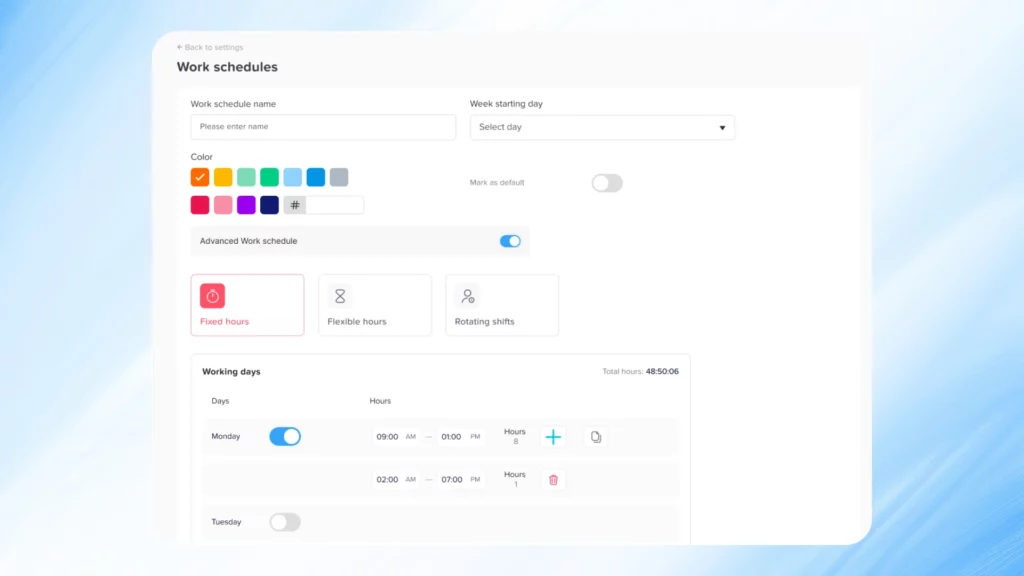
    What if my company uses weekly and monthly shift rotations at the same time?

    Day Off offers full flexibility when it comes to rotation cycles. You can create custom schedules that run on different intervals weekly, biweekly, or monthly and assign them to different departments or individuals based on your organizational structure.

    Is there a way to track who’s available before assigning shifts?

    Yes. The built-in calendar and leave management tools let you see who is already scheduled off or on leave before you assign shifts. This ensures you’re not assigning work to unavailable team members.

    Does Day Off support different time zones for global teams?

    Definitely. Day Off supports teams working across multiple time zones. Each user can set their local time zone, and the app ensures that all scheduling is adjusted accordingly, so there’s no confusion about shift start and end times.

    Conclusion

    Creating and managing rotational schedules doesn’t have to be complicated or time consuming. With the Day Off app, you can streamline every part of the process, from assigning shifts and managing leave to communicating updates in real time.


    By automating scheduling and improving transparency, you’ll reduce stress for managers, increase fairness for employees, and build a more engaged, balanced, and productive workplace.


    Whether your team is remote, hybrid, or fully on-site, Day Off provides the flexibility, structure, and simplicity you need to keep everything running like clockwork, without the chaos of spreadsheets or endless emails.

    Smarter time off tracking starts here.

  • 6+ Best Employee Scheduling Software For Smooth Workweeks

    6+ Best Employee Scheduling Software For Smooth Workweeks

    Flexibility and efficiency aren’t just nice to have, they’re essential. Scheduling is no longer simply about filling shifts; it’s about making the most of your team’s time, keeping operations running smoothly, and maintaining a healthy work life balance for employees. Whether you’re managing hourly staff or salaried teams, the right employee scheduling software can streamline your operations, boost productivity, and eliminate the usual scheduling chaos.

    What Is a Work Schedule?

    A work schedule defines the days and hours an employee is expected to work. It can be fixed or flexible, and may include morning, evening, overnight, weekend, or rotating shifts depending on the role and industry.


    Work schedules often reflect business needs, customer demand, and employee agreements. A well-constructed schedule ensures appropriate staffing during peak hours, adheres to labor laws (like mandatory rest periods), and accommodates employee preferences where possible. It becomes the foundation for planning, communication, and operational flow.


    Additionally, work schedules are critical for managing payroll, tracking performance, and ensuring compliance with internal policies. In some industries, such as healthcare, logistics, or customer service, scheduling mistakes can disrupt operations significantly or even impact customer safety.

    Why Is Work Scheduling So Important?

    Work scheduling is the backbone of efficient workforce management. It directly affects how well a team performs, how happy Employee Scheduling Software are in their roles, and how much money the company saves or loses through labor costs. Poorly managed schedules often lead to employee burnout, absenteeism, payroll inflation, and customer dissatisfaction.

    Here’s why effective scheduling is crucial:

    • Ensures Operational Coverage: Proper Employee Scheduling Software makes sure that every shift has the right number of qualified employees, reducing bottlenecks and over-reliance on specific individuals.

    • Supports Compliance: Many countries have strict labor laws regulating work hours, rest periods, overtime, and minors. A good schedule prevents accidental violations.

    • Increases Employee Satisfaction: Employees who receive schedules early and feel that their preferences are considered are more engaged, loyal, and motivated.

    • Improves Communication: A centralized schedule avoids miscommunication, no-shows, and last-minute panic by providing clear expectations.

    • Boosts Productivity and Efficiency: Workers are more effective when scheduled according to their energy levels, availability, and preferences.

    In essence, scheduling is a strategic task that shapes company culture, legal compliance, and the bottom line.

    Day Off – The Simplest Way to Track Leave and Plan Workweeks

    Day Off is a lightweight yet powerful employee leave and work scheduling tool built for businesses that want to simplify time-off management and scheduling without unnecessary complexity. Designed with ease of use in mind, it’s perfect for small to medium-sized teams looking for a clean, intuitive way to stay organized.

    Key Features:

    • Visual calendar view for tracking vacations, sick days, PTO, and work schedules

    • Approval workflows with support for multiple approvers

    • Custom leave types and policies tailored to your organization’s needs

    • Seamless Slack integration for instant leave requests and notifications

    • Mobile apps for both iOS and Android, so teams can manage schedules on the go

    Why It’s Great for Smooth Workweeks:

    Day Off gives both employees and managers real-time visibility into who’s working and who’s off, helping prevent scheduling conflicts and ensuring every shift is covered. With clear approval chains and easy access from anywhere, it’s the ideal solution for teams that want simple, efficient, and reliable time-off and scheduling management.

    Homebase

    Homebase is tailored for businesses with hourly workers, think restaurants, cafes, and retail shops. It helps managers schedule staff, track hours, and communicate efficiently all in one place.


    Key Features:

    • Drag-and-drop schedule builder

    • Automatic shift reminders via text or app

    • Clock-in/clock-out functionality

    • Compliance alerts and break tracking

    • Payroll integrations

    Why It’s Useful:
    Homebase helps ensure coverage across shifts, reduces no-shows, and helps business owners stay compliant with labor laws. Its free plan makes it especially attractive to startups.

    When I Work

    When I Work is known for its clean interface and powerful scheduling automation. It’s perfect for businesses that need to scale workforce management while keeping operations smooth.


    Key Features:

    • Real-time team availability and time off tracking

    • Group scheduling for departments or roles

    • Built-in messaging

    • Shift trading and bidding

    Why It’s Great:
    With features that promote autonomy and reduce admin overhead, When I Work is a solid option for fast-growing companies.

    Deputy

    Deputy brings advanced features for companies with complex shift structures, especially in industries like healthcare, hospitality, and logistics.


    Key Features:

    • AI-powered shift suggestions

    • Compliance warnings (overtime, rest periods, etc.)

    • Detailed reporting and labor forecasting

    • Kiosk-based time tracking for physical locations

    Why It’s Powerful:
    Deputy goes beyond basic scheduling by using data to optimize labor costs and employee satisfaction.

    Sling

    Sling is a collaborative scheduling platform that makes it easy for teams to coordinate shifts, tasks, and availability without the confusion of spreadsheets or emails.


    Key Features:

    • Shift templates and recurring scheduling

    • Budget tracking and labor cost control

    • Team messaging and announcements

    • Request and approve time off within the platform

    Why It Stands Out:
    Sling is built around team collaboration and is especially helpful for managers who need to stay on top of staffing budgets and last-minute changes.

    Connecteam

    Connecteam is more than just a scheduler, it’s an all-in-one app for mobile workforce management. Ideal for field teams and distributed workforces.


    Key Features:

    • Mobile-friendly shift planning

    • Task and project management

    • Employee training and checklists

    • GPS time tracking

    Why It Works Well:
    Connecteam ensures mobile employees have everything they need in one place, making it a smart choice for teams that work across multiple sites or locations.

    How Day Off’s Employee Scheduling Software Works

    Day Off makes it easy for managers and teams to stay organized, whether you’re planning shifts or tracking time off. It’s built to save time, reduce confusion, and keep everyone in sync, all from one clean, easy-to-use platform.

    Here’s how it makes scheduling seamless:

    Day Off is a simple yet powerful tool that helps teams stay organized,  from tracking time off to managing daily work schedules. It’s built to save time, reduce confusion, and give both managers and employees a clear view of who’s working and who’s off.

    All-in-One Calendar View

    Everything you need is right in front of you. Managers can see employee schedules, planned absences, and public holidays all in one calendar. This makes it easy to plan shifts, spot coverage gaps, and avoid scheduling conflicts before they happen.

    Smart Conflict Detection

    No more double-booking or shift mix-ups. If an employee tries to request time off on a day they’re already scheduled, or if too many people want the same day off, Day Off automatically prevents the request from being submitted. That means fewer headaches and smoother scheduling.

    Flexible Work Scheduling

    Day Off goes beyond time-off tracking, it helps you create and manage work schedules too. Whether your team follows rotating shifts, compressed workweeks, or flexible hours, you can build reusable shift templates that make planning fast, accurate, and consistent.

    Multiple Approvers for Leave Requests

    Customize your approval process to fit your workflow. With multiple approvers, you can assign different levels of authorization, for example, team leads, department heads, or HR,  ensuring every request goes through the right review chain before it’s finalized.

    Mobile-Friendly for Employees

    Your team can manage everything from their phones, checking schedules, submitting time-off requests, and swapping shifts, all in real time. This keeps everyone informed and reduces back-and-forth communication.

    Seamless Tool & Calendar Integrations

    Day Off syncs effortlessly with Google Calendar, Outlook, Microsoft Teams, and Slack, keeping everyone updated with shift changes and approvals in real time, no extra effort required.

    Quick Notifications & Easy Approvals

    Supervisors get instant alerts when requests come in and can approve or decline them with one click. It’s fast, transparent, and helps keep scheduling decisions clear and consistent.

    Why Teams Love Day Off

    Day Off helps businesses simplify scheduling, empower employees, and eliminate the chaos of manual planning. The result? Less time managing spreadsheets, fewer conflicts, and a smoother, more balanced workweek for everyone.

    What’s the Most Common Full-Time Work Schedule?

    The standard full-time work schedule in many countries is the 9-to-5, Monday to Friday routine totaling 40 hours per week. It’s deeply ingrained in traditional office culture and works well for jobs that require regular hours, such as administration, finance, education, and project-based roles.

    While still common, this schedule is increasingly being challenged. Many organizations are realizing that productivity doesn’t always align with fixed hours, especially in roles that require creativity, collaboration across time zones, or customer service beyond regular hours. This shift is giving rise to alternatives like compressed workweeks, flexible hours, and hybrid setups.

    The Used Work Schedules

    Dupont Shift Schedule

    This schedule runs on a four-week cycle and is designed to cover 24/7 operations. Employees work 12-hour shifts in a pattern that includes both day and night shifts, followed by longer periods of time off.

    • Benefits: Extended time off (up to 7 consecutive days), predictable patterns, and reduced commute days.

    • Challenges: Physically demanding 12-hour shifts and difficulty adjusting between day and night rotations.

    • Best for: Manufacturing, power plants, and emergency response teams.

    2-2-3 Shift Schedule

    Known as the Panama schedule, employees work 2 days, take 2 days off, then work 3 days, alternating weekly. Shifts can be 12 hours and rotate between day and night.

    • Benefits: More off days and flexibility while maintaining 24/7 coverage.

    • Challenges: Fatigue from long shifts, adjusting to the rotation.

    • Best for: Hospitals, law enforcement, public utilities.

    4-10 Shift Schedule

    Employees work 4 days a week, 10 hours each day, for a total of 40 hours. They get a three-day weekend.

    • Benefits: Work-life balance, fewer commutes, lower absenteeism.

    • Challenges: Longer workdays may lead to reduced energy or productivity near the end of shifts.

    • Best for: Tech firms, customer service centers, project-based roles.

    9-80 Shift Schedule

    Over two weeks, employees work 80 hours in 9 days instead of 10. They get every other Friday off.

    • Benefits: Every other weekend is a 3-day weekend, increasing morale.

    • Challenges: Scheduling meetings or cross-department collaboration can be trickier.

    • Best for: Engineering firms, government, finance.

    Flexible Schedules

    Employees choose their start and end times within a framework, such as between 7 a.m. to 10 a.m. as a start window.

    • Benefits: Improved work-life balance, reduced lateness, higher job satisfaction.

    • Challenges: Coordination between team members can be more difficult.

    • Best for: Remote teams, digital agencies, creative industries.

    Full-Time Schedule

    Employees work 35 to 40 hours per week on consistent shifts.

    • Benefits: Predictable income, access to benefits, long-term job stability.

    • Challenges: Less flexibility for personal obligations.

    • Best for: Most professional office jobs.

    Part-Time Schedule

    Employees work less than 30 hours per week.

    • Benefits: Flexibility for students, parents, or secondary job holders.

    • Challenges: Fewer benefits, sometimes less job security.

    • Best for: Retail, hospitality, healthcare assistants.

    Split Shifts

    Employees work in two segments during the day (e.g., 8–12 and 4–8).

    • Benefits: Increased flexibility, better use of peak business hours.

    • Challenges: Long gaps between shifts reduce personal time.

    • Best for: Restaurants, call centers, transportation.

    Rotating Shift Schedule

    Employees alternate between different shifts (e.g., mornings one week, evenings the next).

    • Benefits: Fairness in shift allocation, 24/7 coverage.

    • Challenges: Disrupts sleep cycles, requires longer adjustment.

    • Best for: Factories, emergency services, 24/7 operations.

    Overtime Schedules

    Schedules where employees work beyond 40 hours and earn extra pay.

    • Benefits: Increased earnings, fills urgent staffing needs.

    • Challenges: Fatigue, increased risk of errors, legal limits on maximum hours.

    • Best for: Seasonal businesses, crisis management, understaffed teams.

    Techniques and Tips for Employee Scheduling

    Mastering Employee Scheduling Software requires more than just picking names for shifts. It’s about anticipating needs, aligning business goals with team capabilities, and using technology to streamline the process. The following techniques offer a strategic roadmap for building schedules that are effective, fair, and scalable.

    Analyze and Forecast Business Needs

    Effective scheduling starts with knowing when your business is busiest and when you can afford leaner staffing.

    • Use historical sales, transaction logs, customer foot traffic, and service volume to anticipate staffing needs.

    • For example, a coffee shop may notice a consistent spike between 7–9 a.m. and require extra baristas, while an e-commerce support team may see increased activity on weekends.

    • Use forecasting to plan for holidays, promotions, weather changes, and industry trends.

    • Modern scheduling tools often include demand forecasting algorithms to predict optimal staffing levels.

    Tip: Revisit forecasts quarterly to keep up with changes in customer behavior or business strategy.

    Evaluate Workforce Needs

    Not every shift requires the same type or number of employees. You need to consider individual skill sets, certifications, and productivity.

    • Identify high-performers, team players, and staff with specialized knowledge.

    • Assign key responsibilities (such as opening/closing duties or customer escalations) to experienced employees.

    • Avoid scheduling all new hires together balance experience across shifts.

    • Take into account availability for employees with part-time jobs or schooling.

    Tip: Create a skill matrix for each employee and match shift needs with the right talent combination.

    Recognize the Differences Between Shifts

    Morning, afternoon, and night shifts each come with their own challenges and advantages.

    • Morning shifts may require quick ramp-up and setup duties.

    • Afternoon shifts often face rushes (lunch or post-work traffic).

    • Night shifts may be quieter but require more autonomy and may need safety checks or security protocols.

    Shift fatigue is real: Assign night shifts in moderation, and rotate evenly so no one feels penalized.

    Tip: Offer incentives like shift differentials or bonuses for hard-to-fill shifts.

    Hire When You Need to Hire

    Staff shortages lead to last-minute panic, poor customer service, and employee burnout.

    • Identify recurring coverage gaps, especially during peak hours or holiday seasons.

    • If your team is consistently being stretched, don’t delay recruitment.

    • Monitor turnover rates and anticipate attrition.

    Proactive hiring prevents reactive scheduling.

    Tip: Use scheduling analytics to justify new headcount to leadership or HR.

    Promote Open Schedule Communication

    Transparent, two-way communication reduces friction and builds trust.

    • Encourage employees to communicate availability, preferences, and personal obligations.

    • Host regular check-ins with staff to collect feedback about shift satisfaction and challenges.

    • Make it easy for employees to submit time-off requests, swap shifts, or flag conflicts using your scheduling software.

    A collaborative approach improves engagement and lowers absenteeism.

    Tip: Establish a shared communication channel (like Slack or a scheduling app inbox) to centralize all shift-related communication.

    Set Scheduling Expectations Right Away

    Clear expectations set during onboarding help prevent misunderstandings later.

    • Define how far in advance schedules will be posted (e.g., 2 weeks).

    • Explain policies for requesting time off, swapping shifts, and handling emergencies.

    • Set attendance and punctuality standards and tie them to performance evaluations.

    Consistency builds fairness and professionalism.

    Tip: Include a scheduling expectations guide in your employee handbook and revisit it in performance reviews.

    Formalize Your Employee Scheduling Policy

    A written policy ensures clarity, reduces bias, and provides legal protection.

    • Include policies on time-off requests, shift coverage, no-call/no-shows, overtime, breaks, and trade procedures.

    • Define escalation processes: what happens when shifts are dropped, or coverage is not met.

    • Outline disciplinary actions for repeated scheduling abuse or tardiness.

    Tip: Review your scheduling annual policy annually and update it based on business needs and legal changes.

    Publish Schedules with Plenty of Notice

    Advance scheduling gives employees time to plan their lives and reduces last-minute issues.

    • Industry best practice recommends posting schedules at least two weeks in advance.

    • If changes occur, notify affected employees promptly and offer flexibility where possible.

    • Avoid making frequent, last-minute edits it erodes trust and makes employees feel undervalued.

    Tip: Include shift reminders and notifications via email or app to ensure no one forgets. 

    Use Software to Track Time Off and Manage Schedules

    Manual scheduling leads to mistakes. Software adds visibility, automation, and integration.

    • Use platforms like Day Off to manage everything from vacation requests and leave balances to shift assignments.

    • Automate conflict detection (e.g., overlapping leave requests, labor law violations).

    • Centralize communication and schedule sharing in one interface.

    Benefits:

    • Saves hours of admin work weekly

    • Reduces errors

    • Empowers employees to self-serve their schedule needs

    Tip: Choose software that integrates with payroll, HR, and attendance systems for full automation.

    Addressing Scheduling Abuse

    Patterns of abuse like last-minute callouts, frequent trade requests, or strategic no-shows can disrupt teams and drain morale.

    • Monitor attendance and request patterns using software.

    • Speak privately with employees who show consistent scheduling issues and try to understand underlying causes.

    • Offer support when needed (e.g., personal challenges or burnout) but hold employees accountable for recurring abuse.

    • Set firm boundaries in your policy and apply them consistently.

    Tip: Celebrate and reward dependable employees to set a positive standard.

    Conclusion

    In the end, smooth workweeks don’t just happen;  they’re created through thoughtful planning and the right tools to support it. Day Off helps you take the stress out of scheduling by giving you everything you need to plan shifts, manage time off, and keep everyone aligned in one simple platform. With smart automation, customizable workflows, and real-time visibility, it turns what used to be a messy, time-consuming process into something effortless. The result is a more organized team, fewer scheduling surprises, and a workplace that runs smoothly, week after week.

    Smarter time off tracking starts here.

  • From Spreadsheets To Apps: How Time Off Tracking Has Evolved

    From Spreadsheets To Apps: How Time Off Tracking Has Evolved

    Tracking employee time off has always been a critical part of workforce management, ensuring employees get the rest they need while keeping business operations running smoothly. Initially, companies relied on manual methods scribbled notes, paper forms, and basic spreadsheets to handle leave requests. While these systems were manageable for small teams, they quickly became inefficient as organizations grew. Today, Time Off Tracking has undergone a major transformation, evolving into smart, automated, and user-friendly software solutions. This shift reflects a broader movement toward accuracy, compliance, and better employee experiences in the modern workplace.

    The Early Days: Paper-Based Tracking

    Before digital tools became widespread, businesses manually tracked employee leave using paper-based systems. Employees submitted handwritten vacation or sick leave requests, which managers approved and filed. HR departments often relied on filing cabinets packed with leave records or even informal verbal agreements.


    While simple, this method suffered from multiple weaknesses:

    • Human Error: Lost forms, miscalculations, and inconsistent record-keeping were common, often leading to disputes between employees and HR.

    • No Real-Time Insights: Managers had no quick way to view team availability, leading to scheduling conflicts and staffing issues.

    • Administrative Overload: HR teams had to manually cross-check balances, increasing workload and the potential for mistakes.

    • Lack of Accountability: No audit trails meant it was difficult to prove what had been approved or rejected, leaving businesses vulnerable to employee dissatisfaction and legal disputes.

    In short, paper-based tracking was neither scalable nor sustainable as organizations grew.

    The Rise of Spreadsheets

    The introduction of computers and spreadsheet software like Microsoft Excel marked a significant improvement. HR teams built digital templates to log time off, calculate balances, and keep a centralized record.


    Spreadsheets offered several advantages:

    • Streamlined Calculations: Using basic formulas, HR could quickly calculate remaining balances, accruals, and deductions.

    • Centralized Storage: Instead of dozens of filing cabinets, companies could keep digital records on shared drives accessible to managers.

    • Template Customization: Spreadsheets could be tailored to specific needs, such as including types of leave, half-day leaves, or different accrual rates.

    However, spreadsheets also introduced new issues:

    • Version Conflicts: When multiple people edited the same sheet simultaneously, data could be overwritten or lost.

    • Error Prone: Typing mistakes, incorrect formulas, and forgotten updates frequently led to inaccuracies.

    • Limited Scalability: Managing hundreds or thousands of employees became increasingly complex, with separate files, manual updates, and growing risks of oversight.

    • Security Vulnerabilities: Sensitive leave information stored in unprotected files could be accidentally exposed to unauthorized employees.

    Thus, while spreadsheets were a step forward, they were far from a long-term solution for growing businesses.

    Why You Should Use a Time Off Tracking App to Track Time Off Instead of Spreadsheets

    While spreadsheets provided a temporary bridge between paper and digital records, they fall short in today’s fast-paced work environment. Here’s why companies should transition to dedicated time off tracking apps:

    • Real-Time Synchronization: Apps automatically update leave balances when a request is approved or rejected. There’s no need to manually adjust rows and columns after every transaction, ensuring up-to-the-minute accuracy.

    • Mobile Access: Employees can request time off, view balances, and receive approvals directly from their smartphones, empowering remote and field employees to manage their leaves effortlessly.

    • Customizable Workflows: Leave approvals can be configured according to company policy—for example, routing requests first to a team leader, then to HR, ensuring hierarchical compliance without manual intervention.

    • Built-in Policy Enforcement: Apps automatically validate requests against company rules, such as minimum staffing levels or maximum consecutive vacation days, preventing potential operational disruptions.

    • Audit Trails and Compliance: Every action—submission, approval, rejection—is logged with timestamps and user IDs, making it easy to produce accurate records during internal reviews or labor inspections.

    • Insightful Reporting: Dashboards offer visual insights into leave trends, helping managers forecast potential staff shortages, budget overtime costs, and spot patterns that may need intervention.

    In short, a dedicated app transforms leave management from a reactive, manual task to a strategic, proactive advantage.

    How Does a Time Off Tracking Software Work?

    Employee Self-Service Portal

    Modern time off tracking software empowers employees with a self-service portal that’s available anytime, from any device. Through this portal, employees can easily request time off, check their remaining leave balance, and review their past leave history without needing to contact HR. They can also see upcoming public holidays and team schedules to avoid overlap or conflicts. This not only saves time for both employees and HR staff but also gives employees a sense of ownership and transparency over their own leave management.

    Automated Approval Routing

    Gone are the days of chasing approvals over endless email threads. With automated approval routing, each leave request is instantly directed to the right manager or HR representative based on predefined company rules. For example, requests may go through multiple levels of approval depending on the department or type of leave. This ensures every request is reviewed by the right person at the right time, reducing delays and confusion. It also creates a clear and trackable approval trail for full accountability.

    Instant Notifications

    Communication becomes effortless with instant, automated notifications. Whenever an employee submits a request, their manager is immediately notified. Likewise, employees receive real-time updates when their request is approved, rejected, or marked as pending. If a request is denied, the system can include the reason for the decision, helping maintain transparency and trust. These notifications keep everyone in the loop and eliminate the need for constant follow-up emails or messages.

    Real-Time Balance Adjustments

    Once a leave request is approved, the system automatically updates the employee’s leave balance in real time. There’s no need for manual tracking or spreadsheets, reducing the risk of human error. This ensures that no one takes more leave than they’re entitled to, and managers always have an accurate view of team availability. Real-time tracking also helps HR plan, especially during peak leave seasons when staffing coverage is critical.

    Calendar Integration

    To keep teams organized, most time off tracking software integrates seamlessly with popular calendar systems such as Google Calendar, Outlook, or Microsoft Teams. When time off is approved, it automatically appears in shared calendars, allowing managers and team members to see who’s out of the office and plan around absences. This integration makes team scheduling easier and ensures business continuity even when multiple people are on leave.

    Policy Enforcement

    Every company has its own set of leave policies, like how much leave employees can carry over, when it expires, or which dates are restricted for time off. The software automatically enforces all these rules so HR doesn’t have to manually monitor compliance. Accruals, carryovers, blackout dates, and other conditions are applied consistently across the organization. This creates a fair, standardized system for everyone and helps avoid disputes or inconsistencies.

    Detailed Reporting and Insights

    HR teams can generate detailed, customizable reports to analyze leave trends across departments, job roles, or time periods. These insights reveal valuable patterns, such as frequent absences, underused vacation days, or seasonal spikes in leave requests. With this data, companies can make informed decisions about workforce planning, productivity, and employee well-being. The reports also help identify potential issues early, like burnout risks or staffing shortages, before they impact performance.

    Compliance Management

    Staying compliant with local labor laws and internal policies is crucial, especially for organizations operating across multiple regions. Modern time off tracking systems automatically log every leave request, approval, and policy rule applied, creating a complete audit trail. These records make it easy to demonstrate compliance during audits or legal reviews. By ensuring accurate documentation and consistent enforcement of rules, the software helps businesses avoid penalties and maintain strong HR governance.

    The Benefits of Modern Time Off Tracking Software

    Implementing a modern time off tracking solution delivers wide-ranging benefits across your organization:

    Operational Efficiency

    Manual approval chains, outdated spreadsheets, and scattered emails slow down HR teams. Automation slashes administrative time by 50% or more, freeing HR to focus on strategic initiatives like employee engagement, talent development, and retention programs.

    Improved Accuracy

    When leave requests, approvals, and balances are automated, the chances of miscalculations drop dramatically. Employees always see accurate leave balances, and finance teams avoid payroll errors caused by misapplied time off.

    Enhanced Employee Experience

    Employees value clear visibility into their benefits. Offering them an easy, mobile-first way to manage time off demonstrates organizational trust, reduces frustration, and boosts morale.

    Stronger Compliance and Risk Management

    Labor laws change frequently. Whether it’s mandatory sick leave, parental leave policies, or local holidays, modern software can automatically enforce applicable laws, protect your organization from fines, and provide a clear audit trail in the event of a dispute.

    Smarter Workforce Planning

    Managers can access real-time team calendars and time-off trends to forecast staffing needs more accurately, plan project schedules realistically, and reduce reliance on expensive temporary labor.

    Cost Savings

    Automating time off tracking reduces hidden costs like paying for unearned leave, covering preventable staffing gaps, or spending unnecessary time on manual error correction.

    The long-term savings, efficiency gains, and improvements in employee satisfaction far outweigh the initial cost of implementing a modern leave management system.

    Choosing the Right Time Off Tracking Software

    Selecting the right solution requires careful evaluation based on your company’s size, structure, and goals. Here’s what to look for:

    • Ease of Implementation: Choose a solution that is simple to deploy, with minimal disruption to daily operations. Look for platforms offering setup support and user training.

    • Intuitive User Interface: Software adoption rates depend heavily on ease of use. Opt for a system where both tech-savvy and non-tech employees can navigate easily.

    • Flexible Policy Management: Ensure the system allows different rules based on departments, seniority, employment type (full-time, part-time, contractors), or locations.

    • Robust Mobile Access: Mobile apps must mirror desktop functionality—allowing full management of leave requests, balances, and approvals without requiring a computer.

    • Reliable Customer Support: When issues arise, responsive support teams can make a massive difference. Check reviews or service level guarantees.

    • Scalability: If your team grows from 50 to 500 employees in two years, your software should scale seamlessly without needing replacement.

    • Transparent Pricing: Beware of hidden fees for integrations, reporting features, or seat limits. Always request a clear breakdown of costs.

    Choosing the right platform can set your HR operations on a path of efficiency and future-proof scalability.

    Time Off Tracking Software FAQs

    Can time off tracking software handle different types of leave?

    Yes, absolutely. Modern time off tracking platforms are built to handle every kind of leave your company might offer. This includes standard categories like vacation days, sick leave, maternity and paternity leave, bereavement leave, sabbaticals, and unpaid leave. Many systems also allow HR teams to create custom leave types, such as “mental health days,” “volunteer leave,” or “wellness days”, to fit your company’s unique culture and policies. By organizing all leave types in one place, the software makes it easy for employees to understand their options and for HR to track everything accurately.

    Can time off tracking software help manage company-wide leave policies more effectively?

    Definitely. These systems are designed to simplify how HR teams define and apply company-wide leave policies across departments, offices, or even different countries. You can set custom rules for accruals, carryovers, blackout dates, or approval workflows, ensuring that every policy is applied consistently and fairly. Instead of managing policies manually through spreadsheets, the software enforces them automatically, saving HR time and reducing the chance of errors. This consistency also helps build employee trust, since everyone’s leave is managed under the same transparent system.

    Is cloud-based or on-premises software better?

    In most cases, cloud-based software is the better choice. It’s easier to set up, more flexible, and accessible from anywhere, which is ideal for remote or hybrid teams. Cloud solutions also come with automatic updates, lower upfront costs, and strong built-in security features. On-premises systems, on the other hand, might be preferred by companies with strict IT or data storage policies. However, they often require more maintenance and technical support. For most organizations today, the convenience and scalability of cloud-based options make them the smarter long-term investment.

    How secure are time off tracking apps?

    Security is a top priority for reputable time off tracking providers. They use strong data encryption, role-based access controls, and secure cloud servers to protect employee information. Many are certified under global standards such as ISO 27001, GDPR, or HIPAA, meaning they follow strict data protection rules. Access is limited to authorized personnel, and regular security audits are performed to prevent breaches or leaks. In short, these systems are built to safeguard sensitive HR and payroll data at every step.

    What if our leave policies are complex and vary by country?

    No problem. Many leading platforms are designed for global businesses and can handle complex, country-specific policies with ease. They support multiple languages, currencies, and time zones, and automatically apply local holidays, labor laws, and region-specific leave entitlements. This ensures that international teams stay compliant with each country’s regulations while still operating under a unified company system. Whether your team is in one country or ten, the software keeps everything consistent and legally compliant.

    Can time off tracking apps support small businesses?

    Yes, and they’re often a perfect fit. Many providers offer affordable or even free plans for small teams that include all the essential features, like leave requests, balance tracking, and simple approval workflows. For small businesses, this means less paperwork, fewer scheduling mistakes, and more time to focus on running the company. As the business grows, these platforms can easily scale up, adding new users, policies, and integrations without the need for a complete system overhaul.

    Can time off tracking software integrate with other HR or payroll systems?

    Yes, most modern tools are designed to integrate smoothly with your existing HR and payroll platforms. When an employee’s leave is approved, the system automatically updates their payroll and attendance records, ensuring there are no payment or tracking mistakes. This integration also helps teams manage scheduling, workforce planning, and reporting from one central hub. By connecting everything, businesses save time, reduce manual work, and eliminate data duplication across different systems.

    Does time off tracking software make it easier for employees to request leave?

    Absolutely. The software gives employees a simple self-service portal where they can submit leave requests in seconds. They can check how much time off they have left, see upcoming holidays, and even view team schedules to avoid overlap. Once submitted, requests go straight to their manager for approval, and everyone receives instant updates on the status. This easy, transparent process makes requesting leave stress-free for employees and faster for managers to handle.

    Can the software provide reports and insights for better decision-making?

    Yes, one of the biggest benefits of using time off tracking software is the ability to generate in-depth reports and insights. HR teams can see exactly how leave is being used across the company, who’s taking the most time off, when absences peak, and how unused vacation time is accumulating. These insights help with workforce planning, budgeting, and identifying patterns like burnout or absenteeism. Over time, the data helps companies make smarter decisions about staffing and employee well-being.

    Is it hard to set up and train staff to use the system?

    Not at all. Most modern systems are built to be very intuitive and user-friendly. Setup usually involves a few simple steps, adding employees, defining leave types, and setting company policies. Many providers also offer free onboarding sessions, tutorials, and customer support to guide you through the process. Employees can quickly learn to manage their own requests, while HR teams enjoy a simplified workflow with less manual work. In a short time, the whole organization can adapt to a smoother, more transparent leave management system.

    Final Thoughts

    From scribbled paper forms to dynamic mobile apps, the evolution of time off tracking reflects a broader transformation in how businesses manage their people. Modern time off tracking apps are not just about recording absences they empower HR, help managers make smarter staffing decisions, and create more transparency for employees.


    Organizations clinging to outdated methods risk facing operational inefficiencies, legal vulnerabilities, and unhappy employees.
    By adopting smart, integrated, and user-friendly leave management systems, businesses can ensure they’re ready for the demands of today’s and tomorrow’s workforce.


    Smarter time off tracking starts here.

  • Manual Vs. Digital Vacation Tracker: What’s The Better Choice?

    Manual Vs. Digital Vacation Tracker: What’s The Better Choice?

    Efficient leave management is no longer a luxury it’s a necessity. In today’s hybrid work environments and fast growing companies, having a clear system in place for tracking employee time off is crucial. That’s where a vacation tracker comes in.


    Whether you’re using a spreadsheet or a sleek app, a vacation tracker helps you manage who’s on leave, how many days off team members have left, and avoid scheduling conflicts. But when it comes to choosing between a manual vacation tracker and a digital vacation tracker, the decision can significantly impact your team’s productivity, accuracy, and satisfaction.


    In this article, we’ll compare both approaches, highlighting their strengths, limitations, and the best use cases for each so you can confidently choose the right solution for your business.

    What Is a Manual Vacation Tracker?

    A manual vacation tracker refers to non-automated methods of recording employee leave, such as:

    • Excel or Google Sheets templates

    • Printed forms and email threads

    • Physical calendars or whiteboards

    • Notes in notebooks or simple HR binders

    How it works:
    An employee sends an email or fills out a paper form. HR or a manager reviews and approves the leave manually, then updates the tracking system. Communication and updates are mostly done by hand.

    What Is a Digital Vacation Tracker?

    A digital vacation tracker is software designed to automate and simplify time off management. These tools can be web based, mobile apps, or integrations within existing HR systems. They typically include:

    • Employee self service for requesting and viewing time off

    • Automated leave balance calculations

    • Real-time status updates and approval workflows

    • Team calendars with visibility into who’s off

    • Notifications, mobile alerts, and calendar sync

    • Preloaded public holidays by country or region

    • Reporting and analytics features

    Popular examples include Day Off, BambooHR

    Manual Vacation Tracker: Deep Dive

    Advantages

    • Minimal to Zero Cost
      Perfect for startups or freelancers with a tight budget.

    • Full Control
      You create your own format, policies, and visual style.

    • No Internet Dependency
      Works even offline in cases where digital access is limited.

    • No Vendor Lock In
      You’re not tied to a specific platform or provider.

    Disadvantages

    • Time Consuming
      HR must manually record and calculate balances, risking delays.

    • High Error Rate
      Mistakes like double bookings, skipped entries, or outdated balances are common.

    • Poor Transparency
      Employees often don’t know who’s off or how many days they have left.

    • No Historical Insight
      Tracking trends over time or generating reports is difficult and often inaccurate.

    • Lack of Scalability
      Works for 3–5 people. Fails at 10+. Becomes chaotic with remote workers.

    • Limited Security
      Spreadsheets can be accidentally deleted or misedited. Physical documents can be lost.

    Digital Vacation Tracker: Deep Dive

    Advantages

    • Automation & Efficiency
      Requests, approvals, and balance updates are done automatically saving hours each month.

    • Mobile Accessibility
      Employees can submit requests and managers can approve them from anywhere.

    • Clear Audit Trails
      Every request is logged, timestamped, and searchable essential for compliance.

    • Easy Integration
      Connect with Slack, Teams, Google Calendar, Outlook Calendar, and more.

    • Custom Leave Policies
      Support for PTO, sick leave, half days, hourly requests, accrual rules, and custom leave types.

    • Notifications & Alerts
      Stay ahead of overlapping vacations, low leave balances, and holiday periods.

    • Remote Team Friendly
      Real time access makes it ideal for distributed and hybrid teams.

    • Scalable
      Works just as well for 10 people as it does for 1,000+.

    Disadvantages

    • Subscription Costs
      Monthly fees can add up, especially for premium features.

    • Requires Setup and Training
      Though most tools are intuitive, they still require some onboarding.

    • Dependency on Tech
      Requires stable internet access and digital literacy.

    • Data Privacy Considerations
      You must trust the vendor to store sensitive employee data securely.

    Extra Considerations Most Companies Overlook

    Compliance & Legal Risks

    Manual leave tracking might seem manageable at first, but even small mistakes can lead to big compliance headaches. Miscalculations in accrued time off, underpayments, or accidental overpayments can violate labor laws and expose your company to audits, penalties, or employee disputes. A reliable digital leave tracker ensures all records are accurate, time-stamped, and compliant with local and international employment regulations, protecting both your business and your workforce.

    Employee Satisfaction

    Today’s employees expect transparency and autonomy when managing their time off. When they can easily view their remaining leave balance, submit requests, and receive quick approvals, it creates a sense of trust and empowerment. Automated systems remove bottlenecks, eliminate confusion, and demonstrate that the company respects work-life balance, ultimately leading to happier, more engaged, and loyal employees.

    Time Off Planning

    Unplanned absences and overlapping vacations can disrupt workflows and put extra pressure on remaining staff. With a digital leave tracker, HR teams and managers can visualize all upcoming time off in one place, identify coverage gaps in advance, and redistribute workloads effectively. This proactive approach keeps projects on schedule, ensures critical roles are always covered, and strengthens overall operational continuity.

    Analytics & Forecasting

    Beyond tracking who’s out, digital systems turn leave data into actionable insights. HR leaders can analyze patterns in absenteeism, seasonal leave spikes, and department-level trends. These insights help forecast staffing needs, plan hiring cycles, and balance workloads more strategically. In short, analytics transform time-off management from reactive administration into a forward-looking HR advantage.,

    Manual vs. Digital Vacation Tracker: Comparison Table

    Feature Manual Tracker Digital Vacation Tracker
    Cost
    Free
    Subscription (Free to Premium)
    Accuracy
    Low
    High
    Approval Process
    Manual (email/paper)
    Automated Workflow
    Reporting & Auditing
    Difficult
    Easy and exportable
    Leave Balance Calculation
    Manual
    Automatic
    Employee Access
    Limited
    Self-service dashboard
    Public Holiday Integration
    Manual
    Built-in by region/country
    Flexibility for Custom Policies
    Manual formula tweaking
    Built-in policy engines
    Notifications & Reminders
    Not available
    Email, app, Slack, Teams, etc.
    Security
    Prone to loss/editing
    Encrypted, cloud-based
    Ideal Team Size
    1–5 employees
    5–1000+ employees

    When to Switch from Manual to Digital?

    You should consider making the switch when:

    • You have more than 5 team members.

    • You experience frequent errors or missed requests.

    • Leave requests get lost in emails or chats.

    • You manage a remote or hybrid team.

    • You need records for audits or legal compliance.

    • You want to improve the employee experience.

    • You’re spending too much time updating sheets.

    What to Look for in a Digital Vacation Tracker

    If you’re evaluating tools, prioritize features like:

    • Mobile app access

    • Team calendar view

    • Auto-approval workflows

    • Policy customization (accrual, carryover, blackout periods)

    • Public holiday auto-fill

    • Manager & admin roles

    • Real-time leave balance tracking

    • Integration with payroll, calendar, and chat apps

    • User-friendly interface

    Which Is Better?

    While manual vacation trackers are tempting due to their simplicity and zero cost, they fall short in areas that matter most: accuracy, efficiency, visibility, and scalability.

    Digital vacation trackers offer a smarter, faster, and more secure way to manage time off. They support your company’s growth, enhance transparency, and help prevent HR bottlenecks.

    If you’re looking for an intuitive, affordable, and feature rich tool, Day Off is an excellent choice. It’s designed to be simple for teams to adopt without sacrificing functionality.

    Frequently Asked Questions (FAQ) About Vacation Trackers

    What is the main difference between a manual and a digital vacation tracker?

    The main difference lies in automation and accessibility. A manual tracker (like spreadsheets or paper forms) requires HR or managers to record, approve, and update leave data manually. A digital tracker automates these processes, calculating balances, approving requests, and syncing calendars automatically. Digital systems save time, reduce errors, and provide real-time transparency for both employees and management.

    Why should a small business consider switching to a digital vacation tracker?

    Even small teams benefit from digital leave tracking once administrative tasks start taking too much time. When managing five or more employees, manual systems become error-prone and inefficient. A digital vacation tracker centralizes requests, balances, and approvals in one place, helping startups and small businesses save hours every month while maintaining accuracy and compliance.

    Are digital vacation trackers expensive?

    Not necessarily. Many modern vacation tracking tools, such as Day Off, offer affordable plans with tiered pricing based on company size. Some even provide free versions for small teams. The cost is usually outweighed by the productivity gains, error reduction, and improved employee experience that digital systems bring.

    How do digital vacation trackers help prevent scheduling conflicts?

    Digital systems include shared team calendars that give managers a clear view of who is off and when. These calendars automatically flag overlapping absences or high-leave periods, allowing managers to plan coverage before approving requests. This ensures critical roles are never left unattended and helps maintain workflow continuity.

    Can digital vacation trackers integrate with other tools?

    Yes. Most digital vacation trackers integrate seamlessly with common workplace tools such as Google Calendar, Outlook, Slack, Microsoft Teams, and even payroll or HR software. These integrations make it easy to keep all leave-related data synchronized across systems, reducing double-bookings, communication gaps, and administrative work.

    What are the risks of using a manual vacation tracker?

    Manual systems are prone to human error, data loss, and miscommunication. HR staff might miss updates, forget approvals, or enter wrong dates. Physical files can be misplaced, and spreadsheets can become corrupted or accidentally deleted. Over time, this lack of structure can lead to payroll discrepancies, employee dissatisfaction, and even compliance violations.

    How do digital vacation trackers improve employee satisfaction?

    They empower employees with transparency and control. Workers can check their available leave balance, request time off, and see approval status instantly, without chasing managers or sending multiple emails. This autonomy improves trust, reduces frustration, and enhances the overall employee experience.

    Is a digital vacation tracker suitable for remote or hybrid teams?

    Absolutely. Digital vacation trackers are designed for remote and hybrid work environments. They provide cloud-based access so employees and managers can submit, view, and approve leave from anywhere. This is particularly valuable for distributed teams operating across time zones or multiple locations.

    How can vacation tracking affect compliance and payroll accuracy?

    Proper leave tracking ensures your organization stays compliant with labor laws related to paid time off, sick leave, and public holidays. Automated systems record every transaction with timestamps, making audits easier. They also sync with payroll tools to ensure accurate payouts, preventing underpayment or overpayment.

    What should I look for when choosing a digital vacation tracker?

    When evaluating digital solutions, prioritize features that enhance efficiency and scalability. Look for:

    • Real-time balance tracking

    • Mobile app access

    • Policy customization (accrual, carryover, and blackout dates)

    • Calendar and chat tool integration

    • Multi-level approval workflows

    • Reporting and analytics capabilities

    • Strong data security standards

    The right system should be easy to adopt, customizable to your policies, and capable of growing with your business.

    Can digital vacation trackers help HR teams make better decisions?

    Yes. Most digital trackers include reporting and analytics dashboards that highlight trends in leave usage, burnout risks, and departmental absences. HR can use this data to forecast staffing needs, adjust policies, and encourage healthier work habits. This transforms vacation tracking from an administrative task into a strategic HR tool.

    How long does it take to implement a digital vacation tracker?

    Implementation time varies by provider, but most tools can be set up in a few hours or days. Cloud-based platforms like Day Off are designed for quick onboarding, you simply configure leave policies, import employee data, and start tracking immediately. Minimal training is required for both HR and employees.

    What happens if the software vendor goes out of business or changes plans?

    Choose a vacation tracker that offers data export options and transparent terms. Reputable vendors allow you to back up or download your leave data anytime. Before committing, review the vendor’s service-level agreements (SLAs) and ensure your company retains ownership of its information.

    Can employees misuse digital vacation systems?

    Misuse is rare because digital trackers include approval workflows, notifications, and role-based permissions. Managers still have the final say on approvals, and every action is logged. This makes it easier to track activity, prevent abuse, and maintain accountability.

    Final Thought

    The way you manage vacation time reflects more than just your HR efficiency, it speaks volumes about your company’s values and culture. A smooth, transparent leave process shows employees that their well-being matters and that your organization values balance as much as productivity. By investing in a modern, automated system, you’re not only simplifying administration but also building trust, boosting morale, and laying the foundation for sustainable growth.

    Smarter time off tracking starts here.