








Managing employee time off has become a critical aspect of modern workforce operations. From ensuring adequate staffing to maintaining employee satisfaction, an efficient leave management process can make or break a team’s productivity. In an era where mobility and flexibility are king, a mobile time off tracker isn’t just a useful tool it’s an essential one.
This article dives into what a mobile time off tracker is, how it works, and why every business from startups to enterprises should consider integrating one into their workflow.
What Is a Mobile Time Off Tracker?
A mobile time off tracker is a smartphone-based application that allows both employees and managers to manage and track leave requests from anywhere, anytime. Unlike traditional methods such as paper forms, spreadsheets, or clunky desktop-only systems, a mobile tracker is designed for ease of use, real-time functionality, and accessibility across platforms.
With solutions like Day Off, available on iOS, Android, and the web, users can:
Submit and approve leave requests instantly
View accurate leave balances
Access shared calendars to avoid conflicts
Receive push notifications and reminders
Customize leave types and policies
This mobility empowers organizations to operate efficiently even in distributed or hybrid environments, where not all team members are physically present or working standard office hours.
Why Mobile Access Matters in Leave Management
Accessibility for Everyone
One of the most significant advantages of a mobile time off tracker is the ability to access the platform anytime, from anywhere. Employees don’t need to be at their desks or logged into a computer system to manage their leave. This is especially important for remote workers, field teams, contractors, and part-time staff who may not use a company laptop daily.
Example: A remote customer support agent can submit a sick leave request first thing in the morning directly from their phone, ensuring the team is informed in real-time. No need to find a manager’s email or wait for office hours everything happens instantly.
This level of accessibility promotes self-service and accountability, reducing the back-and-forth between employees and HR.
Instant Notifications and Reminders
Mobile time off trackers send real-time push notifications to users whenever a key action is taken whether it’s a new leave request, a manager’s approval, or a change in schedule. These alerts help prevent delays and miscommunications, which are common when leave requests are managed manually or via email.
Example: A team lead gets a push notification that a developer has requested vacation next month. With one tap, they can approve it, and the request is instantly reflected in the shared team calendar. There’s no waiting, no follow-ups, and no ambiguity.
Notifications also serve as reminders for pending approvals, helping managers stay on top of requests without manual tracking or additional tools.
Smarter PTO Planning for Teams
Many mobile trackers offer a team-wide or company-wide calendar view that shows who’s off and when. This transparency is a game-changer for planning projects, scheduling meetings, and managing workloads effectively.
Why this matters: When employees can see that several colleagues are already on leave during a specific period, they may choose different dates, helping to avoid resource shortages or customer service gaps. For managers, it means less surprise absences and more confidence in daily operations.
A centralized PTO calendar fosters better communication and coordination, especially in teams where overlapping time off can seriously impact delivery schedules.
Real-Time Leave Balances and Accurate Tracking
Keeping tabs on PTO balances can be frustrating for employees and even more so for HR teams especially when tracking is done manually. Mobile trackers provide up-to-date leave balances that are adjusted automatically with every request, approval, or cancellation.
Example: An employee thinking of taking a long weekend can open the app, see exactly how many days they have left, and plan accordingly without needing to email HR. This fosters greater autonomy and eliminates the guesswork.
Automatic balance calculation reduces administrative errors and ensures employees take leave within their allotted limits, helping the organization stay compliant with internal policies and labor regulations.
Custom Leave Policies and Localization Support
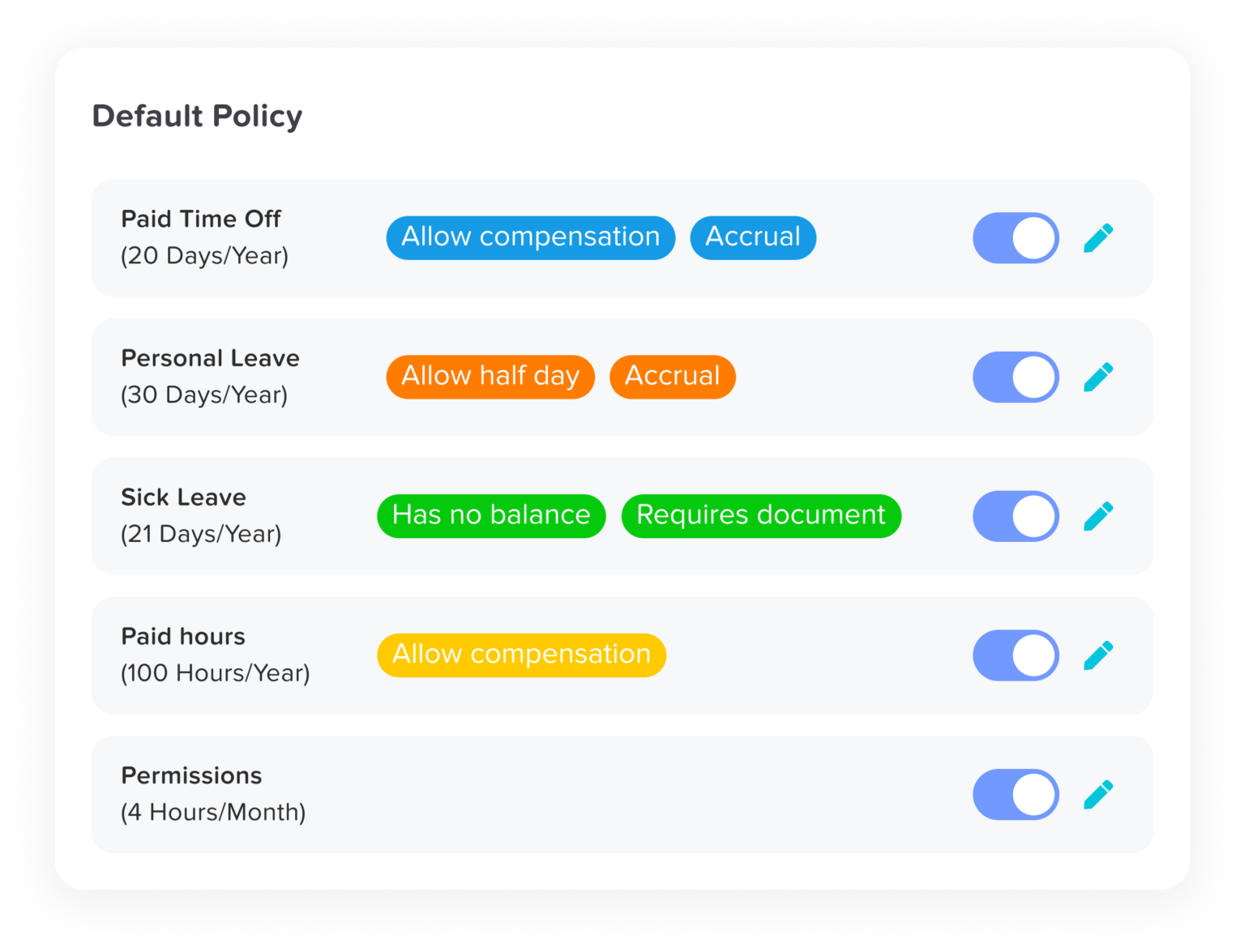
Every company and even every team within a company might have different rules for PTO. Some offer unlimited leave, others use accrual-based models. Some allow carryovers or special leave types like mental health days, maternity leave, or volunteer days.
A robust mobile tracker allows full customization of leave types, accrual rules, holiday schedules, and approval workflows. The Day Off app, for example, supports all of these features, making it adaptable for businesses across industries and geographies.
Localization Tip: If your business operates in multiple countries, make sure the tracker accommodates region-specific public holidays, time zones, and even language settings to ensure compliance and ease of use.
Key Features to Look For in a Mobile Time Off Tracker
To choose the right tool, evaluate these must-have features that can make a real difference in productivity, compliance, and overall employee satisfaction.
| Feature | Why It Matters |
|---|---|
|
Mobile-first UI |
Designed for touchscreens and fast navigation on smartphones, making it usable for everyone—not just tech-savvy employees.
|
|
Multi-language support |
Helps international teams access the platform comfortably in their native language, improving adoption rates.
|
|
Customizable leave types |
Lets you define your own PTO categories—vacation, sick days, WFH, bereavement, etc.—based on your policies.
|
|
Role-based access |
Keeps sensitive data secure by ensuring that only authorized users can view or manage specific information.
|
|
Calendar integrations |
Automatically syncs time off with team calendars in Google, Outlook, or iCal to improve scheduling.
|
|
Detailed reporting & export options |
Makes it easy for HR and payroll to access timesheets, summaries, and usage reports.
|
|
Approval workflows |
Enables multi-level approvals (e.g., team lead + HR) and reduces bottlenecks in larger organizations.
|
|
Offline capabilities |
Ideal for workers in areas with limited internet access—they can request leave and sync data once online. |
Common Problems Solved by Mobile Time Off Trackers
| Problem | Solution via Mobile Tracker |
|---|---|
|
Employees forget to log leave |
Push reminders and real-time calendars encourage timely submissions.
|
|
Miscommunication about leave status |
Live notifications and approval history reduce misunderstandings.
|
|
Manager approval delays |
One-tap approval from mobile devices accelerates the process.
|
|
HR manually updating spreadsheets |
Automated systems save time, reduce errors, and simplify audits.
|
|
Inconsistent PTO policies across teams |
Unified app settings ensure consistency and compliance across departments.
|
Who Should Be Using One?
Mobile time-off trackers are designed to make leave management easier for every type of organization and employee. Here’s how different teams benefit:
Startups & Small Businesses
Save time and reduce HR overhead by automating leave tracking. Even with a small team, you can manage requests, approvals, and balances without complicated systems or extra staff.
Large Enterprises
Maintain consistency across departments, locations, and time zones. Mobile access ensures that every employee, from headquarters to regional offices, follows the same policies and stays connected.
Remote & Hybrid Teams
Give employees the flexibility to request and manage leave no matter where they work. Real-time updates keep everyone aligned, helping managers plan workloads and maintain productivity.
HR Professionals
Access detailed reports, manage approvals, and oversee multiple teams effortlessly, all from one dashboard. Mobile tools simplify administration, saving HR time while improving accuracy and compliance.
Field and Hourly Workers
Empower employees who don’t sit at a desk to manage their own leave. With mobile access, they can request time off, check balances, and receive approvals directly from their phones, wherever they are.
Best Practices for Implementing a Time Off Tracker
Adopting a mobile time off tracker is a big step toward modernizing your leave management process but implementation is just as important as choosing the right tool. To ensure smooth onboarding, high adoption rates, and long-term success, follow these best practices:
Choose the Right Tool for Your Team’s Needs
Before rolling out any software, evaluate the size, structure, and nature of your workforce. Do you have remote teams? Do employees speak different languages? Are there multiple leave policies?
Pro Tip: Choose a tracker like Day Off, which supports custom leave types, flexible approval workflows, and multilingual interfaces—all in a user-friendly mobile format. Make sure it integrates with the tools you already use (e.g., calendar apps, Slack, etc.).
Communicate Clearly and Early
Announce the new system ahead of time. Let your employees know why you’re implementing it, what benefits it brings, and what they need to do.
Tips:
Send a company-wide email introducing the app
Explain how it simplifies PTO management
Share a quick-start guide or FAQ
Highlight important dates for rollout
Clear communication reduces resistance and confusion during the transition.
Train Managers and Employees
Even if your tracker is intuitive, offering training boosts confidence and adoption. Focus on both employee and manager roles.
Training formats to consider:
Short in-app tutorials or walkthrough videos
Live demos during team meetings
Step-by-step PDF guides or cheat sheets
1:1 sessions for department leads
Encourage managers to lead by example when they approve time off quickly and use the app regularly, employees will follow.
Configure Leave Policies Accurately
Before your team begins using the app, double-check that all leave types, accrual rules, and public holidays are correctly configured.
Things to verify:
PTO balances and accrual formulas
Rules for carryover or expiration
Custom leave types (e.g., parental leave, volunteer days)
Holiday calendars based on location
A well-set-up system builds trust employees are less likely to question their balances or dispute approvals.
Review and Adjust Regularly
As your team grows or your policies change, revisit your tracker setup to make sure it still meets your needs.
Annual tasks include:
Auditing leave types and policies
Adding new public holidays
Adjusting carryover settings
Reviewing user access and permissions
The more aligned the system stays with your evolving operations, the more useful and trusted it becomes.
FAQs
What is a mobile time off tracker, and how does it work?
A mobile time off tracker is an app that allows employees to request, manage, and monitor their paid time off (PTO), vacation days, and sick leave directly from their smartphones. It enables managers to approve or reject requests, view team calendars, and ensure adequate staffing all in real time. Apps like Day Off offer a simple, user-friendly experience for both employees and HR teams, available on iOS, Android, and the web.
Is a mobile time off tracker suitable for small businesses?
Yes! In fact, small businesses benefit greatly from mobile time off trackers because they reduce the need for manual processes, spreadsheets, or constant back-and-forth communication. With tools like Day Off, even teams with fewer than 10 people can implement a professional leave management system in minutes.
Can employees see how many leave days they have left?
Absolutely. A key feature of most mobile time off trackers is real-time visibility into PTO balances. Employees can instantly check how many vacation, sick, or other types of leave days they have remaining no need to contact HR or wait for approval logs.
Do mobile time off trackers support different types of leave?
Yes. You can configure different leave types such as:
Vacation or annual leave
Sick leave
Maternity/paternity leave
Work-from-home (WFH) days
Unpaid leave
Personal or mental health days
Custom leave categories can be created based on your company’s specific policy.
How secure is the data in a mobile time off tracker?
Security is a top priority for reliable platforms. Reputable apps like Day Off use secure cloud hosting, encrypted data transmission, and role-based access control to protect sensitive information. Only authorized users (e.g., employees, team leads, HR) can access relevant data.
What happens if an employee doesn’t have internet access?
Some mobile time off trackers offer offline functionality. This allows users to request leave or view balances offline, then sync the data once internet access is restored. This is especially useful for field teams or employees in low-connectivity areas.
Can the app send reminders or alerts for pending approvals?
Yes. Mobile time off trackers send push notifications or in-app alerts when:
A leave request is submitted
An approval is needed
A request has been approved or denied
These notifications help managers act quickly and keep everyone informed without manual follow-ups.
Can the tracker sync with calendar tools like Google or Outlook?
Most quality apps including Day Off integrate with popular calendar platforms. This means approved leave dates automatically appear in your team’s shared calendar, helping with planning and preventing scheduling conflicts.
How do I customize the app for different countries or teams?
If your organization operates across multiple regions or departments, you can customize:
Public holiday calendars per country
Leave policies by department
Time zones and languages
This ensures every employee sees accurate information relevant to their location and role.
Is there a web version available for desktop users?
Yes. While the app is designed with mobile-first usability, most trackers also offer a web version for those who prefer using a desktop. Day Off offers full functionality on both web and mobile, ensuring access across all devices.
What if someone makes a mistake in a leave request?
Most mobile time off trackers allow employees to edit or cancel requests before they are approved. If already approved, the request may need to be modified or reversed by a manager or admin, depending on your company’s permissions.
Conclusion
managing time off effectively is essential for keeping teams happy, productive, and aligned. Mobile time-off trackers make this easier than ever, giving every employee, from remote workers to field teams, the power to manage their own leave while keeping HR and management fully informed.
With a solution like Day Off, businesses of all sizes can simplify leave management, save valuable time, and eliminate the chaos of manual tracking. From streamlined approvals to real-time visibility and global accessibility, it’s a smarter, faster way to manage employee time off.
When employees have the freedom to plan their breaks confidently and transparently, everyone benefits, morale improves, operations run smoother, and the entire organization moves forward with balance and clarity.