Category: Employees

  • Paid Time Off Tracking Made Easy with Day Off

    Paid Time Off Tracking Made Easy with Day Off

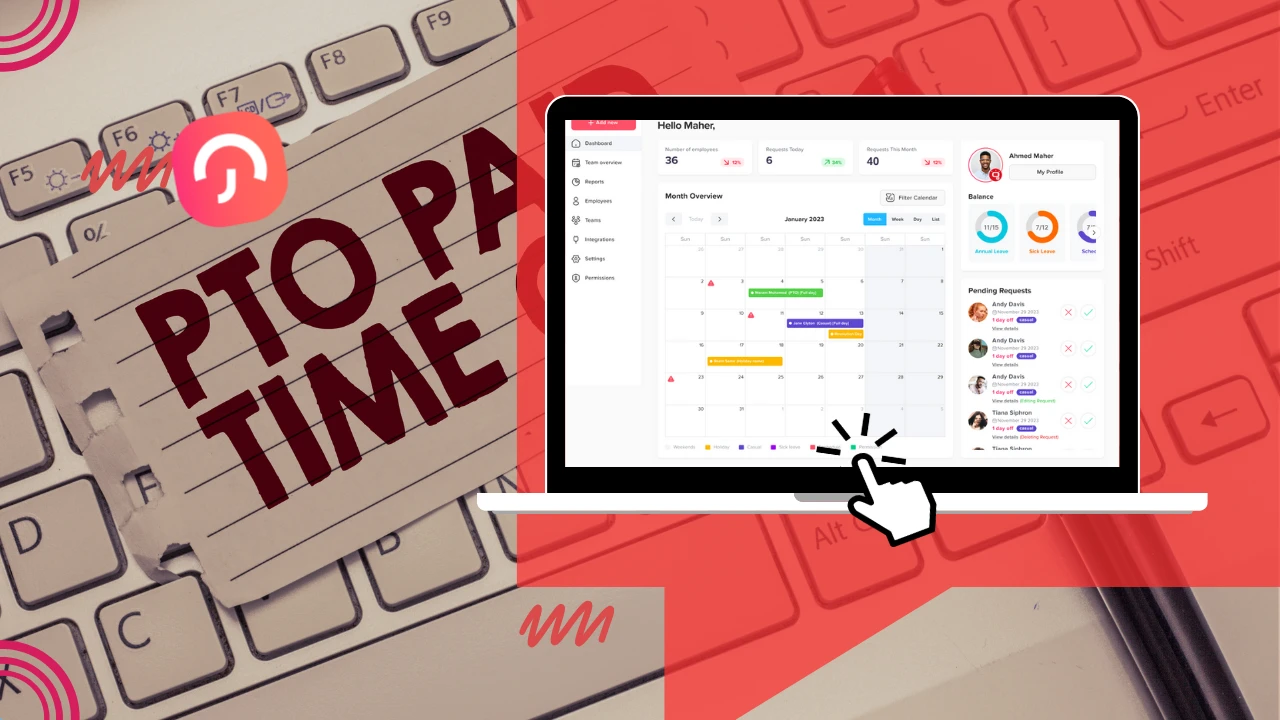
    Effective Paid Time Off (PTO) tracking is more than just an administrative task, it’s a strategic imperative. Properly managing employee time off helps ensure operational continuity, improves workforce planning, and supports employee satisfaction. When organizations prioritize clear and consistent paid time off tracking, they lay the groundwork for a more transparent, engaged, and productive workplace.

    The Strategic Value of PTO Tracking

    Tracking Paid Time Off (PTO) isn’t just about logging vacation days, it’s a key component of workforce management that supports productivity, compliance, and employee well-being.

    Driving Operational Resilience

    When staff submit time-off requests without systematic tracking, leaders lack real-time visibility into future coverage, leading to last-minute scrambles or understaffed shifts. By adopting scheduled leave calendars, departments can preemptively redistribute workloads, schedule temporary support, and sustain service levels even during high-absence periods.

    Safeguarding Employee Well-Being

    Consistent time-off uptake is essential for mental health, rejuvenation, and avoidance of burnout. Without explicit PTO data, it’s easy for managers to overlook employees silently abstaining from taking vacations, leading to longer-term productivity dips, retention risks, and elevated sick days.

    Cultivating Transparency & Trust

    Having employees check an up-to-date PTO balance promotes fairness and trust. Users who can both see and understand accruals, carry-over rules, and usage data are far less likely to misunderstand company policies, fostering a culture of open communication around leave.

    Ensuring Compliance & Fairness

    Many jurisdictions regulate minimum leave time, carry-over statutes, or expiration rules. Internally, companies might implement equitable leave allowances across divisions or geographies. A solid PTO system ensures consistent, policy-aligned leave administration, protecting both the employer and employee.

    Data-Driven Resource Planning

    Historical PTO trends, such as spikes before holidays, or Q4 dips, can refine hiring plans, contract staffing strategy, and project timing. Managers armed with PTO analytics can forecast staffing gaps months in advance, aligning recruitment, training, and project deadlines accordingly.

    Anatomy of an Effective PTO Management System

    A dependable PTO platform should excel in several key areas to truly support both employees and employers.

    Automated Accrual & Carry-Over Logic

    Employees earn leave, monthly, yearly, or based on service tenure. The system should auto-calculate accruals, flag unused balances nearing expiration, and enforce carry-over caps, eliminating manual calculations and calendar errors.

    Flexible Multi-Step Approval Workflows

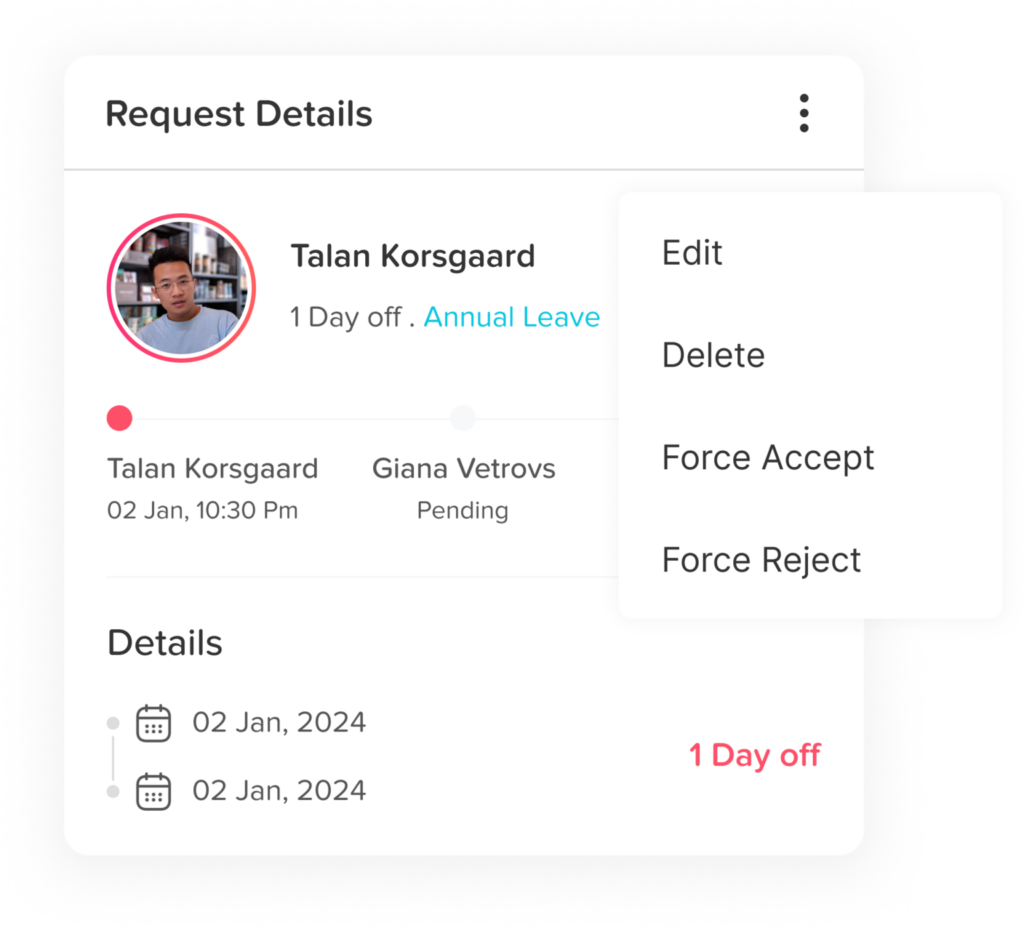
    Simple requests might need only a manager’s ok; complex ones (e.g., long leaves, project-impact days) could require sequential sign-offs from HR and Finance, for instance. Automated routing and reminder notifications ensure timely decisions and avoid process bottlenecks.

    Unified Shared Calendars + Blackout Periods

    Company-wide calendars visualize PTO across teams, preventing overbooking during peak windows. Blackout date functionality prohibits leave submissions during time-sensitive periods like financial closings, product launches, or industry events.

    Policy Hierarchy for Locations & Sub-Teams

    Global organizations often face multilayered policy needs, e.g., differing public holiday lists, accrual rates by region, and holiday supplants. The system should segment workforces by geography, department, or payroll cycle, and allow tailored PTO setups for each.

    Mobile-First Accessibility

    Remote work demands mobile-friendly workflows. A modern PTO tool must allow users to request, view, and approve leave via mobile apps—anytime, anywhere, reducing delays from access limitations.

    Enterprise-grade Integrations

    Seamless syncing with Google/Outlook calendars ensures everyone sees approved time off. Slack or Teams bots can automate reminders and approvals. Payroll, HRIS platforms, and project management apps should all connect, reducing manual data transfers.

    Reporting, Analytics & Compliance Dashboard

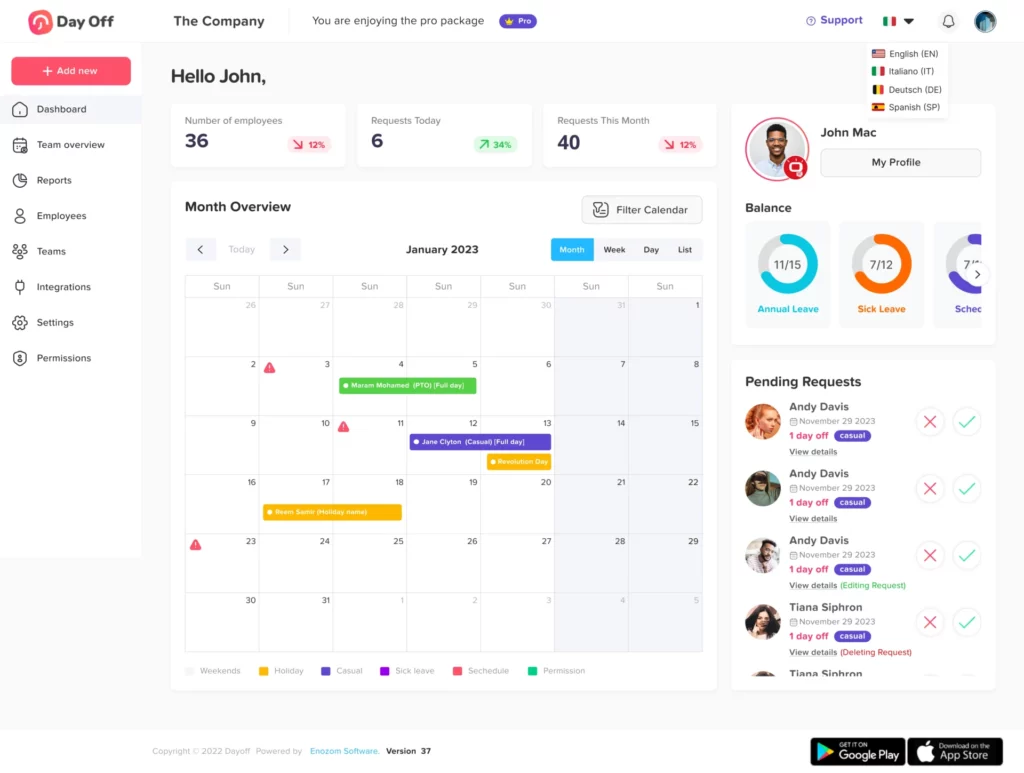
    Detailed reporting, on leave balances, aging accruals, calendar trends, and audit history, helps HR stay ahead of policy enforcement and legal obligations. Visual dashboards let leadership spot department-level trends and preempt coverage issues.

    Deep Dive: Day Off App & Its Pioneering Features

    Smarter time off tracking starts here.

    Day Off App emerges as a refined paid time off tracking solution, resonating particularly well with SMEs and enterprise-level teams thanks to its robust flexibility, intuitive UX, and policy-rich backbone.

    Accrual Logic & Carry-Over Flexibility

    Customizable accrual formulas

    Monthly/Weekly/biweekly/semimonthly: Set paid time off to accrue incrementally, say, 1.67 days per month or 3.85 hours per week, so balances update in real time, offering staff precise visibility into leave they’ve earned.


    Service-based tiers: Reward employee longevity with progressive accrual, like 10 days/year for years 0–2, and 15 days/year for years 3–5. This honors retention and growth.


    Pro-rated for part-time: Calculate leave automatically based on hours worked, e.g., a half-time employee accrues 0.5 days when a full-time employee accrues 1, ensuring fairness and administrative ease.

    Carry-over rules & balance policies

    Annual caps: Enforce limits such as “maximum 5 unused days may roll over”; extra balances may automatically convert to pay or “use it or lose it.”


    Time-based expiry: Carry-over amounts may expire after, say, 6 months into the new year, prompting timely leave planning.


    Negative balance recovery: If employees take leave beyond what’s accrued, the system tracks their debt and applies future accrual to pay it off, preventing manually corrected time-card adjustments.


    Reset mechanisms: At each anniversary or fiscal cycle, the system can wash balances clean or initiate custom “reset plus buffer” schemes.

    Multi-Level Approval Flow

    Approval routing versatility

    Hierarchical chains: A leave request can flow from the direct manager to HR or Finance with automatic escalation if one approver is unavailable.

    Parallel approvals: Ideal for contentious leave, e.g., overlapping vacations in small teams, where all relevant stakeholders (e.g., peer leads, cross-functional PMs) need sign-off simultaneously.

    Customizable phases: Organizations can define different approval flows depending on employee seniority, leave duration, or team criticality.

    Reminders and accountability

    Due-date triggers: As the deadline to approve approaches, the system sends reminders via email or push, minimizing bottlenecks and forgotten requests.

    Audit trails: Every step is logged, who approved, at what time, with optional comments, providing HR with robust documentation and managers with full oversight.

    Shared Calendars & Blackout Date Control

    Collaborative team planning

    Unified calendar feeds: Allow viewing of all pending and approved leaves by team or across departments. Managers can filter by location, role or project team for targeted resource planning.


    Calendar overlays: Integrate with employee calendars so PTO entries appear as “Out of Office,” maintaining transparency and support for ad-hoc scheduling.


    Custom color-coding: Visual differentiation, such as “Pending,” “Approved,” and “Blackout,” gives a quick, shared view for everyone.

    Blackout enforcement

    Request blocking: If a blackout period (e.g., audit week, major demo dates) is defined, the system automatically rejects new requests in that date range, eliminating manual enforcement.


    Override alerts: Managers can flag blackout policies if an exceptional exception is needed, preserving control while maintaining policy discipline.

    Sub-Team & Location-Specific Policy

    Granular segmentation

    Departmental divisions: Tailor policies per team, such as “Engineering” vs. “Customer Support,” with differentiated accrual rates or parental leave allowances.


    Geographic tailoring: HR can establish locales, for example, UK teams get 28 statutory leave days, while Middle East teams follow different holiday statutes.


    Multicompany support: For multi-entity structures, each business unit can maintain its own leave rules while enabling consolidated reporting.

    Scoped management

    Manager dashboards: Managers can drill into leave behavior within their teams, seeing who’s away soon, who is burning unused time, and upcoming workload impacts, without viewing other groups.


    Cross-team insight: Executives can view real-time staffing coverage across the company or specific regions during critical periods.

    Reporting Module

    Day Off App’s reporting capabilities go far beyond spreadsheets, they’re built to inform decisions, support compliance, and enhance team wellness.

    Flexible Export & Filter Options

    Multiple export formats: Instantly download reports as .xlsx, PDF, or print them directly from the dashboard.


    Advanced filtering: Reports can be generated by leave type, period, team, individual employee, or request status, helping HR tailor outputs for payroll, audits, or executive summaries.

    Tailored Reporting Views

    Balance Report: Offers a snapshot of each employee’s total and used PTO across leave categories, with filters for location and leave policy.


    Detailed Requests Report: Lists every leave request, approved, pending, or rejected, along with dates, durations, and leave reasons.


    Totals Report: Summarizes the total leave (days or hours) taken by the employee over a selected interval.


    Accrual Report: Tracks earned leave over time per user, including accrual dates and amounts, critical for complex PTO policies.


    Carryover Report: Displays what unused leave was rolled over, any expiry rules applied, and remaining balances.

    Insightful Analytics & Risk Management

    Trend analysis: View leave usage by month or quarter, identify patterns like absentee spikes or underutilization.


    Burnout or hoarding flags: Detect staff who haven’t taken time off or have excessive leave balances, prompting discussions before stress peaks.


    Audit-ready logs: Every action, request, modification, approval, cancellation, is chronologically recorded, helping HR maintain a complete compliance history.

    Native Mobile Support

    Day Off’s mobile apps deliver full parity with the web platform, empowering users to manage PTO seamlessly, even when away from their desks.

    Request & balance management on-the-go

    Employees can submit leave requests, attach notes or files (e.g., doctor’s notes), and instantly view current PTO balances, all within the mobile app.

    Managers receive push notifications and can approve or reject requests with just a tap, cutting down approval delays and eliminating email chains.

    Designed for speed and clarity

    With a polished mobile-first interface, users benefit from quick swipe-tap approval workflows, clear dashboards for balance visibility, and calendar sync features that streamline daily usage

    Integrations (Calendars & Chat)

    Day Off integrates smoothly with popular productivity tools, embedding paid time off tracking into existing team workflows.

    Calendar sync to Google & Outlook

    Approved leave automatically appears in Google or Outlook calendars as “busy,” ensuring whole-team visibility and eliminating scheduling conflicts.

    Admins can exclude certain leave types (e.g., volunteer or unpaid days) from syncing, keeping calendars clean and relevant.

    Slack & Microsoft Teams bots

    In-chat commands like Day Off request 2025-07-25 to 2025-07-27 allow users to request leave without switching apps.

    Managers receive immediate notifications in Slack or Teams with actionable buttons (“Approve/Deny”) embedded within the message.

    Robust API connections

    For advanced use cases, Day Off offers API access for syncing leave data with HRIS, payroll, or time-tracking systems, promoting automation and consolidated analytics

    Pricing

    Startup

    Free
    • 10 Employees
    • Single Approver
    • Single Policy
    • SingleTeam
    • SingleLocation

    Startup

    1-2$Pro
    • Unlimited
    • Multi Approvers
    • Multi Teams
    • +5 Integrations
    • 24/7 support

    PTO Best Practices for Organizations

    Based on user experiences and industry-standard workflows:

    Codify Policies Clearly

    Define PTO types (e.g., annual, sick, sabbatical), accrual rules, carry-over caps, and blackout dates before system setup. Clear definitions ensure that the platform’s behavior aligns with real-world expectations.

    Segment by Work Structures

    Distinguish rules by region or team, e.g., UK staff receive statutory holidays plus local closures, while field teams accrue leave pro-rated for irregular hours. Note that some reviewers asked for easier multi-country calendar setups, emphasizing the need for careful configuration during the rollout of Vacation Tracker.

    Empower Approvers

    Define alternate approvers or configure escalation rules if a manager is unavailable. Enabling notifications after 72 hours helps avoid stagnating leave requests and keeps processes moving.

    Embed Integrations

    Sync approved PTO with Google/Outlook calendars and Slack (or Teams) to keep everyone informed. For example, the Slack integration sends daily digests (“Who is off today?”), which supports team transparency and avoids surprises.

    Monitor Trends Consistently

    Track leave usage data to spot unusual patterns like year-end “leave-hoarding” or low PTO uptake in certain teams, metrics that may signal overwork or disengagement.

    Empower Education

    Launch with interactive training sessions, FAQs, or short video walkthroughs. In one case, a small organization saw immediate adoption thanks to straightforward onboarding and tutorial support, lessening the admin burden.

    Iterate Regularly

    Plan quarterly reviews of PTO policies, blackout date updates, and integrate user feedback. Users have reported missing features, like hourly request flexibility,  so maintaining a feedback loop ensures continuous improvement.

    FAQs

    Can employees request multiple leave types in a single request (e.g., sick + unpaid)?

    Currently, Day Off requires leave to be categorized by a single type per request. However, users can submit multiple consecutive requests under different types (e.g., 2 days of sick leave followed by 1 day unpaid), and managers will receive and process each individually.

    How does Day Off handle half-day or hourly leave requests?

    Yes, Day Off supports half-day requests. Hourly requests are available under specific configurations, ideal for part-time teams or those needing micro-leave tracking (e.g., 2-hour early departures). Admins can enable or restrict hourly options depending on policy.

    Can public holidays be automatically imported for different countries?

    Yes. Day Off allows you to import or customize public holiday calendars by country or region. Admins can apply different calendars to different teams or locations, useful for multinational setups.

    What happens when two team members request overlapping dates during a critical period?

    If blackout dates are defined, the request will be auto-blocked. Otherwise, overlapping leave triggers visibility alerts to approvers, who can decline, approve selectively, or suggest rescheduling based on team capacity.

    Can leave types have unique rules (e.g., maternity requiring documents, sick leave needing notes)?

    Yes. Each leave type can be customized to include required documentation, approval levels, and visibility settings. For instance, sick leave might require a doctor’s note, while casual leave may only need a manager’s sign-off.

    Is SSO (Single Sign-On) available?

    Yes, SSO is supported in the Enterprise plan. It integrates with common identity providers (e.g., Azure AD, Google Workspace, Okta) for secure, centralized access control.

    What kind of support is available?

    Day Off offers live chat, email support, and an in-depth Help Center with guides and tutorials. Pro and Enterprise users receive priority responses, and onboarding assistance is included at the Enterprise level.

    How secure is my company’s data?

    Day Off complies with SOC 2 Type II and ISO‑27001 standards. It uses TLS for data in transit and AES‑256 encryption at rest. Daily backups and role-based access further enhance data protection.

    How long does it take to set up Day Off for a new company?

    For small teams, a full setup, including policy definition, user import, and holiday configuration, can be done in under an hour. Larger enterprises with custom workflows and integrations typically complete rollout in 1–2 weeks.

    Conclusion

    Effective Paid time off tracking isn’t just about logging absences, it’s a strategic advantage that improves team coordination, ensures compliance, reduces burnout, and supports a transparent workplace culture. With tools like Day Off Vaacation Tracker, organizations gain a flexible, mobile-first, and highly customizable platform for managing paid time off tracking. From automated accruals and blackout enforcement to mobile approvals and real-time reporting, Day Off delivers the functionality and clarity modern teams need. Whether you’re running a small startup or a distributed enterprise, investing in structured paid time off tracking ensures better planning, happier employees, and more resilient operations.

  • Free Attendance Tracker for Work & School | Download Now

    Free Attendance Tracker for Work & School | Download Now

    Efficiently managing employee attendance, PTO, and work schedules is vital for keeping teams organized and operations running smoothly. The right attendance tracker apps make it easy to track who’s in, who’s out, and when, without relying on clunky spreadsheets or manual updates. In this guide, we break down the most effective tools available, starting with Day Off, to help you find the best attendance tracker app for your team’s unique needs.
    Why Use an Attendance Tracker?

    Whether your team is in one office or spread across time zones, knowing who’s available and when is crucial. An attendance tracker isn’t just a digital sign-in sheet. It’s a system that brings clarity to your operations. It helps managers plan workloads, HR teams stay compliant, and employees know their time off is being handled fairly and transparently. No more chasing down spreadsheets or wondering if someone’s out today.

    What to Look for in the Best Attendance Tracker

    From startups to enterprise teams, the right tool can make attendance tracking a seamless part of your workflow. After diving deep into dozens of platforms, here are the top qualities that make a tracker truly stand out:

    • User-Friendly Design
      If your team needs a tutorial just to request a day off, something’s wrong. Great trackers are intuitive, fast, and built for real people, not just HR pros.

    • Customizability
      Every team has different rhythms. Look for tools that let you define your own leave types, workweeks, approval paths, and holiday calendars. The more adaptable, the better.

    • Smooth Integrations
      Your tracker should play nicely with your existing tools, Google Calendar, Outlook, Slack, Microsoft Teams, and more. The goal is less manual entry, more automation.

    • Actionable Insights
      Good reporting turns raw attendance data into useful information. Track absenteeism trends, see who’s taking too little PTO, and spot issues before they become problems.

    • Responsive Support
      Fast, knowledgeable support, ideally from real humans, makes setup and troubleshooting a breeze. It’s especially valuable when rolling out the tool across your organization.

    Day Off Vacation Tracker is a sleek, cloud-based leave and PTO management platform built for modern teams. It’s designed to be intuitive for employees and powerful enough for HR. With over 5,000 companies on board, including global names like McDonald’s, Vodafone, and Kroger. Day Off has proven itself as a reliable tool across industries. Whether you’re managing a distributed team or a large enterprise, it simplifies time-off tracking with clarity, control, and zero hassle.

    Custom Leave Types & Advanced Accruals

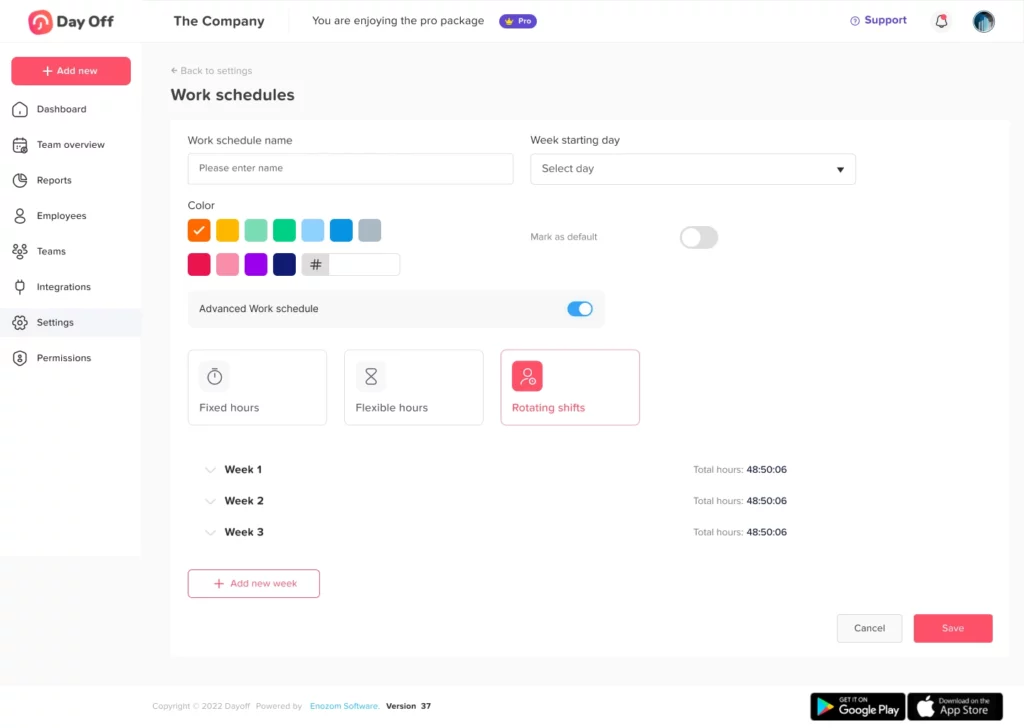
    Day Off gives you full control over how time off is defined and managed. You can easily create leave categories that suit your business, vacation, sick days, unpaid leave, comp time, half-days, or anything else your policy requires. Accruals are highly customizable, letting you set rules by the week, month, anniversary date, or fiscal year. You can automate carry-over limits, expiration policies, and max balance caps to ensure compliance and avoid confusion. It’s built to match the way your team works.

    Multi‑Level Approval Workflows

    Whether you need a simple manager sign-off or a multi-step HR approval chain, Day Off handles it effortlessly. Approvals can be routed through one or two levels of decision-makers, complete with instant notifications, reminders, and status updates. You can also set blackout dates to block leave requests during busy seasons or critical periods. The result? Smoother planning and fewer surprises.

    Sub‑Teams & Multi‑Location Policies

    If your organization spans departments or continents, Day Off adapts to your structure. You can configure different workweeks, time-off policies, and holiday calendars for each team or office. Each sub-team can have its own approval chain and rules, so your HR practices remain consistent while honoring local customs and labor laws. It’s a flexible system for complex organizations.

    Shared Calendars & Centralized Dashboards

    Visibility is key to effective scheduling, and Day Off delivers with real-time dashboards and shared calendars. View who’s out and when across departments or regions, using calendar or list views that update automatically. It syncs seamlessly with Google Calendar, Outlook, and more, so managers can plan around absences without needing to dig through spreadsheets or emails.

    Mobile & Desktop Accessibility + Integrations

    Day Off is available on the web and on iOS/Android, giving users the flexibility to submit and approve leave from anywhere. It integrates with everyday tools like Slack and Microsoft Teams to push real-time updates and approval prompts where your team already communicates. Add in calendar sync and email alerts, and you get a system that’s tightly woven into your existing workflow, no extra logins or manual updates needed.

    Pricing: Scales with Your Team

    Day Off keeps its pricing simple and accessible. The Free Plan covers unlimited users and includes essential features like leave types, accrual tracking, a shared calendar, and single-level approvals, perfect for small teams. The Pro Plan starts at around $20/month and unlocks advanced capabilities like multi-step approvals, reporting, integrations, and department-level customization. It’s affordable and scales as your team grows. Lite package ($1 per person/month): limited number of employees, daily leave types, and up to 3 policies.


    Stellar User Feedback

    Day Off consistently receives high praise for its user experience. Reviewers often highlight how easy it is to get started, how intuitive the interface feels, and how helpful the customer support team is during setup. Users especially love the clarity it brings to leave scheduling and the ability to prevent overlapping requests with just a glance at the calendar. One manager summed it up best:

    “I like how easy it is to set up… no overlapping vacations.”

    Vacation Tracker

    Vacation Tracker is purpose-built for teams that live in Slack or Microsoft Teams, offering a lightweight, in-chat solution to request, approve, and monitor paid time off. With over 2,500 global teams relying on its tools, it removes the need for spreadsheets and external dashboards by fully integrating leave workflows into your everyday communications.

    Feature Deep Dive

    • In-Chat Leave Requests
      Employees can submit, modify, and cancel leave requests directly through slash commands in Slack or Teams. Managers approve or deny requests right in the chat window, reducing response delays and minimizing disruption.

    • Custom Leave Policies
      You can define unlimited leave types, vacation, sick days, time off in lieu (TOIL), etc., and configure policies with automated accruals, blackout periods, carryovers, and location-based settings. This makes it flexible enough for distributed teams, though it lacks the advanced sub-team configuration of Day Off.

    • Visibility & Reporting
      Send automated daily or weekly leave summaries to chosen Slack channels to keep your team in sync. Integrate with Google, Outlook, and iCal to reflect time off on personal and shared calendars. Reporting is available but lacks the depth and real-time dashboard flexibility that Day Off offers.

    Pricing

    • Free 7-Day Trial: No credit card required.

    • Basic Plan: ~$1/user/month, covers essentials.

    • Complete Plan: ~$3/user/month, adds analytics, multi-location support, and substitute handling.

    AttendanceBot

    AttendanceBot combines leave tracking, time clock features, shift planning, and live availability updates—all managed within Slack or Microsoft Teams. It’s built for teams that want an all-in-one workforce management experience in their daily messaging app.

    Feature Deep Dive

    • Comprehensive Leave Support
      AttendanceBot supports a wide range of leave types: vacation, sick days, work-from-home, and more. It allows for layered approval workflows and enforces leave quotas and blackout periods. It’s well-rounded but lacks the polished UX and deeper customization seen in Day Off.

    • In-Chat Time Tracking
      Users can clock in, clock out, and log breaks using simple commands. Managers can configure rules for overtime, add project codes, and oversee time logs directly from chat. It offers versatility, especially for hybrid or in-office teams.

    • Project & Client Integration
      Employees can tag time entries to specific clients or tasks. Data can be exported to Excel or connected with tools like Jira. While powerful, these project-specific tools may be excessive for teams only seeking leave management.

    • Shift & Roster Tools
      Managers can plan shifts, view availability boards, and receive real-time updates on team status. This aids in coordination but can become cluttered for teams not needing time-tracking tools.

    Pricing

    • Free 14-Day Trial

    • Standard Plan: Starts at $4/user/month

    Clockify

    Originally a time-tracking tool for freelancers and agencies, Clockify has expanded to include attendance logs and basic PTO features. It’s particularly suited to project-focused teams who need timesheets and lightweight leave tracking.

    Feature Deep Dive

    • Time Tracking Features
      Employees can track time using real-time timers, manual entries, or weekly timesheets. Great for productivity, though it doesn’t offer leave approval chains or calendar visibility like Day Off.

    • Attendance Logs
      Clockify logs working hours and records basic time-off categories. While useful, it lacks advanced automation, multi-tier approvals, and custom policies available in Day Off.

    • Location Tools
      Clockify supports GPS-based check-ins and a kiosk mode for shared workspaces. Useful for location-sensitive industries but not typically needed for remote or office teams.

    • Report Exports
      Detailed reports can be exported for payroll or billing, helping with cost tracking. However, its reporting is more project-focused than HR-centric, making it less ideal for leave transparency.

    • Paid Upgrades
      Premium plans start at $5–13 per user per month, unlocking team features, invoicing, and calendar sync. Still, the free plan remains attractive for startups and freelancers.

    Clockify is a good choice for teams that prioritize time-tracking over leave tracking. But for HR and PTO-heavy needs, Day Off remains a far superior, more focused option.

    Connecteam

    Connecteam is designed for non-desk and frontline workers in industries like logistics, construction, and healthcare. It combines GPS-based time tracking, shift scheduling, and PTO in a mobile-first platform.

    Feature Deep Dive

    • GPS Clock-In
      Connecteam allows employees to clock in and out with geofencing validation. It ensures attendance accuracy in field operations but doesn’t cater as well to hybrid or remote teams compared to Day Off.

    • Shift Scheduling
      Use drag-and-drop templates and auto-assignment tools to manage rotating shifts. Great for shift-heavy businesses, though it may be too complex for teams only looking for leave tools.

    • Mobile PTO Requests
      Employees can request leave from their mobile app. While convenient, it lacks the deep policy configuration and dashboard clarity offered by Day Off.

    • Free Tier & Scalability
      Free for up to 10 users, with modular pricing for advanced features. Great for growing businesses, though managing policies across sub-teams is less intuitive than in Day Off.

    Connecteam is excellent for on-the-go teams needing mobile scheduling and location-aware attendance, but it’s not as refined for PTO-centric management as Day Off.

    Hubstaff – Remote Tracking with GPS & Activity Monitoring

    Hubstaff is built for remote teams that want insight into productivity and attendance. It mixes GPS location tracking, screenshot capture, time logs, and basic leave management into a single tool.

    Feature Deep Dive

    • Productivity Insights
      Tracks activity through mouse and keyboard usage and takes optional screenshots. Provides accountability but may feel invasive compared to Day Off’s user-friendly, trust-based tools.

    • Remote GPS & Time Logging
      Tracks employee location and hours in real time. Works well for remote or mobile teams but isn’t optimized for comprehensive PTO workflows.

    • PTO Integration
      PTO tracking is available but basic. It integrates into timesheets but lacks robust reporting or configurable leave types.

    • Payroll & Tools Sync
      Connects with platforms like QuickBooks and Asana for streamlined billing and operations.

    Pricing

    Starts at $5/user/month with add-ons for advanced monitoring.

    Hubstaff is suited for teams focused on productivity and tracking. For PTO-first needs with advanced team visibility, Day Off remains a better fit.

    When I Work

    When I Work is built specifically for shift-based industries like retail, food service, hospitality, and healthcare. It combines employee scheduling, time tracking, and basic leave management in a user-friendly, mobile-accessible platform that helps frontline teams stay organized and connected.

    Feature Deep Dive

    • Clock-In/Out from Any Device
      Employees can clock in and out via mobile, desktop, or shared terminals. It’s a straightforward system for tracking hours worked, though it doesn’t offer the refined interface or calendar synchronization that Day Off provides.

    • Flexible Schedule Management
      Create shifts in minutes using templates, approve swap requests, and send real-time schedule alerts to team members. Ideal for fast-paced, rotating shifts, but it lacks the deeper approval workflows and team segmentation features of Day Off.

    • PTO Tracking Built Into Scheduling
      Time-off requests are integrated into the schedule view, making it easy for managers to visualize availability. However, its leave management tools are relatively basic, with limited automation, no multi-location rules, and minimal accrual tracking.

    • Affordable, Tiered Pricing
      Pricing starts at $3–$5+ per user per month, with higher tiers unlocking features like payroll and POS integrations. Cost-effective for hourly workforces, though less comprehensive than platforms focused primarily on leave and policy management.

    When I Work is a practical solution for shift-heavy teams looking to streamline attendance and scheduling in one place. While it gets the job done for hourly environments, it falls short on the policy depth, automation, and multi-location support that makes Day Off the stronger all-around choice for PTO and workforce planning.

    Frequently Asked Questions: Attendance Tracker Apps

    What is an Attendance Tracker App?

    An attendance tracker app is a digital tool designed to monitor employee working hours, time-off requests, absences, and overall availability. These apps replace traditional spreadsheets or manual logs with automated systems, making it easier to manage scheduling, PTO, and compliance in one platform.

    Who Should Use an Attendance Tracker App?

    These tools are valuable for companies of all sizes, from small startups to large enterprises. Whether you’re managing shift workers, remote teams, field employees, or cross-location staff, an attendance tracker helps reduce scheduling conflicts, streamline approvals, and provide visibility across your organization.

    Are Attendance Tracker Apps Only for PTO?

    No. While many apps like Day Off specialize in leave tracking, others, such as AttendanceBot and Connecteam, include features for time tracking, shift scheduling, GPS clock-ins, and productivity monitoring. Choosing the right app depends on your specific operational needs.

    Can These Apps Integrate With Payroll or HR Systems?

    Yes. Many attendance tracker apps offer integrations with payroll platforms like Gusto or QuickBooks, and tools like Google Calendar, Slack, Outlook, and Microsoft Teams. Day Off, for example, syncs with calendars and communication tools to reduce duplicate entries and manual errors.

    How Do Attendance Tracker Apps Handle Security?

    Most reputable apps follow industry-standard security protocols, including SOC 2 Type II compliance, TLS encryption, and data backups. Day Off, in particular, emphasizes enterprise-grade security, while others like Hubstaff and Vacation Tracker also adhere to strong compliance practices.

    Are There Free Attendance Tracker Apps?

    Yes. Tools like Day Off, Clockify, and Connecteam offer free plans with basic functionality, ideal for smaller teams. Paid versions unlock advanced features like multi-step approvals, integrations, analytics, and multi-location support.

    How Hard Is It to Set Up an Attendance Tracker App?

    Most modern platforms are built for quick onboarding. Day Off, for instance, is often praised for how easy it is to implement without IT assistance. Other tools like Vacation Tracker and AttendanceBot integrate directly with Slack or Teams, making setup seamless for tech-savvy teams.

    What’s the Best Attendance Tracker App Overall?

    After reviewing several top tools, Day Off stands out as the most balanced, user-friendly, and feature-rich option, offering deep customization, powerful automation, and transparent pricing. It’s the best all-around choice for managing attendance, PTO, and scheduling in one unified platform.

    Conclusion: Choosing the Right Attendance Tracker App

    Choosing the right attendance tracker apps is essential for managing PTO, employee schedules, and overall team visibility efficiently. With options ranging from chat-based tools to comprehensive platforms, there’s a solution for every business need. However, Day Off consistently stands out thanks to its clean interface, customizable features, and seamless integration into daily workflows, making it the top choice for modern, growing teams.


    Smarter time off tracking starts here.

  • 9+ Work Schedule Strategies Every Manager Should Know

    9+ Work Schedule Strategies Every Manager Should Know

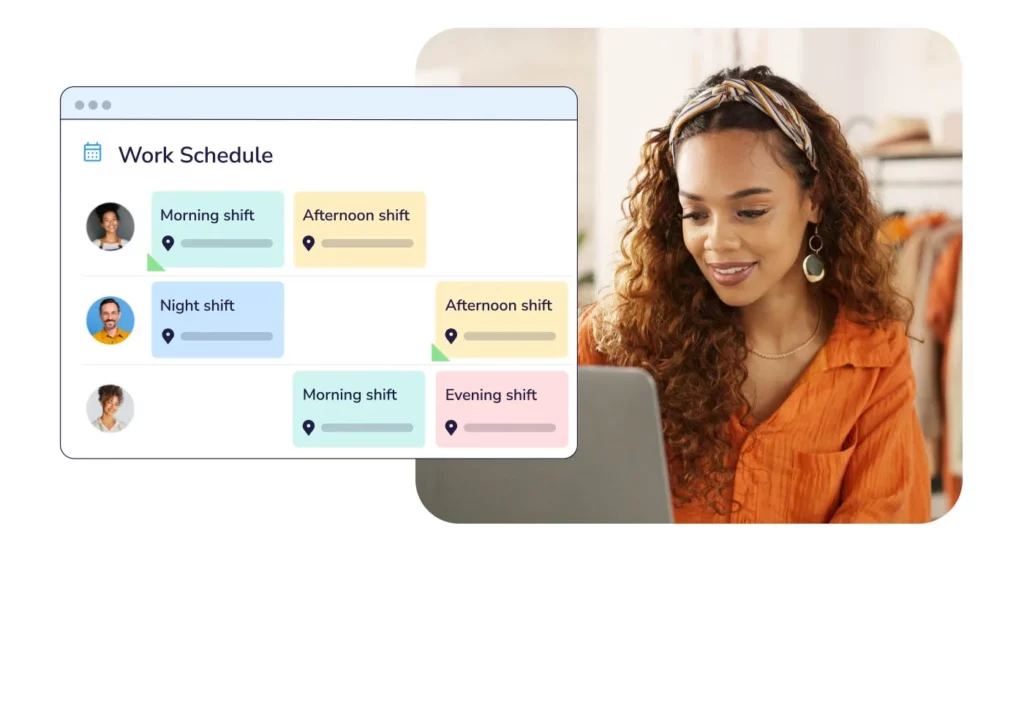
    An effective work schedule is the backbone of any productive team. As a manager, your ability to coordinate time, align responsibilities, and accommodate flexibility directly impacts team performance, satisfaction, and retention. But scheduling isn’t just about filling shifts it’s about creating a framework that supports your people while meeting organizational goals.


    In today’s increasingly flexible and remote work environment, smart scheduling is a non-negotiable skill. Here’s a deep dive into the most essential work schedule strategies every manager should know, with actionable guidance for each.

    Assess Your Operational Needs First

    Before creating a schedule, take a step back to understand the unique demands of your business. Every company has its own rhythm, periods of high activity, quiet times, client expectations, and specific roles that require real-time availability.

    Start by mapping your business cycle:

    • When are your peak hours or days?

    • Which tasks require real-time collaboration?

    • Are there regulatory requirements like shift coverage or labor law constraints?

    For example, a customer service team might need full coverage from 8 AM to 8 PM, while a software development team could have more flexibility as long as deadlines are met. By clearly identifying these needs, you can ensure your schedule supports productivity without unnecessary rigidity.

    Learn About Employee Preferences and Constraints

    Understanding your team’s individual circumstances is crucial. Employees are more engaged and loyal when they feel their personal needs are acknowledged. Some may be more productive in the morning, while others prefer working later in the day. Others may have caregiving responsibilities, school commitments, or health conditions that affect availability.

    How to gather this insight:

    • Conduct anonymous surveys to identify preferences

    • Use onboarding checklists that include availability questions

    • Host periodic 1-on-1 meetings to revisit constraints or new life developments

    When preferences are considered, employees feel respected and are more likely to reciprocate with flexibility when the company needs it.

    Offer and Manage Flexible Work Schedule Models

    Flexibility has become one of the most valued workplace benefits. That doesn’t mean eliminating structure it means building systems that allow freedom within boundaries.

    Here are a few flexible scheduling models to consider:

    • Flextime: Employees choose their start and end times within agreed windows.

    • Compressed Workweeks: Employees work longer hours over fewer days (e.g., four 10-hour days).

    • Hybrid Work: A mix of remote and in-office days.

    • Self-scheduling: Employees select their own shifts based on availability and demand.

    To avoid chaos, define “core hours” specific times when all team members are expected to be online and available. This ensures collaboration isn’t compromised, even with varied schedules.

    Use a Centralized Scheduling and Leave Management System

    Manual scheduling methods, such as Excel sheets, whiteboards, or emails, are outdated and inefficient. They increase the likelihood of errors, miscommunication, and burnout especially as your team grows.

    By using a digital scheduling or leave management platform, you gain:

    • Real-time visibility into who’s working and when

    • Conflict-free shift planning

    • Easy PTO and holiday tracking

    • Automated alerts for overlaps or shortages

    • Mobile access for updates on the go

    A tool like Day Off App makes it simple to coordinate leave requests, track time off, and give both managers and employees peace of mind.

    Build a Leave Calendar and Plan Ahead

    Unexpected absences can disrupt workflows and frustrate clients. But many of these disruptions can be avoided with proactive planning. A shared leave calendar keeps everyone informed of who’s available, who’s off, and when major absences are coming up.

    Here’s how to use it:

    • Mark public holidays and company-wide breaks in advance

    • Set internal deadlines for submitting vacation requests

    • Block critical periods (e.g., product launches) as “no-leave” windows

    • Encourage early requests to avoid last-minute rushes

    This visibility helps with planning and reduces the likelihood of short-staffing during key business moments.

    Prevent Burnout with Equitable Work Schedule

    Burnout happens when employees are overworked or feel they’re being unfairly burdened. Scheduling plays a direct role in employee wellness which in turn affects morale, creativity, and retention.


    How to ensure fairness:

    • Use shift rotation systems to distribute undesirable shifts (e.g., weekends)

    • Monitor overtime and ensure it’s voluntary and fairly compensated

    • Schedule adequate rest time between shifts

    • Allow mental health days and promote their use

    Also, consider workload balancing. If one employee is regularly scheduled during high-pressure hours while others get lighter shifts, resentment will grow.

    Communicate the Schedule Clearly and Consistently

    Even the best-planned schedule is useless if it’s not communicated well. A lack of clarity around who is working when can result in missed meetings, dropped tasks, or staff showing up at the wrong times.


    How to ensure transparency:

    • Publish the schedule at least two weeks in advance

    • Use platforms that send automatic updates and reminders

    • Make schedules accessible from mobile devices

    • Offer a clear process for disputes or change requests

    A shared, digital calendar is better than static PDFs or printed copies especially in remote or hybrid teams.

    Create Backup Plans and Cross-Training

    Schedules need to be resilient. Whether it’s a sick day, personal emergency, or sudden resignation, you should be prepared for disruptions.


    Key tactics:

    • Cross-train employees in multiple roles or tasks

    • Create a list of reliable part-time or freelance backups

    • Maintain SOPs (Standard Operating Procedures) so anyone can step in

    For example, if a key designer is out unexpectedly, a teammate familiar with design basics can pick up light tasks until they return. This approach not only keeps things moving but also develops team skills.

    Track, Analyze, and Optimize Your Work Schedule

    Without tracking data, you’re scheduling in the dark. Over time, even minor inefficiencies in your scheduling practices can lead to missed opportunities, overspending, or disengaged staff.


    What to monitor:

    • Shift coverage and unfilled time slots

    • Time-off patterns across months or seasons

    • Instances of absenteeism or lateness

    • Total hours worked vs. results delivered

    Use these insights to adjust schedules, balance workloads, and plan better for high-demand periods. Scheduling should evolve based on data and real-world feedback, not guesswork.

    Foster a Culture of Trust and Mutual Respect

    Work schedules reflect company culture. When employees feel heard, respected, and trusted to manage their time, they’re more likely to stay engaged and loyal. Empower your team to contribute to the scheduling process where appropriate.


    Build this culture by:

    • Encouraging open dialogue around work-life balance

    • Letting employees swap shifts (with proper oversight)

    • Recognizing those who adapt when needed

    • Being transparent about business needs

    When employees feel ownership of their schedule, they take greater responsibility for showing up physically or virtually at their best.

    FAQs

    What’s the difference between a fixed Work Schedule and a flexible Work Schedule?

    A fixed schedule has set working hours that do not change for example, 9 AM to 5 PM, Monday to Friday. A flexible schedule allows employees to choose their work hours within certain limits (e.g., starting between 7–10 AM), or work compressed weeks (like four 10-hour days).

    Flexible schedules are ideal for boosting work-life balance, but they still require clear expectations, especially around collaboration windows.

    How far in advance should work schedule be published?

    Best practice is to release schedules at least two weeks in advance. This gives employees time to plan personal activities, request changes, or raise conflicts. For shift-based workplaces, some companies aim for a monthly schedule to reduce last-minute disruptions.

    Publishing early also helps managers avoid scheduling errors and promotes transparency.

    How do I handle overlapping time-off requests?

    When two employees request overlapping time off:

    • Refer to your leave policy for prioritization (e.g., first-come, first-served or seniority-based).

    • Assess the impact on team operations.

    • Consider partial approvals (e.g., half-days or adjusted dates).

    • Use a shared leave calendar to encourage team members to plan around each other.

    Encourage early planning to avoid these overlaps altogether, especially during holidays or high-demand periods.

    What if employees don’t follow the published Work Schedule?

    First, determine the cause:

    • Was there a communication breakdown?

    • Was it a one-time emergency?

    • Are there patterns of lateness or absenteeism?

    Address recurring issues privately and with empathy. Clarify expectations, offer support if personal challenges are involved, and document repeated violations if necessary. Use scheduling tools with notification features to minimize misunderstandings.

    How can I ensure fairness when creating Work Schedule?

    To build a fair schedule:

    • Rotate unpopular shifts (e.g., weekends or holidays).

    • Use employee input where possible (via shift bidding or surveys).

    • Ensure no one is consistently overloaded.

    • Track hours worked and time off taken to balance long-term fairness.

    Fairness is not about everyone having the same schedule it’s about aligning with individual needs and distributing workload equitably.

    Can technology really make scheduling easier?

    Yes and it’s often a game-changer. Scheduling software can:

    • Automate time-off tracking and conflict detection

    • Send real-time updates to employees

    • Integrate with payroll and attendance systems

    • Provide analytics on workforce utilization

    Apps like Day Off are designed to simplify scheduling and leave management, especially for small to mid-sized teams that need efficiency without complexity.

    What are “core hours,” and should I use them?

    Core hours are specific times during the day when all employees are expected to be working or available for collaboration (e.g., 10 AM – 3 PM). They are especially helpful in flexible or remote teams.

    They strike a balance between flexibility and accountability, ensuring meetings and teamwork happen smoothly without requiring rigid full-day availability.

    How to do Work Schedule for remote or hybrid teams effectively?

    When scheduling remote or hybrid teams:

    • Prioritize outcomes over hours worked

    • Set clear expectations for availability and response times

    • Use tools that sync calendars, time zones, and deadlines

    • Include regular check-ins and async collaboration options

    Also, be sensitive to time zone differences when coordinating international teams. Avoid always scheduling meetings in one team’s favor.

    How can I prevent burnout through scheduling?

    Burnout often stems from poor schedule management. To prevent it:

    • Avoid scheduling back-to-back intense days or weeks

    • Ensure people take real breaks and vacations

    • Limit excessive overtime or weekend shifts

    • Watch for signs of mental fatigue in check-ins

    Scheduling with well-being in mind leads to more sustainable performance.

    What’s the best way to handle last-minute changes or emergencies?

    Every team should have a back-up plan. Here’s how:

    • Maintain a list of cross-trained employees or backup staff

    • Use a scheduling platform that allows quick edits and notifications

    • Empower employees to coordinate swaps (with manager approval)

    • Be flexible support each other during emergencies, and expect the same when roles reverse

    Planning for unpredictability is a key part of great scheduling.

    Conclusion

    Effective scheduling is more than just assigning shifts; it’s about building structure, balance, and trust within your team. When done right, it empowers employees to do their best work while ensuring business continuity and fairness.


    By combining thoughtful planning with the right technology, managers can create schedules that support both productivity and well-being. Tools like Day Off make this process easier by automating leave tracking, preventing conflicts, and giving everyone real-time visibility into their time.


    Whether your team operates on fixed hours, rotating shifts, or flexible arrangements, a well-designed schedule helps people feel valued, stay engaged, and perform at their peak. Start scheduling smarter, not harder, and watch your team thrive.


    Smarter time off tracking starts here.

  • Vacation Tracking: Strategies, Tools, and Best Practices

    Vacation Tracking: Strategies, Tools, and Best Practices

    Employee Vacation Tracking plays a vital role in ensuring that operations run smoothly while maintaining high levels of employee satisfaction. It’s more than just keeping tabs on who’s on leave, it’s about strategic planning, compliance, and fostering a healthy work-life balance. Let’s dive deeper into the importance of tracking employee vacations, the challenges it presents, and how to build a robust tracking system.

    Why Employee Vacation Tracking Matters

    Operational Efficiency

    Unplanned employee absences can cause significant disruptions, especially when critical roles are left uncovered. Without a reliable system to track who is off and when, teams can face overlapping absences, missed deadlines, and decreased productivity. Proper employee vacation tracking allows managers to schedule work effectively, redistribute tasks in advance, and ensure there’s adequate coverage. This helps businesses maintain continuity even during peak vacation seasons, like summer or holidays, and supports smooth project execution.

    Legal Compliance

    Different countries, and sometimes even states or provinces, have unique labor laws governing vacation entitlements, accrual rates, and rollover policies. Non-compliance with these regulations can result in penalties, lawsuits, or damaged employee relations. A well-maintained employee vacation tracking system helps HR departments stay aligned with legal standards by automating accruals and ensuring that all records are up-to-date. It also provides necessary documentation in case of audits or disputes, reducing risk and maintaining organizational integrity.

    Employee Satisfaction

    Vacation time is a critical component of employee wellness. When vacation policies are vague or time off isn’t tracked accurately, it can lead to confusion, resentment, and burnout. On the other hand, transparent and consistent tracking gives employees confidence in their benefits and empowers them to take time off without hassle. A well-structured employee vacation tracking system fosters fairness and ensures that everyone has equal opportunity to recharge and maintain a healthy work-life balance.

    Financial Planning

    Unused vacation time, often referred to as accrued leave, represents a financial liability for the organization. If not properly accounted for, it can significantly impact the company’s bottom line, especially when employees leave and must be compensated for unused days. An efficient tracking system helps businesses forecast leave liabilities, manage accrual trends, and make informed budgeting decisions. This level of financial awareness is crucial for long-term planning and resource allocation.

    Key Components of an Effective Vacation Tracking System

    Clear PTO Policies

    Your vacation tracking system should be grounded in clearly defined Paid Time Off (PTO) policies. These should detail accrual rates (e.g., monthly or annually), eligibility, blackout periods, notice requirements, carry-over limits, and consequences of exceeding limits. These policies must be communicated through employee handbooks, onboarding sessions, and digital platforms. A strong foundation of rules makes it easier to manage and enforce leave consistently across departments.

    Centralized Tracking Platform

    Rather than using disparate systems or manual logs, a centralized platform ensures that all PTO data is stored in one place. This makes it easier to update, audit, and analyze records. A centralized employee vacation tracking solution, whether part of an HR management system or a dedicated leave tracker, provides real-time insights into team availability and helps prevent errors or duplication. It also simplifies reporting for both HR and leadership.

    Self-Service Portals

    Modern vacation tracking tools offer self-service features that allow employees to view their leave balances, submit requests, and track approvals. This not only reduces the administrative burden on HR but also empowers employees to take ownership of their time off. Self-service portals improve transparency and minimize back-and-forth communication, making the whole process faster and more user-friendly.

    Approval Workflows

    Effective employee vacation tracking systems incorporate customizable approval workflows. These ensure that each request is reviewed by the appropriate supervisor before being logged. With automated notifications, calendar syncing, and built-in checks for overlapping requests or policy violations, approval workflows streamline the process and help managers plan ahead. This level of automation enhances accountability while reducing delays in decision-making.

    Day Off App: A Powerful Solution for Employee Vacation Tracking

    Managing employee leave efficiently is crucial. Day Off Vacation Tracker is a modern, user-friendly solution designed to simplify employee vacation tracking. It’s used by thousands of teams worldwide for managing time off with clarity, consistency, and convenience.

    Whether you’re a growing startup or a distributed global team, Day Off helps HR departments and managers maintain clear oversight of employee absences without the chaos of manual spreadsheets or endless email threads.

    What Is Day Off Leave Tracker?

    Day Off is a cloud-based leave management and PTO tracking tool that allows organizations to handle all aspects of employee time-off, vacations, sick days, personal leave, and more, through a centralized and intuitive platform. The app works across web and mobile, making it accessible for both office and remote workers.


    What sets Day Off apart is its simplicity and flexibility, offering a robust free plan and advanced features through a low-cost Pro upgrade.

    Comprehensive Leave & PTO Tracking

    At its core, Day Off enables businesses to track all types of leave, including vacation, sick leave, personal days, parental leave, unpaid time off, and custom types like sabbaticals or mental health days. You can define leave in days or hours, depending on your policy structure.


    This functionality provides real-time insights into who’s off, for how long, and why. It eliminates guesswork and confusion, ensuring every team member’s leave is documented and accounted for. Employees can also check their balances anytime, avoiding unnecessary HR inquiries.

    Highly Customizable Leave Policies

    Day Off supports complex leave policies that vary across teams, departments, or even office locations. You can:

    • Set accrual rules (e.g., monthly, annually, per anniversary date)

    • Enable carry-over rules with expiration

    • Allow negative balances when needed

    • Configure half-day leaves

    • Define compensatory leave for overtime

    This flexibility is invaluable for businesses operating across countries or those that want to offer differentiated leave policies based on roles or seniority.

    Automated Approval Workflows

    The app provides a powerful approval engine that can be tailored to your org structure. Each employee can have one or two assigned approvers, creating a streamlined chain of responsibility.

    Once an employee submits a leave request, notifications are instantly sent to the approver(s), who can accept or decline the request from any device. These automated workflows save time, reduce bottlenecks, and ensure every leave decision is documented.

    Shared Calendar with Global Visibility

    Day Off includes a dynamic shared calendar that displays all upcoming leaves across your team. You can filter by team, location, or date range, offering a bird’s-eye view of availability.


    Admins can mark block-out dates during critical periods (like end-of-quarter reporting), preventing leave requests on those days. The calendar can also highlight weekends, public holidays, and working hours based on region, making scheduling across time zones much easier.

    Advanced Reports & Leave Analytics

    Data-driven decision-making is easy with Day Off’s reporting features. You can generate detailed reports for:

    • Employee leave balances

    • Historical leave usage

    • Leave frequency by type or department

    These reports help HR identify trends, such as departments with excessive absenteeism or underused benefits. They also assist finance teams in forecasting PTO liability, important for accounting purposes.

    Multi-Team and Multi-Location Support

    Day Off was built with scalability in mind. You can create multiple teams, business units, or office locations, each with their own:

    • National holidays

    • Working days and hours

    • Leave policies

    • Local calendars

    This feature is critical for global companies or those with hybrid/remote models. Each group can operate semi-independently while still feeding into the same centralized platform.

    Employee Self-Service on Web and Mobile

    Day Off empowers employees with self-service capabilities through its sleek web interface and mobile apps (available on iOS and Android). They can:

    • Submit leave requests

    • Check remaining balances

    • View approval history

    • Get notified of request status

    This accessibility fosters transparency, reduces the burden on HR, and ensures that everyone stays informed, no matter where they work.

    Calendar and Communication Integrations

    To improve visibility and coordination, Day Off integrates with popular tools such as:

    • Google Calendar: Automatically sync approved leaves to team calendars.

    • Outlook Calendar: View time-off directly within Outlook for better planning.

    • Slack: Notify teams when someone is on leave or a new request is approved.

    • Microsoft Teams: Similar Slack integration for Teams-based organizations.

    These integrations ensure that time-off data is visible where your team already communicates and plans work.

    Security and Reliability

    Security is a top priority for Day Off. The app uses TLS encryption to protect data in transit and is hosted on SOC 2 Type II-compliant infrastructure. Frequent backups, access controls, and disaster recovery planning are part of the platform’s operational model, ensuring your employee data remains safe and available.

    Flexible Pricing: Free & Pro Plans

    Day Off is generous with its free offering. Here’s how it breaks down:


    Free Plan:

      • Unlimited employees

      • Core leave types

      • Basic reports

      • Shared calendar

      • Single approver workflow

    Pro Plan (~$2/user/month):

      • Multi-level approvals

      • Advanced accruals and carry-overs

      • Calendar integrations

      • Reporting and analytics tools

      • Priority support

    Lite ($1 per person/month): limited number of employees, daily leave types, and up to 3 policies.


    This pricing model makes Day Off one of the most affordable tools on the market for employee vacation tracking, especially for startups and small businesses.

    Common Challenges and How to Overcome Them

    Manual Errors

    Manual data entry often leads to mistakes, including incorrect accruals, double bookings, or misfiled requests. These errors can have serious implications, especially if they affect payroll or employee morale. The solution lies in adopting automated systems that calculate leave balances, flag inconsistencies, and eliminate human error.

    Lack of Visibility

    When only HR personnel can access vacation records, it creates bottlenecks and lack of transparency. Employees may feel out of the loop, and managers may be unaware of potential staffing gaps. Providing access to real-time PTO dashboards for employees and supervisors enhances visibility and supports proactive planning.

    Overlapping Time Off

    Without an overview of who is scheduled to be off, multiple team members might take leave simultaneously, leading to resource shortages. Integrating vacation calendars with team schedules helps prevent such overlaps. Some systems even suggest alternate dates or notify managers when conflicts arise.

    Policy Misunderstanding

    If employees are unclear about how much leave they have or how to request it, the result is confusion and discontent. To avoid this, make policy documents readily available and conduct regular training sessions. Include FAQs, examples, and walkthroughs in your employee portal to ensure everyone is on the same page.

    Frequently Asked Questions (FAQ) About Employee Vacation Tracking

    What is employee vacation tracking and why is it important?

    Employee vacation tracking refers to the process of monitoring and managing employee time off, including vacations, sick days, personal leave, and other absences. It’s important because it helps maintain business continuity, ensures compliance with labor laws, improves employee satisfaction, and supports accurate financial forecasting by tracking unused leave liabilities.

    How does employee vacation tracking impact team productivity?

    When teams have clear visibility into each other’s time off, it minimizes disruptions caused by overlapping absences and unplanned leave. An effective employee vacation tracking system helps managers allocate resources efficiently, adjust workloads, and maintain deadlines even during high-leave periods like holidays or summer.

    Can vacation tracking systems handle different leave types (e.g., sick, parental, unpaid)?

    Yes. Modern employee vacation tracking tools like Day Off allow organizations to define and track multiple leave types. These can include vacation, sick leave, maternity/paternity leave, bereavement leave, unpaid time off, and even custom categories like mental health days or sabbaticals. Each type can be configured with its own accrual, approval, and reporting rules.

    How do I ensure data privacy and security in employee vacation tracking systems?

    To safeguard sensitive information, choose a vacation tracking platform that adheres to recognized security standards like TLS encryption and SOC 2 Type II compliance, as Day Off does. These platforms typically offer access controls, audit trails, and regular backups to protect employee data and ensure system reliability.

    What if my company operates in multiple countries with different leave laws?

    Scalable employee vacation tracking solutions allow you to customize leave policies for different regions, offices, or teams. With tools like Day Off, you can define unique public holidays, working hours, and leave rules based on local labor laws—ensuring compliance and fairness across a global workforce.

    Can employees view and manage their own leave data?

    Absolutely. One of the biggest advantages of modern employee vacation tracking systems is the self-service capability. Employees can check leave balances, submit requests, and track approvals from both web and mobile platforms. This reduces the administrative load on HR and promotes transparency.

    How can I prevent overlapping time off in my team?

    A shared team calendar is essential. With employee vacation tracking tools like Day Off, all approved leaves appear in a centralized view. Managers can easily see upcoming absences, plan around them, and receive alerts when multiple team members request overlapping time off, helping avoid staffing shortages.

    Is it expensive to implement an employee vacation tracking system?

    Not necessarily. Some platforms, including Day Off, offer free plans with core features suitable for small to mid-sized businesses. Pro features, such as advanced reports, integrations, and multi-level approvals, are available for a low monthly fee per user, making it a cost-effective solution for most organizations.

    What happens if I need to adjust or correct a leave entry?

    Most employee vacation tracking systems offer admin controls that allow you to modify or backdate leave entries, correct balances, or override system-generated accruals. It’s important to log such changes with notes for audit and accountability purposes.

    How does employee vacation tracking support payroll processing?

    Vacation tracking tools integrate with payroll systems to ensure accurate compensation. Approved time off, especially unpaid or sick leave, is reflected in payroll reports, reducing errors and ensuring employees are paid correctly based on their actual workdays.

    Conclusion

    Employee vacation tracking isn’t just an administrative task; it’s a cornerstone of smooth operations, legal compliance, and employee well-being. When managed effectively, it helps teams stay organized, prevents scheduling conflicts, and ensures that everyone gets the rest they need to perform at their best.


    With intuitive tools like Day Off, businesses can move beyond manual spreadsheets and approval chains. Automated workflows, accurate balance tracking, and real-time visibility empower managers to make informed decisions while giving employees clarity and confidence in their time-off process.


    By investing in smarter leave management, companies create a culture that values both productivity and people. The result is a healthier, more motivated workforce and an organization that runs more efficiently every day.

    Smarter time off tracking starts here.

  • How Far In Advance Should You Submit A Time Off Request?

    How Far In Advance Should You Submit A Time Off Request?

    Whether you’re planning a vacation, attending a family event, or simply taking a day to recharge, time off request is part of maintaining a healthy work-life balance. But one common question arises across every workplace: “How far in advance should I request time off?”

    Submitting your request too late can lead to scheduling conflicts, denied leave, or strained workplace relationships. On the flip side, planning ahead helps your manager and teammates prepare and shows professionalism on your part.

    Why Timely Time Off Request Matter

    Time Off Request Reduces Stress and Confusion

    Planning ahead gives everyone yourself included time to adjust. When time off requests are submitted late, it can lead to rushed project deadlines, coverage gaps, or confusion about responsibilities. By giving proper notice, you reduce last-minute chaos and give your manager enough time to accommodate your absence without disrupting workflow.

    Time Off Request Improves Team Coordination

    Teamwork thrives on predictability. When your teammates and supervisors know who will be out and when, they can assign tasks accordingly, adjust meetings, and align deadlines. For example, if two team members submit time off requests for the same week, early planning helps resolve the conflict without tension or delays in team output.

    Time Off Request Boosts Your Chances of Approval

    Managers are more likely to approve requests that come in early especially during high-demand times like summer, year-end, or holiday seasons. Waiting until the last minute means you risk your request being denied due to staffing constraints or existing PTO overlaps.

    Time Off Request Aligns With Company Policy

    Many organizations have formal guidelines stating how far in advance requests should be submitted often 1–4 weeks. Failing to follow these rules can result in automatic rejection or unnecessary back-and-forth with HR. Understanding your workplace’s expectations is key to smooth approval.

    Recommended Advance Notice by Leave Type

    Here’s an in-depth look at common time off categories and suggested lead times:

    Vacation Leave

    • Suggested Notice: 2–4 weeks (or more if during busy seasons)

    • Reason: Vacation time often spans several consecutive days and may involve travel bookings, making it harder to reschedule. For your team, longer absences require redistributing ongoing responsibilities, rescheduling client meetings, and possibly even shifting deadlines. The more notice you give, the more smoothly those transitions happen ensuring your break is stress-free.

    Personal Days

    • Suggested Notice: 5–10 business days

    • Reason: Though usually only a day or two, personal days still affect your daily workload. Whether it’s a mental health day, family obligation, or a home repair appointment, your absence means someone else may need to step in. Giving at least a week’s notice helps your manager plan around it and shows respect for the team’s time.

    Medical or Sick Leave

    • Suggested Notice: As early as possible (same-day if sudden)

    • Reason: While some medical leave is unplanned (like catching the flu), others like scheduled procedures or doctor’s appointments can and should be communicated in advance. Even if you’re unexpectedly sick, notifying your team promptly helps them arrange coverage or reschedule meetings. For longer medical leaves, submit documentation and timelines as early as you can.

    Parental or Extended Leave

    • Suggested Notice: 30–90 days or more

    • Reason: Maternity, paternity, and long-term leaves often require legal paperwork, handoff planning, temporary replacements, and formal HR approval. These are major absences that affect the entire organization, so the earlier you begin the conversation, the better. In many cases, companies require 60 or 90 days’ notice for these leaves.

    Emergency Leave or Bereavement

    • Suggested Notice: Notify as soon as possible

    • Reason: Life is unpredictable. In cases of death in the family, accidents, or crises, notifying your employer immediately even informally via a quick message helps them act quickly to support you and shift your workload. Many workplaces offer additional compassion leave or counseling resources.

    Additional Considerations When Planning Ahead

    Team Availability

    Before choosing dates, check your team’s calendar or project timelines. If another teammate is already scheduled off during your preferred time, your request may not be feasible. Early coordination prevents conflicts and encourages fairness when multiple people are requesting similar days.

    Seasonal Workload

    Every industry has busy periods. Retailers experience year-end rushes, accountants face tax season, and customer support may be overloaded during product launches. Planning your leave around these cycles shows strategic thinking and helps maintain productivity during peak demand.

    Fairness and First-Come, First-Served

    Many workplaces handle overlapping time off requests on a first-come, first-served basis. Submitting yours early gives you an edge especially when requesting holidays, long weekends, or school vacation periods. Waiting could mean losing out to a colleague who asked earlier.

    Manager Workload

    Even your manager needs time off! If they’re also scheduled to be away, they may not be available to approve your request promptly. Aim to submit leave requests during normal planning cycles or when your supervisor is fully available to consider your dates.

    Best Practices for Submitting Time Off Request

    To improve your chances of approval and minimize disruptions:

    • Check Your PTO Balance
      Before submitting a request, ensure you have enough available leave. Many companies let you track this via HR platforms or apps like Day Off. Submitting a request you can’t afford to take is a surefire way to delay approval.

    • Follow Company Policy
      Whether it’s submitting a form, logging into an HR portal, or emailing your supervisor, stick to the formal process. Bypassing procedure even for a casual day off can lead to misunderstandings.

    • Include Full Details
      List the exact dates and times you’ll be away, whether the leave is partial or full-day, and what type of leave it is (e.g., vacation, sick, personal). Clear communication eliminates guesswork for managers.

    • Provide a Transition Plan
      Propose how your duties will be handled during your absence. This might include drafting an out-of-office message, notifying clients in advance, or arranging for a teammate to cover key tasks.

    • Avoid Last-Minute Requests (if possible)
      Emergencies aside, try not to request time off with less than 24–48 hours’ notice. Short notice is disruptive and reduces your chances of approval.

    • Confirm and Document Approval
      Once approved, save confirmation emails or screenshots in case of disputes later. Some systems will auto-track this; if not, document it yourself.

    Use Technology to Simplify the Process

    Apps like Day Off help both employees and employers manage time off requests efficiently. With a few taps, you can submit a request, see who’s off, check your remaining balance, and get real-time approval.

    Benefits of Using Day Off:

    • Submit requests from anywhere mobile or desktop

    • Get instant push notifications when approved

    • View coworkers’ planned absences to prevent overlaps

    • Sync with HR or calendar systems for better planning

    • Keep historical records of all past requests

    Using a digital tool minimizes delays, reduces paperwork, and builds transparency across your team.

    Industry Data That Backs It Up

    • 60% of HR professionals report that late requests are the top cause of time off conflicts (SHRM 2024).

    • Teams using PTO management apps report 25–30% fewer last-minute absences, improving overall productivity.

    • Employees who take regular, pre-planned time off are 31% more engaged and less likely to experience burnout (Harvard Business Review, 2023).

    FAQs

    What if my company doesn’t have a formal time off policy?

    If there’s no clear policy in place, aim to give at least two weeks’ notice for planned absences. For shorter personal days, one week is usually acceptable. Always communicate directly with your manager and offer to help plan around your absence. Document your request via email for clarity.

    Can my manager deny a time off request even if I submit it early?

    Yes. While early notice improves your chances, approval still depends on team availability, business needs, and company policies. For example, during high-demand periods or if your absence overlaps with another critical team member’s time off, your manager may ask you to adjust your dates.

    Is it okay to take time off during a busy season?

    It depends. If your absence won’t disrupt key deliverables or your team can manage the workload, it might still be approved. However, it’s best to avoid peak times unless your leave is urgent or pre-approved. Communicate with your manager early and offer solutions to cover your responsibilities.

    Can I request time off through a mobile app like Day Off?

    Absolutely. Apps like Day Off streamline the entire process. You can request leave, view your PTO balance, check team availability, and receive real-time approval notifications all from your phone or computer. This minimizes delays, improves tracking, and makes the process transparent for all parties involved.

    How should I handle overlapping time off request with a teammate?

    If you notice a potential conflict, speak with your colleague and manager early. Some teams rotate priority based on first-come, first-served, while others prioritize based on seniority or team roles. Being proactive and flexible increases the chance of finding a compromise.

    Do I need to give a reason for my time off request?

    In most cases, especially for vacation or personal time, you don’t need to provide detailed reasons. However, for medical leave, bereavement, or extended leave, documentation may be required by HR. If in doubt, check your company’s leave policy or speak with your manager.

    What if I need to cancel or change my approved time off?

    If your plans change, notify your manager or update your request in your leave management system (like Day Off) as soon as possible. The earlier you communicate the change, the easier it is to reassign work or update the team schedule.

    Can I Time Off Request on short notice in emergencies?

    Yes, most employers understand that emergencies happen. For unplanned sick leave, family emergencies, or sudden events, notify your manager as soon as possible, even if it’s a brief message. Follow up later with any required documentation if needed.

    How far in advance should I Time Off Request during the holidays?

    Holiday periods tend to be in high demand. Aim to submit holiday requests at least 4–6 weeks in advance or even earlier if your company uses a priority system. Planning early improves your chances and helps managers create fair holiday schedules.

    Is there a limit to how many days off I can request at once?

    That depends on your PTO balance and company policy. Some companies allow extended leave if coordinated properly, while others may cap consecutive days. Always confirm your available balance and speak with your manager if requesting more than a standard week.

    Conclusion

    Requesting time off isn’t just about securing personal time, it’s about showing respect for your team, planning responsibly, and maintaining a healthy work-life balance. Submitting requests early helps managers plan coverage, prevents scheduling conflicts, and increases your chances of approval, especially during high-demand seasons.


    By following best practices and using digital tools like Day Off, employees can manage their time off efficiently and transparently. From tracking balances to viewing team availability and receiving instant approvals, everything becomes simpler and more reliable. Managers, in turn, gain better visibility into staffing levels and can make faster, fairer decisions.


    In the end, thoughtful planning benefits everyone. When employees feel supported in taking time off, they return refreshed, motivated, and more productive, creating a healthier, happier, and more efficient workplace for all.

    Smarter time off tracking starts here.

  • How to Encourage Employees to Take PTO

    How to Encourage Employees to Take PTO

    Paid Time Off (PTO) is more than just a perk, it’s a strategic investment in employee health, productivity, and long-term organizational success. Yet, many companies struggle to encourage employees to take PTO, even when generous policies are in place. This article explores the barriers that prevent employees from using their vacation time, the serious consequences of unused PTO, and practical strategies to promote a culture that supports and values time off.

    Why Employees Don’t Take PTO

    Even in workplaces with abundant vacation policies, many employees hesitate to take their earned time off. Understanding these reasons is the first step to finding solutions.

    Fear of Falling Behind

    One of the most common reasons employees avoid taking time off is the fear of returning to an overwhelming backlog of work. Without a clear handoff process, the thought of unfinished tasks and accumulating emails creates stress that discourages time away. To encourage employees to take PTO, managers must help create systems that ensure workload continuity and relieve the anxiety of “coming back to chaos.”

    Job Insecurity

    In competitive or unstable work environments, employees may feel that stepping away, even briefly, might signal a lack of dedication or jeopardize their role. This fear is particularly pronounced in industries facing downsizing or high turnover. To truly encourage employees to take PTO, leadership needs to communicate that taking time off is a sign of good judgment, not a risk to job security.

    Company Culture

    Culture is one of the most powerful forces in determining behavior. If leaders never take time off or subtly reward “always-on” employees, others may follow suit. A workplace that treats PTO as optional or indulgent can inadvertently suppress its usage. To encourage employees to take PTO, organizations must actively model healthy behaviors, with executives and managers openly planning and taking their own vacations.

    Guilt and Peer Pressure

    Many employees feel guilty about burdening teammates or being seen as less committed. This sense of responsibility, while admirable, can be harmful when it leads to chronic overwork. To encourage employees to take PTO without guilt, companies must foster a team-oriented environment where time off is supported, planned for, and respected by all levels of staff.

    The Consequences of Unused PTO

    The reluctance to take time off doesn’t just impact individuals, it creates ripple effects across an organization.

    Burnout

    Without regular breaks, even the most dedicated employees can experience burnout, mental and emotional exhaustion that leads to decreased motivation, irritability, and disengagement. Encouraging employees to take PTO helps prevent burnout by providing the downtime needed for recovery and renewal.

    Decreased Productivity

    When employees are always “on,” their focus, creativity, and efficiency suffer. Studies consistently show that well-rested individuals perform better. By encouraging employees to take PTO regularly, organizations can actually boost overall productivity and innovation.

    Health Issues

    Chronic stress from overwork can lead to serious health problems, including insomnia, depression, heart disease, and anxiety. Encouraging employees to take PTO contributes to better physical and mental health, reducing absenteeism and healthcare costs.

    Low Retention and Engagement

    A workplace that doesn’t support rest and recovery risks losing its top talent. Employees who feel overworked and undervalued are more likely to seek jobs elsewhere. Encouraging employees to take PTO demonstrates that their well-being is a priority, which in turn builds loyalty and long-term engagement.

    Strategies to Encourage Employees to Take PTO

    Creating a culture where vacation time is respected and utilized requires intentional effort. Here’s how to encourage employees to take PTO in meaningful ways:

    Lead by Example

    Leadership sets the tone. When managers and executives actively take PTO, and genuinely unplug while away, it sends a powerful message that taking time off is accepted and expected. To encourage employees to take PTO, leaders should also share positive experiences from their own time off.

    Normalize and Promote PTO

    Make PTO a routine part of workplace conversations. Discuss upcoming vacations in team meetings, highlight PTO policies in onboarding, and celebrate time off as a win for employee well-being. This normalizes taking leave and helps encourage employees to take PTO without hesitation.

    Simplify the PTO Process

    Bureaucracy should never be a barrier to rest. If requesting time off is complicated or unclear, employees are less likely to use their benefits. Invest in user-friendly HR systems and ensure that policies are transparent and easy to understand to encourage employees to take PTO smoothly.

    Encourage Advance Planning

    When vacations are planned early, teams can adjust workloads and responsibilities, reducing disruption and anxiety. Encourage employees to take PTO by helping them schedule it in advance and by integrating vacation planning into annual goal-setting conversations.

    Create a Clear Coverage Plan

    Ensure that there are backup plans in place when someone takes time off. Designating a colleague to temporarily manage urgent responsibilities ensures that nothing falls through the cracks, and makes it easier to encourage employees to take PTO without feeling like they’re abandoning their duties.

    Implement Use-It-Or-Lose-It Policies

    If legally and ethically appropriate, consider a policy where unused PTO expires. This creates a sense of urgency and prevents hoarding. When done thoughtfully, it can encourage employees to take PTO before it’s lost, benefiting both them and the organization.

    Offer Incentives for Taking PTO

    Surprisingly, rewarding time off can increase utilization. Offer small bonuses, recognition, or wellness perks to those who take and enjoy their PTO. These incentives reinforce the value the company places on rest and help encourage employees to take PTO consistently.

    Communicate the Benefits

    Use newsletters, meetings, or internal blogs to share research about how time off improves mental clarity, productivity, and job satisfaction. Personal stories or employee testimonials are especially compelling and can encourage employees to take PTO by showing real-life value.

    Respect Time Off Boundaries

    Make it clear that when someone is on PTO, they shouldn’t be expected to check emails or attend meetings. By protecting their time, you validate its importance and encourage employees to take PTO without fear of being pulled back in.

    Institute Company-Wide Breaks

    Mandatory vacation weeks or periodic office closures ensure everyone rests at the same time, eliminating FOMO or guilt. This is an effective way to encourage employees to take PTO and prevent burnout across the board.

    Introducing Day Off: A Game-Changer in PTO Management

    Day Off is a cloud-based leave management solution that’s transforming how organizations manage Paid Time Off. With over 5,000 teams worldwide relying on it, Day Off stands out for being both robust and incredibly user-friendly. Best of all, it offers unlimited users for free, with optional Pro features that enhance functionality for growing teams.

    Core Features Worth Highlighting

    Leave & Vacation Tracking

    Day Off simplifies complex leave tracking by supporting multiple leave types, vacation, sick leave, compensatory time, and more. It handles full accrual tracking with precision, including advanced options like carryover rules, expiration deadlines, and real-time balance updates. This ensures every team member knows exactly how much time they’ve earned and how much they’ve used, making it easier to plan time off confidently.

    Custom Policies & Workflows

    No two companies have the same leave policy, and Day Off knows that. With fully customizable leave types, flexible accrual schedules, and tailored approval chains, organizations can define policies that reflect their unique culture and compliance needs. Whether you’re a multinational company managing region-specific holidays or a startup building PTO policies from scratch, Day Off adapts to your workflow with ease.

    Visibility & Scheduling Tools

    Prevent scheduling conflicts and ensure seamless team operations with Day Off’s visibility features. Teams can view shared calendars that show when colleagues are off, along with public holidays and black-out dates for key projects. This not only helps avoid overlap but also improves collaboration and reduces last-minute staffing surprises.

    Powerful Reporting

    Data is key to improving any HR strategy. Day Off offers comprehensive reporting tools that track leave balances, requests, usage trends, carryovers, and approvals. Reports are exportable for audits or performance reviews, enabling HR and leadership teams to monitor PTO usage, uncover gaps, and fine-tune policies with real data insights.

    Notifications & Automations

    Never miss a beat. Day Off automatically sends push and email notifications for key events like pending leave approvals, upcoming time off, or expiring PTO balances. These smart reminders ensure employees don’t forget to use their time off, and that managers don’t delay approvals, creating a more responsive and reliable PTO process.

    Mobile Apps & Self-Service

    Empower your workforce with mobile-first functionality. Available on both iOS and Android, Day Off’s mobile apps let employees request, track, and manage their PTO from anywhere, whether they’re on the road, at home, or at their desk. The intuitive interface gives users full visibility into their balances and leave history, reducing dependency on HR for routine questions.

    Integrations

    Day Off integrates seamlessly with tools your teams already use, like Google Calendar, Outlook, Slack, and Microsoft Teams. PTO requests and approvals become visible across platforms, boosting awareness and alignment. Whether it’s syncing out-of-office statuses or displaying leave on shared calendars, integrations help make PTO part of the daily workflow.

    Special Considerations for Remote and Hybrid Teams

    In remote and hybrid environments, the lines between work and personal life are often blurred. Without a clear boundary between home and office, many employees struggle to disconnect, leading to reduced PTO utilization and increased burnout. That’s why it’s even more important to actively encourage employees to take PTO in virtual settings. Here are targeted strategies to do just that:

    Use Automated Status Updates

    Encourage employees to make use of tools like out-of-office email replies, Slack or Microsoft Teams statuses, and calendar blockers. These automated indicators help clarify availability, set boundaries, and minimize interruptions. This reinforces that being on PTO means truly being “off,” not just working asynchronously or checking in sporadically.

    Celebrate Time Off Publicly

    Foster a culture where taking time off is normalized and celebrated, even when employees work miles apart. Maintain a shared vacation calendar and acknowledge upcoming time off in team meetings or communication channels. Highlighting vacations helps reduce guilt or hesitation, making it easier to encourage employees to take PTO without fear of standing out.

    Support a True Digital Detox

    Remote work often comes with an “always-on” expectation. To counteract this, actively promote full disengagement during PTO. Encourage employees to sign out of work-related apps, mute notifications, and delegate responsibilities in advance. Reinforce that rest is respected and expected—and that the company doesn’t expect them to stay online while on leave.

    Reinforce Managerial Support

    Remote team leaders must go beyond just approving leave, they need to proactively support it. Managers should check in about upcoming PTO during one-on-ones, help with workload redistribution, and avoid scheduling important deadlines during known vacations. When leadership openly supports time off, it sets a precedent for the rest of the team.

    Use Tools Like Day Off

    Implementing an intuitive leave management platform like Day Off can significantly improve visibility, simplify the request process, and offer transparent scheduling, all of which are essential in remote work environments. Features like automated reminders, mobile accessibility, and calendar integrations help reinforce the importance of time off.

    Measuring Success

    Creating a PTO-friendly culture doesn’t end with rolling out policies, it requires continuous evaluation. To effectively encourage employees to take PTO, organizations need to track their efforts and adjust strategies based on real-world feedback and data. Here’s how to measure success:

    Track PTO Utilization Rates

    Monitor how many vacation days employees are using compared to what’s accrued. Low usage rates may indicate cultural or logistical barriers. If certain teams or roles consistently underutilize their PTO, it’s a signal to dig deeper into potential causes.

    Conduct Regular Employee Surveys

    Gather direct feedback through anonymous surveys to assess how employees feel about taking time off. Are they comfortable requesting PTO? Do they feel supported by their manager? What improvements would encourage them to use their time off? This qualitative insight is crucial for shaping a more supportive PTO culture.

    Analyze Retention and Engagement Metrics

    High PTO usage often correlates with higher job satisfaction, lower burnout, and improved retention. Track these metrics over time to evaluate whether your efforts to encourage employees to take PTO are contributing to a healthier, more engaged workforce.

    Review Managerial Approvals and Delays

    Evaluate how quickly and consistently managers respond to time-off requests. Delays or denials can send mixed signals about whether PTO is truly supported. Consider manager training or reminders if patterns of delayed approvals emerge.

    Adjust Policies Based on Insights

    Use both data and employee feedback to refine your PTO approach. Whether it’s tweaking accrual rules, revising blackout periods, or implementing company-wide breaks, ongoing optimization ensures your PTO culture continues to evolve in a meaningful, employee-centric way.

    Frequently Asked Questions (FAQ) About PTO and Encouraging Employees to Take Time Off

    What does PTO actually mean?

    PTO stands for Paid Time Off. It’s the time employees can take away from work, like vacations, personal days, or sick leave, while still receiving their regular pay. Some companies combine all types of leave under a single PTO policy, while others separate vacation, sick, and personal days.

    Why do so many employees avoid taking their PTO?

    Even with generous policies, many employees hesitate to take time off because of fear of falling behind, job insecurity, guilt, or a work culture that rewards overworking. Others simply find the process of requesting PTO confusing or stressful. Overcoming these barriers starts with leadership setting the tone and simplifying the system.

    How does unused PTO affect employees and companies?

    When employees don’t take time off, it often leads to burnout, stress, and health issues. Over time, this lowers productivity, creativity, and overall morale. For companies, the consequences include higher turnover, disengagement, and healthcare costs. In short, unused PTO hurts both people and performance.

    What are the signs that my team isn’t taking enough time off?

    Common warning signs include:

    • Employees working long hours without breaks.

    • Increased absenteeism or sick days.

    • Declining creativity and energy.

    • High stress levels and low morale.

    • People carrying over large PTO balances year after year.

    If you notice these, it’s time to take a closer look at your company’s time-off culture.

    How can managers encourage their teams to actually take PTO?

    Managers play a huge role in shaping behavior. Here’s how they can help:

    • Lead by example, take their own vacations and truly disconnect.

    • Talk openly about time off in meetings and check-ins.

    • Help with workload planning before someone leaves.

    • Support without guilt, show appreciation when employees rest and recharge.

    When leaders walk the talk, employees follow.

    What’s the best way to plan for time off without causing disruptions?

    Advance planning is key. Encourage employees to schedule vacations early and create clear handoff plans so work continues smoothly. Tools like Day Off make it easier to see who’s away, balance workloads, and avoid scheduling conflicts, all while keeping communication transparent.

    How can companies make it easier for employees to request PTO?

    Keep it simple and stress-free. Complicated approval processes discourage people from taking time off. A good PTO management tool should let employees:

    • Request leave in just a few clicks.

    • See their remaining balance instantly.

    • Track approvals automatically.

    Day Off, for example, does all of this through its mobile app and integrations with Microsoft Teams, Slack, Outlook, and Google Calendar.

    What’s a “use-it-or-lose-it” policy, and does it really help?

    A use-it-or-lose-it policy means that unused PTO expires after a certain period, usually at the end of the year. When done fairly and legally, it encourages employees to actually take their earned time instead of saving it indefinitely. The goal isn’t to punish anyone, but to promote balance and well-being.

    How can remote teams stay encouraged to take time off?

    Remote employees often struggle to disconnect because work and home overlap. To fix this:

    • Encourage digital detoxes, no emails or messages while on leave.

    • Celebrate time off in team chats or meetings.

    • Use status updates and shared calendars to make PTO visible.

    • Remind remote workers that rest is part of performance.

    A platform like Day Off can help track and communicate PTO seamlessly, even across different time zones.

    What role does company culture play in PTO usage?

    Culture is everything. If the company praises people for being “always available,” employees won’t feel comfortable taking breaks. A healthy culture values rest as much as hard work. It starts with leaders modeling balance, HR communicating clearly, and peers supporting each other’s time off.

    Can taking regular PTO really make employees more productive?

    Absolutely. Studies show that employees who take regular time off return with more focus, creativity, and motivation. Time away allows the brain to recharge, reduces stress, and prevents burnout. In the long run, productivity actually goes up, not down, when people rest regularly.

    How can HR teams measure if their PTO program is working?

    There are several simple ways to track success:

    • PTO usage rates: Are employees using most of their earned time?

    • Employee feedback: Do people feel supported in taking leave?

    • Engagement and retention: Are satisfaction and loyalty improving?

    • Manager response times: Are approvals happening quickly?

    Regularly reviewing this data helps HR make smart adjustments to PTO policies.

    What’s the biggest mistake companies make with PTO?

    The biggest mistake is treating PTO as a policy instead of a culture. Having time off written in a handbook isn’t enough, employees need to feel encouraged and supported to use it. When organizations fail to create that supportive environment, even the best policies go unused.

    Conclusion

    Creating a culture that actively encourages employees to take PTO is not just a matter of policy, it’s a strategic imperative for long-term organizational health. When companies prioritize rest and recovery, they see benefits in productivity, creativity, employee satisfaction, and retention. Whether through leadership modeling, streamlined tools like Day Off, or intentional communication, every step toward normalizing time off makes a measurable impact. By removing the barriers that prevent employees from using their earned time, organizations can foster a happier, more engaged, and more resilient workforce.

    Smarter time off tracking starts here.

  • Employees Time Off Tracking: What, Why & How

    Employees Time Off Tracking: What, Why & How

    Employees’ time off tracking refers to the organized process of recording, monitoring, and managing employee absences, including vacation days, sick leave, personal time, and other forms of paid or unpaid leave. It helps companies keep an accurate record of who is working and who is away, ensuring fair treatment and smooth operations.


    Good time off tracking isn’t just about counting days, it’s about supporting employees and maintaining balance. When time off is tracked properly, HR and payroll teams can ensure accuracy in pay, stay compliant with labor laws, and avoid scheduling conflicts. It also helps managers plan, so projects continue without disruption when someone is on leave.


    For employees, a clear time off tracking system brings transparency and peace of mind, they always know how much leave they have available and can plan their breaks confidently. In short, effective time off tracking creates a healthier, more organized, and more productive workplace for everyone.

    The Importance of Efficient Employees Time Off Tracking

    Efficient time off tracking is crucial for maintaining workforce stability, ensuring legal compliance, and boosting employee morale. It plays a central role in organizational success.

    Accurate Payroll & Legal Compliance

    Inaccurate time tracking can lead to costly payroll errors and violations of labor laws. Automated systems help calculate accruals, overtime, and breaks with precision. By ensuring all leave and absence data is recorded correctly, these systems support adherence to local, state, and federal labor regulations—minimizing the risk of legal penalties and audits.

    Transparency & Employee Empowerment

    When employees can view their leave balances in real time, they feel more in control of their schedules. This transparency fosters trust and encourages responsible leave planning. Employees are less likely to make last-minute requests, and managers can maintain fair and consistent scheduling.

    Operational Efficiency

    An advanced PTO tracking system allows managers to forecast staffing needs and respond to time off requests swiftly. With built-in approval workflows and automated notifications, managers can ensure policy adherence while minimizing administrative overhead. This leads to smoother operations and fewer coverage issues during peak periods.

    Common Pitfalls in Time Off Tracking (and How to Avoid Them)

    Organizations using outdated methods like spreadsheets or manual logs often face avoidable challenges that impact fairness, accuracy, and efficiency.

    Miscommunication

    Without a clearly defined and well-communicated PTO policy, employees may not know how far in advance they need to request time off. This can lead to scheduling conflicts, especially during holidays or busy seasons, when proper planning is essential.

    Data Errors

    Manual systems are susceptible to human error, misentered dates, incorrect accruals, or forgotten updates can all lead to inaccurate leave balances. These mistakes not only affect payroll accuracy but can also damage employee trust.

    Approval Confusion

    In decentralized or inconsistent systems, managers may overlook requests or interpret rules differently. This inconsistency can cause delays, perceived favoritism, and tension between team members.

    The Solution

    The best way to overcome these issues is by adopting a centralized, digital PTO management platform. These systems help you document and distribute clear PTO policies, automate reminders and leave balance updates, and ensure a consistent, auditable approval process across departments.

    Best Practices for Employee Time Off Tracking

    Modernizing your time off tracking process doesn’t just improve HR operations, it enhances the employee experience and contributes to a healthier workplace culture.

    Define Clear PTO Policies

    Start with a well-structured policy that outlines how leave is accrued, deadlines for requests, blackout periods, and the approval process. Communicate this policy clearly to all employees and ensure it is easily accessible. When everyone understands the rules, it sets expectations and reduces confusion.

    Encourage Early Requests

    Encouraging employees to request time off well in advance enables teams to plan ahead and avoid disruptions. This is especially critical during high-demand periods such as holidays or major project deadlines. Early planning also shows respect for co-workers’ schedules and allows for adequate coverage.

    Automate Leave Balance Notifications

    Instead of requiring employees to ask HR for their leave balance, an automated system can provide regular updates. This empowers employees to make informed decisions and promotes better time off planning. It also reduces the administrative burden on HR teams.

    Digitize the Approval Workflow

    A digital approval process, especially one that supports mobile access, allows for quick, consistent decision-making. Managers can review, approve, or decline requests promptly, even on the go, ensuring nothing falls through the cracks and every decision is recorded for future reference.

    Monitor Trends and Enforce Accountability

    Regularly review PTO trends to identify potential issues like burnout, overuse, or underutilization of leave. This data can help HR make informed decisions about workload distribution and wellness initiatives, ensuring a fair and balanced work environment.

    Detailed Features of Day Off Leave Tracker

    Day Off offers a seamless process for requesting and approving leave, tailored for companies that need clarity and simplicity. Employees can submit leave requests directly from their smartphones or desktop, selecting from multiple leave types (vacation, sick leave, work-from-home, etc.), and including reasons or notes if required. This request instantly notifies the assigned manager or approver, who can review and respond in real time.


    The system tracks every leave request, approved, pending, or denied, allowing HR and managers to maintain a consistent record. Each employee also has real-time visibility into their remaining leave balance, ensuring they never have to ask HR how many days they have left. This level of transparency reduces miscommunication and helps maintain a balanced workforce throughout the year.

    Reporting & Analytics

    Day Off for employees’ time off tracking includes robust, detailed reporting features that are essential for HR professionals and business owners who want data-driven insight into leave trends.

    • The Balance Report provides a snapshot of each employee’s leave status, how many days are available, used, or pending.

    • The Detailed Report breaks down individual time-off requests by date, leave type, and current status (approved, denied, pending), which helps in auditing or performance evaluations.

    • The Accrual Report shows how leave is accumulating over time, useful for businesses with complex PTO policies.

    • The Carryover Report manages what leave is allowed to roll over into the next year and what will expire, ensuring accurate tracking and avoiding liability surprises.

    These reports can be exported and filtered, making them useful for payroll preparation, compliance checks, or board reporting.

    Multi-location & Team Support

    Day Off.app is ideal for companies operating across multiple offices or regions, each with different holidays, work schedules, or policies. Admins can configure distinct calendars per location, ensuring employees in one country aren’t seeing irrelevant holidays from another.


    Moreover, teams can be organized by department, job function, or management level, with unique leave policies attached to each. This feature is especially useful for companies where different roles have different PTO structures (e.g., hourly vs. salaried staff or senior vs. junior employees).


    This granular approach to team structuring ensures customization without complexity, giving managers the autonomy to manage their teams while maintaining oversight at the HR or admin level.

    Calendar Integrations

    With Day Off.app’s calendar sync features for employees time off tracking, approved leaves can automatically appear in both Google Calendar and Microsoft Outlook. This helps employees and managers visually plan around scheduled absences.


    Rather than toggling between apps or asking who’s off next week, teams can view an integrated schedule that reflects all upcoming time off. This promotes better workload planning, meeting scheduling, and project resource management, especially important in project-driven environments.

    Communication Tools

    The app’s Slack and Microsoft Teams integrations are standout features for companies using these platforms as their communication backbone. Employees can:

    • Submit leave requests directly through Slack or Teams

    • Get approval/rejection notifications instantly

    • View leave balances and policies without logging into another system

    Admins can also use built-in announcement tools to send messages (such as new policies, holiday reminders, or deadlines) via email or push notifications. This integrated communication streamlines operations and reduces friction between HR and staff.

    Policy Flexibility

    Day Off.app gives companies full control over how leave is structured, accrued, and managed:

    • Create unlimited custom leave types (e.g., maternity, bereavement, study leave).

    • Set accrual frequencies, monthly, biweekly, annually, and even customize the rate based on tenure.

    • Enforce carryover limits, expiration dates, and blackout periods to ensure balance and fairness.

    This flexibility makes it easy for both startups and established organizations to mirror their internal leave policies within the system, eliminating the need for manual tracking or custom-built spreadsheets.

    Mobile & Web Access

    Day Off.app is designed for today’s mobile workforce. Available on iOS and Android, it enables employees to:

    • Submit or cancel leave requests in just three taps

    • Instantly check how many vacation or sick days they have left

    • View company holidays and department-wide time off

    Meanwhile, the web dashboard for employees time off tracking gives admins a more robust toolset for managing policies, exporting reports, and configuring settings. Whether you’re a small remote team or an enterprise with multiple locations, everyone can access the same centralized, real-time information.

    Privacy & Pricing

    Unlike many enterprise tools that harvest user data or limit essential features behind paywalls, Day Off has a transparent, privacy-focused approach. The free tier includes unlimited employees, request management, and reporting tools, making it especially attractive for startups and small businesses.


    For companies needing more advanced functionality, such as multi-level approvals, time-off in hours, or deeper integrations, paid plans are competitively priced. These upgrades cater to growing teams without forcing them into bloated enterprise pricing models.

    Moreover, Day Off does not sell data, ensuring your company’s leave information stays private and secure.

    Leveraging Tools for Employee Time Off Tracking

    Real-Time Accrual & Balance Tracking

    Advanced tools automatically calculate leave accruals and carryovers based on your company’s specific policies. Employees can view their current balances instantly, without having to email HR. This real-time visibility reduces confusion and encourages better leave planning.

    Integrated Request & Approval Workflows

    Employees can submit leave requests directly through the platform, and managers can approve or reject them with a click. These in-app workflows eliminate the need for email chains or verbal confirmations, reducing errors and enhancing auditability.

    Mobile Access & Slack Integrations

    Top tools like OrgaNice and Gusto offer mobile apps and integrations with workplace platforms like Slack and Microsoft Teams. This allows employees to request time off, get updates, and check balances without ever leaving their chat environment.

    Compliance & Payroll Synchronization

    PTO tracking software can sync directly with payroll systems, ensuring accurate pay calculations based on actual leave data. This not only simplifies payroll runs but also ensures labor law compliance.

    Choosing the Right Employee Time Off Tracking Software

    When evaluating employees time off trackingtools, look for features that ensure accuracy, ease of use, and scalability.

    Feature Why It Matters
    Automated accrual rules
    Reduces manual calculations and ensures consistent leave growth
    Real-time balance visibility
    Empowers employees to plan ahead with confidence
    Centralized approval workflows
    Avoids confusion and maintains policy consistency
    Payroll and Slack integrations
    Streamlines communication and reduces redundant work
    Reporting & analytics
    Offers visibility into trends and ensures legal compliance

    Frequently Asked Questions (FAQ)

    Can employees request partial days off (e.g., half-days or specific hours)?

    Yes. With Day Off’s flexible configuration options, employers can enable time-off tracking by hours instead of full days. This is particularly useful for companies offering flexible schedules or partial-day leave for medical appointments or personal tasks

    How are public holidays handled in Day Off?

    Day Off allows administrators to create custom holiday calendars for different regions or office locations. This ensures that only relevant holidays appear for each employee, supporting global or distributed teams.

    Can time-off policies vary by department or seniority level?

    Absolutely. Day Off supports policy customization by team, role, or employee level. You can assign different accrual rates, leave types, approval workflows, and carryover rules for various departments or employee categories.

    How secure is employee data in Day Off?

    Data privacy is a top priority for Day Off. The platform does not sell or share data with third parties. All information is securely encrypted, and access is restricted to authorized users only.

    What happens when an employee leaves the company, can their records be archived?

    Yes. When an employee is deactivated, Day Off retains their records for audit and compliance purposes. This includes historical leave requests, balances, and approval logs.

    Can admins send custom notifications or reminders through Day Off?

    Yes. Admins can schedule automated reminders for deadlines, upcoming holidays, or policy updates. Notifications can be delivered via email, mobile push, Slack, or Microsoft Teams.

    How does Day Off handle overlapping leave requests?

    Managers are notified of overlapping requests and can view the team calendar before making approval decisions. This helps prevent coverage gaps and ensures smooth operations.

    Is support available for onboarding or troubleshooting?

    Definitely. Day Off provides email and in-app support, as well as a comprehensive help center with setup guides and FAQs to assist both admins and employees.

    Conclusion

    Effective employee time off tracking is more than just an administrative task, it’s a cornerstone of efficient operations, employee satisfaction, and legal compliance. By implementing clear policies, leveraging smart tools like Day Off.app, and fostering transparency in leave management, organizations can streamline their HR processes and empower their teams. Whether you’re a small business or a growing enterprise, investing in reliable employees time off tracking pays off in accuracy, productivity, and peace of mind.

    Smarter time off tracking starts here.

  • The Do’s And Don’ts Of Time Off Request In The Workplace

    The Do’s And Don’ts Of Time Off Request In The Workplace

    Taking time off is a normal and healthy part of working life. Whether it’s for a family event, a short vacation, a mental health break, or an unexpected emergency, stepping away from work allows you to recharge and come back refreshed. However, the way you request time off can have a big impact, not only on whether it gets approved, but also on how your manager and coworkers perceive your professionalism.


    A thoughtful, well-timed request shows respect for your team and the company’s workflow. On the other hand, a last-minute or unclear request can cause confusion, create extra stress for others, or even strain workplace relationships.


    This guide walks you through the essential do’s and don’ts of time off requests, so you can navigate the process confidently, respectfully, and smoothly.

    The Do’s of Time Off Requests

    Understand Your Company’s Time Off Policy

    Before you submit a request, take a few minutes to review your company’s official policy. Every organization handles time off a little differently, so it’s important to know the rules before you ask.


    Look into details such as:

    • How much paid and unpaid leave you’re entitled to each year

    • How leave is accrued (monthly, annually, or based on hours worked)

    • Whether unused days roll over into the next year

    • How much notice is required for different types of leave

    • Any blackout dates or busy periods when time off may not be approved

    For example, some companies only allow paid time off after a 90-day probation period. Others might require that all requests go through an HR management system such as Day Off, BambooHR, or Workday. Knowing these details helps you avoid confusion and makes your request easier to approve.

    Plan Ahead Whenever Possible

    Planning ahead shows professionalism and consideration for your team. It gives your manager enough time to review workloads, find coverage, and make sure everything runs smoothly while you’re away.


    Here’s a good general rule for how much notice to give:

    • Single day off: 5–7 business days in advance

    • Long weekend (2–3 days): At least 2 weeks in advance

    • One week or longer: 3–4 weeks’ notice or more

    Of course, emergencies happen and can’t always be planned. But when you can plan, giving advance notice makes the entire process smoother for everyone involved.

    Use the Proper Tools or Channels

    Always follow your organization’s preferred process for submitting time off requests. This keeps everything organized and ensures your request is tracked officially.


    Depending on your workplace, you might:

    • Submit through an HR system like Day Off or Workday

    • Fill out a form on your company’s intranet

    • Send a written request to your manager via email

    • Use a communication tool (like Slack) but follow up with an official confirmation

    Avoid relying only on casual conversations, for example, saying “Hey, I’m thinking of taking next Friday off” in passing. Without a formal record, it’s easy for these requests to get forgotten or misunderstood.

    Communicate Clearly and Professionally

    When requesting time off, use a polite, professional tone. Be direct about what you’re asking for, and include all relevant details. You don’t have to over-explain, but clarity is key.


    Example Email:


    Subject: Time Off Request (August 15–19)


    Hi [Manager],

    I’d like to request time off from Monday, August 15 through Friday, August 19 for personal reasons. Please let me know if these dates work or if you’d prefer that I adjust based on the team’s schedule. I’m happy to coordinate with others to make sure everything is covered before I go.

    Thank you for your time and understanding.


    Best regards,
    [Your Name]

    A short, polite email like this makes your request easy to understand and respond to.

    Coordinate With Your Coworkers

    Before finalizing your request, check in with teammates you regularly collaborate with. Make sure your absence won’t leave critical gaps in coverage or delay ongoing projects.


    Some best practices:

    • Share your plans early. Let colleagues know your intended dates.

    • Create a coverage plan. Assign temporary responsibilities if needed.

    • Leave clear instructions. Provide notes, documents, or handover lists for whoever will be covering you.

    • Set expectations. Clarify whether you’ll be reachable or completely offline during your time off.

    This small step goes a long way in maintaining trust and keeping the team running smoothly.

    Confirm and Document Approval

    Never assume your request has been approved until you have written confirmation, either through your HR system, email, or another official channel. Once it’s confirmed, save a copy for your records.

    If your company uses shared calendars, add your approved time off so the team is aware of your absence.

    Be Considerate of the Team Schedule

    Take a look at the team calendar or workload before choosing your dates. If several team members are already scheduled to be off, consider adjusting your request to avoid overlap. Flexibility and awareness of others’ commitments show maturity and respect for the team’s needs.

    Prepare an Out-of-Office Plan

    Before you leave, set yourself and your coworkers up for success. A good out-of-office plan should include:

    • Turning on your out-of-office email reply

    • Completing any urgent tasks ahead of time

    • Delegating responsibilities to others

    • Preparing clear instructions or notes for those covering your duties

    This ensures that work continues smoothly, and you can truly relax during your time off without worrying about unfinished business.

    The Don’ts of Time Off Requests

    Don’t Wait Until the Last Minute

    Unless it’s a genuine emergency, avoid asking for time off at the last moment. Last-minute requests can make it difficult for managers to rearrange schedules or find coverage, and they can give the impression that you don’t plan ahead.

    For example, saying “Hey, can I take tomorrow off?” might seem harmless, but it can disrupt workflow, especially if others depend on your work.

    Don’t Disappear Without Communication

    Never assume your request is “probably fine” if you haven’t received a clear response. Leaving without official approval can create confusion, cause delays, and damage your professional reputation. Always confirm and communicate, even for short absences.

    Don’t Be Vague or Misleading

    Honesty is always the best policy. You don’t have to share personal details, but be clear about your timeline and intentions. Saying “I just need a few days” without specifying dates or context can frustrate your manager and lead to scheduling conflicts. Clear, simple communication helps everyone plan better.

    Don’t Expect Special Treatment

    Even if you’ve been with the company for a long time, avoid assuming your request will automatically be approved, especially during busy periods. Your absence affects others, so be respectful of workloads and deadlines. Fairness and flexibility go both ways.

    Don’t Ignore the Timing

    Think about what’s happening at work before making your request. Asking for time off right before a big deadline, product launch, or audit can put extra pressure on your team. If possible, schedule your time off after key milestones or offer to complete extra work in advance.

    Don’t Use Sick Days for Personal Time

    If your company offers PTO or mental health days, use those appropriately. Misusing sick leave for non-health reasons can create trust issues and even violate company policy. It’s better to be upfront and request personal leave than to risk damaging your credibility.

    Don’t Forget to Update Shared Calendars or Tools

    Even after your request is approved, make sure your absence is visible to everyone who needs to know. Add it to shared calendars or communication tools so your team can plan meetings, projects, and deadlines around your schedule.

    Why a Smooth Time Off Process Matters

    A well-organized time off process benefits everyone:

    • Employees get the rest they need to maintain work-life balance and prevent burnout.

    • Managers can plan workloads and maintain productivity without last-minute surprises.

    • Teams enjoy a sense of fairness and clear communication, which improves morale and collaboration.

    Using a dedicated tool like Day Off can make this process even simpler, with automatic approval flows, team calendars, and clear visibility into who’s off and when.

    FAQs About Time Off Requests

    How far in advance should I request time off?

    It’s best to plan ahead as much as possible. For longer vacations or extended breaks, try to give 2–4 weeks’ notice so your manager has enough time to plan coverage and adjust workloads.


    If you only need a single day off, 5–7 business days of notice is usually fine.


    Some companies have specific deadlines for submitting requests, for instance, all vacation requests for the holidays might be due by a certain date, so it’s a good idea to double-check your company’s policy or HR handbook before submitting your request.

    What should I include in a time off request email?

    A well-written time off email should be short, polite, and to the point. It’s not about giving long explanations, but about providing clarity. Make sure to include:

    • The exact dates (and times, if partial days) of your absence

    • A brief reason if relevant (e.g., “family event” or “personal time”)

    • An offer to help with coverage or handover before you go

    • A courteous closing line thanking your manager for their consideration

    Here’s an example:

    Hi [Manager],
    I’d like to request time off from [start date] to [end date] for personal reasons. Please let me know if these dates work or if adjustments are needed. I’ll make sure all my responsibilities are covered before I’m away.
    Thank you for your understanding,
    [Your Name]

    Can my manager deny my time off request?

    Yes, managers can decline requests under certain circumstances, and it doesn’t necessarily mean you’ve done something wrong. Common reasons include:

    • The dates conflict with important deadlines or company events

    • Multiple team members are already scheduled to be off

    • You haven’t provided enough notice

    • You’ve exceeded your available leave balance

    If your request is denied, ask for feedback and suggest alternative dates. Being flexible shows professionalism and makes it more likely your next request will be approved.

    Do I have to explain why I’m taking time off?

    You don’t have to share personal details if you’re not comfortable. Simply saying it’s for “personal reasons” is completely acceptable.
    That said, offering a short, general reason, such as “family commitment,” “medical appointment,” or “travel plans”, can sometimes make approval easier because it helps your manager understand the context.
    Remember: transparency builds trust, but your privacy still matters.

    What’s the difference between vacation time, PTO, and sick leave?

    These terms are often used interchangeably, but they mean slightly different things:

    • Vacation time: Pre-planned days off for rest, travel, or leisure.

    • PTO (Paid Time Off): A flexible system that combines vacation, personal, and sick days into one pool of paid leave.

    • Sick leave: Specific days set aside for health-related absences, such as illness, medical appointments, or recovery time, sometimes requiring a doctor’s note.

    Knowing how your company classifies time off helps you choose the right type when making a request.

    What if I have an emergency and can’t give advance notice?

    Life happens, unexpected emergencies are part of being human. If you need to take time off suddenly due to illness, a family emergency, or another urgent matter:

    • Contact your manager right away. A quick phone call or message is best in urgent cases.

    • Provide a brief explanation and, if possible, an estimated return date.

    • Follow up later with any required documentation or a formal HR request once things settle.

    Most managers are understanding when it’s a genuine emergency, clear and timely communication makes all the difference.

    Is it okay to request time off shortly after starting a new job?

    It depends on your company’s policy. Many organizations have a probationary period (typically 30–90 days) during which new employees are expected to avoid taking non-essential leave.


    However, if you had pre-planned travel or family events that you disclosed during your interview process, most companies will honor those arrangements. The key is transparency, giving your manager advance notice and context from the start.

    How can I keep track of my remaining time off?

    Keeping track of your remaining leave balance helps you plan responsibly. Most modern workplaces use HR software or apps that show your available PTO, pending requests, and approved leaves in real time.


    Tools like Day Off, BambooHR, or Workday make this process simple and transparent. You can also keep a personal record in your calendar to avoid confusion, especially if your company’s system updates monthly.

    What should I do if my time off overlaps with a coworker’s?

    If your requested dates clash with another teammate’s, try to discuss it early before it becomes an issue. Collaboration and flexibility are key here.
    Talk to your manager and see if:

    • You can shift your dates slightly

    • Some tasks can be rescheduled

    • Coverage can be arranged between you and your teammate

    When you show willingness to cooperate, managers are far more likely to find a solution that works for everyone.

    Can I take unpaid time off if I’ve used all my PTO?

    Yes, in most companies, you can request unpaid leave once you’ve exhausted your paid time off, but it’s always subject to managerial approval.
    If you find yourself in this situation, be upfront about it. Explain why you’re asking for unpaid leave and assure your manager that you’ve considered the timing carefully.


    Managers are usually more accommodating when you communicate clearly and give them plenty of notice to plan for your absence.

    Final Thoughts

    Requesting time off isn’t just about taking a break, it’s about maintaining a healthy, sustainable work-life balance while showing respect for your team and organization. When done thoughtfully and professionally, it strengthens trust, improves morale, and keeps everyone on the same page.

    Smarter time off tracking starts here.

  • The Do’s And Don’ts Of Managing Employees On Probation Period

    The Do’s And Don’ts Of Managing Employees On Probation Period

    The probation period is a crucial phase for both the employer and the employee. It’s not just a formality, it’s a chance for both sides to evaluate fit, performance, and potential. Typically lasting between one to six months, this stage allows new hires to settle into their roles while allowing managers to assess how well they align with company expectations and culture.


    When managed properly, the probation period can lead to stronger retention, better performance, and a more engaged team. But when it’s neglected or handled poorly, it can cause confusion, turnover, and missed opportunities.


    Here’s a comprehensive guide on the do’s and don’ts of managing employees during probation, plus best practices for monitoring progress, communicating clearly, and ensuring fairness throughout the process.

    The Do’s of Managing Employees During Probation

    Clearly Define the Probation Period Objectives

    Don’t assume a new hire knows what success looks like, define it clearly from day one.


    Outline the purpose of the probation period and what specific outcomes you expect. This should include:

    • Core job responsibilities

    • Performance goals and metrics

    • Behavioral and cultural expectations

    • Collaboration and communication standards

    Put all this in writing, ideally in the offer letter, employee handbook, or onboarding checklist, so there’s no confusion later. Clear expectations set the tone for accountability and success.

    Provide a Comprehensive Onboarding Experience

    Probation is often won or lost during onboarding. A solid onboarding process does more than show someone where the coffee machine is, it helps them understand how to succeed in their role.


    Include:

    • An introduction to your tools, systems, and workflows

    • A walkthrough of your company’s mission, values, and goals

    • Training sessions or mentoring to build confidence early

    • A 30-60-90 day plan outlining key milestones

    Pro tip: Pair new employees with a buddy or mentor. This helps them acclimate faster and feel supported during those critical first months.

    Give Frequent, Constructive Feedback

    Don’t wait until the end of probation to share feedback, by then, it’s too late to make improvements.


    Instead:

    • Hold bi-weekly or monthly check-ins

    • Provide both verbal and written feedback

    • Highlight strengths as well as areas that need improvement

    • Set small, actionable goals between reviews

    Pro tip: Use feedback tools or templates to track progress. Consistent, encouraging feedback builds confidence and gives the employee a clear roadmap for success.

    Encourage Open Communication

    New employees can be hesitant to speak up or ask for help. It’s your job to make them feel safe doing so.


    Encourage transparency by:

    • Checking in regularly, not just about work, but about how they’re adjusting

    • Creating space for honest questions or concerns

    • Offering guidance without judgment

    Pro tip: Anonymous check-ins or short Slack surveys can help you gauge how comfortable and engaged your new hires are feeling.

    Assess Both Technical and Soft Skills

    Performance isn’t just about hitting numbers, it’s also about how someone works with others.


    During probation, evaluate how the employee:

    • Handles their core job tasks

    • Adapts to company processes

    • Communicates and collaborates with teammates

    • Solves problems and shows initiative

    Pro tip: Keep written notes or examples to support your evaluations. Documentation makes final decisions more objective and fair.

    Customize Support Based on Learning Style

    Everyone learns differently, some employees prefer hands-on coaching, while others like to figure things out independently.
    Ask early on how they learn best and tailor your approach.


    For example, you could offer:

    • One-on-one walkthroughs for hands-on learners

    • Recorded tutorials or written guides for visual learners

    • Shadowing opportunities for those who learn best by observing

    Provide Training and Development Resources

    Probation shouldn’t be about testing alone, it’s also about helping new hires grow.
    Offer resources such as:

    • Online or in-person training sessions

    • Internal wikis or guides

    • Lunch-and-learn sessions

    • Job shadowing with experienced employees

    Investing in development early shows commitment to their success, and often pays off in higher performance and loyalty later on.

    Set SMART Goals

    Goals give direction. Use the SMART framework to make them clear and achievable:

    • Specific, define exactly what’s expected

    • Measurable, use data or milestones to track progress

    • Achievable, ensure it’s realistic for their experience level

    • Relevant, align with job responsibilities

    • Time-bound, set clear deadlines

    Pro tip: Tie goal completion to performance bonuses or recognition to keep motivation high.

    Document All Interactions and Decisions

    Keep a detailed record of everything probation-related, including check-ins, feedback, issues, and decisions.
    This protects both you and the employee in case of misunderstandings later.
    Use tools like HRIS systems or Day Off to store notes, progress reports, and leave records in one place.

    End the Probation Period With a Formal Review

    At the end of probation, hold a formal meeting to discuss:

    • Achievements and progress

    • Areas for improvement

    • Final decision, whether they’re confirmed, extended, or released

    • Future development goals (if they’re staying on)

    Deliver this review face-to-face or via video call to ensure clarity and mutual respect. A thoughtful conclusion reinforces professionalism, no matter the outcome.

    The Don’ts of Managing Employees During Probation

    Don’t Be Vague About Expectations

    Telling someone to “just do your best” isn’t helpful.
    Instead, be specific about what success looks like, outline key tasks, priorities, and the standards they’ll be measured against.

    Don’t Treat the Probation Period as a Passive Trial

    Probation isn’t a “wait and see” period. If you take a hands-off approach, you miss opportunities to support the employee and improve performance.
    Stay involved, guide them actively, and offer feedback early and often.

    Don’t Delay Addressing Red Flags

    Small problems can turn into big ones if ignored.
    If an employee is underperforming, coming in late, or not engaging, address it immediately.
    Be direct, explain what needs to change, and give them a fair chance to improve with a timeline in place.

    Don’t Assume They’ll “Just Know”

    New employees can’t read minds. Every workplace has unspoken rules, from communication styles to meeting etiquette.
    Be clear about both formal and informal expectations to avoid misunderstandings.

    Don’t Rely on a Single Manager’s Opinion

    No one person has the full picture.
    Get input from team members, supervisors, and others who’ve worked with the employee. This makes evaluations more balanced and fair.

    Don’t Ignore Legal or HR Compliance

    Probation doesn’t mean “no rules.”
    You still need to follow:

    • Labor laws

    • Notice periods

    • Documentation standards

    • Anti-discrimination regulations

    When in doubt, check with HR or your legal team to make sure every decision follows proper procedure.

    Don’t Treat All Roles the Same

    Not every position has the same learning curve.
    A customer service rep might get up to speed in weeks, while a manager or developer may need months.
    Adjust expectations and timelines accordingly.

    Don’t Let Office Politics Influence Decisions

    Base your final assessment on facts, not opinions or rumors.
    Focus on documented performance, not hearsay. Personal bias has no place in a fair review.

    Don’t Leave Employees in the Dark

    Nobody should be surprised by the outcome of their probation.
    Keep them updated regularly on where they stand, especially if performance isn’t meeting expectations.
    Honest, timely feedback prevents misunderstandings and builds trust.

    Managing Time Off During Probation

    During probation, most companies limit or restrict time off, unless it’s for an emergency or a legally protected reason. This helps new employees stay focused and gives managers enough time to fairly assess their performance.


    To simplify this process, the Day Off leave management app includes built-in tools to help HR teams track and manage probation policies effectively.

    Key Features of Day Off for Probation Management:

    • Joining Date Input: Enter the employee’s official start date.

    • Automated Probation Calculation: The system automatically sets the probation duration based on your company’s rules.

    • Time-Off Restriction: During probation, employees can’t submit time-off requests unless exceptions are allowed.

    • Auto-Unlock Post-Probation: Once the probation ends, the system automatically lifts restrictions and grants normal leave access.

    This automation keeps the process fair, transparent, and consistent, while saving HR valuable time.

    FAQs About Managing Employees on Probation

    How long should a probation period be?

    The length of a probation period usually depends on the type of role and the company’s policies. In most organizations, it lasts between one and six months. A standard three-month probation is very common because it gives enough time for both the employer and the employee to assess performance, attitude, and cultural fit. Some companies extend it if they need more time to make a fair decision, especially for senior or technical positions that require longer adjustment periods.

    Can an employee take leave during probation?

    Yes, an employee can take leave during probation, but it often comes with restrictions. Many companies limit leave during this period to emergencies or legally entitled reasons, such as sick leave. Paid time off might not be available until the employee becomes permanent, depending on the contract. It’s best for both managers and new hires to discuss any planned absences early on to avoid misunderstandings. Excessive or unapproved leave during probation can sometimes affect performance reviews and the final decision about employment.

    Can a probationary employee be terminated without notice?

    This depends on local labor laws and the terms stated in the employment contract. In some regions, employers can terminate a probationary employee with shorter notice, while others require the same notice period as for permanent staff. Regardless of what’s legally allowed, it’s always best practice to communicate clearly, document the reasons for termination, and give feedback before making a final decision. Doing so not only protects the organization legally but also shows fairness and professionalism.

    Should probation periods be extended if performance is borderline?

    Yes, extending the probation period is often a good idea if the employee has shown genuine effort and potential but hasn’t fully met expectations yet. An extension typically lasts one to three months and should be handled transparently. Managers should explain why the extension is happening, what areas need improvement, and what specific goals the employee must meet by the new deadline. This gives the individual a fair chance to succeed while demonstrating that the company values development over quick dismissals.

    What happens after the probation period ends?

    At the end of the probation period, the manager and HR team will review the employee’s overall performance and behavior to decide on the next step. If the probation was successful, the employee is confirmed as a permanent staff member and usually gains access to the full range of benefits and entitlements. If performance has been inconsistent, the company might choose to extend the probation period for a little longer. In some cases, if the employee has not met expectations despite support and feedback, the employment may be ended in accordance with company policy and labor laws.

    Do probationary employees have the same rights as permanent staff?

    Probationary employees are still covered by essential labor rights such as minimum wage, anti-discrimination protections, and safe working conditions. However, some additional benefits, like bonuses, paid time off, or health insurance, might only apply after the employee successfully completes probation. It’s important that new hires understand which rights and benefits they are eligible for from the start, and HR should make this information clear during onboarding.

    How should I structure a probation review meeting?

    A probation review meeting should be an open, constructive conversation focused on progress and next steps. The manager should begin by reviewing the employee’s overall performance and discussing what has gone well so far. Then, they should highlight any challenges the employee has faced and explore ways to overcome them. Finally, the meeting should end with a clear outcome, whether the employee is being confirmed, extended, or released, and a summary of what to expect next. Following up with a written record of the discussion helps ensure transparency and avoids confusion later.

    What are common reasons probationary employees fail?

    There are several reasons why an employee might not pass probation. The most common issues include poor attendance, lack of punctuality, difficulty adapting to the role, or not meeting performance expectations. Others may struggle with teamwork, communication, or adjusting to the company’s culture. In many cases, these problems can be corrected with timely feedback and support, which is why regular check-ins and coaching during probation are so important. Addressing issues early can often turn a struggling employee into a successful one.

    Conclusion

    The probation period is much more than just a trial phase, it’s an opportunity for both the employee and the employer to build a strong foundation for success. When handled with clear expectations, regular feedback, and genuine support, it helps new hires gain confidence, adapt faster, and feel valued.

    For managers, it’s a chance to identify strengths, address challenges early, and shape employees into long-term contributors who align with the company’s goals and culture.


    The key is to stay proactive, communicate openly, and document progress throughout the process. When done thoughtfully, the probation period becomes less about evaluation and more about growth, setting the stage for a motivated, engaged, and high-performing team.

    Smarter time off tracking starts here.

  • The Essential Guide to an Unpaid Time Off Tracker

    The Essential Guide to an Unpaid Time Off Tracker

    Managing employee attendance and time off is an integral part of maintaining productivity, compliance, and employee satisfaction. While most companies have systems in place for handling paid leave, like vacations, sick days, or holidays, unpaid time off often goes under-managed. This oversight can lead to payroll discrepancies, legal issues, and operational inefficiencies. Implementing an unpaid time off tracker can solve these problems and ensure that all employee absences, regardless of their nature, are recorded with accuracy and clarity.

    What Is an Unpaid Time Off Tracker?

    An unpaid time off tracker is a dedicated tool or system used by businesses to log and monitor instances when employees are absent from work without receiving compensation. Unlike paid leave, which is typically covered under company policy or employment agreements, unpaid leave occurs for various reasons, ranging from personal commitments to extended medical recovery, family emergencies, or even voluntary time off when paid leave is exhausted.

    This tracker can be a simple spreadsheet in a small organization or a component of a comprehensive HR software system in larger enterprises. Regardless of the form it takes, its primary function is to ensure that every hour or day of unpaid absence is accounted for, reducing confusion and maintaining fair labor practices.

    Why Use an Unpaid Time Off Tracker?

    The importance of maintaining a reliable unpaid time off tracker cannot be overstated. Here are several compelling reasons businesses of all sizes should utilize such a system:

    Compliance with Labor Laws

    Employers are required by law to maintain accurate records of employee work hours and leave. Failing to track unpaid time off could lead to non-compliance, particularly when it affects wage and hour regulations. An unpaid time off tracker helps organizations stay compliant by providing a documented history of leave, which can be critical during audits or disputes.

    Payroll Accuracy

    Unpaid leave affects an employee’s paycheck. Without an effective unpaid time off tracker, there is a high risk of miscalculating salaries, either overpaying employees who took unpaid leave or mistakenly docking wages for absences that were never approved. A good tracker integrates with payroll systems to ensure accurate deductions and transparency in wage calculations.

    Performance and Attendance Management

    When employees frequently take unpaid time off, it may indicate deeper issues such as burnout, personal challenges, or dissatisfaction. With an unpaid time off tracker, HR professionals can identify patterns and intervene early, offering support where needed or addressing any policy violations effectively and fairly.

    Resource and Workforce Planning

    Knowing when and how often employees are taking unpaid leave enables better planning. Managers can anticipate staffing gaps and make arrangements to maintain productivity. Without a tracker, these unexpected absences can disrupt workflows, delay projects, and burden remaining team members.

    Spotlight on Day Off App

    When scouting for a top-notch unpaid time off tracker, one standout option that deserves attention is Day Off App, a modern, cloud-based leave management tool used by over 5,000 teams globally across diverse environments. Let’s break down what makes it a powerful ally for HR departments and managers managing unpaid absences.

    Complete Leave-Type Flexibility

    Day Off App supports an unlimited array of leave types, annual leave, sick days, comp-offs, and crucially, unpaid time off, which can be tracked by day or by hour. This means HR can configure unpaid leave policies with precision: negative balances, half-days, or comp-off options can all be customized per employee.

    Robust Accruals & Carry-Over Management

    Through its accrual engine, it supports diverse accrual schemes (monthly, bi-weekly, X hours per period), making it easy to incorporate unpaid leave logic, whether that means freezing accruals during unpaid periods or allowing controlled carry-overs

    Hierarchical Approval Workflows

    Need more than a simple “approve/reject”? Day Off supports multi-step approval flows, letting you route unpaid leave requests through managers, HR, or both. Delegation options ensure continuity even when a manager is on leave

    Shared Team Calendar & Blockout Dates

    The team calendar offers clear visibility into who is out be it paid or unpaid leave and allows admins to define blackout periods where leave isn’t allowed (like fiscal year end) a smart feature for paid leave, but also applicable for unpaid time off tracker needs

    Sub-Team & Location Customization

    Whether your company spans multiple offices or departments, you can create sub-teams, each with distinct working days, holiday calendars, and policies, meaning unpaid leave rules can differ across regions or functions

    Real‑Time Analytics & Reporting

    Day Off empowers admins with powerful reports, tracking who is on leave when and how often. This is invaluable for spotting unpaid time off trends, such as leave spikes in certain teams, prompting data-driven interventions .

    Mobile Access & Notifications

    Available on iOS and Android, the app lets both employees and managers submit, review, and approve leave, even unpaid days, on the go. Push and email alerts ensure no request slips through, whether it’s paid or unpaid time off tracker activity

    Integrations & Security

    Day Off integrates seamlessly with Google Calendar, Outlook, Slack, and Microsoft Teams, automatically syncing approved leaves, including unpaid ones. Plus, it meets strong security standards: TLS encryption, SOC‑2 certified infrastructure, and daily encrypted backups ensure confidential unpaid leave data remains protected

    Why Day Off Significantly Enhances Your Unpaid Time Off Tracker

    Integrating Day Off into your HR ecosystem elevates your unpaid time off tracker from a basic record-keeping tool into a dynamic, automated leave management solution. It not only streamlines tracking but ensures accuracy, transparency, and strategic oversight across your organization. Here’s how:

    • Seamless Payroll Integration: Automatically calculates unpaid leave and syncs it directly with payroll systems, eliminating manual errors and ensuring precise wage deductions.

    • Enhanced Managerial Visibility: Offers real-time insights into team availability, highlighting overlapping or excessive unpaid absences so managers can plan and allocate resources efficiently.

    • Policy Flexibility Across Roles & Locations: Supports distinct unpaid leave policies tailored to different teams, departments, or global locations, ideal for distributed or hybrid workforces.

    • Instant Alerts & Approvals: Sends automated notifications to managers and HR whenever an unpaid leave request is submitted, pending, or approved, ensuring no request goes unnoticed.

    • Actionable Insights Through Reporting: Generates detailed, exportable reports on unpaid leave trends, departmental patterns, and individual absence histories, critical for audits, compliance, and long-term planning.

    With Day Off, every aspect of your unpaid time off tracker is optimized for clarity, consistency, and control. It empowers businesses to maintain operational balance while offering employees the flexibility they need.

    Features of an Effective Unpaid Time Off Tracker

    Not all leave trackers deliver the same value, particularly when it comes to managing unpaid absences. A truly effective unpaid time off tracker should go beyond basic data logging to offer features that improve administrative efficiency, foster transparency, and support strategic workforce management. Here are the core features that make a tracker truly robust:

    Detailed Employee Profiles

    Each entry in the tracker should be tied to a comprehensive employee profile, including full name, job title, department, team, and direct supervisor. This level of detail ensures accountability and enables HR and managers to quickly assess leave histories, identify patterns, and resolve discrepancies efficiently.

    Precise Leave Duration and Dates

    Capturing the exact start and end dates, along with the total number of hours or days missed, is crucial for payroll adjustments, resource planning, and compliance. A high-quality unpaid time off tracker should support both full-day and partial-day tracking, providing flexibility for various leave scenarios.

    Reason for Leave (Optional and Confidential)

    While it’s important to maintain employee privacy, offering a field for employees to provide a reason for their unpaid leave, when appropriate, can help HR identify broader trends. For instance, a spike in unpaid leave for childcare or health reasons could prompt the company to reevaluate benefits or support policies.

    Approval Workflow and Authorization Logs

    A well-structured unpaid time off tracker should incorporate an approval workflow that documents each step: who requested the leave, who approved it, and when it was authorized. This creates a transparent audit trail that protects both the employee and the organization in case of any disputes or audits.

    Seamless System Integration

    To maximize efficiency and accuracy, the tracker should integrate smoothly with existing payroll, time-tracking, and HR information systems. This eliminates the need for duplicate data entry and ensures that any unpaid time off is automatically reflected in salary calculations and HR records.

    Advanced Reporting and Analytics

    The most powerful trackers offer dynamic reporting capabilities that go beyond simple totals. They enable HR teams to generate detailed insights, such as:

    • Frequency of unpaid leave by individual or department

    • Total unpaid days taken within a defined period

    • Leave trends by season, team, or tenure

    • Compliance and audit-ready reports for regulatory reviews

    These insights help organizations make informed decisions, anticipate workforce gaps, and create policies that balance business needs with employee well-being.

    Manual vs. Automated Tracking: Choosing the Right Unpaid Time Off Tracker

    When it comes to managing unpaid leave, organizations typically adopt one of two approaches: manual tracking or automated systems. While both methods can serve the purpose, the efficiency, accuracy, and scalability they offer differ greatly. Understanding the pros and cons of each can help you choose the most effective unpaid time off tracker for your organization.

    Manual Tracking

    Manual tracking methods include using spreadsheets, paper forms, or shared documents to log unpaid time off. These tools are often favored by small businesses due to their low upfront cost and minimal technical setup. However, this approach comes with notable limitations:

    • High Risk of Human Error: Manual data entry increases the likelihood of mistakes, such as incorrect dates, missed entries, or inaccurate payroll deductions.

    • Time-Consuming Processes: HR staff and managers spend significant time updating, cross-referencing, and verifying leave data.

    • Poor Visibility and Collaboration: Sharing spreadsheets across departments can lead to version control issues and confusion, making it hard to get a real-time picture of team availability.

    • Limited Reporting and Scalability: Manual systems typically lack built-in analytics, making it difficult to identify trends or scale operations as the organization grows.

    While manual trackers may suffice for very small teams, their inefficiencies become quickly apparent as your workforce expands or compliance needs become more stringent.

    Automated Tracking

    Automated systems, often embedded within modern HR software platforms, are designed to simplify and enhance every aspect of the unpaid time off tracker process. These tools not only record leave but also integrate it with payroll, approvals, and reporting features. Key advantages include:

    • Real-Time Data Synchronization: Leave requests and approvals are updated instantly across all connected systems, ensuring accurate and current records at all times.

    • Automated Payroll Adjustments: Unpaid days are calculated automatically and reflected in payroll, reducing the administrative burden and eliminating costly errors.

    • Integrated Approval Workflows: Leave requests can be routed through multi-level approval chains, with full visibility and accountability built in.

    • Intuitive Dashboards and Reports: Managers and HR teams can quickly access analytics to track absenteeism patterns, departmental leave usage, or compliance metrics.

    • Proactive Notifications: Built-in alerts notify managers and HR about upcoming or overlapping unpaid leave, helping them make timely staffing decisions.

    Frequently Asked Questions (FAQ) About Unpaid Time Off Tracker

    How does unpaid time off affect employee benefits?

    Unpaid time off can impact certain benefits such as health insurance contributions, paid leave accruals, and retirement plan matches, depending on company policy. Some employers suspend benefit contributions during extended unpaid leave, while others may require employees to cover their own premiums during that period.

    Can unpaid time off be used interchangeably with vacation or sick leave?

    No. Unpaid time off is distinct from vacation or sick leave. It is typically used after paid leave balances have been exhausted or for reasons that don’t qualify under standard PTO policies. It’s crucial that your unpaid time off tracker differentiates between these leave types for compliance and reporting purposes.

    Is manager approval always required for unpaid time off?

    Yes, in most organizations, unpaid time off must be approved to avoid misuse and to ensure adequate staffing. The unpaid time off tracker should include a documented approval process, especially for planning purposes and to protect against unauthorized absences.

    How often should HR audit the unpaid time off tracker?

    Ideally, HR teams should review the tracker monthly or quarterly to ensure data accuracy, identify trends, and prepare for payroll or audits. Regular audits help maintain the integrity of the leave records and highlight potential policy gaps.

    What’s the difference between unpaid time off and job-protected leave?

    Unpaid time off is a general term for time away without pay, while job-protected unpaid leave (such as FMLA in the U.S.) guarantees the employee’s job will be available upon return. Your tracker should be able to distinguish between these categories for legal compliance and internal reporting.

    Can unpaid time off be tracked hourly instead of daily?

    Yes. A flexible unpaid time off tracker should support hourly tracking, which is especially useful for part-time employees, contractors, or cases where only a few hours off are needed rather than a full day.

    How is unpaid time off handled during company holidays?

    If an employee is on unpaid leave during a company holiday, they typically are not paid for that holiday. Your unpaid time off tracker should be set up to identify overlaps with holidays and ensure payroll reflects the correct status.

    Can employees access their unpaid leave balances?

    In systems like Day Off App, employees can view their leave history and remaining balances, including unpaid time off. This transparency encourages responsibility and reduces HR workload by minimizing inquiries.

    Is it necessary to track unpaid time off for freelance or contract workers?

    Yes. Even though freelancers are not typically paid for time not worked, logging unpaid time off can help project managers with resource planning and client reporting, especially in long-term engagements.

    What happens if an employee takes unauthorized unpaid leave?

    Unauthorized leave is a disciplinary matter. A well-maintained unpaid time off tracker can serve as evidence to distinguish between approved and unapproved absences, supporting fair and consistent HR enforcement.

    Conclusion

    Effectively managing unpaid leave is not just about tracking absences, it’s about ensuring fairness, accuracy, and operational consistency across the organization. A well-designed unpaid time off tracker empowers HR teams and managers to handle leave requests transparently, align payroll accurately, and make informed workforce decisions. Whether you choose a manual method or invest in a robust tool like Day Off App, incorporating a strategic approach to tracking unpaid time off is essential for compliance and long-term efficiency. As the modern workplace continues to evolve, having a reliable unpaid time off tracker in place will be a cornerstone of responsible and agile HR management.

    Smarter time off tracking starts here.

  • We Used Day Off for 30 Days: Here’s What Happened

    We Used Day Off for 30 Days: Here’s What Happened

    We live in an age where “always available” has become the unspoken rule of work. Burnout is glorified. Rest is undervalued. But what if taking consistent, intentional time off could boost, not harm, your performance? To find out, our team committed to a 30-day experiment: using Day Off to plan and protect one full day off each week. No emails. No Slack. No sneaky laptop check-ins. Just real rest. The results were transformative.

    Week 1: Relearning How to Rest

    What Happened

    We began by setting up Day Off for our team. It was surprisingly fast, within 10 minutes, our team structure was built, leave policies were set, approval workflows were assigned, and our calendars were synced. Everyone could see who was off and when.

    But the bigger challenge wasn’t the setup. It was the mindset. Despite the structured approach, we struggled emotionally with taking real rest. There was guilt. Fear of missing out. Anxiety that we weren’t “doing enough.”

    How Day Off Leave Tracker Helped

    The platform gave us psychological permission to rest. With auto-approvals, instant notifications, and transparent team calendars, we knew nothing would fall through the cracks. Managers saw requests in real time, and employees got instant clarity on approvals.

    Day Off Features Highlighted:

    • 5-Minute Setup: No tech team needed.

    • Real-time Approvals: Save hours of email back-and-forth.

    • Team-wide Visibility: Everyone knows who’s off, no surprises.

    Key Insight: When your system respects time off, your people start to respect it too.

    Week 2: Structure Creates Freedom

    What Happened

    By now, something amazing was happening: workdays felt lighter. We weren’t less busy, but we were more focused. Why? Because using Day Off was creating boundaries. When people were off, they were truly off. No accidental Slack messages. No surprise Zoom invites.

    The structure gave everyone freedom. There were no questions about who was away, how many PTO days were left, or what the process was. Everything lived inside the app, and it worked without nagging anyone.

    How Day Off Helped

    Every team member had a personalized dashboard showing their remaining balance, upcoming days off, and past history. HR could run reports on leave usage, pending requests, and trends, all without a spreadsheet.

    Day Off Features Highlighted:

    • Live Balance Tracking: Employees always know how much time they can take.

    • Smart Notifications: Alerts when someone requests time, needs approval, or hits policy limits.

    • Detailed Reporting: HR dashboards show PTO usage, trends, and overlaps.

    Key Insight: Clear systems reduce stress, and increase trust across teams.

    Week 3: Creativity Starts in Stillness

    What Happened

    This week, the results of structured rest became tangible. Ideas started flowing. Tasks that had stalled suddenly moved forward. Our meetings became more energized. One team member solved a weeks-long design block after a day hiking in nature. Another drafted a proposal during a quiet afternoon off, without even trying.

    Taking time off wasn’t just “nice to have” it was fueling innovation.

    How Day Off Helped

    We began scheduling creative rest days, intentional time away from the desk to recharge. Using the mobile app, team members could submit requests, see team calendars, and track leave from anywhere, without needing to message HR.

    Day Off Features Highlighted:

    • Mobile Access: Full functionality from iOS and Android apps.

    • Self-Service Requests: No emails, no forms, just tap, request, done.

    • Leave Accrual Automation: Automatically credits PTO based on your rules.

    Key Insight: True creativity requires space, and space requires systems.

    Week 4: Building a Culture of Rest

    What Happened

    By the final week, something had shifted in our culture. Time off wasn’t something we had to justify. It was something we valued. People encouraged each other to take breaks. We started sharing photos from our days off. And guess what? Nobody missed deadlines. Productivity didn’t drop, it soared.

    Time off wasn’t a disruption. It became part of the rhythm of work.

    How Day Off Helped

    With advanced features like blackout dates, multi-level approvals, leave carryover rules, and custom leave types, we adapted the system to work for every team, sales, design, support, and leadership. Everyone had clarity. No more guesswork. No more chaos.

    Day Off Features Highlighted:

    • Blackout Dates: Block time off during major launches or busy seasons.

    • Custom Leave Types: Create sick leave, mental health days, work-from-home, all tracked separately.

    • Admin Controls & Permissions: Set granular roles for HR, managers, and employees.

    Key Insight: When a company prioritizes well-being, people bring their best to work.

    Day Off Features

    Day Off isn’t just a Vacation Tracker it’s a comprehensive platform built to simplify, humanize, and optimize the way your team manages time off. Here’s what makes it powerful:

    Flexible Leave Policies & Smart Accruals

    Set up unlimited leave types, from vacation and sick days to mental health or parental leave, and tailor them exactly to how your company works. With Day Off, you can define each leave type’s custom rules around balance and features.


    Customize how leave is earned by choosing weekly, bi-weekly, monthly, or semi-monthly accrual schedules. For example, you could set a leave type to accrue every week or every two weeks, or twice each month.


    Automate carry-over policies too, set limits on how much unused leave can roll over, and even define an expiry date for carried-over days so nobody’s balance grows unchecked or disappears without a trace. 


    Why it matters: It keeps your leave policy fair, clear, and aligned, whether you’re supporting one office, multiple countries, or a rapidly growing team.

    Fast, Frictionless Requests & Approvals

    Employees can submit leave requests in just a few clicks, from desktop or mobile, by selecting the dates, leave type, and adding optional notes. Managers get instant notifications and can approve or decline requests directly from email, Slack, Microsoft Teams, or right inside the Day Off app.


    You can also set up a multi-level approval flow with up to multiple approvers for each request, ensuring the right people are always in the loop.


    Why it matters: It eliminates back-and-forth emails and confusion about who’s off, keeping the entire leave process quick, transparent, and effortless for everyone.

    Real-Time Balances & Complete Leave History

    Each team member always knows where they stand, how much leave they’ve used, what’s left, and what’s already approved or pending. Balances update automatically in real time, showing clear details for accrued, carried-over, and upcoming time off, so there’s never any guesswork.


    Admins can easily review complete leave histories at any time, making it simple to stay compliant with company policies and maintain full transparency across the team.


    Why it matters: It removes confusion, builds trust, and keeps everyone on the same page when it comes to time off and entitlements.

    Centralized Calendar & Smart Blackout Rules

    A shared leave calendar gives everyone visibility into who’s off and when, alongside public holidays and team events. You can view it by day, week, or month, making it easy to plan and coordinate schedules.


    Admins can also set blackout periods for critical times, like product launches or peak seasons, and limit how many employees can be off at once to maintain proper coverage.


    Why it matters: It prevents scheduling conflicts, keeps teams coordinated, and makes workforce planning smooth and stress-free.

    Built for Global Teams & Multi-Location Support

    Whether your team is remote, hybrid, or spread across multiple countries, Day Off adapts to the way you work. You can assign different weekends, workdays, and public holiday calendars for each region, ensuring accuracy no matter where your employees are based.


    It’s also easy to organize your company into departments or sub-teams, each with its own leave policies, rules, and approvers, giving every group the flexibility they need while keeping everything connected.


    Why it matters: It gives you complete control and flexibility to manage diverse teams seamlessly, without ever having to compromise on consistency or fairness.

    Mobile Access & Seamless Integrations

    Employees and managers can request, approve, and track leave anytime, anywhere, using the Day Off mobile app for iOS or Android. Everything stays connected with integrations for Google Calendar, Outlook, Slack, and Microsoft Teams, so schedules, notifications, and updates are always in sync.


    Why it matters: It makes time-off management part of your team’s everyday workflow, simple, seamless, and always up to date.

    Detailed Reporting & Payroll-Ready Exports

    Access real-time insights into leave balances, usage trends, and department-level breakdowns, all in one place. You can filter data by employee, team, or leave type to spot patterns like absenteeism or seasonal trends, and easily export reports for payroll, planning, or audits.


    Why it matters: It gives HR and leadership clear, actionable data to make smarter decisions, improve planning, and keep records accurate and transparent.

    Enterprise-Grade Security & Reliability

    All data in Day Off is encrypted both in transit and at rest, and securely hosted on ISO- and SOC-certified servers. Daily backups ensure your information is always protected and recoverable, while role-based access controls keep sensitive employee data restricted to only those who need it.


    Why it matters: It keeps your company’s information secure, compliant, and always accessible, with no compromises on privacy or protection.

    Before vs. After: What Changed

    Over just four weeks, the difference was undeniable. With Day Off handling the logistics, we were able to fully focus on what mattered, actually taking time off. Here’s a side-by-side look at how things transformed, both in how we worked and how we felt.

    Metric Before After 30 Days
    PTO Usage
    Often unused
    Fully optimized
    Approval Time
    24–48 hours
    At the same time
    Team Coordination
    Messy, unclear
    Transparent, automatic
    Productivity
    Inconsistent
    Focused, efficient
    Creativity
    Low, blocked
    Free-flowing, inspired
    Work-life Balance
    Stressed, reactive
    Confident, proactive

    Frequently Asked Questions (FAQ)

    What types of leave can I track with Day Off?

    Day Off lets you track every kind of leave your team might need. From vacations and sick days to mental health days, remote work, maternity or paternity leave, and even bereavement, everything is covered. You can also create your own custom leave types to fit your company’s specific policies, so your system works exactly the way you need it to.

    Is Day Off suitable for freelancers or solo users?

    Absolutely! While Day Off is designed for teams and organizations, freelancers and solo workers can still get a lot of value from it. It helps you plan your time off, track your available days, and stay consistent with your schedule. It’s a great way to stay organized and make sure you actually take the breaks you deserve.

    Can it handle global teams with different holidays and policies?

    Yes, Day Off works great for international teams. You can set up multiple regions, each with its own leave policies, accrual rules, and public holidays. Whether your employees are in one office or spread across the world, everyone’s calendar stays accurate and aligned with their local time and rules.

    What if our team grows? Can we scale without losing data?

    No matter how big your team gets, Day Off grows with you. It’s built to handle company expansion smoothly. You can quickly add new employees, apply changes in bulk, and still have access to all your historical leave data. Everything stays organized, safe, and easy to manage as your business evolves.

    How secure is our data?

    Your company’s data is always protected. Day Off uses industry-standard TLS encryption, stores information on ISO-certified and GDPR-compliant servers, and applies strict access controls to keep everything safe. You can trust that your data is private, secure, and handled responsibly at all times.

    Does Day Off support leave approvals through email?

    Yes, it does! Managers receive an instant email notification whenever someone submits a leave request. They can approve or decline the request directly from the email, without logging into the dashboard. It’s fast, simple, and helps keep the approval process running smoothly.
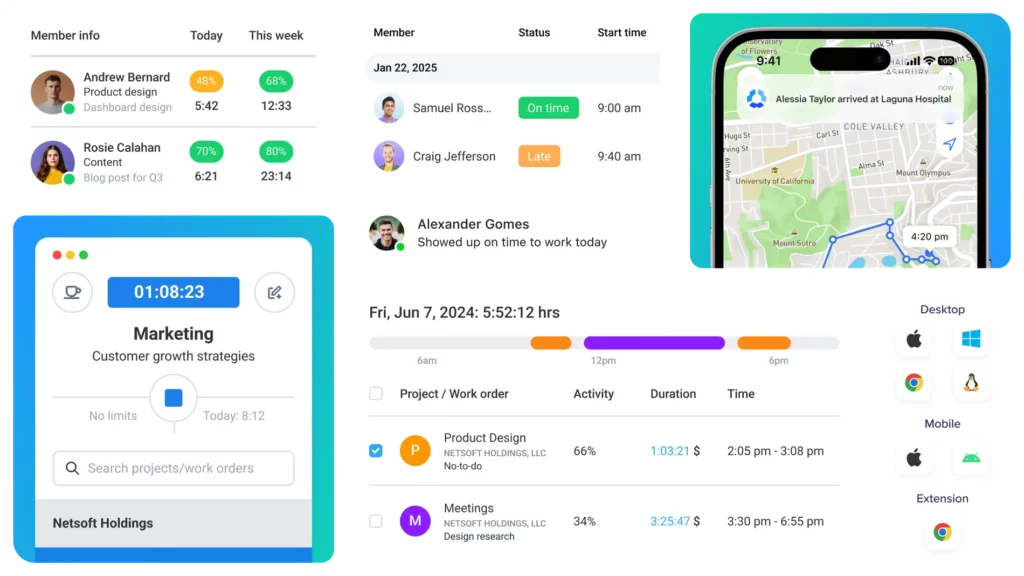
    Is there a cost for using Day Off?

    Day Off offers a free plan with all the essential features for small teams or individuals. If your company needs advanced tools like detailed reporting, integrations, or custom permissions, there are affordable premium plans available. You only pay for what you need, and upgrading is quick and easy.

    How do public holidays work in Day Off?

    Day Off makes managing public holidays simple. You can assign specific holiday calendars based on country or region, and the system automatically excludes those dates from leave calculations. This ensures every employee’s balance and schedule are always accurate, no matter where they work.

    Can employees see who else is off?

    Yes, if you want them to. You can choose whether employees can view the shared team calendar to see who’s on leave. This helps prevent overlapping requests and improves team planning. Or, if you prefer, you can keep that view restricted to managers and HR for more privacy.

    What happens when someone forgets to submit a leave request?

    If someone forgets to log their time off, it’s easy to fix. Managers and HR can add or edit leave entries directly from the admin dashboard, even after the fact. This way, your records stay complete and accurate, without any gaps or confusion.

    Can I customize how PTO accrues for employees?

    Yes, Day Off gives you full control over how paid time off is earned. You can set accrual to happen monthly, quarterly, yearly, or create your own rules based on things like job role, seniority, or employment type. It’s flexible enough to fit any company policy.

    How does Day Off handle time zones for remote teams?

    Day Off automatically adjusts for each user’s local time zone. This means every leave request, approval, and calendar event is logged accurately, no matter where your team members are located. It’s ideal for global or hybrid teams, keeping everyone in sync across different time zones.

    Conclusion

    In just 30 days, using Day Off transformed how our team thinks about rest, productivity, and well-being. What started as a simple scheduling experiment became a culture shift. With smart features, seamless integrations, and clear visibility for everyone, Day Off didn’t just make time off easier, it made it essential.


    Whether you lead a growing company or manage a small team, using Day Off helps you protect what matters most: your people’s time, energy, and balance. Because when rest is respected, great work follows.


    Smarter time off tracking starts here.

  • Leave Entitlement: Guide for Employers and Employees

    Leave Entitlement: Guide for Employers and Employees

    Leave Entitlement refers to the legal or contractual provision that guarantees employees the right to take time off from work for specific purposes, such as rest, health, family, or personal development, without forfeiting their job or, in many cases, their income. This entitlement not only serves as a protective measure for employees but also functions as a strategic tool for employers to foster a motivated, healthy, and loyal workforce. It represents the intersection of employee rights, labor law compliance, and human capital management.

    What Is Leave Entitlement?

    Leave Entitlement is the formalized right of employees to be absent from work for a designated period without jeopardizing their job security and, in many cases, without losing their income. These entitlements are embedded in labor laws, collective agreements, and internal HR policies, and they serve as a legal and ethical foundation for workplace fairness.

    This right ensures that employees can attend to their personal lives, whether for reasons of health, family care, religious observance, national holidays, or educational pursuits, without the risk of dismissal, discrimination, or income loss. Employers are legally obligated to honor these entitlements and often extend them to enhance employee morale and retention.

    Leave entitlement reflects a commitment to work-life harmony and institutional respect for employees as whole individuals, not just workers.

    Why Leave Entitlement Is Crucial in Modern Workplaces

    Understanding and managing leave entitlement is essential to fostering a healthy, productive work environment. In today’s fast-paced workplaces, clear policies ensure fairness and support employee well-being.

    Promotes Physical and Mental Well-Being

    When employees have access to adequate leave, they are more likely to rest, recover, and avoid long-term health problems caused by chronic stress, burnout, or overexertion. Taking time off improves sleep, reduces anxiety, and leads to better emotional balance. In turn, healthier employees are more engaged, motivated, and efficient.

    Supports a Balanced and Sustainable Work-Life Relationship

    With growing awareness of the importance of family life, caregiving, personal development, and leisure, employees increasingly seek workplaces that support holistic living. Leave entitlement gives them the autonomy to manage responsibilities outside of work, such as attending a child’s school event or caring for an aging parent, without sacrificing their job.

    Boosts Productivity and Organizational Performance

    Contrary to the belief that more hours equals more output, studies show that well-rested employees who are encouraged to take leave tend to work more effectively and make fewer mistakes. Encouraging regular leave usage prevents burnout and contributes to long-term organizational success.

    Ensures Compliance with Employment Laws and Reduces Legal Risks

    Failing to honor statutory leave entitlements can expose a company to serious legal consequences, including lawsuits, fines, and damage to its reputation. Robust leave policies, informed by current legislation, help employers stay compliant while fostering trust and transparency.

    Improves Talent Acquisition and Retention

    Employees view generous leave policies as a sign of a compassionate and modern employer. Competitive leave benefits can be a decisive factor in choosing between job offers. Once hired, workers are more likely to stay loyal to companies that prioritize their well-being through clearly defined and accessible leave entitlements.

    Comprehensive Breakdown of Leave Entitlement Types

    Different types of leave cater to various personal and professional needs of employees. Knowing each type helps ensure compliance and promotes a supportive work culture.

    Annual Leave (Paid Vacation Days)

    This type of leave gives employees time to rest and recharge outside of work. It is typically earned progressively throughout the year and can be taken as individual days or blocks of time. Jurisdictions like the EU mandate a minimum of 20 days annually, while some companies go beyond the legal requirement to offer 25 or even 30 days.

    Well-structured vacation leave promotes mental health, prevents overwork, and increases overall satisfaction. Employers are advised to encourage the use of annual leave to ensure employees take regular breaks from their duties.

    Sick Leave

    Sick leave is the right of an employee to stay home when they are unwell or recovering from illness, surgery, or injury. Some countries offer fully paid sick leave for a specific number of days per year, while others combine paid and unpaid elements. Certain policies also allow employees to use sick leave to care for ill dependents or for mental health recovery.

    This entitlement reflects the principle that workers should not be penalized for prioritizing their health. Companies may request medical documentation after a few consecutive days of absence to prevent misuse.

    Maternity, Paternity, and Parental Leave

    These types of leave recognize the critical family responsibilities associated with childbirth or adoption. Maternity leave typically lasts between 14 to 52 weeks, depending on the country, and is often partially or fully paid. Paternity leave, while shorter, is becoming more common and can range from a few days to several weeks.

    Parental leave is often gender-neutral, allowing either parent to take time off. Progressive companies are moving toward equal leave policies to support shared caregiving responsibilities and reduce gender bias in the workplace.

    Public Holidays

    Public or statutory holidays are national or regional celebrations during which employees are not required to work. These may include religious observances, national independence days, or cultural festivals. Employees who work on public holidays are often entitled to additional compensation, such as double pay or time off in lieu.

    Recognizing and honoring public holidays demonstrates cultural respect and supports employee engagement.

    Bereavement and Compassionate Leave

    Bereavement leave allows employees time to grieve and manage practical matters following the death of a loved one. Compassionate leave can also be granted for serious family crises, such as a terminal illness in the family. These types of leave are essential for emotional recovery and mental stability during difficult times.

    Most companies provide 3–5 days of bereavement leave, with options for extensions in exceptional cases.

    Unpaid Leave

    Unpaid leave gives employees the option to take extended time off for personal reasons without pay but with job protection. This might be used for travel, pursuing education, or managing a long-term personal issue. While not always legally required, many employers offer this on a discretionary basis.

    Unpaid leave fosters loyalty by supporting employees’ long-term life goals, even when they temporarily step away from work.

    Emergency and Caregiver Leave

    Many labor laws provide for brief periods of emergency leave to address sudden issues such as natural disasters, urgent family needs, or legal obligations. Caregiver leave is also becoming more formalized, allowing employees to care for a sick family member.

    Companies should define the scope and duration of such leave to ensure clarity and fairness.

    Study Leave and Sabbaticals

    This category supports continued learning, research, or personal development. Study leave is often available to employees pursuing work-related qualifications. Sabbaticals, which are longer breaks of several months or a year, may be paid or unpaid and are typically awarded after long service.

    These programs increase employee retention, stimulate innovation, and reward loyalty.

    Legal Frameworks: Ensuring Leave Entitlement Compliance

    Each country enforces its own labor laws regarding leave entitlements. Employers must understand and adhere to these laws to remain compliant. For example:

    • In the European Union, employees are entitled to at least 4 weeks of paid vacation, plus maternity and parental leave.

    • In the United States, while paid vacation is not mandated federally, the FMLA guarantees unpaid leave for medical and family reasons.

    • In Egypt, employees earn 21 days of paid leave after one year of service, with specific laws governing sick and maternity leave.

    Employers should also be mindful of distinctions between full-time, part-time, and temporary staff, who may accrue leave differently. Additionally, unionized workplaces often have collective agreements that offer more generous leave than statutory minimums.

    Understanding these frameworks—and implementing proper tracking—is crucial to avoiding costly legal disputes.

    Best Practices for Employers in Managing Leave Entitlement

    Effective leave management strengthens trust and boosts organizational efficiency. Employers should adopt clear, consistent policies to handle leave requests fairly and transparently.

    Best Practice Detailed Explanation
    Develop Clear, Comprehensive Leave Policies
    Employers should clearly document leave policies in employee handbooks or contracts. These policies must outline the types of leave available, employee eligibility criteria, how leave is accrued, the required notice periods, necessary documentation (e.g., medical certificates), and the steps for requesting or denying leave. Clear policies reduce ambiguity and ensure fairness.
    Automate with Reliable Leave Management Tools
    Utilizing software like Day-Off.app automates leave tracking, balances, and approvals. This reduces administrative workload, ensures accurate data, and helps prevent costly errors or leave misuse. Automated systems also generate reports for compliance and analysis.
    Ensure Consistent Application Across All Staff
    Uniform application of leave policies across all departments and roles builds organizational trust and fairness. Any perception of favoritism or bias in leave approval can lead to resentment, formal grievances, or even legal issues.
    Encourage Employees to Take Time Off
    Leaders should actively support time-off requests and lead by example by taking their own leave. Encouraging regular breaks helps prevent burnout, supports employee well-being, and creates a healthier, more sustainable work environment.
    Provide Transparency in Leave Balances
    Employees should have real-time access to their leave balances, accrual status, and history. Transparency in leave data fosters trust, minimizes disputes, and helps employees plan their time off responsibly and confidently.

    Day Off Vacation Tracker is an intuitive, feature-rich leave management solution designed to address the evolving needs of today’s diverse and dynamic workplaces. By simplifying the complex process of leave tracking, approval, and analysis, it empowers HR professionals and team leaders to manage time-off requests efficiently and transparently. Here’s a closer look at its standout features:

    Live Leave Tracking

    Employees and managers can instantly view current leave balances, upcoming planned absences, and historical usage in real-time. This visibility ensures that employees are aware of their entitlements and remaining days, which helps with accurate planning. For HR teams, it prevents errors and improves record-keeping, eliminating the need for cumbersome spreadsheets or manual updates.

    Smart Leave Requests

    Day Off Leve Tracker streamlines the process of requesting time off. Employees can submit leave requests directly from a web browser or mobile app in just a few clicks. The system automatically routes requests to the relevant supervisors based on pre-configured workflows. This speeds up the approval process and minimizes administrative delays or lost requests.

    Custom Leave Policies

    The platform allows organizations to set up and manage multiple leave policies tailored to the needs of different departments, job levels, regions, or employment types. Whether your company operates globally or has a mix of full-time and part-time roles, Day-Off.app accommodates unique entitlement structures and ensures every employee’s leave is handled according to specific criteria.

    Visual Team Calendar

    One of the most practical features is the visual calendar, which displays scheduled absences across the entire team or department. This bird’s-eye view helps managers avoid scheduling conflicts, ensure adequate staffing coverage, and plan around peak workloads. It promotes better coordination and eliminates unexpected overlaps.

    Automated Notifications

    Day Off ensures that both employees and managers are kept in the loop with timely alerts and reminders. Notifications are sent when leave is requested, approved, nearing expiration, or when documentation is due. These reminders reduce the risk of missed deadlines, unapproved absences, or communication breakdowns.

    Detailed Reporting

    HR teams can generate insightful reports segmented by department, individual employee, or leave category. These analytics help identify patterns (e.g., peak sick leave seasons), assess policy effectiveness, monitor compliance, and manage costs. Custom reports can also support internal audits, budgeting, and workforce planning.


    Using Day Off App enables organizations to take a proactive and transparent approach to leave management, ensuring employees are informed and engaged, while HR and leadership teams stay compliant, efficient, and data-driven.

    The Future of Leave Entitlement

    As workplaces adapt to societal shifts, generational expectations, and global challenges, the concept of leave entitlement is becoming more flexible, inclusive, and technology-driven. Here are the trends shaping its future:

    Flexible Leave Plans

    Rather than rigid, one-size-fits-all policies, forward-thinking companies are introducing customizable leave plans. Employees can allocate a portion of their leave for vacation, personal growth, caregiving, or community service, depending on their life circumstances. These tailored entitlements enhance employee autonomy and reflect a deeper understanding of diverse life journeys.

    Expanded Wellness Leave

    Mental health is now a central pillar of workplace well-being. Companies are increasingly incorporating dedicated mental wellness days, allowing employees to recover from emotional stress, anxiety, or burnout without needing to justify their absence. These days are distinct from traditional sick leave and signal an employer’s commitment to holistic health.

    Universal Parental Leave

    Modern families come in many forms, and parental roles are more fluid than ever. As a result, there’s a growing shift toward gender-neutral and equal parental leave policies. Instead of offering different leave lengths to mothers and fathers, employers are enabling all caregivers to take meaningful time off, promoting family equity and employee satisfaction.

    Digital Leave Banking

    Inspired by community and collaboration, some organizations are experimenting with shared or pooled leave banks. In this model, employees can donate unused leave days to colleagues in need, such as those facing medical emergencies or family crises. Technology platforms like Day-Off.app could support this by tracking contributions and usage in a transparent, secure manner.


    Embracing these innovations not only helps companies remain competitive in talent markets but also fosters a compassionate, future-ready work culture. Platforms like Day-Off.app are already equipped to support these trends through customizable policies, enhanced visibility, and analytics, making them essential for the next era of people-first organizations.

    Frequently Asked Questions (FAQ) About Leave Entitlement

    Leave entitlement often raises important questions among both employees and employers. This FAQ section addresses common concerns to help clarify policies and procedures.

    What happens to unused leave at the end of the year?

    This depends on company policy and local labor laws. In some regions, unused leave can be carried over into the next year or paid out in cash. In others, it may be forfeited unless used within a specific timeframe. Some companies implement a “use-it-or-lose-it” policy to encourage regular breaks.

    Can employers deny a leave request?

    Yes, in certain circumstances, employers can deny leave if it disrupts operations or doesn’t meet the company’s leave criteria. However, denial must be reasonable and not violate any statutory rights. For instance, medical or maternity leave cannot be denied under most national laws.

    Is leave entitlement the same for remote and in-office employees?

    In most cases, yes. Remote workers are typically entitled to the same leave as in-office staff. However, employers may tailor some leave policies (like travel or commute-related perks) based on work arrangements. It’s important to have clear policies that cover all employment types.

    Are freelancers or contractors entitled to leave?

    Generally, no. Freelancers and independent contractors are not considered employees and therefore are not entitled to statutory leave. However, some companies offer time-off flexibility or leave-like benefits to retain high-value contractors.

    Can an employee be terminated while on leave?

    Employees are typically protected from termination while on legally sanctioned leave (e.g., medical, parental, or military leave). However, they can be terminated for unrelated reasons such as organizational restructuring, as long as it’s not due to taking leave itself.

    How is leave entitlement calculated for part-time employees?

    Leave entitlement for part-time staff is usually calculated on a pro-rata basis relative to their working hours. For example, if a full-time employee receives 20 days of annual leave, a part-time employee working 50% hours would be entitled to 10 days.

    What documentation is usually required to take leave?

    For casual or annual leave, minimal notice is usually sufficient. However, for sick leave, many companies require a doctor’s note after a certain number of days. For maternity, bereavement, or educational leave, formal documentation may be required to validate the request.

    Are leave days counted as calendar days or working days?

    This varies by region and company. Some count leave in calendar days (including weekends), while others only count working days (typically Monday to Friday). Clarification should be included in company policy.

    Can employees cash out their leave instead of taking time off?

    In some jurisdictions, yes. Employees may request a payout of unused leave under specific conditions, especially upon resignation or retirement. However, employers often encourage leave-taking to protect employee well-being.

    How can leave be tracked and managed effectively?

    Using a specialized platform like Day Off allows organizations to automate leave tracking, apply policies consistently, and provide real-time visibility to both HR and employees. This ensures accurate records, reduces errors, and improves overall transparency.

    Conclusion

    Leave Entitlement stands as both a legal safeguard and a strategic asset. It ensures employees can take necessary time off for health, family, rest, or development without compromising job security or income. For employers, well-managed leave policies enhance compliance, reduce burnout, and improve employee retention and satisfaction. With the right tools, such as Day Off, organizations can move beyond manual tracking and implement smarter, more transparent systems. Ultimately, respecting leave entitlement is about building a workplace culture rooted in trust, fairness, and holistic well-being.

    Smarter time off tracking starts here.