





1
Block periods
The Blockout feature allows you to set specific time periods for important events or busy schedules, ensuring employee availability or limiting the number of leave requests during that time.
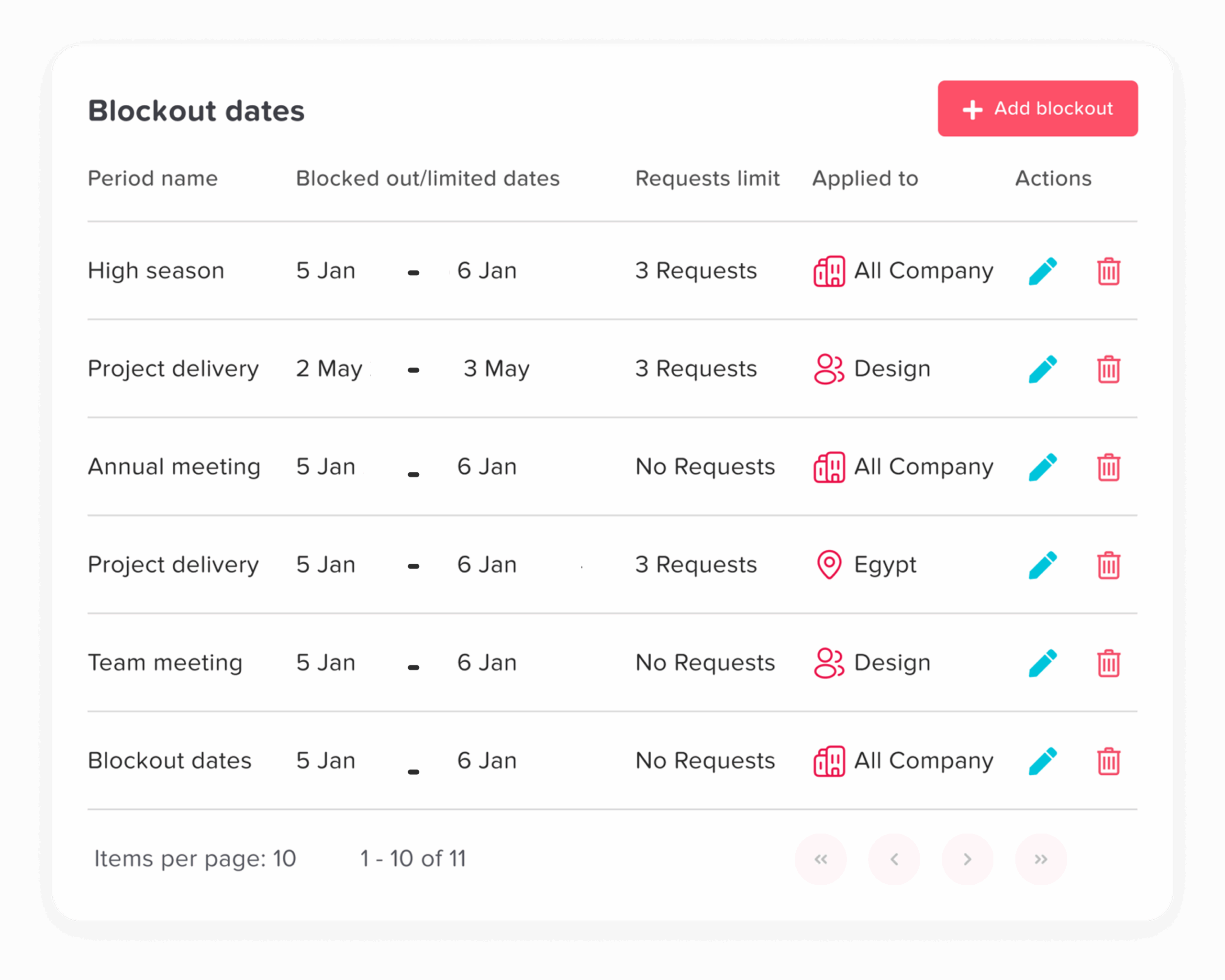

Easily manage time off during important periods by blocking dates. This helps prevent accidental approvals and keeps your operations running smoothly and on schedule!
Trusted by 60,000+ companies in 100+ countries
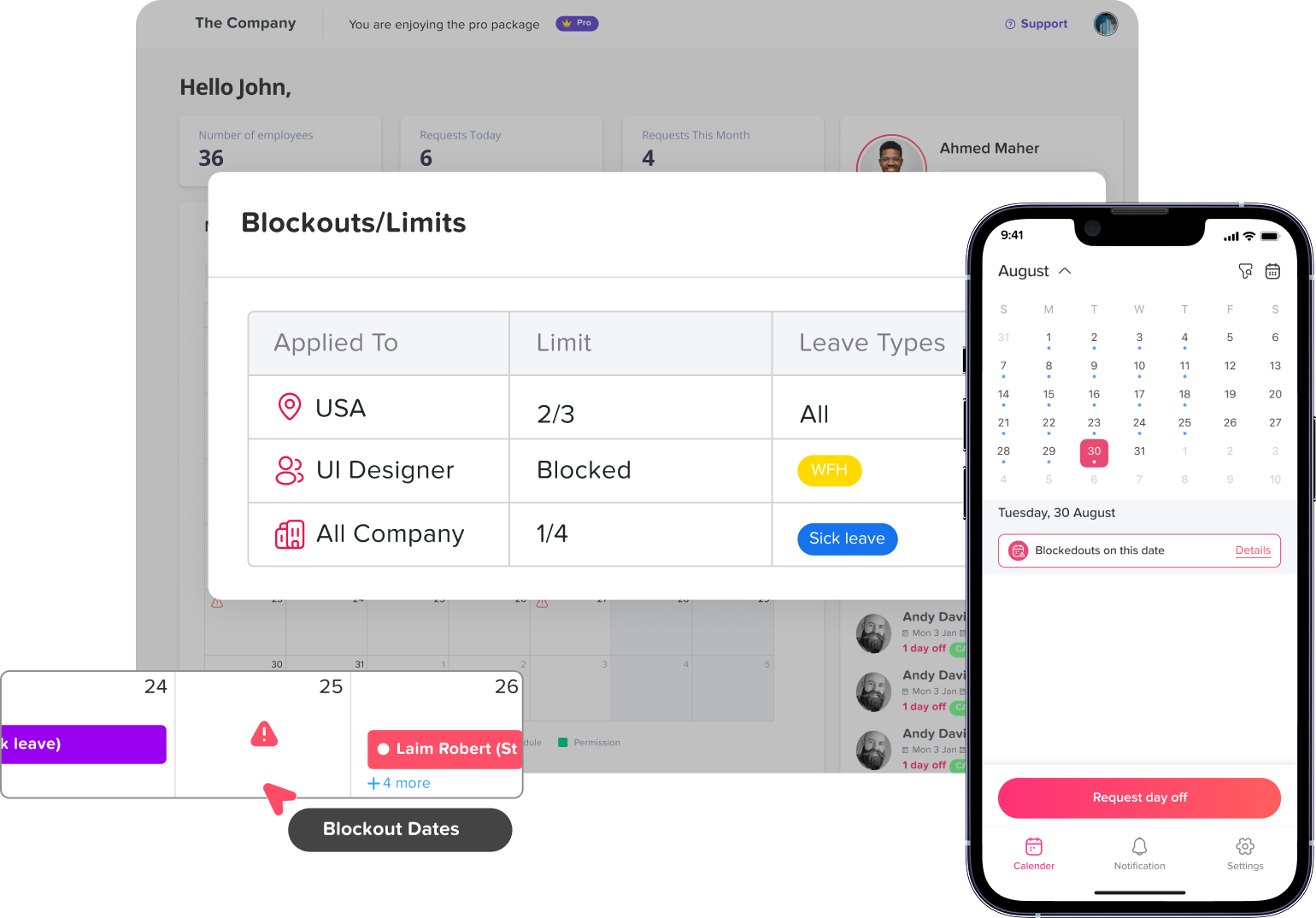
The Blockout feature allows you to set specific time periods for important events or busy schedules, ensuring employee availability or limiting the number of leave requests during that time.
When setting up a blockout, you can choose between two options: “No Request,” which prevents all leave requests during the selected period, or setting a specific limit on the number of requests allowed to maintain availability.
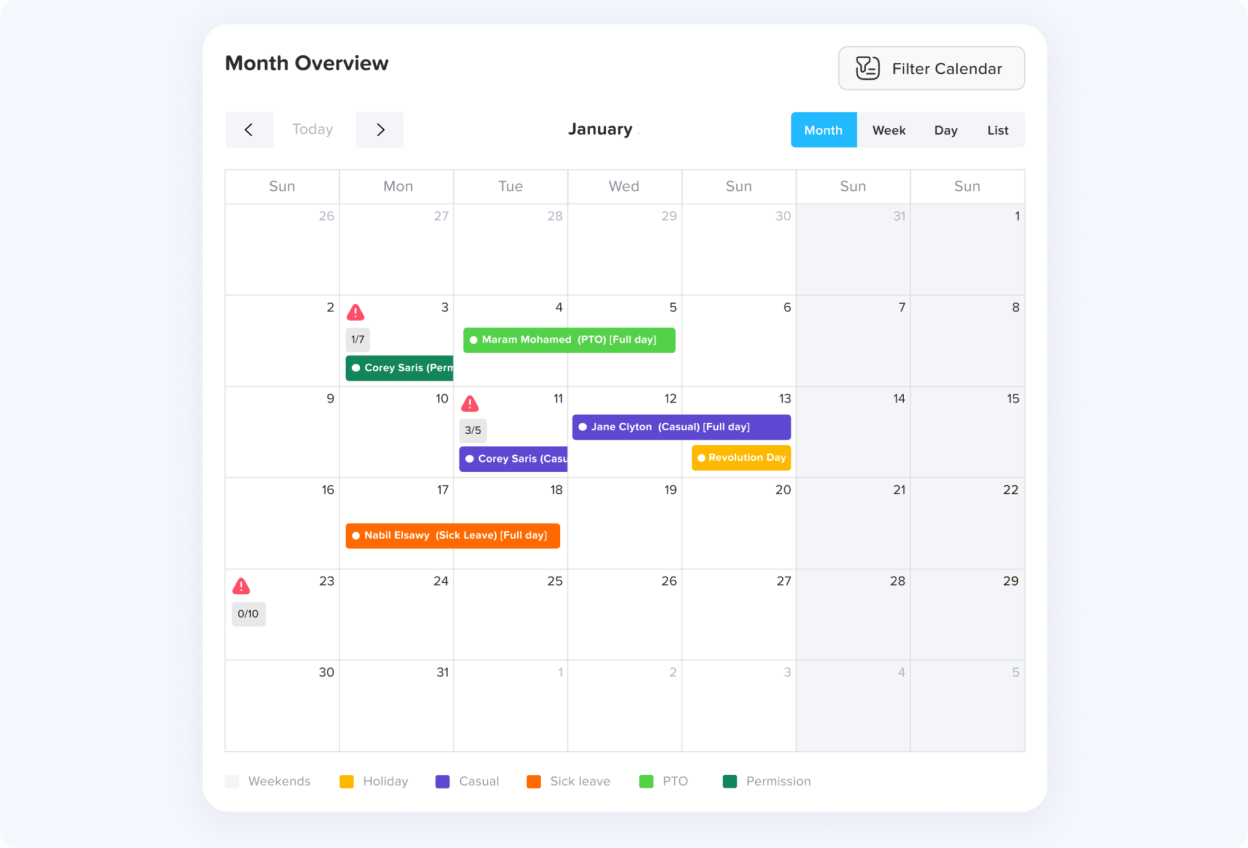
The dashboard displays a triangle icon to highlight blockout dates, signaling that restrictions are in place for the company, a specific location, or a team, along with details about the blockout period.
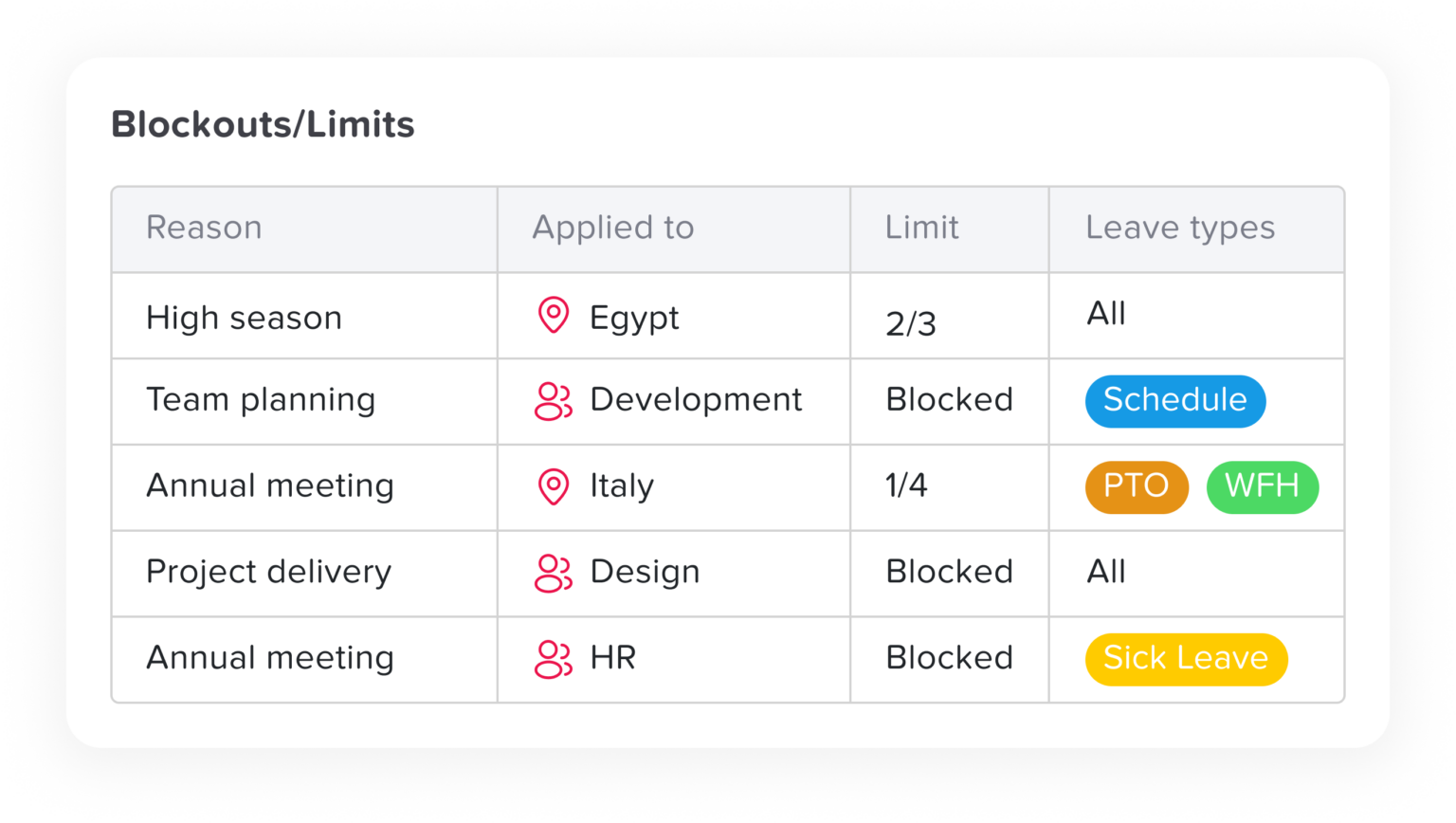

The calendar shows official holidays and accepted leave requests, offering monthly, weekly, and list views to track team availability.
Learn more about Dashboard Calendar
The “Today’s Attendance” widget gives a real-time snapshot of the team’s status for the day, showing at a glance how many employees are working in office, working remotely, or on approved leave.
Learn more about Remote Team Status WidgetJoin 60,000+ companies that track leave, PTO, attendance and work hours with Day Off. Free to start, no credit card needed.