





1
Location Holidays
You can customize public holidays based on each location, and if you manage multiple locations, set them individually to ensure compliance with local regulations while keeping schedules aligned.
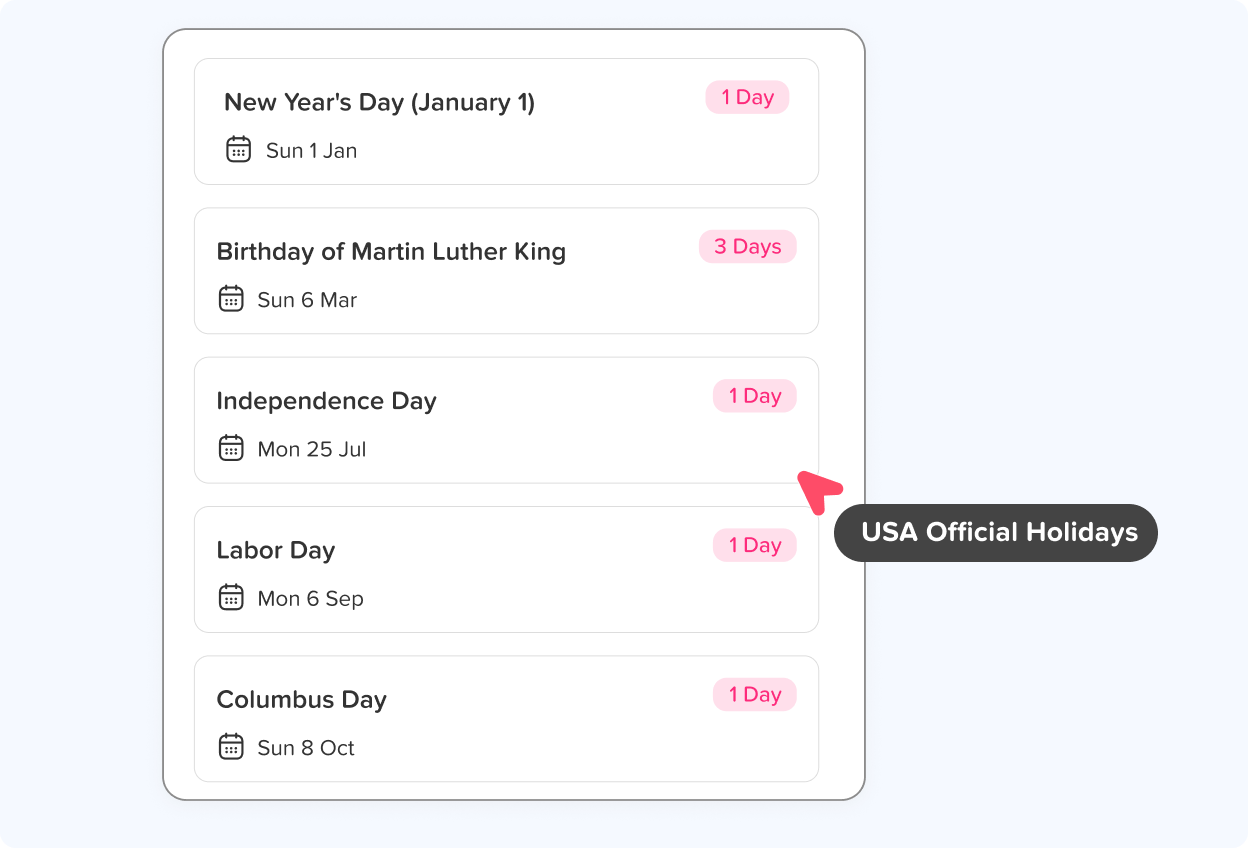

The Holidays feature allows admins to customize public holidays according to their location imported from Google Calendar.
Trusted by 60,000+ companies in 100+ countries
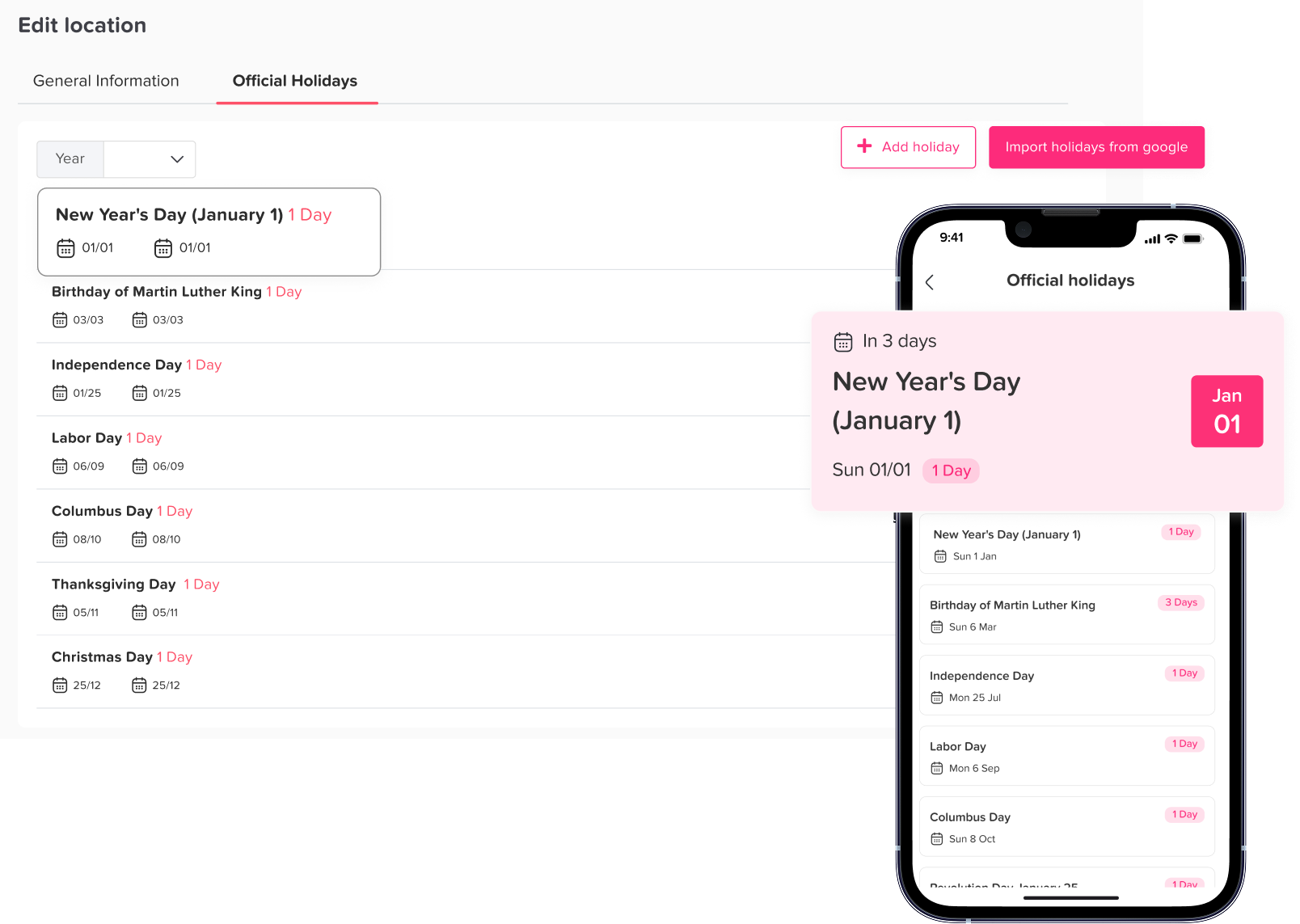
You can customize public holidays based on each location, and if you manage multiple locations, set them individually to ensure compliance with local regulations while keeping schedules aligned.
Once you’ve created your account, you can easily import official days off using Google Calendar; just select your country and year, and choose which holidays to include based on your needs.
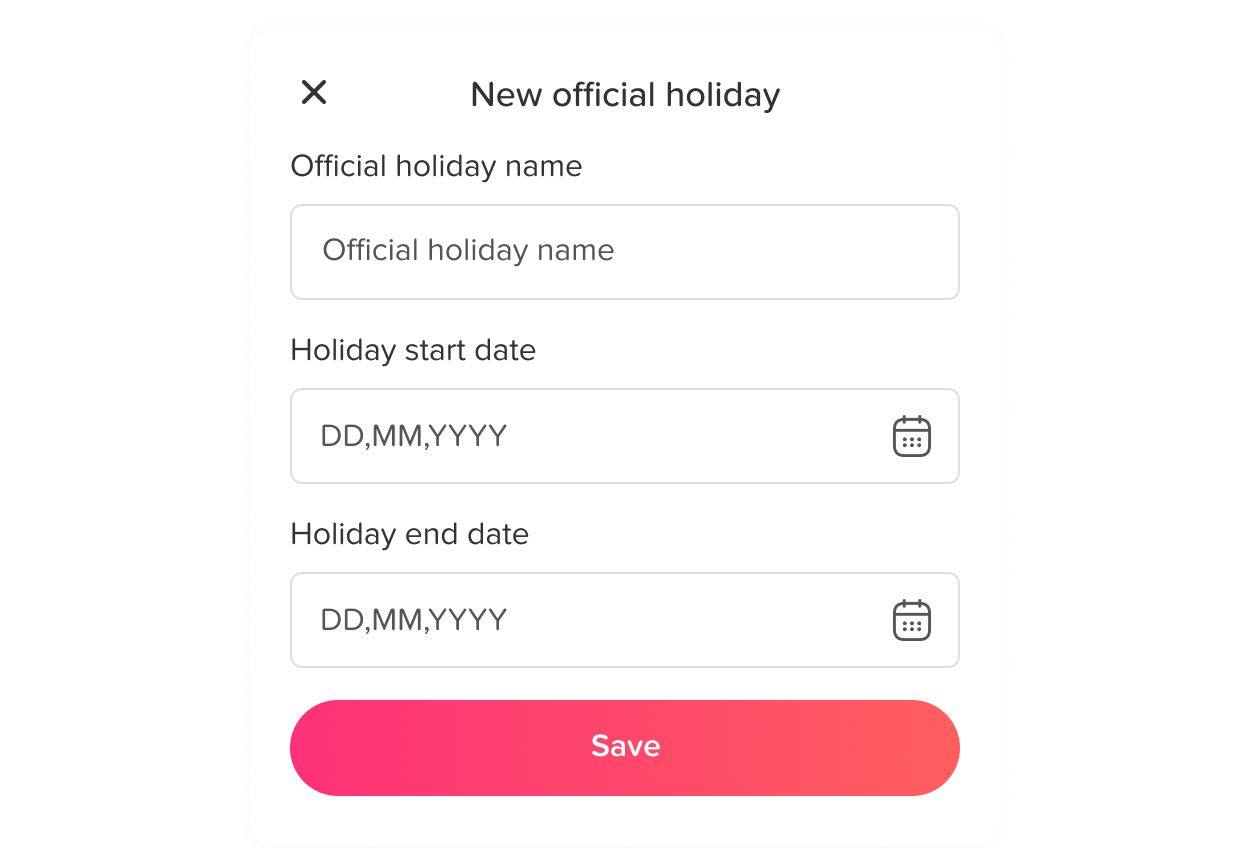
If your team observes a specific day off that isn’t listed on Google Calendar, you can easily add it manually. Simply enter the holiday’s name, start date, and end date, and it will be included in your holiday list.

Add unlimited locations, customize working days and weekends for each, and globally track your teams effortlessly.
Learn more about Multi Locations
Manage multiple teams effortlessly, adding, editing, or deleting them as needed. Organize departments or assign custom leave policies to suit each team’s needs.
Learn more about Teams and Departments
Customize your calendar by setting its start date and enabling anniversary balance resets, ensuring your team’s leave balances are accurately refreshed each year.
Learn more about Per-Leave-Type Balance ResetJoin 60,000+ companies that track leave, PTO, attendance and work hours with Day Off. Free to start, no credit card needed.