Category: Employees

  • How To Use PTO Accrual Calculator To Track Employee Leave

    How To Use PTO Accrual Calculator To Track Employee Leave

    Managing Time Off is one of the key responsibilities of any HR department or business owner. As teams grow and leave policies become more complex, relying on manual tracking methods often leads to errors, confusion, and even compliance issues. That’s where a PTO accrual calculator becomes a powerful tool. It simplifies the process of calculating how much PTO each employee has earned over time and ensures fairness and transparency across the organization.

    In this article, we’ll explore how to use a PTO accrual calculator effectively, the types of accrual methods, common pitfalls to avoid, and how this tool can contribute to better leave management and employee satisfaction.

    What Is a PTO Accrual Calculator?

    A PTO accrual calculator is a tool that automatically determines the amount of leave an employee has earned based on your company’s time off policy. These tools can be:

    • Manual (e.g., Excel spreadsheets)

    • Semi-automated (e.g., Google Sheets with formulas)

    • Fully automated (e.g., like Day Off, Gusto, BambooHR)

    It calculates PTO based on factors like:

    • Hours worked

    • Length of service

    • Accrual rate

    • Time period

    • Leave already taken

    The primary goal is to maintain accurate leave balances and ensure compliance with labor regulations.

    Why Accurate PTO Tracking Is Essential

    Mismanaging employee leave can have serious consequences. Here’s why using a PTO accrual calculator is essential:

    Legal Compliance

    Certain states (e.g., California, Massachusetts, Arizona) have laws that regulate PTO accrual, usage, and payouts. Inaccurate tracking may result in legal liabilities or fines.

    Payroll Accuracy

    Accurate PTO balances help ensure that payouts on termination or year end are correct.

    Employee Trust

    Transparent PTO tracking builds employee confidence and prevents disputes related to leave balances.

    Better Resource Planning

    Knowing who is off and when helps managers allocate workload efficiently and prevent bottlenecks.

    How Does PTO Accrual Work?

    PTO is typically earned over time based on an accrual policy. Here are common methods companies use:

    Per Hour Worked

    Ideal for part time or hourly workers. Employees earn PTO for every hour they work.

    Example:

    • PTO Rate: 0.05 hours per 1 hour worked

    • Employee worked 160 hours this month → Earned PTO = 160 × 0.05 = 8 hours

    Per Pay Period

    Employees earn a fixed amount every pay period, regardless of hours worked.

    Example:

    • 15 days PTO annually = 1.25 days/month

    • After 6 months, PTO earned = 1.25 × 6 = 7.5 days

    Annual Lump Sum

    Employees receive their full PTO allowance at the beginning of the year or anniversary date.

    Note: For new hires, this may need to be prorated based on the hiring date.

    What Inputs Are Needed for the Calculator?

    A PTO accrual calculator requires the following:

    Step by Step Guide: How to Use a PTO Accrual Calculator

    Let’s walk through the process using a per hour worked example:

    Employee Profile:

    • Name: Sarah Johnson

    • Start Date: January 1, 2025

    • Work Schedule: 40 hours/week

    • PTO Policy: 15 days (120 hours) per year

    • PTO Taken: 24 hours

    • Date Today: August 1, 2025

    Step 1: Calculate Accrual Rate

    Sarah works 2,080 hours/year (40 × 52).
    PTO per hour = 120 ÷ 2080 = 0.0577 hours/hour

    Step 2: Determine Hours Worked

    From Jan 1 to Aug 1 = 7 months = ~30 weeks
    Total hours worked = 40 × 30 = 1,200 hours

    Step 3: Calculate Accrued PTO

    PTO earned = 1,200 × 0.0577 = 69.24 hours

    Step 4: Subtract PTO Used

    69.24 earned – 24 used = 45.24 hours remaining

    Sarah currently has 45.24 hours of available PTO.

    Common Mistakes to Avoid

    Even with a calculator, mistakes happen. Here are a few to watch out for:

    • Using incorrect accrual rates

      • Always confirm the rate is up to date with your HR policy.

    • Not updating PTO taken

      • Failing to subtract used PTO gives inflated balances.

    • Forgetting part time status

      • PTO should be prorated for part time or hourly staff.

    • Ignoring maximum caps

      • Many companies stop accrual once a PTO cap is reached.

    • Not accounting for leave without pay

      • PTO accrual should pause during unpaid leave in most cases.

    PTO Accrual Calculator Tools You Can Use

    Here are a few options to consider:

    PTO Accrual & Legal Compliance in the U.S.

    States have varying PTO laws. Some require:

    • Accrual to start immediately

    • Unused PTO to be paid out on termination

    • A minimum accrual rate or carryover rules

    Employers in California, Illinois, Arizona, and New York must be especially careful. Using a PTO calculator helps meet these requirements by ensuring no manual mistakes occur in tracking leave balances.

    FAQs

    Can I customize the calculator for my own PTO policy?

    Yes. Most spreadsheet templates and software tools allow you to input your own accrual rate, caps, and policy details.

    What if my company offers unlimited PTO?

    In that case, you don’t need a calculator for accrual, but you’ll still need to track usage for planning and accountability.

    How do I handle PTO for new hires mid year?

    Use a prorated accrual method. If someone joins mid year, only calculate PTO from their start date onward.

    Final Thoughts

    Using a PTO accrual calculator is more than just a convenience it’s a necessity in today’s workplace. It helps reduce errors, improve compliance, and foster a more transparent leave management culture. Whether you’re a small startup or a large corporation, tracking PTO accurately can save your HR team time and keep your employees happy.

    For a user friendly PTO tracking experience, consider tools like Day Off, which simplify accruals and leave management for everyone involved.

  • Top 10 Employee Roster Apps for 2026: For Businesses

    Top 10 Employee Roster Apps for 2026: For Businesses

    As we step deeper into 2026, businesses are under increasing pressure to optimize every aspect of their operations and employee scheduling is one of the most impactful yet often overlooked components. The days of messy spreadsheets, whiteboards, and last-minute texts are over. Modern businesses need intelligent, efficient, and mobile-friendly solutions to manage their staff schedules, availability, shift swaps, time off requests, and compliance. That’s where employee roster app come in. These tools help companies streamline scheduling, save admin time, boost employee satisfaction, and ensure compliance with labor laws all in one dashboard.


    But with so many apps on the market, choosing the right one can be overwhelming. That’s why we’ve done the heavy lifting for you.


    Here’s a detailed breakdown of the Top 10 Employee Roster Apps for 2026, complete with feature deep dives, pros and cons, and who each tool is best suited for.

    Deputy

    Businesses of all sizes, from small hospitality venues and boutique retailers to large enterprises and multi-location franchises, seeking a flexible, powerful, and easy-to-use platform for employee scheduling and workforce management.


    Overview:
    Deputy is a feature-rich scheduling and workforce management solution that has earned a strong reputation across multiple industries. Whether you’re managing a small team at a local café or coordinating hundreds of staff across multiple departments and locations, Deputy’s clean interface and intelligent tools help streamline the complex task of shift scheduling, time tracking, and labor compliance.


    With a strong focus on usability and automation, Deputy empowers managers to build optimized schedules in minutes using drag-and-drop tools, while staff benefit from an intuitive mobile app that makes it easy to view schedules, swap shifts, and clock in on the go. The platform also places a strong emphasis on labor law compliance, helping businesses avoid costly errors and stay on top of ever-changing regulations.

    Key Features:

    • Smart Scheduling:
      Deputy’s intelligent rostering system automatically suggests the best employees for each shift based on their availability, skill set, location, and compliance with labor laws. It also takes into account overtime limits and employee preferences to reduce scheduling conflicts.

    • Time & Attendance Tracking:
      Employees can clock in and out using multiple methods, including the mobile app, web browser, GPS geolocation, and even facial recognition via Deputy’s kiosk feature, perfect for shared devices or tablets at worksites.

    • Break Compliance & Labor Law Enforcement:
      Deputy actively monitors scheduling practices to ensure legal compliance with labor laws, such as mandatory rest periods and maximum shift lengths. Managers receive alerts when potential violations arise, helping prevent fines or legal issues.

    • Payroll Integration:
      Easily export accurate, approved timesheets to popular payroll systems like Gusto, ADP, QuickBooks, Xero, and more. This reduces manual data entry, minimizes errors, and speeds up the payroll process.

    • Task Management:
      Assign specific tasks or checklists to employees as part of their shift. These can be recurring or one-off, helping ensure operational consistency and employee accountability across locations and roles.

    • Shift Swapping & Leave Management:
      Employees can request time off, call out sick, or initiate shift swaps directly from the app. Managers can approve or decline requests in seconds, keeping the schedule balanced and operations running smoothly.

    • Demand Forecasting:
      Use historical data and sales trends to predict labor demand and optimize staffing levels accordingly—ensuring you’re not under- or over-staffed during peak or slow periods.

    Pros:

    • User-Friendly Setup & Interface:
      Deputy is widely praised for its clean and intuitive design, making it accessible for both seasoned managers and tech novices alike. Getting started is fast, and onboarding new employees is straightforward.

    • Powerful Mobile App:
      The mobile experience is one of the best in the category, offering full access to scheduling, time tracking, task updates, and notifications from anywhere.

    • Real-Time Alerts & Notifications:
      Immediate updates about shift changes, time-off requests, and late clock-ins help managers stay informed and responsive at all times.

    • Scalable for Growth:
      Deputy works just as well for a 10-person team as it does for organizations with hundreds of employees. Its structure supports scaling without needing a platform switch.

    Cons:

    • Cost Can Add Up for Larger Teams:
      While Deputy offers a transparent pricing model, costs can scale quickly for larger organizations or those operating in multiple locations, especially if they need advanced features across the board.

    • Occasional Integration Sync Issues:
      Some users report inconsistencies or delays when syncing with third-party platforms, particularly payroll systems. However, Deputy’s support team is generally quick to resolve these issues.

    Pricing:
    Deputy’s pricing starts at $4.50 per user per month for the Scheduling or Time & Attendance modules individually. For full functionality, the Premium Plan includes both modules and starts at $5 per user per month. A free trial is available, allowing businesses to test the platform before committing. Custom pricing is available for enterprises with complex needs or large-scale operations.

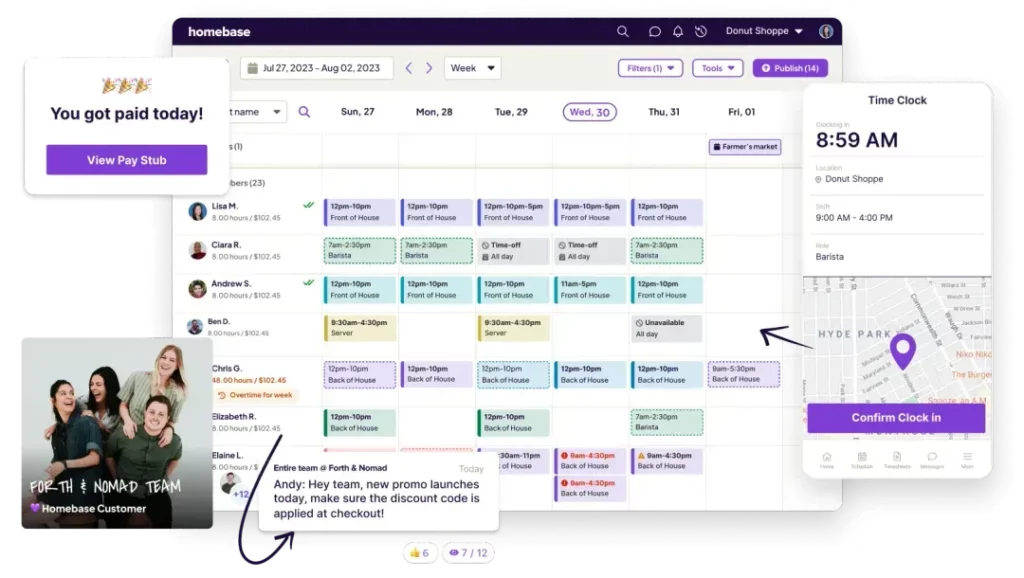
    Homebase

    Small businesses such as independent cafes, boutique retail stores, salons, and local service providers that need efficient team management tools without breaking the bank. Homebase is especially well-suited for businesses with hourly workers, shift-based scheduling needs, and limited administrative resources.


    Overview:
    Homebase is a popular workforce management solution tailored to the unique needs of small business owners. It offers an impressive range of features, many of which are available on its free plan, that simplify scheduling, time tracking, and team communication. With a focus on ease of use and affordability, Homebase makes it easy to manage hourly teams without needing an HR department or complex software.


    The platform is intuitive and lightweight, providing just the right amount of structure and automation to streamline day-to-day operations. As businesses grow or their needs become more complex, Homebase offers scalable paid plans that unlock advanced features like hiring tools, performance tracking, and integrations with popular payroll providers.

    Key Features:

    • One-Click Scheduling:
      Quickly create, adjust, and publish employee schedules using drag-and-drop tools. Staff are automatically notified of new shifts or changes, reducing no-shows and confusion. Templates and availability tools help speed up the process even further.

    • Time Clock & Timesheets:
      Turn any tablet, computer, or mobile device into a digital time clock. Employees can clock in and out, take breaks, and submit timesheets directly from the app. Managers can easily review hours worked, approve time off, and export timesheets for payroll.

    • Built-in Messaging System:
      Communicate with your team in real time using in-app messaging features. Send individual or group messages, shift reminders, announcements, and updates. This helps reduce miscommunication and keeps everyone in the loop.

    • Hiring & Onboarding Tools:
      Post open positions to multiple job boards, track applicants, schedule interviews, and send offer letters, all from a centralized dashboard. Once hired, new employees can complete onboarding documents digitally, making the whole process seamless.

    • Labor Cost Forecasting:
      Compare your labor costs against sales forecasts to ensure smarter, more efficient scheduling. Built-in tools help you avoid over- or under-staffing while keeping your labor budget in check.

    • Integrations with Payroll & POS Systems:
      Homebase works with popular payroll providers like Gusto, ADP, QuickBooks, and Square, allowing for easy time-to-payroll conversion. Integrations with point-of-sale systems help align sales data with staffing decisions.

    Pros:

    • Generous Free Tier:
      Homebase’s free plan includes scheduling, time tracking, messaging, and more for unlimited employees at a single location—making it one of the most robust free tools available for small businesses.

    • Ideal for Hourly Workforces:
      Its features are built specifically for businesses with part-time, seasonal, or shift-based staff. Easy scheduling, real-time messaging, and timesheet tools are invaluable for managing dynamic teams.

    • Centralized Communication:
      In-app messaging makes it easy to share last-minute updates, request shift trades, or send reminders, all without relying on external chat apps or group texts.

    • Simple to Set Up and Use:
      The interface is designed to be approachable, even for non-technical users. Most businesses can be up and running in less than an hour.

    Cons:

    • Limited Advanced Features on Free Plan:
      While the free version is generous, certain features, such as performance management, advanced hiring tools, and deeper analytics, require a paid subscription.

    • Interface Could Be More Modern:
      Some users may find the design slightly outdated compared to newer workforce management platforms. However, functionality remains solid and reliable.

    • Pricing Scales Per Location:
      Businesses with multiple locations may find costs add up quickly, as paid plans are billed per location rather than per user.

    Pricing:
    Homebase offers a highly functional free tier for businesses operating from a single location, which includes scheduling, time tracking, messaging, and basic hiring tools. Paid plans start at $24.95/month per location, with more advanced tiers offering deeper features like team performance insights, custom roles & permissions, and integrations with payroll systems.

    Connecteam

    Mobile-first companies and field-based teams such as delivery services, security firms, cleaning crews, construction companies, and any business with a predominantly non-desk workforce.


    Overview:
    Connecteam is a workforce management platform specifically designed to meet the needs of on-the-go employees who aren’t tied to a traditional office setting. Whether your team is out delivering packages, patrolling neighborhoods, cleaning commercial spaces, or working across multiple job sites, Connecteam offers a centralized solution to manage your operations, streamline communication, and ensure accountability, directly from mobile devices.

    Its user-friendly mobile interface and comprehensive feature set make it especially effective for companies looking to keep remote teams aligned, efficient, and informed, all without needing a desktop computer or office access. By integrating everything from time tracking to internal communications in one place, Connecteam helps reduce the friction of managing a dispersed workforce.

    Key Features:

    • Advanced Scheduling:
      Quickly build and assign recurring shifts, manage last-minute changes, and view your entire team’s schedule in one place. Visual shift planning and drag-and-drop capabilities make it easy to stay organized, and employees receive instant notifications when their schedules are updated.

    • GPS Time Clock:
      Employees can clock in and out with their smartphones, with GPS verification to show where they were when they started or ended a shift. This is ideal for verifying attendance and improving payroll accuracy while reducing time theft.

    • Job Checklists & Task Management:
      Attach custom checklists to shifts or jobs, ensuring that employees complete all required tasks during their time on site. Assign and track specific tasks, monitor progress in real time, and set deadlines or priority levels to stay in control of daily operations.

    • Employee Communication Hub:
      Keep everyone connected with built-in communication tools like team chat, announcements, surveys, polls, and document sharing. Whether it’s sending safety alerts or sharing company updates, communication is seamless and accessible to all employees.

    • Custom Forms & Digital Reports:
      Build mobile-friendly forms for things like incident reports, equipment check-ins, daily job logs, customer feedback, and more. These digital forms eliminate paperwork and ensure consistent data collection, with the ability to generate and export reports as needed.

    • Training & Knowledge Center:
      Provide mobile training modules, onboarding flows, and knowledge bases to ensure your team is well-informed and up to date. Employees can complete required training anytime, anywhere, directly from their mobile devices.

    Pros:

    • Optimized for Mobile Use:
      Designed with mobile-first in mind, Connecteam is intuitive and efficient for workers who are always on the move. No desktops or complicated logins are required, just a smartphone.

    • Comprehensive All-in-One Platform:
      From scheduling and time tracking to communication and training, everything is built into a single app. This helps reduce the need for multiple third-party tools, minimizing costs and simplifying workflows.

    • Highly Customizable:
      Tailor the platform to suit your business’s specific workflows, forms, and task structures. Whether you’re managing a security patrol checklist or a vehicle inspection report, the flexibility is there.

    • Improves Transparency and Accountability:
      With real-time tracking, live updates, and digital logs, managers can gain deeper insights into what’s happening across their teams at any given moment.

    Cons:

    • Complex for Very Small Teams:
      For teams with only a few members, the extensive feature set might feel overwhelming or unnecessary. Smaller operations might not need all the bells and whistles Connecteam offers.

    • Limited Integrations Compared to Legacy Platforms:
      While Connecteam is continuously improving its ecosystem, it doesn’t yet offer the same depth of integrations with external software that some older, more established platforms provide.

    Pricing:
    Connecteam offers a generous free plan for teams of up to 10 users, making it an excellent choice for small businesses looking to test the waters. Premium plans, which unlock more advanced features and administrative controls, start at $29 per month. Scalable pricing tiers make it easy to grow your plan as your business expands.

    Sling

    Restaurants, retail shops, and hospitality businesses that need cost-effective, user-friendly scheduling with built-in team communication tools.


    Overview:


    Sling is a lightweight, modern shift scheduling solution designed to simplify team management for businesses with hourly employees and dynamic staffing needs. It’s especially well-suited to industries with rotating schedules and frequent shift changes, such as restaurants, cafés, and retail stores.


    Sling shines in its ability to balance simplicity with practical tools for labor management and team coordination. Its interface is designed for speed, creating, editing, and publishing schedules can be done in just a few clicks. Built-in messaging features reduce the need for external chat tools, helping to centralize communication. Sling also places a strong emphasis on helping businesses control labor costs through budgeting and tracking tools.

    Key Features:

    • Visual Scheduling Interface:
      Drag-and-drop scheduling makes it easy to build rosters, duplicate shifts, and make real-time adjustments. Color-coded views and filters help simplify management even during busy weeks.

    • Employee Availability Tracking:
      Employees can submit their availability directly in the app, reducing back-and-forth and minimizing scheduling conflicts. Managers can see at a glance who is available and when.

    • Labor Cost Controls:
      Set labor budgets and monitor forecasted vs. actual labor spend. Sling gives real-time feedback during schedule creation, helping to stay on target with staffing expenses.

    • Shift Swapping & Coverage Requests:
      Employees can request to drop or swap shifts, which managers can review and approve instantly. This keeps staffing levels steady while giving employees more flexibility.

    • Integrated Messaging System:
      Team communication is centralized within the app, send announcements, direct messages, and group chats without needing external apps like WhatsApp, Slack, or email.

    Pros:

    • User-Friendly Interface:
      Sling’s design is modern, minimal, and intuitive, perfect for teams that need a tool that works right out of the box.

    • Affordable at All Levels:
      Even its premium plans are competitively priced, making it a strong value for small and medium businesses.

    • Boosts Communication:
      The built-in chat and notification system reduces missed shifts, miscommunication, and staff confusion.

    Cons:

    • Limited Third-Party Integrations:
      While Sling covers scheduling and communication well, it lacks deeper integrations with external HR or payroll platforms compared to more robust solutions.

    • Basic Analytics:
      Reporting capabilities are somewhat limited, which may be a drawback for data-driven businesses seeking in-depth workforce insights.

    Pricing:
    Sling offers a generous free plan with core scheduling and messaging features. Premium plans begin at just $2 per user per month, offering additional tools like labor cost controls, reporting, and advanced shift management.

    Startups, small to mid-sized businesses, and teams with hourly workers looking for a clean, reliable, and efficient platform to manage shifts and time tracking.


    Overview:
    ZoomShift is a streamlined scheduling and time tracking tool purpose-built for managing hourly workers. Its strength lies in its simplicity, making it easy to build schedules, track time, and handle last-minute changes without added complexity. It’s ideal for small teams where transparency, efficiency, and ease of use are top priorities.


    The platform focuses on solving common pain points like overlapping shifts, unclear availability, and delayed time-off approvals. ZoomShift’s visual design makes schedules easy to read and navigate, both for managers and employees. It’s a great fit for businesses that don’t need all the bells and whistles but still want reliable, modern functionality.

    Key Features:

    • Custom Shift Templates:
      Create reusable templates for your weekly or monthly schedules. This speeds up planning, especially for teams with recurring shifts or fixed hours.

    • Mobile & Web Time Tracking:
      Employees can clock in and out from their phones or desktop computers. Managers can track hours in real time and approve or edit timesheets before exporting to payroll.

    • Availability & Time-Off Management:
      Employees submit their availability and time-off requests through the app. Managers can view all requests in one place and prevent overlapping or under-staffing.

    • Audit Trail & Shift History:
      Every change to a shift is logged, offering full transparency and accountability, useful for resolving scheduling disputes or tracking coverage gaps.

    • Notifications & Reminders:
      Real-time alerts for upcoming shifts, changes, and approvals help keep everyone informed and reduce no-shows.

    Pros:

    • Ideal for Growing Teams:
      ZoomShift’s minimal learning curve and clean UI make it perfect for startups or businesses with newer staff who need to get up to speed quickly.

    • Transparent Shift Management:
      The audit trail feature adds accountability and trust across your scheduling process.

    • Responsive Support:
      ZoomShift is known for its high-quality customer support and accessible documentation, making it easier to solve issues quickly.

    Cons:

    • Limited Advanced Features:
      It doesn’t include advanced forecasting, labor compliance tools, or deep analytics that larger businesses might require.

    • Not Built for Enterprise Use:
      While great for small and mid-sized teams, it may not scale as effectively for larger organizations with more complex needs or multiple locations.

    Pricing:
    ZoomShift offers plans starting at $2 per user per month, with a 14-day free trial for teams to test out the platform. The pricing is straightforward and designed to offer strong value without unnecessary extras.

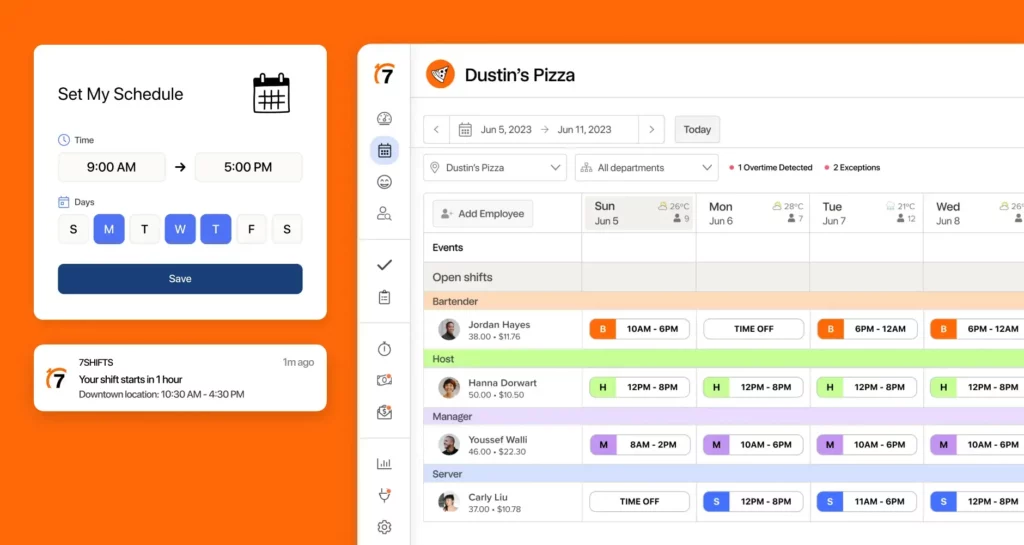
    7shifts

    Restaurants, cafés, bars, and food service operations of all sizes, from independent food trucks to large franchises looking for restaurant-specific scheduling and labor management.


    Overview:
    7shifts is purpose-built for the food service industry, offering a comprehensive suite of tools tailored to the unique demands of restaurant operations. From scheduling staff around forecasted sales volumes to managing tips and compliance, every feature serves a specific need in the fast-paced world of hospitality.


    Its deep integrations with popular POS systems (like Square, Toast, and Lightspeed) allow for real-time syncing between sales and labor, making it easier for managers to optimize staffing levels based on actual demand. Add to that tip tracking, compliance monitoring, and performance reviews, and 7shifts becomes a full-featured workforce hub for any restaurant.

    Key Features:

    • Sales Forecasting:
      Uses historical sales data and integrated POS insights to automatically suggest optimal shift coverage for each daypart, helping to prevent overstaffing or under-scheduling during busy hours.

    • POS Integrations:
      Seamlessly connects with major POS systems to sync sales, labor costs, and attendance, allowing for smarter scheduling decisions in real time.

    • Manager Log Book:
      Centralizes daily shift notes, incident reports, team feedback, and handoff information, improving communication and continuity between shifts.

    • Tip Pooling & Distribution:
      Automates tip sharing and calculation across teams, saving managers time at the end of shifts and ensuring fairness and accuracy.

    • Employee Engagement Tools:
      Run surveys and polls to get feedback from staff, set goals, track performance, and even celebrate employee milestones.

    Pros:

    • Restaurant-First Design:
      Every feature is crafted with restaurant workflows in mind, making it a natural fit for food service businesses.

    • Compliance-Friendly:
      Tracks labor laws, overtime rules, and break requirements, vital for restaurants with high turnover and varying shift lengths.

    • Scheduling Automation:
      Frees up managers by automating repetitive tasks and offering smart scheduling suggestions based on demand.

    Cons:

    • Niche Focus:
      Businesses outside of food service may find the platform too specific for their needs.

    • Multi-Location Costs:
      While powerful, the cost can increase quickly for chains or restaurants with multiple sites.

    Pricing:
    7shifts offers a free plan for single-location restaurants with basic scheduling needs. Paid plans start at $29.99/month, with additional tiers for advanced features like POS integrations, labor compliance, and tip management.

    Shiftboard

    Large enterprises, government agencies, healthcare systems, and organizations with mission-critical, compliance-heavy, or 24/7 operations.


    Overview:
    Shiftboard is a high-end workforce management platform designed for complex scheduling environments. It’s widely used in healthcare, manufacturing, logistics, corrections, and energy sectors where staffing must comply with regulatory requirements, union rules, and safety protocols.


    The platform excels in dynamic scheduling, risk mitigation, and automation. It adapts to demanding conditions such as shift fatigue management, skill-based scheduling, and real-time demand tracking. With powerful reporting and rules engines, Shiftboard supports organizations where mistakes in scheduling can result in significant legal or operational risk.

    Key Features:

    • Demand-Driven Scheduling:
      Automatically adjusts staffing levels to match real-time demand, seasonal spikes, or service-level agreements.

    • Fatigue Risk Management:
      Monitors work hours and rest periods to reduce employee fatigue and ensure regulatory compliance, especially important in healthcare and manufacturing.

    • Certifications & Skills Matching:
      Ensures only qualified personnel are assigned to roles that require specific training or credentials.

    • Advanced Reporting & Dashboards:
      Provides deep insights into workforce efficiency, attendance trends, overtime costs, and rule compliance.

    • Union Rule Support:
      Built to accommodate complex labor agreements, including seniority, bidding, overtime prioritization, and grievance management.

    Pros:

    • Enterprise-Level Power:
      Designed to handle highly complex and large-scale scheduling operations with ease.

    • Comprehensive Compliance Tools:
      Excellent for industries where failing to meet labor laws or safety protocols can lead to legal and financial penalties.

    • Automation at Scale:
      Helps large organizations eliminate manual processes and maintain efficient workforce operations.

    Cons:

    • Steep Learning Curve:
      Due to its powerful customization options, Shiftboard may require significant setup time, training, and onboarding.

    • Higher Cost:
      Best suited for organizations with the budget and need for enterprise-grade features. May be overkill for smaller businesses.

    Pricing:
    Shiftboard offers custom pricing based on industry, team size, and specific use cases. A consultation is typically required to receive a quote tailored to organizational needs.

    When I Work

    Mid-sized companies with hourly workers in industries like retail, healthcare, hospitality, and customer service that value user-friendly scheduling with flexible features.


    Overview:
    When I Work is a sleek and powerful scheduling and time-tracking platform designed to balance functionality with simplicity. It’s an ideal solution for teams that need to manage hourly employees, accommodate shift swaps, and keep communication flowing, all without getting bogged down in complexity.


    With real-time shift management, mobile-first features, and a smooth interface, it empowers both managers and employees to take control of their schedules. It’s particularly appreciated by fast-paced environments where team flexibility and instant communication are critical.

    Key Features:

    • Drag-and-Drop Scheduling & Templates:
      Quickly build recurring or custom schedules. Templates make it easy to duplicate past schedules or create multiple variations based on business needs.

    • Clock In/Out & Time Tracking:
      Employees can clock in via their phones or a shared terminal. Managers can monitor attendance and approve hours with ease.

    • Shift Swapping & Time Off Management:
      Let employees request coverage or time off directly through the app, with manager approval workflows that keep things under control.

    • Team Messaging:
      Send announcements, chat one-on-one, or create group threads, all within the app to avoid confusion from outside platforms.

    • Payroll Integration:
      Sync approved hours with payroll providers like QuickBooks, ADP, Gusto, and more to simplify the payroll process.

    Pros:

    • Polished Interface:
      Modern, intuitive design makes it easy for staff to navigate, no long training needed.

    • Highly Accessible:
      Works well on desktop and mobile devices, perfect for teams that need flexible access from anywhere.

    • Scales Gracefully:
      Works for both small teams and larger operations looking for reliable scheduling and communication tools.

    Cons:

    • Feature Locking:
      Some useful features, like reporting and time tracking, are locked behind paid tiers.

    • Busy Notifications:
      Depending on setup, teams may receive too many alerts or redundant notifications.

    Pricing:
    When I Work’s pricing starts at $2.50 per user per month, with tiered plans based on team size and desired features. A free trial is available to test out the platform.

    International companies and distributed teams with multilingual staff, diverse labor laws, and the need for centralized HR and time management across multiple countries.


    Overview:
    Shiftbase is a versatile, cloud-based workforce management platform designed to meet the needs of globally operating businesses. It provides robust scheduling, time tracking, absence management, and contract tracking in one clean interface, ideal for companies that operate in different regions and require tools that can handle language preferences, labor regulations, and multiple currencies.


    Shiftbase stands out for its HR-friendly features, such as employee contract tracking and flexible leave types, making it more than just a scheduling tool. It’s particularly useful for companies with decentralized teams, allowing managers across different locations to collaborate within the same system while tailoring views and compliance to their local needs.

    Key Features:

    • Multi-Language Support:
      Offers a user-friendly experience in multiple languages, making it easier to onboard and manage international or multilingual teams without confusion.

    • Absence & Leave Management:
      Allows custom leave types (e.g., vacation, sick leave, special leave) and syncs with team calendars to avoid scheduling conflicts.

    • Contract Management & Compliance:
      Track hours worked against employee contracts, monitor maximum work limits, and ensure schedules comply with local labor laws and agreements.

    • Payroll & HR Integrations:
      Easily export time data to external payroll and HR systems. Supports multiple integrations, streamlining data flow between platforms.

    • Mobile Accessibility:
      Employees can check schedules, request leave, and clock in/out from the mobile app, ensuring consistent engagement across borders.

    Pros:

    • Great for Global Teams:
      Multi-language support, flexible compliance tools, and strong contract management features make it ideal for international businesses.

    • HR-Focused Features:
      More than just scheduling, includes tools for contracts, time off, and hours compliance.

    • Scalable for Multi-Site Use:
      Works well for organizations with multiple branches, regions, or teams working under different rules.

    Cons:

    • Basic UI Aesthetics:
      While functional, the interface is more utilitarian and lacks the design flair of some modern competitors.

    • Reporting Could Be Deeper:
      Basic reporting features are useful but may fall short for data-heavy organizations seeking advanced analytics.

    Pricing:
    Shiftbase pricing starts at €3 per user per month, with custom pricing available for larger or enterprise teams needing additional support, integrations, or compliance features.

    Businesses with dynamic, fast-moving environments, such as healthcare, retail, fitness, and hospitality, where forecasting, automation, and real-time coordination are critical to daily operations.


    Overview:
    Planday is a powerful and data-driven scheduling platform that combines advanced workforce planning tools with real-time communication and forecasting. Designed for businesses with fluid staffing needs and a high volume of shift-based work, Planday uses AI-powered recommendations and smart scheduling algorithms to create optimized rosters that save time, reduce costs, and improve staff satisfaction.


    From shift swaps and compliance to payroll processing and labor forecasting, Planday covers every aspect of modern workforce management. It’s especially useful for businesses that need to balance fluctuating demand with labor availability while maintaining compliance and operational efficiency.

    Key Features:

    • AI-Powered Scheduling Suggestions:
      Automatically recommends the best-fit employees for each shift based on availability, qualifications, hourly cost, and past performance—reducing manual guesswork.

    • Built-in Shift Communication:
      Team chat, shift reminders, updates, and notifications are all built into the system, helping staff stay informed and engaged.

    • Payroll Integration & Data Export:
      Connects with payroll systems like QuickBooks, ADP, and others to export timesheets, track labor costs, and run accurate payroll.

    • Workforce Forecasting Tools:
      Analyzes historical trends, seasonal patterns, and business data to predict future staffing needs, helping you avoid under- or over-scheduling.

    • Compliance Management & Audit Trails:
      Ensures your scheduling adheres to local labor laws, rest break requirements, and union rules, with detailed logs for auditing and reporting.

    Pros:

    • Efficiency Through Automation:
      Smart algorithms and forecasting save hours of administrative work and improve scheduling accuracy.

    • Scales Across Teams and Locations:
      Planday works for both single-site businesses and growing companies with multiple departments or physical locations.

    • Training & Onboarding Support:
      Excellent support resources, training materials, and customer service make onboarding smooth and efficient.

    Cons:

    • Too Advanced for Very Small Teams:
      Smaller businesses with basic scheduling needs might find some features unnecessary or overly complex.

    • Custom Pricing Model:
      While powerful, the lack of transparent pricing may make budgeting difficult for small organizations.

    Pricing:
    Planday uses custom pricing based on your business size, features needed, and industry type. Free trials and demos are available upon request to help businesses evaluate the platform before committing.

    Final Thoughts

    Choosing the right employee scheduling and workforce management tool can make a significant difference in your team’s efficiency, communication, and compliance. Whether you’re running a local café, managing a global retail chain, or overseeing a 24/7 healthcare operation, there’s a solution tailored to your needs. From free, user-friendly apps like Homebase and Sling to robust enterprise platforms like Shiftboard and Planday, each option offers unique strengths suited to specific industries and team sizes. 


    By understanding your business’s requirements, such as shift complexity, compliance needs, language support, or integration capabilities, you can confidently select a platform that simplifies scheduling, boosts productivity, and helps your business run smoother.

    Smarter time off tracking starts here.

  • Enhancing Team Productivity With Effective Time-Off Tracking Tools

    Enhancing Team Productivity With Effective Time-Off Tracking Tools

    Managing employee time-off is one of the most important aspects of maintaining a productive and harmonious workplace. When employees take time off, it not only allows them to rest and recharge but also contributes to long-term retention and satisfaction. However, when time-off is poorly managed, it can lead to scheduling conflicts, missed deadlines, and overworked teams. Without a structured approach, companies risk creating unnecessary tension between departments and compromising overall efficiency.


    This is where time-off tracking tools become essential. These systems provide organizations with real-time visibility into employee availability, helping teams plan workloads and projects more effectively. In today’s flexible workplace, where remote work, hybrid models, and flexible hours are becoming standard, having a reliable method to track employee absences is vital. Just as companies use desk-sharing or workspace optimization tools to manage office space, time-off tracking systems ensure operations continue smoothly even when employees are on leave.

    The Importance of Tracking Employee Time-Off

    An organization’s success depends not only on its strategy but also on how well it supports and manages its workforce. A structured and transparent leave management system ensures that employees can take the breaks they need without negatively impacting productivity or team coordination. Here are several reasons why time-off tracking is vital to a well-functioning business:

    Prevents Scheduling Conflicts:

    When there is no centralized system for tracking leaves, teams can easily become understaffed during critical periods. Overlapping vacations or unplanned absences can lead to project delays and reduced efficiency. A reliable system provides clear visibility into who is available and when, allowing managers to plan accordingly.

    Reduces Employee Burnout:

    Employees who feel pressured to work without sufficient breaks often experience fatigue, stress, and declining motivation. By encouraging regular time-off and ensuring fair access to leave, companies can promote better mental health and improve overall performance.

    Enhances Workforce Planning:

    With accurate time-off data, HR teams and managers can forecast staffing needs more effectively. They can schedule projects, shifts, or client meetings based on team availability, ensuring that work continues without interruption.

    Ensures Legal Compliance:

    Many countries have strict labor laws governing vacation, sick leave, and public holidays. A proper time-off tracking tool helps organizations remain compliant by keeping accurate records of employee leave balances and entitlements.

    Boosts Employee Satisfaction:

    When employees see that leave policies are applied fairly and transparently, it builds trust in management. A well-managed leave system also demonstrates that the organization values employee well-being, which can enhance engagement and retention.

    Common Challenges in Managing Time-Off Requests

    Despite the importance of managing leave effectively, many businesses still rely on outdated or manual methods that lead to complications. HR professionals often find themselves dealing with repetitive issues that could easily be avoided with the right system in place.

    Miscommunication:

    Without a centralized platform, employees might forget to inform their managers or HR department about their leave plans. This lack of communication can result in last-minute surprises that disrupt workflow.

    Last-Minute Approvals:

    When time-off requests are handled manually, managers may not respond promptly. This causes uncertainty for employees and adds unnecessary stress to both sides.

    Lack of Transparency:

    If employees don’t have access to a shared calendar or leave overview, they might accidentally request time-off during a busy period, leaving teams short-staffed.

    Inconsistent Policy Enforcement:

    In larger organizations, it can be difficult to apply uniform leave policies across all departments. Some teams might get approvals faster or have different rules, leading to frustration and perceived unfairness.

    Human Error:

    Manual tracking systems, such as spreadsheets, are prone to data entry mistakes. Miscalculations in leave balances can cause disputes between employees and HR, damaging trust and morale.

    Key Features of an Effective Time-Off Tracking Tool

    A strong time-off tracking system simplifies the entire process for both employees and management. It eliminates guesswork, improves accuracy, and saves valuable administrative time. The following features are essential in any effective leave management tool:

    User-Friendly Interface:

    Employees should find it easy to request time off, view balances, and track approvals. Similarly, managers should be able to approve or reject requests with minimal effort.

    Automated Approval Workflows:

    Automation ensures that leave requests move through the correct approval channels quickly, preventing delays and improving communication.

    Calendar Integration:

    Integration with shared calendars, such as Google Calendar or Outlook, helps visualize team availability, making scheduling and collaboration easier.

    Customizable Leave Policies:

    Every organization has unique leave types, such as maternity, sick, or compensatory leaves. A good system should allow full customization to match company policies and regional laws.

    Real-Time Reporting and Analytics:

    Data-driven insights help HR teams monitor patterns such as peak leave periods, absenteeism rates, and usage trends, enabling better planning and decision-making.

    Notifications and Alerts:

    Automatic reminders for upcoming leaves or pending approvals help everyone stay organized and prevent last-minute disruptions.

    Self-Service Portal:

    Employees can view their leave balances, request time off, and check approval statuses without relying on HR, reducing unnecessary back-and-forth communication.

    Factors to Consider When Choosing a Time-Off Tracking Tool

    Selecting the right tool can be challenging, given the wide range of software available. Here are some factors businesses should consider before making a decision:

    Scalability:

    The chosen tool should be able to grow with your company. Whether you have 10 employees or 1,000, it should accommodate expanding teams and evolving needs.

    Integration Capabilities:

    Look for software that connects seamlessly with your existing HR, payroll, or attendance systems to streamline data flow and minimize duplicate entries.

    Mobile Accessibility:

    Modern employees are often on the move. A mobile-friendly or dedicated app ensures that requests and approvals can be handled anytime, anywhere.

    Security and Compliance:

    Since leave data includes personal information, the system must offer robust security features such as encryption, access controls, and compliance with data protection regulations.

    Custom Reporting Tools:

    Detailed reports allow HR and management to make informed decisions about staffing, performance, and future planning.

    Improving HR Efficiency with the Right System

    Time-off management is traditionally one of the most repetitive administrative tasks in HR. However, with automation, much of this workload can be reduced. Modern tracking systems help HR teams by automatically recording leave balances, sending reminders, and generating reports with minimal manual input.


    When HR professionals spend less time processing leave requests, they can focus on higher-value activities such as talent development, employee engagement, and organizational strategy. Furthermore, digital tools improve accuracy, ensuring that records are always up-to-date and compliant.


    Time-off data can also serve as a valuable resource for workforce planning. If HR notices recurring patterns, such as increased absences during certain months, they can collaborate with management to adjust schedules or redistribute workloads. This proactive approach minimizes operational disruptions and supports better long-term planning.

    Best Practices for Implementing a Time-Off Tracking System

    Choosing the right tool is only the first step. Implementation plays a critical role in ensuring the system’s success. Here are best practices for an effective rollout:

    Communicate Clearly:

    Announce the new system to employees and explain why it’s being implemented. Highlight how it simplifies their experience and benefits the company.

    Provide Training:

    Offer hands-on training sessions for both employees and managers. Demonstrating how to submit, approve, and review leave requests reduces confusion and ensures smooth adoption.

    Set Clear Policies:

    Before launching, review your company’s leave policies and make sure they are updated, consistent, and accessible through the system.

    Encourage Transparency:

    A shared leave calendar promotes openness, helping team members plan around each other’s schedules.

    Review Regularly:

    Collect feedback after implementation and make adjustments as needed. Continuous improvement ensures the system remains effective as your company evolves.

    Monitor Data and Trends:

    Use the system’s reporting tools to track patterns and make informed decisions about workload distribution, policy updates, or staffing needs.

    The Role of Managers in Effective Time-Off Tracking

    While HR manages the administrative aspects of time-off tracking, managers are the link between policy and practice. Their role is crucial in maintaining workflow continuity and team balance.


    Managers should approve leave requests fairly, ensuring that all employees are treated equally and that company policies are upheld. They should also plan for absences in advance, redistributing tasks or finding temporary coverage where needed.


    Communication is key. Keeping teams informed about who will be away prevents surprises and allows better coordination. Lastly, managers should actively encourage employees to use their entitled leaves to avoid burnout, demonstrating that rest and well-being are valued as part of the workplace culture.

    How Time-Off Tracking Strengthens Company Culture

    A fair and transparent leave management process does more than streamline operations, it builds trust and enhances workplace culture. When employees feel confident that their requests are handled fairly and efficiently, they’re more likely to remain loyal and motivated.

    An effective system promotes:

    Higher Engagement: Employees who feel supported and valued are more productive and committed.

    Reduced Stress: Clear visibility into leave schedules minimizes anxiety about taking time off.

    Stronger Team Collaboration: When everyone understands and respects leave policies, teamwork becomes smoother and more cooperative.

    Ultimately, time-off tracking contributes to a culture of respect, balance, and well-being, values that are essential for long-term organizational success.

    What is Day Off Vacation Tracker

    Day Off is a modern time-off and leave management platform designed to simplify the way businesses handle employee absences. It replaces manual tracking and spreadsheets with an automated system that allows employees to request time off, managers to approve or decline requests, and HR teams to maintain accurate, up-to-date records.


    Accessible through both web and mobile applications, Day Off supports different types of leave, including vacation, sick days, and unpaid leave. It provides real-time visibility into who’s off and when, helping teams plan better and avoid overlapping schedules. With an intuitive interface and customizable features, Day Off is suitable for small teams as well as growing organizations looking for a reliable, easy-to-use leave management solution.

    Key Features

    Day Offoffers a comprehensive range of features that make managing employee leave efficient and transparent. Employees can submit time-off requests directly through the app and instantly view their leave balances, upcoming holidays, and pending approvals.


    For managers, the app provides a clear dashboard showing team availability, upcoming absences, and any potential scheduling conflicts. The approval process is simple and can be customized with single or multi-step workflows. Day Off also includes real-time reports, shared team calendars, and policy configuration options to fit various organizational structures.


    The system supports automatic leave accruals, carry-over rules, and location-specific holidays. Integration with tools like Google Calendar, Outlook, Slack, and Microsoft Teams ensures that everyone stays informed and that approved leaves are visible across platforms.

    Integrations and Accessibility

    Day Off integrates seamlessly with popular workplace tools. When a leave request is approved, it automatically syncs with Google Calendar or Outlook, ensuring everyone is aware of the absence. Slack and Microsoft Teams integrations allow managers and employees to receive instant notifications, making approvals and communication even smoother.


    The app’s mobile compatibility is another major advantage. Available on iOS and Android, Day Off lets users manage their time-off from anywhere, whether they’re in the office, working remotely, or traveling. This flexibility is particularly valuable for distributed or hybrid teams that need real-time access to company schedules.

    Reporting and Analytics

    Beyond tracking and approvals, Day Off provides insightful analytics and reporting tools. HR teams can generate detailed reports that show trends in leave usage, remaining balances, and overall workforce availability. These reports help businesses plan better, monitor employee well-being, and ensure compliance with internal policies and labor laws.


    The reporting system also helps identify patterns, such as periods of high leave requests or frequent absences in certain departments, allowing managers to take proactive steps to maintain productivity.

    Customization and Flexibility

    One of Day Off’s biggest strengths is its flexibility. The platform allows companies to create multiple leave policies tailored to different roles, teams, or locations. You can define accrual methods (monthly, yearly, or custom), carry-over limits, and approval hierarchies.


    This adaptability makes Day Off ideal for organizations operating across regions with varying public holidays and labor laws. The system can automatically adjust holiday calendars and working days based on each team’s location.

    Strengths of Day Off

    Day Off stands out for its simplicity and user-friendly design. Setting up the system is quick, and inviting employees takes only a few minutes. The interface is clean, intuitive, and requires minimal training.


    Another key strength is transparency. Employees always know their current leave balance and can track requests without waiting for HR updates. For managers, real-time visibility into team availability helps prevent overstaffing or scheduling conflicts.


    Day Off also provides scalability. The app grows with your business, offering more advanced reporting, policy customization, and approval features in its Pro plan. For small and medium-sized teams, the free tier offers an excellent starting point without compromising essential functionality.

    Startup

    Free
    • 10 Employees
    • Single Approver
    • Single Policy
    • SingleTeam
    • SingleLocation

    Startup

    $1 Lite Package
    • 25 Employees
    • Single Approver
    • Three Policies
    • Unlimited Team
    • Unlimited Locations

    Startup

    $2Pro
    • Unlimited
    • Multi Approvers
    • Multi Teams
    • +5 Integrations
    • 24/7 support

    Frequently Asked Questions

    What is a time-off tracking system?

    A time-off tracking system is a digital platform that helps organizations manage employee leave efficiently. It allows employees to request time-off, view their leave balances, and track approvals without manual paperwork. For managers and HR teams, it provides a clear overview of who is on leave, preventing scheduling conflicts and ensuring business continuity. These systems also store records for compliance and integrate with calendars, making it easier to plan workloads and avoid overlapping absences.

    Why should companies use automated leave management instead of spreadsheets?

    Automated leave management systems are more reliable and efficient than spreadsheets. Manual tracking often leads to errors, delays, and inconsistent data, especially as teams grow. Automated systems update information in real-time, ensure accurate leave balances, and reduce administrative work. They also send reminders, generate reports, and give employees instant visibility into their requests, which builds trust and saves HR teams valuable time.

    Can time-off tracking systems integrate with other HR tools?

    Yes, most modern time-off tracking tools integrate smoothly with HR, payroll, and attendance systems. This means approved leaves automatically appear in payroll calculations and company calendars, reducing duplicate work and errors. Integrations also help HR teams maintain accurate records across all systems, improving data consistency and overall efficiency.

    How does time-off tracking improve employee satisfaction?

    When employees can easily request time-off and see fair, transparent approvals, it creates trust and boosts morale. A good tracking system eliminates confusion and delays, ensuring everyone knows their leave status. It also encourages employees to take their well-deserved breaks, helping them recharge and return more focused. This balance between work and rest strengthens engagement and overall job satisfaction.

    What types of leave can be managed using these systems?

    These systems can manage all types of leave, including vacation, sick days, maternity or paternity leave, unpaid leave, and compensatory time. Many platforms allow customization to match company policies, so HR can define specific rules for accruals and approvals. Having all leave types managed in one system ensures consistency and clarity for every employee.

    Is it suitable for remote or hybrid teams?

    Yes, time-off tracking systems are ideal for remote and hybrid teams. They allow employees to request and manage their leaves from anywhere through desktop or mobile apps. Managers can review and approve requests in real-time, keeping everyone aligned even when working across different locations. This level of accessibility helps maintain transparency and smooth communication in flexible work environments.

    How can managers use time-off data to improve productivity?

    Managers can analyze leave data to identify patterns, such as peak vacation seasons or frequent absences, and plan workloads accordingly. By understanding these trends, they can schedule projects more effectively and ensure that no team is understaffed. This proactive approach helps maintain productivity, reduces burnout, and promotes better resource planning throughout the year.

    Conclsuion

    Effective time-off management is more than just tracking absences, it’s about fostering a healthy, balanced, and productive work environment. When employees feel confident that their time-off requests are handled fairly and efficiently, it strengthens trust, reduces stress, and improves overall morale. At the same time, managers and HR teams benefit from streamlined workflows, accurate data, and clearer visibility into workforce availability.


    By implementing a reliable time-off tracking system, organizations can eliminate confusion, prevent scheduling conflicts, and ensure compliance with labor regulations. Most importantly, it allows employees to take the rest they need without disrupting operations. In today’s modern, flexible workplace, having an efficient leave management process isn’t just a convenience, it’s a vital part of building a sustainable, people-focused company culture that values both productivity and well-being.

    Smarter time off tracking starts here.

  • Paid Time Off Policies: What Employees Really Want

    Paid Time Off Policies: What Employees Really Want

    Paid Time Off (PTO) stands as one of the most powerful tools for preserving employee well-being. It’s no longer just a checkbox on the benefits list; it’s a reflection of how deeply a company values balance, trust, and human connection.


    Employees aren’t just asking for time off; they’re asking for understanding, for the freedom to recharge without guilt, to care for themselves and their families, and to return to work with renewed purpose.


    In this article, we’ll explore what employees truly want from their PTO policies, why it matters more than ever, and how companies can design systems that nurture both productivity and peace of mind.

    The Growing Importance of Paid Time Off

    The modern workplace has evolved. Long gone are the days when taking time off was seen as laziness or a lack of ambition. Today, smart employers understand that rest fuels results. When employees are overworked and under-rested, creativity fades, motivation drops, and burnout creeps in silently.


    Paid Time Off has transformed from being a “nice-to-have” to an absolute necessity. It’s the oxygen mask employees need to stay mentally and physically healthy. Research consistently shows that employees who take regular, meaningful breaks come back more focused, more innovative, and far less likely to quit.

    A well-designed PTO policy is a statement, one that says, we value your time, your health, and your life outside of work.

    Why PTO Matters for Employees

    Mental Health and Emotional Wellbeing

    We live in a time when mental health is finally being taken seriously, and that includes how workplaces handle rest. PTO offers employees the space to disconnect, breathe, and focus on their personal well-being. It’s a chance to reset mentally, to take that long walk, book a spontaneous weekend away, or simply stay home without pressure.


    Employees who take time to recharge are less anxious, more emotionally stable, and better equipped to handle the demands of work. In short, a strong PTO policy isn’t just about reducing stress, it’s about empowering people to thrive.

    Work-Life Balance

    The phrase “work-life balance” gets thrown around a lot, but true balance happens when employees feel trusted to manage their own time. PTO is the bridge that allows work and life to coexist without one overpowering the other. It’s what helps parents attend their children’s school events, enables individuals to care for loved ones, and gives everyone time to pursue hobbies or simply rest.


    Companies that respect this balance create happier employees who, in return, bring their best selves to work.

    Enhanced Productivity

    Rest isn’t the opposite of work, it’s the fuel for it. Studies have shown that productivity skyrockets when employees take regular breaks. After time away, people return with sharper focus, new ideas, and a more positive mindset. By contrast, burned-out employees might still be present physically but rarely perform at their full potential.


    Encouraging time off isn’t a cost; it’s an investment in long-term performance.

    Retention and Loyalty

    When employees see that their employer genuinely supports rest, loyalty deepens. Generous, flexible PTO policies communicate trust and care, two of the most powerful motivators in any workplace. Companies that get this right don’t just retain talent; they attract it. People naturally gravitate toward organizations where they feel respected, understood, and valued as human beings, not just as workers.

    What Employees Truly Want in PTO Policies

    Flexibility in PTO Usage

    If there’s one word that defines the modern workforce, it’s flexibility. Employees no longer want rigid systems that dictate when and how they can take time off. They want the freedom to choose, to take a half-day to attend a family event, a mental health day after a tough week, or a weeklong vacation to truly unwind.


    Policies that trust employees to manage their own schedules foster autonomy and satisfaction. Flexibility also acknowledges that not everyone’s life fits neatly into a 9-to-5 rhythm. For remote or hybrid workers, this means understanding that rest can look different, maybe it’s logging off early on Fridays or scheduling a midweek break.


    The message is simple: trust your employees, and they’ll reward you with loyalty and better results.

    Generous PTO Allowances and Fair Accrual Methods

    There’s nothing that signals care more clearly than a generous and transparent PTO structure. Employees want to feel confident that their rest is not limited by fine print or complicated accrual formulas. They value fairness, knowing exactly how much time they earn, how it’s calculated, and when they can use it.


    Companies that go beyond the legal minimums demonstrate true respect for their teams. Some even offer additional days off to celebrate milestones or long tenure, showing appreciation through time rather than just pay. The key is consistency and clarity, when people know their benefits are fair and easy to access, they feel secure and motivated.

    Clear and Transparent Communication of Policies

    Many organizations underestimate how confusing PTO policies can be. If employees aren’t sure how to request time off or what happens to unused days, it creates unnecessary stress. A good policy isn’t just well-written, it’s well-communicated.


    Employees should have easy access to PTO information through HR systems or employee handbooks. Regular reminders, open Q&A sessions, and supportive HR channels help maintain clarity. Transparency also builds trust, when people understand the rules, they’re more likely to feel comfortable using their time off without fear of judgment.

    Rollover, Cash-Out, and Buy-Back Options

    Life doesn’t always fit perfectly into a calendar year. That’s why employees love flexibility in what happens to unused PTO. Allowing days to roll over into the next year, or offering the option to cash out unused time, gives people more control over their benefits.


    Some might prefer saving days for a long trip next year, while others might appreciate a little extra income at year-end. Providing choices shows employees that their time, and how they use it, is respected. It also prevents the “use it or lose it” panic that can lead to rushed or forced vacations.

    Equity and Consistency Across the Organization

    Nothing damages morale faster than perceived unfairness. Employees want to see that PTO policies are applied consistently across all teams and levels. If one department gets flexibility while another faces strict approvals, resentment builds quickly.


    To maintain fairness, companies should ensure managers follow the same guidelines, document every request and approval, and keep transparent records. Some organizations use software to automate the process, removing bias altogether. Equity in policy application sends a powerful message: every employee matters equally.

    Encouragement and Cultural Support for PTO Usage

    One of the most overlooked aspects of PTO policies is culture. Having a generous policy means little if employees feel guilty for using it. Many workers hesitate to take time off because they worry about judgment, workload, or being seen as “less committed.”


    Leaders must actively dismantle this stigma. When managers openly take vacations, when executives encourage rest, and when teams celebrate balance, it creates a ripple effect. PTO becomes part of the culture, not just a line in the handbook. The best companies don’t just allow time off, they encourage it, proudly.

    Key Considerations for Employers When Designing PTO Policies

    Collect Regular Employee Feedback

    Employee needs evolve, and PTO policies should evolve with them. Gathering feedback through surveys, focus groups, or regular check-ins helps employers stay aligned with what their teams actually want.


    If employees aren’t taking time off, that’s valuable data, it could indicate hidden pressure or unclear rules. Listening and adjusting policies based on real feedback not only improves engagement but also signals that leadership genuinely cares.

    Use Technology to Simplify PTO Management

    Managing PTO manually can be a headache. Thankfully, technology has made it easier than ever. Tools like Day Off, a modern leave management app, streamline everything, from requesting time off to approving it, in just a few clicks.


    Employees can view balances, submit requests, and get instant approvals without lengthy email chains. HR teams gain clear visibility and real-time reports, reducing confusion and saving hours of administrative work. These tools also integrate seamlessly with calendars and HR systems, ensuring everyone stays in sync.


    Technology doesn’t just simplify the process; it enhances transparency and fairness, making PTO easier for everyone.

    Benchmark Against Industry Standards

    To stay competitive, employers should regularly compare their PTO offerings with others in their industry. As work culture evolves, so do expectations. Some companies now offer unlimited PTO, mandatory rest days, or additional wellness leave.


    Benchmarking ensures your policy remains attractive to both current employees and potential hires. It also helps position your company as forward-thinking, one that values innovation not just in products or services, but in how it treats people.

    Real-World Examples of Exceptional PTO Policies

    Netflix trusts its employees so deeply that it offers unlimited PTO. The result? A culture built on ownership and accountability.


    LinkedIn uses a “Discretionary Time Off” model, no set number of days, just open communication and trust. It’s simple and effective.


    HubSpot mandates a minimum vacation requirement to prevent burnout, encouraging everyone to truly disconnect.


    Evernote takes a creative approach: employees who take vacations of five or more days receive a $1,000 bonus. It’s a tangible way to reward rest, and it works.

    Common Mistakes Employers Should Avoid

    Some companies offer great PTO policies on paper but discourage using them in practice. Others apply rules inconsistently or fail to communicate them clearly. The biggest mistake, however, is treating PTO as a benefit instead of a necessity.


    When companies promote rest as part of their identity, not just a benefit, they build loyalty, attract top talent, and create workplaces where people genuinely want to stay.

    The Future of PTO Policies

    The future of Paid Time Off is flexible, inclusive, and mindful. We’re seeing a shift toward mental health days, extended sabbaticals, and PTO policies that adapt to remote and hybrid work models.


    Forward-thinking companies understand that rest is not a privilege, it’s a right. The organizations that embrace this truth are the ones that will thrive in the years to come, driven by teams who feel rested, respected, and ready to perform.

    FAQs About Paid Time Off Policies

    What makes a great PTO policy?

    A great PTO policy is one that balances structure with flexibility. Employees want to know exactly how much time off they have and how they can use it, but they also want the freedom to take that time when it matters most. The best PTO policies are easy to understand, fairly applied to everyone, and communicated transparently. They also recognize that employees have different personal needs, some may prefer short, frequent breaks, while others need longer, uninterrupted vacations. A strong policy gives employees control over their rest while supporting the company’s workflow through clear procedures. When people feel trusted to manage their time responsibly, they return more refreshed, engaged, and productive.

    How can technology improve PTO management?

    Technology completely transforms how companies handle Paid Time Off. With modern tools like Day Off App, both employees and managers gain transparency and efficiency. Employees can request time off in seconds, check their balances in real time, and track approvals without back-and-forth emails. For HR teams, automated tracking reduces errors, ensures compliance, and provides accurate data for reporting and forecasting. Managers benefit from visibility into team schedules, avoiding staffing conflicts and ensuring adequate coverage. In essence, technology removes the administrative burden, builds trust through transparency, and gives everyone more time to focus on meaningful work instead of paperwork.

    Should companies offer unlimited PTO?

    Unlimited PTO can be a powerful perk, but it’s not a one-size-fits-all solution. When done right, it promotes autonomy and accountability by focusing on results rather than hours worked. Employees appreciate the trust it signals and the flexibility it provides to take time off without counting days. However, some companies find that employees actually take less time off under unlimited policies because there’s no clear baseline or cultural encouragement. To make unlimited PTO successful, employers must foster an environment where rest is valued and leaders actively model taking breaks. Regular reminders, open conversations, and transparent workload planning can help ensure the policy is empowering, not confusing.

    How can companies encourage employees to use their PTO?

    Encouragement starts at the top. When leadership takes vacations and communicates the importance of unplugging, it sends a strong signal that rest is respected, not frowned upon. Companies can also normalize PTO by celebrating time off, for example, highlighting how taking breaks improves creativity and well-being. Some organizations even enforce “minimum vacation policies,” requiring employees to use a set number of days each year to avoid burnout. Others offer incentives like travel stipends or “recharge bonuses.” Beyond policies, managers should ensure workloads are balanced so employees don’t feel guilty or overwhelmed before taking leave. Creating a culture that genuinely values rest leads to happier, more sustainable teams.

    What are rollover and buy-back options in PTO?

    Rollover and buy-back options give employees valuable flexibility and control over their time. A rollover system allows staff to carry unused vacation days into the next year, perfect for those saving up for longer breaks or major life events. It prevents employees from feeling pressured to “use it or lose it.” Meanwhile, buy-back programs let employees exchange unused PTO for cash, adding a financial incentive that can come in handy during certain times of the year. These options show that the company respects each employee’s unique circumstances, whether they prefer more rest or a monetary benefit. The key is to communicate clear limits and options so employees can plan effectively.

    How often should PTO policies be reviewed?

    PTO policies should be reviewed at least once a year to ensure they remain competitive, compliant, and aligned with employee expectations. Workforce needs evolve, and so should company policies. Reviewing regularly helps HR teams stay updated with new labor laws, market trends, and internal feedback. Employers should also evaluate PTO usage data, if employees aren’t using enough of their time off, that’s a red flag indicating cultural or workload issues. By revisiting the policy annually, companies demonstrate their commitment to employee well-being and adaptability, ensuring their benefits remain relevant in a changing work landscape.

    What’s the connection between PTO and employee retention?

    There’s a direct and proven link between strong PTO policies and high employee retention. When employees feel that their organization genuinely values their health and personal time, they’re more likely to stay long-term. Generous and fair PTO policies build trust and reduce burnout, which are two major factors behind turnover. Moreover, companies that actively encourage time off tend to have more energized, loyal, and creative teams. Retention isn’t just about pay or perks, it’s about culture. A culture that prioritizes rest tells employees: we care about you as a person, not just a worker. That message alone makes people want to stay.

    How can smaller companies compete with big organizations on PTO?

    Small businesses may not be able to match corporate PTO numbers, but they can stand out through flexibility and empathy. Offering personalized scheduling, flexible start times, or “mental health days” can be just as impactful as long vacation packages. Smaller teams also have the advantage of closer relationships, which allows them to respond quickly to employees’ needs. Being transparent about time-off policies, supporting remote work, and showing genuine care can make a smaller company’s PTO approach feel more human and meaningful than rigid big-company rules. Authenticity and empathy go a long way toward employee satisfaction.

    What are emerging trends shaping the future of PTO?

    The future of PTO is shifting toward personalization and wellness. More companies are introducing mental health days, sabbaticals, and mandatory rest weeks to prevent burnout. Flexible PTO systems for remote teams are also on the rise, ensuring that employees working from home still disconnect properly. Additionally, some organizations are experimenting with “minimum PTO” policies, ensuring employees actually take a baseline number of vacation days each year. These innovations show that PTO is no longer just an administrative policy; it’s a strategic investment in human performance, creativity, and company culture.

    Conclusion

    A well-designed PTO policy supported by a smart tool like Day Off App transforms how organizations approach rest and productivity. It turns time-off management from a tedious administrative task into an empowering experience for both employees and managers.


    By embracing transparency, automation, and flexibility, companies can create a culture where employees feel trusted, valued, and motivated. When people know they can truly disconnect without chaos or confusion, they return re-energized, creative, and ready to perform at their best.


    Ultimately, the success of any organization depends on the well-being of its people. Investing in efficient PTO systems like Day Off App is not just about tracking absences, it’s about building a workplace that values balance, fosters happiness, and drives sustainable success.

    Smarter time off tracking starts here.

  • Choosing the Best Text-to-Speech Voice for HR Communications and Employee Engagement

    Choosing the Best Text-to-Speech Voice for HR Communications and Employee Engagement

    When selecting the best text-to-speech (TTS) voice for HR communications and employee engagement, it’s essential to choose a voice that aligns with your company’s culture and enhances the employee experience. A clear, natural, and professional-sounding voice can make automated announcements, training materials, and HR notifications more engaging and easier to understand. Whether it’s for onboarding new hires, delivering company updates, or providing self-service HR assistance, a well-chosen TTS voice ensures that employees feel valued and informed. Factors such as tone, accent, language, personality, age, gender, and emotional expressiveness should be considered to create an inclusive and effective communication experience. With advancements in AI and video editing software, businesses can now create a unique and consistent voice using text-to-speech technology.

    How Can HR Managers Benefit from Text-to-Speech Technology?

    HR managers can benefit from text-to-speech (TTS) tools in various ways to enhance communication, improve accessibility, and streamline processes. Here are some key applications:

    • Employee Training & Onboarding: TTS can convert training materials, policy documents, and onboarding guides into audio, making it easier for employees to learn on the go or accommodate different learning preferences.
    • HR Announcements & Notifications: Automated voice messages can be used for important HR updates, event reminders, and policy changes, ensuring employees receive critical information clearly and engagingly.
    • Accessibility & Inclusivity:  TTS tools help organizations create a more inclusive workplace by providing audio versions of text-based content for employees with visual impairments or those who prefer auditory learning.
    • Automated HR Chatbots & Self-Service Assistance:  TTS-enabled virtual assistants can answer common HR-related queries, such as leave policies, payroll information, and benefits enrollment, reducing the workload on HR teams.
    • Employee Engagement & Well-Being Initiatives:  HR can use TTS tools to deliver wellness tips, motivational messages, and mental health resources in an interactive and engaging way.
    • Multilingual Support: Global companies can use TTS to provide HR communications in multiple languages, ensuring that all employees receive consistent and understandable information regardless of their native language.
    • Survey & Feedback Collection: TTS can be used to read out employee surveys and feedback requests, increasing participation rates by making the process more accessible and convenient.

    Factors to Consider When Selecting a Text-to-Speech Voice

    Tone & Personality

    The voice you choose should reflect your brand’s identity. A corporate brand may require a professional and authoritative voice, while a lifestyle brand might opt for something friendly and conversational. Tones can range from warm and inviting to serious and formal. A tech brand may benefit from a futuristic and innovative voice, whereas an entertainment brand might need something energetic and engaging.

    Voice Gender & Age

    Selecting between a male, female, or neutral voice depends on the brand’s target audience and industry. For instance, a female voice often conveys warmth and approachability, while a male voice can project authority and confidence. Some brands may opt for a neutral voice, ensuring inclusivity and versatility across different demographics. Age also matters; younger voices can sound energetic, while mature voices exude experience and reliability.

    Language & Accent

    If your brand has a global reach, choosing a voice that aligns with your audience’s native language is essential. Accents also influence perception, some brands use regional accents to connect better with local audiences. For instance, a British accent might convey sophistication, while an American accent could feel more casual and direct.

    Customization & AI Adjustments

    Advanced AI-powered text to speech allows you to adjust pitch, speed, and emotional tone. This customization ensures your brand sounds unique and engaging. You can modify the voice to match different content types calm and steady for instructional videos, energetic for promotional material, or empathetic for customer support messages.

    How to Convert Text to Speech? – Step by Step

    Step 1: Install CapCut Desktop and Import Your Files

    To begin, download CapCut’s “Video Editor for Desktop” from the official website. Once installed, log in and create a new project. Click the “Import” button to upload your video file or manually enter text for conversion. This step lays the foundation for seamless text integration. The software supports multiple file formats, making it easy to integrate different types of media.

    Step 2: Convert text to speech

    You can click “Text” and select the “Text to speech” option. CapCut PC provides various AI voice options, including Cute Boy, Confident Male, and more. Adjust pitch, speed, and tone to suit your brand’s style. You can preview different settings before finalizing. Enhance your video further with animations, captions, and transitions for a professional touch. You can also use an AI caption generator to create subtitles.

    Step 3: Export and Share Your Final Video

    After perfecting the voice and effects, click on the Export tab in the top right corner and select export settings such as resolution and format (MP4, WAV, etc.). Before uploading to platforms like TikTok or YouTube, ensure that all content complies with copyright regulations. This final step ensures your brand voice reaches your audience effectively.

    Frequently Asked Questions (FAQ)

    What is Text-to-Speech (TTS) technology, and how does it work?

    Text-to-Speech (TTS) technology converts written text into natural-sounding spoken audio using advanced AI and machine learning models. It analyzes text structure, punctuation, and linguistic context to generate speech that mimics human tone, rhythm, and emotion. Modern TTS tools use neural networks to create voices that sound remarkably realistic, ideal for HR communications, onboarding, and employee engagement, where clarity and connection matter most.

    Why should HR departments use Text-to-Speech for internal communications?

    HR departments benefit from TTS because it enhances communication accessibility and engagement across the organization. Whether it’s for training modules, onboarding materials, policy updates, or wellness campaigns, a well-chosen TTS voice ensures information is delivered clearly and consistently. It saves time, reduces repetitive manual communication tasks, and makes it easier to reach a diverse, multilingual workforce.

    How can TTS improve employee engagement and inclusivity?

    TTS helps employees feel more connected and included by offering an additional way to consume information, especially for those with visual impairments or who prefer listening over reading. It supports multiple languages and accents, helping global teams understand HR content in their native tongue. Furthermore, when HR messages sound warm and natural, employees are more likely to feel emotionally engaged and valued.

    What should companies consider when choosing a TTS voice?

    When selecting a TTS voice, companies should focus on factors like tone, personality, gender, age, language, and accent. The voice should reflect the brand’s culture, for example, a calm, empathetic voice for HR wellness messages or a confident tone for company-wide announcements. Businesses should also test multiple options to see which resonates most with employees and aligns with organizational values.

    Can Text-to-Speech replace human voiceovers in HR videos and training?

    While TTS can’t fully replace the emotional depth of human voiceovers, it’s a cost-effective and time-saving solution for most HR needs. AI voices are now highly realistic and customizable, making them suitable for tutorials, announcements, and e-learning. For emotionally sensitive topics (e.g., mental health or diversity training), a mix of human narration and TTS can strike the perfect balance between efficiency and empathy.

    How does TTS technology support global and remote teams?

    TTS bridges communication gaps in multilingual and remote workplaces by converting HR materials into different languages and accents. It ensures all employees, regardless of geography or native language, receive the same information simultaneously. This consistency strengthens inclusivity, minimizes misunderstandings, and creates a unified company voice across borders.

    Are AI voices customizable to match brand identity?

    Yes. Advanced TTS platforms allow companies to customize voices by adjusting pitch, speed, tone, and emotional expression. Some even offer brand voice cloning, enabling you to create a consistent, signature voice that represents your organization. This personalization makes automated HR messages sound unique, friendly, and aligned with the company’s overall communication style.

    What are the best tools to create TTS audio for HR content?

    Popular options include CapCut, Murf.ai, and Play.ht, ElevenLabs, and WellSaid Labs. These tools offer lifelike AI voices with multilingual support and intuitive editing features. For HR professionals, CapCut’s Desktop Video Editor is especially useful since it combines text-to-speech with built-in video creation tools, allowing HR teams to produce training and onboarding content quickly and efficiently.

    Is Text-to-Speech technology expensive to implement?

    Not necessarily. Many modern TTS platforms offer affordable plans based on usage, and some even provide free tiers for small-scale projects. Compared to hiring professional voice actors or producing manual recordings, TTS significantly reduces long-term costs while offering flexibility and scalability for large organizations.

    How can companies ensure their TTS usage feels authentic and human?

    To maintain authenticity, HR teams should select natural-sounding voices, use conversational phrasing, and adjust emotional tone to suit the message. For example, wellness messages should sound calm and empathetic, while company announcements should be upbeat and confident. Regularly gathering employee feedback also helps fine-tune the tone and improve the overall listening experience.

    Conclusion

    Selecting the best text-to-speech voice requires attention to tone, language, and customization. A well-chosen voice enhances communication, builds trust, and improves audience engagement. Experimenting with different voice options helps find the perfect fit for different business needs. As AI-powered text-to-speech continues to evolve, brands can access even more realistic and expressive voices. By integrating this technology effectively, businesses can create compelling audio experiences that leave a lasting impact on their audience.

    Smarter time off tracking starts here.

  • How Many Working Days Are in a Month? A Detailed Breakdown

    How Many Working Days Are in a Month? A Detailed Breakdown

    Knowing how many working days are in a month might sound like a small detail, but it plays a huge role in everyday life, whether you’re an employee calculating your salary, a business owner planning staffing schedules, or a freelancer managing client projects.


    The number of working days in a month isn’t fixed; it changes depending on weekends, public holidays, company-specific breaks, and even the type of industry you work in. Understanding how these factors affect your schedule helps you plan better, stay productive, and maintain a healthy work-life balance.


    In this guide, we’ll explore what determines the number of working days in a month, how to calculate them accurately, why it matters, and how tools like Day Off make tracking and managing work schedules effortless.

    Understanding the Basics: How Many Working Days Are There in a Month?

    Working days are the days in a week when employees are typically expected to work, most commonly Monday through Friday. Weekends, usually Saturday and Sunday, are considered non-working days for many industries.


    However, not every company follows the same pattern. Some workplaces operate six days a week, others have rotating shifts, and freelancers or contractors may choose to work seven days a week if needed.


    On average, a typical month has between 20 and 23 working days, but that number can easily change due to holidays, weekends, and special company events.


    For instance:

    • February, being shorter, usually has about 19–21 working days, depending on whether it’s a leap year.

    • Months with 30 or 31 days, like May or October, generally have around 21–23 workdays.

    But these numbers can quickly shift when holidays or extended weekends come into play.

    What Affects the Number of Working Days in a Month?

    Several factors can change how many days you actually work in any given month. Let’s look at them in detail.

    Weekends and Their Distribution

    The simplest factor is weekends. Since most workplaces close on Saturday and Sunday, every weekend removes two potential working days from the month. But because months start on different days of the week, the exact distribution of weekends changes.

    For example:

    • If a month starts on a Saturday, it may end up with more weekends and fewer working days overall.

    • If it begins on a Monday or Tuesday, there will likely be more workdays that month.

    This variation can make a surprising difference, sometimes adding or removing two entire working days from your calendar.

    Public Holidays and Company Breaks

    Public and company-specific holidays are another big factor. Each country, and even some regions, have their own sets of holidays that shorten the working month.

    For instance:

    • In the United States, holidays like New Year’s Day, Independence Day, and Christmas reduce the total workdays in those months.

    • In other countries, national celebrations, religious holidays, or cultural observances, such as Eid, Easter, or Labor Day, can create long weekends or extended breaks.

    On top of public holidays, companies often have their own internal policies, such as “company holidays,” year-end shutdowns, or bonus leave days, which further reduce available work time.

    Industry and Work Schedules

    Not all industries follow the same Monday-to-Friday rhythm.

    • Healthcare, retail, and hospitality sectors often require staff to work weekends or rotating shifts.

    • Corporate offices and government jobs, on the other hand, tend to have fixed weekday schedules.

    • Freelancers and gig workers usually define their own workdays, sometimes working weekends to meet deadlines.

    Because of these variations, the idea of “working days per month” looks very different depending on your line of work.

    Leap Years and February’s Role

    Every four years, we get a leap year, which gives February one extra day, from 28 to 29. This might sound small, but it adds one more working day to that month if it falls on a weekday.


    For employees and payroll teams, that means a slightly longer working month and potentially an additional day of productivity (or pay) in certain cases.

    How to Calculate the Number of Working Days in a Month

    Knowing how to calculate your working days can help you plan your month more effectively, especially for payroll, vacation planning, or project deadlines.


    Here’s a simple three-step process anyone can follow.

    Identify the Total Days in the Month

    Start by noting how many total days there are:

    • 28 or 29 in February

    • 30 in April, June, September, and November

    • 31 in the remaining months

    This gives you a base number before subtracting weekends or holidays.

    Step 2: Subtract Weekends

    Next, find all the Saturdays and Sundays in that month. For most office jobs, those are non-working days. Simply subtract them from the total.


    For instance, if a month has 31 days and 8 of those are weekends, you’re left with 23 potential workdays.

    Step 3: Subtract Holidays and Company Leave

    Finally, remove any public holidays or company-specific days off that fall on weekdays.


    For example:
    If September has 30 days, 8 weekend days, and one public holiday (like Labor Day), you’d have 21 working days remaining.


    It’s a simple formula:

    Working Days = Total Days − Weekends − Holidays


    Once you’ve done this, you’ll know exactly how many days you’re expected to work in that month.

    How Can Day Off Help with Managing Working Days?

    Day Off isn’t just another leave-tracking tool, it’s a modern, flexible, and intuitive platform that helps businesses and employees manage time-off with ease. From automatic working-day calculations to leave approvals, reporting, and mobile access, Day Off simplifies the entire leave management process while boosting transparency and productivity.


    With thousands of users worldwide, Day Off is trusted by teams of all sizes, from startups to established enterprises, to streamline HR operations and improve employee satisfaction.

    Automatic Working-Day and Holiday Adjustments

    Day Off takes the stress out of manually calculating working days, weekends, and holidays. Using its smart Days Calculator, it automatically accounts for weekends, national holidays, and company-specific days off when calculating leave or project timelines.


    For instance, if you’re planning a vacation or setting a project deadline, the system instantly adjusts the dates to reflect real working days. This ensures accuracy in payroll, attendance, and scheduling without requiring endless spreadsheet updates.

    Customizable Leave Policies and Accrual Rules

    Every organization has unique leave policies, and Day Off gives you complete control over how to manage them. You can create unlimited leave types (such as vacation, sick days, unpaid leave, or study leave) and set custom accrual rules based on your company’s policy, whether that’s monthly, annual, or based on hire date.


    You can also define carryover limits, expiration rules, and eligibility conditions. This flexibility makes it easy for HR managers to adapt policies for different departments, seniority levels, or global offices, ensuring fairness and compliance across the company.

    Multi-Location and Work Schedules Support

    Global companies often struggle with managing different time zones, public holidays, and working weeks. Day Off solves that problem beautifully.


    You can set up unlimited locations, each with its own holiday calendar, time zone, and weekend structure. For example, your Dubai team can have Fridays off, while your New York team follows the traditional Saturday-Sunday weekend, all within the same system.


    Departments can also be managed separately, with unique approvers and custom policies. This makes coordination smoother for managers and ensures consistency in how leave is handled across the entire organization.

    Calendar Integration and Real-Time Visibility

    Transparency is key to successful leave management, and Day Off provides that through seamless calendar integrations. Approved leaves automatically sync with Google Calendar, Outlook, or your internal calendar system, so everyone knows who’s off and when.


    Managers can view a shared team calendar, preventing overlapping leaves and ensuring proper staffing. Plus, HR can set blackout dates (such as end-of-quarter or audit periods) when leave requests are limited or blocked.


    This real-time visibility keeps everyone aligned and helps businesses avoid last-minute disruptions.

    Leave Requests and Approval Workflows

    With Day Off, requesting and approving time off is as simple as a few clicks. Employees can submit leave requests through the mobile app or web dashboard, attach notes if needed, and instantly see their remaining balance.


    Managers receive instant notifications and can approve or decline requests directly from their phones, no emails, no spreadsheets, no delays.


    Automatic notifications also keep everyone in the loop, so employees know exactly when their requests are approved, and HR can maintain accurate records without manual follow-up.

    Reports, Insights, and Exportable Data

    Day Off goes beyond tracking, it gives you data-driven insights. HR managers can generate detailed reports showing leave balances, accrual rates, and absence trends for individuals or entire teams.


    You can export this data in Excel or PDF format for payroll processing, audits, or internal reviews. This visibility helps you identify patterns, such as frequent absenteeism or unused vacation days, and make smarter HR decisions.


    With visual dashboards, companies can spot seasonal trends and forecast staffing needs more effectively, improving productivity and planning accuracy.

    Mobile-Friendly and Secure

    Day Off is designed for a mobile-first workforce. The app is available on both iOS and Android, allowing employees and managers to manage leave anytime, anywhere.


    Employees can check their balances, request time off, or view approvals instantly, even when they’re traveling or working remotely.


    Security is also a top priority. Day Off uses encrypted connections (TLS) and operates on secure servers that comply with modern data protection standards, ensuring that your company’s sensitive HR data remains safe.

    Why Knowing Working Days Matters

    Understanding the number of working days isn’t just about math, it has practical implications for your work life and financial planning.

    Payroll and Salary Calculations

    For hourly workers, the number of working days directly determines their total pay. Fewer workdays mean fewer paid hours, which makes it important to plan finances accordingly.


    For salaried employees, while the total monthly pay usually stays fixed, the daily rate might change slightly depending on the number of workdays used in salary calculations. Some companies calculate pay per workday, so a 23-day month could result in a slightly different rate compared to a 20-day month.

    Project Planning and Business Operations

    For business owners, project managers, and freelancers, knowing how many working days are in a month helps set realistic deadlines and manage workloads effectively.


    If a month has multiple public holidays or long weekends, it might reduce available working time, which can affect project delivery schedules, staffing, and client expectations.

    Vacation and Leave Planning

    For employees, understanding workdays helps with smarter vacation planning.


    By aligning leave days with public holidays or weekends, you can enjoy longer breaks using fewer vacation days. For instance, taking leave on a Friday before a long weekend or on the Monday after a public holiday can turn a two-day weekend into a four-day vacation, without using extra PTO.

    FAQ: Understanding Working Days and How Day Off Simplifies Leave Management

    What is considered a working day?

    A working day usually refers to any weekday from Monday to Friday, excluding weekends and public holidays. However, this can differ based on industry or region. For example, corporate offices typically follow a five-day workweek, while healthcare, retail, and hospitality may operate on weekends too. Understanding your organization’s official working days helps you plan leave, salary, and project schedules more effectively.

    How many working days are there in a typical month?

    Most months have between 20 to 23 working days, depending on how weekends and holidays fall. For instance, February often has the fewest (around 19–21), while months with 31 days like March or July usually have 22–23. Leap years also add an extra working day to February. To get an accurate count, tools like Day Off automatically calculate this for your team, taking weekends and local holidays into account.

    How do public holidays affect the number of working days?

    Public holidays directly reduce the total number of working days in a month. If a holiday lands on a weekday, it’s typically considered a non-working day. For example, if a company observes national holidays such as New Year’s Day or Independence Day, employees will have fewer total working days that month. Some businesses also add company-specific holidays, which can vary by region or department.

    Why is it important to know the number of working days in a month?

    Knowing the exact number of working days is essential for accurate payroll, project planning, and productivity tracking. Employees can better manage their time off and income expectations, while employers can plan staffing, client deadlines, and workloads efficiently. HR departments also rely on this data for calculating paid time off (PTO), overtime, and leave accruals.

    How can I calculate working days manually?

    You can calculate working days by following these three steps:

    • Count the total number of days in the month.

    • Subtract all weekends (Saturdays and Sundays, or your company’s official rest days).

    • Subtract any public or company-specific holidays.
      This gives you the number of true working days. However, using Day Off automates this entire process, saving time and eliminating errors.

    How does Day Off help manage working days and leave?

    Day Off is a smart leave management platform that helps employees and HR teams manage time off effortlessly. It automatically calculates working days, adjusts for public holidays, and tracks different leave types such as vacation, sick leave, and unpaid days. With a few clicks, employees can request time off, check balances, and view approvals, while managers can review requests instantly and track team availability through shared calendars. It’s an all-in-one solution for modern teams.

    Can Day Off be customized for different industries and schedules?

    Yes, absolutely. Day Off supports custom working weeks, shift patterns, and multi-location setups. Whether your company runs a Monday-to-Friday corporate schedule or a weekend-based shift system, Day Off adapts easily. It also supports regional public holiday calendars, so each location or department operates on accurate time-off data. This flexibility makes it ideal for global companies, healthcare facilities, and businesses with mixed work patterns.

    Is Day Off available on mobile devices?

    Yes! Day Off offers a mobile app for both Android and iOS, making it easy to manage leave anytime, anywhere. Employees can check their remaining PTO, request leave, and receive approval notifications directly on their phones. Managers can also approve requests instantly, even while traveling or working remotely, ensuring smooth operations at all times.

    How secure is employee data on Day Off?

    Day Off prioritizes data security with encrypted connections (TLS) and compliant data-handling practices. All information is securely stored on protected servers to ensure privacy and confidentiality. This makes it safe for organizations to manage sensitive employee records, time-off balances, and payroll-related data without risk.

    Why should businesses use Day Off?

    Businesses benefit from Day Off because it saves time, reduces HR workload, and increases transparency. Instead of relying on messy spreadsheets or manual tracking, HR teams can automate approvals, generate reports, and maintain accurate attendance data in one place. Employees appreciate the simplicity and clarity, and managers gain complete visibility into staffing, making it a win for everyone.

    Conclusion

    Knowing how to manage working days and time off effectively is crucial for maintaining balance and productivity. A clear understanding of workdays helps employees plan better, ensures payroll accuracy, and allows companies to meet deadlines without overburdening teams.


    With tools like Day Off, leave management becomes simple, transparent, and stress-free. It empowers employees to take charge of their schedules while giving HR managers the automation and visibility they need. Whether you’re a freelancer planning your time, an employee tracking PTO, or a business optimizing workforce schedules, Day Off is your reliable companion for smart, modern leave management.


    By embracing automation and clarity in time off tracking, companies not only enhance operational efficiency but also nurture a culture of trust, well-being, and balance, the foundation of long-term success.

    Smarter time off tracking starts here.

  • Sandwich Leave Policy: Pros, Cons & Legal Aspects

    Sandwich Leave Policy: Pros, Cons & Legal Aspects

    Employee leave policies are one of the most important elements of HR management. They directly affect productivity, employee satisfaction, and the overall harmony within a company. Among the various types of leave policies that companies adopt, one of the most debated is the Sandwich Leave Policy, a rule that can seem fair to employers but often feels restrictive to employees.


    In this article, we’ll explain exactly what the sandwich leave policy is, how it works, its pros and cons, and the legal implications behind it. Finally, we’ll show you how the Day Off app can simplify leave management, helping both HR teams and employees handle this policy efficiently and transparently.

    What Is the Sandwich Leave Policy?

    The Sandwich Leave Policy is a company rule where weekends or public holidays that fall between two leave days are counted as part of the employee’s total leave.
    In other words, if you take a day off before and after a weekend or public holiday, those in-between days are also treated as leave, even though they are non-working days.

    Example:

    Let’s say you request leave on Friday and Monday.
    Normally, you would think this equals two days off.
    But under the sandwich leave policy, Saturday and Sunday (the weekend) are also counted, meaning four leave days will be deducted in total.


    This policy is designed to discourage employees from taking long breaks around weekends or public holidays, ensuring smoother business operations and consistent staffing levels.

    How Does the Sandwich Leave Policy Work?

    To better understand how this rule applies, here are a few common scenarios:

    Scenario 1: Applying Leave on Friday and Monday

    If you take Friday and Monday off, both weekend days (Saturday and Sunday) in between will also count as leave.
    So, instead of taking just two days off, you’ll be charged four leave days.
    This prevents long weekend extensions and keeps the workflow continuous.

    Scenario 2: Applying Leave on Thursday and Friday

    If you take leave on Thursday and Friday, but return to work on Monday, the weekend (Saturday and Sunday) will not be counted as leave.
    Here, your total leave is only two days.
    This is because the leave doesn’t extend after the weekend, so it’s not considered “sandwiched.”

    Scenario 3: Public Holiday Falls Between Leave Days

    Imagine there’s a public holiday on Wednesday, and you take Tuesday and Thursday off.
    Even though Wednesday is a holiday, it falls between two leave days, so it will be counted as leave, making your total leave three days instead of two.

    Advantages of the Sandwich Leave Policy

    While employees sometimes view this policy as strict, many organizations find it beneficial for maintaining workflow and discipline. Here’s how:

    Ensures Continuity in Work

    When employees frequently take leave around weekends or public holidays, it can disrupt projects, deadlines, and team collaboration.
    The sandwich policy helps maintain a steady workflow by minimizing unexpected long absences. This ensures that business operations continue smoothly and important work doesn’t get delayed due to staff shortages.

    Prevents Misuse of Leave

    Some employees strategically plan their leaves to create longer breaks, for example, taking off Friday and Monday for a four-day weekend.
    While understandable, this can lead to productivity gaps.
    The sandwich rule prevents this kind of misuse by ensuring that employees use their leave days more thoughtfully and responsibly.

    Encourages Thoughtful Leave Planning

    Because weekends or holidays might be counted as leave, employees tend to plan their time off more carefully.
    They become more mindful of project timelines, team schedules, and how their absence might affect others.
    This ultimately leads to more structured leave planning and fewer last-minute surprises for HR and managers.

    Balances Workforce Availability

    When several team members take extended breaks at the same time, the remaining staff can get overwhelmed.
    The sandwich policy helps spread out leave requests throughout the year, ensuring there are always enough people available to keep operations running smoothly.

    Promotes Accountability and Discipline

    A clear leave structure promotes a culture of responsibility. Employees understand that every leave request affects not just their personal schedule but also their team’s performance.
    This encourages accountability and builds trust between HR, management, and employees.

    Disadvantages of the Sandwich Leave Policy

    Despite its organizational benefits, the sandwich leave policy is often criticized for being unfair to employees. Let’s explore the downsides.

    Unfairly Reduces Leave Balance

    Employees may feel that their earned leave is being unfairly reduced, especially when weekends and public holidays, days they wouldn’t work anyway, are deducted from their leave balance. This can feel punitive and demotivating.

    Demotivates Employees

    Many employees hesitate to take breaks because they fear losing extra leave days under this policy. Over time, this can reduce morale, increase stress levels, and create a culture where people avoid taking necessary rest days.

    Can Lead to Burnout

    When employees avoid taking leave altogether, they risk burnout.
    A lack of rest and personal time can lower productivity, creativity, and focus, affecting both the individual and the company in the long run.

    Not Always Legally Compliant

    In some countries, labor laws prohibit employers from counting weekends or public holidays as leave.
    Companies must ensure that their sandwich leave policies comply with local labor regulations, or they could face legal disputes or penalties.

    How Day Off Can Help Manage Leave Policies Efficiently

    Managing Complex Leave Policies with Ease

    Managing complex leave policies like the sandwich rule manually can be a real headache. HR teams often spend countless hours reviewing calendars, counting days, and ensuring every request complies with company policy. This manual process is time-consuming, error-prone, and stressful for both HR and employees.


    This is where Day Off, a smart, automated leave management tool, completely transforms the experience.

    Why Use Day Off for Leave Management?

    Day Off simplifies the entire leave management cycle, from request to approval to reporting. It ensures accuracy, transparency, and compliance while saving valuable time for HR professionals and employees alike.


    Here’s how Day Off makes a real difference:

    Automated Leave Tracking

    Manually tracking leaves and applying complex policies can lead to mistakes, inconsistencies, and confusion. With Day Off, all of that is automated.


    The system automatically applies your company’s specific leave policies, including the sandwich rule, without any manual intervention. Once an employee submits a leave request, the platform instantly calculates how their leave will be counted, considering weekends, holidays, or any other relevant factors.


    For HR teams, this means no more manual spreadsheets, no more double-checking dates, and no more miscalculations. Employees also benefit from full visibility into how their leaves are being processed, eliminating uncertainty or the need to constantly ask HR for clarification.


    In short, Day Off ensures every calculation is accurate, consistent, and fair, saving hours of administrative work and reducing human error to zero.

    Customizable Leave Policies

    Every organization has its own way of handling leave, and Day Off is built to adapt. Whether your company follows the sandwich rule, offers unlimited PTO, or has region-specific holidays, the system can be tailored to match your exact needs.


    You can define custom rules for:

    • Different departments or teams

    • Employees in multiple countries or time zones

    • Various employment types (full-time, part-time, contract)

    • Special policies like carry-forward limits, probation period restrictions, or unpaid leave conditions

    This level of customization ensures full compliance with both internal policies and local labor laws. It also gives HR the flexibility to update or refine policies as the organization evolves, without needing IT support or complex manual adjustments.


    With Day Off, your leave system grows with your business, keeping it agile, compliant, and employee-friendly.

    Employee Self-Service Portal

    Transparency is key to employee trust, and Day Off puts that transparency front and center.


    Through its intuitive self-service portal, employees can log in anytime to:

    • View their current leave balance

    • Track pending requests and approvals

    • Check how each type of leave is calculated

    • See team schedules or overlapping absences

    This visibility empowers employees to manage their time off responsibly and confidently, without needing to constantly reach out to HR for information. It also reduces back-and-forth communication, freeing HR from repetitive questions and allowing them to focus on more strategic tasks.


    The result is a smoother process, fewer misunderstandings, and a stronger sense of trust across the organization.

    Real-Time Approval System for HR & Managers

    Approving leave shouldn’t require endless emails or waiting for updates. Day Off streamlines this process with real-time notifications and one-click approvals.


    When an employee submits a leave request, managers are instantly notified. They can review requests directly from their dashboard or mobile app, check team availability, and make quick decisions, all within seconds.


    This feature helps prevent scheduling conflicts and ensures that workflows remain uninterrupted. HR and managers can also set up automatic escalation rules or delegate approvals during absences, ensuring continuity at all times.


    The result? Faster decisions, smoother communication, and fewer disruptions, all while maintaining full control and visibility.

    Advanced Data & Insights for Workforce Planning

    Day Off goes beyond simple tracking, it transforms data into actionable insights.


    The platform generates detailed reports on leave trends, absenteeism rates, and policy effectiveness. HR leaders can identify which teams take the most leave, spot seasonal patterns, and detect potential burnout risks or staffing gaps before they happen.


    These analytics empower better workforce planning, helping managers predict busy periods, schedule shifts efficiently, and ensure adequate staffing levels year-round.


    In the long run, Day Off supports data-driven decision-making, leading to improved productivity, better morale, and a healthier work-life balance for everyone.

    Benefits of Using Day Off for the Sandwich Leave Policy

    If your organization applies the sandwich leave policy, Day Off ensures that it’s managed with clarity, consistency, and fairness.

    Fair & Transparent Leave Calculations

    Employees can see exactly how their leaves are calculated, including how weekends or holidays affect their total count. This eliminates misunderstandings and promotes fairness in the workplace.

    Reduced Manual Errors & Administrative Burden

    Automation ensures accuracy, so HR doesn’t waste time double-checking dates or recalculating leaves manually. This efficiency minimizes errors and saves valuable time.

    Time Savings for HR Managers & Employees

    Leave approvals, notifications, and calculations happen instantly, with no delays, no paperwork, and no confusion. HR teams and employees both gain time to focus on meaningful work.

    Higher Employee Satisfaction & Trust

    When processes are transparent and consistent, employees feel respected and valued. The result is higher engagement, better communication, and a stronger company culture built on fairness.

    Frequently Asked Questions (FAQ) About the Sandwich Leave Policy

    What Is the Sandwich Leave Policy in Simple Terms?

    The Sandwich Leave Policy is a company rule where weekends or public holidays that fall between two approved leave days are also counted as part of the employee’s total leave. For example, if an employee takes Friday and Monday off, the Saturday and Sunday in between will be treated as leave days too. This rule aims to maintain workflow and discourage extended breaks that might affect business operations.

    Why Do Companies Use the Sandwich Leave Policy?

    Companies implement this policy to ensure smooth workflow and prevent misuse of leave. Without it, employees might frequently take time off before or after weekends or holidays to enjoy longer breaks while using fewer leave days. The sandwich rule promotes fairness, consistency, and operational stability by ensuring employees plan their leaves responsibly and avoid unnecessary absenteeism.

    Is the Sandwich Leave Policy Legal?

    The legality of the sandwich leave policy depends on the labor laws of each country. In places like India and parts of the Middle East, it is widely practiced and legally permissible. However, in countries like the United States, United Kingdom, and much of Europe, labor protections usually prevent counting non-working days as leave. Therefore, employers must review their local labor regulations before enforcing the policy.

    How Does the Sandwich Leave Policy Affect Employees?

    For employees, the policy can sometimes feel restrictive because it reduces their total leave balance faster. If a holiday or weekend falls between two leave days, those extra days get counted as leave. This might discourage employees from taking breaks when needed. However, when applied transparently, the policy can also promote better leave planning and prevent unnecessary work disruptions.

    What Are the Advantages of the Sandwich Leave Policy for Employers?

    For employers, the policy ensures consistency, discipline, and workflow continuity. It discourages frequent long breaks that can disrupt operations and encourages employees to plan. It also ensures fair treatment, as all employees follow the same rule for leave calculation. From an HR perspective, it helps in managing workforce availability more efficiently.

    What Are the Disadvantages of the Sandwich Leave Policy for Employees?

    The main drawback is that it can unfairly reduce an employee’s leave balance, especially if weekends or holidays are automatically counted. It can also demotivate employees who genuinely need rest but hesitate to take leave due to fear of losing more days. Over time, this might contribute to burnout or reduced morale. Companies must balance strictness with empathy when applying this rule.

    Can a Company Enforce the Sandwich Leave Policy Without Employee Consent?

    Legally, yes, but it depends on local labor regulations and employment contracts. If the sandwich leave policy is clearly stated in the company’s employee handbook, appointment letter, or HR policy, then employees are expected to follow it. However, it’s good practice for employers to communicate it clearly, explain how it works, and ensure it’s applied fairly across all departments.

    How Can Companies Apply the Sandwich Leave Policy Fairly?

    Transparency is key. Employers should clearly define how and when the sandwich rule applies. For instance, whether it affects only weekends or also national holidays. They should also use digital tools like Day Off to automate leave tracking, this ensures consistency, avoids human error, and lets employees see exactly how their leave will be counted before they apply.

    How Can Employees Manage Their Leave Better Under This Policy?

    Employees can manage their time off better by planning leaves strategically, for example, taking consecutive days instead of splitting them around weekends. They can also check with HR to understand how the sandwich rule applies in their company. Using tools like Day Off helps employees track their balance in real-time and see how each leave request impacts their total days off.

    How Does Day Off Help Manage the Sandwich Leave Policy Efficiently?

    Day Off (day-off.app) is a powerful leave management system that automates complex policies like the sandwich rule. It tracks employee leave accurately, applies company-specific rules automatically, and keeps both HR and employees informed in real-time. This ensures that every leave calculation is transparent, fair, and compliant with company and legal standards. It also saves hours of manual HR work, reduces errors, and enhances employee satisfaction through its self-service features and instant approval workflows.

    What Happens If a Public Holiday Falls During My Leave?

    If your company enforces the sandwich leave policy, a public holiday that falls between two leave days will typically be counted as a leave day. However, if it falls before or after your leave, without being “sandwiched”, it usually isn’t counted. It’s always best to check your company’s HR policy or confirm using a tool like Day Off, which automatically applies these rules based on your company settings.

    Is the Sandwich Leave Policy Still Relevant in Modern Workplaces?

    With the rise of flexible work, remote teams, and hybrid schedules, many modern companies are moving toward more employee-friendly policies. However, the sandwich rule remains relevant for industries that require consistent staffing, such as manufacturing, healthcare, or customer service. Digital solutions like Day Off allow organizations to enforce such policies fairly while maintaining flexibility.

    Can HR Software Automatically Handle Sandwich Leave Calculations?

    Yes, absolutely. Modern HR software like Day Off is designed to handle complex leave rules automatically, including sandwich policies, regional holidays, and custom schedules. The system calculates leave in real-time, applies the right rules to each case, and provides clear records for both employees and managers. This prevents confusion, disputes, and compliance issues.

    Conclusion

    The Sandwich Leave Policy remains one of the most discussed topics in modern HR management, and for good reason. While its purpose is to maintain consistency, prevent misuse of leave, and ensure uninterrupted workflow, it also sparks debate about fairness and employee satisfaction. When applied without flexibility, this policy can feel restrictive, but when implemented transparently and supported by the right tools, it becomes a framework that benefits both employees and organizations.


    The key lies in balance, maintaining operational efficiency while respecting employees’ need for rest, mental health, and work-life harmony. Companies that clearly communicate their leave rules, ensure legal compliance, and embrace automation foster a culture of trust and accountability.


    This is where Day Off makes a difference. With its automated leave tracking, real-time approvals, customizable policies, and self-service features, Day Off eliminates confusion, reduces HR workload, and ensures that policies like the sandwich rule are applied fairly and consistently. It turns what could be a frustrating manual process into a transparent, effortless experience for everyone.

    Smarter time off tracking starts here.

  • How To Manage Employee Holidays Without Workflow Disruptions

    How To Manage Employee Holidays Without Workflow Disruptions

    Employee holidays are not just a statutory requirement, they’re essential for maintaining morale, preventing burnout, and promoting productivity. When employees are encouraged to take regular time off, they return refreshed, motivated, and ready to perform at their best.


    However, poor holiday management can have the opposite effect. If not handled properly, it can cause scheduling conflicts, staffing shortages, and disruptions in business operations. For organizations, the challenge lies in balancing employee time off with business continuity, ensuring smooth workflows, satisfied employees, and consistent performance.


    In this guide, we’ll explore comprehensive strategies to manage employee holidays effectively, with practical tips, automation tools, and processes that help HR teams and managers maintain harmony between personal time off and organizational needs.

    Establish a Clear and Comprehensive Holiday Policy

    A strong holiday policy is the foundation of effective leave management. It eliminates confusion, promotes fairness, and ensures everyone understands the procedures and expectations surrounding time off.


    A clearly defined policy helps employees plan their leaves responsibly and helps HR teams avoid last-minute surprises or disputes.

    Key Components of a Strong Holiday Policy:

    Annual Leave Entitlement:

    Clearly define how many paid and unpaid leave days employees are entitled to each year. Consider factors such as job role, seniority, and employment type. For example, full-time employees might receive 20 paid days annually, while part-time staff receive a pro-rated amount.

    Request Submission Deadline:

    Set a clear deadline for submitting holiday requests, ideally 4–6 weeks in advance. This allows HR and managers to plan coverage and prevent overlapping absences, especially during peak periods.

    Approval Criteria:

    Define how leave requests will be approved. Common approaches include first-come, first-served or a rotational system. Consistency here prevents bias and ensures fairness.

    Restricted Periods:

    Some businesses, like retail or hospitality, experience peak seasons when leave cannot be granted freely. Clearly state these blackout dates in advance so employees can plan around them.

    Leave Rollover & Expiry Rules:

    Clarify whether unused leave can be carried forward or if it expires at year-end. A transparent system helps prevent confusion and reduces the risk of leave hoarding.

    Emergency Leave Procedures:

    Define a clear process for urgent, unplanned leaves such as medical emergencies or family crises, including whom to notify and how quickly.

    Tip:
    Make sure all employees have easy access to this policy through the HR portal, employee handbook, or internal communication platform.

    Use a PTO Tracker or Leave Management Software

    Relying on spreadsheets or email chains for leave tracking often leads to disorganization, duplicated requests, and scheduling conflicts. Manual systems simply can’t keep up with growing teams or complex policies.


    That’s why many forward-thinking companies are turning to automated leave management tools like Day Off, a system designed to handle all aspects of holiday planning seamlessly.

    Benefits of Using Leave Management Software:

    Real-Time Visibility:

    Managers can instantly view who’s on leave, when they’re returning, and how it affects the rest of the team. This visibility helps plan workloads and maintain service levels.

    Automated Approval Process:

    Instead of manually reviewing requests, managers receive instant notifications and can approve or reject requests with one click. The system then updates records automatically.

    Prevents Scheduling Conflicts:

    The platform alerts HR when too many people from the same department request leave simultaneously, ensuring critical roles remain covered.

    Calendar Integration:

    Syncing leave schedules with tools like Google Calendar, Outlook, or Slack keeps the entire team informed and avoids last-minute surprises.

    Data, Reports & Compliance:

    Advanced analytics track leave trends, absenteeism, and policy adherence. This helps HR make data-driven decisions, stay compliant with labor laws, and identify workload imbalances.


    With automation, accuracy, transparency, and efficiency become the norm, allowing HR teams to focus on strategy rather than administrative tasks.

    Plan Ahead for Peak Holiday Seasons

    Some industries, such as retail, hospitality, and customer service, experience high-demand periods when managing time off becomes particularly challenging. Proactive planning helps maintain productivity even during these busy times.

    How to Prepare for Peak Periods

    Encourage Early Requests:
    Set an early submission deadline for holiday requests before the peak season begins. For instance, retail businesses should finalize schedules well before Black Friday or year-end holidays.


    Limit Concurrent Leaves:

    Define the maximum number of employees who can take leave at the same time per team or department to avoid resource shortages.

    Offer Incentives for Off-Peak Leave:

    Encourage employees to take time off during slower periods by offering small incentives such as bonus leave days or flexible scheduling options.

    Hire Temporary or Seasonal Staff:

    Recruit temporary workers or interns during high-demand periods to maintain workflow continuity.

    Cross-Train Employees for Role Coverage

    Depending too heavily on one employee for critical tasks can create operational bottlenecks during absences. Cross-training builds a more flexible and resilient workforce.

    Steps to Implement Cross-Training

    • Identify Key Roles: Determine which tasks or positions require backup during absences.

    • Provide Skill Development: Train team members to handle multiple functions or responsibilities.

    • Use Job Rotation Programs: Rotate employees across different departments periodically to build knowledge and versatility.

    • Document Processes: Maintain up-to-date documentation for essential tasks to make transitions seamless.

    Example:
    In an IT department, multiple staff members should be trained to handle core technical support functions to ensure continuity when one technician is on leave.

    Implement a Structured Handover Process

    A well-organized handover process ensures that no critical tasks are overlooked when employees take time off.

    Best Practices for Handovers

    Complete Pending Work:

    Encourage employees to finish or delegate key assignments before starting their leave.

    Assign Temporary Responsibilities:

    Appoint a backup or acting team member to handle urgent matters during the absence.

    Provide Documentation:

    Employees should prepare a detailed handover document outlining project statuses, deadlines, key contacts, and pending tasks.

    Set Up Communication Protocols:

    Encourage employees to activate auto-reply emails, mentioning their leave duration and the contact person for assistance.

    Example:
    A sales executive preparing for vacation should document all ongoing deals, follow-ups, and client communications to ensure smooth continuation.

    Monitor and Balance Workloads

    When employees are on holiday, it’s important to ensure their absence doesn’t place excessive stress on the rest of the team.

    Strategies to Maintain Balance

    • Use Project Management Tools: Utilize platforms like Asana, Trello, or Monday.com to visualize task distribution and ensure clarity.

    • Redistribute Work Fairly: Spread responsibilities evenly among available staff members.

    • Adjust Deadlines When Necessary: For non-urgent projects, consider postponing deadlines to reduce strain on the team.

    • Conduct Regular Check-Ins: Ensure employees covering additional duties feel supported and not overwhelmed.

    Foster Open and Transparent Communication

    Clear communication is key to avoiding misunderstandings and maintaining harmony in the workplace during holiday periods.

    How to Improve Communication

    Encourage Early Discussions:

    Invite employees to share their vacation plans early in the year or quarter, giving managers time to coordinate schedules.

    Maintain Team Calendars:

    Use a shared internal calendar to display approved leaves, ensuring everyone is aware of upcoming absences.

    Hold Regular Meetings:

    Weekly or bi-weekly check-ins allow managers to stay updated on upcoming leaves and redistribute tasks proactively.

    Example:
    During weekly team meetings, reviewing the leave calendar helps avoid overlapping absences and ensures team readiness.

    Prepare for Unplanned Absences

    Unexpected leaves, such as sick days or emergencies, can happen at any time. Having a contingency plan minimizes disruption.

    Strategies for Emergency Coverage

    • Maintain a Pool of On-Call Staff: Keep part-time or freelance professionals available for short-notice assignments.

    • Assign Backup Roles: Clearly define secondary responsibilities for each critical position.

    • Automate Processes: Implement automated workflows, such as chatbots or self-service systems, to reduce reliance on specific individuals.

    Frequently Asked Questions (FAQ)

    How far in advance should employees request holidays?

    Employees should submit holiday requests at least four weeks in advance. This allows managers to review schedules, prevent overlaps, and ensure enough coverage during busy periods. For industries with peak seasons, such as retail or hospitality, longer notice, up to six or eight weeks, is recommended to allow proper planning and avoid last-minute disruptions.

    What if multiple employees request leave during the same period?

    When several employees request time off at once, having a clear approval policy is essential. Companies can use systems like first-come, first-served, rotation-based approvals, or prioritize by business need. Managers should communicate decisions transparently and encourage early planning to avoid conflicts. Using a leave management tool also helps visualize team schedules and balance workloads effectively.

    How should HR handle last-minute or emergency leave requests?

    Emergency leave requests, such as sudden illness or family matters, should be handled with flexibility and empathy. HR teams should have clear procedures for reporting emergencies and ensure that employees know whom to contact. Having cross-trained staff and clear documentation helps maintain operations when unplanned absences occur.

    What can businesses do to avoid scheduling conflicts?

    The best way to avoid scheduling conflicts is through proactive planning and transparency. Managers should review team schedules regularly, set clear limits on how many people can be off at once, and use leave management software to track real-time availability. Encouraging employees to coordinate with teammates also helps ensure fair and balanced coverage.

    Why is cross-training important for holiday management?

    Cross-training ensures that multiple employees can handle essential tasks, minimizing disruption when someone is on leave. It builds team flexibility, reduces dependency on specific individuals, and improves overall efficiency. When employees are trained to cover different roles, the business remains stable even during peak holiday seasons or unexpected absences.

    How can technology improve holiday management?

    Leave management software automates the entire process, from requests to approvals, saving time and reducing errors. It gives managers visibility into who’s on leave, integrates with calendars, and prevents scheduling conflicts. Automated systems also help HR teams track data, generate reports, and maintain compliance with company policies and labor laws.

    What if employees don’t use their annual leave?

    Encouraging employees to take their annual leave is essential for wellbeing and productivity. HR can send reminders and promote a culture that values rest and balance. If unused leave is allowed to roll over, it should be clearly defined in company policy to avoid confusion or disputes at the end of the year.

    Conclusion

    Effectively managing employee holidays is not just about scheduling time off,  it’s about creating a balanced, transparent, and supportive workplace culture. When organizations establish clear policies, plan proactively, and leverage technology, they can ensure that business operations remain smooth while employees enjoy their well-deserved rest.


    By combining structured planning with open communication and smart tools like leave management software, HR teams can prevent disruptions, reduce administrative workload, and maintain high levels of productivity.


    Ultimately, well-managed holidays benefit everyone, employees return refreshed and motivated, managers maintain workflow stability, and the organization thrives with improved morale and operational efficiency. A thoughtful approach to holiday management strengthens trust, promotes work-life balance, and contributes to long-term success.

    Smarter time off tracking starts here.

  • Understanding Floating Holiday: A Comprehensive Guide

    Understanding Floating Holiday: A Comprehensive Guide

    Introduction to Floating Holidays

    In today’s diverse and flexible work environment, many companies offer floating holiday as part of their benefits package. Unlike fixed holidays like Christmas or Independence Day, floating holidays allow employees to choose which day they take off, giving them greater control over their work-life balance. This flexibility is particularly valuable for employees who celebrate religious or cultural holidays that may not be recognized by their employer.


    Floating holidays can serve various purposes, from accommodating personal events to providing additional paid time off (PTO) throughout the year. In this comprehensive guide, we’ll explore everything you need to know about floating holidays, including their benefits, common policies, legal considerations, and best practices for implementation.

    What is a Floating Holiday?

    A floating holiday is a paid day off that employees can use at their discretion, rather than being tied to a specific date. Unlike traditional holidays set by the employer or government, floating holidays offer employees the flexibility to take time off for personal reasons, religious observances, or other special occasions.

    How Floating Holidays Differ from PTO and Traditional Holidays

    While floating holidays might seem similar to PTO (paid time off), they function differently in most workplaces. PTO is typically accrued over time and can be used for any purpose, such as vacation or sick leave. In contrast, floating holidays are designated days off that do not require accumulation. Some employers specify which days can be used as floating holidays, while others provide complete freedom.


    Unlike traditional holidays, such as Thanksgiving or Memorial Day, floating holidays are not automatically scheduled for all employees. Instead, they require approval from a manager and must align with company policies regarding scheduling and workload management.

    Why Do Companies Offer Floating Holidays?

    Employers implement floating holidays for a variety of reasons, including promoting inclusivity, enhancing work-life balance, and improving employee satisfaction.

    Cultural and Religious Inclusivity

    In a diverse workforce, employees may observe religious or cultural holidays that are not included in the standard company holiday schedule. For example, a company may not officially recognize holidays like Diwali, Hanukkah, Eid, or Lunar New Year. A floating holiday allows employees to take time off for these significant occasions without using their PTO or unpaid leave.

    Increased Employee Satisfaction

    Workplace flexibility is highly valued by employees. Giving employees control over an extra day off fosters job satisfaction and loyalty. Employees appreciate the ability to take time off for personal milestones, such as birthdays, anniversaries, or special family gatherings.

    Improved Work-Life Balance

    Floating holidays allow employees to manage their time off in a way that suits their personal needs. This can help reduce burnout and enhance productivity by ensuring employees have the opportunity to take breaks when they need them most.

    Business Continuity

    Unlike company-wide holidays where entire offices close, floating holidays allow businesses to remain operational while still offering employees flexibility. Since not all employees take the same day off, companies can maintain coverage and minimize disruptions.

    Common Floating Holiday Policies

    Every organization structures its floating holiday policy differently, depending on business needs and workforce demographics. Below are key aspects of floating holiday policies that companies typically define:

    Eligibility Criteria

    Most employers specify who qualifies for floating holidays. Eligibility may depend on factors such as:

    • Full-time vs. part-time employment status
    • Length of service with the company
    • Contract vs. permanent employment

    Some companies offer floating holidays only to full-time employees, while others extend the benefit to all workers, including part time staff.

    Number of Floating Holidays

    Employers determine how many floating holidays employees receive per year. Common practices include:

    • One or two floating holidays per year: This is the most typical approach.
    • Replacing a traditional holiday with a floating holiday: Some companies opt to make a fixed holiday optional and instead provide a floating holiday to be used at the employee’s discretion.
    • Flexible holiday bank: Employees may choose from a list of designated floating holidays, such as Veterans Day, Indigenous Peoples’ Day, or Good Friday.

    Scheduling and Approval Process

    Floating holidays typically require manager approval to prevent disruptions in workflow. Companies may enforce policies such as:

    • A requirement to request floating holidays in advance (e.g., two weeks prior)
    • Restrictions on using floating holidays during peak business periods
    • A first-come, first-served basis to avoid excessive absences on a single day

    Use-It-or-Lose-It Policy vs. Carryover

    Employers decide whether unused floating holidays carry over to the next year or if they must be used within the current calendar year.

    • Use-it-or-lose-it: Employees must use their floating holiday within a specific timeframe, or they forfeit it.
    • Carryover policy: Some employers allow floating holidays to roll over into the following year, though they may set limits on how many can accumulate.

    Payout Upon Termination

    Employers must clarify whether unused floating holidays will be paid out if an employee leaves the company. In some states, accrued PTO must be paid upon termination, but floating holidays may be treated differently depending on company policy.

    How Day Off Can Help with Floating Holidays

    Managing floating holidays can be challenging, especially in companies with diverse teams and varying schedules. Day Off simplifies the process by offering an intuitive, automated solution for tracking and approving floating holidays. Here’s how it can help:

    Streamlined Request and Approval Process

    With Day Off, employees can easily request floating holidays through the app, eliminating the need for lengthy email exchanges or manual paperwork. Managers can quickly approve or decline requests with just a few clicks, ensuring a smooth workflow without delays.

    Centralized Holiday Tracking for Better Organization

    One of the biggest challenges with floating holidays is keeping track of who is off on which days. Day Off provides a clear, centralized dashboard that displays all employees’ time-off schedules. This visibility helps HR teams and managers plan workloads efficiently, ensuring that no critical gaps occur in staffing.

    Customizable Floating Holiday Policies

    Different companies have different policies regarding floating holidays. Day Off allows employers to set and enforce specific rules, such as:

    • The number of floating holidays each employee is entitled to
    • Whether floating holidays must be used within the calendar year or can carry over
    • Any blackout dates where floating holidays cannot be taken (e.g., peak business periods)

    This customization ensures that the company’s unique needs are met while giving employees flexibility.

    Fair and Transparent Leave Management

    A common concern with floating holidays is ensuring fairness. Day Off provides transparency by keeping a clear record of all time off requests and approvals. Employees can check their remaining floating holidays at any time, while HR and managers can ensure that no one is given unfair priority.

    Automated Notifications and Reminders

    Forgetting to use floating holidays or missing approval deadlines can be frustrating for employees. Day Off sends automated reminders about upcoming holidays, pending requests, and available leave balances. This keeps everyone informed and minimizes last-minute scheduling conflicts.

    Enhanced Productivity and Work Continuity

    Since floating holidays don’t apply to all employees at the same time, managing them efficiently ensures business operations remain unaffected. Day Off helps companies maintain the right balance by preventing too many people from taking the same day off while still honoring employee flexibility.

    Legal Considerations for Floating Holidays

    Floating holidays are generally not required by federal law in the U.S., but state and local labor laws may influence how they are administered. Employers should be aware of the following legal considerations:

    Compliance with State Laws

    Some states have regulations requiring employers to pay out accrued time off upon termination. If a floating holiday is considered an accrued benefit rather than a discretionary one, employers may be obligated to compensate employees for unused time.

    Fair and Non-Discriminatory Practices

    Employers must ensure that floating holiday policies are applied fairly across all employees. Restricting floating holidays based on religion or personal preference could lead to claims of discrimination. A neutral policy that allows all employees equal access to floating holidays helps avoid potential legal issues.

    Union and Contractual Agreements

    Companies with unionized employees may need to negotiate floating holiday policies as part of collective bargaining agreements. Additionally, employment contracts may specify floating holiday provisions that must be honored.

    Best Practices for Implementing a Floating Holiday Policy

    To maximize the benefits of floating holidays while maintaining efficiency, employers should consider the following best practices:

    Clearly Communicate the Policy

    Employees should fully understand how floating holidays work. Employers should include details in the employee handbook and provide clear instructions on how to request and use floating holidays.

    Encourage Advance Planning

    Encouraging employees to plan their floating holidays in advance can help managers allocate resources effectively and ensure business continuity.

    Ensure Fairness and Consistency

    Applying the policy consistently across all employees minimizes the risk of complaints or legal disputes. Ensuring that no one is unfairly denied a floating holiday is crucial for maintaining workplace harmony.

    Monitor Usage and Adjust as Needed

    HR departments should track how often floating holidays are used and assess whether any adjustments are necessary. If employees are not using their floating holidays, it may indicate that additional communication or scheduling flexibility is needed.

    Floating Holidays, FAQ

    Can a floating holiday be taken as a half-day?

    It depends on company policy. Some employers allow employees to split a floating holiday into two half-days, while others require it to be taken as a full day. If flexibility is important, check with your HR department or company handbook.

    Do floating holidays expire if not used?

    Many companies implement a “use-it-or-lose-it” policy, meaning that unused floating holidays do not roll over into the next year. However, some employers allow limited carryover, so it’s best to confirm with your company’s policy.

    Are floating holidays the same as personal days?

    Not exactly. Personal days are typically part of an employee’s paid time off (PTO) and can be used for any reason, such as personal matters or rest. Floating holidays, on the other hand, are designated as an alternative to a fixed holiday and must usually be taken in alignment with company policies.

    Can an employer deny a floating holiday request?

    Yes. Since floating holidays require approval, a request may be denied if it conflicts with business needs, staffing shortages, or blackout periods. Employers should provide clear guidelines to avoid misunderstandings.

    Can employees use a floating holiday to extend a vacation?

    Yes, in most cases. Employees often use floating holidays to create long weekends or extend vacations. However, approval depends on company policy and workload considerations.

    Are floating holidays paid?

    Yes, floating holidays are typically paid days off. However, they are different from PTO in that they are granted separately and may have specific usage rules.

    Can new employees use floating holidays immediately?

    This depends on the company’s policy. Some organizations allow floating holidays from the first day of employment, while others require a waiting period (e.g., 90 days). Always check your employee handbook or HR team for specifics.

    Do floating holidays apply to part-time employees?

    Not always. Some companies offer floating holidays only to full-time employees, while others extend the benefit to part-time workers on a prorated basis.

    Can an employee use a floating holiday without specifying a reason?

    In most cases, yes. Floating holidays are meant to be flexible, so employees are usually not required to provide a specific reason. However, certain companies may ask employees to specify if the time off is for a religious or cultural observance.

    Can floating holidays be cashed out if not used?

    This depends on state labor laws and company policy. Some employers allow employees to cash out unused floating holidays, while others do not. In certain states, accrued but unused time-off benefits must be paid upon termination, so check your local labor laws.

    What happens if a floating holiday falls on a weekend?

    Since floating holidays are chosen by employees, it is up to the individual to select a working day off. If a company provides designated floating holidays that fall on a weekend, they may allow employees to take the preceding Friday or following Monday off instead.

    Can employees change their floating holiday date after approval?

    Typically, yes, but it depends on company policy and scheduling constraints. Employees should inform their manager as soon as possible if they need to reschedule their floating holiday.

    How does a floating holiday differ from a flexible holiday?

    A floating holiday is usually an alternative to a specific holiday that the company does not officially observe. A flexible holiday refers to a broader policy where employees can choose from a list of optional holidays to take off.

    Are floating holidays required by law?

    No, floating holidays are not legally required. They are an optional benefit that companies may offer to provide more flexibility to their employees.

    Conclusion

    Using Day Off to manage floating holidays takes the complexity out of scheduling and approval, creating a smoother and more transparent process for everyone involved. Its intuitive interface, automated tracking, and customizable policy settings empower HR teams to maintain organization and consistency while giving employees the flexibility they deserve.


    By simplifying administration and promoting fairness, Day Off helps businesses stay efficient and compliant, while fostering a culture of trust, balance, and appreciation. In the end, managing time off shouldn’t be a hassle; with Day Off, it becomes a seamless part of a healthy, productive workplace.

    Smarter time off tracking starts here.

  • Time Clock Calculator: How They Work and Why You Need One

    Time Clock Calculator: How They Work and Why You Need One

    Managing employee work hours effectively is one of the biggest challenges for businesses of all sizes. Whether you’re a small startup, a growing company, or an established enterprise, tracking attendance, work hours, breaks, and overtime manually can be time-consuming, error-prone, and frustrating. This is where time clock calculators come in.


    A time clock calculator is a tool that helps businesses automate work hour tracking, making payroll processing smoother and ensuring compliance with labor laws. By using a time clock calculator, you can:

    • Accurately calculate employee work hours.

    • Prevent payroll errors that could lead to overpaying or underpaying employees.

    • Ensure employees are compensated fairly for their work, including overtime.

    • Improve workforce productivity and transparency.

    In this comprehensive guide, we will cover:

    • What a time clock calculator is and how it works.

    • Why businesses need one and how it benefits employers and employees.

    • A step-by-step guide on using a time clock calculator.

    • How Day Off Leave Tracker simplifies time tracking and leave management.

    • The best free and paid time clock calculators available today.

    Let’s dive in.

    What is a Time Clock Calculator?

    A time clock calculator is a digital tool or software that records, tracks, and calculates an employee’s total work hours, including breaks, overtime, and wages. It replaces manual time-tracking methods like paper timesheets and spreadsheets, reducing the risk of errors and streamlining payroll processes.


    How does a time clock calculator work?

    • Employees clock in at the start of their shift: The calculator records their starting time.

    • Break times are logged: Employees enter the time taken for lunch or short breaks.

    • Clock-out times are recorded: When employees finish their shifts, the calculator captures the end time.

    • The total hours worked are calculated: The system subtracts break times and determines the actual hours worked.

    • Overtime is added if applicable: If the employee exceeds regular work hours, the calculator applies overtime rules.

    • Wages are computed. The system multiplies hours worked by the employee’s hourly rate to determine total earnings.

    Some advanced time clock calculators also include features like biometric tracking, GPS location tracking for remote employees, automatic reminders, and integration with payroll systems.

    Why Businesses Need a Time Clock Calculator

    Eliminates Payroll Errors

    One of the biggest challenges businesses face is ensuring that employees receive the correct wages. Manually calculating hours increases the risk of miscalculations, forgotten entries, and errors in overtime payments. A time clock calculator automates the entire process, reducing the chances of payroll mistakes.


    For example, an employer who manually tracks 50 employees might spend hours checking timesheets, fixing errors, and verifying overtime. A time clock calculator automates this, saving time and reducing stress.

    Saves Time for HR and Management

    HR managers and payroll teams often spend hours verifying timesheets, correcting errors, and processing payroll. By using a time clock calculator, businesses can automate these tasks, allowing HR teams to focus on more strategic activities like employee engagement and workforce planning.

    Imagine having to calculate hours for 100 employees every two weeks. Without automation, this could take days! A time clock calculator completes the process in minutes, improving efficiency and accuracy.

    Ensures Compliance with Labor Laws

    Every country has specific labor laws regarding work hours, overtime pay, and breaks. Failing to comply with these laws can lead to legal penalties, employee dissatisfaction, and even lawsuits. A good time clock calculator ensures that businesses comply with labor laws by correctly tracking overtime, required breaks, and maximum work hours.


    For example, in the United States, the Fair Labor Standards Act (FLSA) requires that employees receive overtime pay for hours worked beyond 40 hours per week. A time clock calculator automatically applies these rules, reducing the risk of non-compliance.

    Increases Employee Productivity & Accountability

    Employees are more likely to stay focused and productive when they know their hours are being tracked accurately. Time clock calculators also reduce instances of time theft, buddy punching (clocking in for a coworker), and extended break times, ensuring fairness in the workplace.

    With modern time-tracking tools, employees can even receive notifications and reports on their attendance, improving accountability.

    Supports Remote Work & Flexible Schedules

    With remote work becoming more common, businesses need a flexible time-tracking solution that allows employees to clock in from anywhere. Many time clock calculators include:

    • Mobile access so employees can clock in using their smartphones.

    • GPS tracking to verify an employee’s location when clocking in remotely.

    • Integration with project management tools like Trello or Slack for remote teams.

    For example, a company with a hybrid work model (employees working part-time in the office and part-time remotely) can use a time clock calculator to monitor work hours, track remote attendance, and calculate overtime effortlessly.

    How to Use a Time Clock Calculator – Step-by-Step Guide

    Using a time clock calculator is quick, efficient, and eliminates manual errors. Here’s a detailed step-by-step guide on how to use it effectively:

    Step 1: Set up the calculator

    Before employees start clocking in, configure the calculator to match your company’s policies:

    • Define work hours: Set your company’s standard workweek hours (for example, 40 hours per week).

    • Enter pay rates: Input hourly wages to ensure accurate payroll calculations.

    • Integrate with payroll systems: If using HR software or accounting tools, sync the calculator for seamless payroll processing.

    • Customize overtime and break rules: Define overtime thresholds and unpaid break deductions.

    A well-configured calculator saves time and ensures compliance with company policies and labor laws.

    Step 2: Employee clock-in

    Employees start their shifts by clocking in through one of the following methods:

    • Manual entry: Employees enter their start time manually (useful for small teams).

    • Digital time clock system: Employees scan their badge, enter a PIN, or use a biometric scanner (such as fingerprint or facial recognition).

    • Mobile app or web portal: Employees log in from their smartphones, tablets, or desktops, ensuring flexibility for remote or hybrid teams.

    • Automated clock-in: Some advanced systems automatically clock in employees when they log into a work system (for example, company computers).

    Step 3: Log breaks

    Proper break management ensures employees take required rest periods and prevents payroll disputes.

    • Employees manually log their lunch breaks and short breaks.

    • Some calculators automatically deduct break times based on company policies.

    • Employers can set break reminders to encourage compliance with labor laws (for example, ensuring employees take a 30-minute break after 5 hours of work).

    Step 4: Employee clock-out

    At the end of their shift, employees clock out through the system, and the calculator records their total hours worked.

    • Some software automatically clocks out employees if they forget to do so.

    • Employers can enable geofencing to ensure employees clock out only when leaving the designated work area.

    • If the employee stayed past their scheduled time, the system marks it as overtime (if applicable).

    Step 5: Calculate pay and generate reports

    Once all time entries are recorded, the time clock calculator processes the following:

    • Total hours worked (after break deductions).

    • Overtime hours (if applicable) based on company policies.

    • Total earnings by multiplying hours worked by the hourly rate.

    • Payroll reports that can be exported to payroll systems like QuickBooks, ADP, or Paychex.

    Employers can review, approve, and finalize payroll in just a few clicks, ensuring efficiency and accuracy.

    Day Off: The Ultimate Solution for Leave Management

    Day Off is a user-friendly time off management tool designed for businesses of all sizes. Whether you need to track paid time off (PTO), vacations, sick leaves, or other absences, Day Off simplifies the process with an intuitive interface, automated tracking, and seamless approvals.

    With the growing complexity of managing employee leave policies, Day Off eliminates the hassle of manual tracking, reduces administrative workload, and ensures transparency within teams.

    Key Features & Benefits

    Effortless PTO & Leave Tracking

    Managing employee time off can be challenging, especially with spreadsheets, scattered emails, or outdated systems. Day Off simplifies this by providing a centralized and automated leave management system. Employees can easily log in, check their remaining leave balance, and submit time-off requests in just a few clicks. Managers can instantly review, approve, or decline requests, ensuring smooth operations without delays or confusion. The system also automatically updates leave balances, reducing administrative workload and eliminating errors in tracking.

    Automated Approval Workflows

    Every company has different approval processes based on its hierarchy and policies. With Day Off, you can fully customize approval workflows to match your organization’s structure. Assign multiple approvers or set up custom rules for specific teams, ensuring requests are processed efficiently without bottlenecks. The automated system routes requests to the right approvers based on predefined rules, minimizing delays and streamlining internal communication. This structured approach helps prevent miscommunication and ensures a fair and transparent leave approval process.

    Real-Time Notifications & Alerts

    No more back-and-forth emails or missed updates! Day Off sends real-time notifications to employees and managers, keeping everyone informed about leave requests and approvals. Employees receive instant alerts when their requests are approved, denied, or need changes, while managers get notified as soon as a new request is submitted. HR teams can also set up company-wide alerts for important deadlines, holidays, or policy changes, ensuring clear communication across the organization. This feature enhances productivity by reducing unnecessary follow-ups and ensuring that leave schedules are always up to date.

    Team & Sub-Team Management

    If your company has different departments with unique leave policies, Day Off makes it easy to manage them all under one system. You can create and customize sub-teams, each with its own leave balances, approval rules, and working days. This is perfect for organizations with global teams, as you can set up different holiday calendars based on location, job roles, or employment type. Employees are automatically assigned to their respective teams, ensuring that their leave requests follow the correct policies. This structured approach helps HR managers maintain organization-wide consistency while still allowing flexibility for different teams.

    Comprehensive Reporting & Insights

    Day Off provides detailed analytics and reports to help HR teams and managers track, analyze, and optimize leave management. You can view reports on employee leave trends, upcoming absences, leave balances, and approval histories. These insights help organizations plan better, ensuring that projects are not disrupted due to unexpected absences. With easy-to-read dashboards, managers can identify patterns, such as excessive leave usage or team-wide vacation overlaps, allowing for proactive workforce planning. The system also offers exportable reports, making it simple to integrate with payroll and other HR systems.

    Mobile-Friendly & Cloud-Based

    Day Off is designed for modern workplaces, offering seamless mobile and cloud-based access. Employees and managers can submit, review, and approve leave requests from anywhere, whether using a desktop, tablet, or smartphone. The mobile app ensures that HR and management can stay on top of approvals, even when traveling or working remotely. Since it’s cloud-based, there’s no need for manual installations or updates, and all data is automatically synced across devices. This flexibility allows businesses to operate efficiently, even in hybrid or remote work environments.

    Why Businesses Love Day Off

    “It has a great user interface, so we have very few questions when employees want to submit time off.”  GetApp Review

    “We love how easy it is for employees to track their leave balances and place requests with a few clicks.” User Review

    “Our HR team saves so much time using Day Off. The automated approval system is a game-changer.” Software Advice

    Pricing & Accessibility

    Startup

    Free
    • 10 Employees
    • Single Approver
    • Single Policy
    • SingleTeam
    • SingleLocation

    Startup

    $1 Lite Package
    • 25 Employees
    • Single Approver
    • Three Policies
    • Unlimited Team
    • Unlimited Locations

    Startup

    $2Pro
    • Unlimited
    • Multi Approvers
    • Multi Teams
    • +5 Integrations
    • 24/7 support

    Frequently Asked Questions (FAQ) About Time Clock Calculators

    What is a time clock calculator used for?

    A time clock calculator is used to track employee work hours accurately, including start and end times, breaks, and overtime. It helps employers calculate total hours worked, automate payroll, and ensure compliance with labor laws. By eliminating manual tracking errors, it ensures employees are paid fairly and businesses save time on administrative tasks.

    How accurate are time clock calculators?

    Modern time clock calculators are extremely accurate because they rely on automated data entry, digital timestamps, and real-time tracking. Unlike manual timesheets, which are prone to human error, these systems automatically record attendance and apply pre-set rules for breaks and overtime, ensuring precise payroll calculations every time.

    Can a time clock calculator handle overtime calculations automatically?

    Yes. Most time clock calculators include built-in overtime settings based on company policy or local labor laws. Once an employee exceeds regular working hours (for example, 40 hours per week in the U.S.), the calculator automatically applies the appropriate overtime rate, reducing compliance risks and payroll errors.

    Is a time clock calculator suitable for remote or hybrid teams?

    Absolutely. Many time clock calculators today are cloud-based and mobile-friendly, allowing employees to clock in and out from anywhere. Some tools even include GPS verification and IP tracking to confirm location accuracy. This makes them perfect for remote teams, field workers, and hybrid work environments.

    How does a time clock calculator integrate with payroll systems?

    Most time clock calculators can be seamlessly integrated with payroll and HR software such as QuickBooks, ADP, or Gusto. Once the total work hours and overtime are calculated, the data is automatically exported to payroll systems to generate accurate paychecks, saving HR teams hours of manual work and eliminating discrepancies.

    Can employees view their own work hours and history?

    Yes, many modern time clock calculators include employee self-service portals. Through these dashboards, employees can log in to review their attendance, total hours worked, overtime, and pay summaries. This transparency helps build trust and ensures that employees can easily verify their work records.

    Are time clock calculators compliant with labor laws?

    Yes, high-quality time clock calculators are designed to comply with federal and local labor laws, such as the Fair Labor Standards Act (FLSA) in the U.S. They can automatically enforce rules for required breaks, maximum work hours, and overtime pay. Using one helps reduce the risk of wage disputes or non-compliance penalties.

    What types of businesses benefit most from using a time clock calculator?

    Time clock calculators are valuable for businesses of all sizes, from startups to enterprises, across industries such as healthcare, retail, hospitality, manufacturing, and technology. Any organization that tracks hourly employees or remote teams can benefit from automating time management and payroll processes.

    Can a time clock calculator prevent time theft or buddy punching?

    Yes. Advanced time clock systems include security measures like biometric verification (fingerprint or facial recognition), unique PINs, and GPS tracking to ensure only the correct employee can clock in. This eliminates common issues such as buddy punching, where one employee clocks in for another.

    How does Day Off help with time tracking and leave management?

    Day Off is a complete time off management tool that complements time clock calculators by tracking paid time off (PTO), vacations, sick leave, and holidays. It automates approvals, keeps policies consistent, and syncs with your existing HR systems. By using both tools together, businesses can manage work hours and time off seamlessly.

    Is a time clock calculator difficult to set up?

    Not at all. Most time clock calculators come with user-friendly interfaces and guided setup options. You simply enter company policies, work schedules, and employee details, and the system does the rest. Many platforms also offer free demos, tutorials, or customer support to make onboarding effortless.

    Are there free time clock calculators available?

    Yes, several reliable free time clock calculators are available online, offering basic features like clock-in/out tracking and hour calculation. However, businesses that need advanced options, such as automated overtime, integrations, and reporting, typically benefit more from paid tools like Day Off or integrated HR platforms.

    How does a time clock calculator improve productivity?

    By automating time tracking and payroll calculations, businesses eliminate administrative burdens and reduce human error. Employees can focus on their work instead of manually logging hours, and HR teams save significant time managing attendance. The result is better productivity, accountability, and operational efficiency across the organization.

    Conclusion

    Accurate time tracking is crucial for businesses to ensure fair employee compensation, streamline payroll processing, and maintain compliance with labor regulations. A time clock calculator simplifies this process by automating work hour calculations, reducing errors, and improving workforce accountability.

    By adopting the right time-tracking tool, businesses can increase efficiency, minimize administrative workload, and enhance productivity. Whether you’re managing a small team or a large workforce, investing in a reliable time clock calculator can save time, reduce payroll mistakes, and improve overall operations.

    Smarter time off tracking starts here.

  • Understanding the Probationary Period With Day Off

    Understanding the Probationary Period With Day Off

    A probationary period is an essential part of the hiring process that serves as a trial phase for both employers and employees. It is a specific timeframe, usually lasting between three to six months, during which the employer assesses the new hire’s performance, skills, and overall compatibility with the organization.

    From the employer’s perspective, this period helps determine whether the employee is a good fit for the role and the company culture before making a long term commitment. For the employee, it provides an opportunity to understand the job expectations, company policies, and work environment.

    Purpose of a Probationary Period

    The probationary period is not just a routine step in employment; it plays a crucial role in ensuring that both the employer and employee make the right decision before entering into a long term working relationship. Below are some key purposes of a probationary period, explained in detail:

    Performance Assessment

    One of the main reasons for having a probationary period is to evaluate an employee’s job performance under real working conditions. While interviews and resumes give an idea of a candidate’s qualifications and experience, they do not always reflect how well the individual will perform in a live work environment.

    During probation, employers assess:

    • The employee’s ability to meet performance expectations and deadlines.
    • Their problem solving skills and efficiency in handling tasks.
    • Their ability to adapt to the job and learn new processes.
    • Their work ethic, professionalism, and overall contribution to the company.

    A structured approach, including setting clear Key Performance Indicators (KPIs) and conducting periodic evaluations, helps employers make an informed decision about retaining the employee.

    Skill Verification

    Often, candidates may have impressive resumes and perform well in interviews, but their actual skills may not match their stated qualifications. The probationary period allows employers to verify whether an employee truly possesses the skills necessary for the role.

    This assessment includes:

    • Testing technical skills relevant to the job (e.g., programming, writing, or customer service).
    • Evaluating problem solving abilities in real workplace situations.
    • Assessing how quickly the employee learns new tools, software, or procedures.

    If an employee struggles to perform despite receiving proper training and support, it may indicate that they are not suited for the role.

    Cultural Fit and Workplace Behavior

    Aside from performance, employers must also evaluate whether a new hire aligns with the company’s culture and values. A person may be highly skilled but may struggle to integrate into the team or work environment.

    Cultural fit is determined by factors such as:

    • Work ethic: Does the employee show dedication and commitment to the role?
    • Team collaboration: Is the employee able to work well with colleagues?
    • Company values: Does the employee adhere to the company’s mission, policies, and code of conduct?
    • Attitude and professionalism: Does the employee maintain a positive attitude and respect workplace ethics?

    Employees who align well with the company’s culture tend to be more engaged and productive, leading to long term job satisfaction.

    Employee Self Assessment

    The probationary period is not just for employers it is also beneficial for employees. This phase allows new hires to determine if the job meets their career aspirations and work life balance needs.

    Employees can evaluate:

    • Whether the job responsibilities match what was described during recruitment.
    • Whether the company culture and management style suit them.
    • Whether they feel comfortable with the workload and expectations.
    • Whether they see long term career growth opportunities in the organization.

    If an employee realizes that the job is not the right fit, they can choose to leave without major consequences, avoiding long term dissatisfaction.

    Legal and Administrative Considerations

    Probationary periods also serve an administrative purpose by making it easier for employers to manage new hires. Many employment laws provide stronger job security and benefits once an employee becomes permanent.

    During probation, employers typically have more flexibility regarding:

    • Termination procedures (shorter notice periods or fewer legal obligations).
    • Employee benefits (some benefits may not apply until after probation).
    • Performance related decisions (easier to release underperforming employees).

    However, employers must still ensure fair treatment and comply with labor laws to avoid legal disputes.

    Typical Duration of a Probationary Period

    The length of a probationary period varies based on industry standards, company policies, and job roles. Below are the general guidelines:

    Entry Level Jobs (3 Months)

    For junior or entry level positions, a three month probationary period is common. Since these roles often involve routine tasks with clear training programs, employers can quickly assess whether an employee meets expectations.

    Mid Level Positions (3-6 Months)

    Mid level employees, such as supervisors or specialists, may have probation periods lasting three to six months. These roles require a deeper understanding of company operations, and more time is needed to assess performance.

    Senior & Managerial Roles (6-12 Months)

    For high level executives, leadership roles, or specialized technical jobs, probation periods may extend to six months or even a year. These positions involve strategic decision making, team attendance management, and long term planning, making a longer evaluation necessary.

    Factors Affecting Duration

    • Complexity of the job role: Senior positions often require extended probation.
    • Industry norms: Some industries (e.g., healthcare, aviation) require longer probation due to compliance and regulatory requirements.
    • Company policies: Some organizations have fixed probation periods based on internal HR guidelines.

    Many companies limit or completely restrict leave benefits for employees during their probationary period. Managing such policies manually can be challenging, leading to inconsistencies and errors.

    How Day Off Helps Employers Manage Probation Leave Policies

    • Deactivate Leave Balance for Probationary Employees: Employers can configure the system to automatically disable paid leave for new hires based on their joining date. For example, if an employee has a three month probation period, their leave balance can be set to zero until probation is completed.
    • Custom Leave Policies: The app allows HR teams to create separate leave policies for probationary and confirmed employees.
    • Automated Tracking & Notifications: Day Off App automatically tracks when an employee completes probation and updates their leave entitlement accordingly. Employees receive a notification when they become eligible for paid leave.
    • Reduce HR Workload: By automating leave management, HR departments can save time and focus on other important tasks.
    • Compliance with Company Policies: Ensures that all probationary employees follow the correct leave structure, reducing administrative conflicts.

    By using Day Off Leave Tracker, businesses can efficiently manage probationary employees’ leave entitlements, ensuring clear policies and seamless transitions into permanent employment.

    Rights and Responsibilities During Probationary Period

    The probationary period is not just a test for employees but also a responsibility for employers to ensure fair treatment, structured guidance, and proper evaluation. Both employers and employees have certain responsibilities to fulfill during this phase. Additionally, even though probationary employees may not yet be permanent, they still retain key rights that protect them in the workplace.

    Employer Responsibilities

    Employers have a duty to provide a fair and structured environment for probationary employees to succeed. A poorly managed probation period can lead to frustration, misunderstandings, and even legal disputes. To ensure a smooth probationary experience, employers must:

    • Provide Proper Training and Guidance:
      New employees need structured training to understand their roles, company policies, and workflows. Employers should provide clear instructions, training sessions, and access to necessary resources to help employees adapt quickly.
    • Set Clear Job Expectations and Performance Metrics:
      Employees should not have to guess what is expected of them. Employers should clearly communicate job responsibilities, performance standards, and specific Key Performance Indicators (KPIs) that will be used to evaluate them. Having measurable goals ensures transparency in assessments.
    • Give Employees Opportunities to Improve and Succeed:
      If an employee is struggling during probation, the employer should offer guidance, coaching, and support rather than immediately considering termination. This could include additional training, mentorship programs, or one on one sessions to help employees improve.
    • Ensure Fair and Unbiased Assessments Before Confirmation:
      An employer’s decision to confirm or terminate an employee should be based on factual performance data, not personal biases. Regular reviews, documented feedback, and fair assessments ensure that decisions are made objectively.

    Employee Responsibilities

    Employees must also take active steps to prove their suitability for the role during probation. This period is their opportunity to show dedication, willingness to learn, and ability to meet expectations. Employees should:

    • Meet Performance Expectations and Deadlines:
      Employees must ensure that they complete tasks on time and deliver quality work. Missing deadlines, producing subpar work, or failing to meet job expectations can negatively impact their chances of confirmation.
    • Seek Feedback and Actively Work on Areas of Improvement:
      Employers appreciate employees who take initiative to improve. Employees should actively seek feedback from managers and colleagues and demonstrate a willingness to learn and adapt based on the suggestions provided.
    • Follow Company Policies and Maintain Professional Conduct:
      Even though they are on probation, employees are still part of the organization and must adhere to company policies, including workplace behavior, ethics, and communication standards. Unprofessional behavior during probation can lead to an early termination.
    • Communicate Any Concerns or Difficulties in a Timely Manner:
      If employees face challenges in their role, they should not wait until the end of probation to speak up. Open communication with managers about difficulties whether related to workload, unclear expectations, or workplace adjustments can lead to solutions that improve performance.

    Employee Rights During Probation

    While probationary employees may not have all the benefits of permanent staff, they still have fundamental rights that employers must respect. These rights include:

    • Fair Treatment and Protection from Discrimination:
      Employees on probation should not face unfair treatment based on race, gender, age, disability, religion, or any other discriminatory factor. Any form of workplace discrimination or bias is illegal and should be reported immediately.
    • Safe and Healthy Working Conditions:
      Regardless of their probationary status, employees have the right to a safe and hazard free work environment. Employers must comply with occupational health and safety regulations to ensure their well being.
    • Timely Salary Payments Without Unjust Deductions:
      Employees should be paid on time and in full, as per their employment contract. Employers cannot withhold salaries or make unnecessary deductions simply because an employee is on probation.
    • Protection from Unjust or Wrongful Termination:
      Even though probation makes termination easier for employers, it must still be based on valid reasons such as poor performance or policy violations. Employees cannot be dismissed unfairly, and termination should follow due process.

    Performance Evaluation During Probationary Period

    Employers must have a structured evaluation system to track the performance and development of probationary employees. A well planned evaluation ensures transparency, allows employees to understand how they are progressing, and helps the employer make an informed decision regarding confirmation.

    Weekly Check Ins

    Regular check ins between the employee and their supervisor are crucial during probation. These sessions:

    • Help managers assess how the employee is adjusting to their role.
    • Provide employees with an opportunity to raise concerns or ask for guidance.
    • Allow for early identification of performance gaps and immediate corrective actions.

    These check ins should be structured, with specific topics discussed, such as completed tasks, challenges faced, and progress toward set goals. If weekly meetings are not feasible, bi weekly check ins should be implemented to ensure ongoing support.

    Formal Performance Reviews

    While weekly check ins focus on short term progress, formal performance reviews provide a more comprehensive evaluation. These reviews are usually conducted at the midpoint and end of the probation period.

    A structured performance review should assess:

    • The employee’s ability to meet performance expectations and deliver quality work.
    • Their level of engagement, adaptability, and willingness to learn.
    •  Their teamwork and collaboration with colleagues.
    • Their ability to handle challenges and solve problems effectively.

    Performance reviews should be based on objective criteria rather than personal opinions. Employers may use rating scales, self assessments, and peer feedback to ensure a well rounded evaluation.

    Feedback Sessions

    Providing timely and constructive feedback is essential for employee development. Feedback sessions should:

    • Be clear and specific, highlighting both strengths and areas for improvement.
    • Offer actionable suggestions rather than vague criticism.
    • Be a two way conversation, allowing employees to ask questions and clarify expectations.

    A lack of feedback can leave employees feeling lost and unsure of how they are performing. Regular, honest discussions about their progress help employees stay motivated and make necessary improvements.

    Possible Outcomes After Probation

    At the end of the probationary period, employers make a final decision based on performance assessments and overall observations. There are three possible outcomes:

    Employment Confirmation:
    If the employee has met or exceeded performance expectations, they are officially confirmed as a permanent employee. This transition may come with additional benefits, such as increased job security, access to paid leave, and eligibility for promotions.

    Probation Extension:
    If the employee has shown potential but has not fully met expectations, the employer may extend the probationary period. A probation extension should:

    • Clearly state the reasons for the extension.
    • Define the areas where improvement is needed.
    • Set a specific timeframe for re-evaluation (e.g., an additional one to three months).

    Termination:
    If an employee has consistently underperformed despite guidance and support, the employer may decide to terminate the contract. Before terminating, employers must:

    • Ensure they have documented evidence of poor performance.
    • Follow company policy and labor laws regarding termination procedures.
    • Provide clear communication to the employee about the reasons for dismissal.

    FAQ

    What is a probationary period in employment?

    A probationary period is a trial phase at the start of employment that allows both the employer and employee to assess if the job is a good fit. During this time, performance, behavior, and overall suitability for the role are evaluated before confirming permanent employment.

    How long does a probationary period usually last?

    The length of a probationary period can vary depending on company policy or local labor laws, but it typically lasts between three to six months. Some organizations may extend the probation if additional evaluation is needed.

    What happens during a probationary period?

    During probation, employees are expected to demonstrate their skills, reliability, and fit within the company culture. Employers often provide training, regular feedback, and performance evaluations to decide whether to confirm or end employment after the period.

    How does Day Off help manage probationary periods?

    With Day Off, HR teams can easily track and manage probationary employees by setting start and end dates, monitoring attendance, and adjusting leave eligibility automatically. The system ensures compliance with company policies and simplifies onboarding workflows.

    Can employees request time off during their probationary period?

    This depends on company policy. Some employers restrict paid time off until after the probationary period ends, while others allow limited PTO accrual. Day Off allows HR admins to customize leave policies to align with such probation rules automatically.

    What if an employee’s probationary period is extended?

    If the probation is extended, the HR team can update the employee’s status in Day Off, ensuring their leave accrual and entitlements remain consistent with company policy. The platform helps maintain transparency and accurate recordkeeping during extensions.

    Why is tracking probation periods important for HR?

    Accurate probation tracking helps HR stay compliant with labor regulations, ensures fair evaluations, and prevents administrative errors in leave entitlements or payroll. Tools like Day Off make this process automated, transparent, and policy aligned.

    Can Day Off notify managers when a probation period ends?

    Yes. Day Off can send automated reminders or notifications to HR and managers when an employee’s probation period is nearing its end. This helps ensure timely performance reviews and contract confirmations.

    Final Thoughts

    A well structured probation period benefits both employers and employees by ensuring the right fit for the role and the organization. By setting clear expectations, providing necessary support, and conducting fair evaluations, employers can make informed decisions while giving employees a fair chance to succeed.

  • How to Call Out of Work Professionally and Responsibly

    How to Call Out of Work Professionally and Responsibly

    Calling out of work is sometimes unavoidable, whether due to illness, personal matters, or unexpected emergencies. However, how you handle the situation can make a significant difference in maintaining your professional reputation and ensuring your absence doesn’t negatively affect your team.


    This guide provides a detailed roadmap on how to call out of work the right way, covering:

    • Valid and professional reasons to call out

    • The best ways to notify your employer

    • What to say (and what not to say) when calling out

    • Professional etiquette and communication tips

    • Common mistakes to avoid

    By following these guidelines, you can handle your absence responsibly and maintain your credibility in the workplace.

    When Should You Call Out of Work?

    Not every situation warrants a day off. It’s essential to know when it’s appropriate to call out, balancing your well-being with your professional responsibilities. Taking unnecessary days off can damage your reputation, while ignoring legitimate needs can harm your health and productivity.


    Below are valid reasons for calling out of work and why they are justified.

    Calling Out Due to Illness or Injury

    If you’re feeling unwell or injured, staying home is often the best choice for both you and your coworkers. Working while sick can lead to reduced performance and risk spreading illness to others.


    Why Illness Justifies Taking a Day Off:

    • Reduced Productivity: When you’re unwell, your focus, energy, and efficiency suffer.

    • Preventing Contagion: Attending work with a contagious illness can infect others, leading to more absences.

    • Faster Recovery: Resting helps your body heal more quickly, preventing long-term issues.

    • Avoiding Accidents: If your illness or injury affects alertness, working could pose safety risks.

    Examples of Valid Health-Related Reasons:

    • Fever, flu, or severe cold

    • Food poisoning or stomach illness

    • COVID-19 or other contagious conditions

    • Migraine or debilitating pain

    • Injuries that prevent safe performance (e.g., sprains, fractures)

    When Not to Call Out:

    • Mild sniffles or seasonal allergies (unless symptoms are severe)

    • Minor discomforts that don’t affect performance

    Calling Out for a Family Emergency

    Unexpected family situations can make it impossible to focus at work. Employers generally understand that urgent personal matters sometimes take precedence over professional duties.


    Valid Family Emergencies Include:

    • A family member being hospitalized or critically ill

    • Death of a close family member

    • Sudden childcare issues (e.g., babysitter cancellation or sick child)

    • Major home emergencies such as fires, flooding, or break-ins

    Tip: Inform your employer as soon as possible, even if you don’t yet know how long you’ll need off. Offer to stay in touch about updates.

    Calling Out for a Mental Health Day

    Mental health is just as important as physical health. If stress, burnout, or emotional exhaustion is impacting your ability to perform, taking a mental health day can be a responsible and necessary choice.


    Signs You Need a Mental Health Day:

    • Persistent stress or anxiety affecting work

    • Emotional exhaustion or burnout

    • Difficulty concentrating or making decisions

    • Experiencing grief, trauma, or emotional distress

    Professional Way to Communicate It:
    You don’t need to go into detail, a simple statement like “I need to take a personal day today” is enough. Most managers appreciate honesty without oversharing.

    Calling Out for a Doctor’s Appointment or Procedure

    Medical appointments can sometimes only be scheduled during work hours, especially specialist consultations or procedures.


    Acceptable Medical Reasons Include:

    • Surgery or recovery periods

    • Medical testing (MRI, X-ray, bloodwork, etc.)

    • Specialist consultations (dentist, therapist, or physiotherapist)

    Tip: For routine appointments, try scheduling them early in the morning, during lunch breaks, or late in the day to minimize disruption.

    How to Call Out of Work Professionally

    Once you’ve determined that your reason for calling out is valid, the next step is communication. How you deliver your message is just as important as why you’re taking time off.

    Notify Your Employer as Early as Possible

    Always give notice as soon as you know you can’t attend work. The earlier you communicate, the easier it is for your team or manager to adjust schedules.


    Why Timely Notification Matters:

    • Allows your manager to find temporary coverage.

    • Prevents delays in work or project handovers.

    • Demonstrates responsibility and respect for your team.

    If you work shifts or in customer service, try to call out at least one to two hours before your scheduled start time.

    Use the Appropriate Communication Channel

    Follow your company’s preferred method for reporting absences. Some organizations require phone calls, while others accept emails, messages through HR software, or texts.


    Common Communication Methods:

    • Phone Call: The most professional and direct approach, especially for unexpected absences.

    • Email: Best for formal communication and planned absences.

    • Text Message: Acceptable for informal workplaces but should remain polite and professional.

    Tip: If your manager doesn’t answer your call, leave a clear voicemail and follow up with an email or text.

    Keep Your Message Short, Clear, and Professional

    You don’t need to give unnecessary personal details. A brief, polite message is always best.

    Example, Professional Sick Leave Message:


    “Hi [Manager’s Name], I’m not feeling well today and need to take a sick day. I’ll keep you updated if I’m unable to return tomorrow. Thank you for understanding.”


    What to Avoid:

    • Overexplaining or exaggerating your symptoms.

    • Using vague excuses like “I just can’t make it in.”

    • Sounding uncertain (“Maybe I’ll come in later if I feel better”).

    Offer Solutions or Follow-Up Plans

    If your absence affects important tasks, offer to complete them later or delegate them responsibly.


    Examples:

    • “I’ve informed [Colleague’s Name] about my pending work for today.”

    • “I’ll catch up on the report first thing tomorrow morning.”

    This shows accountability and teamwork, even when you’re unavailable.

    Professional Examples of Calling Out

    The tone and wording of your message matter. Below are examples tailored to specific situations:

    Calling Out Due to Illness

    Phone Call Example:
    “Hi [Manager’s Name], this is [Your Name]. I’m feeling unwell today and won’t be able to come in. I wanted to let you know early so you can plan accordingly. Please let me know if you need anything from me.”


    Email Example:
    Subject: Sick Leave for [Date]
    “Hi [Manager’s Name], I’m feeling unwell today and will need to take a sick day. Please let me know if documentation is needed. Thank you for understanding.”

    Calling Out for a Family Emergency

    Phone Call Example:
    “Hi [Manager’s Name], I have a family emergency that requires my immediate attention, and I won’t be able to come in today. I’ll keep you updated if I need additional time off. Thank you for understanding.”


    Email Example:
    Subject: Family Emergency: Unable to Work Today
    “Hi [Manager’s Name], I’m dealing with an unexpected family emergency and won’t be available for work today. I apologize for the inconvenience and appreciate your understanding.”

    Calling Out for a Mental Health Day

    Phone Call Example:
    “Hi [Manager’s Name], I need to take a personal day today to rest and recharge. I’ll make sure to catch up on any pending work tomorrow. Thank you for understanding.”


    Email Example:
    Subject: Request for Personal Day
    “Hi [Manager’s Name], I’d like to take a personal day today to focus on my well-being. Please let me know if any follow-up is needed. Thank you for your support.”

    Calling Out for a Doctor’s Appointment

    Phone Call Example:
    “Hi [Manager’s Name], I have a medical appointment today that can’t be rescheduled. I’ll be unavailable during work hours but will check messages if anything urgent comes up.”


    Email Example:
    Subject: Out for Medical Appointment
    “Hi [Manager’s Name], I have a scheduled medical appointment today and won’t be at work. I’ll ensure all pending work is completed tomorrow. Thank you.”

    Tips for Maintaining Professionalism When Calling Out

    • Communicate Early: Don’t wait until your shift starts to notify your manager.

    • Be Honest: Provide a truthful reason without oversharing unnecessary details.

    • Follow Policy: Check your employee handbook for call-out procedures.

    • Stay Accessible (If Appropriate): If your role allows, be reachable for urgent issues.

    • Use PTO or Sick Leave Properly: Don’t misuse personal time, maintain trust with your employer.

    What to Avoid When Calling Out

    Avoid these common mistakes that can harm your credibility:

    • Calling out too frequently or last-minute without valid reasons.

    • Giving inconsistent explanations between calls, texts, or emails.

    • Being unresponsive during your absence.

    • Posting on social media while claiming to be sick.

    • Failing to notify HR or your manager properly.

    Frequently Asked Questions (FAQ) About Calling Out of Work

    What should I do if my manager doesn’t answer when I try to call out?

    If your manager doesn’t answer, don’t panic, the key is to document your communication attempts. Start by leaving a professional voicemail that clearly explains your situation and expected absence. Then, follow up immediately with an email or text message confirming your call. This creates a record of your effort to notify them promptly.


    If your company has an HR department or a designated backup contact, notify them as well. Always ensure your message includes your name, date, reason for absence, and estimated return time if known.


    Example voicemail:


    “Hi [Manager’s Name], this is [Your Name]. I wanted to let you know I won’t be able to make it to work today due to [reason]. I’ll check in later if needed. Thank you for understanding.”

    Can my employer deny my request to take a day off?

    In most workplaces, employers cannot deny sick leave or emergency leave when it’s legitimate and in accordance with company policy or labor law. However, requests for non-urgent absences, such as personal days or vacation time, can be denied based on staffing needs or timing.


    If your employer refuses your request for a legitimate reason (such as illness or family emergency), calmly explain the situation, reference company policy if necessary, and offer to provide documentation if required.

    How often can I call out before it becomes a problem?

    Occasional absences for valid reasons are normal, but frequent or last-minute call-outs may raise concerns. Most organizations have attendance policies that outline acceptable limits, often including a “point system” where repeated absences can result in warnings or disciplinary action.


    If you notice that you’re needing time off often due to ongoing issues (chronic illness, family care responsibilities, or stress), consider discussing flexible scheduling, remote work, or protected leave (like FMLA) with HR to prevent attendance issues.

    Is it acceptable to take a mental health day?

    Yes, mental health days are increasingly recognized as legitimate reasons for absence. Taking time to rest, reset, or manage stress helps prevent burnout and long-term productivity loss. When requesting a mental health day, keep your explanation simple. You can say:


    “I need to take a personal day to recharge and focus on my well-being.”

    There’s no need to share personal details unless you choose to. Maintaining mental wellness benefits both you and your employer by ensuring sustained focus and performance.

    Can I call out if I just don’t feel like working?

    Everyone occasionally feels unmotivated, but calling out without a legitimate reason can harm your professional reputation. Instead of faking illness or making up an excuse, consider alternatives:

    • Use paid time off (PTO) if available.

    • Take a mental health day (and communicate it appropriately).

    • Address workplace stress or burnout proactively with your manager.

    Misusing sick leave or being dishonest about absences can damage trust, which is far more difficult to rebuild than simply requesting legitimate time off.

    Can my employer ask for proof when I call out sick?

    Yes, many companies have policies requiring documentation if you’re absent for multiple consecutive days or after frequent sick leave. Employers may request a doctor’s note to verify that your absence was health-related.


    They might also ask for official proof for jury duty, bereavement, or other leave types. Always check your company’s attendance policy so you know when documentation is required. Providing legitimate proof helps protect both you and your employer.

    What if I have a chronic illness and need to call out frequently?

    If you live with a chronic condition that requires recurring absences, you should inform HR or your manager so they can provide reasonable accommodations. Depending on your location and employer, you may qualify for:

    • FMLA (Family and Medical Leave Act) protections (in the U.S.)

    • Flexible scheduling or work-from-home options

    • Reduced workload or task reassignment

    Being transparent ensures your employer can plan coverage while respecting your health needs, and it helps prevent misunderstandings about your attendance record.

    What if I feel guilty about calling out?

    Many professionals feel guilty when they need to take time off, but it’s important to remember that everyone requires rest and recovery at times. Working while sick, stressed, or distracted often leads to decreased performance and greater errors.


    A well-timed day off can actually benefit your employer, it allows you to return with renewed focus, energy, and clarity. As long as you notify your supervisor responsibly and follow company policy, there’s no need to feel guilty.


    Taking care of yourself isn’t a sign of weakness; it’s a sign of professionalism and self-awareness.

    Optional 9th (Add-on for completeness if you wish)

    What if I oversleep or am running late, should I still call out?
    If you oversleep, notify your manager immediately instead of skipping work entirely. Apologize sincerely, provide an estimated arrival time, and make an effort to catch up on missed work. Occasional lateness happens, but repeated incidents can signal reliability issues. Taking responsibility right away demonstrates maturity and professionalism.

    Conclusion

    Calling out of work professionally is about balancing honesty, communication, and responsibility. Emergencies, illnesses, and personal needs are part of life, what matters is how you handle them.


    By notifying your employer promptly, communicating clearly, and respecting company policies, you can take necessary time off without damaging your reputation or disrupting your workplace.


    Handled correctly, a professional call-out demonstrates maturity, reliability, and respect, qualities that strengthen your standing as a dependable employee.

    Smarter time off tracking starts here.