




In a world where work constantly competes for your attention, taking time off is no longer just about stepping away, it’s about doing it right. Too often, people either don’t use their vacation days or take time off in a way that doesn’t actually help them recharge.
The difference between a refreshing break and a stressful one usually comes down to planning, structure, and the tools you use.
This guide doesn’t just list tools; it explains how and why each category matters, and how you can use them to completely transform your time off experience.

Why You Need Tools for Time Off
Most people underestimate how much friction exists around taking time off. It’s not just about requesting a day off, it’s about coordinating schedules, managing responsibilities, planning activities, and mentally disconnecting.
Without tools, the process becomes reactive:
- You take random days off instead of strategic breaks
- You forget how many days you have left
- You feel anxious about unfinished work
- You return from vacation more stressed than before
With the right tools, everything becomes intentional:
- You plan breaks around your energy levels
- You align time off with holidays for maximum benefit
- You prepare your workload in advance
- You create space to genuinely rest
The goal isn’t just to take time off, it’s to make that time count.
Time Off Management Tools: Building Clarity and Control
At the core of every successful time off strategy is one simple thing: visibility.
If you don’t clearly see how many days you have, when you’re taking them, and how they’re distributed throughout the year, you’re operating blindly. That’s why time off management tools are the foundation of everything.
Day Off Leave Tracker
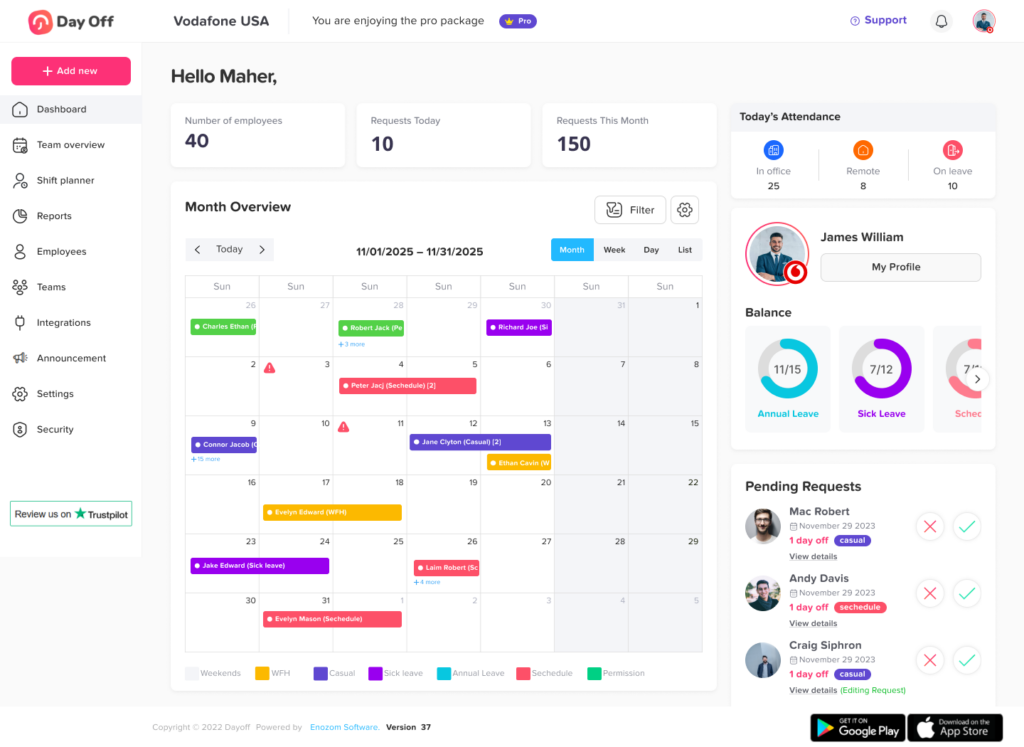
This tool focuses on simplicity and clarity, which are often missing. Instead of overwhelming you with HR-level complexity, it gives you a clean way to track your available days, plan future breaks, and visualize how your time off is spread across the year.
What makes it especially useful is how it encourages strategic thinking. For example, you can quickly see how taking just a few days off around public holidays can create much longer breaks. Over time, this changes your mindset from “taking days off when needed” to “designing your time off intentionally.”
It’s particularly powerful for individuals who don’t have structured HR systems or who want personal control over their time.
What Makes Day Off Actually Powerful
When we talk about the Day Off Leave Tracker, its real value isn’t just in tracking leave, it’s in how it changes your relationship with time off.
Most people don’t struggle because they lack days off. They struggle because they lack visibility, structure, and intention. Day Off addresses all three in a way that feels simple, but has a compounding effect over time.
Smart Leave Tracking (Without the Noise)
Most systems fall into one of two traps: they’re either too complex to use regularly or too basic to be useful. Day Off avoids both.
It gives you a clean, real-time view of:
- What you’ve used
- What’s coming up
- What’s still available
That might sound basic, but it solves a deeper issue: decision friction.
When you’re unsure how many days you have left, you hesitate. When everything is visible, decisions become effortless, and you’re far more likely actually to use your time off.
Public Holiday Optimization
This is where Day Off quietly becomes a strategic tool.
Instead of treating holidays as isolated events, it helps you connect them into longer, more meaningful breaks. With just a few well-placed days off, you can multiply your rest time without increasing your leave usage.
Over time, this builds a new habit:
You stop asking “Should I take a day off?”
and start asking “How can I design the best possible break?”
That mindset shift is where the real value lies.
Shared Team Calendar
Even in smaller teams without formal HR systems, coordination is one of the biggest hidden stressors.
Day Off’s shared calendar creates:
- Immediate visibility into team availability
- Fewer last-minute conflicts
- More confident planning
Compared to heavier systems like BambooHR, it delivers just enough structure without slowing anyone down.
The result is simple: fewer surprises, smoother collaboration, and less tension around time off.
Request & Approval Flow
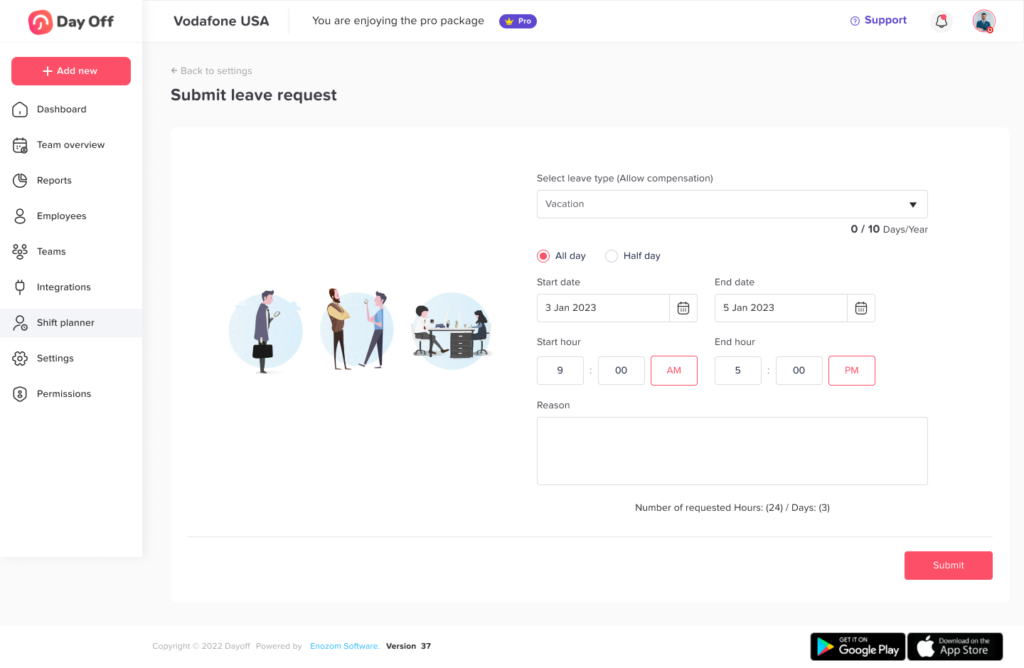
The traditional leave request process is often fragmented, with messages, emails, and follow-ups.
Day Off replaces that with a clear, centralized flow:
- Requests are submitted in seconds
- Approvals happen in context
- Everything is tracked automatically
This doesn’t just save time; it removes ambiguity. Everyone knows where things stand, which reduces unnecessary back-and-forth.
Mobile-First Accessibility
Time off decisions don’t happen in perfect, planned moments. They happen spontaneously, during conversations, while planning trips, or when you realize you need a break.
Because Day Off is mobile-first:
- You can act on decisions immediately
- You don’t rely on being at your desk
- You stay connected without being tied to work
That immediacy is what turns intention into action.
Custom Leave Types
Not all time off serves the same purpose, and treating it as one category creates a distorted view.
Day Off allows you to separate:
- Vacation
- Sick leave
- Personal days
- Remote work
This gives you a more accurate understanding of how you’re actually using your time, and whether you’re truly resting or just shifting work around.
Lightweight but Scalable
Tools like Gusto are powerful, but they’re built for full organizational management.
Day Off takes a different approach: it focuses deeply on one problem and solves it well.
That makes it ideal for:
- Individuals who want control
- Small teams that need coordination
- Growing companies that aren’t ready for heavy systems
It’s not trying to do everything, and that’s exactly why it works.
BambooHR
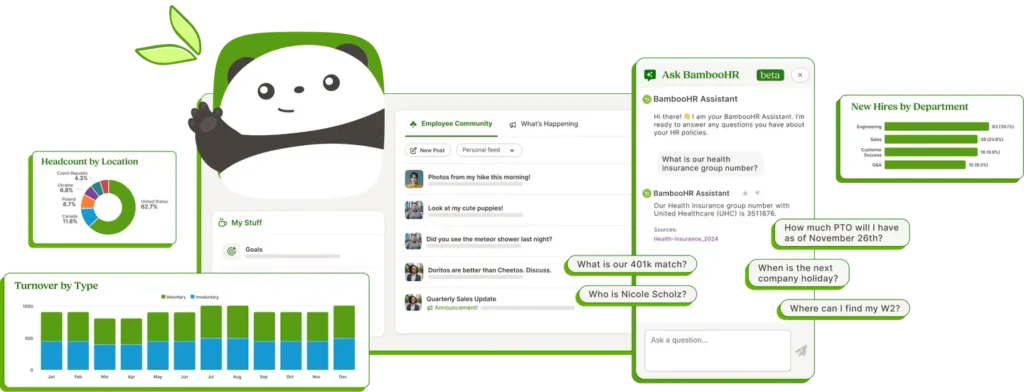
This is a more comprehensive solution typically used within organizations. It not only tracks time off but also integrates with approvals, team calendars, and company policies.
The strength of BambooHR lies in coordination. It helps avoid conflicts, ensures teams are properly staffed, and gives managers visibility into who is off and when.
For employees, this reduces uncertainty. You’re not guessing whether your time off will be approved, you’re working within a clear system.
Gusto
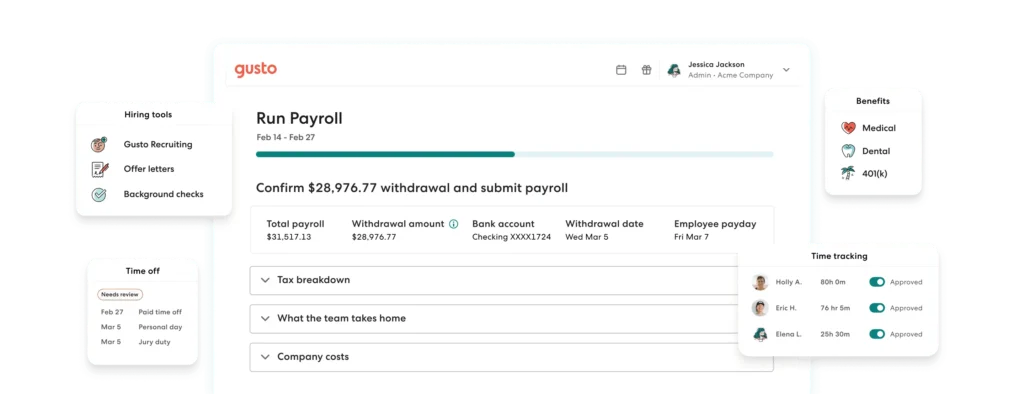
Gusto goes beyond time-off tracking by combining it with payroll and benefits. This makes it particularly valuable for small businesses that want everything in one place.
From a time-off perspective, it helps ensure that leave policies are applied consistently and transparently. Employees know exactly what they’re entitled to, and employers can manage everything without juggling multiple tools.
Other Essential Tools That Complete Your Time Off System
Tracking your time off is just the foundation. The real transformation happens when you build a supporting system around it.
Each category below solves a different friction point that prevents people from fully disconnecting.
Calendar Tools: Turning Intentions Into Boundaries
Using tools like Google Calendar or Microsoft Outlook isn’t just about scheduling, it’s about protecting your time.
A well-managed calendar:
- Signals availability clearly to others
- Prevents meetings from creeping into your time off
- Helps you plan transitions before and after your break
One of the most underrated tactics is scheduling a buffer day after your return. Instead of diving straight into meetings, you give yourself space to reset and catch up calmly.
Task Management Tools: Clearing Mental Load
Before time off, the biggest source of stress isn’t workload, it’s unfinished responsibilities.
Tools like Trello or Asana help you:
- Delegate tasks clearly
- Document progress
- Ensure nothing is left ambiguous
The goal isn’t to finish everything, it’s to make everything trackable.
When your brain trusts that nothing will be forgotten, it finally lets go.
Communication Tools: Creating Real Disconnection
Most people fail to disconnect not because they can’t, but because others don’t know they should.
Using platforms like Slack or Microsoft Teams effectively means:
- Setting clear auto-replies
- Redirecting requests to the right people
- Establishing expectations before you leave
Time off only works when it’s respected, and clarity is what creates that respect.
Travel & Experience Tools: Reducing Decision Fatigue
Even during time off, constant decision-making can quietly drain your energy.
Tools like:
- Google Maps
- TripIt
help you offload logistics so you can focus on the experience itself.
The less you have to figure things out in the moment, the more present, and relaxed, you become.
Mental Disconnect Tools: The Missing Layer
This is the piece most people overlook.
Even with perfect planning, your mind doesn’t instantly switch off. It needs help transitioning.
Apps like:
- Headspace
- Forest
support that transition by helping you:
- Slow down mentally
- Stay present
- Resist the urge to check work
Because real rest isn’t just physical absence from work, it’s psychological distance from it.
Frequently Asked Questions (FAQ) About PTO Tools
To round out your time off strategy, here are answers to some of the most common, but often overlooked, questions about PTO tools and how to use them effectively.
Do I really need a PTO tool if I already track days in a spreadsheet?
You can use a spreadsheet, but it usually breaks down over time.
Spreadsheets don’t:
- Update automatically
- Provide visibility across a team
- Help you plan strategically
Tools like Day Off Leave Tracker or BambooHR remove manual effort and reduce errors. More importantly, they shift you from tracking time off to actually optimizing it.
What’s the biggest mistake people make when using PTO tools?
They treat them as passive trackers instead of active planning tools.
Most users:
- Only check their balance occasionally
- Don’t plan ahead
- Use days reactively
The real value comes when you:
- Plan your year in advance
- Align time off with holidays
- Space breaks based on energy, not emergencies
The tool is only as effective as how intentionally you use it.
How far in advance should I plan my time off?
Ideally, you should have a rough annual plan and a detailed short-term plan.
- Quarterly view → Identify longer breaks
- Monthly view → Fine-tune timing
- Weekly view → Prepare workload
Tools like Day Off Leave Tracker make this easier by giving you a visual distribution of your leave across the year.
Are PTO tools only useful for teams and companies?
Not at all.
While tools like Gusto are built for businesses, lighter tools are extremely valuable for:
- Freelancers
- Remote workers
- Individuals managing flexible schedules
If anything, people without structured HR systems benefit more because they lack built-in visibility.
How do PTO tools help reduce stress before a vacation?
Stress before time off usually comes from uncertainty:
- “Did I forget something?”
- “Will this get approved?”
- “Who’s covering my work?”
PTO tools reduce that by:
- Making approvals clear
- Showing team availability
- Integrating with planning workflows
When everything is visible and documented, your brain doesn’t need to keep checking.
Can PTO tools actually help me take more time off?
Yes, and this is one of their most underrated benefits.
When you clearly see:
- How many days you have
- When you last took a break
- How evenly (or unevenly) your time is distributed
You’re more likely to:
- Use your full allowance
- Avoid burnout gaps
- Take breaks proactively
Visibility drives behavior.
What features should I prioritize when choosing a PTO tool?
Instead of looking for the “most features,” focus on the right ones:
- Clear leave balance visibility
- Calendar integration
- Easy request/approval flow
- Public holiday awareness
- Mobile accessibility
For example, Day Off Leave Tracker focuses on simplicity and usability, while BambooHR offers deeper organizational control.
Choose based on your needs, not feature count.
How do PTO tools fit with other productivity tools?
They don’t replace your existing tools, they connect the dots between them.
For example:
- PTO tool → decides when you’re off
- Calendar → blocks that time
- Task manager → prepares your work
- Communication tool → protects your boundaries
Without a PTO tool, this system becomes fragmented.
Is it better to use one all-in-one tool or multiple specialized tools?
It depends on your situation.
- All-in-one tools (like Gusto) are great for companies needing payroll + HR + compliance
- Specialized tools (like Day Off Leave Tracker) are better for flexibility and ease of use
In most cases, a simple, focused tool + a few supporting apps creates a better experience than one complex system.
How do I know if my current PTO system isn’t working?
There are a few clear signs:
- You don’t know how many days you have left
- You take time off only when you’re exhausted
- You feel stressed before or during breaks
- Your team frequently has scheduling conflicts
If any of these sound familiar, it’s not a time off problem, it’s a system problem.
Can PTO tools help with work-life balance long-term?
Yes, but indirectly.
They won’t force balance, but they enable it by:
- Making time visible
- Encouraging consistency
- Reducing friction
Over time, this leads to:
- More regular breaks
- Better recovery cycles
- Sustainable productivity
That’s where the long-term impact shows up.
What’s the simplest way to start using a PTO tool today?
Don’t overcomplicate it.
Start with three steps:
- Input your total leave balance
- Add known public holidays
- Plan 2–3 breaks in advance
That alone puts you ahead of most people, and once you see the clarity it creates, you’ll naturally build from there.
Conclusion
Taking time off isn’t just about stepping away, it’s about doing it with intention. As highlighted throughout this guide , the right tools, like Day Off Leave Tracker, help turn scattered, reactive breaks into structured and meaningful ones.
When you have clarity, plan ahead, and protect your time, your days off start to do what they’re meant to do: help you truly recharge.
Because in the end, it’s not about taking more time off, it’s about making it work.