Introducing Day Off for Slack

Connect Day Off with your Slack workspace for seamless leave management! Now, employees can request time off directly through Slack. Yes, it’s that easy!

Watch: connect Day Off to Slack

A 90-second walkthrough of setting up Day Off in Slack.

Trusted by leading teams

Why Use Day Off in Slack?

Instant notifications

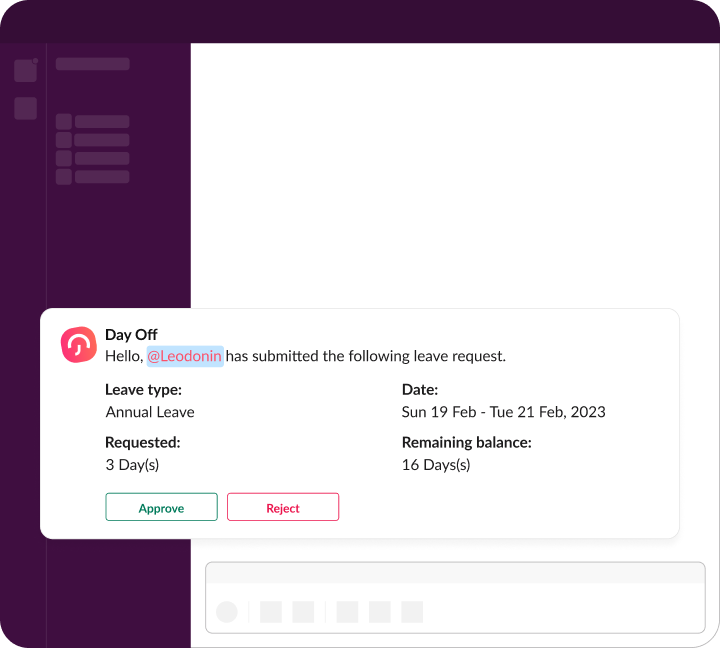
Immediate Slack message with the notification of the request when an employee asks for time off.

Who is off

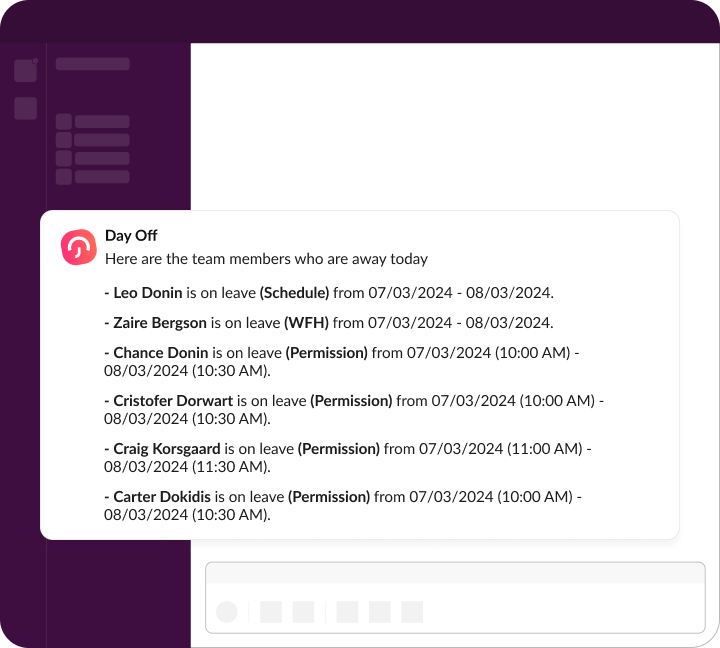
The Daily Digest delivers an update to your Slack workspace about who’s taking a day off every day.

Import employees

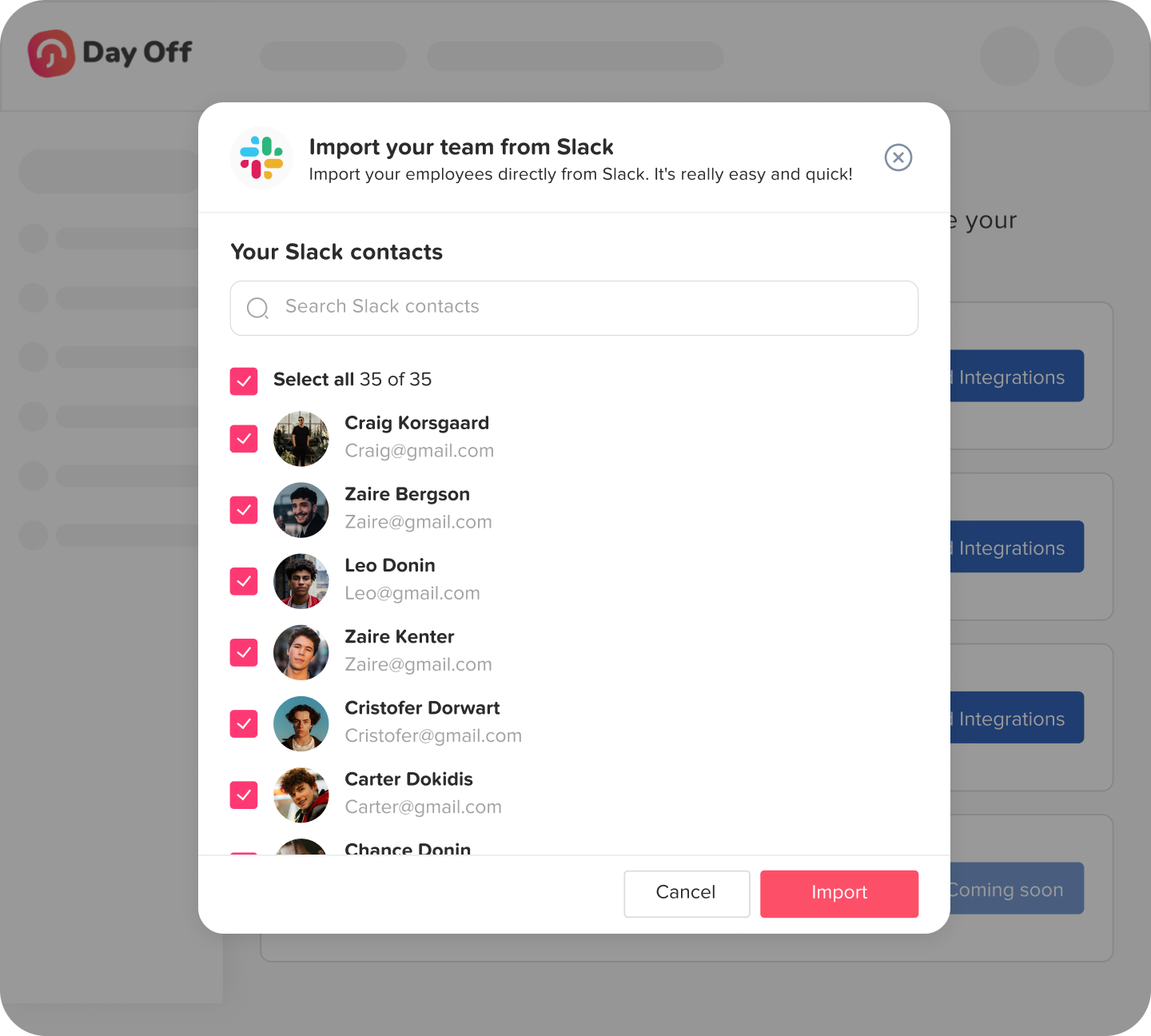
Directly import your team members from your Slack workspace into your Day Off account.

Balance summary

Effortlessly check your leave balances and track request statuses with a few clicks.

Instant approval

Get immediate notifications for new requests with details, and approve or decline them with just a single click.

Status updates

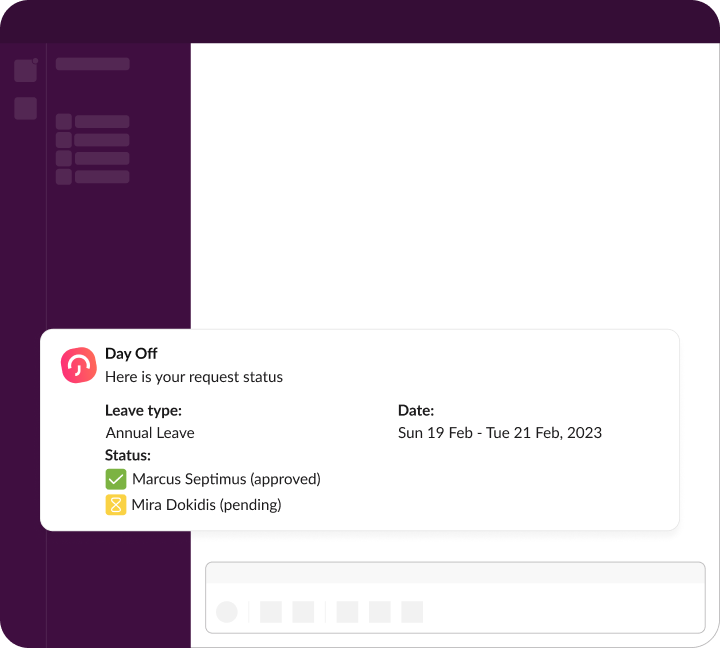
Prompt update with the approval of leave requests sent to employees as they receive a notification on Slack.

Connect your Slack workspace with Day Off in a few easy steps, and you are ready to go!

Add to Slack

Go to Day Off on the Slack App Directory and add Day Off to Slack

Import employees

Import your employees from Slack to Day Off or link existing ones

/Dayoff

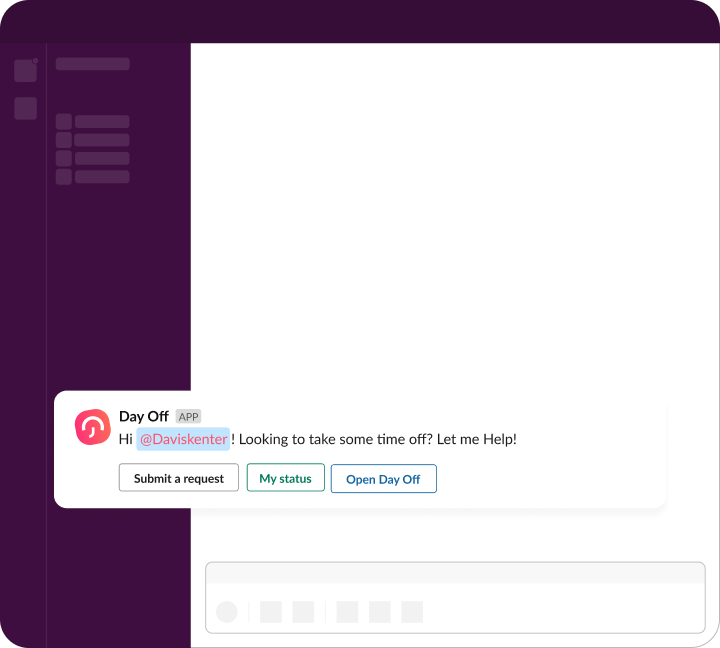
With just a simple command, Day Off’s main features are in your Slack workspace

Quick Start: Import Employees!

Kickstart your integration for Slack by easily importing your team members from your Slack workspace directly into your Day Off account. For those already in sync with the same email on both platforms, simply link their accounts to ensure a comprehensive Slack presence for every employee. Ensure no one is left behind and enhance team connectivity with this essential integration step.

Easy Actions

With just a few clicks inside Slack, you can request time off, view your remaining leave balances, and track your requests’ statuses. It’s designed for simplicity, eliminating the need to switch between apps. This integration ensures you have everything you need to manage your leave efficiently, right where you work.

Who is Off Today?

The Daily Digest from Day Off sends a quick update to your Slack workspace, telling your team who’s off each day. You can set it up to share this info at the same time every day, and you decide what details to include. This keeps everyone in the loop and helps your team work better together. It’s really useful for planning your day and making sure work goes smoothly. Keep your team in sync and informed easily, every single day.

How to Enable Daily Digests?

Enable the Who is Off and Official Holidays digests to be sent daily on selected Slack channels. 

Select a Channel

Select a channel to send the “Who is off?” and the “Official Holidays” digests.

Set Message Style

Set a style for the who is off message, employee’s name, name with reason or name, reason and dates.

Select Digest Time

Finally, set the time when the digest will be sent on the channels every day.

Submit Requests in Seconds

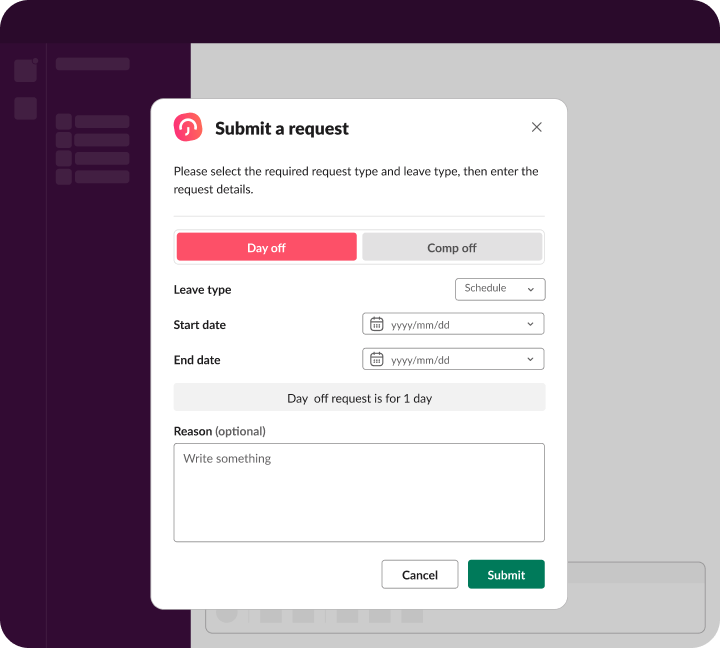
Unlock the convenience of requesting time off directly through Slack with our seamless integration and say goodbye to switching apps! You can easily select your leave type and specify the start and end dates of your absence right within Slack. And after submitting your request, simply await your manager’s approval.

Instant Request Notifications

Just like on Day Off, when someone asks for time off, their approver gets an instant Slack message, notifying them of the request. Approvers can see the requested leave type, start and end dates as well as how much leave balance the employee has left, so they can make a good choice about whether to approve or reject the request. If the employee has two approvers, both will get a message at the same time to let them know they need to check the request.

Immediate Request Updates

Employees will quickly know when their leave requests are approved because they get a message right on Slack. No need to keep checking, employees will stay updated effortlessly. This makes planning time off easier and keeps everything simple and smooth.

Ready to enjoy Day Off in Slack?