







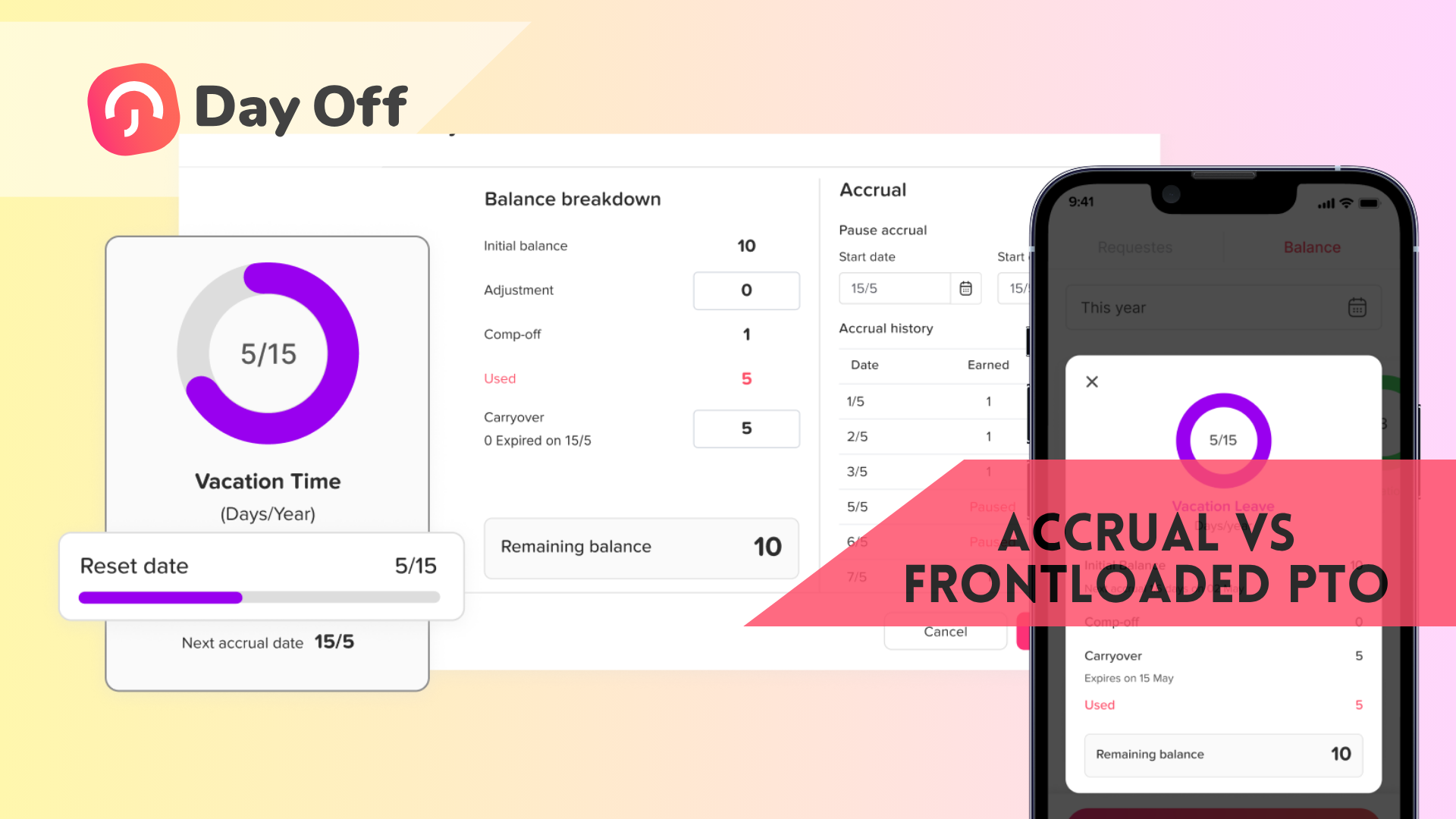
When setting up a paid time off (PTO) policy, one of the first decisions you’ll face is how employees receive their leave balance. Do they earn it gradually throughout the year, or get the full amount upfront?
These two approaches are called accrual based PTO and frontloaded PTO, and choosing between them can have a real impact on employee satisfaction, administrative workload, and company cash flow.
In this guide, we’ll break down exactly how each system works, weigh the pros and cons, and help you decide which model makes the most sense for your team.
Understanding the differences between accrual vs frontloaded PTO is crucial for HR management.
It’s essential to weigh the benefits of accrual vs frontloaded PTO in relation to your organizational structure.

What is accrual-based PTO?
With an accrual-based PTO system, employees earn their time off gradually, typically by the hour, week, or pay period, throughout the year.
For example, if your company offers 15 days of PTO per year and pays employees biweekly (26 pay periods), each employee would accrue approximately 0.58 days per pay period.
With an accrual vs frontloaded PTO system, employees have distinct experiences on how they manage their leave.
Common accrual schedules include:
- Per hour worked: Common in hourly or shift-based roles
- Per pay period: The most widely used method for salaried employees
- Monthly: Simple to calculate, 12 equal increments per year
- Annually: Employees earn the full balance on their anniversary date or January 1st (this edges closer to frontloading)
Many companies also implement a waiting period or a propation period, typically 30 to 90 days, before new hires begin accruing PTO. This is especially common in industries with high turnover.
What is frontloaded PTO?
With a frontloaded PTO system, employees receive their full annual leave balance at the start of the year (or on their hire date, in the case of new employees). The entire allocation, say, 15 days, is available to use from day one of the period.
There is no gradual earning process. Employees simply have their balance loaded into the system, and they use it as needed throughout the year.
Frontloading is common in companies that prioritize simplicity and want to signal trust in their workforce.
Accrual vs frontloaded PTO: a side-by-side comparison
| Accrual based PTO | Frontloaded PTO | |
|---|---|---|
|
How it works |
Earned gradually over time |
Full balance given upfront |
|
Admin complexity |
Higher, ongoing tracking needed |
Lower, set once per year |
|
New hire experience |
Limited leave early on |
Full balance from day one |
|
Financial liability |
Lower, liability builds gradually |
Higher, full balance owed immediately |
|
Risk of overuse |
Lower |
Higher (if no carryover controls) |
|
Employee perception |
Can feel restrictive early on |
Feels generous and trusting |
|
Best for |
Larger teams, high-turnover industries |
Small teams, knowledge workers, remote teams |
Pros and cons of accrual-based PTO
Pros
Cons
Pros and cons of frontloaded PTO
Pros
In the context of accrual vs frontloaded PTO, clear communication is key to managing employee expectations.
Much simpler to manage. There’s no ongoing calculation. You load the balance once, and employees use it throughout the year. This significantly reduces the administrative burden on HR and managers.
Great new hire experience. A new employee who starts on January 3rd has the same PTO balance as someone who joined two years ago. This signals trust and removes early friction.
Employees can plan ahead. When someone knows they have 15 days available in January, they can book their summer holiday in February. This kind of planning predictability improves morale.
Works well with modern work cultures. Remote-first and flexible companies tend to prefer frontloading because it aligns with a results-oriented, high-trust environment.
Cons
When evaluating accrual vs frontloaded PTO, consider how each model fits into your overall HR strategy.
Which is better for your team?
There’s no universally right answer, the best choice depends on your company’s size, industry, culture, and the legal requirements in your jurisdiction.
Consider accrual-based PTO if:
- You’re in a high-turnover industry (retail, hospitality, healthcare)
- You have hourly or part-time employees whose hours vary
- You operate in a state or country with mandatory payout laws and want to limit liability
- You have a large workforce where the financial exposure of frontloading would be significant
- You want to use tenure-based accrual rates as a retention tool
Consider frontloaded PTO if:
Ultimately, the decision on accrual vs frontloaded PTO should align with your organization’s goals.
What about carryover and payout?
When thinking about accrual vs frontloaded PTO, remember the importance of flexibility for your employees.
In the end, both accrual vs frontloaded PTO models can serve your company well, depending on your needs.
Common options:
This ongoing conversation about accrual vs frontloaded PTO is vital as we look toward future HR practices.
- Use-it-or-lose-it: unused PTO expires at year-end. Note: this is illegal in some jurisdictions (California, for example, prohibits it entirely).
- Carryover cap: employees can carry over a limited number of days (e.g., up to 5) into the next year.
- Full carryover: all unused leave rolls into the following year (builds large liability over time).
- PTO payout: unused days are paid out at year-end or upon separation.
Your carryover policy interacts directly with your accrual vs frontload choice. A frontloaded system with full carryover and no cap, for example, can quickly result in employees sitting on very large balances, which creates both financial risk and a situation where people aren’t actually taking the rest they need.
Accrual vs Frontloaded PTO in Day Off (How It Actually Feels to Use)
How Accrual PTO Feels in Day Off
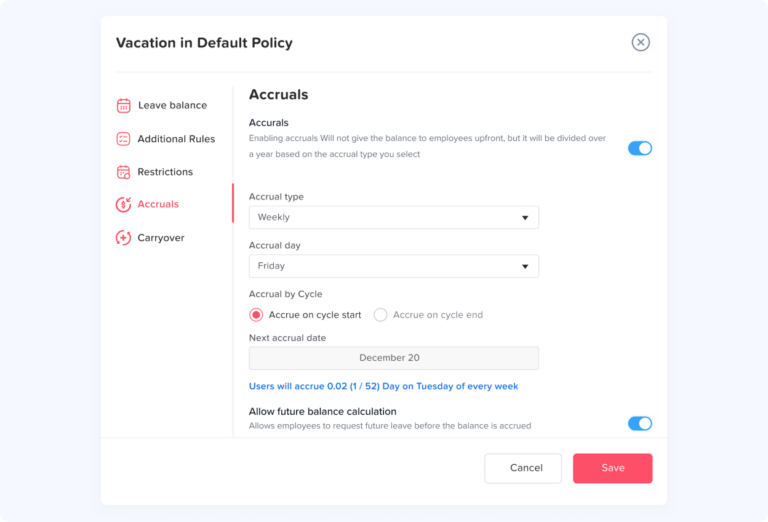
When you set up an accrual-based policy in Day Off, the system continuously updates each employee’s balance in the background based on your rules.
Instead of seeing a fixed number, employees see a growing PTO balance that increases after each pay period or time interval.
This creates a very clear mental model: “This is what I’ve earned so far.”
Because of that, employees naturally pace their time off. They tend to check their balance before requesting leave and plan within what’s available.
From an admin perspective, Day Off handles all the complexity:
Accrual happens automatically (no manual tracking)
Different accrual rates can apply by role or tenure
Adjustments are reflected instantly across the system
What this improves:
Prevents overuse of PTO early in the year
Keeps leave aligned with actual time worked
Reduces financial exposure if employees leave mid-year
Trade off: Employees may feel slightly restricted, especially early on, since their available balance is limited at the beginning.
How Frontloaded PTO Feels in Day Off
What Changes Inside Day Off (Side-by-Side Experience)
The real difference shows up in how people interact with the tool daily:
Balance visibility
- Accrual: “Available PTO” grows over time
- Frontloaded: Full balance visible immediately
Decision making
- Accrual: Employees calculate and pace usage
- Frontloaded: Employees plan freely and early
Manager oversight
- Accrual: Built-in control through limited balances
- Frontloaded: Requires more proactive approval awareness
System behavior
- Accrual: Continuous automation in the background
- Frontloaded: One-time setup, then simple tracking
Why Day Off Changes the Equation
Engaging in discussions around accrual vs frontloaded PTO can foster a more positive workplace culture.
Without a tool, accrual PTO can be tedious, and frontloaded PTO can feel risky.
Day Off removes both problems.
Because everything is automated and visible in one place, you can:
- Run complex accrual policies without manual effort
- Offer frontloaded PTO without losing visibility or control
- Track usage, balances, and trends in real time
- Adjust policies as your company grows
The key shift:
You’re no longer choosing between ease and flexibility.
You’re choosing the experience you want to create for your team.
Recognizing the nuances of accrual vs frontloaded PTO can inform your overall benefits strategy.
Pro Tip: Use a Hybrid Model in Day Off
In light of the ongoing debate of accrual vs frontloaded PTO, many companies are exploring hybrid options.
Evaluating the key differences between accrual vs frontloaded PTO can empower better decision-making.
All things considered, the dialogue surrounding accrual vs frontloaded PTO will continue to evolve.
Many teams using Day Off don’t choose one system, they combine both strategically.
A common setup:
- Frontloaded vacation PTO: encourages planning and work-life balance
- Accrued sick leave: aligns with compliance and prevents misuse
Day Off handles both seamlessly in parallel, so you get:
- Flexibility where it matters
- Control where it’s needed
Frequently asked questions
Is frontloaded PTO better than accrual?
As HR leaders assess the merits of accrual vs frontloaded PTO, it’s important to gather employee feedback.
It depends on your team. Frontloaded PTO is simpler to administer and feels more generous to employees, but it creates higher financial liability upfront. Accrual is better suited to larger teams or high-turnover environments.
Can employees go into negative PTO with a frontloaded system?
Legal considerations are also critical in the discussion of accrual vs frontloaded PTO.
Yes, if an employee uses their full balance and then leaves the company before year-end, they’ve technically used more PTO than they’ve “earned.” Most companies address this in their employment contracts.
Do I have to pay out frontloaded PTO if an employee leaves?
Understanding how accrual vs frontloaded PTO impacts employee retention can guide your decision.
This depends on your local employment laws. In some US states (like California) and many countries, all accrued or allocated PTO must be paid out at termination. Always consult an employment attorney when designing your policy.
What is a good PTO accrual rate?
Can accrual rates increase based on tenure?
In sum, the analysis of accrual vs frontloaded PTO is vital for effective workplace management.
As we conclude, the ongoing dialogue about accrual vs frontloaded PTO highlights its importance in HR.
As such, the insights gained from the accrual vs frontloaded PTO debate will shape future policies.
Hence, the discussion surrounding accrual vs frontloaded PTO remains crucial in today’s workforce.
Yes, and many companies use this intentionally as a retention tool. A common structure looks like this: 10 days/year for years 0–2, 15 days/year for years 3–5, and 20 days/year for 5+ years of service. This rewards loyalty and gives employees something to look forward to as they grow with the company.
Can I switch from accrual to frontloaded PTO (or vice versa)?
Assessing the implications of accrual vs frontloaded PTO will ultimately lead to better employee satisfaction.
Ultimately, the decision of accrual vs frontloaded PTO reflects your organization’s values and priorities.
Overall, the choice between accrual vs frontloaded PTO should reflect the company’s ethos and culture.
Ultimately, the choice between accrual vs frontloaded PTO should be tailored to your unique organizational needs.
Yes, and many companies do make this switch as they grow or restructure their benefits. The most important thing is to ensure no employee loses leave they’ve already earned in the transition. Switching at the start of a new calendar year is the cleanest approach. Communicate the change at least 30–60 days in advance and update your employee handbook.
Does frontloaded PTO expire at the end of the year?
Only if your policy says it does. Many companies pair frontloaded PTO with a use-it-or-lose-it rule (where legally permitted) so that unused days don’t roll over and create a growing liability. Others allow limited carryover, for example, up to 5 days, as a middle ground. The key is to document your carryover rules clearly and communicate them to employees.
Finally, remember that the clear documentation of your accrual vs frontloaded PTO policy is essential.
Can a company offer both accrual and frontloaded PTO at the same time?
Many organizations are re-evaluating their stance on accrual vs frontloaded PTO in light of recent trends.
Consider how the choice of accrual vs frontloaded PTO may affect your company’s financial health.
Ultimately, the conversation surrounding accrual vs frontloaded PTO will shape employee experiences.
Ultimately, the effectiveness of either system hinges on your firm’s approach to accrual vs frontloaded PTO.
As such, the discussion around accrual vs frontloaded PTO will shape future HR practices.
In essence, the relationship between accrual vs frontloaded PTO will shape the future of employee engagement.
Ultimately, understanding the nuances of accrual vs frontloaded PTO will lead to better management practices.
This is an important consideration as you navigate the complexities of accrual vs frontloaded PTO.
Conclusion
The conclusion on accrual vs frontloaded PTO should be based on your employees’ needs and company values.
In closing, the choice between accrual vs frontloaded PTO must align with your strategic objectives.
In conclusion, the future of accrual vs frontloaded PTO will continue to influence workforce dynamics.
Thus, the conversation surrounding accrual vs frontloaded PTO is likely to remain relevant for years to come.
In summary, the discussion on accrual vs frontloaded PTO is crucial for effective HR management.
In conclusion, finding the best approach to accrual vs frontloaded PTO is essential for employee satisfaction.
Ultimately, the debate over accrual vs frontloaded PTO will continue as workplaces evolve.
As we move forward, understanding accrual vs frontloaded PTO will be integral to employee retention strategies.
Finally, the ongoing evaluation of accrual vs frontloaded PTO will contribute to enhanced HR strategies.
In closing, your approach to accrual vs frontloaded PTO will determine its effectiveness within your organization.
The ongoing analysis of accrual vs frontloaded PTO will help refine employee management strategies.
As you explore this topic, keep in mind the ongoing relevance of accrual vs frontloaded PTO in policy design.