







On-call work helps organizations respond to emergencies, staff shortages, technical problems, customer requests, and unexpected increases in demand. It is common in healthcare, IT support, maintenance, security, utilities, hospitality, transportation, and field services.
However, managing on-call employees is more complicated than adding a name to a schedule.
Employers must determine when an employee is only available, when the employee begins performing work, how call-back activity should be recorded, and whether waiting or travel time must be counted. Managers also need accurate attendance records that distinguish between scheduled work, on-call availability, active work, approved leave, and an actual absence.

Effective time tracking for on-call employees connects scheduling, attendance, working-time records, payroll preparation, and PTO management. This helps businesses compensate employees correctly while giving managers a clear view of who is available and who has already worked additional hours.
What Is an On-Call Employee?
An on-call employee is someone who must remain available to respond when the employer needs assistance outside the employee’s normal working schedule.
The employee may be required to:
- Answer work-related calls or messages
- Respond to technical alerts
- Provide remote support
- Travel to a workplace or customer location
- Cover an unexpected employee absence
- Handle an emergency
- Resolve a system or equipment problem
- Report to work within a specified response time
On-call arrangements vary considerably. Some employees must remain at the workplace throughout the on-call period. Others may stay at home and continue with personal activities until they receive a call.
These differences matter because the level of restriction can affect whether the entire on-call period, only the active response time, or another portion of the period is treated as working time.

On-Call Time, Standby Time, and Call-Back Time
These terms are often used interchangeably, but separating them makes time records clearer.
On-call time
On-call time is the period during which an employee is expected to remain available for possible work.
The employee may or may not receive an actual request during this period.
Standby time
Standby time usually refers to a period when the employee is waiting and ready to respond. Depending on the restrictions involved, the employee may be able to use the time for personal purposes or may be significantly restricted.
Call-back time
Call-back time begins when the employee is contacted and must perform work.
The work may happen:
- Remotely by telephone or computer
- At the employee’s normal workplace
- At a customer’s property
- At another job site
- While traveling between work locations
A reliable time-tracking process should record these periods separately rather than placing every on-call hour into one general category.
Does On-Call Time Count as Hours Worked?
There is no single answer that applies to every on-call arrangement.
Under U.S. federal guidance, an employee who must remain on the employer’s premises, or so close that the employee cannot use the time effectively for personal purposes, is generally working while on call.
An employee who may remain at home or leave contact information is generally not working throughout the entire on-call period. However, additional restrictions may make the time compensable. The determination depends on the actual circumstances. ns that employers should not classify on-call time based only on the name given to the arrangement.
Calling a period “standby time,” “availability,” or “off-duty on-call” does not decide whether it counts as working time. Managers must review how the arrangement operates in practice.
Employment laws differ across countries, states, cities, industries, and collective agreements. Employers should review the requirements that apply to each employee location.
Factors That Can Affect Whether On-Call Time Is Compensable
No single factor always determines the result. Employers should consider the full effect of the restrictions placed on employees.
Where the employee must remain
An employee who must remain inside a workplace, hospital, maintenance facility, or other employer-controlled location may have little opportunity to use the time personally.
By comparison, an employee allowed to remain at home or move freely within a broad area may have more control over the time.
Required response time
A very short response requirement may prevent an employee from traveling, attending events, completing errands, or participating in normal personal activities.
A longer response period may give the employee greater freedom.
Frequency of calls
An employee who receives one short call during an entire evening may be able to use most of the on-call period personally.
An employee who receives repeated calls every few minutes may be unable to use the time effectively, even when remaining at home.
Geographic restrictions
Some employers require on-call workers to remain within a specific distance from the workplace or customer site.
The narrower the permitted area, the more restricted the employee may be.
Ability to trade on-call shifts
Employees may have more control when they can exchange on-call assignments with qualified colleagues.
A system that prevents any shift changes may place a greater burden on personal time.
Required equipment and connectivity
An employee may need to stay near a laptop, maintain internet access, carry specialist equipment, or remain in an area with reliable telephone service.
These requirements should be considered when assessing how freely the employee can use the time.
Nature of the employee’s activities
Managers should consider whether employees can realistically:
- Sleep
- Eat normally
- Attend social events
- Exercise
- Travel locally
- Care for family members
- Complete errands
- Participate in hobbies
The central issue is not whether the employee performed a specific personal activity. It is whether the restrictions allowed meaningful personal use of the time.
Federal regulations describe the distinction as whether an employee is “engaged to wait” or “waiting to be engaged,” with the answer depending on the specific facts and working arrangement. les of On-Call Time Tracking
| Situation | Suggested Time Record |
|---|---|
| Employee must remain at the workplace during the entire on-call shift | Record the full on-call period as working time, subject to applicable rules. |
| Employee remains at home with few restrictions and receives no calls | Record the on-call assignment separately. The standby period may not be working time under applicable law. |
| Employee remains at home and handles a 25-minute support request | Record the active support time and any other compensable activity. |
| Employee receives frequent calls that prevent meaningful personal use of the evening | Review whether more than the individual calls should be treated as working time. |
| Employee must respond to the workplace within ten minutes | Review the full arrangement because the short response time may significantly restrict personal activity. |
| Employee works remotely for 45 minutes and later receives another call | Record each active work session with its actual start and end time. |
| Employee is called to a customer site | Record active work and review the applicable travel-time rules. |
| Employee was scheduled on call but had approved PTO | Do not treat the employee as available unless the company’s policy clearly allows it and the arrangement complies with applicable rules. |
These examples are operational guidance, not automatic legal conclusions. The correct treatment depends on the employee’s classification, location, restrictions, actual activity, and applicable law.
Why Basic Clock-In and Clock-Out Records Are Not Enough
Traditional attendance systems assume that employees begin one continuous shift, take a break, and finish at a predictable time.
On-call work may involve several separate periods in the same day.
For example, an employee might:
- Finish a regular shift at 5:00 p.m.
- Begin an on-call assignment at 6:00 p.m.
- Receive a remote support call at 8:15 p.m.
- Finish the task at 8:42 p.m.
- Receive another call at 11:20 p.m.
- Travel to a customer site.
- Complete the work at 1:10 a.m.
A single clock-in and clock-out cannot clearly explain this sequence.
The time record should distinguish between:
- Regular scheduled work
- On-call availability
- Remote work
- Call-back work
- Travel, where applicable
- Breaks
- Work performed after midnight
- Overtime
- Approved leave
This produces a clearer record for employees, managers, HR teams, and payroll administrators.
What Employers Should Record for On-Call Employees
A complete on-call time record may include the following information.
On-call schedule
Record the planned beginning and end of the employee’s on-call assignment.
The schedule shows who was expected to be available, but it should not automatically be treated as proof of actual working hours.
Contact time
Record when the employee received the work request or alert.
This may be generated automatically by an incident, support, or communication system.
Work start and end time
Employees should record when they began and finished the active work.
This includes remote work such as:
- Reading an incident report
- Reviewing an alert
- Logging into a system
- Diagnosing a problem
- Calling a customer
- Writing notes
- Updating a ticket
- Preparing a handoff
Small tasks should not be ignored merely because they lasted only a few minutes. U.S. federal guidance generally includes additional work that the employer permits an employee to perform in hours worked. location
Identify whether the work occurred:
- At home
- At the regular workplace
- At a customer location
- At another branch
- In the field
- While traveling between assigned sites
Travel time
Travel rules can be complex.
Under federal regulations, travel between job sites during the workday is generally counted as hours worked. Travel connected with an emergency call or special assignment may require a more specific review, while ordinary home-to-work commuting is treated differently. s should define how employees report call-back travel and obtain location-specific guidance before excluding it.
Breaks and interruptions
If the employee works for an extended period, applicable meal and rest-break rules may apply.
Under the federal FLSA framework, short rest periods of roughly five to twenty minutes are generally counted as working time. State and local rules may provide additional protections. ription of work
A short description helps managers verify the record.
Examples include:
- Restored customer access
- Responded to server alert
- Repaired emergency equipment fault
- Covered absent night employee
- Answered clinical escalation
- Completed customer call-back
Employees should not be required to write an unnecessarily long report for every short response.
Manager approval
Each record should show who reviewed and approved the employee’s time.
Correction history
If a manager or employee changes the record, the system should preserve:
- The original entry
- The corrected entry
- The person making the change
- The approval date
- The reason for the correction
How to Build a Clear On-Call Schedule
Good time records begin with a clear schedule.
Define the on-call period
State exactly when the assignment begins and ends.
Avoid vague instructions such as “available this weekend.” Instead, use a specific period such as Friday at 6:00 p.m. through Monday at 6:00 a.m.
Identify the primary and backup employee
Every shift should have:
- A primary responder
- A backup responder
- A manager or escalation contact
This reduces uncertainty when the primary employee is unavailable or already handling another incident.
Establish the expected response time
Tell employees how quickly they must:
- Acknowledge the request
- Begin remote work
- Contact the manager
- Reach the workplace, when necessary
The response requirement should be realistic and reflected in the company’s analysis of the on-call arrangement.
Define communication channels
Specify whether requests will arrive through:
- Telephone
- SMS
- Workplace chat
- Support software
- Incident-management tools
- Automated alerts
Employees should not be expected to monitor several unconnected systems without clear instructions.
Allow shift exchanges
Create a documented process for exchanging on-call assignments.
The replacement employee should have the required qualifications and should be visible on the updated schedule.
Check PTO and availability before scheduling
Managers should review approved vacation, sick leave, personal leave, holidays, training, and other commitments before assigning an employee to an on-call shift.
Scheduling someone who is already on approved leave creates confusion and may interfere with the purpose of the leave.
Avoid excessive consecutive assignments
Regularly review how many nights, weekends, and holidays each employee covers.
A balanced rotation can reduce fatigue, scheduling disputes, and overreliance on the same employees.
On-Call Scheduling and Employee Attendance
On-call attendance should not be measured in the same way as attendance for a normal shift.
A scheduled employee may be fully compliant even when there is no clock-in record because no call occurred. Another employee may appear present because of one call but may have failed to respond to an earlier alert.
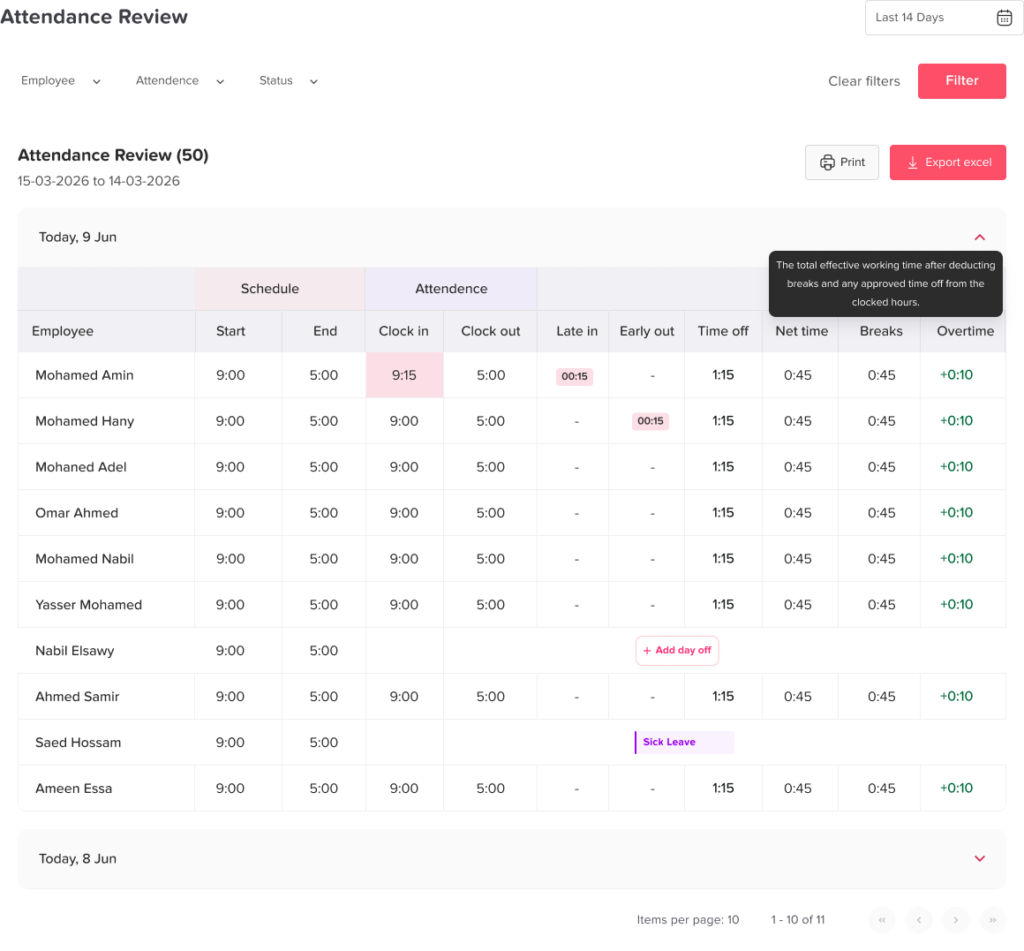
The attendance system should use clear statuses.
| Attendance Status | Meaning |
|---|---|
| Scheduled on call | Employee was assigned to remain available. |
| Available, no activation | Employee completed the on-call period without receiving work. |
| Activated remotely | Employee responded and performed work away from the workplace. |
| Called to workplace | Employee was required to report physically. |
| Backup activated | Secondary employee handled the request. |
| Missed response | Employee failed to acknowledge or respond within the required period. |
| Shift exchanged | Another qualified employee accepted the assignment. |
| Approved leave | Employee was unavailable because of approved time off. |
| Unable to respond | Employee reported an emergency, illness, or technical problem. |
| Incomplete record | Work occurred, but required time entries are missing. |
These statuses give managers more useful information than simply marking an employee present or absent.
How to Handle Missed On-Call Responses Fairly
A missed response does not always mean the employee intentionally ignored work.
Before recording an attendance violation, the manager should review:
- Whether the employee was assigned correctly
- Whether the schedule was updated after an exchange
- Whether the notification reached the correct device
- Whether the communication system failed
- Whether the employee was already handling another call
- Whether the response time was reasonable
- Whether the employee had approved leave
- Whether an emergency prevented the response
- Whether the employee received clear training
When the employee did not follow a valid procedure, the issue can be handled through coaching or the company’s attendance process.
Timekeeping and attendance discipline should still be kept separate from payroll accuracy. Any work the employee actually completed should be recorded and reviewed for payment.
Tracking Remote On-Call Work
Remote on-call tasks are easy to overlook because the employee never enters a physical workplace.
Examples include:
- Answering a manager’s call
- Resetting a customer account
- Reviewing a security alert
- Approving an emergency request
- Troubleshooting through a laptop
- Updating a medical or service record
- Joining a brief online meeting
- Writing an incident summary
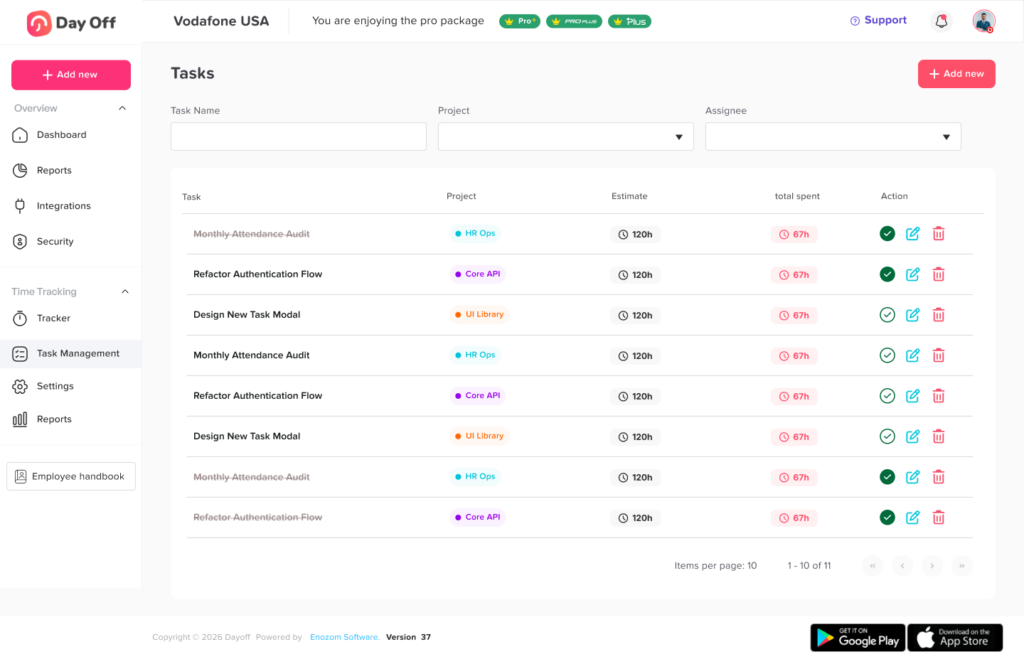
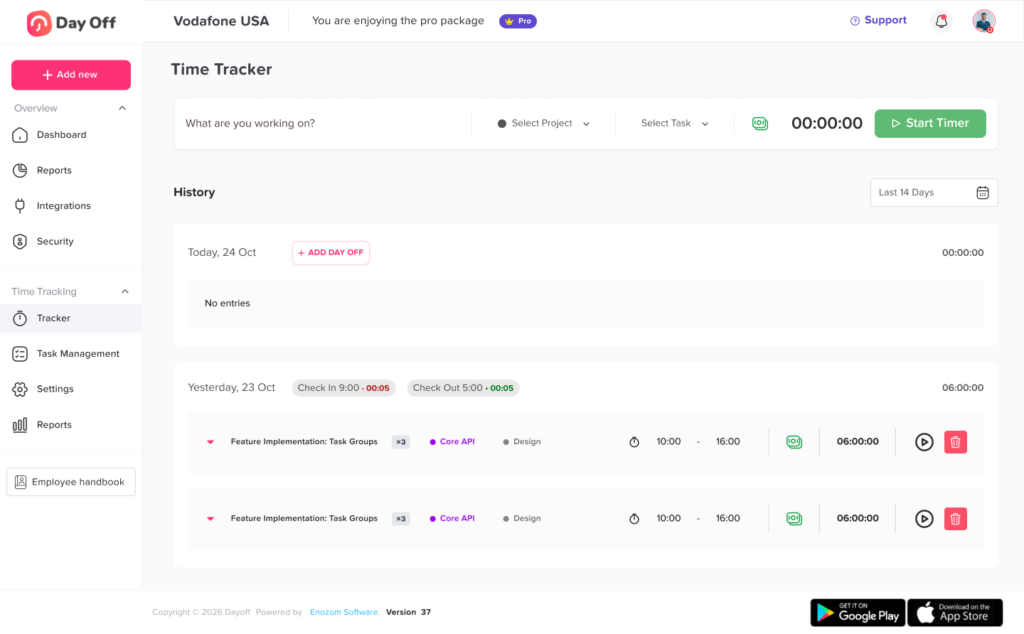
Employees should have a simple way to start and stop a timer or submit a manual entry from their phone or computer.
Managers should avoid telling employees to perform “quick” tasks without recording them. Several short tasks across one week can add meaningful working time and may affect overtime calculations.
On-Call Time and Overtime
Covered nonexempt employees in the United States generally must receive overtime compensation for hours worked beyond 40 in a workweek. The calculation is based on the workweek rather than the length of an individual shift or pay period under the federal rule, although state laws may have additional daily or other overtime requirements. all employees, employers should combine all compensable hours, including:
- Regular scheduled hours
- Compensable waiting time
- Remote call-back work
- Work at the employer’s premises
- Required documentation after an incident
- Compensable travel
- Other permitted work
Managers should not move hours between workweeks to avoid overtime.
Payroll should also review whether on-call stipends, premiums, bonuses, or other payments must be included in the employee’s regular rate for overtime calculations.
Federal guidance states that some genuine, unanticipated call-back payments may be excluded from the regular rate when they meet the required conditions. By contrast, other payments for employment may need to be included. The treatment depends on how the payment is structured and why it was paid. s should have payroll or qualified legal professionals review their compensation structure rather than assuming every on-call payment receives the same treatment.
On-Call Stipends and Minimum Call-Back Pay
Some organizations pay employees a fixed stipend for remaining available. Others guarantee a minimum number of paid hours when an employee is called back.
For example, an employee may receive:
- A flat payment for an on-call night
- A weekend availability allowance
- A minimum of two or three hours of call-back pay
- A premium rate for emergency work
- A different rate for holidays
- Mileage or expense reimbursement
The pay arrangement should clearly explain:
- What the payment covers
- Whether active work is paid separately
- How overtime is calculated
- Whether minimum call-back hours represent worked time or additional pay
- How multiple calls within the guaranteed period are handled
- Whether travel expenses are reimbursed
- When the employee will receive payment
A payment label does not replace accurate time tracking. Employers should still record the employee’s actual compensable hours.
On-Call Work Across Midnight
An on-call incident may begin before midnight and finish the next day.
The time-tracking system should split or allocate the record correctly without losing the connection between the entries.
For example:
- On-call schedule: Monday, 6:00 p.m. to Tuesday, 6:00 a.m.
- Call received: Monday, 11:35 p.m.
- Work started: Monday, 11:42 p.m.
- Work completed: Tuesday, 1:10 a.m.
The system should preserve:
- The complete incident duration
- The date attached to each working period
- The correct workweek
- Any overtime impact
- The relationship to the original on-call assignment
Managers should be careful around payroll cutoffs and the end of the defined workweek.
On-Call Employees and PTO
Time tracking and PTO tracking should work together.
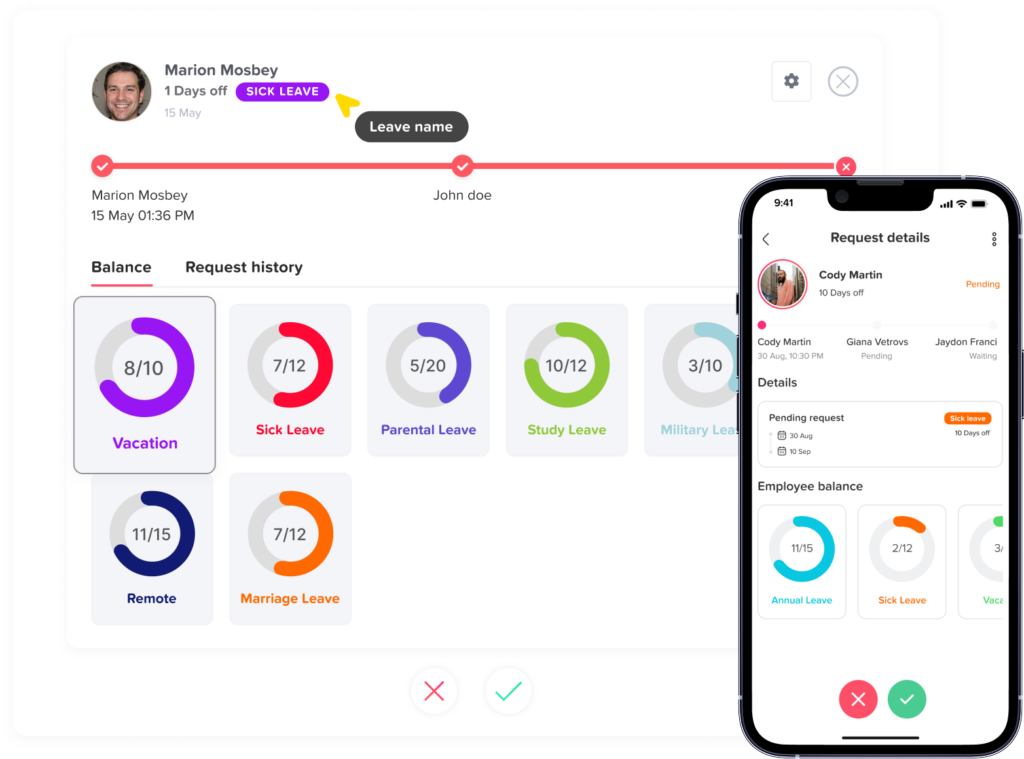
Before assigning on-call work, managers should be able to see whether an employee has:
- Approved vacation
- Sick leave
- Personal leave
- Parental leave
- Bereavement leave
- Unpaid leave
- A company holiday
- Another approved absence
The organization should also decide:
- Whether employees can be placed on call during PTO
- Whether employees may volunteer for on-call work while on leave
- What happens if an employee becomes sick during an on-call assignment
- Whether a call interrupts a vacation day
- How partial-day leave interacts with an evening on-call shift
- Who updates the schedule when leave is approved after the on-call rotation is published
These rules should be written clearly and applied consistently.
Common On-Call Time-Tracking Mistakes
Recording only the longest call
Every work period should be recorded, including short calls and follow-up tasks.
Treating the schedule as the timesheet
A schedule shows expected availability. It does not show the exact work performed.
U.S. federal recordkeeping guidance states that when an employee works for a longer or shorter period than the schedule indicates, the employer must record the hours actually worked. ring work completed from home
Remote troubleshooting, calls, messages, and documentation can still be working time.
Automatically excluding all standby time
The correct treatment depends on the restrictions and circumstances.
Forgetting travel and post-incident work
Employees may need to travel, complete reports, update tickets, or provide a handoff after resolving the problem.
Recording hours in the wrong workweek
This can affect overtime and payroll calculations.
Scheduling employees who are on leave
Managers should check approved leave before publishing the on-call rotation.
Allowing undocumented shift exchanges
The schedule should always identify who is currently responsible.
Deleting corrected entries
Corrections should preserve the original record and create an audit trail.
On-Call Time-Tracking Policy Checklist
A complete policy should explain:
- Which roles participate in on-call work
- How employees are selected
- When on-call periods begin and end
- The required response time
- Geographic or equipment restrictions
- How shifts can be exchanged
- Who serves as the backup
- How work requests are delivered
- When employees should start tracking time
- How remote work is recorded
- How travel is handled
- How breaks are recorded
- How work across midnight is processed
- How missed responses are reviewed
- How missed time entries are corrected
- How stipends and call-back pay work
- How overtime is calculated
- How PTO affects on-call assignments
- How long time records are retained
- Who approves employee timesheets
Under the U.S. federal recordkeeping framework, covered employers must retain basic payroll records for at least three years, while records used to calculate wages, such as time cards and work schedules, generally must be retained for two years. Longer state, local, contractual, or industry-specific requirements may apply. ime-Tracking Software Helps On-Call Teams
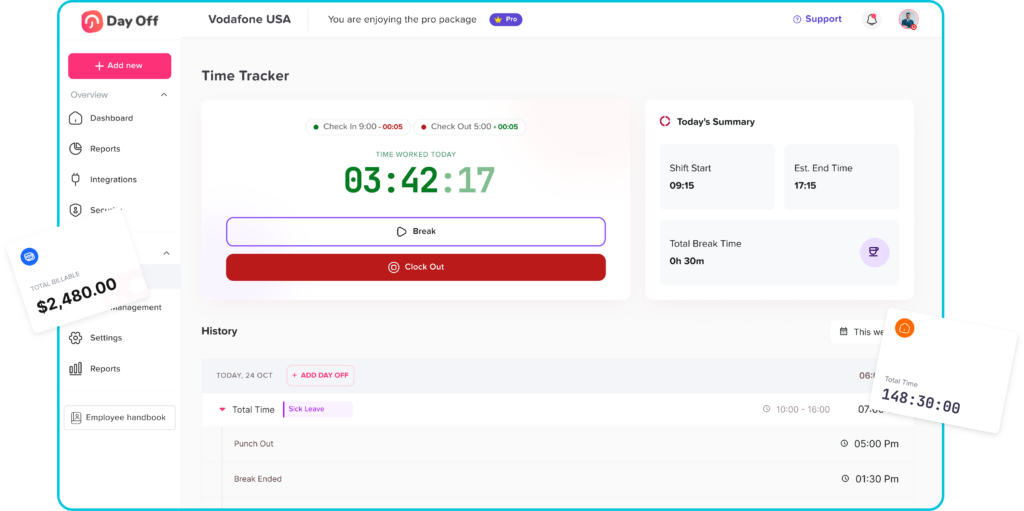
A modern system can reduce the manual work involved in scheduling and reviewing on-call activity.
Useful features include:
On-call schedules
Managers can publish rotations with primary and backup employees.
Mobile time tracking
Employees can record remote or call-back work without waiting to return to the workplace.
Multiple work sessions
The system can store several separate periods during the same day.
Attendance statuses
Managers can distinguish between on-call availability, active work, approved leave, and missed responses.
Missing-entry alerts
Employees and managers can be notified when an active call has no matching time record.
Timesheet approvals
Managers can review call-back entries before payroll.
Correction history
Every edit can be documented without deleting the original entry.
Overtime visibility
Managers can see whether additional on-call work is increasing weekly hours.
PTO integration
The schedule can account for vacation, sick leave, and other approved absences.
Reports
HR can review on-call workload, response frequency, total active hours, and staffing patterns.
Managing On-Call Schedules, Attendance, and PTO With Day Off
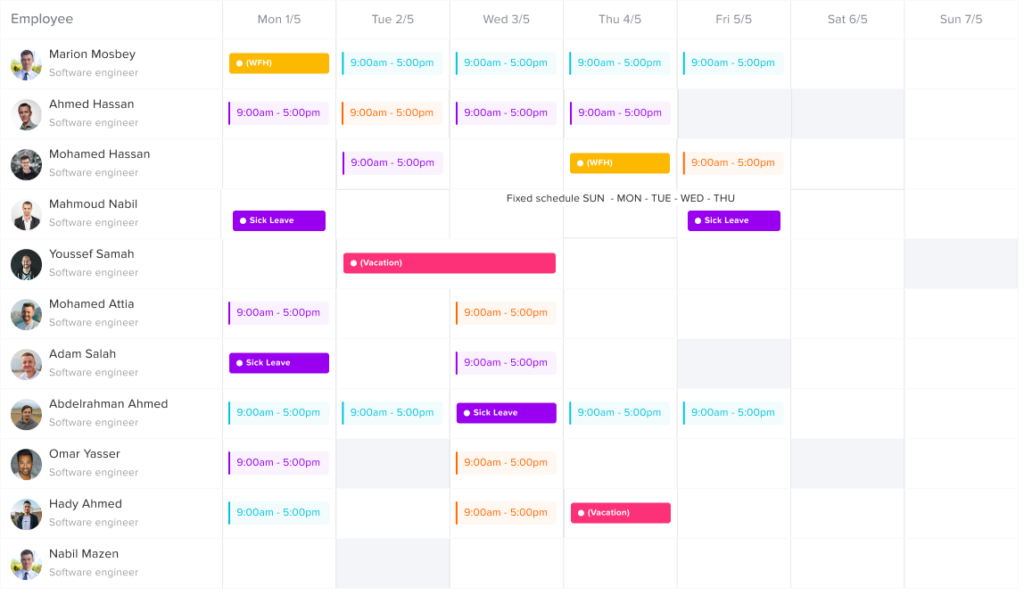
Day Off helps businesses connect work schedules, attendance, employee time records, and PTO information in one organized system.
Managers can use connected records to understand:
- Who is scheduled
- Who is available
- Who is on approved leave
- When an employee starts and finishes work
- Whether a timesheet is incomplete
- How actual hours compare with assigned schedules
- Whether additional work may affect overtime
- Which employees are available as backups
Bringing time tracking and leave management together also helps managers avoid confusing an approved absence with a missed shift or missing clock-in. Day Off’s published guidance emphasizes the value of connecting punch-in records, schedules, attendance, PTO requests, and team availability rather than managing them through separate spreadsheets and messages. ently Asked Questions About Time Tracking for On-Call Employees
Frequently Asked Questions About Time Tracking for On-Call Employees
Do on-call employees have to clock in?
On-call employees should clock in or record their time whenever they begin performing work. This may include answering support calls, reviewing alerts, logging into company systems, traveling between work locations, completing an emergency task, or writing follow-up notes.
Whether an employee must record the entire on-call period depends on how restrictive the arrangement is. If the employee must remain at the workplace or cannot use the time effectively for personal activities, the full period may count as working time under applicable law.
Do employees get paid just for being on call?
Employees are not automatically entitled to payment for every hour they are listed as on call under U.S. federal rules. The answer depends on the restrictions placed on the employee.
An employee who can remain at home, move freely, and use the time mainly for personal purposes may only need to be paid for active work. An employee who must remain on the employer’s premises or is heavily restricted may need to be paid for the full standby period.
State laws, employment contracts, collective bargaining agreements, and company policies may provide additional rights.
Is on-call time considered hours worked?
On-call time may be considered hours worked when the employee is so restricted that the time is primarily controlled by the employer.
Important factors can include:
- Where the employee must remain
- How quickly the employee must respond
- How frequently calls occur
- Whether the employee can trade shifts
- How far the employee may travel
- Whether the employee can use the time for normal personal activities
The determination is based on the complete working arrangement rather than one factor alone.
Does answering a work call after hours count as work?
It generally can. When a nonexempt employee answers a work-related call and performs duties for the employer, the active time should be recorded.
Examples include troubleshooting a problem, responding to a customer, reviewing an alert, resetting an account, providing instructions, or completing follow-up documentation.
Even a short remote task should be included in the employee’s time records when it qualifies as compensable work.
How should employees track short on-call calls?
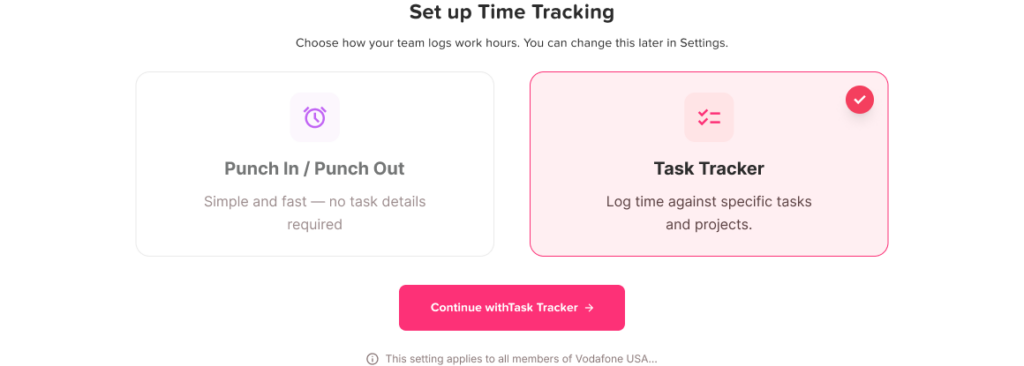
Employees should record the actual beginning and end of each active work session through a mobile timer, web time clock, or manual timesheet entry.
The entry may include:
- Date of the request
- Start and end time
- Work performed
- Location
- Related travel time
- Incident or ticket number
- Manager approval
Employers should make the process simple enough that employees can report short tasks without waiting until the end of the pay period.
Does on-call work count toward overtime?
Yes, when the on-call or call-back period qualifies as compensable working time.
Under the federal Fair Labor Standards Act, covered nonexempt employees generally receive overtime pay when they work more than 40 hours during a defined workweek. Active call-back hours and compensable standby time must be combined with the employee’s other working hours.
Some states have additional daily overtime, consecutive-day, or industry-specific rules.
Do salaried employees get paid extra for being on call?
Being paid a salary does not by itself determine whether an employee is entitled to additional compensation. The answer depends partly on whether the employee is legally classified as exempt or nonexempt under the applicable wage laws.
Nonexempt salaried employees may still be entitled to overtime and accurate tracking of all working time. Exempt employees may not be legally entitled to additional hourly or overtime pay under federal law, but an employment agreement or company policy may provide an on-call stipend, call-back payment, or other compensation.
Employers should not assume that every salaried employee is automatically exempt.
What is the difference between on-call time and call-back time?
On-call time is the period during which an employee must remain available for possible work.
Call-back time is the active period after the employee receives a request and begins performing work.
For example, an employee may be on call from 6:00 p.m. until midnight but perform active work only from 8:15 p.m. until 8:50 p.m. The schedule should record both the availability period and the active work period separately.
Does travel time for an on-call employee count as work?
It depends on the type of travel.
Ordinary travel between home and the regular workplace is generally treated differently from travel between job sites during the workday. Travel from one assigned work location to another is generally counted as working time under U.S. federal rules.
Emergency call-back travel and special assignments can require a more detailed review based on federal, state, and local requirements. Employers should define how employees record travel and should not automatically remove all travel time from a call-back entry.
Can an employer require an employee to respond within a certain time?
Employers can establish response-time requirements for on-call assignments, subject to applicable laws, contracts, and workplace policies.
However, a very short response time may significantly limit the employee’s ability to travel, attend events, sleep, care for family members, or use the time personally. These restrictions may affect whether the entire on-call period is considered compensable.
The required response time should be realistic, clearly communicated, and considered when the employer evaluates its pay obligations.
Can an employer require employees to stay near the workplace while on call?
An employer may require an employee to remain within a certain distance or travel radius. However, strict geographic restrictions can reduce the employee’s ability to use the time freely.
When employees must remain on the employer’s premises or so close that they cannot use the time effectively for personal purposes, the on-call period is generally treated as working time under federal guidance.
What happens if an on-call employee receives no calls?
If the employee receives no calls, the record should still show that the employee completed the scheduled on-call assignment.
Whether the period is paid depends on the restrictions, applicable law, and company compensation policy. Some businesses provide a stipend or availability payment even when no active work occurs.
The system should distinguish between:
- Scheduled on call
- Available with no activation
- Active call-back work
- Missed response
- Approved leave
What is the best way to track on-call employee hours?
The best approach is to use a system that connects on-call schedules with employee time tracking, attendance, timesheet approvals, and PTO records.
Employees should be able to record multiple work sessions from a phone or computer, while managers should be able to compare actual work with the on-call schedule and review corrections before payroll.
A platform such as Day Off can help teams see who is scheduled, who is on approved leave, who completed active work, and which time records still require review.
Conclusion
Time tracking for on-call employees requires more than recording a single clock-in and clock-out. Employers need to distinguish between scheduled availability, restricted waiting time, remote responses, physical call-backs, travel, follow-up tasks, overtime, and approved leave.
A clear process helps employees understand when and how to record their time. It also gives managers the information needed to organize on-call rotations, review attendance fairly, approve timesheets, and prepare accurate payroll records.
The most important step is to compare the planned schedule with what actually happened. Employers should record all compensable work, preserve correction histories, review on-call restrictions carefully, and apply attendance rules consistently.
By connecting scheduling, attendance, time tracking, and PTO management, Day Off can help teams understand who is available, who is working, and who is away without relying on disconnected spreadsheets, messages, and manual records.