







An employee’s final timesheet may show 40 approved hours, but it does not always explain how those hours were recorded.
The employee may have forgotten to clock out. A manager may have corrected the entry. A break may have been added manually. An overtime entry may have been changed after approval. Without an audit log, HR and payroll teams may see the final total without knowing what happened before it reached payroll.
Time clock audit logs provide a chronological history of timekeeping activity. They can show when an entry was created, who changed it, what the original value was, why it was corrected, and who approved the final record.

These details help organizations investigate payroll questions, identify recurring timekeeping problems, apply policies consistently, and maintain more reliable employee records.
This guide explains what time clock audit logs should contain, which entries HR and payroll teams should review, how frequently audits should occur, and how businesses can use audit data without creating unnecessary administrative work.
What Is a Time Clock Audit Log?
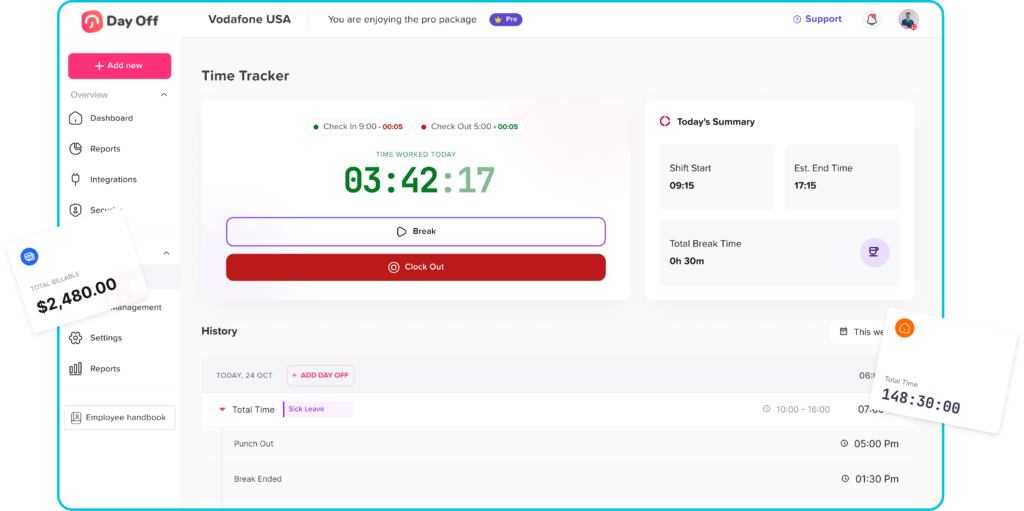
A time clock audit log is a historical record of actions performed within an employee time-tracking system.
It may record events such as:
- Employee clock-ins and clock-outs
- Break start and end times
- Manual time entries
- Missed-punch corrections
- Changes to previously recorded hours
- Deleted or voided time entries
- Manager approvals
- Rejected timesheets
- Overtime adjustments
- Schedule changes
- Payroll exports
- User permission changes
The National Institute of Standards and Technology defines an audit log as a chronological record of system activity, including system access and operations performed during a given period. A useful audit record should provide enough information to understand what happened and who or what caused the event.
In a time-tracking system, that usually means the audit log should answer:
- What was changed?
- What was the original value?
- What is the new value?
- Who made the change?
- When was it changed?
- Why was it changed?
- Who approved the change?
- Was the change included in payroll?
Time Clock Audit Log vs Timesheet
A timesheet and an audit log are related, but they serve different purposes.
A timesheet shows the employee’s final recorded working time for a day, week, or pay period.
A time clock audit log shows the history behind that final record.
For example, a timesheet may show:
- Clock-in: 9:00 a.m.
- Clock-out: 5:00 p.m.
- Unpaid break: 30 minutes
- Total hours: 7.5
The audit log may show that:
- The employee originally clocked in at 9:07 a.m.
- The manager changed the entry to 9:00 a.m.
- The manager selected “employee was working before using the time clock” as the reason.
- HR reviewed the change.
- The corrected entry was approved before payroll.
The final timesheet shows the hours used for payroll. The audit log shows how the organization reached that result.
Why Time Clock Audit Logs Matter
Time clock audit logs are not only useful during a dispute. They can improve routine payroll preparation, policy enforcement, attendance management, and system security.
They support accurate payroll
Payroll teams need reliable records of hours worked, overtime, breaks, paid leave, and other wage-related information.
Under the U.S. Fair Labor Standards Act, covered employers must maintain certain payroll and working-time records for covered employees. These generally include hours worked each workday and total hours worked during each workweek. The law does not require one specific timekeeping format, but the records must be complete and accurate.
An audit trail helps HR and payroll teams understand how a time record was corrected before wages were calculated.
They explain timesheet changes
Employees may reasonably ask why their recorded time is different from what they submitted.
An audit log can show whether the change was made by:
- The employee
- A direct manager
- HR
- Payroll
- A system rule
- An integration
- An administrator
This creates more transparency than a system that silently replaces the original entry.
They help detect recurring problems
A single missed punch may be an honest mistake. Hundreds of missed punches at one location may indicate:
- A broken time clock
- Weak employee training
- Poorly placed equipment
- Internet problems
- Confusing schedules
- An unrealistic break process
- Managers editing records too late
Audit data helps HR investigate the cause instead of assuming that every problem is employee misconduct.
They support consistent policy enforcement
Without a documented history, one manager may correct missed punches immediately while another ignores them until payroll closes.
Reviewing audit logs can show whether departments are following the same approval, correction, break, and overtime procedures.
They protect sensitive payroll information
Time records contain employee, attendance, schedule, and wage-related data. Access should therefore be limited to people who need it for their role.
NIST guidance recommends using the principle of least privilege, meaning users should receive only the access and system actions necessary to perform their work.
What Should a Time Clock Audit Log Record?
A useful audit log should preserve enough detail to reconstruct important timekeeping activity.
Employee information
The record should identify the employee whose time entry was affected.
Relevant fields may include:
- Employee name
- Employee ID
- Department
- Team
- Work location
- Manager
- Pay group
Event date and time
The log should distinguish between:
- The date and time the employee worked
- The date and time the entry was created
- The date and time the entry was changed
- The date and time it was approved
These are not always the same.
An employee may submit a correction on Friday for a shift worked on Monday. The record should preserve both dates.
Original and updated values
The audit trail should show the value before and after the change.
For example:
| Field | Original Value | Updated Value |
|---|---|---|
| Clock-in | 9:24 a.m. | 9:00 a.m. |
| Clock-out | Missing | 5:15 p.m. |
| Unpaid break | 60 minutes | 30 minutes |
| Total hours | 6.6 | 7.75 |
Showing only the updated value makes it difficult to understand the size and effect of the correction.
User who performed the action
Every manual action should be connected to a named account or identifiable system process.
The log should show whether the change was made by:
- The employee
- The manager
- HR
- Payroll
- An administrator
- An automated rule
- An external integration
Shared administrator accounts should be avoided because they make individual actions harder to trace.
Reason for the change
Employees and managers should select or enter a reason when correcting a time record.
Common reasons include:
- Forgotten clock-in
- Forgotten clock-out
- Incorrect break
- Technical problem
- Wrong work location
- Schedule change
- Manager instruction
- Approved overtime
- Payroll correction
- Duplicate entry
- Incorrect job assignment
A reason field provides useful context during future reviews.
Approval history
The audit log should identify:
- Who submitted the change
- Who reviewed it
- Who approved or rejected it
- When the decision occurred
- Whether additional approval was required
Source of the entry
Depending on the organization’s policy and technology, the system may record whether the entry came from:
- Mobile application
- Web browser
- Shared kiosk
- Physical terminal
- Manual timesheet
- API
- Payroll integration
- Administrator panel
Device or location information should only be collected when it serves a legitimate business purpose and complies with applicable privacy requirements.
What HR and Payroll Teams Should Review
A good time clock audit does not require reading every system event individually. Teams should focus on exceptions, changes, unusual patterns, and entries that affect pay.
Missing Clock-Ins and Clock-Outs
Review all incomplete shifts before payroll is finalized.
Look for:
- Missing clock-ins
- Missing clock-outs
- Open shifts
- Missing break returns
- Shifts with only one recorded punch
- Employees who appear absent despite having work activity
A forgotten punch does not necessarily mean the employee did not work. The record should be reviewed and corrected based on the employee’s statement, schedule, manager observations, and other available information.
Manual Time Entries
Manual entries deserve attention because they were not created through the normal clock-in process.
HR should review:
- Who created the manual entry
- Why it was necessary
- Whether the employee confirmed the time
- Whether the same employee frequently uses manual entries
- Whether one manager creates an unusually high number of entries
- Whether the entry was added after the payroll deadline
Manual entries are not automatically suspicious. They may be necessary for remote work, outages, field assignments, training, or missed punches. However, repeated manual entries may reveal a process problem.
Changes to Clock-In and Clock-Out Times
Review edits that increase or reduce working time.
Pay particular attention to:
- Large changes
- Changes made without a reason
- Repeated adjustments to round numbers
- Edits made by someone outside the employee’s management chain
- Changes made after employee approval
- Changes that remove overtime
- Changes that reduce working time below the scheduled shift
- Multiple edits to the same entry
The review should determine whether the corrected time reflects what the employee actually worked.
Deleted or Voided Entries
Deleting an entry can remove working time from a timesheet.
The audit log should preserve:
- The deleted entry
- The user who deleted it
- The deletion date
- The reason
- Any replacement entry
- The approving manager
A deleted time entry should not disappear completely from the historical record.
Break Changes and Automatic Deductions
Break records can directly affect paid hours.
Review:
- Breaks added manually
- Breaks shortened or extended
- Automatically deducted breaks
- Shifts with no recorded break
- Employees who say they worked through a deducted break
- Repeated identical break entries
- Managers changing breaks without employee confirmation
Under federal guidance, short rest periods of about 20 minutes or less are generally treated as compensable working time. Meal-period rules and additional protections may vary by jurisdiction.
Organizations should avoid automatically deducting an unpaid meal period when they know or have reason to believe the employee continued working.
Overtime Changes
Overtime adjustments should receive special attention because they directly affect wages.
Review entries where:
- Overtime was removed
- Overtime was reduced
- Regular hours were moved between workweeks
- A shift was shortened after overtime appeared
- An employee worked beyond the scheduled shift
- A manager edited hours because overtime was not authorized
- Payroll totals no longer match the underlying time records
Covered nonexempt employees are generally entitled to overtime pay under federal law after working more than 40 hours in a workweek. Employers must know the actual hours worked before determining whether overtime is due.
A business may address unauthorized overtime as a policy matter, but it should not remove compensable hours from the employee’s record merely because approval was missing.
Edits After Timesheet Approval
A timesheet should not change silently after the employee or manager has approved it.
The audit should identify:
- Who reopened the timesheet
- Which entries changed
- Why the change was necessary
- Whether the employee was notified
- Whether the change affected gross pay
- Whether payroll had already been processed
- Whether a correction payment is required
Post-approval changes may be legitimate, but they should be documented carefully
Retroactive Changes to Closed Pay Periods
Changes to an earlier pay period can create payroll, reporting, and accounting differences.
HR and payroll should review:
- The original pay-period total
- The revised total
- The amount of additional or reduced pay
- Overtime recalculations
- Tax or deduction implications
- The correction date
- The payroll in which the adjustment will appear
- Whether the employee has been informed
Closed periods should normally require elevated permissions or an additional approval step.
Schedule and Time Record Differences
A schedule is not the same as a record of actual hours, but comparing the two can reveal exceptions.
Review cases where an employee:
- Clocked in significantly early
- Clocked in late
- Clocked out early
- Clocked out long after the scheduled end
- Worked on an unscheduled day
- Worked during approved PTO
- Worked at a different location
- Recorded overlapping shifts
The goal is not to force every entry to match the schedule. It is to determine whether the difference is accurate and properly approved.
PTO and Attendance Conflicts

Time tracking and leave management should be reviewed together.
Look for situations where:
- An employee clocked in during approved PTO
- An employee appears absent but has approved leave
- PTO and worked hours overlap
- A full day of PTO was deducted despite partial work
- Sick leave and working time were recorded for the same hours
- A public holiday was counted as an absence
- An employee’s schedule changed after leave was approved
Connecting work hours with PTO records reduces the risk of treating approved leave as an attendance violation.
Duplicate and Overlapping Entries
Duplicate records can overstate working time, while overlapping entries can make payroll calculations unreliable.
Review:
- Two clock-ins without a clock-out
- Overlapping shifts
- Manual time entered over an existing punch
- Multiple active timers
- Duplicate imported records
- The same shift recorded under two locations or jobs
The audit log should show which record was retained and why another was removed.
Repeated Edits by the Same User
Patterns can be more informative than individual corrections.
Investigate when one manager:
- Makes significantly more edits than other managers
- Frequently reduces employee time
- Repeatedly removes overtime
- Approves their own edits without another review
- Makes corrections after payroll closes
- Uses the same explanation for every change
- Edits records for employees outside their team
The pattern may indicate additional training is needed. It may also reveal a system configuration, staffing, or approval-control problem.
Unusual Login, Device, or Location Activity
When the system collects this information lawfully and transparently, it may help identify:
- Clock-ins from unexpected locations
- Multiple employees using the same account
- One device clocking in many unrelated employees
- Administrator access at unusual times
- Changes from unfamiliar devices
- Repeated failed login attempts
- Access after an employee’s account should have been disabled
These records should be reviewed proportionately. Location and device monitoring should not become broader than the legitimate timekeeping or security need.
User Roles and Permission Changes
Audit logs should cover more than employee punches. They should also show changes to system access.
Review when a user is given permission to:
- Edit employee time
- Approve timesheets
- Reopen pay periods
- Export payroll data
- Change overtime settings
- Modify schedules
- Delete entries
- Manage system administrators
NIST log-management guidance emphasizes generating, reviewing, protecting, and retaining audit records. Audit information should also be protected from unauthorized alteration.
Practical Time Clock Audit Review Table
| Audit Event | What to Check | Recommended Action |
|---|---|---|
| Missing clock-out | Whether the employee worked the scheduled end time. | Confirm the actual departure time and correct the entry. |
| Manual time entry | Who entered it and why. | Require a reason and manager approval. |
| Reduced work hours | Whether work was actually performed. | Verify the change before payroll. |
| Removed overtime | Whether compensable hours were deleted. | Restore valid hours and review the policy issue separately. |
| Added unpaid break | Whether the employee was fully relieved from work. | Confirm the break before deducting time. |
| Deleted punch | Whether a replacement record exists. | Preserve the original record and document the reason. |
| Edit after approval | Whether the employee and payroll were notified. | Reapprove the record and assess the payroll impact. |
| PTO and work overlap | Whether the leave balance or worked hours are incorrect. | Correct the time or leave entry. |
| Repeated manager edits | Whether a department has a process problem. | Review training, permissions, and system setup. |
| Closed-period change | Whether wages must be adjusted. | Document and process the payroll correction. |
| Permission change | Whether access matches the person’s role. | Remove unnecessary access and review prior activity. |
| Unusual login activity | Whether the account may have been shared or compromised. | Verify the user and secure the account. |
How Often Should Audit Logs Be Reviewed?
The right frequency depends on team size, payroll frequency, risk, and the number of timekeeping exceptions.
Daily or near-real-time review
Managers should monitor:
- Missing punches
- Open shifts
- Employees who did not clock in
- Unexpected overtime
- Technical failures
- Work recorded during approved leave
Correcting these issues quickly is easier than investigating them weeks later.
Before every payroll run
Payroll or HR should review:
- Unapproved timesheets
- Missing punches
- Manual entries
- Overtime
- Break exceptions
- Large time edits
- Changes after approval
- PTO conflicts
- Closed-period corrections
Monthly review
HR can examine trends such as:
- Employees with frequent missed punches
- Managers with high edit rates
- Locations with recurring technical problems
- Departments with regular overtime changes
- Repeated late approvals
- Frequent payroll corrections
Quarterly or periodic control review
A broader review should cover:
- User permissions
- Administrator accounts
- Retention settings
- Payroll export access
- Approval workflows
- Policy compliance
- Integration errors
- Whether terminated employees still have access
A Step-by-Step Time Clock Audit Process
Step 1: Define which events require review
Do not rely on managers to decide independently what looks unusual.
Create clear review rules for:
- Missing punches
- Manual entries
- Deleted entries
- Changes above a defined number of minutes
- Overtime adjustments
- Break deductions
- Post-approval edits
- Closed-period changes
- Permission changes
Step 2: Assign responsibility
Define who reviews each type of event.
For example:
- Managers review daily attendance exceptions.
- HR reviews policy consistency and disputes.
- Payroll reviews wage-impacting changes.
- System administrators review access and security events.
Step 3: Review the original and final record
Never review only the final value.
Compare:
- Original entry
- Updated entry
- Reason
- Supporting information
- Approval history
- Payroll impact
Step 4: Contact the employee when needed
The employee may have information the system cannot show.
For example, the employee may explain that:
- The time clock was offline
- A manager asked them to start early
- They worked during a deducted break
- They forgot to stop a timer
- They were working at another location
- Their PTO request had already been approved
Step 5: Correct the time record
The corrected record should reflect the best available evidence about the employee’s actual compensable time.
Step 6: Document the decision
Record:
- What was reviewed
- What changed
- Why it changed
- Who approved it
- Whether payroll was affected
- Whether follow-up action is needed
Step 7: Look for the root cause
Repeated errors may indicate a broader problem.
Possible causes include:
- Poor training
- Inaccessible clock devices
- Incorrect schedule settings
- Unclear break rules
- Weak approval procedures
- Shared accounts
- Integration failures
- Employees working outside recorded hours
Protecting Time Clock Audit Logs
Audit logs are only useful when they are reliable.
Organizations should consider the following controls:
- Use individual user accounts
- Require strong authentication
- Apply role-based permissions
- Limit who can edit closed pay periods
- Prevent users from deleting audit history
- Record administrator activity
- Back up important records
- Protect exports containing employee data
- Review access after role changes or termination
- Establish a documented retention policy
The people whose actions are being audited should not have unrestricted ability to alter or remove the related audit history.
How Long Should Time Clock Records Be Kept?
Retention requirements depend on the country, state, industry, employee classification, contract, and type of record.
Under federal U.S. guidance, covered employers generally must preserve payroll records for at least three years. Records used to calculate wages, including time cards and work schedules, generally must be preserved for at least two years. State or local laws may require longer periods.
A company’s retention policy should address:
- Final timesheets
- Original clock records
- Time-entry changes
- Approval history
- Payroll exports
- Correction requests
- Schedule records
- Wage calculation records
- Audit and access logs
Businesses should confirm the exact rules that apply to every jurisdiction in which they employ people.
How Day Off Helps Organize Time and Leave Records
Time clock audits become harder when work hours, schedules, PTO, attendance, and approvals are stored in different systems.
A missing clock-in may look like an unexcused absence even though the employee had approved vacation. An overtime entry may be difficult to understand without the employee’s assigned schedule. Payroll may also need to compare timesheets with leave records manually.
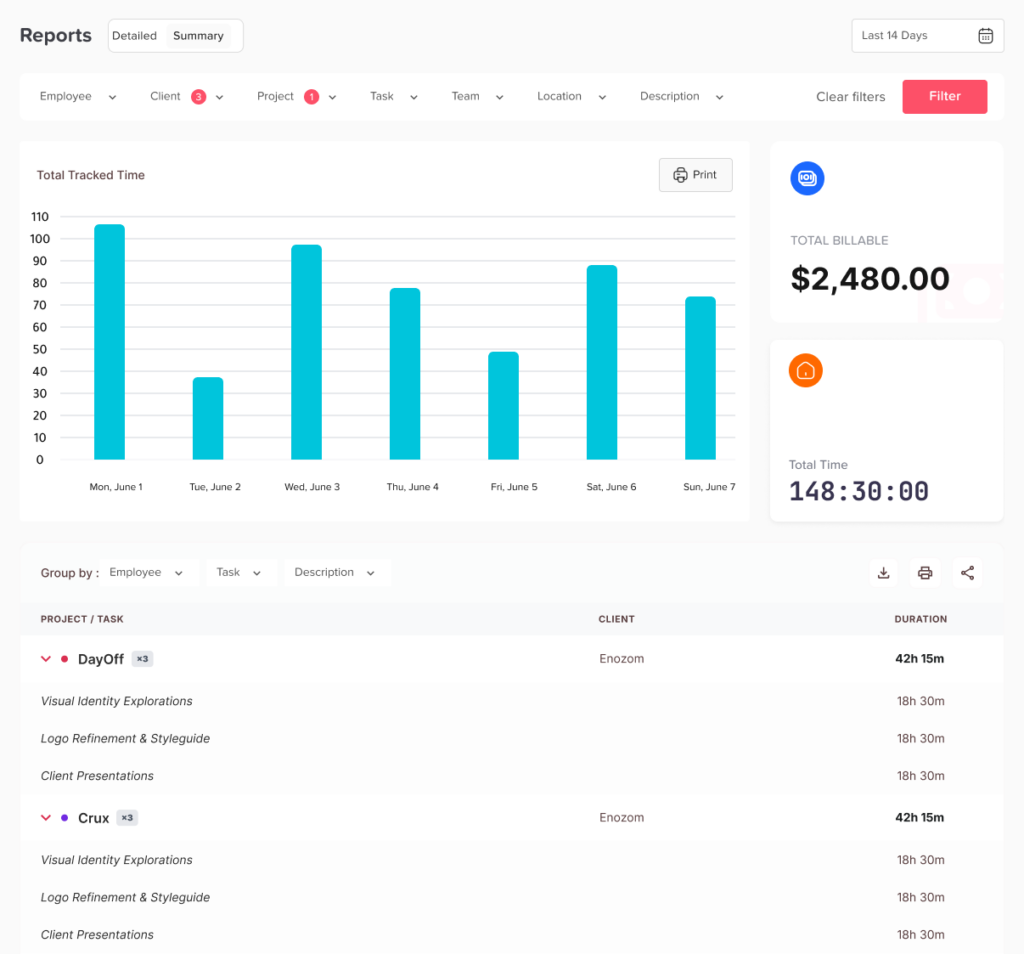
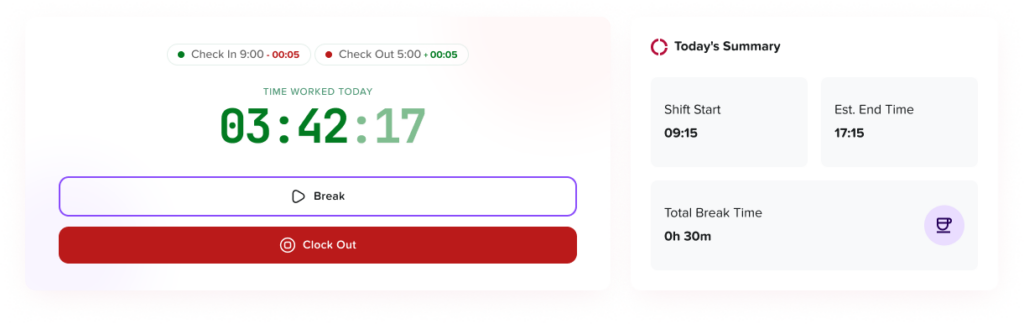
Day Off brings employee time tracking, attendance, work schedules, PTO requests, leave balances, approvals, employee availability, and reports into a more organized workflow. This gives HR and managers greater context when reviewing time records and attendance exceptions.
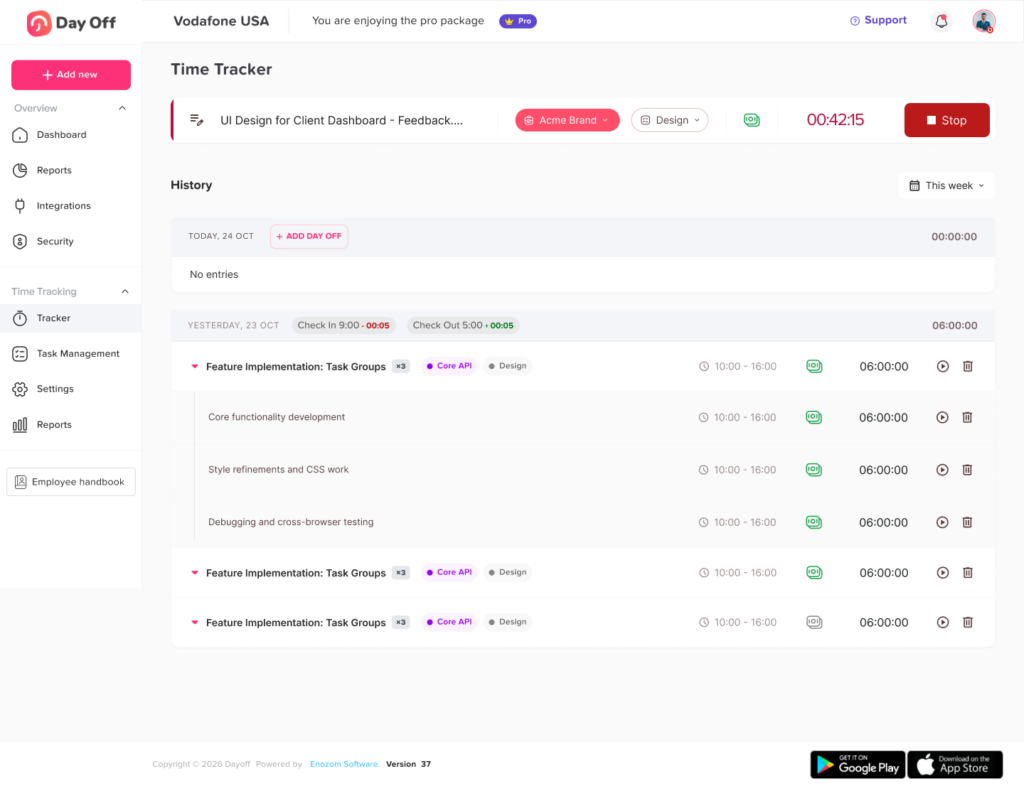
When clear edit history and audit records are used, teams can more easily identify missing entries, understand corrections, review approvals, and prepare cleaner information for payroll.
Time Clock Audit Checklist
Before processing payroll, confirm that:
- All employees submitted their time
- Missing punches were reviewed
- Open shifts were closed correctly
- Manual entries include explanations
- Time edits preserve original values
- Break exceptions were checked
- Overtime was reviewed
- Deleted entries have documented reasons
- PTO does not incorrectly overlap with work hours
- Timesheets received the required approvals
- Post-approval changes were reviewed
- Closed-period adjustments were documented
- Payroll totals match approved time records
- Access is limited to authorized users
- Audit history cannot be silently removed
Frequently Asked Questions About Time Clock Audit Logs
What is a time clock audit log?
A time clock audit log is a chronological record of actions taken within an employee timekeeping system. It may show when an employee clocked in or out, when a time entry was edited, what the original value was, who made the change, why it was changed, and who approved it.
Unlike a final timesheet, the audit log preserves the history behind the hours that were submitted to payroll.
What information should a time clock audit log include?
A useful time clock audit log should include:
- The employee affected by the action
- The date and time of the original entry
- The original clock-in, clock-out, break, or total-hours value
- The updated value
- The person or system that made the change
- The date and time of the change
- The reason for the correction
- The approval or rejection history
- Whether the change affected payroll
- The device, application, kiosk, or integration used, when appropriate
The audit history should provide enough information for HR or payroll to reconstruct how the final time record was created.
Can an employer change an employee’s timecard?
An employer may correct an employee’s timecard when the existing entry is missing or inaccurate. For example, a manager may add a forgotten clock-out or correct a time entry affected by a system problem.
However, the corrected timecard should reflect the employee’s actual compensable hours. Employers should not change time records to remove hours that were worked or to avoid overtime payments. Federal guidance requires covered employers to maintain accurate records of employees’ hours and wages.
Every change should preserve the original value, identify the person who made the correction, and include a clear reason.
Is it illegal for a manager to change a timecard without telling the employee?
Federal law does not create one universal rule requiring advance employee approval for every timecard correction. However, changing a timecard in a way that no longer reflects the employee’s actual hours can create wage and recordkeeping violations.
The U.S. Department of Labor has taken enforcement action against employers that altered time records to hide working hours or reduce wages.
As a good transparency practice, employees should be able to see timecard changes and report records they believe are incorrect. State laws, employment agreements, or collective bargaining agreements may impose additional requirements.
Can a manager remove overtime from an employee’s timecard?
A manager should not remove hours that the employee actually worked simply because the overtime was not approved in advance.
Under federal guidance, work that an employer knows about or permits an employee to perform is generally compensable, even when the work was not specifically requested. The company may address the failure to follow its overtime-approval procedure separately, but the time record should still reflect compensable work performed.
Any reduction in recorded overtime should therefore receive careful payroll or HR review.
What happens if an employee forgets to clock in or clock out?
The employee should report the missing punch as soon as possible and provide the correct start or ending time.
The manager should review the employee’s statement along with relevant information such as:
- The assigned schedule
- Supervisor observations
- System login activity
- Building access records
- Work completed during the shift
- Messages or customer activity
The time record should then be corrected to reflect the best available evidence. A missing punch does not automatically mean that the employee performed no work.
Can payroll change an employee’s hours after the timesheet is approved?
Payroll may need to correct an approved timesheet when an error is discovered, but the change should not happen silently.
The audit log should show:
- Who reopened the timesheet
- The original and updated values
- Why the change was necessary
- Whether the employee or manager was notified
- Whether the change affected wages
- When the payroll correction was processed
Changes made after approval or after payroll closes should normally require additional authorization because they may affect wages, overtime, deductions, and accounting records.
Should employees approve or sign their timesheets?
Employee approval is not a substitute for the employer’s responsibility to maintain accurate records, but it can be a useful control.
Timesheet approval allows employees to confirm that:
- Their clock-ins and clock-outs are complete
- Their breaks are recorded correctly
- Manual corrections are accurate
- Their PTO does not incorrectly overlap with worked hours
- Their total hours appear correct
Employees should also have a process for reporting errors after approval. A signed or approved timesheet should not prevent a legitimate correction when new information becomes available.
Final Thoughts
Time clock audit logs provide the history behind employee timesheets.
They help HR and payroll teams understand missing punches, manual entries, overtime changes, break corrections, deleted records, late approvals, access changes, and payroll adjustments. They can also reveal larger problems such as weak training, unreliable equipment, unclear policies, or inconsistent manager practices.
An effective review process should focus on exceptions instead of inspecting every normal time entry. HR, managers, and payroll teams should know which events require review, who is responsible, how corrections are approved, and how the original record will be preserved.
With connected time tracking, attendance, schedules, PTO, approvals, and reports, Day Off helps teams maintain clearer employee records and reduce the manual work required to prepare reliable payroll information.