








Employees do not always submit paid time off requests before they miss work. An unexpected illness, family emergency, transportation problem, or simple administrative mistake may cause an employee to report an absence first and submit retroactive PTO requests later.
This creates an important question for employees, managers, HR teams, and payroll departments:
Can an employee submit a retroactive PTO request after the absence has already happened?Related reading: If your organization is reconsidering how leave accrues over time, see our guide on Moving From Unlimited PTO to Accrued PTO.

In many workplaces, employees can ask to use available PTO for a past absence. However, submitting the request does not always mean the employer must approve it. Approval usually depends on the company’s PTO policy, the employee’s available balance, the reason for the absence, the timing of the request, payroll deadlines, and any employment laws that may apply.
A clear retroactive PTO policy helps employers handle retroactive PTO requests fairly while keeping leave balances, attendance records, timesheets, and payroll accurate.
This guide explains how retroactive PTO requests work, when managers may approve or deny them, how HR should review them, and how companies can prevent common problems.
What Is a Retroactive PTO Request?
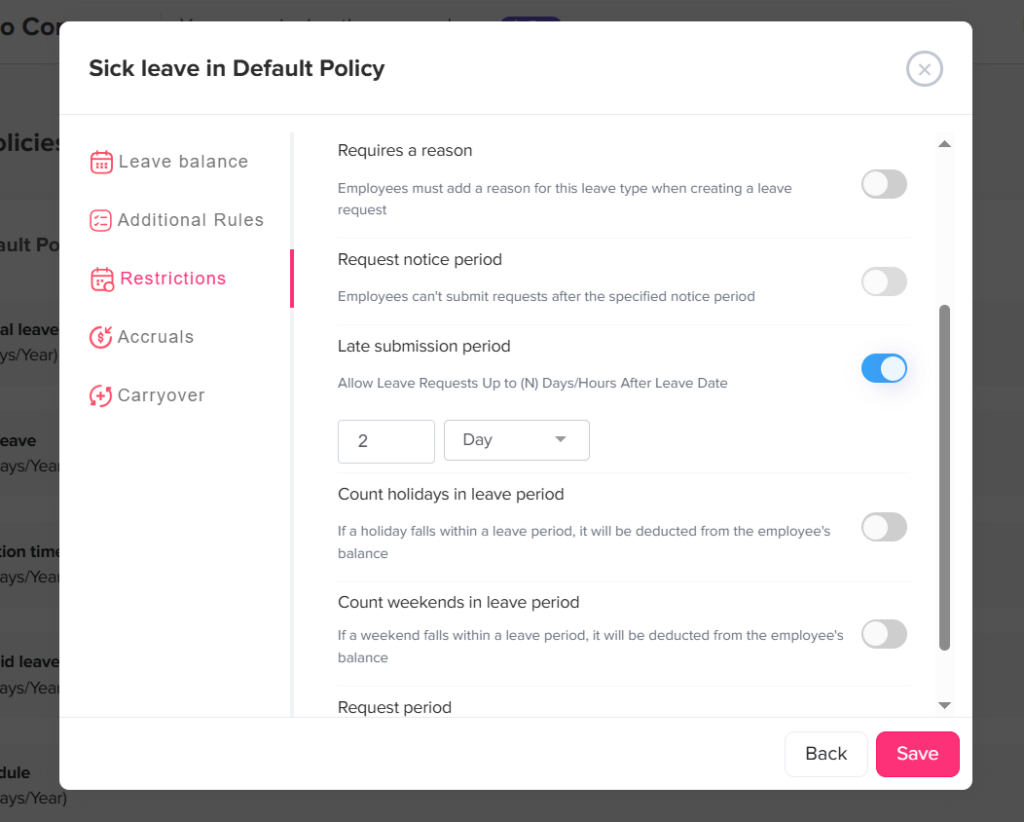
A retroactive PTO request is a request to apply paid time off to an absence that has already occurred.
Instead of requesting leave before the scheduled day off, the employee submits the request after missing part or all of a workday.
For example, an employee may be absent on Monday because of an unexpected illness and submit a sick leave or PTO request on Tuesday after returning to work.
Retroactive PTO requests may involve:
- A full-day absence
- A partial-day absence
- A late arrival
- An early departure
- An emergency absence
- A sick day
- A missed shift
- A medical appointment
- A family responsibility
- A forgotten PTO submission
- An absence originally recorded as unpaid
- A correction after payroll has already run
We call these retroactive PTO requests because they apply to a date in the past rather than a future date.
Can Employees Request PTO After an Absence?
Employees can generally ask their employer to apply available PTO to a previous absence. Whether retroactive PTO requests must be approved depends on the company’s written policy, employment agreement, collective bargaining agreement, and applicable leave laws.
Under federal wage law in the United States, employers are generally not required to pay employees for time they did not work, such as vacation days or ordinary sick days. The employer’s policy or an agreement with employees usually controls these benefits.
This means an employer may create reasonable rules covering:
- How quickly employees must submit retroactive PTO requests
- Which types of absences employees may convert to PTO
- Whether the policy requires manager approval
- Whether sufficient PTO must have been available on the absence date
- Whether the company accepts requests after payroll closes
- What supporting information the company may require
- How HR handles repeated late requests
However, an employer should not treat every late leave request as an ordinary PTO issue. Some absences may involve family and medical leave, disability accommodations, pregnancy-related limitations, paid sick leave laws, workplace injuries, or other protected situations.
Retroactive PTO Is Not the Same as Protected Leave
Retroactive PTO requests usually ask the employer to change the payment status of a past absence.
For example:
- Change eight unpaid hours to eight paid PTO hours
- Deduct one day from the employee’s vacation balance
- Replace an unpaid late arrival with two hours of available personal leave
Protected leave addresses a different question: whether the employee’s absence is legally protected from discipline, attendance penalties, or other negative treatment.
An absence may be:
- Paid and protected
- Unpaid and protected
- Paid but not legally protected
- Unpaid and not protected
HR should review both issues separately.
Approving PTO does not automatically mean the absence is legally protected. Similarly, an absence may qualify for legal protection even when the employee has no available PTO and receives no pay.
Common Reasons Employees Submit PTO Requests Late
Retroactive PTO requests can happen for many legitimate reasons.
Unexpected Illness
An employee may become sick shortly before a shift and focus on notifying the manager rather than completing the formal PTO request.
Family Emergency
An employee may need to leave work immediately because of an urgent family matter and submit the request after the situation is under control.
Forgotten Request
The employee may have informed the manager verbally but forgotten to enter the absence into the company’s leave management system.
Technical Problem
The employee may have been unable to access the PTO system because of an internet outage, login problem, mobile app issue, or system downtime.
Incorrect Leave Type
The employee may have submitted unpaid leave and later discovered that sick leave, personal leave, or another paid balance was available.
Manager Instruction
A manager may tell the employee to go home early and advise them to enter the PTO request later.
Payroll Correction
An absence may appear as unpaid on the employee’s payslip because someone missed an approved request, entered it incorrectly, or approved it after the payroll cutoff.
Protected Leave Review
The employer may discover after the absence that the employee’s reason could qualify for FMLA leave, a disability accommodation, pregnancy-related leave, or another protected category.
When Should Retroactive PTO Requests Be Approved?
An employer may choose to approve retroactive PTO requests when they meet the company’s policy and the underlying records support it.
The Employee Had Enough PTO Available
The employee should generally have sufficient PTO available to cover the requested absence.
HR should confirm:
- The employee’s balance on the absence date
- Any pending requests that may affect the balance
- Whether employees can use future accruals
- Whether the policy allows negative PTO balances
- Whether the leave type can be used for that reason
An employee may have enough PTO today but may not have had enough on the actual absence date. The policy should explain which balance date controls the decision.
The Absence Was Reported Properly
A late PTO form does not necessarily mean the absence itself was unreported.
The employee may have followed the company’s call-in procedure, contacted the manager before the shift, and submitted the formal request later.
In this situation, the employer may approve the payment request while still reminding the employee about the formal submission deadline.
The Absence Was Unexpected
It is reasonable for policies to distinguish between foreseeable and unforeseeable absences.
An employee who plans a vacation several weeks in advance should normally request PTO before the trip. An employee who wakes up ill may not be able to complete the full request process before the shift begins.
A Manager Had Already Approved the Time Off
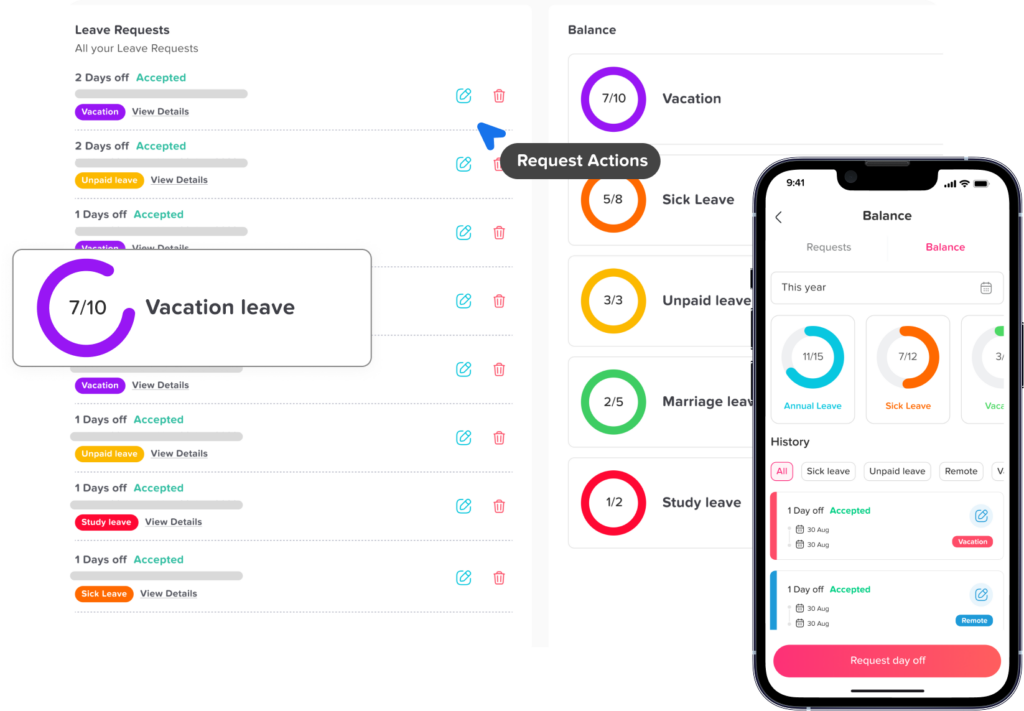
Sometimes approval exists in an email, text message, chat conversation, or verbal discussion, but the request was never entered into the official system.
The retroactive request may be used to correct the formal record.
HR should still document:
- Who approved the absence
- When approval was given
- How the approval was communicated
- Why the request was not entered on time
The System Was Unavailable
When employees cannot access the required system, they should not be penalized for failing to use it.
The company should provide a backup process, such as:
- Emailing the manager
- Calling HR
- Sending a message through an approved workplace channel
- Completing a correction form after returning
The Request Corrects an Administrative Error
The employee may have submitted the request on time, but the manager, HR team, or payroll department failed to process it correctly.
In this case, the employer should normally correct the record rather than treating it as a new discretionary request.
When Might an Employer Deny Retroactive PTO Requests?
A retroactive request may be denied when it conflicts with a clearly communicated and consistently applied policy.
The Request Was Submitted Too Late
A company may require retroactive requests to be submitted within a set period, such as:
- By the end of the next working day
- Within three business days
- Before the timesheet is approved
- Before the payroll cutoff
- Within the same pay period
The deadline should be realistic and should allow exceptions for emergencies or situations where the employee could not submit the request.
The Employee Did Not Have Enough PTO
If the employee had no available balance and the company does not allow negative PTO, the request may remain unpaid.
Alternatives may include:
- Recording unpaid leave
- Using another eligible leave type
- Applying a partial PTO balance
- Correcting the employee’s work schedule, when appropriate
- Reviewing whether protected leave applies
The Leave Type Does Not Cover the Absence
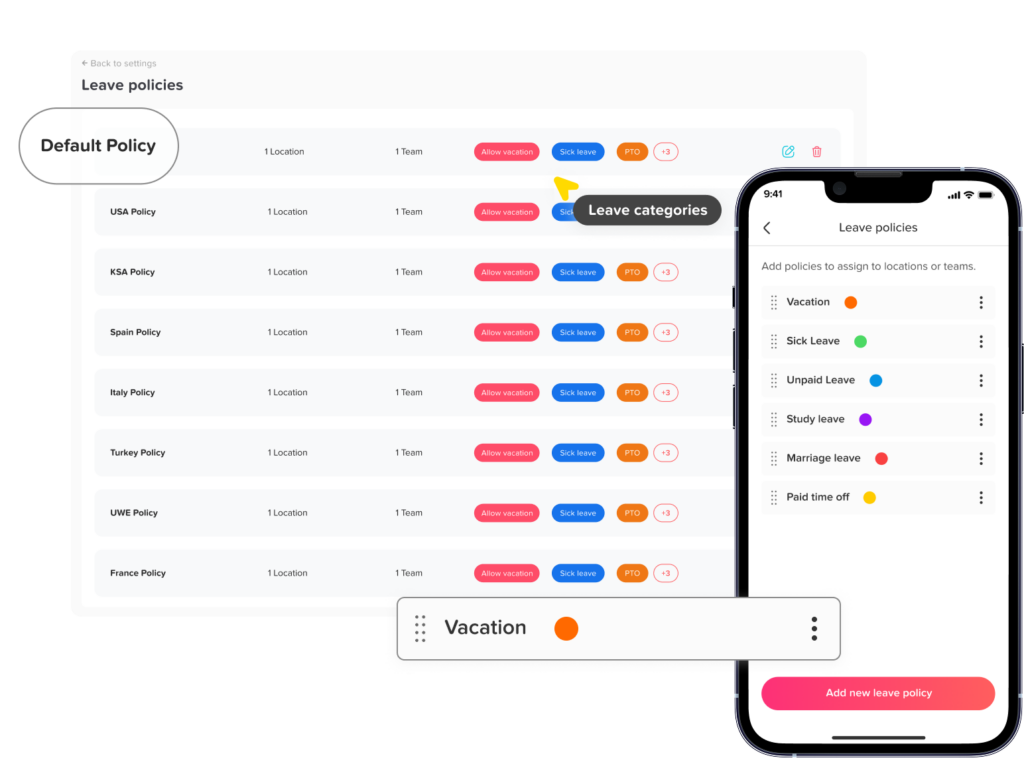
Some policies separate vacation, sick leave, personal leave, bereavement leave, and other categories.
For example, a company may not allow an employee to use a restricted sick leave balance for an ordinary vacation absence.
Any restriction should be included in the written policy and reviewed against applicable law.
The Employee Failed to Report the Absence
Using PTO does not necessarily excuse a failure to follow the company’s absence notification procedure.
An employer may decide to pay the employee using available PTO while separately reviewing the failure to call or notify the manager.
However, emergencies and unusual circumstances should be considered before assigning attendance penalties.
The Request Appears Inaccurate
A manager may deny or return a request when it does not match the employee’s schedule, timesheet, or attendance records.
For example:
- The employee requests eight PTO hours but was scheduled for six
- The employee requests a full day but worked part of the shift
- The requested date is incorrect
- The employee requests PTO for a public holiday that was already paid
- The employee requests PTO during a scheduled day off
The request should be corrected rather than automatically approved.
The Request Violates a Consistently Applied Policy
A company may deny requests that do not meet its established rules, but those rules should be applied consistently.
Approving late requests for some employees while denying similar requests for others can create employee relations and compliance concerns.
Retroactive PTO and Payroll Deadlines
Retroactive PTO becomes more complicated when payroll has already been processed.
The correct process depends on when the request is submitted.
Request Submitted Before Payroll Closes
When the request is approved before payroll is finalized, payroll may be able to replace the unpaid hours with PTO during the normal payroll process.
The employer should update:
- The leave balance
- The timesheet
- The attendance record
- The payroll hours
- The absence calendar
- The approval history
Request Submitted After the Payroll Cutoff
The company may have completed timesheet approval but not yet issued payment.
Payroll may still be able to make the correction, but late changes can increase administrative work and create processing risks.
The policy may require additional HR or payroll approval at this stage.
Request Submitted After the Employee Has Been Paid
When payroll has already been issued, the employer may need to:
- Process an adjustment in the next payroll
- Issue an off-cycle payment
- Correct the employee’s PTO balance immediately and payment later
- Reopen the payroll period, when the payroll system allows it
- Document why the correction was made
The employer should clearly tell the employee:
- Whether the request was approved
- When the payment adjustment will appear
- How many PTO hours will be deducted
- Whether the prior payslip will be corrected
- Whether any taxes or deductions will be recalculated
A retroactive request should not be considered complete until the PTO balance, time record, and payroll record agree.
Examples of Retroactive PTO Requests
Retroactive PTO Request Examples
Example decisions and recommended actions for common late or corrective PTO requests.
Situation |
Possible Decision |
Recommended Action |
|---|---|---|
Employee calls in sick and submits PTO the next day |
Approve |
Confirm available sick leave and update the record. |
Employee forgets to submit an already approved vacation request |
Approve as a correction |
Document the earlier approval. |
Employee submits a request two months after an unpaid absence |
Review or deny |
Check the policy deadline, payroll status, and reason for the delay. |
Employee has only four PTO hours but requests eight |
Partially approve or deny |
Apply four hours and record the remainder according to policy. |
Employee misses a shift without contacting anyone |
Separate the issues |
Review PTO eligibility and the notification failure separately. |
PTO platform was unavailable |
Approve when supported |
Record the system issue and use the backup procedure. |
Manager forgot to approve a timely request |
Correct the record |
Do not place the cost of the administrative error on the employee. |
Employee requests PTO after receiving an unpaid payslip |
Review as payroll correction |
Confirm the balance and process the appropriate adjustment. |
Employee reports a possible serious health condition after returning |
Escalate to HR |
Review FMLA, sick leave, disability, and other protections before deciding. |
Employee requests vacation PTO for an unscheduled day |
Deny or correct |
No PTO deduction is normally needed for a day the employee was not scheduled. |
Retroactive PTO and FMLA Leave
Retroactive PTO and retroactive FMLA designation are related but different processes.
The Family and Medical Leave Act provides eligible employees of covered employers with job-protected leave for qualifying family and medical reasons. FMLA leave may be unpaid, or it may run at the same time as employer-provided paid leave when the applicable requirements are met.
When the need for FMLA leave is unexpected, employees generally must notify their employer as soon as practicable. They are usually expected to follow the employer’s normal call-in procedures unless unusual circumstances prevent them from doing so.
An employee does not always need to say “FMLA” when reporting the absence. The employee needs to provide enough information for the employer to understand that the leave may qualify.
For example, an employee might explain that:
- They were hospitalized
- They are receiving continuing treatment
- They need to care for a parent with a serious health condition
- They are unable to work because of a serious medical condition
- They need intermittent leave for an existing certified condition
Once the employer has enough information to know that the absence may qualify, HR should begin the appropriate review process.
Federal regulations permit an employer to retroactively designate qualifying leave as FMLA leave in certain circumstances, provided that proper notice is given and the delay did not harm the employee. An employer and employee may also agree to retroactive designation when the leave qualifies.
Because FMLA rules are more complex than an ordinary PTO policy, managers should avoid approving, denying, or penalizing these absences without HR review.
Retroactive Leave and Disability Accommodations
An employee’s late request may also indicate a disability-related need.
Under the Americans with Disabilities Act, leave may be a reasonable accommodation for a qualified employee with a disability unless it creates an undue hardship for the employer. A company’s normal PTO or attendance limits do not automatically end the accommodation analysis.
For example, an employee may return after an unexpected medical episode and explain that the absence was connected to a disability.
HR may need to consider:
- Whether the employee is requesting an accommodation
- Whether additional information is needed
- Whether the absence should be excused
- Whether a schedule adjustment may be appropriate
- Whether future intermittent leave may be required
Approving paid PTO and approving a disability accommodation are separate questions. The employee may receive unpaid protected leave if no paid balance is available.
Retroactive PTO and Paid Sick Leave Laws
There is no general federal law requiring private employers in the United States to provide paid sick leave, but many states and local governments have their own paid sick leave requirements.
These laws may regulate:
- Acceptable reasons for using sick leave
- Employee notice requirements
- Documentation
- Minimum increments of leave
- Retaliation
- Attendance penalties
- Recordkeeping
- How soon leave must be requested
Employers with employees in multiple locations should not assume that one retroactive PTO rule works everywhere.
HR should review the rules that apply where each employee works, especially before denying a sick leave request or adding attendance points.
How Employees Should Submit Retroactive PTO Requests
A clear request helps managers and HR review the absence quickly.
The employee should normally include:
- The date of the absence
- The number of hours missed
- The requested PTO type
- A brief reason, when required
- When and how the manager was notified
- Why the request was not submitted earlier
- Any previous approval or relevant communication
- Whether payroll has already been processed
The employee should avoid providing unnecessary private medical details. The request should contain enough information for HR to identify whether another leave process may apply.
How Managers and HR Should Review Late PTO Requests
A consistent review process helps prevent payroll errors and unfair decisions.
Step 1: Confirm the Employee’s Schedule
Verify that the employee was expected to work during the requested period.
Check:
- Shift start and end times
- Breaks
- Public holidays
- Schedule changes
- Shift swaps
- Flexible schedule arrangements
Step 2: Review the Attendance Record
Compare the request with:
- Clock-in and clock-out records
- Timesheets
- Manager notes
- Absence notifications
- Work schedules
- Prior corrections
Determine exactly how much scheduled work time was missed.
Step 3: Verify the Available Balance
Confirm:
- The balance on the absence date
- The correct leave type
- Pending approved requests
- Accruals added after the absence
- Whether the policy allows negative balances
- Whether the balance has been manually adjusted
Step 4: Check the Submission Deadline
Determine whether the request was made within the policy’s retroactive request period.
When it was late, review why.
A medical emergency, system outage, hospitalization, or manager error may justify an exception.
Step 5: Review Protected Leave Issues
Escalate the request to HR when it may involve:
- A serious health condition
- A disability
- Pregnancy or childbirth
- Family care
- Workplace injury
- Military leave
- Paid sick leave rights
- Another protected absence
Step 6: Check Payroll Status
Determine whether the relevant payroll period is:
- Open
- Being processed
- Closed but unpaid
- Already paid
This helps HR explain how and when any correction will appear.
Step 7: Document the Decision
The record should include:
- Approval or denial
- Number of approved hours
- PTO balance before and after
- Decision date
- Reviewer
- Reason for any exception
- Payroll correction required
- Employee notification
A Sample Retroactive PTO Policy
The following example should be adapted to the company’s location, workforce, leave structure, payroll process, and legal requirements.
Retroactive Paid Time Off Requests
Employees should submit planned PTO requests before the requested absence whenever possible.
When an absence is unexpected, employees must follow the company’s normal absence notification procedure and submit the related PTO request as soon as reasonably possible.
Retroactive PTO requests should normally be submitted within three business days after the employee returns to work and before the applicable payroll cutoff.
Approval depends on:
- The employee’s available leave balance
- Eligibility to use the selected leave type
- Compliance with the absence notification procedure
- The reason for any delay
- The accuracy of the employee’s schedule and attendance record
- Applicable employment and leave requirements
Requests submitted after payroll has closed may require a later payroll correction and may not appear until a future pay date.
Approved PTO does not automatically excuse a failure to follow absence reporting procedures. Attendance and notification issues may be reviewed separately.
The company may make exceptions when the employee could not submit the request because of an emergency, medical condition, system problem, manager error, or another reasonable circumstance.
Absences that may qualify for legally protected leave or a workplace accommodation will be referred to HR for review before a final decision is made.
Common Problems With Retroactive PTO Requests
Informal Manager Approvals
Employees may believe their absence is approved because a manager said “that is fine,” while HR has no formal record.
All approvals should be entered into one system.
Different Rules Across Departments
One manager may accept requests after 30 days, while another requires submission the next morning.
A company-wide deadline reduces confusion.
Payroll and PTO Records Do Not Match
Payroll may pay the employee for eight PTO hours while the leave balance is never reduced, or the balance may be reduced without payment being added.
HR should reconcile both records after every retroactive correction.
Employees Wait Until They See Their Payslip
Some employees only notice the missing PTO after receiving less pay than expected.
Employers can reduce this problem by allowing employees to review timesheets and approved leave before payroll closes.
Late Requests Hide Attendance Problems
Repeated retroactive requests may indicate:
- Employees do not understand the process
- The PTO system is difficult to use
- Managers are approving leave outside the official workflow
- Employees cannot access the system remotely
- Payroll deadlines are unclear
- Attendance records are incomplete
The goal should be to correct the process, not simply reject every late request.
Managers Use PTO to Erase Attendance Issues
Using available PTO may provide pay for an absence, but it does not automatically correct a no-call, no-show or another policy violation.
Payment, leave protection, and attendance conduct should be reviewed separately.
Legitimate Leave Is Treated as Misconduct
An employer may deny a request or assign attendance points before reviewing whether the absence is protected.
HR review should happen before final attendance action.
Best Practices for Employers
Create a Clear Submission Window
Choose a deadline employees can understand, such as three business days after returning or before the pay period closes.
Allow Reasonable Exceptions
Policies should account for emergencies, hospitalizations, technical problems, and situations where the employee could not reasonably complete the request.
Connect PTO With Attendance and Timesheets
One system should show:
- The employee’s schedule
- Actual working time
- Missed hours
- Approved leave
- Available balances
- Payroll status
Notify Employees Before Payroll Closes
A reminder can prompt employees to review missing punches, unpaid absences, and unsubmitted PTO requests.
Require Written Decisions
Approvals and denials should include the date, reviewer, hours, leave type, and reason.
Train Managers
Managers should know when a request can be handled normally and when it should be escalated to HR.
Audit Retroactive Requests
HR can review:
- Number of late requests
- Departments with frequent corrections
- Average approval time
- Requests submitted after payroll
- Repeated manager errors
- Protected leave referrals
- PTO balance corrections
How Day Off Helps Manage Retroactive PTO Requests
Retroactive PTO requests are harder to manage when leave requests, balances, timesheets, attendance records, schedules, and payroll notes are stored in separate places.
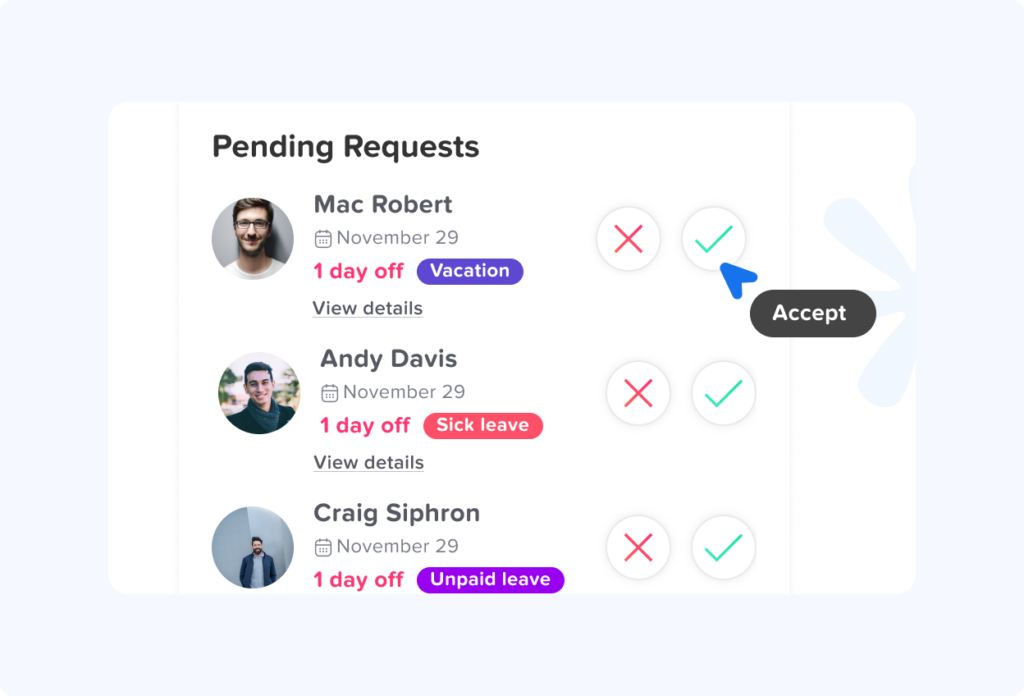
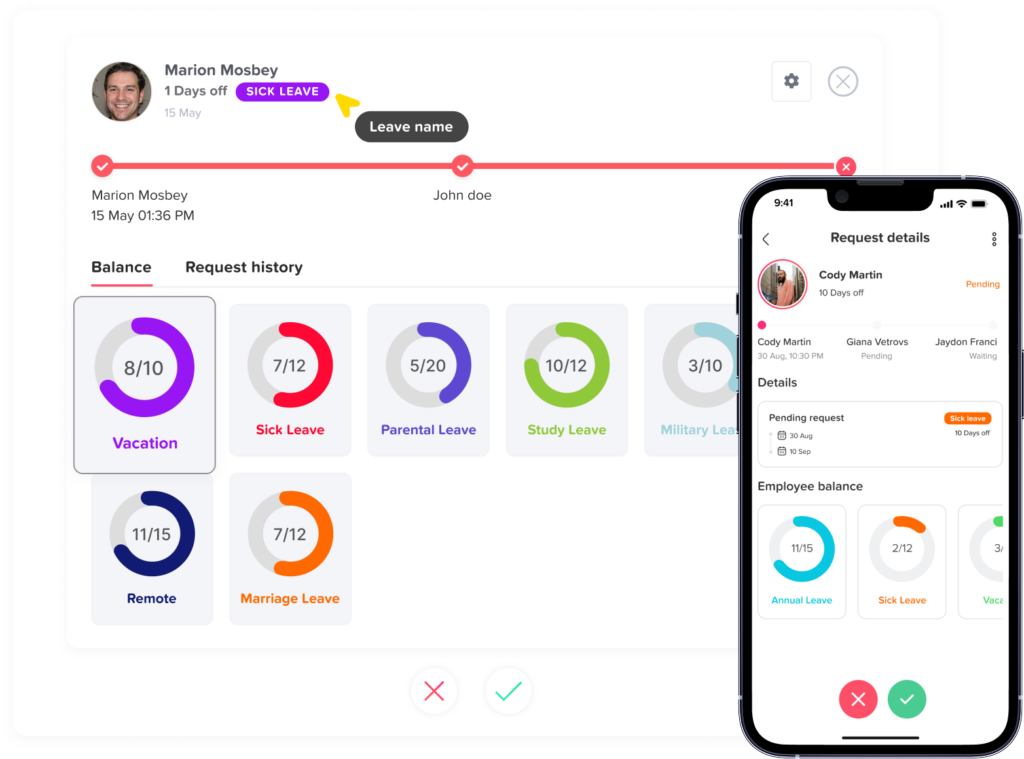
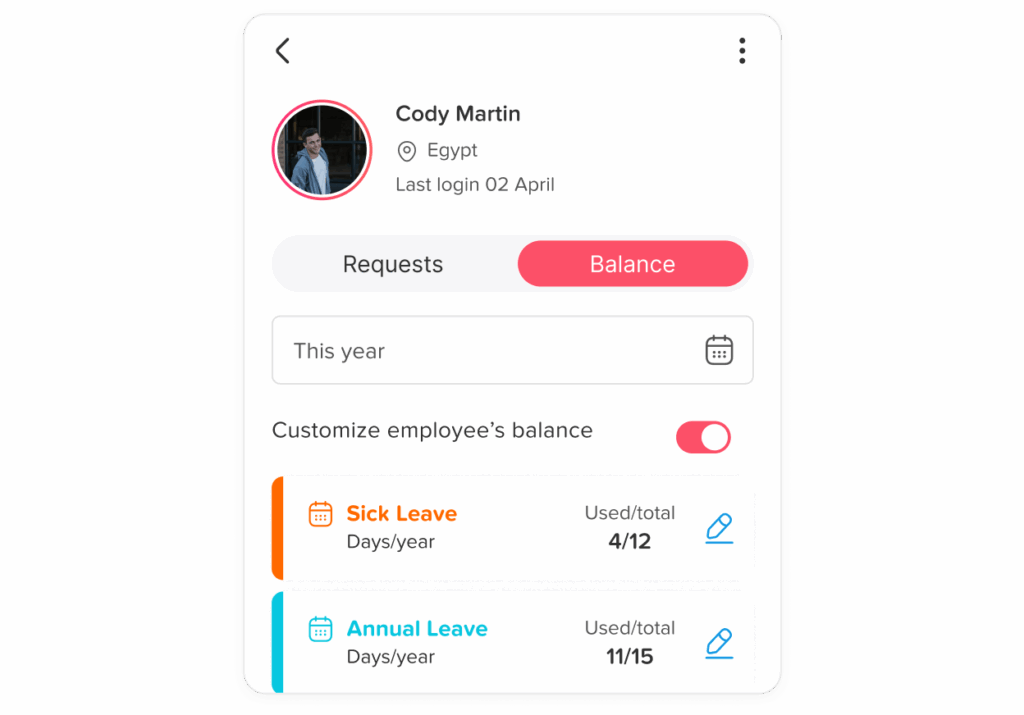
Day Off gives employees, managers, and HR teams one organized system for managing leave.
Employees can:
- View their available PTO balance
- Submit time off requests
- Choose the correct leave type
- Track the approval status
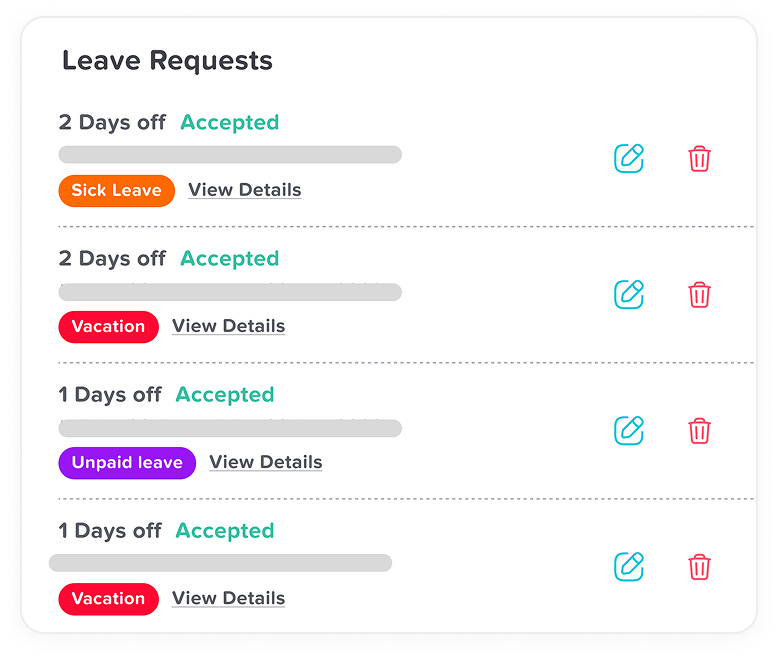
- Review upcoming and previous leave
Managers can:
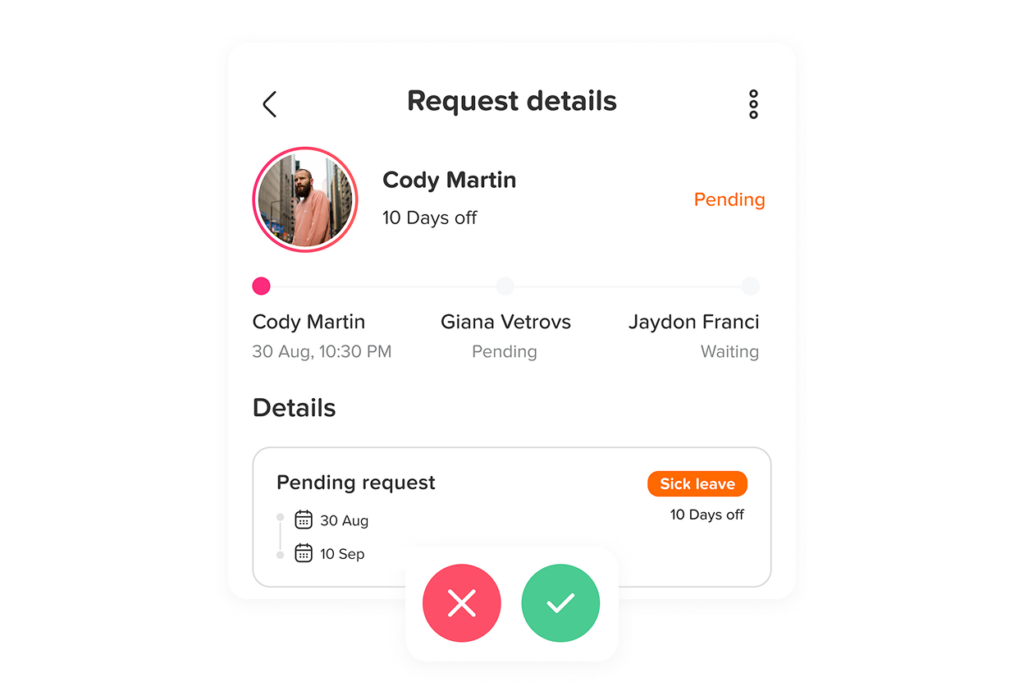
- Review requests through a clear approval workflow
- See employee and team availability
- Check overlapping absences
- Approve or reject requests
- Keep a written record of decisions
HR teams can:
- Manage custom PTO and leave policies
- Review leave balances and accruals
- Track requests and approvals
- Organize employees by team, location, and policy
- Export leave reports
- Maintain a more reliable record for payroll review
Day Off keeps requests, approvals, balances, and timestamps in a structured workflow, helping companies reduce the errors that can happen when employees request leave through spreadsheets, emails, or chat messages.
When an approved request changes an employee’s leave balance, centralized tracking also helps HR confirm that attendance and payroll records are updated consistently.
Frequently Asked Questions About Retroactive PTO Requests
Can I use PTO after I already missed work?
You can usually ask your employer to apply available PTO to a previous absence. Approval depends on your employer’s PTO policy, your available balance, the reason for the absence, and how soon you submit the request.
In the United States, federal law generally does not require employers to provide paid vacation or ordinary paid sick leave. These benefits are usually governed by company policy, an employment agreement, or state and local law.
Can I submit PTO after the date has already passed?
Yes, many employers allow employees to submit a backdated PTO request after an absence. The request may need to be submitted within a specific period, such as:
- By the next working day
- Within three business days
- Before the timesheet is approved
- Before the payroll cutoff
- Before the current pay period closes
There is no universal submission deadline. The employer should state its deadline clearly in the PTO policy and allow reasonable exceptions for emergencies, hospitalization, system failures, or administrative errors.
Can I use PTO after calling out sick?
An employee may request to use available PTO after calling out sick, especially when the illness was unexpected and the employee could not submit the formal request before the shift.
The employee should still follow the company’s normal call-in procedure whenever possible. When an absence may qualify for FMLA leave, the employee generally must notify the employer as soon as practical and follow normal call-in procedures unless unusual circumstances prevent it.
Can my employer deny a retroactive PTO request?
An employer may deny retroactive PTO requests when they do not meet the company’s written policy. Common reasons include:
- The request was submitted after the deadline
- The employee did not have enough PTO
- The selected leave type could not be used for that reason
- The employee was not scheduled to work
- The requested hours did not match the absence
- The request contained inaccurate information
Before denying the request, HR should determine whether the absence may involve protected sick leave, FMLA leave, a disability-related accommodation, or another legal protection.
Can my employer deny PTO after I have already taken the day off?
Yes, taking the day off does not automatically guarantee that the absence will be paid. The employer may approve the absence as unpaid leave while denying the request to use PTO.
The company should explain whether the decision affects:
- Payment for the missed hours
- The employee’s attendance record
- Any disciplinary action
- The employee’s PTO balance
These issues should be reviewed separately rather than treated as one decision.
Can PTO be added after payroll has already been processed?
A PTO correction may still be possible after payroll has been processed. Depending on the employer’s payroll procedures, the adjustment may be:
- Added to the next paycheck
- Processed through an off-cycle payment
- Entered as a prior-period correction
- Reflected through an updated payslip
- Recorded in the PTO system immediately and paid later
HR and payroll should confirm that the employee’s pay, PTO balance, timesheet, and attendance record all show the same corrected information.
Will retroactive PTO change my next paycheck?
It may. When an absence was originally unpaid, approving retroactive PTO can result in additional pay for the missed hours.
If the original payroll period has closed, the correction may appear in the next regular paycheck or through another adjustment method used by the employer. Employees should receive written confirmation explaining:
- The number of PTO hours approved
- The amount deducted from their balance
- The pay period being corrected
- When the additional payment will appear
How long after an absence can an employee submit PTO?
There is no standard deadline that applies to every company. Employers should establish a reasonable submission window based on their timesheet and payroll processes.
A practical policy might require employees to submit retroactive requests within three business days after returning to work or before payroll closes, whichever happens first.
Exceptions may be appropriate when the employee was unable to submit the request because of an emergency, medical condition, technical issue, or manager error.
Can an employee use future PTO for a past absence?
Employees can use future PTO only when the company allows PTO borrowing, advance leave, or negative PTO balances.
For example, an employee with two available hours who missed an eight-hour shift may be allowed to:
- Use the two available hours and take six unpaid hours
- Borrow six hours from future accruals
- Record the full absence as unpaid
- Use another eligible leave balance
The policy should explain whether the employee must have enough PTO on the absence date, the request date, or the approval date.
Can I use regular PTO if I have no sick time left?
Possibly. Some companies combine vacation and sick leave into one general PTO bank, while others maintain separate balances.
When balances are separate, the policy should explain whether employees may use vacation or personal PTO after exhausting sick leave. State and local paid sick leave laws may affect how sick leave is requested, documented, recorded, or protected.
Can I still receive attendance points when PTO is approved?
Possibly. Approval of PTO means the missed hours are paid from the employee’s leave balance. It does not automatically determine whether the absence is excused under the attendance policy.
However, employers should not assign attendance points for qualifying protected leave or for leave provided as a reasonable accommodation. The EEOC explains that an employer may not penalize an employee for using leave provided as a disability-related reasonable accommodation.
A clear policy should explain whether approved PTO:
- Excuses the attendance event completely
- Provides pay but does not remove an attendance occurrence
- Removes points only when the absence was reported correctly
- Requires additional HR review
Final Thoughts
Retroactive PTO requests are a common part of leave management, especially when absences happen unexpectedly or employees are unable to submit requests in advance. Employers should not treat every late request the same. A fair process should consider the reason for the absence, the employee’s available balance, the timing of the request, payroll status, and whether any protected leave rules may apply.
Clear policies help employees understand when they can submit PTO after an absence, what information they need to provide, and how quickly they should act. At the same time, managers and HR teams need a consistent review process to avoid payroll errors, duplicate deductions, incorrect attendance records, or unfair decisions.
The best approach is to keep PTO requests, approvals, balances, schedules, and attendance records connected in one system. With Day Off, companies can manage leave requests more accurately, review past absences, track balances, and maintain a clear approval history. This makes retroactive PTO requests easier to process while helping HR teams keep records organized, transparent, and reliable.