





Task Management
Break work down into tasks linked to specific projects, assign them to team members, and track estimated versus actual time spent on each one. Filter by status to focus on active work or review what’s finished, all from a single organized list.
Organized Task Creation
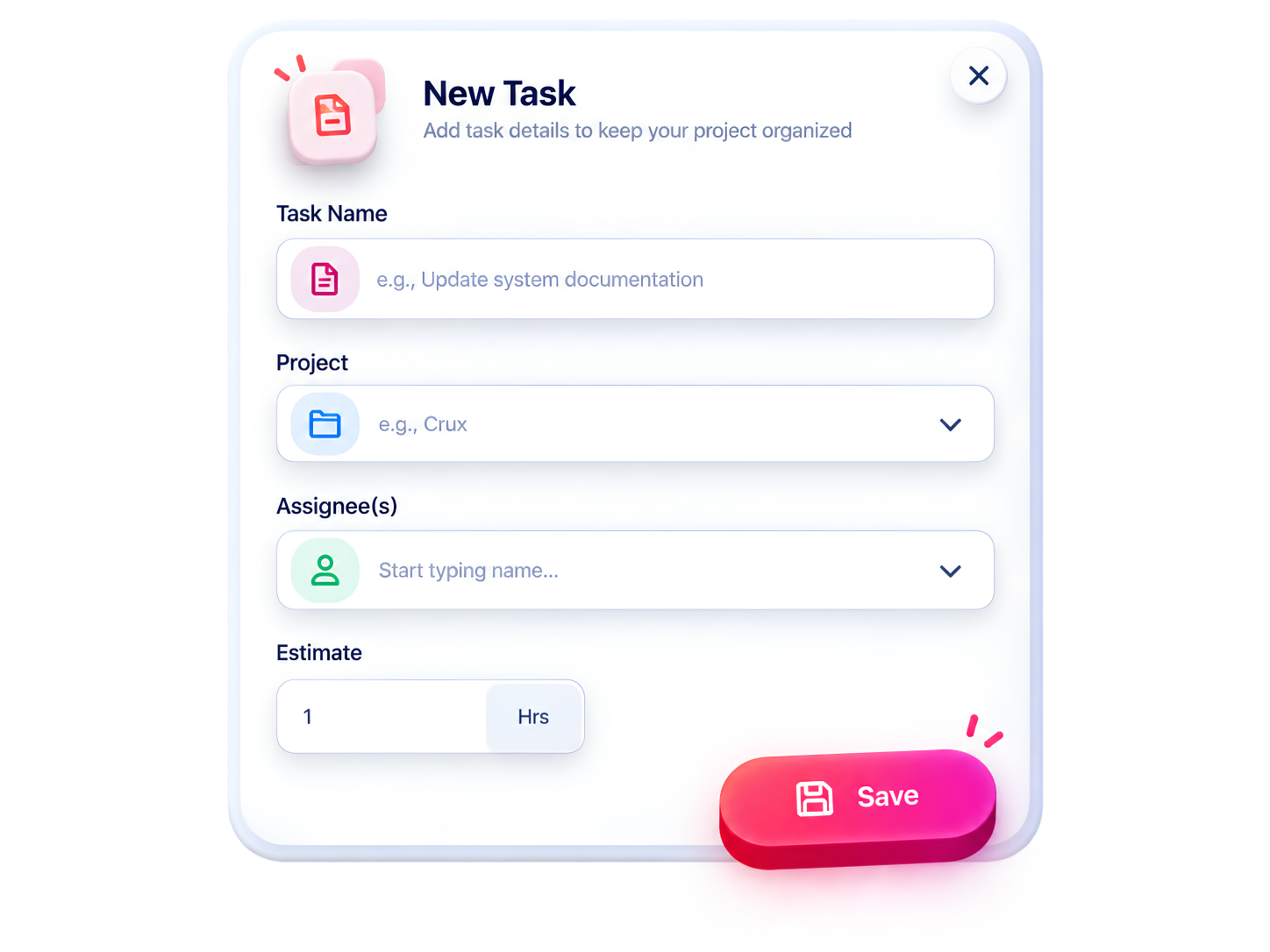
Tasks can be created and linked directly to a specific project, then assigned to a team member responsible for completing them. This keeps work broken down into clear, trackable units instead of vague project-level buckets, so everyone knows exactly what they’re responsible for.
Estimate vs. Actual Time Tracking
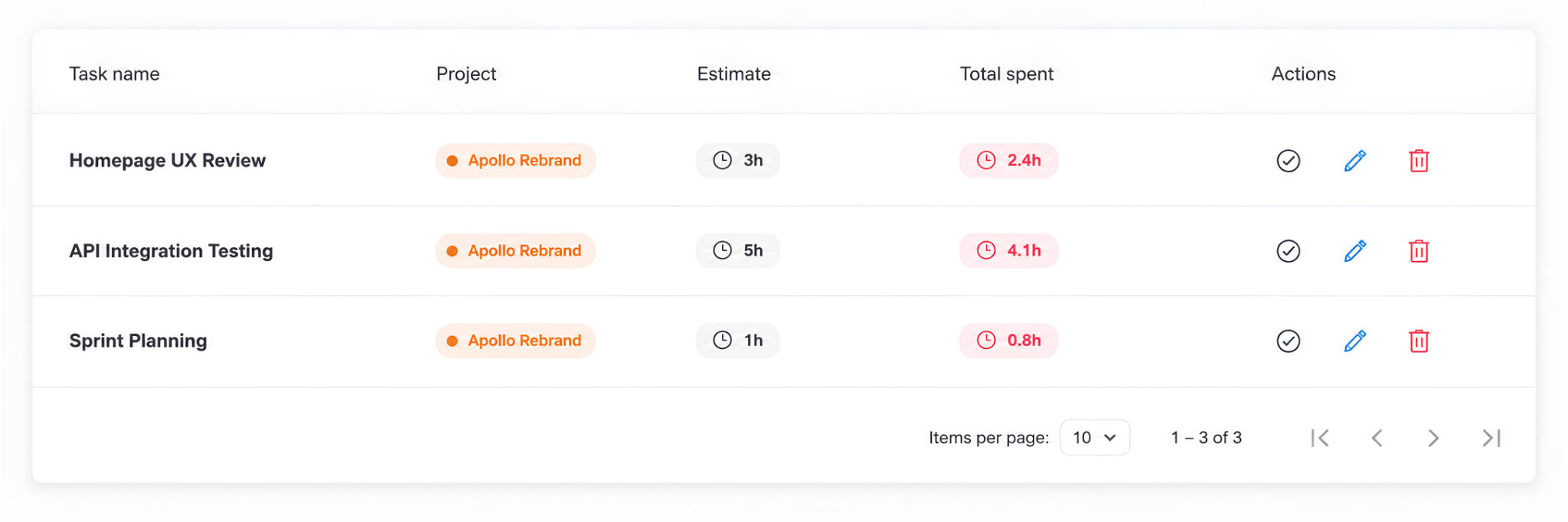
Each task shows both its original time estimate and the total time actually spent on it, pulled straight from logged tracker entries. This side-by-side view makes it easy to spot tasks that are running over budget and adjust planning for similar work in the future.
Status Filtering & Quick Actions
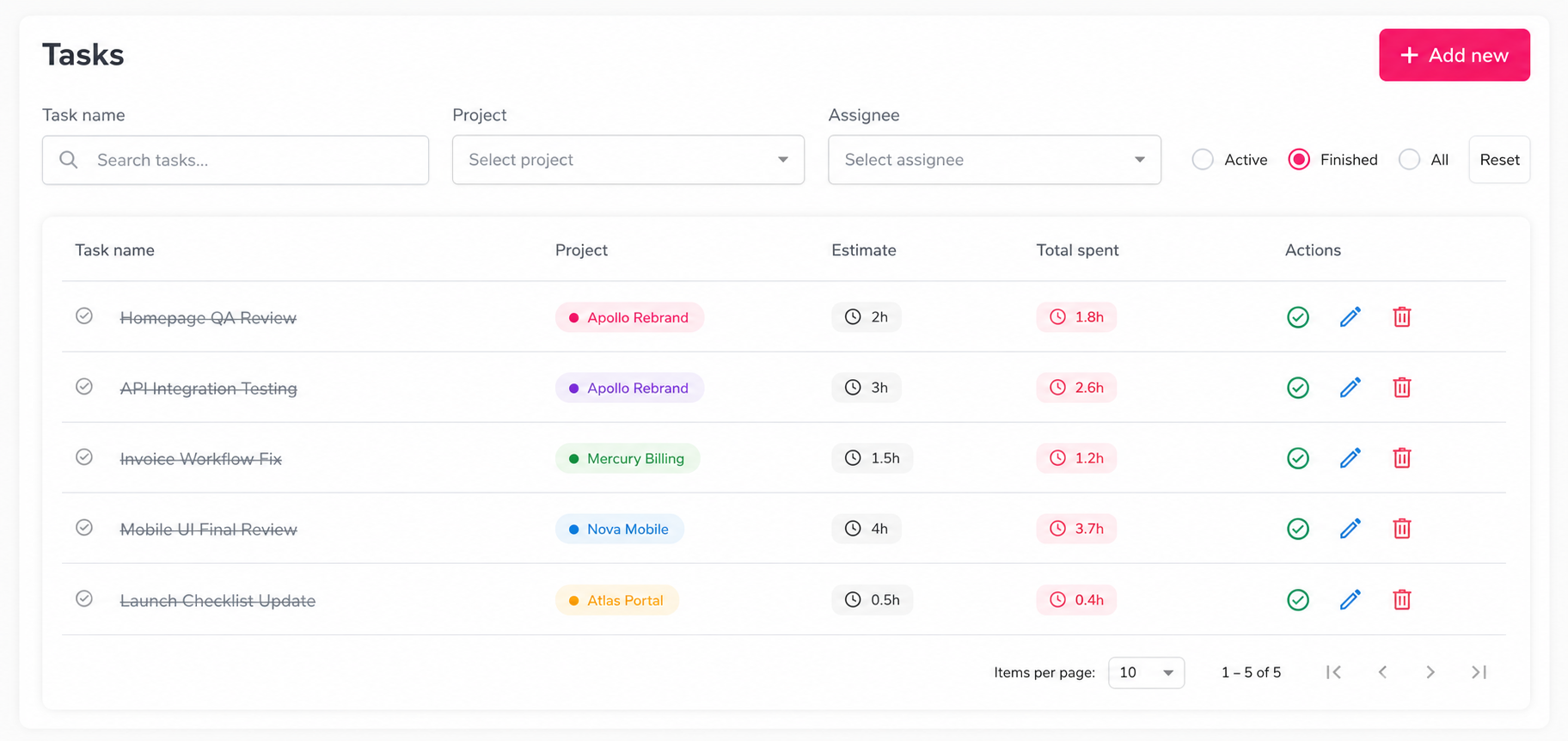
Tasks can be filtered by Active, Finished, or All, making it simple to focus on current work or review what’s already been completed. Each task also comes with quick actions to mark it complete, edit its details, or delete it, all without leaving the task list.