





Attendance Review
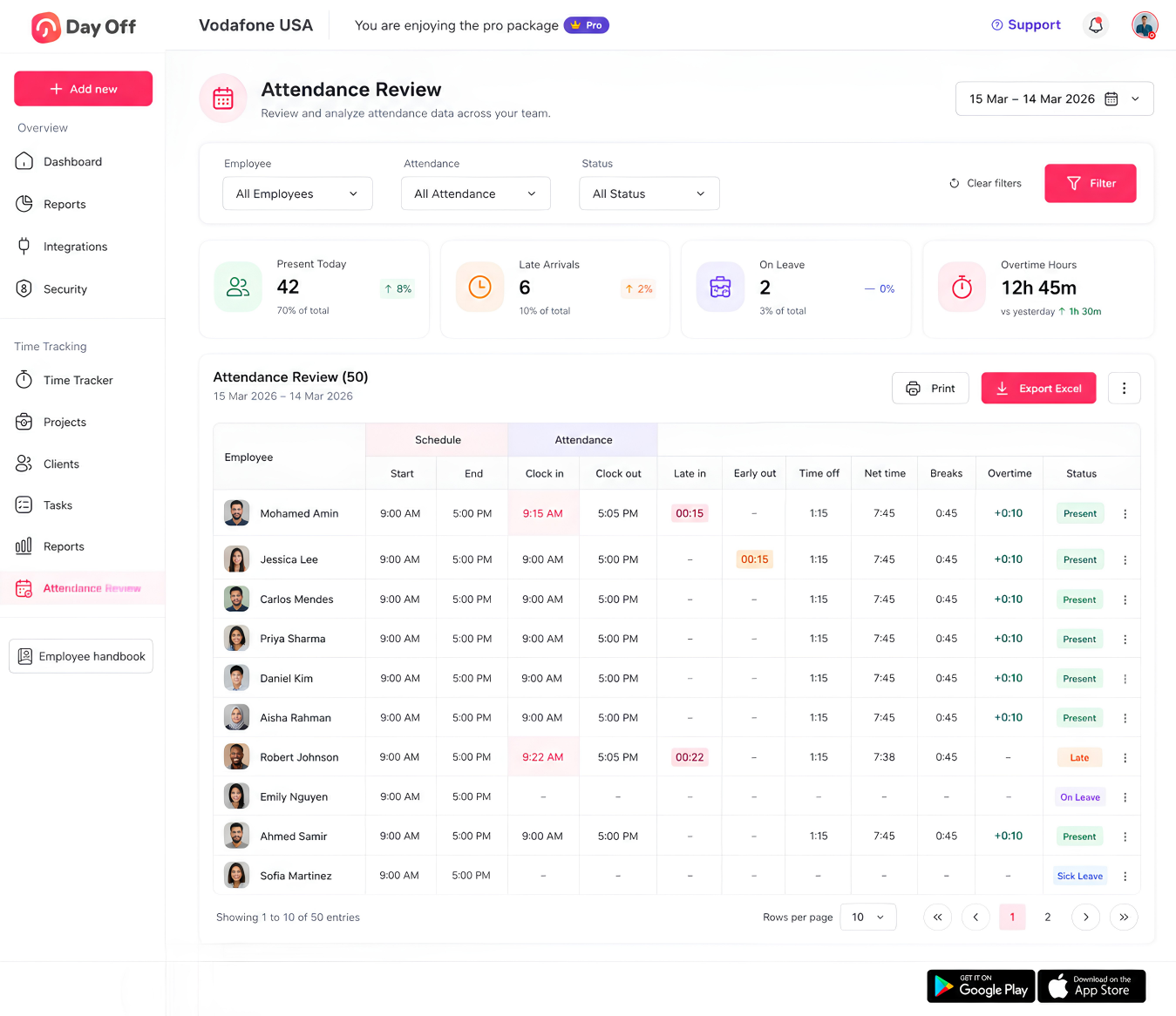
Attendance Review gives admins a clear view of employee attendance by comparing scheduled working hours with actual clock-in and clock-out times. Easily track late arrivals, early departures, breaks, time off, net working hours, overtime, and attendance status from one screen.
Date Range and Daily Breakdown
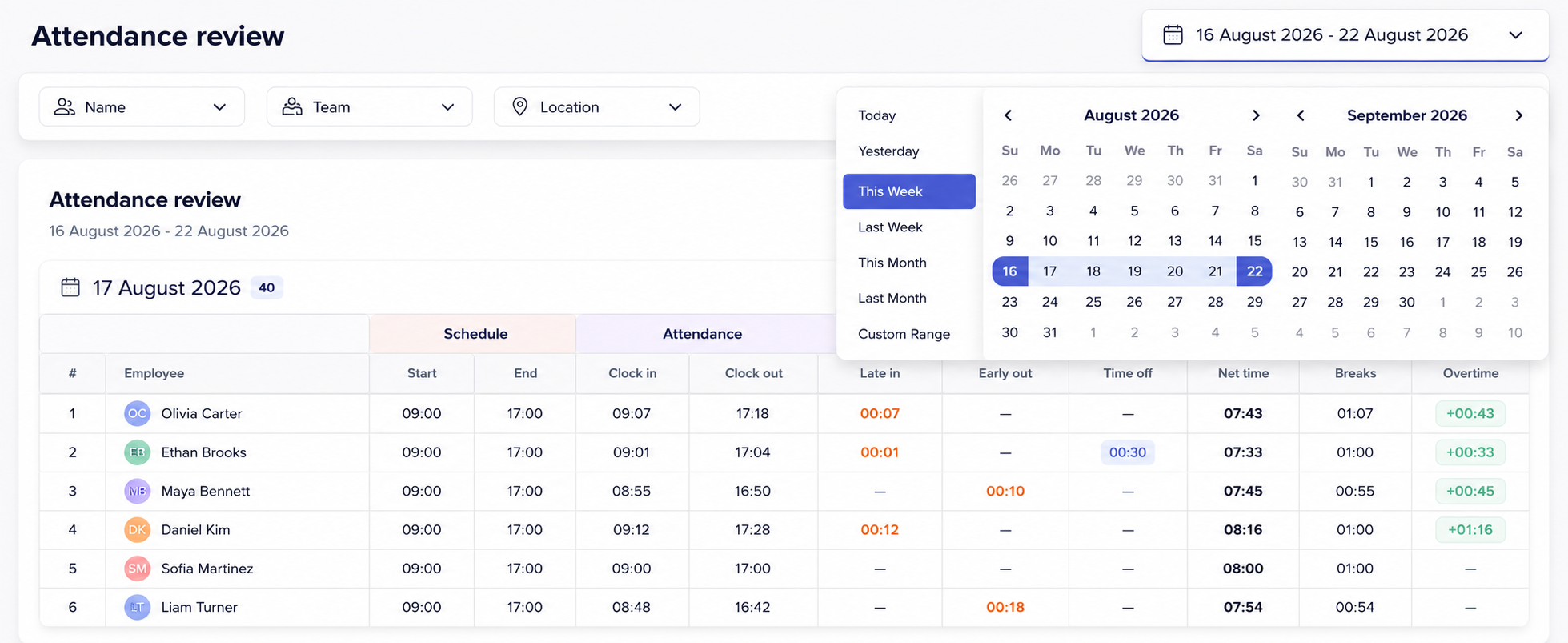
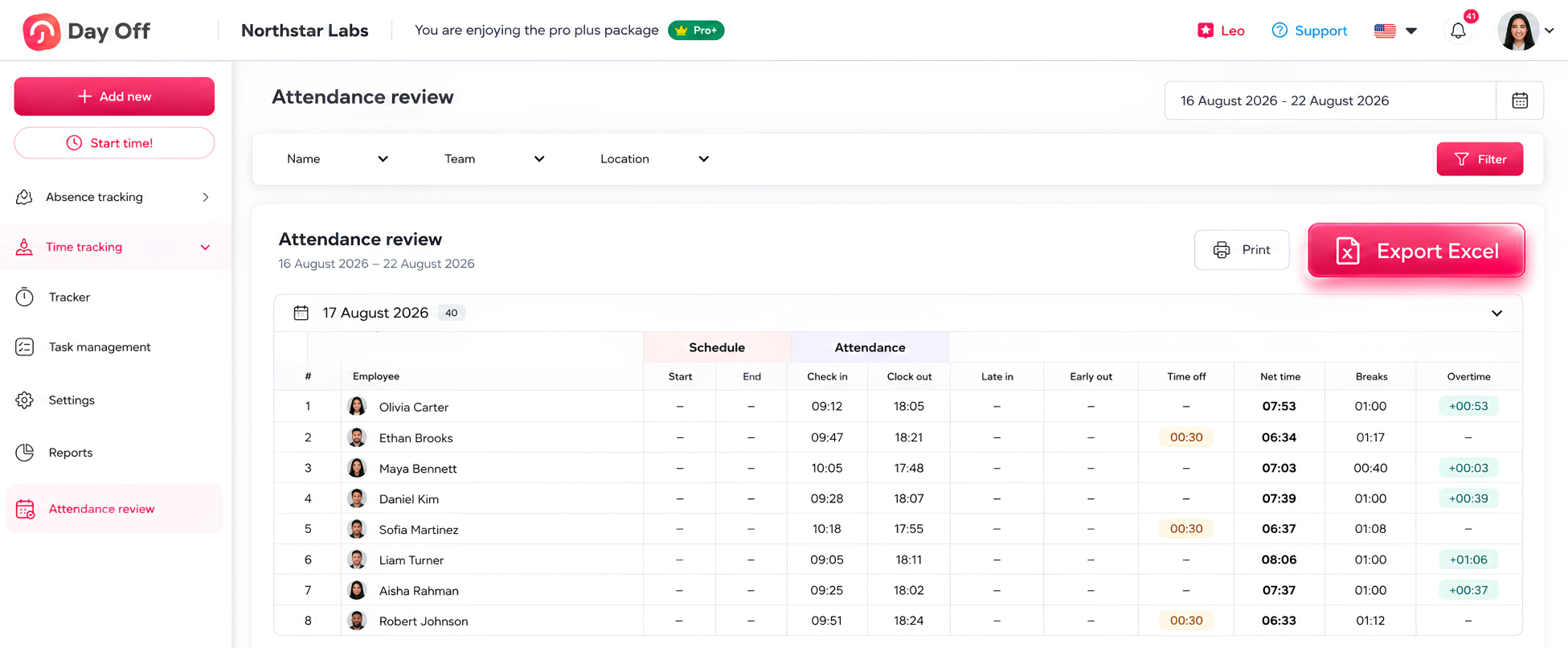
Attendance review lets you select a custom date range (currently set to 16–22 August 2026) using a calendar picker, and the results are organized into collapsible daily sections, each showing the number of employees logged for that day.
Filtering by Name, Team, and Location
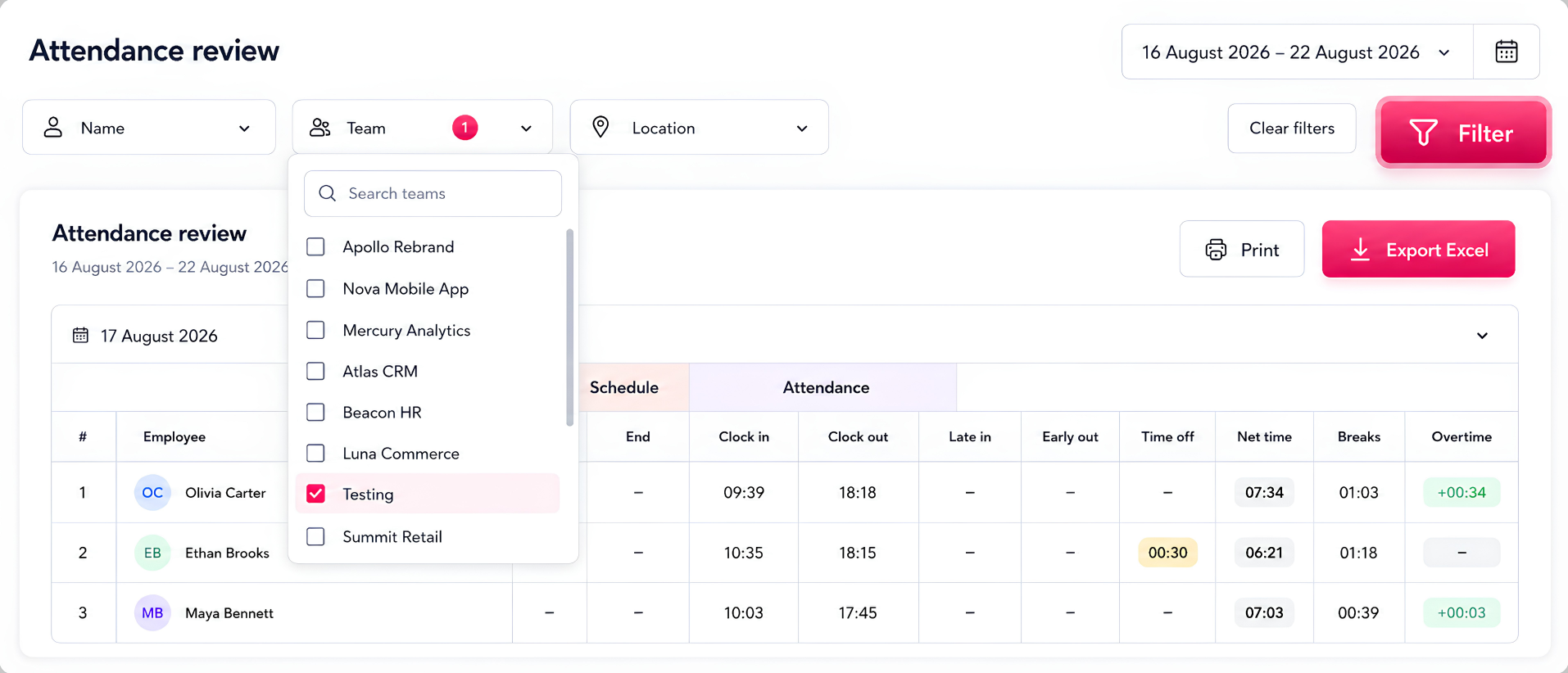
The page offers dropdown filters for Name, Team, and Location, so you can narrow the attendance data down to a specific employee, department, or work site before applying the filter.
Schedule vs. Actual Attendance Tracking
For each employee, the table compares their scheduled start/end times against actual clock-in and clock-out times, while also surfacing late arrivals, early departures, time off, net hours worked, breaks, and overtime, with options to print the report or export it to Excel.
Printing and Excel Export
The attendance data can be exported to Excel or sent to a printer directly from the page, making it easy to share or archive attendance records outside the platform.