Category: Company

  • How to Avoid Burnout in Your Creative Marketing Team

    How to Avoid Burnout in Your Creative Marketing Team

    Marketing can be so captivating and rewarding that it becomes easy to lose oneself in its creative vortex. When you are truly engaged and love what you do, you can quickly disregard the balance and moderation required. It’s only a matter of time then when you start to experience creative burnout with all its repercussions.


    At its best, creative marketing doesn’t have to lead to burnout. When done in a calculated proportion and under the right work culture, it brings a deep sense of achievement and self-recognition.


    Do you think this is easier said than done? In this article, we’ll claim that it’s both doable and sustainable, with the right strategies and team dynamics in place. 

    Recognizing Early Signs of Burnout in Marketing Teams

    Burnouts don’t happen with a clear warning sign, similar to the dashboard signal in your car that flashes when it’s running out of gas. When you have a burnout, in most cases, it’s already too late, and you’ve lost the race.


    However, you can still know that burnout is near if you learn to read the early marketing burnout signs. Some of them are more explicit than others when your body and soul are screaming about the upcoming disaster, while others are harder to see.

    Explicit signs of burnout:

    • Difficulty concentrating or frequent mental fog;
    • Increased reliance on caffeine or sugar to power through;
    • Avoiding meetings or collaboration and reduced social interactions;
    • Physical symptoms like headaches or back pains & muscle stiffness.

    Implicit signs:

    • Loss of motivation for tasks that once felt exciting;
    • Reduced job satisfaction or questioning your career choice;
    • Increased cynicism or negative attitude toward work;
    • Decline in creative output or feeling uninspired.   

    These lists are neither exhaustive nor absolute. You can recognize other symptoms typical to your physical condition and mood, but if you’re encountering three or more signs from both lists combined, you are most likely in burnout already. 

    Consider taking a day off, as it’s already too late for any of the prevention measures discussed below.

    Using Tools to Automate Repetitive Tasks

    Modern marketing is fully digitized. It allows for an enormous degree of automation, sometimes even a scary degree, since AI is capable of displacing most humans involved in repetitive tasks.

    However, today, we talk about creative marketing, which is not yet entirely susceptible to automation. Nevertheless, several creative tasks can be automated with the help of AI assistants.

    Content Creation

    Over 73% of companies in the creative industry use or plan to use both traditional and generative AI for content creation. In the AI writing sector, ChatGPT by OpenAI remains the unconditional leader, while other tools like Claude, DeepSeek, and Perplexity are breathing down its neck.


    While the copy they generate is on par in the creativity domain with that of human making, it may still show symptoms of automation that will prevent it from rating high in search results due to AI content detection.


    You can also use your human creativity to reduce the negative AI effect and bypass most  AI detectors. For instance, instead of taking the first GPT output, ask the tool to suggest a dozen relevant variants and pick the one you find the most potent and unique.

    Visual Design & Asset Generation

    Modern tools are equally capable of producing highly creative and visually appealing graphic and design elements.


    First, let’s look at what is possible with image-making tools. Tools like Canva Magic Design or Adobe Firefly can generate images based on textual input, layouts, and even video thumbnails. What’s astounding is the speed with which they do it, literally in a matter of seconds.


    When it comes to videos, the choice is also immense. You have Pika Labs, Synthesia, InVideo, Pictory, and many other AI-powered tools to produce high-quality video on your textual input.

    These tools save the time and energy of marketers, giving them additional inspiration and protecting them from creative burnout.

    Email Campaign Personalization

    Preparing, disseminating, and personalizing email communication is very exhaustive. In email marketing, we have to deal with thousands of email recipients.

    Collecting email addresses and building a database or structure of recipients is perhaps the most time-consuming and frustrating exercise. It can quickly lead to burnout if no automated tools are involved in the process. Luckily, there are many.


    One well-known tool for email campaign automation is called Mailchimp. It enables email collection through landing pages and sign-up forms while perfectly integrating into CRM systems for that purpose. It also enables behavior-based automation of email personalization and dynamic and trigger-based dissemination.


    Some other IT tools for email personalization include ActiveCampaign, Klaviyo, and GetResponse. They take the burden of excessive manual tweaks off the marketers’ shoulders and free up more time for them to enjoy other things at work and in life.

    Building a Supportive Work Culture

    The secret to sustainable engagement in marketing activities lies in the work culture. It does take time and effort to build, but once in place, it becomes a competitive advantage, protecting from stress and burnout in the marketing environment.


    The secret to sustainable engagement in marketing activities lies in the work culture. It does take time and effort to build, but once in place, it becomes a competitive advantage, protecting from stress and burnout in the marketing environment.

    Open Communication and Feedback Loops

    First is the factor of open communication. The ability to freely express oneself and to provide feedback that influences team and company-level decisions is a huge motivator. However, it takes several fundamental shifts in the corporate culture to happen:

    • Progressive leadership, when leaders listen to employees, effectively delegate responsibilities, roles, and expectations, and facilitate one-on-one discussions with subordinates.
    • Efficient workload management with clear task and role allocation, capacity planning, realistic deadlines, and the use of modern project management tools.
    • Growth & learning opportunities that encourage employees to get better at creative tasks, learn new skills, and progress thanks to increased work efficiency.

    Open-space setup is another important factor that, despite its pure physical nature, has an immense impact on intangible things like honest communication and the feeling of being a valued member of the team.

    Prioritizing Workload and Avoiding Multitasking

    When planning work, try to find which tasks will deliver the most value if addressed first. When applied to a product development lifecycle, this could be the ideation, the design, the production, or the distribution stage.


    Prioritizing the stage with the highest return potential will achieve quick wins, and an imminent sense of accomplishment will motivate and inspire the team’s further actions.


    And forget about multitasking. It’s not for humans, at least not for motivated humans. Leave multitasking to machines and AI.

    Balancing Client Demands with Internal Capacity

    According to most corporate engagement surveys, those employees who are closer to the customers (e.g., front-desk personnel, call center workers, in-shop consultants) are more engaged than the ones that work in functional silos like HR, finance, and so on.


    Working with clients is certainly a big motivator. When you see and feel the effect of your work when communicating with real customers. However, too much of client demands, and complaints can cause an employee or marketing manager burnout.


    You can recommend your team an online academy as a go-to learning hub for mastering core marketing skills, including client communication, expectation management, advertising, or SEO. Focusing on developing the most essential skills will enhance your team’s functional and emotional capacity, build resilience, and steer them away from burnout.

    Frequently Asked Questions (FAQ)

    What causes creative burnout in marketing teams?

    Creative burnout in marketing is usually caused by a mix of overwork, unclear priorities, and constant pressure to deliver new ideas on tight deadlines. Because marketing blends creativity with performance metrics, employees often feel caught between artistic satisfaction and data-driven demands.

    Common causes include:

    • Unrealistic workloads or timelines.

    • Lack of recognition or constructive feedback.

    • Excessive multitasking and context-switching.

    • Pressure to meet KPIs without adequate resources.

    In marketing, burnout often creeps in when creativity is treated like a faucet, expected to flow constantly without rest or inspiration. Building a culture that values pacing, mental recovery, and realistic expectations is essential to prevent long-term exhaustion.

    What are the earliest warning signs of creative burnout I should watch for?

    Burnout rarely happens overnight; it develops gradually, often disguised as “being busy.” The key is to spot subtle changes before they become severe.


    Early physical and emotional signs include:

    • Increased irritability, fatigue, or lack of focus.

    • Heavier reliance on caffeine or stimulants.

    • Reduced enthusiasm for brainstorming or collaboration.

    • Frequent mental fog or difficulty finishing tasks.

    Behavioral warning signs include:

    • Avoiding meetings or creative reviews.

    • A sudden drop in creative output or idea quality.

    • Cynicism toward clients, leadership, or brand goals.

    If several of these occur simultaneously, it’s time for leadership to step in, encourage rest, reduce workload intensity, or redistribute projects to allow mental recovery.

    How can marketing teams use automation to reduce burnout risk?

    Automation isn’t about replacing creativity, it’s about removing the mechanical work that drains creative energy. When marketers spend less time on repetitive tasks, they can invest more in strategy and ideation.


    Here’s how automation can help:

    • Content creation tools (like ChatGPT, Jasper, or Copy.ai) accelerate draft writing, allowing humans to refine tone and storytelling.

    • Design automation platforms (like Canva or Adobe Firefly) quickly produce on-brand visuals, freeing designers for high-impact projects.

    • Email marketing software (like Mailchimp or Klaviyo) automates personalization and campaign sequencing, cutting down hours of manual work.

    The right automation tools don’t eliminate creativity, they enhance it by allowing your team to focus on innovation instead of repetition.

    What can leaders do to create a burnout-resistant marketing culture?

    Leaders play the biggest role in setting the tone for well-being and balance. A burnout-resistant culture doesn’t emerge by chance, it’s built intentionally through daily habits and team design.


    Here are key leadership strategies:

    • Promote open communication: Encourage feedback, hold regular 1:1 check-ins, and actually act on what employees share.

    • Manage workloads realistically: Avoid “emergency culture.” Plan ahead and set priorities that align with capacity.

    • Recognize and reward effort: Publicly celebrate creativity and improvement, not just campaign results.

    • Offer growth opportunities: Learning and development keep marketers motivated and inspired.

    When employees feel heard, trusted, and supported, they’re more likely to stay creative, even during demanding campaigns.

    How can marketers balance creativity with productivity without burning out?

    The secret lies in structured creativity, knowing when to push boundaries and when to pause. Marketers often chase perfection and overwork ideas, but sustainability requires a rhythm between creation and recovery.


    Here’s how to maintain balance:

    • Schedule creative sprints followed by downtime for reflection.

    • Set clear deadlines but allow room for iteration.

    • Use project management tools (like Asana, Trello, or ClickUp) to organize priorities.

    • Rotate creative responsibilities to prevent monotony.

    • Take genuine breaks, even short “digital detox” intervals can reset the brain.

    Creativity thrives in environments where productivity isn’t confused with overwork. By balancing both, marketers can stay energized and produce consistently high-quality work.

    How can I help my marketing team recover from burnout if it’s already happening?

    If burnout has already set in, recovery must be deliberate and compassionate. The goal isn’t just to “get back to work” but to restore motivation and well-being.


    Steps to facilitate recovery include:

    • Encourage taking time off: A few days or weeks of rest can do more for productivity than forcing progress.

    • Reassess workloads: Identify repetitive or low-value tasks that can be automated, delegated, or paused.

    • Hold debrief sessions: Allow open discussion about what caused the burnout and what can change.

    • Offer emotional support: Coaching, counseling, or mental health resources show that you value your people as individuals.

    • Rebuild gradually: Avoid throwing employees straight back into high-pressure campaigns.

    Once recovery starts, reinforce healthier long-term practices, like regular breaks, realistic deadlines, and recognition for effort, not just outcomes.

    What role does multitasking play in creative fatigue?

    Multitasking might seem efficient, but in reality, it splinters focus and drains mental energy faster than single-tasking. Creative thinking requires deep concentration, jumping between campaigns, tools, or clients breaks that flow.


    Studies show it can take up to 20 minutes to regain full focus after switching tasks. Over time, this mental fragmentation leads to fatigue, frustration, and lower-quality work.


    The antidote: monotasking. Focus on one project at a time, allocate deep work blocks, and silence notifications during creative sessions. This approach helps marketers enter “flow states”, where creativity flourishes effortlessly.

    Can client pressure contribute to burnout, and how should teams handle it?

    Yes, client pressure is one of the top external contributors to burnout in marketing. When clients demand quick turnarounds, endless revisions, or 24/7 availability, teams can quickly feel depleted.


    To manage this:

    • Set clear boundaries: Define turnaround times and communication hours early in contracts.

    • Use data to support decisions: When you explain timelines using evidence, clients are more likely to respect them.

    • Encourage team resilience: Train your team in client communication and expectation management.

    • Distribute client load: Avoid assigning the same people to demanding clients continuously.

    Healthy client relationships are built on respect and clarity, not constant urgency.

    What tools or habits can marketers use to maintain mental well-being?

    Preventing burnout requires consistent self-care habits and the right tools to support them.


    Consider:

    • Time-blocking apps like Clockify or Toggl to protect focused work hours.

    • Mindfulness tools like Headspace or Calm to encourage short mental resets.

    • Journaling or idea-capture apps like Notion or Obsidian to declutter creative thoughts.

    • Regular check-ins with peers or mentors to maintain perspective and emotional balance.

    Encourage your team to integrate wellness practices into their day, creativity thrives when the mind feels calm and energized.

    How can marketing teams sustain long-term creativity without exhaustion?

    Long-term creative sustainability is a result of balance, evolution, and boundaries. Teams must pace their energy the same way athletes pace endurance, through cycles of effort and recovery.


    To sustain creativity over time:

    • Alternate between high-intensity and low-intensity projects.

    • Introduce variety, cross-functional collaborations or creative experiments.

    • Encourage continuous learning to keep ideas fresh.

    • Protect personal time, evenings and weekends should remain largely uninterrupted.

    The best marketing ideas don’t come from constant pressure; they emerge from rested, curious minds. A sustainable creative team is one that works smart, not endlessly.

    The Key Takeaways


    Burnouts don’t come from nowhere. They are the result of exhaustive work, and in most cases, they are preceded by engagement and motivation. That’s what makes marketing burnout so difficult to recognize, especially in the early stages. 


    Today, your team is engaged and working at its peak performance, but tomorrow, this energy seems to weaken, and eventually, it disappears, giving way to apathy and frustration. That’s why it’s so important to stay on your toes for the early signs of burnout, which may display themselves explicitly and implicitly. 


    If you want more reliable and sustainable protection from burnout, prepare strategically by implementing marketing automation tools and building a supportive work culture encompassing supportive leadership, open communication, and efficient workload management.      


    Smarter time off tracking starts here.

  • What Does Rotating Weekend Mean?

    What Does Rotating Weekend Mean?

    In the world of modern work schedules, few terms spark as much curiosity and confusion as “rotating weekend.” Whether you’re considering a job that mentions this term or you’re just trying to understand how it might impact your life, it’s important to grasp not only what rotating weekends are, but also how they function in real-life settings, what they mean for your time, and how they fit into different industries.


    This in-depth guide will walk you through everything you need to know about rotating weekends, what they are, why they’re used, the various types of rotations, their advantages and disadvantages, and how to thrive in a rotating weekend schedule.

    What Are Rotating Weekends?

    At its core, a “rotating weekend” schedule means that employees take turns working weekends, rather than having the same people work every Saturday and Sunday. This rotational system is designed to evenly distribute the responsibility of weekend work among a team.

    For example, in a simple 2-week cycle:

    • Week 1: You work Saturday and Sunday.

    • Week 2: You have the weekend off.

    This rotation continues on a loop. In some setups, the rotation spans 3 or 4 weeks, depending on the number of employees and organizational needs.

    Rotating weekends ensure that no single person is always missing out on weekend time with family or rest. It’s a strategy built on fairness and operational necessity, helping teams provide weekend coverage while preserving morale.

    Why Do Employers Use Rotating Weekend Schedules?

    Maintaining Continuous Operations

    In sectors like healthcare, hospitality, retail, and customer service, business doesn’t stop on weekends. Patients still need care, guests check in at all hours, and customers expect timely support. A rotating weekend schedule ensures consistent coverage without overburdening a core group of employees, keeping operations running smoothly seven days a week.

    Fostering Fairness and Preventing Burnout

    When the same employees are repeatedly scheduled for weekend shifts, it can quickly lead to dissatisfaction and fatigue. A rotating schedule distributes these responsibilities equitably, giving everyone the chance to enjoy valuable weekend time off. This approach enhances morale, supports work-life balance, and cultivates a more cohesive and motivated team.

    Ensuring Compliance with Labor Regulations

    In many regions, labor laws or union agreements limit how often employees can work weekends or require mandatory rest periods. A rotating system helps businesses stay compliant with these legal and contractual obligations, reducing risk and demonstrating a commitment to ethical workplace practices.

    Customizable Work Schedules With Day Off

    Day Off goes far beyond simple time off tracking, it gives you complete control over setting and managing work schedules across your entire organization. Whether your business operates on fixed shifts, rotating patterns, or highly customized schedules, the platform adapts to your needs with flexibility and precision.

    Create Multiple Schedule Types

    You can build as many schedule templates as your organization requires. Whether you have employees working standard Monday–Friday hours, weekend shifts, split shifts, or rotating schedules that change weekly or monthly, Day Off allows you to design these templates from scratch. This means you can reflect real-world working conditions in the app, from typical 9-to-5 jobs to complex 24/7 operations.

    Assign Schedules to Employees

    Once your schedules are created, you can assign each employee to the one that fits their role. This ensures that every team member has clear visibility into their upcoming shifts and workdays. No confusion, no overlap, just a well-organized, transparent schedule that aligns with both operational requirements and employee expectations. This is especially valuable in environments with multiple teams working under different rules, such as healthcare, customer service, manufacturing, or remote and hybrid setups.

    Manually Adjust Schedules Anytime

    Even the most well-planned schedules need occasional adjustments, whether it’s to accommodate time-off requests, shift swaps, or last-minute operational changes. Day Off makes this easy by allowing you to override or modify an individual’s schedule without affecting the rest of the team. Managers can make real-time edits with just a few clicks, ensuring the system stays flexible and responsive to daily needs.

    Common Rotating Weekend Schedule Formats

    Not all weekend rotations are built the same. Each structure serves different team sizes, operational demands, and employee needs. Here are the most widely used formats:

    1-On, 1-Off (Biweekly Rotation)

    One of the most straightforward and popular options, this model has employees alternating weekends:

    • Week 1: Work the weekend

    • Week 2: Weekend off

    It’s simple to manage, easy for employees to remember, and ensures everyone gets regular downtime. Ideal for smaller teams that need to distribute weekend duties evenly.

    3-Week or 4-Week Rotation

    For larger teams or more demanding roles, a longer rotation cycle offers greater flexibility and recovery time. For example:

    • Work: Weekends 1 & 3

    • Off: Weekends 2 & 4

    This model helps reduce the frequency of weekend shifts, especially valuable in high-stress roles like healthcare, emergency services, or law enforcement, where extended rest can boost performance and well-being.

    Partial or Split Weekend Work

    Instead of working both days, employees work just one day, either Saturday or Sunday. This is commonly used in:

    • Customer service

    • Retail

    • Part-time or student roles

    It’s a more flexible option that provides valuable personal time while still maintaining necessary weekend coverage.

    Rotating Weekends with Shift Variations

    In some 24/7 operations, weekend shifts are combined with rotating hours, day, evening, or night. While this setup can be challenging, it’s often necessary in:

    • Hospitals

    • Manufacturing plants

    • Call centers

    This format demands more careful planning but ensures fair distribution of both weekend and off-hour duties.

    Impact of Rotating Weekends on Work-Life Balance

    Rotating weekend schedules affect more than just your calendar, they shape your lifestyle, relationships, and well-being. While they offer fairness and predictability, they also introduce real challenges.

    Disrupted Social and Family Time

    Most social events and family gatherings happen on weekends. If you’re working while others are off, you might miss out. Even with rotating time off, staying connected requires extra planning and communication.

    Parenting and Childcare Challenges

    Weekend shifts can be tough for working parents, especially with limited daycare options. A strong support system, partners, relatives, or reliable babysitters, is essential to manage weekend coverage smoothly.

    Health and Energy Drain

    Irregular weekend shifts can disrupt sleep and energy levels. Over time, this may affect mood and well-being. Prioritizing rest, staying hydrated, and keeping consistent sleep routines help maintain balance.

    Smarter time off tracking starts here.

    Benefits of Rotating Weekend Schedules

    Despite the hurdles, rotating weekend schedules offer meaningful advantages, especially compared to fixed weekend roles or unpredictable on-call setups. Here’s what many employees appreciate:

    A Sense of Fairness

    Rotating weekends ensure that no one person is always stuck with the “short straw.” Everyone shares the responsibility of weekend shifts, which promotes fairness, equality, and team cohesion. It helps prevent burnout and resentment that can build up when weekend work falls on the same shoulders week after week.

    Improved Planning and Time Management

    Knowing your schedule ahead of time, even if it rotates, gives you the power to plan more effectively. From medical appointments and social events to family trips and solo downtime, having clarity around your work calendar allows you to make the most of your personal life. You can look ahead and prepare instead of constantly reacting to last-minute changes.

    Unique Perks of Midweek Time Off

    When your weekend doesn’t fall on Saturday and Sunday, you’ll often enjoy the hidden perks of midweek downtime. Stores are less crowded, appointments are easier to book, and popular places like gyms or salons are quieter. You may find that your off days feel more relaxed and productive, ideal for errands or personal hobbies without the usual weekend rush.

    Challenges of Rotating Weekends And How to Manage Them

    Rotating weekend schedules offer balance, but they also come with real-life disruptions. Here’s how to face the common difficulties and turn them into manageable situations:

    Lack of Routine and Stability

    Switching between working some weekends and having others off can throw off your routines, whether it’s meal prep, family traditions, or your time. To maintain consistency, create routines that are based on your “work cycle,” not just the calendar. For example, instead of always doing yoga on Saturday mornings, try “yoga on my second day off.” This mindset shift can help you maintain balance regardless of your rotating days.

    Increased Risk of Fatigue

    Weekend work, especially in high-stress or physically demanding roles, can wear you down. To avoid burnout, it’s crucial to use your off-days wisely. Treat them as non-negotiable time for rest and recovery. Say no when needed, limit social obligations during high-fatigue weeks, and practice quality self-care. Protect your energy like it’s part of your job, because it is.

    Social Misalignment

    It can be frustrating when your free time doesn’t line up with that of your family or friends. While this mismatch is hard to avoid, it helps to be proactive. Share your schedule early with those close to you, plan meetups, and consider alternative ways to stay connected, quick check-ins, shared calendars, or recurring virtual hangouts can help bridge the gap.

    Frequently Asked Questions About Rotating Weekend Schedules

    Do rotating weekend schedules always include both Saturday and Sunday?

    Not necessarily. While many rotating schedules involve full weekend coverage (Saturday and Sunday), some businesses rotate only one weekend day, usually the busier one. For example, retail stores may have employees rotate working Saturdays only, while Sundays are either lighter or covered by a different team.

    Can employees swap rotating weekend shifts with each other?

    In many workplaces, yes, shift swapping is allowed, often with managerial approval. However, policies vary by company. If flexibility is important to you, ask your employer if shift trades are permitted and whether there’s a process in place to request or track swaps.

    How far in advance are rotating weekend schedules usually posted?

    This varies by employer, but best practice is to post schedules at least 2–4 weeks in advance. This gives employees time to plan personal events or request changes. If your organization uses a scheduling platform like Day Off, notifications and calendar syncs can make this process smoother.

    Are rotating weekend schedules considered full-time or part-time work?

    Either. A rotating weekend schedule refers to when you work, not how much you work. It can apply to both full-time and part-time roles. For part-time employees, weekend shifts may be their primary hours, while full-timers rotate between weekdays and weekends.

    Can you opt out of a rotating weekend schedule?

    In most cases, rotating weekends are part of the job requirement, especially in industries that rely on weekend staffing. However, employers may accommodate certain situations (e.g., caregiving, health reasons) with modified schedules or exemptions. It’s always worth having a conversation with your manager or HR team if you have a valid concern.

    Are rotating weekend schedules more common in certain industries?

    Yes. Industries that require 24/7 or extended-hour coverage often rely on rotating weekend schedules. These include:

    • Healthcare (hospitals, clinics, long-term care)

    • Customer service and call centers

    • Retail and hospitality

    • Manufacturing and logistics

    • Public safety (police, fire, EMS)

    Does working rotating weekends affect overtime pay?

    It can, depending on your total hours worked. In most regions, overtime is calculated based on total weekly hours, not whether you worked a weekend. If your rotating schedule results in more than 40 hours in a week (or the local full-time equivalent), you may be eligible for overtime pay. Check your local labor laws or union agreement for details.

    How can I track my rotating weekend schedule effectively?

    Using a digital tool like Day Off makes it easy to view, manage, and adjust rotating weekend shifts. Features like shared calendars, notifications, and custom schedule templates help employees and managers stay aligned, especially when shifts vary week to week.

    Conclusion

    A rotating weekend schedule can be both a strategic solution for businesses and a lifestyle adjustment for employees. While it introduces challenges like disrupted routines and social conflicts, it also offers fairness, flexibility, and better planning opportunities. With the right tools, habits, and mindset, teams and individuals can not only manage rotating weekends, but truly thrive with them. Whether you’re creating a schedule or adapting to one, success lies in balance, preparation, and communication.

  • Top 5 Timesheet Software Tools to Consider in 2026

    Top 5 Timesheet Software Tools to Consider in 2026

    With so many timesheet and time-tracking tools on the market today, finding the perfect one for your business can feel like searching for a needle in a digital haystack. Every platform promises efficiency, automation, and smarter reporting, but which one actually delivers what you need?


    The truth is, the best timesheet software isn’t one-size-fits-all. The right choice depends on your team size, workflow style, industry, and how hands-on you want to be with tracking time. Whether you’re managing a remote startup, running a creative agency, or overseeing complex projects across departments, your ideal tool should simplify the process, not add to your workload.


    To help you cut through the noise, we’ve handpicked five exceptional timesheet software options that stand out for their usability, smart automation, and business-ready features. These tools have proven to be reliable partners for productivity, transparency, and performance tracking.

    Toggl Track

    Best for: Freelancers, remote workers, and small teams that need elegant simplicity


    Toggl Track has built its reputation on delivering a beautifully simple user experience. It’s perfect for professionals who want to focus more on work and less on logging it. With one click timers, browser extensions, and mobile apps, Toggl makes it effortless to start tracking time wherever you are.


    But don’t let its clean interface fool you, under the hood, Toggl offers powerful reporting, client tracking, and integrations with popular tools like Trello, Notion, and Slack. You can generate insightful reports, break down time by project or client, and even analyze trends over weeks or months.


    Ideal use case: If you’re a freelancer juggling multiple clients or a small team that values UX and quick setup, Toggl Track will help you maintain visibility without the bloat of enterprise software.

    Harvest

    Best for: Creative agencies and service-based businesses that need to track time and invoice clients


    Harvest bridges the gap between time tracking and billing. It enables teams to log hours on specific tasks, analyze project budgets in real-time, and turn timesheets into professional invoices, all from one platform. The invoicing system is especially valuable for client-facing businesses that bill by the hour.


    Its reporting capabilities allow managers to drill down into project progress, utilization rates, and profitability metrics. This empowers businesses to make smarter decisions about staffing, pricing, and timelines. You can also sync Harvest with accounting platforms like QuickBooks or Xero to keep your financials in one ecosystem.


    Ideal use case: If your business thrives on billable hours and client transparency, Harvest will help you track time while getting paid faster, without switching tools.

    Clockify

    Best for: Growing teams looking for a free and scalable time tracking solution


    Clockify stands out for offering unlimited users and time tracking, completely free. That makes it a go-to choice for startups or expanding teams that need robust functionality without the high cost. It supports both timer-based and manual time logging and includes powerful features like visual dashboards, calendar views, and detailed activity reports.


    One of Clockify’s strengths is its adaptability. Whether you’re managing internal projects or external client work, you can customize how time entries are categorized, assign billable rates, and generate exportable reports for payroll or client invoicing. Paid tiers unlock even more functionality, such as time audit trails, expense tracking, and timesheet approval workflows.


    Ideal use case: If you’re scaling quickly and need to stay on top of team productivity without burning through your software budget, Clockify offers enterprise-level features with startup-friendly pricing.

    Hubstaff

    Best for: Remote teams, field workers, and businesses focused on productivity analytics


    Hubstaff is more than a time tracker, it’s a full workforce management platform. It includes GPS tracking, productivity monitoring (via activity levels and optional screenshots), and detailed reporting tools that help managers assess where time is going and how efficiently it’s being used.


    For companies with remote or mobile teams, Hubstaff is invaluable. You can see when employees clock in, where they’re working from, and how active they are during work hours. The platform also supports automated payroll, client invoicing, and integrations with over 30 project management and communication tools.


    Ideal use case: If your business involves remote employees, freelancers, or field staff, Hubstaff provides the visibility and control you need to manage your team from anywhere, with real accountability.

    QuickBooks Time (formerly TSheets)

    Best for: Businesses already using QuickBooks for accounting and payroll


    QuickBooks Time is a timesheet software that seamlessly integrates with the QuickBooks ecosystem, making it ideal for businesses that already handle accounting or payroll through QuickBooks. It offers GPS-enabled mobile time tracking, customizable job codes, shift scheduling, and real-time timesheet syncing with payroll.


    Its scheduling feature lets managers create and assign shifts, notify employees instantly, and reduce no-shows. Meanwhile, geofencing allows businesses to verify time spent at job sites—especially helpful for industries like construction, landscaping, or home services. The system is also equipped with alerts for overtime or missed breaks, supporting labor law compliance.


    Ideal use case: If you rely on QuickBooks and need a tightly integrated solution that tracks time, streamlines payroll, and helps manage compliance, QuickBooks Time is a smart choice.

    Bonus Tool: Day Off App

    Best for: Tracking employee leave and managing time off requests alongside timesheet tools


    While timesheet software tracks hours worked, it often doesn’t cover time not worked, like vacations, sick leave, or holidays. That’s where Day Off shines. It’s a lightweight, beautifully designed solution for managing employee leave, making it the perfect companion to your timesheet software.


    Day Off App allows HR teams and managers to track leave balances, automate approval workflows, and maintain a centralized leave calendar for the entire company. Employees can request time off directly from their phones, and managers can approve with a single tap, ensuring clarity across the board.


    Ideal use case: Use Day Off App alongside any timesheet software to ensure both time spent working and time off are equally accounted for, giving you full coverage of your team’s availability and productivity.

    10 Reasons Why Your Business Needs Timesheet Software in 2026

    Accurate Time Tracking

    One of the core benefits of timesheet software is the accurate recording of employee work hours. Manual time tracking, such as using spreadsheets or punch cards, is prone to human error, misreporting, and even time theft. With timesheet software, you eliminate guesswork.


    Most tools allow employees to start and stop timers with a single click or log their hours directly with detailed descriptions. This real-time tracking ensures that the data is precise, whether employees are working remotely, on-site, or in hybrid settings. It also helps in identifying time spent on productive vs. non-productive activities.

    Improved Project Management

    Timesheet software provides visibility into how much time is being spent on individual tasks and projects. This makes it easier for project managers to allocate resources efficiently and forecast future project timelines more accurately.


    With project-level time tracking, you can break down work by task, team, or phase, and compare estimated vs. actual hours spent. This insight is vital for keeping projects on schedule and within budget. Over time, you’ll be able to spot patterns and optimize how your team works.

    Simplified Payroll Processing

    Manually calculating payroll from handwritten timesheets or spreadsheets can be time-consuming and error-prone. Timesheet software often integrates directly with payroll systems, automating the process and reducing the risk of mistakes.


    It ensures that employees are compensated fairly based on actual hours worked, including overtime and leave. It also helps in managing contractor invoices more efficiently. The result? Fewer payroll disputes, smoother operations, and happier employees.

    Enhanced Accountability and Transparency

    When employees log their hours, a culture of transparency and accountability begins to flourish. Timesheet software allows managers to see who is working on what, how long tasks are taking, and if there are any bottlenecks.


    This visibility builds trust within teams and promotes responsible time usage. Employees are more likely to stay focused and organized when they know their work is being tracked in a fair and transparent manner. It also helps managers provide constructive feedback based on data, not assumptions.

    Compliance and Legal Protection

    Depending on your location, labor laws may require accurate records of working hours, breaks, and overtime. Failing to comply can result in legal consequences or financial penalties.


    Timesheet software provides a secure, tamper-proof way to record work hours. It serves as a legal record that can be used to resolve disputes or prove compliance with local labor regulations. This is especially useful for industries that require strict recordkeeping, such as healthcare, construction, or finance.

    Insightful Reports and Analytics

    With powerful built-in reporting tools, timesheet software provides detailed insights into workforce performance. You can generate reports on time usage, project costs, billable hours, and more, all with just a few clicks.


    These analytics allow managers and business owners to make data-driven decisions. Whether it’s reallocating resources, adjusting project timelines, or identifying underutilized employees, the insights provided can significantly improve operational efficiency.

    Better Client Billing and Invoicing

    For agencies, freelancers, and consultants, accurate billing is crucial. Timesheet software tracks billable vs. non-billable hours and helps ensure that clients are charged correctly based on the actual time spent on their projects.


    Many platforms allow for seamless generation of invoices directly from timesheets, reducing manual data entry and ensuring accuracy. This professionalism enhances client trust and can reduce billing disputes, helping maintain positive long-term relationships.

    Increased Productivity

    When employees are aware that their time is being monitored (in a respectful and constructive way), they tend to manage their time more efficiently. Timesheet software helps highlight distractions and inefficiencies, giving both employees and managers a chance to address them.


    Some tools offer productivity analysis, such as detecting idle time or tracking time spent on different applications or websites. These insights can help teams identify areas for improvement and work smarter, not harder.

    Scalability for Growing Businesses

    As your business grows, managing time manually becomes increasingly complex and inefficient. Timesheet software is scalable, it can support a small startup or a large enterprise with hundreds of employees.


    Cloud-based solutions, in particular, make it easy to onboard new team members, assign them to projects, and monitor their time usage across different departments or locations. The software grows with your business, ensuring long-term value and ROI.

    Seamless Integration With Other Tools

    Modern timesheet software is not just a standalone solution. Most platforms integrate with popular tools your business is already using, like project management software (Trello, Asana, Jira), payroll systems (Gusto, QuickBooks), and communication tools (Slack, Microsoft Teams).


    These integrations create a seamless workflow where time tracking becomes a natural part of your daily operations rather than a burdensome task. It saves time, reduces friction, and helps maintain a centralized view of your business operations.

    Final Thoughts: Choose What Fits Your Workflow

    The best timesheet software is the one that fits your team’s workflow, not the other way around. Whether you’re looking for powerful integrations, granular reporting, or simplicity at scale, there’s a tool on this list for you.


    And don’t forget: pairing a timesheet solution with a dedicated leave tracking tool like Day Off App ensures you’re capturing the full picture, both time on and time off.

    Investing in the right tools today can lead to a more organized, efficient, and accountable team tomorrow.

    Smarter time off tracking starts here.

  • Millennials Age in the Workforce: Values, Challenges, and the Future of Work

    Millennials Age in the Workforce: Values, Challenges, and the Future of Work

    The term “millennials age” refers to the generation born between 1981 and 1996, individuals who, in 2026, are between 30 and 45 years old. This generation forms the bridge between the analog past and the digital present, having come of age during an unprecedented era of technological evolution, economic shifts, and global transformation.


    Millennials grew up witnessing monumental societal changes. They experienced the rise of personal computing, the birth of the internet, the 2008 financial crisis, the expansion of the gig economy, and the normalization of remote work during the COVID-19 pandemic.


    Far from being an “emerging generation,” millennials now form the core of today’s workforce, serving as senior managers, executives, department heads, and industry thought leaders. Their influence on the modern workplace is profound and lasting. Understanding their values, motivations, and expectations is crucial for any organization hoping to attract, retain, and empower this generation.


    For example, millennials strongly value flexibility and transparency in how they manage their time. Modern tools like digital PTO trackers reflect this shift, allowing employees to easily view, request, and plan their time off. For this generation, streamlined leave tracking isn’t just an HR feature, it’s a sign of a progressive, people-centered workplace.

    The Core Work Values of the Millennials Age Generation

    Millennials have redefined traditional measures of success at work. Their values are less about hierarchy and permanence and more about purpose, balance, authenticity, and impact. Let’s examine the foundational principles that guide how this generation works, leads, and chooses where to invest their talent.

    Purpose Over Paycheck

    For millennials, work is not just a means to earn a living, it’s a platform for creating meaning and driving positive change. They want their careers to align with their personal values, ethics, and sense of identity.


    Unlike previous generations who prioritized job security and financial stability as their primary goals, millennials place equal, if not greater, emphasis on purpose-driven work. They are drawn to organizations that:

    • Contribute to social or environmental good.

    • Operate with ethical and transparent governance.

    • Promote inclusion, equality, and sustainability.

    • Encourage employees to make a tangible impact through their work.

    This does not mean that compensation is irrelevant. Millennials care deeply about fair pay and recognition. However, they are less likely to stay loyal to a company that offers a paycheck without a meaningful mission.


    Organizations have adapted by rethinking their employer branding and mission statements. Today’s leading companies don’t just describe what they do, they articulate why they do it. Those that authentically live out a mission beyond profit tend to attract millennial professionals who are highly motivated, loyal, and engaged.

    Digital Fluency and the Demand for Tech-Enabled Workplaces

    Millennials are the first generation to have experienced both pre-digital and digital worlds. They witnessed the transition from analog communication to smartphones and from office cubicles to cloud-based collaboration.


    As such, they expect their workplaces to be technologically advanced, seamless, and efficient. To them, outdated systems and bureaucratic workflows symbolize stagnation and poor leadership.


    Millennials expect their employers to provide:

    • Modern collaboration tools (such as Google Workspace, Slack, or Microsoft Teams).

    • Cloud-based systems that allow remote access and real-time updates.

    • Self-service HR portals for managing benefits, leave, and performance.

    • Automation that reduces repetitive administrative work.

    Technology is not just a convenience for millennials, it’s a sign of organizational competence. They believe that technology should make work more human by freeing people from routine tasks and enabling creative, strategic thinking.


    In many organizations, millennials have led digital transformation initiatives, advocating for better tools and training their colleagues to adapt to change. They expect technology to be a partner in productivity, not an obstacle to it.

    Work-Life Balance as a Foundational Value

    Work-life balance is not an optional perk for millennials, it’s a non-negotiable standard.


    As this generation enters midlife, many are juggling multiple responsibilities: raising children, supporting aging parents, managing mortgages, and maintaining health and personal growth. They have learned, often through burnout, that overwork is unsustainable.


    Millennials expect companies to support their holistic well-being through:

    • Flexible scheduling and remote work options.

    • Clear boundaries that discourage after-hours communication.

    • Mental health support and paid time off.

    • Family-friendly policies such as parental leave and childcare flexibility.

    This focus on balance doesn’t imply a lack of ambition. In fact, millennials work hard when they feel their time and energy are respected. They see rest and balance as enablers of creativity, focus, and high performance.


    Organizations that promote genuine flexibility, not performative flexibility, tend to enjoy higher retention, lower burnout, and stronger employee advocacy from this generation.

    Collaboration, Transparency, and Flat Hierarchies

    Millennials came of age during the rise of online communities, social media, and open-source collaboration. As a result, they view information sharing and collective problem-solving as essential to progress.


    They thrive in workplaces that value collaboration over competition and influence over authority. Hierarchies that are too rigid stifle creativity and discourage open dialogue.


    Millennials want:

    • Managers who act as mentors, not gatekeepers.

    • Access to leadership and visibility into company decisions.

    • Regular feedback and two-way communication.

    • Inclusive discussions where everyone’s input is respected.

    They also value psychological safety, the assurance that they can speak up without fear of retribution or ridicule.


    This collaborative mindset has reshaped leadership across industries. Many millennial leaders now manage through empathy, shared accountability, and participatory decision-making rather than command-and-control models. They measure success not just in results, but in the quality of teamwork that produced them.

    The Lasting Impact of Millennials on Modern Work Culture

    The influence of millennials extends far beyond workplace values, it has fundamentally transformed how organizations operate, communicate, and define success.

    Driving Digital Transformation

    Millennials are the architects of digital evolution within many organizations. Their comfort with technology, combined with their desire for efficiency, has accelerated the shift toward digital-first ecosystems.


    From implementing cloud-based CRMs and AI-driven analytics to modernizing HR systems and workflows, millennials have turned technology from an IT function into a strategic enabler.


    Their insistence on usability, mobility, and integration has forced companies to adopt more human-centered technologies that improve employee experience and customer satisfaction alike.

    Elevating Corporate Social Responsibility

    Millennials expect companies to act with purpose, not just profit. They want to work for organizations that take clear, measurable actions on environmental, social, and governance (ESG) issues.


    This generation has been instrumental in mainstreaming sustainability, diversity, and ethical business practices. They challenge “greenwashing” and expect transparency on:

    • Environmental policies and carbon footprint reduction.

    • Fair hiring, pay equity, and diversity representation.

    • Community engagement and philanthropy.

    For millennials, CSR isn’t a PR campaign, it’s a moral obligation. They prefer employers who contribute positively to the world, even if it means earning slightly less money.

    Redefining Loyalty and Career Progression

    Millennials have reshaped the concept of career loyalty. They are loyal to values, growth, and integrity, not necessarily to a single employer.


    They see career progression as nonlinear, involving job changes, lateral moves, and entrepreneurial ventures. They value experiences and learning opportunities more than tenure.


    This mindset has given rise to:

    • More frequent job transitions (every 2–4 years on average).

    • The blending of full-time roles with side businesses or freelance projects.

    • Self-directed career development rather than waiting for promotions.

    Organizations that offer continuous learning, internal mobility, and clear growth paths are more likely to retain their millennial talent.

    Challenges Facing the Millennials Generation

    Despite their achievements, millennials face distinct challenges that shape their behaviors and priorities at work.

    Financial Pressures and Economic Uncertainty

    Millennials entered adulthood amid financial crises, rising student debt, and soaring living costs. Many delayed major milestones like homeownership or starting families due to economic instability.


    Even as they advance in their careers, many still feel financially constrained compared to previous generations at the same age. This has led to a pragmatic yet cautious approach to spending, saving, and employment, they value financial wellness programs, fair compensation, and transparent pay practices.

    Burnout and Mental Health Struggles

    Millennials are among the most burnt-out and overextended generations. They are ambitious multitaskers managing work, family, and personal goals, often under constant digital pressure.


    Ironically, their own drive for balance can be undermined by an “always-on” culture. Many work long hours, answer late-night messages, and juggle multiple responsibilities without proper rest.


    They are also the first generation to openly prioritize mental health at work, discussing it without stigma and demanding support systems such as counseling benefits, mental health days, and realistic workload expectations.

    Generational Misunderstanding in the Workplace

    Many millennials still report tension with older generations, particularly in organizations where leadership is dominated by Baby Boomers or Gen X.

    They are sometimes labeled as “entitled” or “impatient,” while in reality, their behavior reflects a demand for authenticity, flexibility, and purpose.


    Bridging this gap requires empathy on both sides, older leaders must adapt to modern expectations, while millennials can benefit from understanding legacy structures and respecting institutional knowledge.

    Frequently Asked Questions (FAQ) About Millennials in the Workforce

    What is the main difference between millennials and Gen Z at work?

    Millennials (born 1981–1996) are digital adapters, they experienced the transition from analog to digital. Gen Z (born 1997–2012) are digital natives, having grown up entirely in the online era.
    At work, millennials value flexibility, collaboration, and purpose, while Gen Z prioritizes authenticity, diversity, and rapid feedback. Millennials thrive in team environments; Gen Z prefers autonomy and innovation.

    Are millennials loyal to their employers?

    Yes, but loyalty for millennials is conditional on values and growth. They stay with organizations that offer development, trust, and a sense of purpose. If these elements are missing, they will move on, not from disloyalty, but from an unwillingness to settle for unfulfilling work.

    How do millennials approach leadership?

    Millennials are redefining leadership as empathetic, transparent, and inclusive. They prioritize mentorship, collaboration, and open communication. Rather than commanding from above, millennial leaders tend to coach, empower, and involve their teams in decision-making.

    What motivates millennials beyond salary?

    Millennials are driven by growth, meaning, and autonomy. They want to see their efforts contribute to something larger than profit. Recognition, skill development, work-life harmony, and belonging matter as much, or more, than financial incentives.

    Do millennials prefer startups or large corporations?

    Many millennials are attracted to startups for their agility, creativity, and flat hierarchies. However, those same traits can now be found in forward-thinking corporations. Millennials will choose the environment, big or small, that offers flexibility, transparency, and opportunities to make an impact.

    How do millennials handle workplace conflict?

    Millennials prefer open, respectful, and solution-oriented communication. They tend to avoid unnecessary confrontation but will address issues directly if the environment encourages honesty. They expect leaders to listen actively and resolve conflicts collaboratively.

    Are millennials entrepreneurial?

    Yes. Millennials are one of the most entrepreneurial generations in history. Many have launched side businesses, pursued freelancing, or built online ventures. They value independence, creative control, and the freedom to innovate, even within corporate roles as “intrapreneurs.”

    What management styles work best for millennials?

    The best management approach is supportive, trust-based, and transparent. Millennials respond well to leaders who provide guidance without micromanaging, offer consistent feedback, and link individual goals to broader company missions.

    What do millennials expect during the hiring process?

    They expect clarity, respect, and authenticity. Job descriptions should accurately reflect company culture, and recruiters should communicate promptly. Millennials research employers thoroughly and expect an interview process that values their time and input.

    How can organizations build a millennial-friendly culture?

    To attract and retain millennials, organizations should:

    • Promote open communication and transparency.

    • Embed purpose into company strategy.

    • Offer flexibility in how and where employees work.

    • Provide continuous learning and career mobility.

    • Encourage diversity, inclusion, and psychological safety.

    Building such a culture is not about perks, it’s about trust, fairness, and shared purpose.

    Conclusion

    Millennials are not just shaping the future of work, they are the present. They’ve transformed workplaces into more empathetic, flexible, and purpose-driven ecosystems. Their influence has modernized leadership, accelerated digital transformation, and prioritized employee well-being on a global scale.


    Organizations that embrace the millennial mindset, blending purpose with performance, technology with humanity, and structure with flexibility, will thrive in the years ahead.


    The millennial age generation represents not a passing trend, but a cultural evolution, one that continues to redefine what meaningful work truly means.

    Smarter time off tracking starts here.

  • The HR Manager’s Guide To Efficient Vacation Tracking

    The HR Manager’s Guide To Efficient Vacation Tracking

    Managing employee leave seems simple, until your company starts growing. Suddenly, you’re juggling overlapping requests, accrual calculations, compliance with regional labor laws, and employee satisfaction, all while keeping HR operations efficient.


    In this environment, an effective vacation tracking system isn’t just a helpful add-on,it’s an operational necessity.


    This guide explores everything HR leaders need to know about vacation tracking: why it matters, the challenges it solves, how to implement automation effectively, and what best practices modern organizations follow to streamline the process.

    Why Vacation Tracking Matters More Than Ever

    In an era of remote work, flexible schedules, and global teams, keeping track of who’s on leave and when has become far more complex. A well-designed vacation tracking system gives HR and managers the visibility they need to maintain balance across departments while ensuring compliance and fairness.

    Ensuring Team Availability

    Project delays often happen when critical team members are unexpectedly absent. A centralized leave tracking system allows managers to plan around absences, redistribute workloads, and maintain productivity, even during busy periods or overlapping vacations.

    Promoting Work-Life Balance

    Tracking leave isn’t just administrative, it’s cultural. Encouraging employees to take time off reduces burnout, boosts engagement, and improves retention. A transparent system also assures staff that their time off requests are handled fairly and consistently.

    Minimizing Legal and Compliance Risks

    Labor laws around paid leave vary widely between countries, states, and even municipalities. A digital system that logs, timestamps, and automates approvals ensures that your company stays compliant and can easily provide documentation during audits.

    Improving Payroll and Accuracy

    Incorrect PTO data can lead to costly payroll mistakes. Automating accruals and carryovers eliminates human error and ensures every employee’s pay reflects accurate leave usage.


    According to a 2024 SHRM report, organizations using automated leave systems experience 28% fewer payroll errors and 35% greater HR productivity compared to those relying on manual methods.

    Key Vacation Tracking Challenges HR Teams Face

    Before building an efficient leave tracking system, it’s important to recognize what’s broken in the manual process.


    Common challenges include:

    • Spreadsheet chaos: multiple HR staff editing files simultaneously.

    • Inconsistent records: manual updates leading to inaccuracies.

    • Poor visibility: managers not knowing who’s off until the last minute.

    • Limited analytics: no insights into trends, burnout risks, or policy gaps.

    These pain points are exactly what modern vacation tracking tools are designed to solve.

    Step-by-Step: How to Build a Bulletproof Vacation Tracking System

    Define and Document Your PTO Policy Clearly

    Your PTO policy is the foundation of your entire system. It should be transparent, consistent, and easy to communicate.


    A good policy answers the following questions:

    • How much paid leave is offered per year?

    • Is leave fixed or accrual-based?

    • How does leave accrue, monthly, quarterly, or per hours worked?

    • Are carryovers allowed, and what are the limits?

    • Are there blackout periods during peak business times?

    • What is the approval workflow?

    • Are contractors or part-time employees eligible?

    Once your policy is finalized, document it in your employee handbook and ensure that your vacation tracking tool reflects the same rules and logic.

    Choose a Scalable Leave Tracking Method

    As your company grows, scalability becomes critical. If you’re managing under 10 employees, spreadsheets might suffice, but beyond that, manual tracking becomes unmanageable.


    Evaluate systems that:

    • Support multiple leave types (vacation, sick, parental, unpaid).

    • Scale with employee growth or multiple office locations.

    • Allow easy integration with payroll or communication tools.

    Popular examples include Day Off, BambooHR, Zoho People, and Deel, which offer flexible policy configuration and automated accruals.

    Automate Your Vacation Tracking Workflows

    Automation is the key to accuracy and efficiency. Modern systems handle routine tasks that used to consume hours of HR time.


    You can automate:

    • Leave balance updates in real time.

    • Accrual calculations based on tenure or location.

    • Automatic notifications for managers and employees.

    • Calendar integrations (Google, Outlook) to prevent scheduling overlaps.

    • Slack or Teams notifications to announce when team members are off.

    • Global holiday calendars to adjust leave automatically by region.

    Integration Example:
    Sync Day Off with Slack or Microsoft Teams to notify colleagues of approved leaves instantly. Connect it with Outlook or Google Calendar to automatically block off dates, avoiding project conflicts.

    Ensure Access and Transparency

    Transparency builds trust. A self-service system empowers employees to take ownership of their time-off planning while giving HR full oversight.


    Employees should be able to:

    • View their current leave balance.

    • Submit and track leave requests digitally.

    • View a team leave calendar to avoid conflicts.

    • Receive instant approval or decline notifications.

    Managers should have dashboards that show:

    • Upcoming team absences.

    • Historical leave usage.

    • Real-time approval status and alerts.

    When employees understand how decisions are made, it fosters fairness and accountability across the organization.

    Stay Compliant with Local and Global Labor Laws

    If your company operates across states or countries, your vacation tracking system must handle different regulatory frameworks automatically.


    Examples:

    • United States: PTO isn’t federally mandated, but states like California and New York have strict leave requirements.

    • European Union: Workers are legally entitled to a minimum of four weeks of paid vacation annually.

    Choose software that allows location-based configurations, ensuring automatic compliance with regional leave laws.


    Pro Tip:
    Day Off allows HR teams to assign different leave policies to specific locations or departments, ensuring compliance without manual oversight.

    Track and Analyze Leave Data Regularly

    Data turns vacation tracking into a strategic tool. Regular reporting helps you identify patterns and make data-backed HR decisions.


    Key Metrics to Monitor:

    • Average leave taken per employee.

    • Frequency of unplanned absences.

    • Approval turnaround time.

    • Percentage of overlapping leave requests.

    • Unused PTO per department (a burnout indicator).

    Example Insight:
    If analytics show that 60% of employees haven’t used more than half of their leave allowance, it’s a sign of overwork or cultural discouragement, and a signal for HR to intervene.

    Encourage a Healthy Time-Off Culture

    Technology alone doesn’t create balance, leadership does. A strong time-off culture ensures employees feel comfortable using their PTO without guilt.


    Encourage managers to:

    • Lead by example and take time off themselves.

    • Recognize the importance of rest in performance reviews.

    • Schedule regular check-ins to discuss upcoming vacations.

    • Communicate that unused PTO isn’t a badge of honor.

    A transparent vacation tracking system reinforces this culture by making leave planning visible, normalized, and easy to manage.

    Frequently Asked Questions (FAQ) About Vacation Tracking Systems

    What is a vacation tracking system?

    A vacation tracking system is a digital platform that manages employee leave data, requests, and approvals. It automates accruals, balances, and compliance while giving HR teams real-time visibility into absences. These systems replace manual spreadsheets, reduce errors, and make leave management more transparent and efficient.

    Why is vacation tracking important for HR?

    Accurate vacation tracking helps HR teams ensure compliance, maintain productivity, and promote fairness. It prevents scheduling conflicts, provides audit-ready records, and helps managers make informed staffing decisions. Beyond administration, it supports a culture of balance and transparency.

    How does automation improve vacation tracking?

    Automation reduces manual effort and eliminates human error. It ensures that leave accruals, balances, and notifications are updated instantly. Automated systems also integrate with payroll, calendars, and communication platforms, allowing HR to manage everything from one central dashboard.

    What features should an ideal vacation tracking system have?

    Look for systems that include:

    • Self-service portals for employees.

    • Real-time balance updates.

    • Multi-location policy customization.

    • Manager dashboards and analytics.

    • Calendar and Slack/Teams integrations.

    • Automated notifications and approvals.

    A strong platform should grow with your company and adapt to evolving compliance requirements.

    Can a vacation tracking system help with legal compliance?

    Yes. A good system ensures leave policies align with national and regional labor laws. It keeps detailed, timestamped records for audits and automatically enforces policy limits. This is particularly valuable for global teams that need to comply with varying legal frameworks.

    How can analytics improve leave management decisions?

    Vacation tracking data reveals patterns that inform strategic HR decisions. For example, frequent unplanned absences might signal workload issues, while unused PTO could point to burnout. Analytics help HR teams adjust policies, allocate resources better, and support employee wellness initiatives.

    How does a vacation tracking system impact company culture?

    By promoting transparency and fairness, a tracking system builds trust between employees and management. When staff can easily view and manage their time off, it creates a culture that values well-being, respect, and accountability, leading to higher satisfaction and retention.

    Is a vacation tracking system suitable for small businesses?

    Absolutely. Small teams often face the same coordination challenges as larger ones, just on a smaller scale. Affordable, cloud-based tools like Day Off or BambooHR help startups and SMEs manage leave without complicated infrastructure or high costs.

    What integrations should HR teams look for?

    Look for tools that integrate with:

    • Payroll systems (for accurate pay adjustments).

    • Calendar apps like Outlook or Google Calendar.

    • Communication tools like Slack or Microsoft Teams.

    • HRIS or ERP platforms for unified workforce data.

    Integrations reduce duplication and make leave data accessible where it’s needed most.

    How can HR encourage employees to actually use their vacation days?

    Lead by example. Encourage managers to take their own PTO and discuss time off plans openly. Recognize the benefits of rest and recovery in team meetings. Use data to identify underused leave and address workload or cultural barriers that discourage employees from taking time off.

    Conclusion

    Vacation tracking is more than an administrative necessity, it’s a cornerstone of a healthy, compliant, and people-centered organization.


    When done right, it enhances operational efficiency, strengthens employee well-being, and builds trust through transparency.


    Whether your company is scaling from 20 to 200 employees or modernizing outdated HR processes, adopting an automated vacation tracking system like Day Off turns leave management from a pain point into a competitive advantage.


    With automation, analytics, and cultural awareness, your HR team can focus on what truly matters, building a workforce that’s happy, productive, and well-rested.

    Smarter time off tracking starts here.

  • Days Calculator: Features, Benefits, and Use Cases

    Days Calculator: Features, Benefits, and Use Cases

    Managing time accurately has never been more important. From planning events and calculating employee leave, to setting legal deadlines or tracking project milestones, time is a critical element in every field. That’s where a Days Calculator comes in, a deceptively simple yet incredibly powerful tool designed to take the guesswork out of calculating dates.


    At first glance, a Days Calculator might seem like just a digital calendar helper. But when used to its full potential, it becomes an indispensable utility for professionals, teams, and individuals alike. It does more than count days, it can calculate working days, forecast future dates, account for holidays, and even handle recurring date logic.


    This in-depth guide will explore exactly how a Days Calculator works, the problems it solves, the industries that benefit from it, and the advanced features that make modern versions truly powerful.

    What Is a Days Calculator?

    A Days Calculator is a specialized software tool, often embedded into websites, apps, or business platforms, that allows users to perform various date-related calculations. At its most basic level, it helps determine the number of days between two dates. But more advanced tools can also:

    • Add or subtract a specific number of days from any date

    • Count only working days (excluding weekends and holidays)

    • Handle leap years, custom weekends, and regional holidays

    • Calculate recurring deadlines (e.g., “every 30 days”)

    • Display results in weeks, months, or years

    • Adjust for time zones and international date formats

    What makes the Days Calculator essential is its ability to simplify complex calendar math, reduce the risk of human error, and offer a reliable reference when precise timing is crucial, whether it’s for compliance, planning, or performance tracking.

    Why You Need a Days Calculator

    Saves Time on Manual Counting

    Manually calculating the number of days between two dates might seem easy, until you try doing it across months, around weekends, or over leap years. For short durations, it’s manageable, but as soon as your date range stretches over weeks or months, the potential for miscounting skyrockets.


    With a Days Calculator, what would typically require careful mental math or manual tracking on a physical calendar is done instantly and accurately. Simply input your start and end dates, and the system immediately returns the correct number of days. This is especially helpful in business settings where deadlines are legally binding, or where scheduling mistakes could lead to missed deliverables, contractual violations, or customer dissatisfaction.


    In fast-paced environments, the time saved by automating this process translates directly into higher efficiency and fewer costly errors.

    Improves Planning and Scheduling Accuracy

    Whether you’re a project manager overseeing multiple timelines, an HR professional coordinating leave, or a logistics planner organizing deliveries, the precision of your planning hinges on knowing exactly how much time is available or required between milestones.


    A Days Calculator enhances scheduling by:

    • Providing total day counts for deadlines and project durations

    • Helping determine buffer periods between tasks or events

    • Supporting backward scheduling, where you calculate a start date based on a fixed end date

    • Allowing adjustments for weekends and holidays, ensuring a realistic workflow

    Without this kind of tool, teams often overestimate or underestimate timeframes, leading to missed deadlines, overworked employees, and misaligned expectations. The Days Calculator adds a layer of clarity and confidence to your planning, allowing every department, from operations to marketing, to coordinate with greater precision and less stress.

    Add or Subtract Days with Ease

    One of the most practical features of a Days Calculator is the ability to add or subtract a specific number of days to/from a selected date, which is incredibly valuable in HR, legal, finance, logistics, and project-based work.

    For example:

    • HR might need to set a probation period of 90 days from a hire date.

    • Legal teams may need to track 30-day notice periods or compliance deadlines.

    • In finance, you might calculate payment due dates from the invoice date.

    Rather than counting manually or using error-prone spreadsheet formulas, a Days Calculator handles this instantly. You input a start date and the number of days, and the tool gives you the exact result, down to the correct weekday and formatted appropriately.

    This feature is also perfect for personal use, from figuring out when a return window closes, to determining the exact date your travel visa expires.

    Calculate Business Days Only (Exclude Weekends & Holidays)

    Not all days are equal, especially in the workplace. One of the most valuable capabilities of advanced Days Calculators is the ability to exclude non-working days like weekends and holidays from date calculations.

    Here’s how this helps:

    • In HR and payroll, it ensures accurate leave balances and pro-rated pay calculations.

    • In service-level agreements (SLAs), it defines precise delivery timelines (e.g., “within 5 business days”).

    • In legal work, it allows precise filing deadlines that account for court closures or public holidays.

    • For schools, it helps plan curricula by excluding weekends and breaks.

    Many Days Calculators let you upload a custom holiday calendar or choose from preset ones based on your region or country. This ensures the calculations reflect local business practices and reduces confusion for international teams.

    International Date Formats & Time Zone Support

    For global teams and remote professionals, the ability to adjust for different time zones and date formats can be a lifesaver. A U.S.-based employee using MM/DD/YYYY may interpret “04/05/2025” as April 5, while a European colleague reads it as May 4. Mistakes like these can cause serious scheduling conflicts.


    A good Days Calculator allows:

    • Input and output in multiple date formats (MM/DD/YYYY, DD/MM/YYYY, ISO format)

    • Time zone selection or automatic adjustment based on user location

    • Unified results across different international teams

    These features ensure that everyone is on the same page, no matter where they are in the world.

    Is Day Off Related to Days Calculators and Time-Off Tracking?

    Yes, Day Off is directly connected to the concepts we’ve discussed. It’s a modern, user-friendly leave and time-off management platform designed to simplify how companies handle employee absences, vacations, PTO (paid time off), and sick days.


    While a standard Days Calculator helps calculate the number of days between two dates, Day Off builds on that functionality by offering a comprehensive system for managing time off policies, approvals, tracking, and reporting, all in one place.

    Key Features of Day Off (and How They Relate)

    Accurate Time-Off Tracking

    Day Off allows HR teams and managers to accurately track leave balances across multiple types of time off, vacation, sick leave, personal days, etc., without needing spreadsheets or manual calculations.

    Customizable Leave Policies

    You can create and manage different policies for teams, departments, or employee groups. Set accrual rules (weekly, monthly, annually), expiration periods, carryover limits, and more, perfect for organizations with diverse time-off structures.

    Streamlined Approval Workflows

    Day Off includes a built-in approval system where requests are routed to the appropriate manager(s) for review. Notifications ensure no request slips through the cracks.

    Powerful Reporting & Analytics

    Generate detailed reports on employee leave usage, balances, trends, and accruals. These insights help with planning, resource allocation, and policy evaluation.

    Mobile-Friendly and Accessible

    With mobile apps and a clean web interface, employees can easily request time off, check balances, and get updates, anytime, anywhere.

    Workdays and Holidays Integration

    The platform automatically accounts for weekends, holidays, and company blackout dates when calculating leave, eliminating the need for separate business days calculators.

    Key Features of a Modern Days Calculator

    Date Difference Calculator

    This is the core feature: Enter two dates, and instantly see the number of days in between. High-end calculators go further and show:

    • Total weeks, months, or years

    • Days remaining until a specific event (countdown)

    • Days elapsed since a past event (age, anniversaries, service time)

    Why it’s valuable:
    This feature helps with tracking employee tenure, planning anniversaries, monitoring project durations, or analyzing performance periods. It takes into account month lengths, leap years, and can distinguish between total days and workdays for greater accuracy.

    Add or Subtract Days from a Date

    You can calculate a future or past date based on any number of days. For example:

    • “What date is 120 days from June 1, 2025?”

    • “What was the date 45 days before today?”

    Expanded Benefits:


    This feature is incredibly useful in:

    • Contract planning, to determine terms or renewal dates

    • Compliance, for calculating appeal or grace periods

    • Employee onboarding, to schedule training or performance reviews

    With a calculator, you eliminate guesswork and create legally sound, well-timed schedules.

    Working Days Calculator

    This mode allows the calculator to ignore weekends and user-defined holidays.


    Why it’s powerful:

    Imagine promising a client that a service will be delivered in “10 business days.” If you’re not excluding Saturdays and Sundays, your schedule will be off by up to 4 days. This feature ensures that delivery estimates, payroll periods, and leave tracking are always aligned with actual workdays, avoiding miscommunication and legal pitfalls.

    Recurring Event Calculations

    Advanced calculators can handle repeating dates, useful for subscriptions, appointments, or recurring deadlines. You can enter a start date and a frequency (e.g., every 30 days) and generate a list of all future occurrences.


    Use cases:

    • Billing cycles and invoice schedules

    • Regular performance reviews

    • Recurring maintenance or IT system checks

    • Medical treatment schedules

    This saves time for admins, finance teams, and operations managers, ensuring no event is overlooked or mistimed.

    Time Zone and Daylight Saving Support

    For professionals working across countries and time zones, the Days Calculator can automatically:

    • Convert dates to another time zone

    • Adjust for daylight saving changes

    • Normalize scheduling across international teams

    Why it matters:

    It avoids scheduling errors that often occur in cross-border operations and ensures that deadlines and meetings align globally.

    Real-World Use Cases

    HR & People Ops

    • Accurately calculate employee leave balances

    • Determine remaining probationary days

    • Track time-in-service for promotions or benefits eligibility

    Project Management

    • Estimate project duration with and without non-working days

    • Define realistic delivery dates

    • Set phased milestones across timeframes

    Legal & Compliance

    • Track filing deadlines based on statutes or regulatory timeframes

    • Add or subtract legal grace periods

    • Automate notice periods or contract clauses

    Education & Training

    • Build course calendars

    • Plan academic terms and breaks

    • Schedule standardized testing

    FAQ: Day Off – Everything Else You Might Want to Know

    Is Day Off suitable for small teams or startups?

    Yes. Day Off is designed to be flexible and scalable, making it ideal for teams of any size, from startups with just a few employees to growing businesses. You can start with a basic setup and expand features as your team grows, without being overwhelmed by enterprise-level complexity.

    Can I use Day Off for remote or distributed teams?

    Absolutely. Day Off is cloud-based and fully accessible from anywhere, making it perfect for remote, hybrid, or globally distributed teams. With mobile apps and an intuitive interface, employees and managers can request and manage time off no matter where they are located.

    Does Day Off support different time zones?

    Yes. The platform automatically adjusts to users’ local time zones, ensuring that time-off requests and approvals are accurately tracked and logged, an essential feature for international teams working across regions.

    What types of leave can I track with Day Off?

    Day Off supports a wide range of leave types, including but not limited to:

    • Vacation/Paid Time Off (PTO)

    • Sick Leave

    • Unpaid Leave

    • Personal Days

    • Parental Leave

    • Bereavement Leave

    • Public Holidays (automatically synced)

    • Custom leave types (based on your company policy)

    You can define each type with unique accruals, usage rules, and visibility settings.

    Can I customize who approves leave requests?

    Yes. The platform supports custom approval workflows. You can assign one or multiple approvers for each employee or department, and even create tiered approval structures if needed. This ensures that the right people are always notified and involved in the decision-making process.

    Is Day Off available on mobile?

    Yes. Day Off offers a dedicated mobile app for both iOS and Android devices. The mobile version allows employees to:

    • Submit leave requests

    • Check leave balances

    • View team calendars

    • Receive real-time notifications

    Managers can also approve or reject requests directly from their phone, making it ideal for on-the-go workflows.

    Does Day Off offer integrations with other software?

    As of now, Day Off supports basic integrations and continues to expand its ecosystem. While it may not have a wide list of integrations like enterprise HRIS platforms, it is actively developing API access and plans to integrate with:

    • Calendar apps (Google Calendar, Outlook)

    • Slack or Microsoft Teams (for notifications)

    You can also export data in CSV format for importing into other systems.

    Is employee data secure?

    Yes. Security and data privacy are a top priority for Day Off. The platform uses:

    • Encrypted data transmission (HTTPS/SSL)

    • Secure cloud infrastructure

    • Role-based access controls

    • Regular backups

    Day Off is GDPR-compliant and ensures that sensitive employee data is handled with full transparency and protection.

    Can employees view each other’s leave?

    By default, employees can view a team calendar to see who is off and when—helping with planning and coordination. However, you can customize visibility settings to limit what details are shown or hide leave types altogether, depending on your privacy preferences or internal policies.

    What kind of support does Day Off offer?

    Day-Off.app provides multi-channel support, including:

    • In-app chat support

    • Email support

    • Onboarding assistance for new customers

    Priority support is typically available for paid plans or enterprise users.

    Is there a free version or trial?

    Yes! Day Off offers a free plan with core features suitable for small teams. Paid plans unlock additional features like advanced reporting, multiple policy management, and custom branding. A free trial is usually available for new users to test premium features before committing.

    Conclusion

    In a world where every minute counts, mastering how you measure and manage time isn’t just a convenience, it’s a competitive advantage. A Days Calculator transforms what used to be tedious manual work into a fast, reliable, and error-free process. Whether you’re calculating project timelines, managing employee leave, or aligning global schedules, this simple tool brings precision and peace of mind to everyday planning.


    But if you want to go beyond basic date calculations, Day Off takes it a step further. It bridges the gap between simple day counting and complete time-off management, automating policies, streamlining approvals, and giving teams total clarity over their schedules. From HR professionals to project managers and business owners, it empowers everyone to focus less on logistics and more on results.


    Smarter time off tracking starts here.

  • FTO Meaning: What It Is and Why It Matters

    FTO Meaning: What It Is and Why It Matters

    The traditional model of work has undergone a radical transformation. From hybrid work environments to remote collaboration and flexible schedules, organizations are rethinking the way they support and empower employees. One significant shift in this landscape is the growing adoption of FTO policies. But what exactly is the FTO meaning, and why are so many modern companies turning to it?


    This comprehensive guide explores the FTO meaning, how it differs from conventional leave policies, its benefits and challenges, and how to successfully implement it within your organization.

    FTO Meaning: A Clear Definition

    The FTO meaning, most commonly standing for Flexible Time Off or Freedom to Take Time Off, refers to a modern time off policy where employees are not limited by a set number of vacation, personal, or sick days. Instead of accruing days throughout the year, employees are granted the flexibility to take time off as needed, as long as it doesn’t negatively impact their work responsibilities or team performance.


    This model shifts the emphasis away from tracking hours and toward fostering a culture of mutual trust and responsibility. In an FTO system, time off is granted based on open communication, transparency, and performance metrics. It empowers employees to manage their schedules and encourages them to take time off when necessary, not just when “allowed.”

    Why Understanding the FTO Meaning Matters

    The FTO meaning is about much more than having a flexible time-off policy. It represents a shift in mindset,  from rigid control to human-centered leadership. Understanding the FTO meaning helps companies build policies that align with modern values like autonomy, psychological safety, and balance.

    When employees understand and embrace the concept of FTO, they’re more likely to take the time they need to rest and recharge, which directly contributes to better mental health and long-term productivity. For employers, understanding this model ensures they’re staying competitive in today’s talent-driven market.

    FTO Meaning vs. PTO: Understanding the Difference

    It’s common to confuse FTO (Flexible Time Off) with PTO (Paid Time Off), but these two approaches to employee leave are fundamentally different, both in structure and philosophy. For organizations considering a shift in their time-off policy, understanding these differences is crucial to making an informed decision.


    While PTO is rooted in traditional HR frameworks with accrual systems, strict tracking, and fixed entitlements, FTO offers a more modern, trust-based model focused on flexibility and outcomes.


    Here’s a side-by-side comparison to break it down:


    Comparison between FTO (Flexible Time Off) and PTO (Paid Time Off)
    Aspect FTO (Flexible Time Off) PTO (Paid Time Off)
    Days Off No fixed limit; time off is taken as needed and approved Predetermined number of days accrued based on tenure or contract
    Tracking Minimal or no formal tracking; managed informally Rigorously tracked and managed through HR systems
    Payout at Exit Typically no payout, since time isn’t accrued Unused days are often paid out upon resignation or termination
    Flexibility High employees manage their time off with autonomy Moderate time off is limited to accrued balances
    Administrative Burden Low reduces the need for detailed tracking and auditing High requires ongoing monitoring and compliance
    Trust Factor High, built on mutual trust and personal responsibility Moderate assumes some oversight and control is necessary

    Summary:

    Where PTO reflects structure, scheduling, and regulatory compliance, the FTO meaning is rooted in freedom, responsibility, and a results-driven culture. FTO trusts employees to take the time they need to stay healthy and productive, without micromanaging their hours or limiting their rest.

    By empowering employees and focusing on performance rather than presence, FTO supports a workplace culture where well-being and accountability go hand in hand.

    Benefits of Embracing the FTO Meaning

    The FTO meaning carries several significant benefits for both employees and employers. When implemented effectively, it fosters a healthier, happier, and more motivated workplace.

    Boosts Employee Trust and Engagement

    One of the most important outcomes of adopting the FTO model is the trust it builds between leadership and staff. By allowing employees to decide when and how much time to take off, employers show that they trust their teams to make mature, thoughtful decisions. This sense of being trusted can be deeply motivating, leading to increased loyalty, stronger engagement, and a greater sense of ownership over one’s work. Employees feel empowered to balance personal well-being with professional goals, creating a more committed and connected workforce.

    Promotes Genuine Work-Life Balance

    Unlike traditional leave structures that may limit when or how often time can be taken off, the FTO meaning enables employees to take breaks when they truly need them. Whether it’s taking time for a family emergency, traveling, or simply recharging, FTO allows for more personalized and responsive rest. This helps reduce chronic stress, increase job satisfaction, and support mental health, all of which lead to better performance and lower turnover.

    Reduces Burnout and Mental Fatigue

    One of the biggest threats to productivity today is employee burnout. When individuals feel overworked and unable to take time off, their productivity and morale plummet. The FTO meaning encourages proactive self-care by removing bureaucratic obstacles to time off. It creates a culture where taking breaks is not only accepted but encouraged, helping employees return to work with renewed focus and energy.

    Simplifies HR and Reduces Admin Burden

    With no need to track accruals, manage carry-over balances, or process unused vacation payouts, FTO significantly lightens the administrative load for HR teams. This allows HR professionals to redirect their focus from tracking time off to more impactful areas like employee development, culture-building, and strategic planning. It also simplifies payroll processes and reduces potential conflicts over leave calculations.

    Enhances Recruitment and Employer Branding

    The FTO meaning is especially attractive to modern job seekers who prioritize flexibility and work-life balance. For Millennials and Gen Z professionals, benefits like flexible time off can be just as important as salary or title. Promoting an FTO policy in your job listings and employer branding materials shows potential candidates that your organization values autonomy, trust, and employee wellness,  making you more competitive in the talent market.

    The Difference Between FTO and PTO

    While both FTO (Flexible Time Off) and PTO (Paid Time Off) are policies that allow employees to take time away from work, they are fundamentally different in how they are structured, managed, and experienced by employees. Understanding the distinction between the two is essential for companies considering which approach best suits their culture and goals.

    Structure

    • PTO provides employees with a fixed number of days off per year. These days are often accrued over time, based on how long an employee has worked with the company.

    • FTO, on the other hand, does not assign a specific number of days. Employees can take time off as needed, assuming they meet their responsibilities and have manager approval.

    Tracking and Administration

    • PTO requires formal tracking. Employers must record how many days are earned, used, and carried over. This system often involves significant HR involvement.

    • FTO typically eliminates the need for detailed tracking. Time off is managed informally or through basic requests, placing less administrative burden on HR teams.

    Flexibility

    • FTO offers greater flexibility, empowering employees to take breaks based on personal needs and workload, not a predetermined limit.

    • PTO is more structured. Employees are only allowed to take time off if they have accrued enough days.

    Payouts and Financial Impact

    • With PTO, any unused vacation days are often paid out when an employee leaves the company, making them a financial liability on company books.

    • Under FTO, since there are no accrued or banked days, there is usually no payout upon departure.

    Culture and Trust

    • FTO is built on a culture of trust and accountability. It assumes employees will use time off responsibly and prioritize their performance.

    • PTO is more traditional and reflects a need for structure and oversight, often better suited for roles that require strict scheduling or coverage.

    Challenges of FTO Policies and How to Overcome Them

    Even though the FTO meaning aligns with many modern workplace values, it’s not without its potential drawbacks. Awareness of these challenges ensures a smoother implementation and long-term success.

    Unequal Usage Across Teams

    Without structured time-off guidelines, some employees may take more time off than others, especially in teams with varying workloads. This can lead to perceptions of favoritism or unfairness. To counter this, organizations should track trends and encourage equitable use of time off while reinforcing expectations through manager training and policy clarity.

    Guilt or Pressure Not to Take Time Off

    In some environments, especially high-performance cultures, employees may feel guilty taking time off or worry it will reflect poorly on their dedication. This undermines the intent of FTO. Leadership must actively promote a culture where rest is respected and modeled, encouraging employees to unplug without fear of judgment.

    Lack of Payout for Unused Time

    Because FTO doesn’t include accrual, there’s no payout for unused days upon termination. Some employees may see this as a loss, especially if they’re accustomed to banking PTO as a financial benefit. Organizations should communicate this clearly and position the policy as one that provides ongoing, holistic wellness benefits rather than a future payout.

    Potential for Abuse

    While rare, some individuals may attempt to take advantage of the policy. That’s why FTO should never be seen as “unlimited” time off, but rather flexible within reason. Managers must monitor performance and ensure that time off aligns with business needs, team capacity, and personal accountability.

    How to Successfully Implement an FTO Policy

    To truly bring the FTO meaning to life, implementation must be intentional, strategic, and aligned with company values. Here are some proven best practices:

    Establish Clear, Written Guidelines

    Although FTO is flexible, clarity is essential. Clearly outline the expectations around requesting time off, approval processes, notice periods, and how it fits into performance evaluations. Transparency eliminates confusion and reinforces fairness.

    Train and Support Managers

    Managers are the front line of FTO success. Train them on the FTO meaning, how to manage workload distribution, and how to encourage fair time-off practices across teams. They should also be comfortable having conversations about time off, performance, and team coverage.

    Lead by Example

    Executives and team leaders should actively take time off and share why it’s important. Modeling healthy boundaries and self-care sends a powerful message that using FTO is part of the culture, not a risk to one’s reputation.

    Regularly Evaluate and Adjust

    Track how the policy is being used, gather feedback, and assess its impact on morale, retention, and performance. Treat the policy as a living framework that can evolve based on your team’s needs.

    FTO Suitability Checklist

    Factor FTO-Friendly May Require Traditional PTO
    Company Culture
    High-trust, outcome-focused, supportive leadership
    Rigid hierarchy, low autonomy, presenteeism culture
    Team Structure
    Flexible, project-based teams
    Hourly/shift-based teams, regulated coverage
    Operational Flexibility
    Low client dependency, non-seasonal workloads
    High client dependency, seasonal or critical roles
    Leave Tracking Needs
    Outcome-focused, with analytics tools like Day Off
    Requires fixed accrual, compliance documentation
    Cultural Readiness
    Encourages rest, models healthy work-life balance
    Fear of taking time off, unclear norms
    Manager Oversight
    Confident, proactive, consistent across teams
    Inconsistent or underdeveloped management systems
    Tooling & Visibility
    Centralized scheduling/leave tools in place
    Manual systems or limited visibility

    Is the FTO Right for Your Organization?

    FTO, short for Flexible Time Off, is a progressive leave policy that allows employees to take time off as needed, without a fixed number of vacation days. It emphasizes trust, autonomy, and results over micromanagement. But while attractive on paper, FTO may not be a perfect fit for every organization. Here’s how to assess whether it’s right for yours:

    Evaluate Your Company Culture

    FTO thrives in high-trust environments where employees are empowered to manage their time responsibly. Ask yourself:

    • Do your leaders lead by example and take time off themselves?

    • Is your workplace focused on outcomes rather than hours logged?

    • Are employees encouraged to prioritize well-being?

    If your culture supports open communication and accountability, FTO can reinforce your values. If not, it might lead to confusion or burnout.

    Consider Operational Realities

    FTO works best in industries with flexible workflows, such as tech, marketing, or creative services. However, it may be less suitable for:

    • Hourly-based roles or shift-based teams

    • Organizations with strict client coverage or seasonal cycles

    • Environments with unionized labor or legal leave requirements

    Ensure FTO doesn’t disrupt business continuity or create coverage gaps, especially in critical functions.

    Ensure Visibility and Fairness

    Despite its flexibility, FTO must still be managed responsibly. Without clear tracking, issues may arise:

    • Some employees may underutilize time off, fearing judgment.

    • Others may take too much, impacting team balance.

    • Inequity across departments can undermine morale.

    Tools like Day Off help maintain balance by offering transparent scheduling, optional limits, manager approvals, and usage analytics, even within FTO frameworks.

    Align Policy with Company Goals

    FTO should support, not conflict with, your broader talent, productivity, and well-being strategies. When implemented thoughtfully, it can:

    • Reduce administrative overhead

    • Promote work-life balance

    • Boost employee satisfaction and retention

    But successful FTO requires strong communication, cultural alignment, and the right tools to track trends and address imbalances.

    FTO (Flexible Time Off) – Frequently Asked Questions

    Does FTO mean I can take unlimited vacation whenever I want?

    Not exactly. While FTO doesn’t cap the number of days off you can take, it still requires manager approval and must be balanced with business needs and your responsibilities. It’s not “unlimited” in the literal sense, it’s flexible within reason. The goal is to empower you to take meaningful time off while ensuring your work is still completed effectively.

    Can I use FTO for sick days or only vacation?

    Yes, most FTO policies are all-inclusive, meaning they cover vacation, personal days, mental health days, and short-term sick leave. However, longer-term absences due to illness or medical conditions may fall under different policies (e.g., short-term disability or FMLA). Check with HR on how your company handles extended leave.

    How much notice do I need to give when requesting FTO?

    This depends on your company’s internal guidelines and the nature of your role. Generally:

    • Planned vacations should be requested at least 2–3 weeks in advance.

    • Sick days or personal emergencies can be communicated as soon as possible. It’s always best to communicate early and clearly to help your team plan ahead.

    Can FTO be denied by my manager?

    Yes, FTO requests can be denied if they conflict with business needs, project deadlines, or staffing shortages. Like traditional PTO, FTO still requires managerial discretion to ensure team performance isn’t negatively affected. Open communication helps find a solution that works for both parties.

    What happens if I never take time off under an FTO policy?

    While FTO gives you the freedom to take time off, not using it defeats the purpose. Companies that offer FTO generally encourage employees to take time off regularly to prevent burnout. If you’re not taking time off, your manager or HR may even reach out to remind or encourage you to disconnect for your well-being.

    Does FTO reset each year like PTO?

    No, because FTO doesn’t involve accrual or carryover, there’s no annual reset. You simply take time off when needed, throughout the year, with approval. There’s no “use it or lose it” pressure, but you should still be intentional about taking time to rest.

    Are national holidays included in FTO policies?

    Not usually. National and company observed holidays are separate from FTO and are typically granted to all employees automatically. FTO applies to personal time off beyond standard holiday closures.

    Can I use FTO for parental leave or extended time away?

    Parental leave and long-term absences are usually managed under separate policies such as maternity/paternity leave, FMLA, or personal leave of absence programs. FTO may cover a few days before or after, but longer leaves should follow official HR processes.

    Is FTO available to all employees, including part-time or hourly staff?

    Not always. Many companies limit FTO to full-time, salaried employees, particularly in roles where output is measured by goals and performance. Hourly employees often have separate time-off policies due to wage and hour regulations. It’s best to refer to your employee handbook or HR team for eligibility specifics.

    Can I take FTO during my probation or onboarding period?

    This depends on your company’s policy. Some organizations allow new hires to take FTO right away, while others may require a 30–90 day waiting period before using time off unless it’s an emergency. Check your onboarding documents or ask your HR representative for clarification.

    Conclusion

    Understanding the FTO meaning, Flexible Time Off, goes beyond just offering a benefit. It’s about creating a culture rooted in trust, autonomy, and well-being.


    By shifting the focus from hours tracked to outcomes delivered, companies can build more resilient, empowered, and satisfied teams. When implemented thoughtfully, FTO doesn’t just give employees the freedom to rest, it builds stronger connections, boosts retention, and positions your organization as a forward-thinking employer of choice.


    Whether you’re a startup, a growing team, or an enterprise organization, now is the time to rethink traditional PTO structures and explore the real value behind the FTO meaning. Because in today’s workplace, flexibility isn’t just nice to have, it’s essential.


    Smarter time off tracking starts here.

  • HR Software for Small Business: Everything You Need to Know

    HR Software for Small Business: Everything You Need to Know

    Managing human resources in a small business environment comes with its own set of challenges. Limited budgets, lean teams, and the need to stay compliant without a dedicated HR department can stretch business owners thin. That’s where HR software for small business plays a transformative role.


    By digitizing and streamlining core HR tasks, HR software enables small business owners and managers to focus less on admin work and more on growth, culture, and performance. This guide explores what HR software for small business is, why it’s essential, what features to look for, and which platforms are best suited to your needs.

    What is HR Software?

    HR software is a digital platform designed to manage and automate essential human resource functions. It helps businesses organize employee data, streamline payroll, handle benefits, track attendance, support recruitment, and ensure legal compliance. In essence, it acts as a virtual HR department, efficient, accurate, and always accessible.


    When tailored for smaller operations, HR Software for Small businesses becomes even more valuable. These systems are built to simplify tasks that are typically time-consuming, giving small teams the agility they need without requiring dedicated HR staff.

    Why HR Software for Small Business Is Essential

    Many small business owners assume HR software is designed for large corporations with hundreds of employees. But in reality, HR Software for Small Business provides even greater ROI by helping lean teams manage complex HR tasks with limited resources.

    Save Time by Automating Routine Tasks

    From tracking paid time off to generating payroll reports, automation saves hours each week. Rather than spending time on data entry and back-and-forth emails, small business owners and managers can focus on core operations and strategy.

    Ensure Legal Compliance

    Labor laws are complex, and keeping up with them can be overwhelming, especially without legal or HR expertise on staff. Many HR Software for Small Business platforms include built-in compliance tools, document storage, and alerts to keep you audit-ready and penalty-free.

    Improve Employee Experience

    Employees appreciate being able to check their leave balances, view payslips, and update personal info through a self-service portal. HR Software for Small Business makes this level of transparency and accessibility possible, improving morale and engagement.

    Enhance Accuracy and Eliminate Errors

    Manual systems increase the risk of mistakes, especially with payroll and time tracking. HR software calculates leave accruals, deductions, and other figures with precision, reducing costly errors and disputes.

    Scales as You Grow

    Starting with five employees? Expecting to reach 50 in the next two years? Most HR Software for Small Business solutions scale with you, adding more features or users as your business expands, without requiring major system overhauls.

    Core Features of HR Software for Small Business

    Not all software is created equal. To get the most from your investment, here are the most important features you should look for in any HR Software for Small businesses, along with why each is essential:

    Employee Data Management

    A central, secure location for storing and accessing employee records, contracts, job titles, salary details, and more.

    Why it matters: Without this, you’re left juggling folders, spreadsheets, and emails, none of which offer real-time updates or reliable backup. A good HR system acts as a digital filing cabinet that’s organized, searchable, and always available.

    Time-Off and Absence Tracking

    Monitor sick leave, vacation days, personal time, and more, all with automated requests, approvals, and tracking.

    Why it matters: Mismanaged leave leads to payroll errors, team scheduling issues, and employee dissatisfaction. Effective HR Software for Small Business automates these tasks and gives everyone clarity.

    Payroll and Compensation Management

    From calculating wages and deductions to filing taxes and issuing payslips, this feature streamlines payroll processing.

    Why it matters: Payroll is one of the most sensitive areas of business. A mistake here can have financial and legal consequences. With automation, accuracy improves, and administrative work is reduced.

    Recruitment and Applicant Tracking

    Streamline your hiring process with tools for posting jobs, collecting applications, managing interviews, and onboarding.

    Why it matters: The right HR Software for Small Business turns hiring into a structured, trackable process, helping you find and onboard talent faster without drowning in paperwork.

    Performance and Feedback Tools

    Set goals, conduct reviews, and provide feedback through structured workflows.

    Why it matters: Regular performance management keeps employees aligned with company goals, boosts retention, and helps identify training needs before they become issues.

    Employee Self-Service Portal

    Give employees access to their own HR information, from leave balances to policy documents, without needing to email HR.

    Why it matters: It cuts down on administrative requests and empowers employees to manage their own information, leading to a more engaged and efficient workforce.

    Document Management and Compliance

    Store, manage, and retrieve contracts, NDAs, certificates, and more in a secure, auditable system.

    Why it matters: You need quick access to legally important documents, especially in the event of an audit or dispute. Good HR Software for Small Business makes this easy.

    Reporting and Analytics

    Generate reports on absenteeism, turnover, costs, and productivity trends.

    Why it matters: Informed decision-making requires data. These insights help optimize staffing, plan for growth, and identify issues early.

    Top HR Software for Small Business

    Below are top-rated tools ideal for small businesses, starting with the Day Off app, which is designed for simplicity, speed, and effectiveness in leave tracking.

    Best for: Easy and effective time off management
    Why we love it: Sleek design, instant setup, and focused functionality


    Day Off is a dedicated solution for managing employee time-off requests and approvals. It’s built with small teams in mind and offers an intuitive interface that’s easy to adopt from day one. Unlike complex HR platforms, it doesn’t overwhelm users with features they don’t need. Instead, it excels at doing one thing very well, making time off management effortless.

    Features:

    • Instant Leave Requests & Approvals, Employees request time off via the app, and managers approve with one tap.

    • Shared Absence Calendar, a visual calendar makes team availability clear at a glance, reducing conflicts and overstaffing.

    • Custom Leave Policies, Tailor leave rules to match your company policy, whether it’s PTO, sick leave, or flexible arrangements.

    • Real-Time Notifications, Stay updated with alerts when leave is requested or approved.

    • Self-Service for Employees, Staff can view their remaining leave, check upcoming holidays, and track approval history.

    • Multi-Platform Access, Available on iOS, Android, and web, with cloud syncing.

    • Analytics Dashboard, Admins get useful reports on usage, absenteeism trends, and upcoming planned leaves.

    Why It’s Ideal for Small Businesses:

    • Simplicity First, Designed to be used without training or onboarding.

    • Affordable (Often Free), especially great for startups and teams with tight budgets.

    • Focused Functionality, Unlike bloated HR tools, it specializes in leave tracking, and nails it.

    If you’re looking for HR Software for Small Business that solves your immediate pain point around absence management, Day Off app is a standout solution.

    Gusto

    Best for: Payroll, taxes, and benefits management

    Overview:

    Gusto is a comprehensive, cloud-based HR Software for Small businesses that focuses on making payroll and benefits easy, compliant, and stress-free. Designed with small U.S.-based teams in mind, Gusto automates nearly every aspect of payroll processing, from calculating wages and deductions to filing federal, state, and local taxes. It also enables direct deposits, generates digital pay stubs, and provides automatic tax form creation (such as W-2s and 1099s).

    In addition to payroll, Gusto supports benefits administration, including health insurance, 401(k) plans, dental, vision, and commuter benefits. Employees can enroll and manage their benefits independently through a user-friendly self-service portal.

    Why it’s great for small businesses:

    • Seamless automation of tax filing and payroll processing

    • Intuitive interface that’s easy to navigate for both employers and employees

    • Excellent customer support tailored for non-HR experts

    • Offers time tracking and PTO management features

    • Scales easily with add-ons for hiring, onboarding, and compliance

    If you’re looking for a trusted and full-featured HR Software for Small Business that takes the complexity out of payroll and compliance, Gusto is one of the most reliable choices.

    BambooHR

    Best for: Comprehensive HR management and performance reviews

    Overview:

    BambooHR is one of the most recognized names in the HR tech space for small and medium-sized businesses. It offers a broad set of features aimed at helping businesses manage the entire employee lifecycle, from hiring and onboarding to performance tracking and offboarding. As an all-in-one HR Software for Small businesses, it includes modules for employee records, applicant tracking, e-signatures, time-off management, and customized workflows.

    What sets BambooHR apart is its user-friendly design and strong emphasis on performance management. 


    You can set company-wide or individual goals, conduct structured performance reviews, and gather feedback in a consistent, trackable format. It also provides visual reports and dashboards to help you analyze employee data, turnover, and engagement levels.

    Why it’s ideal for small businesses:

    • Robust feature set for companies looking to professionalize their HR functions

    • Seamless employee experience with onboarding tools and self-service access

    • Built-in e-signature and document storage for paperless HR

    • Scalable pricing plans as you add more features or employees

    • Integrates well with payroll providers, ATS platforms, and productivity tools

    If you need HR Software for Small Business that handles more than just admin work, and want to build a people-first culture as you grow, BambooHR is an excellent fit.

    Zoho People

    Best for: Modular HR features on a small business budget.

    Overview:

    Zoho People is a part of the Zoho ecosystem, known for offering flexible and affordable business tools. As an HR Software for Small businesses, it shines for its modular approach, letting companies choose only the features they need. Whether you’re looking for basic employee record management or more advanced tools like performance appraisals, attendance tracking, or learning management, Zoho People lets you scale at your own pace.


    It’s particularly strong in automation and customization. You can create workflows, approval processes, and custom forms that align perfectly with your company’s operations. The platform also supports remote work through features like location tracking, shift scheduling, and online timesheets.

    Why it’s great for small businesses:

    • Extremely budget-friendly, with a free tier and scalable paid plans

    • Offers granular control over permissions, fields, and access rights

    • Integrates well with other Zoho apps (like Zoho Payroll, Zoho CRM, and Zoho Projects)

    • Perfect for businesses with unique or evolving HR processes

    • Available on desktop and mobile, with good usability for distributed teams

    If you’re looking for HR Software for Small businesses that can grow with you, adapt to your specific workflow, and fit into a tight budget, Zoho People is a highly flexible and value-packed option.

    FAQ – HR Software for Small Business

    Is HR software secure enough to store sensitive employee data?

    Yes, most modern HR Software for Small Business platforms use encryption, secure servers, and multi-factor authentication to ensure data security. These platforms also comply with industry standards like GDPR, HIPAA (where applicable), and SOC 2 to protect your employee records, payroll details, and legal documents from unauthorized access.

    Can HR software help manage remote or hybrid teams?

    Absolutely. Many HR Software for Small Business tools offer cloud-based access, mobile apps, and features like digital document signing, online onboarding, remote time tracking, and employee self-service portals, making them ideal for managing distributed or hybrid teams.

    Do I need technical knowledge to set up HR software?

    Not at all. Most HR Software for Small businesses options are designed for non-technical users, with simple onboarding, intuitive dashboards, and plenty of tutorials. Many even offer white-glove setup support or live chat assistance during implementation.

    How does HR software handle performance management?

    Some platforms include performance review templates, goal-setting tools, 360-degree feedback, and employee engagement surveys. These features help managers track progress, offer constructive feedback, and align performance metrics with business goals.

    Will HR software integrate with my existing tools (like QuickBooks or Slack)?

    Yes. Integration is a key feature of most modern HR Software for Small Business platforms. Many offer pre-built integrations with accounting software (like QuickBooks, Xero), communication tools (Slack, Microsoft Teams), project management systems, and calendars, ensuring smoother workflows and fewer manual updates.

    Is there HR software for very small teams (under 10 employees)?

    Yes. In fact, platforms like Day Off app are designed specifically for micro-teams and startups. They offer simplified features at low or no cost, making it easy to manage basic HR functions without the overhead of complex enterprise systems.

    How much should I expect to pay for HR software?

    Prices vary widely based on features and team size. Entry-level solutions like Day Off app or Zoho People start with free or low-cost plans, while more robust platforms like Gusto or BambooHR typically charge $5–$12 per employee/month, plus base fees.

    Conclusion: The Right HR Software for Small Business Can Drive Growth

    Whether you’re managing five employees or fifty, choosing the right HR Software for Small Business is a crucial step toward building an efficient, scalable, and legally compliant operation. From simplifying leave management with tools like Day Off to handling full payroll and benefits via Gusto, these platforms give you the power of a dedicated HR team, without the headcount.


    Start with your most pressing need, like time-off tracking or payroll, and choose a solution that fits your current size and future plans. With the right tools, you’ll improve team communication, reduce admin workload, and create a smoother, more professional experience for everyone in your organization.


    Smarter time off tracking starts here.

  • Creating a Healthy Work-Life Balance: Tools and Tips for HR Managers

    Creating a Healthy Work-Life Balance: Tools and Tips for HR Managers

    Today, people strive to have time for both work and relaxation more than ever before. Workers face challenges in their efforts to separate work from personal life due to heavier workloads, need for constant availability at work, and the rise of remote working. It is the duty of HR managers to ensure that there is fairness and a good healthy work-life balance among staff under your watch.

    Understanding the Importance of Work-Life Balance

    Firstly, we need to know the reason why work-life balance is highly valued, prior to discussing particular tactics. Work-life balance is beneficial as it makes workers have low stress levels and high job satisfaction, leading to increased productivity and reduced cases of burnout. If workers can leave work behind and concentrate on their personal lives, they come back refreshed and with better concentration on their duties. Employee retention highly depends on work-life balance; therefore, there are some things which HR managers must do first in order to promote a supportive environment.

    Encouraging Flexible Work Hours

    Giving employees the chance to work at times that suit them best could be a good approach towards making sure they have a balanced life and work. As remote and hybrid working become more popular, workers demand greater freedom concerning the specifics of their daily work. Work flexibility enables individuals to handle their job duties and other important family activities like taking care of children, attending school meetings, or visiting doctors when they arise without stress.


    HR managers need to work together with team leaders in order to introduce adjustable timings that enable workers to commence and finish their duties as per their preferences. Such adaptability may ease tension and assist in sustaining a better integration of work and family life for employees.

    Encouraging Boundaries with Technology

    The line between job and leisure is not so clear nowadays because of digital technology. Workers find it hard to stop working after office hours due to the numerous emails, texts and alerts they receive. Human resource managers could help a lot by making sure that it is understood when employees are supposed to be available for work related issues only.


    For example, HR managers may motivate workers to reduce work-related calls after official hours, unless it is an emergency case. Providing training on how to use “Do Not Disturb” modes on devices or even how to lock certain apps on their phones can help employees maintain their boundaries, and Moonlock guide provides all the necessary steps to implement these features effectively. For instance, workers may choose to lock certain applications such as email and Slack after work hours so that they can be completely separated from their job.


    Additionally, it might be beneficial to establish clear policies on response times and expectations for urgent issues. By respecting these boundaries, employees can enjoy a more consistent and healthy work-life balance.

    Promoting PTO and Leave Management

    PTO is crucial for complete rest and revival of workers. HR managers must make sure that workers know the significance of going on leave and also push them towards utilizing their PTO in such cases. However, there are those workers who lack confidence in their ability to allocate their holiday time properly, some of whom may also experience guilt due to this.


    A simple leave management program can enable workers to easily know how many leave days they have left and also allow them to make their leave day plans without hassle. HR managers should emphasize that taking regular breaks is a key part of maintaining a healthy work-life balance and preventing burnout. Moreover, if employees know well what they are entitled to in terms of leave and other related advantages, then this will push them to take a break confidently when necessary.

    Offering Mental Health and Wellness Programs

    Mental health is crucial for a healthy life. As a human resource manager, you need to provide facilities and plans aimed at promoting good psychological conditions among staff members. Some examples are counseling services, employee assistance programs (EAPs), or even just mindfulness initiatives.


    Many organizations are also incorporating wellness programs, which may offer everything from gym memberships to meditation apps. Creating a culture that encourages mental wellness shows employees that their health is valued, not just their work output. For instance, HR can provide employees with resources to manage stress or guide them on how to practice mindfulness in the workplace. These tools contribute significantly to a healthier work-life balance.

    Promoting a Supportive Company Culture

    Culture in an organization greatly affects how employees define work-life balance. HR managers should foster a culture of trust, empathy, and respect. Supported workers will probably be inclined towards attending personal issues openly and without feeling that they may be mistreated or punished for it.


    A strong company culture that values work-life balance will encourage employees to take the necessary time to recharge without guilt. To determine if workers think that they can sustain an appropriate standard of living, and they are provided with enough freedom at work for this purpose, human resource managers may employ various techniques such as continuous monitoring, questionnaires, and open lines of communication.

    Training for Managers and Leaders

    Human resource managers have a duty to train supervisors and team leaders on helping employees balance work with their personal lives. The managers should know that supporting employees’ work-life balance is more than giving them room for changing timetables; it also entails being able to identify exhaustion symptoms as well as availing necessary tools for a good performance of the workers.


    Managers can improve their support for employees by attending courses on time allocation, conflict resolution, and stress control. Training managers to take leave as well as put limits on themselves may strengthen team level of work-life balance.

    FAQ: Work-Life Balance for HR Managers

    What does work-life balance really mean?

    Work-life balance is about finding a healthy rhythm between professional responsibilities and personal life. It’s not about working less, it’s about working smarter and setting boundaries so employees can rest, recharge, and return to work focused and motivated. True balance allows people to meet both their career goals and personal needs without feeling constant pressure or guilt.

    Why is work-life balance important for organizations?

    A healthy balance directly impacts productivity, retention, and morale. Employees who can disconnect and recharge experience lower stress, fewer health issues, and higher engagement. From an organizational perspective, promoting balance reduces turnover costs, strengthens your employer brand, and creates a happier, more resilient workforce.

    How can HR managers promote better work-life balance?

    HR managers can lead by example and implement policies that make balance possible, not just talk about it. This includes flexible work arrangements, clear boundaries on after-hours communication, and regular reminders to take paid time off. Encouraging open dialogue about stress, offering wellness programs, and celebrating balance-friendly managers can also shift company culture in the right direction.

    What role does technology play in work-life balance?

    Technology can be both a blessing and a curse. It enables remote work and flexibility, but it can also blur boundaries if left unmanaged. HR should help employees use technology wisely, for instance, turning off work notifications after hours or scheduling “no-meeting” blocks to focus deeply. By setting digital boundaries, teams can harness technology for efficiency without letting it invade personal time.

    How can HR support mental health in the workplace?

    HR can make mental health a visible priority by offering confidential counseling, Employee Assistance Programs (EAPs), stress management workshops, and access to mindfulness tools. More importantly, HR should foster an environment where employees feel safe discussing mental health without stigma. Training managers to recognize early signs of burnout ensures employees get support before reaching a breaking point.

    What are signs that employees are struggling with work-life balance?

    Red flags include chronic fatigue, decreased productivity, frequent absences, irritability, or a noticeable drop in enthusiasm. Employees might also start working excessive overtime or show emotional withdrawal. HR should treat these as signals to check in with empathy and explore solutions like workload redistribution or time off encouragement.

     How can HR measure the success of work-life balance initiatives?

    Look beyond attendance data, track PTO usage, turnover rates, employee engagement surveys, and participation in wellness programs. Qualitative feedback from focus groups or exit interviews can also reveal whether employees feel genuinely supported. A successful initiative shows up in improved morale, stronger team performance, and consistent employee retention.

    Summary

    Both employers and employees must be committed in order to continuously establish a good ratio between work and leisure. In your capacity as HR managers, you can play a role in determining the nature of work for the employees under your supervision. Creating an enabling environment characterized by adaptable schedules, mental wellness, distinct digital lines, as well as favorable organizational morals will contribute towards enhancing the employees’ integration of their work and personal life.

    Smarter time off tracking starts here.

  • How to Strategically Use Your PTO to Boost Your Career and Mental Health

    How to Strategically Use Your PTO to Boost Your Career and Mental Health

    The modern workplace can be a stressful and demanding environment. Paid time off (PTO) is a highly valuable resource for employees, allowing them to rest, recharge and pursue other interests. For employers, there are also various benefits to workers taking their PTO, including increased productivity and reduced days lost to illness and burnout. However, statistics indicate that many US workers under-utilize their PTO and the many opportunities it presents. In this article, we’ll discuss how employees can make the most of their PTO, and the benefits it can provide to employers.

    PTO in the USA – key facts

    While guaranteed PTO is not a legal right for US workers, most employees in the US do receive some sort of paid vacation or leave. Statistics indicate that 87% of private sector employees have PTO, while the average amount of paid leave for each US worker after one year in employment is 11 days. This increases to 15 days after five years’ employment and 20 after two decades.


    However, despite this, many US employees don’t take full advantage of their PTO. In fact, Pew Research Center reports around half of workers don’t use their full annual PTO entitlement (46%). According to the same study, around half (49%) of those who don’t take their full leave allocation say they’re worried about falling behind if they take it. 43% of workers say they feel bad about their co-workers having to take on more work if they take the time off they’re entitled to.

    Why your PTO is important for your career

    There are numerous great reasons for employees to take all the PTO they’re entitled to. While it can feel tempting to forego your leave entitlement to focus on delivering for your employer or advancing your career, taking a break from work can actually equip you to do those things better in the long term.


    It might feel counterintuitive to suggest that taking time off work can boost your career, but this is supported by the evidence. One study shows that for every 10 hours of vacation time employees took, their year-end work performance increased by 8%.


    Meanwhile, other studies show the mental health benefits of taking paid vacation. One such study claims that every 10 days taken off work accounts for a 29% decrease in depression rates.


    So, the evidence is fairly persuasive, that taking time away from work allows you to recharge, clear your mind and return to work fresher and ready to perform to a higher standard than ever. Failing to take your PTO in full may make you feel like you’re putting in the extra yards for your employer, but this can perpetuate the culture of presenteeism in the workplace. This can become harmful, both for you as an employee, and for your employer.

    How to use your PTO to boost your career

    Strategic use of your PTO can have various positive effects on your career. Here are some tips to make the most of your PTO to improve your performance and advance your career progression:

    Learn a new skill

    Even though you’re taking time off work, your personal and professional development never stops. Taking time away from your job can give you the chance to develop a new skill that may be useful in future. This could be something that benefits your current role, enhances your employability or opens up new career opportunities for you. Think about current trends in the job market and where you want your career to go, and use your vacation time to prepare you for that future.


    Top tips:

    • Enrol in an online course.
    • Read a book on a subject you want to learn more about.

    Refresh your creativity

    While you’re working hard at your day job, it can become easy to slip into autopilot and take the safe, established path towards getting your work done. Creativity allows you to think in new ways and find innovative solutions to daily problems and challenges, but the daily grind can be antithetical to this. Taking time away from work can make it easier for you to recover the creative, risk-taking spirit that can take your career to new heights.


    Top tips:

    • Pursue a creative activity.
    • Spend time in a new, unfamiliar environment.

    Recharge your batteries

    Simply using your PTO to rest and recover from the stress and physical toll of work can prepare you to return to work with greater intensity and vigor. Even if your job isn’t physically demanding, the constant nature of work can have a cumulative effect that leaves you physically tired and more susceptible to illness. Recharging your batteries can help you to be more productive in the long term.


    Top tip:

    • Leave some time completely free in your PTO schedule.

    Attend to ongoing medical issues

    If you’re avoiding addressing a medical issue because of the pressures of work, you’re at risk of making it worse. This could result in you being forced to take even more time off work later on if the problems persist. Using PTO to address longstanding medical issues will help to keep you fit for work and benefit your career progression over time.


    Top tip:

    • If you have an ongoing medical condition, don’t ignore it — take some time off to address it as soon as possible.

    Why PTO is valuable for employers

    The benefits of a rested, healthy workforce cannot be overstated for employers. It’s easy to believe that longer hours and a culture of employee self-sacrifice leads to better performing teams and organizations, but almost all the evidence goes against this notion. In fact, studies show that in numerous instances, productivity levels are inversely linked to annual hours worked. This means that working fewer hours, and taking more time off work, can actually make your workforce more productive.


    Just some of the benefits of employees taking their full allocation of PTO include:

    • Better productivity
    • More creative workforce
    • Higher levels of loyalty and engagement
    • Fewer days lost to illness, burnout and mental health conditions

    Top tips for HR professionals to encourage effective use of PTO

    If you’re an HR professional wanting to encourage your employees to use their PTO more effectively, consider implementing some or all of the following actions:

    Create a flexible, dynamic work environment:

    a better work-life balance is one of the key career objectives of US workers, according to a study by Jobseeker.com. Encouraging flexible working practices can reduce presenteeism and the pressure on employees to feel they need to be seen at work, which can reduce the stigma associated with taking PTO.

    Manage workloads and coverage:

    one of the key reasons US workers give for not taking all their PTO is the pressure the extra work can place on co-workers. Encourage managers to keep a close eye on individual workloads and establish a culture of open discussion around PTO to ensure teams are well-equipped to cover for absent team members.

    Make PTO a core element of performance appraisals:

    including discussions about PTO in annual performance reviews can remove any taboos employees may feel about discussing this with management. You might even consider creating an objective around taking leave, if employees are struggling to take their full allocation.

    Encourage management to take their allotted PTO:

    as well as discussing PTO openly with their juniors, managers can create a culture of PTO by taking their full allocation. Managers are typically less likely to take their full entitlement of leave than junior staff, so addressing this imbalance can set the tone for the rest of the organization.

    Remove the need for a reason to take PTO:

    workers may feel the need to justify time off, and if they don’t have a good reason, they might feel guilty about approaching management to request a vacation. Clearly and intentionally removing the need to provide a reason can reduce the element of shyness employees might feel about asking for time off.

    Add Your Heading Text Here

    Why do many employees in the U.S. not use all their PTO?

    There are several reasons why U.S. workers often leave PTO unused. Common factors include fear of falling behind at work, guilt about burdening coworkers, and workplace cultures that subtly discourage taking time off. In some organizations, employees feel that taking vacation time could negatively impact their professional image or advancement opportunities. Encouraging open communication and modeling healthy time-off habits can help break this cycle.

    How much PTO do employees in the U.S. typically receive?

    On average, U.S. employees receive around 11 paid days off after one year of employment, increasing to 15 days after five years and 20 days after 20 years, according to data from the U.S. Bureau of Labor Statistics. However, these averages vary by industry, company size, and tenure. Despite this, research shows that nearly half of U.S. workers don’t use their full PTO allocation each year.

    What are the main benefits of taking all your PTO?

    Taking your full PTO allocation provides significant physical, mental, and professional benefits. It:

    • Reduces stress and burnout.

    • Improves mental health and emotional wellbeing.

    • Boosts creativity, problem-solving, and decision-making skills.

    • Increases long-term productivity and job performance.

    • Enhances job satisfaction and work-life balance.

    Studies consistently show that employees who take regular breaks perform better, have lower absenteeism rates, and are more engaged in their roles.

    Can taking PTO actually improve career performance?

    Yes, and it’s backed by data. Research has found that for every 10 hours of vacation taken, employees’ year-end performance ratings improve by around 8%. Time away from work gives your brain a chance to reset, which can lead to sharper focus, better creativity, and more innovative thinking when you return. Taking PTO isn’t a setback; it’s an investment in sustained performance.

    What are some smart ways to use PTO for career growth?

    Strategically using PTO can boost your professional development as well as your wellbeing. Some effective ways include:

    • Learning new skills: Take an online course or workshop related to your field.

    • Networking: Attend a professional conference or event.

    • Creative refreshment: Spend time exploring hobbies or travel to new environments that inspire creative thinking.

    • Health and wellness: Use time off to rest, recharge, or address medical needs you’ve been postponing.
      Balancing rest and personal growth during PTO can leave you energized and more prepared for long-term success.
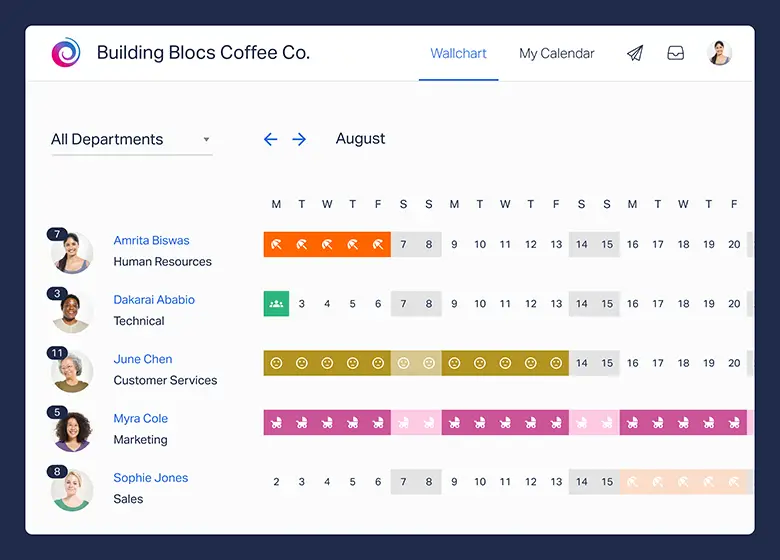
    How does taking PTO help prevent burnout?

    Burnout occurs when prolonged stress and overwork exhaust your physical and emotional energy. Taking regular PTO allows you to disconnect, rest, and recover, breaking that cycle of constant pressure. Even short breaks throughout the year can significantly reduce fatigue, restore motivation, and prevent mental exhaustion, which in turn leads to better overall performance.

    Why is it beneficial for employers when employees take PTO?

    Employers benefit tremendously from encouraging workers to take their time off. Well-rested employees are:

    • More productive and focused.

    • Less likely to make errors or experience burnout.

    • More creative and engaged in problem-solving.

    • Less likely to take unplanned sick days.
      Promoting a healthy PTO culture also enhances morale, retention, and the overall reputation of the organization as an employer that values work-life balance.

    How can HR encourage employees to take their full PTO?

    HR professionals can promote effective PTO usage by:

    • Normalizing time off: Make it clear that taking PTO is expected and encouraged, not frowned upon.

    • Managing workloads: Ensure adequate coverage during absences so employees don’t feel guilty about taking leave.

    • Leading by example: Encourage managers to take their full PTO and model healthy behavior.

    • Integrating PTO discussions into reviews: Bring up PTO during performance evaluations to remove any stigma.

    • Eliminating “approval guilt”: Avoid requiring employees to justify their reasons for taking leave.

    By making PTO part of the company’s wellness and performance strategy, HR can create a culture where rest and productivity coexist.

    What if employees feel anxious about taking time off?

    It’s common for employees to feel uneasy about stepping away from work, especially in high-demand environments. HR and leadership can help by fostering transparency, setting clear expectations, and providing coverage plans. Remind employees that using PTO is part of being an effective, sustainable contributor, not a sign of weakness or disinterest.

    How can employees plan PTO to maximize its benefits?

    To make the most of your time off:

    • Plan early: Schedule vacations around slower work periods to reduce stress.

    • Disconnect fully: Avoid checking work emails or messages while away.

    • Mix long breaks with mini getaways: A few long vacations and short weekends off can help maintain balance year-round.

    • Use it proactively: Don’t save all your days for emergencies, regular breaks improve performance throughout the year.

    What role does company culture play in PTO usage?

    Company culture is one of the strongest predictors of how much PTO employees actually take. If leadership and managers regularly take time off and promote balance, employees feel safer doing the same. Conversely, in “always-on” work cultures, employees often fear judgment or repercussions for taking vacation days. Creating a supportive environment where rest is valued is key to maximizing PTO’s benefits.

    Should employees ever skip PTO to get ahead?

    In most cases, no. Skipping PTO can lead to burnout, health problems, and lower productivity, all of which harm career progress in the long run. Sustainable success comes from maintaining balance, not from constant overwork. Taking time off allows you to return refreshed, more motivated, and ready to perform at a higher level.

    What’s the best way for managers to set a positive example around PTO?

    Leaders and managers have a powerful influence on how employees view time off. By openly taking their own PTO, talking about its benefits, and supporting their team’s ability to do the same, managers signal that rest is not only acceptable but necessary. Leading by example is one of the most effective ways to change organizational attitudes toward PTO.

    Conclusion

    Employees often underutilize or misuse their paid time off (PTO), either not taking enough or taking it in ways that don’t maximize rest and productivity. This article will explore how to plan PTO strategically to prevent burnout, enhance creativity, and even support professional growth. It will also touch on how HR can encourage employees to take PTO effectively.

    Smarter time off tracking starts here.

  • Time Tracking App: How to Choose the Right One

    Time Tracking App: How to Choose the Right One

    In a world full of meetings, emails, projects, and deadlines, it’s easy to lose track of time. Hours disappear, tasks pile up, and at the end of the day, you’re left wondering where your time went. That’s why using a time tracking app is one of the smartest choices you can make, whether you’re a freelancer working solo, a manager leading a team, or part of a growing company.


    This guide will walk you through everything you need to know about time tracking apps, how they work, why they matter, and how to choose the best one. We’ll also highlight a helpful tool called Day Off, which focuses on tracking employee leave and time off, an important part of overall time management.

    What Is a Time Tracking App?

    A time tracking app is a digital tool designed to help individuals or teams record how much time is spent on tasks, projects, or activities. It allows users to start and stop timers while working or to enter work hours manually. Time entries are usually organized by project, client, or task, and many apps generate detailed reports for analysis or billing.


    Time tracking apps are used across industries: from tech teams and marketing agencies to freelancers, consultants, HR departments, and educators. They help in planning, accountability, and performance measurement.

    Why You Need a Time Tracking App: In-Depth Benefits & Recommended Tools

    Let’s take a closer look at each reason why using a time tracking app has become absolutely essential in today’s fast-paced work environment, and explore some of the best tools available that can help you achieve each goal efficiently and effortlessly.


    Understand Where Your Time Goes

    The Problem:
    Most people don’t have a clear idea of how they actually spend their day. We assume we’re productive, but small distractions add up: 15 minutes here answering emails, 30 minutes on social media, unexpected meetings… suddenly your 8-hour workday disappears.


    How a Time Tracking App Helps:
    A time tracking app shows exactly how your day unfolds. By tracking every task or project, you gain a true picture of how you’re using your time. Over a few days or weeks, patterns emerge. You’ll notice time leaks and areas where you could be more efficient.


    Recommended App:
    RescueTime: Automatically tracks the websites and apps you use, categorizes them, and gives you a productivity score at the end of the day.

    Increase Focus and Productivity

    The Problem:
    It’s easy to lose focus during the workday. Multitasking, procrastination, and distractions eat away at your time, leaving you feeling unproductive and stressed.


    How a Time Tracking App Helps:
    Starting a timer on a time tracking app creates a sense of accountability. You’re more likely to stay on task if you know your time is being recorded. Some apps even let you set daily productivity goals or block distracting websites.


    You’ll also start to notice when you work best, maybe mornings are more productive, or afternoons are better for creative work. Use that data to plan your day around your peak hours.


    Recommended App:
    Toggl Track: Offers a simple start/stop timer with project and task labels. Great for focus sessions and manual time control. Also includes Pomodoro timer for deep work blocks.

    Accurate Billing and Transparent Invoicing

    The Problem:
    Freelancers, consultants, and agencies often struggle with billing. Without accurate records, you might undercharge, overcharge, or face disputes with clients.


    How a Time Tracking App Helps:
    A time tracking app logs every billable hour, task, and project. You can generate invoices directly from the tracked time and show clients exactly what work was done and how long it took. This builds trust, ensures you get paid fairly, and eliminates billing confusion.


    Recommended App:
    Harvest: Ideal for freelancers and small teams. Combines time tracking, expense tracking, and invoicing in one app. Integrates with QuickBooks, Stripe, and more.

    Plan Projects with Confidence and Accuracy

    The Problem:
    Planning is hard when you don’t know how long tasks actually take. Underestimating timelines leads to missed deadlines, overworked teams, and unhappy clients.


    How a Time Tracking App Helps:
    Tracking your time across different projects gives you historical data to base future decisions on. You’ll understand how long similar projects took, where delays happened, and what resources are needed. This improves budgeting, scheduling, and time estimates.


    Recommended App:
    Clockify: Free for unlimited users. Great for logging hours by project and analyzing past performance through reports. Ideal for project managers and team leads.

    Manage Remote Teams Effectively

    The Problem:
    Managing remote employees without direct visibility can be difficult. Are they working the full day? Are tasks progressing? Are workloads balanced?


    How a Time Tracking App Helps:
    Time tracking apps provide visibility without micromanagement. Employees log their time independently, and managers can view dashboards, daily reports, and project progress. It fosters trust while keeping everyone accountable and aligned.


    Some apps also offer optional activity monitoring features, including screenshots or idle detection, though these should be used respectfully and with transparency.


    Recommended App:
    Time Doctor: Designed for remote teams. Offers real-time dashboards, productivity tracking, and optional activity monitoring. Also includes client reports and payroll features.

    Prevent Burnout and Promote Balance

    The Problem:
    Without tracking your hours, it’s easy to overwork, especially for remote workers or entrepreneurs. Over time, this leads to fatigue, burnout, and reduced creativity.


    How a Time Tracking App Helps:
    A time tracking app helps you recognize when you’re working too much. It shows daily and weekly totals, helping you stick to a healthy schedule. You can also schedule breaks or set alerts when you’ve reached your daily limit.


    By understanding your limits, you can plan better rest and downtime, which ultimately boosts performance and mental health.


    Recommended App:
    Timely by Memory: Automatically tracks your activity and presents a timeline of your work, helping you manage time without watching the clock. Great for non-intrusive balance tracking.

    Don’t Forget Time Off: Meet Day Off – Your Time Off Tracking App

    While most teams and businesses are focused on tracking productivity and billable hours, there’s another essential piece of the time management puzzle: non-working hours. Tracking time spent not working, like vacations, public holidays, sick leave, or personal time off, is just as crucial for creating a balanced and efficient workplace. This is where Day Off steps in.


    Day Off is a beautifully designed, easy-to-use time off tracking app built to help teams manage employee leave without complexity. Whether you’re an HR manager in a growing company or a team lead trying to balance workloads, Day Off makes it easy to plan around absences, avoid scheduling conflicts, and support employee well-being.

    Why Time Off Tracking Matters

    Time off is not just a perk, it’s a key part of maintaining a productive, motivated, and healthy workforce. When teams don’t have clear visibility into who’s away and when, it leads to confusion, bottlenecks, and last-minute adjustments that slow everyone down.

    • A dedicated time off tracking app helps businesses

    • Avoid overlapping leave that can disrupt team performance

    • Ensure fair time off allocation across departments

    • Maintain transparency and consistency in company leave policies

    • Support employee wellness and prevent burnout

    • Gain data-driven insights for future planning and hiring decisions

    In short, tracking time off supports not just operations, but also company culture, morale, and long-term success.

    What Day Off Offers (And Why Teams Love It)

    Effortless Leave Requests

    Employees can submit vacation or sick day requests in just a few taps. The process is quick, intuitive, and paper-free, no more messy spreadsheets or back-and-forth emails.

    Managers are instantly notified and can approve or decline requests right from their dashboard or mobile app, speeding up the response time and keeping things moving.

    Team-Wide Calendar Visibility

    With Day Off’s shared calendar view, everyone on the team can see who’s taking leave and when. This makes it easy to coordinate projects, plan meetings, and avoid understaffing. It also helps promote transparency, especially in distributed or hybrid teams.

    Custom Leave Policies That Fit Your Company

    Every company is different, and so are its leave rules. Day Off allows admins to fully customize leave types, accrual policies, carry-over rules, and holidays based on your specific needs. Whether you’re offering unlimited PTO, fixed annual leave, or something in between, the app adapts to you.

    Mobile-Friendly & Always Accessible

    Whether you’re in the office or working remotely, Day Off is with you wherever you go. The app works seamlessly across iOS, Android, and desktop browsers, so employees and managers can request, review, and manage time off anytime, anywhere.

    Powerful Reports and Leave Insights

    Stay informed with clear, easy-to-read reports that show individual leave balances, usage trends, upcoming absences, and department-level summaries. These insights help HR and team leaders plan, allocate resources, and make data-backed decisions.

    Perfect For Teams of All Sizes

    Day Off is ideal for:

    • Startups needing a lightweight but powerful leave tracking solution

    • Growing teams looking to stay organized without adding HR complexity

    • Small to medium businesses that want a professional, user-friendly system without the big price tag

    • Remote and hybrid teams who need visibility and coordination across locations

    Whether you’re managing a team of five or fifty, Day Off simplifies leave management so you can focus more on people and performance, and less on paperwork.

    Day Off + Time Tracking App = The Complete Solution

    Day Off isn’t meant to replace your existing time tracking app, it’s designed to work alongside it. While your time tracking tool helps monitor working hours, Day Off ensures that non-working hours like vacation, sick days, holidays, and personal time are clearly logged, well-managed, and respected.


    Together, they give you a complete view of team availability, allowing for better project planning, improved communication, and a healthier work environment.

    Ready to Make Time Off Simple?

    With a clean interface, smart automation, and flexible features, Day Off is the modern time off tracking app that makes managing employee leave easy for everyone.


    Visit Day Off to learn more and start your free trial today.

    Frequently Asked Questions (FAQ) About Time Tracking and Time Off Apps

    What is the difference between a time tracking app and a time off tracking app?

    A time tracking app focuses on monitoring how working hours are spent, tracking time on tasks, projects, or clients for productivity and billing purposes. A time off tracking app, on the other hand, manages non-working hours such as vacations, public holidays, and sick leave. Together, they give organizations a complete view of employee time, both on and off the clock, ensuring better planning, payroll accuracy, and work-life balance.

    Do time tracking apps actually improve productivity?

    Yes. Time tracking apps help users understand exactly where their hours go, identify distractions, and create accountability. When people know their time is being tracked, they tend to focus better and manage tasks more efficiently. Over time, this leads to improved productivity, better prioritization, and smarter workload distribution across teams.

    Are time tracking apps suitable for remote or hybrid teams?

    Absolutely. In fact, they’re essential for remote and hybrid environments. Time tracking tools give managers visibility into how work is progressing without the need for micromanagement. Employees can log time independently, and managers can review project dashboards, generate reports, and ensure workloads remain balanced, no matter where team members are located.

    Is Day Off a time tracking app?

    Not exactly. Day Off is a time off management app, specifically designed to track vacations, sick leave, public holidays, and personal time, not daily work hours. While time tracking apps focus on measuring productivity, Day Off focuses on ensuring employees get proper rest and that managers can plan workloads effectively around absences. Used together, they provide a complete picture of employee time and availability.

    Can I use Day Off alongside my existing time tracking app?

    Yes. Day Off works seamlessly alongside popular time tracking tools like Toggl Track, Clockify, Harvest, and Time Doctor. Your time tracking app manages work hours, while Day Off handles leave requests and schedules. Together, they provide full visibility into team capacity, reduce scheduling conflicts, and improve overall project planning.

    How does tracking time off improve employee well-being?

    Tracking time off encourages employees to actually use their vacation days and take the rest they need. It also prevents burnout by giving managers visibility into who hasn’t taken leave in a while. When rest and recovery are built into your company culture, and supported by a clear system like Day Off, employees return more energized, creative, and motivated.

    What types of leave can be tracked with Day Off?

    Day Off allows full customization of leave types, so you can track vacations, sick leave, personal days, unpaid leave, parental leave, bereavement leave, and even work-from-home days. You can also set up local holidays, company-specific days off, and custom policies to fit your organization’s structure and compliance needs.

    How does Day Off handle approvals and notifications?

    The app automates the entire process. Employees submit leave requests digitally, and managers receive instant notifications to approve or deny them with one click. Approved leaves automatically appear in the shared team calendar, ensuring everyone stays informed and aligned, no more long email chains or missed messages.

    Can employees and managers access Day Off on mobile devices?

    Yes. Day Off is fully mobile-friendly, with dedicated iOS and Android apps, as well as web access through any browser. Whether you’re at your desk or on the go, you can request, approve, and view time off easily, making it convenient for distributed and hybrid teams.

    Is Day Off suitable for small businesses or large companies?

    Day Off is designed to scale with your business. It’s simple enough for startups and small teams that want a lightweight, easy-to-use tool, yet powerful enough for mid-sized and enterprise-level organizations with multiple departments, locations, or complex policies. Its flexibility and intuitive interface make it accessible to all company sizes.

    Conclusion: Take Control of Your Time with the Right Tools

    Mastering how you manage time is no longer optional, it’s essential. A well-chosen time tracking app can unlock higher productivity, accurate billing, smarter planning, and a healthier work-life balance. Whether you’re working independently, leading a remote team, or managing an entire company, time tracking helps you gain clarity, reduce stress, and make confident, data-driven decisions.


    And don’t forget, tracking time off is just as important as tracking time on. With tools like Day Off, you can ensure that vacation days, sick leave, and personal time are managed smoothly, helping your team stay refreshed, motivated, and efficient.


    The best time to take control of your time is now. Choose the tools that work best for your needs, and start building smarter work habits, one hour at a time.

    Smarter time off tracking starts here.

  • PTO Meaning: What It Is, How It Works, and Why It Matters

    PTO Meaning: What It Is, How It Works, and Why It Matters

    Employee benefits have become a major factor in job satisfaction, retention, and overall productivity. One of the most talked-about and valued benefits is PTO. But what exactly is the PTO meaning, and why should both employees and employers care about it?


    This comprehensive article will walk you through the PTO meaning, the different types of PTO, how it works, legal considerations, and best practices. Whether you’re an employee trying to understand your rights or an employer designing a benefits package, this guide is for you.

    What Does PTO Mean?

    The term PTO meaning refers to Paid Time Off, a workplace policy that allows employees to take time away from work and still receive their regular salary. It is a paid benefit offered by many employers to promote work-life balance, employee well-being, and workplace satisfaction.


    Traditionally, companies used to divide time off into separate categories such as vacation leave, sick leave, and personal days. However, with the adoption of PTO policies, many businesses now consolidate these categories into a single bank of days that employees can use for any purpose, whether it’s a holiday, a sick day, a mental health day, or attending to personal matters.


    The flexibility that PTO offers is one of its biggest advantages. It puts the responsibility into the hands of the employee to manage their own time and take care of their health, family, and personal needs without having to justify the reason for their absence, unless otherwise required by company policy.

    Different Types of PTO

    Understanding the PTO meaning also involves recognizing the various forms it can take. While many companies use a unified PTO bank, others still separate time off into categories. Here’s a detailed breakdown:

    Vacation Leave

    Vacation leave is one of the most commonly understood forms of PTO. It is time set aside for employees to relax, travel, or spend time with loved ones. This type of leave is essential for mental and physical rejuvenation, helping to reduce stress and prevent burnout.


    Employers typically determine the number of vacation days based on an employee’s tenure, job role, or company policy. Some companies offer two weeks of vacation per year as a starting point, with additional days accrued over time.


    Unlike other forms of leave, vacation time is usually scheduled in advance, requiring prior approval from a supervisor to ensure business continuity.

    Sick Leave

    Sick leave allows employees to take time off when they are unwell or when they need to care for an ill family member. Some employers track sick days separately from vacation or general PTO, while others include them within a broader PTO policy.


    Providing sick leave is critical not just for the well-being of the individual but also for public health and safety, especially in shared workspaces. Encouraging sick employees to stay home can prevent the spread of illness throughout the team.


    In some jurisdictions, offering sick leave is a legal requirement, and employers must track and comply with local labor laws.

    Personal Days

    Personal days give employees time off for reasons that may not fall under vacation or sick leave. This could include attending a legal appointment, dealing with home emergencies, moving, or simply taking a mental health day.


    Personal days recognize that life is unpredictable and that employees may need a break for reasons that are not necessarily recreational or medical. They help foster trust and show that the company respects the employee’s personal time and obligations.


    These days may be tracked separately or included in the general PTO balance, depending on company policy.

    Bereavement Leave

    Bereavement leave is granted when an employee experiences the death of a close family member or loved one. This time is intended to allow the individual to grieve, attend funeral services, and manage affairs related to the loss.


    Employers may offer between 1 to 5 days of bereavement leave, depending on the relationship and circumstances. Some companies may also allow the use of PTO or unpaid leave to extend time off if needed.


    Including bereavement leave in PTO policies shows empathy and support for employees during emotionally difficult times.

    Parental Leave

    Parental leave provides time off for new parents following the birth, adoption, or fostering of a child. This form of PTO may be paid or unpaid, depending on company policy and local laws.


    In some countries, parental leave is a legal right, and employers must offer it under certain conditions. In the U.S., the Family and Medical Leave Act (FMLA) provides up to 12 weeks of unpaid, job-protected leave for eligible employees.


    More progressive companies offer paid parental leave as part of their benefits package, reflecting a commitment to family support and work-life balance.

    How Does PTO Accrual Work?

    To fully grasp the PTO meaning, it’s essential to understand how time off is accumulated. Employers generally use one of two methods:

    Accrued PTO

    With an accrual system, employees earn PTO gradually over time, often based on the number of hours, days, or weeks worked. For example, an employee might accrue 1.5 days of PTO per month, which adds up to 18 days per year.


    This system encourages employees to stay with the company longer, as PTO increases with continued service. It also allows for better financial planning for the employer since time off is earned incrementally.


    Employees should keep track of their accrued PTO to avoid scheduling conflicts or misunderstandings.

    Lump Sum PTO

    Some employers offer a lump sum of PTO at the beginning of each year, or on the employee’s anniversary date. This method gives employees full access to their PTO upfront, which can be helpful for planning long vacations or life events.


    However, lump-sum PTO often comes with a “use-it-or-lose-it” clause, meaning unused time may not roll over into the next year. Employers may also require that a portion of the time be used within a certain period.


    This system offers greater flexibility, but employees must manage their time wisely to avoid running out of PTO unexpectedly.

    Why PTO Matters

    Understanding PTO meaning goes beyond definitions and policy details. It’s about recognizing the real value that time off brings to individuals and organizations.

    Work-Life Balance

    PTO plays a vital role in maintaining work-life balance. It allows employees to step away from the demands of their job to rest, recharge, and focus on personal matters. This balance is essential for long-term job satisfaction, productivity, and mental health.


    When employees are encouraged to take time off without guilt or fear, they return to work more energized, creative, and ready to contribute.

    Employee Retention and Attraction

    Companies with strong PTO policies tend to attract top talent and retain valuable employees longer. Offering generous and flexible paid time off shows that a business values its team’s well-being, which is a key factor in choosing an employer.


    In competitive industries, a well-structured PTO policy can be a deciding factor for candidates weighing multiple job offers.

    Physical and Mental Health Benefits

    Regular time away from work can help reduce stress, prevent burnout, and promote overall wellness. Employees who take advantage of PTO are less likely to suffer from chronic stress or fatigue-related illnesses.


    Mental health days, in particular, have become an important part of the PTO meaning, allowing employees to rest their minds and reduce anxiety without having to justify their absence.

    Legal Compliance and Risk Management

    In many regions, certain types of PTO, especially sick leave or family leave, are mandated by law. Having a clear, compliant policy helps employers avoid legal issues, fines, or lawsuits.

    Additionally, transparent PTO policies ensure fairness and consistency across the organization, reducing the risk of misunderstandings or discrimination claims.

    Unlimited PTO: A New Approach

    Some modern companies have adopted unlimited PTO policies, a trend that has gained popularity in tech and startup cultures. Under this model, employees are not given a fixed number of days. Instead, they are trusted to take time off as needed, provided their work is completed and their team is not negatively impacted.


    While this sounds ideal, unlimited PTO can have downsides. Without clear guidelines, employees may feel uncertain about how much time is “acceptable” to take, often resulting in fewer days off being used. Companies must foster a culture that truly supports time off, or the benefit may backfire.

    Manage PTO Effortlessly with Day Off App

    Now that you understand the PTO meaning and its importance, the next step is managing it effectively, both as an employee and an employer. This is where Day Off comes in: a beautifully simple yet powerful leave management app that’s changing the way teams handle time off.

    What Is Day Off Leave Tracker?

    Day Off is a lightweight, user-friendly tool designed to help companies, teams, and HR professionals streamline the process of managing paid time off, sick leave, holidays, and other types of absences. It eliminates the confusion and back-and-forth emails by giving everyone a clear, shared view of who’s off and when.


    It’s ideal for businesses of all sizes, from small startups to large organizations,and it works seamlessly across platforms with web and mobile support (iOS & Android).

    Easy PTO Tracking

    Whether you’re using a general PTO bank or specific leave types (sick, vacation, personal), Day Off allows you to customize your leave policies and track balances in real-time. Employees can check how many days they’ve used and what’s left, no more guesswork.

    Request & Approve Time Off in Seconds

    With a few taps, employees can request time off, and managers get instant notifications to approve or deny it. The whole process is clean, fast, and fully transparent.

    Beautiful Team Calendar View

    The intuitive team calendar shows who’s off and when, making it easier to avoid scheduling conflicts or staffing gaps. It improves planning across departments and helps managers allocate resources more effectively.

    Custom Leave Types & Workflows

    Day Off is incredibly flexible. You can define custom leave types (e.g., parental leave, unpaid leave, work-from-home days), set rules for each, and customize workflows to match your company’s approval process.

    Holiday & Weekend Settings

    Automatically account for national holidays, weekends, and company-specific days off. The app intelligently calculates leave durations based on your local calendar.

    Mobile-Friendly and Intuitive

    No training needed. Day Off is designed to be as simple and natural as using your phone’s calendar, but smarter. Whether you’re on a desktop or mobile device, everything syncs and updates in real-time.

    Why Businesses Love Day Off

    • Saves HR teams hours of administrative work every week

    • Keeps employees informed and empowered about their leave balances

    • Reduces friction and miscommunication around time-off policies

    • Scales effortlessly as your company grows

    • Helps foster a culture that respects rest and flexibility

    Try Day Off App for Free

    Day Off offers a free plan to help small teams get started, with paid tiers available for larger teams and premium features. It’s perfect if you’re tired of managing leave on spreadsheets, Slack threads, or outdated systems.

    Explore Day Off 

    Whether you’re an employee trying to manage your PTO better or a manager looking to gain control over team scheduling, Day Off takes the stress out of time off management, so everyone can focus on what matters.

    Let me know if you’d like this customized for a landing page, pitch deck, or social media promotion!

    Common PTO Questions

    Does PTO roll over to the next year?

    That depends on your company’s policy. Some employers allow unused PTO to roll over into the following year, either in full or up to a specific limit. Others implement a “use-it-or-lose-it” policy, meaning unused days expire at the end of the year. A few companies also offer the option to cash out unused PTO. Be sure to check your employee handbook or HR team for the exact policy.

    Will I be paid for unused PTO if I leave my job?

    In many regions, the answer is yes, especially if your PTO was earned or accrued over time. However, whether or not you’ll be paid for unused PTO upon resignation or termination can vary depending on local labor laws and your company’s specific policy. Some employers may offer a full payout, while others may not be required to under the law.

    Can my manager deny my PTO request?

    Yes, managers can deny PTO requests, typically for business-related reasons. For example, if your absence would create coverage issues, coincide with a peak workload period, or if multiple team members are already scheduled off, your request might be declined. To avoid this, it’s best to submit requests early, provide flexibility with your dates, and maintain open communication with your supervisor.

    Frequently Asked Questions (FAQ) About PTO (Paid Time Off)

    What does PTO stand for?

    PTO stands for Paid Time Off, a workplace policy that allows employees to take time away from work while still receiving their regular pay. It’s designed to support work-life balance and employee well-being, covering various types of leave such as vacation, sick days, personal time, and more.

    How is PTO different from vacation or sick leave?

    Traditionally, companies separated time off into categories like vacation days, sick leave, and personal days. With PTO, all of these are combined into a single pool of paid time that employees can use for any reason, whether it’s rest, illness, personal matters, or mental health. This gives employees more flexibility and autonomy over how they use their time.

    How does PTO accrual work?

    PTO accrual means that employees earn time off gradually based on the number of hours, days, or months they work. For example, an employee may accrue 1.5 PTO days per month, totaling 18 days a year. Accrual encourages long-term retention and makes it easier for companies to manage costs and scheduling evenly throughout the year.

    What is a lump-sum PTO policy?

    A lump-sum PTO policy gives employees their entire annual time-off balance at once, often at the start of the calendar year or on their work anniversary. This system allows for more flexibility when planning vacations or major life events. However, some companies apply a use-it-or-lose-it rule, meaning unused PTO doesn’t carry over to the next year.

    Does unused PTO roll over to the next year?

    That depends on your company’s policy and local labor laws. Some employers allow full or partial rollover of unused PTO, while others have a “use-it-or-lose-it” rule where unused days expire at year-end. Certain organizations also let employees cash out unused PTO. Always check your employee handbook or HR department for your company’s specific policy.

    Can I get paid for unused PTO when I leave my job?

    In many jurisdictions, yes. If PTO is earned or accrued, it’s often considered a form of wages that must be paid out upon resignation or termination. However, the rules vary by state or country and depend on company policy. Some employers are legally required to pay for unused PTO, while others are not, so it’s best to confirm with HR or consult local labor regulations.

    Can my employer deny my PTO request?

    Yes. Employers have the right to deny PTO requests for legitimate business reasons, such as staffing shortages, overlapping vacation requests, or peak workload periods. To avoid issues, submit your request as early as possible and try to remain flexible with your dates. Maintaining open communication with your manager is key to balancing business needs and personal plans.

    Is PTO required by law?

    In most countries, offering PTO is not universally required, though certain types of leave, like sick leave, parental leave, or family medical leave — may be mandated. In the United States, for example, there is no federal law requiring general paid vacation, but some states and localities have specific PTO or paid sick leave laws. Employers should always ensure compliance with local labor regulations.

    What is unlimited PTO, and how does it work?

    Unlimited PTO policies allow employees to take as much paid time off as needed, provided their work is completed and performance standards are met. The idea is to promote trust and flexibility. However, without clear communication and leadership support, some employees may hesitate to take time off at all. Successful unlimited PTO programs depend on company culture and transparency.

    How can PTO impact employee morale and productivity?

    A well-structured PTO policy improves morale, reduces burnout, and increases productivity. When employees can take time off without guilt or fear, they return refreshed, more creative, and more motivated. PTO is also a major factor in employee retention, companies that promote healthy time-off practices tend to attract and keep top talent longer.

    How does the Day Off app help with PTO management?

    The Day Off app simplifies PTO management for both employees and HR teams. It allows users to request, approve, and track time off in real time through a shared team calendar. The app also supports custom leave types, holiday settings, and automated accrual tracking, making it easier to maintain transparency and reduce administrative work. It’s an ideal solution for modern teams that value efficiency and clarity.

    What’s the best way for employees to manage their PTO?

    Employees should plan their PTO strategically, aligning time off with personal needs, company schedules, and upcoming projects. Keeping track of accrued balances through tools like Day Off ensures no surprises when scheduling leave. It’s also wise to book vacations early, communicate with your manager, and actually take your PTO to prevent burnout and maintain performance.

    Conclusion

    Understanding the PTO meaning is more than just knowing what the acronym stands for, it’s about recognizing the critical role that paid time off plays in a healthy, productive, and balanced work environment. Whether it’s vacation, sick leave, personal days, or any other form of paid time away from work, PTO empowers employees to care for their well-being without financial stress, and it allows employers to foster a positive, people-first company culture.


    In a world where burnout and work-life imbalance are increasingly common, a thoughtful and transparent PTO policy isn’t just a perk, it’s a necessity. From the way PTO is accrued and tracked to how it’s requested and approved, every element matters. Tools like Day Off make managing time off simpler, smarter, and more transparent for everyone involved.


    Whether you’re an employee navigating your benefits or an employer designing a fair and flexible leave policy, having a clear understanding of PTO meaning is the foundation of building a workplace where people thrive, both professionally and personally.

    Smarter time off tracking starts here.