







As companies increasingly embrace remote work, flexible schedules, and global teams, effective leave management has become more than just an HR function it’s a cornerstone of organizational efficiency and employee satisfaction. In 2026, leave management software is no longer optional; it’s a necessity for businesses that want to stay compliant, streamline operations, and foster a supportive work culture.
What is Leave Management Software?
Leave management software is a digital solution designed to automate the entire lifecycle of employee time-off including request submission, approval workflows, policy enforcement, leave tracking, and balance calculation. It serves as a centralized platform where HR teams, managers, and employees interact seamlessly regarding all types of leaves: paid time off (PTO), sick leave, family leave, holidays, unpaid leave, and more.
In traditional systems, handling leave requests manually often leads to miscommunication, calculation errors, and compliance issues. Leave management software eliminates these pain points by offering a structured, real-time, and transparent process. It ensures consistency in policy application and reduces administrative overhead by syncing with other HR tools like payroll, attendance, and performance management.
Features of Leave Management Software
An effective leave management platform offers a wide array of features that cater to the diverse needs of modern organizations. Here’s an in-depth look at the essential features:
Automated Request and Approval Workflow
This feature allows employees to submit leave requests through a self-service dashboard, where the system automatically routes them to the appropriate manager based on predefined workflows. Approvers are notified instantly and can make decisions in a single click, often with access to the team calendar, balance status, and project schedules. This dramatically reduces administrative delays and ensures that requests are handled quickly and consistently.
Customizable Leave Policies
Organizations can configure leave types according to their internal HR policies and legal obligations whether that’s configuring annual leave, comp-off, casual leave, or region-specific holidays. You can also define accrual cycles, probation rules, encashment policies, and leave expiry conditions, which ensures your system reflects the unique rules of your organization or jurisdiction.
Real-Time Leave Balance Tracking
With built-in calculators, the software continuously tracks how much leave an employee has accrued, used, or is projected to earn. This information is visible to both HR and the employee, reducing confusion and eliminating the need to email HR for every balance inquiry. Managers also get real-time insight into team availability before approving any time-off requests.
Calendar Integration
Most systems integrate with external calendar platforms like Google Calendar, Outlook, or Microsoft Teams. Approved leaves are automatically reflected on shared calendars, helping teams plan effectively and avoid scheduling conflicts. This ensures project managers and team leads always have visibility into who’s in or out on any given day.
Multi-Country and Multi-Location Support
Companies operating in multiple regions can define different leave policies, public holidays, and labor regulations per location. This ensures the software remains compliant with regional laws such as the FMLA in the U.S., statutory leave in the EU, or paid sick days in various countries. The system can also display different holiday calendars for each branch or location.
Custom Approval Workflows
Organizations can define layered approval structures such as team lead > department manager > HR depending on the leave type or employee level. The software can auto-approve certain short leaves or notify higher management for longer ones, creating a flexible yet structured approval mechanism.
Audit Logs and Comprehensive Reporting
The software captures a complete history of every leave action request submissions, approvals, rejections, modifications, and cancellations with time stamps. HR can generate reports that show leave trends, absenteeism rates, and department-level breakdowns. These reports help in workforce planning, compliance audits, and performance reviews.
Mobile Access and Notifications
Modern platforms offer mobile apps for iOS and Android, allowing users to apply for leave, approve requests, or check balances from anywhere. Push notifications keep both employees and managers informed about request statuses, upcoming holidays, or balance thresholds.
Pro – Day Off
- Unlimited employees
- Multi approvers
- Multi teams and locations
- Mobile Apps for IOS and Android
- Integrations (Google, Teams, Slack and Outlook)
- Work Schedules
- 24/7 support
Benefits of Leave Management Software
Investing in leave management software translates into tangible operational and strategic advantages. Here’s a deeper look:
Operational Efficiency
Automating leave management eliminates repetitive tasks for HR teams, such as answering balance queries or managing spreadsheets. It significantly reduces the administrative time spent processing leave, especially in organizations with a large workforce.
Accurate Leave Tracking
With real-time calculations and system-based recordkeeping, leave balances are always accurate and up to date. This ensures that employees are not overpaid or underpaid for their time off, helping maintain fairness and avoid costly payroll mistakes.
Improved Legal Compliance
Labor laws vary across states and countries. Leave management software helps companies stay compliant by enforcing location-specific rules. It also provides audit-ready records in case of inspections, grievances, or labor disputes.
Enhanced Employee Experience
When employees can easily access their leave data, apply for time off, and receive quick decisions, they feel empowered and respected. This boosts morale, trust, and overall satisfaction.
Better Workforce Planning
Managers can proactively plan project timelines and ensure proper staffing by reviewing team availability in advance. With fewer last-minute absences or overlapping vacations, productivity and delivery rates improve.
Leave Management Software Challenges
While the benefits are compelling, organizations should also be aware of some common challenges:
Complex Configuration
Setting up leave policies that match internal rules, legal mandates, and organizational hierarchies can be challenging. It may require technical support or detailed HR planning to ensure accurate implementation.
User Adoption Resistance
Employees and managers may be reluctant to change if they are used to manual methods. Change management, training, and communication are key to driving adoption.
Ongoing Maintenance
Leave policies and public holidays can change annually or vary by region. The software needs to be updated regularly to reflect these changes, either manually or through vendor support.
Cost Concerns
While many tools offer affordable plans, add-ons (like advanced reporting, integrations, or support) can increase total costs. Businesses must assess whether the return on investment justifies the expense.
Top 10 Leave Management Software Solutions
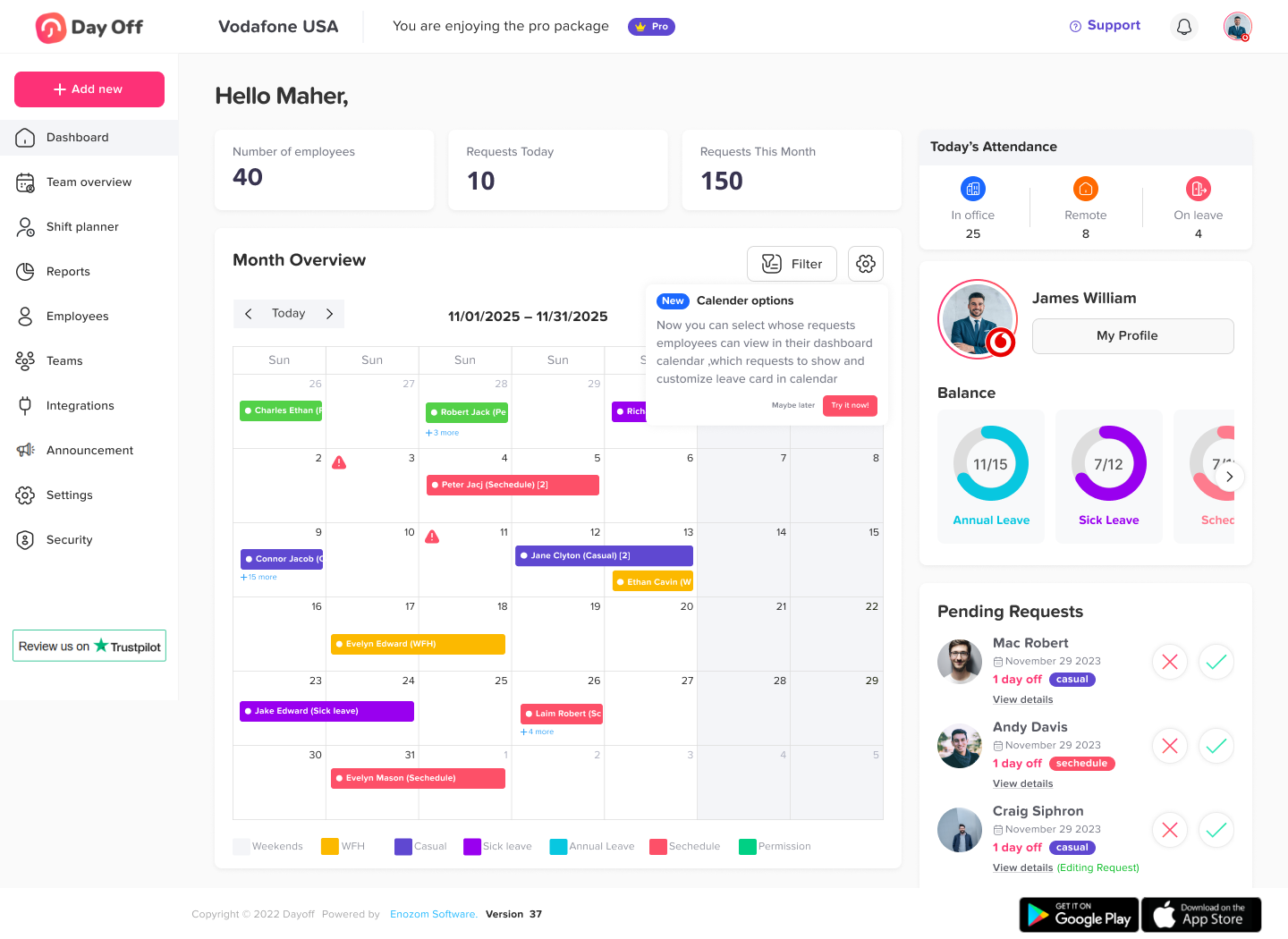
Best for: Small to mid-sized teams looking for a simple, quick-to-deploy solution
Overview:
Day Off is a streamlined leave management solution designed with user-friendliness at its core. It caters to businesses that need a no-fuss system to manage employee time off without getting bogged down by complex configurations or bulky interfaces. Setup is quick, and the mobile-first design ensures accessibility for distributed teams.
Standout Features:
Clean and intuitive UI with minimal training required
Highly customizable leave types and approval workflows
Public holiday calendars and balance tracking by location
Free plan available for small teams
Native mobile app with real-time notifications
Pros:
Excellent for teams with no dedicated HR staff
Quick onboarding and policy configuration
Ideal for growing businesses that prioritize agility
Cons:
Lacks deeper integrations with payroll or ERP systems
BambooHR
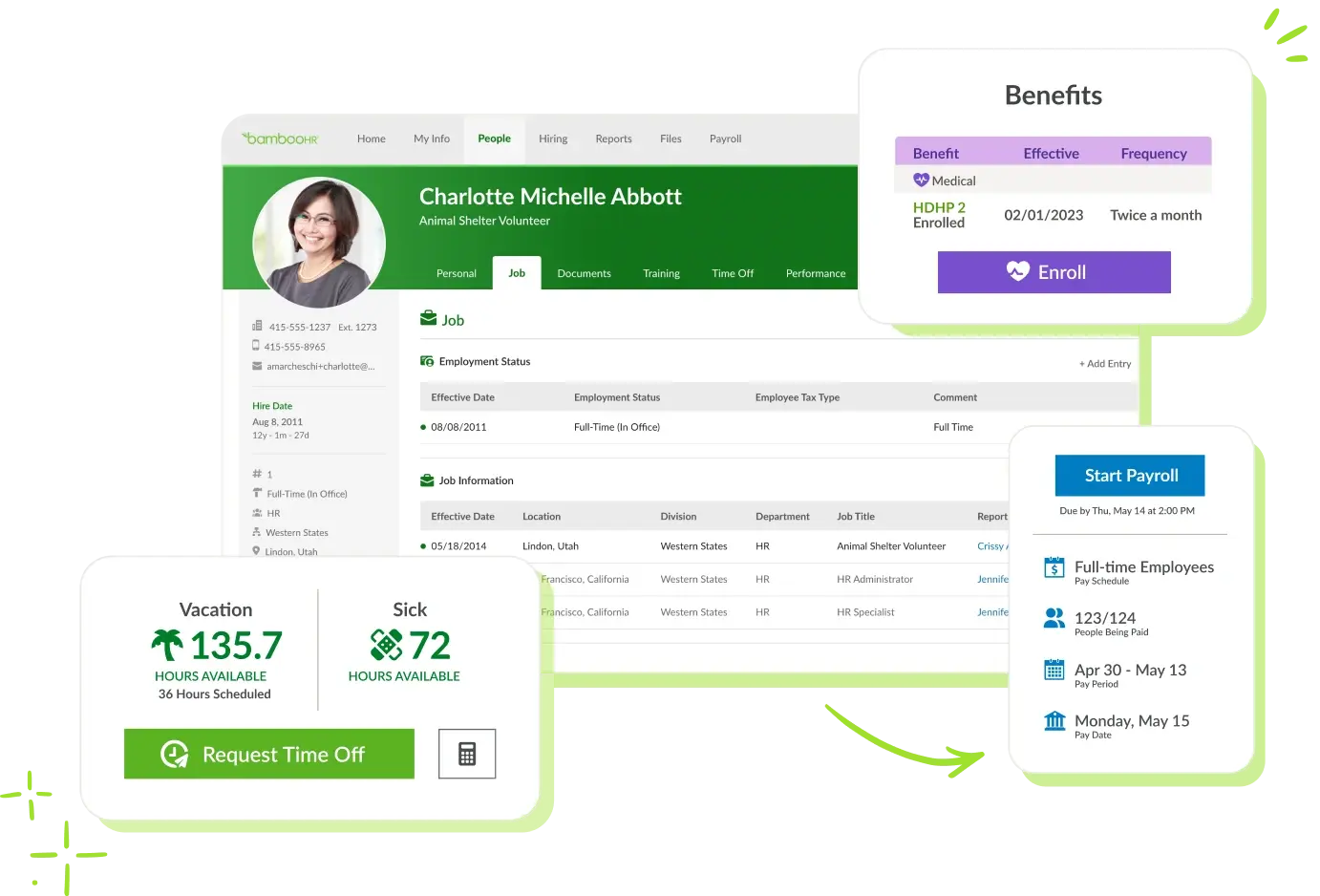
Best for: Mid-sized businesses aiming for an all-in-one HR suite
Overview:
BambooHR goes beyond just leave management. It’s a full HRIS (Human Resources Information System) offering tools for performance reviews, onboarding, employee records, and more. Its time-off tracking module is robust, offering rich customization for policies, workflows, and reporting.
Standout Features:
PTO tracking integrated into employee profiles
Approval chains with customizable workflows
Team calendar view with conflict alerts
Integration with payroll, benefits, and applicant tracking
Employee self-service portal
Pros:
Scales well with business growth
Combines leave management with broader HR tools
Excellent customer support and onboarding resources
Cons:
Pricing is on the higher side and not publicly listed
Some features are only available on higher-tier plans
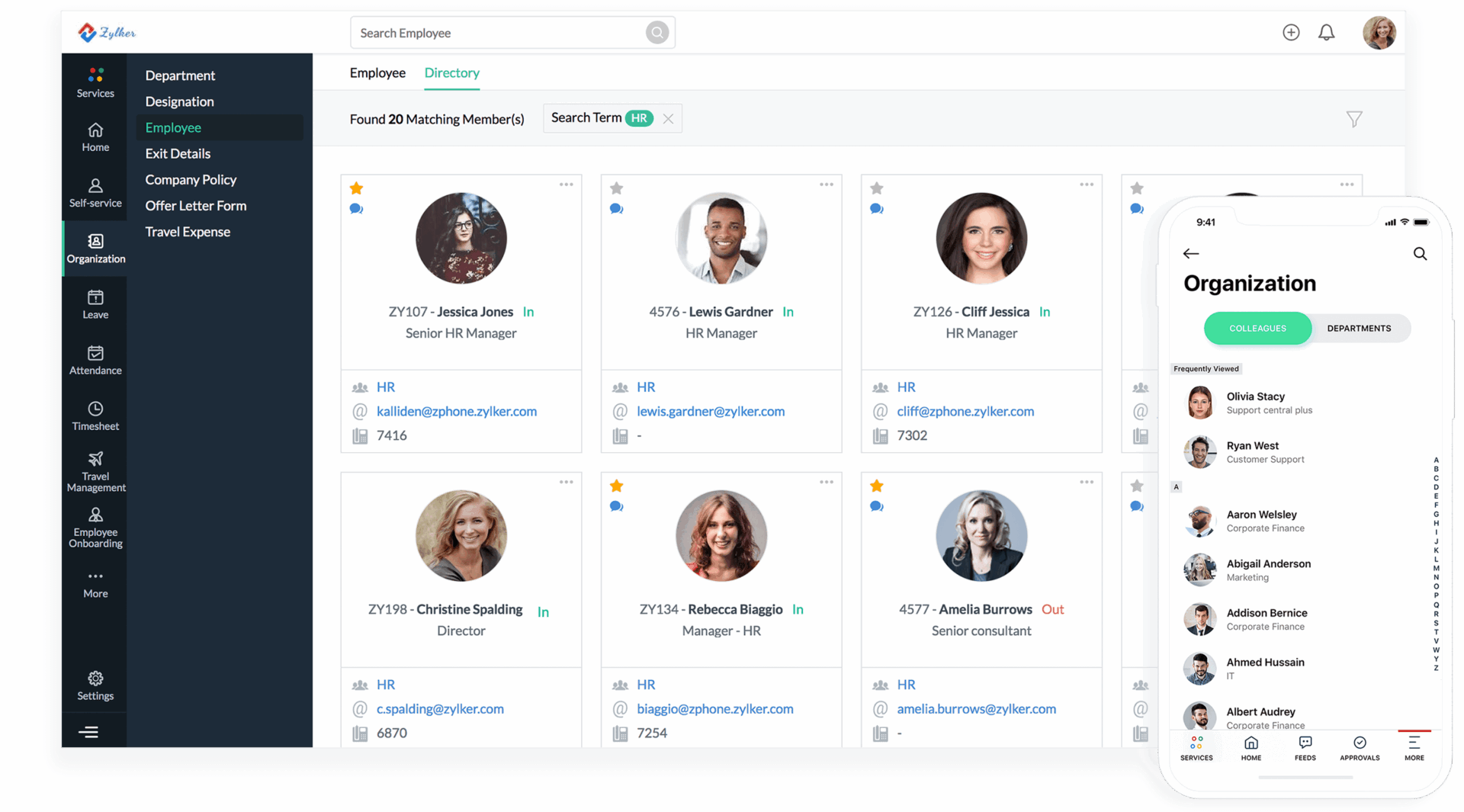
Best for: Businesses already using the Zoho ecosystem or seeking high configurability
Overview:
Part of Zoho’s extensive suite, Zoho People offers advanced HR features including time and attendance, shift scheduling, performance tracking, and leave management. Its strength lies in deep customization from leave policies to automation rules.
Standout Features:
Configurable leave types and accrual rules
Leave approval automation and notifications
Advanced analytics dashboard with KPIs
Integration with Zoho Books, CRM, and other tools
Multi-location and multi-timezone support
Pros:
Powerful at a very competitive price
Highly flexible with lots of room for customization
Ideal for companies already using Zoho software
Cons:
Interface can feel overwhelming at first
Customization may require technical familiarity
Kissflow HR Cloud
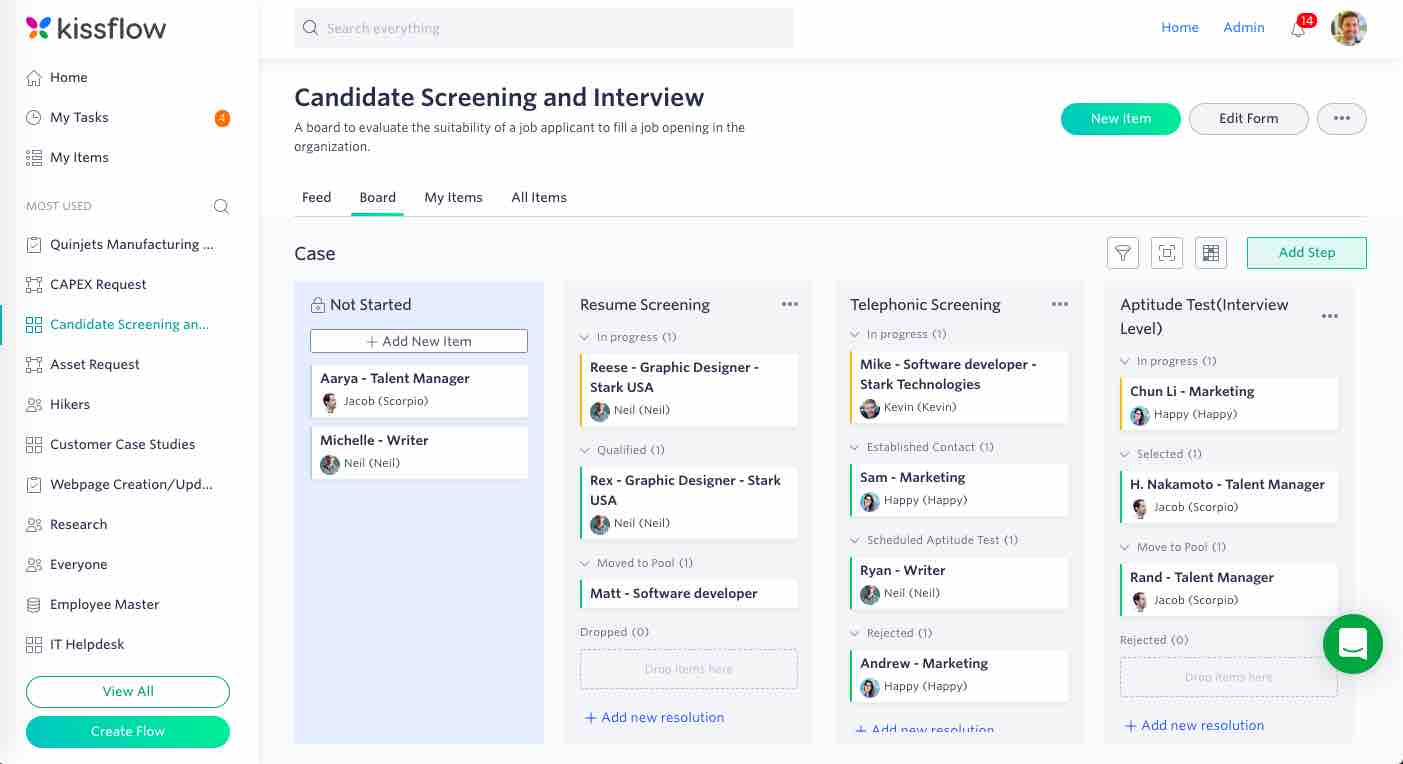
Best for: Organizations looking to automate HR workflows end-to-end
Overview:
Kissflow HR Cloud is part of a broader digital workflow platform. It excels at automating multi-step processes — like leave approvals that involve multiple approvers or conditions. Its leave management module is well-suited for businesses that want a flexible, automation-driven solution.
Standout Features:
Drag-and-drop workflow designer
Automated reminders and notifications
Built-in document management and audit tracking
Configurable dashboards and employee timelines
Cloud-based with extensive role-based access controls
Pros:
Powerful for companies with layered HR processes
Unified platform for HR, IT, and procurement workflows
Great for automating recurring tasks and updates
Cons:
More suitable for medium to large companies
Setup and customization may require guidance or IT help
Calamari
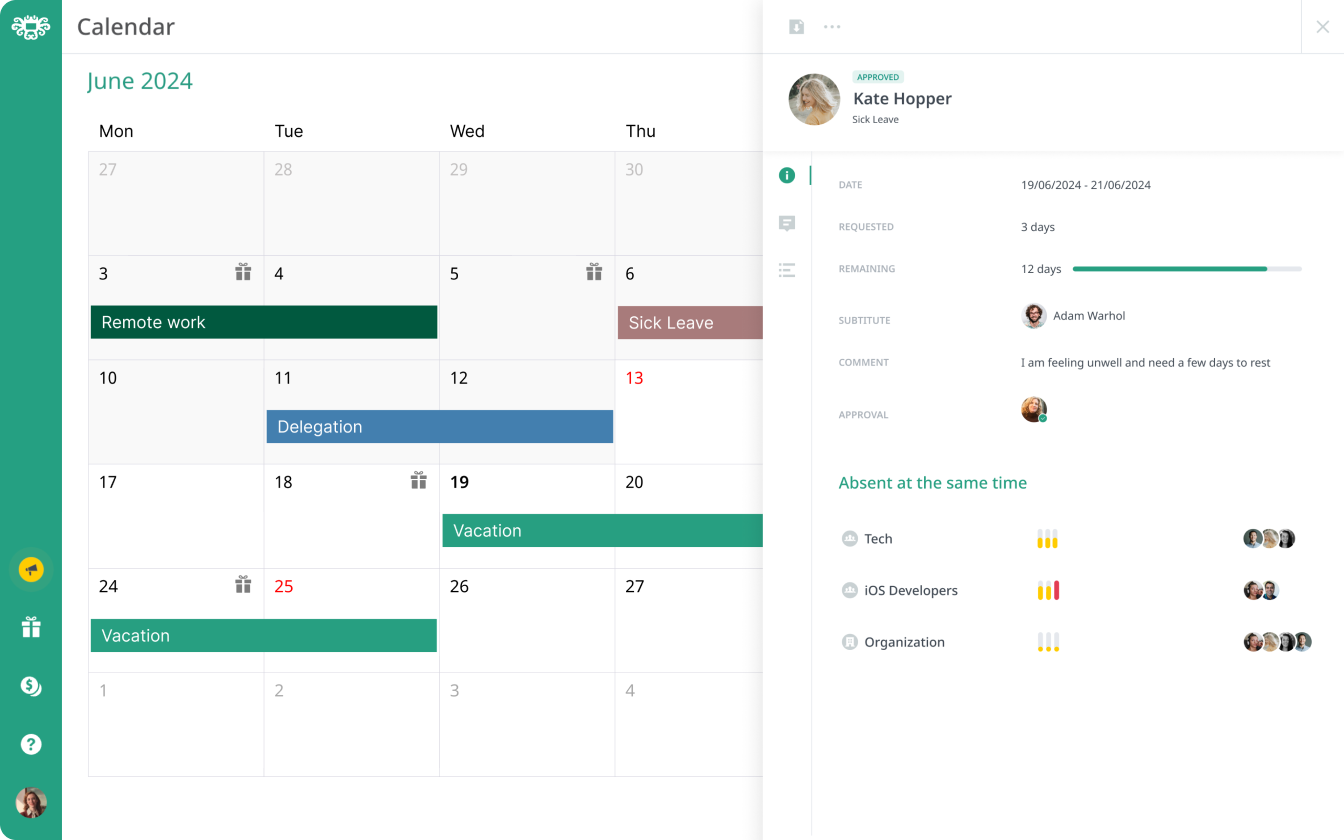
Best for: Tech-savvy teams needing modern communication integrations
Overview:
Calamari is a cloud-based time and attendance solution with a strong leave management component. It’s particularly appealing to teams using collaboration platforms like Slack and Microsoft Teams, thanks to native integration and automated notifications.
Standout Features:
PTO and sick leave tracking
Slack and MS Teams leave requests and approvals
Integration with Google Workspace and Jira
iBeacon support for in-office time tracking
International holiday calendars
Pros:
User-friendly and great for hybrid/remote teams
Leaves can be managed directly from chat tools
Supports biometric and geo-based attendance
Cons:
Some integrations may require extra configuration
Limited depth in areas outside time and attendance
Timetastic
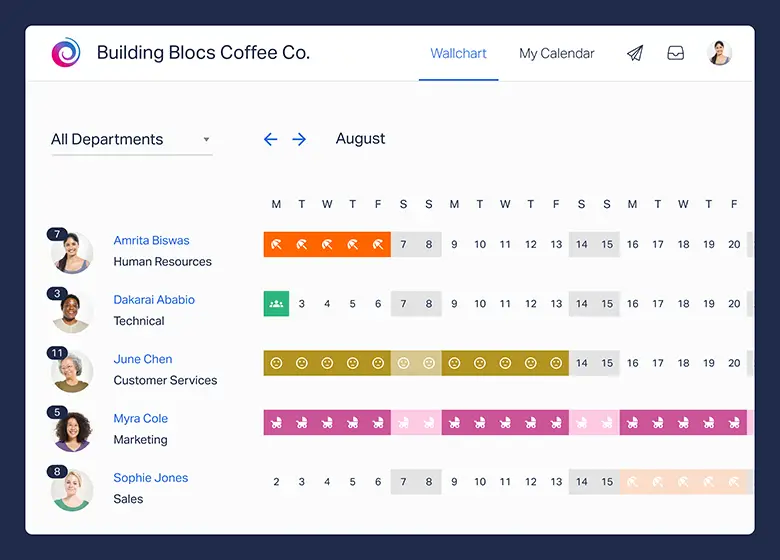
Best for: Small businesses and startups looking for a visual-first solution
Overview:
Timetastic simplifies leave management with its calendar-centric design. The software uses a color-coded dashboard that gives teams a clear picture of who’s off and when, making it perfect for companies that want simplicity and transparency.
Standout Features:
Visual team calendar
Approvals via email or mobile app
iCal, Outlook, and Google Calendar sync
Leave quotas and department-level controls
Integrates with Slack and Microsoft Teams
Pros:
Extremely easy to use and navigate
Transparent team availability at a glance
Affordable with a free trial
Cons:
No advanced HR or payroll features
Limited customization compared to other platforms
ADP Workforce Now
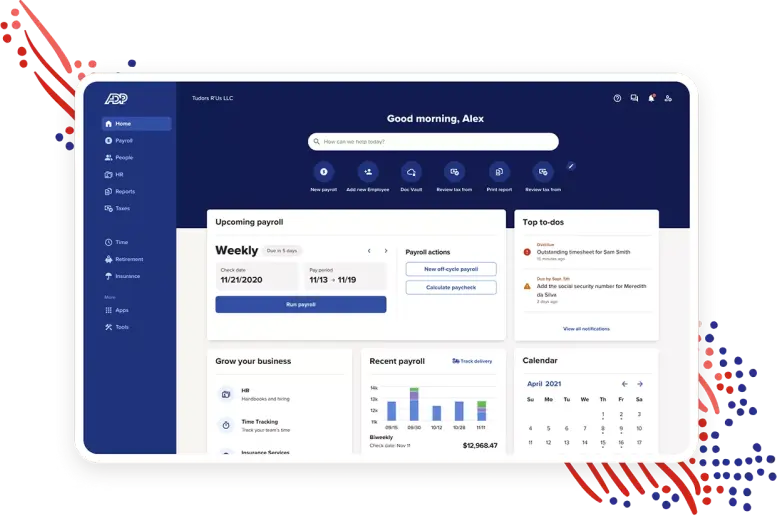
Best for: Enterprises and large organizations needing full HR automation
Overview:
ADP Workforce Now is a comprehensive human capital management solution used by thousands of global enterprises. Its leave management capabilities are integrated with payroll, benefits, compliance, and time tracking, making it ideal for businesses with complex HR demands.
Standout Features:
Custom leave types and rules engine
Seamless integration with ADP Payroll
Compliance alerts for FMLA and labor law changes
Detailed analytics and compliance reports
Role-based dashboard for HR, managers, and employees
Pros:
Trusted enterprise-grade solution
Deep compliance and audit capabilities
Highly scalable and secure
Cons:
Expensive and requires setup support
May be too complex for small businesses
HRLocker
Best for: Regulated industries like legal, finance, or healthcare
Overview:
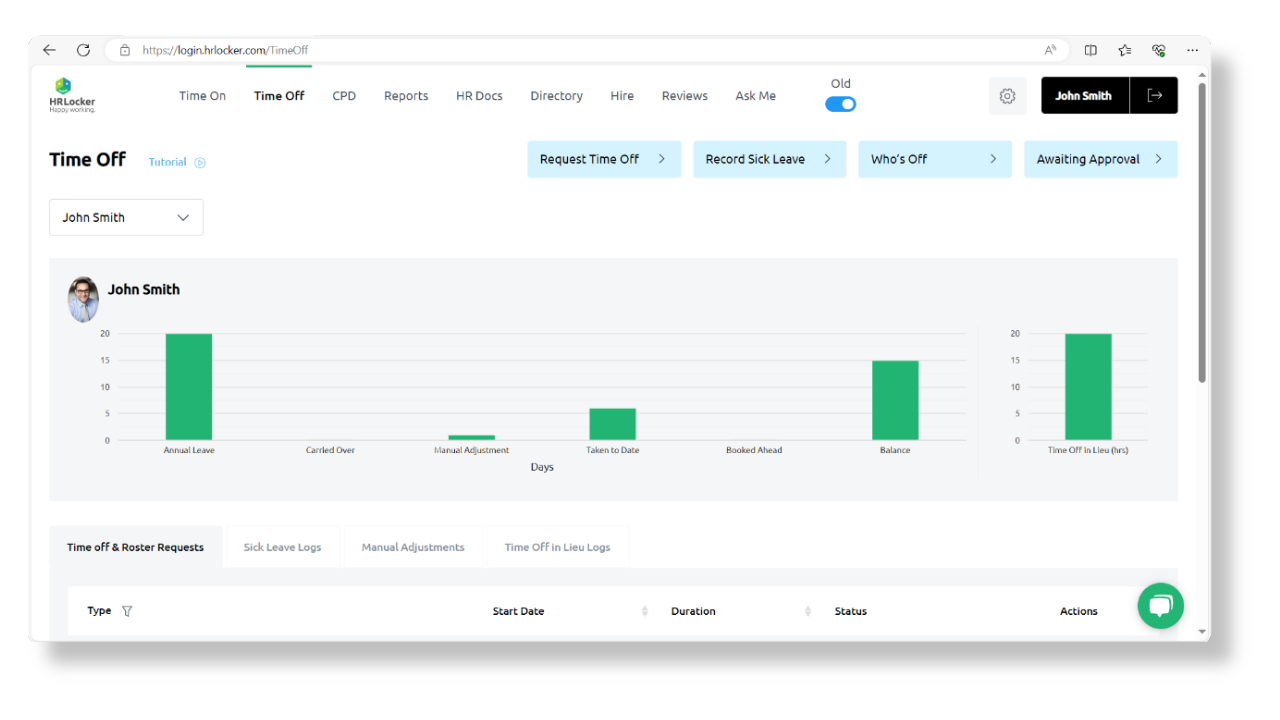
HRLocker emphasizes compliance, document security, and audit trails. Its leave management features are simple but effective, making it great for companies needing to demonstrate regulatory adherence or undergo frequent audits.
Standout Features:
GDPR compliance tools and permission settings
Document management and version control
Customizable leave types and categories
Role-based access with audit logs
Public holiday calendars per location
Pros:
Focus on secure and auditable HR processes
Easy to implement and maintain
Ideal for compliance-heavy industries
Cons:
UI could be more modern
Fewer integration options than competitors
LeaveBoard
Best for: Small businesses and startups on a budget
Overview:
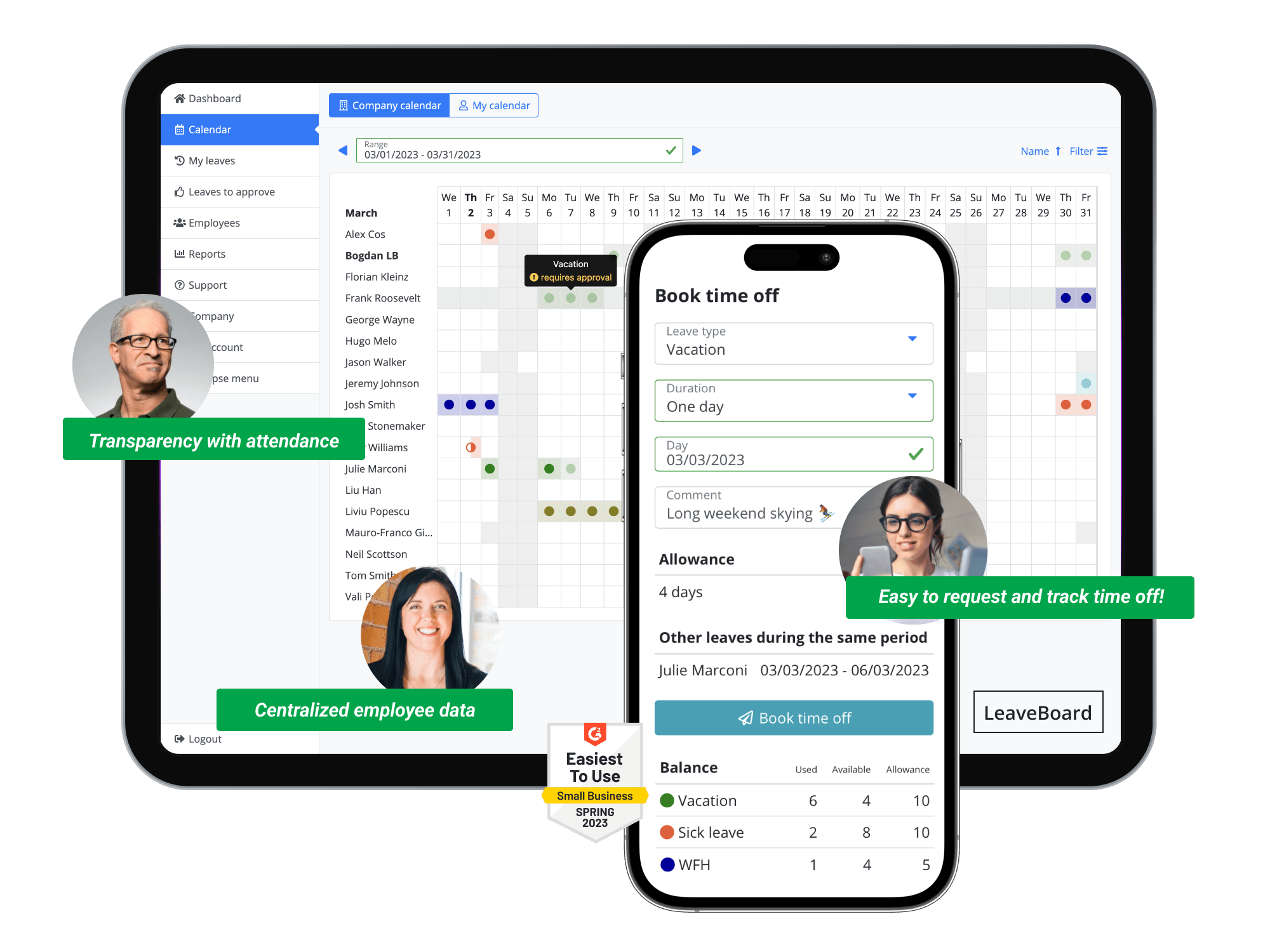
LeaveBoard is a lightweight yet efficient leave management tool designed specifically for small teams. It offers all the core features, like leave tracking, request management, and team calendars, in a free-to-use model for teams with fewer than 9 members.
Standout Features:
Self-service leave requests and approval workflows
Company-wide and individual leave calendars
Email notifications and reminders
Public holiday integration and workweek settings
Reporting on time-off trends and balances
Pros:
Free for up to 9 users
Clean interface with essential features
Fast setup and minimal maintenance
Cons:
Limited scalability for growing organizations
Lacks integration with payroll or HRMS
Factorial HR
Best for: International businesses managing global teams
Overview:
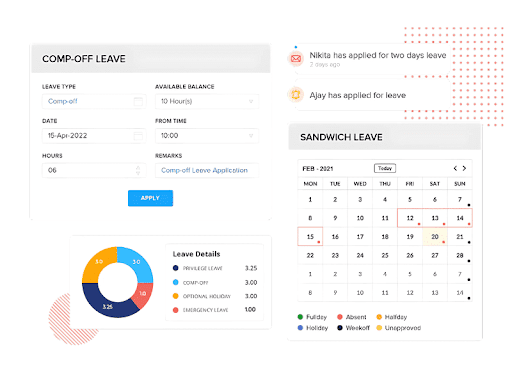
Factorial HR provides a well-rounded HR platform with an emphasis on global workforce management. Its leave module supports complex policies, regional laws, and centralized reporting — making it ideal for international companies with distributed teams.
Standout Features:
Multi-country leave policies and holiday calendars
Employee document storage and digital signatures
Dynamic org charts and approval workflows
Custom fields and leave balance automation
Integrations with Google Workspace, Slack, and Zapier
Pros:
Rich set of HR tools beyond leave tracking
Excellent for compliance across multiple countries
Mobile app and cloud access make it flexible for all users
Cons:
Premium pricing compared to niche tools
Overkill for businesses that only need leave management
Comparison Table
| Software | Target Business Size | Mobile App | Calendar Integration | Policy Customization | Free Plan | Reporting |
|---|---|---|---|---|---|---|
|
Day Off |
SMBs to Mid-size |
✅ |
✅ |
✅ |
✅ |
Advanced |
|
BambooHR |
Mid-size to Enterprise |
✅ |
✅ |
✅ |
❌ |
Advanced |
|
Zoho People |
SMBs to Mid-size |
✅ |
✅ |
✅ |
✅ |
Advanced |
|
Kissflow |
Mid-size |
✅ |
✅ |
✅ |
❌ |
Advanced |
|
Calamari |
SMBs |
✅ |
✅ |
✅ |
❌ |
Basic |
|
Timetastic |
SMBs |
✅ |
✅ |
✅ |
✅ |
Basic |
|
ADP Workforce |
Enterprises |
✅ |
✅ |
✅ |
❌ |
Advanced |
|
HRLocker |
SMBs to Mid-size |
✅ |
✅ |
✅ |
❌ |
Advanced |
|
LeaveBoard |
Small Teams |
✅ |
✅ |
✅ |
✅ |
Basic |
|
Factorial HR |
SMBs to Enterprise |
✅ |
✅ |
✅ |
✅ |
Advanced |
FAQs
Q1: Can leave management software handle different leave policies for different departments or countries?
A: Yes. Most modern leave management tools allow administrators to create and assign different leave policies based on departments, locations, or even individual employees. This is particularly useful for global companies or organizations with varied contractual obligations. You can define country-specific public holidays, time zones, and accrual rules to stay compliant with local labor laws.
Q2: How secure is employee data in leave management platforms?
A: Leading solutions implement enterprise-grade security protocols including SSL encryption, GDPR compliance, secure access control, and regular audits. Features like role-based permissions, two-factor authentication, and audit logs ensure that sensitive information (like health-related leaves or personal data) remains protected.
Q3: Can employees check their leave balance and history on their own?
A: Yes. One of the biggest advantages of leave management software is employee self-service. Employees can log in to a web portal or mobile app to check their available leave, apply for new time off, view pending requests, and access their full leave history without needing to contact HR.
Q4: What happens if multiple employees apply for leave on the same date?
A: Many systems have built-in conflict alerts. Managers can view team calendars and receive notifications if a leave request overlaps with another team member’s vacation or a critical project period. Some tools even allow managers to set limits on how many people can be off at the same time in a department.
Q5: Can leave be requested or approved via mobile devices?
A: Yes. Almost all top-tier platforms now include dedicated mobile apps or mobile-optimized web portals. These allow employees to request leave and managers to approve or reject requests from their phones, which is ideal for field workers, remote teams, or busy executives.
Q6: How long does it take to implement a leave management system?
A: Implementation time depends on the software’s complexity and your organization’s size. Simple platforms like Day Off or LeaveBoard can be up and running in a few hours. More comprehensive solutions like ADP or BambooHR may take a few days to several weeks due to policy configuration, integration with payroll systems, and training.
Q7: Do these tools offer support for tracking unpaid leaves or comp-offs?
A: Yes. Most software allows you to track various leave types including unpaid leave, compensatory time off, time in lieu, or emergency leave. You can create custom leave categories and define rules for accrual, approval, and tracking, ensuring accurate records and fair application.
Q8: Can leave reports be exported for management review or audits?
A: Definitely. HR and management teams can export detailed leave reports in formats like PDF, Excel, or CSV. Reports typically include leave usage by employee, department-level trends, remaining balances, leave frequency, and exceptions, useful for audits, compliance, or strategic planning.
Q9: What’s the best leave management software for a company with fewer than 10 employees?
A: Day Off, Timetastic, and LeaveBoard are excellent options. They are affordable, easy to use, and include all essential features like leave tracking, team calendars, and mobile apps often with free plans available.
Q10: Do I need technical expertise to set up leave management software?
A: Not necessarily. Many platforms are designed for non-technical users and offer guided setup, tutorials, and live chat support. However, if you’re using a highly customizable system or require integrations with legacy tools, some IT support may be helpful during the initial configuration.