
Features · Leave Policies

Accrual

The balance accrual feature keeps track of how much leave employees earn throughout the year. It adds up their days off and shows them up-to-date information so they can plan and use their leave easily.

Trusted by 60,000+ companies in 100+ countries

Accrual in the Day Off app
1

Accrual types and settings

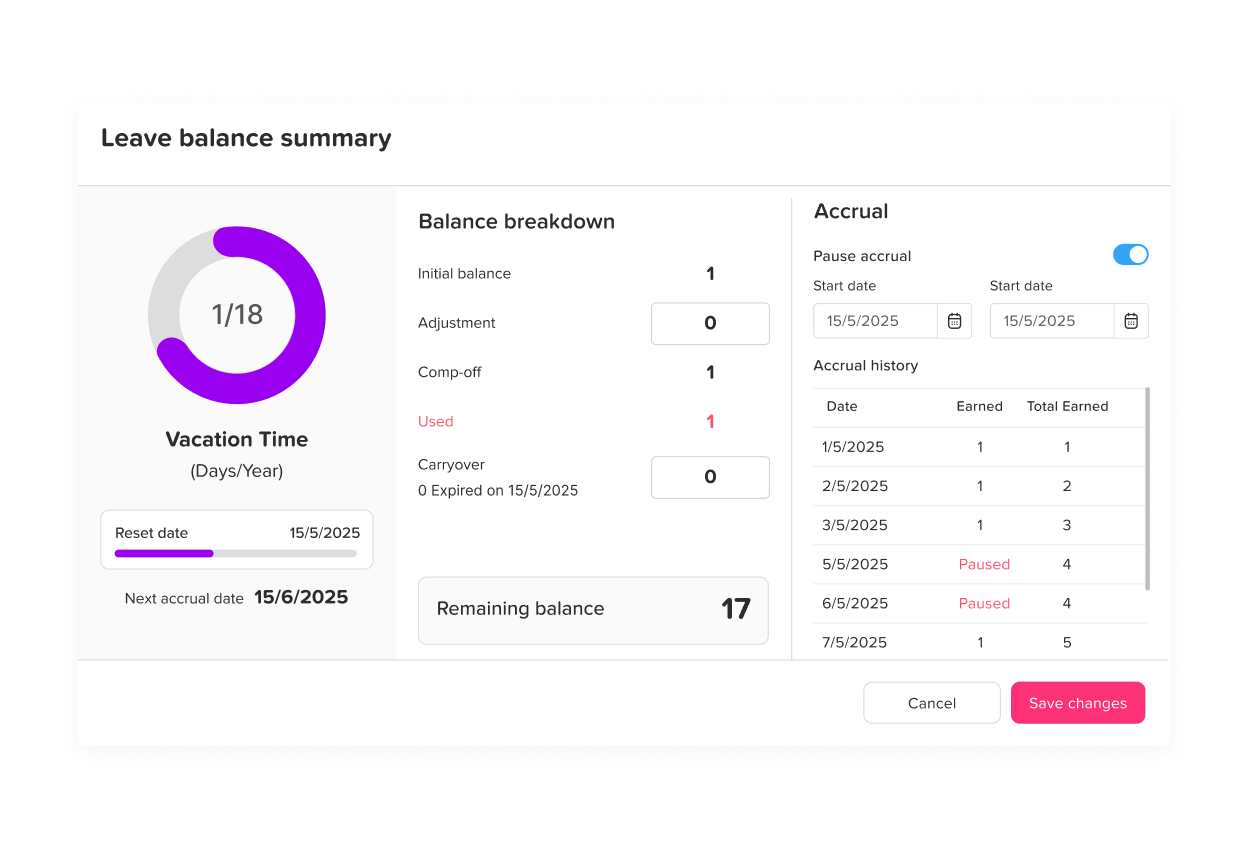
The Accruals feature in Day Off allows employers to grant leave balances throughout the year based on either the fiscal year or the employee’s anniversary, with flexible accrual rates such as weekly, biweekly, semi-monthly, or monthly.

Accrual types and settings: Accrual in Day Off
2

How it shows

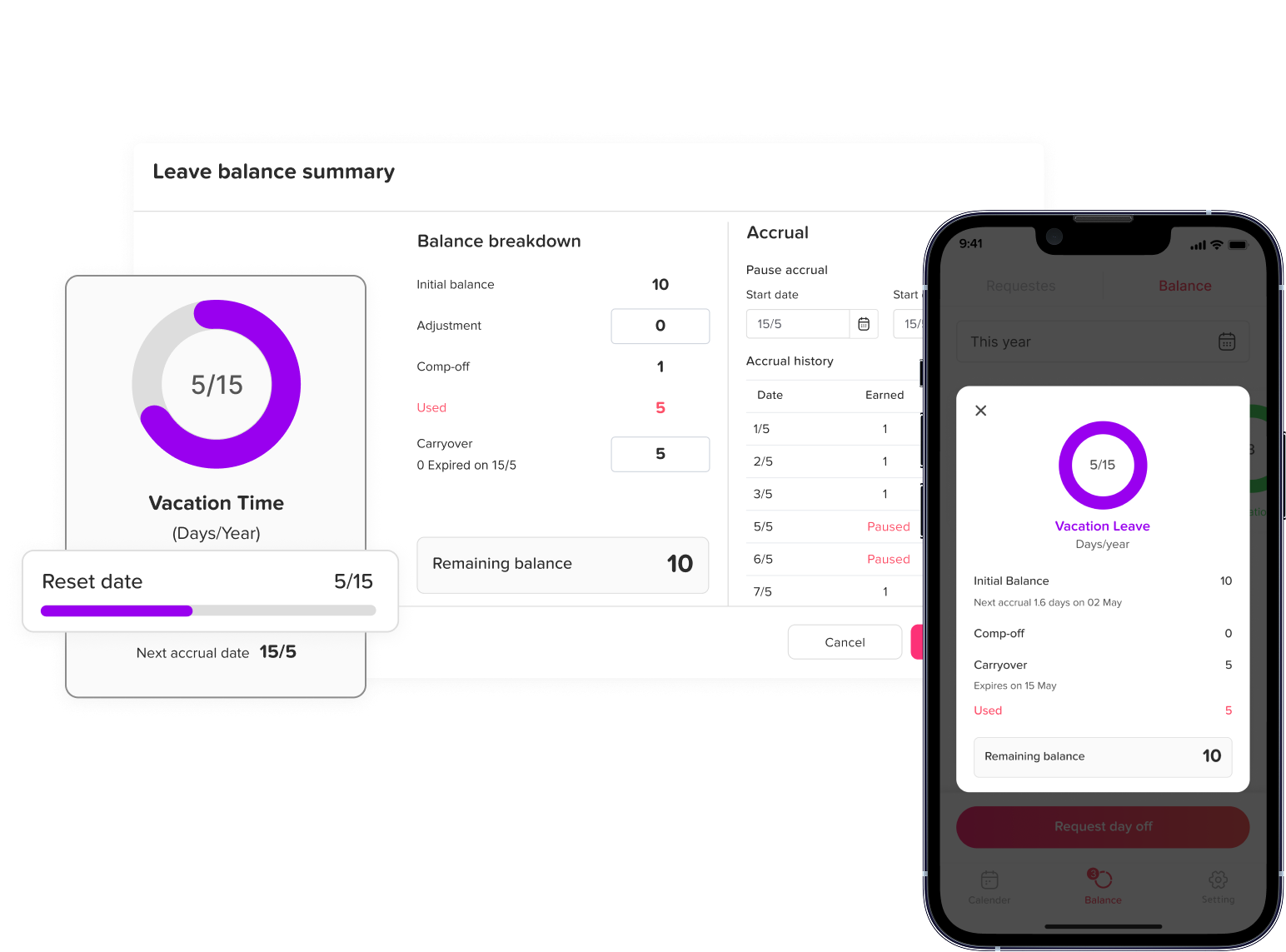
You can view each employee’s accrual details in their profile under the “Balance” section, where you’ll find information such as total leave quota, current balance, and upcoming accrual dates.

How it shows: Accrual in Day Off
3

Accruals report

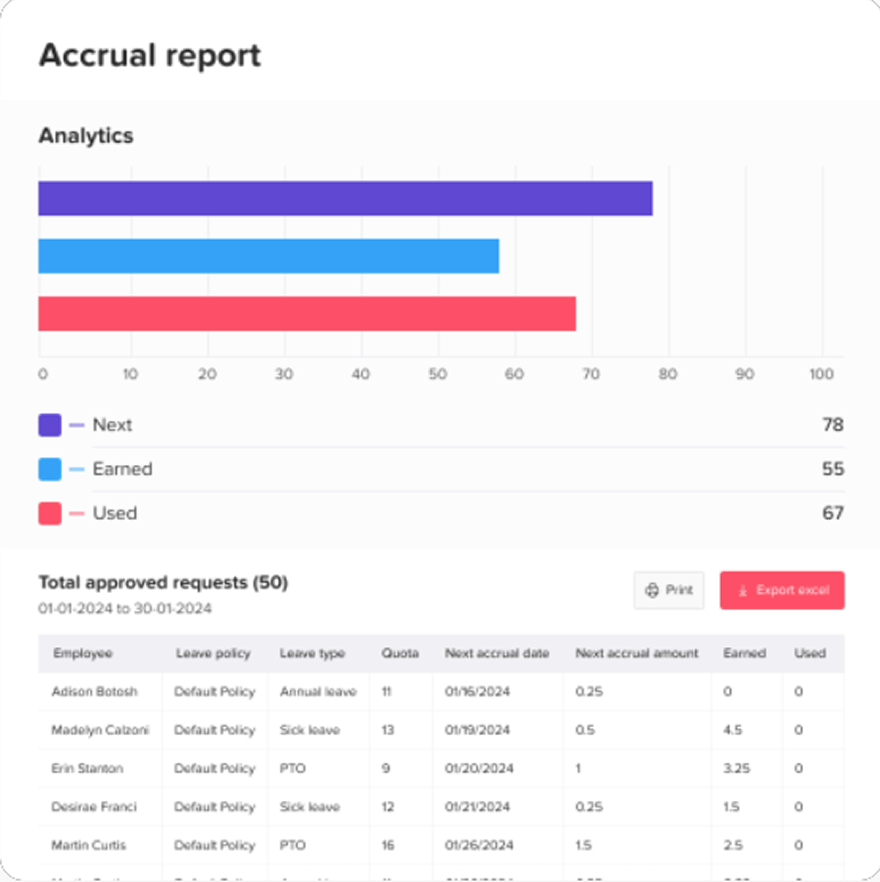
For more data, you can access the accrual reports. Accrual reports provide an in-depth look at how each employee’s leave balance builds up over time. You can see the employee’s whole quota, how much they earned, and when he will earn his next amount.

Accruals report: Accrual in Day Off

Make time off the easy part of your week

Join 60,000+ companies that track leave, PTO, attendance and work hours with Day Off. Free to start, no credit card needed.