
Features · Time Tracking

Attendance Review

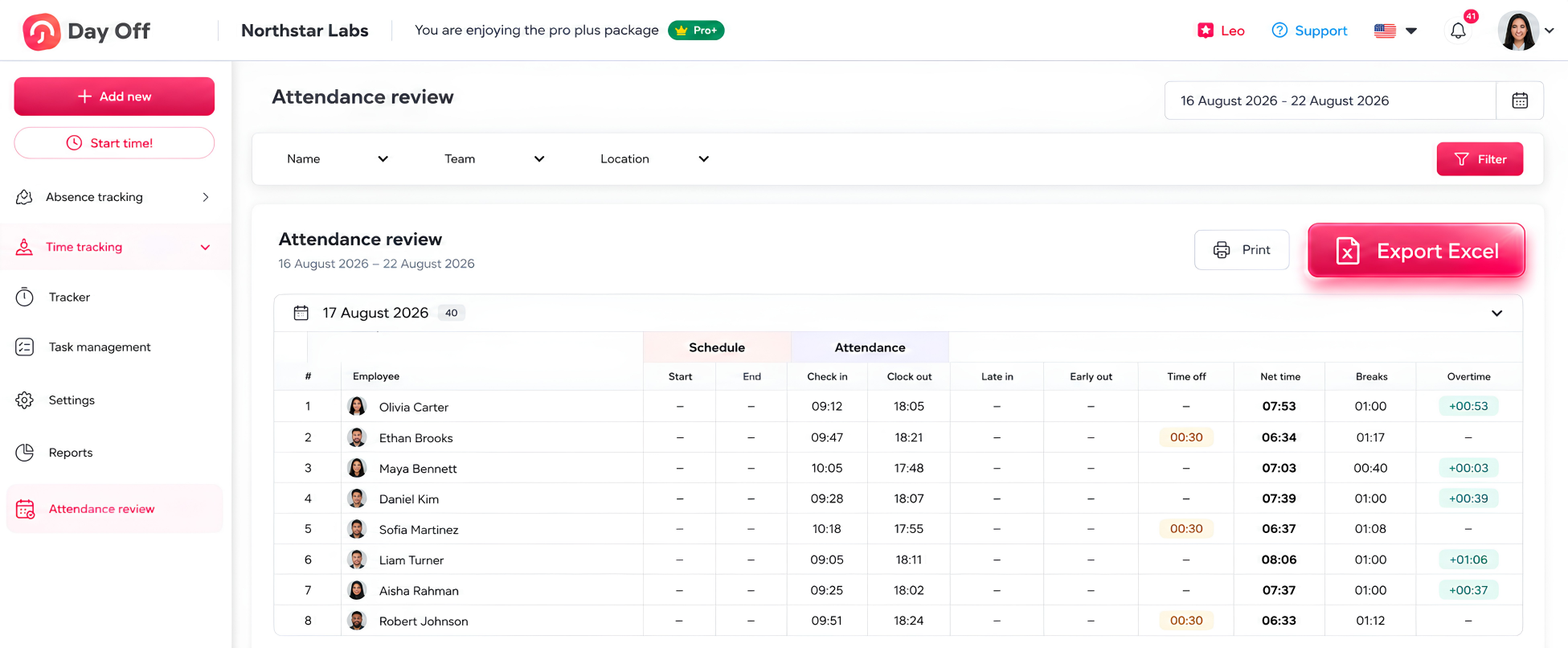
Attendance Review gives admins a clear view of employee attendance by comparing scheduled working hours with actual clock-in and clock-out times. Easily track late arrivals, early departures, breaks, time off, net working hours, overtime, and attendance status from one screen.

Trusted by 60,000+ companies in 100+ countries

Watch: review attendance by date range

A 25-second look at Attendance Review in Day Off.

1

Date Range and Daily Breakdown

Attendance review lets you select a custom date range (currently set to 16–22 August 2026) using a calendar picker, and the results are organized into collapsible daily sections, each showing the number of employees logged for that day.
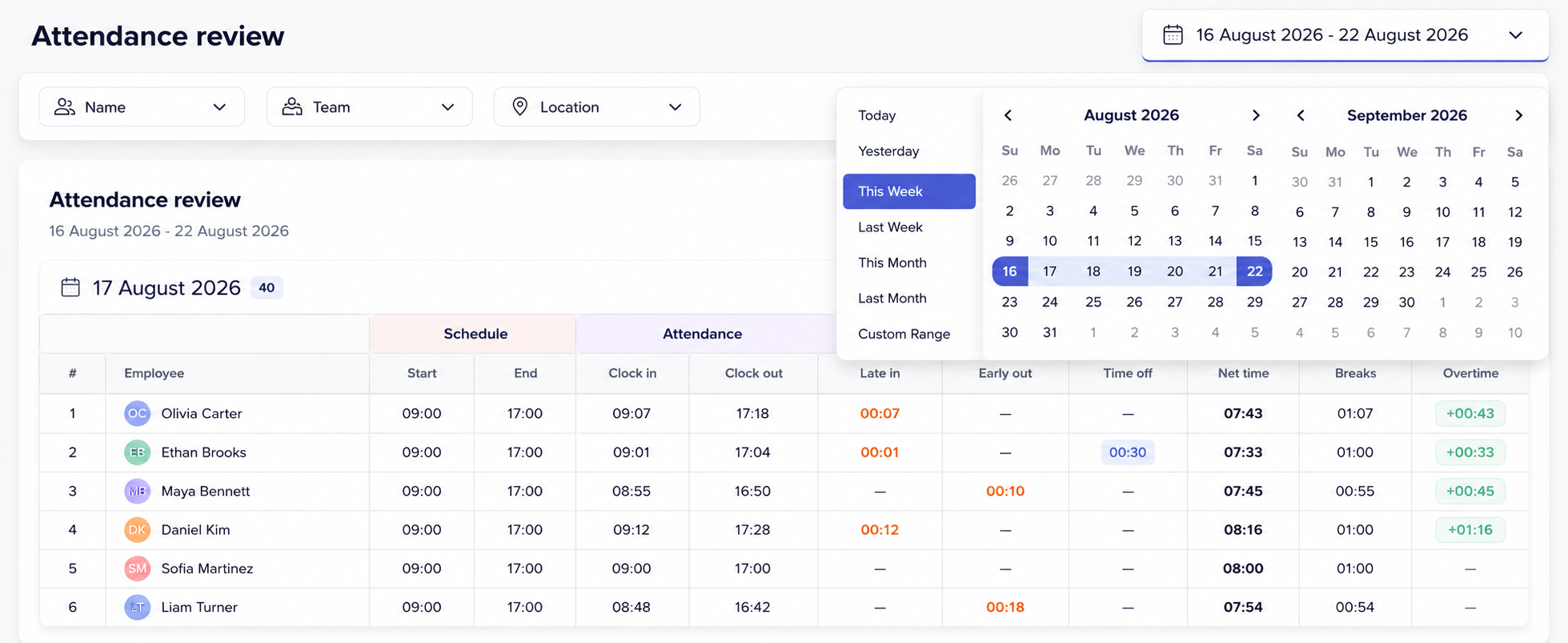
Date Range and Daily Breakdown: Attendance Review in Day Off
2

Filtering by Name, Team, and Location

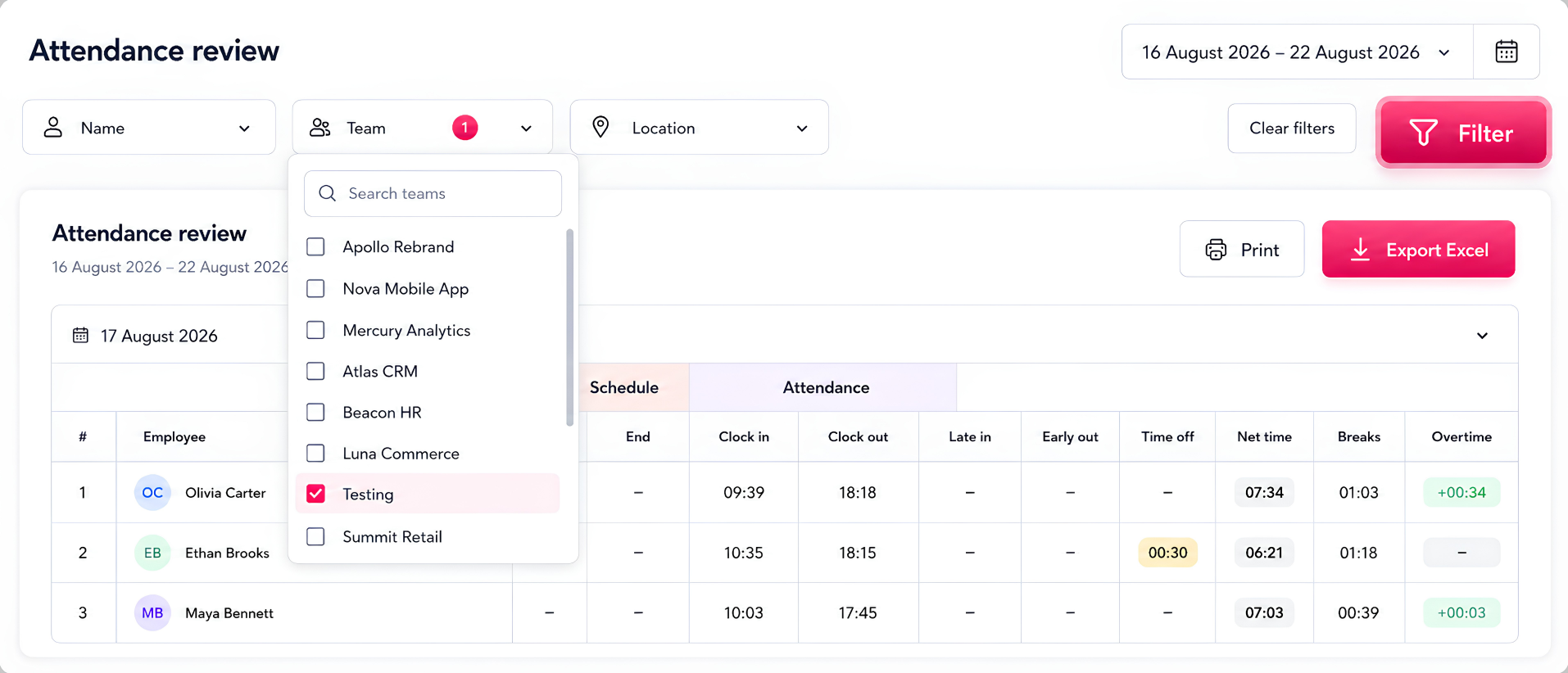
The page offers dropdown filters for Name, Team, and Location, so you can narrow the attendance data down to a specific employee, department, or work site before applying the filter.

Filtering by Name, Team, and Location: Attendance Review in Day Off
3

Schedule vs. Actual Attendance Tracking

For each employee, the table compares their scheduled start/end times against actual clock-in and clock-out times, while also surfacing late arrivals, early departures, time off, net hours worked, breaks, and overtime, with options to print the report or export it to Excel.

Schedule vs. Actual Attendance Tracking: Attendance Review in Day Off
4

Printing and Excel Export

The attendance data can be exported to Excel or sent to a printer directly from the page, making it easy to share or archive attendance records outside the platform.

Printing and Excel Export: Attendance Review in Day Off

Make time off the easy part of your week

Join 60,000+ companies that track leave, PTO, attendance and work hours with Day Off. Free to start, no credit card needed.