Customer success stories

How real teams run leave & time tracking with Day Off

From a film studio in Oregon to an automotive team across Portugal and Spain and a software company on 24/7 shifts, see how companies around the world use Day Off to track PTO, shifts and work hours, cut admin time and keep their people happy.

Day Off is rated 4.7 on Capterra, 4.7 on GetApp and 4.7 on G2
Logos of companies that use Day Off around a badge reading trusted by 60,000+ teams
Featured story · Enozom

A 50-person software company on two schedules, run from a phone.

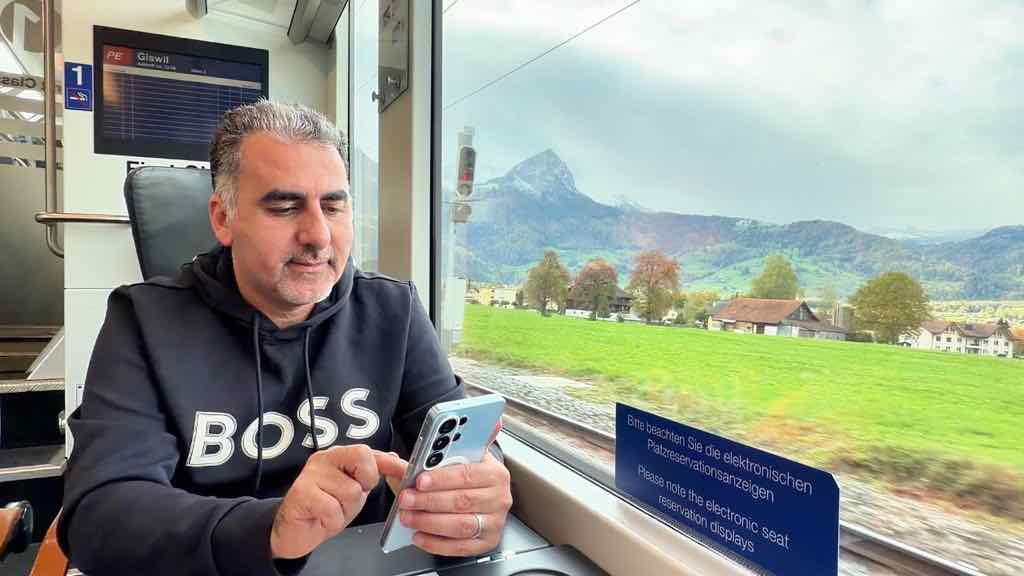
Hazem Torab, CEO of Enozom, checking his team in the Day Off mobile app on a train
“We run about 50 engineers, testers and 24/7 support staff on Day Off, with two-step approvals, work-from-home tracking and time tracking, and I manage it all from my phone.”
HTHazem TorabCEO, Enozom

How Enozom runs 24/7 shifts, PTO and time tracking for 50 people

Enozom builds software with engineers, testers and team leads on fixed hours, plus a technical support team on 24/7 rotating shifts. CEO Hazem Torab keeps both schedules, every leave request and every logged hour in Day Off, and checks on the whole team from his phone, even while traveling.

50people on one account
24/7rotating support shifts
2schedules: fixed hours and shifts
1app for leave, time and attendance
  • Two-step approvals
  • Team calendar
  • Work-from-home tracking
  • Time & task tracking
  • Mobile app
  • AI assistant (MCP)
1

The challenge

Two very different schedules in one company: office hours for engineering, and round-the-clock rotating shifts for support. Leave, coverage and hours had to stay visible without a manager chasing spreadsheets.

2

How Day Off helps

Shifts, leave requests and the team calendar live in one place. Requests go through two-step approvals, and employees clock in and log time against projects and tasks from web or mobile.

3

The result

Hazem sees who is working, who is off and how the sprint is going from anywhere. With the Day Off MCP connector, his AI assistant combines attendance, leave, Jira and Bitbucket data in one answer.

Video story · Reverb Films

A video production studio in Bend, Oregon that chose a dedicated time off tracker over the one built into its HR software.

Johnny Hammond, founder of Reverb Films, talking about Day Off in his studio in Bend, Oregon
“We’ve made the decision to continue having Day Off be our separate, dedicated time off tracking software, just because of how simple it is, how easy to use it is.”
JHJohnny HammondFounder, Reverb Films
Bend, Oregon, USA

Why Reverb Films kept Day Off as its dedicated PTO tracker

Reverb Films is a video production company with a small in-house team. Its payroll and HR tools already offer time off tracking, but founder Johnny Hammond keeps Day Off as the team’s dedicated leave app, because it is simpler, easier to use and set up exactly the way his team works. Years later, they are still on it.

Yearson Day Off and still going
1dedicated app for time off, next to HR & payroll
0features they don’t need: turned off
Autoapproved leave synced to Google Calendar
Read the video transcript

Hey there, my name is Johnny Hammond. I am the founder of Reverb Films here in Bend, Oregon. We’re a video production company, and we have a small in-house team. And we have been long-time users and fans of Day Off.

Prior to Day Off, we weren’t really using any formal PTO tracking software or time off tracking software. We use a variety of software for payroll and HR and admin, all that, and a lot of the software actually do offer some type of time off system within the software. But we’ve made the decision to continue having Day Off be our separate, dedicated time off tracking software, just because of how simple it is, how easy to use it is.

I love the ability to kind of customize it and personalize it for exactly how you need it to be for your company, your team. So anything that’s kind of not necessary noise, doesn’t apply to us, we can essentially just turn off, and so we can have a very streamlined dashboard, streamlined software that does exactly what we need it to, but nothing else. And so we really appreciate that.

And then as a manager and owner, being able to have the insights and data to see different time off usages and insights there. And then just little things like calendar integration, all that. Just a very simple process across the board, the approval being super simple, team requests being super simple, and then having everything in a visual way, be able to calendar and all of that. And then again, the integration with your Google Calendar, whatever it is, being able to just kind of automatically populate this approved time off, you know, blocks on the team calendar and be able to see that upcoming.

So yeah, big, big fan of Day Off, and would definitely encourage other businesses, even if you’re using an HR payroll software that may offer it, to check out Day Off, because that’s kind of the situation we were in, and we’re still here multiple years later.

1

The challenge

No formal way to track PTO. The HR and payroll tools offered a time off module, but it came with noise the team didn’t need and wasn’t built around how they actually request and plan leave.

2

How Day Off helps

A streamlined dashboard with everything they don’t use switched off. Requests and approvals take seconds, and approved time off appears on the team calendar and in Google Calendar automatically.

3

The result

Johnny gets time off usage insights as owner and manager, the team sees upcoming leave at a glance, and Reverb Films has stayed with Day Off for multiple years.

Video story · Importrust

An automotive company managing vacation, sick leave and public holidays for teams in Portugal and Spain.

Diogo Pereira of Importrust reviewing Day Off, with English subtitles

PTIn Portuguese, with English subtitles

“This saves us a huge amount of time and work, and lets us manage our teams in Portugal and Spain at the same time, because Day Off takes each country’s public holidays into account.”

“Isto poupa-nos imenso tempo e trabalho e permite-nos gerir simultaneamente as equipas de Portugal e Espanha, porque o Day Off tem em consideração os feriados de cada país.”

DPDiogo PereiraTeam manager, Importrust
Portugal & Spain

How Importrust manages leave for teams in Portugal and Spain

Importrust works in the automotive sector with teams in two countries. Team manager Diogo Pereira moved vacation requests, sick leave and other absences into Day Off, so everyone requests time off on the web or in the mobile app, and each country’s public holidays are handled automatically.

2countries, each with its own public holidays
1place for vacation, sick leave and absences
0leave requests sent by message
0Excel sheets to keep updating
  • Leave requests
  • Sick leave
  • Shared calendar
  • Leave balances
  • Approval rules
  • Public holidays by country
  • Mobile app
Read the video transcript (English)

With Day Off, we’ve centralized vacation requests, sick leave and other absences, on the computer or in the mobile app, which has a super simple, easy-to-use interface. We can also see who’s on vacation and when in the shared calendar, see each employee’s used and available days, and set rules for approving vacation.

This saves us a huge amount of time and work, and lets us manage our teams in Portugal and Spain at the same time, because Day Off takes each country’s public holidays into account.

As a team manager, this is really handy: I don’t waste time on vacation requests sent by message, and I don’t have to keep updating an Excel sheet.

1

The challenge

Vacation requests arrived by message and balances lived in an Excel sheet that needed constant updates, across teams in two countries with different public holidays.

2

How Day Off helps

All absences are requested in one app, on desktop or mobile. A shared calendar shows who is off, each employee’s used and available days are tracked, and approval rules route every request.

3

The result

Diogo manages the Portugal and Spain teams side by side, saves a lot of time and work, and no longer chases requests in chat or updates spreadsheets.

Real results from real teams

The impact Day Off customers report on admin time, approvals and team visibility.

98%less admin time spent managing time off
5xfaster leave approvals
60K+companies use Day Off worldwide
100%visibility into who’s in and who’s off

What customers around the world say

Reviews from HR managers, office admins and team leads in every industry.

Commercial real estate
From integration to day-to-day use, Day Off has been a breeze. Having the mobile app, not just an online portal, is a great addition, and all our employees adopted it quickly for PTO requests and tracking. On the management side, approving requests is easy and efficient. Setup is simple, including onboarding new employees and offboarding departing ones. I also appreciate the month-to-month billing, as our headcount changes a lot.
DDDominique D.Administrative Assistant
Religious institutions
Day Off closed the communication gap between our staff, and it effortlessly keeps track of everyone’s days off, which wasn’t happening before.
BMBethany M.Director
Tech startup
Day Off has revolutionized how we manage paid time off. What used to take hours every week now takes minutes. It has saved us time and made handling PTO requests and approvals far more efficient.
SMSarah M.HR Manager
Hospital & health care
Very happy with the service. It’s easy to use, easy to read, and keeps all our time-off requests in one place.
KBKari B.Office Admin
Marketing & advertising
We had a very hard time tracking vacation time, especially for terminations. This software solved those issues.
CBCorinna B.Bookkeeper
Architecture & planning
Day Off’s design and layout are very easy to use, so employees pick it up right away. Very efficient and simple.
KSKeith S.Architect
Telecommunications
We love how easy it is to add employees and manage their time off. Our teams are spread worldwide, and Day Off handles a different holiday calendar for each team.
SBSean B.Support Manager