





1
Data
This Detailed Report provides a clear view of all employee leave requests, listing each one with key details such as leave type, start date, and other relevant information for accurate tracking and review.
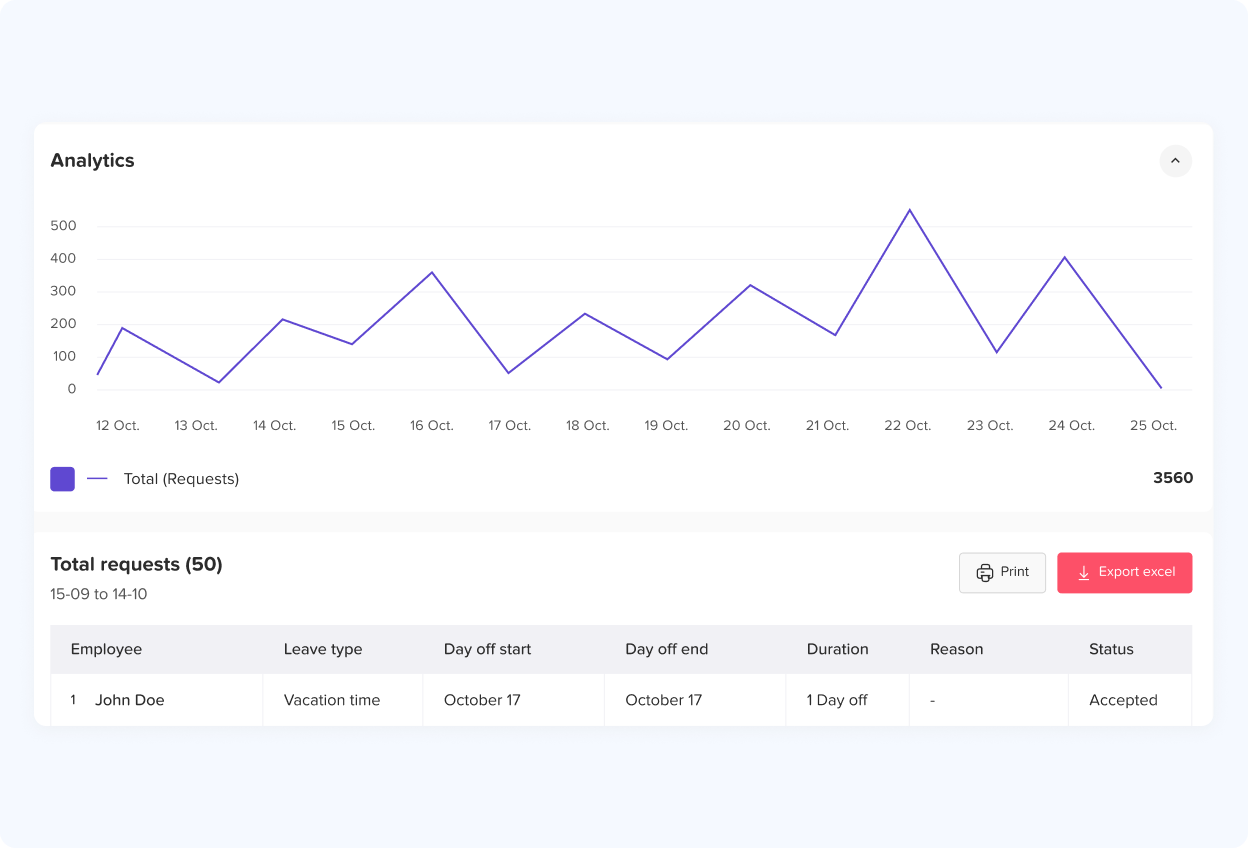

Detailed Report allows admins to easily extract all accepted, pending, and rejected Day Off requests. This feature ensures complete transparency and efficient management of employee leave.
Trusted by 60,000+ companies in 100+ countries
This Detailed Report provides a clear view of all employee leave requests, listing each one with key details such as leave type, start date, and other relevant information for accurate tracking and review.
The report includes advanced filtering options, such as employee name, team, leave type, status, location, leave policy, and request type, allowing you to tailor the data view and focus on the most relevant insights.
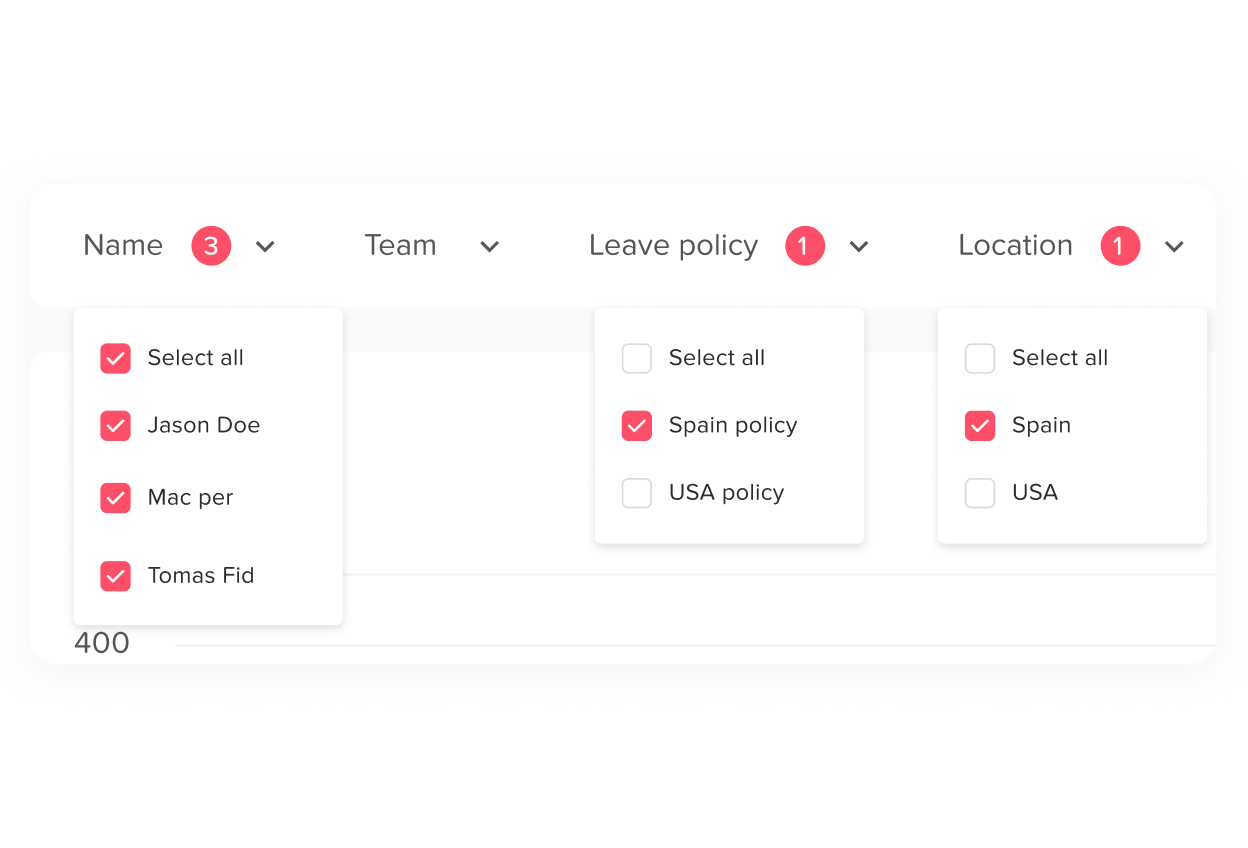
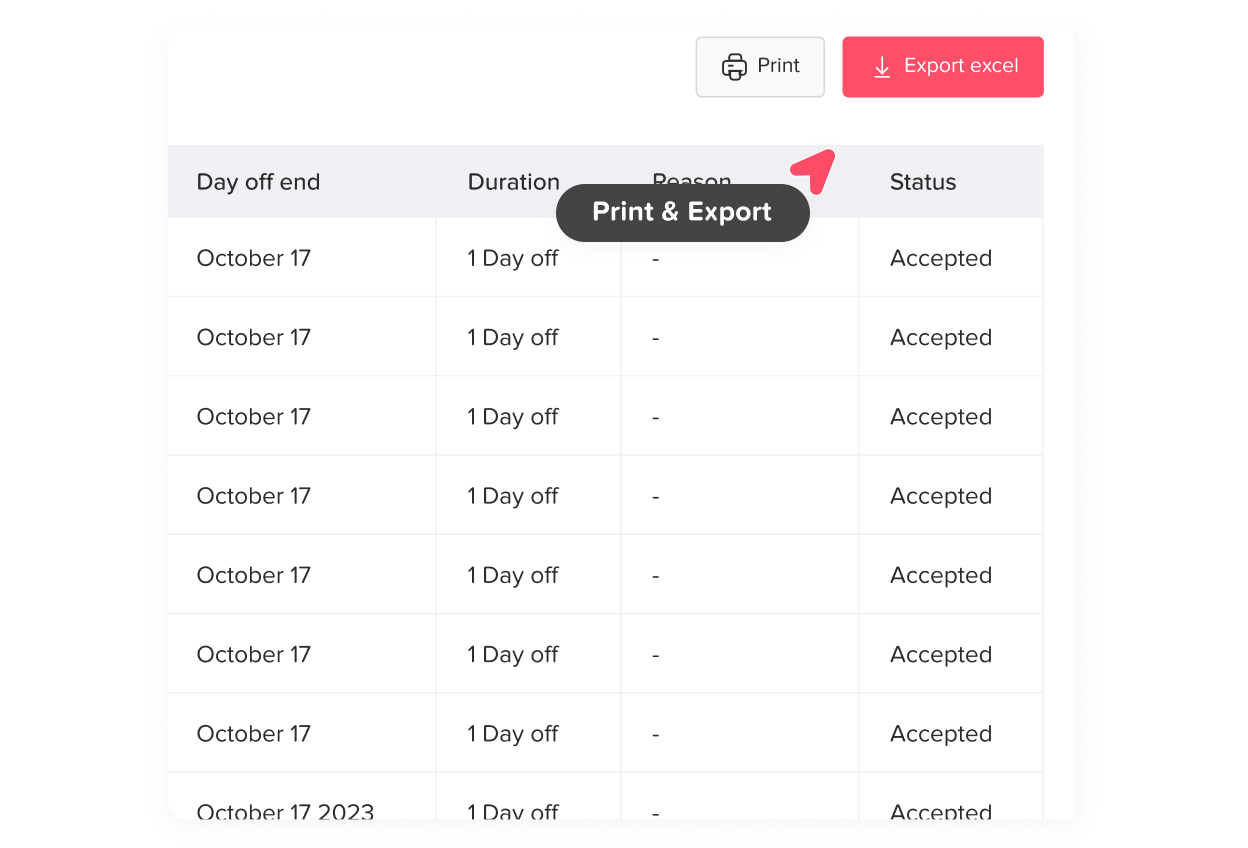
The report allows exporting to Excel with chosen filters and custom date ranges, enabling tailored data analysis and easy record-keeping. Additionally, it can be printed and saved as a PDF, providing flexible options for documentation and sharing.

An overview of each employee’s leave balances, showing both total and used amounts for each leave type, giving a clear view of remaining allowances.
Learn more about Balance Report
Provides a detailed overview of employees’ leave usage, breaking down days and hours used for precise tracking and management of their leave balances.
Learn more about Total Report
Details each employee’s leave balance, including their name, leave policy, type, total quota, next accrual date and amount, current balance, and used leave. It provides a clear view of leave accumulation and usage.
Learn more about Accruals Report
Résume les jours de congé restants, en indiquant le nom de chaque employé, sa politique de congé et son type de congé. Il affiche les jours non utilisés reportés, les détails d’expiration et le nombre de jours utilisés, perdus ou encore disponibles.
Learn more about Carryover ReportJoin 60,000+ companies that track leave, PTO, attendance and work hours with Day Off. Free to start, no credit card needed.