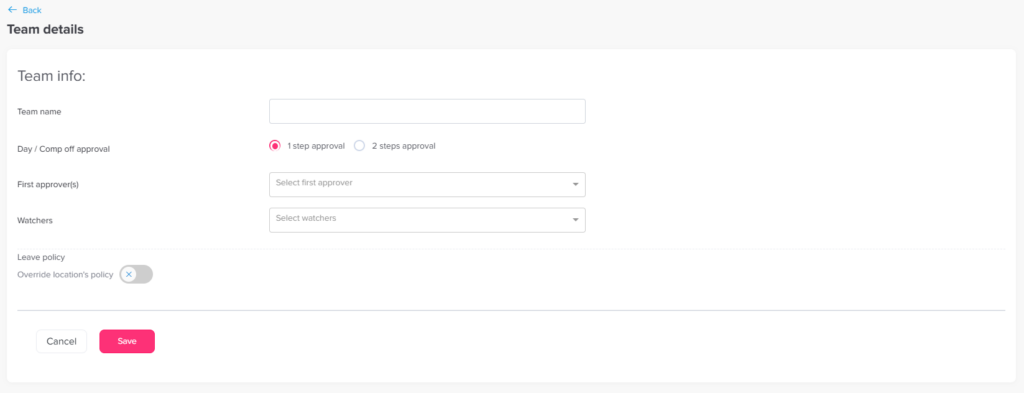
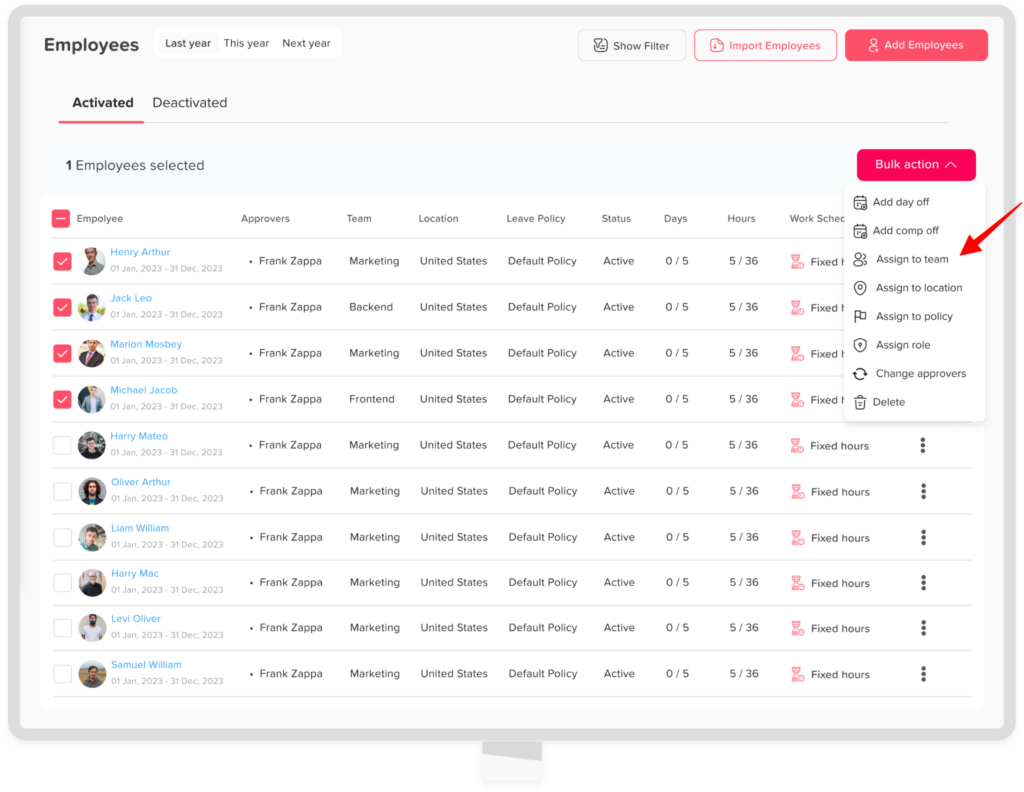
Main Teams How to set departments/Teams? Print How to set departments/Teams? You can easily create and manage departments or teams in Day Off to organize your employees and streamline approvals. Steps to Create a Team To add a new team:Go to Company SettingsGo to the Teams / Departments sectionClick on “Add Team”Enter the team name (e.g., Marketing, HR, Engineering)Add the approvers and watchersClick Save You can assign employees to specific teams:Go to the employees’ overview Select the employees you want to assign to same teamClick on bulk actionClick on assign to team Choose the teamClick confirm