


-
Leave Policies
- Can employees view their leave policy details?
- Can I set carryover rules for unused leave?
- How do accrual rules work in a leave policy?
- How do I create a leave policy?
- How do I edit or update an existing leave policy?
- How do I set a request period for leave requests?
- How to Allow Compensation for a Leave Type?
- How to Create a Leave Type with No Balance
- How to require a mandatory comment or reason when submitting a leave request?
- How to set a negative balance for leave?
- How to set a notice period for leave requests?
- Is it possible to set probation period rules for leave?
- What is a leave policy and how does it work in Day Off?
- What is the Difference Between a Leave Policy and a Leave Type?
What is a leave policy and how does it work in Day Off?
A leave policy in Day Off is a way to define how time off works in your company. It allows you to set clear rules for different types of leave, such as vacation, sick leave, or personal time, and control how employees request and use them.
With Day Off, creating and managing leave policies is simple and flexible. You can customize everything based on your company’s needs and apply different policies to different groups of employees.
How Leave Policies Work in Day Off
Day Off helps you organize leave in a structured and automated way. Once a policy is set up, the system takes care of tracking balances, applying rules, and managing requests.
1. Create and Customize Leave Policies
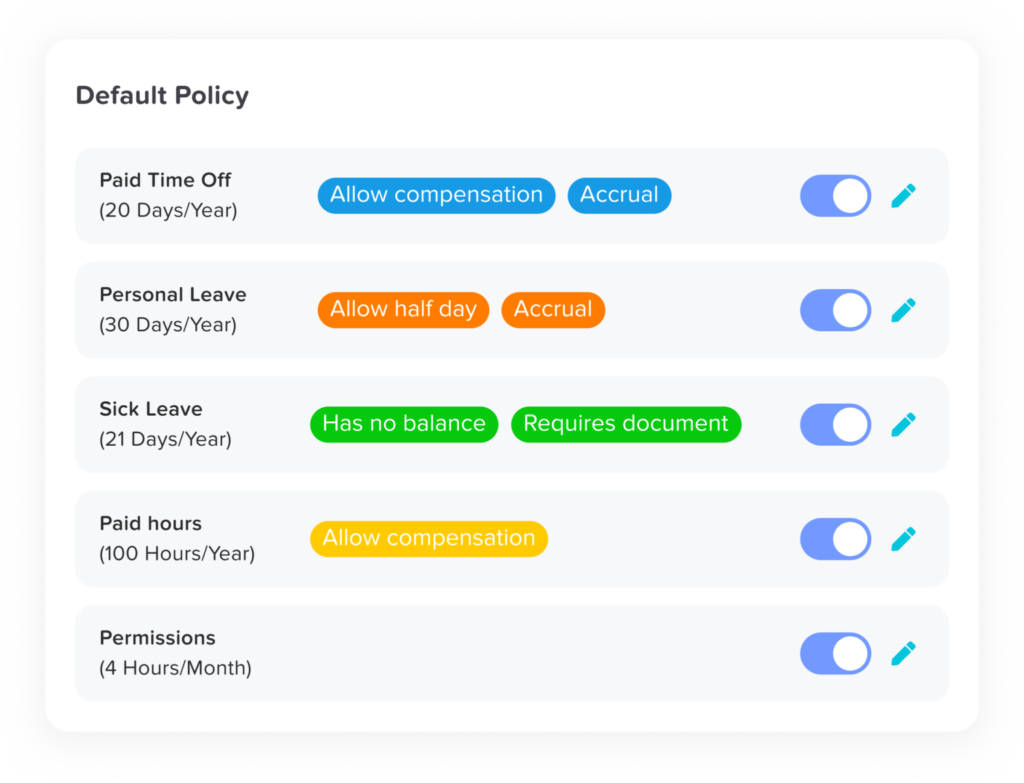
You can create multiple leave policies, each with its own rules and settings.
- Set different leave balances and allowances
- Customize policies based on your company’s requirements
- Create as many policies as you need
This makes it easy to support different departments, roles, or locations.
2. Add and Configure Leave Types
Each leave policy can include one or more leave types, depending on what your company offers.
Add leave types like:
- Paid Time Off (PTO)
- Sick Leave
- Personal Leave
- Paid Hours
Customize options for each leave type:
- Enable auto-approval
- Allow half-day requests
- Allow or restrict negative balances
- Require documents for certain requests
You’re not limited, each policy can include as many leave types as needed.
3. Manage Accrual and Carryover Rules
Day Off allows you to control how leave is earned and what happens to unused days.
- Set up accrual rules (e.g., monthly or weekly, bi-weekly, or semi-monthly)
- Decide if unused leave can carry over
- Limit how much leave can be carried forward
This ensures your leave policies match your company’s real-life rules.
4. Assign Policies the Way You Want
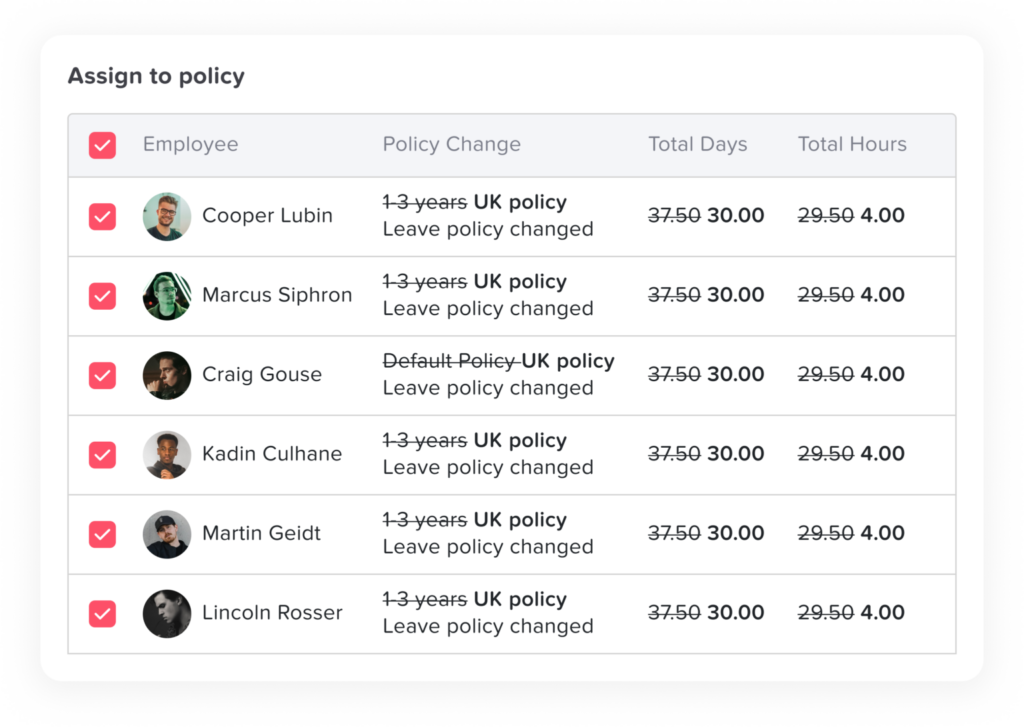
One of the most powerful features is how flexible policy assignment is.
You can assign leave policies in three ways:
- By location: Apply a policy to everyone in a specific office or country
- By team: Assign different policies to different teams (e.g., HR vs Engineering)
- By individual employee: Customize policies for specific employees when needed
This gives you full control and flexibility.
5. Automatic Tracking and Management
Once your leave policy is set up:
- Employees submit leave requests
- The system applies the correct policy automatically
- Leave balances are updated instantly
- Managers can approve or reject requests easily
Everything runs smoothly without manual tracking.
Why Leave Policies Are Important
Having a clear leave policy helps your team:
- Understand how much time off they have
- Know the rules for requesting leave
- Avoid confusion or miscommunication
- Ensure fairness across the company
For admins, it means less manual work and better visibility.
Leave policies are the foundation of how time off is managed in Day Off. With flexible settings, customizable rules, and automatic tracking, you can create a system that fits your company perfectly, no matter how simple or complex your needs are.