



Vacation Tracker

Made
Leave Tracking Easy!

capterra logo 1 Vacation Tracker​
 4.9 (9,073 reviews)

Manage employee vacations easy, with our user friendly vacation tracker. Track requests, approvals, and balances in one place to save time and reduce errors.

Last chance to

save 20%

Copy this promo code to apply it when register.

fy7hiuhiuu


Join over 50K+ companies across 100+ countries

McDonalds Vacation Tracker​
Group 1000014234 Vacation Tracker​
Group 1000014230 Vacation Tracker​
Group 1000014231 Vacation Tracker​
chevrolet Vacation Tracker​
johnson controls 1 Vacation Tracker​
client Vacation Tracker​

“The app has been really useful for our team! Before Day-off, we had to email an admin, then put our PTO on a shared calendar. Now, our PTO request, approval, and tracking is much easier & better.”

Lauren

Non-Profit Organization Management

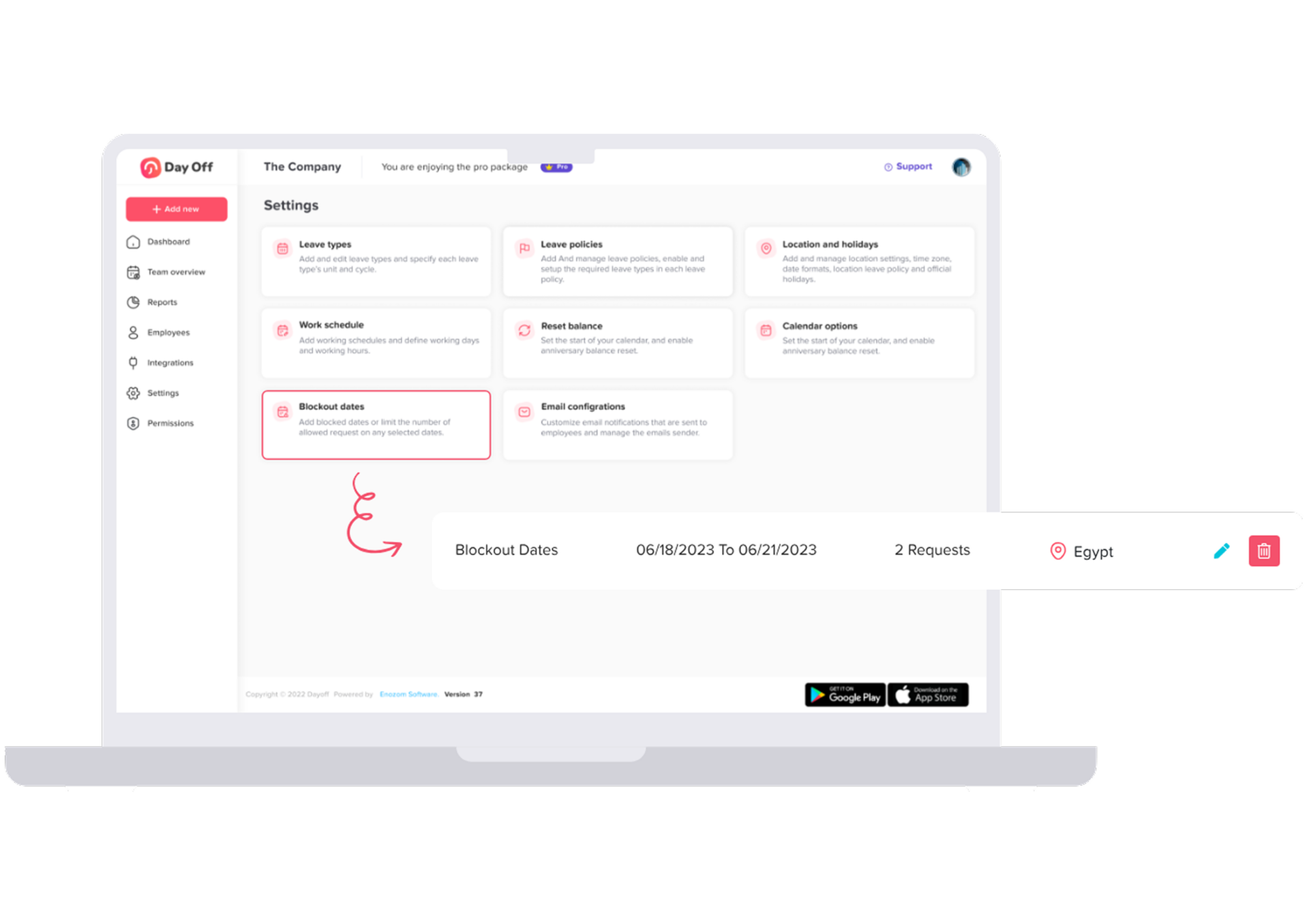
Customize your company settings​

Every company is unique, so your settings should be too. Define working days and weekends, set leave balances, and add custom leave types. Give each team its own rules, adjust how employees view their leaves, and keep holidays up to date with just a few clicks.

company settings Vacation Tracker​
manage leave requests Vacation Tracker​

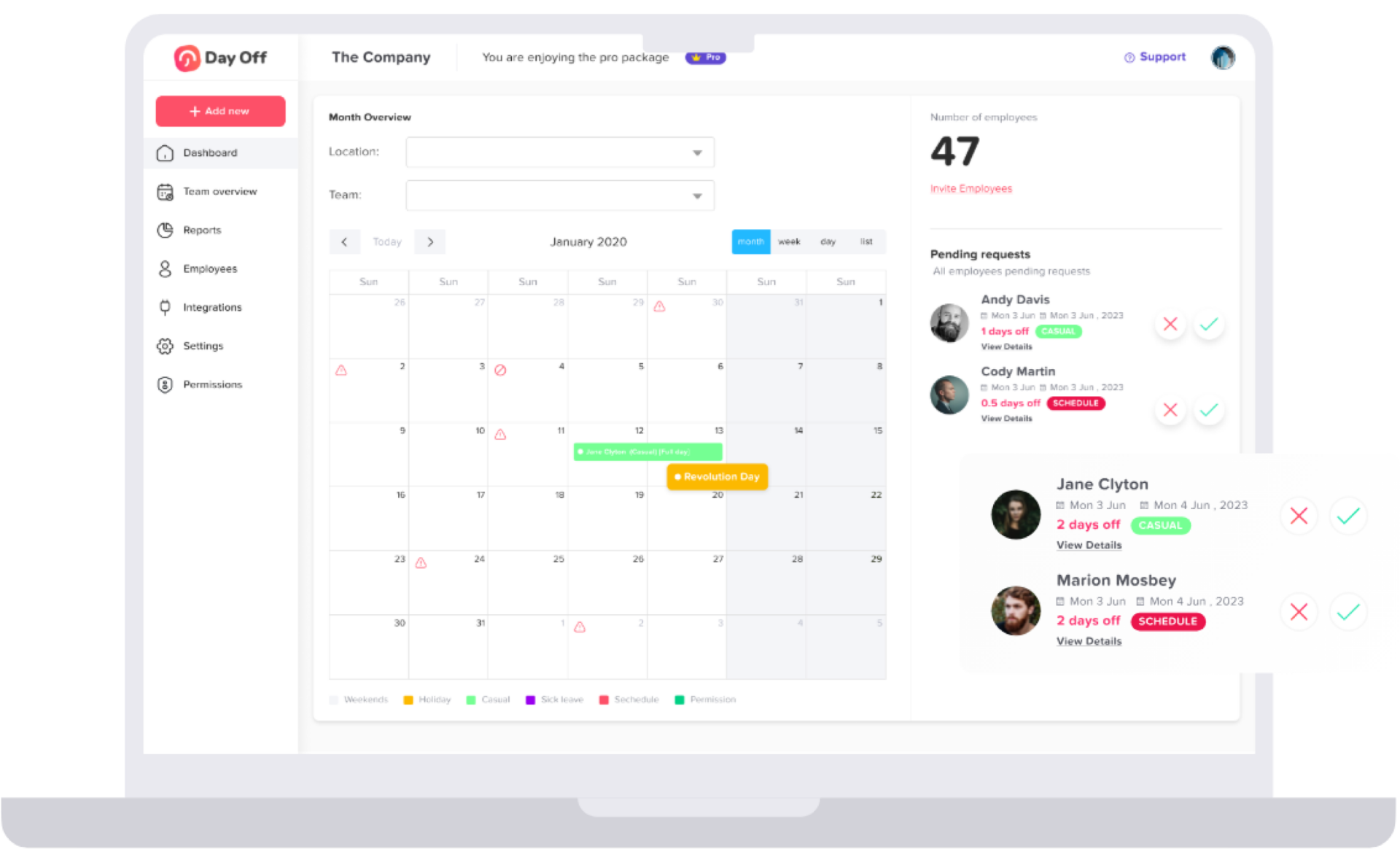
Manage Leave Requests​

Track and approve time-off with ease. View all team leaves in a calendar or list, with details like employee info, leave type, duration, and reason. Approve or decline requests in seconds, and export detailed reports by employee, team, or leave type to Excel.

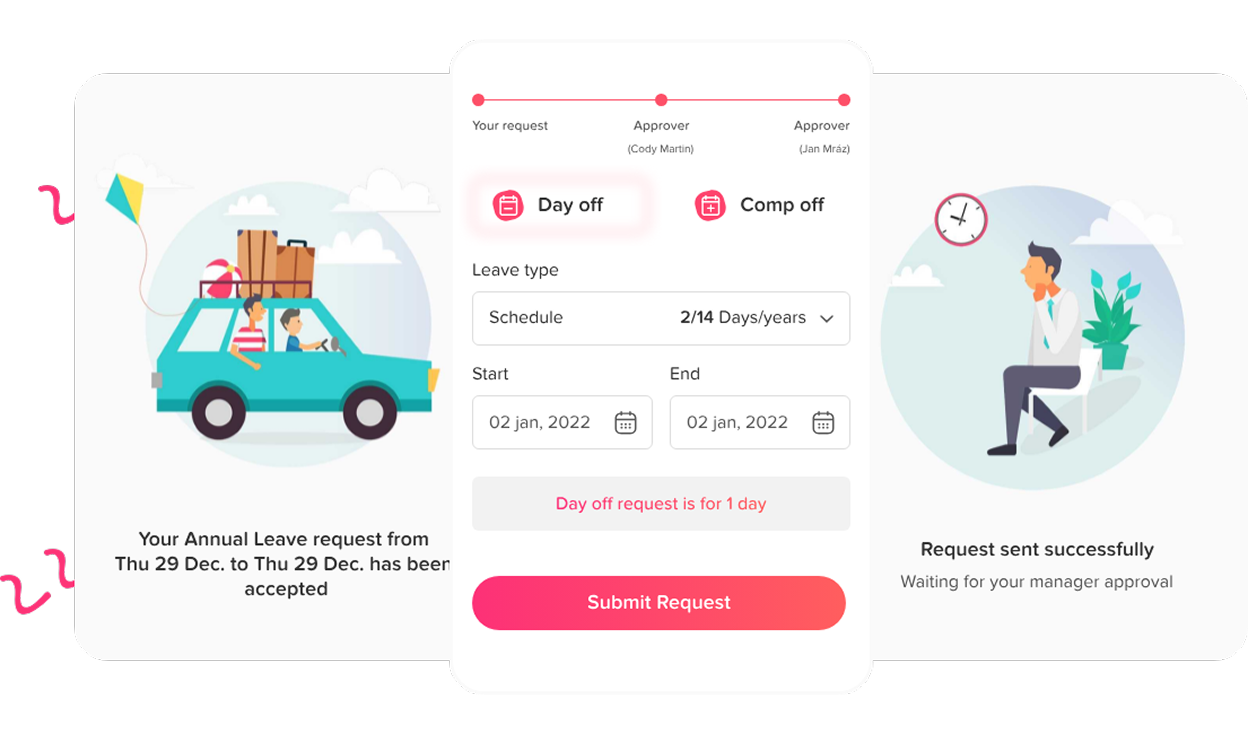
Send Leave Requests

No more paper forms or endless waiting. Just pick your leave type, set your dates, and hit submit. You’ll be notified right away when it’s approved. Managers get an easy-to-manage inbox of requests, with simple one-click approvals—even for multi-step approval flows.

send leave request Vacation Tracker​

The global impact of Day Off

Companies everywhere rely on Day Off to work smarter.

request icon Vacation Tracker​

5M+

Requests Annually

Every year, millions of leave requests are managed effortlessly through Day Off.

users icon Vacation Tracker​

700K+

Monthly active users​​

Teams of all sizes use Day Off daily to stay organized and productive.

company icon Vacation Tracker​

50K+

Companies Trust Day Off

From startups to global enterprises, businesses rely on us to simplify HR processes.

countries Vacation Tracker​

100+

Countries Covered

A truly global platform, built for distributed and international teams.

Continuously updated with real adoption data from the Day Off platform.

slack Vacation Tracker​
google cal Vacation Tracker​
teams Vacation Tracker​
outlook Vacation Tracker​
API Vacation Tracker​

Connect and sync with the tools you use daily

With Day Off, managers handle time off requests in Slack or Teams, employees track balance and submit time off, all synced with Google, Outlook, and your tools via API.

Everything You Need to Manage Time Off​​

Day Off makes leave management simple, connected, and secure — so your team can focus on what really matters.

square 3 stack 3d Vacation Tracker​

Seamless Integrations​

Sync with Google, Outlook, Slack, Teams, and more.

wrench screwdriver Vacation Tracker​

Custom Leave Management

Set policies and approvals that fit your team

document chart bar Vacation Tracker​

Smart Reports & Notifications

Get instant alerts and clear insights anytime

shield check Vacation Tracker​

Secure & Reliable

Enterprise-grade security and daily backups

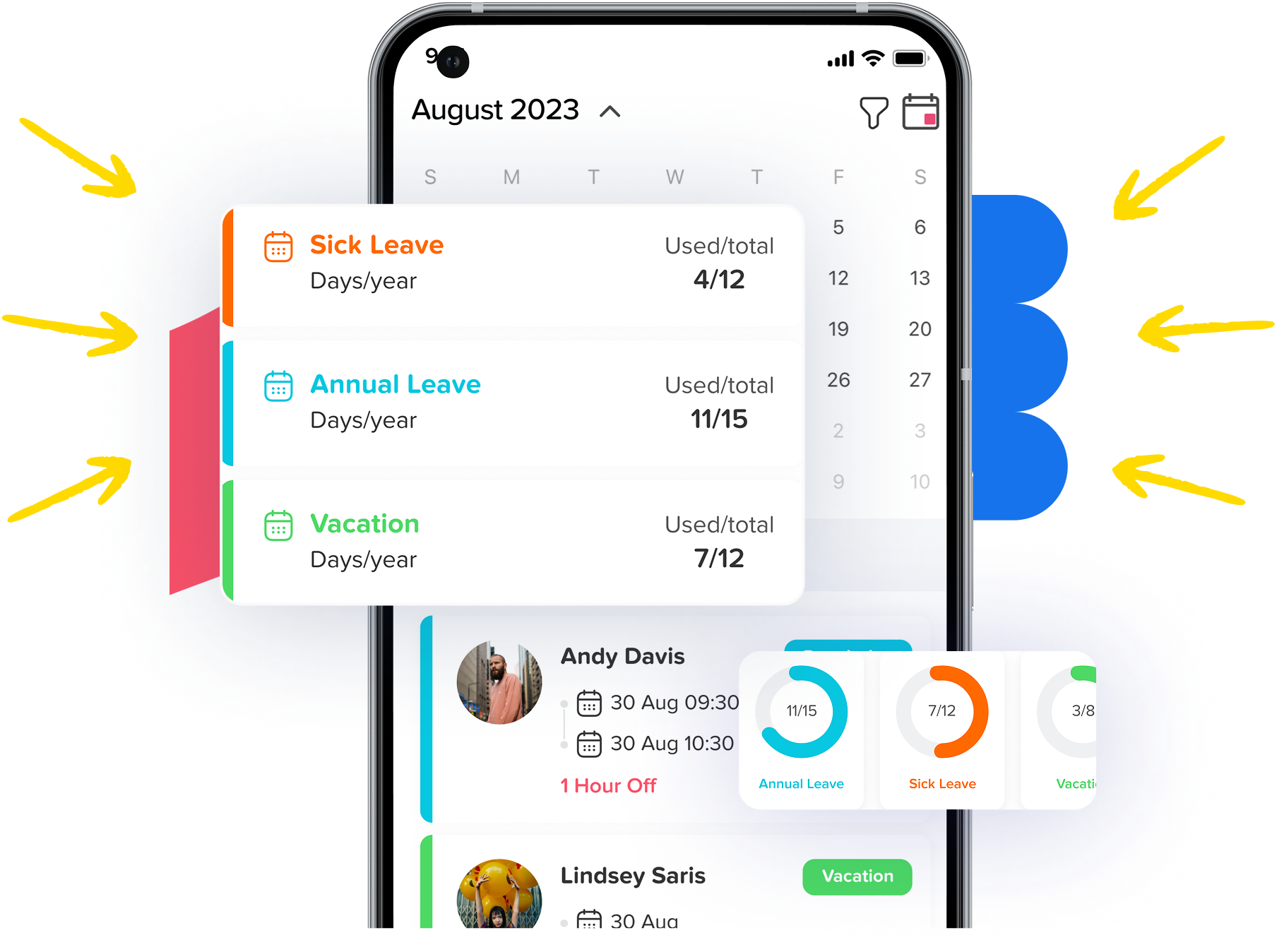
Manage your teams from your mobile

Download the app to manage your team’s leaves, track absences and vacations with the most powerful and easy-to-use leave tracking software. Stay on track and manage your team’s vacations as easily as possible!

phone container Vacation Tracker​

Frequently asked questions

Find answers to frequently asked questions about Day Off

PTO tracking software is an automated system that manages every stage of employee leave, from the moment a team member submits a time off request to the final update on their leave balance. It replaces the fragmented combination of spreadsheets, email chains, and shared calendars that most HR teams start with and quickly outgrow. Every leave request, balance update, and approval happens in one system that updates in real time, giving employees visibility into their own entitlements, managers the context they need to approve confidently, and HR accurate data without chasing anyone for it.

The best PTO tracking software depends on your team’s size and needs. For small and mid-sized teams, Day Off is consistently rated among the top options — it’s free for small teams, takes under 5 minutes to set up, and covers the full leave cycle without requiring IT support. It’s rated 4.8 stars on Capterra based on 300+ reviews. For enterprise teams needing deep HRIS integration, tools like BambooHR or Workday include leave modules, though with significantly more cost and complexity. The right tool is the one your team will actually use — and Day Off is built to be simple enough that no one needs training.

Yes. Day Off offers a permanent free plan for small teams — no credit card required and no time limit. The free plan includes core leave request and approval features, team calendar, employee self-service balance view, and mobile apps for iOS and Android. For larger teams or advanced features like multi-level approval workflows, custom reporting, and region-specific policies, Day Off offers affordable per-user paid plans. See our pricing page for a full breakdown.

PTO tracking software works in four steps. First, an employee submits a leave request through the app or web portal — selecting dates, leave type, and an optional note. Second, the system notifies the relevant manager instantly with everything they need to decide: dates, leave type, remaining balance, and who else is off that week. Third, the manager approves or declines in one tap — the employee is notified immediately. Fourth, the employee’s PTO balance updates automatically, the team calendar reflects the absence, and any connected tools like Google Calendar, Outlook, or Slack sync in real time. No manual entry at any stage.

PTO (Paid Time Off) is the term used primarily in the United States for paid leave employees can use for any reason — vacation, personal days, or mental health days. Annual leave is the equivalent term used in the UK, Australia, France, Spain, and most countries outside North America. Both refer to paid absence entitlement, but the statutory minimums differ significantly by country, from no federal minimum in the US to 25 working days in France and 22 working days in Spain. Day Off supports both terminology and both systems — you can label leave types however your team and local law requires, and configure entitlements to match your country’s statutory rules.

Leave management software is a broader term for any tool that automates the full employee leave cycle — covering not just PTO but all absence types, including sick leave, parental leave, unpaid leave, public holidays, and leave of absence. It handles requests, approvals, balance tracking, policy enforcement, and HR reporting in one system. Day Off is a leave management platform that manages all leave types in a single account, with different rules, accrual rates, and approval workflows configurable per leave type, per team, or per location.

PTO accrual is the rate at which employees earn paid time off over time. Common accrual methods include a fixed amount per pay period (e.g. 1.25 days per month), a lump sum granted at the start of the year, or a tenure-based rate that increases with seniority. In Day Off, you configure accrual rules once per leave type or per team — the system then calculates and updates each employee’s balance automatically on every pay period or approval. You can also set carryover limits, balance caps, and different accrual rates per employee level, all without maintaining a single spreadsheet formula.

Yes. Day Off supports teams across 50+ countries with built-in country-specific public holiday calendars and the ability to configure separate leave policies per location, per team, or per individual employee. Your UK employees can follow UK statutory rules — 28 days including bank holidays — while your US team operates under a different PTO policy, and your French team accrues 25 working days under the French Labour Code. All of this is managed in a single account with one unified team calendar and dashboard. This makes Day Off particularly well-suited to remote and distributed teams managing employee leave across time zones and borders.

The best time off tracking software is one that handles all leave types — not just PTO — with configurable approval workflows, real-time balance tracking, and a team calendar your managers can actually rely on. Day Off covers all of this: unlimited leave types, multi-level approval workflows, automatic balance updates, and a shared team calendar that reflects every approved absence in real time. It also integrates with Google Calendar, Outlook, Slack, and Microsoft Teams, so your existing tools stay up to date automatically.

Dedicated PTO tracking software like Day Off replaces spreadsheets entirely. Instead of maintaining formulas and shared files, you configure your policies once and let the system handle everything: balance calculations, approval routing, calendar visibility, and reporting. Employees interact through a simple mobile app — submitting requests in under a minute. Managers and HR see everything in a live dashboard with no data entry required. Most teams complete the switch from spreadsheets to Day Off in under an hour, including migrating existing leave balances. If you’re not ready to switch yet, you can start with our free PTO tracker Excel template and upgrade when you’re ready.