







When an employee needs extended time off to care for a new baby, recover from surgery, or care for a seriously ill family member, employers typically turn to two familiar tools: the Family and Medical Leave Act (FMLA) and the company’s paid time off (PTO) policy.
But FMLA and PTO serve very different purposes. Treating them as interchangeable can create confusion for employees and costly compliance problems for employers.

But FMLA and PTO serve very different purposes. Treating them as interchangeable can create confusion for employees and costly compliance problems for employers.
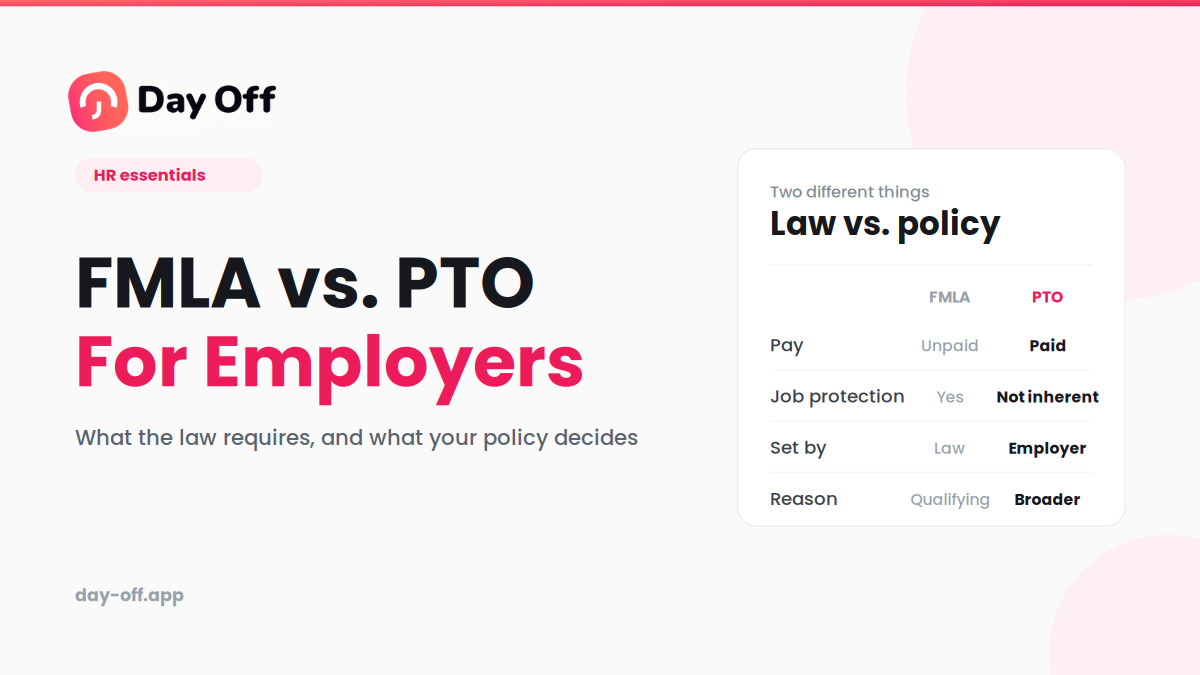
Put simply, FMLA provides job-protected leave, while PTO provides paid time off. In many situations, an employee may use both at the same time, which is where the rules can become complicated.
Here’s what employers need to know about FMLA, PTO, and how the two work together.
What Is FMLA?
The Family and Medical Leave Act (FMLA) is a federal law that gives eligible employees up to 12 weeks of unpaid, job-protected leave during a 12-month period for certain family and medical reasons.
During qualifying FMLA leave, employers must generally:
- Maintain the employee’s group health insurance coverage under the same conditions as if the employee were working.
- Restore the employee to the same job or an equivalent position when they return.
- Provide the employee with the same or substantially similar employment terms and benefits upon return, subject to applicable FMLA rules.
FMLA leave may be available for:
- The birth of a child and care for the newborn.
- Placement of a child with the employee through adoption or foster care.
- Caring for a spouse, child, or parent with a serious health condition.
- The employee’s own serious health condition that prevents them from performing their job.
- Certain qualifying needs related to a family member’s military deployment.
- Caring for a covered servicemember with a serious injury or illness, which can provide up to 26 workweeks of leave in a single 12-month period.
The key point is that FMLA is about job protection, not pay. The federal law generally does not require employers to pay employees while they’re on FMLA leave.
An employee may nevertheless receive income during FMLA leave through accrued PTO, other employer-provided paid leave, or a state paid family and medical leave program.
Who Is Eligible for FMLA?
FMLA doesn’t apply to every employee or every employer.
Generally, an employee must meet all three of these requirements:
- Length of employment: The employee has worked for the employer for at least 12 months. Those months generally don’t have to be consecutive.
- Hours worked: The employee has worked at least 1,250 hours during the 12 months immediately preceding the start of leave.
- Worksite requirement: The employee works at a location where the employer has at least 50 employees within a 75-mile radius.
Employer coverage also matters.
Generally, the FMLA applies to private employers with 50 or more employees for at least 20 workweeks in the current or preceding calendar year. Public agencies and public and private elementary and secondary schools are also generally covered, regardless of the number of employees.
That distinction is important for smaller businesses. An employer with fewer than 50 employees may not be covered by the federal FMLA, but that doesn’t necessarily mean it has no legal obligations when employees request family or medical leave. State and local laws may impose additional requirements, sometimes at significantly lower employer-size thresholds.
What Is PTO?
Paid time off (PTO) is different from FMLA because it is generally an employer-provided benefit rather than a federal leave entitlement.
A PTO policy typically gives employees a bank of paid time that they can use for purposes defined by the employer’s policy. Depending on the company, PTO may combine vacation, personal days, and other forms of paid leave into a single balance.
Unlike FMLA, PTO is generally:
- Paid: Employees receive their regular wages or applicable paid-leave amount while using PTO, subject to the employer’s policy and applicable law.
- Employer-defined: The employer generally determines how PTO is accrued, used, scheduled, and administered, subject to applicable state and local requirements.
- Not inherently job-protected: PTO itself does not automatically provide the job-protection rights associated with FMLA, although other federal, state, or local laws may protect certain types of leave.
- Flexible: Depending on the policy, employees may use PTO for vacations, personal days, appointments, illness, or other approved reasons.
- Potentially usable during FMLA leave: Accrued paid leave may, in appropriate circumstances, run concurrently with FMLA leave.
This is why employers need to keep PTO administration and FMLA administration conceptually separate, even when the two apply to the same absence.
FMLA vs. PTO: Key Differences
| Aspect | FMLA | PTO |
|---|---|---|
| What it is | Federal job-protected leave law | Employer-provided paid leave benefit |
| Pay | Unpaid by default | Paid |
| Job protection | Yes, when FMLA applies | Not inherently |
| Eligibility | Federal eligibility requirements apply | Determined by employer policy and applicable law |
| Duration | Up to 12 weeks in most circumstances; up to 26 weeks for qualifying military caregiver leave | Determined by employer policy and applicable law |
| Reason required | Must be used for a qualifying family or medical reason | Often broader, depending on the policy |
| Employer-size requirement | Generally applies to covered employers with 50+ employees, subject to special rules for public agencies and schools | No federal employer-size requirement |
| Health insurance | Group health benefits generally must be maintained during qualifying leave | Depends on the applicable policy and law |
| Can they overlap? | Yes | Yes, when applicable |
The simplest way to remember the difference is:
FMLA answers: “Is the employee’s job protected?”
PTO answers: “Is the employee being paid for this time off?”
An employee can have the answer “yes” to both questions.
Can Employers Require Employees to Use PTO During FMLA Leave?
This is one of the most important areas for employers to understand.
Under federal FMLA rules, accrued paid leave can, in certain circumstances, be substituted for unpaid FMLA leave. Depending on the circumstances and applicable rules, an employee may elect to use accrued paid leave, or an employer may require the use of accrued paid leave while the absence also qualifies as FMLA leave.
When the paid leave and FMLA leave run concurrently, the employee receives pay from the applicable paid-leave benefit while the same period counts toward the employee’s FMLA entitlement.
For example, suppose an eligible employee takes six weeks of FMLA leave after surgery and has enough accrued PTO to cover those six weeks.
If the PTO is properly substituted and runs concurrently with FMLA, the employee isn’t receiving six weeks of PTO plus a separate six weeks of FMLA. The same six-week period generally counts toward the employee’s FMLA entitlement.
That distinction is critical.
PTO Used During FMLA Is Still FMLA Leave
Employers should not simply record an FMLA-qualifying absence as “PTO” and ignore the FMLA component.
If an employee’s absence qualifies for FMLA protection, the employer needs to properly identify and track the leave as FMLA leave, even when the employee is receiving pay through PTO or another applicable paid-leave benefit.
In other words, paid status and FMLA status are not mutually exclusive.
An employee can simultaneously be:
- On FMLA leave.
- Using accrued PTO.
- Receiving a paycheck.
- Using part of their 12-week FMLA entitlement.
Accurate tracking helps prevent an employer from accidentally allowing an employee to exhaust PTO without properly accounting for FMLA time, or, on the other hand, incorrectly denying an employee the FMLA protection they’re entitled to receive.
State Paid Leave Laws Add Another Layer
Employers also need to consider state and local paid leave requirements.
Several states operate paid family and medical leave programs, and state laws can impose requirements that go beyond the federal FMLA.
The interaction between federal FMLA, state paid leave benefits, employer-provided PTO, and other protected leave can be complicated. The rules can also change as states update their programs and agencies issue new guidance.
For that reason, employers operating in multiple states shouldn’t assume that one nationwide PTO/FMLA policy will address every situation correctly.
A strong leave-management process should account for federal requirements as well as applicable state and local laws.
How Employers Can Build a Better FMLA and PTO Policy
A compliant leave policy isn’t just about having the right language in an employee handbook. Employers also need a process for identifying, tracking, communicating, and administering leave consistently.
Here are several practical steps HR teams can take.
Track FMLA and PTO Separately
Even when FMLA and PTO overlap, they represent different things.
An employee may be on protected FMLA leave while simultaneously using PTO. Your leave-management system should be able to track both statuses rather than forcing HR to choose one.
This becomes especially important when employees have intermittent or reduced-schedule FMLA leave.
Relying on spreadsheets, email chains, or disconnected records can make it much easier to miscalculate leave balances or miss an employee’s protected-leave rights.
Put Your PTO Substitution Rules in Writing
Employees should understand how PTO interacts with FMLA before they need to take leave.
Your policy should clearly explain, as applicable:
- Whether employees may use PTO during FMLA leave.
- When the company requires accrued paid leave to run concurrently with FMLA.
- How PTO is calculated and deducted.
- How unpaid FMLA time is handled after available paid leave is exhausted.
- How state or local paid-leave requirements affect the process.
Clear policies help reduce employee confusion and give HR teams a consistent framework for handling leave requests.
Don’t Assume FMLA Is the Only Leave Law That Applies
FMLA is a federal baseline, not the entire leave landscape.
Depending on the employee’s location and circumstances, other laws may provide additional rights related to:
- Paid sick leave.
- Paid family and medical leave.
- Pregnancy and parental leave.
- Disability accommodations.
- Military leave.
- Domestic violence or safe leave.
- Other protected absences.
A company may therefore need to evaluate several overlapping laws before deciding how an employee’s leave should be classified and paid.
Communicate Eligibility Early
Employees shouldn’t have to guess whether their leave is protected or whether they’ll receive a paycheck while they’re away.
When an employee requests potentially qualifying leave, employers should clearly communicate:
- Whether the employee appears to be eligible for FMLA.
- Whether the requested absence qualifies for FMLA protection.
- Whether the leave will be paid, unpaid, or a combination.
- Whether PTO will run concurrently with FMLA.
- How much FMLA and PTO the employee has available.
- Whether additional state or local leave protections may apply.
Clear communication can prevent misunderstandings before they become complaints or disputes.
Be Consistent
Leave policies should be applied consistently across similarly situated employees.
Inconsistent treatment, such as requiring PTO substitution for one employee but allowing another employee to preserve their PTO under the same circumstances, can create unnecessary legal and employee-relations risks.
HR teams should document their processes and make sure managers understand when they need to involve HR rather than making ad hoc decisions about leave.
How Day Off Can Help Manage FMLA and PTO
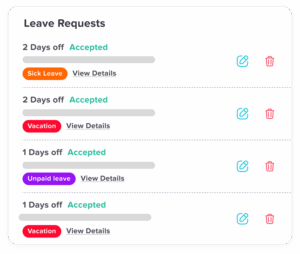
Managing FMLA and PTO becomes much easier when HR teams have one place to track leave, monitor balances, and keep employee records organized. Day Off is designed to simplify leave management by replacing spreadsheets and manual tracking with a centralized system.
Keep PTO and Leave Balances Organized
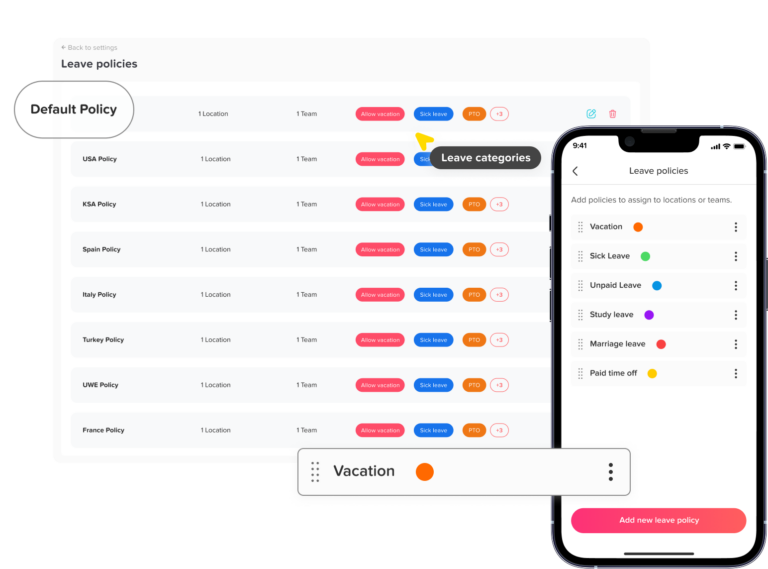
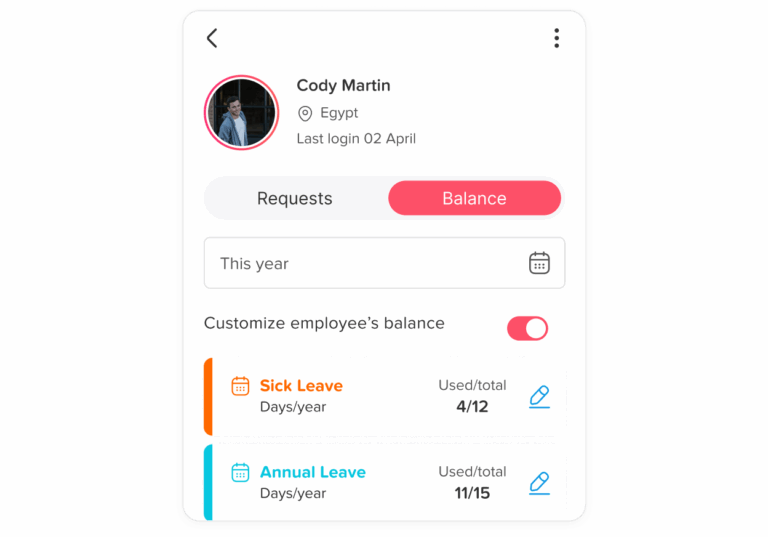
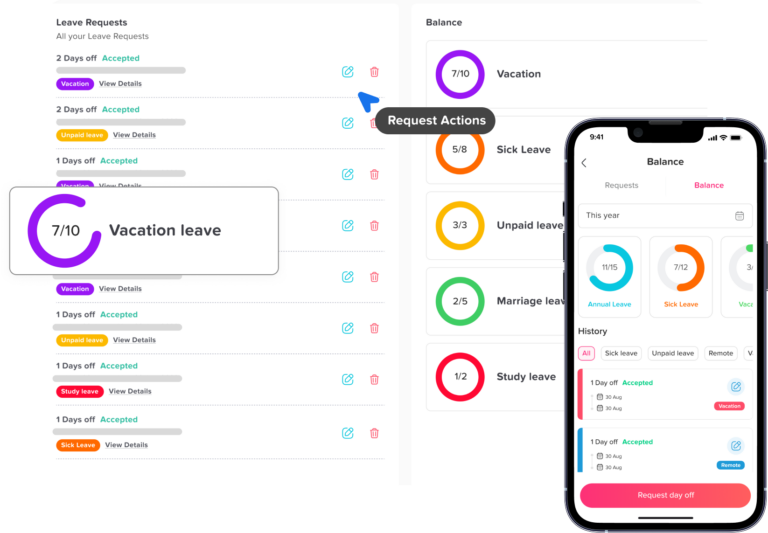
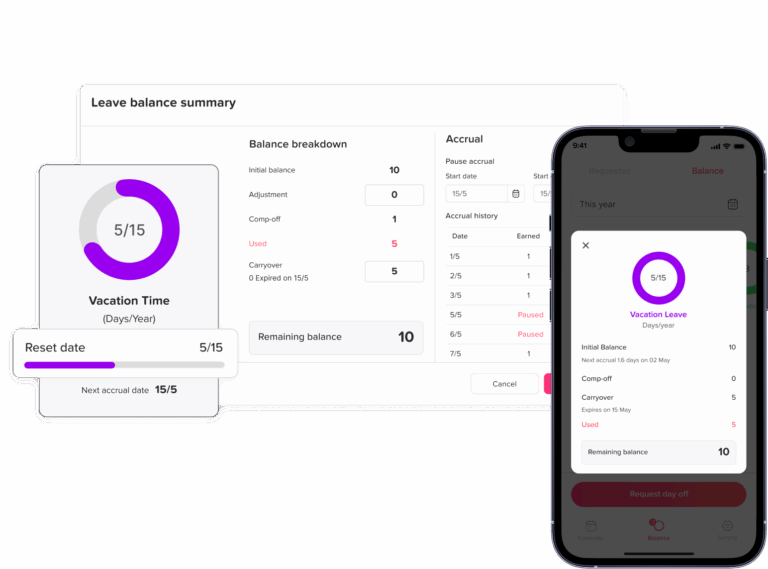
Day Off brings vacation, sick leave, personal time, and other leave types together in one place. Employees and HR teams can easily see available balances, making it easier to understand how much time has been used and how much remains.
Create Leave Policies That Fit Your Organization
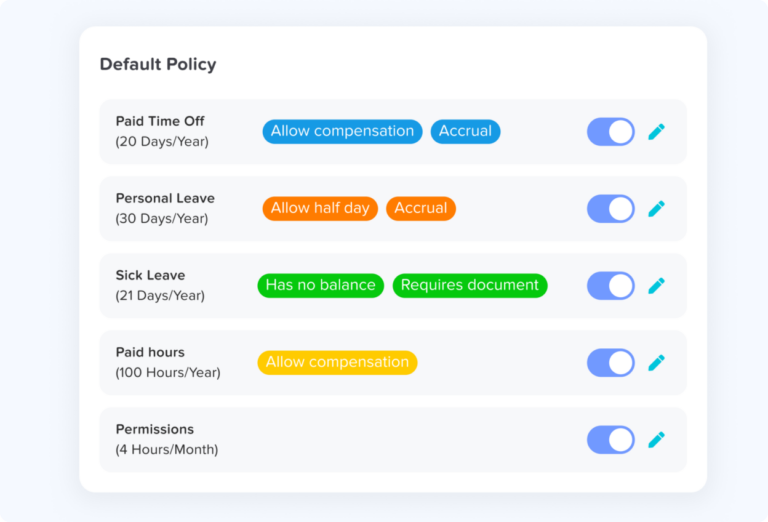
Every organization handles time off differently. Day Off allows businesses to create and manage different leave types and policies based on their internal rules. This makes it easier to accommodate different policies for teams, departments, locations, or employee groups without relying on one-size-fits-all spreadsheets.
Keep Different Types of Leave Clear
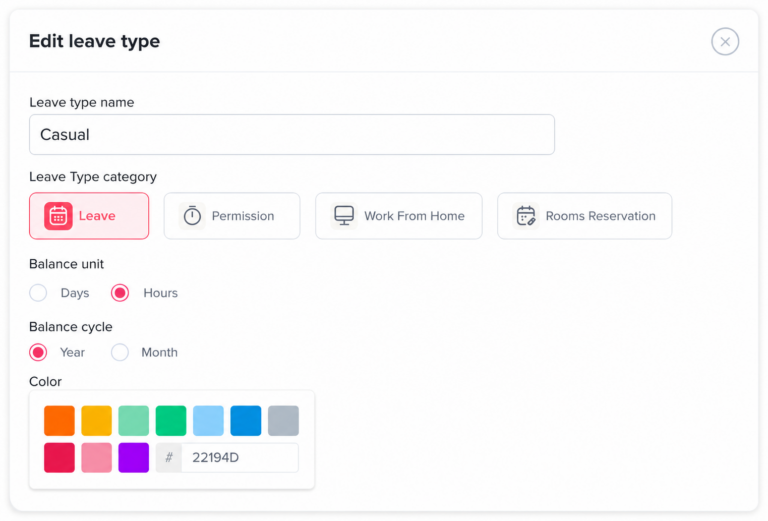
FMLA and PTO may apply to the same period, but they aren’t the same thing. A centralized leave-management system can help HR teams keep different leave categories properly organized, making it easier to distinguish protected leave from an employee’s paid leave balance and maintain accurate records.
Simplify Requests and Approvals
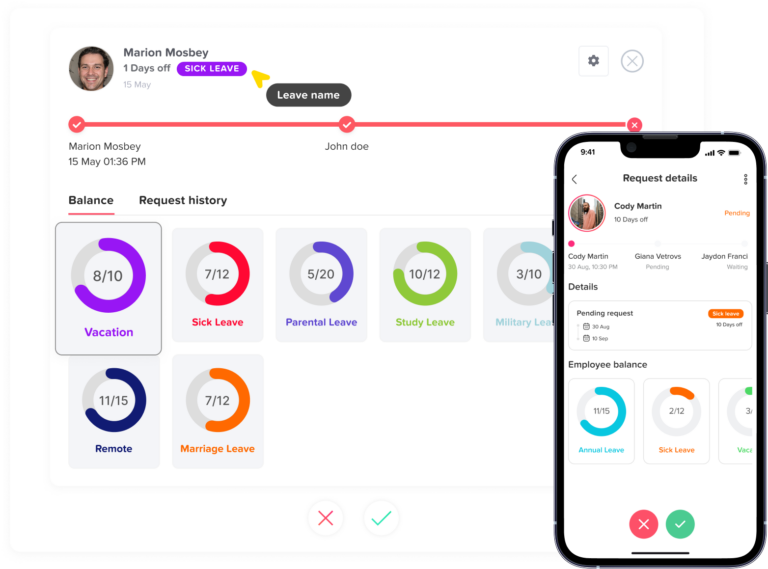
Instead of managing time off requests through email or paperwork, employees can submit requests directly through Day Off. Managers can review and approve requests in one place, creating a more consistent process and reducing the back-and-forth that often slows down HR teams.
Maintain a Complete Leave History
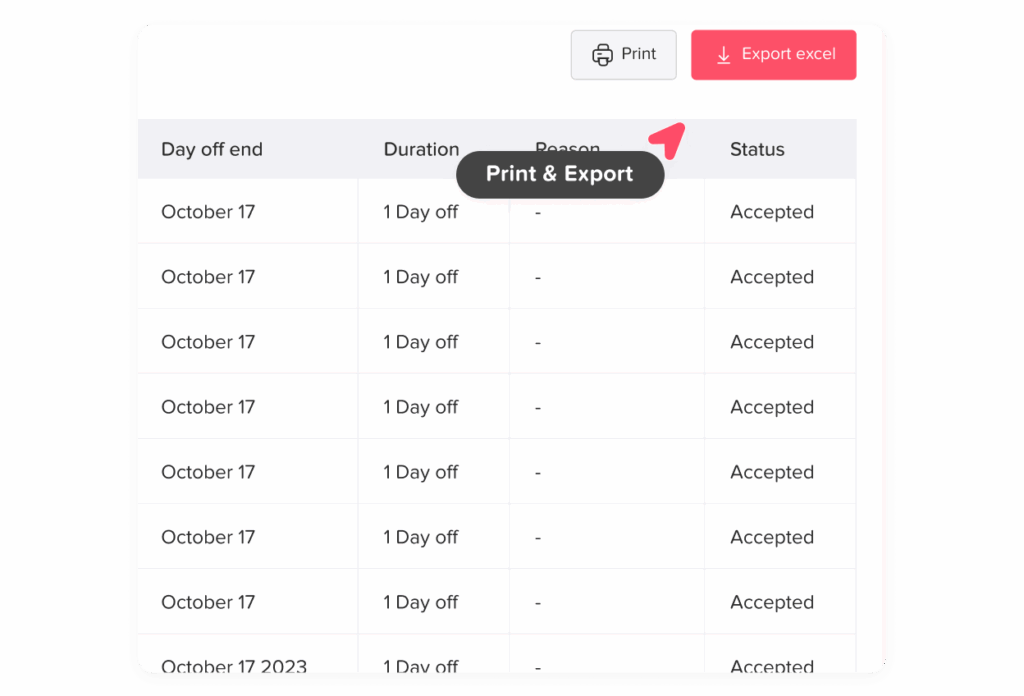
Having an accurate record of employee leave is essential for effective leave administration. Day Off keeps time off activity organized so HR teams can review requests, approvals, and leave history without searching through scattered spreadsheets or email conversations.
Give Employees More Visibility
Employees shouldn’t have to contact HR every time they want to know how much PTO they have left. Day Off gives employees visibility into their available leave balances and makes it easier for them to submit requests, helping create a more transparent and self-service experience.
Reduce Manual HR Administration
Calculating balances, updating spreadsheets, checking requests, and answering routine time off questions can consume significant HR time. By automating key parts of the leave-management process, Day Off can reduce repetitive administrative work and give HR teams more time to focus on higher-value responsibilities.
Manage Leave Across Your Organization
As organizations grow, keeping track of leave across multiple teams can become increasingly difficult. Day Off provides a centralized platform for managing employee time off across the organization, helping HR maintain greater visibility and consistency as leave policies and employee needs become more complex.
Ultimately, the goal isn’t simply to track who is out of the office. It’s to create a leave management process that is organized, transparent, and easier to administer. By bringing leave policies, balances, requests, approvals, and records into one system, Day Off can help HR teams spend less time managing spreadsheets and more time supporting their employees.
How Intermittent FMLA Works With PTO
One of the more complicated aspects of FMLA administration is intermittent leave.
Instead of taking 12 consecutive weeks away from work, an eligible employee may sometimes take FMLA leave in separate blocks of time when medically necessary or otherwise permitted under the law.
For example, an employee might need to leave work for a medical appointment or miss part of a workday because of a qualifying health condition.
When PTO is also involved, HR needs to track both the employee’s paid-leave balance and the amount of FMLA time used. Depending on the circumstances and applicable rules, PTO may run concurrently with the FMLA absence.
This is one reason automated leave tracking can be particularly useful. Manually calculating FMLA in hours or partial days while also adjusting PTO balances can become difficult as the number of employees and leave requests grows.
What Happens to PTO While an Employee Is on FMLA?
A common question for employers is whether employees continue to accrue PTO while they’re on FMLA leave.
There isn’t one universal answer. PTO accrual is generally governed by the employer’s policy and applicable state or local law, while FMLA establishes specific rules concerning the treatment of employee benefits during leave.
Employers should review their PTO policy carefully to determine whether employees accrue vacation or other paid leave during unpaid FMLA periods and whether the policy treats employees on other forms of leave the same way.
The key is consistency. Employers should avoid creating a policy that treats FMLA leave differently from comparable forms of unpaid leave unless there is a legitimate reason and the distinction is permitted under applicable law.
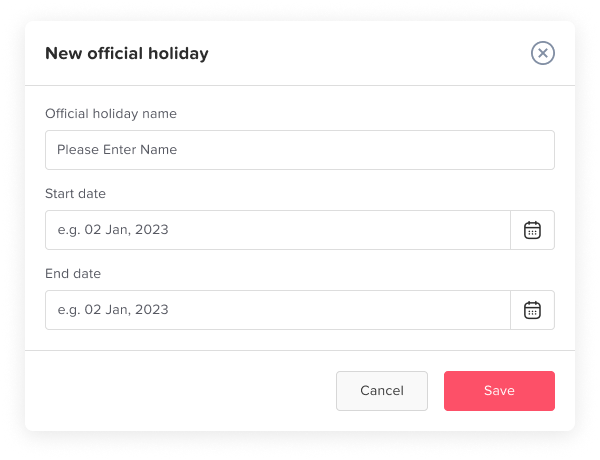
How Holidays Interact With FMLA and PTO
Holidays can create another layer of confusion when an employee is on FMLA leave.
Whether a holiday counts toward an employee’s FMLA entitlement can depend on factors such as how much of the employee’s workweek is missed and whether the employee would otherwise have been scheduled to work.
Employers should also distinguish between how a holiday is treated under their PTO policy and how it is counted for FMLA purposes.
For example, an employer’s policy might provide paid holidays to employees who meet certain eligibility requirements. That doesn’t automatically mean the holiday should be treated as PTO or handled identically for FMLA purposes.
Because holiday rules can become fact-specific, HR teams should apply the applicable FMLA regulations and their written policies consistently.
FMLA Notice and Certification: What Employers Should Know
FMLA administration isn’t limited to tracking days away from work. Employers also have responsibilities related to employee notices, eligibility, rights and responsibilities, and, when permitted, medical certification.
Employees generally need to provide enough information for an employer to understand that a leave request may qualify for FMLA protection. Employers may also request appropriate certification for certain qualifying health-related leaves.
HR teams should have a clear process for handling these requests rather than leaving managers to interpret medical or family circumstances themselves.
A consistent process helps employers identify potentially protected leave early and ensures employees receive the appropriate information about their rights and responsibilities.
FMLA, PTO, and Remote Employees
Remote and hybrid work arrangements can make leave tracking more complicated.
An employee may work from different locations, have a flexible schedule, or report to a manager in another state. At the same time, state and local leave laws may depend on where the employee actually works.
Employers should therefore avoid assuming that a single company-wide leave rule covers every employee in the same way.
A centralized leave-management platform can make it easier to assign the appropriate policies to different employees while giving HR a broader view of leave across locations.
Why Leave Management Software Matters as Your Company Grows
A small company may be able to manage a handful of PTO requests through spreadsheets. As the workforce grows, however, leave administration becomes much harder to manage manually.
HR may need to account for different PTO policies, employee schedules, state-specific requirements, intermittent leave, approval workflows, and overlapping types of leave.
This is where dedicated leave-management software can make a meaningful difference.
With Day Off, organizations can centralize leave policies, employee balances, requests, approvals, and leave records in one platform. Instead of maintaining multiple spreadsheets and manually updating balances, HR teams can create a more consistent process for managing employee time off.
The result is greater visibility for HR, managers, and employees, and less repetitive administrative work.
Frequently Asked Questions About FMLA and PTO
Can an employer require employees to use PTO during FMLA?
In many circumstances, yes. An employer may require applicable accrued paid leave to run concurrently with FMLA leave. This allows the employee to receive pay while the same period counts toward their FMLA entitlement.
Employers should clearly explain their PTO substitution rules and make sure they follow applicable federal, state, and local requirements.
Does using PTO extend FMLA leave?
No. PTO generally does not extend an employee’s FMLA entitlement.
For example, if an employee uses four weeks of PTO while taking four weeks of qualifying FMLA leave, those four weeks generally count toward the employee’s FMLA entitlement. PTO provides pay; it does not create additional job-protected FMLA time.
What happens when an employee runs out of PTO while on FMLA?
If an employee exhausts their PTO while they still have FMLA available, the remaining qualifying FMLA leave is generally unpaid unless another source of paid leave or wage replacement applies.
The employee may still be entitled to job protection for the remainder of their qualifying FMLA leave.
Can FMLA be taken intermittently or a few hours at a time?
Yes. In qualifying circumstances, employees can take FMLA intermittently or on a reduced schedule rather than taking one continuous block of leave.
For employers, intermittent leave makes accurate tracking especially important because FMLA may be measured in hours or smaller increments. Any applicable PTO used during those absences should also be tracked accurately.
Does an employee continue to accrue PTO while on FMLA?
It depends on the employer’s PTO policy and applicable law. FMLA does not automatically determine how an employer’s PTO accrual system must operate in every situation.
Employers should review how their policy treats employees on FMLA compared with employees on other forms of unpaid leave and apply the policy consistently.
Can FMLA be used for pregnancy, childbirth, or bonding with a baby?
Yes. Eligible employees can generally use FMLA for pregnancy-related incapacity, prenatal care, childbirth, recovery, and bonding with a newborn.
Employees may also have additional rights under state pregnancy, parental, or paid family leave laws, so employers should review requirements beyond federal FMLA.
Can FMLA be used for mental health conditions?
Yes. Certain mental health conditions can qualify for FMLA when they meet the requirements for a serious health condition.
FMLA may cover an employee’s own qualifying mental health condition or, in certain circumstances, time needed to care for a qualifying family member. Employers should evaluate the specific circumstances rather than making assumptions based on a diagnosis alone.
What is the difference between FMLA and short-term disability?
FMLA and short-term disability serve different purposes. FMLA generally provides job protection, while short-term disability typically provides income replacement when an employee cannot work because of a qualifying medical condition.
An employee may qualify for both at the same time. Receiving short-term disability benefits does not automatically determine whether an employee qualifies for FMLA.
What happens if an employee doesn’t specifically ask for FMLA?
An employee does not necessarily have to use the words “FMLA” when requesting leave.
If an employee provides enough information for the employer to reasonably understand that the absence may be for an FMLA-qualifying reason, the employer may have a responsibility to evaluate the request under FMLA.
This is why managers should be trained to recognize potential FMLA situations and refer them to HR rather than automatically treating them as ordinary PTO.
How can employers make FMLA and PTO easier to manage?
The best starting point is a clear leave policy, a consistent approval process, and accurate tracking. Employers should be able to distinguish FMLA from PTO while also recording when the two overlap.
For growing organizations, leave-management software such as Day Off can help centralize leave policies, employee balances, requests, approvals, and leave history. This can reduce manual tracking and give HR, managers, and employees better visibility into time off.
Conclusion
Understanding the difference between FMLA and PTO is essential for employers that want to manage employee leave accurately and avoid unnecessary compliance risks. FMLA provides job-protected leave, while PTO provides paid time off, and the two can often overlap. By clearly defining leave policies, tracking both types of leave, and staying aware of state and federal requirements, HR teams can create a smoother experience for both employees and managers. Tools like Day Off can also simplify leave tracking and help organizations manage time off more efficiently.