







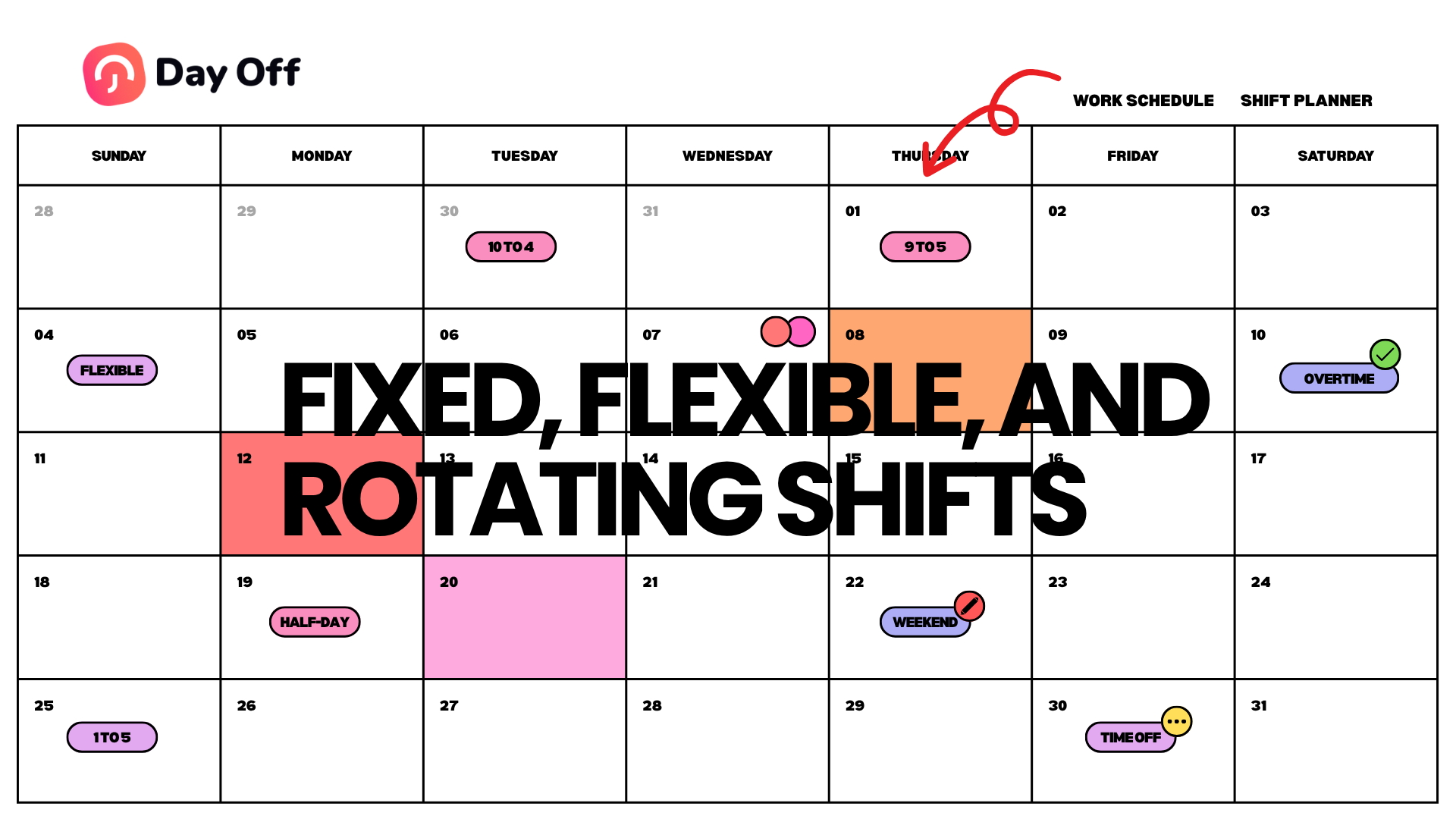
Managing employee work schedules is one of the most important parts of running an organized business. A clear schedule helps employees know when they are expected to work, helps managers plan team coverage, and helps HR teams track attendance, PTO, absences, late arrivals, and overtime more accurately.
But not every company works with the same type of schedule.
Some businesses use fixed work schedules, where employees start and finish work at the same time every day. Others use flexible work schedules, where employees can choose when they start and end their workday as long as they complete the required hours. Some teams use rotating work schedules, where employees move between different shifts based on a weekly or monthly pattern.

Each schedule type has its own benefits and challenges. Fixed schedules are easier to manage, flexible schedules support employee satisfaction, and rotating schedules help businesses cover different shifts. However, all of them require clear tracking to avoid confusion.
Day Off helps companies manage fixed, flexible, and rotating work schedules in one place, alongside PTO, attendance, absences, late time, overtime, and reports. In this article, we will explain how each schedule type works and how Day Off makes work schedule management easier and more organized.
What Is Work Schedule Management?
Work schedule management is the process of defining, organizing, and tracking when employees are expected to work. It helps businesses assign working hours, manage shifts, track attendance, calculate late time and overtime, and understand employee availability.
A work schedule can define:
- Employee start time
- Employee end time
- Total daily work hours
- Weekly working days
- Breaks
- Shift patterns
- Flexible hour rules
- Rotating shift cycles
- Overtime rules
- Attendance expectations
- Days off
- Public holidays
- Leave and PTO impact
Without a clear work schedule, attendance tracking becomes difficult. HR teams may not know whether an employee is late, absent, working flexible hours, or following a different shift. Managers may struggle to plan coverage. Payroll teams may need to manually check working hours, overtime, and leave records.
A strong work schedule management system gives businesses a clear structure for managing employee time.
Why Work Schedules Matter
Work schedules affect almost every part of workforce management. They influence attendance, productivity, payroll, employee satisfaction, team planning, and business operations.
When schedules are clear, employees know what is expected from them. Managers can plan work more confidently. HR teams can track attendance and absences more accurately. Payroll teams can prepare reports with fewer mistakes.
Work schedules matter because they help businesses:
- Improve employee attendance
- Plan team coverage
- Reduce scheduling conflicts
- Track late arrivals
- Calculate overtime
- Manage PTO and absences
- Support remote and hybrid work
- Improve payroll accuracy
- Reduce HR admin work
- Create a fair employee experience
When work schedules are not managed properly, the opposite happens. Employees may become confused, managers may approve PTO without checking coverage, HR may spend more time correcting records, and payroll may become less accurate.
Adopting rotating work schedules allows organizations to better match staffing levels with peak demand times.
Main Types of Work Schedules
Understanding how to create effective rotating work schedules is crucial for businesses aiming to optimize shift coverage.

Most companies use one or more of the following schedule types:
- Fixed work schedules
- Flexible work schedules
- Rotating work schedules
Some companies use only one type for all employees. Others use different schedule types depending on department, location, employee role, or business needs.
For example, an office team may work fixed hours, a software team may work flexible hours, and a customer support team may work rotating shifts. A retail business may use rotating schedules for store employees and fixed schedules for office staff. A remote company may use flexible schedules but still track total daily or weekly hours.
The best work schedule system should support different scheduling needs without creating confusion.
What Is a Fixed Work Schedule?
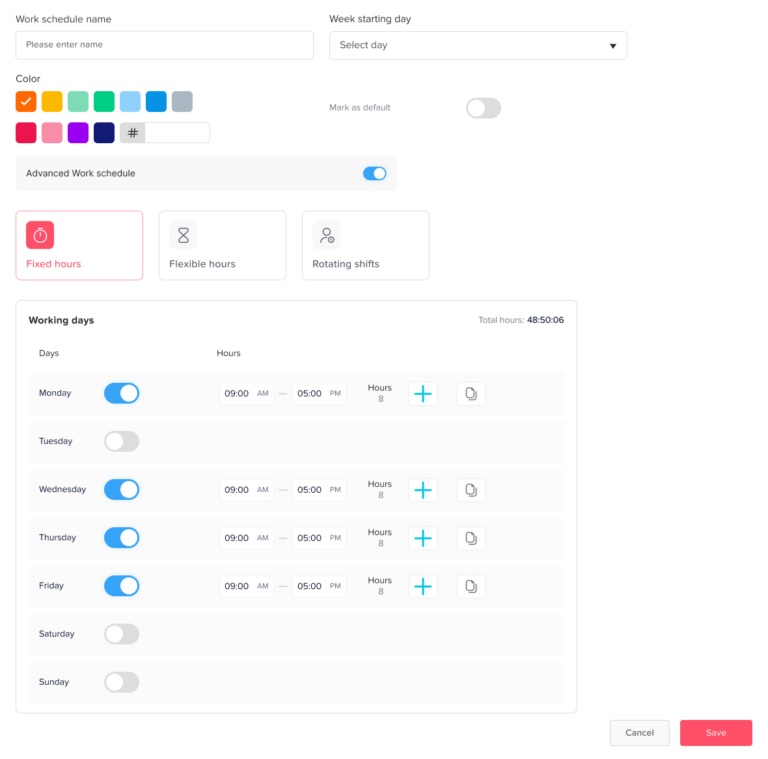
A fixed work schedule is a schedule where employees work the same hours on the same days each week. It is one of the most common and easiest schedule types to manage.
For example, an employee may work:
Monday to Friday
9:00 AM to 5:00 PM
8 hours per day
40 hours per week
The start time and end time are clearly defined. Employees are expected to be present during those hours unless they are on approved leave, sick leave, public holiday, or another approved absence.
Benefits of Fixed Work Schedules
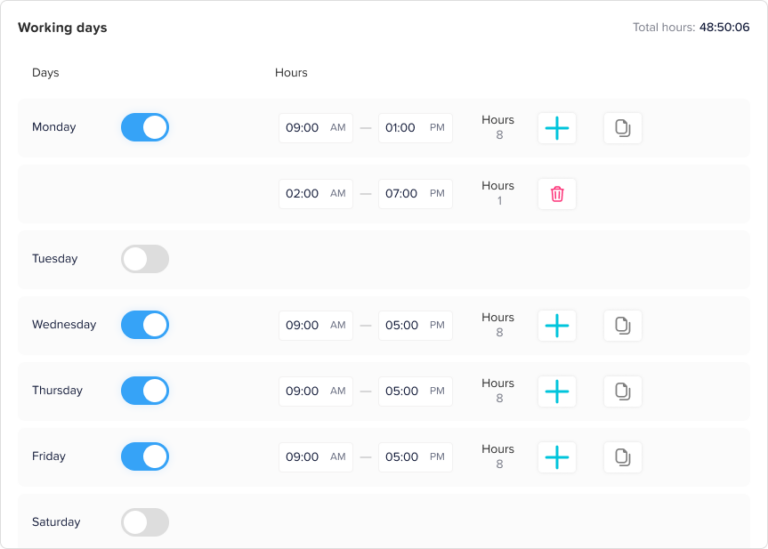
Fixed schedules are popular because they are simple and predictable.
Clear Expectations
Employees know exactly when they should start and finish work. Managers also know when employees are expected to be available.
This reduces confusion and helps everyone follow the same structure.
Easier Attendance Tracking
Fixed schedules make attendance tracking easier because the system can compare actual punch-in and punch-out times with expected working hours.
If an employee is scheduled to start at 9:00 AM but clocks in at 9:20 AM, the system can clearly identify late time.
Better Payroll Accuracy
When work hours are fixed, payroll preparation is usually simpler. HR and payroll teams can calculate regular hours, late time, absences, and overtime more easily.
Stronger Team Coordination
Fixed schedules make it easier to plan meetings, assign tasks, and coordinate team activities because employees are available at predictable times.
Better for Customer-Facing Roles
Businesses that require employees to be available during specific hours often benefit from fixed schedules. This includes customer support, operations, administration, retail, healthcare, and service-based roles.
Challenges of Fixed Work Schedules
Although fixed schedules are easy to manage, they may not be ideal for every team.
Less Flexibility for Employees
Some employees may need flexibility because of personal responsibilities, commuting time, childcare, remote work, or different productivity patterns.
A strict fixed schedule may feel limiting.
Higher Risk of Late Arrival Issues
Because start times are strict, employees who arrive after the scheduled time may be marked late. This can create attendance issues, especially if employees face traffic or other external delays.
Not Always Ideal for Remote Teams
Remote and hybrid teams may need more flexibility, especially if employees work across different time zones.
May Not Fit Project-Based Work
Some project-based teams focus more on output than exact working hours. In these cases, flexible schedules may work better.
How to Manage Fixed Work Schedules
To manage fixed schedules effectively, businesses should:
- Define clear start and end times
- Set expected working days
- Create rules for breaks
- Track punch in and punch out
- Calculate late arrivals based on schedule
- Track overtime when employees work beyond scheduled hours
- Connect approved PTO with attendance records
- Use reports to review attendance trends
- Communicate attendance expectations clearly
Day Off helps companies manage fixed schedules by connecting work schedules with time attendance, PTO tracking, absences, late time, overtime, and reports.
What Is a Flexible Work Schedule?
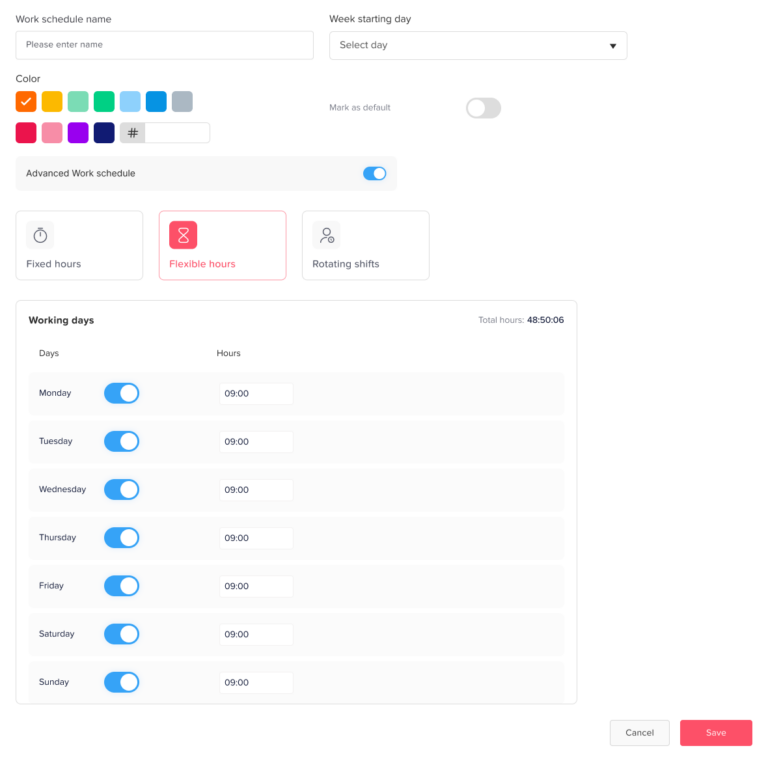
A flexible work schedule gives employees more control over when they start and finish work. Instead of requiring everyone to work the same exact hours, companies allow employees to complete their required work hours within a flexible time frame.
For example, an employee may need to work 8 hours per day but can choose to start between 8:00 AM and 10:00 AM. Another company may allow employees to work any schedule as long as they complete 40 hours per week and attend important meetings.
Flexible schedules are common in remote teams, hybrid companies, software teams, creative teams, agencies, and knowledge-based workplaces.
Benefits of Flexible Work Schedules
Flexible schedules can improve employee satisfaction and support modern work styles.
Better Work-Life Balance
Employees can organize their workday around personal responsibilities, commuting, family needs, appointments, or productivity preferences.
This can improve employee well-being and reduce stress.
Higher Employee Satisfaction
Flexibility is often valued by employees. When companies trust employees to manage their time, employees may feel more motivated and engaged.
Better Support for Remote and Hybrid Teams
Flexible schedules work well for remote and hybrid teams because employees may work from different locations and time zones.
Improved Productivity
Some employees work better early in the morning, while others are more productive later in the day. Flexible schedules allow employees to work during their most productive hours.
Easier Talent Attraction
Companies that offer flexible work schedules may attract more candidates, especially employees who value autonomy and work-life balance.
Challenges of Flexible Work Schedules
Flexible schedules can be powerful, but they need clear rules.
Harder Attendance Tracking
If employees do not have a fixed start time, companies need a different way to track late time and total working hours.
For example, if an employee can start anytime between 8:00 AM and 10:00 AM, they should not be marked late for starting at 9:30 AM.
Communication Gaps
If employees work different hours, it may become harder to schedule meetings, collaborate, or get quick responses.
Unclear Availability
Managers may not always know who is available at a specific time unless the company uses a real-time employee availability tracker.
Overtime Tracking Can Become More Complex
If employees work flexible hours, overtime should be calculated based on total hours worked, not only clock-out time.
Policy Confusion
Without a clear flexible work policy, employees may have different interpretations of what flexibility means.
How to Manage Flexible Work Schedules
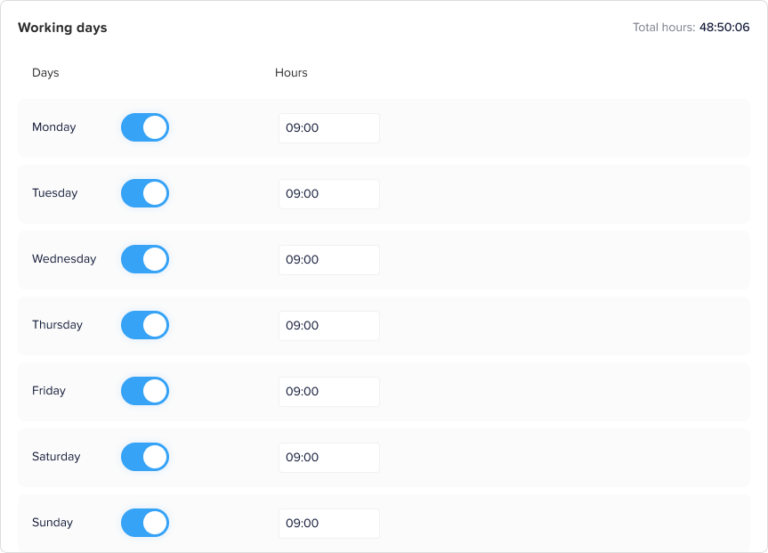
To manage flexible schedules effectively, businesses should:
- Define required daily or weekly work hours
- Set core working hours if needed
- Clarify when employees must be available
- Track total hours worked
- Avoid marking employees late based on fixed start times unless rules are defined
- Monitor overtime carefully
- Use digital attendance tracking
- Connect flexible schedules with PTO and absences
- Use reports to review work hour patterns
- Communicate expectations clearly
For example, a company may allow employees to start anytime before 10:00 AM but require everyone to be available from 11:00 AM to 3:00 PM for meetings and collaboration. This gives employees flexibility while maintaining team coordination.
Day Off helps businesses manage flexible schedules by supporting work schedules, attendance tracking, PTO, absences, late time, overtime, and availability visibility.
What Is a Rotating Work Schedule?
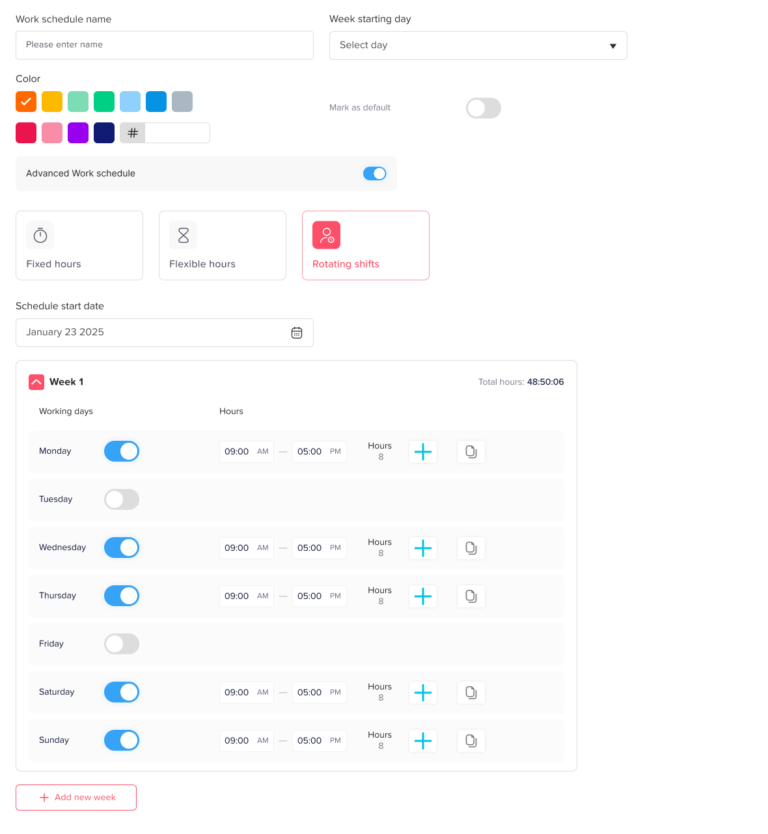
A rotating work schedule is a schedule where employees move between different shifts based on a repeating pattern. Instead of working the same hours every week, employees rotate through different schedules.
For example, an employee may work:
Week 1: Morning shift
Week 2: Evening shift
Week 3: Night shift
Week 4: Off or reduced schedule
Rotating schedules are common in industries that need coverage beyond normal office hours, such as healthcare, customer support, manufacturing, retail, hospitality, security, logistics, and operations.
Benefits of Rotating Work Schedules
Rotating schedules help businesses maintain coverage while distributing shifts more fairly.
Better Business Coverage
Rotating shifts help companies cover different hours, including evenings, weekends, nights, and busy periods.
Fairer Shift Distribution
Instead of assigning unpopular shifts to the same employees all the time, rotating schedules can distribute morning, evening, weekend, or night shifts more fairly.
Better Support for 24/7 Operations
Companies that operate around the clock need rotating schedules to ensure employees are available at all times.
More Flexible Staffing
Rotating schedules allow managers to adjust coverage based on business demand.
Challenges of Rotating Work Schedules
However, the implementation of rotating work schedules requires careful consideration of employee preferences and business needs.
Rotating schedules are often the most complex schedule type to manage.
Higher Risk of Scheduling Confusion
Employees may forget which shift they are working if schedules are not communicated clearly.
More Difficult Attendance Tracking
Late time and overtime depend on the employee’s assigned shift. If the schedule is wrong, attendance calculations may also be wrong.
More Complex PTO Planning
If an employee requests PTO during a rotating shift, managers need to know which shift they were supposed to work and whether coverage is needed.
Employee Fatigue
Rotating shifts, especially night shifts or frequent schedule changes, can affect employee energy and well-being.
Harder Payroll Preparation
Payroll may become more complex when employees work different shifts, overtime hours, weekends, or special schedules.
How to Manage Rotating Work Schedules
Rotating work schedules must be communicated clearly to avoid confusion about shifts among team members.
To manage rotating schedules effectively, businesses should:
- Create clear shift patterns
- Share schedules in advance
- Assign employees to the correct shift cycle
- Track attendance based on assigned shift
- Calculate late time according to shift start time
- Track overtime carefully
- Manage PTO based on scheduled shifts
- Use a shared calendar for visibility
- Monitor employee workload and fatigue
- Generate reports for payroll and planning
Rotating schedules require strong visibility. Managers need to know which employees are working each shift, who is on leave, who is absent, and who can cover gaps.
Day Off helps companies manage rotating schedules by connecting work schedules with attendance, PTO, absences, and team availability.
Fixed vs. Flexible vs. Rotating Work Schedules
Each schedule type works best for different business needs.
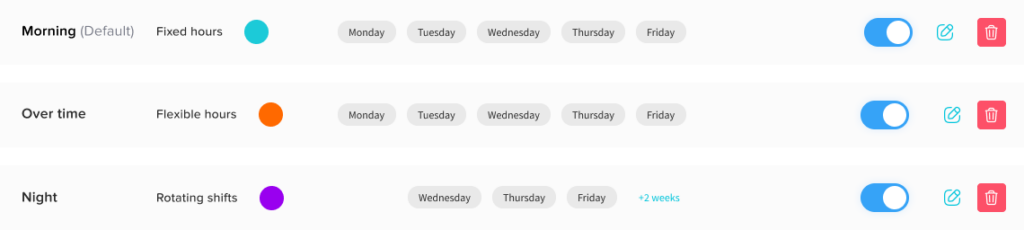
A fixed schedule is best for companies that need predictable availability. Employees work the same hours every day, making attendance tracking and team coordination easier.
A flexible schedule is best for companies that want to give employees more autonomy. Employees may choose when they work as long as they complete required hours and stay available when needed.
A rotating schedule is best for companies that need shift coverage across different times, days, or business demands.
The right schedule depends on your business model, team structure, employee roles, customer needs, and company culture.
How Day Off Helps Manage Fixed, Flexible, and Rotating Work Schedules
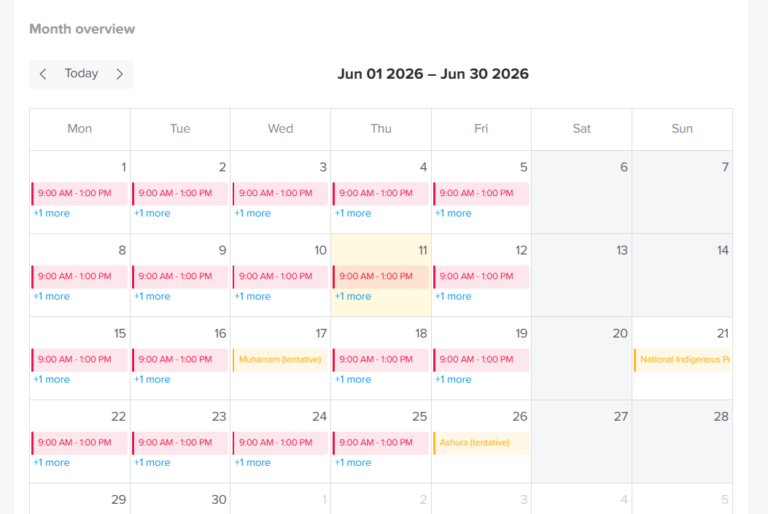
Day Off helps businesses manage employee work schedules alongside PTO tracking, attendance, absences, and availability. This makes it easier for HR teams and managers to understand who is working, who is away, who is late, and who may need coverage.
With Day Off, companies can manage:
- Fixed work schedules
- Flexible work schedules
- Rotating work schedules
- Employee attendance
- Punch in and punch out
- Late time
- Overtime
- PTO requests
- Leave approvals
- PTO balances
- Absence tracking
- Shared leave calendars
- Reports and exports
- Team availability
This gives businesses one place to manage employee time more clearly.
Day Off for Fixed Work Schedules
For fixed schedules, Day Off helps companies define expected working hours and compare attendance records against those hours.
This helps HR teams track late arrivals, absences, overtime, and attendance records more accurately.
Day Off for Flexible Work Schedules
For flexible schedules, Day Off helps companies track required work hours without forcing every employee into the same start and end time.
This supports modern teams that need more flexibility while still maintaining attendance visibility.
Day Off for Rotating Work Schedules
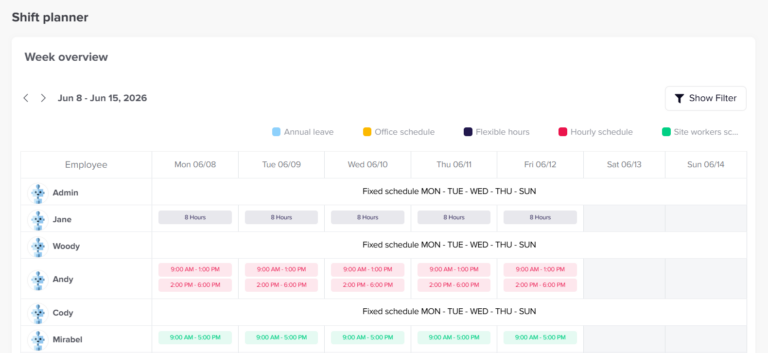
For rotating schedules, Day Off helps businesses manage changing shift patterns and employee availability. This is useful for teams that need coverage across different times, days, or operational periods.
Day Off for PTO and Leave Management
Day Off also helps businesses manage PTO requests, leave approvals, PTO balances, shared leave calendars, custom leave types, and absence tracking.
By connecting PTO with work schedules, companies can better understand how employee leave affects team coverage.
Day Off for Attendance and Reports
Day Off’s time attendance features help companies track work hours, punch in and punch out, late arrivals, overtime, and attendance records.
Reports and exports help HR teams review attendance, leave, work hours, and payroll-ready data more easily.
Work Schedule Management for Remote and Hybrid Teams
Remote and hybrid teams often need flexible scheduling, but they also need clear availability rules.
Managers should know when employees are working, when they are away, and when they are available for meetings or collaboration.
A work schedule management system helps remote and hybrid teams:
- Track work hours
- Manage flexible schedules
- Track PTO and absences
- Coordinate across time zones
- Plan team coverage
- Reduce communication gaps
- Improve employee visibility
Day Off helps remote and hybrid teams manage schedules, PTO, attendance, and availability from one platform.
Work Schedule Management for Small Businesses
Small businesses may start with simple schedules, but even small teams need accurate tracking.
A small business can benefit from work schedule management by:
- Reducing manual work
- Improving attendance accuracy
- Tracking PTO more clearly
- Avoiding scheduling conflicts
- Preparing payroll faster
- Giving employees clear expectations
Day Off is suitable for small businesses because it makes schedule, PTO, and attendance management easier without adding unnecessary complexity.
Work Schedule Management for Growing Companies
As companies grow, schedules become harder to manage manually. More employees means more teams, locations, leave requests, attendance records, and scheduling needs.
Growing companies need a system that supports different work schedule types and scales with the business.
Day Off helps growing companies manage fixed, flexible, and rotating work schedules while also supporting PTO tracking, attendance, reports, teams, and locations.
What to Look for in Work Schedule Management Software
When choosing work schedule management software, businesses should look for a system that supports different schedule types and connects with attendance and PTO.
Important features include:
- Fixed schedule support
- Flexible schedule support
- Rotating schedule support
- Work hours tracking
- Punch in and punch out
- Late time calculation
- Overtime tracking
- PTO tracking
- Leave request management
- Approval workflows
- Shared leave calendar
- Absence tracking
- Employee self-service
- Manager visibility
- Reports and exports
- Payroll-ready data
- Support for teams and locations
The best system should make scheduling easier while improving attendance and leave accuracy.
How Work Schedules Affect Attendance Tracking
By incorporating rotating work schedules, businesses can create a more agile workforce capable of meeting diverse challenges.
By effectively leveraging rotating work schedules, organizations can foster a more positive work environment.
Attendance tracking depends heavily on work schedules.
If an employee has a fixed schedule, attendance is measured against fixed start and end times. If an employee has a flexible schedule, attendance may be measured based on total hours worked. If an employee has a rotating schedule, attendance must be measured against the assigned shift.
This means attendance tracking cannot be accurate without work schedule management.
For example:
- An employee on a fixed schedule may be late if they clock in after 9:00 AM.
- An employee on a flexible schedule may not be late if they start at 10:00 AM and complete the required hours.
- An employee on a rotating shift may be late if they clock in after their assigned shift start time.
Day Off helps businesses connect work schedules with attendance tracking so late time and overtime can be calculated more accurately.
How Work Schedules Affect PTO Tracking
Work schedules also affect PTO tracking.
If an employee requests a day off, the system needs to understand how many hours or days should be deducted from their PTO balance. For example, a full day off may mean 8 hours for one employee but 10 hours for another employee depending on their schedule.
For rotating shifts, PTO tracking becomes even more important because managers need to know which shift the employee will miss and whether coverage is needed.
A connected PTO and work schedule system helps businesses manage leave more accurately.
Day Off helps companies connect PTO tracking with work schedules, making it easier to manage leave requests, balances, absences, and team availability.
Frequently Asked Questions
Rotating work schedules should be part of any comprehensive workforce strategy to ensure ongoing success.
What is a fixed work schedule?
A fixed work schedule is a schedule where employees work the same hours on the same days each week, such as Monday to Friday from 9:00 AM to 5:00 PM.
What is a flexible work schedule?
A flexible work schedule allows employees to choose their start and end times as long as they complete the required work hours and follow company availability rules.
What is a rotating work schedule?
A rotating work schedule is a schedule where employees move between different shifts based on a repeating pattern, such as morning shifts one week and evening shifts the next.
Why is work schedule management important?
Work schedule management is important because it helps businesses track attendance, manage PTO, calculate late time and overtime, plan coverage, and improve payroll accuracy.
Can Day Off manage fixed work schedules?
Yes. Day Off helps businesses manage fixed work schedules by connecting expected work hours with attendance, PTO, absences, late time, and reports.
Can Day Off support flexible work schedules?
Yes. Day Off supports flexible work schedules, helping businesses track work hours while giving employees more flexibility.
Can Day Off support rotating work schedules?
Yes. Day Off supports rotating work schedules, making it easier for companies to manage changing shifts, employee availability, PTO, and attendance.
How do work schedules affect PTO tracking?
Work schedules affect PTO tracking because the system needs to know how many hours or days should be deducted when an employee takes leave.
How do work schedules affect payroll?
Work schedules affect payroll by helping calculate regular hours, overtime, late time, absences, PTO usage, and unpaid leave more accurately.
Why are spreadsheets not enough for work schedule management?
Spreadsheets are prone to manual errors, outdated information, version control problems, and poor visibility. They also do not connect schedules with PTO, attendance, absences, and payroll reports as effectively as a dedicated system.
As businesses embrace change, rotating work schedules become an essential component of modern workforce management.
Investing in effective rotating work schedules can yield significant dividends in employee retention and satisfaction.
Final Thoughts
Managing fixed, flexible, and rotating work schedules requires more than a simple spreadsheet. Each schedule type has different rules, benefits, and challenges. Fixed schedules need clear attendance tracking. Flexible schedules need accurate work hour visibility. Rotating schedules need strong shift planning and coverage management.
When work schedules are connected with PTO tracking, time attendance, absences, and reports, businesses get a clearer view of employee availability. This helps HR teams reduce manual work, helps managers plan better, helps payroll teams improve accuracy, and helps employees understand their schedules and time off more clearly.
Day Off helps companies manage work schedules, PTO, attendance, absences, late time, overtime, shared calendars, and reports in one place. Whether your team uses fixed hours, flexible hours, rotating shifts, or a mix of all three, Day Off gives you the tools to manage employee time more efficiently.
For businesses that want to improve workforce planning, reduce scheduling confusion, and move away from manual tracking, using a centralized work schedule management system like Day Off is a smarter and more scalable approach.