





Day Off Knowledge Base
-
Blockout Dates
- Can admins override blockout dates?
- Can employee request time off during blockout dates?
- Can I apply blockout dates to specific teams or departments?
- How can I check blockout dates in the Day Off app?
- How do blockout dates work?
- How do I set blackout dates in Day Off?
- How to prevent overlapping holidays/leave requests?
Print
Employee ability to request time off during blockout dates depends on how each blockout period is configured by administrators. The system supports different levels of restriction, which are clearly reflected in the calendar:
Fully Blocked Blockout Dates
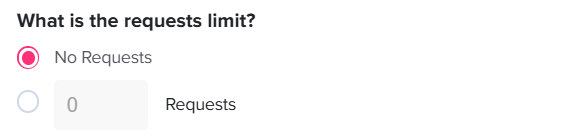
- These dates are completely restricted, meaning employees cannot submit any time off requests.
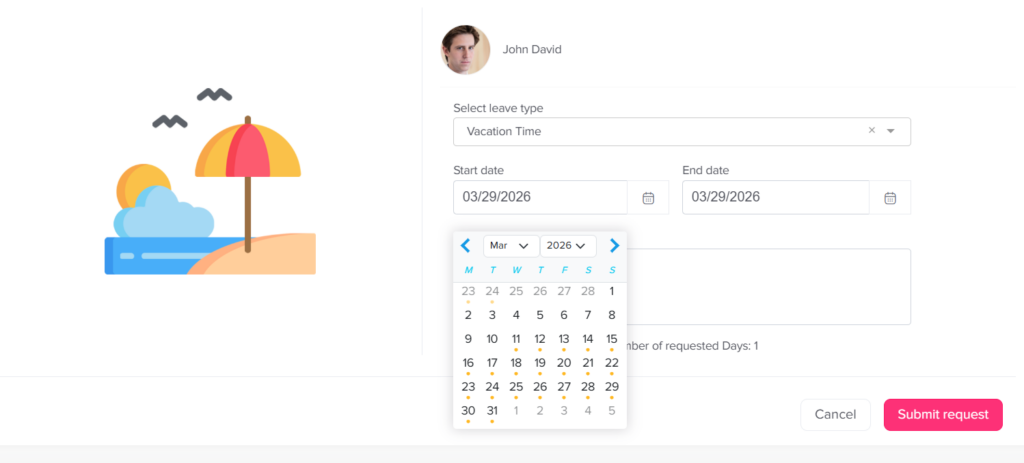
- They appear in the calendar with a gray dot and are not selectable.
- This is typically used for critical business periods where full staffing is required (e.g., peak seasons, major events, or deadlines).
- The system will prevent any attempt to select or submit requests for these dates by an employee.
Partially Restricted Blockout Dates
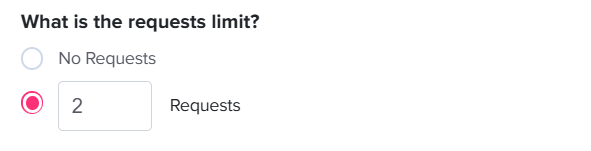
- These dates allow limited availability for time off requests.
- They are marked with an orange dot in the calendar.
Employees may still select these dates and submit a request; however:
- Approval is not guaranteed
- Requests may be reviewed more strictly
- Limits may apply based on team capacity or quotas
System Feedback & Validation
When selecting dates, the system provides real-time visual indicators (gray and orange dots) to guide employees before submission.
If a request includes restricted dates:
- Fully blocked dates will prevent submission entirely
- Partially restricted dates may trigger a warning message
Admin Override
- In special cases, administrators have the ability to override the restriction from their end.
- Even if a date is fully blocked, an admin can manually create or approve a time off request on behalf of an employee.
- This ensures flexibility for exceptional situations while maintaining overall control of blockout policies.
Best Practices for Employees
- Always check the calendar indicators before submitting a request
- Plan ahead, especially during known high-demand periods
- If unsure, consult your manager or HR team for clarification on availability
This approach ensures transparency while allowing organizations to maintain operational continuity during critical periods.
On this page