




PTO Balance Adjustments are sometimes necessary when an employee’s recorded paid time off does not match the amount they should actually have available. A balance may be wrong because of a missed accrual, an incorrect leave deduction, a policy change entered with the wrong effective date, a payroll correction, a system migration, an inaccurate carryover calculation, or a simple administrative mistake. Whatever caused the error, HR should correct it through a controlled and documented process rather than simply changing the number until it “looks right.”

A PTO balance affects much more than an employee’s next vacation request. It can influence payroll, leave approvals, year end carryover, scheduling, employee trust, termination calculations, and reporting. A small error that remains unnoticed for several months can also become much more difficult to reconstruct later.
The goal of a PTO balance adjustment should therefore be simple: restore the employee’s leave record to the balance they would have had if the error had never occurred.
This guide explains when PTO balance adjustments are appropriate, how HR should calculate them, what documentation should be retained, how to handle negative or disputed balances, and how organizations can reduce the need for manual corrections in the future.
What Are PTO Balance Adjustments?
A PTO balance adjustment is a manual increase or decrease made to an employee’s leave balance to correct, reconcile, or intentionally update the amount of leave available.
For example, imagine an employee should have earned 8 hours of PTO during a pay period, but the accrual did not run because they were accidentally assigned to the wrong leave policy.
Their recorded balance is:
44 hours
Their correct balance should be:
52 hours
HR could apply:
+8 hours PTO adjustment
The adjustment does not represent a new vacation benefit. It corrects PTO that should already have been recorded.
Adjustments can also be negative.
Suppose an employee received a duplicate 6-hour accrual. If the duplicate was clearly an administrative error and correcting it is permitted under the applicable policy and law, HR may need to record:
-6 hours PTO adjustment
The important distinction is that an adjustment should have a clear reason, calculation, effective date, and supporting record.
Why Accurate PTO Balances Matter
PTO balances often feed several HR processes at the same time.
An inaccurate balance can result in:
- Employees requesting leave they do not actually have
- Employees being prevented from using leave they have earned
- Incorrect payroll calculations
- Wrong year end carryover amounts
- Incorrect PTO payouts where payouts apply
- Negative balances that should not exist
- Disputes between employees and HR
- Inaccurate leave reports
- Incorrect workforce planning
- Different employees receiving inconsistent treatment
- Managers approving requests using unreliable information
The problem becomes more serious when the incorrect balance is carried from one leave year into another.
For example, a 10-hour error in December could become an opening balance error in January. If HR later investigates the discrepancy, it may have to examine records across two leave periods instead of correcting one transaction.
What Causes PTO Balances to Become Incorrect?
Balance errors can originate from policy configuration, leave requests, payroll, employee data, or manual administration.
Common causes include the following.
| Cause | Example | Possible Adjustment |
|---|---|---|
| Missed accrual | Employee should have received 5 hours but received 0 | +5 hours |
| Duplicate accrual | System credited the same 4-hour accrual twice | -4 hours |
| Wrong PTO deduction | 8 hours were deducted for a 4-hour absence | +4 hours |
| Missing deduction | Approved 6-hour leave was never deducted | -6 hours |
| Incorrect opening balance | 60 hours were imported instead of 66 | +6 hours |
| Carryover error | Employee should have carried 20 hours but only 12 were transferred | +8 hours |
| Wrong policy assignment | Employee accrued under the wrong entitlement | Depends on recalculation |
| Schedule error | PTO was deducted using an 8-hour day instead of a 10-hour shift | +2 hours |
| Manual entry mistake | Administrator entered 18 instead of 8 hours | Correction of difference |
Not every discrepancy should automatically produce a balance adjustment. HR should first identify why the balance is wrong.
If the underlying policy configuration is incorrect, fixing only the current balance may cause the same error to happen again during the next accrual period.
PTO Balance Adjustment vs PTO Policy Change
These two actions should not be confused.
PTO Balance Adjustment
A balance adjustment changes an employee’s recorded balance because a specific correction is required.
Example:
An employee was supposed to receive 6 hours on July 1 but received only 4.
Adjustment:
+2 hours
PTO Policy Change
A policy change modifies how PTO will be earned, carried over, reset, deducted, or otherwise managed.
Example:
A company increases annual vacation entitlement from 120 hours to 144 hours beginning January 1.
That is not simply a balance adjustment. HR should update the underlying leave policy and determine whether any transitional or prorated adjustment is also required.
PTO Balance Reset
A reset applies rules for what happens to balances at a defined point in the leave cycle.
Depending on the company’s policy, a reset may involve:
- Carrying unused hours forward
- Applying a carryover limit
- Starting a new annual entitlement
- Applying an accrual reset
- Handling permitted expiration rules
- Resetting based on a calendar date
- Resetting based on an employee anniversary
A reset should follow the established leave policy. It should not be used as a convenient method for correcting unrelated historical errors.
Are Employers Allowed to Adjust PTO Balances?
The answer depends on the type of leave, company policy, employment agreement, and applicable national, state, or local law.
In the United States, the federal Fair Labor Standards Act does not generally require employers to provide paid vacation time. Vacation benefits are generally established through employer policies or agreements.
However, state rules can be much more specific.
California, for example, generally treats earned vacation as vested wages. The California Department of Industrial Relations states that earned vacation cannot simply be forfeited and permits reasonable caps that stop additional vacation from accruing once an employee reaches the cap.
This distinction matters.
Correcting a genuine clerical error is different from retroactively taking away leave an employee has already earned.
Before making a reduction that affects earned or accrued PTO, HR should review:
- Applicable employment laws
- State or local paid leave rules
- Employment agreements
- Collective bargaining agreements
- The company’s written PTO policy
- Previous communications to the employee
- The employee’s accrual history
- Whether the leave is vacation, statutory sick leave, or another protected category
For organizations operating across multiple jurisdictions, the same correction may not be treated identically everywhere.
How HR Should Make PTO Balance Adjustments
A strong adjustment process should be repeatable. HR should be able to explain how a balance changed months later without relying on someone’s memory.
Step 1: Identify the Exact Discrepancy
Start with the employee’s current recorded balance.
For example:
System balance: 37 hours
The employee believes the balance should be 45 hours.
Do not immediately add 8 hours.
First determine where the difference originated.
Review:
- Starting balance
- Accrual transactions
- Carryover
- PTO requests
- Cancellations
- Previous adjustments
- Expired balances
- Payouts
- Policy assignments
- Work schedules
- Employee status changes
The goal is to reconstruct the balance, not simply match the employee’s expectation.
Step 2: Determine the Correct Policy
Before recalculating anything, verify which leave policy should have applied during the period in question.
Check:
- Leave type
- Annual entitlement
- Accrual frequency
- Accrual rate
- Carryover rule
- Carryover maximum
- Accrual cap
- Reset date
- Employee anniversary date
- Waiting period
- Employment status
- Work schedule
- Seniority tier
- Location
- Department or employee group
- Effective dates of policy changes
This step is especially important when an employee has changed roles, schedules, locations, or employment classifications.
Step 3: Reconstruct the Expected PTO Balance
A simplified PTO balance calculation can be expressed as:
Opening Balance + PTO Earned + Eligible Carryover + Manual Credits – PTO Used – Valid Reductions = Current Balance
For example:
Opening balance: 24 hours
PTO accrued: +36 hours
Carryover adjustment: +4 hours
PTO taken: -16 hours
Correct balance:
24 + 36 + 4 – 16 = 48 hours
If the HR system currently shows 43 hours, the discrepancy is:
48 – 43 = 5 hours
Required adjustment:
+5 hours
Step 4: Find the Original Transaction That Caused the Error
Whenever possible, connect the adjustment to a specific event.
For example:
July monthly accrual should have been 5 hours. Only 2 hours were credited due to incorrect policy assignment.
That is much more useful than:
Balance corrected.
Specific explanations improve future audits and make employee questions easier to resolve.
Step 5: Calculate the Difference, Not the Entire Balance
One of the safest approaches is to adjust only the difference between the current and correct balances.
Suppose the system shows:
68 hours
After reconstruction, HR determines that the correct balance is:
74 hours
The adjustment is:
+6 hours
HR does not need to erase the 68-hour balance and replace it with 74 if the system supports adjustment transactions.
Preserving the original transactions and adding a correction usually creates a clearer history.
Step 6: Verify the Adjustment Before Posting It
For significant adjustments, consider a second review.
A reviewer might verify:
- Employee
- Leave type
- Adjustment amount
- Adjustment direction
- Effective date
- Accrual calculations
- Supporting records
- Policy version
- Reason for adjustment
This becomes particularly useful for:
- Large balance corrections
- Negative adjustments
- Terminating employees
- Executive or highly compensated employees
- Corrections affecting payroll
- Corrections covering several leave years
- Bulk adjustments following a system problem
Step 7: Record a Clear Adjustment Reason
Every PTO balance adjustment should have a meaningful explanation.
Instead of:
Manual change
Use:
+8 hours: June and July accruals were missed after employee was incorrectly assigned to non-accrual policy.
Or:
+4 hours: Full-day PTO deduction corrected to half-day leave for August 5.
A good adjustment note should answer:
- What changed?
- Why did it change?
- Which period or transaction was affected?
Step 8: Preserve Supporting Documentation
HR should be able to reproduce the calculation later.
Depending on the correction, supporting documentation may include:
- PTO policy
- Accrual report
- Employee schedule
- Approved leave request
- Cancellation record
- Payroll report
- Previous PTO system export
- Migration spreadsheet
- Employee hire date
- Employment status change
- Policy assignment record
- Manager confirmation
- HR ticket or employee inquiry
A reliable adjustment history might contain the following.
| Field | Example |
|---|---|
| Employee | Alex Morgan |
| Leave type | Vacation |
| Previous balance | 42 hours |
| Adjustment | +8 hours |
| New balance | 50 hours |
| Effective date | August 1 |
| Reason | July accrual was not posted |
| Policy reviewed | 120-hour annual vacation policy |
| Supporting record | July accrual report |
| Adjusted by | HR administrator |
| Review status | Verified |
Step 9: Inform the Employee When Appropriate
Employees should not discover significant PTO balance changes only when submitting their next leave request.
For a meaningful correction, HR can communicate:
- Previous recorded balance
- Corrected balance
- Adjustment amount
- Reason for the correction
- Effective date
- Who to contact if the employee has questions
Transparency is particularly important when an adjustment reduces an employee’s available leave.
A short explanation can prevent a simple administrative correction from becoming a larger trust problem.
Step 10: Check Whether Payroll Is Also Affected
A PTO balance correction does not always mean payroll must change.
For example, correcting an unused PTO accrual may affect only the employee’s leave balance.
However, payroll review may be necessary if the original error involved:
- Paid leave that was processed as unpaid
- Unpaid time that was processed as PTO
- Incorrect PTO payout
- Incorrect termination payout
- Wrong deduction from available PTO
- Historical payroll associated with a leave request
- Conversion between PTO and unpaid leave
HR and payroll should reconcile both systems rather than correcting one while leaving the other inconsistent.
PTO Balance Adjustment Examples
Example 1: Missed Monthly Accrual
An employee earns:
10 hours of PTO per month
The employee received the January through May accruals correctly.
June was accidentally skipped.
Recorded balance before correction:
31 hours
The employee should have received:
+10 hours
Adjustment:
+10 hours
Corrected balance:
41 hours
Adjustment note:
June PTO accrual missed because of policy configuration error. Added 10 hours according to standard monthly accrual policy.
HR should also fix the policy configuration so July is processed correctly.
Example 2: Incorrect Full-Day PTO Deduction
An employee requested a half day representing 4 working hours.
The system deducted:
8 hours
Correct deduction:
4 hours
Difference:
8 – 4 = 4 hours
HR should restore:
+4 hours
The employee’s leave request should continue to show the actual 4 hours used.
Example 3: Duplicate Accrual
An employee normally earns 6 hours every month.
Because of a processing error, August contains two separate 6-hour accrual transactions.
Correct accrual:
6 hours
Recorded accrual:
12 hours
Difference:
6 hours
Subject to applicable policy and law, the correction would generally be:
-6 hours
The adjustment should reference the duplicated accrual rather than simply describing the correction as an administrative decrease.
Example 4: Incorrect Carryover
An employee finished the leave year with:
35 unused hours
The company’s applicable policy allows a maximum of:
24 hours of carryover
The new year should therefore begin with:
24 hours
Suppose only 20 hours were transferred.
The employee is missing:
4 hours
Adjustment:
+4 hours
Before posting the change, HR should verify that there were no expiration rules or other policy conditions affecting the balance.
Example 5: Wrong Opening Balance During System Migration
A company moves from spreadsheets to PTO tracking software.
The employee’s verified balance from the previous system is:
76 hours
During import, the employee is given:
67 hours
Difference:
76 – 67 = 9 hours
Adjustment:
+9 hours
Documentation should include the original migration report or approved source spreadsheet.
Migration corrections are especially important because an incorrect opening balance can contaminate every future accrual and leave calculation.
What If the Employee Has a Negative PTO Balance?
A negative PTO balance means the employee has used more PTO than they currently have available.
This may be intentional or accidental.
Some organizations permit employees to use future PTO before it is earned. Others do not allow balances to fall below zero.
Before manually adjusting a negative balance, determine why it occurred.
Possible explanations include:
- The company allows PTO advances
- A leave request was deducted twice
- An accrual failed
- A future accrual has not yet posted
- The employee took more leave than available
- The wrong policy was assigned
- A schedule change increased the deduction
- A previously approved request was edited
- Carryover was not processed correctly
A negative balance should not automatically be changed to zero.
For example:
Recorded balance:
-8 hours
Missing monthly accrual:
+6 hours
Correct balance:
-2 hours
The proper correction is +6 hours, not +8.
The remaining -2 hours may be legitimate under the company’s policy.
Should HR Ever Override the Entire PTO Balance?
Sometimes HR systems allow administrators to replace an employee’s balance directly.
This may be appropriate during:
- Initial system setup
- Migration
- Correcting an incorrect opening balance
- Establishing a custom employee entitlement
- Significant historical reconciliation
However, repeated balance overrides can make records difficult to understand.
Whenever possible, using documented adjustment transactions makes it easier to see:
- What the balance was
- What changed
- When it changed
- Why it changed
- Who made the change
A balance of 72 hours tells HR very little by itself.
A history showing:
64 hours + 8-hour correction = 72 hours
provides much more context.
How to Handle Retroactive PTO Balance Adjustments
Some errors are discovered months after they occurred.
Suppose an employee should have moved to a higher accrual tier on their third anniversary in March, but HR discovers the issue in August.
HR should not simply start the new rate in August.
Instead, review what the employee actually earned between March and August and compare it with what they should have earned.
For example:
Old monthly rate:
8 hours
Correct monthly rate:
10 hours
Difference:
2 hours per month
Affected months:
5 months
Adjustment:
2 × 5 = +10 hours
Future accruals should then use the correct 10-hour rate.
This creates two separate actions:
- +10-hour PTO balance adjustment for the historical shortage
- Policy correction so future accruals are calculated correctly
Keeping these actions separate makes the record easier to audit.
What About Adjustments After an Employee Changes Work Schedules?
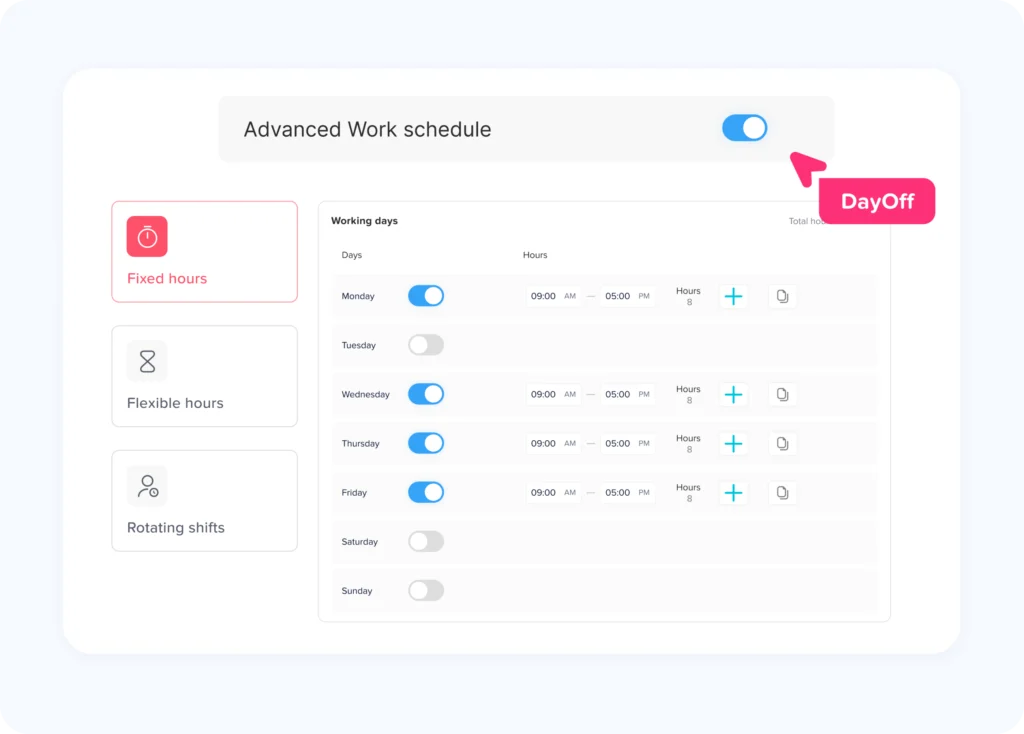
Changing work schedules can affect PTO calculations, especially when PTO is tracked in hours.
Consider an employee moving from five 8-hour days to four 10-hour days.
A full scheduled day of leave could now represent:
10 PTO hours instead of 8
If an approved leave request occurs after the schedule change, HR should check which schedule should apply based on company rules and the effective dates involved.
Do not assume one PTO day always equals eight hours.
For hourly PTO tracking, the employee’s scheduled working time is often a more accurate basis for calculating the amount of work missed.
PTO Adjustments When Employees Move Between Policies
Employees may change PTO policies because of:
- Promotion
- Seniority
- Full time or part time status
- Location transfer
- Department change
- Union status
- Employment classification
- Work schedule
- Company acquisition or reorganization
When this happens, HR should decide separately what happens to:
Existing PTO
Does the employee keep the balance already earned?
Future Accrual
When does the new accrual rate begin?
Carryover
Which policy governs unused time from the previous period?
Accrual Cap
Does a different cap begin immediately?
Approved Future Leave
Does already approved PTO keep its existing deduction, or should it be recalculated using the employee’s new schedule?
Answering these questions before changing the policy prevents unnecessary manual corrections later.
Correcting PTO Balances During Year End Processing
Year end is one of the most important times to audit PTO balances.
Before applying carryover or reset rules, HR should check for:
- Pending PTO requests
- Approved future leave
- Canceled requests
- Missing accruals
- Duplicate accruals
- Employees on the wrong policy
- Negative balances
- Manual adjustments
- Employees who recently changed schedules
- Employees approaching accrual caps
- Incorrect anniversary or reset dates
Correcting errors before carryover is easier than trying to reconstruct them afterward.
For example, if an employee is missing 8 hours before year end and only 40 hours can carry over, that missing accrual could change the amount transferred into the new leave year.
PTO Balance Adjustments During Employee Offboarding
Balances should also be reviewed when an employee leaves the organization.
HR may need to determine:
- Final earned PTO
- PTO already used
- Pending requests
- Approved leave before termination
- Accrual through the final employment date
- Negative balances
- Previous adjustments
- Applicable payout requirements
This is an area where local law matters significantly.
The federal FLSA does not itself require employers to provide vacation pay, but state laws and employer policies may govern how accrued vacation is handled.
For example, California generally treats accrued vacation as earned wages and requires vested vacation to be handled accordingly.
For that reason, HR should avoid making unexplained balance reductions immediately before termination.
Every correction should be supported by the same records that would have justified it while the employee was still actively employed.
How to Handle an Employee PTO Balance Dispute
An employee may sometimes challenge the balance shown in the HR system.
Instead of treating the issue as a disagreement over one number, HR should reconstruct the transaction history.
Start with:
- Opening balance
- Accruals
- Carryover
- PTO taken
- Cancellations
- Expirations where applicable
- Previous adjustments
- Policy changes
- Current balance
Compare the employee’s records with the employer’s system.
Useful evidence can include:
- Leave approval emails
- PTO reports
- Employee pay statements
- HR system records
- Historical spreadsheets
- Work schedules
- Policy documents
- Accrual reports
If HR discovers an error, correct it and document the reason.
If the existing balance is correct, HR should explain the calculation rather than simply telling the employee that “the system is right.”
Why HR Should Avoid Deleting PTO History
A tempting solution to a PTO error is to delete the incorrect transaction and recreate the record.
That can make the final balance appear correct, but it may remove important history.
Where possible, preserve:
- Original leave request
- Approval
- Cancellation
- Original accrual
- Incorrect transaction
- Correction
- Adjustment
- Payroll reconciliation
A clear correction trail is usually more useful than a record that looks as though the mistake never happened.
This is particularly important when PTO data may later be reviewed by HR, payroll, finance, management, auditors, or the employee.
Create a PTO Balance Adjustment Policy
Companies that regularly manage PTO should establish internal rules for manual adjustments.
The policy does not need to be complicated.
It should explain:
Who Can Make Adjustments
Limit access to authorized HR administrators or designated managers.
When Adjustments Are Allowed
Examples might include:
- Accrual correction
- Carryover correction
- Leave deduction correction
- Migration correction
- Approved manual credit
- Policy transition correction
What Documentation Is Required
Require a reason and supporting evidence.
Whether Approval Is Required
Large or negative adjustments may require a second reviewer.
How Employees Are Informed
Define when balance changes should be communicated.
How Long Records Are Retained
Retention should follow the organization’s recordkeeping policies and applicable legal requirements.
How to Reduce Manual PTO Balance Adjustments
The best balance adjustment is often the one HR never needs to make.
Organizations can reduce errors by automating the rules that repeatedly affect balances.
Automate PTO Accruals
Accrual systems should calculate leave according to established frequencies such as:
- Weekly
- Biweekly
- Semimonthly
- Monthly
- Quarterly
- Annual
Automation eliminates many spreadsheet calculations.
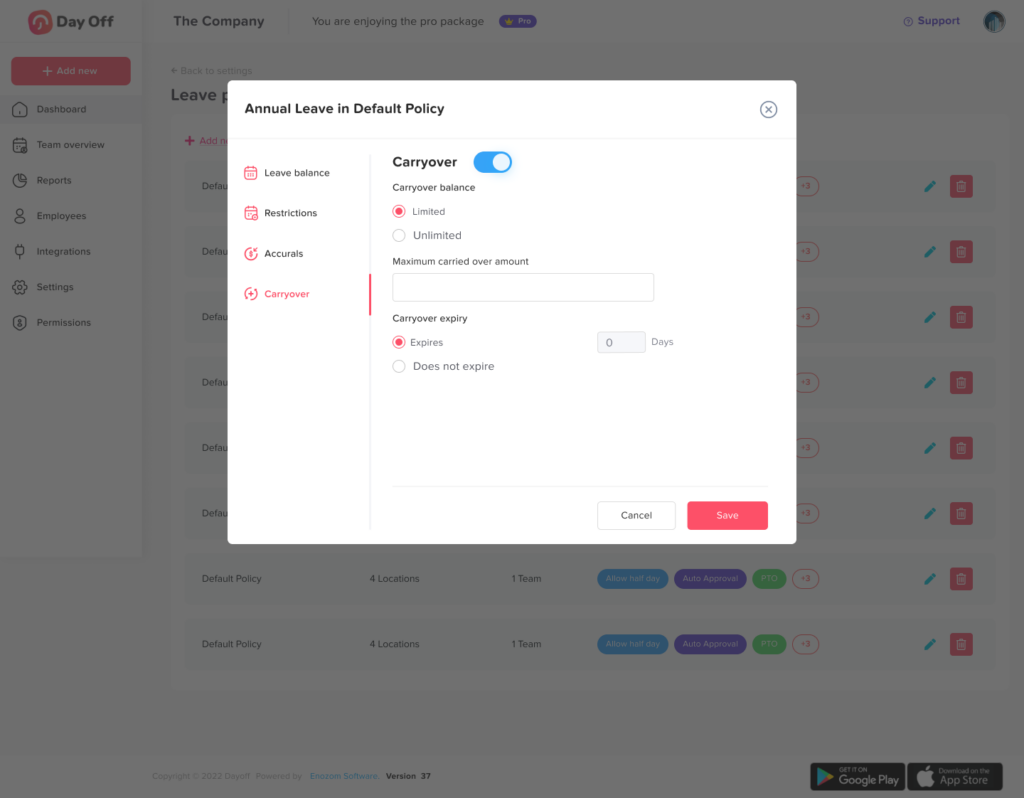
Configure Carryover Rules
Define:
- Whether unused leave carries over
- Maximum carryover
- Expiration rules where permitted
- Accrual caps
- Reset dates
Connect PTO to Employee Policies
Employees should be assigned to the correct leave policy based on the organization’s structure and policy design.
Keep Work Schedules Accurate
This becomes especially important when employees work:
- Part-time schedules
- 4/10 schedules
- 9/80 schedules
- Rotating shifts
- Split shifts
- Flexible schedules
- Variable hours
Review PTO Reports Regularly
Do not wait until December to discover a January accrual error.
Periodic balance reviews can identify unusual patterns early.
Look for:
- Unexpected negative balances
- Balances above policy caps
- Employees receiving no accrual
- Duplicate accruals
- Large manual adjustments
- Unexpected carryover amounts
Using PTO Software for Balance Adjustments
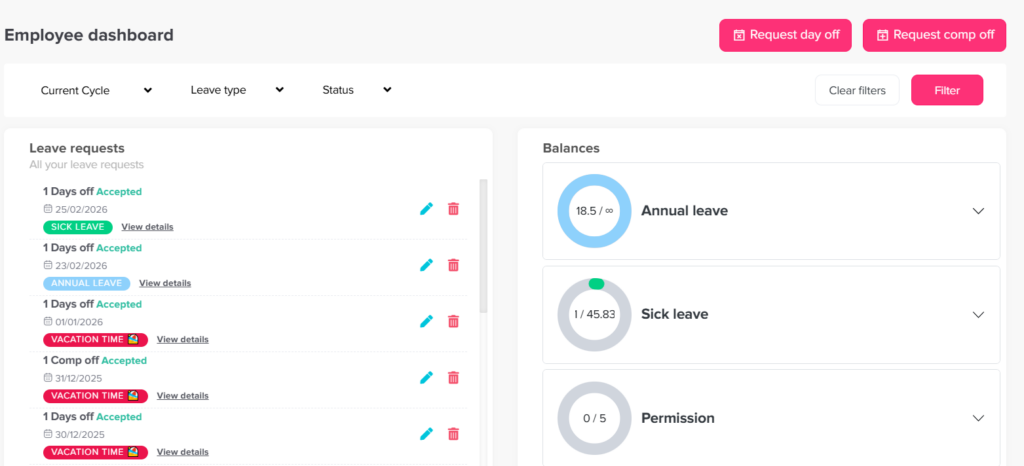
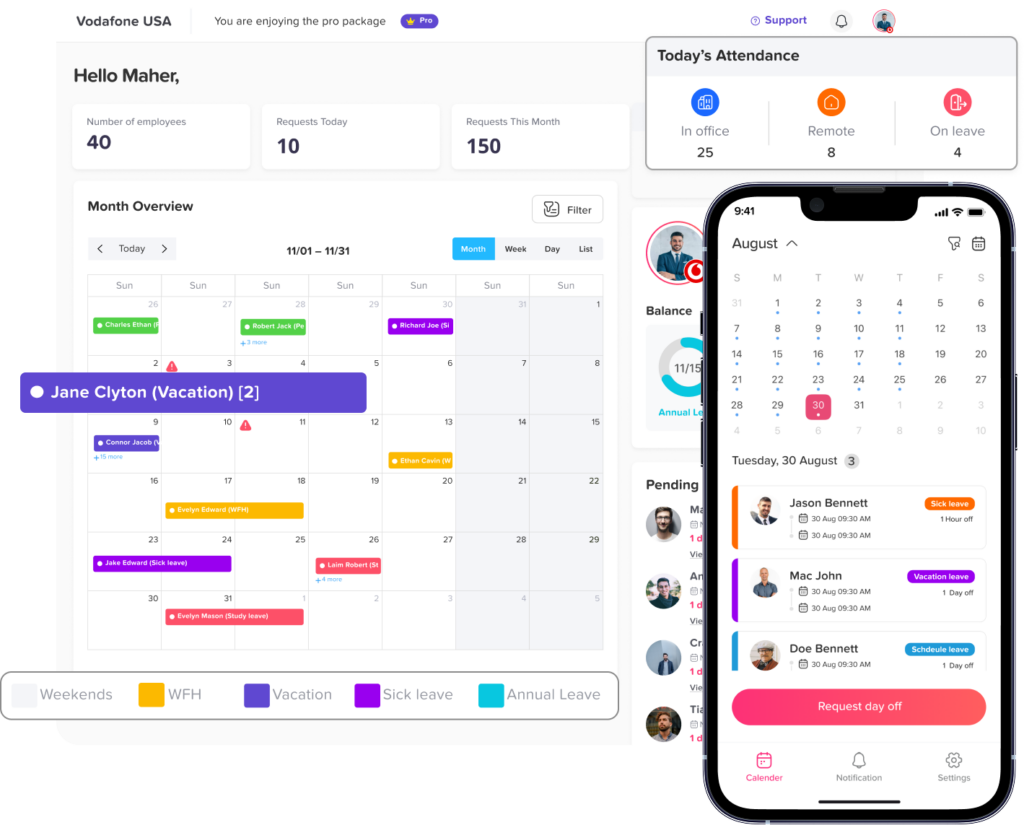
A leave management system can make balance reconciliation significantly easier because HR can compare employee balances with accrual rules, requests, policy assignments, and transaction history in one place.
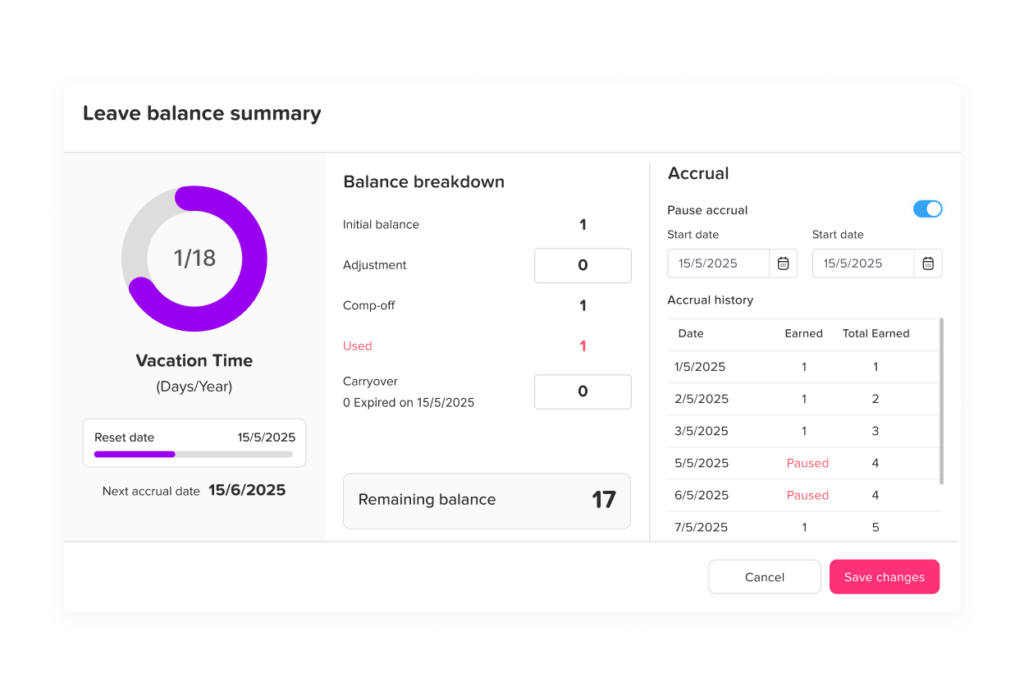
With Day Off, administrators can open an employee profile, go to the Balance section, and add an adjustment to the relevant leave type. The platform also supports customizing an employee’s main balance when required.
Day Off can also be used to manage PTO balances, accruals, leave requests, carryover rules, reset schedules, and employee availability.
For HR teams, the main advantage of using a structured PTO tracker is not simply that the final number is stored digitally. It is that the balance can be connected to the events that created it.
That makes questions such as these much easier to investigate:
- How much did the employee start with?
- How much did they accrue?
- Which leave requests reduced the balance?
- Was carryover applied correctly?
- Were any manual adjustments made?
- Which leave policy applies?
- When does the balance reset?
PTO Balance Adjustment Checklist for HR
Before completing a manual adjustment, verify that you can answer each of these questions:
- Which employee is affected?
- Which leave type is affected?
- What balance does the system currently show?
- What should the correct balance be?
- What caused the difference?
- Which policy applied when the error occurred?
- What effective date should be used?
- Is the adjustment positive or negative?
- Is the employee’s work schedule relevant?
- Does the correction affect payroll?
- Does local law affect the adjustment?
- Is supporting documentation available?
- Has the reason been recorded?
- Does another administrator need to review it?
- Should the employee be informed?
- Has the underlying configuration issue also been corrected?
If HR cannot explain the adjustment clearly, more investigation may be needed before changing the balance.
Frequently Asked Questions
Can HR adjust an employee’s PTO balance?
Yes, employers commonly need to correct PTO balances because of administrative errors, accrual issues, incorrect deductions, carryover problems, migrations, or other legitimate reasons. However, reductions involving already earned leave should be reviewed against the company’s policy and applicable employment laws.
What should I do if my PTO balance is wrong?
Start by comparing the balance with your leave history, accruals, approved PTO, carryover, and previous balance. If there is still a discrepancy, ask HR to provide or review the balance calculation. HR should investigate the transaction history rather than making an unexplained manual change.
Can an employer take PTO back if it was added by mistake?
A genuine clerical or duplicate-credit error may sometimes be correctable, but the employer should first verify the cause and determine whether applicable law permits the adjustment. Rules can vary by jurisdiction, particularly when vacation is treated as earned wages.
How do you calculate a PTO balance adjustment?
Calculate what the employee’s balance should be and compare it with the amount currently recorded.
For example:
Correct balance: 63 hours
Recorded balance: 58 hours
Adjustment:
63 – 58 = +5 hours
HR should document why the additional five hours are owed.
What happens if too much PTO was deducted?
HR should determine how much PTO should actually have been deducted and restore the difference.
If 8 hours were deducted when only 3 hours should have been used:
8 – 3 = 5 hours
The correction would be:
+5 hours
Should PTO balance adjustments be documented?
Yes. Documentation helps HR explain why the balance changed, verify future disputes, reconcile payroll, and maintain consistent administration. At minimum, keep the adjustment amount, date, leave type, reason, and administrator responsible for the change.
Can a PTO balance be negative?
It can be if the employer’s policy allows employees to use PTO before it is earned. A negative balance can also indicate an error such as a missed accrual or duplicate leave deduction. HR should investigate the cause before correcting it.
Should PTO balances be audited?
Regular reviews are useful, particularly before year-end carryover, policy changes, payroll reconciliation, system migrations, and employee termination. Periodic audits can identify errors before they affect several leave periods.
Is PTO balance adjustment the same as PTO carryover?
No. Carryover determines how much unused leave moves from one leave period into another. A balance adjustment is a correction or authorized change to a specific balance. An incorrect carryover calculation may require an adjustment, but the two processes are not the same.
Can HR change a PTO balance without telling the employee?
Whether notification is legally required depends on the circumstances and jurisdiction, but significant reductions should generally be communicated clearly. Employees rely on their displayed PTO balance when planning leave, so unexplained changes can lead to confusion and disputes.
Final Thoughts
PTO Balance Adjustments should be treated as controlled corrections, not casual edits to an employee’s leave record. When a balance is wrong, HR should identify the original error, reconstruct the correct amount, calculate only the required difference, document the reason, and preserve the transaction history.
The most important principle is traceability. Months after a correction is made, HR should still be able to explain exactly why an employee received or lost a specific number of PTO hours.
Strong PTO administration also goes beyond fixing mistakes. Accurate accrual rules, work schedules, carryover settings, policy assignments, reports, and leave records can prevent many balance errors from happening in the first place.
Using a dedicated PTO tracker such as Day Off helps bring these records into one system, giving HR and employees clearer visibility into balances, accruals, requests, policies, and corrections.
Accurate balances lead to better leave decisions, fewer disputes, and a PTO process employees and managers can trust.