





Request Time Off Template
Free Download
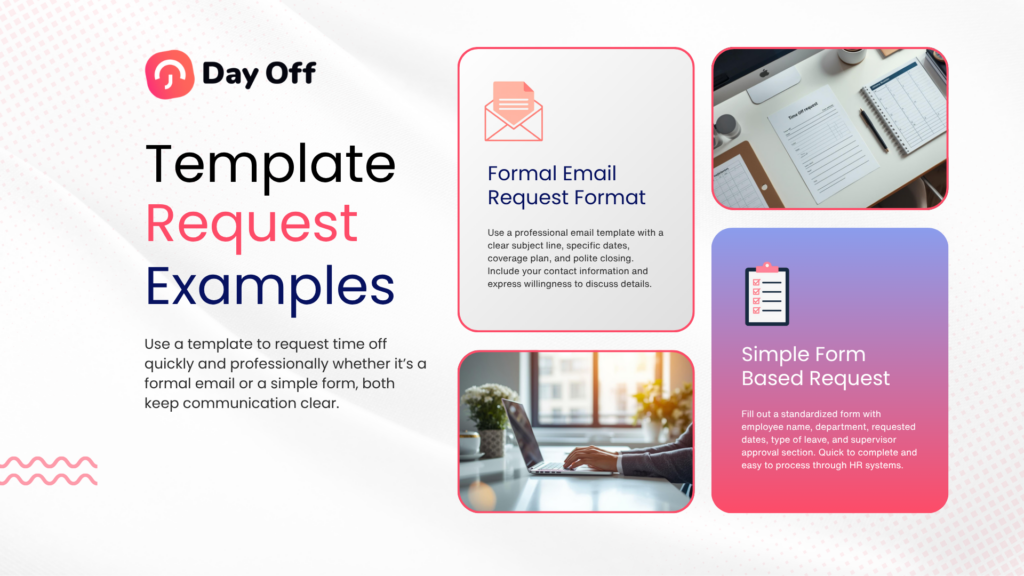
Managing employee leave requests efficiently is essential for any organization. Whether you’re running a small business or managing a large team, having a clear and professional request time off template helps streamline communication, reduce confusion, and ensure proper approval workflows.
Taking time off is your right but how you ask for it shapes the impression you leave. This guide walks you through everything: what to include, how to match your tone, common mistakes to avoid, and ready to use templates for every situation.
Why your request time off template matters?
request time off sounds simple, but the way you do it quietly shapes how you’re perceived at work. A well written request tells your manager you’re organized, considerate of the team, and accountable for your workload. A poorly timed one can create friction, even when the request itself is completely reasonable.
- It signals you’ve planned ahead and thought about team impact
- It makes it easier for your manager to say yes quickly
- It protects your professional reputation over time
- It reduces back and forth and unnecessary follow up questions
What every request time off must include
Regardless of workplace culture or the reason for your leave, every strong time off request covers these core elements:
- Exact dates: state the start and end date, plus the total number of working days. Avoid vague terms like “next week” or “mid July.”
- Type of leave: specify whether it’s PTO, vacation, sick leave, or unpaid leave. This helps HR categorize the absence correctly.
- A brief reason: you’re not obligated to overshare. “A family commitment,” “a planned trip,” or “a medical appointment” is more than enough.
- A coverage plan: briefly describe how your work will be handled. Will a colleague cover urgent items? Will you finish key tasks beforehand? This is the part most people skip and the most important for a smooth approval.
- A polite call to action: close by inviting your manager to flag concerns or ask questions. This keeps the door open for dialogue instead of putting pressure on them to approve outright.
How to match your tone to your workplace
One of the biggest mistakes is using the wrong register too stiff in a relaxed startup, or too casual in a corporate setting. Here’s a quick guide:
Formal
Law firms, banks, large enterprises, government. Use full sentences, proper titles, and structured paragraphs. Phrases like “I am writing to formally request” fit naturally here.
Standard
Most mid size companies and teams. Friendly but professional. “Hi [Name]” works fine. Use contractions and a conversational flow, but still cover all the details.
Casual
Remote first companies, startups, creative agencies. Short and direct is preferred. Over formalizing a request in this setting can actually feel out of place.
How much notice should you give?
There’s no universal rule, but there are widely accepted norms and exceeding them always works in your favor.
- Standard PTO or vacation: 2–4 weeks’ notice is generally considered respectful. The more senior your role, the more notice makes sense.
- Short absences (1 day, half day): A few days’ notice is usually enough, though same day notice is sometimes unavoidable.
- Extended leave (parental, medical, sabbatical): The conversation typically starts weeks or months ahead. Most companies have formal policies for this always check first.
Special situations
Different circumstances call for different approaches. Here’s how to handle the most common ones:
- Medical or personal leave: You’re entitled to privacy. “For a medical procedure” or “for personal health reasons” is completely appropriate. For extended medical leave, you’ll likely need to involve HR and may need documentation.
- Last minute requests: Acknowledge the short notice directly “I know this is short notice, and I apologize for any inconvenience.” Then immediately follow it with your coverage plan. This is even more critical when the team has little time to prepare.
- Extended leave or sabbatical: These are usually discussed in person first, then followed up with a formal written request or HR documentation. A brief email alone isn’t sufficient schedule a meeting first, then follow up in writing.
- Remote workers: The format may vary some companies use portals, others use Slack. Whatever the channel, the content stays the same: dates, reason, and coverage plan.
Common mistakes to avoid
- Announcing instead of asking
“I’ll be out from the 15th to the 22nd” assumes approval. Unless your company has a self approval system, always frame it as a request time off. - Oversharing personal details
You don’t need to explain your full itinerary. A short, general reason is enough oversharing can make your request feel like a negotiation. - Leaving your workload unaddressed
If your request doesn’t mention coverage, your manager has to figure it out before approving. Make it easy for them by addressing it first. - Poor timing
Requesting leave during the company’s busiest period or right before a major deadline requires extra care. Acknowledge the timing and show you’ve thought about the impact. - Following up too aggressively
One polite follow up after a day or two is reasonable. Multiple messages in quick succession can come across as pressuring your manager.
Everything You Need,
Feature
Manual tracking

Automated absence tracking
Requests and balances updated
Manager approval workflow
Built in request and approval process
Team calendar visibility
See who’s away on which days
Absence history & reporting
Exportable records and audit trail
Reduced admin time for HR
Less manual data entry and follow up
Error free calculations
No risk of spreadsheet mistakes
Works without software/tools
Can be run with just email
Why Day Off Is Better Than Manual Templates
Manual templates require constant effort to maintain accuracy. In contrast, Day Off offers:
- Real Time Tracking
Always know who is on leave without checking multiple files. - Automated Calculations
No more errors in leave balances or accruals. - Centralized System
All requests, approvals, and records are stored in one place. - Mobile Accessibility
Available on iOS, Android, and web, so your team can manage leave anytime, anywhere. - Scalable for Any Team Size
Whether you have 5 employees or 500, the system grows with you.
When Should You Switch?
If you’re experiencing any of the following, it’s time to move beyond templates:
- Frequent errors in leave tracking
- Difficulty managing multiple requests
- Lack of visibility across teams
- Too much time spent on administrative tasks
Switching to a dedicated tool like Day Off helps you save time, reduce errors, and improve team coordination.
Frequently asked questions
What should I include in a request time off email?
A strong request time off covers five things:
- Your exact start and end dates, plus the total number of working days
- The type of leave (PTO, vacation, sick leave, unpaid)
- A brief reason: just a general phrase is enough
- Your coverage plan: who will handle urgent tasks in your absence
- A polite closing that invites your manager to flag any concerns
Keep it concise. A well structured 5 line email is more effective than a lengthy one.
Should I use a formal or informal tone in my request time off?
It depends on your workplace culture. A quick rule of thumb:
- Formal: law firms, banks, government, large enterprises. Use “Dear [Name]” and full structured sentences.
- Standard: most offices. “Hi [Name]” with a professional but friendly tone works well.
- Casual: startups, remote teams, creative agencies. Short and direct is preferred over formalizing can feel out of place.
Mirror how your manager communicates. If they send short friendly emails, write one. If they write structured memos, match that style.
Is it better to ask in person or by email?
For standard PTO or short absences, email is usually sufficient and creates a written record which is helpful for both you and HR. For extended or sensitive leave (parental leave, medical leave, sabbatical), it’s better to have a conversation first, then follow up in writing to confirm what was agreed.
Always follow your company’s official process, whether that’s an HR portal, an email to your manager, or a Slack message.
What if I need to request time off last minute?
Life happens. When you must request time off with short notice, two things matter most:
- Acknowledge the short notice directly and briefly apologize for any inconvenience
- Lead with your coverage plan: this is even more critical when the team has little time to prepare
Something like: “I know this is short notice, and I apologize. I’ve already briefed [Colleague] on open items and everything is in hand.” This shows responsibility even in an unplanned situation.
How do remote workers handle request time off ?
The format varies by company some use dedicated HR or leave management tools, others use Slack, email, or a simple calendar event. Whatever the channel, the content of a good request stays the same: your dates, a brief reason, and your coverage plan.
For remote teams, updating a shared team calendar is especially important since there are no visual cues like an empty desk to signal your absence. Setting a clear out of office message is also more critical in async first environments.
