

Communication software is a critical component of modern businesses. As companies adapt to remote work, global teams, and digital-first operations, having the right communication tools is crucial for efficiency and collaboration. In 2026, tools like Day Off make it easy to manage employee time off and integrate with other communication platforms, ensuring smooth workflow and collaboration. Below are the top 10 communication software solutions for 2026 that stand out due to their advanced features, reliability, and adaptability to different business needs.

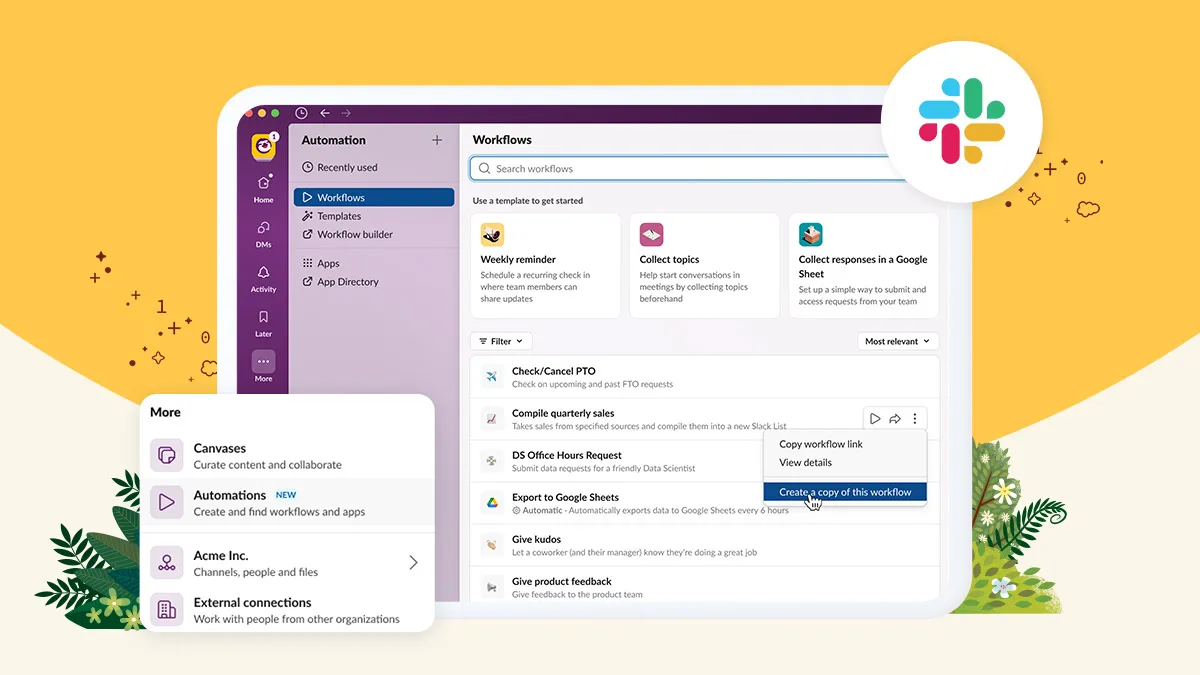
Slack

SlackProductivity

Key Features

  • Channels: Organize conversations by topics, projects, or departments using channels, making communication more structured.
  • Direct Messaging: Private and group messaging for quick, focused conversations.
  • Integration with Tools: Integrates with over 2,400 apps including Google Workspace, Microsoft Teams, Trello, GitHub, and more, centralizing workflow.
  • Searchable History: Access and search entire conversation histories with keywords and filters.
  • Video and Voice Calls: Built-in video and voice calling for quick meetings and catch-ups.
  • File Sharing: Upload and share documents, images, and files directly in channels or messages.
  • Slack Connect: Collaborate with external partners and vendors securely using shared channels.
  • Workflow Automation: Automate repetitive tasks with simple workflows using Slack’s Workflow Builder.
  • Notifications Management: Customize notifications to reduce noise and maintain focus.
  • Pinned Items and Bookmarks: Save important messages, files, and links for quick reference.

Mobile App

Automation

Integrations

$7.25 to $15 per user/Month • Trial: Yes • Free Plan: Yes.​

View pros and cons

Pros

tick circle 1 Top 10 Communication SoftwareUser-Friendly Interface: Easy to navigate and understand, with a visually appealing design.

tick circle 1 Top 10 Communication SoftwareHighly Customizable: Customizable notifications, themes, and workflows to match user preferences and needs.

tick circle 1 Top 10 Communication SoftwareExtensive Integrations: A vast library of third-party app integrations to streamline workflows.

tick circle 1 Top 10 Communication SoftwareScalability: Suitable for small teams to large enterprises, with features scaling according to team size.

tick circle 1 Top 10 Communication SoftwareEffective Collaboration: Channels, direct messaging, and integrations make team collaboration seamless.

tick circle 1 Top 10 Communication SoftwareStrong Search Capabilities: Quickly find past conversations, files, or links with advanced search options.

tick circle 1 Top 10 Communication SoftwareAvailability Across Platforms: Accessible on web, desktop, and mobile devices, ensuring communication continuity.

Cons

close circle Top 10 Communication SoftwareCostly for Larger Teams: The subscription cost can be high for larger teams, especially if using premium features.

close circle Top 10 Communication SoftwareInformation Overload: Channels can become cluttered, making it hard to stay on top of relevant information.

close circle Top 10 Communication SoftwareLearning Curve for New Users: New users might find it challenging to navigate all features and integrations.

close circle Top 10 Communication SoftwareLimited Video Call Features: Slack’s native video calling features lack advanced functionalities compared to specialized platforms.

close circle Top 10 Communication SoftwareMessage Limit on Free Plan: The free version limits access to message history (up to 90 days), which can be a drawback for teams needing long-term archives.

close circle Top 10 Communication SoftwareDependence on Internet: No offline mode means connectivity issues can disrupt workflow.
Microsoft Teams

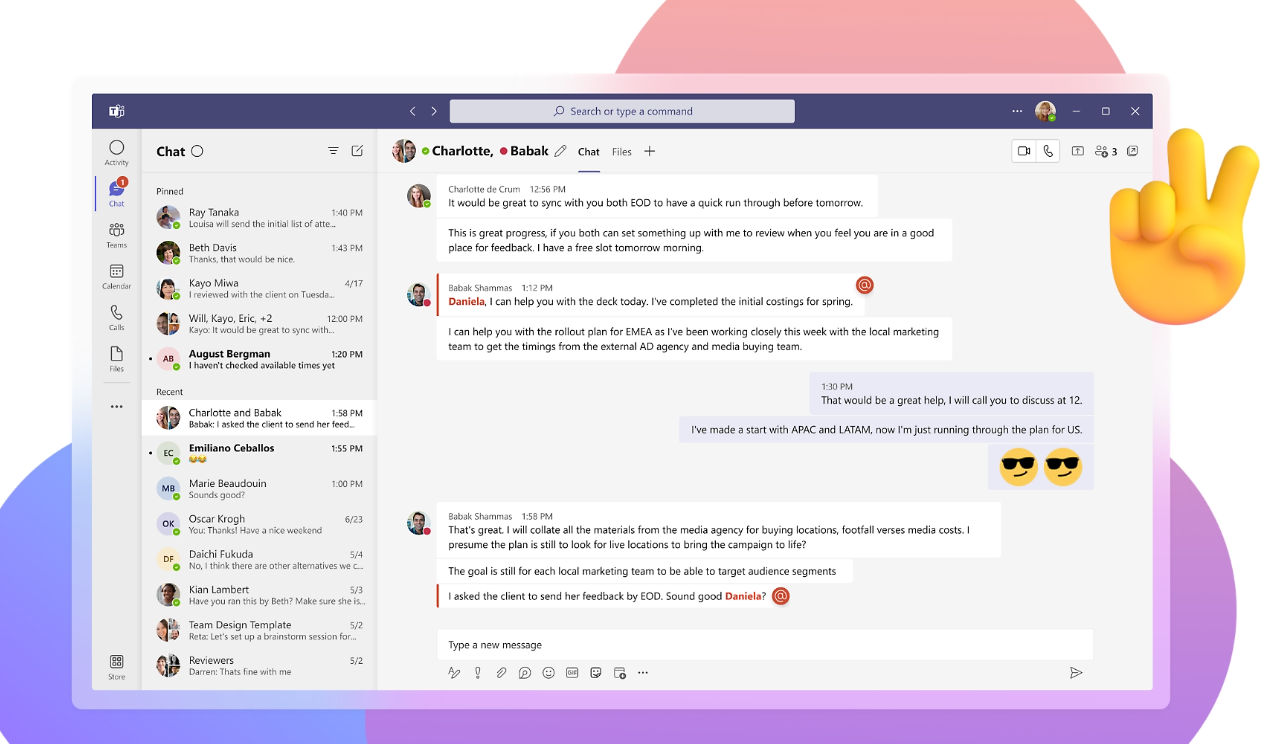
Microsoft Teams

Key Features

  • Integrated with Microsoft 365: Seamless integration with Microsoft 365 apps like Outlook, SharePoint, OneDrive, Word, Excel, and PowerPoint.
  • Channels and Teams: Create dedicated teams and channels for projects, departments, or groups for organized communication.
  • Chat Functionality: Direct messages and group chats with text, emojis, GIFs, and rich text formatting.
  • Video and Voice Calls: High-quality video and audio conferencing with screen sharing, meeting recording, and custom backgrounds.
  • File Collaboration: Share, edit, and collaborate on documents in real-time within the app using OneDrive or SharePoint.
  • App Integrations: Access to third-party app integrations, including Trello, Asana, Salesforce, and GitHub.
  • Calendar and Scheduling: Integrated calendar for scheduling and managing meetings directly from the app, with easy access to Outlook calendar.
  • Advanced Security: Enterprise-level security features including data encryption, multi-factor authentication, and compliance with industry standards.
  • Customizable Workflows: Automate repetitive tasks with Microsoft Power Automate integration, using templates and bots for workflow automation.
  • Together Mode and Live Events: Innovative video call features like Together Mode, which places participants in a shared background, and Live Events for webinars and large-scale virtual events.

Mobile App

Workflow

Integrations

$6 to $36 per user/month • Trial: Yes • Free Plan: Yes.​

View pros and cons

Pros

tick circle 1 Top 10 Communication SoftwareDeep Integration with Microsoft 365: Excellent compatibility with Microsoft 365 apps, making it ideal for organizations already using the ecosystem.

tick circle 1 Top 10 Communication SoftwareRobust Security: Advanced security and compliance features suitable for enterprises.

tick circle 1 Top 10 Communication SoftwareEffective Collaboration Tools: Real-time file collaboration and editing within the app streamline workflow.

tick circle 1 Top 10 Communication SoftwareComprehensive Video Conferencing: Includes meeting scheduling, screen sharing, recording, and background customization.

tick circle 1 Top 10 Communication SoftwareHighly Customizable: Adaptable for various use cases with app integrations, bots, and workflows.

tick circle 1 Top 10 Communication SoftwareEnterprise-Grade Features: Scalable for large organizations with features like compliance recording, audit logs, and eDiscovery.

tick circle 1 Top 10 Communication SoftwareCloud Storage: Generous cloud storage through OneDrive and SharePoint for file sharing and backup.

tick circle 1 Top 10 Communication SoftwareAccessible Across Platforms: Available on web, desktop, and mobile devices for seamless communication.

Cons

close circle Top 10 Communication SoftwareComplex Interface: The interface can be overwhelming for new users due to many features and customization options.

close circle Top 10 Communication SoftwareHeavy Resource Usage: Known for being resource-intensive, which can slow down older systems.

close circle Top 10 Communication SoftwareNotification Overload: The volume of notifications from channels and chats can be distracting without proper customization.

close circle Top 10 Communication SoftwareLimited Free Plan: The free version has limited features compared to the paid plans, such as reduced storage, missing advanced security, and smaller participant limits in meetings.

close circle Top 10 Communication SoftwareDependency on Microsoft 365: Best suited for those already using Microsoft 365; users outside of this ecosystem might face integration challenges.

close circle Top 10 Communication SoftwareVideo Quality Issues: Inconsistent video quality reported during high-capacity calls or with poor internet connections.

close circle Top 10 Communication SoftwareCustomization Limitations: While flexible, customization options for channels and interface design are more restricted compared to competitors like Slack.

Zoom

Zoom

Key Features

  • Video and Audio Conferencing: High-quality video and audio calls with options for HD video, background noise reduction, and active speaker view.
  • Screen Sharing: Share screens, documents, or specific applications during meetings, with options to allow multiple participants to share simultaneously.
  • Meeting Recording: Record meetings locally or to the cloud for later review, with transcription options in premium plans.
  • Virtual Backgrounds and Filters: Customize video backgrounds or use virtual backgrounds to enhance visual presentation.
  • Breakout Rooms: Split larger meetings into smaller groups for focused discussions and collaboration.
  • Webinars and Events: Host webinars with registration, Q&A, polling, and attendee engagement tools for large-scale events.
  • Chat and Messaging: Integrated team chat for messaging, file sharing, and communication before, during, and after meetings.
  • Integration with Apps: Works with a wide range of third-party apps like Slack, Google Workspace, Microsoft Teams, Asana, and more.
  • Scheduling and Calendar Integration: Easy meeting scheduling with integration to Google Calendar, Outlook, and other calendar tools.
  • Security Features: End-to-end encryption, waiting rooms, passcode protection, and user authentication for secure meetings.

Mobile App

Workflow

$15 to $25 per user/month • Trial: Yes • Free Plan: Yes.​

View pros and cons

Pros

tick circle 1 Top 10 Communication SoftwareUser-Friendly Interface: Intuitive and easy to navigate, making it accessible for users of all skill levels.

tick circle 1 Top 10 Communication SoftwareHigh Video Quality: Offers HD video and audio for professional presentations and meetings.

tick circle 1 Top 10 Communication SoftwareVersatile Meeting Options: Supports a range of meeting sizes, from one-on-one calls to large webinars with thousands of participants.

tick circle 1 Top 10 Communication SoftwareScalable for All Needs: Suitable for small businesses, educators, and large enterprises with different plans tailored to various needs.

tick circle 1 Top 10 Communication SoftwareFrequent Updates: Constantly improving with regular updates and new features based on user feedback.

tick circle 1 Top 10 Communication SoftwareCross-Platform Compatibility: Available on web, desktop, and mobile devices, ensuring flexibility in how users connect.

tick circle 1 Top 10 Communication SoftwareExtensive App Integrations: Seamlessly integrates with productivity and collaboration tools, enhancing workflow.

Cons

close circle Top 10 Communication SoftwareSecurity Concerns: Despite improvements, Zoom faced criticism for security issues like “Zoombombing” in the past, which affected its reputation.

close circle Top 10 Communication SoftwareBandwidth Usage: Video calls can be data-intensive, requiring a stable and fast internet connection for optimal performance.

close circle Top 10 Communication SoftwareFree Plan Limitations: The free plan limits group meetings to 40 minutes, which can be restrictive for longer discussions.

close circle Top 10 Communication SoftwareHeavy Resource Usage: Known for using a significant amount of system resources during video calls, which might affect performance on older devices.

close circle Top 10 Communication SoftwareFeature Overload: Advanced features can be overwhelming for new users who may only need basic functionality.

close circle Top 10 Communication SoftwareCostly Add-ons: Some advanced features, like large meeting support or cloud storage, require additional add-on purchases, increasing the cost.
Google Workspace (Google Meet & Chat)

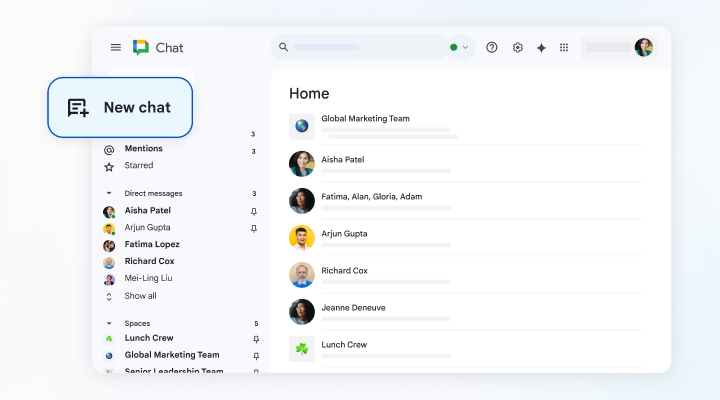
Google Workspace

Key Features

  • Video and Audio Conferencing (Google Meet): High-quality video and audio conferencing with options for HD video, noise cancellation, and auto-light adjustment.
  • Integrated with Google Workspace Apps: Seamless integration with Gmail, Google Calendar, Google Drive, Docs, Sheets, Slides, and more.
  • Real-Time Collaboration: Collaborate on documents, spreadsheets, and presentations in real-time during meetings or chats.
  • Google Chat (Messaging): Secure and organized chat for one-on-one and group messaging, with dedicated spaces for team collaboration.
  • Screen Sharing: Share screens during meetings to present documents, slides, or applications.
  • Meeting Recording: Record meetings directly to Google Drive (available in select paid plans).
  • Live Captions and Translations: Real-time captions during Google Meet calls, with translation options for select languages.
  • Calendar Integration: Schedule and manage meetings easily with Google Calendar integration, including RSVP, reminders, and links to Google Meet.
  • Security and Privacy: Advanced security features like data encryption, multi-factor authentication, compliance with GDPR, HIPAA, and more.
  • Cloud Storage: Generous cloud storage options with Google Drive, allowing for easy file sharing and access.

Integrations

Automation

$6 to $18 per user/month • Trial: Yes • Free Plan: Yes.

View pros and cons

Pros

tick circle 1 Top 10 Communication SoftwareEase of Use: Simple, intuitive interface with minimal learning curve, especially for users familiar with Google products.

tick circle 1 Top 10 Communication SoftwareDeep Integration with Google Ecosystem: Perfect for teams already using Google apps, offering seamless workflow and collaboration.

tick circle 1 Top 10 Communication SoftwareHigh-Quality Video Calls: Reliable video and audio quality with features like noise cancellation and background blur.

tick circle 1 Top 10 Communication SoftwareCross-Platform Accessibility: Available on web, desktop, and mobile devices, ensuring communication and collaboration on the go.

tick circle 1 Top 10 Communication SoftwareCost-Effective for Small Teams: Affordable pricing tiers with essential tools included, making it suitable for small to medium-sized businesses.

tick circle 1 Top 10 Communication SoftwareStrong Security: Enterprise-grade security features and compliance standards, making it reliable for business use.

tick circle 1 Top 10 Communication SoftwareReal-Time Collaboration: Excellent real-time editing and collaboration capabilities within Google Docs, Sheets, and Slides.

tick circle 1 Top 10 Communication SoftwareScalable for Growing Businesses: Flexible plans with features that scale as your business grows, making it adaptable to various needs.

Cons

close circle Top 10 Communication SoftwareLimited Features in Free Version: Free version lacks advanced features like recording, noise suppression, and participant management tools.

close circle Top 10 Communication SoftwareVideo Call Limitations: Maximum of 60 minutes for group meetings in the free version, which can be restrictive.

close circle Top 10 Communication SoftwareStorage Limits in Lower Plans: Basic plans have limited storage, which might not be sufficient for larger teams.

close circle Top 10 Communication SoftwareLimited Customization: Less customization for branding meetings and workspaces compared to competitors like Microsoft Teams or Zoom.

close circle Top 10 Communication SoftwareLearning Curve for New Users: New users might find it challenging to navigate all features and integrations if unfamiliar with Google Workspace.

close circle Top 10 Communication SoftwareDependent on Internet: Fully cloud-based, which means a stable internet connection is necessary for optimal performance.

close circle Top 10 Communication SoftwareBasic Features for Large Enterprises: While suitable for many small and medium businesses, some large enterprises may find the feature set too basic without third-party integrations.
Discord

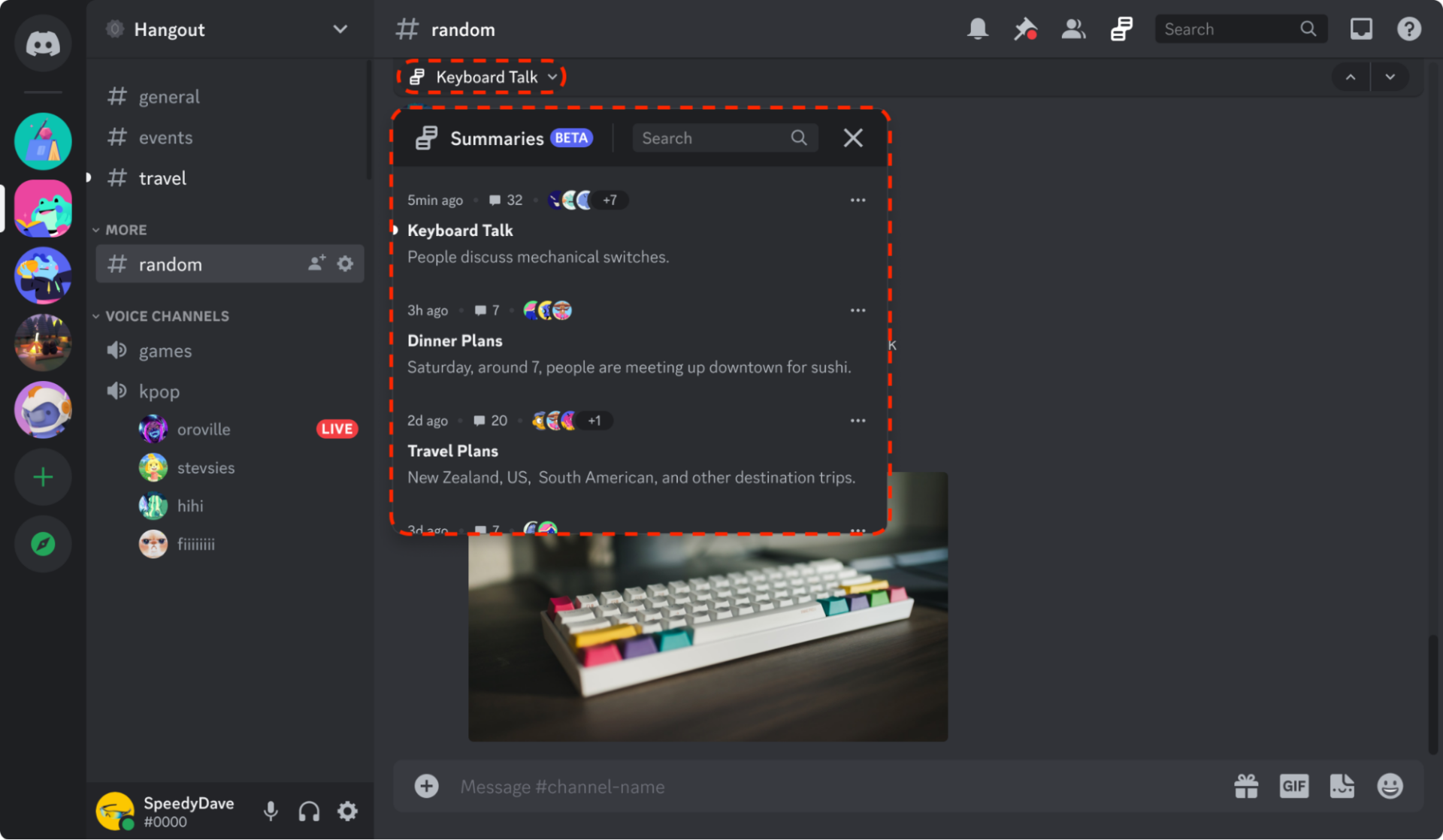
Discord

Key Features

  • Voice, Video, and Text Communication: Provides robust voice channels, video calling, and text chat, with options for screen sharing and video streaming.
  • Servers and Channels: Create and organize content in servers, with channels for specific topics, roles, or activities.
  • Roles and Permissions: Assign roles to members with specific permissions, allowing for easy management of access and content moderation.
  • Integration with Bots: Add custom or pre-made bots for moderation, automation, music, games, and more, enhancing server functionality.
  • Rich Text Formatting: Supports emojis, GIFs, images, and other multimedia to create engaging conversations.
  • Customizable Notifications: Advanced notification settings for individual channels and servers, allowing users to control what alerts they receive.
  • Screen Sharing and Go Live: Share your screen with a group or use the Go Live feature to stream to a larger audience.
  • Stage Channels: Host audio-only events or discussions with a designated stage moderator, similar to a live podcast or webinar.
  • Integration with Third-Party Apps: Connect to apps like Spotify, YouTube, and Twitch for enhanced multimedia sharing.
  • Custom Themes and Personalization: Option to change themes, server appearance, and use animated emojis or custom stickers (Nitro feature).

Mobile App

Integrations

$3 to $10 per month • Trial: Yes• Free Plan: Yes.​

View pros and cons

Pros

tick circle 1 Top 10 Communication SoftwareUser-Friendly Interface: Easy to navigate and set up, with a clean and intuitive design that appeals to both casual and professional users.

tick circle 1 Top 10 Communication SoftwareHigh-Quality Voice Chat: Reliable voice communication with low latency, making it ideal for gaming, casual chat, or professional meetings.

tick circle 1 Top 10 Communication SoftwareFree and Feature-Rich: Offers many robust features for free, including unlimited messages, voice chat, video calls, and file sharing.

tick circle 1 Top 10 Communication SoftwareCommunity Building: Excellent for building online communities with the ability to create public or private servers and channels.

tick circle 1 Top 10 Communication SoftwareCustomizability: Highly customizable with roles, permissions, bots, and integrations, allowing for unique server setups.

tick circle 1 Top 10 Communication SoftwareCross-Platform Support: Available on web, desktop, and mobile devices, providing flexibility in communication.

tick circle 1 Top 10 Communication SoftwareActive Developer Community: Large community of developers creating custom bots and integrations, adding endless functionality to servers.

Cons

close circle Top 10 Communication SoftwareResource-Intensive: Can be demanding on system resources, especially during video calls or screen sharing, affecting older devices.

close circle Top 10 Communication SoftwarePrivacy Concerns: Some privacy concerns around data collection and moderation transparency, especially in public servers.

close circle Top 10 Communication SoftwareComplex for New Users: May have a steep learning curve for new users, especially with roles, permissions, and bot management.

close circle Top 10 Communication SoftwareLacks Enterprise Features: Not as suited for enterprise communication, lacking advanced tools like workflow automation or deep integrations found in platforms like Slack or Microsoft Teams.

close circle Top 10 Communication SoftwareFree Plan Limitations: Free version has some limitations, such as file upload size (8 MB) and lower video streaming quality compared to the paid Nitro plan.

close circle Top 10 Communication SoftwareServer Overload: Large servers can become chaotic without good moderation, making it hard to manage content and conversations.

close circle Top 10 Communication SoftwareAds and Promotions for Nitro: Frequent promotion of Discord Nitro features, which may be annoying for some users who prefer a fully free experience.
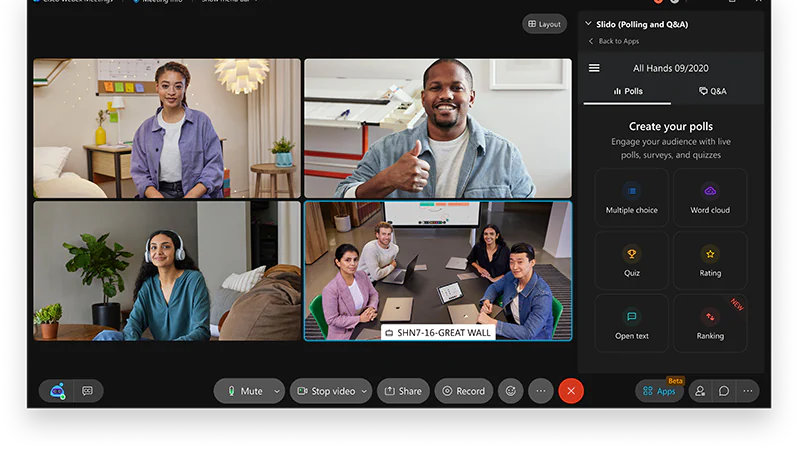
Cisco Webex

Cisco Webex

Key Features

  • High-Quality Video and Audio Conferencing: Offers HD video and audio conferencing with options for grid view, active speaker view, and noise reduction.
  • Screen Sharing and Annotation: Share your screen during meetings with advanced options to annotate and highlight information in real-time.
  • Meeting Recording: Record meetings to the cloud or locally for easy access and review, with automatic transcription options.
  • Breakout Sessions: Create smaller, focused breakout sessions within larger meetings for group discussions and collaboration.
  • Webex Messaging: Integrated messaging platform for persistent chat, file sharing, and communication before, during, and after meetings.
  • Whiteboarding: Digital whiteboard tools for real-time collaboration, with the ability to save and share whiteboard content.
  • Integrations with Productivity Tools: Integrates with Microsoft 365, Google Workspace, Salesforce, Slack, and more to streamline workflows.
  • Security Features: End-to-end encryption, password-protected meetings, and compliance with standards like GDPR and HIPAA.
  • Webex Assistant: AI-powered virtual assistant that provides automated meeting notes, action item summaries, and voice commands.
  • Device Compatibility: Compatible with a wide range of hardware devices, including Webex Room Kits, Desk Pros, and third-party video conferencing systems.

Mobile App

Integrations

$13.50 to $26.95 per user/month • Trial: Yes • Free Plan: Yes.​

View pros and cons

Pros

tick circle 1 Top 10 Communication SoftwareHigh Security: Strong security and compliance features make it ideal for enterprises and industries with strict data protection requirements.

tick circle 1 Top 10 Communication SoftwareRobust Meeting Tools: Offers a comprehensive set of tools for effective meetings, including whiteboarding, breakout rooms, and annotation.

tick circle 1 Top 10 Communication SoftwareAI-Powered Features: Webex Assistant provides AI capabilities like voice commands, meeting notes, and transcriptions, enhancing productivity.

tick circle 1 Top 10 Communication SoftwareScalable for Enterprises: Suitable for small teams to large enterprises, with customizable options and dedicated devices for conference rooms.

tick circle 1 Top 10 Communication SoftwareConsistent Quality: Reliable video and audio quality, even during high-capacity meetings or with low-bandwidth connections.

tick circle 1 Top 10 Communication SoftwareCross-Platform Compatibility: Available on web, desktop, and mobile platforms, providing flexibility for different use cases.

tick circle 1 Top 10 Communication SoftwareAdvanced Device Integration: Works well with Cisco’s hardware devices for seamless video conferencing and room solutions.

tick circle 1 Top 10 Communication SoftwareEasy Scheduling: Built-in calendar integrations with tools like Microsoft Outlook and Google Calendar make scheduling and managing meetings straightforward.

Cons

close circle Top 10 Communication SoftwareComplex Interface: Some users may find the interface complex and not as intuitive as other competitors, especially for first-time users.

close circle Top 10 Communication SoftwareResource-Intensive: High resource consumption, particularly during video calls or when using advanced features like whiteboarding or screen sharing.

close circle Top 10 Communication SoftwareFree Plan Limitations: The free plan has restrictions on meeting duration and participant capacity, limiting it for larger or longer meetings.

close circle Top 10 Communication SoftwareExpensive for Premium Features: Advanced features and higher participant limits require premium plans, which can be costly for small businesses.

close circle Top 10 Communication SoftwareOccasional Connectivity Issues: Some users have reported occasional lag or connectivity problems during video calls.

close circle Top 10 Communication SoftwareLess Integration Flexibility: While it supports many integrations, some competitors offer more seamless integration with third-party applications.

close circle Top 10 Communication SoftwareLimited Customization: Customization options for user profiles, meeting layouts, and interface personalization are limited compared to other platforms.
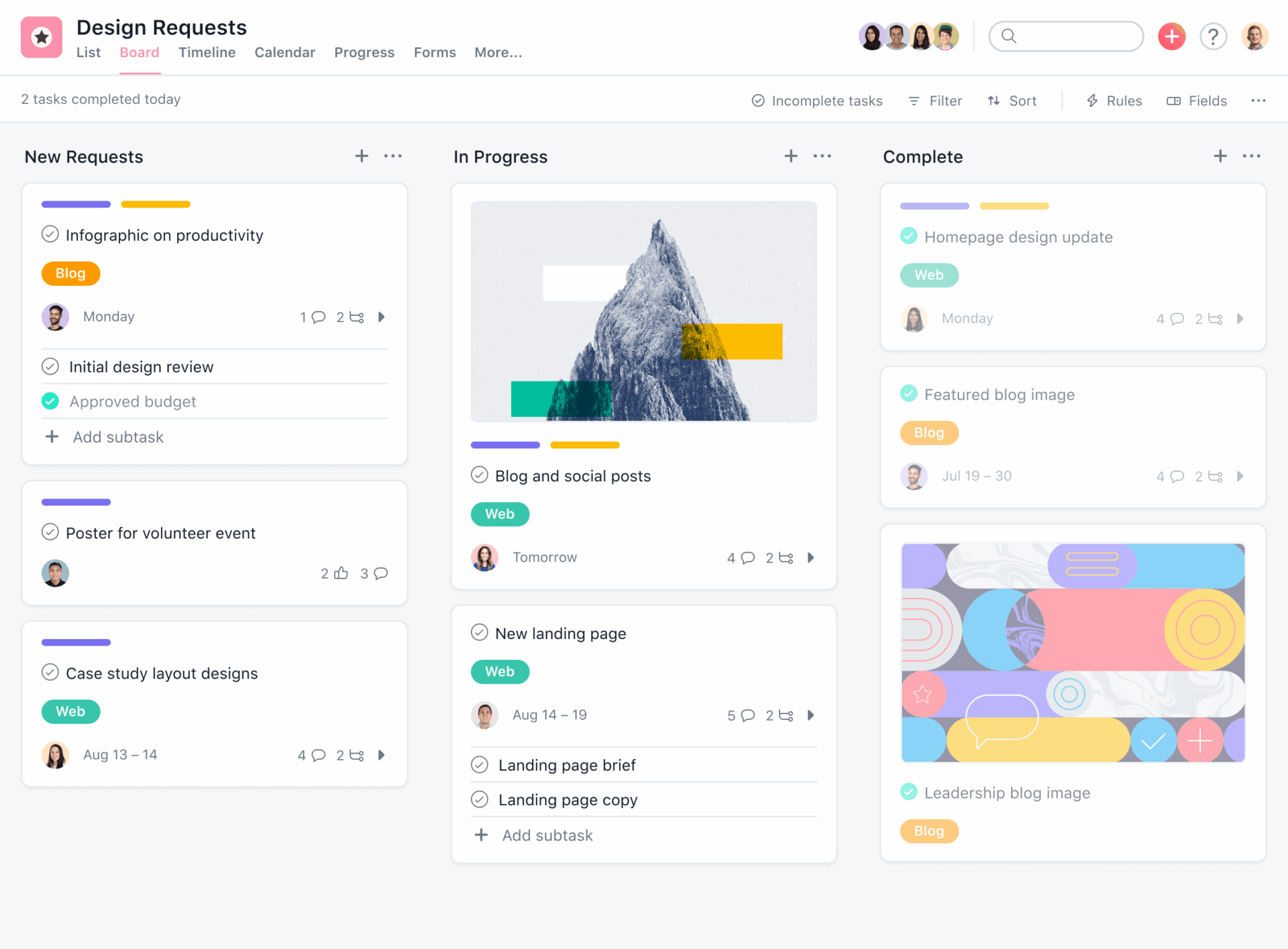
Asana

Asana

Key Features

  • Task and Project Management: Create, assign, and track tasks with due dates, descriptions, and priority levels within projects.
  • Project Views: Multiple project views available, including List, Board (Kanban), Calendar, Timeline (Gantt chart), and Dashboard views.
  • Custom Workflows: Automate processes with customizable workflows, including task dependencies, rules, and templates for common projects.
  • Integrations: Seamlessly integrates with over 200 apps such as Slack, Google Workspace, Microsoft Teams, Zoom, GitHub, and more.
  • Subtasks and Sections: Break down tasks into smaller subtasks, organize with sections, and track progress within projects.
  • Project Timeline: Visual timeline (Gantt chart) to plan, track dependencies, and adjust project schedules easily.
  • Custom Fields: Add custom fields to tasks to track additional data specific to your project needs.
  • Collaboration Tools: Built-in comments, file attachments, and @mentions for clear communication and collaboration within tasks.
  • Goal Setting and Tracking: Set and track company goals, objectives, and key results (OKRs) within Asana’s Goals feature.
  • Reporting and Analytics: Real-time reporting with customizable dashboards to monitor project status, workload, and team productivity.

Integrations

Workflow

$13.49 to $30.49 per user/month • Trial: Yes • Free Plan: Yes.​

View pros and cons

Pros

tick circle 1 Top 10 Communication SoftwareUser-Friendly Interface: Clean and intuitive design, making it easy for new users to navigate and manage projects.

tick circle 1 Top 10 Communication SoftwareFlexible Project Views: Various project views (List, Board, Calendar, etc.) cater to different project management styles.

tick circle 1 Top 10 Communication SoftwareHighly Customizable: Extensive customization options, including workflows, templates, and custom fields.

tick circle 1 Top 10 Communication SoftwareRobust Integrations: Seamless integration with popular third-party apps to enhance productivity and streamline workflows.

tick circle 1 Top 10 Communication SoftwareTask Automation: Automate repetitive tasks using rules, reducing manual work and minimizing errors.

tick circle 1 Top 10 Communication SoftwareExcellent Collaboration Tools: Task-based communication, comments, and file attachments make collaboration straightforward.

tick circle 1 Top 10 Communication SoftwareScalable: Suitable for small teams to large enterprises with scalable features and advanced security options.

tick circle 1 Top 10 Communication SoftwareReal-Time Reporting: Comprehensive reporting tools provide insights into project progress, workloads, and deadlines.

Cons

close circle Top 10 Communication SoftwareLimited Features in Free Version: Some advanced features like Timeline, Workflow Builder, and Goals are only available in paid plans.

close circle Top 10 Communication SoftwareSteep Learning Curve for Advanced Features: Complex projects with advanced features may have a steeper learning curve, requiring training.

close circle Top 10 Communication SoftwareCan Be Overwhelming for Small Teams: May feel overwhelming for smaller teams due to the range of features and customization options.

close circle Top 10 Communication SoftwarePricing: Paid plans can be expensive, especially for small businesses needing access to premium features.

close circle Top 10 Communication SoftwareNotifications Overload: Users may experience notification overload if not managed properly, leading to distraction.

close circle Top 10 Communication SoftwareNo Native Time Tracking: Lacks built-in time tracking, requiring third-party integrations for time management.

close circle Top 10 Communication SoftwareLimited Offline Functionality: Offline capabilities are limited, potentially impacting teams that need to work without constant internet access.
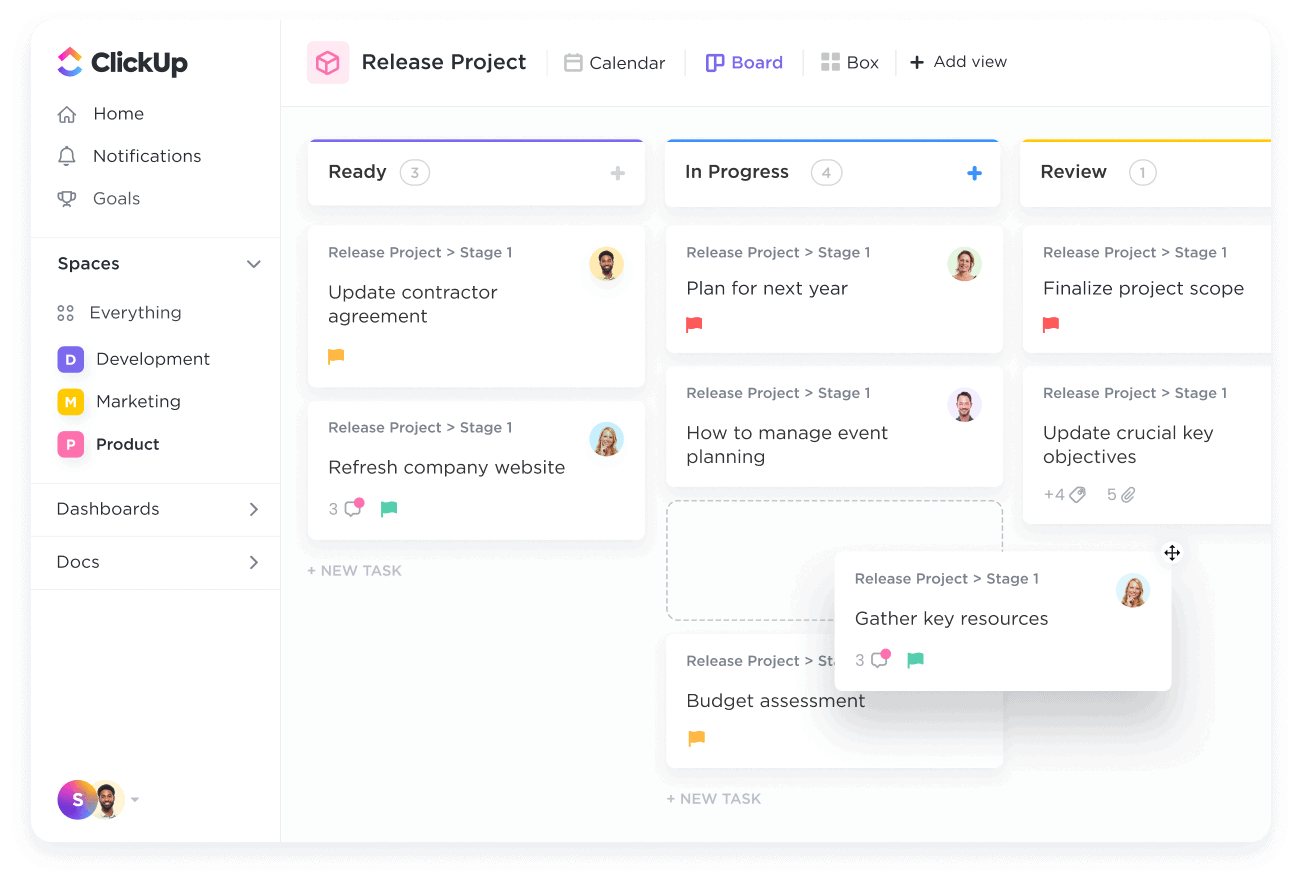
ClickUp

ClickUp

Key Features

  • Task and Project Management: Create and manage tasks, subtasks, checklists, and projects with due dates, priority levels, and assignees.
  • Multiple Views: Access a variety of views, including List, Board (Kanban), Calendar, Timeline (Gantt chart), Mind Map, and Table views to suit different project management styles.
  • Custom Statuses and Workflows: Customize task statuses to match your workflow, and create custom workflows with automation.
  • Time Tracking: Built-in time tracking for monitoring how much time is spent on tasks, with the ability to generate time reports.
  • Goals and Milestones: Set, track, and manage goals and milestones to align project progress with company objectives.
  • Automations: Automate repetitive tasks using ClickUp’s automation rules to streamline workflows and reduce manual work.
  • Custom Fields: Add custom fields to tasks for tracking specific data relevant to your project or team needs.
  • Docs and Wikis: Create, share, and collaborate on documents, wikis, and knowledge bases within ClickUp.
  • Integrations: Integrates with over 1,000 third-party apps, including Slack, Google Workspace, Microsoft Teams, Zoom, Trello, and more.
  • Reporting and Dashboards: Use advanced reporting tools and customizable dashboards to monitor project performance and team productivity.

Automation

Workflow

Integrations

$10 to $29 per user/month • Trial: Yes • Free Plan: Yes.​

View pros and cons

Pros

tick circle 1 Top 10 Communication SoftwareHighly Customizable: Extensive customization options for task statuses, workflows, dashboards, and views to fit different needs.

tick circle 1 Top 10 Communication SoftwareWide Range of Views: Offers multiple views for managing tasks, projects, and information, catering to various project management styles.

tick circle 1 Top 10 Communication SoftwareAll-in-One Platform: Combines task management, time tracking, document collaboration, goals, and more into a single platform.

tick circle 1 Top 10 Communication SoftwareStrong Collaboration Tools: Real-time collaboration on tasks, comments, documents, and chat, making team communication easy.

tick circle 1 Top 10 Communication SoftwareBuilt-In Time Tracking: Provides time tracking without the need for third-party tools, ideal for project billing and productivity analysis.

tick circle 1 Top 10 Communication SoftwareAffordable Pricing: Competitive pricing with many advanced features available at lower tiers compared to competitors.

tick circle 1 Top 10 Communication SoftwareComprehensive Free Plan: Generous free plan with access to a wide range of features, making it suitable for small teams.

tick circle 1 Top 10 Communication SoftwarePowerful Integrations: Integrates seamlessly with a large number of apps and services, enhancing productivity and workflow automation.

Cons

close circle Top 10 Communication SoftwareSteep Learning Curve: Due to its extensive feature set and customization options, it can be overwhelming for new users.

close circle Top 10 Communication SoftwareOccasional Performance Issues: Some users report occasional slow load times or lag, especially with larger projects.

close circle Top 10 Communication SoftwareComplexity for Simple Projects: May feel over-engineered for teams or individuals with simple project management needs.

close circle Top 10 Communication SoftwareCluttered Interface: The interface can be busy and cluttered due to the sheer volume of features, leading to potential confusion.

close circle Top 10 Communication SoftwareMobile App Limitations: The mobile app lacks some features and functionality compared to the desktop version, limiting flexibility on the go.

close circle Top 10 Communication SoftwareLimited Offline Access: While there is limited offline capability, ClickUp relies heavily on internet connectivity for full functionality.

close circle Top 10 Communication SoftwareNotifications Overload: Users may experience an overload of notifications if settings are not properly managed, causing distractions.
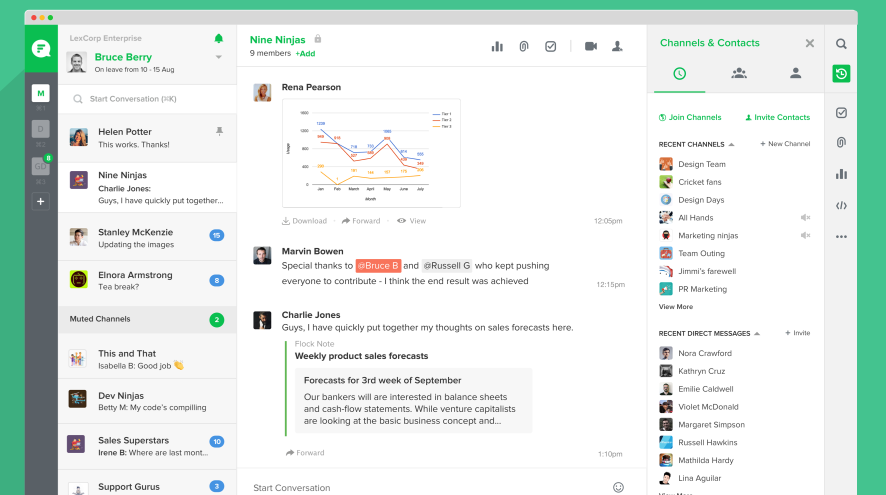
Flock

Flock

Key Features

  • Team Messaging: Real-time messaging with direct messages and group chats, allowing for seamless team communication.
  • Channels: Create public and private channels to organize discussions by topic, project, or department.
  • Video and Audio Calls: Built-in video and audio conferencing for quick meetings or virtual collaboration.
  • Integrated File Sharing: Share documents, images, and other files directly within chats and channels with drag-and-drop functionality.
  • Task Management: Basic task management tools, including to-do lists, task assignments, and reminders to stay organized.
  • Search Functionality: Advanced search options to quickly find messages, files, and links across all channels and conversations.
  • App Integrations: Integrate with popular third-party apps like Google Workspace, Trello, Asana, GitHub, and more for enhanced productivity.
  • Shared Notes and Polls: Create shared notes for collaborative documentation and use polls for quick feedback or decision-making.
  • Reminders and Notifications: Set reminders and receive notifications to stay on top of tasks and project updates.
  • Admin and Security Controls: Manage user access, roles, and permissions with admin controls and security features.

Mobile App

Integrations

$6 per user/month • Trial: Yes • Free Plan: Yes.​

View pros and cons

Pros

tick circle 1 Top 10 Communication SoftwareUser-Friendly Interface: Simple and intuitive design that is easy for new users to navigate and adopt.

tick circle 1 Top 10 Communication SoftwareAffordable Pricing: Offers competitive pricing with a generous free plan, making it a cost-effective choice for small to medium-sized businesses.

tick circle 1 Top 10 Communication SoftwareBuilt-In Productivity Tools: Includes task management, polls, reminders, and shared notes, reducing the need for additional apps.

tick circle 1 Top 10 Communication SoftwareFast and Lightweight: Known for being lightweight and fast, even with limited internet connectivity or on older devices.

tick circle 1 Top 10 Communication SoftwareStrong Search Capabilities: Advanced search functionality helps users quickly locate messages, files, and conversations.

tick circle 1 Top 10 Communication SoftwareEasy Collaboration: Channels, direct messaging, and file sharing make it easy for teams to collaborate efficiently.

tick circle 1 Top 10 Communication SoftwareGood Integrations: Seamless integration with popular productivity tools and services for enhanced workflows.

tick circle 1 Top 10 Communication SoftwareCross-Platform Availability: Available on web, desktop, and mobile devices, ensuring flexibility in communication.

Cons

close circle Top 10 Communication SoftwareLimited Features Compared to Competitors: Lacks some advanced features found in more robust platforms like Slack or Microsoft Teams, such as advanced workflow automation or custom app development.

close circle Top 10 Communication SoftwareBasic Task Management: Task management tools are simple and may not be sufficient for complex project management.

close circle Top 10 Communication SoftwareLower Customization: Limited customization options for channel layouts, themes, and overall interface.

close circle Top 10 Communication SoftwareVideo Call Limitations: Video and audio conferencing features are basic, with fewer advanced controls compared to specialized video conferencing platforms.

close circle Top 10 Communication SoftwareNotification Overload: Notifications can become overwhelming without proper configuration, leading to potential distractions.

close circle Top 10 Communication SoftwareFree Plan Limitations: The free plan has limitations, such as a smaller message history and fewer integrations compared to paid plans.

close circle Top 10 Communication SoftwareSmaller User Base: Less widely adopted than larger competitors, which can lead to fewer third-party integrations or community support.

Mattermost

Mattermost

Key Features

  • Team Messaging: Real-time messaging with direct messages, group chats, and private/public channels for organized team communication.
  • Open-Source and Self-Hosted: Unlike many competitors, Mattermost can be self-hosted, offering full control over data and customization. An open-source version is also available for community use.
  • Channel-Based Organization: Channels for different teams, projects, or topics, with options for public, private, or guest access.
  • Integrations and APIs: Extensive integrations with tools like Jira, GitHub, GitLab, Jenkins, and hundreds of other apps. Custom integrations can be built using APIs.
  • File and Document Sharing: Upload, share, and manage files within channels or direct messages, with search functionality.
  • Threaded Conversations: Support for threaded messaging to keep conversations organized and reduce clutter in channels.
  • Robust Security Features: Offers enterprise-grade security, including single sign-on (SSO), multi-factor authentication (MFA), end-to-end encryption, and data compliance options.
  • Voice and Video Calls: Built-in voice and video conferencing with screen sharing, and integration options with external conferencing tools like Zoom.
  • Workflow and Automation: Create custom workflows, automation, and bots to streamline processes and improve productivity.
  • Cross-Platform Support: Accessible on web, desktop (Windows, macOS, Linux), and mobile (iOS, Android) platforms.

Mobile App

Integrations

$10 to $15 per user/month • Trial: Yes • Free Plan: Yes.

View pros and cons

Pros

tick circle 1 Top 10 Communication SoftwareHighly Customizable: Open-source nature allows for full customization and flexibility, making it suitable for technical teams and developers.

tick circle 1 Top 10 Communication SoftwareData Ownership and Privacy: Self-hosting option provides complete control over data and privacy, making it ideal for organizations with strict compliance requirements.

tick circle 1 Top 10 Communication SoftwareAdvanced Integrations: Strong integration support with DevOps and CI/CD tools like Jira, GitHub, GitLab, and Jenkins, enhancing developer productivity.

tick circle 1 Top 10 Communication SoftwareRobust Security: Enterprise-grade security features and compliance options provide a secure environment for communication.

tick circle 1 Top 10 Communication SoftwareThreaded Messaging: Threaded conversations help organize discussions and reduce channel clutter, enhancing communication clarity.

tick circle 1 Top 10 Communication SoftwareAPI and Plugin Support: Developers can build custom integrations, plugins, and bots using APIs, adapting the platform to unique needs.

tick circle 1 Top 10 Communication SoftwareOffline Access: Mobile and desktop apps provide offline access to previously downloaded content, increasing flexibility.

tick circle 1 Top 10 Communication SoftwareScalable for Large Teams: Scalable for organizations of all sizes, from small teams to large enterprises, with features that support collaboration at scale.

Cons

close circle Top 10 Communication SoftwareComplex Setup for Self-Hosting: Self-hosting can be technically challenging for non-technical users, requiring server management expertise.

close circle Top 10 Communication SoftwareUser Interface: While functional, the interface is less polished and intuitive compared to competitors like Slack or Microsoft Teams, which may deter some users.

close circle Top 10 Communication SoftwareResource-Intensive: Can be resource-heavy, especially when hosting on-premises, requiring adequate infrastructure for optimal performance.

close circle Top 10 Communication SoftwareLearning Curve: Advanced features, customization, and integrations can present a learning curve for new users unfamiliar with the platform.

close circle Top 10 Communication SoftwareBasic Free Plan: The free plan lacks some advanced features such as voice and video calls, compliance tools, and premium integrations.

close circle Top 10 Communication SoftwareLimited Third-Party Integrations: Compared to competitors, the range of third-party integrations might be limited, depending on specific needs.

close circle Top 10 Communication SoftwareLess Widespread Adoption: Smaller user base and community compared to larger competitors, potentially affecting third-party support and integrations.

Smarter time off tracking starts here.