




A work from home request policy explains when employees may work remotely, how they should submit a request, who approves it, and what is expected while they are working away from the office.
This is especially important for hybrid organizations where employees may alternate between the office, home, client locations, and approved time off. Without a defined process, managers may receive remote-work requests through email, chat, calendars, or informal conversations, making it difficult to know who is actually expected in the office on a particular day.

A clear policy gives everyone the same process.
Employees know when they can request a work from home day and what information they need to provide. Managers know which factors they should consider before approving the request. HR gains more reliable records of who is working remotely, who is in the office, and who is actually on leave.
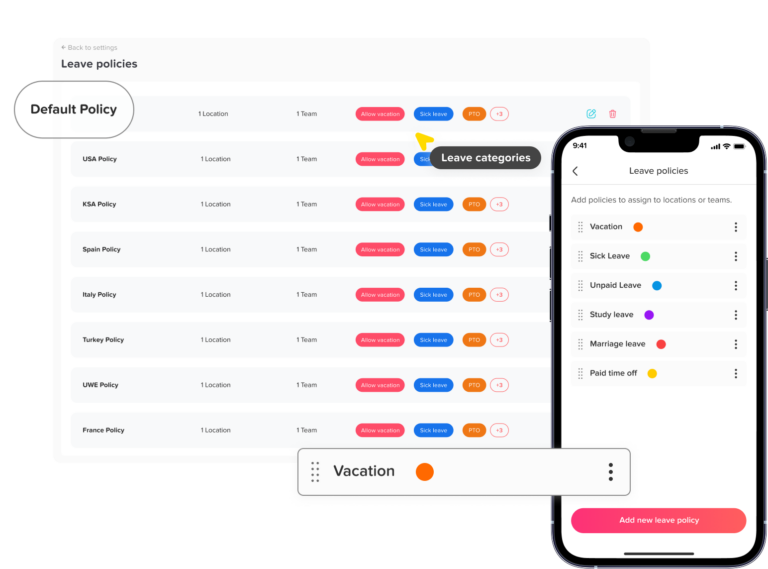
A strong policy should answer practical questions such as:
- Who is eligible to request a work from home day?
- How far in advance should employees submit requests?
- Can employees request to work remotely on the same day?
- Who approves WFH requests?
- Can managers deny a request?
- Does working from home use PTO?
- What hours must employees work remotely?
- How should remote attendance be recorded?
- Can employees work remotely from another city, state, or country?
- What happens when remote work is requested because of a medical condition?
The purpose is not to add unnecessary approval steps. It is to create enough structure that remote work remains flexible without becoming confusing.
What Is a Work From Home Request Policy?
A work from home request policy is a written set of rules that explains how an employee can request permission to perform their regular duties from home or another approved location instead of reporting to their normal workplace.
The employee is still working.
That is the most important distinction.
A WFH request changes where the employee works, while PTO changes whether the employee is expected to work.
For example, imagine an employee is normally expected in the office on Wednesday.
If the employee requests to work from home, they would still attend meetings, complete assignments, respond to messages, and work their normal scheduled hours.
If the employee takes vacation on Wednesday instead, they would normally be unavailable for regular work during the approved leave period.
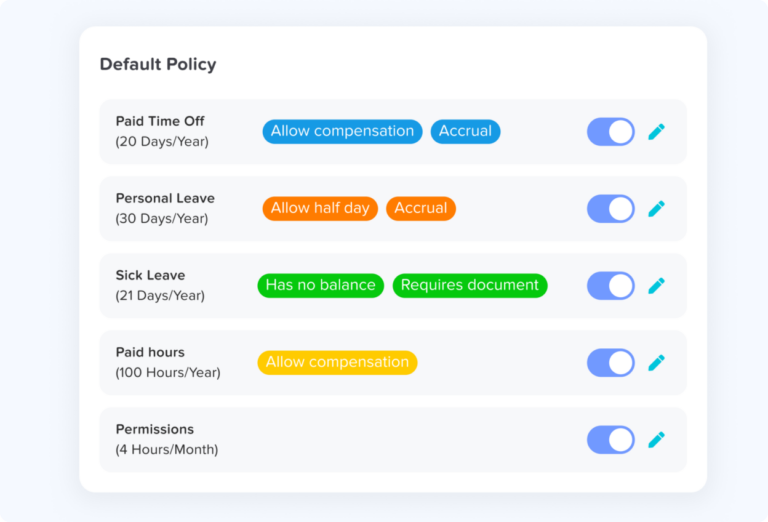
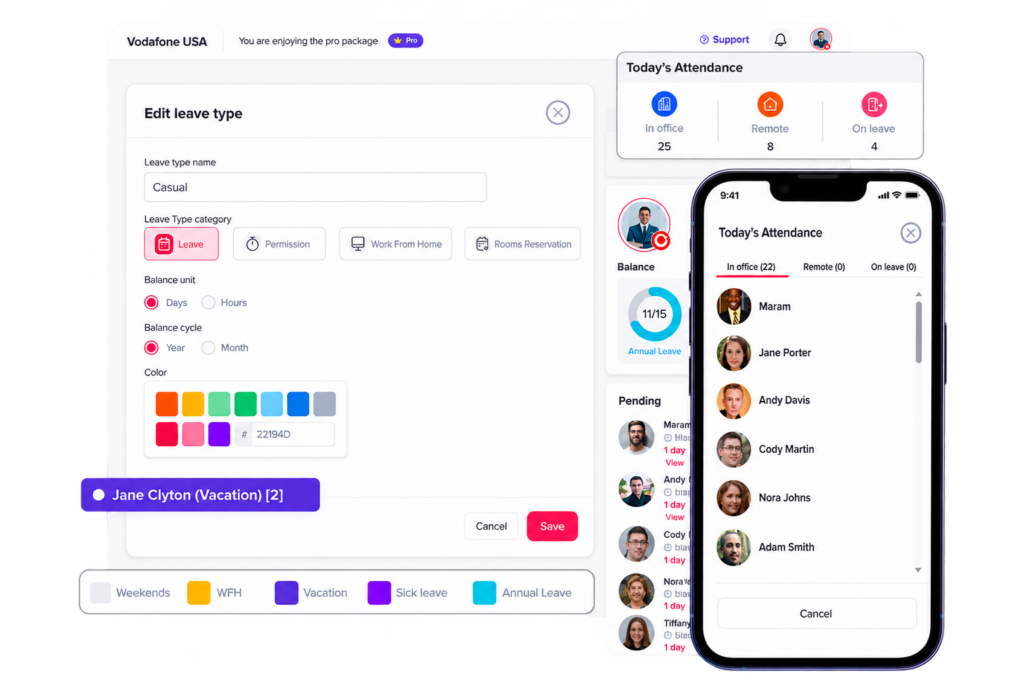
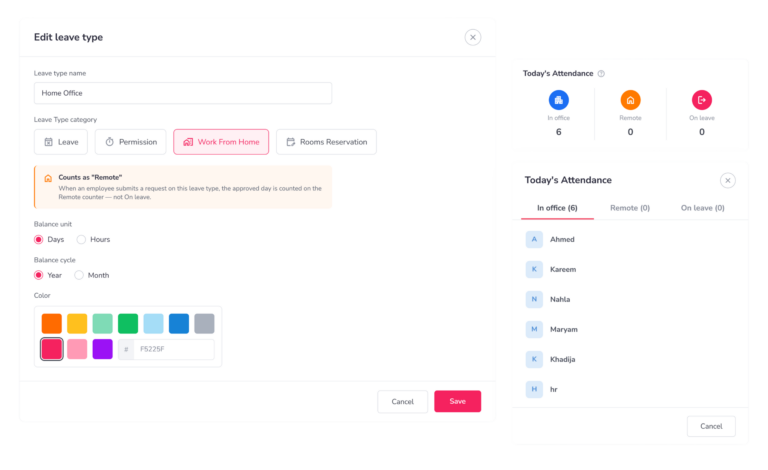
Day Off uses a separate Work From Home request category for this purpose. An approved request in this category identifies the employee as working remotely rather than taking leave.
This distinction helps companies maintain more accurate attendance and availability records.
Why Do Companies Need a Work From Home Request Policy?
Remote work becomes difficult to manage when every employee and manager follows a different process.
For example, one employee may ask through Slack, another may tell their manager verbally, and another may simply work from home without telling anyone because they assume remote work is automatically allowed.
The problem is not necessarily that employees are working remotely. The problem is that the organization no longer has a reliable answer to basic questions.
Such as:
- Who is expected in the office today?
- Who has an approved remote day?
- Who is absent?
- Is enough on-site coverage available?
- Has the employee’s manager approved the arrangement?
- Is the employee expected to attend an in-person meeting?
- Is the request temporary or recurring?
A written WFH request policy solves these problems by creating one predictable process.
It also helps managers make decisions more consistently. Instead of approving one employee because they asked through chat while denying another because they used a formal request, the same eligibility and approval criteria can be applied to everyone.
Work From Home vs. PTO: What Is the Difference?
A work from home day should not automatically be treated as PTO because the employee is still performing work.
| Employee Status | Working? | PTO Normally Deducted? | Typical Record |
|---|---|---|---|
| In office | Yes | No | In office |
| Working from home | Yes | No | Remote |
| Vacation | No | Yes | On leave |
| Sick leave | Usually no | Depends on policy | On leave |
| Unpaid leave | No | No paid balance | On leave |
This distinction becomes particularly useful for hybrid teams.
For example, a manager viewing Wednesday’s availability may see:
- 8 employees in the office
- 3 employees working remotely
- 2 employees on leave
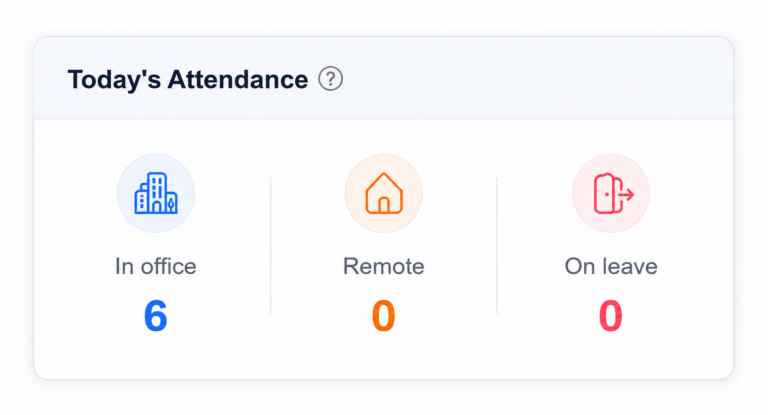
All 11 employees in the first two groups are working. Only the two employees on leave are unavailable.
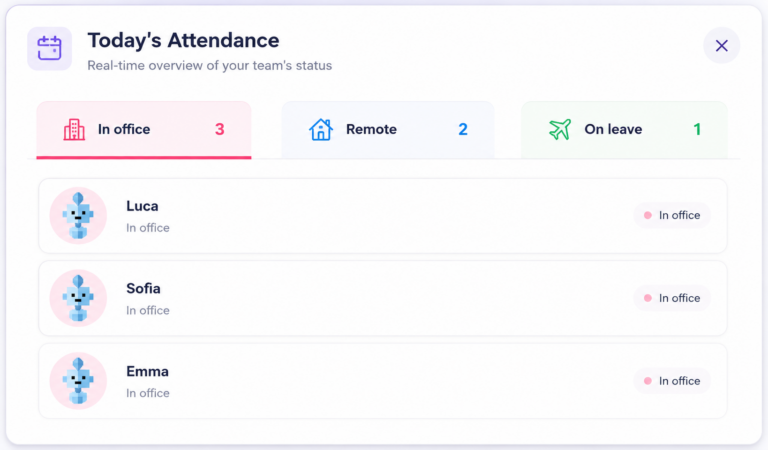
Day Off reflects this difference by counting employees with approved Work From Home requests as Remote rather than On Leave.
Who Should Be Eligible to Request Work From Home?
A good policy should explain eligibility clearly instead of leaving employees to guess whether remote work applies to them.
Eligibility should primarily depend on whether the employee can perform the essential responsibilities of the job effectively from an approved remote location.
Consider whether the job can be performed remotely
Some roles can be performed almost entirely through a computer and internet connection. Others depend heavily on physical equipment, customer interaction, production work, or on-site responsibilities.
Managers may consider whether the employee needs to:
- Operate equipment located at the workplace
- Serve customers or patients in person
- Access physical documents or materials
- Supervise an on-site operation
- Receive deliveries
- Work directly with laboratory or production equipment
- Perform security or facilities duties
- Attend activities that cannot reasonably be completed remotely
A policy does not need to classify an entire department as permanently eligible or ineligible. Some jobs may contain tasks that can be completed remotely even when other responsibilities require physical presence.
Consider whether the employee can perform the day’s responsibilities remotely
Eligibility for a particular day may depend on what is scheduled.
An employee whose role normally allows remote work may still need to be physically present for:
- A client meeting
- Training
- Equipment installation
- An important team workshop
- An inventory count
- An on-site event
The manager should therefore evaluate both the employee’s role and the responsibilities scheduled for the requested date.
Avoid relying only on job titles
Two employees with the same title may not always perform identical work.
One may support customers digitally while another is assigned to an on-site customer project.
Policies work better when eligibility is tied to job responsibilities and operational needs rather than assuming every person with a certain title must receive the same schedule.
The EEOC takes a similar functional approach when discussing telework as a potential disability accommodation, focusing on whether the essential functions of a position can be performed remotely.
Types of Work From Home Requests
Not every remote-work request has the same purpose or duration. Separating request types can make approval easier.
Occasional work from home request
This is a one-time or infrequent request.
For example: An employee asks to work from home next Tuesday because they have a morning appointment near their home but can still work their full schedule.
The manager can review that specific date without changing the employee’s normal hybrid arrangement.
Recurring work from home arrangement
This applies when an employee regularly works remotely on particular days.
For example: The employee works remotely every Monday and Friday and attends the office Tuesday through Thursday.
Recurring arrangements should generally be documented clearly so employees do not need to submit the same request repeatedly unless company policy requires it.
Temporary remote arrangement
A temporary arrangement applies for a defined period rather than indefinitely.
For example: An employee is permitted to work remotely for three weeks while their normal workplace is undergoing renovation.
The policy should specify the start and end date so the temporary arrangement does not unintentionally become permanent.
Same-day work from home request
Unexpected circumstances sometimes make advance notice impossible.
Examples may include:
- Transportation problems
- Severe weather
- A home emergency
- Unexpected disruption at the normal workplace
Companies may allow same-day requests while making clear that employees should notify their manager as early as reasonably possible.
What Should a Work From Home Request Policy Include?
The best policy is specific enough to create consistency but flexible enough to handle situations that cannot be predicted in advance.
Eligibility Rules
Employees should understand whether working from home is available for their position and whether additional conditions apply.
For example, eligibility might depend on:
- Job responsibilities
- Ability to perform work remotely
- Access to required systems
- On-site staffing needs
- Completion of an initial training period
- Information-security requirements
The policy should also explain that general remote-work eligibility does not necessarily guarantee approval for every requested day.
An employee may have a remote-compatible role but still need to attend the office for a particular activity.
How Far in Advance Employees Should Request WFH
A notice rule gives managers enough time to check coverage, meetings, and operational requirements before deciding.
For example, a company might request that planned WFH days be submitted at least:
- One business day in advance
- Two business days in advance
- One week in advance for certain teams
There is no single notice period that works for every company.
A software company may be able to approve remote days with very little notice, while an organization that relies on physical office coverage may need requests earlier.
The policy should also distinguish between planned requests and unexpected situations. An employee dealing with a morning transportation problem should not necessarily be expected to meet the same notice requirement as someone planning a remote day three weeks ahead.
Information Employees Should Include
A remote-work request should contain enough information for the manager to make a decision without starting a long message thread.
Useful information can include:
- Requested date
- Whether the request covers the full day or part of the day
- Remote work location, when relevant
- Whether the employee will work normal hours
- Any meetings or responsibilities requiring on-site presence
- Whether the request is one-time or recurring
Employers should be careful about requiring employees to provide unnecessary personal details. Managers generally need enough information to evaluate the working arrangement, not a detailed explanation of the employee’s private circumstances.
Who Approves Work From Home Requests?
The policy should identify who has authority to approve the request.
Depending on the company, this may be:
- Direct manager
- Department manager
- HR
- Team lead
- A combination of manager and HR for recurring arrangements
Routine one-day requests are often easier when handled by the employee’s manager because that person understands the team’s workload and coverage needs.
Long-term or unusual arrangements may require HR involvement because they can affect payroll, workplace policies, security, equipment, or employment requirements.
What Managers Should Consider Before Approving
Managers should not approve requests based only on whether they personally prefer employees to work in the office.
A more consistent review considers the actual impact of the request.
Questions may include:
- Can the employee perform their responsibilities remotely?
- Is an in-person meeting scheduled?
- Will enough employees remain on-site?
- Does the employee have access to the necessary equipment?
- Are there customer or operational responsibilities requiring physical presence?
- Are several team members already working remotely or on leave?
- Does the request follow the company’s notice rules?
Using defined criteria reduces arbitrary decisions and helps managers explain why a particular request was approved or denied.
A Simple Work From Home Approval Process
A consistent approval workflow makes remote work easier for both employees and managers.
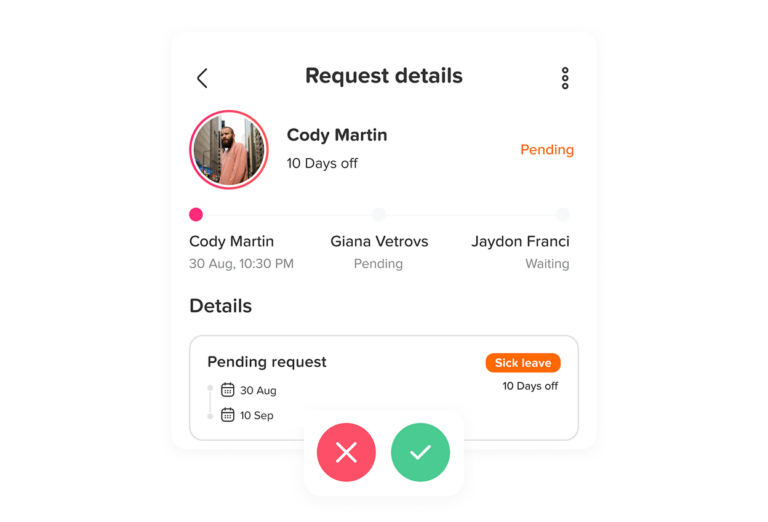
Step 1: Employee Submits the Request
The employee enters the requested remote-work date through the company’s approved system.
Using one system is important because requests submitted through scattered email, chat, and verbal conversations can easily be forgotten.
The request should clearly indicate that the employee intends to work remotely, not take leave.
Step 2: The Manager Reviews the Employee’s Schedule
The manager checks what the employee is expected to do on the requested date.
This includes reviewing:
- Meetings
- Deadlines
- Customer responsibilities
- On-site tasks
- Training
- Scheduled shifts
The purpose is to determine whether remote work would interfere with work that genuinely requires physical presence.
Step 3: The Manager Checks Team Coverage
A remote employee is still working, but some teams require a minimum number of employees physically present.
For example, an office may need someone available to:
- Receive visitors
- Access equipment
- Handle documents
- Support customers
- Open or close the workplace
Managers should review remote requests together with PTO and other absences so they understand the team’s complete availability.
Step 4: Approve, Deny, or Discuss an Alternative
If the request is workable, the manager can approve it.
If the exact day creates a problem, the manager may suggest another arrangement instead of immediately rejecting remote work altogether.
For example:
“Tuesday has an in-person customer session. Could you work from home Wednesday instead?”
This gives employees flexibility without ignoring business needs.
Step 5: Update Employee Status
Once approved, the employee should appear as remote for the relevant date so managers and coworkers know where the employee is working.
This avoids confusing an approved remote employee with someone who is absent.
Step 6: Employee Works the Approved Schedule
Approval to work from home does not normally mean the employee can choose whether to work.
Unless another arrangement has been agreed, employees should continue to follow:
- Scheduled working hours
- Break requirements
- Meeting expectations
- Timekeeping rules
- Communication standards
- Performance expectations
Remote work changes the workplace. It does not automatically change the employee’s job responsibilities.
Working Hours During a WFH Day
The policy should clearly state whether employees are expected to follow their normal schedule while working from home.
For example, an employee normally scheduled from 9:00 a.m. to 5:00 p.m. should not assume that a WFH day allows them to work from 5:00 a.m. to 1:00 p.m. unless flexible scheduling is already permitted.
Companies may use one of several approaches.
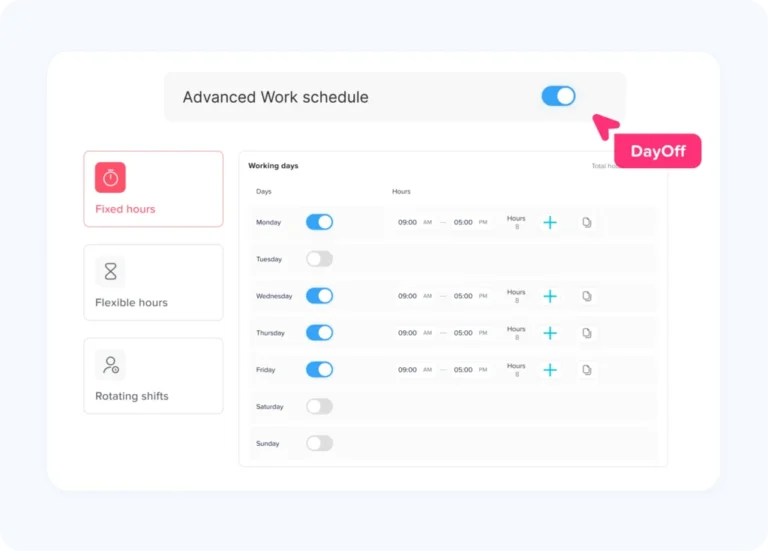
Fixed hours
Employees follow their normal start and finish times whether they work in the office or remotely.
This works well when teams depend on overlapping availability.
Flexible hours
Employees have more control over their start and finish times but still need to complete a required amount of work.
The policy should define any core hours during which employees must be available.
Results-based flexibility
Some exempt or project-based teams may operate with fewer fixed-time requirements and greater emphasis on deadlines, meetings, and deliverables.
The important point is that employees should know which model applies before their remote day begins.
How Should Remote Employees Track Their Time?
For covered nonexempt employees in the United States, working remotely does not remove federal requirements related to compensable work time.
The U.S. Department of Labor states that employers must count work they know or have reason to believe is being performed, including work performed remotely.
That means remote employees who are required to track working time should follow the company’s normal timekeeping process.
This may include:
- Clocking in
- Clocking out
- Recording meal periods
- Recording project or task time
- Reporting overtime
- Correcting missing time entries
Managers should avoid creating a culture where employees feel they need to work additional undocumented hours simply because they are at home.
Can Employees Work Overtime From Home?
Working remotely does not make overtime rules disappear.
Under the FLSA, covered nonexempt employees are generally entitled to overtime when they work more than 40 hours in a workweek, unless an exemption applies. Employers must maintain accurate working-time records.
A company can require employees to obtain approval before working overtime, but the employer still needs to address work it knows or has reason to believe was actually performed.
The WFH policy should therefore explain:
- Whether overtime requires advance authorization
- How remote overtime should be recorded
- Who employees should contact when unexpected overtime is necessary
Availability and Communication Expectations
One common source of frustration in hybrid teams is uncertainty about when remote employees are reachable.
A WFH policy should define reasonable availability expectations.
For example, employees may be expected to:
- Remain available during scheduled hours
- Respond to workplace messages within a reasonable period
- Attend scheduled video meetings
- Keep their calendar updated
- Inform the manager if they become unavailable
- Maintain reliable internet access when their role requires it
The goal should not be constant surveillance.
Being remote does not mean an employee should have to prove every minute of activity. The better approach is to define normal availability, communication, and performance expectations that apply consistently.
Can Employees Work From Anywhere?
A work from home request should not automatically mean “work from any location.”
There can be significant differences between:
- Working from the employee’s registered home
- Working from another address in the same city
- Working from another state
- Working from another country
Long-distance or international remote work can create additional issues involving employment law, payroll, taxation, data protection, information security, insurance, and immigration.
For that reason, a practical policy can distinguish between ordinary WFH requests and work-from-another-location requests.
For example: Employees may work from their registered home location after manager approval. Working remotely from another state or country requires separate HR approval before travel.
This prevents a routine one-day WFH workflow from unintentionally approving a much more complicated arrangement.
Equipment and Technology Requirements
Employees need the right tools to perform their responsibilities remotely.
Depending on the role, this may include:
- Company laptop
- Secure internet connection
- VPN access
- Headset
- Business phone
- Approved software
- Multifactor authentication
- Access to shared systems
The policy should explain what the company provides and what employees are expected to maintain themselves.
It should also explain what happens if an employee cannot work because their equipment or internet connection fails.
For example, the employee may be required to:
- Contact their manager
- Contact IT
- Return to the workplace when practical
- Use another approved working arrangement
Clear rules prevent technology problems from becoming attendance disputes.
Data Security While Working From Home
Remote employees may access the same confidential information they use in the office, but from a less controlled environment.
The WFH policy should therefore reinforce the company’s existing security rules.
Employees may be required to:
- Use company-approved devices
- Connect through approved networks
- Use secure passwords and MFA
- Lock devices when unattended
- Avoid storing confidential documents on personal devices
- Prevent unauthorized people from viewing sensitive information
- Follow company rules for printing or destroying confidential documents
Security requirements should match the sensitivity of the work rather than relying on a generic statement telling employees to “be careful.”
Health and Safety Considerations
Working from home does not make workplace safety completely irrelevant.
OSHA states that it will not inspect employees’ home offices and does not expect employers to inspect those home offices. However, work-related injuries or illnesses occurring while an employee is performing work at home can still raise workplace recordkeeping questions depending on the circumstances.
A practical policy can encourage employees to maintain a reasonably safe workspace and report work-related incidents through the normal company process.
Can Employees Work From Home When They Are Sick?
This should be addressed carefully.
Working from home can sometimes be appropriate when an employee is able to work but should avoid coming into the workplace.
However, WFH should not become a substitute for legitimate sick leave.
If an employee is too sick to work, they should generally follow the company’s sick-leave procedure rather than feeling pressured to work simply because their laptop is available at home.
The distinction is:
Able and approved to work remotely: WFH
Unable to work because of illness: Sick leave or another applicable leave arrangement
Policies should avoid creating an expectation that employees must always work through illness from home.
Work From Home as a Disability Accommodation
A normal WFH request and a disability-related request should not always be handled through exactly the same process.
Under the Americans with Disabilities Act, telework can in some circumstances be a reasonable accommodation when an employee can perform the essential functions of the job remotely. An employer may also sometimes need to modify ordinary telework eligibility rules as part of the accommodation process.
For example, a company may normally allow only one remote day per week. An employee requesting additional remote work because of a disability may need to be evaluated through the organization’s reasonable accommodation process rather than being automatically denied because of the ordinary one-day limit.
The policy should therefore include language such as:
Requests related to a disability, medical limitation, pregnancy-related limitation, or other legally protected accommodation will be reviewed separately under the company’s accommodation procedures.
This helps managers recognize when they should involve HR instead of treating the issue as an ordinary discretionary WFH request.
Can a Manager Deny a Work From Home Request?
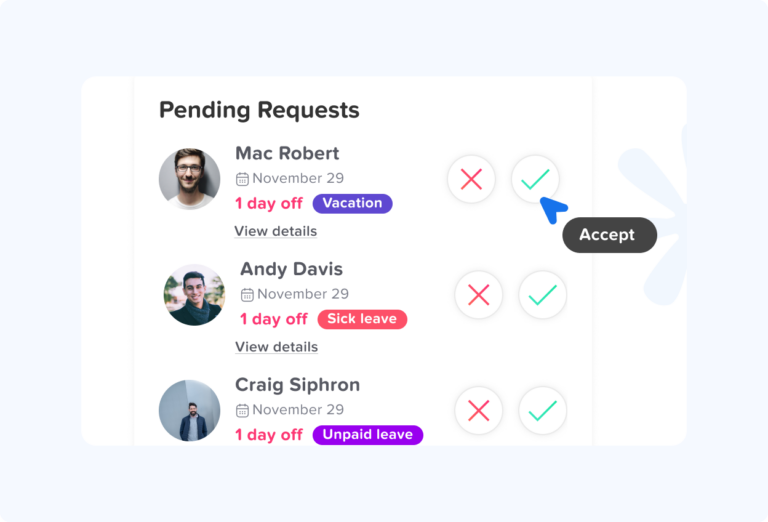
A routine work from home request may be denied when there is a legitimate reason that the employee needs to be physically present.
Examples may include:
- Required in-person training
- Customer-facing responsibilities
- On-site staffing shortages
- Physical equipment that cannot be accessed remotely
- An important in-person meeting
- Security requirements
- Responsibilities that cannot reasonably be performed away from the workplace
Managers should apply these standards consistently.
A vague answer such as “I just prefer everyone in the office” may create confusion if other employees in similar situations are regularly permitted to work remotely.
Whenever practical, managers should explain the operational reason behind the decision.
For example:
Your WFH request for Thursday can’t be approved because you are scheduled to lead the on-site inventory count. Friday is available if you would like to move the request.
This provides clarity without turning the decision into a lengthy dispute.
What About Same-Day WFH Requests?
Same-day requests are one of the situations a good policy should anticipate.
A strict rule that requires every request several days in advance may not work when an employee experiences an unexpected transportation problem or another temporary disruption.
Instead, a company can separate planned requests from unplanned requests.
For example:
Planned WFH: Submit at least two business days in advance.
Unexpected WFH: Contact the manager as soon as possible before the scheduled start time.
The manager can then determine whether remote work is practical for that day.
This preserves flexibility while preventing employees from assuming they can automatically convert every unexpected office absence into a remote day.
What Happens if a WFH Request Is Cancelled?
An approved remote day may sometimes need to change.
For example:
- An important customer meeting is scheduled
- The employee chooses to come into the office
- The workplace requires emergency coverage
- The employee becomes sick and can no longer work
- The employee takes PTO instead
The employee’s status should be updated so the workforce calendar remains accurate.
If the employee comes into the office, the day should no longer show them as remote.
If the employee becomes unable to work and takes leave, the remote status should be replaced with the applicable leave request.
How to Track Work From Home Requests
Recording WFH days separately from leave gives managers a more accurate picture of workforce availability.
For example, an attendance dashboard might show:
- In Office: 12
- Remote: 5
- On Leave: 3
This communicates much more than a single “absent” number.
The manager immediately knows that 17 employees are working and three are away.
Day Off’s Work From Home category is designed for this distinction. When an approved request belongs to the WFH category, the employee is counted as Remote, indicating that they are working but not from the office.
This is especially useful for hybrid workplaces where employee location changes regularly.
Example Work From Home Approval Process
| Stage | Employee or Manager Action | Purpose |
|---|---|---|
| Request | Employee submits WFH date | Creates an official record |
| Schedule review | Manager checks responsibilities | Confirms work can be performed remotely |
| Coverage check | Manager reviews team availability | Protects required on-site staffing |
| Decision | Approve, deny, or suggest alternative | Gives employee a clear answer |
| Status update | Employee appears as remote | Makes team availability visible |
| Workday | Employee follows normal work expectations | Keeps WFH separate from PTO |
A short process like this is often enough. Companies do not need an unnecessarily complicated approval chain for every occasional remote day.
Work From Home Request Policy Template
Purpose
This policy establishes the process employees must follow when requesting to work from home or another approved remote location. The goal is to provide reasonable workplace flexibility while maintaining team coordination, customer service, security, attendance visibility, and operational coverage.
Eligibility
Employees may request to work from home when their job responsibilities can reasonably be performed remotely and physical presence is not required for the requested period.
Eligibility for remote work does not guarantee approval for every requested date. Managers may consider scheduled responsibilities, meetings, team coverage, operational requirements, security, and other legitimate business needs.
Request Process
Employees should submit planned work from home requests through the company’s designated request system at least [X business days] before the requested date.
The request should include:
- Requested date
- Full-day or partial-day status
- Remote location when required
- Any relevant schedule changes
Unexpected requests should be submitted as soon as reasonably possible.
Approval
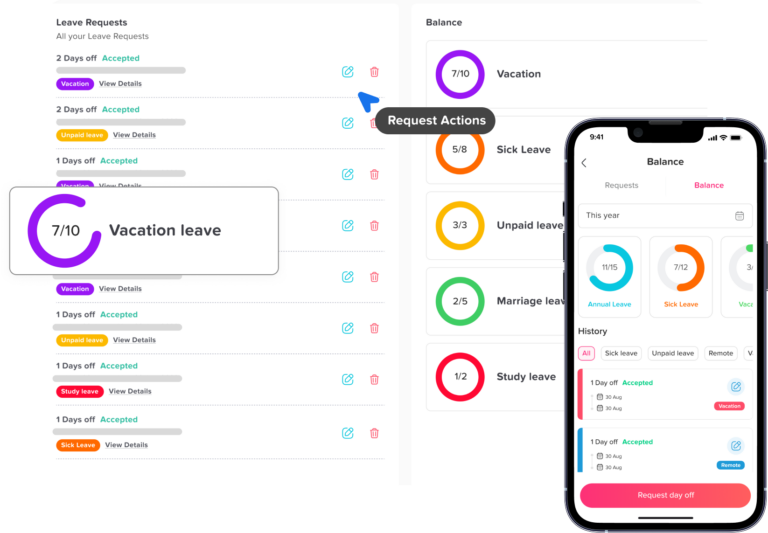
Work from home requests must be approved by the employee’s [manager/team lead/designated approver].
Managers should review the employee’s scheduled responsibilities, team coverage, required meetings, and the ability to perform assigned work remotely before making a decision.
An employee should not assume that a request is approved until confirmation has been received.
Working Hours
Unless another arrangement has been approved, employees working from home are expected to follow their normal work schedule, including applicable timekeeping and break requirements.
Employees must record working hours according to company policy.
Availability
Employees should remain reasonably available during their scheduled working hours, attend required meetings, monitor approved communication channels, and notify their manager if they become unable to work.
PTO and Leave
An approved work from home day is a working day and does not normally reduce the employee’s PTO balance.
Employees who become unable to work should follow the applicable sick leave, PTO, or other absence procedure.
Work Location
Employees may work from [approved home location/approved locations].
Working remotely from another state or country requires advance approval from [HR/management].
Security
Employees must follow all company information-security, privacy, device, password, network, and confidential-data requirements while working remotely.
Equipment
Employees are responsible for using approved equipment and reporting technical problems that prevent them from completing their work.
Cancellation or Changes
Employees should notify their manager if an approved remote day changes. Managers should also provide reasonable notice when business needs require a change to an approved arrangement.
Accommodations
Requests related to a disability or another legally protected accommodation will be evaluated under the company’s applicable accommodation procedures and may be treated differently from ordinary discretionary WFH requests.
Policy Compliance
Failure to follow the WFH request process may result in the employee being required to return to the normal workplace or may affect future remote-work eligibility, subject to applicable law and company policy.
How Day Off Helps Manage Work From Home Requests
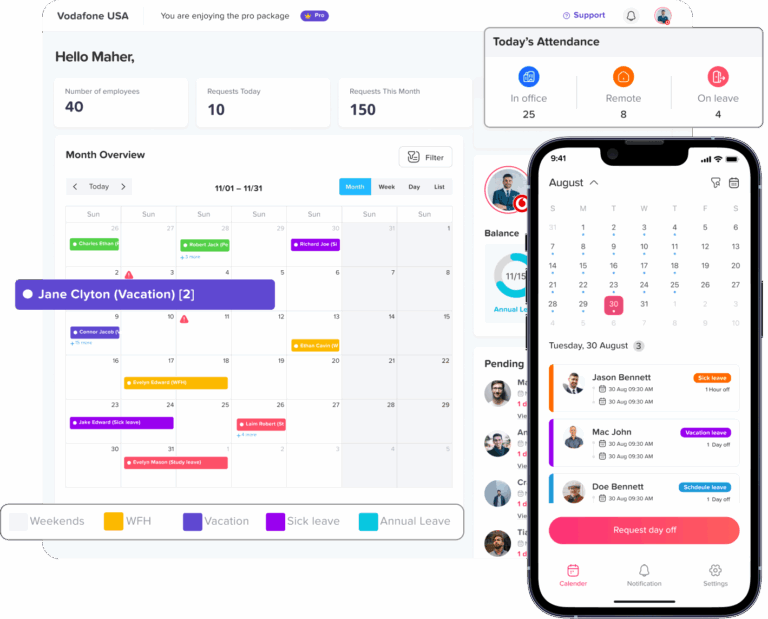
Day Off allows admins to create request types and assign them to different categories, including Work From Home.
When creating or editing the request type, the admin can select the Work From Home category. Once an employee has an approved request under that category, Day Off counts the employee as Remote instead of treating them as being on leave.
This allows managers to distinguish between employees who are:
- In Office
- Remote
- On Leave
Instead of checking separate spreadsheets, calendars, or messages, managers can get a clearer picture of current team availability.
This is particularly useful for hybrid companies where knowing where employees are working can be just as important as knowing who is absent.
Frequently Asked Questions About Work From Home Requests
How do I ask my boss to work from home?
Follow your company’s normal remote-work request process and make the request as early as possible. Include the date you want to work remotely, confirm that you can perform your normal responsibilities from home, and mention any schedule or meeting considerations that may affect approval.
For recurring or permanent remote work, it can also help to explain how you will remain available, communicate with the team, and complete work without disrupting operations.
How do I request to work from home for one day?
Submit the specific date through your company’s approved request process and make it clear that you will still be working your normal schedule.
A one-day WFH request is different from PTO because you are changing your work location rather than taking the day off.
Can my employer deny my work from home request?
Yes, an ordinary work from home request may be denied when the employer has a legitimate reason for requiring you to be on-site, such as customer responsibilities, an in-person meeting, equipment access, training, or minimum office coverage.
However, a request related to a disability may need to be considered separately under the reasonable accommodation process. The EEOC recognizes telework as a possible reasonable accommodation when the essential functions of the job can be performed remotely.
How far in advance should I ask to work from home?
There is no single notice period that applies to every company. Employers should set a reasonable deadline based on how much time managers need to review staffing, meetings, and on-site responsibilities.
For example, a company may require planned WFH requests one or two business days in advance while still allowing same-day requests for unexpected situations.
Can I ask to work from home at the last minute?
You can ask, but approval will depend on your employer’s policy and whether your job can be performed remotely that day.
For unexpected situations, employees should normally contact their manager as soon as possible rather than assuming they can automatically switch an office day to a remote day.
Can I work from home instead of taking a sick day?
Possibly, if you are well enough to perform your normal work and your employer approves the remote arrangement.
If you are too sick to work, working from home should not be treated as a substitute for taking appropriate sick leave. The important distinction is whether you are actually able to work.
Does working from home count as PTO?
Normally, no. A work from home day is still a working day, while PTO represents approved time away from work.
For that reason, businesses should record remote employees separately from employees who are on leave. Day Off, for example, has a Work From Home request category specifically for employees who are working remotely rather than taking time off.
Do I have to work my normal hours when working from home?
Usually, yes, unless your employer has approved a flexible schedule or another working arrangement.
If you normally work from 9:00 a.m. to 5:00 p.m., a WFH day does not automatically mean you can choose completely different hours. The company’s work schedule and remote-work policy should explain what flexibility is allowed.
Do I have to clock in when working from home?
If your employer requires time tracking, working from home does not automatically remove that requirement.
For covered nonexempt employees in the U.S., employers are responsible for tracking compensable working time, including work performed remotely. Employers can therefore require employees to clock in, use a timer, or submit timesheets while working from home.
Can hourly employees work from home?
Yes, hourly employees can work remotely when their job can be performed from home and the employer allows it.
The employer still needs to maintain accurate records of working time and apply applicable minimum wage, overtime, and break rules. Remote work does not change an employee’s nonexempt status by itself.
Can I work overtime while working from home?
Remote employees may work overtime when permitted by the employer, but covered nonexempt employees must still have their compensable hours recorded correctly.
An employer may require advance approval before overtime is worked, but remote work that the employer knows or has reason to believe was performed still needs to be handled according to applicable wage-and-hour rules.
Can I work from home if I have a doctor’s appointment?
Potentially. If the appointment does not prevent you from completing your required working hours and your employer approves the arrangement, working from home may be an option.
If you need to miss scheduled working time, you may also need PTO, sick leave, permission leave, or another type of approved absence depending on company policy.
Can I work from home because my child is sick?
You can request it, but whether remote work is appropriate depends on your company’s policy and whether you can actually perform your job while caring for your child.
Working from home means you are still expected to work. If caregiving responsibilities prevent you from performing your normal duties, another leave arrangement may be more appropriate.
What is the difference between remote work and work from home?
The terms are often used interchangeably, but they can describe slightly different arrangements.
Work from home usually refers specifically to working from the employee’s home, often occasionally or as part of a hybrid schedule. Remote work can be broader and may include working from another approved location outside the company’s normal workplace.
A company policy should define what locations are actually permitted rather than relying only on the terminology.
Conclusion
A clear work from home request policy gives employees flexibility without leaving managers uncertain about schedules, availability, or office coverage.
The policy should explain who can request remote work, how much notice is required, who approves requests, what managers should consider, and what employees are expected to do after approval. It should also clearly separate a remote workday from PTO because an employee working from home is still working, not taking leave.
For hybrid teams, the process becomes even more useful when WFH requests are connected with attendance and employee status. Managers can see who is in the office, who is working remotely, and who is actually on leave, giving the organization a much clearer picture of daily availability.