







Choosing the right PTO Calendar Software can make the difference between a clear, predictable time-off process and a workplace filled with overlapping vacations, missed approvals, inaccurate balances, and last-minute staffing problems. A good PTO calendar gives employees visibility into team availability while giving managers and HR the tools they need to manage requests, balances, policies, holidays, and approvals from one system.

A shared Google Calendar or spreadsheet may work for a very small team, but it becomes increasingly difficult to manage as the company grows. Someone needs to update every absence manually, employees may not know their remaining PTO balance, managers have little context when approving requests, and different teams or locations may follow completely different leave policies.
Modern PTO calendar software solves these problems by connecting the calendar to the actual leave management process.
In this guide, we compare some of the best PTO calendar software for teams in 2026, explain the features that matter most, and show how to choose the right solution for your organization.
What Is PTO Calendar Software?
PTO calendar software is a system that combines employee time off tracking with a shared calendar.
Instead of using a calendar only to record that someone will be absent, the software manages the entire process behind that absence.
A typical workflow looks like this:
- An employee checks their available PTO balance.
- They select the dates they want off.
- The system calculates how much leave will be deducted.
- A manager receives the request.
- The manager checks team availability.
- The request is approved or declined.
- The employee’s balance updates automatically.
- The approved absence appears on the team calendar.
- The absence can also sync with tools such as Google Calendar or Outlook.
The result is one reliable source for employee availability instead of separate spreadsheets, emails, chat messages, and calendar events.
PTO Calendar Software vs a Regular Shared Calendar
A normal shared calendar can show that an employee is away, but it does not usually understand PTO policies.
That distinction becomes important when companies need to manage accruals, balances, approval workflows, different schedules, or multiple leave types.
| Feature | Regular Shared Calendar | PTO Calendar Software |
|---|---|---|
| Show who is away | Yes | Yes |
| Employees submit leave requests | Usually manual | Yes |
| Manager approval workflow | No | Yes |
| PTO balance tracking | No | Yes |
| Automatic accrual calculations | No | Often |
| Carryover rules | No | Often |
| Different leave policies | No | Yes |
| Public holiday handling | Basic | Yes |
| Team and department filters | Limited | Usually |
| Google or Outlook sync | Native calendar only | Often supported |
| Leave reports | No | Yes |
| Employee self-service | Limited | Yes |
Google Calendar and Outlook can still be valuable parts of the process. The difference is that PTO software becomes the system responsible for calculating, approving, and recording the leave, while calendar integrations make that information visible in the tools employees already use.
Why Teams Need a Shared PTO Calendar
PTO tracking is not only an HR responsibility. Employee absences affect project managers, team leaders, coworkers, customer support teams, operations staff, and anyone responsible for deadlines or staffing.
A shared PTO calendar answers a simple but important question:
Who is available to work?
For example, imagine a five person customer support team. Three employees request the same Friday off. All three employees may have enough vacation balance available, but approving every request could leave the company without enough support coverage.
A PTO balance alone cannot identify that problem.
A team calendar can.
This is why the best leave management systems connect balance tracking with team availability.
A PTO calendar can help teams:
- Identify overlapping vacation requests.
- Plan project deadlines around employee absences.
- Avoid scheduling meetings with employees who are away.
- Prepare temporary coverage before someone takes leave.
- See public holidays affecting international employees.
- Reduce repeated questions about who is working.
- Give employees visibility before they request vacation.
- Keep managers informed about upcoming absences.
For remote and hybrid teams, this visibility becomes even more valuable because employees cannot simply look around the office to see who is available.
Best PTO Calendar Software for Teams
The best option depends on how complex your PTO policies are, which workplace tools your company already uses, how large your team is, and whether you need a dedicated leave tracker or a broader HR platform.
Here are seven strong options to consider.
| Software | Best For | Calendar & Workplace Integrations | Key Strength |
|---|---|---|---|
| Day Off | Small, growing, remote, hybrid, and international teams | Google Calendar, Outlook, Slack, Microsoft Teams | PTO tracking with strong team visibility |
| Vacation Tracker | Slack, Teams, and Google Workspace users | Slack, Microsoft Teams, Google Workspace | Leave management inside workplace tools |
| Calamari | International and distributed companies | Google Workspace, Microsoft 365, Slack, Teams | Flexible global leave management |
| Timetastic | Teams wanting straightforward leave planning | Google Calendar, Outlook, Apple Calendar, Slack | Simple visual absence planning |
| LeaveBoard | Small and midsize businesses | Google Calendar, Outlook, iCal, Slack | Leave management plus HR tools |
| BambooHR | Companies wanting PTO inside a wider HRIS | HR platform ecosystem | PTO connected with employee HR records |
| Zoho People | Organizations already using Zoho | Google Calendar, Microsoft 365, Zoho Calendar | PTO inside a broader HR platform |
Day Off: Best Overall PTO Calendar Software for Growing Teams
Best for: Small businesses, growing companies, remote teams, hybrid teams, international organizations, and businesses looking for dedicated PTO management without implementing a large HR system.
Day Off combines PTO tracking, employee leave management, approval workflows, balances, policies, holidays, reporting, and shared calendar visibility in one platform.
The team calendar allows managers to see upcoming absences before making approval decisions. This is particularly useful when several employees from the same department request overlapping dates.
Once time off is approved, Day Off can automatically sync approved requests with Google Calendar and Outlook. It also integrates with Slack and Microsoft Teams, helping teams bring absence information into the tools they already use.
Useful Day Off features include:
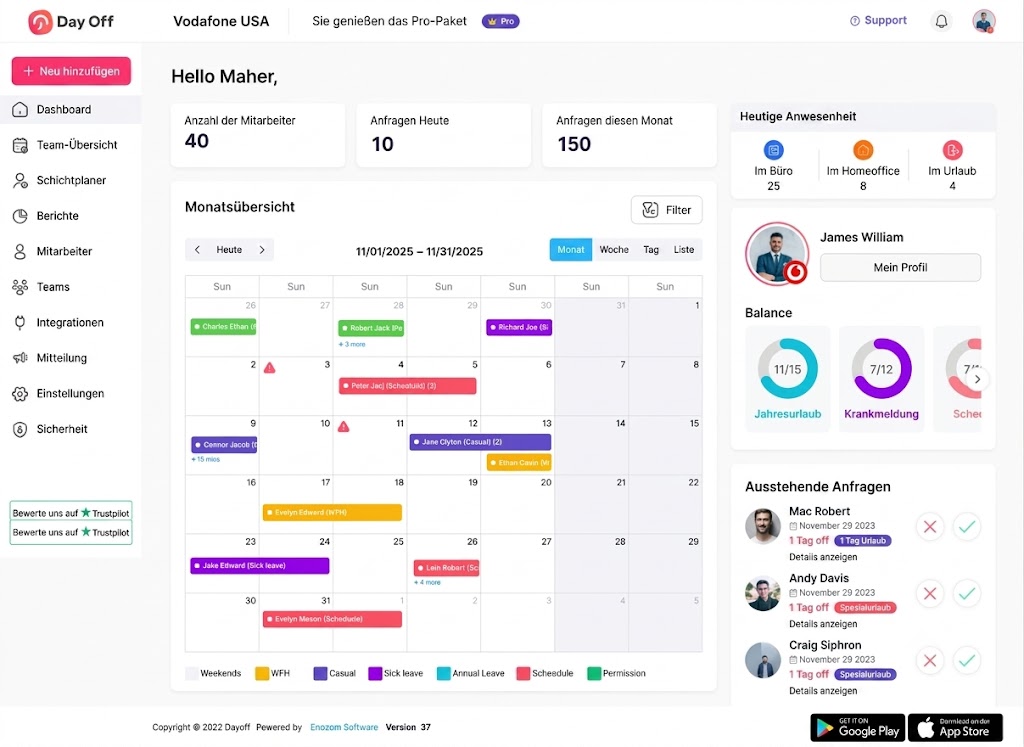
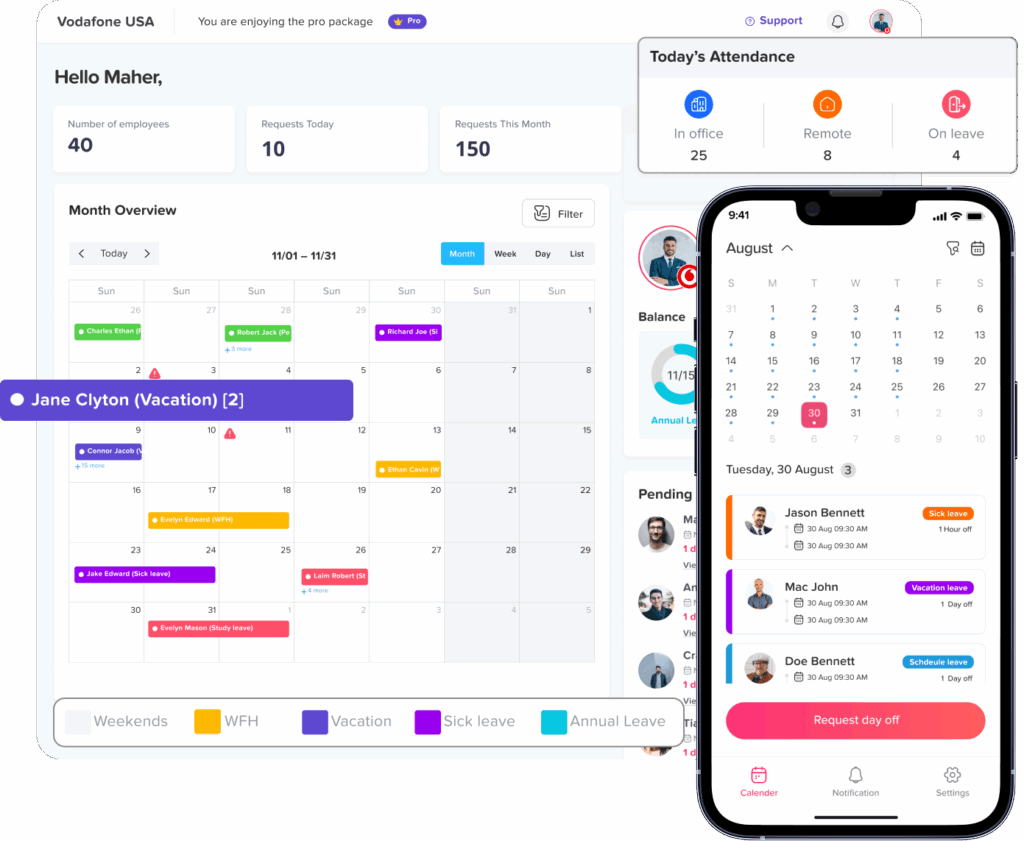
- Shared team PTO calendar
- Vacation, sick leave, personal leave, unpaid leave, and custom leave types
- PTO balances
- Leave accruals
- Carryover rules
- Approval workflows
- Work schedules
- Public holiday calendars
- Team and location organization
- Google Calendar integration
- Outlook Calendar integration
- Slack integration
- Microsoft Teams integration
- Leave reporting
- Web and mobile access
Day Off’s calendar integrations mean the leave management system can remain the source of truth while employees still see approved absences inside their daily calendars. Its Google and Outlook integrations automatically synchronize accepted time-off requests with external calendars.
This makes Day Off particularly useful for teams moving away from spreadsheets or manually maintained vacation calendars.
Why it stands out
A strong PTO calendar needs to do more than display colorful absence blocks.
Managers need to know whether an employee has enough PTO, whether someone else is already away, how a request affects the employee’s balance, and whether company leave policies allow the request.
Day Off brings these parts together.
It is especially suitable when a company wants dedicated leave management with calendar visibility rather than a large HR platform containing many unrelated modules.
Vacation Tracker: Best for Teams Working in Slack or Microsoft Teams
Best for: Companies whose employees spend most of their workday inside Slack, Microsoft Teams, or Google Workspace.
Vacation Tracker focuses specifically on leave management and provides features including accrual tracking, brought forward balances, time off in lieu, and hourly leave tracking.
One of its main strengths is workplace integration.
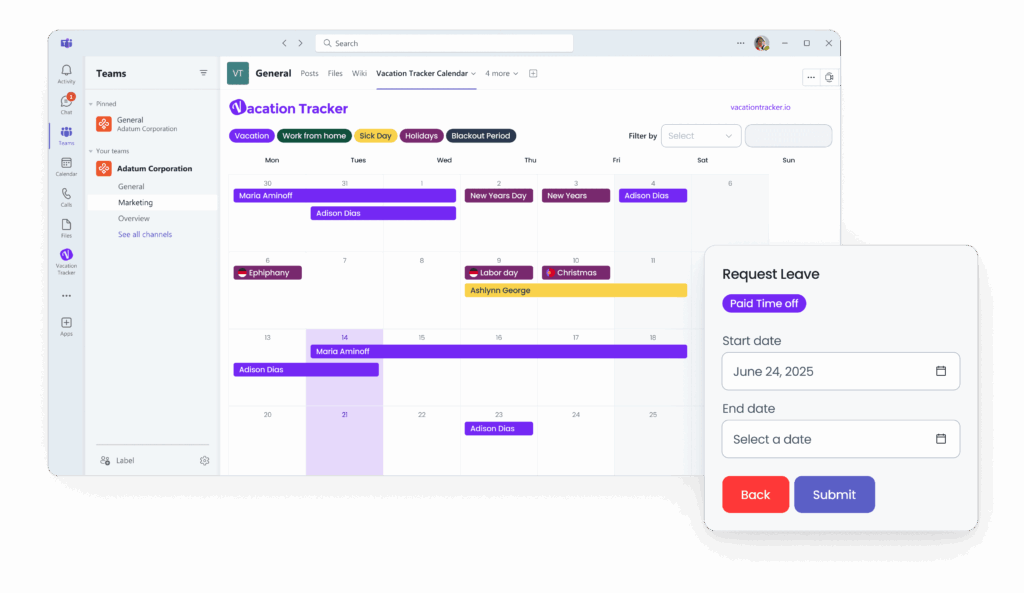
Employees can interact with Vacation Tracker through:
- Slack
- Microsoft Teams
- Google Workspace
For organizations already heavily dependent on these platforms, allowing employees to manage leave without constantly switching applications can reduce friction.
Vacation Tracker also supports more advanced PTO rules such as accruals and carryovers, which makes it more capable than using a shared calendar alone.
Best use case
Vacation Tracker makes sense for organizations that want leave management closely connected to their existing communication environment.
Companies should still compare policy configuration, reporting, calendar visibility, user experience, and total subscription costs with alternative systems before deciding.
Calamari: Best for International Teams
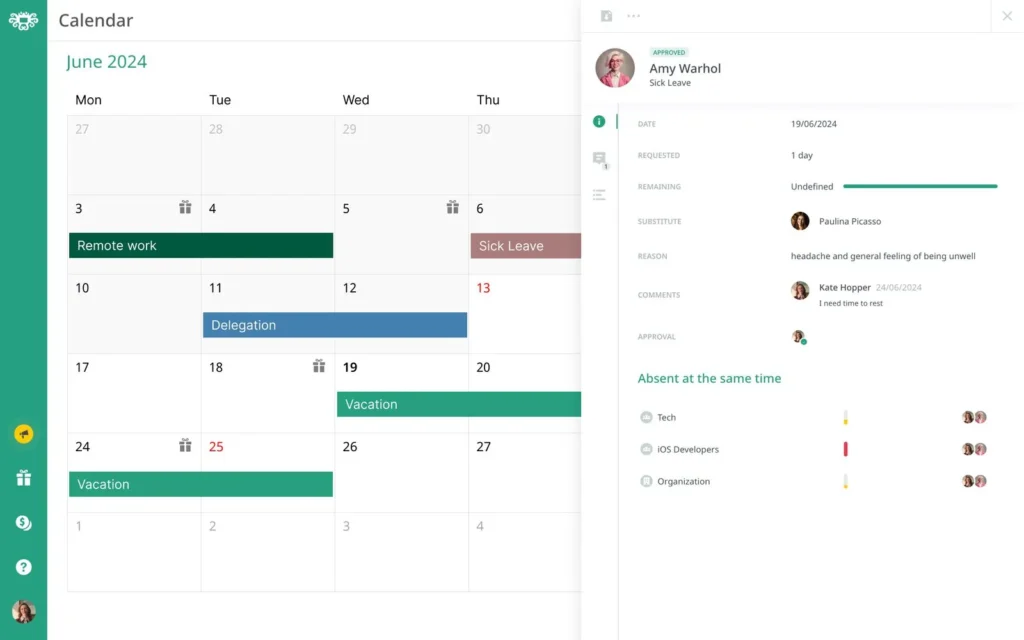
Best for: Distributed organizations managing employees across different countries, holiday calendars, languages, and leave policies.
Calamari offers a dedicated Time Off module alongside other HR and attendance capabilities.
Its time-off functionality includes leave requests, approval workflows, entitlement tracking, automated leave calculations, different leave types, holiday calendars, and reporting. Calamari also supports country-specific holiday calendars, which can be important for multinational teams.
Calendar and workplace integrations are another strength.
Calamari supports integrations with Google Workspace, Microsoft 365, Slack, and Microsoft Teams. Its Microsoft 365 integration can place approved absence information in Outlook, while its Google Workspace integration can synchronize time off with Google Calendar.
Calendar visibility can also be configured so organizations can control whether employees see company-wide absences or only their team’s time off.
Best use case
Calamari is worth considering when leave management is part of a more complex international HR environment.
Companies that only require straightforward PTO tracking may prefer a lighter system, while organizations needing global HR configuration may appreciate Calamari’s broader functionality.
Timetastic: Best for Simple Visual Leave Planning
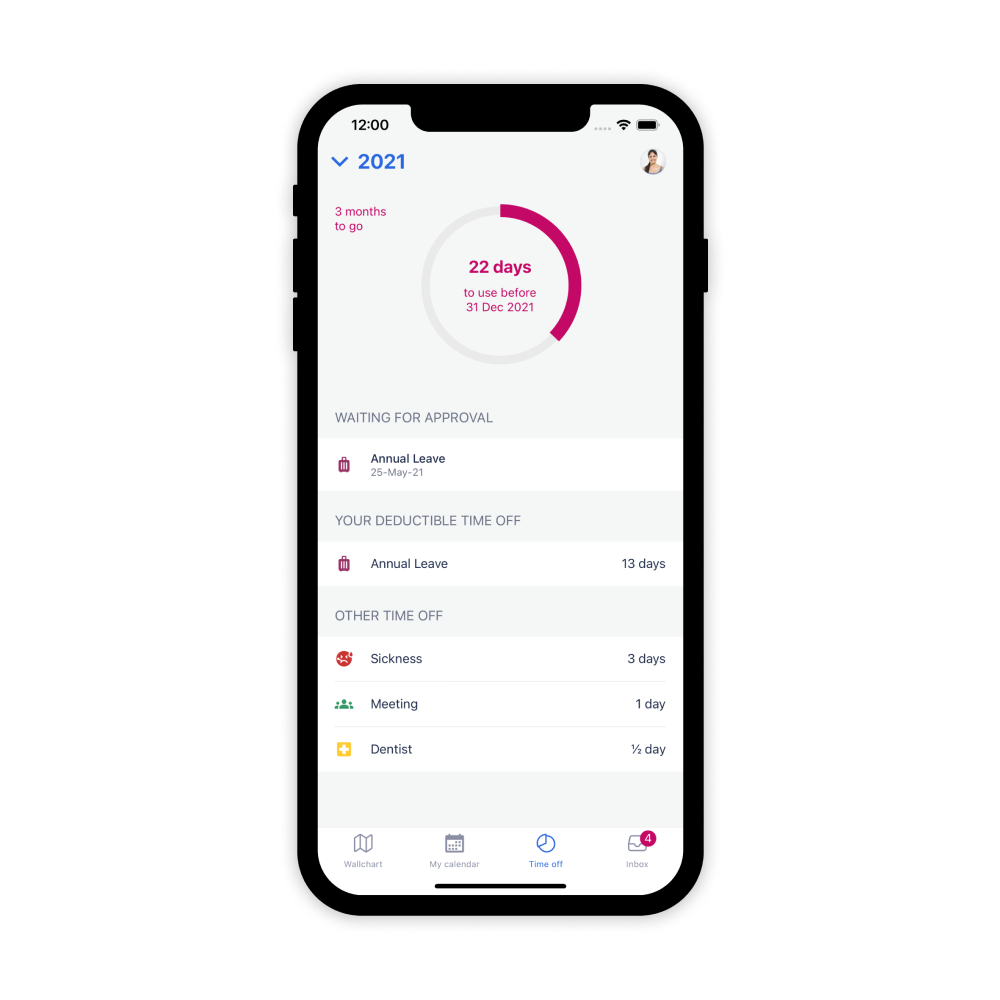
Best for: Small and midsize teams looking for straightforward annual leave management and a clear calendar.
Timetastic is centered around employee leave planning.
It supports multiple absence types, public holidays across thousands of regions, employee work schedules, and calendar integrations. Its integrations include Google Workspace, Google Calendar, Outlook Calendar, Apple Calendar, and Slack.
One useful aspect of Timetastic is its visual approach to leave planning.
Teams can see employee absences together, helping managers identify conflicts and employees choose suitable vacation dates.
Timetastic also supports synchronization with Google Calendar. According to the company, managers can control which leave information is synchronized, including specific departments or the whole organization.
Best use case
Timetastic is a good candidate for organizations prioritizing simplicity and visual leave planning.
Teams requiring more extensive HR management or highly customized workforce workflows should compare those needs carefully against the product’s leave-focused approach.
LeaveBoard: Best for Leave Management With Lightweight HR Tools
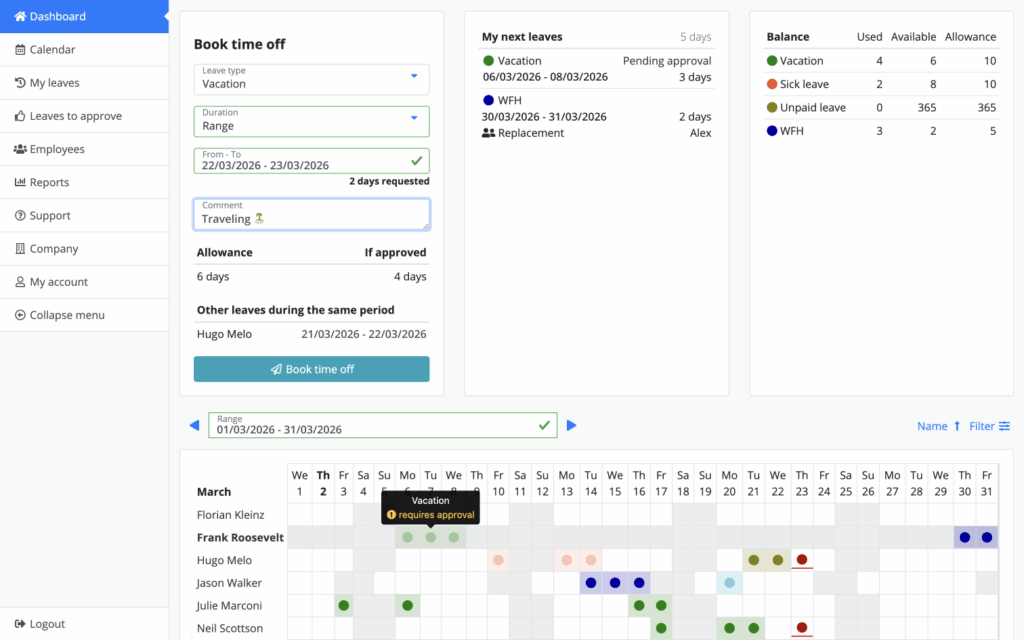
Best for: Small and midsize businesses that want leave management together with basic HR functionality.
LeaveBoard provides leave requests, PTO balances, automatic accruals, approval workflows, employee work schedules, team calendars, and employee dashboards.
Its attendance calendar displays:
- Employees on the team
- Booked absences
- Public holidays
- Employee workdays
- Weekends
- Team, office, and employee filters
This can help organizations compare time off against expected employee availability.
LeaveBoard also provides calendar feeds for personal, team, office, and company leave information. Calendar synchronization options include Google Calendar, Office 365, Apple Calendar through calendar feeds, and other applications supporting .ics calendars.
Best use case
LeaveBoard can work well for businesses that want to move beyond spreadsheets while gaining some additional employee management functionality.
BambooHR: Best for Companies Wanting PTO Inside an HRIS
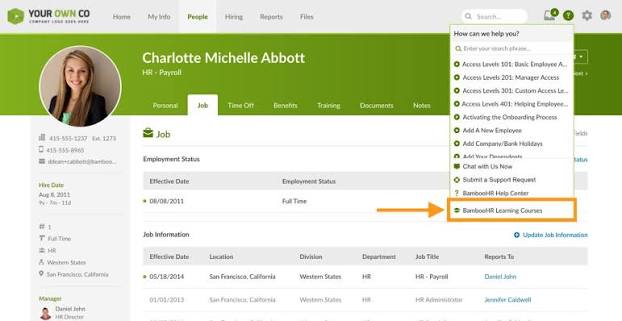
Best for: Organizations that want employee time off connected with a broader human resources information system.
BambooHR approaches PTO differently from dedicated leave trackers because time-off management exists within a wider HR platform.
Its Time Off functionality includes employee requests and approvals, PTO tracking, reports, custom policies, accrual calculations, balances, and a “Who’s Out” calendar.
This can be valuable when the company already uses BambooHR to maintain employee records and wants PTO managed in the same environment.
Advantages of this approach
HR teams may be able to keep employee data and time-off records in fewer systems.
The tradeoff is that companies searching only for a PTO calendar may not need the broader HR platform.
Best use case
BambooHR is most relevant when PTO calendar functionality is one part of a larger HR technology strategy rather than the company’s primary reason for purchasing software.
Zoho People: Best for Companies in the Zoho Ecosystem
Best for: Organizations already using Zoho products or businesses looking for PTO management inside a broader workforce platform.
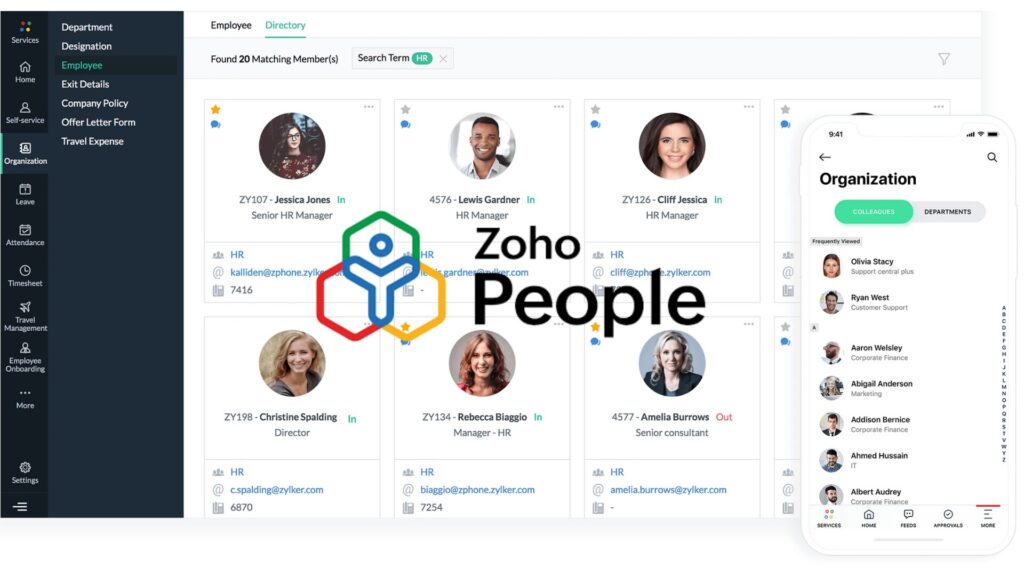
Zoho People’s leave functionality gives employees access to PTO information, leave requests, leave balances, holiday information, and calendar views.
Employees can view their own leave calendar as well as department availability depending on the organization’s configuration.
Approved leave can also synchronize with Google Calendar or Microsoft 365 Calendar. Zoho provides settings that allow organizations to control how synchronized leave appears and configure calendar event status by leave type.
Best use case
Zoho People becomes particularly attractive when a company already uses Zoho’s wider business ecosystem.
Companies primarily interested in a lightweight PTO tracker should compare whether the additional HR functionality improves or complicates their workflow.
What Features Should PTO Calendar Software Have?
The calendar itself is only one part of the buying decision.
Here are the most important capabilities to evaluate.
Clear Team Availability
Managers should be able to answer questions such as:
- Who is off today?
- Who is away next week?
- Are multiple people from the same department requesting the same dates?
- Is someone from a critical role already unavailable?
- Which employees are affected by a public holiday?
Look for filtering by:
- Team
- Department
- Location
- Employee
- Leave type
Without filtering, a company-wide calendar can quickly become difficult to read as the organization grows.
Automatic Calendar Updates
A PTO calendar should update after requests are approved.
Requiring HR to manually create calendar events defeats much of the purpose of implementing leave management software.
If employees use Google Workspace or Microsoft 365, check whether approved leave can appear in Google Calendar or Outlook automatically.
Day Off, for example, supports automatic synchronization of approved time off with Google Calendar and Outlook.
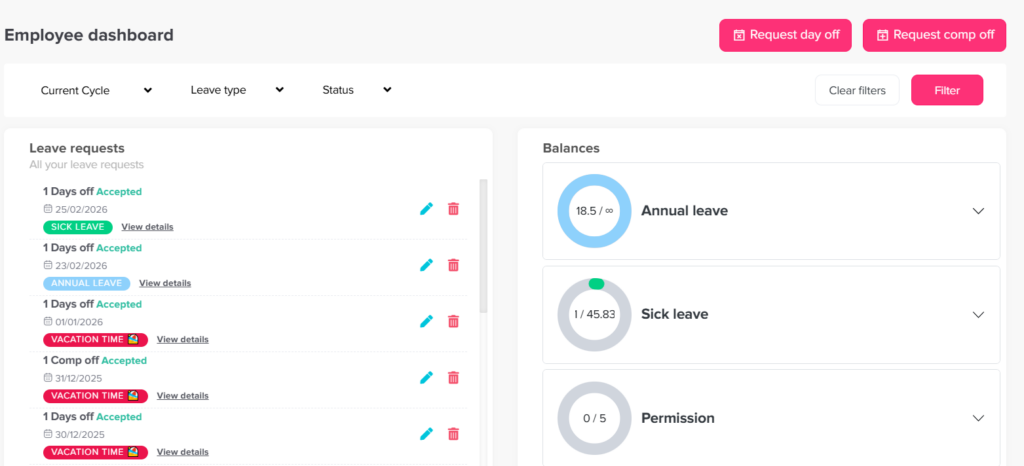
PTO Balance Tracking
Employees should know how much leave they have available before submitting a request.
Managers should also be able to make decisions using accurate balance information.
A proper PTO tracking system may need to account for:
- Starting allowance
- Used PTO
- Approved future PTO
- Earned PTO
- Carryover
- Manual adjustments
- Expired balances
A calendar alone cannot reliably calculate these values.
Accrual Management
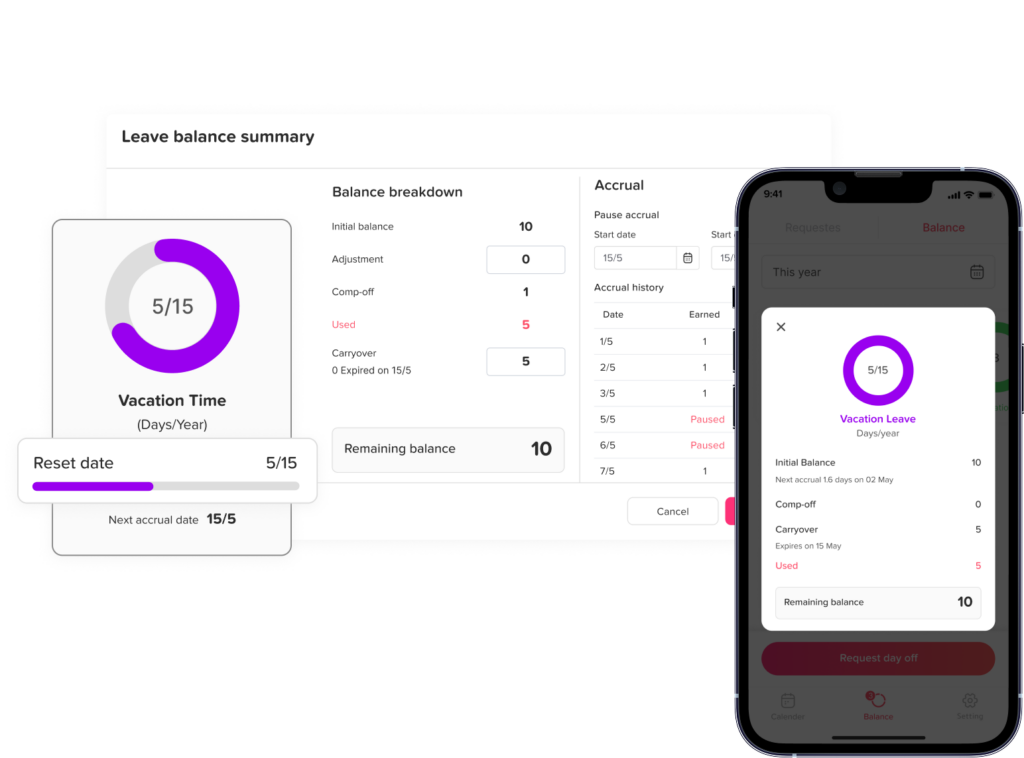
Not every organization gives employees their entire annual PTO entitlement on January 1.
Some companies accrue leave:
- Weekly
- Biweekly
- Semimonthly
- Monthly
- Annually
- According to hours worked
If your organization uses accruals, make sure the PTO software can calculate them according to your actual policy.
Otherwise, HR may still need a spreadsheet running alongside the software.
Approval Workflows
Small teams may need only one manager to approve vacation.
Larger organizations may require:
Employee → Manager → Department Head → HR
Your PTO system should support the approval structure your organization actually uses.
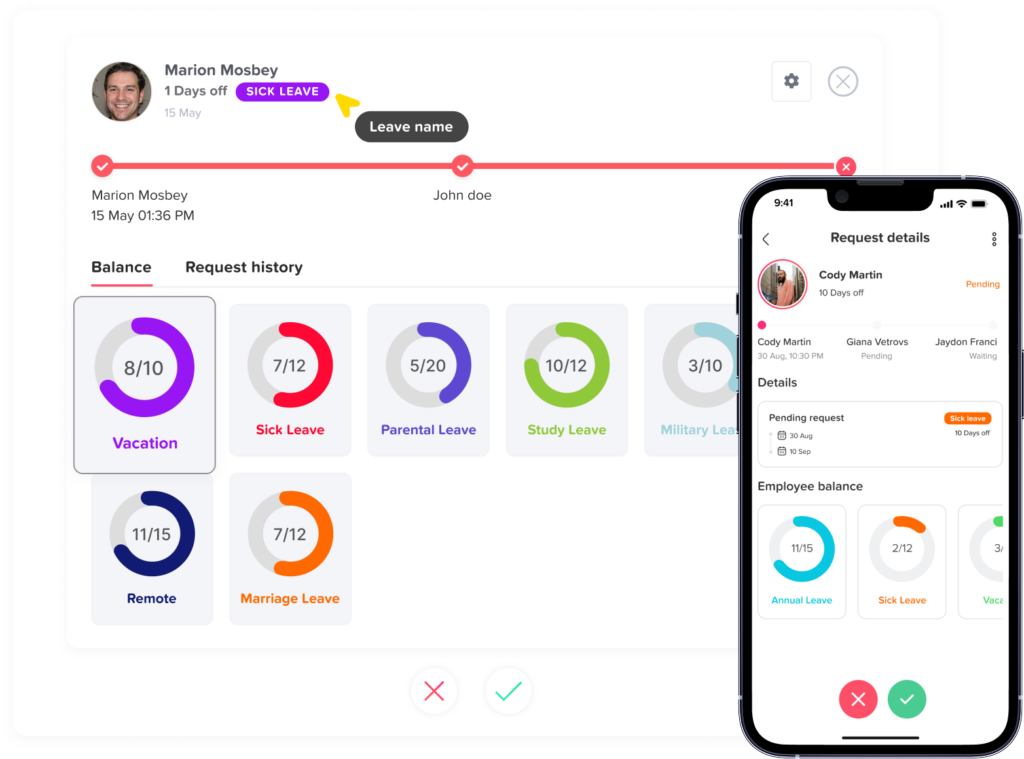
More importantly, approvers should have access to enough context to make the decision.
A useful approval view should ideally show:
- Requested dates
- Number of days or hours requested
- Remaining balance
- Other team members already away
- Leave type
- Request notes
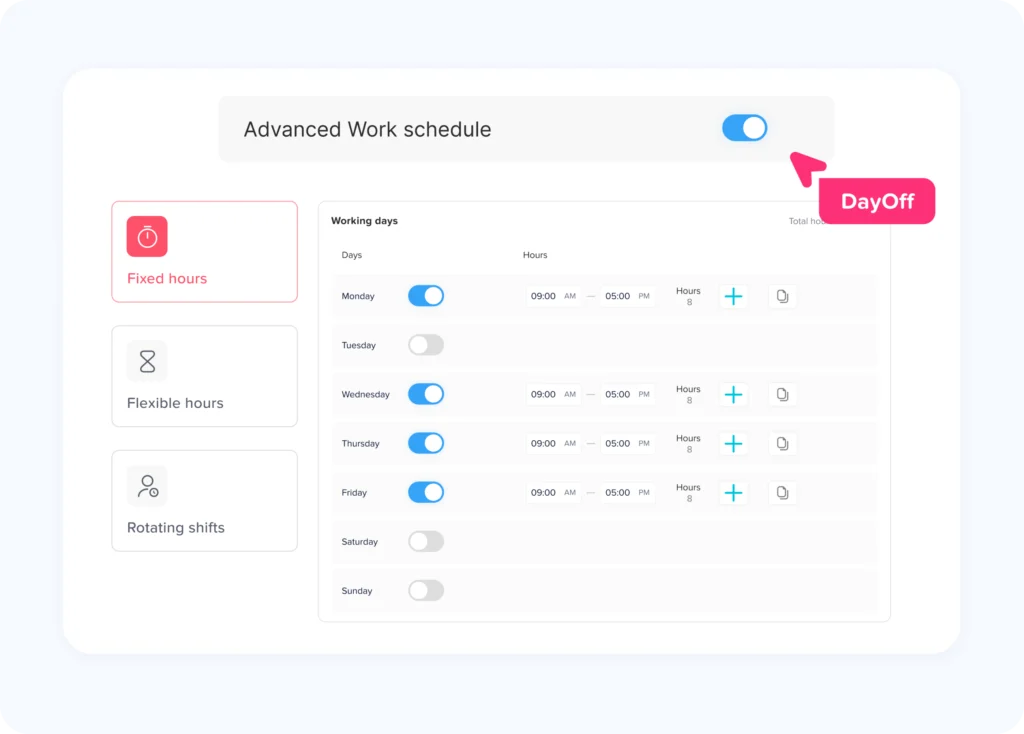
Support for Different Work Schedules
Not every employee works Monday through Friday.
Your organization may have:
- Part time employees
- Four day workweeks
- Rotating schedules
- Flexible schedules
- Split shifts
- Employees working different daily hours
PTO deduction should reflect scheduled working time whenever possible.
For example, an employee who does not normally work Friday should not necessarily lose a day of PTO simply because a vacation request covers Friday.
Public Holiday Management
International companies need more than one holiday calendar.
A U.S. employee, Egyptian employee, and German employee may have completely different public holidays.
Good leave calendar software should allow organizations to associate employees with the correct holiday calendar so public holidays do not distort leave calculations.
Privacy Controls
Not every absence reason should be visible to every employee.
For workforce planning, coworkers may need to know that someone is unavailable.
They usually do not need detailed personal information.
Organizations should therefore consider whether the software can display neutral labels such as:
- Away
- Out of Office
- Unavailable
- PTO
instead of revealing sensitive absence reasons.
This becomes particularly important for sick leave or other personal leave categories.
Mobile Access
Managers do not always approve requests while sitting at a desk.
Employees should also be able to submit requests without needing access to an HR computer.
Mobile access is particularly useful for:
- Field employees
- Remote teams
- Traveling managers
- Distributed workforces
- Employees without permanent desks
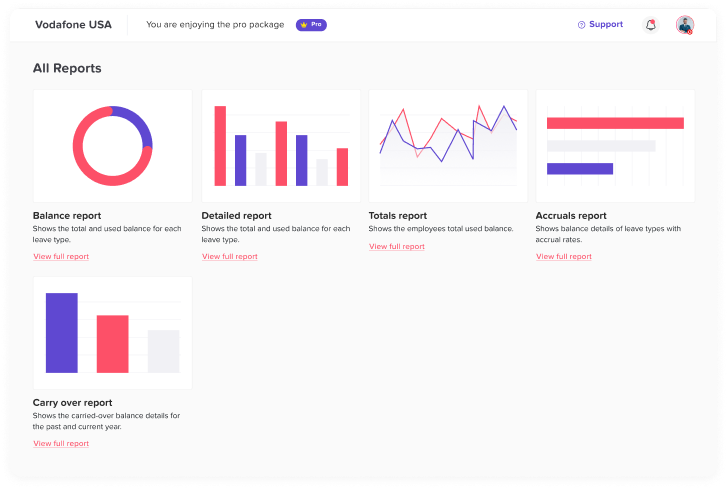
Reporting
A PTO calendar shows what is happening.
Reports explain what has happened over time.
Useful leave reports may include:
- Leave usage
- Remaining balances
- Accrual history
- Employee leave history
- Carryover
- Leave taken by type
- Department usage
- Upcoming approved leave
These reports help HR identify trends and reconcile records without manually rebuilding data from calendar events.
Is Google Calendar Enough for Tracking PTO?
Google Calendar can work as a basic absence calendar, but it is not a complete PTO management system.
You can manually create events for:
- Vacation
- Public holidays
- Sick days
- Company closures
However, Google Calendar does not automatically maintain PTO allowances, accrual policies, carryover limits, manager approvals, entitlement calculations, or detailed leave reports.
Consider an employee with:
- 20 days of annual PTO
- 5 days carried over
- 8 days already used
- 4 future days approved
- 2 pending days requested
A calendar can display the dates.
A PTO management system calculates and maintains the balance.
The better approach for many organizations is to use PTO software as the system of record and then synchronize approved leave with Google Calendar.
Is Outlook Enough for PTO Tracking?
The same principle applies to Outlook.
Outlook is excellent for scheduling meetings and displaying availability, but it was not designed to enforce company leave policies or calculate employee entitlements.
A PTO system connected to Outlook gives organizations both capabilities:
PTO software handles: policies, balances, requests, approvals, records, and reports.
Outlook handles: everyday schedule visibility.
This separation avoids forcing employees to manually enter the same absence in multiple places.
How to Implement a PTO Calendar Successfully
Buying the software is only the first step.
Companies should also define how employees and managers are expected to use it.
Step 1: Document Your Existing PTO Policies
Before configuring the software, identify:
- Leave types
- Annual allowances
- Accrual schedules
- Carryover rules
- Carryover expiration
- Minimum request duration
- Maximum request duration
- Notice requirements
- Approval structure
- Public holidays
- Work schedules
Do not configure software around assumptions.
Configure it around the actual policy.
Step 2: Make the PTO System the Source of Truth
Avoid letting employees request vacation through five different channels.
For example:
- Slack messages
- Text messages
- Spreadsheets
- Calendar invitations
should not all function as independent request systems.
Choose one official process.
The calendar should reflect that process rather than replace it.
Step 3: Connect Workplace Calendars
If your team works in Google Workspace, connect Google Calendar.
If your organization uses Microsoft 365, connect Outlook.
This reduces duplicate entry and improves adoption because employees can continue checking the calendar they already use every day.
Step 4: Define Calendar Visibility
Decide what employees should see.
Possible configurations include:
- Entire company
- Employee’s department
- Employee’s direct team
- Direct reports
- Personal leave only
Also determine whether the exact leave type should be visible.
Step 5: Train Managers to Check Coverage
Managers should not evaluate requests based solely on PTO balance.
They should also consider team availability.
The calendar should become part of the approval process.
Step 6: Review the System After Launch
After several weeks, ask:
- Are managers approving requests promptly?
- Are employees checking the calendar?
- Are balances accurate?
- Are external calendars syncing correctly?
- Are any policies still being calculated manually?
- Are employees submitting requests outside the system?
Fixing these problems early improves long-term adoption.
Why Day Off Is a Strong PTO Calendar Choice
Day Off is built specifically around leave management and employee availability.
Employees can submit time-off requests, managers can evaluate and approve them, balances update, and the team calendar reflects scheduled absences.
Approved leave can also connect with Google Calendar and Outlook, while Slack and Microsoft Teams integrations help make absence information available within normal team communication workflows.
For teams that want more than a shared vacation calendar but do not want to introduce a complicated HR platform, this focused approach can be useful.
Day Off brings together:
- PTO tracking
- Leave requests
- Approvals
- Leave balances
- Accruals
- Carryover
- Team calendars
- Work schedules
- Holiday calendars
- Reports
- Google Calendar
- Outlook Calendar
- Slack
- Microsoft Teams
This allows the PTO calendar to become part of a complete leave management workflow instead of another calendar HR needs to maintain manually.
FAQ
What is the best PTO calendar software?
The best PTO calendar software depends on company size, leave policies, integrations, work schedules, and HR requirements. Day Off is a strong option for teams wanting dedicated PTO management with shared calendars, balances, approval workflows, Google Calendar and Outlook integration, and Slack and Microsoft Teams connectivity. Other options include Vacation Tracker, Calamari, Timetastic, LeaveBoard, BambooHR, and Zoho People.
What should a PTO calendar include?
A PTO calendar should clearly show when employees are unavailable while protecting sensitive information. Depending on company policy, it may show employee names, absence dates, public holidays, departments, locations, and general availability status. Managers may need additional information such as leave type, balance, and request status.
How do you create a PTO calendar for a team?
You can manually create a shared calendar in Google Calendar or Outlook, but a PTO tracking system is more efficient for growing teams. Employees submit requests through the PTO system, managers approve them, balances update automatically, and approved absences appear on the shared calendar.
Can Google Calendar be used as a PTO calendar?
Yes, Google Calendar can display employee time off, but it does not provide full PTO management. It does not independently calculate employee leave allowances, accruals, carryover rules, approval workflows, or PTO reports. Many companies therefore use dedicated PTO software and synchronize approved requests with Google Calendar.
Can Outlook Calendar track PTO?
Outlook can display employee absences and Out of Office events, but it is primarily a calendar rather than a PTO management system. Connecting Outlook to leave management software allows companies to combine calendar visibility with balances, approval workflows, leave policies, and reporting.
Should employees be able to see everyone’s PTO?
That depends on the company’s privacy policy and organizational structure. Some businesses show the entire company calendar, while others limit employees to their team or department. Sensitive absence reasons do not always need to be displayed. Showing a general “Away” or “Out of Office” status may provide enough information for workforce planning.
How does PTO calendar software prevent overlapping vacations?
PTO software gives managers visibility into other approved absences before they approve a new request. If several employees from the same team are already away, the manager can evaluate whether approving another request would create a staffing problem.
Does PTO calendar software automatically calculate leave balances?
Good PTO tracking systems can automatically update balances when leave is approved or taken. More advanced systems can also manage accrual schedules, carryover policies, adjustments, and different employee entitlements.
Is PTO calendar software useful for remote teams?
Yes. Remote and distributed teams often benefit significantly from PTO calendar software because coworkers cannot rely on physical office presence to understand availability. Shared leave calendars, Slack or Teams notifications, and calendar synchronization can make planned absences visible across locations.
Can PTO software manage different holidays for international employees?
Many modern leave management systems support multiple holiday calendars. This allows employees in different countries or locations to follow the correct public holiday schedule while remaining part of the same company PTO system.
Conclusion
The best PTO Calendar Software does much more than display vacation dates.
It connects employee availability with PTO balances, company policies, approval workflows, public holidays, work schedules, reporting, and the calendars teams already use.
For a very small company, a shared spreadsheet or Google Calendar may work temporarily. As the team grows, however, manual tracking becomes harder to maintain. Duplicate data, incorrect balances, overlapping vacations, and missed requests become increasingly common.
Dedicated PTO software creates a clearer process.
Employees know how much time off they have. Managers can see who is already away before approving another request. HR gets accurate leave records. Teams can view availability without repeatedly asking who is working.
Solutions such as Vacation Tracker, Calamari, Timetastic, LeaveBoard, BambooHR, and Zoho People each serve different types of organizations.
For companies looking for a focused PTO and leave management platform with a shared team calendar, flexible leave policies, approval workflows, calendar integrations, and workplace integrations, Day Off provides an effective way to manage the complete time-off process from request to approval to team visibility.