





Timesheet Approval
Timesheet Approval adds a review step between logging time and counting it. Employees submit their hours, approvers check them against schedules and time off, and only approved time moves forward. Prefer to skip the review? Turn approvals off and every submission is approved automatically.
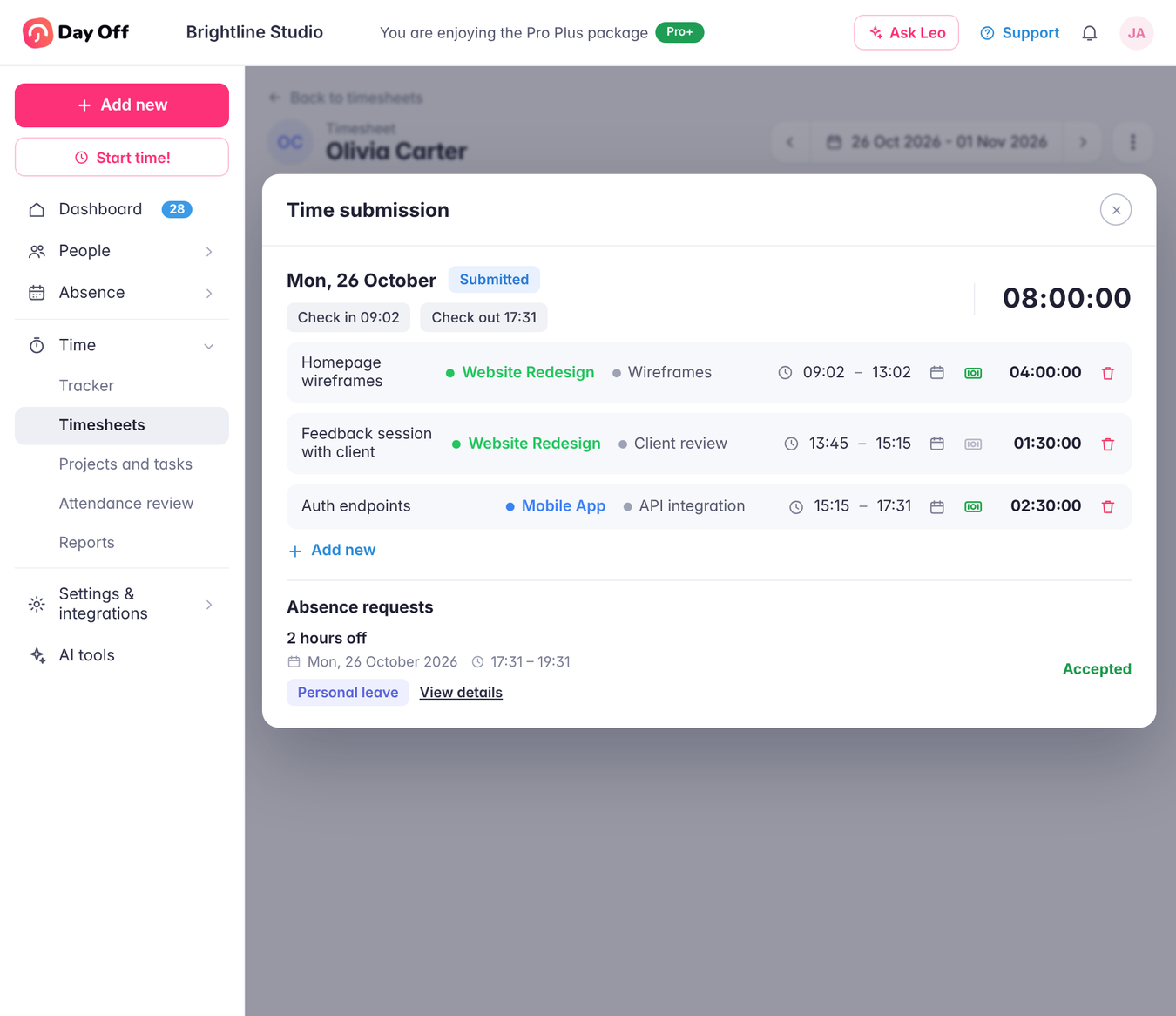
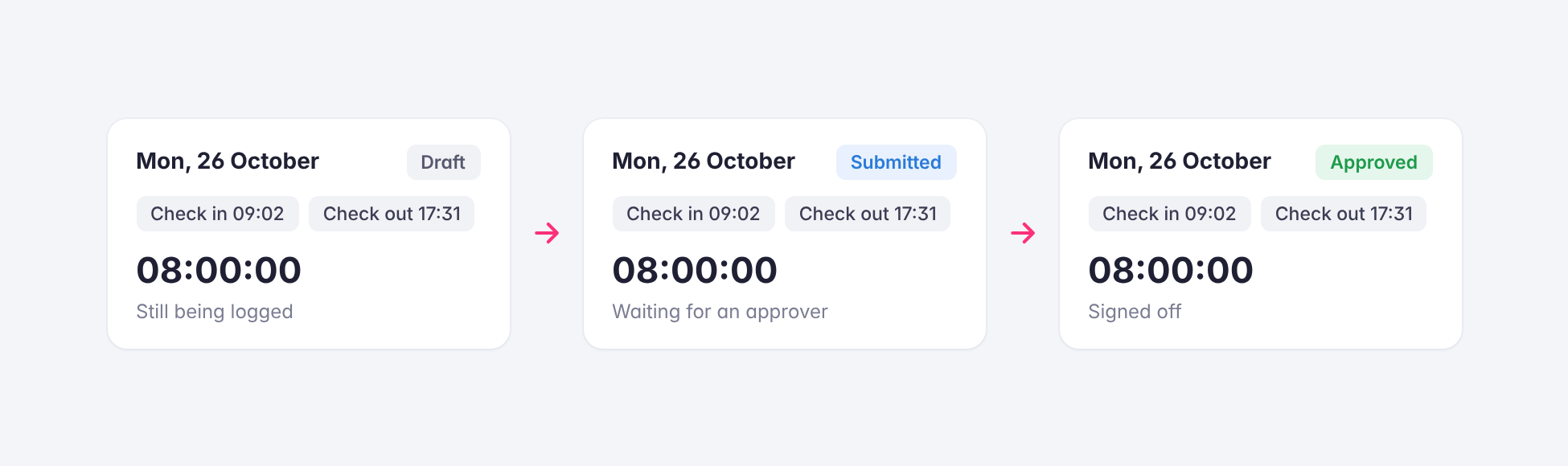
Draft, Submit, Approve
Time starts as a draft while employees are still logging it. Once they submit, it waits for an approver, who can approve or reject it. The status of each day is visible in the timesheet, so everyone knows which hours are still in progress and which have already been signed off.
Review Hours in Context
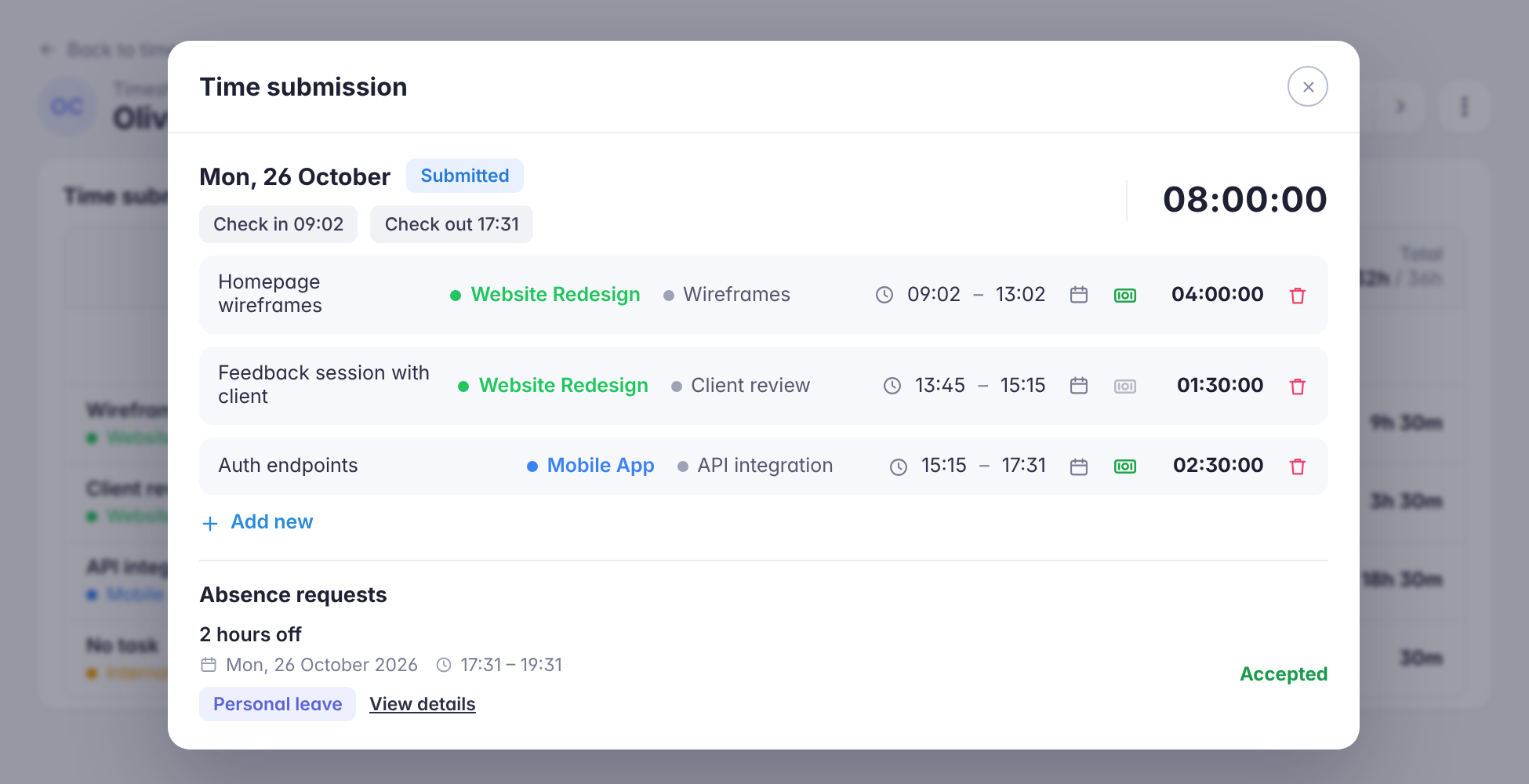
Approvers review submitted time on the same Timesheets page, with each day’s logged hours shown against scheduled hours and any absence requests listed for that day. That context makes it easy to spot a missing day, an unusually long entry, or a clash with time off before approving.
Optional Auto-Approval
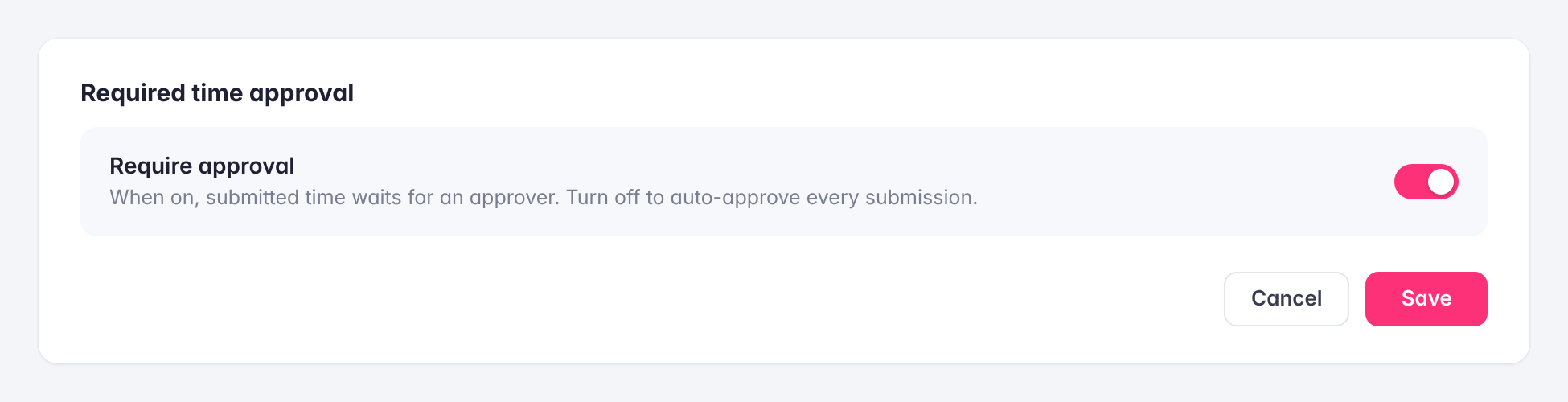
Approval is a single setting. Turn on Require approval and submitted time waits for an approver; turn it off and every submission is approved automatically. Teams can start simple and add a review step later as they grow, without changing how employees log their time.
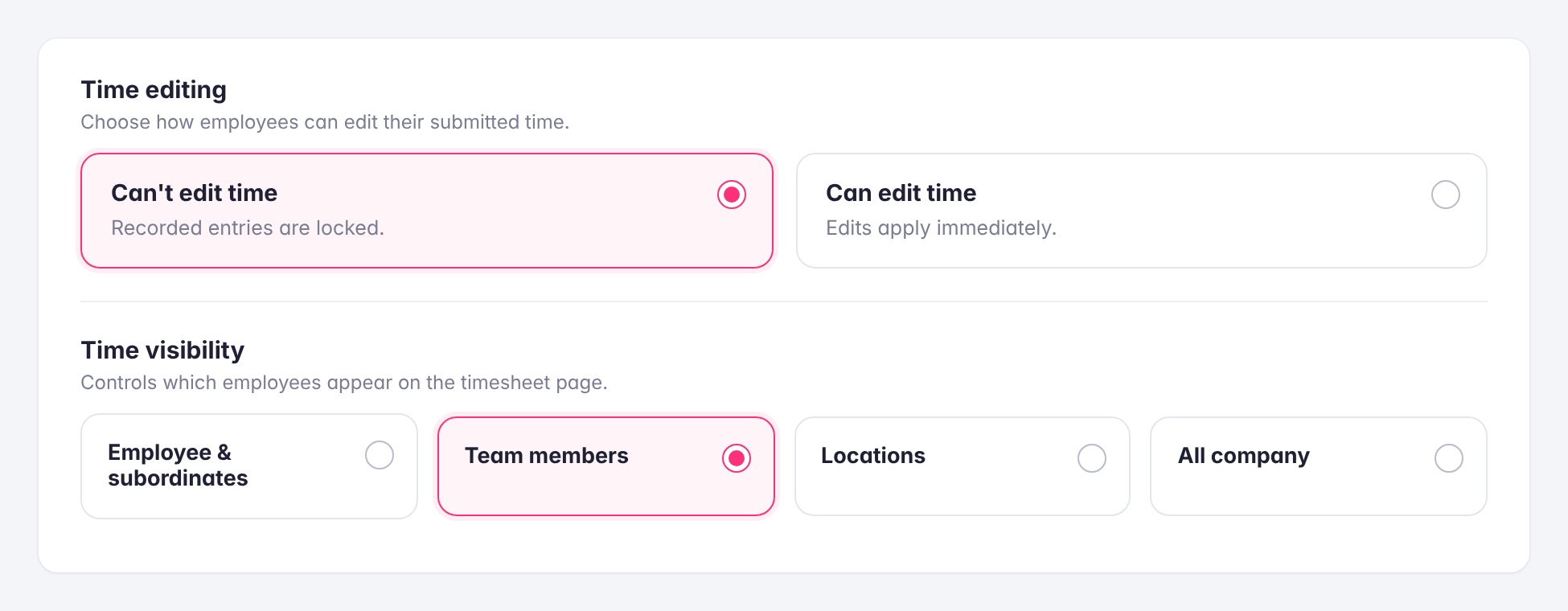
Edit Rules and Visibility
Choose how employees can change their time: lock recorded entries so they can’t be edited, or allow edits that apply immediately. Combine this with time visibility settings, which control whether approvers see their subordinates, their team members, a location, or the whole company, to decide exactly who reviews what.