
Features · Timesheets & Billing

Timesheet Approval

Timesheet Approval adds a review step between logging time and counting it. Employees submit their hours, approvers check them against schedules and time off, and only approved time moves forward. Prefer to skip the review? Turn approvals off and every submission is approved automatically.

Trusted by 60,000+ companies in 100+ countries

1

Draft, Submit, Approve

Time starts as a draft while employees are still logging it. Once they submit, it waits for an approver, who can approve or reject it. The status of each day is visible in the timesheet, so everyone knows which hours are still in progress and which have already been signed off.
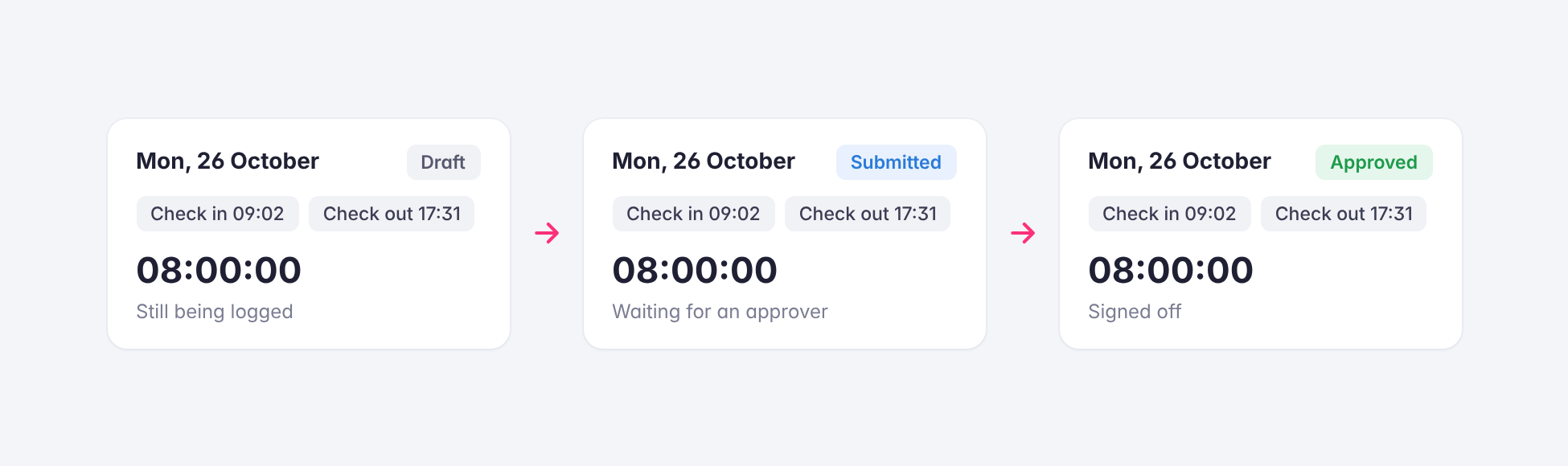
Draft, Submit, Approve: Timesheet Approval in Day Off
2

Review Hours in Context

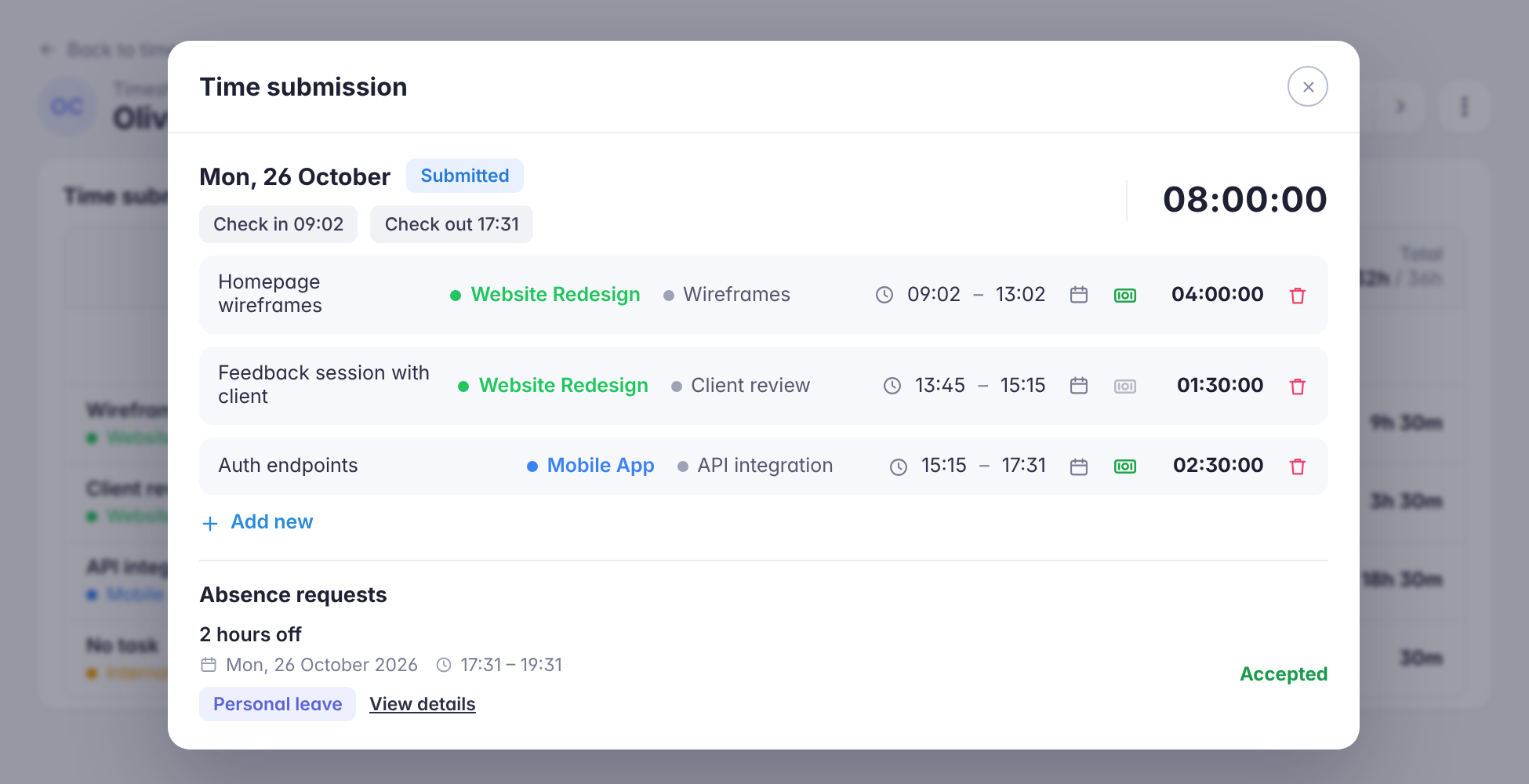
Approvers review submitted time on the same Timesheets page, with each day’s logged hours shown against scheduled hours and any absence requests listed for that day. That context makes it easy to spot a missing day, an unusually long entry, or a clash with time off before approving.

Review Hours in Context: Timesheet Approval in Day Off
3

Optional Auto-Approval

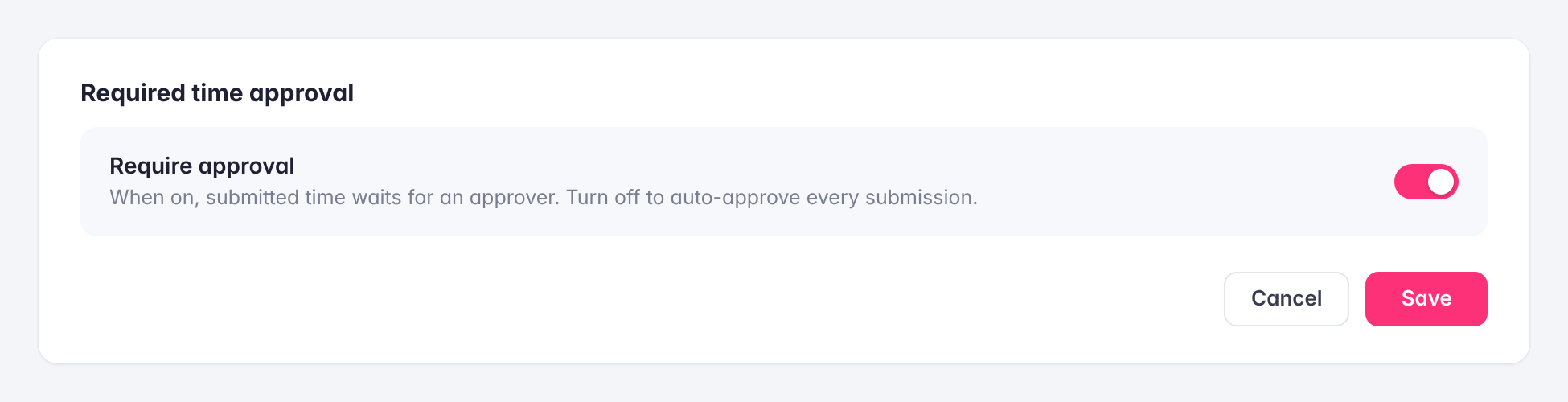
Approval is a single setting. Turn on Require approval and submitted time waits for an approver; turn it off and every submission is approved automatically. Teams can start simple and add a review step later as they grow, without changing how employees log their time.

Optional Auto-Approval: Timesheet Approval in Day Off
4

Edit Rules and Visibility

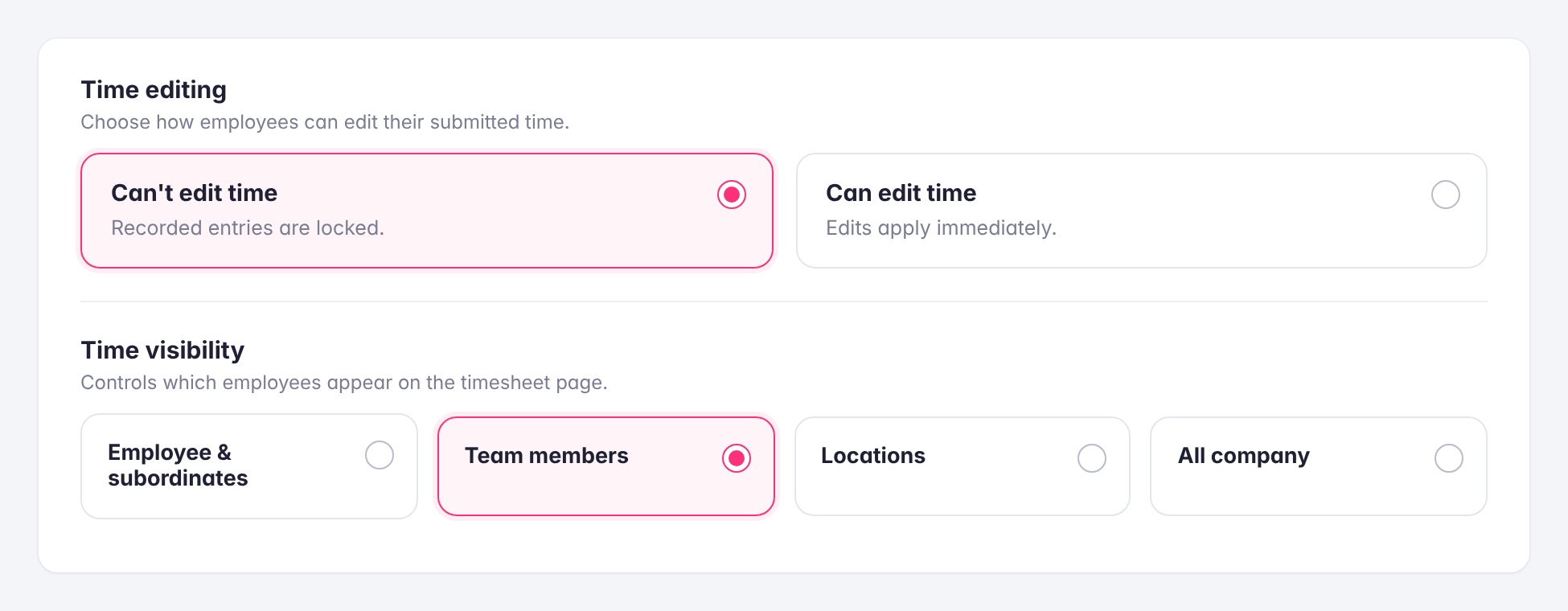
Choose how employees can change their time: lock recorded entries so they can’t be edited, or allow edits that apply immediately. Combine this with time visibility settings, which control whether approvers see their subordinates, their team members, a location, or the whole company, to decide exactly who reviews what.

Edit Rules and Visibility: Timesheet Approval in Day Off

Make time off the easy part of your week

Join 60,000+ companies that track leave, PTO, attendance and work hours with Day Off. Free to start, no credit card needed.